
Open Vswitch Performance measurements analysis Madhu Challa Tools


- Slides: 13
Open. Vswitch Performance measurements & analysis Madhu Challa
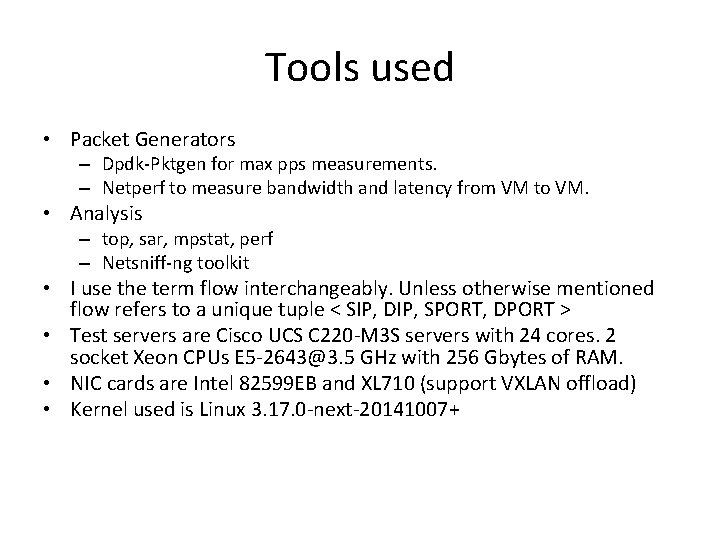
Tools used • Packet Generators – Dpdk-Pktgen for max pps measurements. – Netperf to measure bandwidth and latency from VM to VM. • Analysis – top, sar, mpstat, perf – Netsniff-ng toolkit • I use the term flow interchangeably. Unless otherwise mentioned flow refers to a unique tuple < SIP, DIP, SPORT, DPORT > • Test servers are Cisco UCS C 220 -M 3 S servers with 24 cores. 2 socket Xeon CPUs E 5 -2643@3. 5 GHz with 256 Gbytes of RAM. • NIC cards are Intel 82599 EB and XL 710 (support VXLAN offload) • Kernel used is Linux 3. 17. 0 -next-20141007+
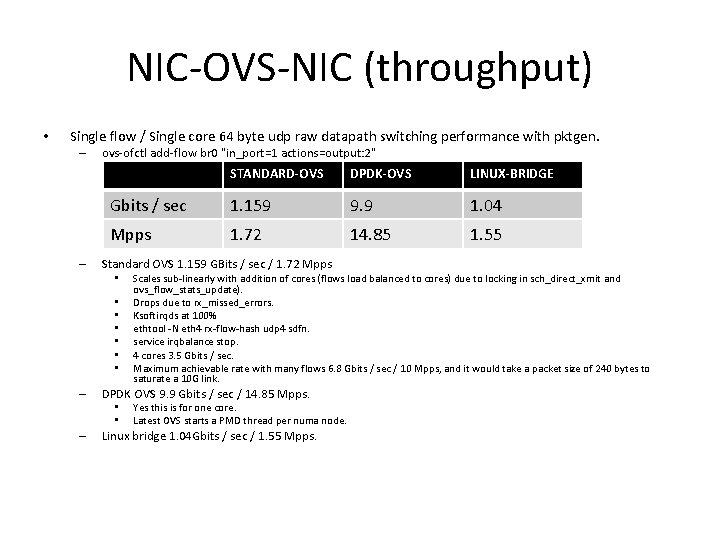
NIC-OVS-NIC (throughput) • Single flow / Single core 64 byte udp raw datapath switching performance with pktgen. – – ovs-ofctl add-flow br 0 "in_port=1 actions=output: 2" STANDARD-OVS DPDK-OVS LINUX-BRIDGE Gbits / sec 1. 159 9. 9 1. 04 Mpps 1. 72 14. 85 1. 55 Standard OVS 1. 159 GBits / sec / 1. 72 Mpps • • – DPDK OVS 9. 9 Gbits / sec / 14. 85 Mpps. • • – Scales sub-linearly with addition of cores (flows load balanced to cores) due to locking in sch_direct_xmit and ovs_flow_stats_update). Drops due to rx_missed_errors. Ksoftirqds at 100% ethtool -N eth 4 rx-flow-hash udp 4 sdfn. service irqbalance stop. 4 cores 3. 5 Gbits / sec. Maximum achievable rate with many flows 6. 8 Gbits / sec / 10 Mpps, and it would take a packet size of 240 bytes to saturate a 10 G link. Yes this is for one core. Latest OVS starts a PMD thread per numa node. Linux bridge 1. 04 Gbits / sec / 1. 55 Mpps.
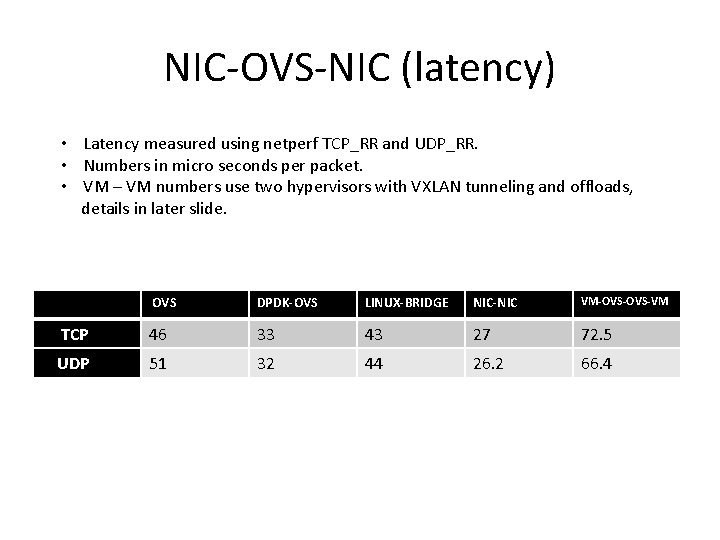
NIC-OVS-NIC (latency) • Latency measured using netperf TCP_RR and UDP_RR. • Numbers in micro seconds per packet. • VM – VM numbers use two hypervisors with VXLAN tunneling and offloads, details in later slide. OVS DPDK-OVS LINUX-BRIDGE NIC-NIC VM-OVS-VM TCP 46 33 43 27 72. 5 UDP 51 32 44 26. 2 66. 4
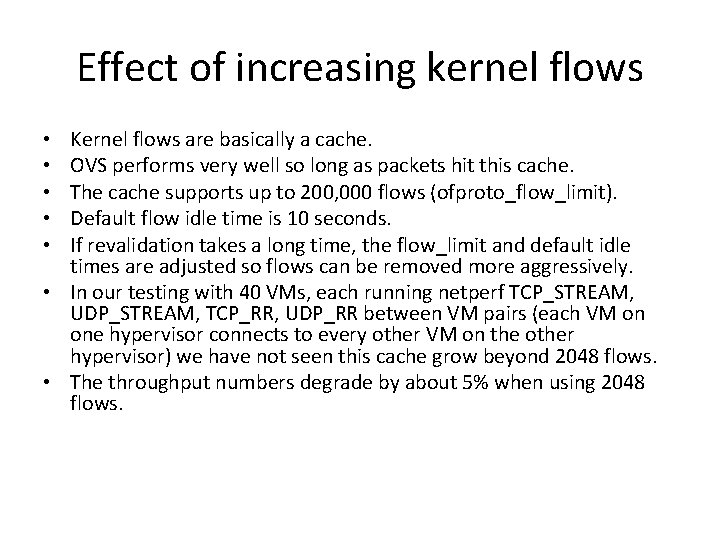
Effect of increasing kernel flows Kernel flows are basically a cache. OVS performs very well so long as packets hit this cache. The cache supports up to 200, 000 flows (ofproto_flow_limit). Default flow idle time is 10 seconds. If revalidation takes a long time, the flow_limit and default idle times are adjusted so flows can be removed more aggressively. • In our testing with 40 VMs, each running netperf TCP_STREAM, UDP_STREAM, TCP_RR, UDP_RR between VM pairs (each VM on one hypervisor connects to every other VM on the other hypervisor) we have not seen this cache grow beyond 2048 flows. • The throughput numbers degrade by about 5% when using 2048 flows. • • •
Effect of cache misses • To stress the importance of the kernel flow cache I ran a test completely disabling the cache. • may_put=false or ovs-appctl upcall/set-flow-limit. • The result for the multi flow test presented in slide 3. – 400 Mbits / sec, approx 600 Kpps – Loadavg 9. 03, 37. 8%si, 7. 1%sy, 6. 7%us – Most of these due to memory copies. - 4. 73% [kernel] [k] memset - 58. 75% __nla_put - nla_put + 86. 73% ovs_nla_put_flow + 13. 27% queue_userspace_packet + 30. 83% nla_reserve + 8. 17% genlmsg_put + 1. 22% genl_family_rcv_msg 4. 92% 3. 79% 3. 69% 3. 33% 3. 18% 2. 63% [kernel] [ixgbe] [kernel] [k] memcpy [k] netlink_lookup [k] __nla_reserve [k] ixgbe_clean_rx_irq [k] netlink_compare [k] netlink_overrun
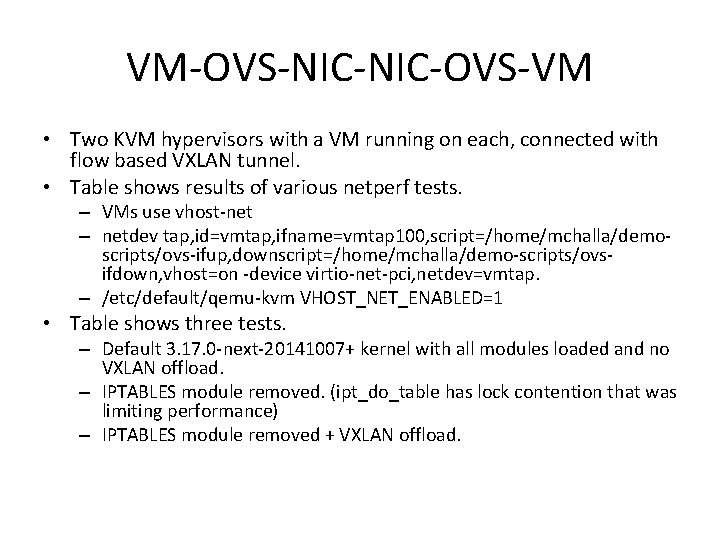
VM-OVS-NIC-OVS-VM • Two KVM hypervisors with a VM running on each, connected with flow based VXLAN tunnel. • Table shows results of various netperf tests. – VMs use vhost-net – netdev tap, id=vmtap, ifname=vmtap 100, script=/home/mchalla/demoscripts/ovs-ifup, downscript=/home/mchalla/demo-scripts/ovsifdown, vhost=on -device virtio-net-pci, netdev=vmtap. – /etc/default/qemu-kvm VHOST_NET_ENABLED=1 • Table shows three tests. – Default 3. 17. 0 -next-20141007+ kernel with all modules loaded and no VXLAN offload. – IPTABLES module removed. (ipt_do_table has lock contention that was limiting performance) – IPTABLES module removed + VXLAN offload.
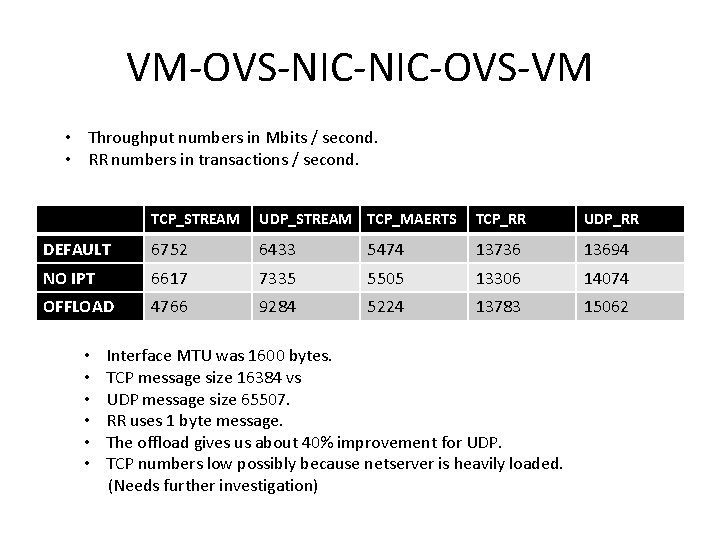
VM-OVS-NIC-OVS-VM • Throughput numbers in Mbits / second. • RR numbers in transactions / second. TCP_STREAM UDP_STREAM TCP_MAERTS TCP_RR UDP_RR DEFAULT 6752 6433 5474 13736 13694 NO IPT 6617 7335 5505 13306 14074 OFFLOAD 4766 9284 5224 13783 15062 • • • Interface MTU was 1600 bytes. TCP message size 16384 vs UDP message size 65507. RR uses 1 byte message. The offload gives us about 40% improvement for UDP. TCP numbers low possibly because netserver is heavily loaded. (Needs further investigation)
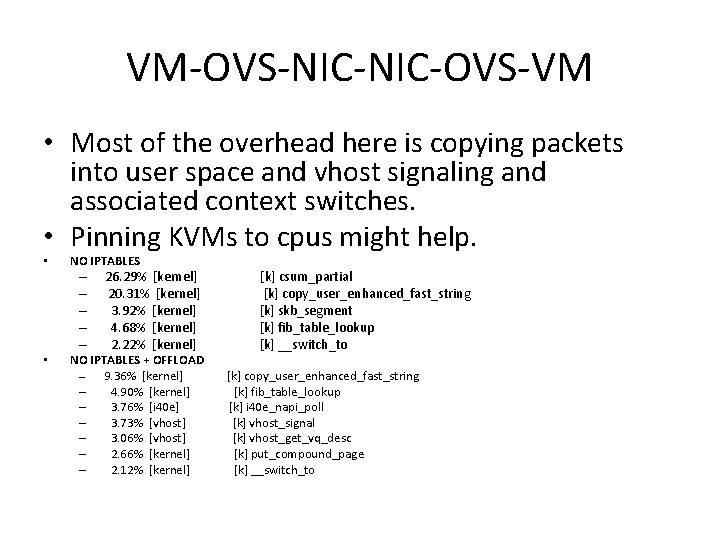
VM-OVS-NIC-OVS-VM • Most of the overhead here is copying packets into user space and vhost signaling and associated context switches. • Pinning KVMs to cpus might help. • NO IPTABLES – – – • 26. 29% [kernel] 20. 31% [kernel] 3. 92% [kernel] 4. 68% [kernel] 2. 22% [kernel] NO IPTABLES + OFFLOAD – 9. 36% [kernel] – 4. 90% [kernel] – 3. 76% [i 40 e] – 3. 73% [vhost] – 3. 06% [vhost] – 2. 66% [kernel] – 2. 12% [kernel] [k] csum_partial [k] copy_user_enhanced_fast_string [k] skb_segment [k] fib_table_lookup [k] __switch_to [k] copy_user_enhanced_fast_string [k] fib_table_lookup [k] i 40 e_napi_poll [k] vhost_signal [k] vhost_get_vq_desc [k] put_compound_page [k] __switch_to
Flow Mods / second • We have scripts (credit to Thomas Graf) that create an OVS environment where a large number of flows can be added and tested with VMs and docker instances. • Flow Mods in OVS are very fast, 2000 / sec.
Connection Tracking • I used dpdk pktgen to measure the additional overhead of sending a packet to the conntrack module using a very simple flow. • This overhead is approx 15 -20%
Future work • Test simultaneous connections with IXIA / breaking point. • Connection tracking feature needs more testing with stateful connections. • Agree on OVS testing benchmarks. • Test DPDK based tunneling.
Demo • DPDK test. • VM – VM test.