
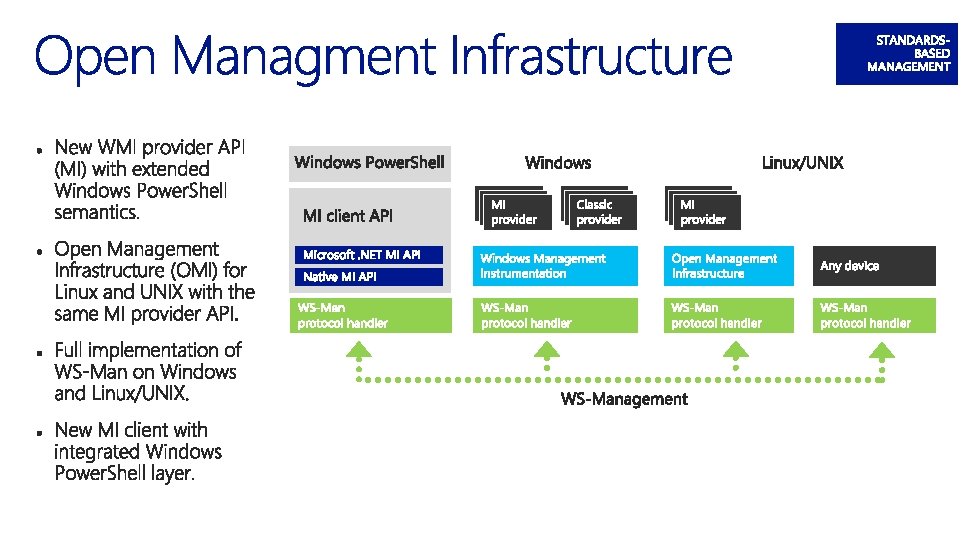
Open source Windows Management Infrastructure server implemented by
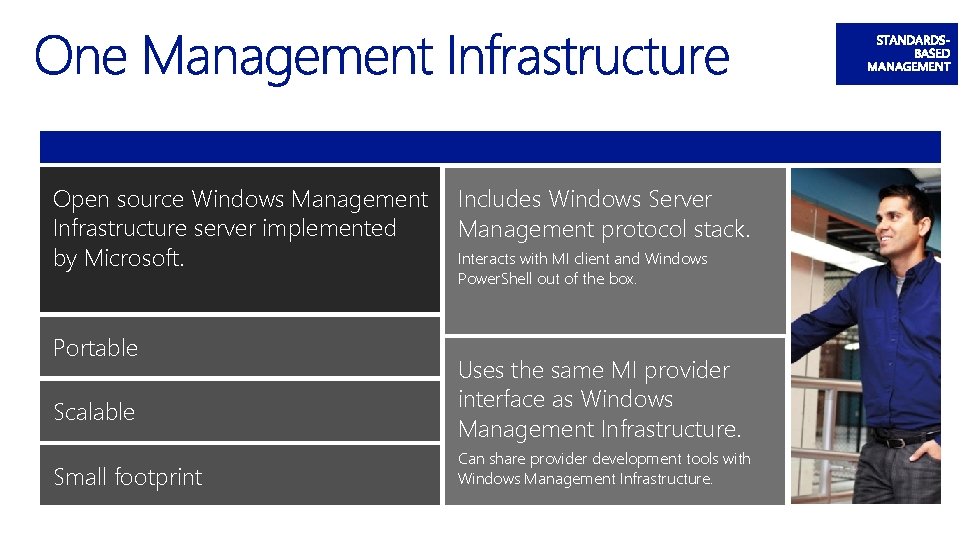
Open source Windows Management Infrastructure server implemented by Microsoft. Portable Scalable Small footprint Includes Windows Server Management protocol stack. Interacts with MI client and Windows Power. Shell out of the box. Uses the same MI provider interface as Windows Management Infrastructure. Can share provider development tools with Windows Management Infrastructure.
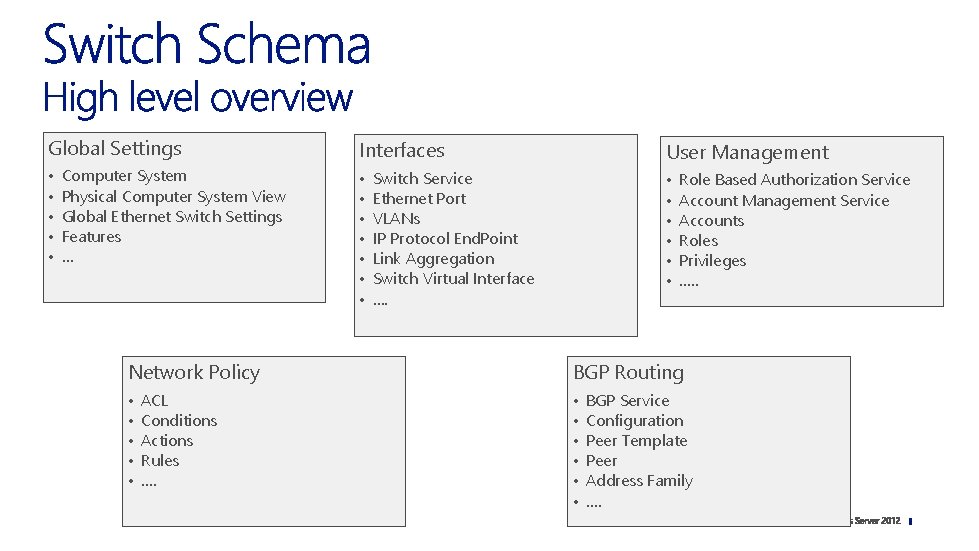
Global Settings Interfaces • • • User Management • • • • Computer System Physical Computer System View Global Ethernet Switch Settings Features … Switch Service Ethernet Port VLANs IP Protocol End. Point Link Aggregation Switch Virtual Interface …. Role Based Authorization Service Account Management Service Accounts Roles Privileges …. . Network Policy BGP Routing • • • ACL Conditions Actions Rules …. BGP Service Configuration Peer Template Peer Address Family ….
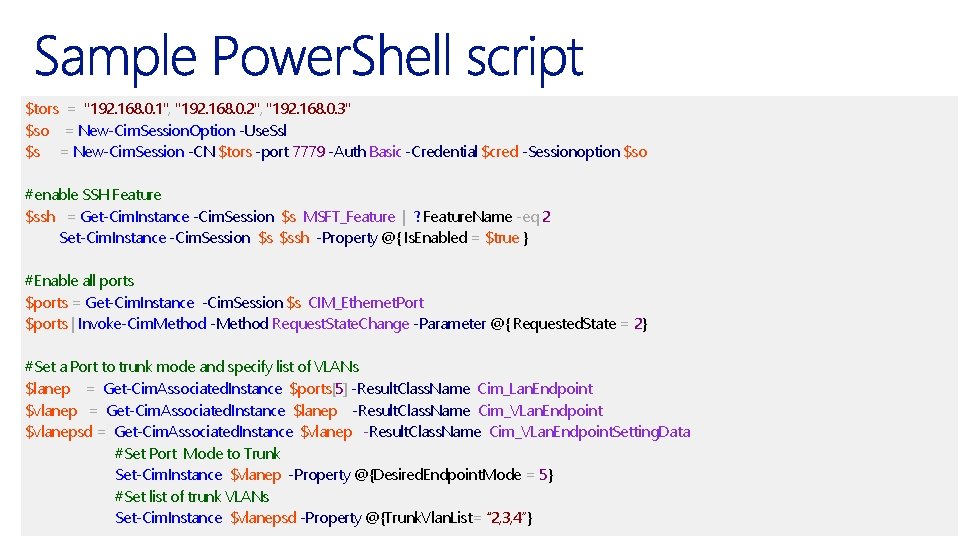
$tors = "192. 168. 0. 1", "192. 168. 0. 2", "192. 168. 0. 3" $so = New-Cim. Session. Option -Use. Ssl $s = New-Cim. Session -CN $tors -port 7779 -Auth Basic -Credential $cred -Sessionoption $so #enable SSH Feature $ssh = Get-Cim. Instance -Cim. Session $s MSFT_Feature | ? Feature. Name -eq 2 Set-Cim. Instance -Cim. Session $s $ssh -Property @{ Is. Enabled = $true } #Enable all ports $ports = Get-Cim. Instance -Cim. Session $s CIM_Ethernet. Port $ports | Invoke-Cim. Method -Method Request. State. Change -Parameter @{ Requested. State = 2} #Set a Port to trunk mode and specify list of VLANs $lanep = Get-Cim. Associated. Instance $ports[5] -Result. Class. Name Cim_Lan. Endpoint $vlanep = Get-Cim. Associated. Instance $lanep -Result. Class. Name Cim_VLan. Endpoint $vlanepsd = Get-Cim. Associated. Instance $vlanep -Result. Class. Name Cim_VLan. Endpoint. Setting. Data #Set Port Mode to Trunk Set-Cim. Instance $vlanep -Property @{Desired. Endpoint. Mode = 5} #Set list of trunk VLANs Set-Cim. Instance $vlanepsd -Property @{Trunk. Vlan. List= “ 2, 3, 4”}
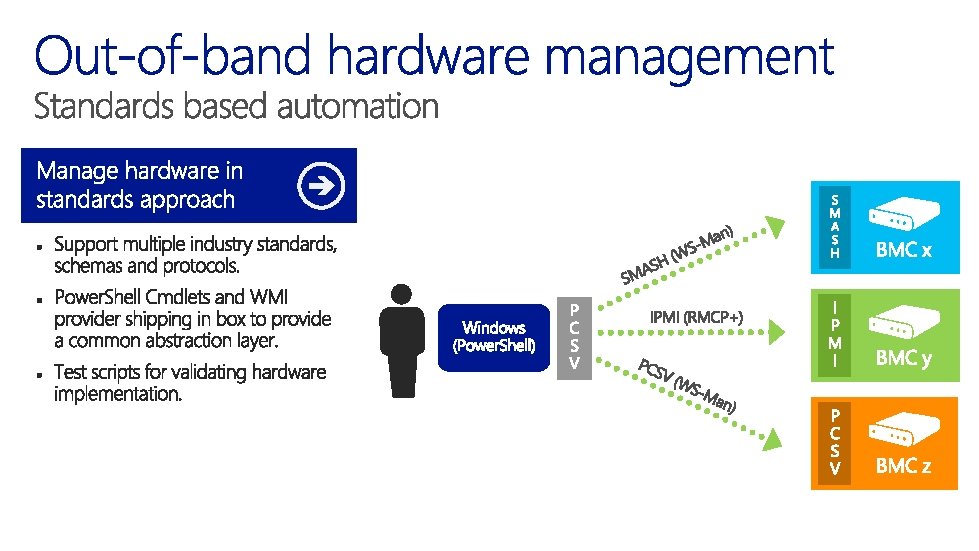
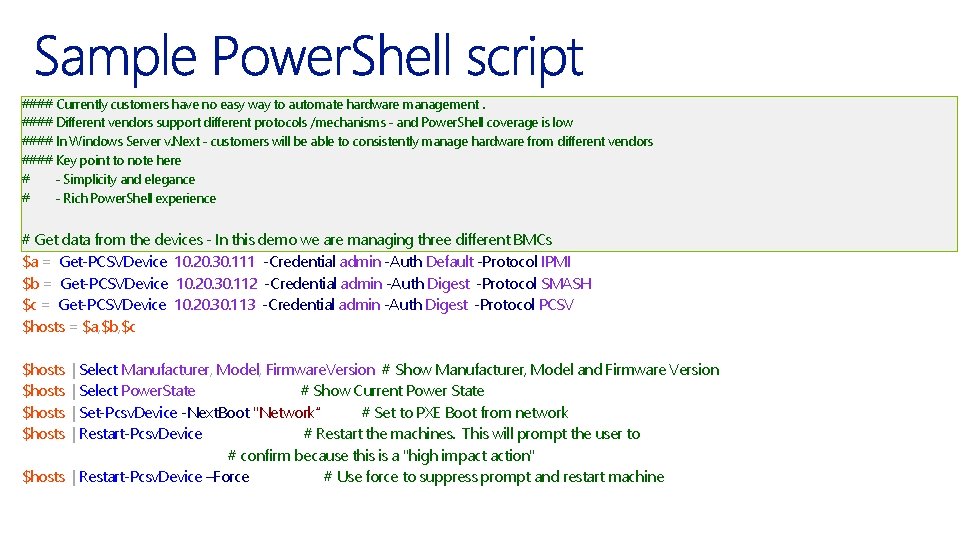
#### Currently customers have no easy way to automate hardware management. #### Different vendors support different protocols /mechanisms - and Power. Shell coverage is low #### In Windows Server v. Next - customers will be able to consistently manage hardware from different vendors #### Key point to note here # - Simplicity and elegance # - Rich Power. Shell experience # Get data from the devices - In this demo we are managing three different BMCs $a = Get-PCSVDevice 10. 20. 30. 111 -Credential admin -Auth Default -Protocol IPMI $b = Get-PCSVDevice 10. 20. 30. 112 -Credential admin -Auth Digest -Protocol SMASH $c = Get-PCSVDevice 10. 20. 30. 113 -Credential admin -Auth Digest -Protocol PCSV $hosts = $a, $b, $c $hosts | Select Manufacturer, Model, Firmware. Version # Show Manufacturer, Model and Firmware Version | Select Power. State # Show Current Power State | Set-Pcsv. Device -Next. Boot "Network“ # Set to PXE Boot from network | Restart-Pcsv. Device # Restart the machines. This will prompt the user to # confirm because this is a "high impact action" $hosts | Restart-Pcsv. Device –Force # Use force to suppress prompt and restart machine
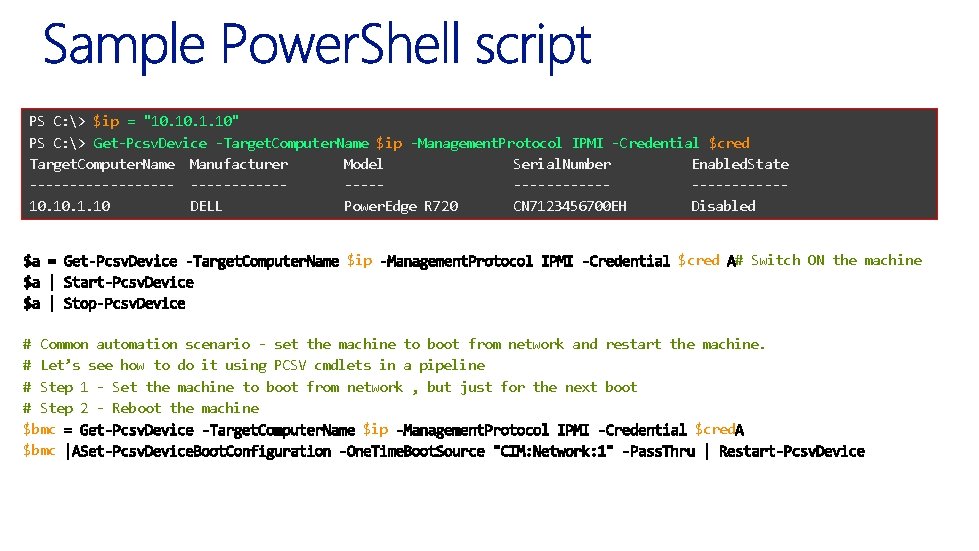
PS C: > $ip = "10. 1. 10" PS C: > Get-Pcsv. Device -Target. Computer. Name $ip -Management. Protocol IPMI -Credential $cred Target. Computer. Name Manufacturer Model Serial. Number Enabled. State ----------------------------10. 1. 10 DELL Power. Edge R 720 CN 7123456700 EH Disabled $ip $cred # Switch ON the machine # Common automation scenario - set the machine to boot from network and restart the machine. # Let’s see how to do it using PCSV cmdlets in a pipeline # Step 1 - Set the machine to boot from network , but just for the next boot # Step 2 - Reboot the machine $bmc $ip $cred $bmc
- Slides: 18