
Open Source GIS Explaining the Software Stack Presented




- Slides: 46
Open Source GIS: Explaining the Software Stack Presented by Aaron Racicot – GIS Programmer aaronr@ecotrust. org May 17 th, 2006 A Citizen of Salmon Nation
Outline v v v Introduction – Personal and Ecotrust Software Stack – Desktop, Web, DST Raster Tools – GDAL, GRASS/QGIS Vector Tools – OGR, Post. GIS, GRASS/QGIS Where is it all going? Backups – Raster/Vector DST’s, Installation, and screen shots
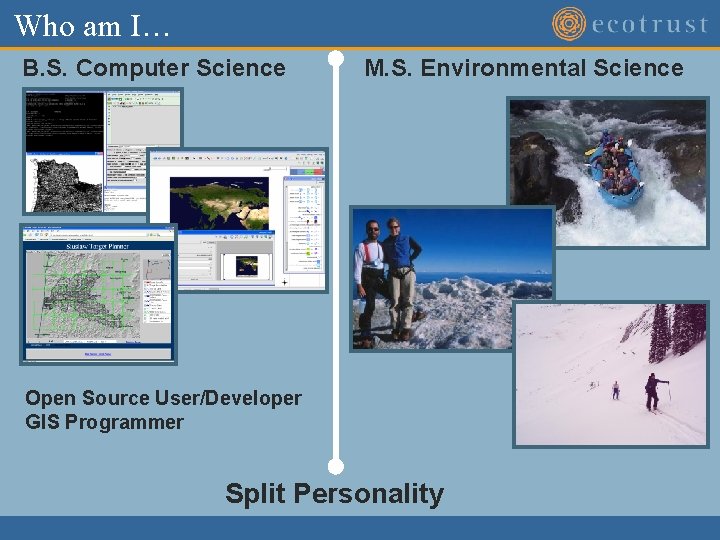
Who am I… B. S. Computer Science M. S. Environmental Science Open Source User/Developer GIS Programmer Split Personality
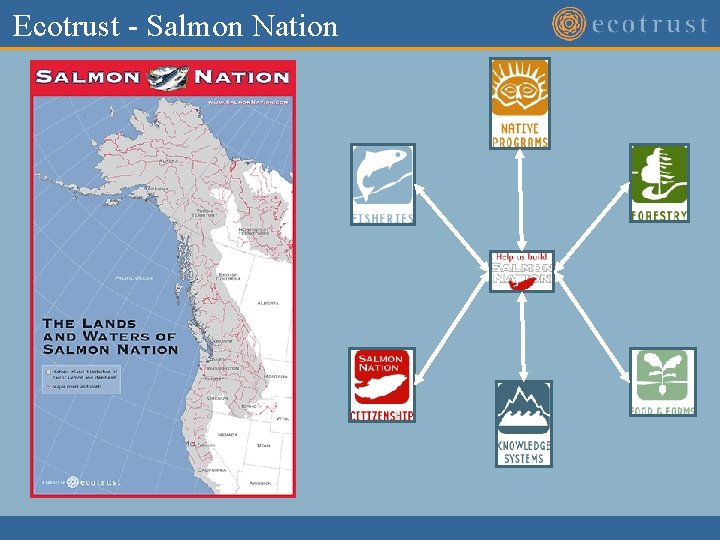
Ecotrust - Salmon Nation
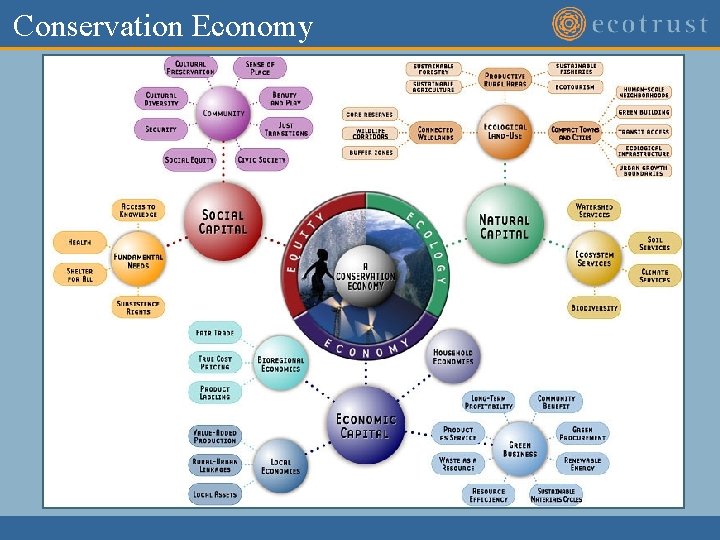
Conservation Economy
Why Open Source? Free Software! “Free software” is a matter of liberty, not price.
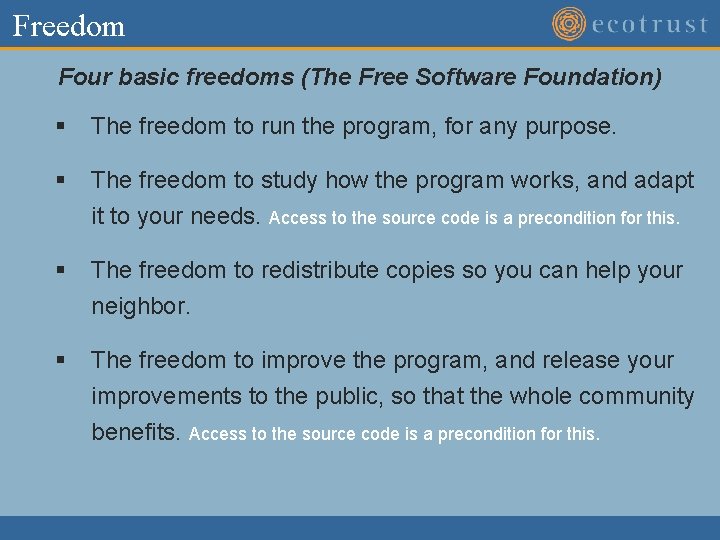
Freedom Four basic freedoms (The Free Software Foundation) § The freedom to run the program, for any purpose. § The freedom to study how the program works, and adapt it to your needs. Access to the source code is a precondition for this. § The freedom to redistribute copies so you can help your neighbor. § The freedom to improve the program, and release your improvements to the public, so that the whole community benefits. Access to the source code is a precondition for this.
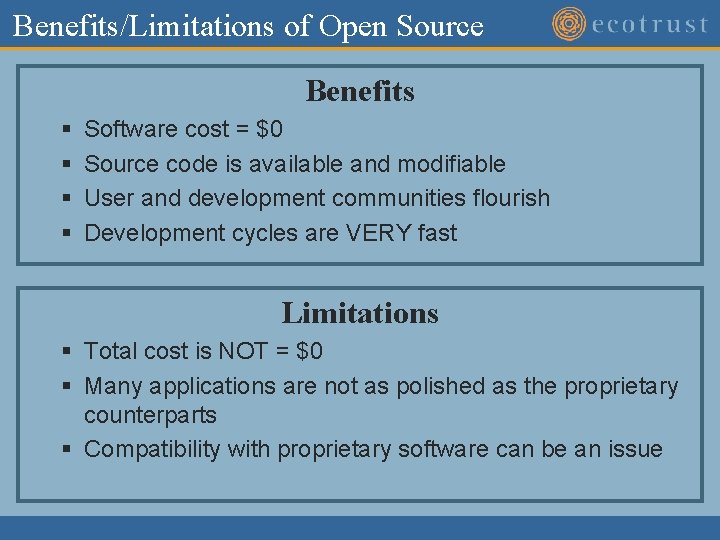
Benefits/Limitations of Open Source Benefits § § Software cost = $0 Source code is available and modifiable User and development communities flourish Development cycles are VERY fast Limitations § Total cost is NOT = $0 § Many applications are not as polished as the proprietary counterparts § Compatibility with proprietary software can be an issue
OS GIS – Desktop Applications GRASS GIS
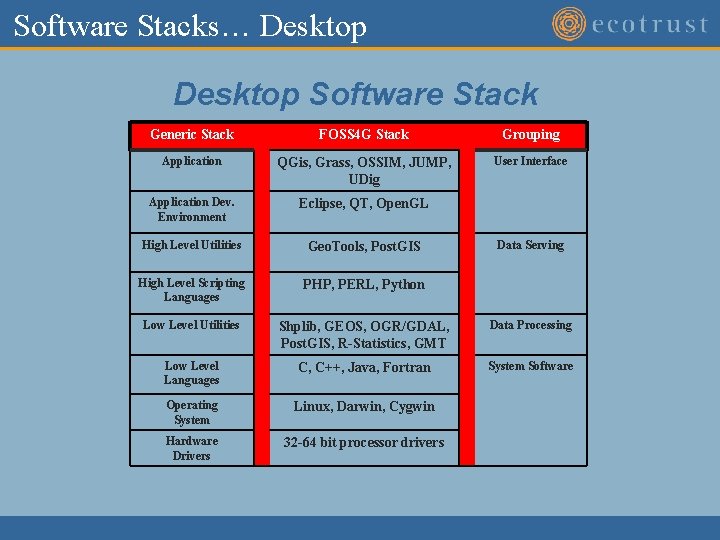
Software Stacks… Desktop Software Stack Generic Stack FOSS 4 G Stack Grouping Application QGis, Grass, OSSIM, JUMP, UDig User Interface Application Dev. Environment Eclipse, QT, Open. GL High Level Utilities Geo. Tools, Post. GIS High Level Scripting Languages PHP, PERL, Python Low Level Utilities Shplib, GEOS, OGR/GDAL, Post. GIS, R-Statistics, GMT Data Processing Low Level Languages C, C++, Java, Fortran System Software Operating System Linux, Darwin, Cygwin Hardware Drivers 32 -64 bit processor drivers Data Serving
OS GIS - Server Tools GDAL/OGR R-Statistics GRASS GIS
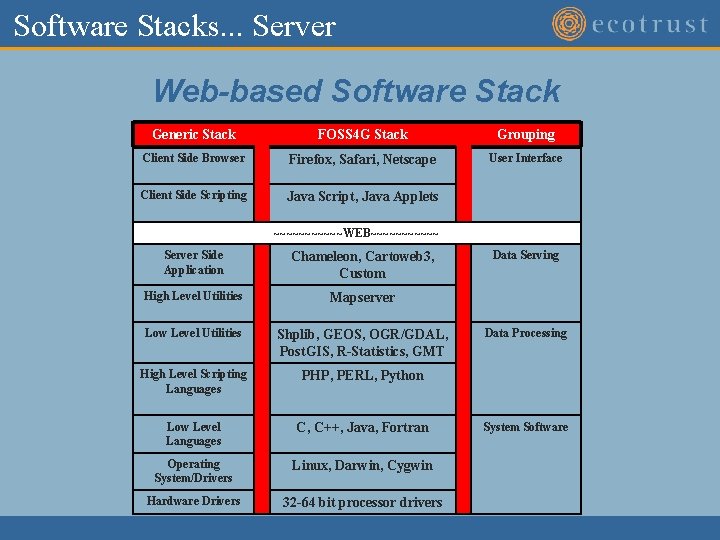
Software Stacks. . . Server Web-based Software Stack Generic Stack FOSS 4 G Stack Grouping Client Side Browser Firefox, Safari, Netscape User Interface Client Side Scripting Java Script, Java Applets ~~~~~~WEB~~~~~~ Server Side Application Chameleon, Cartoweb 3, Custom High Level Utilities Mapserver Low Level Utilities Shplib, GEOS, OGR/GDAL, Post. GIS, R-Statistics, GMT High Level Scripting Languages PHP, PERL, Python Low Level Languages C, C++, Java, Fortran Operating System/Drivers Linux, Darwin, Cygwin Hardware Drivers 32 -64 bit processor drivers Data Serving Data Processing System Software
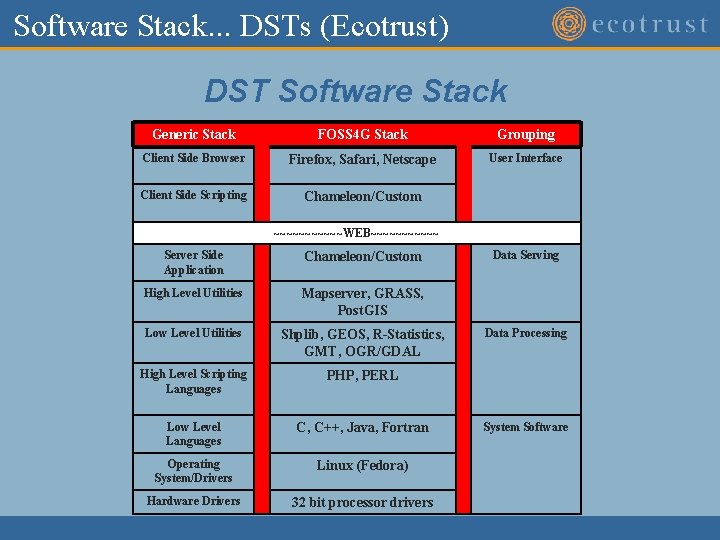
Software Stack. . . DSTs (Ecotrust) DST Software Stack Generic Stack FOSS 4 G Stack Grouping Client Side Browser Firefox, Safari, Netscape User Interface Client Side Scripting Chameleon/Custom ~~~~~~WEB~~~~~~ Server Side Application Chameleon/Custom High Level Utilities Mapserver, GRASS, Post. GIS Low Level Utilities Shplib, GEOS, R-Statistics, GMT, OGR/GDAL High Level Scripting Languages PHP, PERL Low Level Languages C, C++, Java, Fortran Operating System/Drivers Linux (Fedora) Hardware Drivers 32 bit processor drivers Data Serving Data Processing System Software
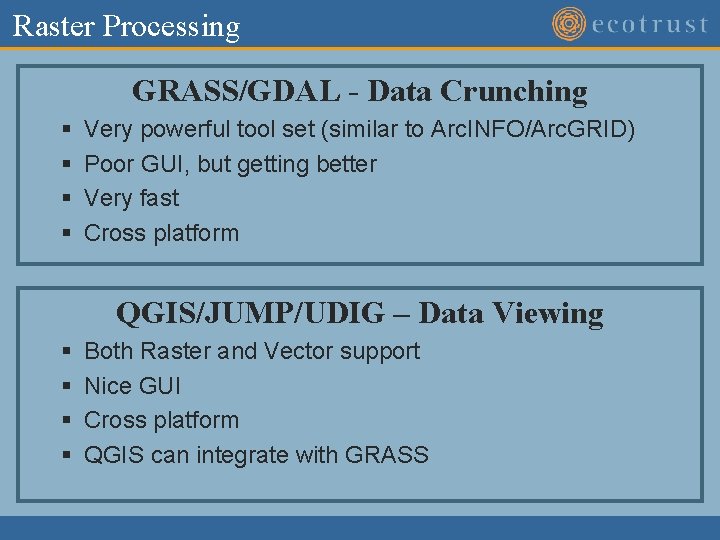
Raster Processing GRASS/GDAL - Data Crunching § § Very powerful tool set (similar to Arc. INFO/Arc. GRID) Poor GUI, but getting better Very fast Cross platform QGIS/JUMP/UDIG – Data Viewing § § Both Raster and Vector support Nice GUI Cross platform QGIS can integrate with GRASS
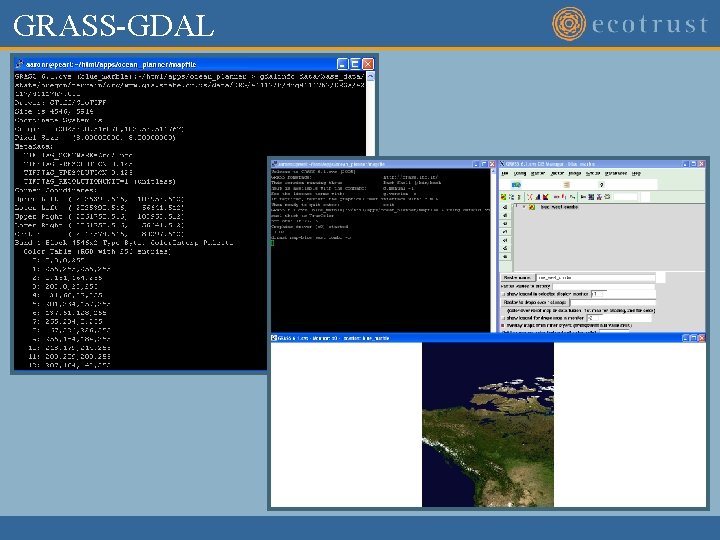
GRASS-GDAL
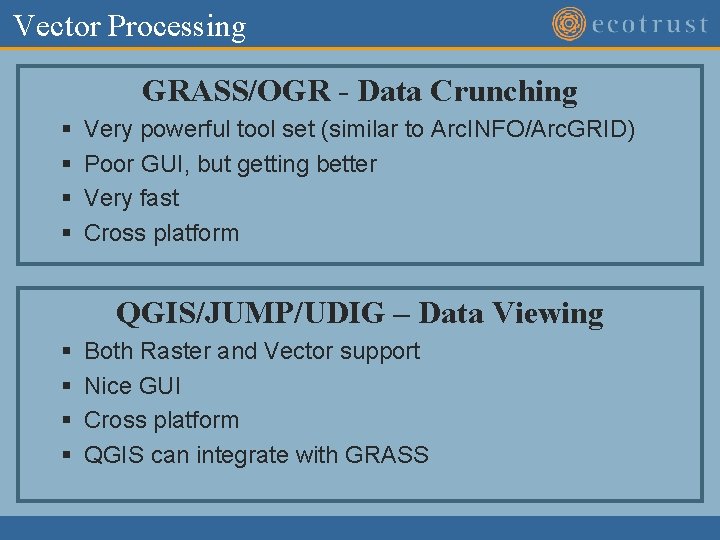
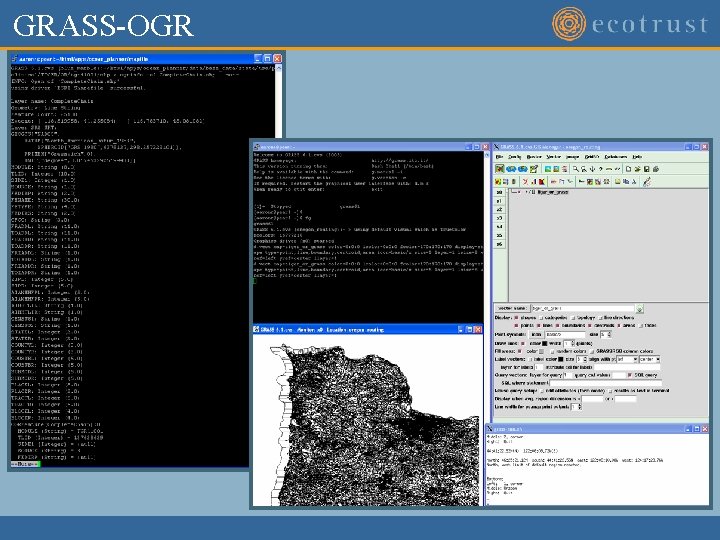
Vector Processing GRASS/OGR - Data Crunching § § Very powerful tool set (similar to Arc. INFO/Arc. GRID) Poor GUI, but getting better Very fast Cross platform QGIS/JUMP/UDIG – Data Viewing § § Both Raster and Vector support Nice GUI Cross platform QGIS can integrate with GRASS
GRASS-OGR
Where to go for more info OSGIS Ø Maptools - http: //www. maptools. org Ø Free. GIS - http: //freegis. org/ Ø Open Source GIS - http: //opensourcegis. org/ Standards Ø OGC - http: //www. opengeospatial. org/ Desktop Ø Ø Ø GRASS - http: //grass. itc. it/ QGIS - http: //qgis. org/ UDIG - http: //udig. refractions. net/confluence/display/UDIG/Home JUMP – http: //jump-project. org/ Open. EV - http: //openev. sourceforge. net/ Server/Web Ø Mapserver - http: //mapserver. gis. umn. edu/ Ø GRASS - http: //grass. itc. it/ Ø Post. GIS - http: //postgis. refractions. net/ Tools Ø Remote Sensing - http: //remotesensing. org/tiki-index. php Ø Ø GDAL/OGR - http: //gdal. maptools. org/index. html PROJ. 4 - http: //proj. maptools. org/ R-Statistics - http: //www. r-project. org/ GMT - http: //gmt. soest. hawaii. edu/
The End Raster/Vector DST’s Installation Tool Screen Shots
Raster DST’s
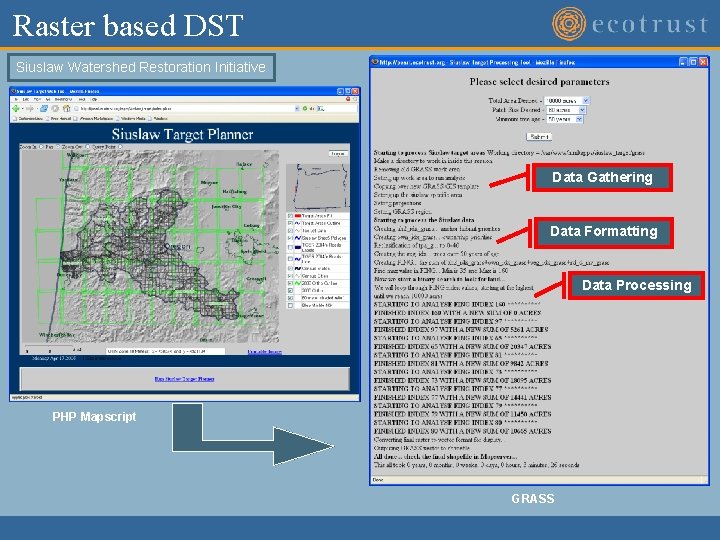
Raster based DST Siuslaw Watershed Restoration Initiative Data Gathering Data Formatting Data Processing PHP Mapscript GRASS
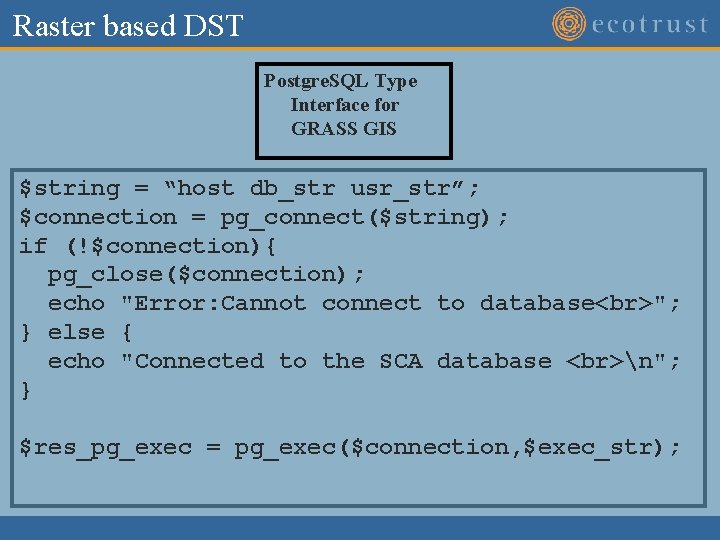
Raster based DST Postgre. SQL Type Interface for GRASS GIS $string = “host db_str usr_str”; $connection = pg_connect($string); if (!$connection){ pg_close($connection); echo "Error: Cannot connect to database "; } else { echo "Connected to the SCA database n"; } $res_pg_exec = pg_exec($connection, $exec_str);
Raster based DST – GRASS Class class Grass_GIS { var $data_dir; // Where the GRASS data dir is var $rc_dir; // Where the GRASS rc dir is var $bin_dir; // Where the GRASS bin dir is var $location; var $mapset; function Grass_GIS($data_dir, $rc_dir, $bin_dir, $location, $mapset){ $this->data_dir = $data_dir; $this->rc_dir = $rc_dir; $this->bin_dir = $bin_dir; $this->location = $location; $this->mapset = $mapset; } function Grass_GIS_copy($grass_gis){ $this->data_dir = $grass_gis->data_dir; $this->rc_dir = $grass_gis->rc_dir; $this->bin_dir = $grass_gis->bin_dir; $this->location = $grass_gis->location; $this->mapset = $grass_gis->mapset; } function set_location($location) {$this->location = $location; } function set_mapset($mapset) {$this->mapset = $mapset; } function set_data_dir($data_dir) {$this->data_dir = $data_dir; } function set_rc_dir($rc_dir) {$this->rc_dir = $rc_dir; } function set_bin_dir($bin_dir) {$this->bin_dir = $bin_dir; } function run_command($cmd){ $std_output = ""; $grass_exec = ""; // Check that all the required info is available. . if ($this->data_dir != NULL && $this->rc_dir != NULL && $this->bin_dir != NULL && $this->location != NULL && $this->mapset != NULL){ // Here we will write out the script to run. . . $fp_data = fopen($this->data_dir. "/grass_run. sh", "w"); // write out text header fwrite($fp_data, "export GISBASE=". $this->bin_dir. " n"); fwrite($fp_data, "export GISDBASE=". $this->data_dir. " n"); fwrite($fp_data, "export GISRC=". $this->rc_dir. "/. grassrc 6 n"); fwrite($fp_data, "export ETC=". $this->bin_dir. "/etc n"); fwrite($fp_data, "export PATH=". $this->bin_dir. "/bin: ". $this->bin_dir. "/scripts: ". $this->bin_dir. "/garden/bin: $PATH: /usr/bin: /usr/local/bin/ n"); fwrite($fp_data, "export LOCATION_NAME=". $this->location. " n"); fwrite($fp_data, "export MAPSET=". $this->mapset. " n"); fwrite($fp_data, "export LOCATION=". $this->data_dir. "/". $this->location. "/". $mapset. " n"); fwrite($fp_data, "n"); fwrite($fp_data, $cmd. "n"); fflush($fp_data); fclose($fp_data); $fp_data = fopen($this->rc_dir. "/. grassrc 6", "w"); fwrite($fp_data, "GISDBASE: ". $this->data_dir. "n"); fwrite($fp_data, "LOCATION_NAME: ". $this->location. "n"); fwrite($fp_data, "MAPSET: ". $this->mapset. "n"); fwrite($fp_data, "PAINTER: ppmn"); fwrite($fp_data, "MAPLP: stuff. ppmn"); fflush($fp_data); fclose($fp_data); $grass_exec = sprintf("chmod u+x ". $this->data_dir. "/grass_run. sh"); exec($grass_exec, $std_output, $std_error); $grass_exec = sprintf($this->data_dir. "/grass_run. sh"); exec($grass_exec, $std_output, $std_error); }
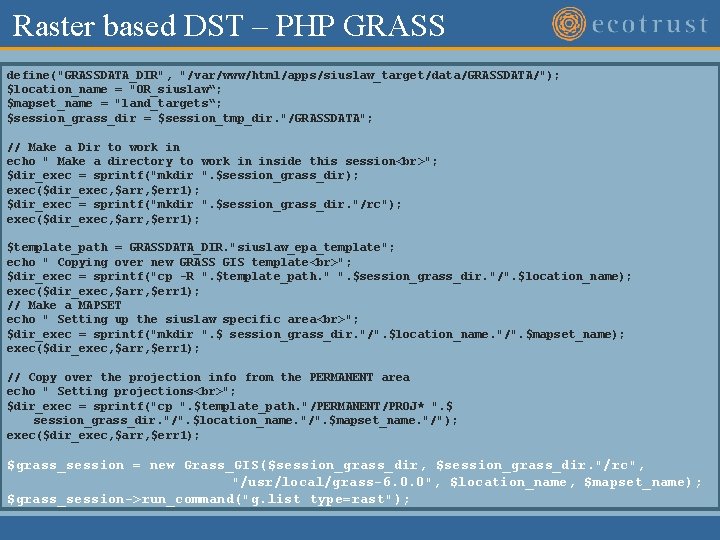
Raster based DST – PHP GRASS define("GRASSDATA_DIR", "/var/www/html/apps/siuslaw_target/data/GRASSDATA/"); $location_name = "OR_siuslaw“; $mapset_name = "land_targets“; $session_grass_dir = $session_tmp_dir. "/GRASSDATA"; // Make a Dir to work in echo " Make a directory to work in inside this session "; $dir_exec = sprintf("mkdir ". $session_grass_dir); exec($dir_exec, $arr, $err 1); $dir_exec = sprintf("mkdir ". $session_grass_dir. "/rc"); exec($dir_exec, $arr, $err 1); $template_path = GRASSDATA_DIR. "siuslaw_epa_template"; echo " Copying over new GRASS GIS template "; $dir_exec = sprintf("cp -R ". $template_path. " ". $session_grass_dir. "/". $location_name); exec($dir_exec, $arr, $err 1); // Make a MAPSET echo " Setting up the siuslaw specific area "; $dir_exec = sprintf("mkdir ". $ session_grass_dir. "/". $location_name. "/". $mapset_name); exec($dir_exec, $arr, $err 1); // Copy over the projection info from the PERMANENT area echo " Setting projections "; $dir_exec = sprintf("cp ". $template_path. "/PERMANENT/PROJ* ". $ session_grass_dir. "/". $location_name. "/". $mapset_name. "/"); exec($dir_exec, $arr, $err 1); $grass_session = new Grass_GIS($session_grass_dir, $session_grass_dir. "/rc", "/usr/local/grass-6. 0. 0", $location_name, $mapset_name); $grass_session->run_command("g. list type=rast");
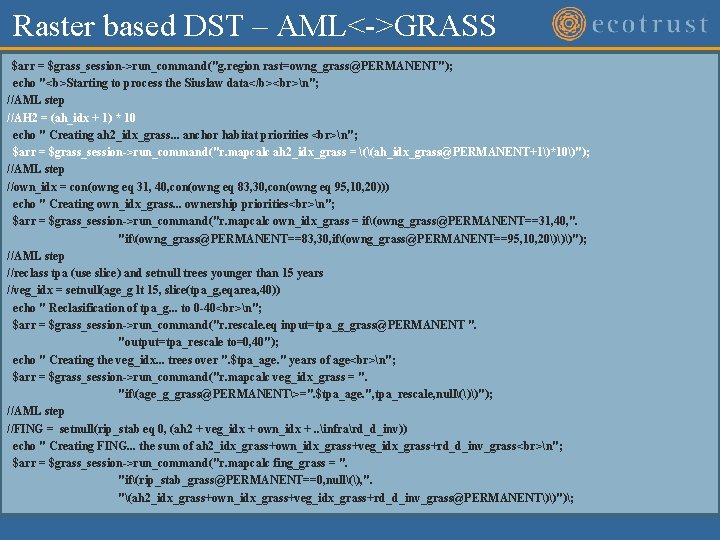
Raster based DST – AML<->GRASS $arr = $grass_session->run_command("g. region rast=owng_grass@PERMANENT"); echo "<b>Starting to process the Siuslaw data</b> n"; //AML step //AH 2 = (ah_idx + 1) * 10 echo " Creating ah 2_idx_grass. . . anchor habitat priorities n"; $arr = $grass_session->run_command("r. mapcalc ah 2_idx_grass = ((ah_idx_grass@PERMANENT+1)*10)"); //AML step //own_idx = con(owng eq 31, 40, con(owng eq 83, 30, con(owng eq 95, 10, 20))) echo " Creating own_idx_grass. . . ownership priorities n"; $arr = $grass_session->run_command("r. mapcalc own_idx_grass = if(owng_grass@PERMANENT==31, 40, ". "if(owng_grass@PERMANENT==83, 30, if(owng_grass@PERMANENT==95, 10, 20)))"); //AML step //reclass tpa (use slice) and setnull trees younger than 15 years //veg_idx = setnull(age_g lt 15, slice(tpa_g, eqarea, 40)) echo " Reclasification of tpa_g. . . to 0 -40 n"; $arr = $grass_session->run_command("r. rescale. eq input=tpa_g_grass@PERMANENT ". "output=tpa_rescale to=0, 40"); echo " Creating the veg_idx. . . trees over ". $tpa_age. " years of age n"; $arr = $grass_session->run_command("r. mapcalc veg_idx_grass = ". "if(age_g_grass@PERMANENT>=". $tpa_age. ", tpa_rescale, null())"); //AML step //FING = setnull(rip_stab eq 0, (ah 2 + veg_idx + own_idx +. . infrard_d_inv)) echo " Creating FING. . . the sum of ah 2_idx_grass+own_idx_grass+veg_idx_grass+rd_d_inv_grass n"; $arr = $grass_session->run_command("r. mapcalc fing_grass = ". "if(rip_stab_grass@PERMANENT==0, null(), ". "(ah 2_idx_grass+own_idx_grass+veg_idx_grass+rd_d_inv_grass@PERMANENT))");
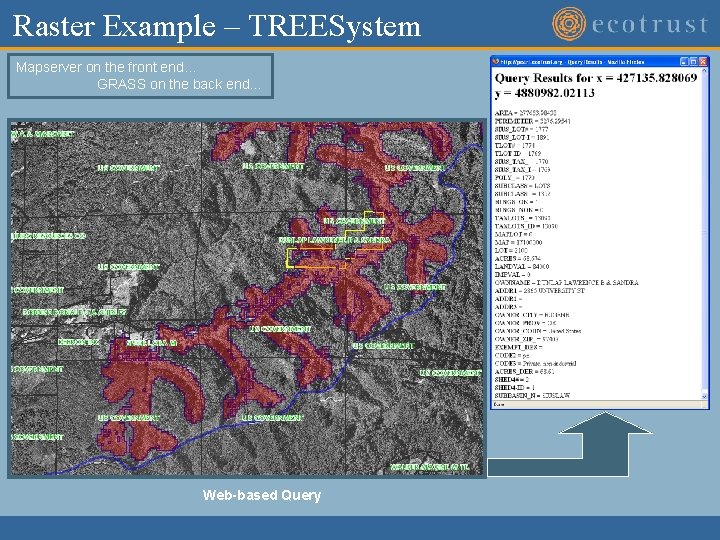
Raster Example – TREESystem Mapserver on the front end… GRASS on the back end… Web-based Query
Raster based DST - Mapfile LAYER NAME "Fishery Rev" STATUS DEFAULT DATA ". /GRASSDATA/CAL_ocean 2/FISHERY/cellhd/fishery_rast_rev_zone_8 bit" TYPE RASTER PROJECTION "proj=aea" "datum=NAD 27" "ellps=clrk 66" "lat_1=34" "lat_2=40. 5" "lat_0=0" "lon_0=-120" "x_0=0" "y_0=-4000000" "units=m" END
Vector DST’s
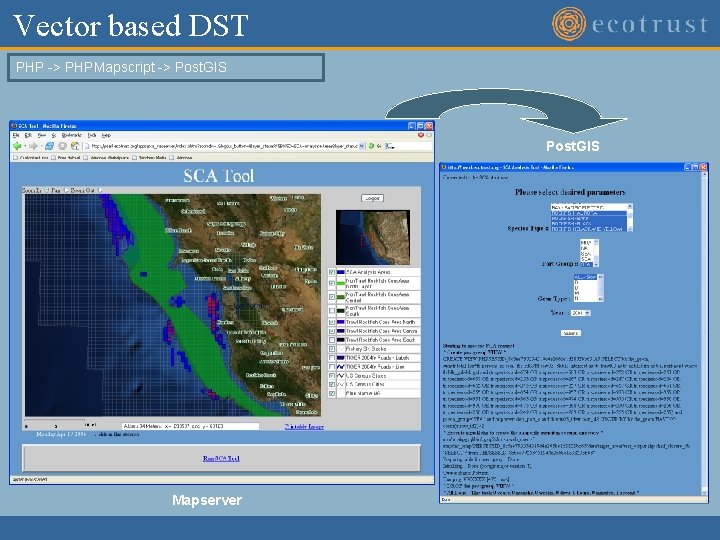
Vector based DST PHP -> PHPMapscript -> Post. GIS Mapserver
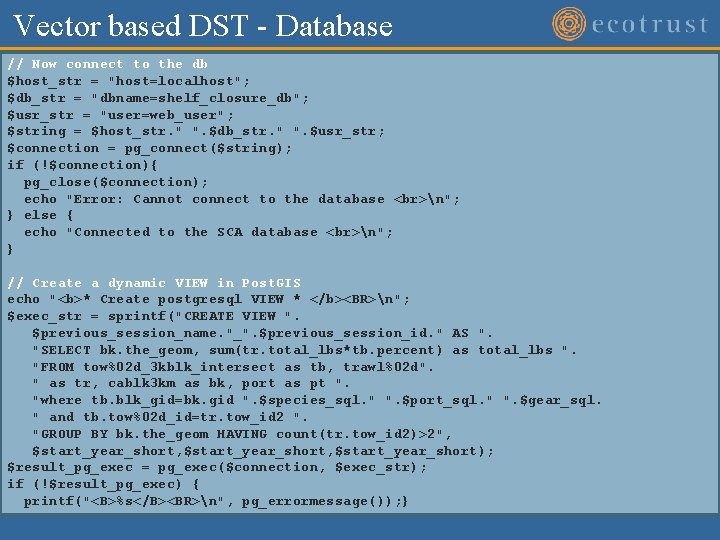
Vector based DST - Database // Now connect to the db $host_str = "host=localhost"; $db_str = "dbname=shelf_closure_db"; $usr_str = "user=web_user"; $string = $host_str. " ". $db_str. " ". $usr_str; $connection = pg_connect($string); if (!$connection){ pg_close($connection); echo "Error: Cannot connect to the database n"; } else { echo "Connected to the SCA database n"; } // Create a dynamic VIEW in Post. GIS echo "<b>* Create postgresql VIEW * </b><BR>n"; $exec_str = sprintf("CREATE VIEW ". $previous_session_name. "_". $previous_session_id. " AS ". "SELECT bk. the_geom, sum(tr. total_lbs*tb. percent) as total_lbs ". "FROM tow%02 d_3 kblk_intersect as tb, trawl%02 d". " as tr, cablk 3 km as bk, port as pt ". "where tb. blk_gid=bk. gid ". $species_sql. " ". $port_sql. " ". $gear_sql. " and tb. tow%02 d_id=tr. tow_id 2 ". "GROUP BY bk. the_geom HAVING count(tr. tow_id 2)>2", $start_year_short, $start_year_short); $result_pg_exec = pg_exec($connection, $exec_str); if (!$result_pg_exec) { printf("<B>%s</B><BR>n", pg_errormessage()); }
Vector based DST – Dump results // Execute the pgsql 2 shp to create the output echo "<B>* Execute pgsql 2 shp create the shapefile in session directory *</B> "; $dir_exec = sprintf("/usr/local/pgsql/bin/pgsql 2 shp -u web_user -f ". $session_tmp_dir. "data/target_areas/test_output. shp shelf_closure_db ". ""SELECT * from ". $previous_session_name. "_". $previous_session_id. """); exec($dir_exec, $arr, $err 1); for ($ii=0; $ii<count($arr); $ii++) { echo $arr[$ii]. " n"; } // Drop the dynamic table echo "<b>* DROP the postgresql VIEW * </b><BR>n"; $result_pg_exec = pg_exec($connection, "DROP VIEW ". $previous_session_name. "_". $previous_session_id); if (!$result_pg_exec) { printf("<B>%s</B><BR>n", pg_errormessage()); }
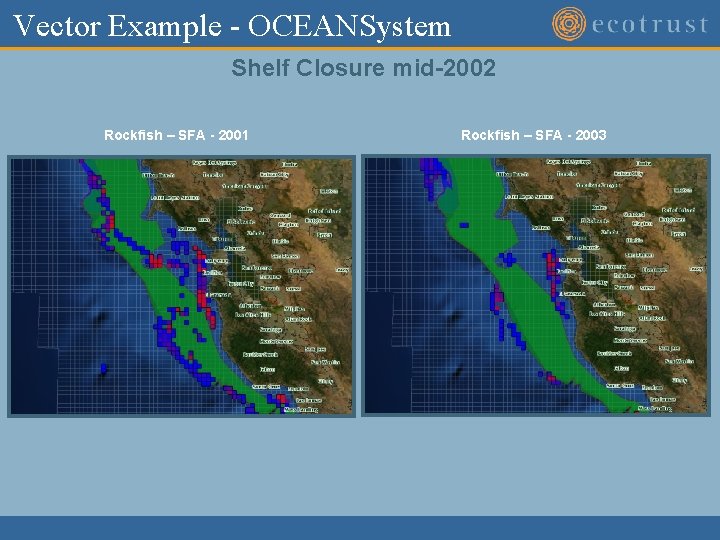
Vector Example - OCEANSystem Shelf Closure mid-2002 Rockfish – SFA - 2001 Rockfish – SFA - 2003
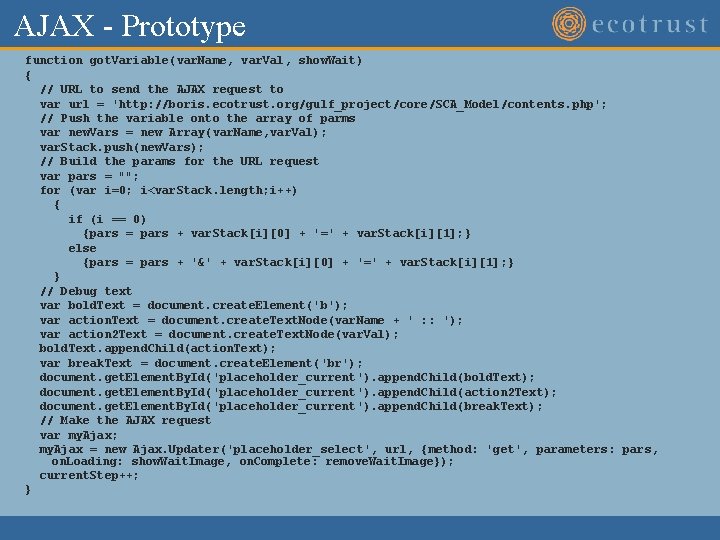
AJAX - Prototype function got. Variable(var. Name, var. Val, show. Wait) { // URL to send the AJAX request to var url = 'http: //boris. ecotrust. org/gulf_project/core/SCA_Model/contents. php'; // Push the variable onto the array of parms var new. Vars = new Array(var. Name, var. Val); var. Stack. push(new. Vars); // Build the params for the URL request var pars = ""; for (var i=0; i<var. Stack. length; i++) { if (i == 0) {pars = pars + var. Stack[i][0] + '=' + var. Stack[i][1]; } else {pars = pars + '&' + var. Stack[i][0] + '=' + var. Stack[i][1]; } } // Debug text var bold. Text = document. create. Element('b'); var action. Text = document. create. Text. Node(var. Name + ' : : '); var action 2 Text = document. create. Text. Node(var. Val); bold. Text. append. Child(action. Text); var break. Text = document. create. Element('br'); document. get. Element. By. Id('placeholder_current'). append. Child(bold. Text); document. get. Element. By. Id('placeholder_current'). append. Child(action 2 Text); document. get. Element. By. Id('placeholder_current'). append. Child(break. Text); // Make the AJAX request var my. Ajax; my. Ajax = new Ajax. Updater('placeholder_select', url, {method: 'get', parameters: pars, on. Loading: show. Wait. Image, on. Complete: remove. Wait. Image}); current. Step++; }
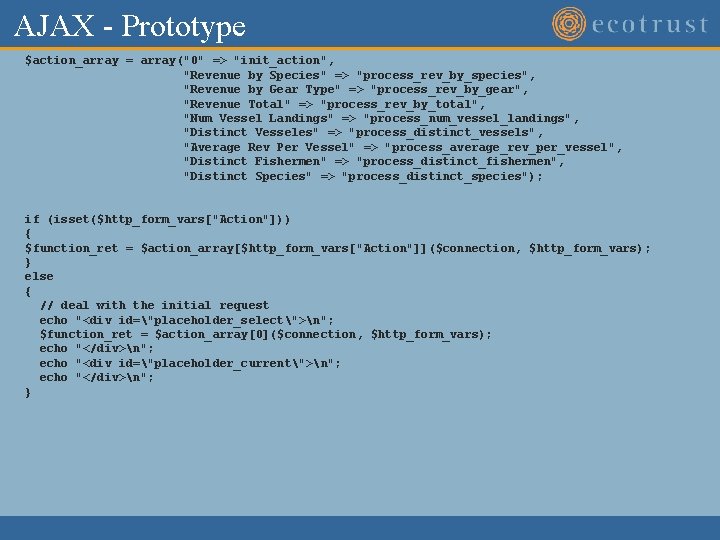
AJAX - Prototype $action_array = array("0" => "init_action", "Revenue by Species" => "process_rev_by_species", "Revenue by Gear Type" => "process_rev_by_gear", "Revenue Total" => "process_rev_by_total", "Num Vessel Landings" => "process_num_vessel_landings", "Distinct Vesseles" => "process_distinct_vessels", "Average Rev Per Vessel" => "process_average_rev_per_vessel", "Distinct Fishermen" => "process_distinct_fishermen", "Distinct Species" => "process_distinct_species"); if (isset($http_form_vars["Action"])) { $function_ret = $action_array[$http_form_vars["Action"]]($connection, $http_form_vars); } else { // deal with the initial request echo "<div id="placeholder_select">n"; $function_ret = $action_array[0]($connection, $http_form_vars); echo "</div>n"; echo "<div id="placeholder_current">n"; echo "</div>n"; }
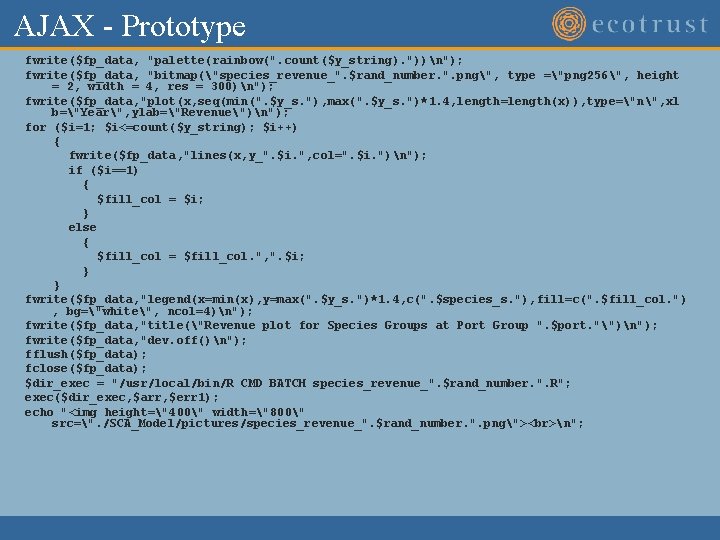
AJAX - Prototype fwrite($fp_data, "palette(rainbow(". count($y_string). "))n"); fwrite($fp_data, "bitmap("species_revenue_". $rand_number. ". png", type ="png 256", height = 2, width = 4, res = 300)n"); fwrite($fp_data, "plot(x, seq(min(". $y_s. "), max(". $y_s. ")*1. 4, length=length(x)), type="n", xl b="Year", ylab="Revenue")n"); for ($i=1; $i<=count($y_string); $i++) { fwrite($fp_data, "lines(x, y_". $i. ", col=". $i. ")n"); if ($i==1) { $fill_col = $i; } else { $fill_col = $fill_col. ", ". $i; } } fwrite($fp_data, "legend(x=min(x), y=max(". $y_s. ")*1. 4, c(". $species_s. "), fill=c(". $fill_col. ") , bg="white", ncol=4)n"); fwrite($fp_data, "title("Revenue plot for Species Groups at Port Group ". $port. "")n"); fwrite($fp_data, "dev. off()n"); fflush($fp_data); fclose($fp_data); $dir_exec = "/usr/local/bin/R CMD BATCH species_revenue_". $rand_number. ". R"; exec($dir_exec, $arr, $err 1); echo "<img height="400" width="800" src=". /SCA_Model/pictures/species_revenue_". $rand_number. ". png"> n";
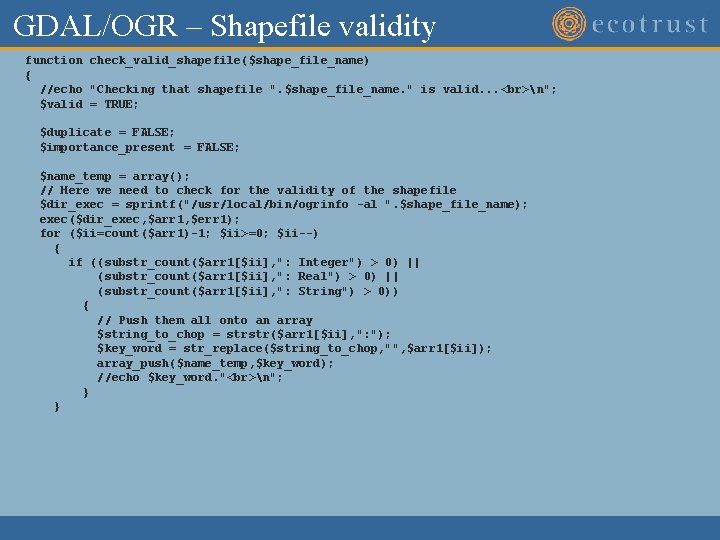
GDAL/OGR – Shapefile validity function check_valid_shapefile($shape_file_name) { //echo "Checking that shapefile ". $shape_file_name. " is valid. . . n"; $valid = TRUE; $duplicate = FALSE; $importance_present = FALSE; $name_temp = array(); // Here we need to check for the validity of the shapefile $dir_exec = sprintf("/usr/local/bin/ogrinfo -al ". $shape_file_name); exec($dir_exec, $arr 1, $err 1); for ($ii=count($arr 1)-1; $ii>=0; $ii--) { if ((substr_count($arr 1[$ii], ": Integer") > 0) || (substr_count($arr 1[$ii], ": Real") > 0) || (substr_count($arr 1[$ii], ": String") > 0)) { // Push them all onto an array $string_to_chop = strstr($arr 1[$ii], ": "); $key_word = str_replace($string_to_chop, "", $arr 1[$ii]); array_push($name_temp, $key_word); //echo $key_word. " n"; } }
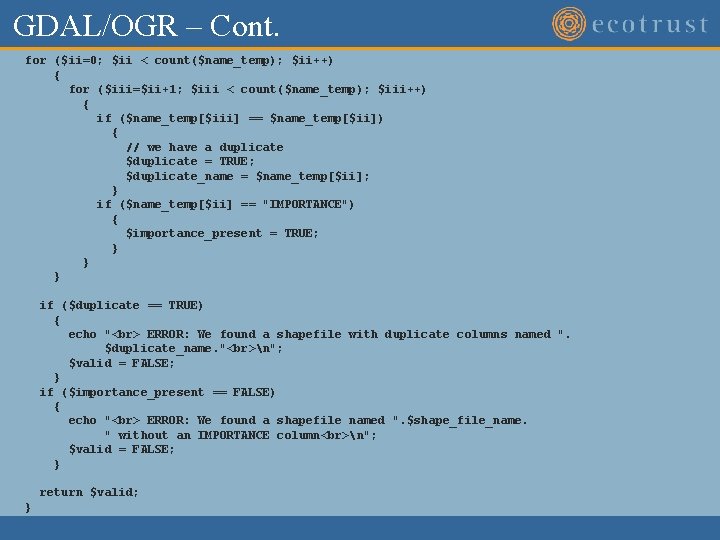
GDAL/OGR – Cont. for ($ii=0; $ii < count($name_temp); $ii++) { for ($iii=$ii+1; $iii < count($name_temp); $iii++) { if ($name_temp[$iii] == $name_temp[$ii]) { // we have a duplicate $duplicate = TRUE; $duplicate_name = $name_temp[$ii]; } if ($name_temp[$ii] == "IMPORTANCE") { $importance_present = TRUE; } } } if ($duplicate == TRUE) { echo " ERROR: We found a shapefile with duplicate columns named ". $duplicate_name. " n"; $valid = FALSE; } if ($importance_present == FALSE) { echo " ERROR: We found a shapefile named ". $shape_file_name. " without an IMPORTANCE column n"; $valid = FALSE; } return $valid; }
Installation
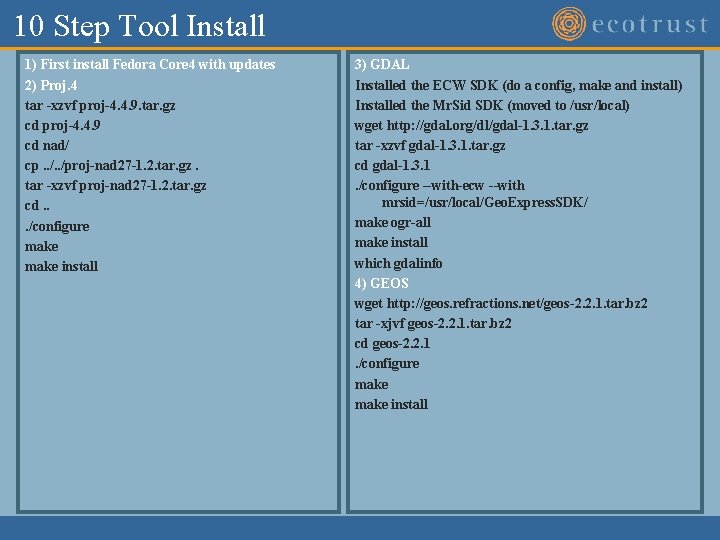
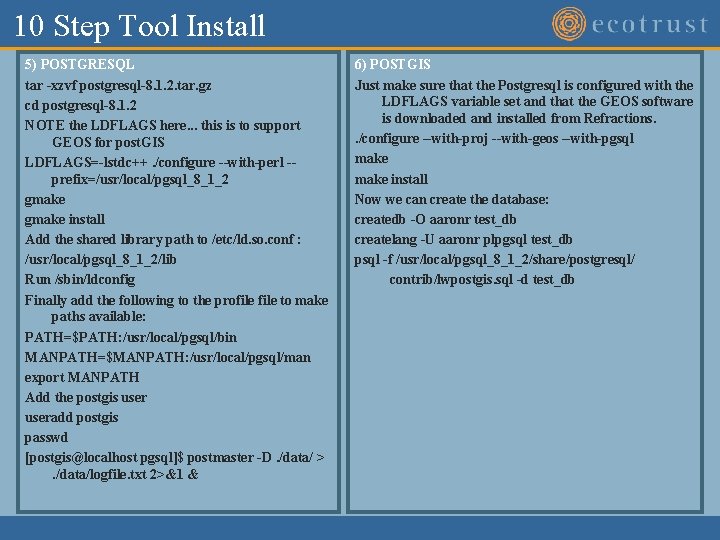
10 Step Tool Install 1) First install Fedora Core 4 with updates 2) Proj. 4 tar -xzvf proj-4. 4. 9. tar. gz cd proj-4. 4. 9 cd nad/ cp. . /proj-nad 27 -1. 2. tar. gz. tar -xzvf proj-nad 27 -1. 2. tar. gz cd. . . /configure make install 3) GDAL Installed the ECW SDK (do a config, make and install) Installed the Mr. Sid SDK (moved to /usr/local) wget http: //gdal. org/dl/gdal-1. 3. 1. tar. gz tar -xzvf gdal-1. 3. 1. tar. gz cd gdal-1. 3. 1. /configure --with-ecw --with mrsid=/usr/local/Geo. Express. SDK/ make ogr-all make install which gdalinfo 4) GEOS wget http: //geos. refractions. net/geos-2. 2. 1. tar. bz 2 tar -xjvf geos-2. 2. 1. tar. bz 2 cd geos-2. 2. 1. /configure make install
10 Step Tool Install 5) POSTGRESQL tar -xzvf postgresql-8. 1. 2. tar. gz cd postgresql-8. 1. 2 NOTE the LDFLAGS here. . . this is to support GEOS for post. GIS LDFLAGS=-lstdc++. /configure --with-perl -prefix=/usr/local/pgsql_8_1_2 gmake install Add the shared library path to /etc/ld. so. conf : /usr/local/pgsql_8_1_2/lib Run /sbin/ldconfig Finally add the following to the profile to make paths available: PATH=$PATH: /usr/local/pgsql/bin MANPATH=$MANPATH: /usr/local/pgsql/man export MANPATH Add the postgis useradd postgis passwd [postgis@localhost pgsql]$ postmaster -D. /data/ >. /data/logfile. txt 2>&1 & 6) POSTGIS Just make sure that the Postgresql is configured with the LDFLAGS variable set and that the GEOS software is downloaded and installed from Refractions. . /configure --with-proj --with-geos --with-pgsql make install Now we can create the database: createdb -O aaronr test_db createlang -U aaronr plpgsql test_db psql -f /usr/local/pgsql_8_1_2/share/postgresql/ contrib/lwpostgis. sql -d test_db
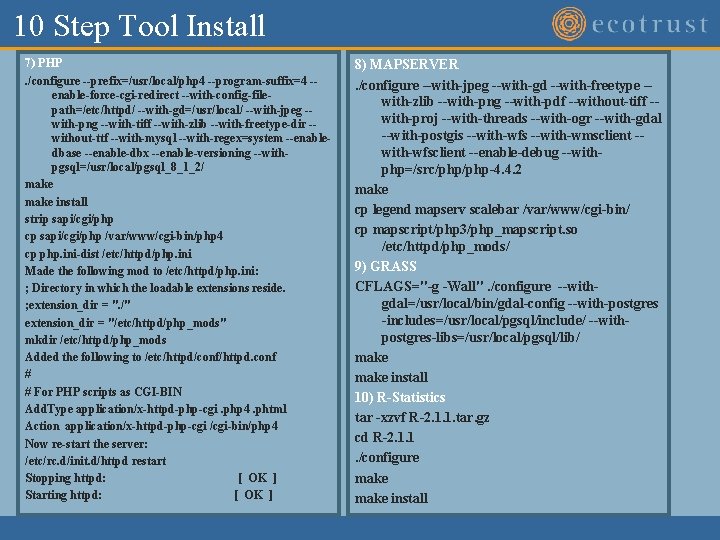
10 Step Tool Install 7) PHP. /configure --prefix=/usr/local/php 4 --program-suffix=4 -enable-force-cgi-redirect --with-config-filepath=/etc/httpd/ --with-gd=/usr/local/ --with-jpeg -with-png --with-tiff --with-zlib --with-freetype-dir -without-ttf --with-mysql --with-regex=system --enabledbase --enable-dbx --enable-versioning --withpgsql=/usr/local/pgsql_8_1_2/ make install strip sapi/cgi/php cp sapi/cgi/php /var/www/cgi-bin/php 4 cp php. ini-dist /etc/httpd/php. ini Made the following mod to /etc/httpd/php. ini: ; Directory in which the loadable extensions reside. ; extension_dir = ". /" extension_dir = "/etc/httpd/php_mods" mkdir /etc/httpd/php_mods Added the following to /etc/httpd/conf/httpd. conf # # For PHP scripts as CGI-BIN Add. Type application/x-httpd-php-cgi. php 4. phtml Action application/x-httpd-php-cgi /cgi-bin/php 4 Now re-start the server: /etc/rc. d/init. d/httpd restart Stopping httpd: [ OK ] Starting httpd: [ OK ] 8) MAPSERVER. /configure --with-jpeg --with-gd --with-freetype -with-zlib --with-png --with-pdf --without-tiff -with-proj --with-threads --with-ogr --with-gdal --with-postgis --with-wfs --with-wmsclient -with-wfsclient --enable-debug --withphp=/src/php-4. 4. 2 make cp legend mapserv scalebar /var/www/cgi-bin/ cp mapscript/php 3/php_mapscript. so /etc/httpd/php_mods/ 9) GRASS CFLAGS="-g -Wall". /configure --withgdal=/usr/local/bin/gdal-config --with-postgres -includes=/usr/local/pgsql/include/ --withpostgres-libs=/usr/local/pgsql/lib/ make install 10) R-Statistics tar -xzvf R-2. 1. 1. tar. gz cd R-2. 1. 1. /configure make install
Tool Screen Shots
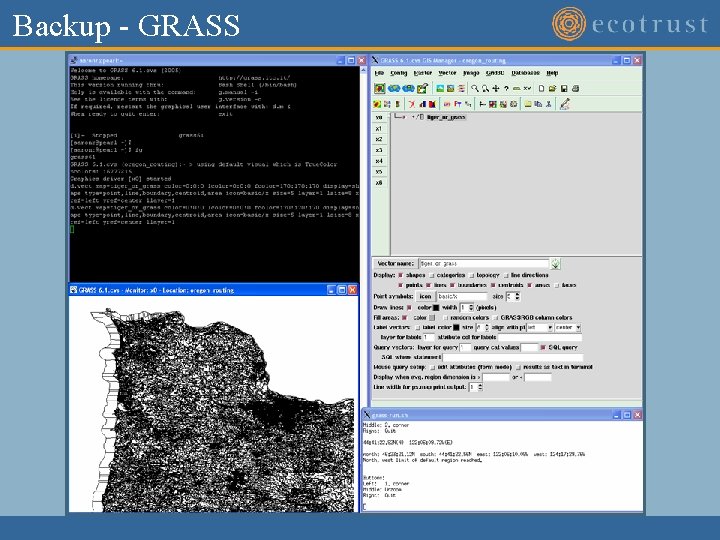
Backup - GRASS
Backup – R-Statistics
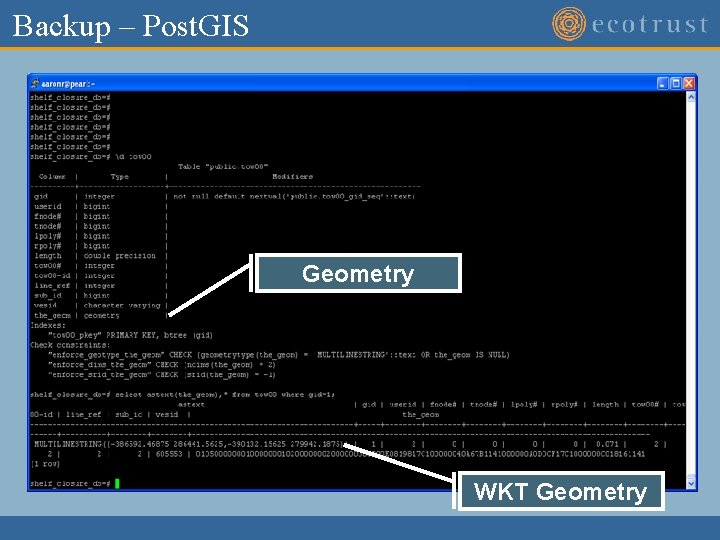
Backup – Post. GIS Geometry WKT Geometry
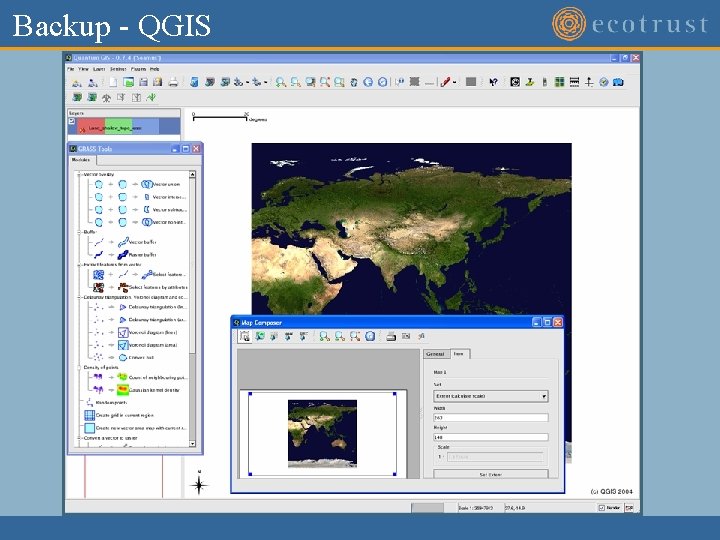
Backup - QGIS