
Open On Demand Open Source General Purpose HPC
- Slides: 26
Open On. Demand: Open Source General Purpose HPC Portal Basil Mohamed Gohar Web and Interface Applications Manager This work is supported by the National Science Foundation of the United States under the award NSF SI 2 -SSE-1534949. Slide 1
Open On. Demand Overview ü About Open On. Demand • Using Apps • How does it work? • Installation Procedure • Site Integration • Extending the Platform Slide 2
About Open On. Demand • Open source software project • Installable for an HPC cluster (or clusters) – Standalone system, Lab, Department, University or National Resources • More than just an “out of the box” solution – On. Demand is a platform that can be extended through additional and custom apps Slide 3
On. Demand Features • Single point of entry for HPC Center’s services • User needs three things – URL: ondemand. xxx. edu – Username – Password • Zero install (Completely browser based) • Single sign-on • Firewall friendly (Keep traffic on https port) Slide 4
Open On. Demand Overview ü About Open On. Demand ü Using Apps • How does it work? • Installation Procedure • Site Integration • Extending the Platform Slide 5
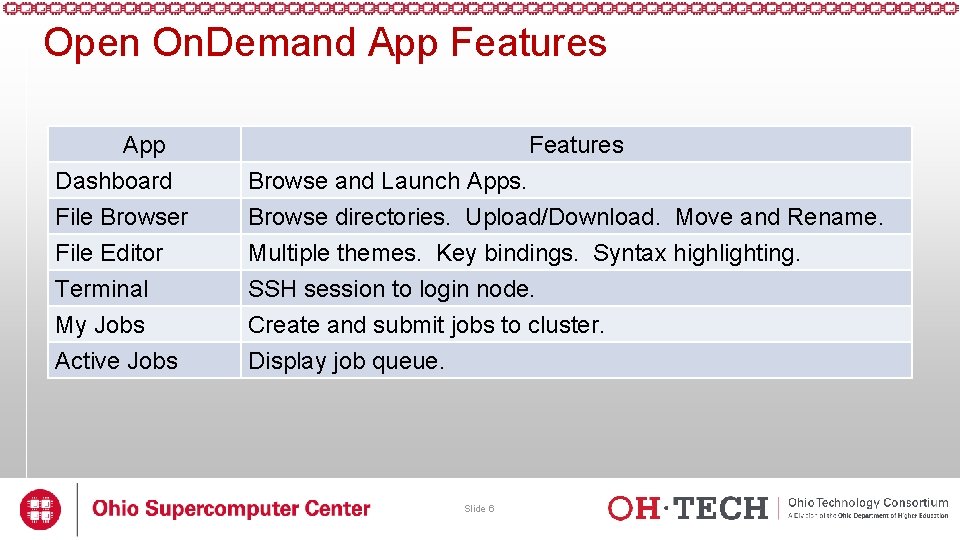
Open On. Demand App Features App Dashboard File Browser File Editor Features Browse and Launch Apps. Browse directories. Upload/Download. Move and Rename. Multiple themes. Key bindings. Syntax highlighting. Terminal My Jobs Active Jobs SSH session to login node. Create and submit jobs to cluster. Display job queue. Slide 6
Open On. Demand App Features • Interactive Demo #1 Slide 7
Open On. Demand Overview ü About Open On. Demand ü Using Apps ü How does it work? • Installation Procedure • Site Integration • Extending the Platform Slide 8
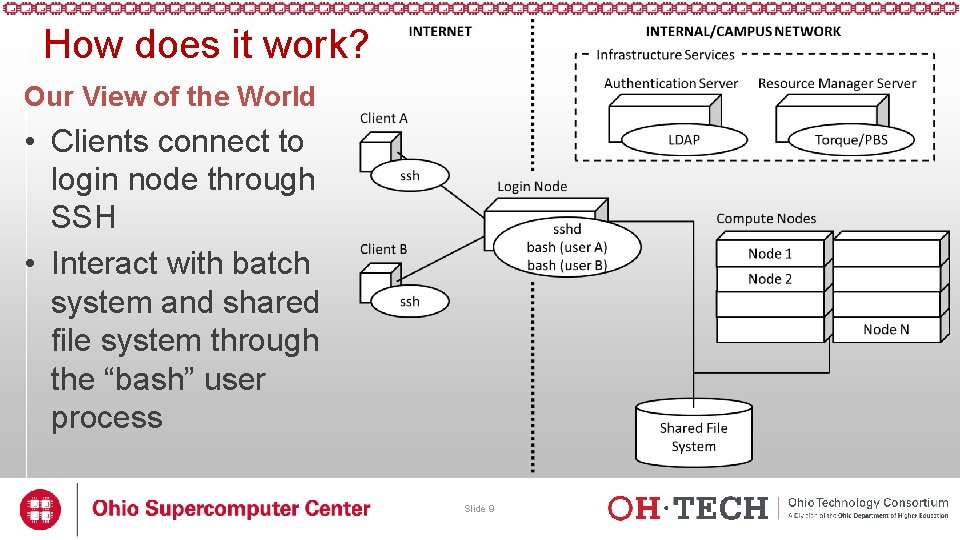
How does it work? Our View of the World • Clients connect to login node through SSH • Interact with batch system and shared file system through the “bash” user process Slide 9
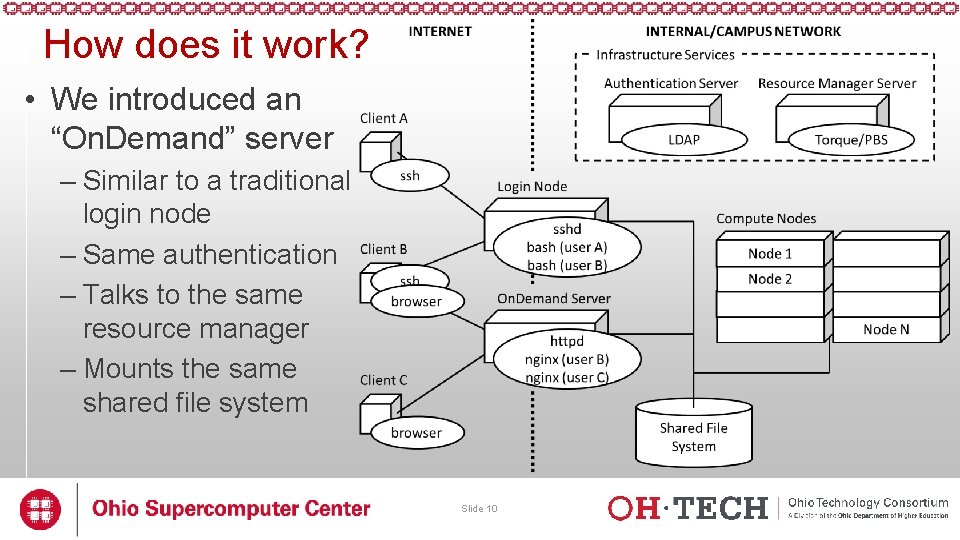
How does it work? • We introduced an “On. Demand” server – Similar to a traditional login node – Same authentication – Talks to the same resource manager – Mounts the same shared file system Slide 10
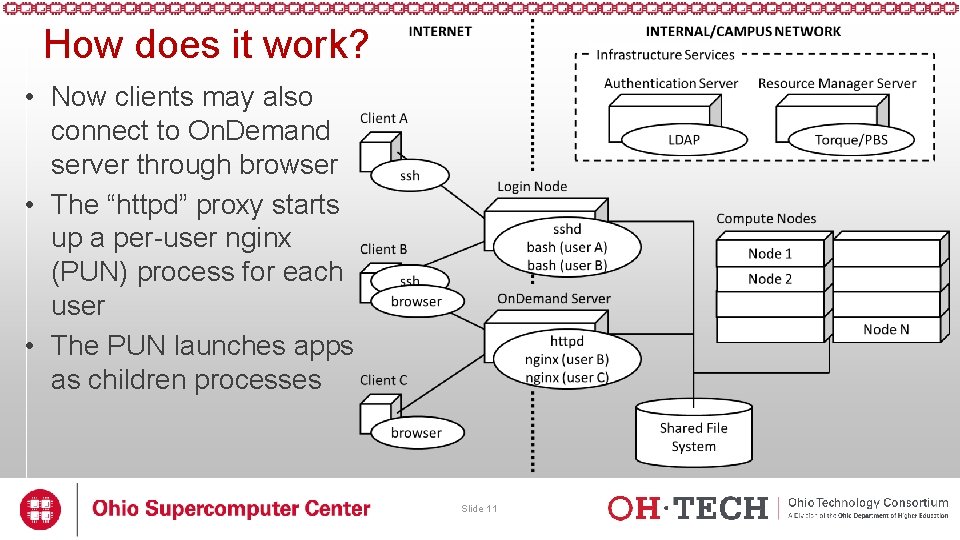
How does it work? • Now clients may also connect to On. Demand server through browser • The “httpd” proxy starts up a per-user nginx (PUN) process for each user • The PUN launches apps as children processes Slide 11
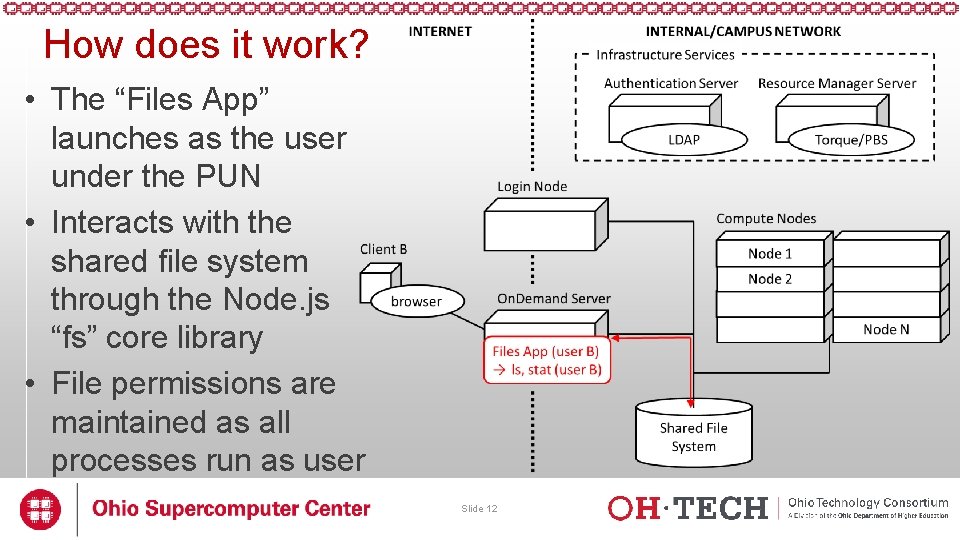
How does it work? • The “Files App” launches as the user under the PUN • Interacts with the shared file system through the Node. js “fs” core library • File permissions are maintained as all processes run as user Slide 12
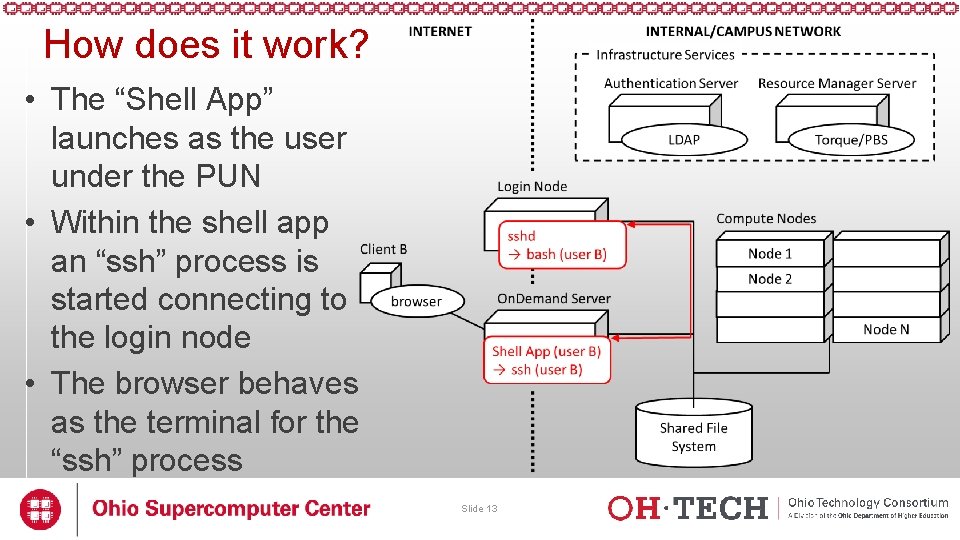
How does it work? • The “Shell App” launches as the user under the PUN • Within the shell app an “ssh” process is started connecting to the login node • The browser behaves as the terminal for the “ssh” process Slide 13
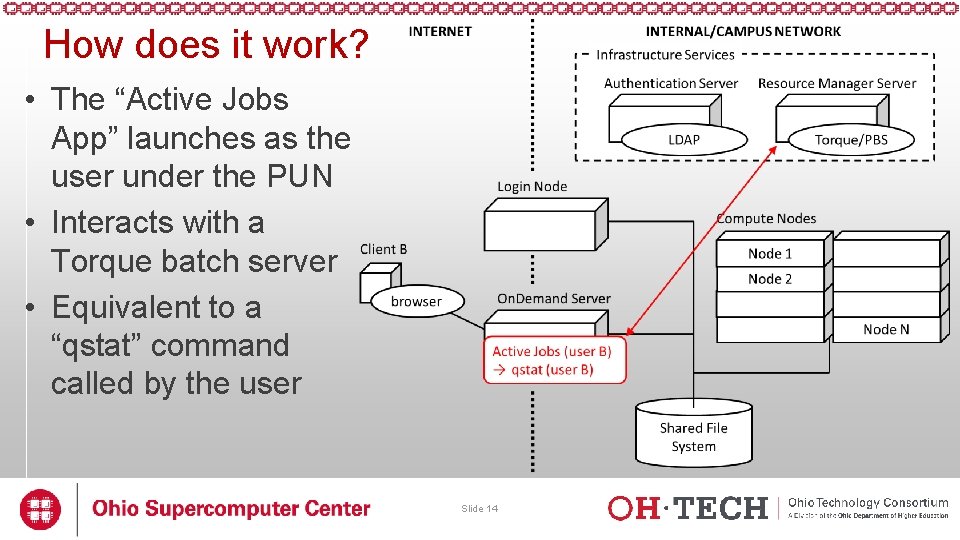
How does it work? • The “Active Jobs App” launches as the user under the PUN • Interacts with a Torque batch server • Equivalent to a “qstat” command called by the user Slide 14
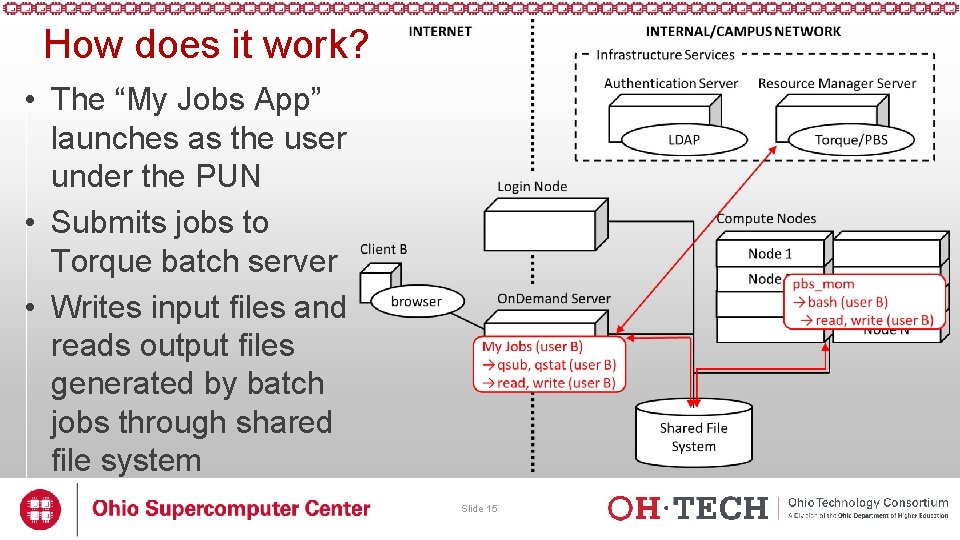
How does it work? • The “My Jobs App” launches as the user under the PUN • Submits jobs to Torque batch server • Writes input files and reads output files generated by batch jobs through shared file system Slide 15
Open On. Demand Overview ü About Open On. Demand ü Using Apps ü How does it work? ü Installation Procedure • Site Integration • Extending the Platform Slide 16
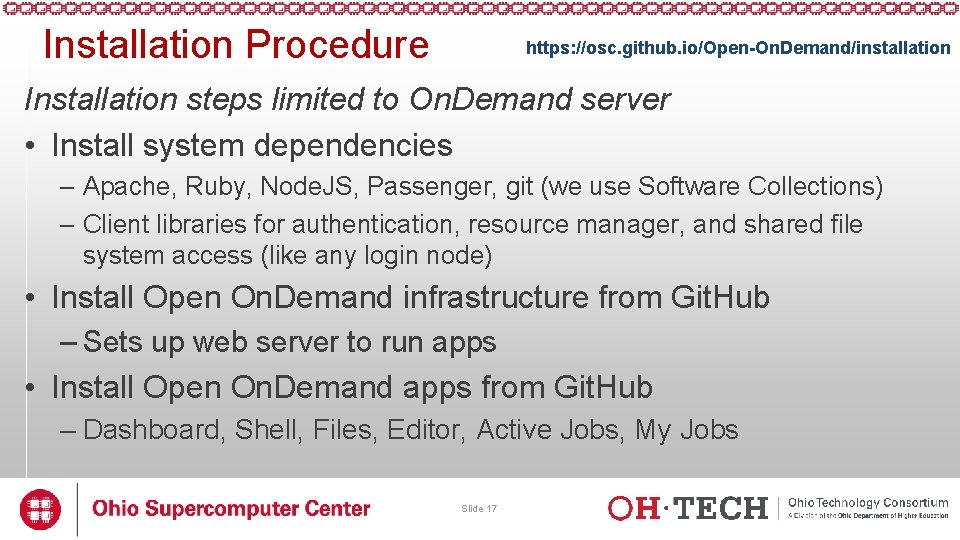
Installation Procedure https: //osc. github. io/Open-On. Demand/installation Installation steps limited to On. Demand server • Install system dependencies – Apache, Ruby, Node. JS, Passenger, git (we use Software Collections) – Client libraries for authentication, resource manager, and shared file system access (like any login node) • Install Open On. Demand infrastructure from Git. Hub – Sets up web server to run apps • Install Open On. Demand apps from Git. Hub – Dashboard, Shell, Files, Editor, Active Jobs, My Jobs Slide 17
Open On. Demand Overview ü About Open On. Demand ü Using Apps ü How does it work? ü Installation Procedure ü Site Integration • Extending the Platform Slide 18
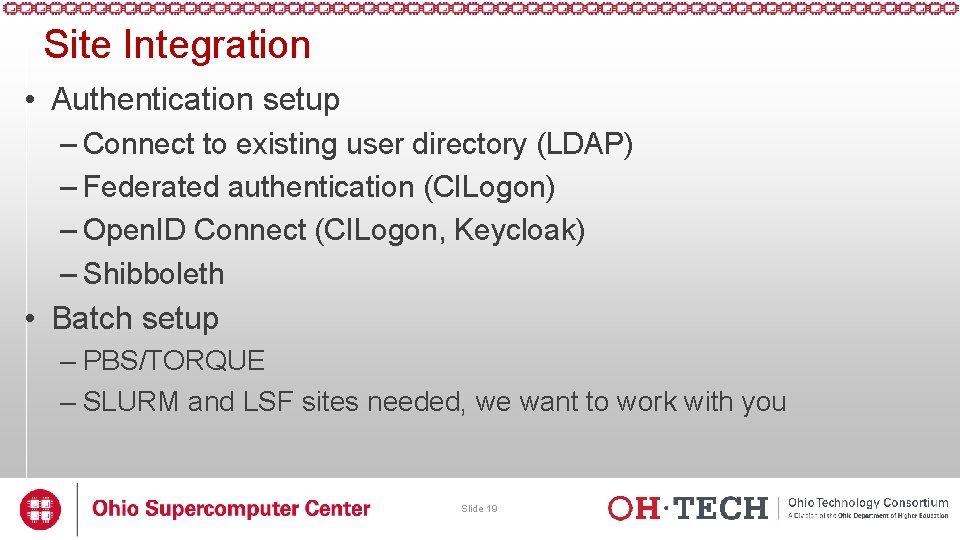
Site Integration • Authentication setup – Connect to existing user directory (LDAP) – Federated authentication (CILogon) – Open. ID Connect (CILogon, Keycloak) – Shibboleth • Batch setup – PBS/TORQUE – SLURM and LSF sites needed, we want to work with you Slide 19
Open On. Demand Overview ü About Open On. Demand ü Using Apps ü How does it work? ü Installation Procedure ü Site Integration ü Extending the Platform Slide 20
Extending the Platform • Vision: not just to provide these 6 apps, but to create a platform so any HPC user can build an app • All apps in Open On. Demand are Phusion Passenger apps – Using Passenger app server, Open On. Demand lets a developer drop a new app’s files into a directory and access it via a URL without requiring a manual server configuration or restart • NOTE: certain app changes may require a user-initiated app restart – Ruby, Node. js, Python-based apps are supported • Any user can write an app and use it without any help from the sys admin • Sys admin can deploy any app so that everyone can access it through the dashboard Slide 21
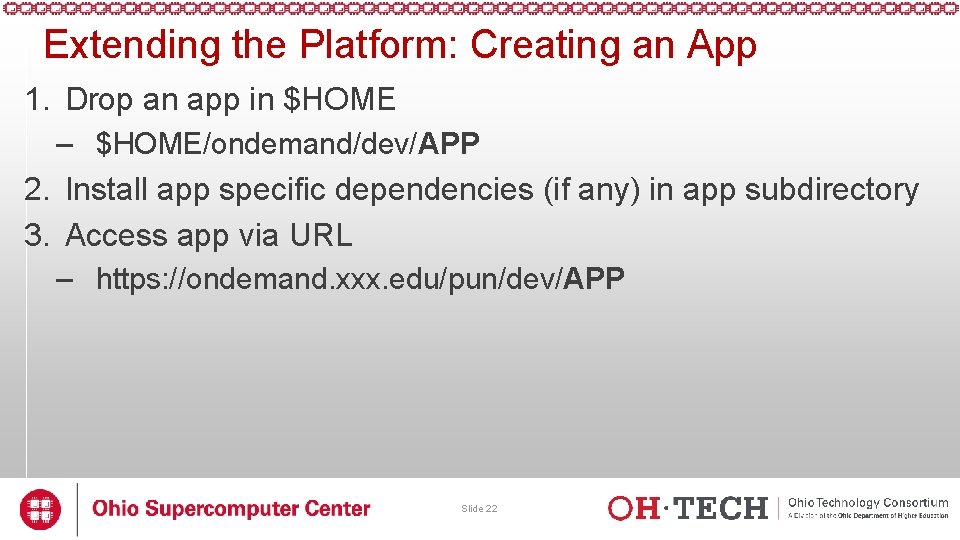
Extending the Platform: Creating an App 1. Drop an app in $HOME – $HOME/ondemand/dev/APP 2. Install app specific dependencies (if any) in app subdirectory 3. Access app via URL – https: //ondemand. xxx. edu/pun/dev/APP Slide 22
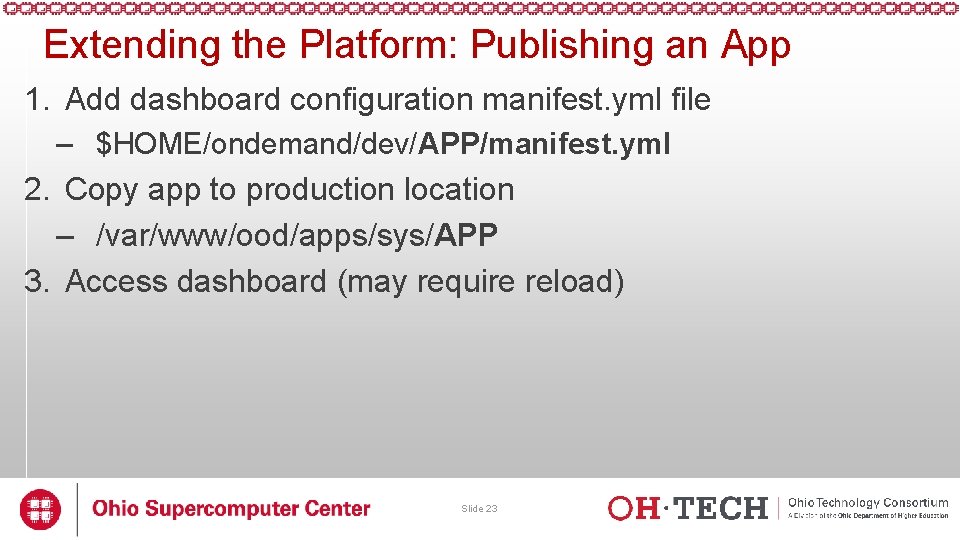
Extending the Platform: Publishing an App 1. Add dashboard configuration manifest. yml file – $HOME/ondemand/dev/APP/manifest. yml 2. Copy app to production location – /var/www/ood/apps/sys/APP 3. Access dashboard (may require reload) Slide 23
Getting Open On. Demand Installed at your Center • If your already run EL and PBS/TORQUE, you can download and install Open On. Demand now and try for yourself • If not, then we can try to work with you to get Open On. Demand extended to support your setup – Tell us how we can help! Slide 24
Next Webinar/Staying in Touch • Our webinars are planned roughly quarterly – Let us know what you’d like to learn about next • Visit our website – https: //osc. github. io/Open-On. Demand/ • Join our mailing list – https: //lists. osu. edu/mailman/listinfo/ood-users • Get Open On. Demand! – https: //github. com/OSC/Open-On. Demand Slide 25
Thank you! Any questions? Basil Mohamed Gohar Web and Interface Applications Manager Ohio Supercomputer Center bgohar@osc. edu https: //osc. github. io/Open-On. Demand/ Slide 26 go. osu. edu/ood