
Open Nebula in production The infrastructure Stefano Lusso
Open. Nebula in production The infrastructure Stefano Lusso – INFN Torino
Open. Nebula infrastructure Providing persistent storage Storage infrastructure Network infrastructure 2
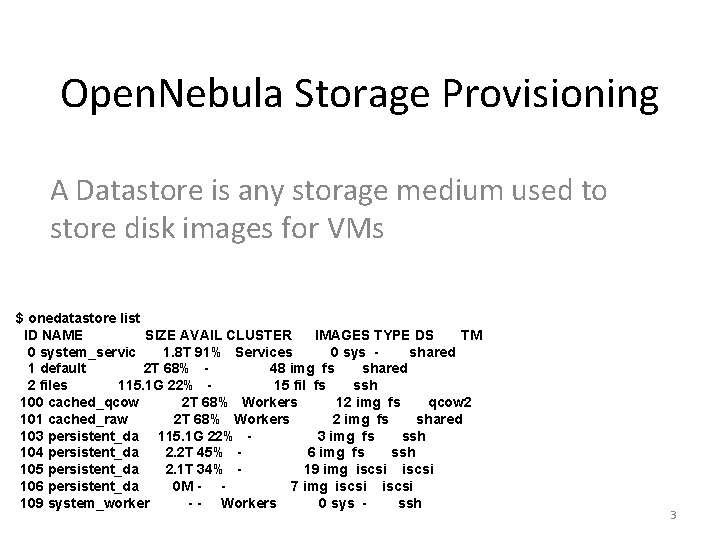
Open. Nebula Storage Provisioning A Datastore is any storage medium used to store disk images for VMs $ onedatastore list ID NAME SIZE AVAIL CLUSTER IMAGES TYPE DS TM 0 system_servic 1. 8 T 91% Services 0 sys shared 1 default 2 T 68% 48 img fs shared 2 files 115. 1 G 22% 15 fil fs ssh 100 cached_qcow 2 T 68% Workers 12 img fs qcow 2 101 cached_raw 2 T 68% Workers 2 img fs shared 103 persistent_da 115. 1 G 22% 3 img fs ssh 104 persistent_da 2. 2 T 45% 6 img fs ssh 105 persistent_da 2. 1 T 34% 19 img iscsi 106 persistent_da 0 M - 7 img iscsi 109 system_worker - - Workers 0 sys ssh 3
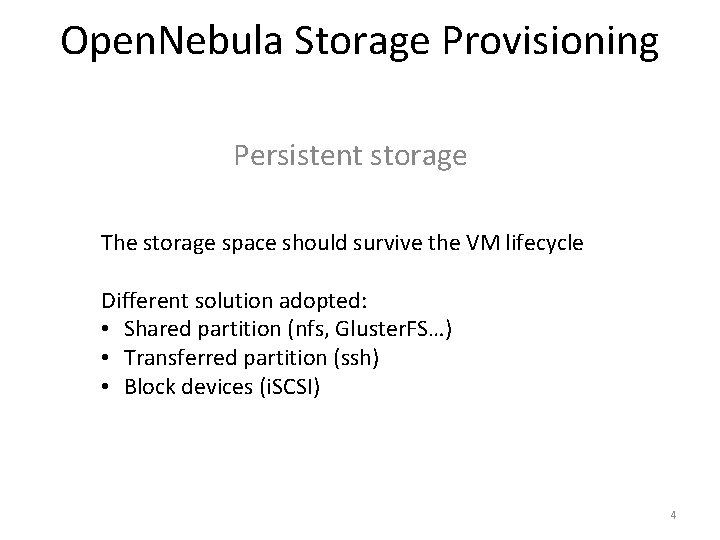
Open. Nebula Storage Provisioning Persistent storage The storage space should survive the VM lifecycle Different solution adopted: • Shared partition (nfs, Gluster. FS…) • Transferred partition (ssh) • Block devices (i. SCSI) 4
Open. Nebula Storage Provisioning Persistent storage from shared partitions The space is located on a dedicated server A separate infrastructure is needed The shared partition can be mounted at contextualization level 5
Open. Nebula Storage Provisioning Persistent storage transferred via ssh The image is copied via ssh – time consuming The image is transferred back to the Datastore only after the VM is successfully shut down -- inconsistency may occur 6
Open. Nebula Storage Provisioning Persistent storage via i. SCSI driver provides the possibility of using block-devices for VM images instead of the default file form – improved performance It works with linux tgtd It can be forced working with SAN appliance 7
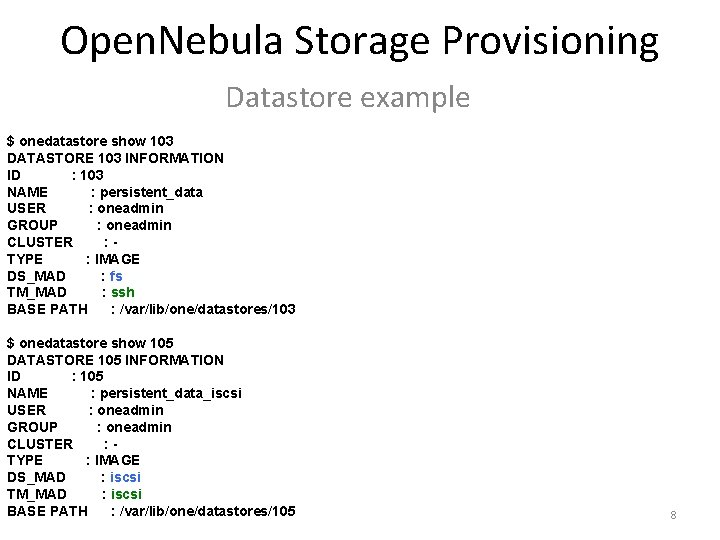
Open. Nebula Storage Provisioning Datastore example $ onedatastore show 103 DATASTORE 103 INFORMATION ID : 103 NAME : persistent_data USER : oneadmin GROUP : oneadmin CLUSTER : TYPE : IMAGE DS_MAD : fs TM_MAD : ssh BASE PATH : /var/lib/one/datastores/103 $ onedatastore show 105 DATASTORE 105 INFORMATION ID : 105 NAME : persistent_data_iscsi USER : oneadmin GROUP : oneadmin CLUSTER : TYPE : IMAGE DS_MAD : iscsi TM_MAD : iscsi BASE PATH : /var/lib/one/datastores/105 8
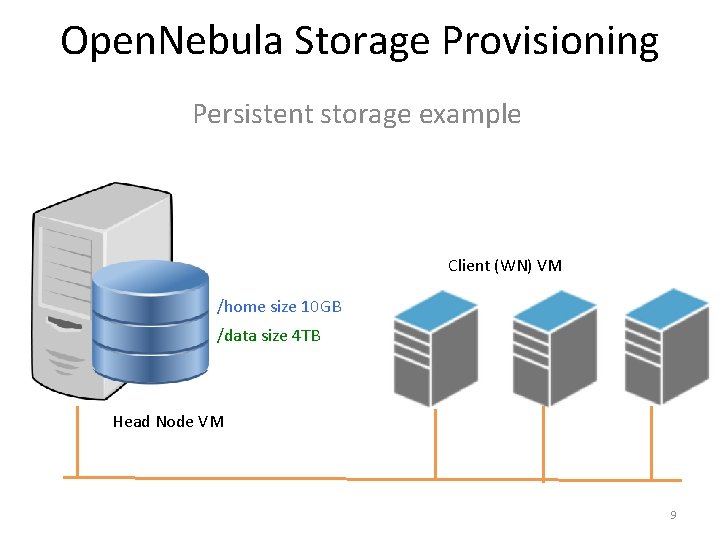
Open. Nebula Storage Provisioning Persistent storage example Client (WN) VM /home size 10 GB /data size 4 TB Head Node VM 9
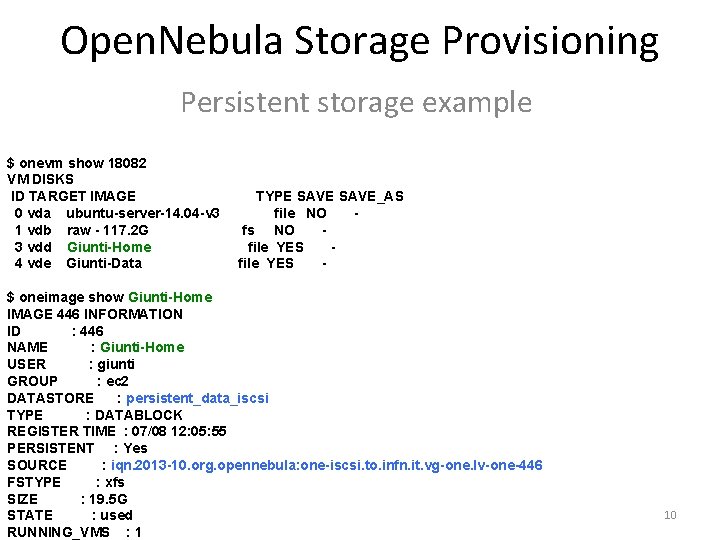
Open. Nebula Storage Provisioning Persistent storage example $ onevm show 18082 VM DISKS ID TARGET IMAGE 0 vda ubuntu-server-14. 04 -v 3 1 vdb raw - 117. 2 G 3 vdd Giunti-Home 4 vde Giunti-Data TYPE SAVE_AS file NO fs NO file YES - $ oneimage show Giunti-Home IMAGE 446 INFORMATION ID : 446 NAME : Giunti-Home USER : giunti GROUP : ec 2 DATASTORE : persistent_data_iscsi TYPE : DATABLOCK REGISTER TIME : 07/08 12: 05: 55 PERSISTENT : Yes SOURCE : iqn. 2013 -10. org. opennebula: one-iscsi. to. infn. it. vg-one. lv-one-446 FSTYPE : xfs SIZE : 19. 5 G STATE : used RUNNING_VMS : 1 10
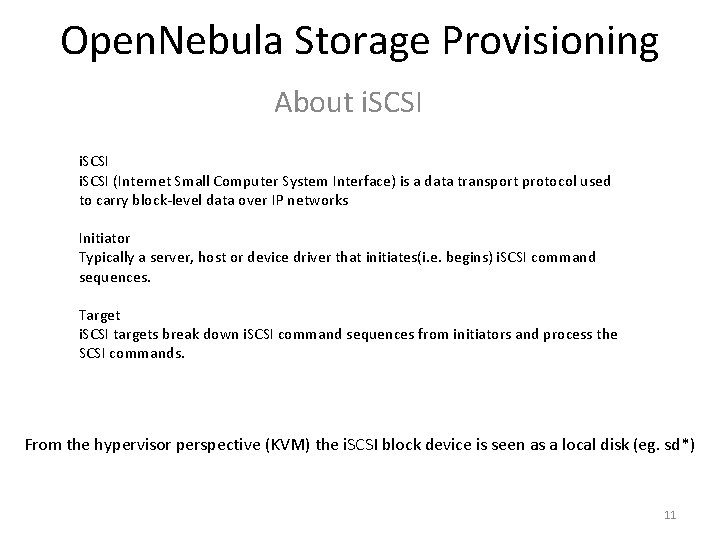
Open. Nebula Storage Provisioning About i. SCSI (Internet Small Computer System Interface) is a data transport protocol used to carry block-level data over IP networks Initiator Typically a server, host or device driver that initiates(i. e. begins) i. SCSI command sequences. Target i. SCSI targets break down i. SCSI command sequences from initiators and process the SCSI commands. From the hypervisor perspective (KVM) the i. SCSI block device is seen as a local disk (eg. sd*) 11
![Open. Nebula Storage Provisioning i. SCSI initiator on KVM [root@one-kvm-63 ~]# ls -alh /var/lib/one/datastores/0/18082](http://slidetodoc.com/presentation_image_h/b9caa9cf990797fa050c79aec5077697/image-12.jpg "Open. Nebula Storage Provisioning i. SCSI initiator on KVM [root@one-kvm-63 ~]# ls -alh /var/lib/one/datastores/0/18082")
Open. Nebula Storage Provisioning i. SCSI initiator on KVM [root@one-kvm-63 ~]# ls -alh /var/lib/one/datastores/0/18082 total 5. 1 G -rw-rw-r-- 1 oneadmin 1. 1 K Aug 6 20: 02 deployment. 0 -rw-rw---- 1 oneadmin 3. 7 G Sep 7 12: 32 disk. 0 -rw-rw-r-- 1 oneadmin 118 G Sep 7 12: 17 disk. 1 -rw-r--r-- 1 oneadmin 384 K Aug 6 20: 02 disk. 2 lrwxrwxrwx 1 oneadmin 40 Aug 6 20: 02 disk. 2. iso -> /var/lib/one/datastores/109/18082/disk. 2 lrwxrwxrwx 1 oneadmin 117 Aug 7 16: 37 disk. 3 -> /dev/disk/by-path/ip-192. 168. 1. 202: 3260 -iscsi-iqn. 2013 -10. org. opennebula: oneiscsi. to. infn. it. vg-one. lv-one-446 -lun-1 lrwxrwxrwx 1 oneadmin 104 Aug 7 16: 37 disk. 4 -> /dev/disk/by-path/ip-192. 168. 1. 215: 3260 -iscsi-iqn. 2004 -04. com. qnap: ts 809 u: iscsi. giuntidata. c 60347 -lun-0 ip-192. 168. 1. 202: 3260 ( IP addr target ) ( tcp port 3260 ) iqn. 2013 -10. org. opennebula (i. SCSI qualified name) (yyyy-mm. naming-authority) one-iscsi. to. infn. it (hostname) vg-one. lv-one-446 -lun-1 (partition LVM) 12
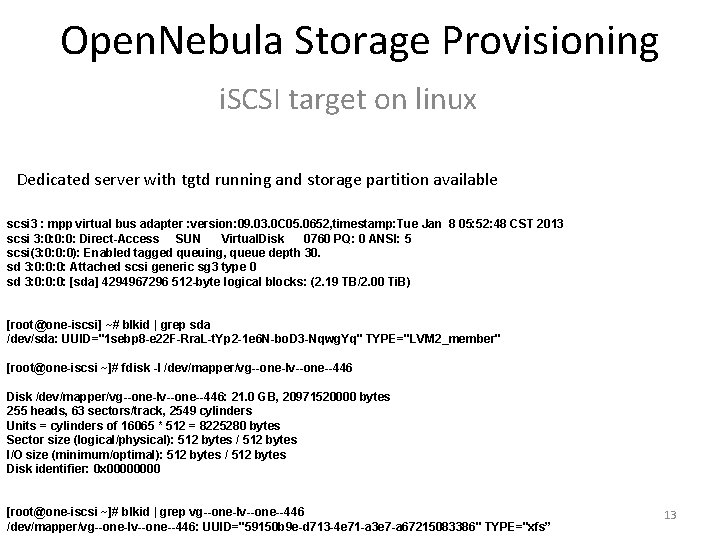
Open. Nebula Storage Provisioning i. SCSI target on linux Dedicated server with tgtd running and storage partition available scsi 3 : mpp virtual bus adapter : version: 09. 03. 0 C 05. 0652, timestamp: Tue Jan 8 05: 52: 48 CST 2013 scsi 3: 0: 0: 0: Direct-Access SUN Virtual. Disk 0760 PQ: 0 ANSI: 5 scsi(3: 0: 0: 0): Enabled tagged queuing, queue depth 30. sd 3: 0: 0: 0: Attached scsi generic sg 3 type 0 sd 3: 0: 0: 0: [sda] 4294967296 512 -byte logical blocks: (2. 19 TB/2. 00 Ti. B) [root@one-iscsi] ~# blkid | grep sda /dev/sda: UUID="1 sebp 8 -e 22 F-Rra. L-t. Yp 2 -1 e 6 N-bo. D 3 -Nqwg. Yq" TYPE="LVM 2_member" [root@one-iscsi ~]# fdisk -l /dev/mapper/vg--one-lv--one--446 Disk /dev/mapper/vg--one-lv--one--446: 21. 0 GB, 20971520000 bytes 255 heads, 63 sectors/track, 2549 cylinders Units = cylinders of 16065 * 512 = 8225280 bytes Sector size (logical/physical): 512 bytes / 512 bytes I/O size (minimum/optimal): 512 bytes / 512 bytes Disk identifier: 0 x 0000 [root@one-iscsi ~]# blkid | grep vg--one-lv--one--446 /dev/mapper/vg--one-lv--one--446: UUID="59150 b 9 e-d 713 -4 e 71 -a 3 e 7 -a 67215083386" TYPE="xfs” 13
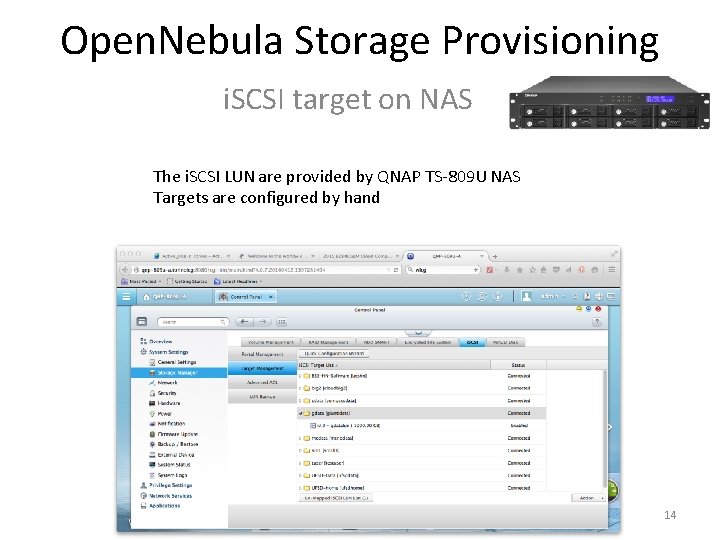
Open. Nebula Storage Provisioning i. SCSI target on NAS The i. SCSI LUN are provided by QNAP TS-809 U NAS Targets are configured by hand 14
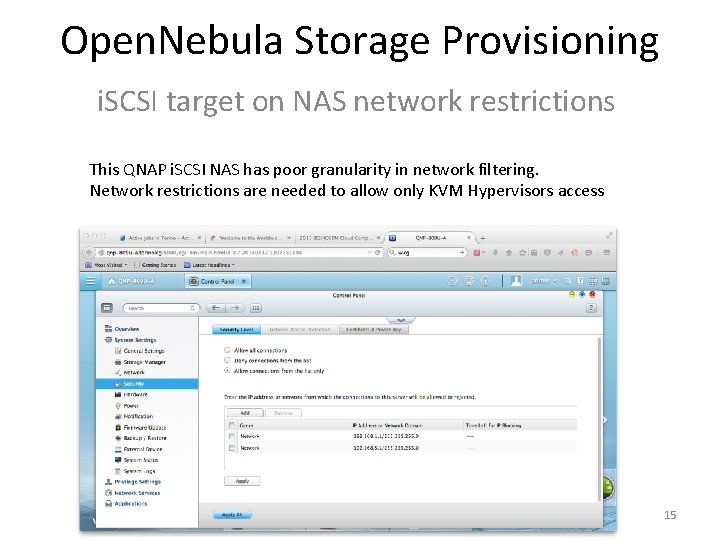
Open. Nebula Storage Provisioning i. SCSI target on NAS network restrictions This QNAP i. SCSI NAS has poor granularity in network filtering. Network restrictions are needed to allow only KVM Hypervisors access 15
Open. Nebula Infrastructure Storage Infrastructure 16
Open. Nebula Infrastructure Storage requirements: • Available && performing shared area for service VM • Lots of TB for certain applications Solutions • Gluster. FS • Nfs • i. SCSI 17
Open. Nebula Infrastructure Gluster. FS Volume The volume is the collection of bricks and most of the Gluster file system operations happen on the volume. Gluster file system supports different types of volumes based on the requirements. Some volumes are good for scaling storage size, some for improving performance and some for both. A Volume can be Distributed, Replicated, Striped, Dispersed in any intelligent combination. A volume is typically a ext 4/xfs partition mounted on the server It is also possible to attach a hot tier to a volume (with promotion/demotion policy) 18
Open. Nebula Infrastructure Gluster. FS DHT stands for Distributed Hash Table. The way Gluster. FS's DHT works is based on a few basic principles: • All operations are driven by clients, which are all equal. There are no special nodes with special knowledge of where files are or should be. • Directories exist on all subvolumes (bricks or lower-level aggregations of bricks); files exist on only one. • Files are assigned to subvolumes based on consistent hashing. Two bricks simplified example: Brick A: Hash range from 0 to 0 x 7 ffffff Brick B: Hash range from 0 x 80000000 to 0 xffff A new file is created and corresponding the hash is 0 xabad 1 dea The hash is between 0 x 80000000 and 0 xbfffffff, so the corresponding file's hashed location would be on Brick B 19
Open. Nebula Infrastructure Gluster. FS Rebalance As bricks are added or removed, or files are renamed, many files can end up somewhere other than at their hashed locations. When this happens, the volumes need to be rebalanced. This process consists of two parts: • fix-layout - Calculate new layouts, according to the current set of bricks (and possibly their characteristics) • migrate-data - Migrate any "misplaced" files to their correct (hashed) locations 20
![Open. Nebula Infrastructure Gluster. FS self-healing In a replicated volume [minimum replica count 2]](http://slidetodoc.com/presentation_image_h/b9caa9cf990797fa050c79aec5077697/image-21.jpg "Open. Nebula Infrastructure Gluster. FS self-healing In a replicated volume [minimum replica count 2]")
Open. Nebula Infrastructure Gluster. FS self-healing In a replicated volume [minimum replica count 2] it could happen, due to some failures, one or more brick among the replica bricks go down for a while. If user deletes a file, only the online brick will get affected. When the offline brick comes online at a later time, it is necessary to have that file removed from this brick. The synchronization between the replica bricks is called healing. The pro-active self-heal daemon runs in the background, diagnoses issues and automatically initiates self-healing periodically on the files which require healing. 21
Open. Nebula Infrastructure Ceph Open. Nebula can be integrated with Ceph, a distributed object store and file system. The Ceph datastore driver provides Open. Nebula users with the possibility of using Ceph block devices as their Virtual Images. With some limitations: • This driver only works with libvirt/KVM drivers. Xen is not (yet) supported. • This driver requires that the Open. Nebula nodes using the Ceph driver must be part of a running Ceph cluster. • The hypervisor nodes need to be part of a working Ceph cluster and the Libvirt and QEMU packages need to be recent enough to have support for Ceph. 22
Open. Nebula Infrastructure Gluster. FS Volumes Gluster. FS is is flexible depending on the layout configuration. It can be used for many purposes: • Storage backend for running machines • Storage backend for image repository • Remote partition for VM (or group of VMs) 23
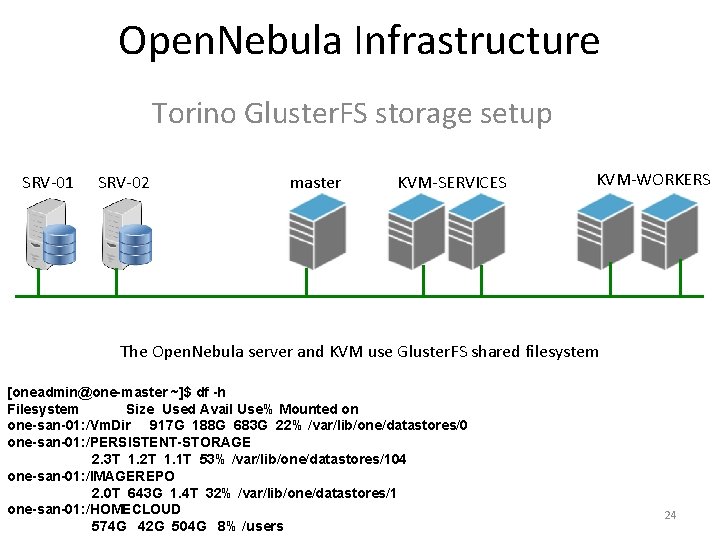
Open. Nebula Infrastructure Torino Gluster. FS storage setup SRV-01 SRV-02 master KVM-SERVICES KVM-WORKERS The Open. Nebula server and KVM use Gluster. FS shared filesystem [oneadmin@one-master ~]$ df -h Filesystem Size Used Avail Use% Mounted on one-san-01: /Vm. Dir 917 G 188 G 683 G 22% /var/lib/one/datastores/0 one-san-01: /PERSISTENT-STORAGE 2. 3 T 1. 2 T 1. 1 T 53% /var/lib/one/datastores/104 one-san-01: /IMAGEREPO 2. 0 T 643 G 1. 4 T 32% /var/lib/one/datastores/1 one-san-01: /HOMECLOUD 574 G 42 G 504 G 8% /users 24
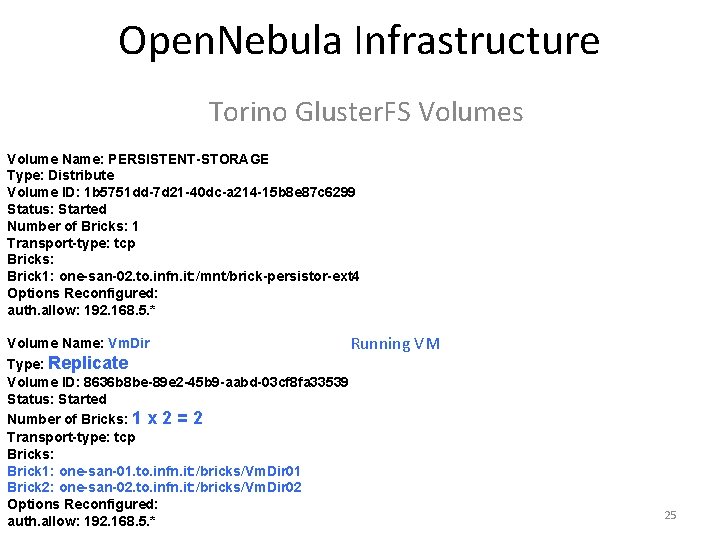
Open. Nebula Infrastructure Torino Gluster. FS Volumes Volume Name: PERSISTENT-STORAGE Type: Distribute Volume ID: 1 b 5751 dd-7 d 21 -40 dc-a 214 -15 b 8 e 87 c 6299 Status: Started Number of Bricks: 1 Transport-type: tcp Bricks: Brick 1: one-san-02. to. infn. it: /mnt/brick-persistor-ext 4 Options Reconfigured: auth. allow: 192. 168. 5. * Volume Name: Vm. Dir Running VM Type: Replicate Volume ID: 8636 b 8 be-89 e 2 -45 b 9 -aabd-03 cf 8 fa 33539 Status: Started Number of Bricks: 1 x 2 = 2 Transport-type: tcp Bricks: Brick 1: one-san-01. to. infn. it: /bricks/Vm. Dir 01 Brick 2: one-san-02. to. infn. it: /bricks/Vm. Dir 02 Options Reconfigured: auth. allow: 192. 168. 5. * 25
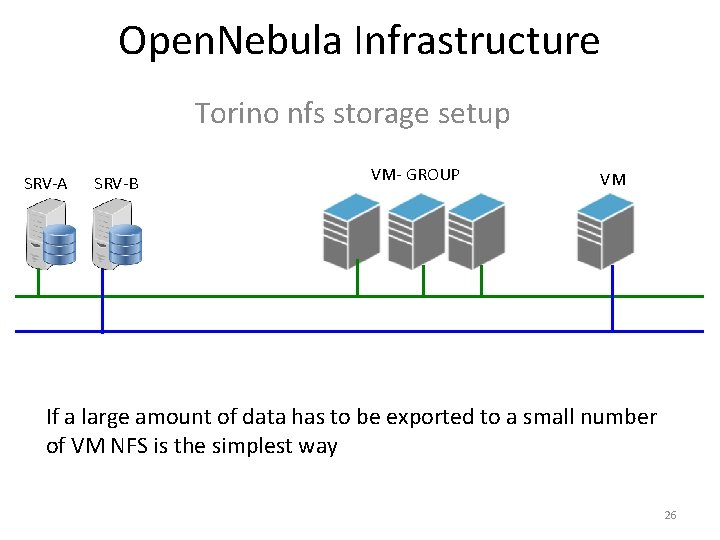
Open. Nebula Infrastructure Torino nfs storage setup SRV-A SRV-B VM- GROUP VM If a large amount of data has to be exported to a small number of VM NFS is the simplest way 26
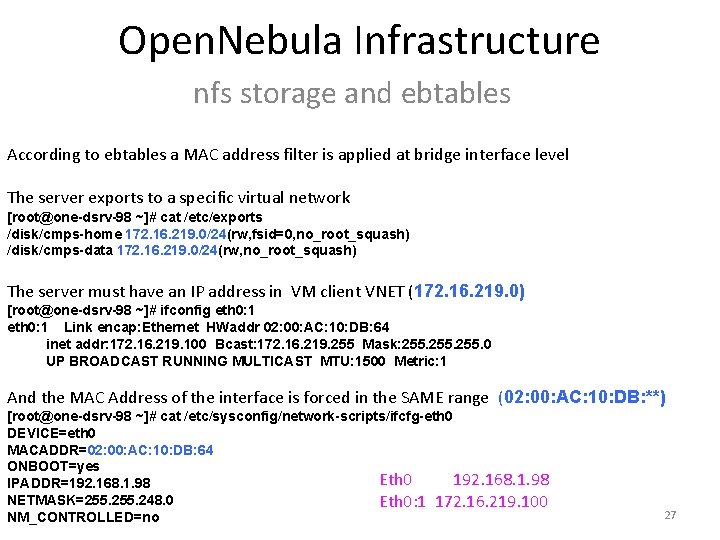
Open. Nebula Infrastructure nfs storage and ebtables According to ebtables a MAC address filter is applied at bridge interface level The server exports to a specific virtual network [root@one-dsrv-98 ~]# cat /etc/exports /disk/cmps-home 172. 16. 219. 0/24(rw, fsid=0, no_root_squash) /disk/cmps-data 172. 16. 219. 0/24(rw, no_root_squash) The server must have an IP address in VM client VNET (172. 16. 219. 0) [root@one-dsrv-98 ~]# ifconfig eth 0: 1 Link encap: Ethernet HWaddr 02: 00: AC: 10: DB: 64 inet addr: 172. 16. 219. 100 Bcast: 172. 16. 219. 255 Mask: 255. 0 UP BROADCAST RUNNING MULTICAST MTU: 1500 Metric: 1 And the MAC Address of the interface is forced in the SAME range (02: 00: AC: 10: DB: **) [root@one-dsrv-98 ~]# cat /etc/sysconfig/network-scripts/ifcfg-eth 0 DEVICE=eth 0 MACADDR=02: 00: AC: 10: DB: 64 ONBOOT=yes Eth 0 192. 168. 1. 98 IPADDR=192. 168. 1. 98 NETMASK=255. 248. 0 Eth 0: 1 172. 16. 219. 100 NM_CONTROLLED=no 27
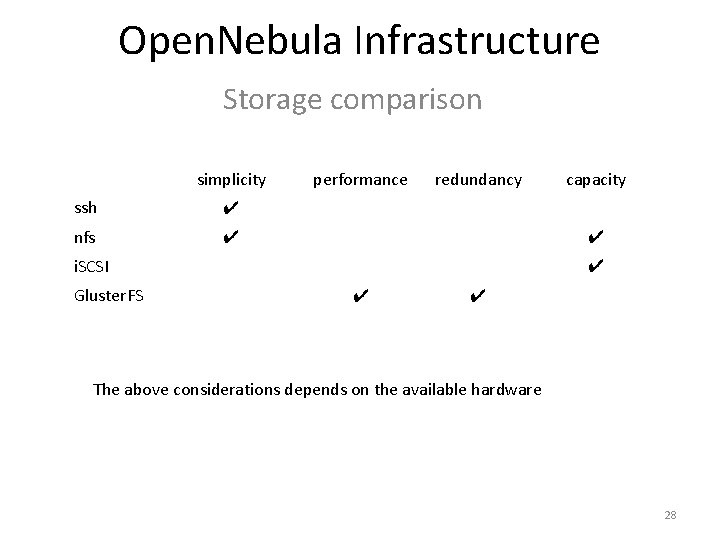
Open. Nebula Infrastructure Storage comparison simplicity ssh ✔ nfs ✔ performance redundancy ✔ i. SCSI Gluster. FS capacity ✔ ✔ ✔ The above considerations depends on the available hardware 28
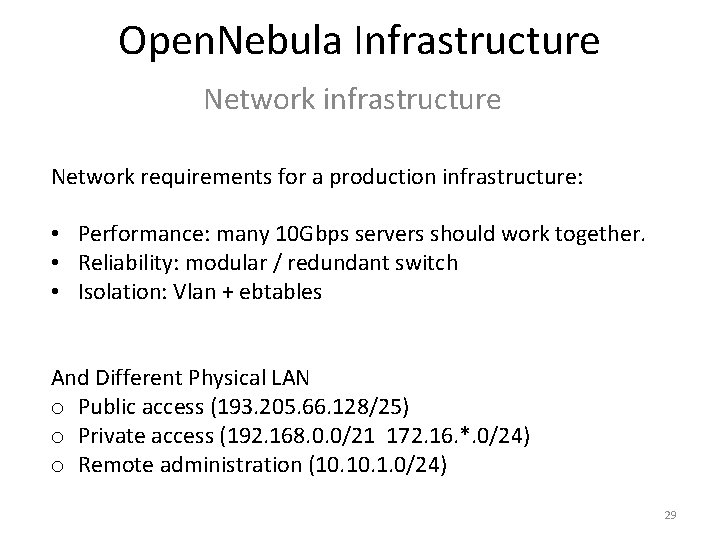
Open. Nebula Infrastructure Network infrastructure Network requirements for a production infrastructure: • Performance: many 10 Gbps servers should work together. • Reliability: modular / redundant switch • Isolation: Vlan + ebtables And Different Physical LAN o Public access (193. 205. 66. 128/25) o Private access (192. 168. 0. 0/21 172. 16. *. 0/24) o Remote administration (10. 1. 0/24) 29
Open. Nebula Infrastructure Network infrastructure Network services: DNS + DHCP: dnsmaq + cobbler NAT: iptable, Open. Wrt KVM are installed via cobbler and puppet 30
Open. Nebula Infrastructure Network infrastructure Despite the Open. Nebula design and installation guide recommend to install a dedicated network to manage and monitor the hypervisors, and move image files, in the running installation the service and instance network coexist. Also tenant’s Vnet are on the same physical LAN and the “Vrouters” share the same KVM network interface 31
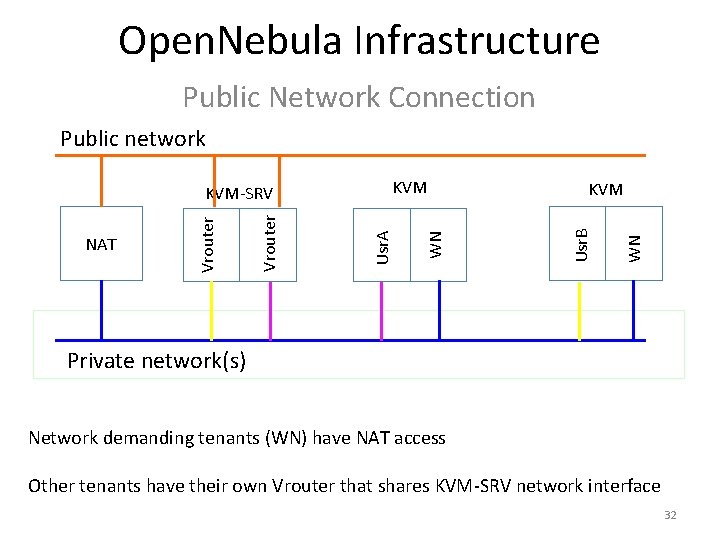
Open. Nebula Infrastructure Public Network Connection Public network WN KVM Usr. B WN KVM Usr. A Vrouter NAT Vrouter KVM-SRV Private network(s) Network demanding tenants (WN) have NAT access Other tenants have their own Vrouter that shares KVM-SRV network interface 32
- Slides: 32