
Open GL Introduction Yanci Zhang Game Programming Practice
- Slides: 36
Open. GL: Introduction Yanci Zhang Game Programming Practice
Outline Overview of Open. GL vs. Direct X Rendering pipeline Coordinate system Game Programming Practice
What is Open. GL? Open. GL = Open Graphics Library Graphics rendering API Produce high-quality color images composed of 3 D geometric objects and images Hardware independent Cross platform Game Programming Practice
Basic Function Bases for many advanced data structures in game programming Typical applications Scene graph State graph Decision tree Kd-tree, quad tree … Game Programming Practice
What Can Open. GL Do? Rendering basic primitives, like points, lines, triangles… Matrix operations Local illumination Texture mapping Pixel operations … Game Programming Practice
What Can Not Open. GL Do? Create windows Handle window events Response to user input Scene management … Game Programming Practice
Open. GL vs. Direct. X 1/2 Open. GL is only graphics library Direct. X handles graphics, audio, user input Use Open. GL improperly, system does nothing Use Direct. X improperly, system does something beyond expectation Game Programming Practice
Open. GL vs. Direct. X 2/2 Open. GL Industry standard maintained by Open. GL Architectural Review Board (ARB) Stable function interface Cross platform Very clean, easy to learn Direct. X Microsoft’s product Instable function interface Only support Windows Game Programming Practice
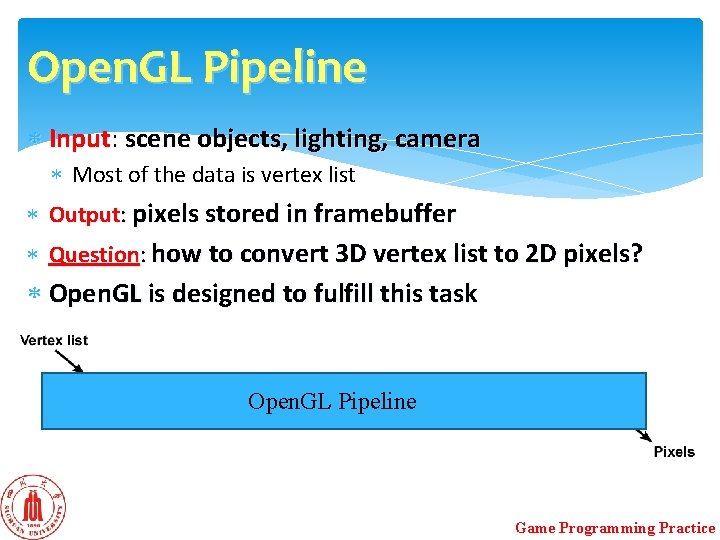
Open. GL Pipeline Input: scene objects, lighting, camera Most of the data is vertex list Output: pixels stored in framebuffer Question: how to convert 3 D vertex list to 2 D pixels? Open. GL is designed to fulfill this task Open. GL Pipeline Game Programming Practice
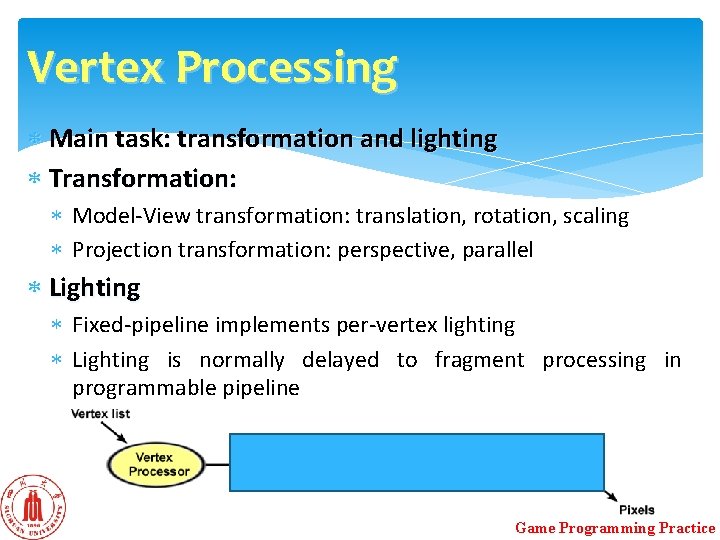
Vertex Processing Main task: transformation and lighting Transformation: Model-View transformation: translation, rotation, scaling Projection transformation: perspective, parallel Lighting Fixed-pipeline implements per-vertex lighting Lighting is normally delayed to fragment processing in programmable pipeline Game Programming Practice
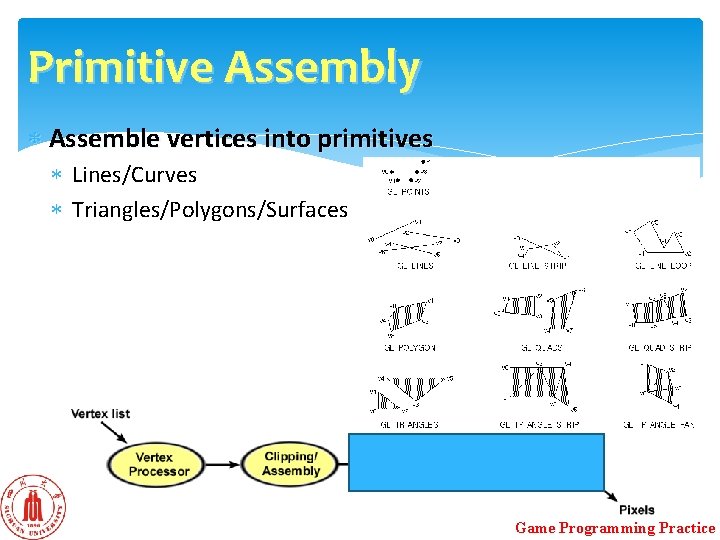
Primitive Assembly Assemble vertices into primitives Lines/Curves Triangles/Polygons/Surfaces Game Programming Practice
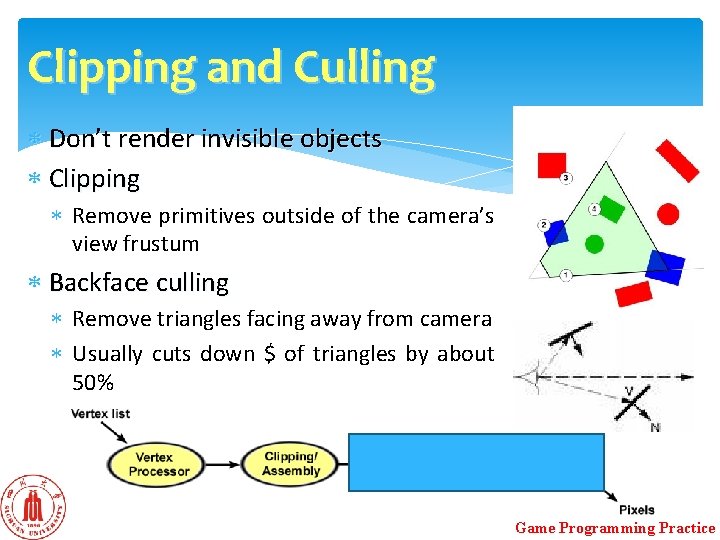
Clipping and Culling Don’t render invisible objects Clipping Remove primitives outside of the camera’s view frustum Backface culling Remove triangles facing away from camera Usually cuts down $ of triangles by about 50% Game Programming Practice
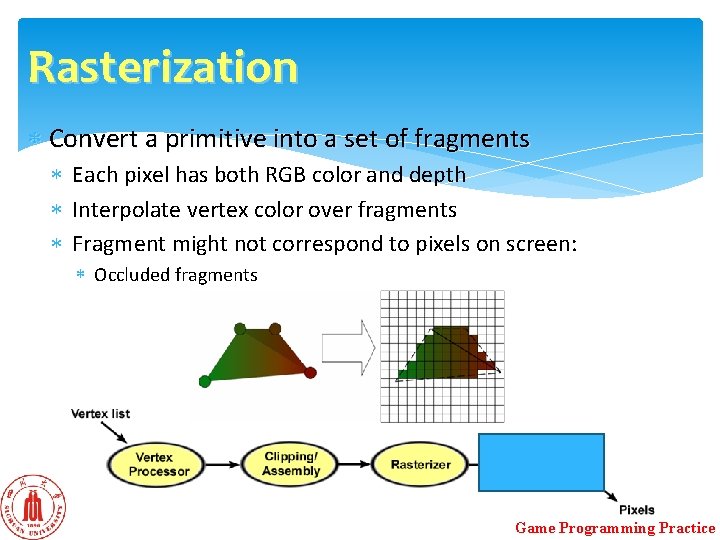
Rasterization Convert a primitive into a set of fragments Each pixel has both RGB color and depth Interpolate vertex color over fragments Fragment might not correspond to pixels on screen: Occluded fragments Game Programming Practice
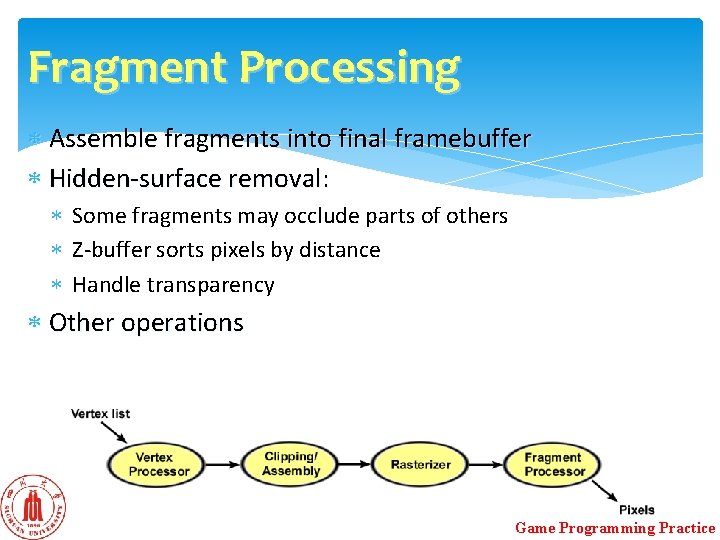
Fragment Processing Assemble fragments into final framebuffer Hidden-surface removal: Some fragments may occlude parts of others Z-buffer sorts pixels by distance Handle transparency Other operations Game Programming Practice
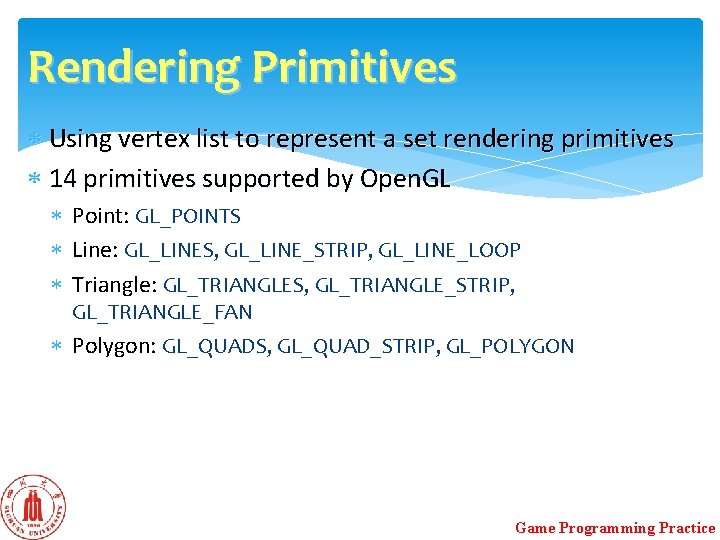
Rendering Primitives Using vertex list to represent a set rendering primitives 14 primitives supported by Open. GL Point: GL_POINTS Line: GL_LINES, GL_LINE_STRIP, GL_LINE_LOOP Triangle: GL_TRIANGLES, GL_TRIANGLE_STRIP, GL_TRIANGLE_FAN Polygon: GL_QUADS, GL_QUAD_STRIP, GL_POLYGON Game Programming Practice
Restriction on Polygons must obey following rules Simple polygon Convex polygon Coplanar vertices Triangle satisfies all the above rules Most common rendering primitive Game Programming Practice
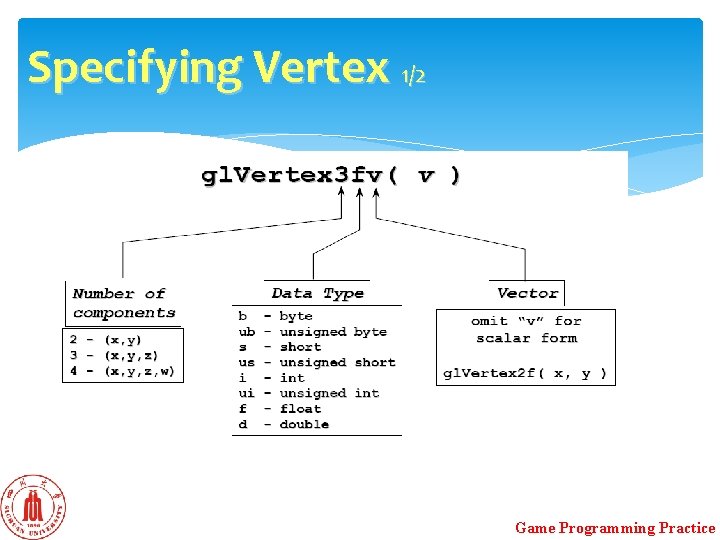
Specifying Vertex 1/2 Game Programming Practice
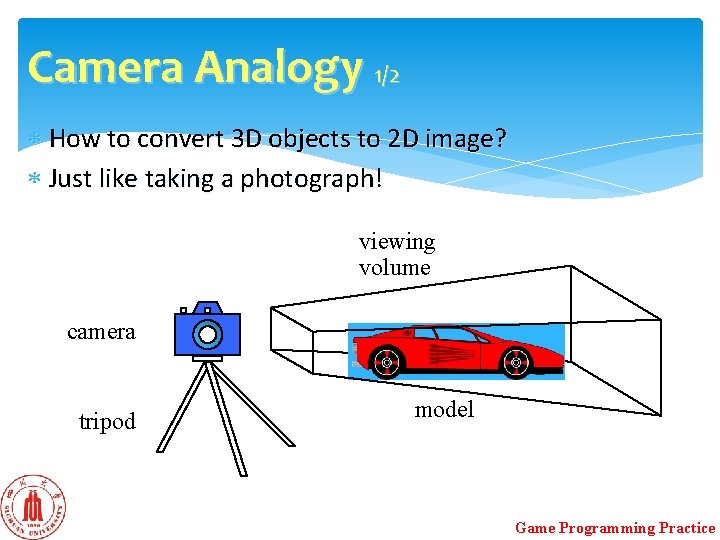
Camera Analogy 1/2 How to convert 3 D objects to 2 D image? Just like taking a photograph! viewing volume camera tripod model Game Programming Practice
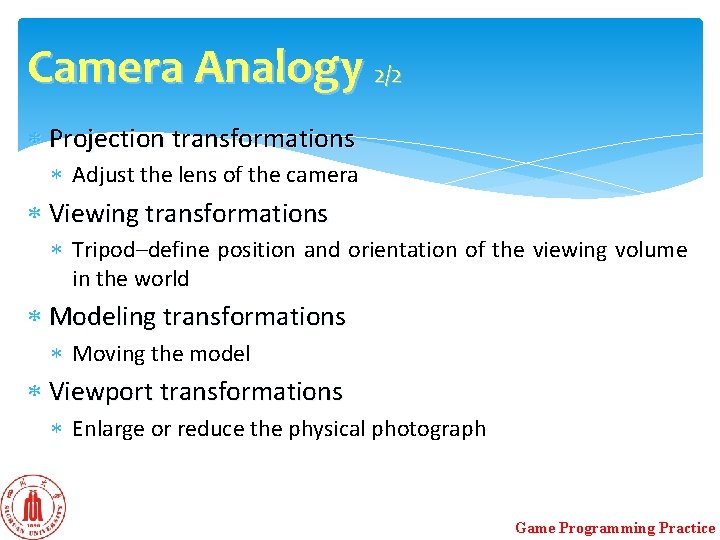
Camera Analogy 2/2 Projection transformations Adjust the lens of the camera Viewing transformations Tripod–define position and orientation of the viewing volume in the world Modeling transformations Moving the model Viewport transformations Enlarge or reduce the physical photograph Game Programming Practice
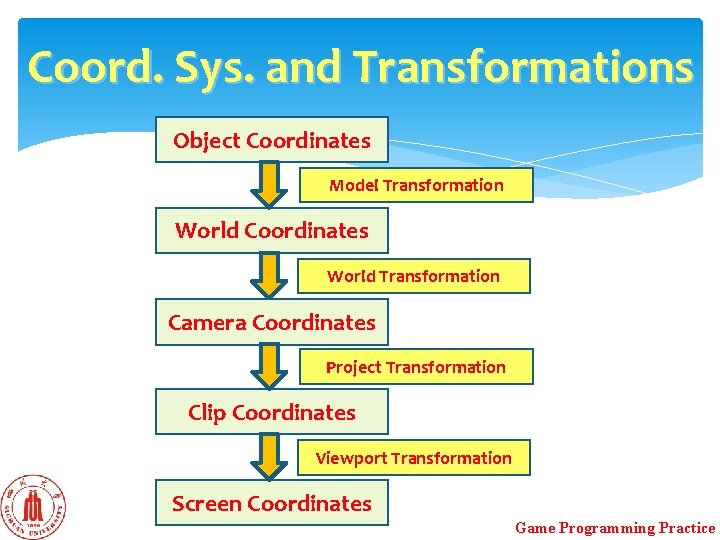
Coord. Sys. and Transformations Steps in Forming an Image Specify geometry (world coordinates) Specify camera (camera coordinates) Project (clip coordinates) Map to viewport (screen coordinates) Each step uses transformations Every transformation is equivalent to a change in coordinate systems Game Programming Practice
Coord. Sys. and Transformations Object Coordinates Model Transformation World Coordinates World Transformation Camera Coordinates Project Transformation Clip Coordinates Viewport Transformation Screen Coordinates Game Programming Practice
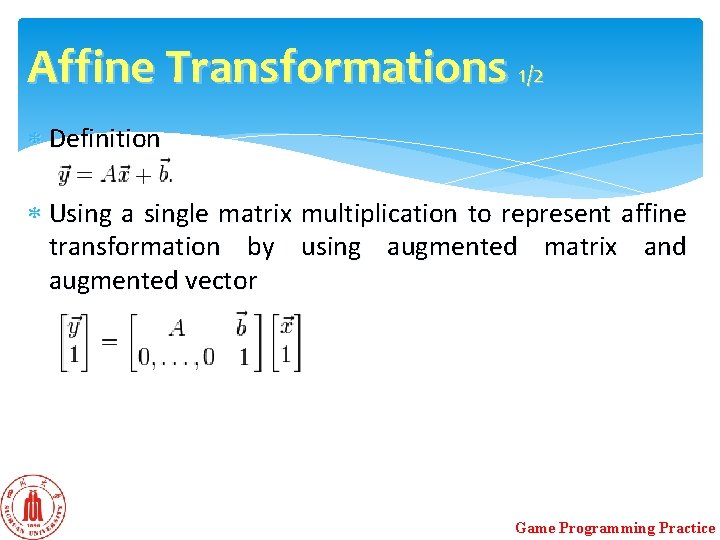
Affine Transformations 1/2 Definition Using a single matrix multiplication to represent affine transformation by using augmented matrix and augmented vector Game Programming Practice
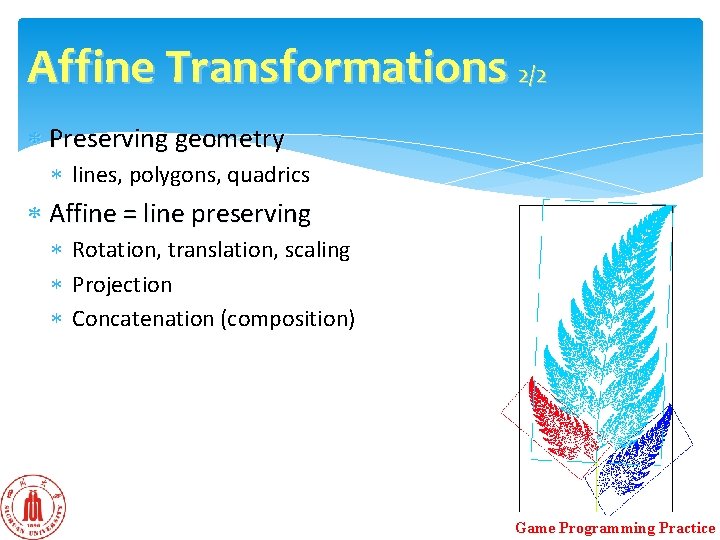
Affine Transformations 2/2 Preserving geometry lines, polygons, quadrics Affine = line preserving Rotation, translation, scaling Projection Concatenation (composition) Game Programming Practice
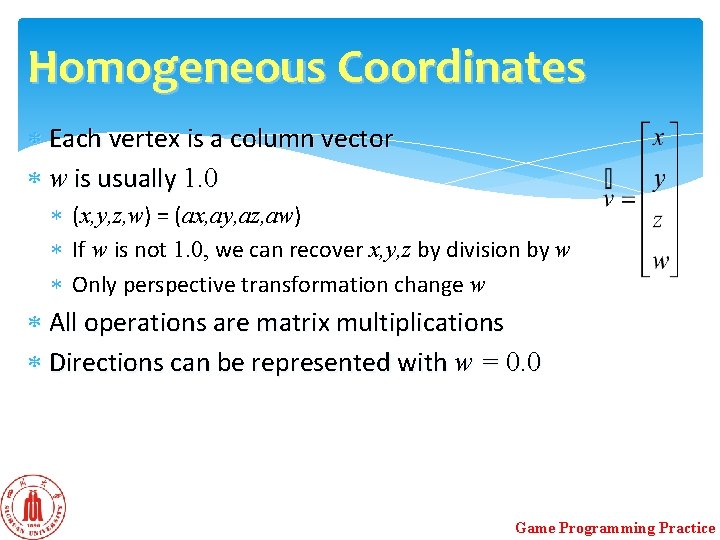
Homogeneous Coordinates Each vertex is a column vector w is usually 1. 0 (x, y, z, w) = (ax, ay, az, aw) If w is not 1. 0, we can recover x, y, z by division by w Only perspective transformation change w All operations are matrix multiplications Directions can be represented with w = 0. 0 Game Programming Practice
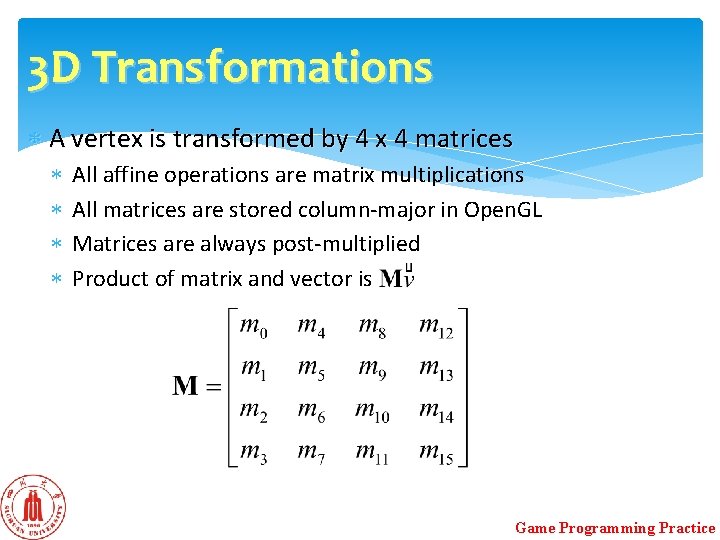
3 D Transformations A vertex is transformed by 4 x 4 matrices All affine operations are matrix multiplications All matrices are stored column-major in Open. GL Matrices are always post-multiplied Product of matrix and vector is Game Programming Practice
Specifying Transformations Two ways Specify matrices (gl. Load. Matrix, gl. Mult. Matrix) Specify operation (gl. Rotate, gl. Ortho) Obtain the desired matrix by a sequence of simple transformations that can be concatenated together Game Programming Practice
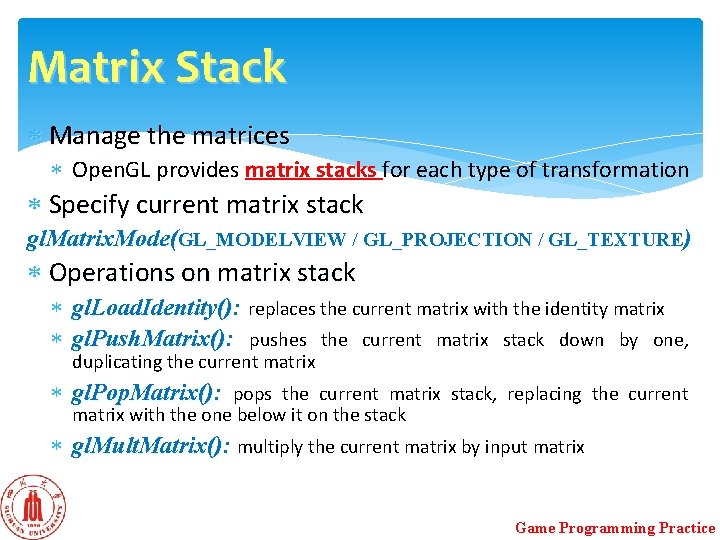
Matrix Stack Manage the matrices Open. GL provides matrix stacks for each type of transformation Specify current matrix stack gl. Matrix. Mode(GL_MODELVIEW / GL_PROJECTION / GL_TEXTURE) Operations on matrix stack gl. Load. Identity(): replaces the current matrix with the identity matrix gl. Push. Matrix(): pushes the current matrix stack down by one, duplicating the current matrix gl. Pop. Matrix(): pops the current matrix stack, replacing the current matrix with the one below it on the stack gl. Mult. Matrix(): multiply the current matrix by input matrix Game Programming Practice
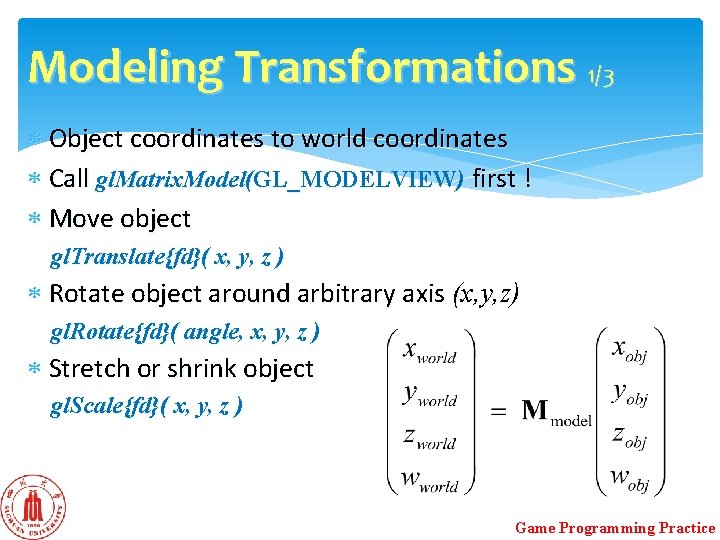
Modeling Transformations 1/3 Object coordinates to world coordinates Call gl. Matrix. Model(GL_MODELVIEW) first ! Move object gl. Translate{fd}( x, y, z ) Rotate object around arbitrary axis (x, y, z) gl. Rotate{fd}( angle, x, y, z ) Stretch or shrink object gl. Scale{fd}( x, y, z ) Game Programming Practice
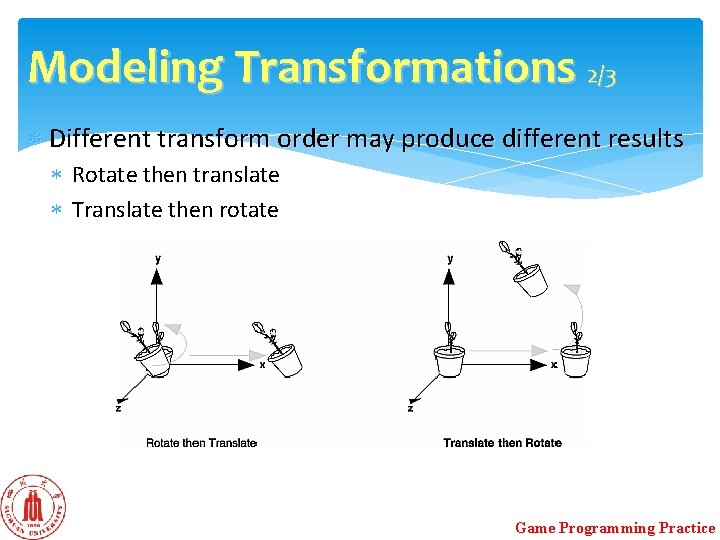
Modeling Transformations 2/3 Different transform order may produce different results Rotate then translate Translate then rotate Game Programming Practice
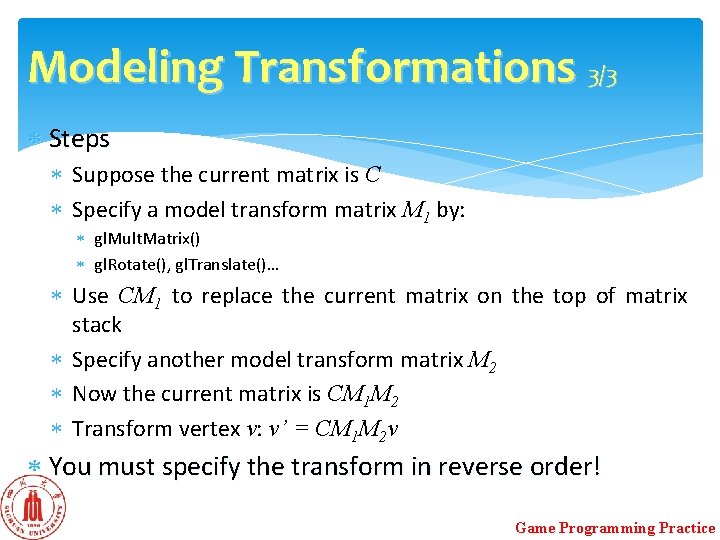
Modeling Transformations 3/3 Steps Suppose the current matrix is C Specify a model transform matrix M 1 by: gl. Mult. Matrix() gl. Rotate(), gl. Translate()… Use CM 1 to replace the current matrix on the top of matrix stack Specify another model transform matrix M 2 Now the current matrix is CM 1 M 2 Transform vertex v: v’ = CM 1 M 2 v You must specify the transform in reverse order! Game Programming Practice
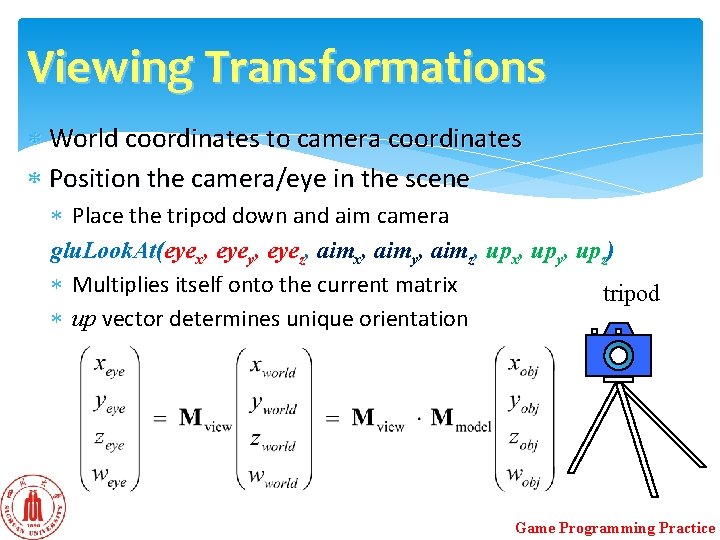
Viewing Transformations World coordinates to camera coordinates Position the camera/eye in the scene Place the tripod down and aim camera glu. Look. At(eyex, eyey, eyez, aimx, aimy, aimz, upx, upy, upz) Multiplies itself onto the current matrix tripod up vector determines unique orientation Game Programming Practice
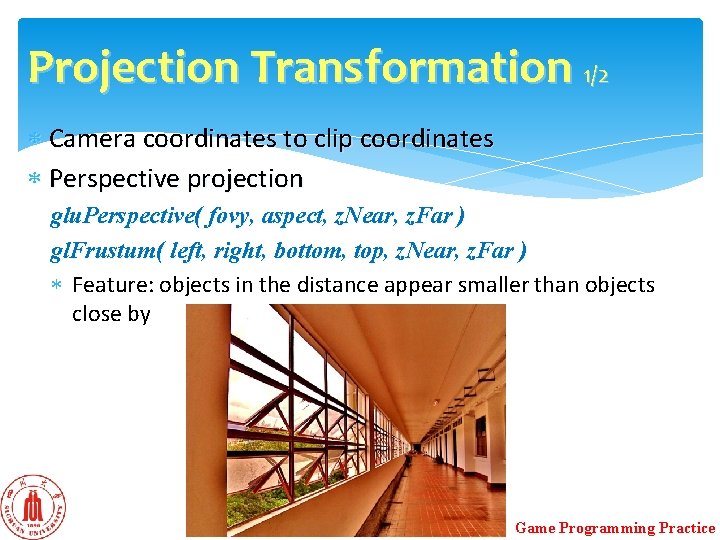
Projection Transformation 1/2 Camera coordinates to clip coordinates Perspective projection glu. Perspective( fovy, aspect, z. Near, z. Far ) gl. Frustum( left, right, bottom, top, z. Near, z. Far ) Feature: objects in the distance appear smaller than objects close by Game Programming Practice
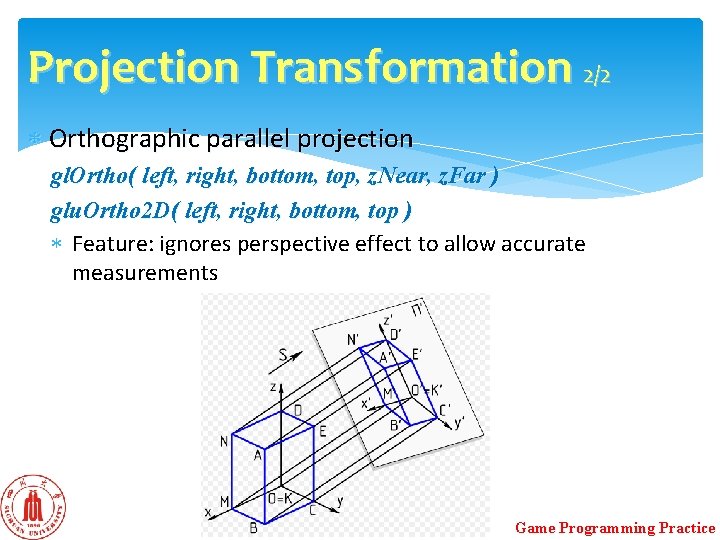
Projection Transformation 2/2 Orthographic parallel projection gl. Ortho( left, right, bottom, top, z. Near, z. Far ) glu. Ortho 2 D( left, right, bottom, top ) Feature: ignores perspective effect to allow accurate measurements Game Programming Practice
Viewport Transformation Viewport Usually same as window size Viewport aspect ratio should be same as projection transformation or resulting image may be distorted gl. Viewport( x, y, width, height ) Game Programming Practice
Viewing and Modeling Why only one Model. View matrix stack instead of two separated Model and View matrix stacks? Moving camera = Moving every object in the world towards a stationary camera Viewing transformations = Several modeling transformations Game Programming Practice
Transform Order Important: Open. GL performs matrices multiplication in reverse order if multiple transforms are applied to a vertex Viewing transform comes first before modeling transform in your code If you want to rotate then translate an object, put gl. Translatef() first then gl. Rotatef() Game Programming Practice