
Onscene Router Interrogation Scott Lucas PATCtech Digital Forensics

- Slides: 66
On-scene Router Interrogation Scott Lucas, PATCtech Digital Forensics
Routers • What is the function of a router? • Why would we be interested in the contents of a router? • Why do we need to examine a router on-scene?
• What exactly is a network? • What types of devices are likely to be present in your average home network? • How does a basic network function?
Home networks • The gateway is usually a wireless router, attached to the cable or DSL “modem” • Newer broadband modems from the ISPs may be combination modem/wifi routers
What is an IP address? • An Internet Protocol address, commonly referred to as an IP address, is a numerical value which uniquely identifies a device on a network which uses Internet Protocol for communication. In the configuration currently used, IPv 4, the IP address consists of four numeric values, each between 0 and 255, separated by periods. An example would be “ 24. 239. 245. 205”. No two devices on a network can have the same address.
Types of IP addresses • Public vs. Private • Static vs. Dynamic vs. Lease
Public IP addresses • Identify devices on the internet • Will be stamped on any transactions, emails, etc. , made on the internet • Can be resolved back to the Internet Service Provider responsible for that IP address
Private IP addresses • How does the world see a private network? • How does the network’s gateway keep track of the devices under it?
Private IP addresses • Because the devices in a private network cannot directly communicate with devices in other networks, different private networks can use the same private IP addresses
Private IP addresses • Identify devices within a private network • Begin with 10, 172, 192 or 127 • Cannot be resolved back to a specific user or customer
Static IP addresses • Static IP addresses are permanently assigned to a specific device • Most often found in larger companies, institutions or government agencies who have purchased their own IP addresses
Dynamic IP addresses • A new IP address is assigned to the device each time it signs on to the internet • Most often encountered with dial-up internet service
Dynamic IP addresses • An internet service provider will have a pool of IP addresses registered to it, which it will distribute to its users when they go online • The ISP will not have as many IP addresses as it has customers
Dynamic IP addresses • When dealing with dynamic IP addresses, it is very important to have the exact date, time and time zone of the transaction/email/download/etc.
Lease • The most commonly encountered situation • Residential broadband • An IP address will be assigned to a user for a given period of time • Length of lease depends on circumstances
Lease • Customer will retain same IP address for entire period of lease, regardless of whether or not he is actually connected to the internet • At the end of the lease, a new IP address will be assigned seamlessly
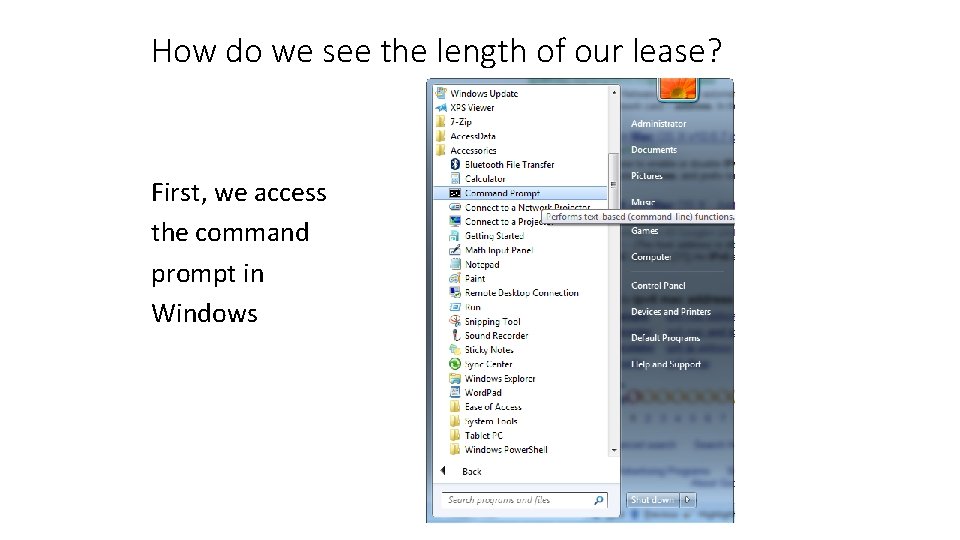
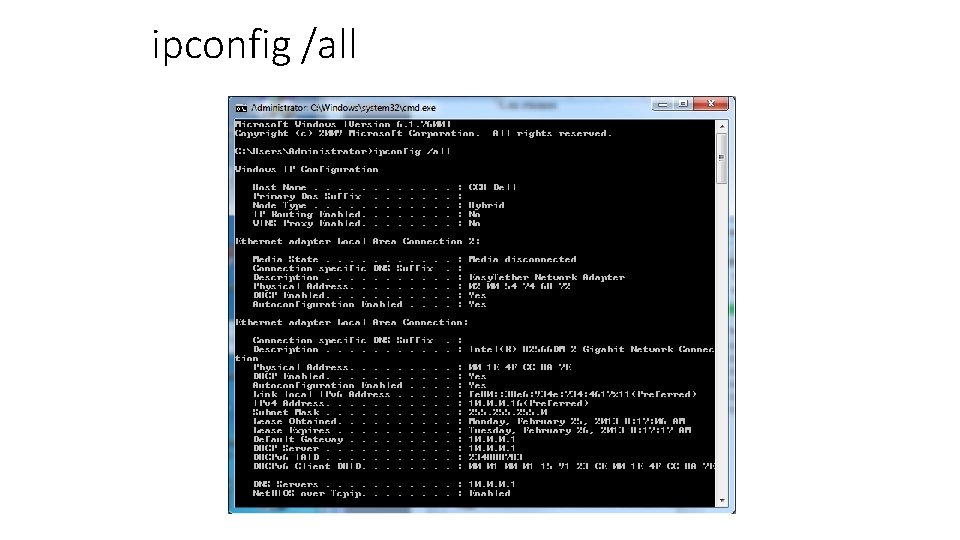
How do we see the length of our lease? First, we access the command prompt in Windows
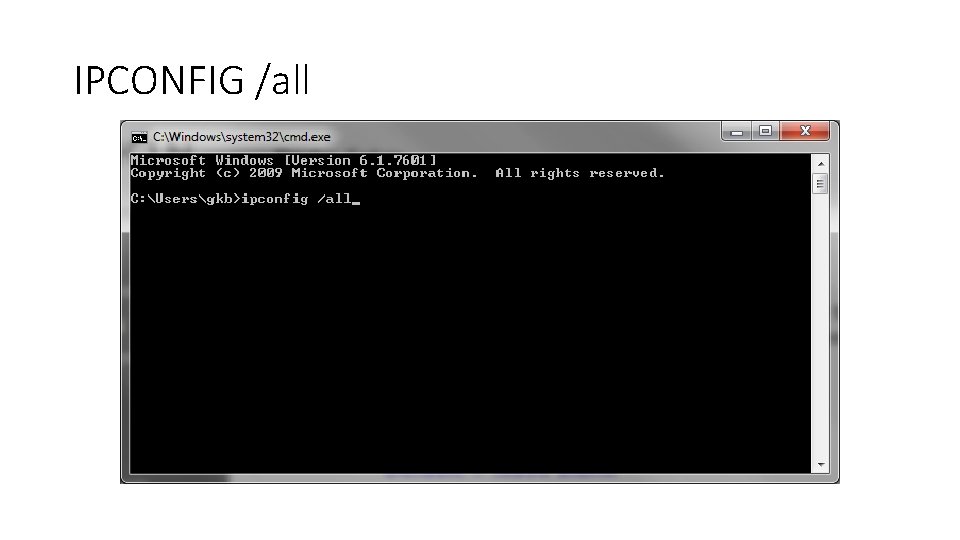
ipconfig /all
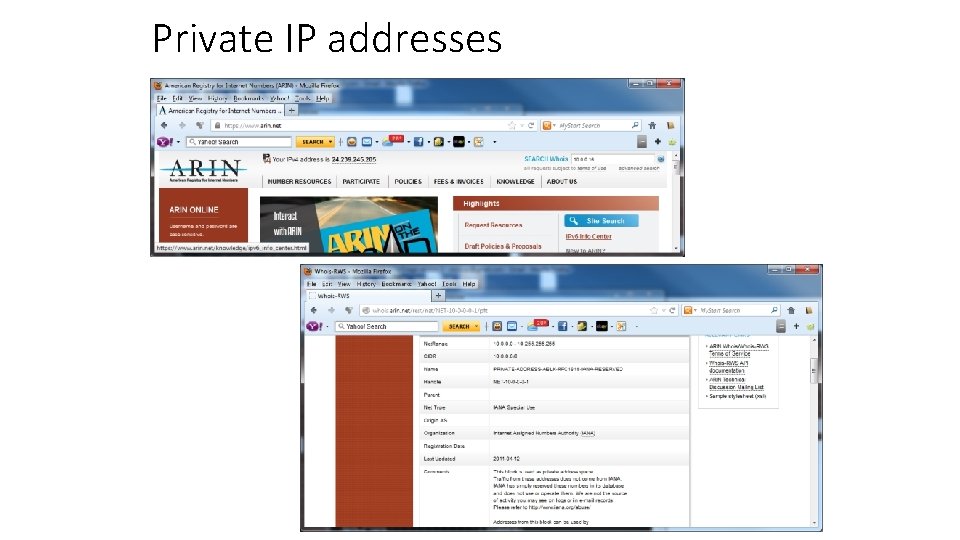
Private IP addresses • Remember, private IP addresses are used to keep track of devices on private networks, and are used on millions of networks at the same time • What if we try to resolve one of these?
Private IP addresses
NETWORK SEIZURE • A Media Access Control address (MAC address) is a unique identifier assigned to network interfaces for communications on the physical network segment. • MAC addresses are most often assigned by the manufacturer of a network interface card (NIC) and are stored in its hardware, the card's read-only memory, or some other firmware mechanism.
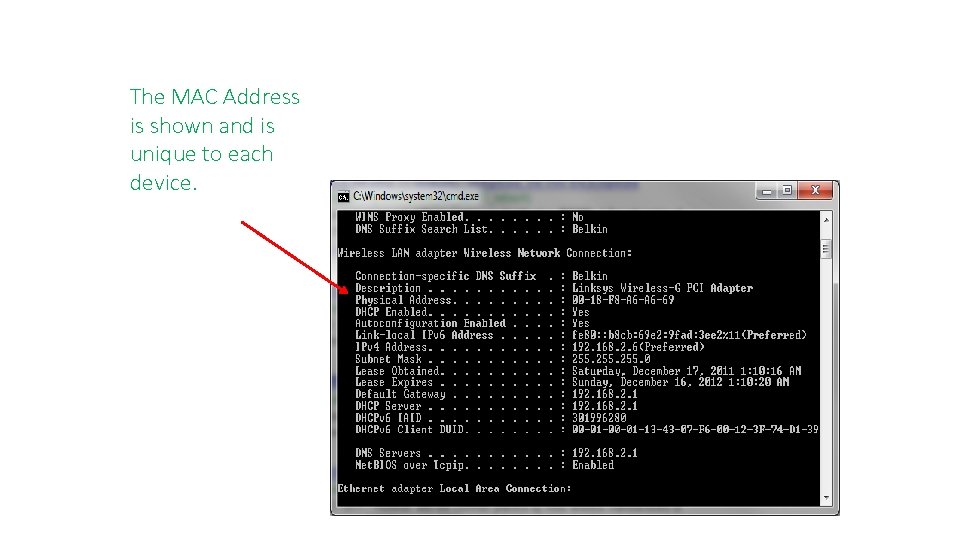
The MAC Address is shown and is unique to each device.
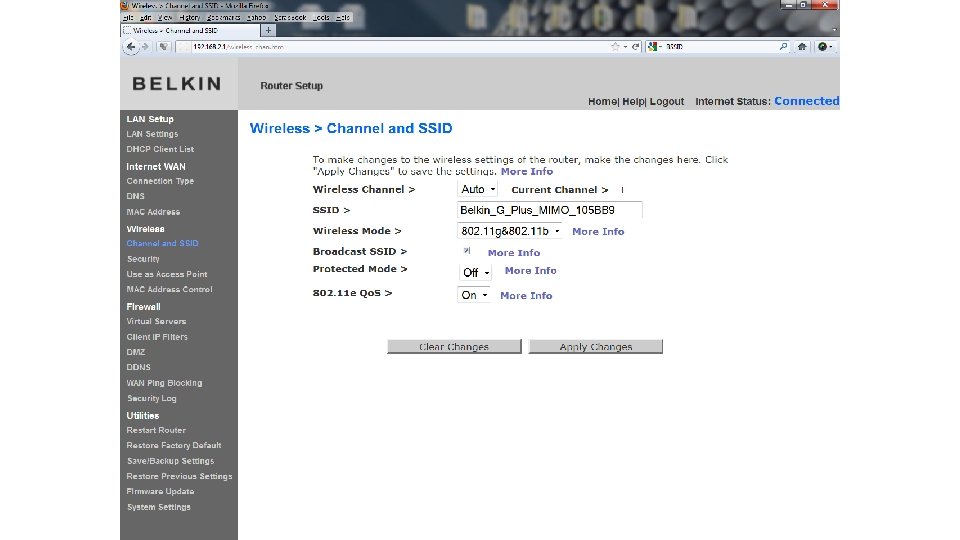
SSID – Service Set Identifier – In common terms, it is the name of the wireless local area network. (WLAN)
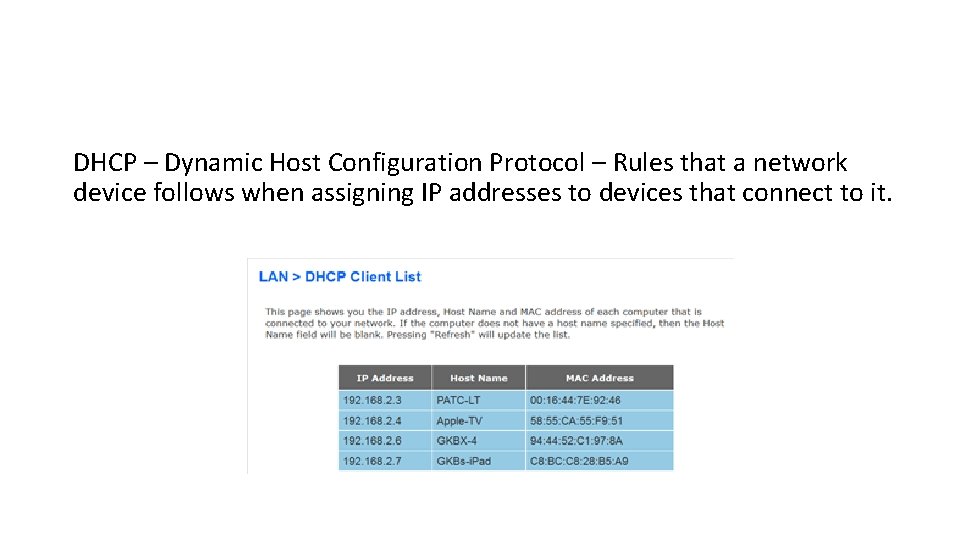
DHCP – Dynamic Host Configuration Protocol – Rules that a network device follows when assigning IP addresses to devices that connect to it.
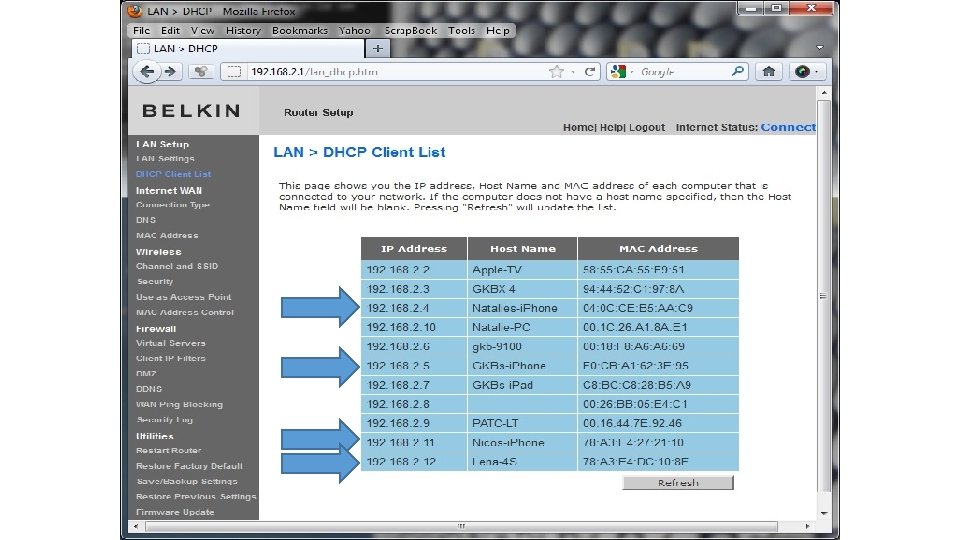
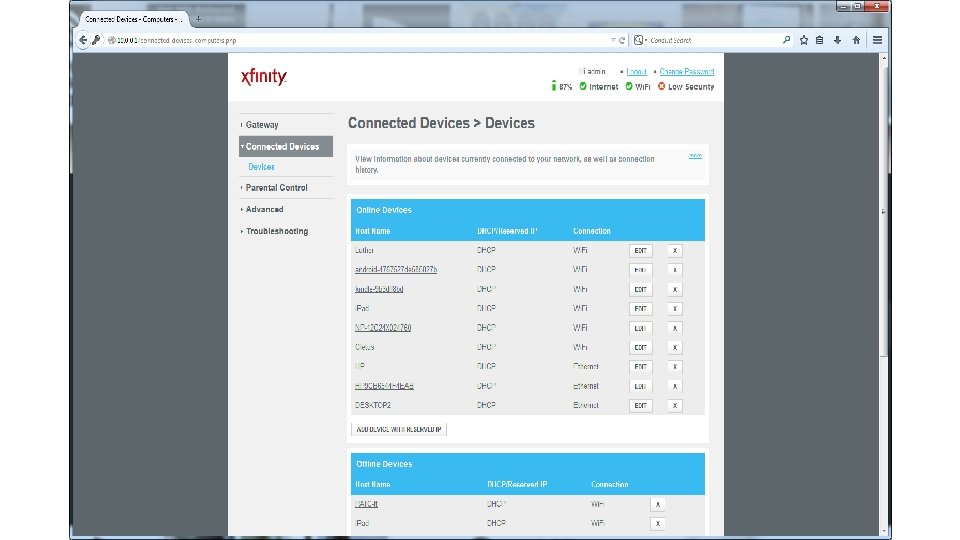
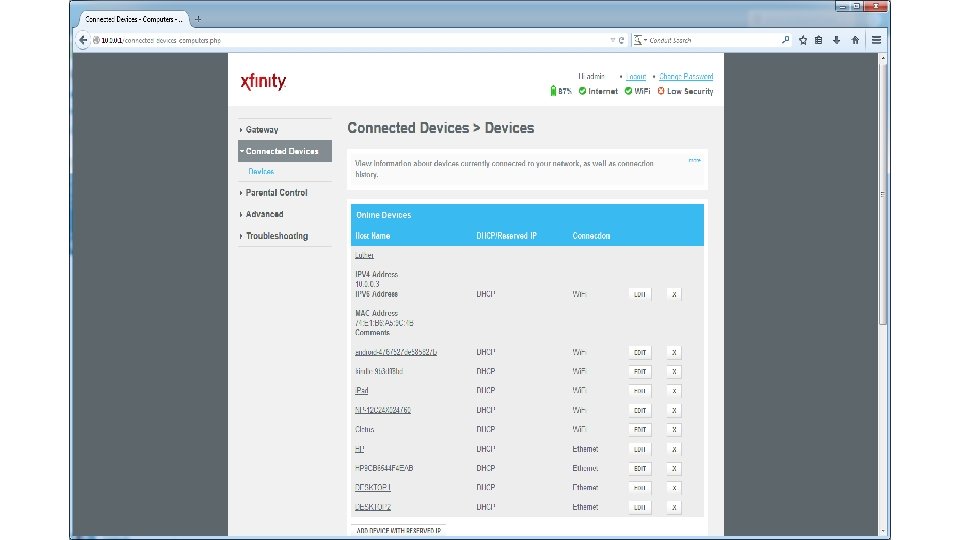
In that last picture We saw each attached device has an IP address, a Host name and a Mac Address. • The IP is assigned by the router. • The Host name is what the user named it, and it can be changed. • The MAC address is set by the manufacturer, and it stays the same. (Sometimes can be altered by knowledgeable people. )
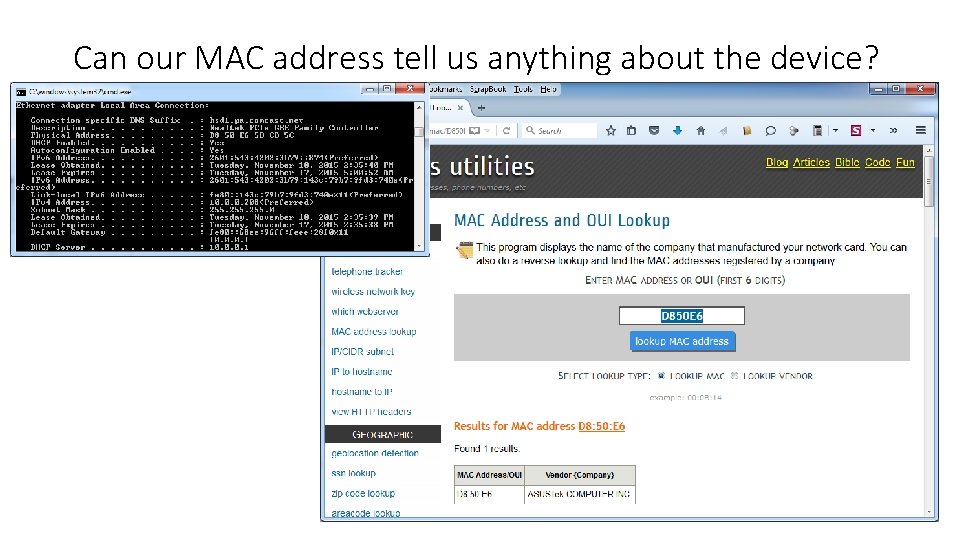
Can our MAC address tell us anything about the device?
Do you have legal authority? • Is the router covered in the warrant? You cannot examine / seize information that is not covered in the warrant. • Make sure and explain that this procedure may be necessary, and that it MUST be completed on scene.
Why on scene? Why can’t we seize the router, take it back to our forensics unit, and let them examine it just like any other piece of computer equipment? Unplugging that router will destroy any information in the DHCP tables. (Attached devices)
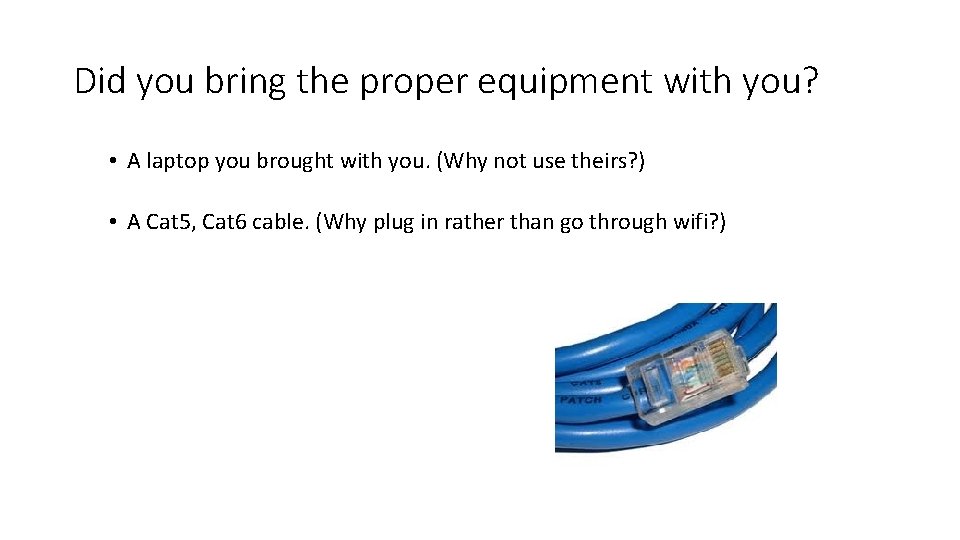
Did you bring the proper equipment with you? • A laptop you brought with you. (Why not use theirs? ) • A Cat 5, Cat 6 cable. (Why plug in rather than go through wifi? )
Upon first entering the residence, locate the “modem” (which is actually a transceiver), and disconnect it from the internet. • Unplugging the coaxial disconnects the “modem” from the internet but does not kill the network in the house. • A home network is simply linking computers together through a router.
Identifying wireless networks • Why do we need to? • Do we need a specialized device?
• Note: prior to using the following techniques, you need to “sterilize” your equipment by forgetting all the stored networks, so that the device will not automatically connect to the router if it recognizes its SSID.
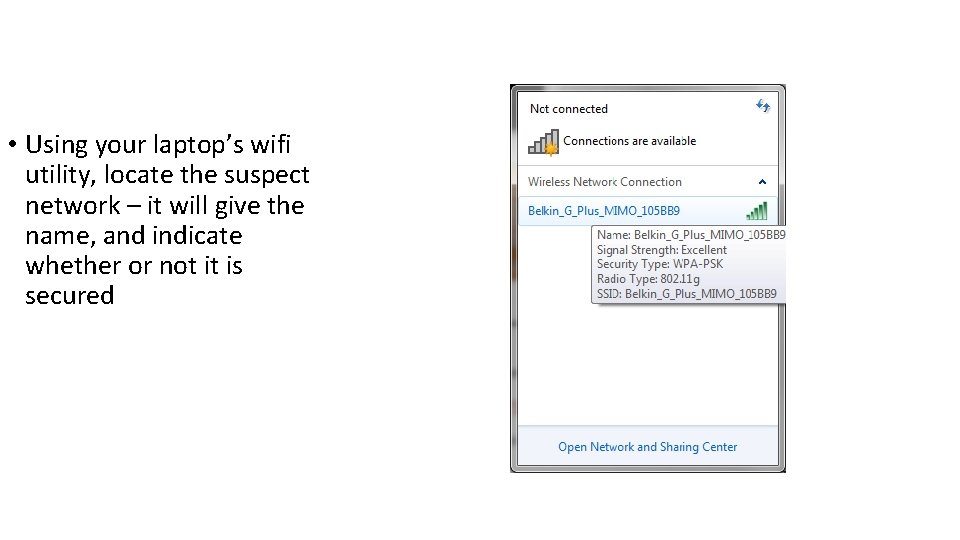
• Using your laptop’s wifi utility, locate the suspect network – it will give the name, and indicate whether or not it is secured
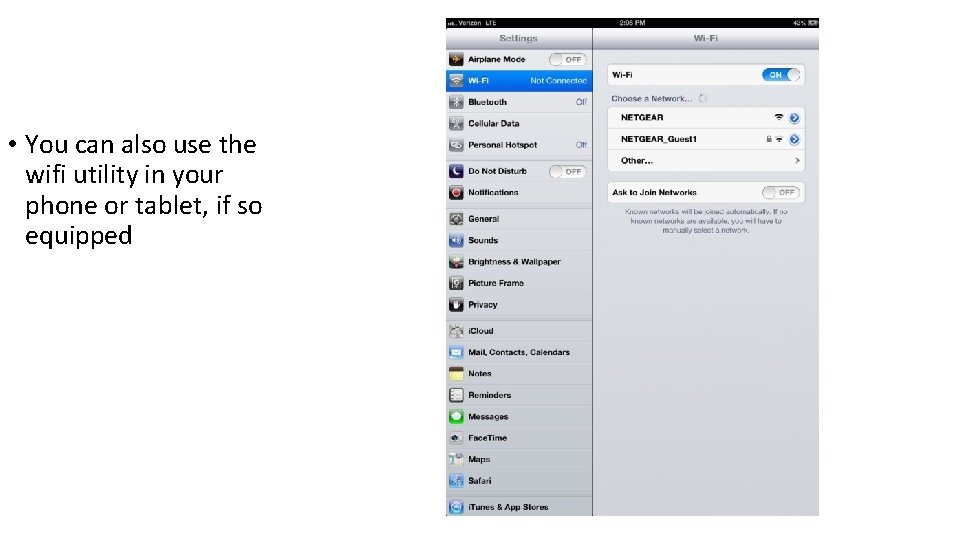
• You can also use the wifi utility in your phone or tablet, if so equipped
Note, we do not JOIN that network, we just discovered it, and are able to document that it was encrypted. If it is encrypted? GOOD, that means it probably wasn’t the neighbor, and that we are in the correct location.
Now, after taking screen shots of the network(s), I am going to take my Cat 5 or Cat 6 cable and physically connect to it. Why use a cable? • There is no question which router you are connected to. (What if you have 5 networks? How do you know exactly which one you are connected to? ) • You need a password to connect to a secured network via wifi, but probably won’t via direct physical connection. • Some routers don’t permit wireless administrative access
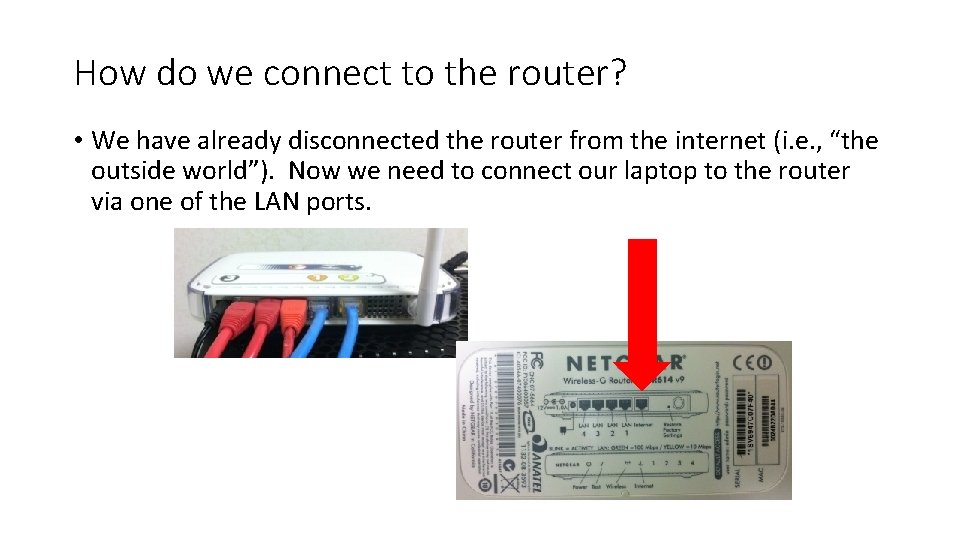
How do we connect to the router? • We have already disconnected the router from the internet (i. e. , “the outside world”). Now we need to connect our laptop to the router via one of the LAN ports.
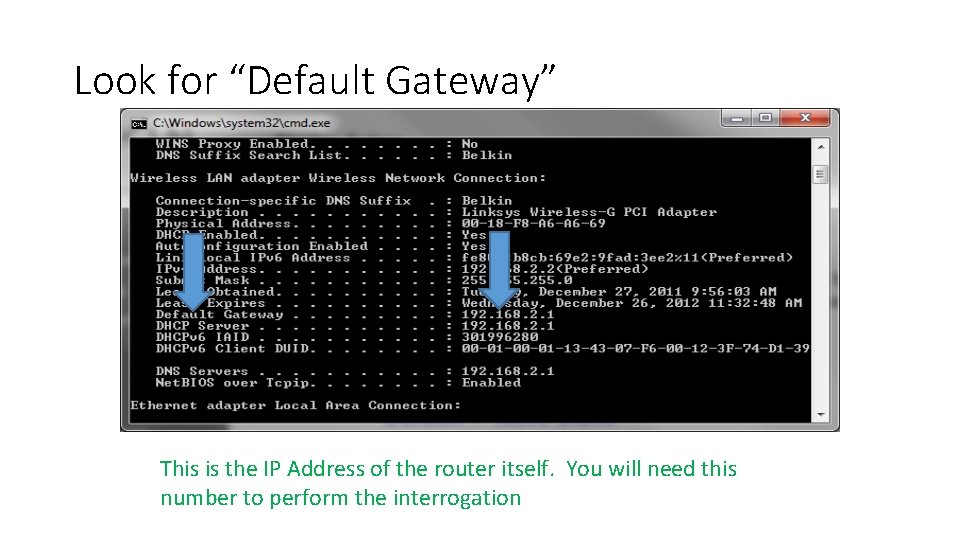
Every router has a default IP address and username/password when it comes from the manufacturer. Very few people know about these details, and even fewer ever bother to change them. How do we find out the IP address of our router?
IPCONFIG /all
Look for “Default Gateway” This is the IP Address of the router itself. You will need this number to perform the interrogation
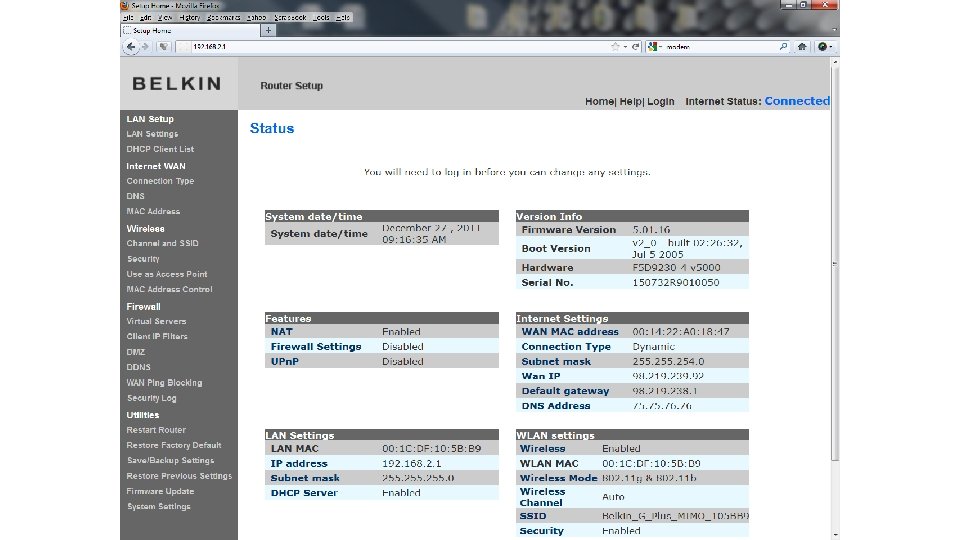
Default Gateway The Default Gateway will be the IP address of the router itself. Take that IP address and open a web browser such as Internet Explorer, Mozilla Firefox, etc, and in the URL (Address bar) type the IP address. (Not www. )
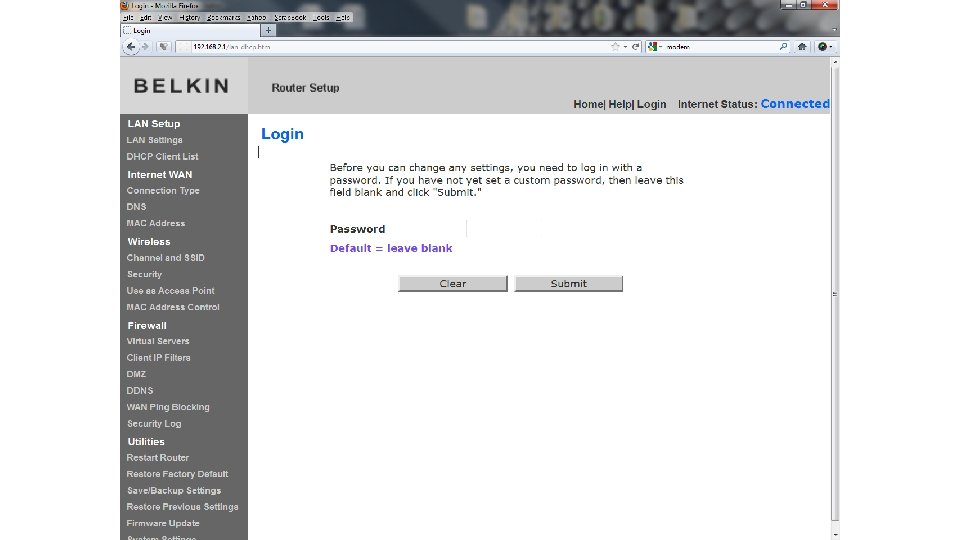
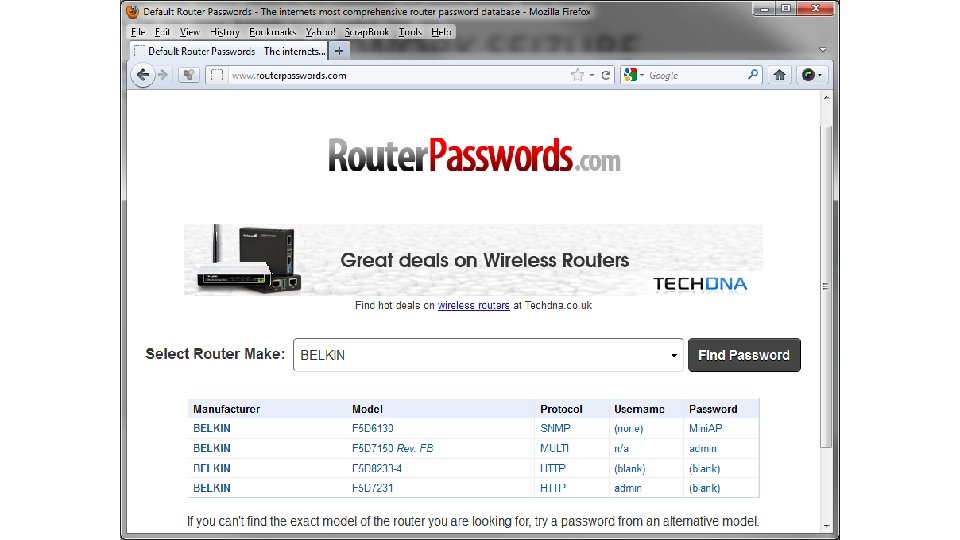
You may be confronted with a request for a username and password. Do not confuse this password with the wireless password that is need to connect to the wireless network. This password gives us access to the router settings (one of which is the wireless password). Again, most people do not change the default username and password, and this information is readily available. Some routers will allow a lower level of access without a password.
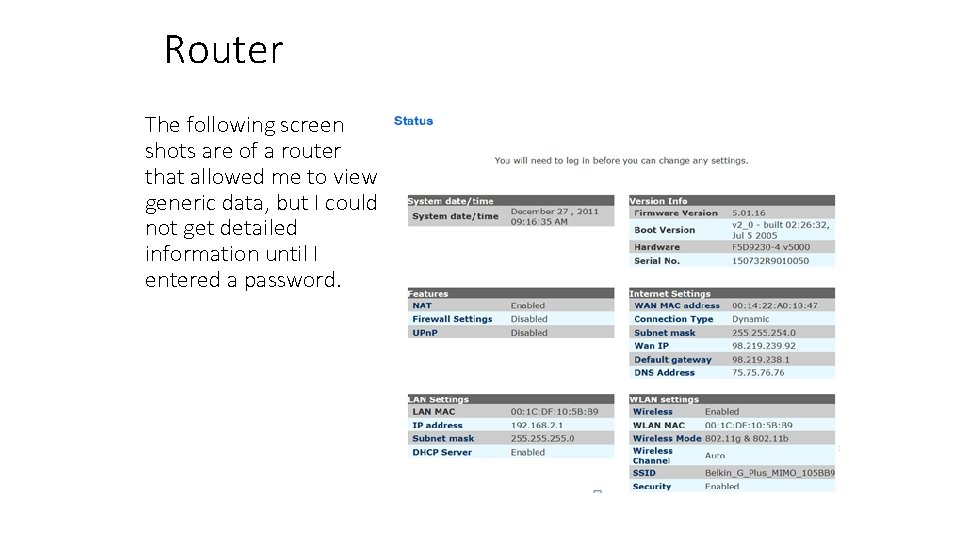
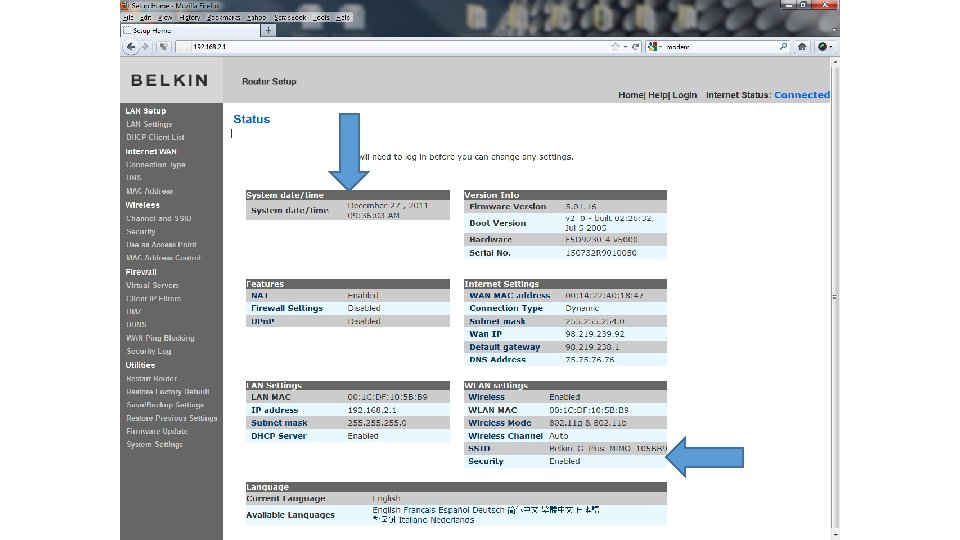
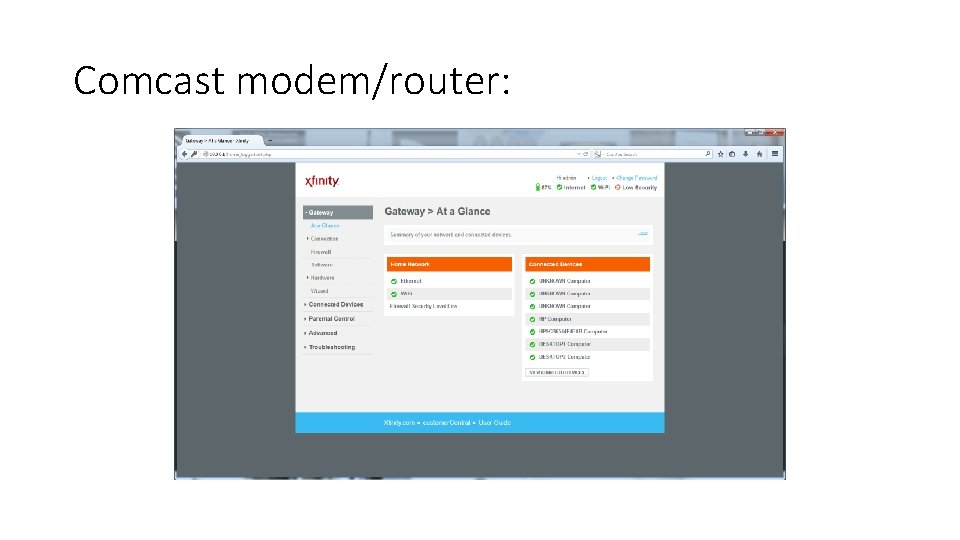
Router The following screen shots are of a router that allowed me to view generic data, but I could not get detailed information until I entered a password.
• Try the default passwords, and see if you get in. (Many people use encryption, but do not change the admin password of the router. • But what if the suspect(s) did change the admin password, and they are using encryption, and no matter what we try, we can not get into the router?
• Good!!!! If we can not get into it, then neither can the kid next door, which means that we did our job and have obtained as much evidence as possible to prove that it wasn’t someone else who committed the crime using the suspect’s wifi. • The only downside, now you must do a very thorough search to find all of the devices since you can’t check the router for all attached devices.
But if you do get in, then take your time and review the contents of the router. • When you find something of interest, try taking a screen shot (prtscn or alt + prtscn button) to preserve that data. • Remember, as soon as we unplug the router, a lot of that data is gone forever. This is your only shot at this info.
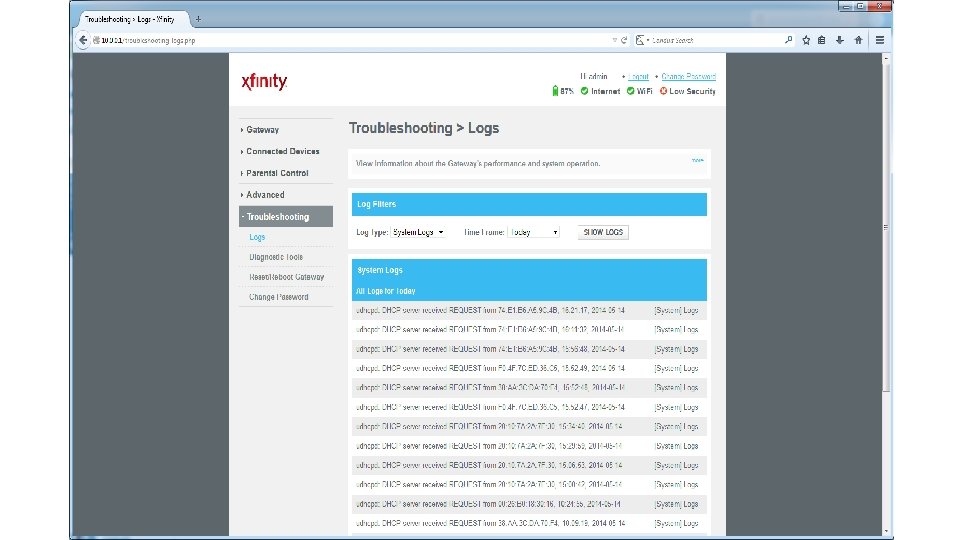
• Now let’s take a look at some of the things we can find in a router. • Some important information will be highlighted.
So…. . Smart phones (and other mobile devices) will appear in the DHCP lease tables? Think about all of the crimes that could occur in all of the locations with open wifi networks. • • • Starbucks Panera Mc. Donalds Hotels Colleges Etc, Etc
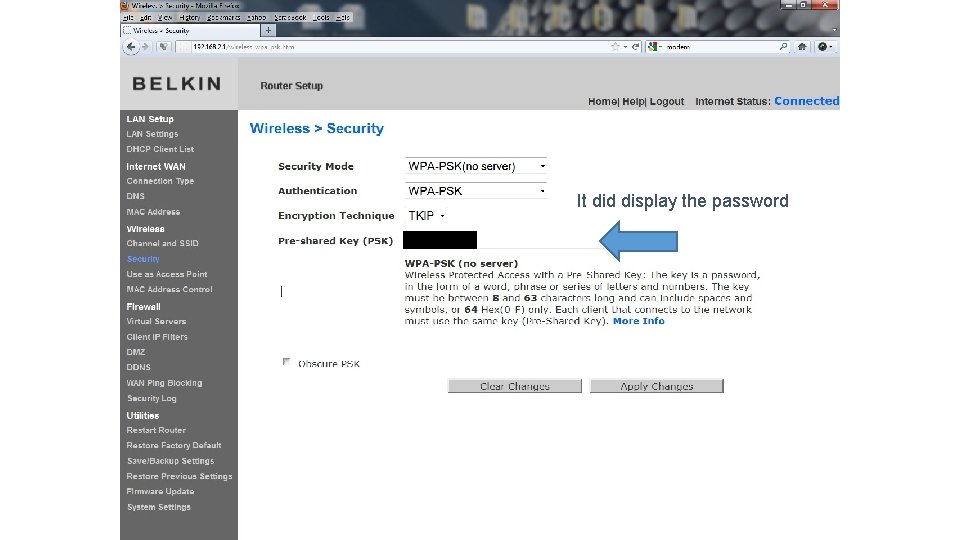
It did display the password
Comcast modem/router:
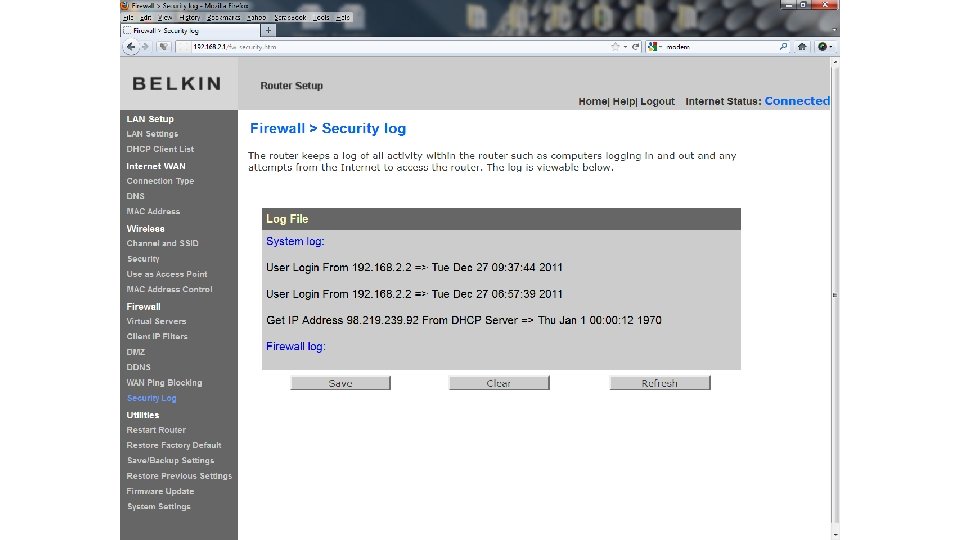
And so much more. There a few things to remember: • Routers are all different. The 30 dollar router from Best Buy is not going to be the same as a 200 dollar router bought from a high end computer store. • Some routers keep logs even after the DHCP tables are empty.
• Don’t let the first router you examine be at a homicide scene. Practice, Practice. (I’d bet you’ve got a wireless router at home) • Practice with various different models. • Document the exam, this is your one and only chance to get that information.
If asked on the stand, did we make any changes in the router? • An entry in the DHCP client list for our laptop • An entry in the log showing we were granted administrative access • Can we explain these changes if questioned about them?
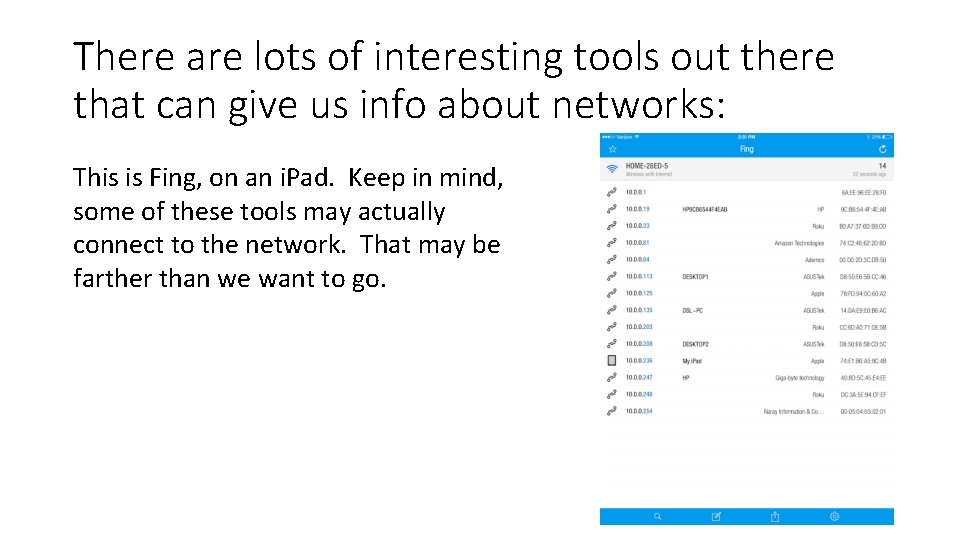
There are lots of interesting tools out there that can give us info about networks: This is Fing, on an i. Pad. Keep in mind, some of these tools may actually connect to the network. That may be farther than we want to go.
Follow PATCtech! PATCtech @PATCtech Forensic Digital Evidence Investigators (Linked. In Group) • • • Updates & PATCtech Research Public Safety News Training Opportunities
Questions? Content Scott Lucas scott@patctech. com Technical / Webinar Questions Keenan Dolan webinars@patc. com