
Onpremises Private cloud Every Office 365 and Microsoft

- Slides: 11
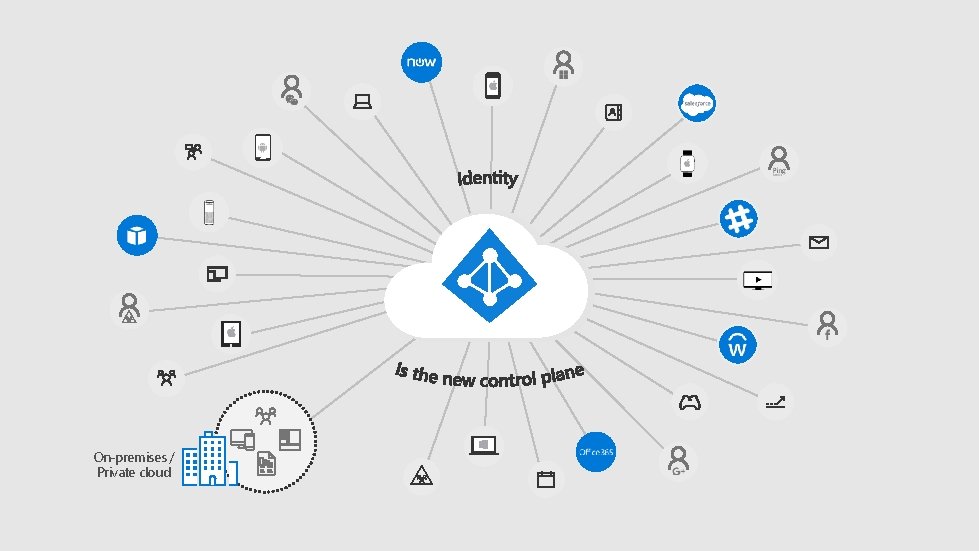
On-premises / Private cloud
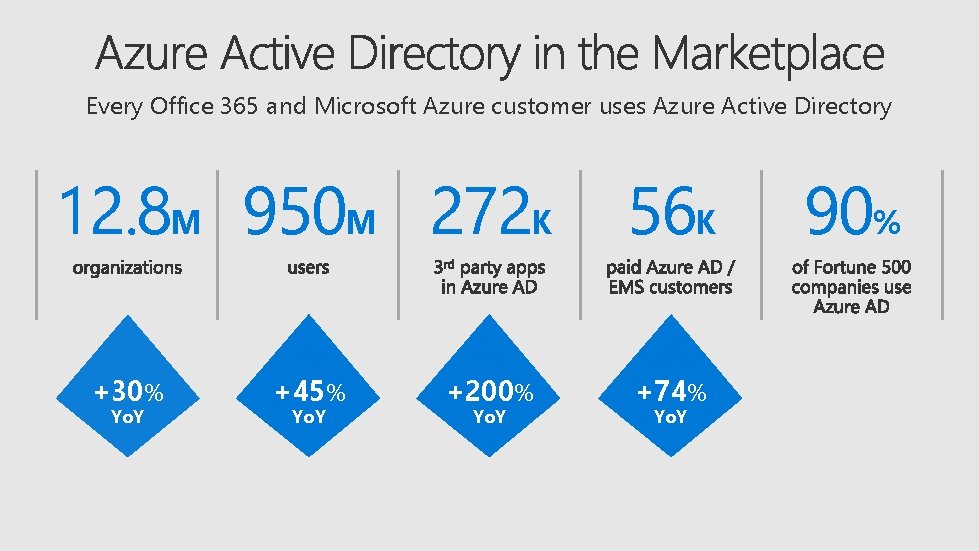
Every Office 365 and Microsoft Azure customer uses Azure Active Directory 12. 8 M 950 M 272 K +30% Yo. Y Microsoft MDM-auto Addition Remote Privileged Access of Azure Conditional Multi-Factor Identity Office Group-Based Access Provisioning. Self-Service Security HR App AD 365 App Authenticator enrollment / custom to Azure SSO Access Identity Dynamic Connect Governance B 2 B on-premises collaboration to. AD Reviews Saa. S cloud Health Groups DS Join Connect Password-less Access Authentication Protection Launcher Licensing Panel/My. Apps Deprovisioning capabilities Enterprise Reporting Integration B 2 C State apps Management Access Roaming +45% Yo. Y +200% Yo. Y 56 K +74% Yo. Y 90%
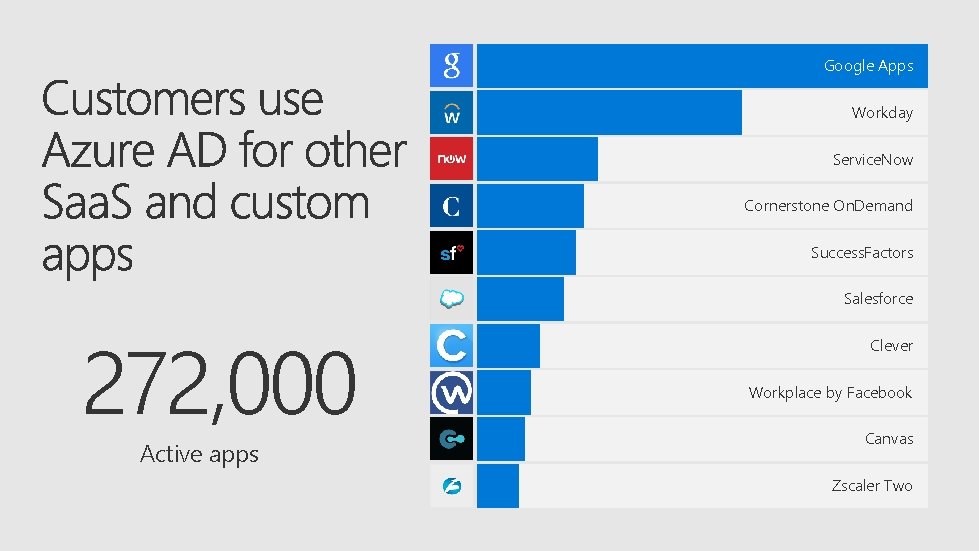
Google Apps Workday Service. Now Cornerstone On. Demand Success. Factors Salesforce 272, 000 Active apps Clever Workplace by Facebook Canvas Zscaler Two
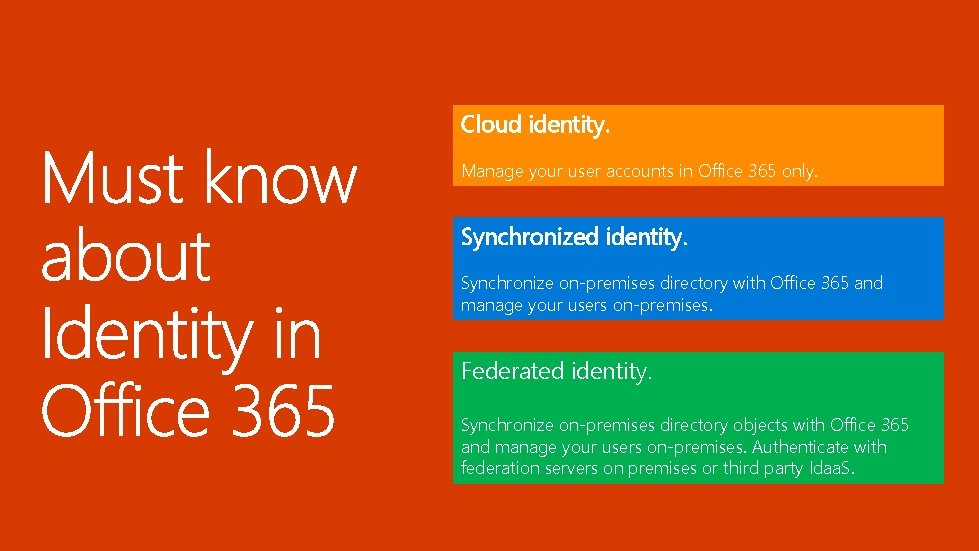
Cloud identity. Manage your user accounts in Office 365 only. Synchronized identity. Synchronize on-premises directory with Office 365 and manage your users on-premises. Federated identity. Synchronize on-premises directory objects with Office 365 and manage your users on-premises. Authenticate with federation servers on premises or third party Idaa. S.
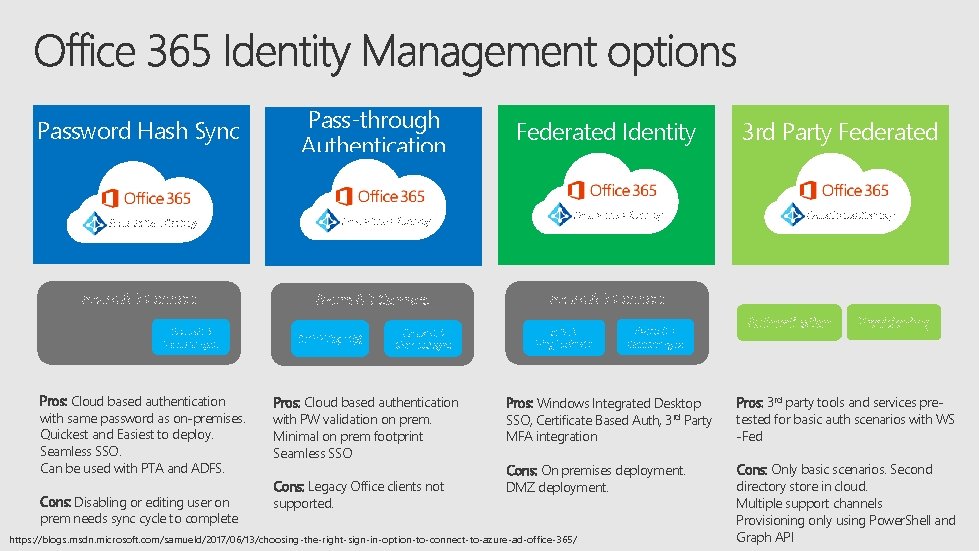
Password Hash Sync • ` Pass-through Authentication Azure Active Directory Azure AD Connect sync Pros: Cloud based authentication with same password as on-premises. Quickest and Easiest to deploy. Seamless SSO. Can be used with PTA and ADFS. Cons: Disabling or editing user on prem needs sync cycle to complete Auth. N Agent(s) Azure AD Connect sync Pros: Cloud based authentication with PW validation on prem. Minimal on prem footprint Seamless SSO Cons: Legacy Office clients not supported. Federated Identity Azure Active Directory 3 rd Party Federated Azure Active Directory Azure AD Connect AD FS Ping Federate Azure AD Connect sync Authentication Provisioning Pros: Windows Integrated Desktop SSO, Certificate Based Auth, 3 rd Party MFA integration Pros: 3 rd party tools and services pretested for basic auth scenarios with WS -Fed Cons: On premises deployment. DMZ deployment. Cons: Only basic scenarios. Second directory store in cloud. Multiple support channels Provisioning only using Power. Shell and Graph API https: //blogs. msdn. microsoft. com/samueld/2017/06/13/choosing-the-right-sign-in-option-to-connect-to-azure-ad-office-365/
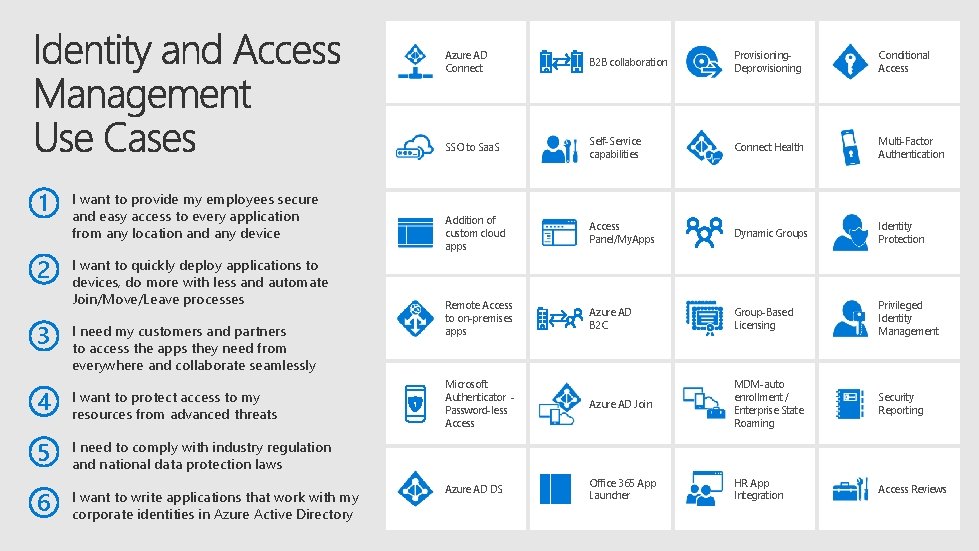
1 2 I want to provide my employees secure and easy access to every application from any location and any device I want to quickly deploy applications to devices, do more with less and automate Join/Move/Leave processes 3 I need my customers and partners to access the apps they need from everywhere and collaborate seamlessly 4 I want to protect access to my resources from advanced threats 5 I need to comply with industry regulation and national data protection laws 6 I want to write applications that work with my corporate identities in Azure Active Directory Azure AD Connect B 2 B collaboration Provisioning. Deprovisioning Conditional Access SSO to Saa. S Self-Service capabilities Connect Health Multi-Factor Authentication Addition of custom cloud apps Access Panel/My. Apps Dynamic Groups Identity Protection Remote Access to on-premises apps Azure AD B 2 C Group-Based Licensing Privileged Identity Management Microsoft Authenticator Password-less Access Azure AD Join MDM-auto enrollment / Enterprise State Roaming Security Reporting Azure AD DS Office 365 App Launcher HR App Integration Access Reviews
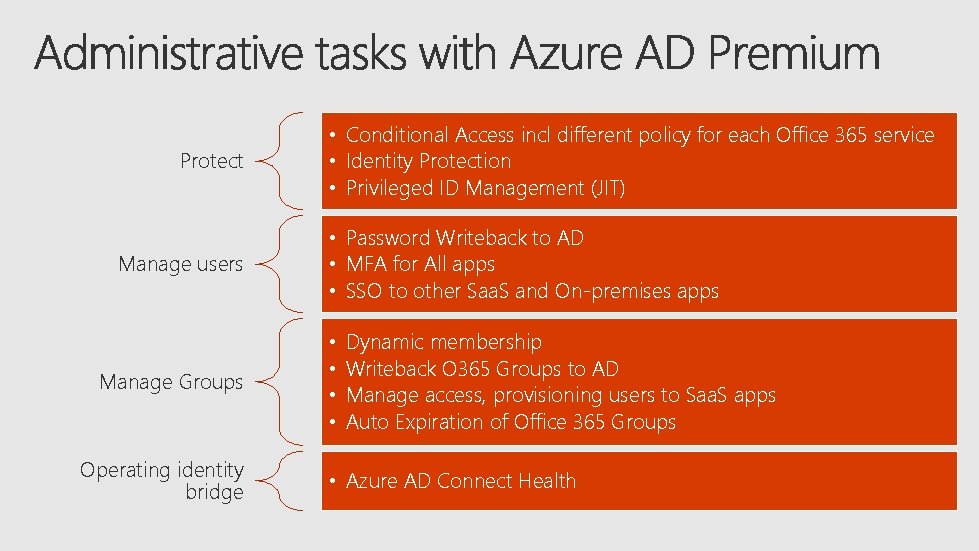
Protect Manage users Manage Groups Operating identity bridge • Conditional Access incl different policy for each Office 365 service • Identity Protection • Privileged ID Management (JIT) • Password Writeback to AD • MFA for All apps • SSO to other Saa. S and On-premises apps • • Dynamic membership Writeback O 365 Groups to AD Manage access, provisioning users to Saa. S apps Auto Expiration of Office 365 Groups • Azure AD Connect Health
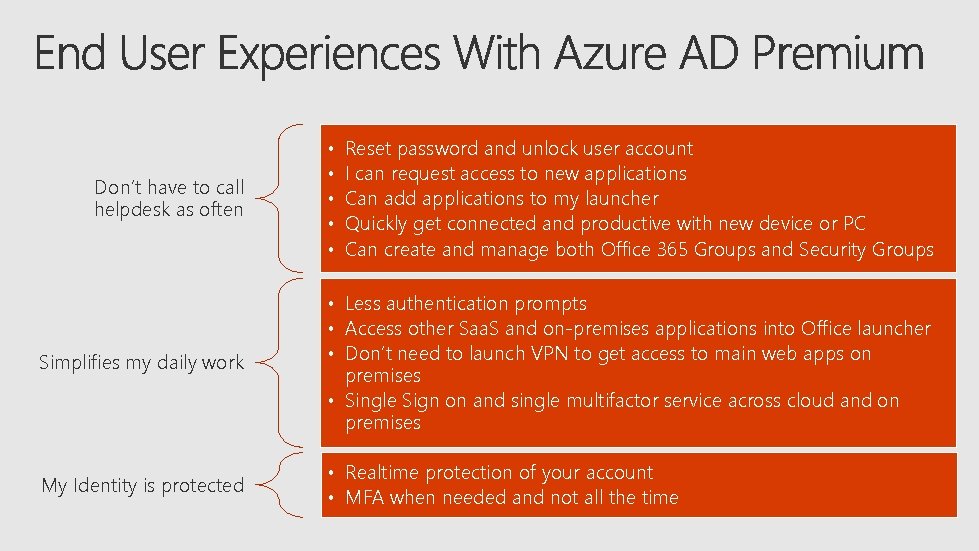
Don’t have to call helpdesk as often • • • Reset password and unlock user account I can request access to new applications Can add applications to my launcher Quickly get connected and productive with new device or PC Can create and manage both Office 365 Groups and Security Groups Simplifies my daily work • Less authentication prompts • Access other Saa. S and on-premises applications into Office launcher • Don’t need to launch VPN to get access to main web apps on premises • Single Sign on and single multifactor service across cloud and on premises My Identity is protected • Realtime protection of your account • MFA when needed and not all the time