
ONLINE SAFETY FOR ONLINE LEARNING A CHECKLIST TO
- Slides: 12
ONLINE SAFETY FOR ONLINE LEARNING A CHECKLIST TO CONSIDER AND ACT ON
1. BEFORE YOU LAUNCH OR RECORD A LESSON • Use a system that your SLT has approved. • Make sure you are confident in how to use the system. • Log in with your official, school-registered account. • Always check your camera and microphone are working correctly.
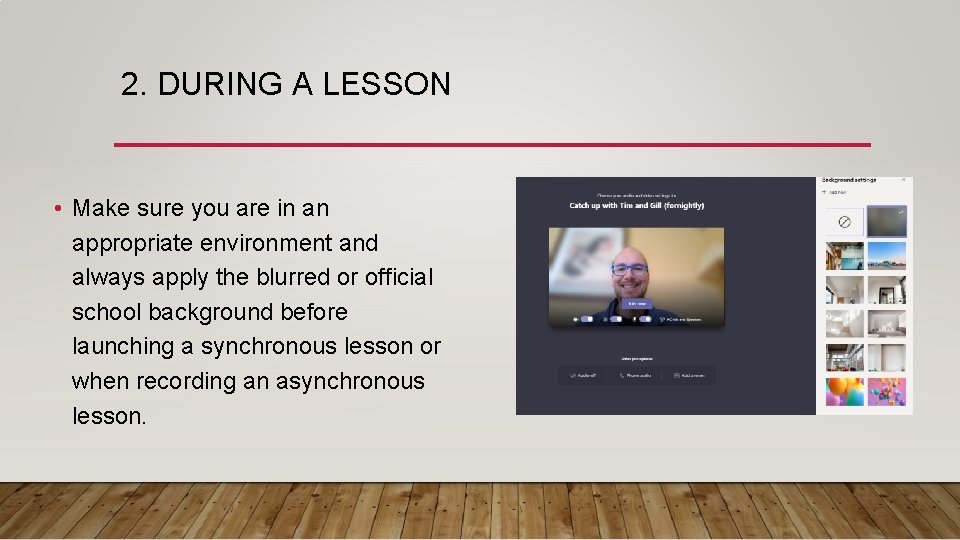
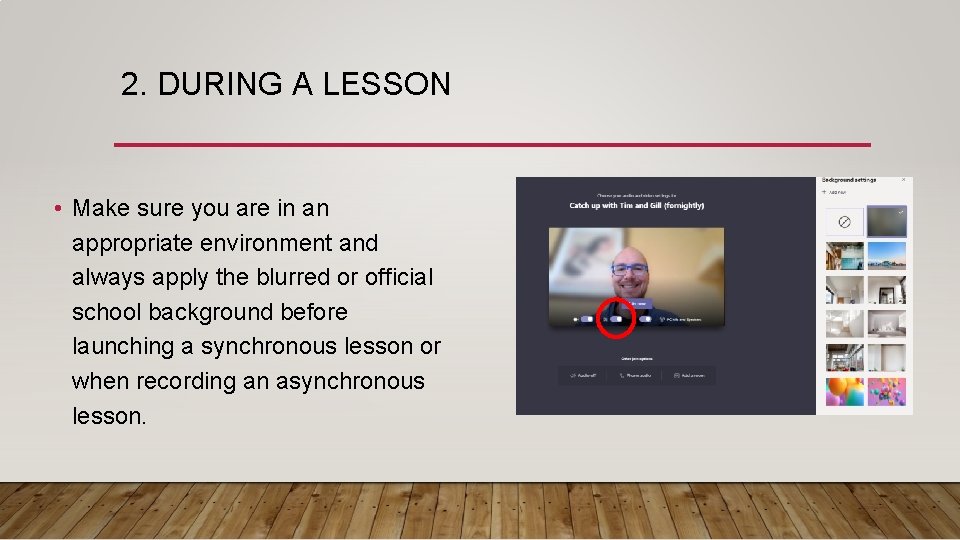
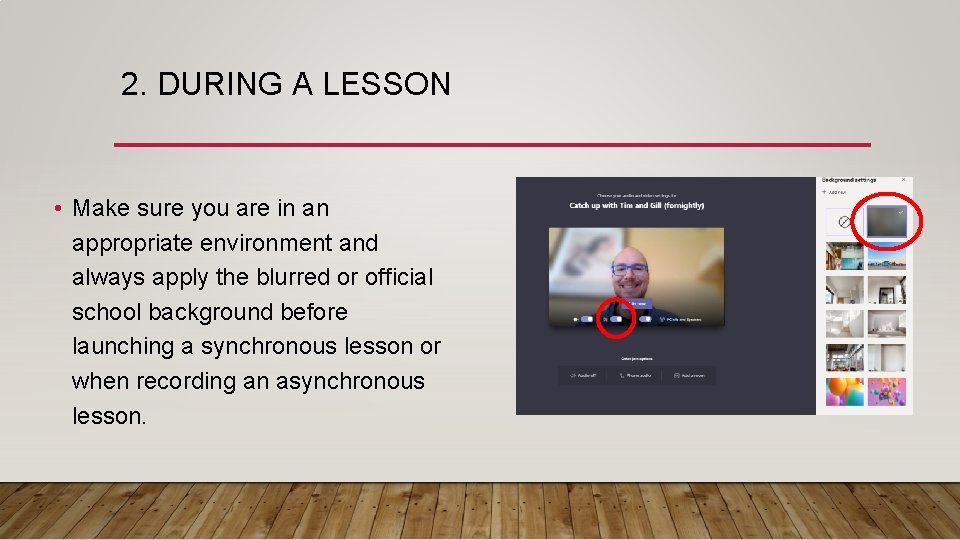
2. DURING A LESSON • Make sure you are in an appropriate environment and always apply the blurred or official school background before launching a synchronous lesson or when recording an asynchronous lesson.
2. DURING A LESSON • Make sure you are in an appropriate environment and always apply the blurred or official school background before launching a synchronous lesson or when recording an asynchronous lesson.
2. DURING A LESSON • Make sure you are in an appropriate environment and always apply the blurred or official school background before launching a synchronous lesson or when recording an asynchronous lesson.
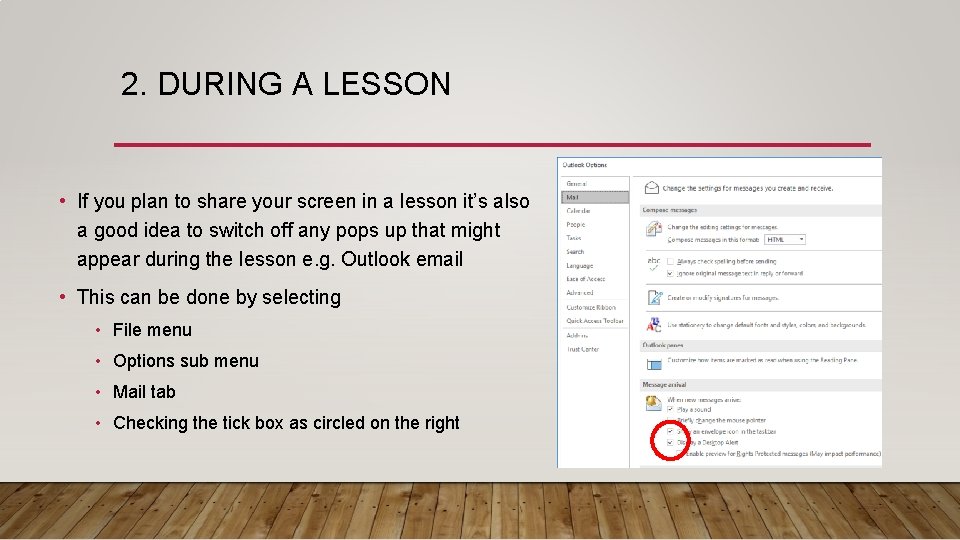
2. DURING A LESSON • If you plan to share your screen in a lesson it’s also a good idea to switch off any pops up that might appear during the lesson e. g. Outlook email • This can be done by selecting • File menu • Options sub menu • Mail tab • Checking the tick box as circled on the right
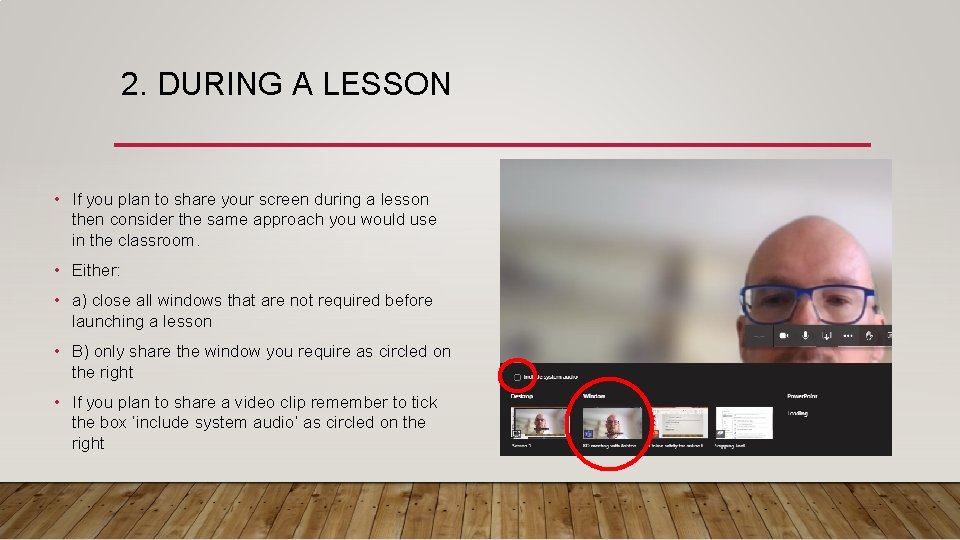
2. DURING A LESSON • If you plan to share your screen during a lesson then consider the same approach you would use in the classroom. • Either: • a) close all windows that are not required before launching a lesson • B) only share the window you require as circled on the right • If you plan to share a video clip remember to tick the box ‘include system audio’ as circled on the right
2. IN SYNCHRONOUS LESSONS…. • Do you need to record a synchronous lesson? When will you inform your students? • Only launch an official, timetabled lesson for synchronous learning. Only launch one-to-one lesson that have been approved by your SLT. • At the start of every synchronous lesson remind pupils about the AUP agreements they signed in school. The online school has the same values as the physical school.
2. IN SYNCHRONOUS LESSONS…. • How can students ask questions or get help? • Do you want chat turned on for students? • How can students speak? • Can they be seen?
2. IN ASYNCHRONOUS LESSONS…. • How will you give students time to reflect and apply their learning? • How will you receive student feedback? How will you know they know?
3. AFTER A LESSON • Keep a log of everything - what, when, with whom and anything that went wrong. • Reflect on your teaching and the student learning – what would you do differently next time?
FOR FURTHER INFORMATION AND GUIDANCE…. • https: //docs. microsoft. com/en-us/Microsoft. Teams/remotelearning-edu#2 -configure-user-experiences-using-policies