
ONLINE PORTAL Tagore International School East of Kailash

- Slides: 15
ONLINE PORTAL Tagore International School East of Kailash
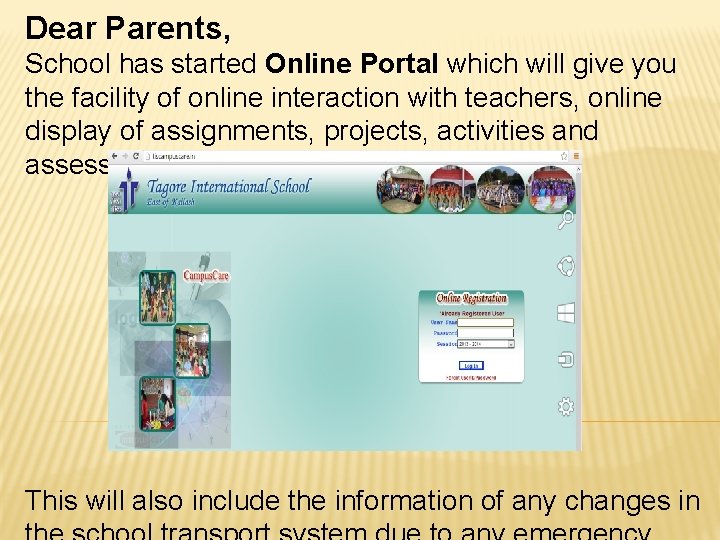
Dear Parents, School has started Online Portal which will give you the facility of online interaction with teachers, online display of assignments, projects, activities and assessments. This will also include the information of any changes in
The online system will also provide SMS facility which will facilitate circulation of important information such as school news, absentee report and change in school transport due to any emergency.
It is mandatory for all parents to verify the online information. The facility to update official, residential address & telephone nos. is also available which can be done by 23 Sep. 2013. Thereafter, if required, a request can be sent directly to the school office through a hard copy or using ‘communication’ provided in the portal.
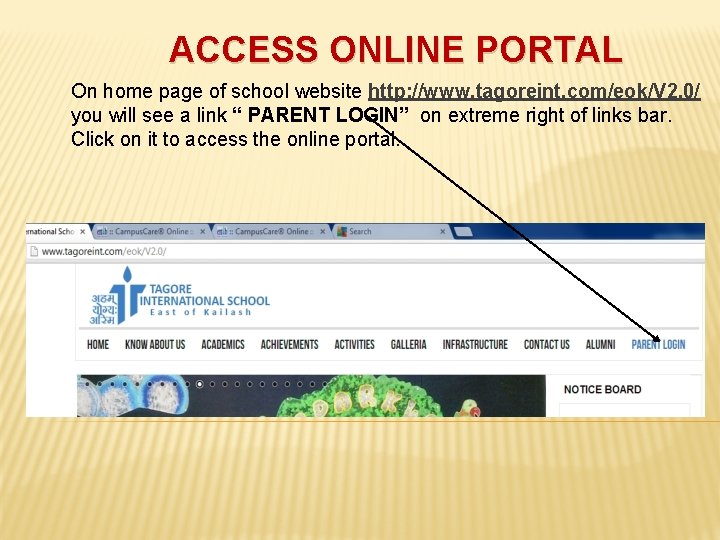
ACCESS ONLINE PORTAL On home page of school website http: //www. tagoreint. com/eok/V 2. 0/ you will see a link “ PARENT LOGIN” on extreme right of links bar. Click on it to access the online portal.
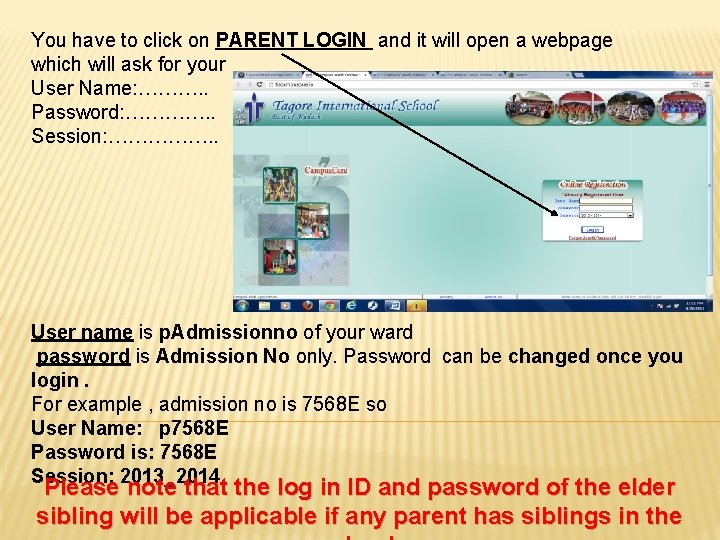
You have to click on PARENT LOGIN and it will open a webpage which will ask for your User Name: ………. . Password: …………. . Session: ……………. . User name is p. Admissionno of your ward password is Admission No only. Password can be changed once you login. For example , admission no is 7568 E so User Name: p 7568 E Password is: 7568 E Session: 2013_2014 Please note that the log in ID and password of the elder sibling will be applicable if any parent has siblings in the
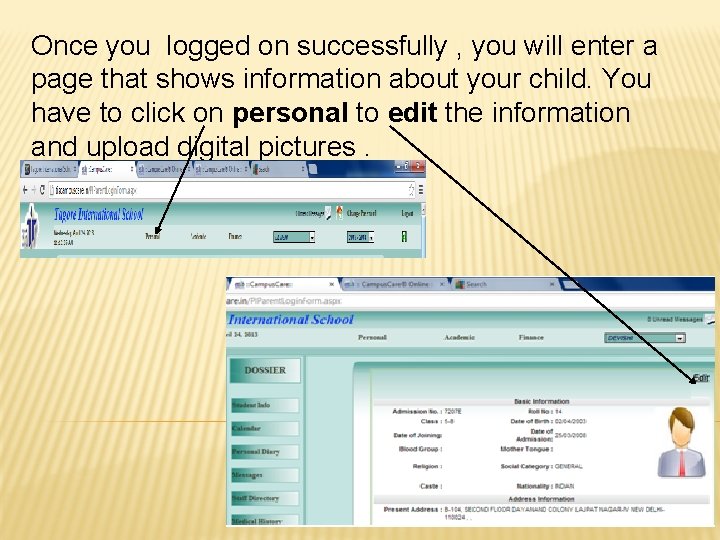
Once you logged on successfully , you will enter a page that shows information about your child. You have to click on personal to edit the information and upload digital pictures.
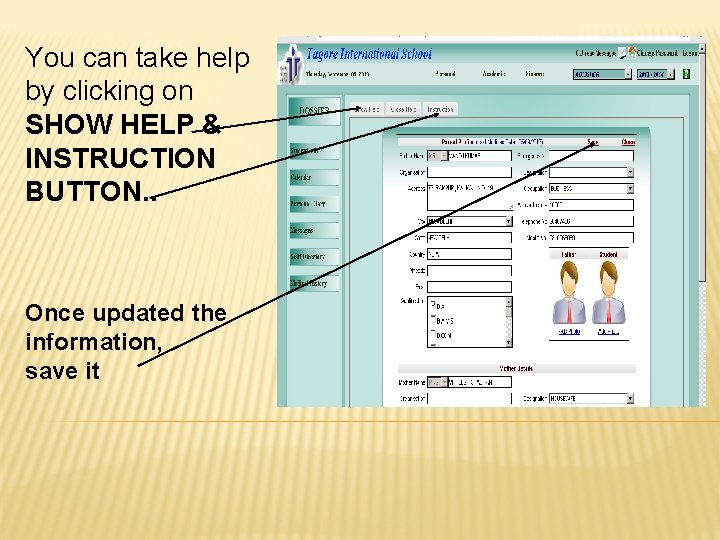
You can take help by clicking on SHOW HELP & INSTRUCTION BUTTON. . Once updated the information, save it
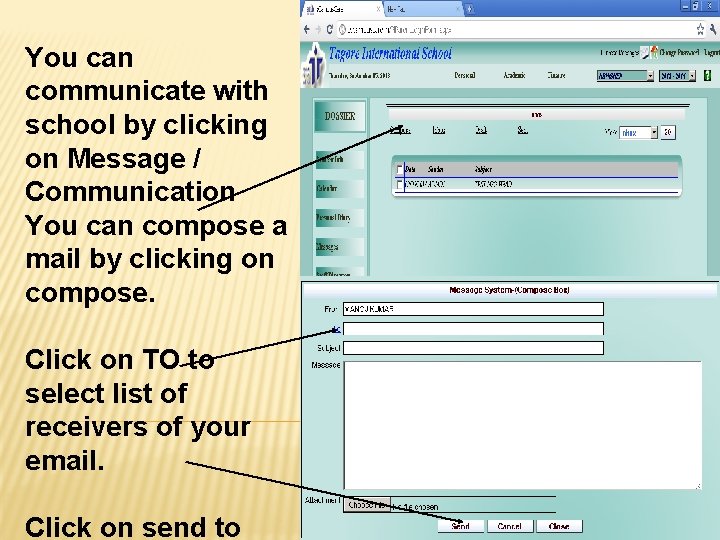
You can communicate with school by clicking on Message / Communication You can compose a mail by clicking on compose. Click on TO to select list of receivers of your email. Click on send to
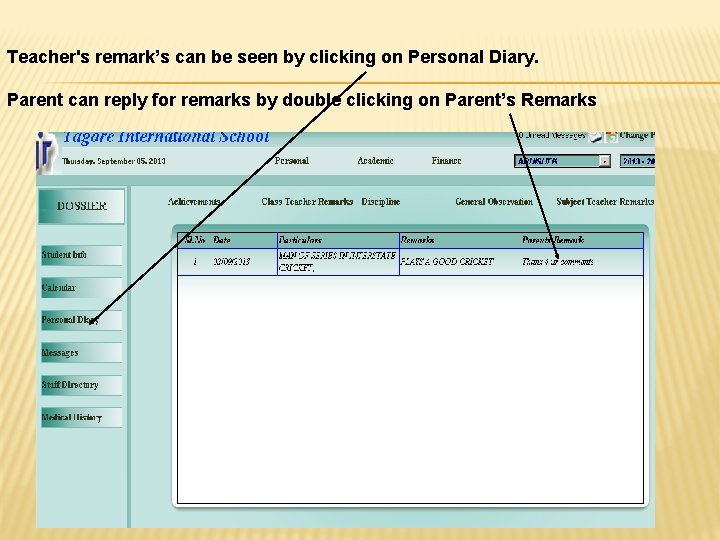
Teacher's remark’s can be seen by clicking on Personal Diary. Parent can reply for remarks by double clicking on Parent’s Remarks
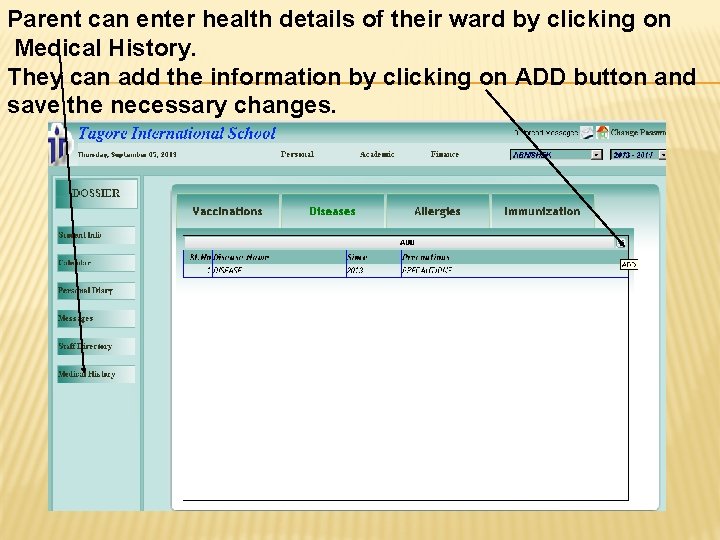
Parent can enter health details of their ward by clicking on Medical History. They can add the information by clicking on ADD button and save the necessary changes.
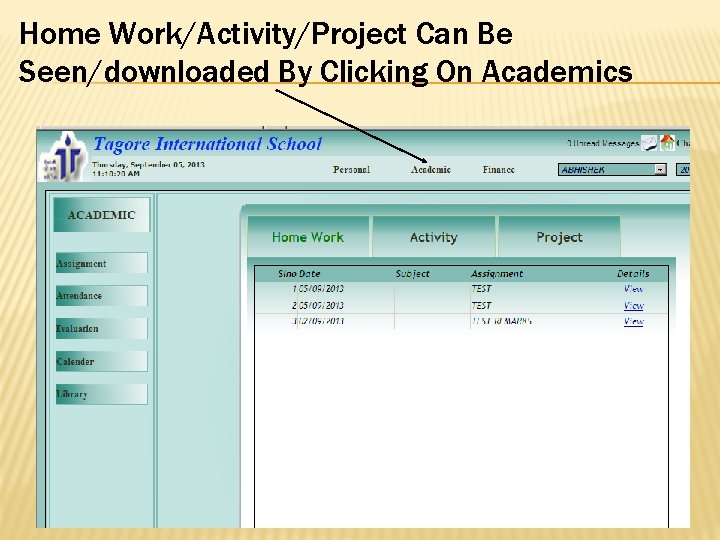
Home Work/Activity/Project Can Be Seen/downloaded By Clicking On Academics
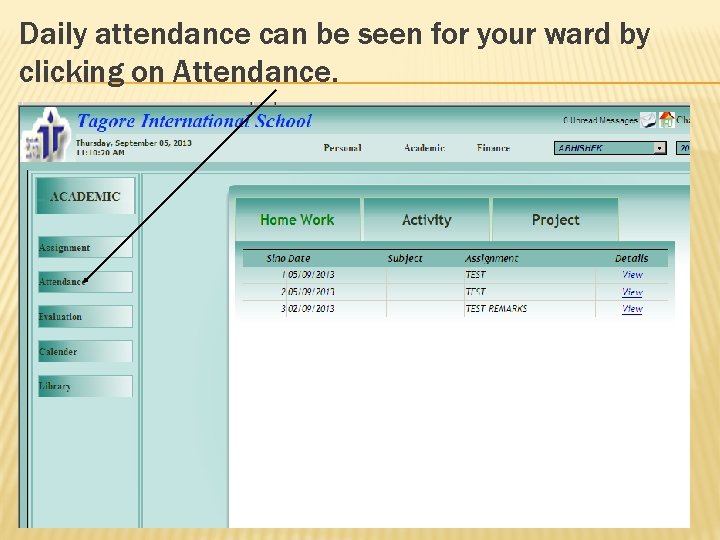
Daily attendance can be seen for your ward by clicking on Attendance.
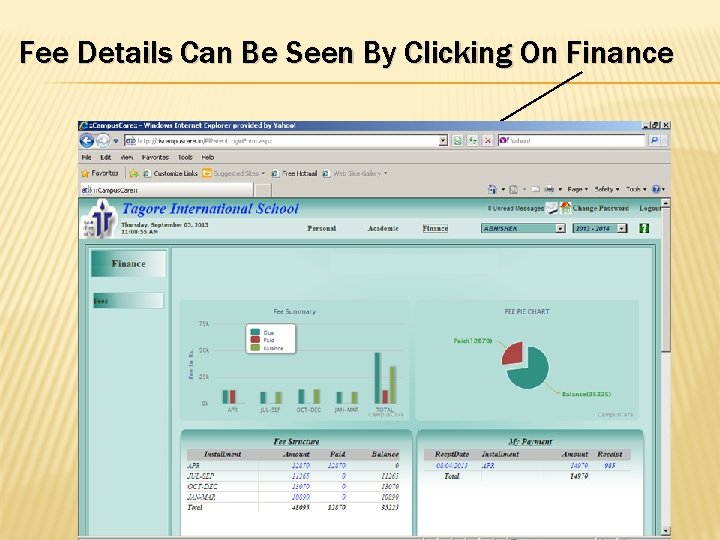
Fee Details Can Be Seen By Clicking On Finance