
Online Discipline Reporting Ross Joyce Referee Development Manager

- Slides: 33
Online Discipline Reporting Ross Joyce Referee Development Manager Referee Association’s
Aims of this session 1. To provide an introduction to Whole Game and Discipline Reporting 2. To establish the benefits of Reporting Discipline through WGS 3. To set-out the process of reporting discipline through WGS 4. View Match incidents and prepare a mock report for review & feedback 5. To make you aware of the new FA Disciplinary processes & sanctions for offences against Match Officials
The Whole Game System (WGS) 1. What do you know about the Whole Game System? 2. How many of you have already used the System and what for?
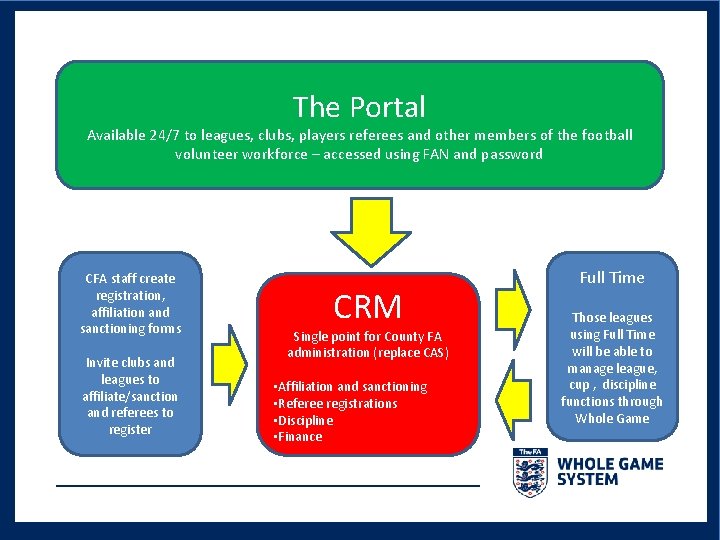
The Whole Game System (WGS) • A new administrative system that combines a CRM back office (replacement for the current County Administration System) with a customer facing Portal that will be accessible 24/7 • CRM = Customer Relationship Management system (recognises referees as an customer with whom it is important to communicate/engage) • System will provide the basis for all County FA admin including Club Affiliation, League Sanctioning, Referee Registration and Club Discipline • As well as replacing CAS the system will be integrated with a number of other FA and CFA systems including Full-Time to provide a one-stop administration database
The Portal Available 24/7 to leagues, clubs, players referees and other members of the football volunteer workforce – accessed using FAN and password CFA staff create registration, affiliation and sanctioning forms Invite clubs and leagues to affiliate/sanction and referees to register CRM Single point for County FA administration (replace CAS) • Affiliation and sanctioning • Referee registrations • Discipline • Finance Full Time Those leagues using Full Time will be able to manage league, cup , discipline functions through Whole Game
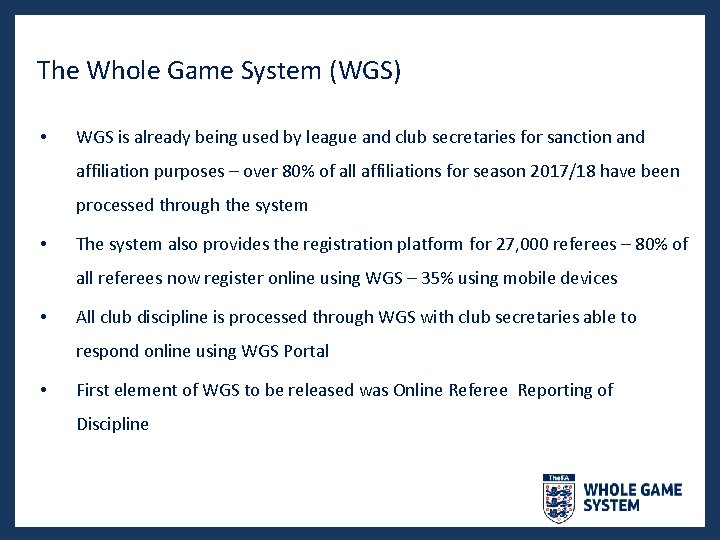
The Whole Game System (WGS) • WGS is already being used by league and club secretaries for sanction and affiliation purposes – over 80% of all affiliations for season 2017/18 have been processed through the system • The system also provides the registration platform for 27, 000 referees – 80% of all referees now register online using WGS – 35% using mobile devices • All club discipline is processed through WGS with club secretaries able to respond online using WGS Portal • First element of WGS to be released was Online Referee Reporting of Discipline
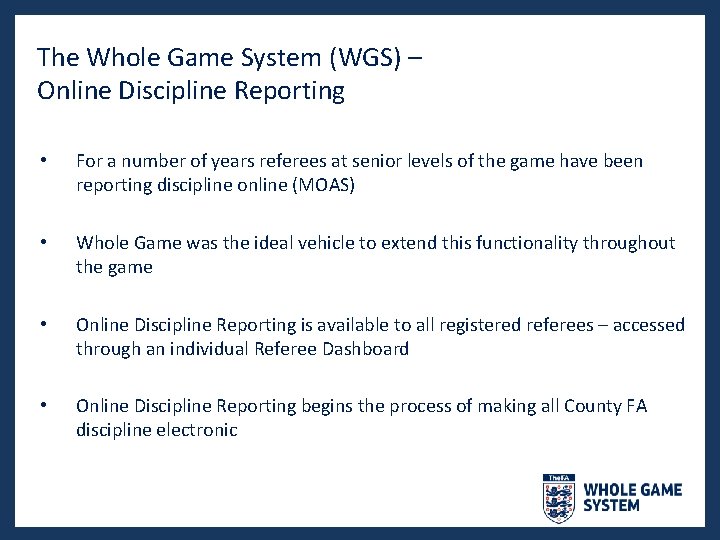
The Whole Game System (WGS) – Online Discipline Reporting • For a number of years referees at senior levels of the game have been reporting discipline online (MOAS) • Whole Game was the ideal vehicle to extend this functionality throughout the game • Online Discipline Reporting is available to all registered referees – accessed through an individual Referee Dashboard • Online Discipline Reporting begins the process of making all County FA discipline electronic
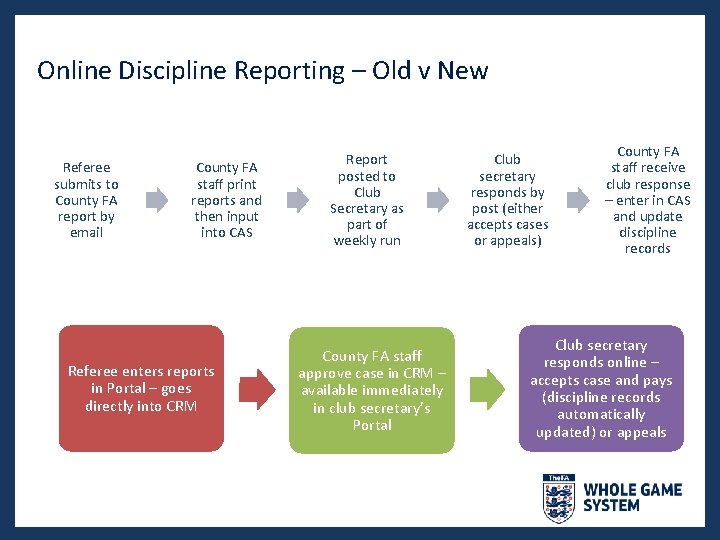
Online Discipline Reporting – Old v New Referee submits to County FA report by email County FA staff print reports and then input into CAS Referee enters reports in Portal – goes directly into CRM Report posted to Club Secretary as part of weekly run County FA staff approve case in CRM – available immediately in club secretary’s Portal Club secretary responds by post (either accepts cases or appeals) County FA staff receive club response – enter in CAS and update discipline records Club secretary responds online – accepts case and pays (discipline records automatically updated) or appeals
Benefits of Online Reporting • Available to all registered referees through individual Dashboard • Accessible 24/7 • Compatible with most mobile devices • Allows referee to maintain a record of fixtures/disciplinary action • Portal pre-populated with leagues, clubs and players – making reporting easier Submitted reports immediately available for County FA staff to process – improves efficiency of County FA operations •
The Process of Reporting Discipline Online
The process of Reporting Discipline Online What you will need; • • Your match record card Your FAN and password A PC/laptop or mobile device WGS Training materials – available via the Portal Help function
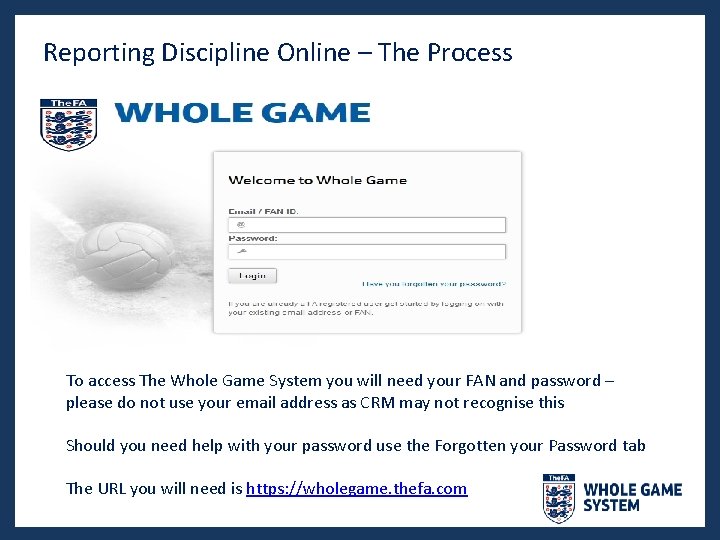
Reporting Discipline Online – The Process To access The Whole Game System you will need your FAN and password – please do not use your email address as CRM may not recognise this Should you need help with your password use the Forgotten your Password tab The URL you will need is https: //wholegame. thefa. com
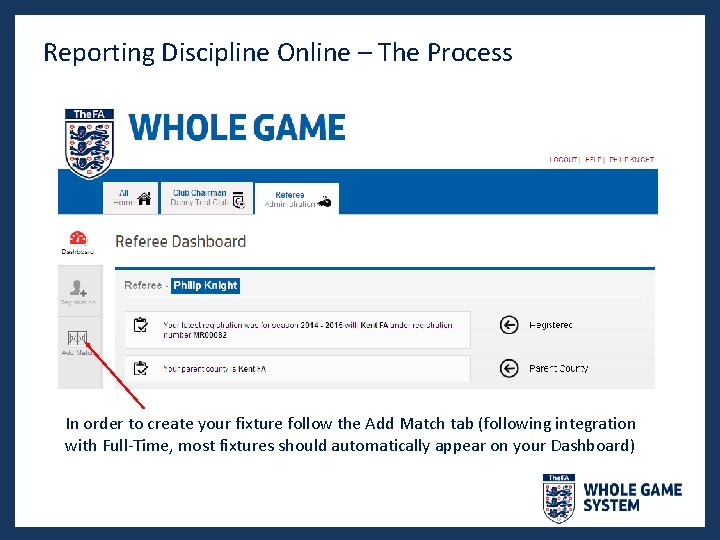
Reporting Discipline Online – The Process In order to create your fixture follow the Add Match tab (following integration with Full-Time, most fixtures should automatically appear on your Dashboard)
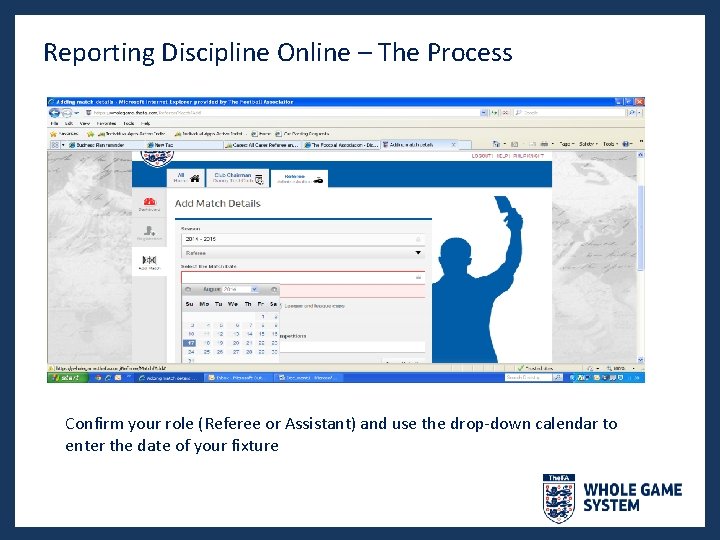
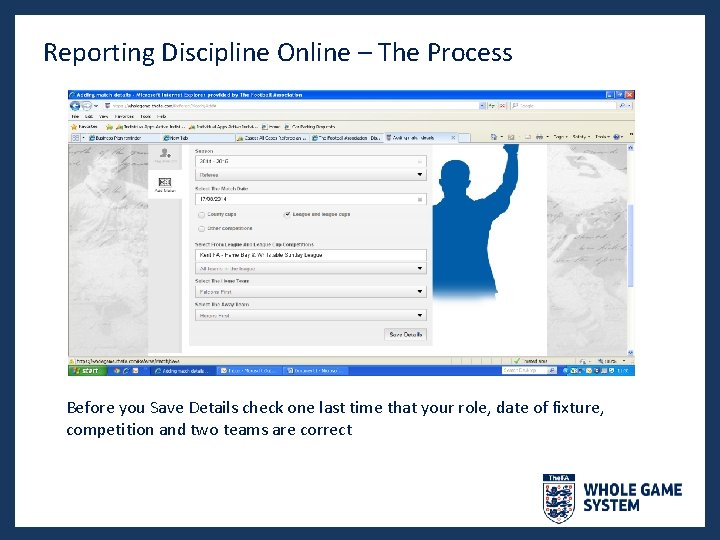
Reporting Discipline Online – The Process Confirm your role (Referee or Assistant) and use the drop-down calendar to enter the date of your fixture
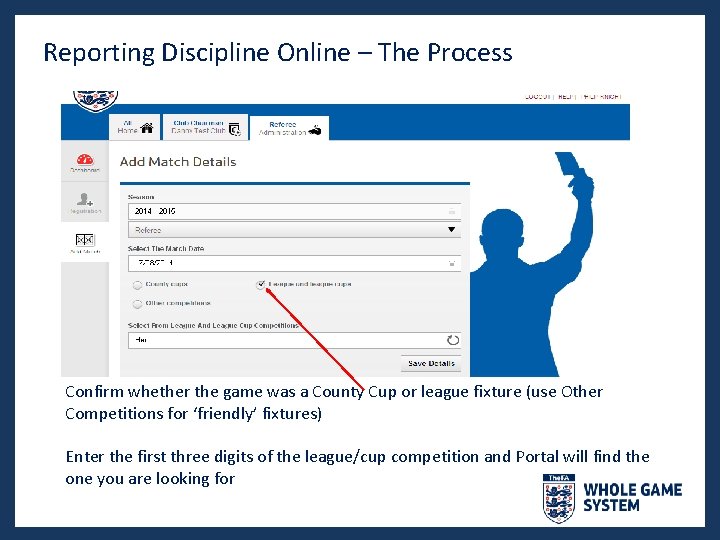
Reporting Discipline Online – The Process Confirm whether the game was a County Cup or league fixture (use Other Competitions for ‘friendly’ fixtures) Enter the first three digits of the league/cup competition and Portal will find the one you are looking for
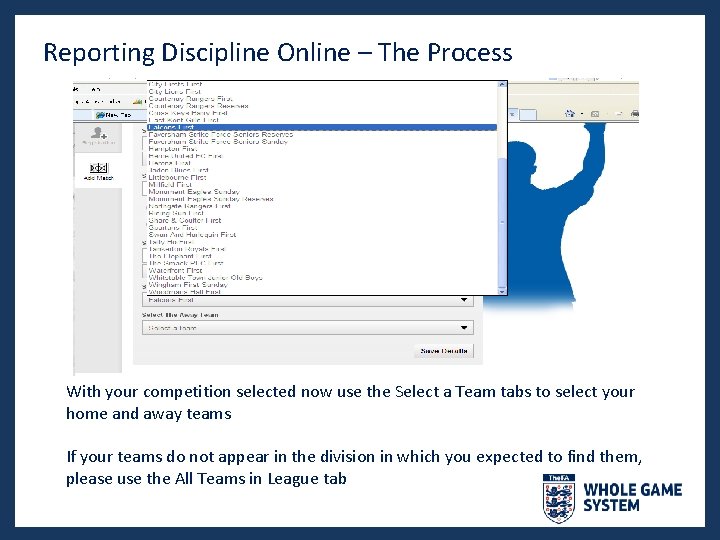
Reporting Discipline Online – The Process With your competition selected now use the Select a Team tabs to select your home and away teams If your teams do not appear in the division in which you expected to find them, please use the All Teams in League tab
Reporting Discipline Online – The Process Before you Save Details check one last time that your role, date of fixture, competition and two teams are correct
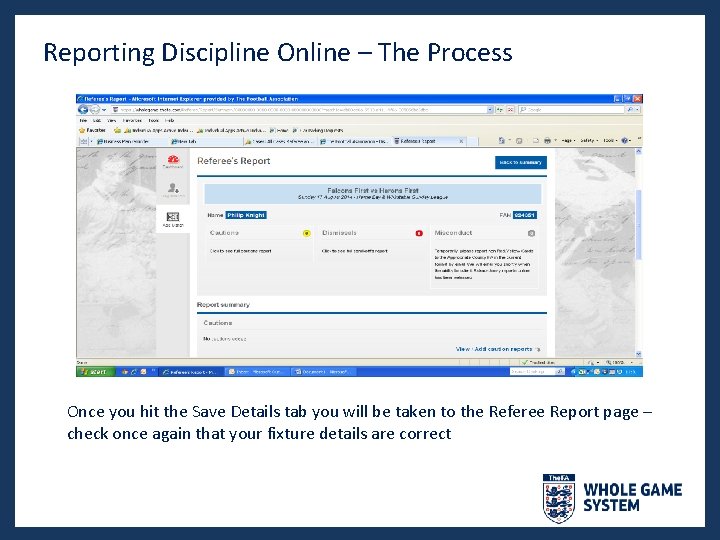
Reporting Discipline Online – The Process Once you hit the Save Details tab you will be taken to the Referee Report page – check once again that your fixture details are correct
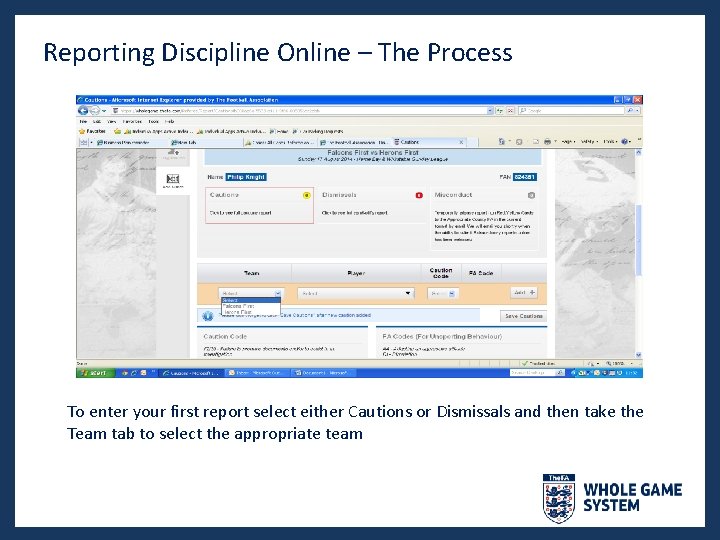
Reporting Discipline Online – The Process To enter your first report select either Cautions or Dismissals and then take the Team tab to select the appropriate team
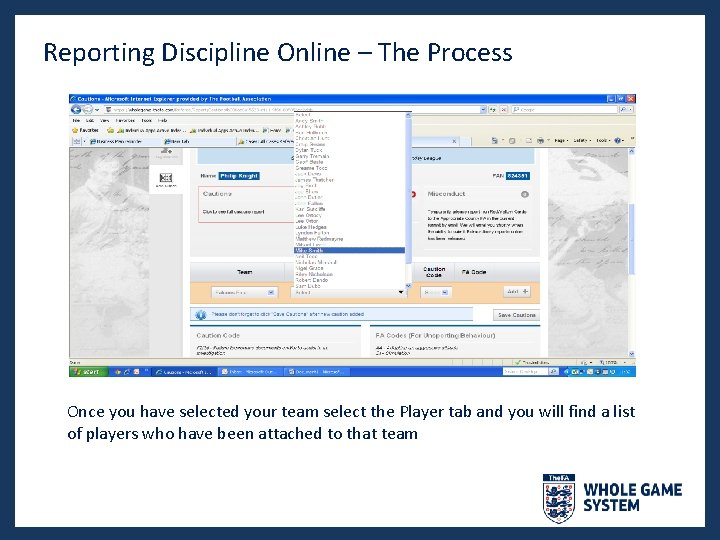
Reporting Discipline Online – The Process Once you have selected your team select the Player tab and you will find a list of players who have been attached to that team
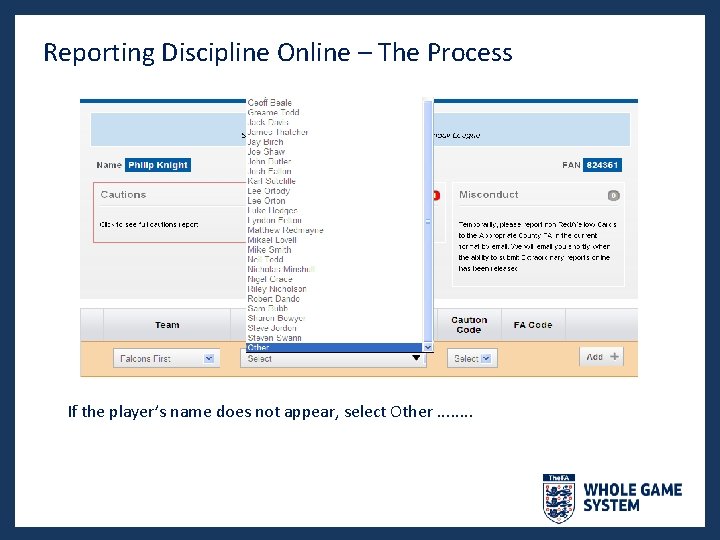
Reporting Discipline Online – The Process If the player’s name does not appear, select Other. . . .
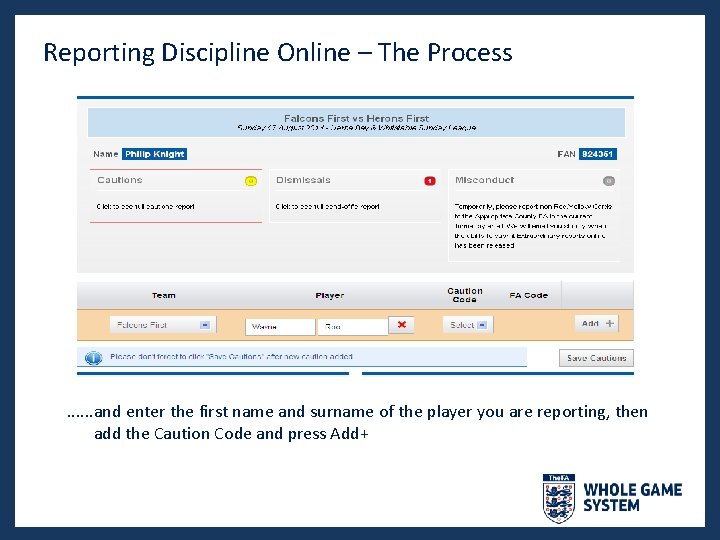
Reporting Discipline Online – The Process . . . and enter the first name and surname of the player you are reporting, then add the Caution Code and press Add+
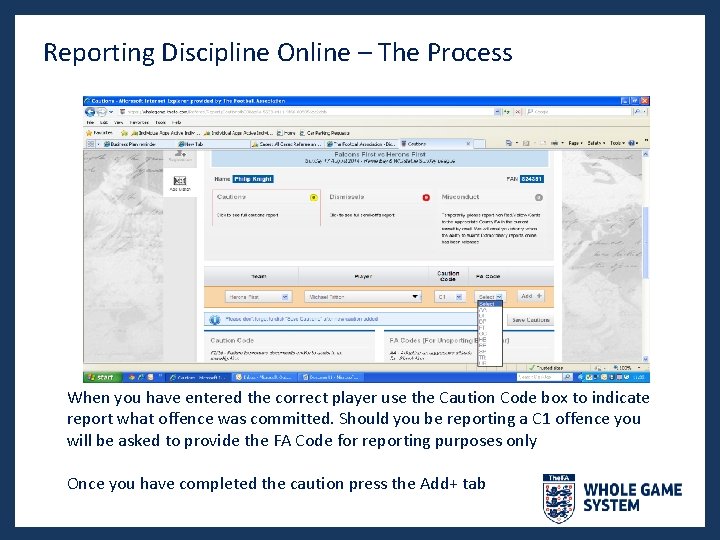
Reporting Discipline Online – The Process When you have entered the correct player use the Caution Code box to indicate report what offence was committed. Should you be reporting a C 1 offence you will be asked to provide the FA Code for reporting purposes only Once you have completed the caution press the Add+ tab
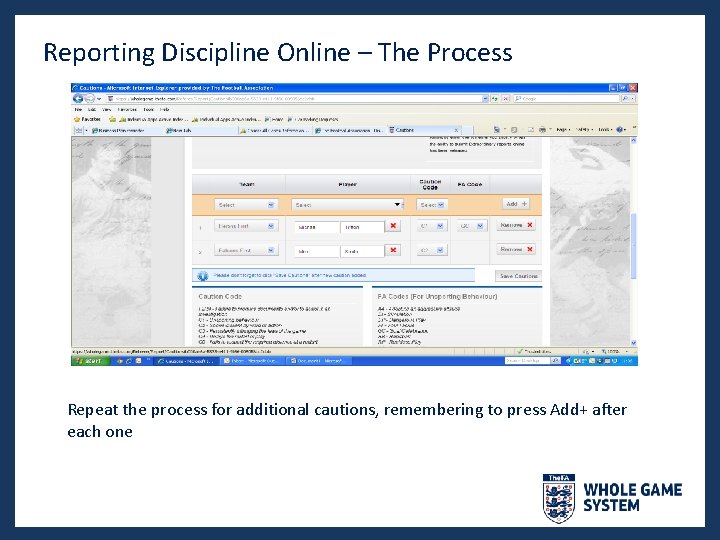
Reporting Discipline Online – The Process Repeat the process for additional cautions, remembering to press Add+ after each one
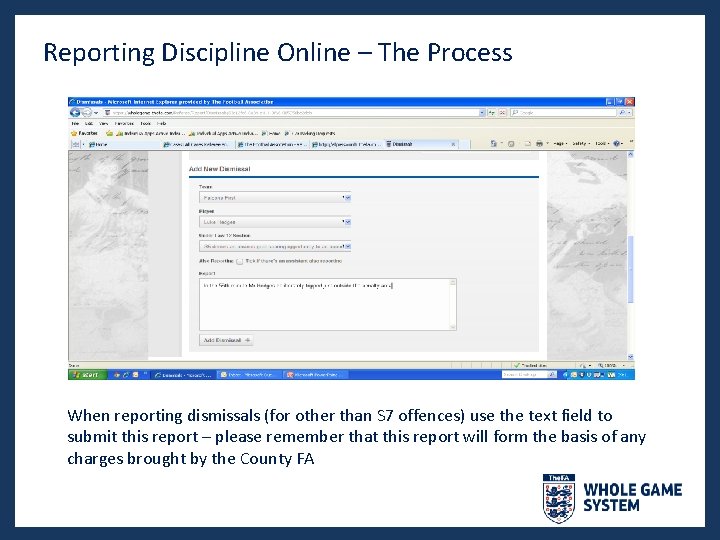
Reporting Discipline Online – The Process When reporting dismissals (for other than S 7 offences) use the text field to submit this report – please remember that this report will form the basis of any charges brought by the County FA
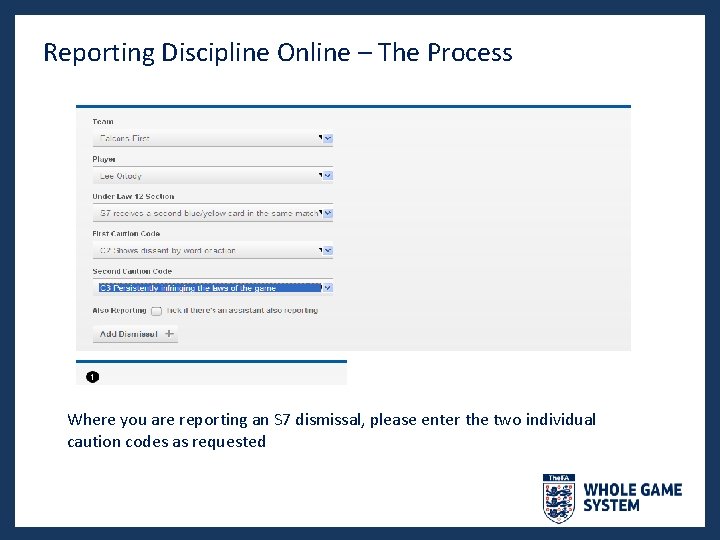
Reporting Discipline Online – The Process Where you are reporting an S 7 dismissal, please enter the two individual caution codes as requested
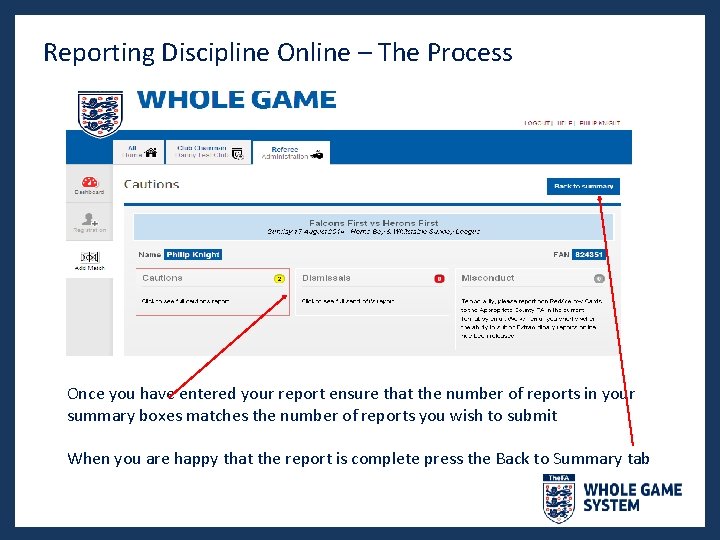
Reporting Discipline Online – The Process Once you have entered your report ensure that the number of reports in your summary boxes matches the number of reports you wish to submit When you are happy that the report is complete press the Back to Summary tab
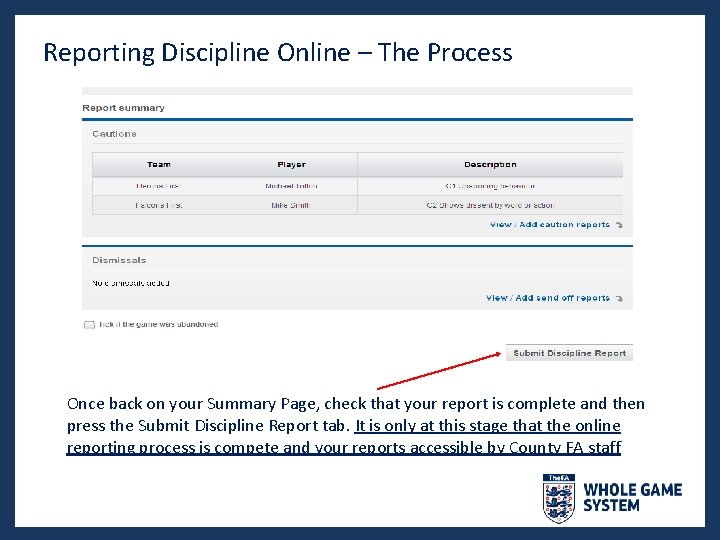
Reporting Discipline Online – The Process Once back on your Summary Page, check that your report is complete and then press the Submit Discipline Report tab. It is only at this stage that the online reporting process is compete and your reports accessible by County FA staff
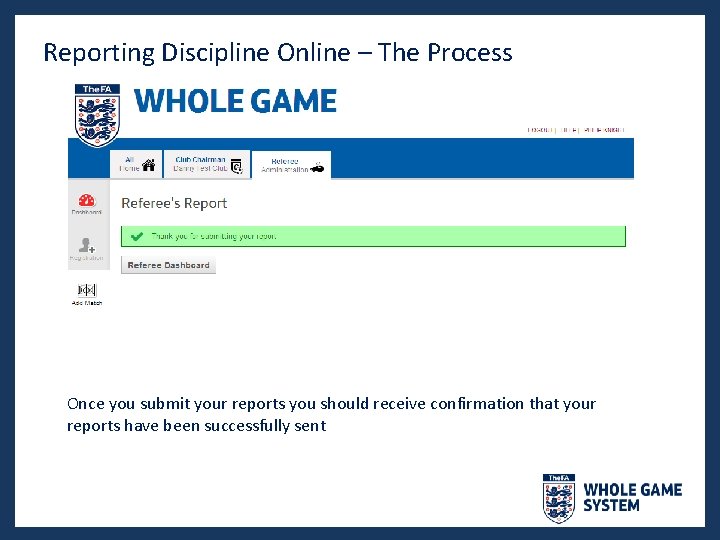
Reporting Discipline Online – The Process Once you submit your reports you should receive confirmation that your reports have been successfully sent
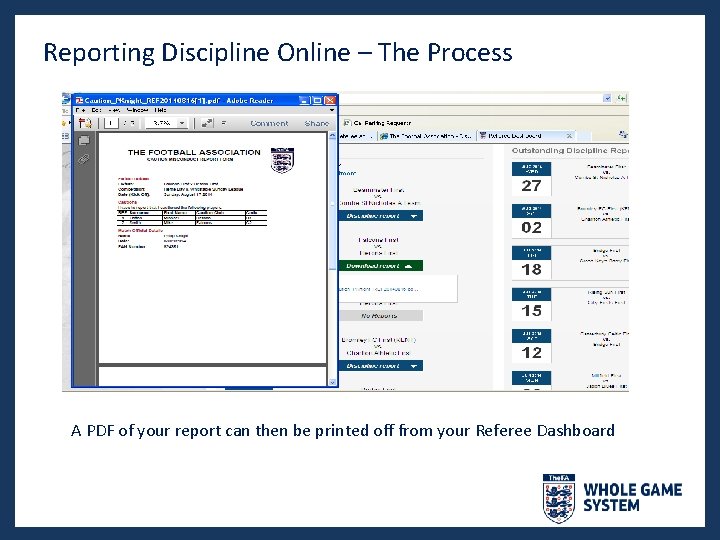
Reporting Discipline Online – The Process A PDF of your report can then be printed off from your Referee Dashboard
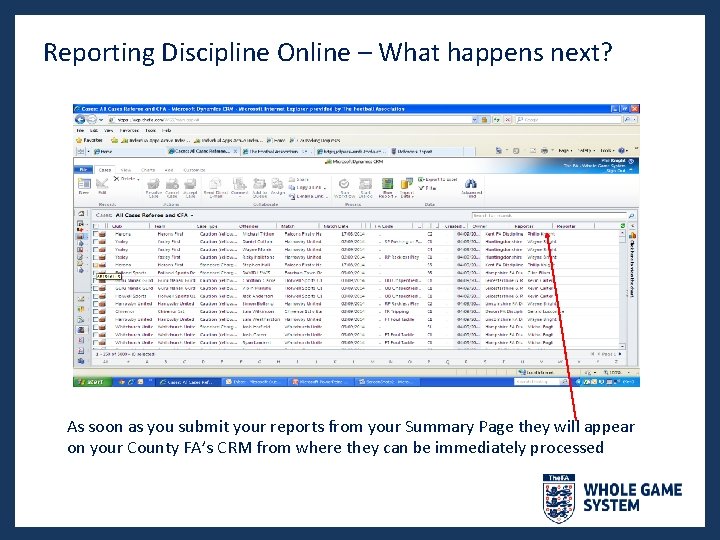
Reporting Discipline Online – What happens next? As soon as you submit your reports from your Summary Page they will appear on your County FA’s CRM from where they can be immediately processed
Reporting Discipline Online – The Process