
Online Catalog OPAC This is the icon or
- Slides: 20
Online Catalog (OPAC)
This is the icon or shortcut, for Internet Explorer Web Browser. Use this when you what to access our school’s web page
Use the links below to get to our card catalog. Click on David T. Wilson’s Web Page http: //wilson. ky. mce. schoolinsites. com/ Then find the Destiny icon and click on it.
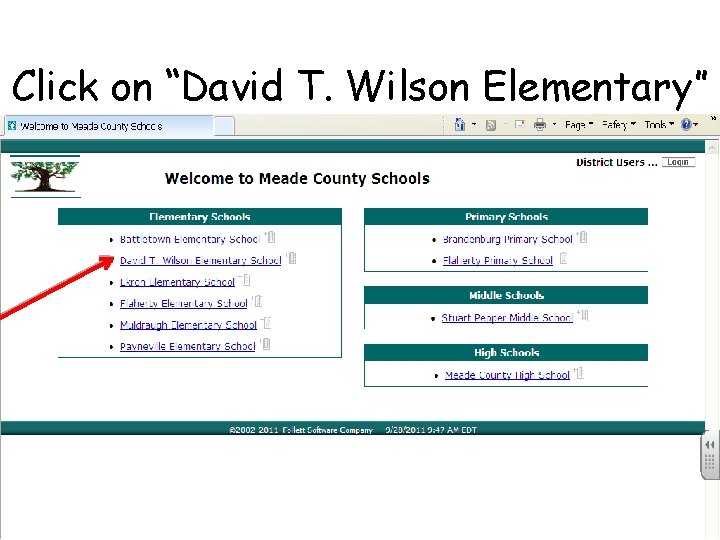
Click on “David T. Wilson Elementary”
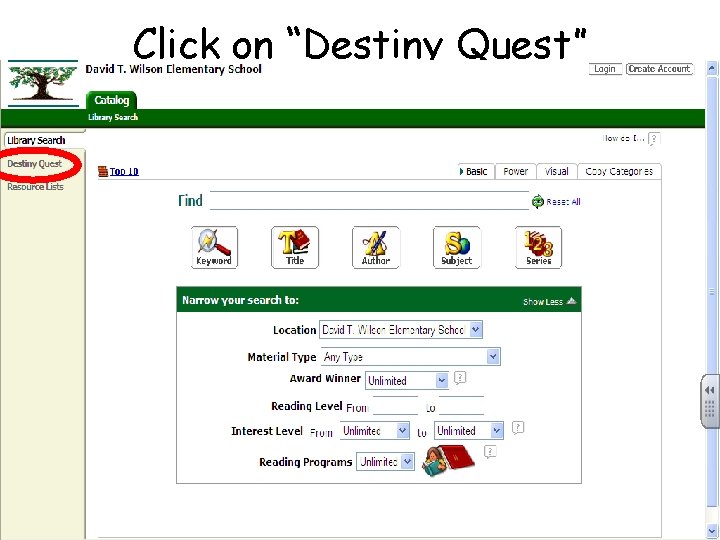
Click on “Destiny Quest”
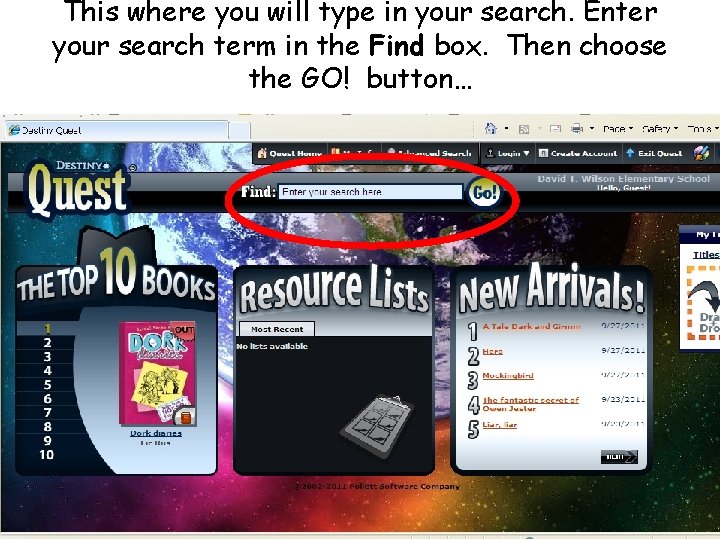
This where you will type in your search. Enter your search term in the Find box. Then choose the GO! button…
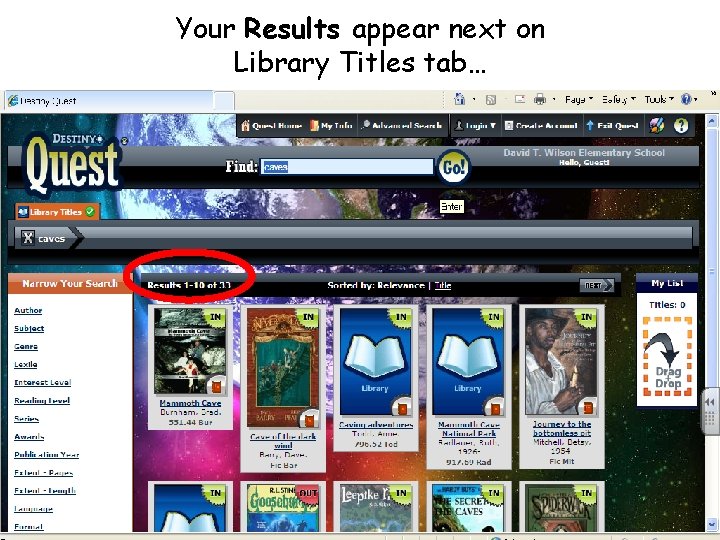
Your Results appear next on Library Titles tab…
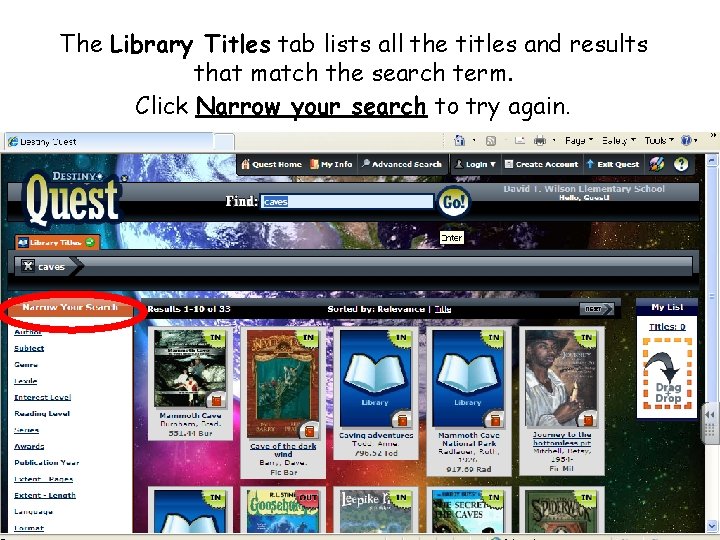
The Library Titles tab lists all the titles and results that match the search term. Click Narrow your search to try again.
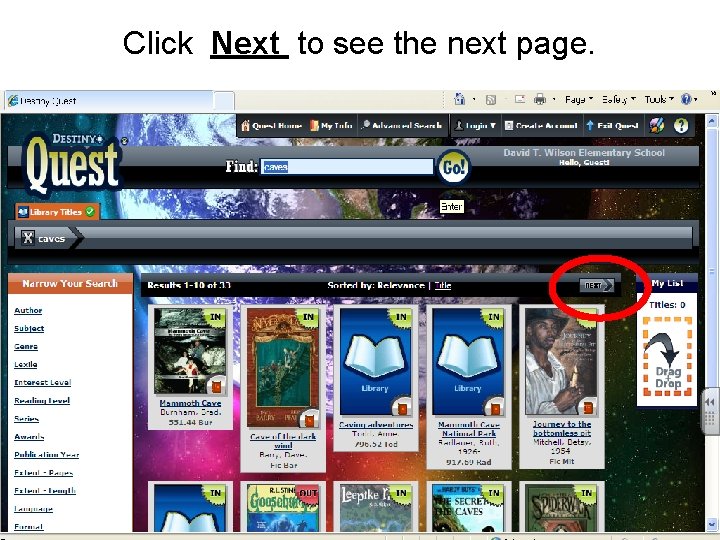
Click Next to see the next page.
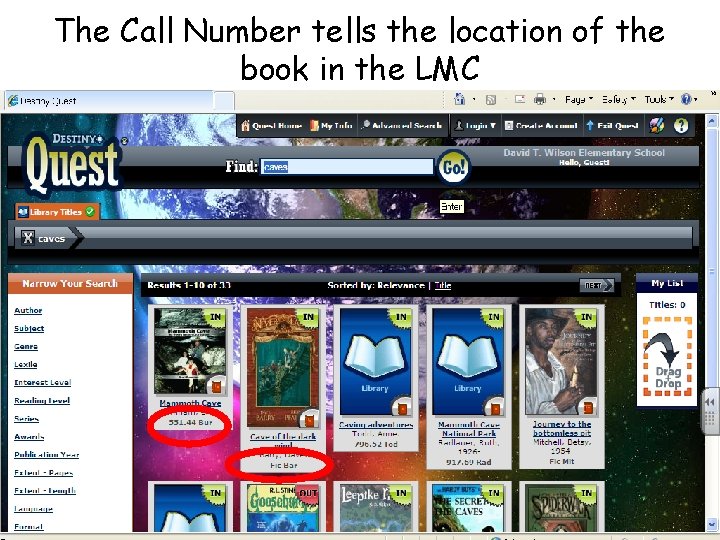
The Call Number tells the location of the book in the LMC
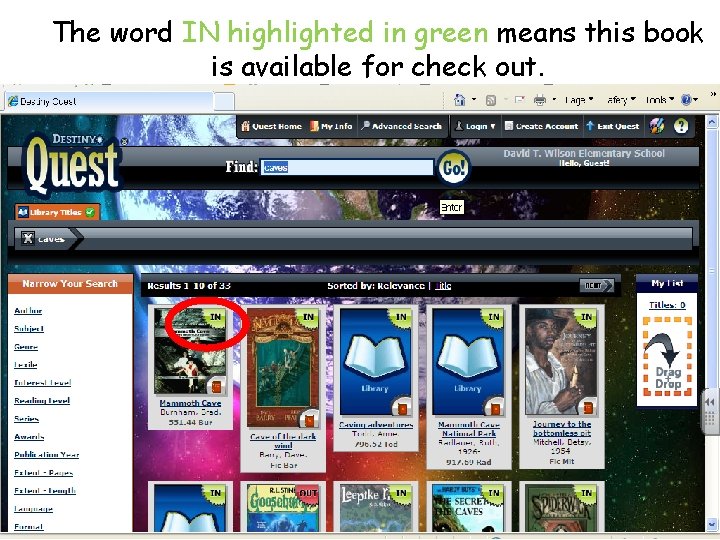
The word IN highlighted in green means this book is available for check out.
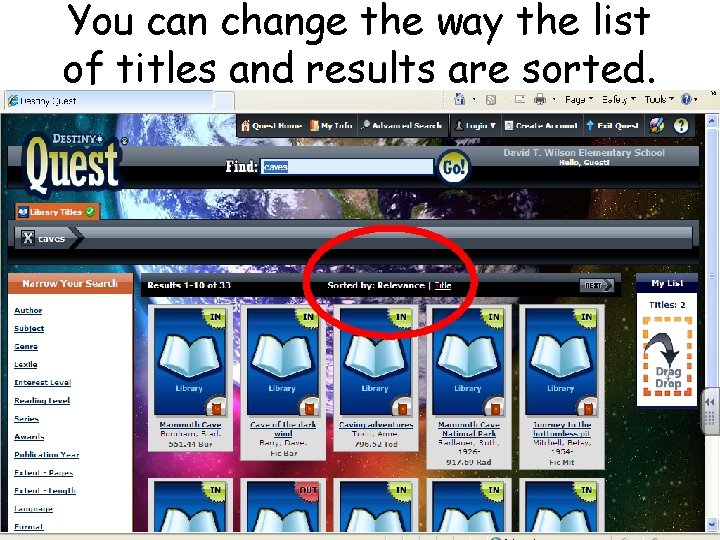
You can change the way the list of titles and results are sorted.
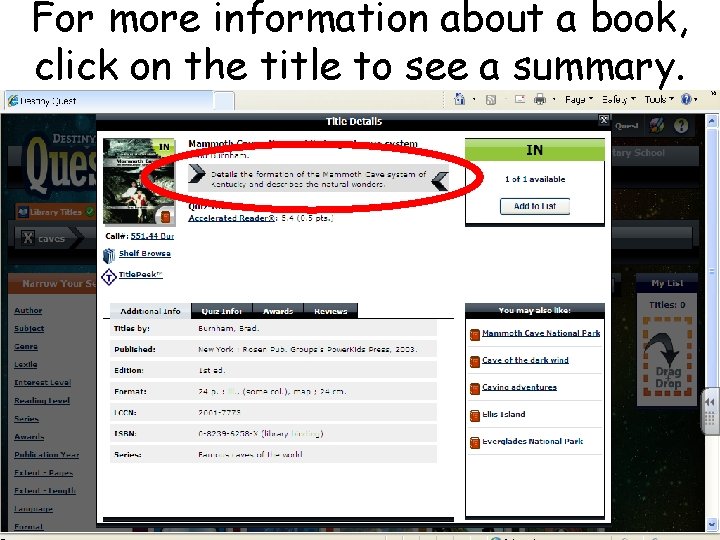
For more information about a book, click on the title to see a summary.
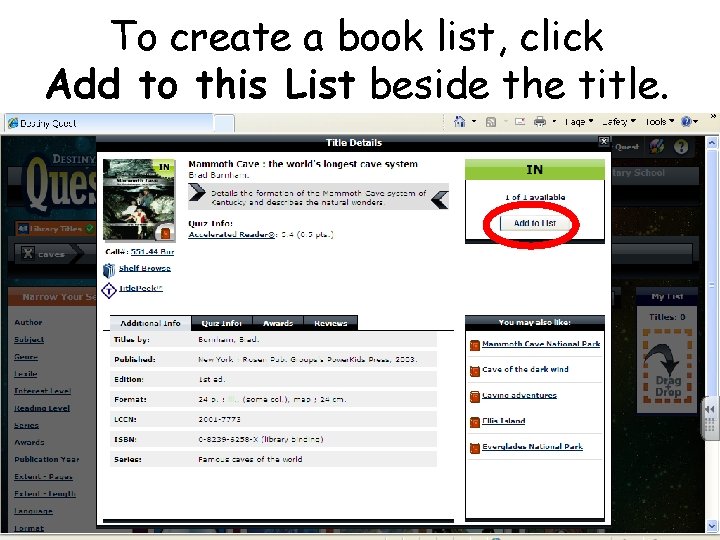
To create a book list, click Add to this List beside the title.
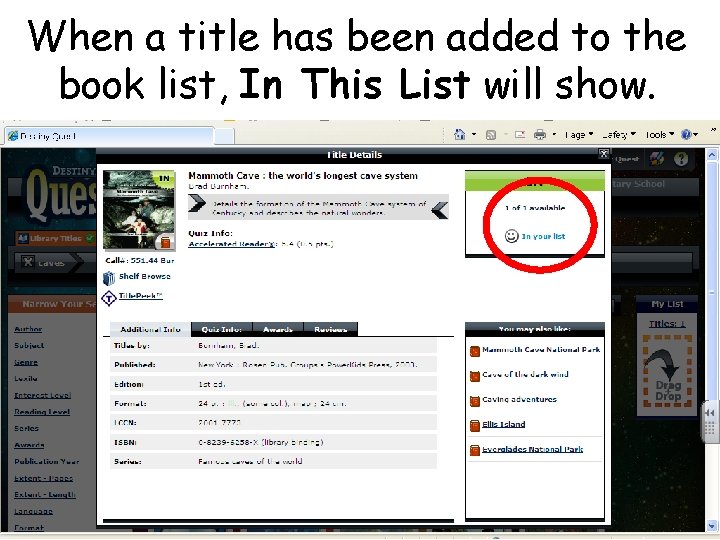
When a title has been added to the book list, In This List will show.
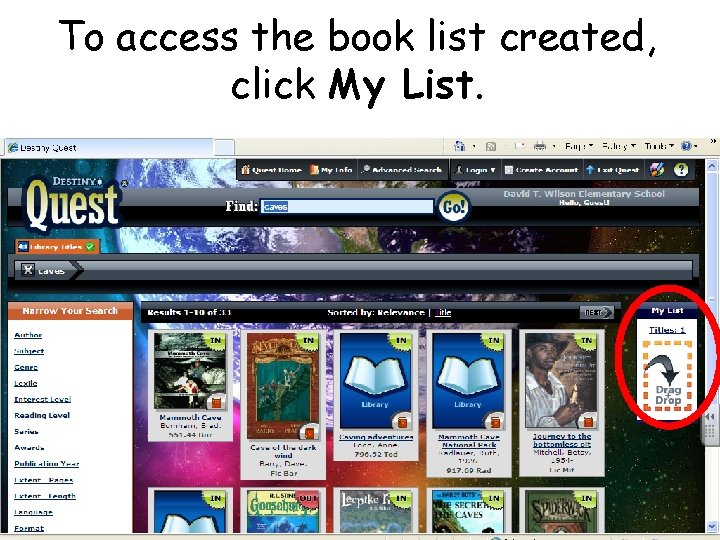
To access the book list created, click My List.
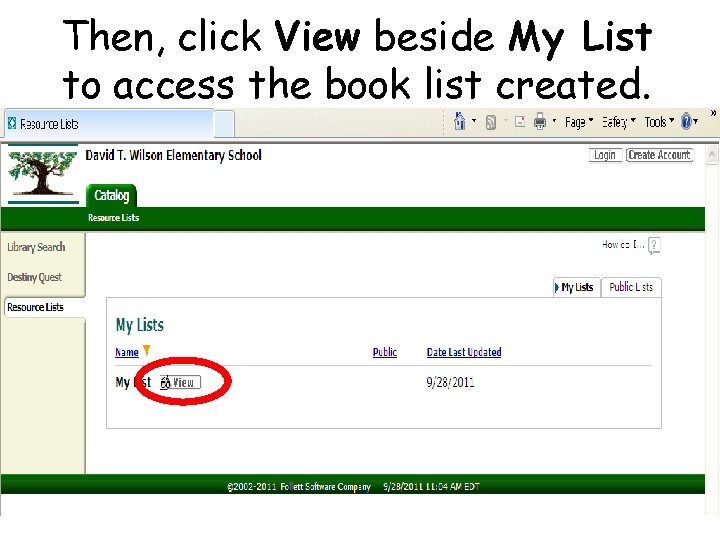
Then, click View beside My List to access the book list created.
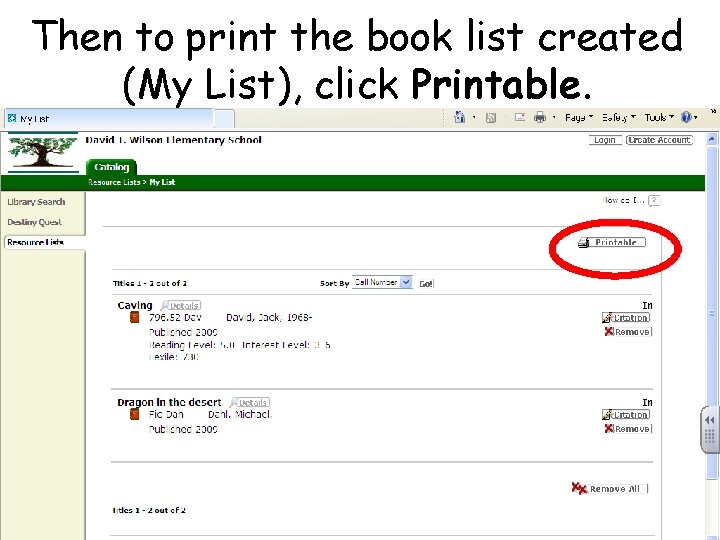
Then to print the book list created (My List), click Printable.
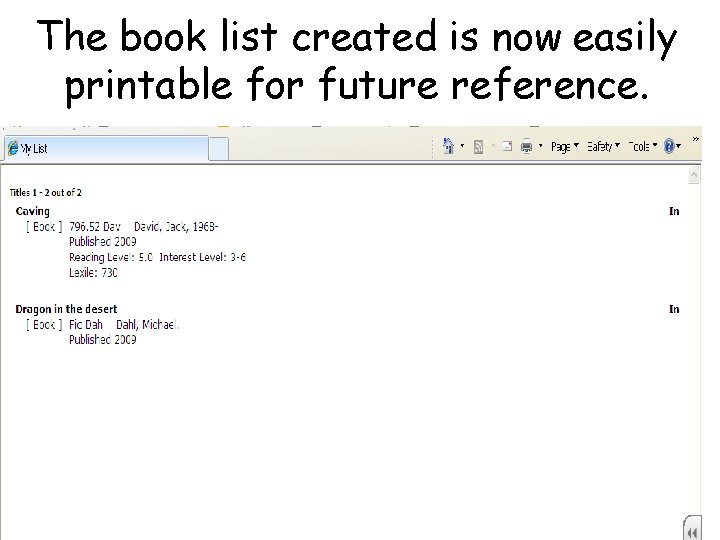
The book list created is now easily printable for future reference.
Any questions?