
Online ASC Benchmarking Program An exclusive service for
Online ASC Benchmarking Program An exclusive service for OAASC Members
Online ASC Benchmarking Program �Comprehensive system to track ASC data across regions, specialties and the state as a whole. �The premier state-based system in the nation – other states want to use it! �Combination of the most important financial and clinical data
Online ASC Benchmarking Program �Secure online system �All data is confidential �Only you and your designated center staff are able to view your center’s specific data �All the other data is aggregated to allow you to compare your specific information with others as a whole.
Online ASC Benchmarking Program WHY PARTICIPATE? �Collect data for CMS reporting requirements �Meet accreditation standards �Analyze your center’s performance versus colleagues �Utilize for QAPI programs in your center �Provide aggregated Ohio ASC data for advocacy/managed care negotiation purposes
Online ASC Benchmarking Program �ONLY OAASC Members can participate – BENEFIT! �Compile data needed for reporting (see checklist) �Designate someone to enter data and someone to approve data �Enter data into online portal beginning the first day after end of each quarter (April 1, July 1, October 1, January 1) �You have 45 days to enter data before the close of the reporting period
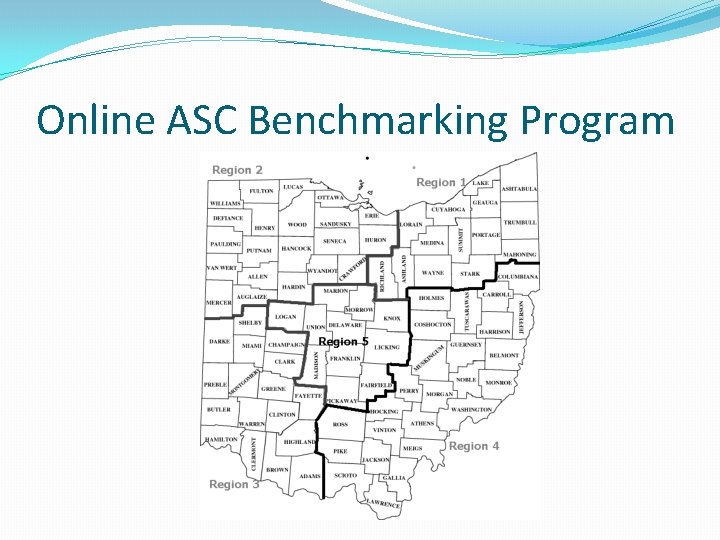
Online ASC Benchmarking Program 2012 Program Updates �Adding GI as a single specialty center �Changing from urban and rural to five state regions �Reorganize clinical questions so that like questions such as complications and incidents are grouped answered together �Deleted questions no longer relevant or answered �New and enhanced reports
Online ASC Benchmarking Program Previous charts reported by Multi, Single, Eye centers in addition to Rural and Urban. Additional selection allows for GI only reporting as well. (Select GI in Specialty area in OAASC info) Rural and urban now expanded to five regional areas.
Online ASC Benchmarking Program
Online ASC Benchmarking Program Question Changes - Reformatted questions �Payor Mix Percentages - Question # 1 in Financial Area �Removed Breakout of Commercial (Traditional, Managed Care). Just one % response for Commercial.
Online ASC Benchmarking Program Question Changes - Reformatted questions into the various categories. Some existing questions have been moved into these categories and others are new. �Complications After Admission (expanded) Question # 3 in Operations Area �Patient Medical(changed question) �Patient Personal(added question) �Physician Issue �Other
Online ASC Benchmarking Program Question Changes - Reformatted questions into the various categories. Some existing questions have been moved into these categories and others are new. �Unexpected Complications Post-Op (category added ) Question # 4 in Operations Area �Excessive N/V (moved question) �Excessive Pain (moved question) �Return to Surgery (added question) �Bleeding (added questions) �Other (added)
Online ASC Benchmarking Program Question Changes - Reformatted questions into the various categories. Some existing questions have been moved into these categories and others are new. �Incidents/Occurrences (category added) Question #5 in the Operations Area �Patient Burn (move Q) �Patient Fall (move Q) �Medication Error �Medical Device Failure
Online ASC Benchmarking Program Question Changes - Reformatted questions into the various categories. Some existing questions have been moved into these categories and others are new. �Post discharge complications (category added) Question #7 in the Operations Section �Infection 30 days (CDC definition recommended) �To ER within 48 hours of discharge
Online ASC Benchmarking Program Question Changes – Edits to questions �Unplanned Transfers – Question 6 �Change to only direct transfers intraoperatively or post operatively to an acute care facility (e. g. hospital)
Online ASC Benchmarking Program Question Changes – Added Question �Hair Removal by clipper or depilatory creams � Record the percentage (%) usage of clippers or depilatory cream for hair removal in applicable cases
Online ASC Benchmarking Program Question Changes – Deleted Questions �Number of patients contacted in 1 Business day �Percentage of cases that start on time �Number of operative reports to MD in one day �Number of op reports back in two days
Online ASC Benchmarking Program 2012 System Updates Every participant (new and existing) MUST enter (or re-enter) data in every area of the form. With new and reformatted questions and charts each OAASC member will need to input data as if it is the first time you have entered information into all survey areas including OAASC Info, demographic, financial and operations.
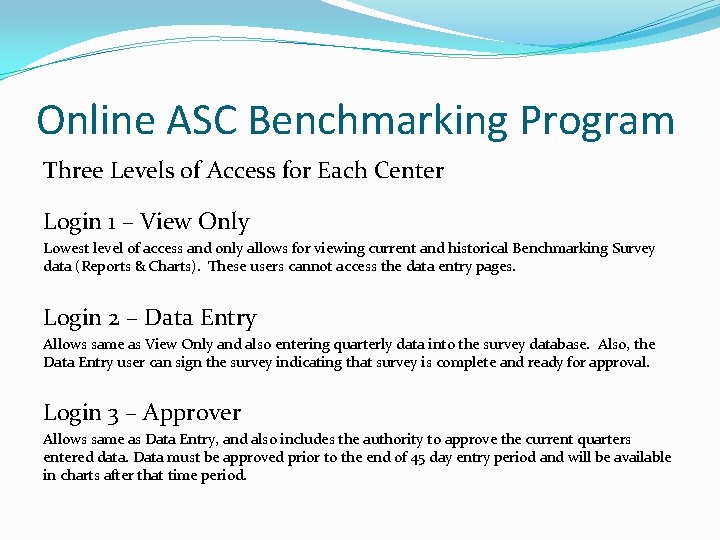
Online ASC Benchmarking Program Three Levels of Access for Each Center Login 1 – View Only Lowest level of access and only allows for viewing current and historical Benchmarking Survey data (Reports & Charts). These users cannot access the data entry pages. Login 2 – Data Entry Allows same as View Only and also entering quarterly data into the survey database. Also, the Data Entry user can sign the survey indicating that survey is complete and ready for approval. Login 3 – Approver Allows same as Data Entry, and also includes the authority to approve the current quarters entered data. Data must be approved prior to the end of 45 day entry period and will be available in charts after that time period.
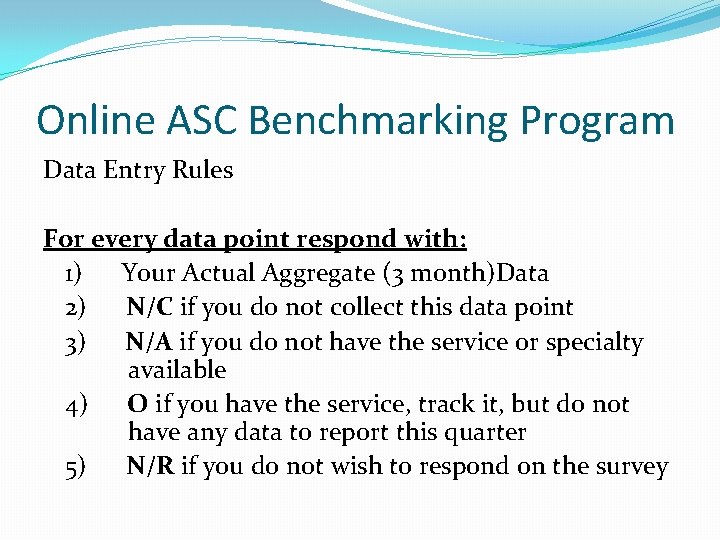
Online ASC Benchmarking Program Data Entry Rules For every data point respond with: 1) Your Actual Aggregate (3 month)Data 2) N/C if you do not collect this data point 3) N/A if you do not have the service or specialty available 4) O if you have the service, track it, but do not have any data to report this quarter 5) N/R if you do not wish to respond on the survey
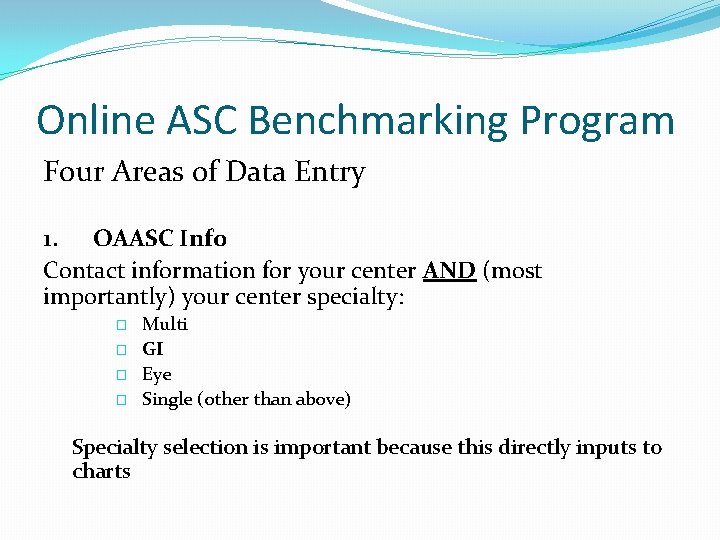
Online ASC Benchmarking Program Four Areas of Data Entry 1. OAASC Info Contact information for your center AND (most importantly) your center specialty: � � Multi GI Eye Single (other than above) Specialty selection is important because this directly inputs to charts
Online ASC Benchmarking Program Four Areas of Data Entry 2. Demographic Data General information regarding your center (e. g. , accreditation, region of the state, ownership type) This information will not change often; but you will still need to review each quarter to submit data. One section that may change quarterly will be the top 15 CPT codes performed each quarter and a count of each.
Online ASC Benchmarking Program Four Areas of Data Entry 3. Financial Data This will fluctuate on a quarterly and is data available in financial management systems. Among the various data points: • Payor mix % • Payor claims denied at initial submission • Gross charges for all patients • Net charges for all patients • Gross A/R at end of Q Total paid hours clinical Total paid hours non-clinical Supply costs per case Man-hours per case (clinical and non-clinical) • Total number of FTEs • •
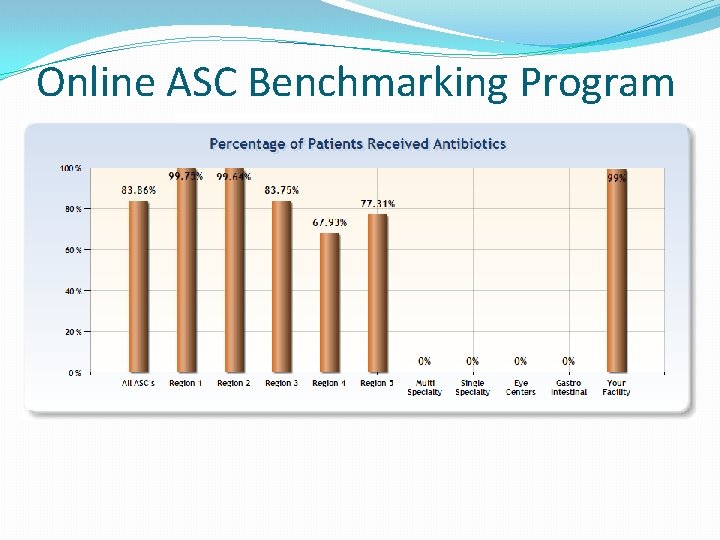
Online ASC Benchmarking Program Three Areas of Data Entry 4. Operation (Clinical) Data This section collects a wide variety of general operation and clinical-based data that is especially important for accreditation, QAPI, and even advocacy purposes. Areas covered include National Quality Forum data on infections, hair removal, prophylactic antibiotic administration, transfers which CMS has adopted for reporting.
Online ASC Benchmarking Program Survey Question Definitions To ensure that everyone is comparing similar data, each question has a specific definition as to what should be collected. Where to find those definitions? Two (2) places within Survey.
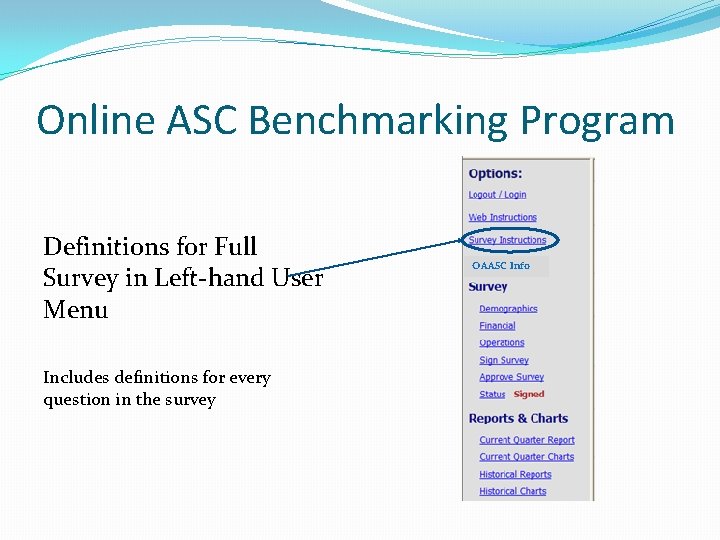
Online ASC Benchmarking Program Definitions for Full Survey in Left-hand User Menu Includes definitions for every question in the survey OAASC Info
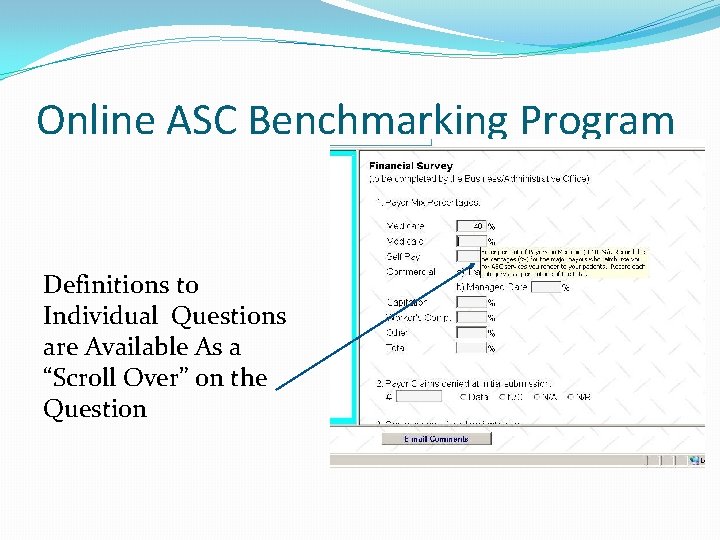
Online ASC Benchmarking Program Definitions to Individual Questions are Available As a “Scroll Over” on the Question
Online ASC Benchmarking Program Four Steps to Complete the Survey 1. Valid Login during the Data Entry Dates. The first successful Login during the Data Entry Dates will create in the database the data record for the quarter. This data record will include the data from the most recent quarter where data was entered (or blanks for your first time). Since this data is “old” the Status will indicate “Past Data. ”
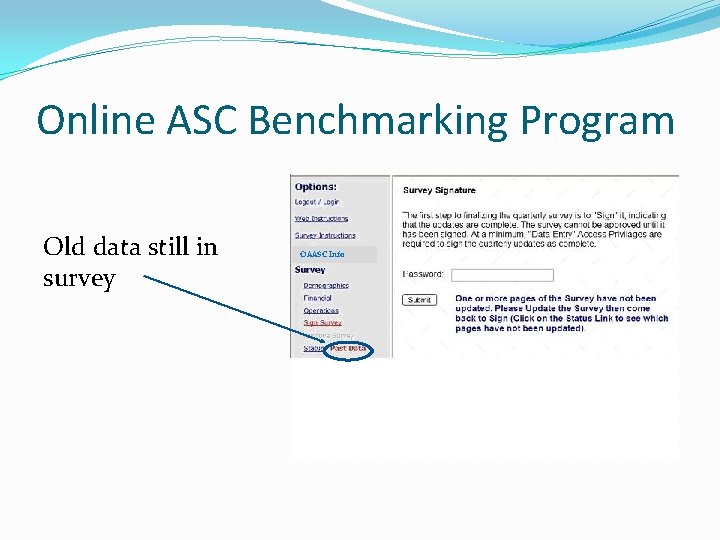
Online ASC Benchmarking Program Old data still in survey OAASC Info
Online ASC Benchmarking Program 2. Each Survey Data Page (Demographics, Financial, & Operations) must be visited and updated. Upon completion of updating a page, the user must press either of the “Update” buttons located at the top or bottom of the survey page for the new data to be written to the database. After every Survey Data Page has been accessed and updated, the Status indicator will display “In Progress. ” If only 1 or 2 of the Survey Data Pages have been updated, the Status indicator will continue to display “Past Data. ”
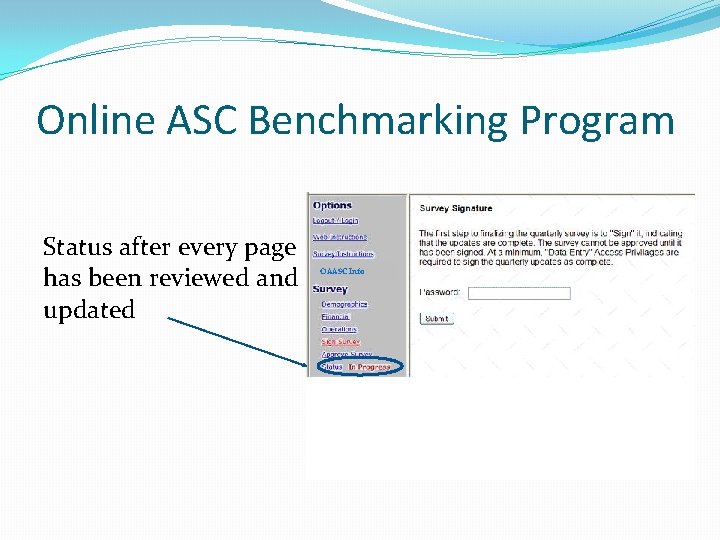
Online ASC Benchmarking Program Status after every page has been reviewed and updated OAASC Info
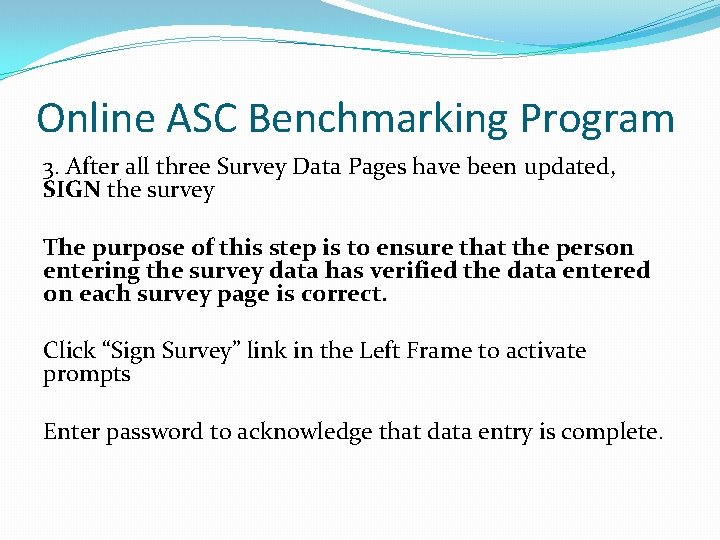
Online ASC Benchmarking Program 3. After all three Survey Data Pages have been updated, SIGN the survey The purpose of this step is to ensure that the person entering the survey data has verified the data entered on each survey page is correct. Click “Sign Survey” link in the Left Frame to activate prompts Enter password to acknowledge that data entry is complete.
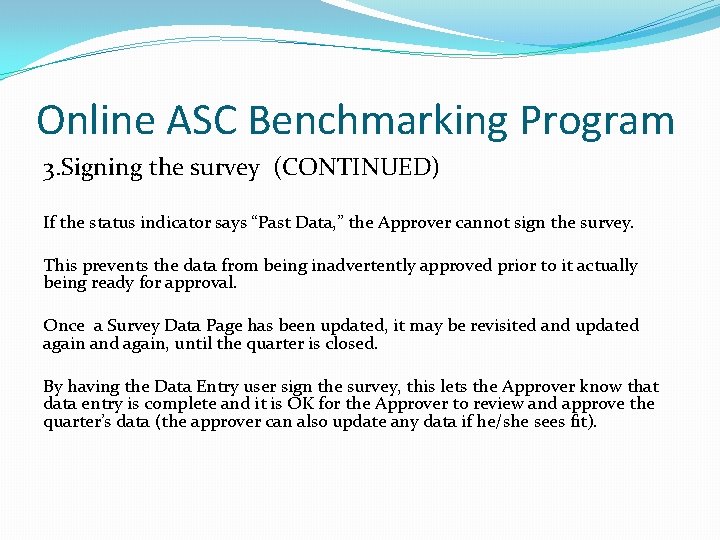
Online ASC Benchmarking Program 3. Signing the survey (CONTINUED) If the status indicator says “Past Data, ” the Approver cannot sign the survey. This prevents the data from being inadvertently approved prior to it actually being ready for approval. Once a Survey Data Page has been updated, it may be revisited and updated again and again, until the quarter is closed. By having the Data Entry user sign the survey, this lets the Approver know that data entry is complete and it is OK for the Approver to review and approve the quarter’s data (the approver can also update any data if he/she sees fit).
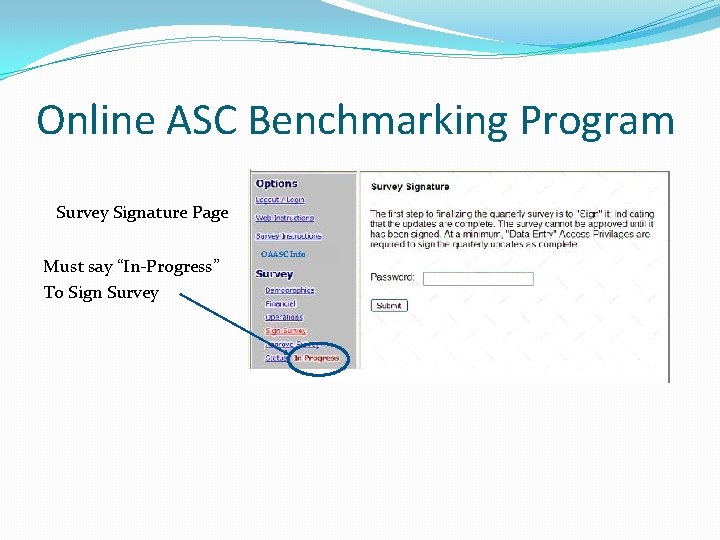
Online ASC Benchmarking Program Survey Signature Page Must say “In-Progress” To Sign Survey OAASC Info
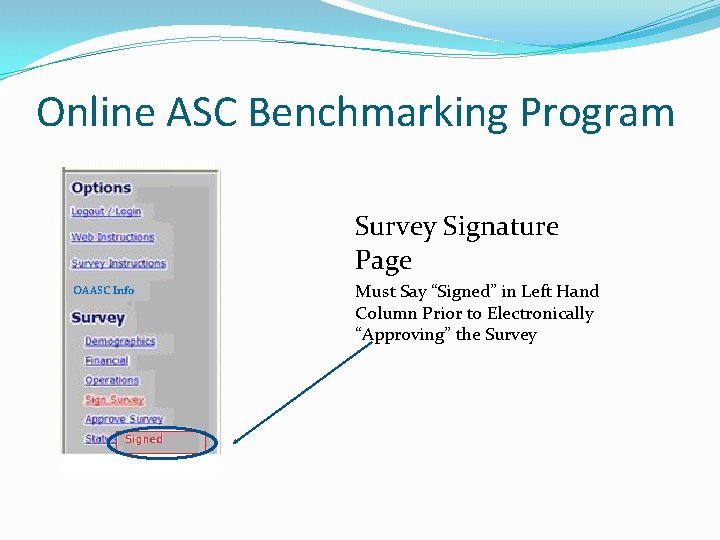
Online ASC Benchmarking Program Survey Signature Page OAASC Info Must Say “Signed” in Left Hand Column Prior to Electronically “Approving” the Survey
Online ASC Benchmarking Program 4. Final step – Approve It! Click on the “Approve Survey” link in the Left Frame activates the page that prompts the user to enter password to acknowledge that entered data is approved. However, if the status indicates “In Progress, ” the user cannot approve the survey. The purpose of this step is to ensure that the entered data has been reviewed by the given ASC’s approver. If the data is not approved, then it will not be used in the comparison Charts.
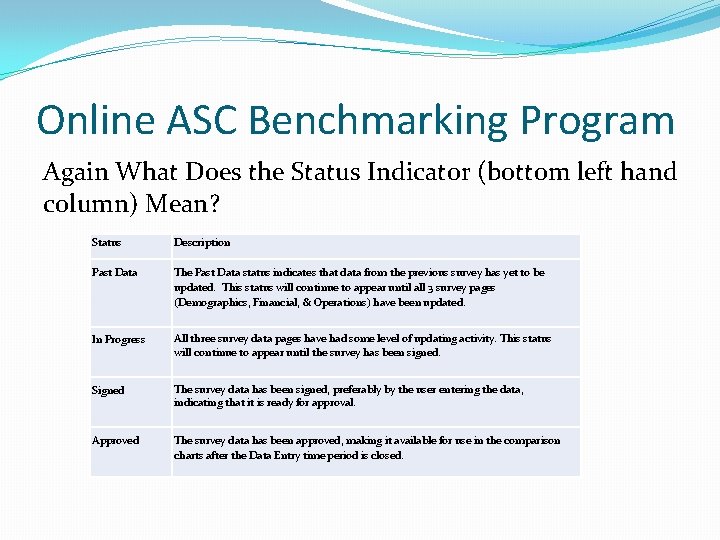
Online ASC Benchmarking Program Again What Does the Status Indicator (bottom left hand column) Mean? Status Description Past Data The Past Data status indicates that data from the previous survey has yet to be updated. This status will continue to appear until all 3 survey pages (Demographics, Financial, & Operations) have been updated. In Progress All three survey data pages have had some level of updating activity. This status will continue to appear until the survey has been signed. Signed The survey data has been signed, preferably by the user entering the data, indicating that it is ready for approval. Approved The survey data has been approved, making it available for use in the comparison charts after the Data Entry time period is closed.
Online ASC Benchmarking Program The Results After you have Entered, Signed and Approved your data for the quarter AND the 45 day data entry period has expired you can: �View your center’s current report (your most recent data entry) �View a PDF chart of your center’s data in comparison to other centers (in aggregate) �View a HTML chart of your center’s data in comparison to other centers (in aggregate)
Online ASC Benchmarking Program The Results And at any time you can view: �Past quarter data that you entered for your center �Past quarter charts in HTML form of your data compared to other centers in your region and state. �Prinatable at ANY time for whatever Quarter you need. Consider this an online library of your center’s data and benchmarking statistics
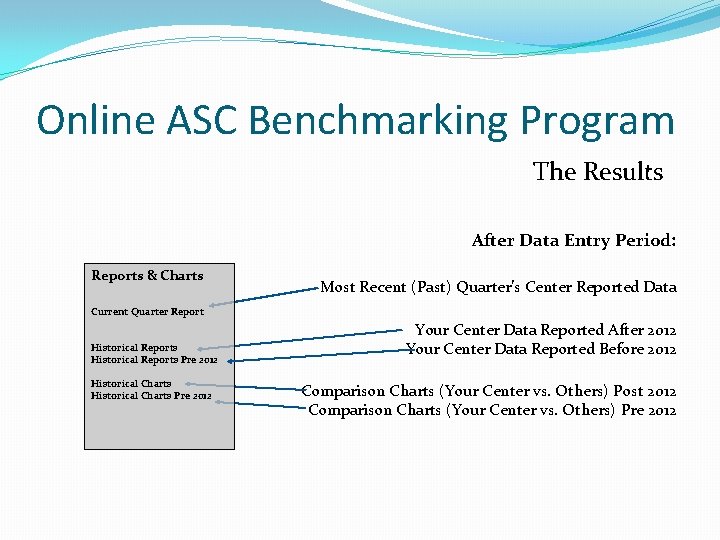
Online ASC Benchmarking Program The Results After Data Entry Period: Reports & Charts Most Recent (Past) Quarter’s Center Reported Data Current Quarter Report Historical Reports Pre 2012 Historical Charts Pre 2012 Your Center Data Reported After 2012 Your Center Data Reported Before 2012 Comparison Charts (Your Center vs. Others) Post 2012 Comparison Charts (Your Center vs. Others) Pre 2012
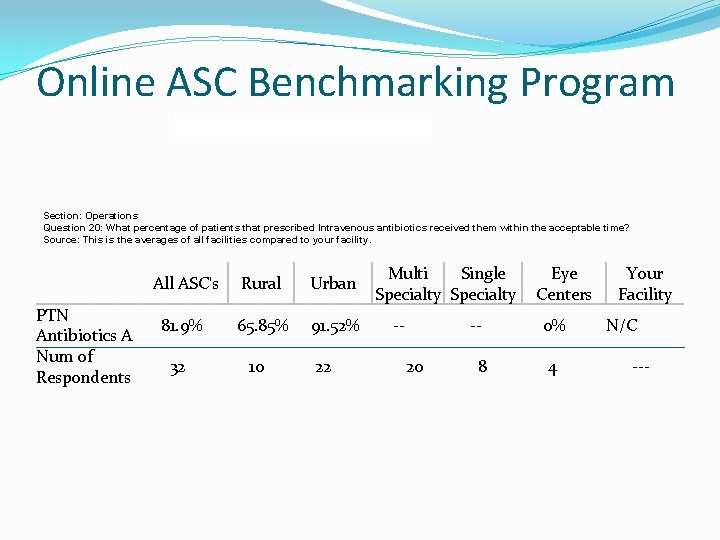
Online ASC Benchmarking Program Section: Operations Question 20: What percentage of patients that prescribed Intravenous antibiotics received them within the acceptable time? Source: This is the averages of all facilities compared to your facility. PTN Antibiotics A Num of Respondents All ASC's Rural Urban 81. 9% 65. 85% 91. 52% 32 10 22 Multi Single Specialty -- -20 8 Eye Centers 0% 4 Your Facility N/C ---
Online ASC Benchmarking Program
Online ASC Benchmarking Program Getting Started and Gaining Access to the Site Use the OAASC Data Points Checklist (sent earlier and in web instructions link online) to collect data All OAASC Members have logins Forget or need your login? Send the following info to info@oaasc. net Your full name ASC Name – Based on OAASC invoice if possible Phone Number

Online ASC Benchmarking Program FOR MORE INFORMATION OR QUESTIONS Contact Randy Leffler at rleffler@oaasc. net 614 -358 -0177 DIRECT ACCESS TO SURVEY – www. oaasc. org
- Slides: 43