
One SAF Objective System OOS Overview Marlo Verdesca
One. SAF Objective System (OOS) Overview Marlo Verdesca, Eric Root, Jaeson Munro SAIC Marlo. K. Verdesca@saic. com 11/28/2005 Slide 1

Background One. SAF consists of two separate program efforts: OTB One. SAF Testbed Baseline (OTB) is • An interactive, high resolution, entity level simulation which represents combined arms tactical operations up to the battalion level • Currently supports over 200 user sites • Based on the Mod. SAF baseline • Mod. SAF officially retired as of April 2002 One. SAF Objective System (OOS) is • • Slide 2 • New development. Composable, next generation CGF that can represent from the entity to the brigade level. New core architecture. Need based on cost savings through replacement of legacy simulations: – BBS - OTB - Janus - CCTT/AVCATT SAF Commonly referred to as “One. SAF”

What is One Semi-Automated Forces (One. SAF) Objective System (OOS)? A composable, next generation CGF that can represent a full range of operations, systems, and control processes (TTP) from entity up to brigade level, with variable level of fidelity that supports multiple Army M&S domain (ACR, RDA, TEMO) applications. Software only Automated Composable Extensible Interoperable Platform Independent Constructive simulation capable of stimulating Virtual and Live simulations to complete the L-V-C triangle Slide 3 Field to: • RDECs / Battle Labs • National Guard Armories • Reserve Training Centers • All Active Duty Brigades and Battalions
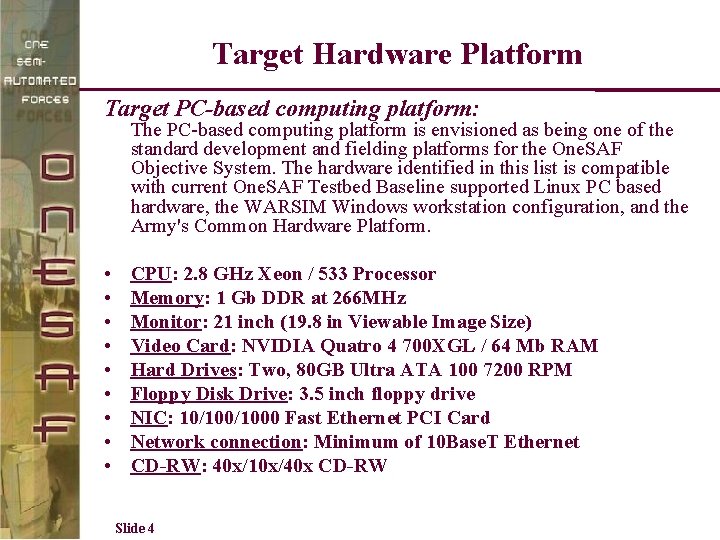
Target Hardware Platform Target PC-based computing platform: The PC-based computing platform is envisioned as being one of the standard development and fielding platforms for the One. SAF Objective System. The hardware identified in this list is compatible with current One. SAF Testbed Baseline supported Linux PC based hardware, the WARSIM Windows workstation configuration, and the Army's Common Hardware Platform. • • • CPU: 2. 8 GHz Xeon / 533 Processor Memory: 1 Gb DDR at 266 MHz Monitor: 21 inch (19. 8 in Viewable Image Size) Video Card: NVIDIA Quatro 4 700 XGL / 64 Mb RAM Hard Drives: Two, 80 GB Ultra ATA 100 7200 RPM Floppy Disk Drive: 3. 5 inch floppy drive NIC: 10/1000 Fast Ethernet PCI Card Network connection: Minimum of 10 Base. T Ethernet CD-RW: 40 x/10 x/40 x CD-RW Slide 4
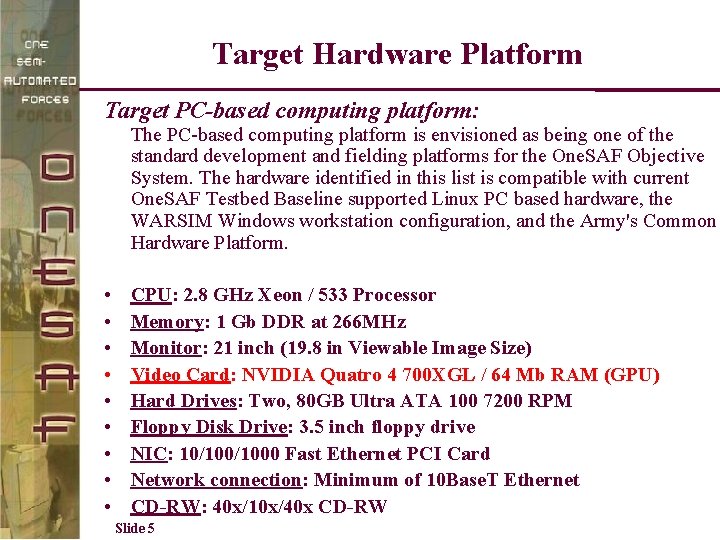
Target Hardware Platform Target PC-based computing platform: The PC-based computing platform is envisioned as being one of the standard development and fielding platforms for the One. SAF Objective System. The hardware identified in this list is compatible with current One. SAF Testbed Baseline supported Linux PC based hardware, the WARSIM Windows workstation configuration, and the Army's Common Hardware Platform. • • • CPU: 2. 8 GHz Xeon / 533 Processor Memory: 1 Gb DDR at 266 MHz Monitor: 21 inch (19. 8 in Viewable Image Size) Video Card: NVIDIA Quatro 4 700 XGL / 64 Mb RAM (GPU) Hard Drives: Two, 80 GB Ultra ATA 100 7200 RPM Floppy Disk Drive: 3. 5 inch floppy drive NIC: 10/1000 Fast Ethernet PCI Card Network connection: Minimum of 10 Base. T Ethernet CD-RW: 40 x/10 x/40 x CD-RW Slide 5
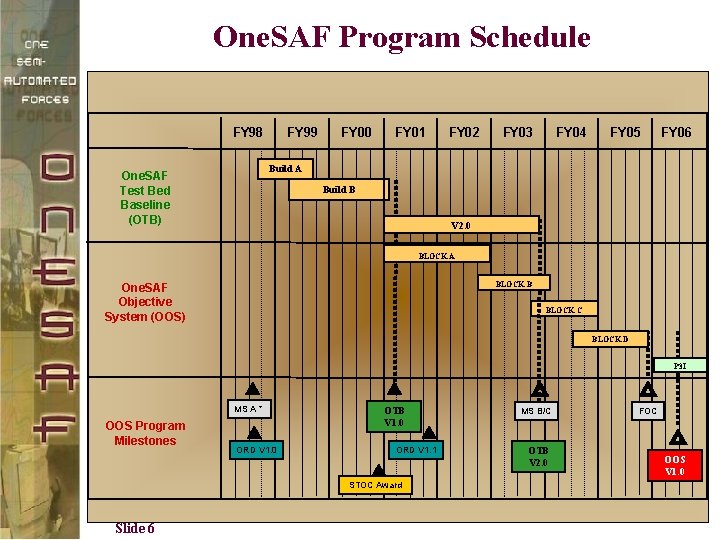
One. SAF Program Schedule FY 98 FY 99 FY 00 FY 01 FY 02 FY 03 FY 04 FY 05 FY 06 Build A One. SAF Test Bed Baseline (OTB) Build B V 2. 0 BLOCK A BLOCK B One. SAF Objective System (OOS) BLOCK C BLOCK D P 3 I MS A * OOS Program Milestones ORD V 1. 0 OTB V 1. 0 ORD V 1. 1 STOC Award Slide 6 MS B/C OTB V 2. 0 FOC OOS V 1. 0
Line of Sight (LOS) Service in One. SAF Slide 7
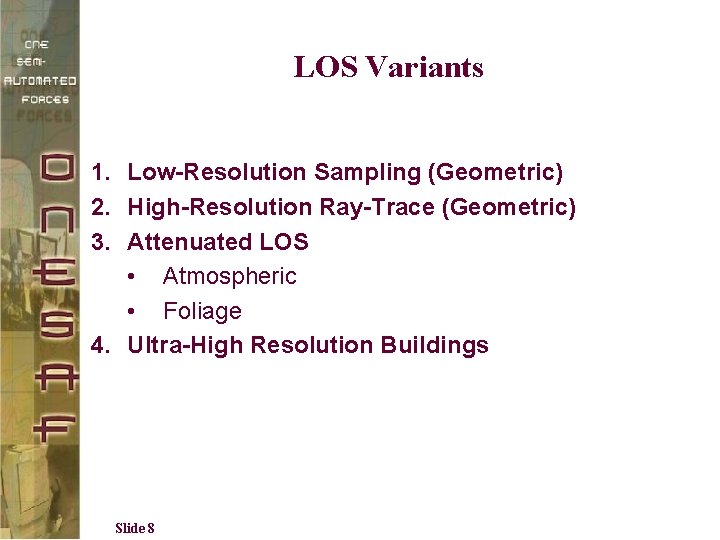
LOS Variants 1. Low-Resolution Sampling (Geometric) 2. High-Resolution Ray-Trace (Geometric) 3. Attenuated LOS • Atmospheric • Foliage 4. Ultra-High Resolution Buildings Slide 8
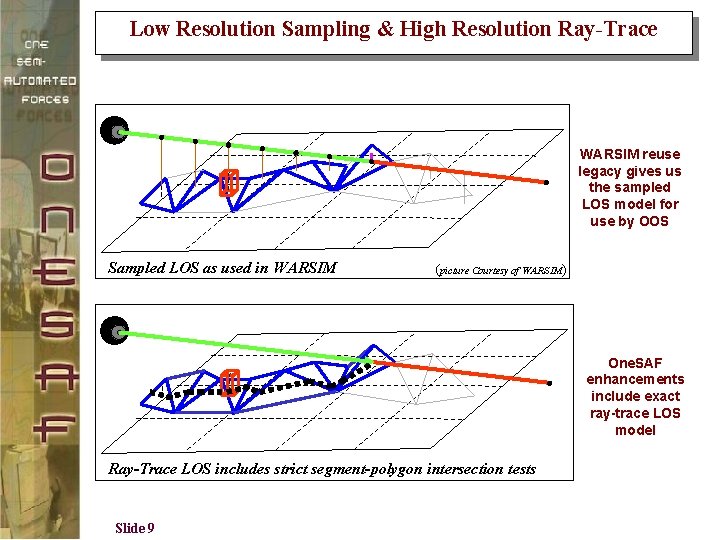
Low Resolution Sampling & High Resolution Ray-Trace WARSIM reuse legacy gives us the sampled LOS model for use by OOS Sampled LOS as used in WARSIM (picture Courtesy of WARSIM) One. SAF enhancements include exact ray-trace LOS model Ray-Trace LOS includes strict segment-polygon intersection tests Slide 9
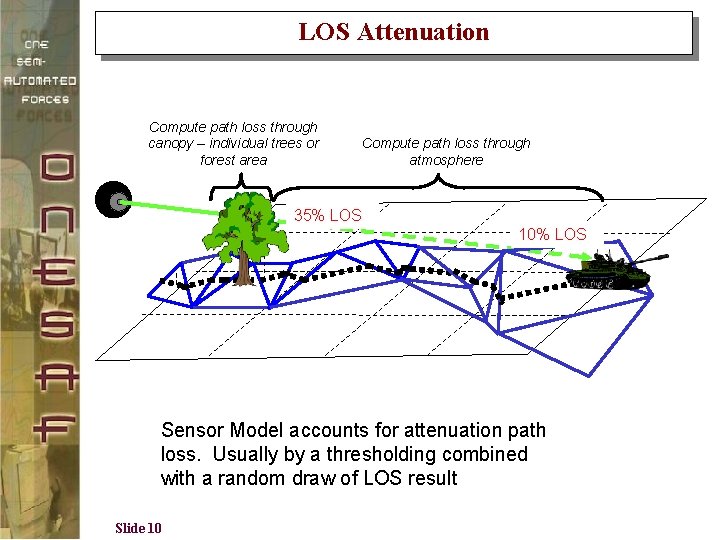
LOS Attenuation Compute path loss through canopy – individual trees or forest area Compute path loss through atmosphere 35% LOS 10% LOS Sensor Model accounts for attenuation path loss. Usually by a thresholding combined with a random draw of LOS result Slide 10
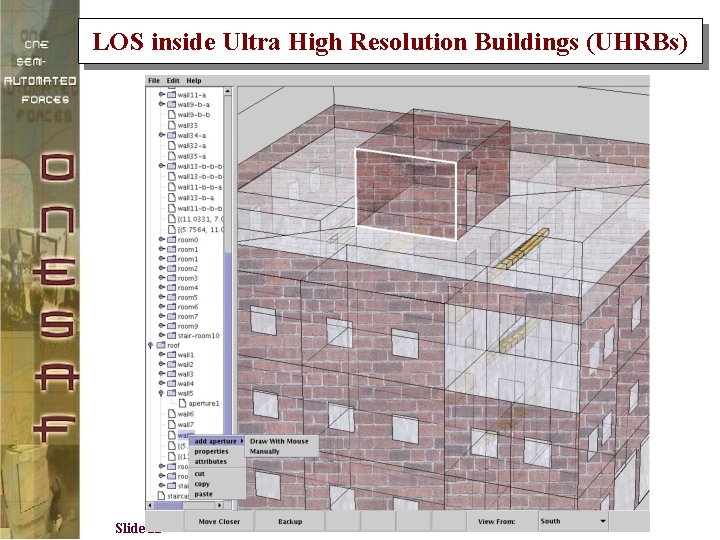
LOS inside Ultra High Resolution Buildings (UHRBs) Slide 11
Hybrid GPU/CPU Approach GPU used to conservatively cull LOS queries Create depth map (4 k x 4 k) from above using orthographic projection Test line segments against depth buffer with reversed depth test Line segments with no pixels passing depth test have LOS CPU Exact tests using raycasting for non-culled queries (using double precision arithmetic) Culling eliminates most of the worst-case (nonintersecting) queries 17 The UNIVERSITY of NORTH CAROLINA at CHAPEL HILL
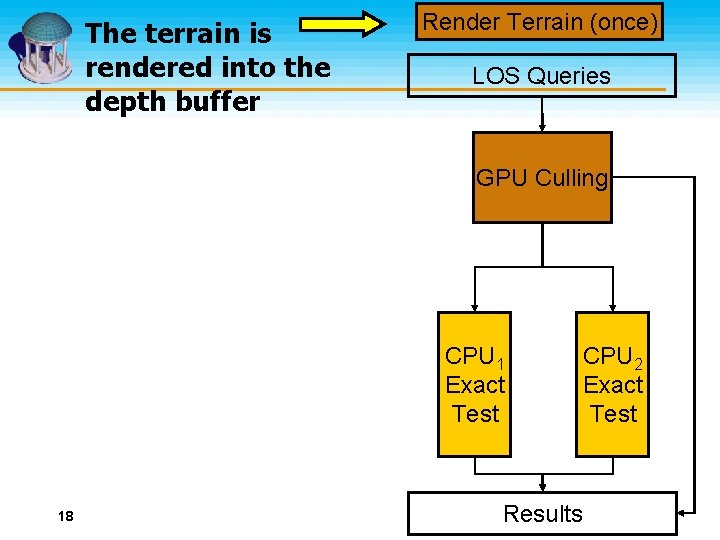
The terrain is rendered into the depth buffer Render Terrain (once) LOS Queries GPU Culling CPU 1 Exact Test 18 Results CPU 2 Exact Test The UNIVERSITY of NORTH CAROLINA at CHAPEL HILL
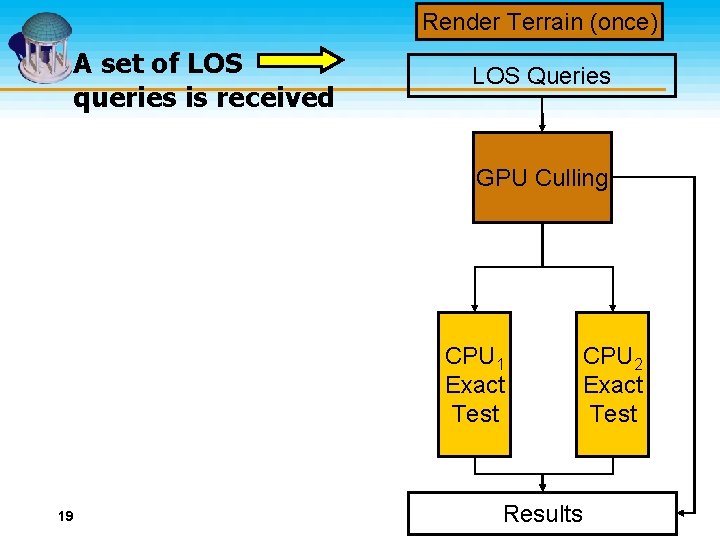
Render Terrain (once) A set of LOS queries is received LOS Queries GPU Culling CPU 1 Exact Test 19 Results CPU 2 Exact Test The UNIVERSITY of NORTH CAROLINA at CHAPEL HILL
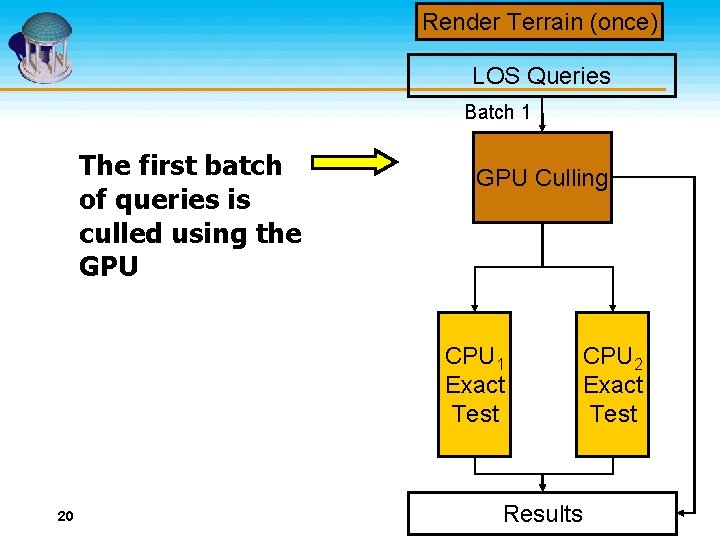
Render Terrain (once) LOS Queries Batch 1 The first batch of queries is culled using the GPU Culling CPU 1 Exact Test 20 Results CPU 2 Exact Test The UNIVERSITY of NORTH CAROLINA at CHAPEL HILL
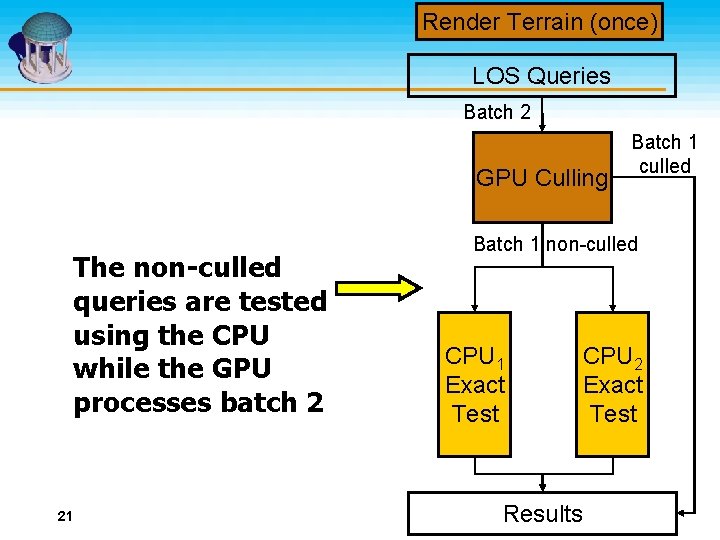
Render Terrain (once) LOS Queries Batch 2 GPU Culling The non-culled queries are tested using the CPU while the GPU processes batch 2 21 Batch 1 culled Batch 1 non-culled CPU 1 Exact Test Results CPU 2 Exact Test The UNIVERSITY of NORTH CAROLINA at CHAPEL HILL
Conservative GPU Culling Render terrain only once for static scenes Use GPU memory for fast rendering of dynamic scenes Conservativeness leads to “false positives” requiring more CPU tests Increased resolution decreases false positives Resolution limited to 4 k x 4 k on current GPUs We use multiple buffers to increase the effective resolution 22 The UNIVERSITY of NORTH CAROLINA at CHAPEL HILL
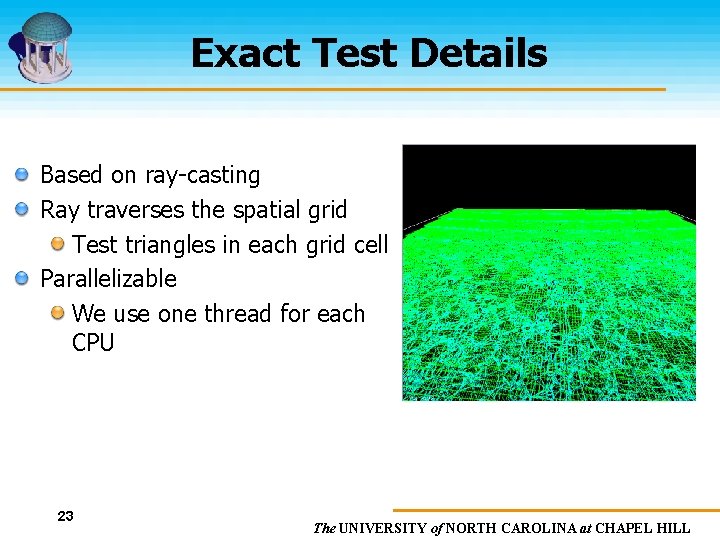
Exact Test Details Based on ray-casting Ray traverses the spatial grid Test triangles in each grid cell Parallelizable We use one thread for each CPU terrain with uniform grid 23 The UNIVERSITY of NORTH CAROLINA at CHAPEL HILL
LOS Integration into One. SAF Slide 24
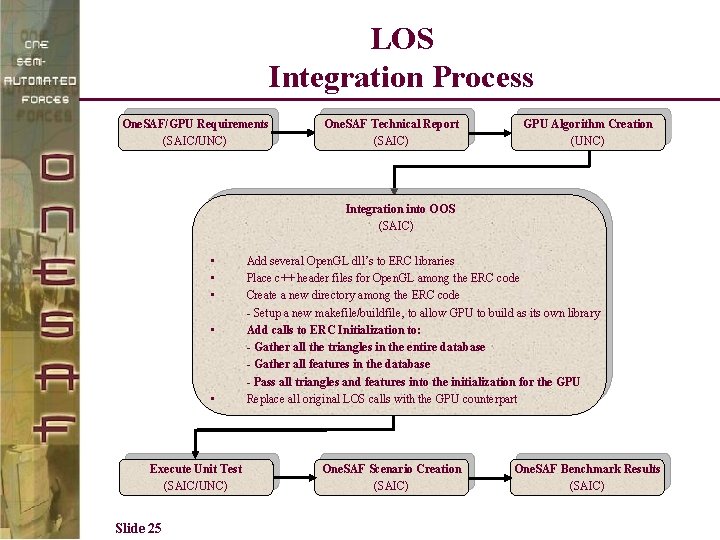
LOS Integration Process One. SAF/GPU Requirements (SAIC/UNC) One. SAF Technical Report (SAIC) GPU Algorithm Creation (UNC) Integration into OOS (SAIC) • • • Execute Unit Test (SAIC/UNC) Slide 25 Add several Open. GL dll’s to ERC libraries Place c++ header files for Open. GL among the ERC code Create a new directory among the ERC code - Setup a new makefile/buildfile, to allow GPU to build as its own library Add calls to ERC Initialization to: - Gather all the triangles in the entire database - Gather all features in the database - Pass all triangles and features into the initialization for the GPU Replace all original LOS calls with the GPU counterpart One. SAF Scenario Creation (SAIC) One. SAF Benchmark Results (SAIC)
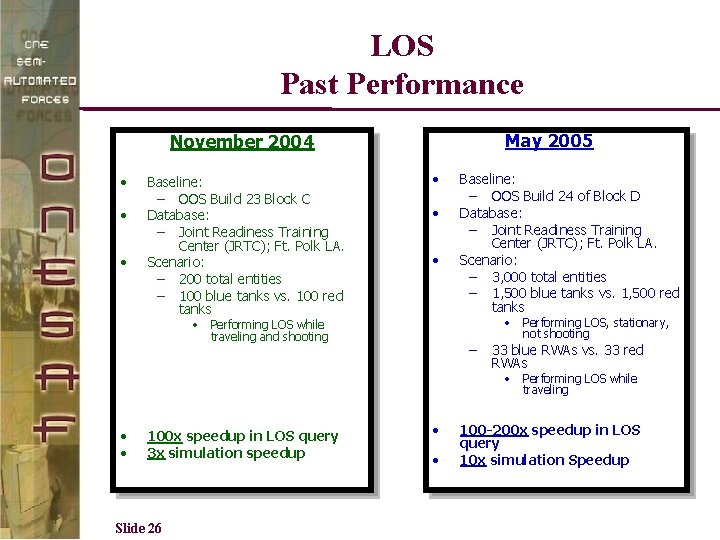
LOS Past Performance May 2005 November 2004 • • • Baseline: – OOS Build 23 Block C Database: – Joint Readiness Training Center (JRTC); Ft. Polk LA. Scenario: – 200 total entities – 100 blue tanks vs. 100 red tanks • • Performing LOS while traveling and shooting Baseline: – OOS Build 24 of Block D Database: – Joint Readiness Training Center (JRTC); Ft. Polk LA. Scenario: – 3, 000 total entities – 1, 500 blue tanks vs. 1, 500 red tanks – • Performing LOS, stationary, not shooting 33 blue RWAs vs. 33 red RWAs • Performing LOS while traveling • • 100 x speedup in LOS query 3 x simulation speedup Slide 26 • • 100 -200 x speedup in LOS query 10 x simulation Speedup
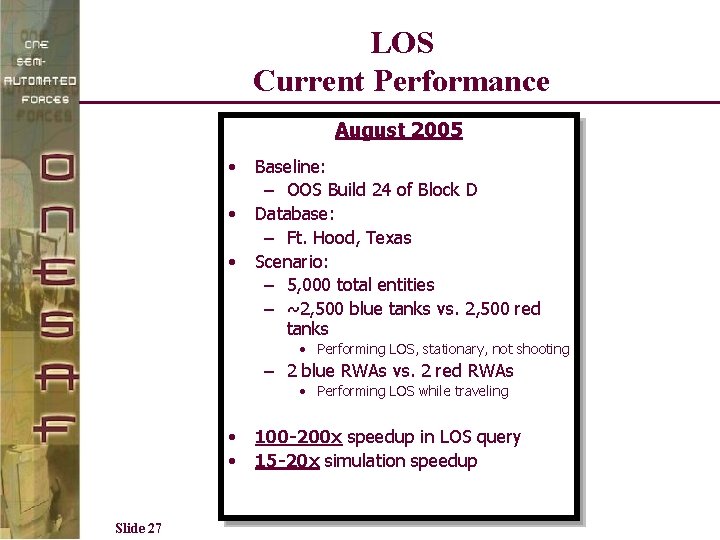
LOS Current Performance August 2005 • • • Baseline: – OOS Build 24 of Block D Database: – Ft. Hood, Texas Scenario: – 5, 000 total entities – ~2, 500 blue tanks vs. 2, 500 red tanks • Performing LOS, stationary, not shooting – 2 blue RWAs vs. 2 red RWAs • Performing LOS while traveling • • Slide 27 100 -200 x speedup in LOS query 15 -20 x simulation speedup
LOS Demonstration Slide 28
Results • Average time for Standard LOS service call: 1 – 2 millisecond • Average time for GPU LOS service call: 12 microseconds • 100 -200 x speedup in LOS query • Overall speedup: 20 x simulation improvement Slide 29
Route Planning in One. SAF Slide 30
Types of Routes in One. SAF • Direct Routes – Follow the route waypoints exactly as entered by the user • Networked Routes – Follow a linear feature, such as rivers or roads • Cross Country Routes – Utilize a grid of routing cells that form an implicit network for the A* algorithm to search Slide 31
Route Planning Algorithms in One. SAF • Apply the A* algorithm to routing networks • The cost function assigns a weight (cost) for a route segment – Segment data includes the segment’s coordinates, slope, terrain type, and an indication of features • The routing algorithm evaluates possible route segments based on their cost; a lower cost indicates a more favorable route. • While evaluating a route segment, the cost function may call other ERC services, such as line of sight. Slide 32
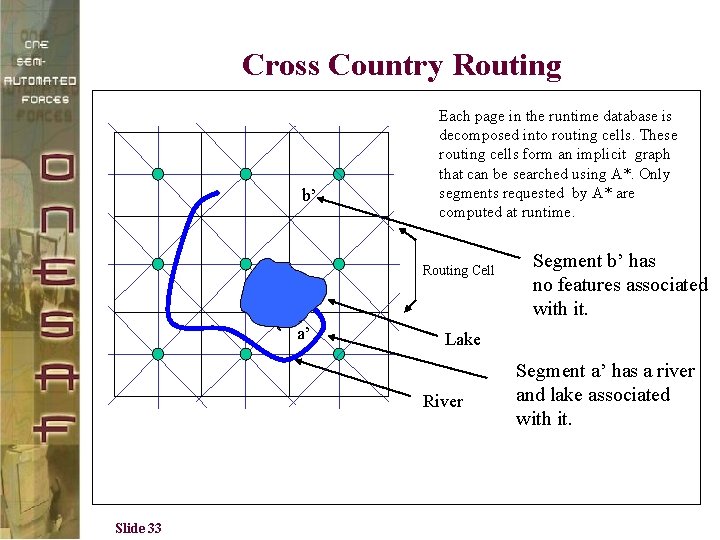
Cross Country Routing b’ Each page in the runtime database is decomposed into routing cells. These routing cells form an implicit graph that can be searched using A*. Only segments requested by A* are computed at runtime. Routing Cell a’ Lake River Slide 33 Segment b’ has no features associated with it. Segment a’ has a river and lake associated with it.
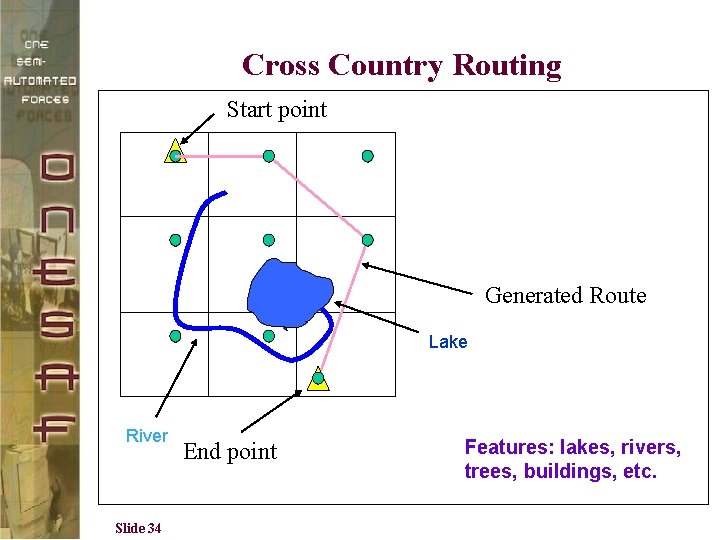
Cross Country Routing Start point Generated Route Lake River Slide 34 End point Features: lakes, rivers, trees, buildings, etc.
Motivation In One. SAF, the route-planning bottleneck is feature analysis (intersection tests) Accounts for over 50% of computation time Feature analysis is the best (obvious) candidate as the starting point for performance improvement The route-planning algorithm in One. SAF can use parallel feature-analysis computations 35 The UNIVERSITY of NORTH CAROLINA at CHAPEL HILL
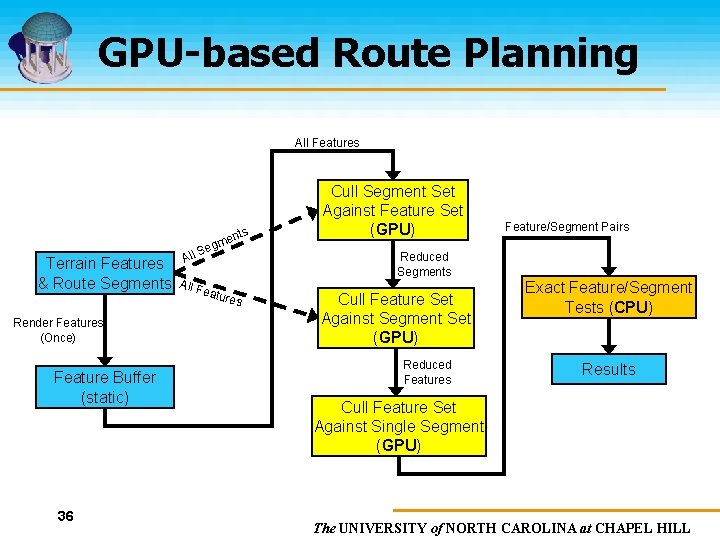
GPU-based Route Planning All Features Terrain Features & Route Segments Render Features (Once) Feature Buffer (static) 36 All nts me Seg All F eatu res Cull Segment Set Against Feature Set (GPU) Feature/Segment Pairs Reduced Segments Cull Feature Set Against Segment Set (GPU) Reduced Features Exact Feature/Segment Tests (CPU) Results Cull Feature Set Against Single Segment (GPU) The UNIVERSITY of NORTH CAROLINA at CHAPEL HILL
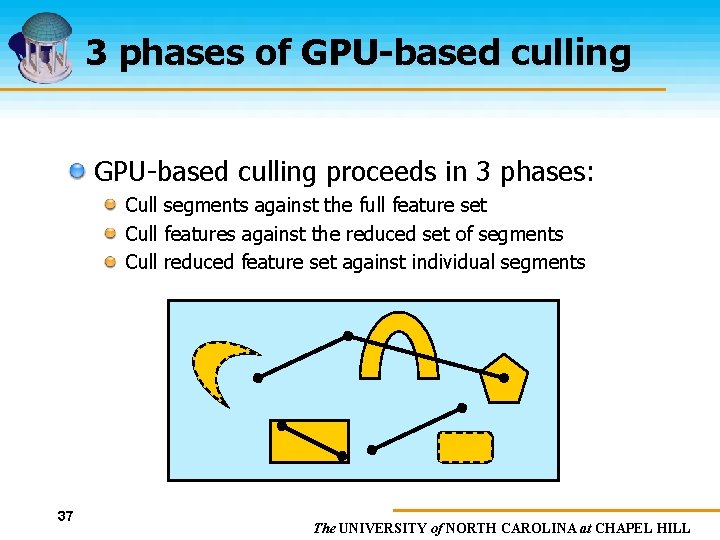
3 phases of GPU-based culling proceeds in 3 phases: Cull segments against the full feature set Cull features against the reduced set of segments Cull reduced feature set against individual segments 37 The UNIVERSITY of NORTH CAROLINA at CHAPEL HILL
Route Planning Integration into One. SAF Slide 38
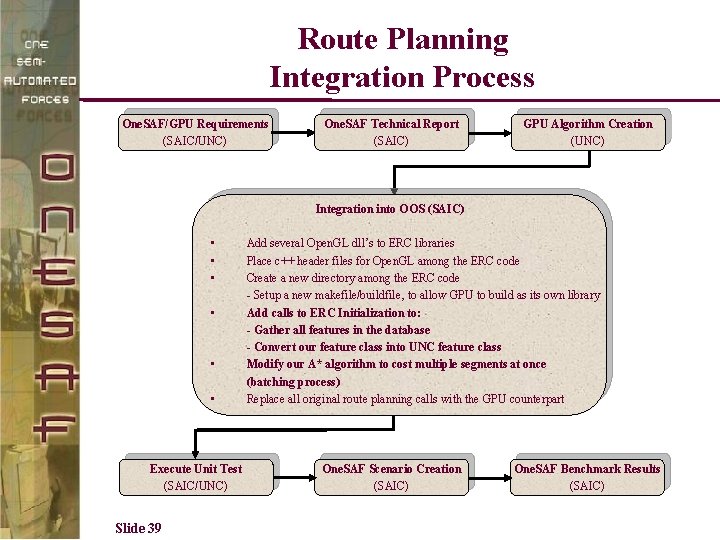
Route Planning Integration Process One. SAF/GPU Requirements (SAIC/UNC) One. SAF Technical Report (SAIC) GPU Algorithm Creation (UNC) Integration into OOS (SAIC) • • • Execute Unit Test (SAIC/UNC) Slide 39 Add several Open. GL dll’s to ERC libraries Place c++ header files for Open. GL among the ERC code Create a new directory among the ERC code - Setup a new makefile/buildfile, to allow GPU to build as its own library Add calls to ERC Initialization to: - Gather all features in the database - Convert our feature class into UNC feature class Modify our A* algorithm to cost multiple segments at once (batching process) Replace all original route planning calls with the GPU counterpart One. SAF Scenario Creation (SAIC) One. SAF Benchmark Results (SAIC)
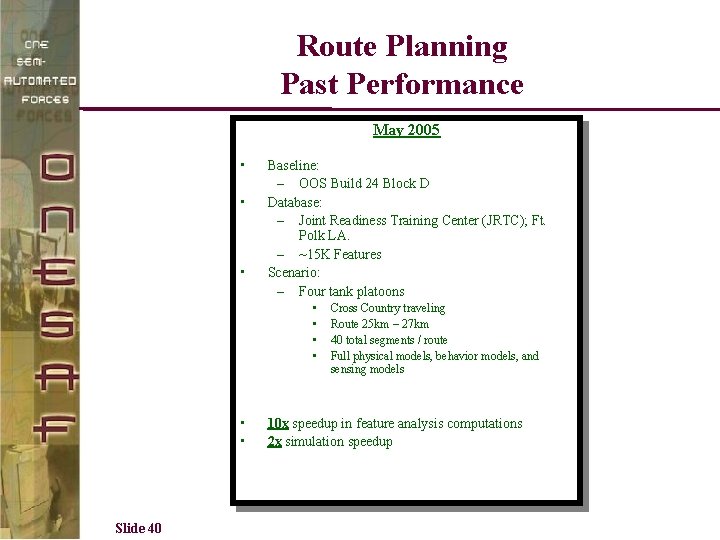
Route Planning Past Performance May 2005 • • • Baseline: – OOS Build 24 Block D Database: – Joint Readiness Training Center (JRTC); Ft. Polk LA. – ~15 K Features Scenario: – Four tank platoons • • • Slide 40 Cross Country traveling Route 25 km – 27 km 40 total segments / route Full physical models, behavior models, and sensing models 10 x speedup in feature analysis computations 2 x simulation speedup
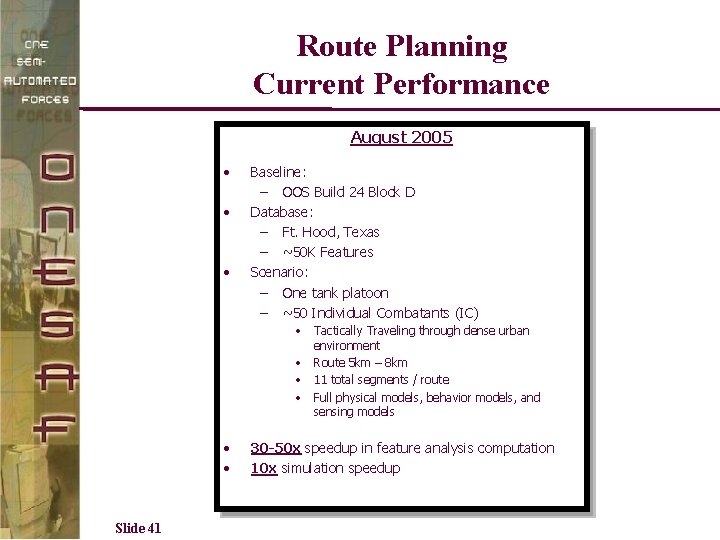
Route Planning Current Performance August 2005 • • • Baseline: – OOS Build 24 Block D Database: – Ft. Hood, Texas – ~50 K Features Scenario: – One tank platoon – ~50 Individual Combatants (IC) • Tactically Traveling through dense urban environment • Route 5 km – 8 km • 11 total segments / route • Full physical models, behavior models, and sensing models • • Slide 41 30 -50 x speedup in feature analysis computation 10 x simulation speedup
Route Planning Demonstration Slide 42
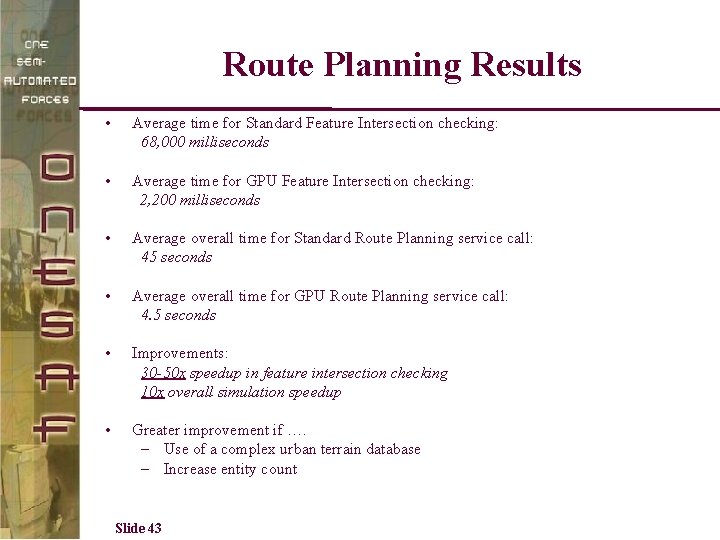
Route Planning Results • Average time for Standard Feature Intersection checking: 68, 000 milliseconds • Average time for GPU Feature Intersection checking: 2, 200 milliseconds • Average overall time for Standard Route Planning service call: 45 seconds • Average overall time for GPU Route Planning service call: 4. 5 seconds • Improvements: 30 -50 x speedup in feature intersection checking 10 x overall simulation speedup • Greater improvement if …. – Use of a complex urban terrain database – Increase entity count Slide 43
Collision Detection in One. SAF Slide 44
Basic Architecture • • • Basic Architecture of Collision in One. SAF – Two types of collision • Entity collides with entity • Entity collides with environment feature Collision detection is performed for each entity Medium and High resolution entities perform collision detection once per tick (15 Hz) Requires that the footprint of the entity be checked for intersections against features with linear, circular, and polygonal geometry. One. SAF Environment provides a service (get_features_in_area) to assist in detection of collisions with environmental objects Slide 45
Current Status of Collision Detection • One. SAF continues to finalize collision detection capabilities for version 1. 0 – One. SAF Build 24, Block D baseline contained minimal collision detection capabilities • SAIC/GPU team incorporate a basic collision detection algorithm into our GPU Build 24, Block D baseline: – Algorithm incorporated performs only the exact entity/feature tests (similar to UNC) – • Timing results that are collected are estimates to the true functionality Once collision detection is finalized and integrated into One. SAF: – Collision detection algorithm will be better defined – Provides more accurate timing results while comparing GPU-based algorithms to non-GPU-based algorithms Slide 46
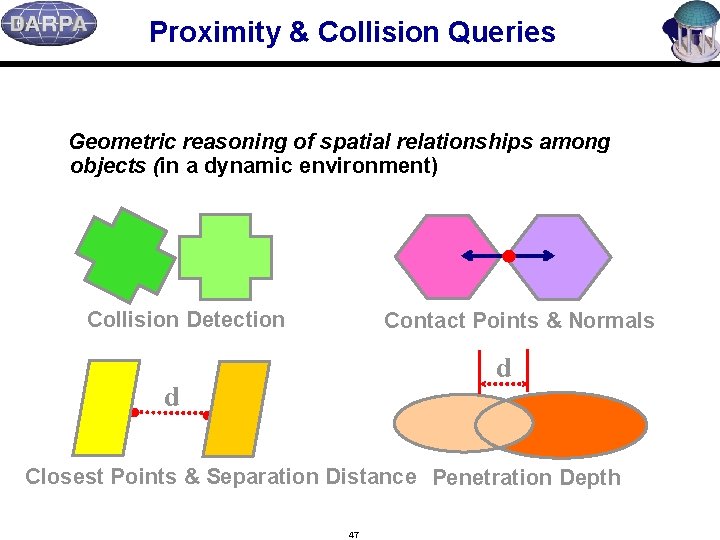
Proximity & Collision Queries Geometric reasoning of spatial relationships among objects (in a dynamic environment) Collision Detection Contact Points & Normals d d Closest Points & Separation Distance Penetration Depth 47
Applications n Rapid Prototyping – tolerance verification n Dynamic Simulation – contact force calculation n Computer Animation – motion control n Motion Planning – distance computation n Virtual Environments -- interactive manipulation n Haptic Rendering -- restoring force computation n Simulation-Based Design – interference detection n Engineering Analysis – testing & validation n Medical Training – contact analysis and handling n Education – simulating physics & mechanics 48
Motivation n Collision and proximity queries can take a significant amount of time (up to 90%) in many applications: o dynamic simulation – automobile safety testing, cloth folding, engineering using prototyping, avatar interaction, etc. o path planning – routing, navigation in VE, strategic planning, etc. 49
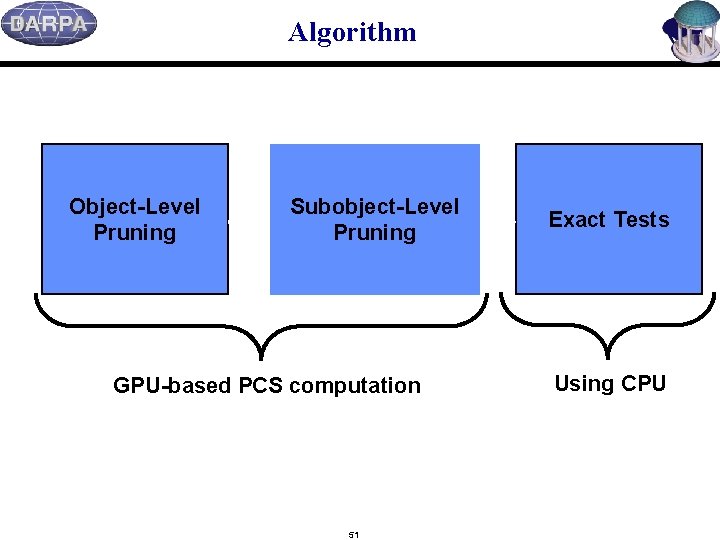
Algorithm Object-Level Pruning Subobject-Level Pruning GPU-based PCS computation 51 Exact Tests Using CPU
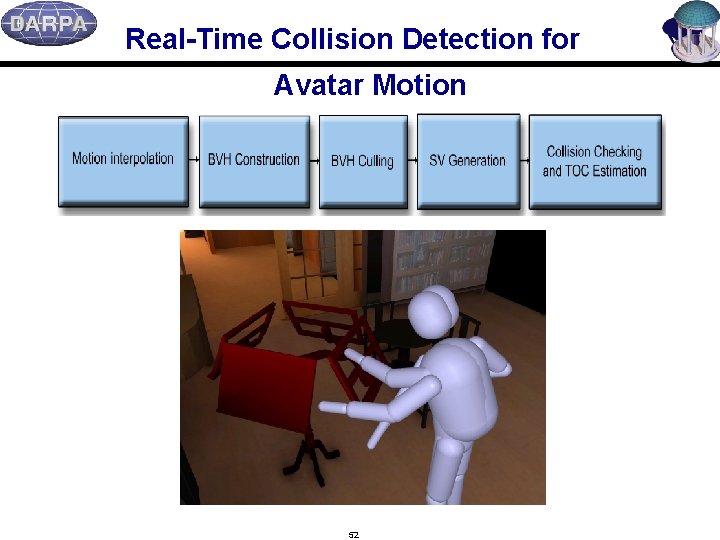
Real-Time Collision Detection for Avatar Motion 52
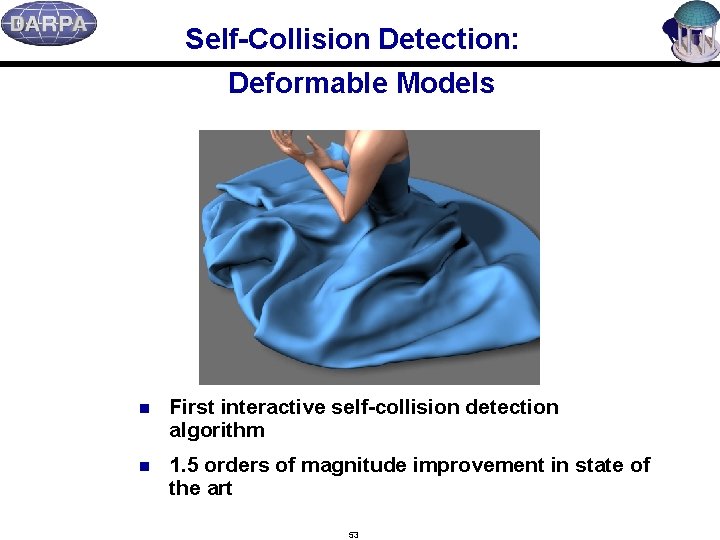
Self-Collision Detection: Deformable Models n First interactive self-collision detection algorithm n 1. 5 orders of magnitude improvement in state of the art 53
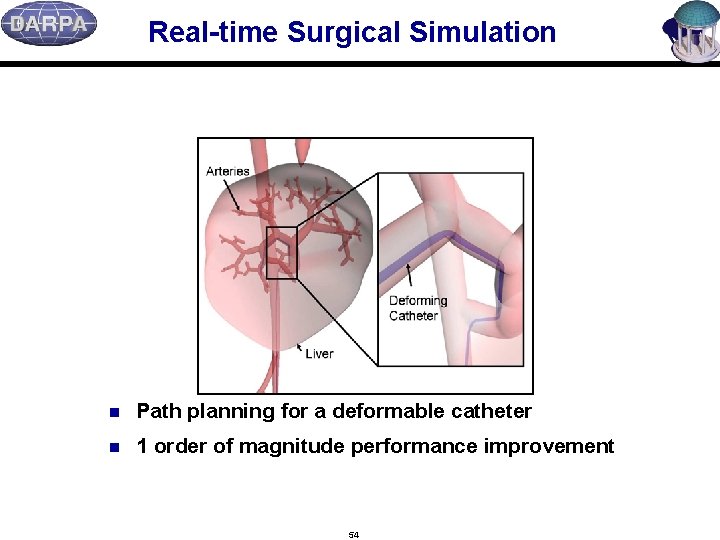
Real-time Surgical Simulation n Path planning for a deformable catheter n 1 order of magnitude performance improvement 54
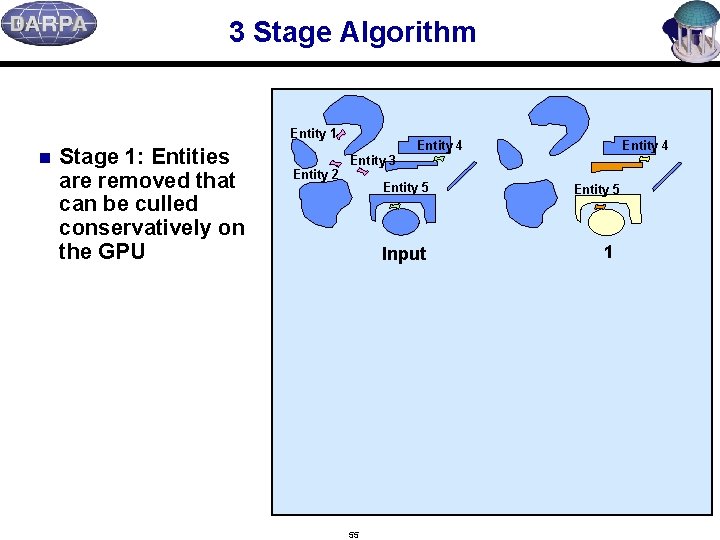
3 Stage Algorithm Entity 1 n Stage 1: Entities are removed that can be culled conservatively on the GPU Entity 2 Entity 4 Entity 3 Entity 5 Input 55 Entity 5 1
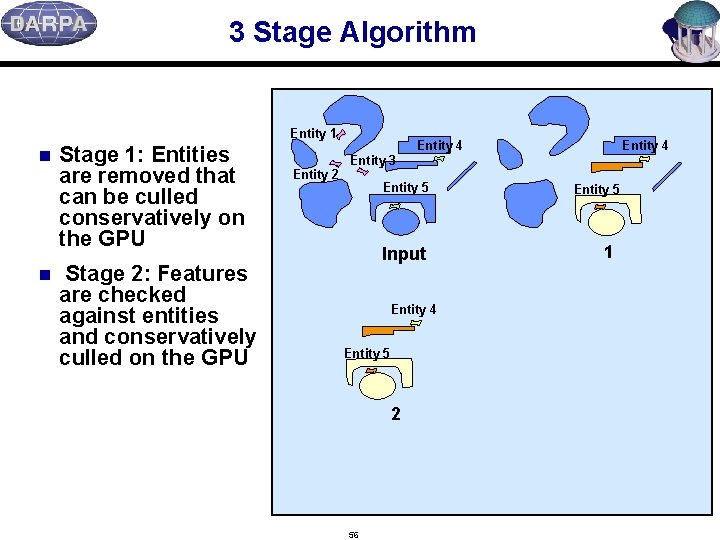
3 Stage Algorithm Entity 1 n n Stage 1: Entities are removed that can be culled conservatively on the GPU Stage 2: Features are checked against entities and conservatively culled on the GPU Entity 2 Entity 4 Entity 3 Entity 5 Input Entity 4 Entity 5 2 56 Entity 5 1
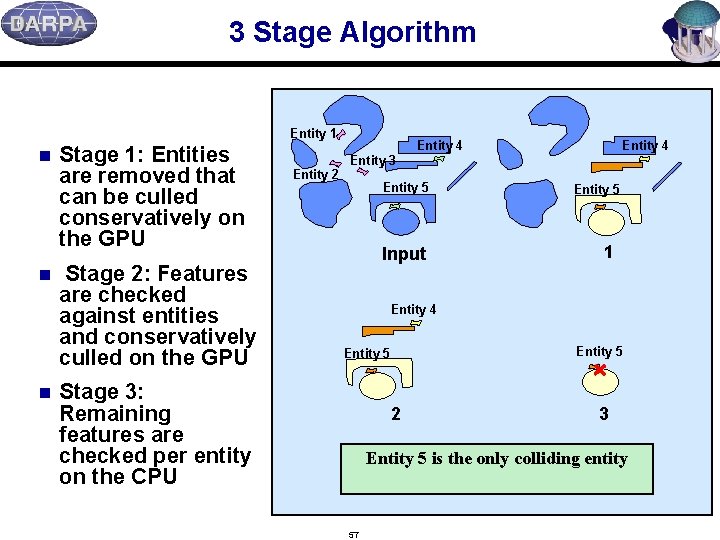
3 Stage Algorithm Entity 1 n n n Stage 1: Entities are removed that can be culled conservatively on the GPU Stage 2: Features are checked against entities and conservatively culled on the GPU Entity 2 Entity 4 Entity 3 Entity 5 Input Entity 5 1 Entity 4 Entity 5 Stage 3: Remaining features are checked per entity on the CPU 2 3 Entity 5 is the only colliding entity 57
3 Stages of Collision Detection n Each stage reduces the complexity of the next phase n If features are static, they are rasterized only once for all entity-based occlusion queries n Dynamic terrains can be easily supported o Dynamic features are easily supported by the algorithm o Requires one extra rasterization of the feature set 58
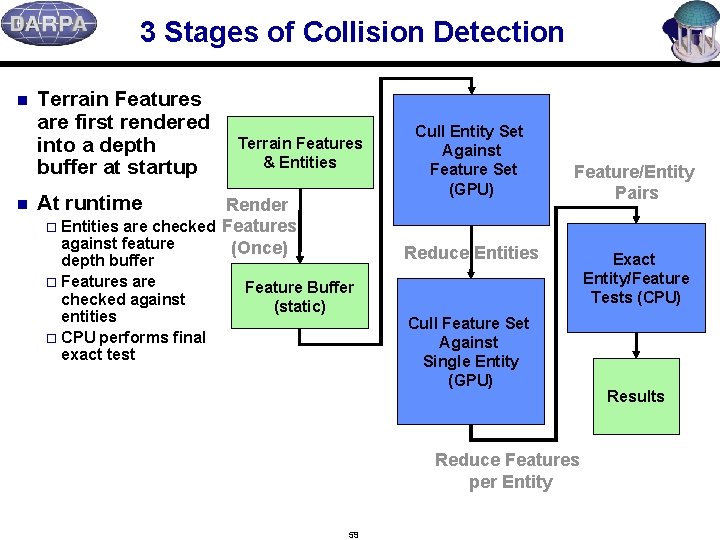
3 Stages of Collision Detection n n Terrain Features are first rendered into a depth buffer at startup Terrain Features & Entities At runtime Render o Entities are checked Features against feature (Once) depth buffer o Features are checked against entities o CPU performs final exact test Cull Entity Set Against Feature Set (GPU) Feature/Entity Pairs Reduce Entities Feature Buffer (static) Cull Feature Set Against Single Entity (GPU) Reduce Features per Entity 59 Exact Entity/Feature Tests (CPU) Results
Occlusion Queries for Overlap Tests n Standard feature of current GPUs n When two objects are rendered/drawn, the queries check for overlap n We draw features and entities with occlusion queries o Find features and entities that overlap o Drawing a feature or an entity takes only a few microseconds 60
Collision Detection Integration into One. SAF Slide 61
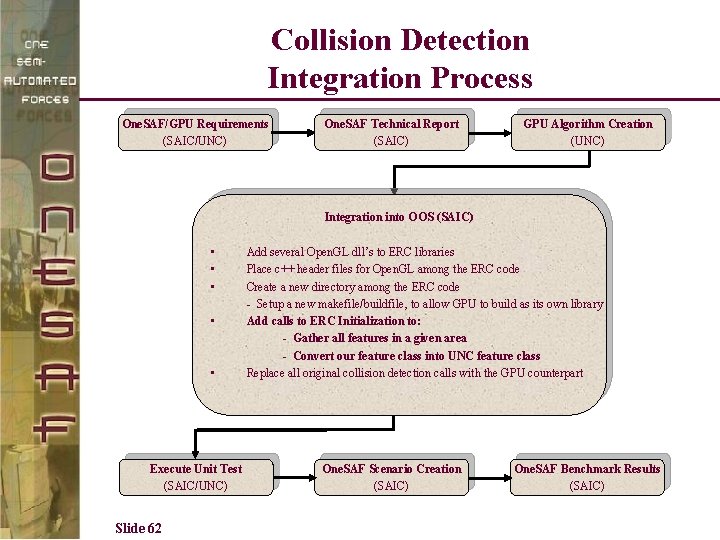
Collision Detection Integration Process One. SAF/GPU Requirements (SAIC/UNC) One. SAF Technical Report (SAIC) GPU Algorithm Creation (UNC) Integration into OOS (SAIC) • • • Execute Unit Test (SAIC/UNC) Slide 62 Add several Open. GL dll’s to ERC libraries Place c++ header files for Open. GL among the ERC code Create a new directory among the ERC code - Setup a new makefile/buildfile, to allow GPU to build as its own library Add calls to ERC Initialization to: - Gather all features in a given area - Convert our feature class into UNC feature class Replace all original collision detection calls with the GPU counterpart One. SAF Scenario Creation (SAIC) One. SAF Benchmark Results (SAIC)
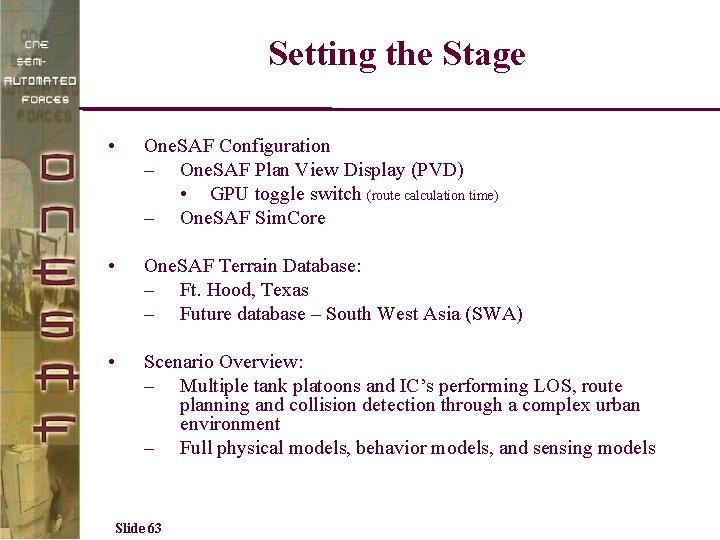
Setting the Stage • One. SAF Configuration – One. SAF Plan View Display (PVD) • GPU toggle switch (route calculation time) – One. SAF Sim. Core • One. SAF Terrain Database: – Ft. Hood, Texas – Future database – South West Asia (SWA) • Scenario Overview: – Multiple tank platoons and IC’s performing LOS, route planning and collision detection through a complex urban environment – Full physical models, behavior models, and sensing models Slide 63
Collision Detection Demonstration Slide 64
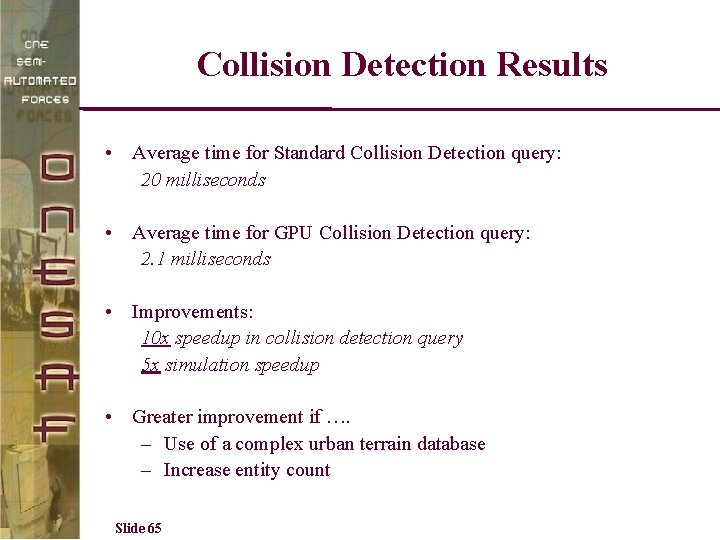
Collision Detection Results • Average time for Standard Collision Detection query: 20 milliseconds • Average time for GPU Collision Detection query: 2. 1 milliseconds • Improvements: 10 x speedup in collision detection query 5 x simulation speedup • Greater improvement if …. – Use of a complex urban terrain database – Increase entity count Slide 65
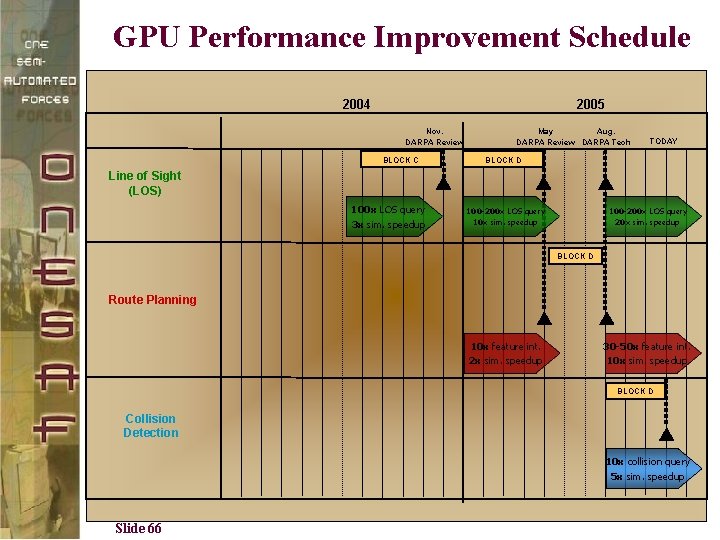
GPU Performance Improvement Schedule 2004 2005 Nov. DARPA Review BLOCK C May Aug. DARPA Review DARPA Tech TODAY BLOCK D Line of Sight (LOS) 100 x LOS query 3 x sim. speedup 100 -200 x LOS query 10 x sim. speedup 100 -200 x LOS query 20 x sim. speedup BLOCK D Route Planning 10 x feature int. 2 x sim. speedup 30 -50 x feature int. 10 x sim. speedup BLOCK D Collision Detection 10 x collision query 5 x sim. speedup Slide 66
- Slides: 60