
One Page REPORT WRITING ONE PAGE Report Writing

- Slides: 46
One Page REPORT WRITING ONE PAGE Report Writing • The ou
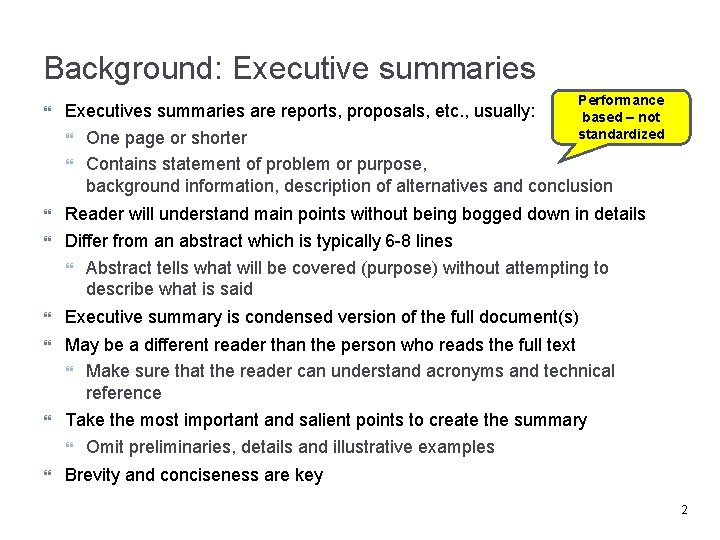
Background: Executive summaries Performance Executives summaries are reports, proposals, etc. , usually: based – not standardized One page or shorter Contains statement of problem or purpose, background information, description of alternatives and conclusion Reader will understand main points without being bogged down in details Differ from an abstract which is typically 6 -8 lines Abstract tells what will be covered (purpose) without attempting to describe what is said Executive summary is condensed version of the full document(s) May be a different reader than the person who reads the full text Make sure that the reader can understand acronyms and technical reference Take the most important and salient points to create the summary Omit preliminaries, details and illustrative examples Brevity and conciseness are key 2
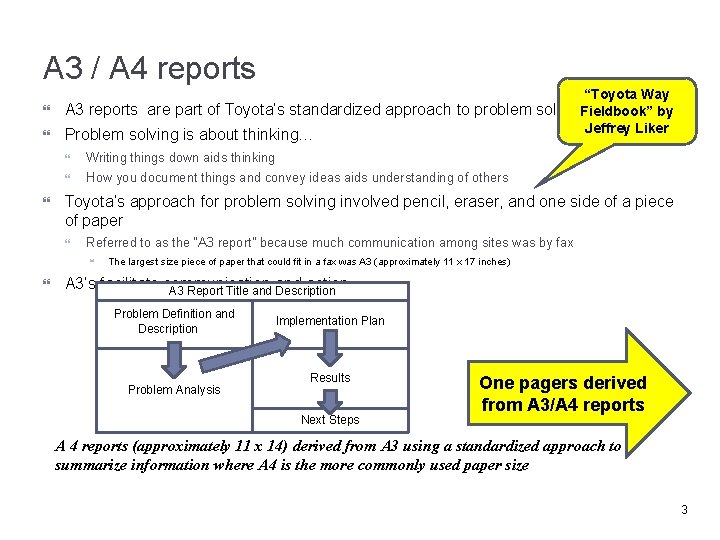
A 3 / A 4 reports “Toyota Way A 3 reports are part of Toyota’s standardized approach to problem solving. Fieldbook” by Jeffrey Liker Problem solving is about thinking… Writing things down aids thinking How you document things and convey ideas aids understanding of others Toyota’s approach for problem solving involved pencil, eraser, and one side of a piece of paper Referred to as the “A 3 report” because much communication among sites was by fax The largest size piece of paper that could fit in a fax was A 3 (approximately 11 x 17 inches) A 3’s facilitate communication and action A 3 Report Title and Description Problem Definition and Description Problem Analysis Implementation Plan Results Next Steps One pagers derived from A 3/A 4 reports (approximately 11 x 14) derived from A 3 using a standardized approach to summarize information where A 4 is the more commonly used paper size 3
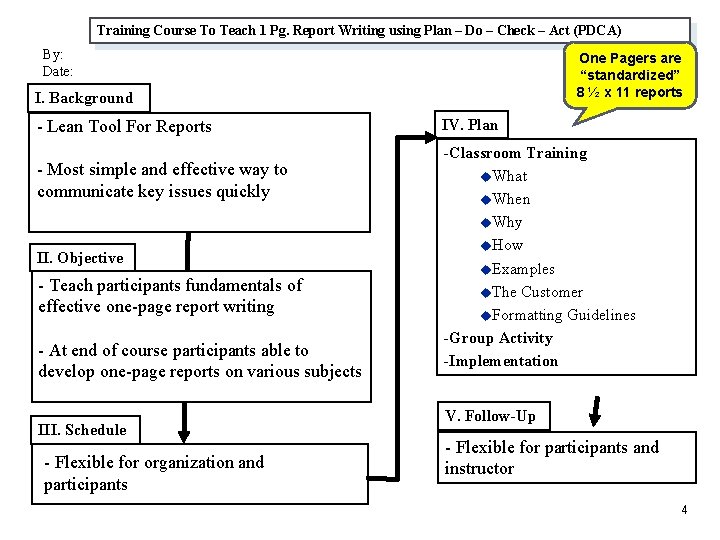
Training Course To Teach 1 Pg. Report Writing using Plan – Do – Check – Act (PDCA) By: Date: One Pagers are “standardized” 8 ½ x 11 reports I. Background - Lean Tool For Reports - Most simple and effective way to communicate key issues quickly II. Objective - Teach participants fundamentals of effective one-page report writing - At end of course participants able to develop one-page reports on various subjects III. Schedule - Flexible for organization and participants IV. Plan -Classroom Training u. What u. When u. Why u. How u. Examples u. The Customer u. Formatting Guidelines -Group Activity -Implementation V. Follow-Up - Flexible for participants and instructor 4
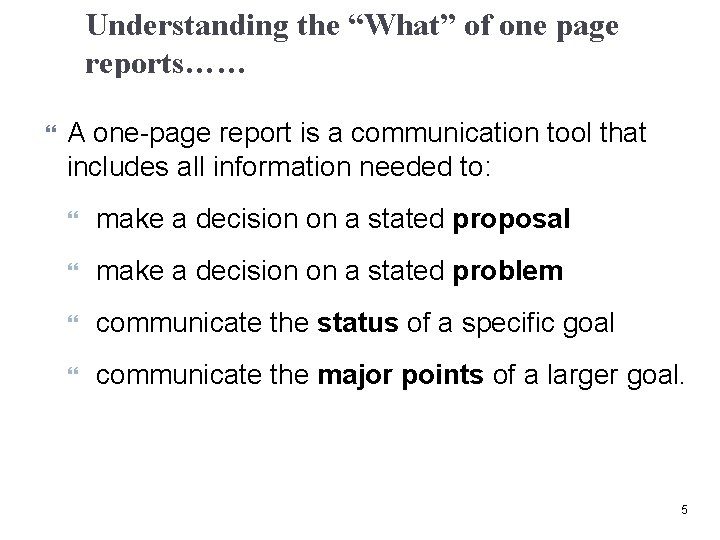
Understanding the “What” of one page reports…… A one-page report is a communication tool that includes all information needed to: make a decision on a stated proposal make a decision on a stated problem communicate the status of a specific goal communicate the major points of a larger goal. 5
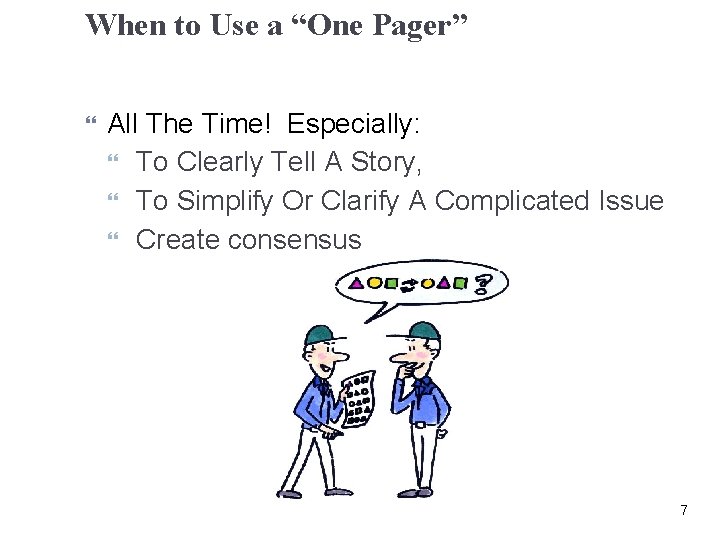
When to Use a “One Pager” All The Time! Especially: To Clearly Tell A Story, To Simplify Or Clarify A Complicated Issue Create consensus 7
Who Should Use Them / Who Benefits Any staff function, forum or group that needs to communicate succinct information should use one pagers as a normal part of their business Who benefits: all on distribution, especially senior management 8
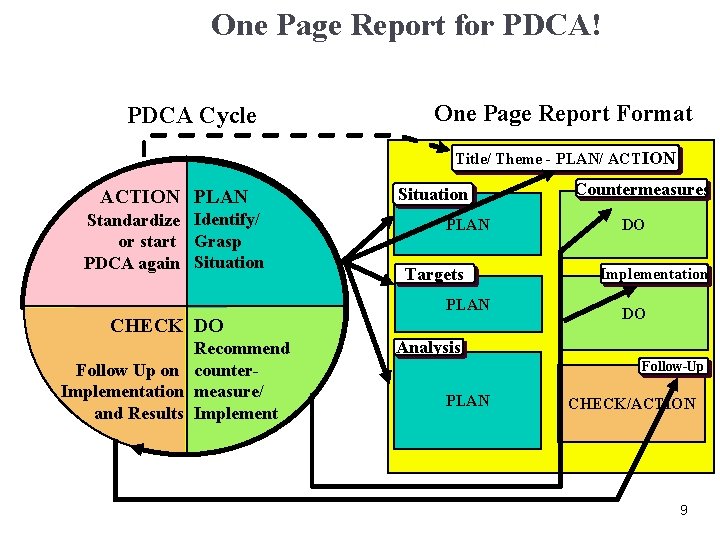
One Page Report for PDCA! PDCA Cycle One Page Report Format Title/ Theme - PLAN/ ACTION PLAN Standardize Identify/ or start Grasp PDCA again Situation PLAN Targets PLAN CHECK DO Recommend Follow Up on counter. Implementation measure/ and Results Implement Countermeasures DO Implementation DO Analysis Follow-Up PLAN CHECK/ACTION 9
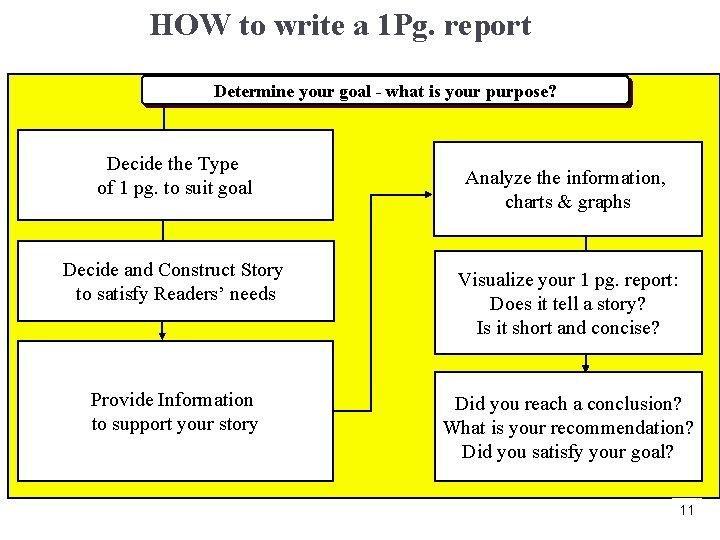
HOW to write a 1 Pg. report Determine your goal - what is your purpose? Decide the Type of 1 pg. to suit goal Analyze the information, charts & graphs Decide and Construct Story to satisfy Readers’ needs Visualize your 1 pg. report: Does it tell a story? Is it short and concise? Provide Information to support your story Did you reach a conclusion? What is your recommendation? Did you satisfy your goal? 11
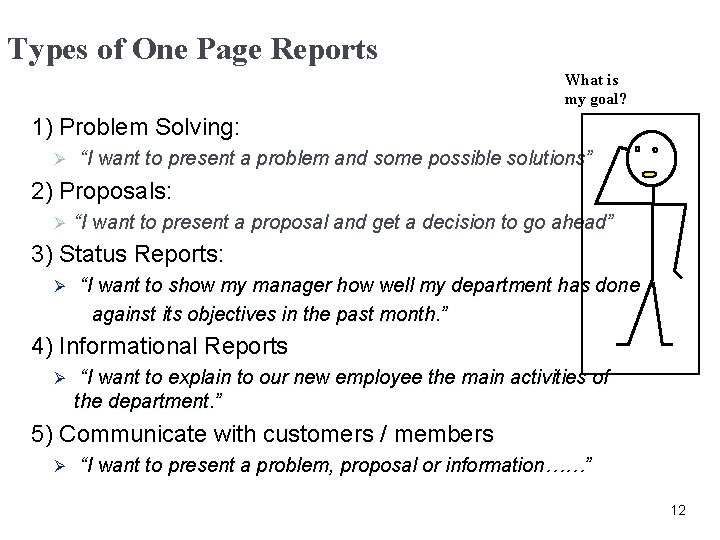
Types of One Page Reports What is my goal? 1) Problem Solving: Ø “I want to present a problem and some possible solutions” 2) Proposals: Ø “I want to present a proposal and get a decision to go ahead” 3) Status Reports: Ø “I want to show my manager how well my department has done against its objectives in the past month. ” 4) Informational Reports Ø “I want to explain to our new employee the main activities of the department. ” 5) Communicate with customers / members Ø “I want to present a problem, proposal or information……” 12
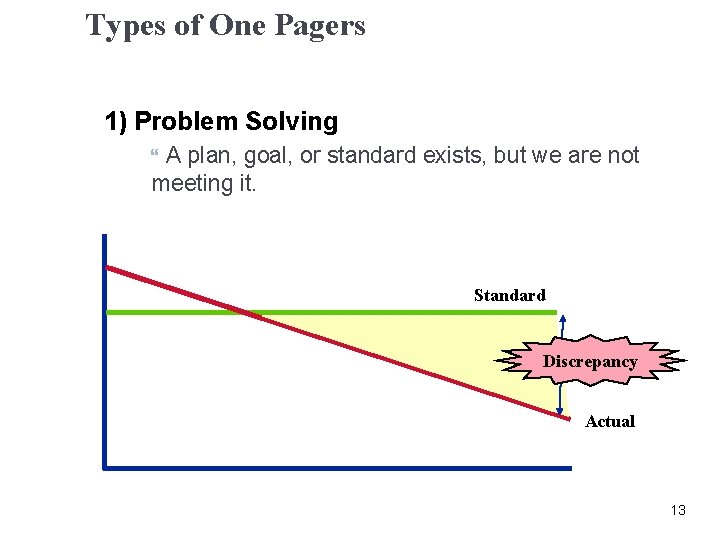
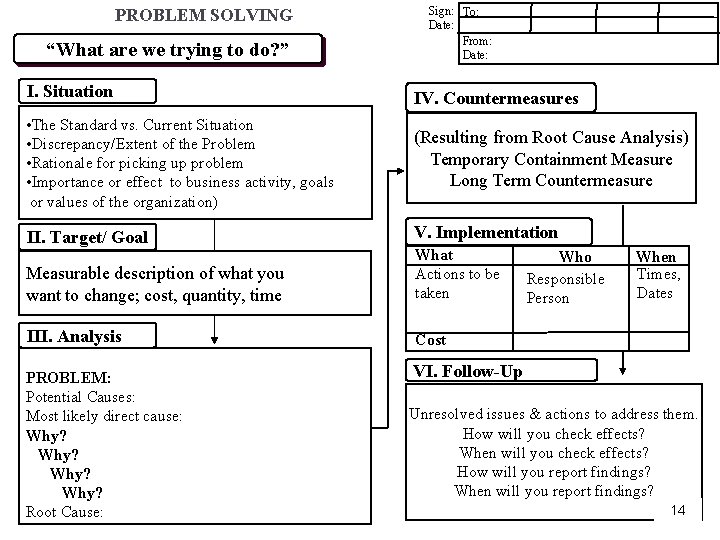
Types of One Pagers 1) Problem Solving A plan, goal, or standard exists, but we are not meeting it. Standard Discrepancy Actual 13
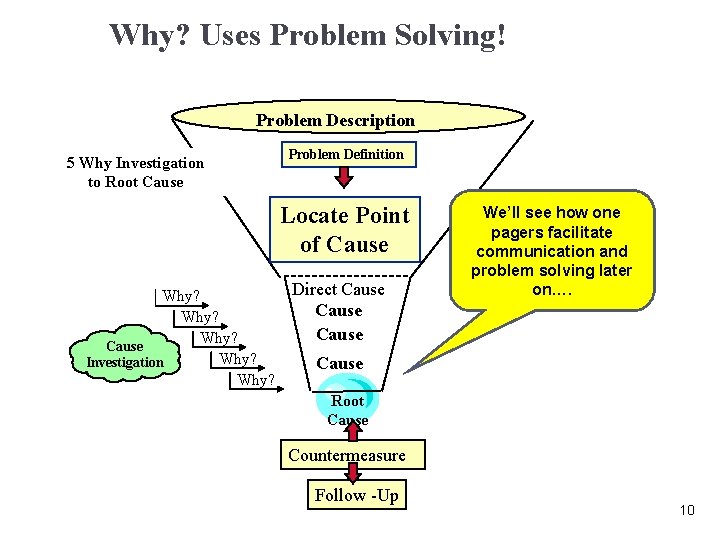
Why? Uses Problem Solving! Problem Description 5 Why Investigation to Root Cause Problem Definition Locate Point of Cause Why? Cause Why? Investigation Why? Direct Cause We’ll see how one pagers facilitate communication and problem solving later on…. Cause Root Cause Countermeasure Follow -Up 10
PROBLEM SOLVING “What are we trying to do? ” Sign: To: Date: From: Date: I. Situation IV. Countermeasures • The Standard vs. Current Situation • Discrepancy/Extent of the Problem • Rationale for picking up problem • Importance or effect to business activity, goals or values of the organization) (Resulting from Root Cause Analysis) Temporary Containment Measure Long Term Countermeasure II. Target/ Goal V. Implementation Measurable description of what you want to change; cost, quantity, time What Actions to be taken III. Analysis Cost PROBLEM: Potential Causes: Most likely direct cause: Why? Root Cause: Who Responsible Person When Times, Dates VI. Follow-Up Unresolved issues & actions to address them. How will you check effects? When will you check effects? How will you report findings? When will you report findings? 14
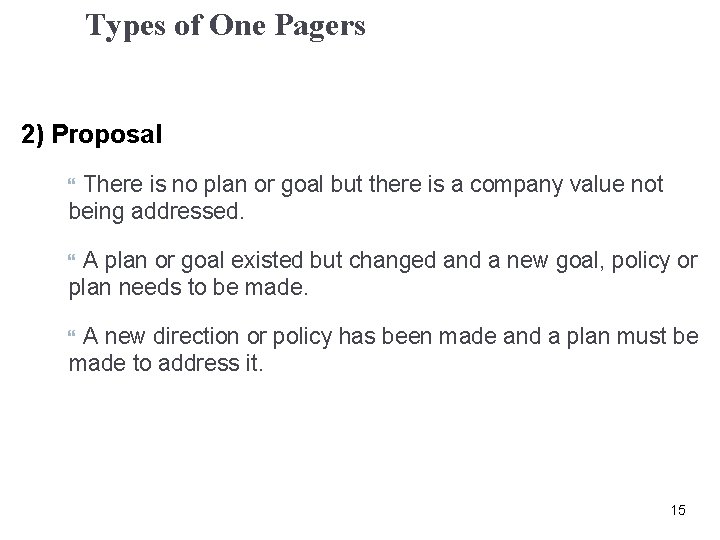
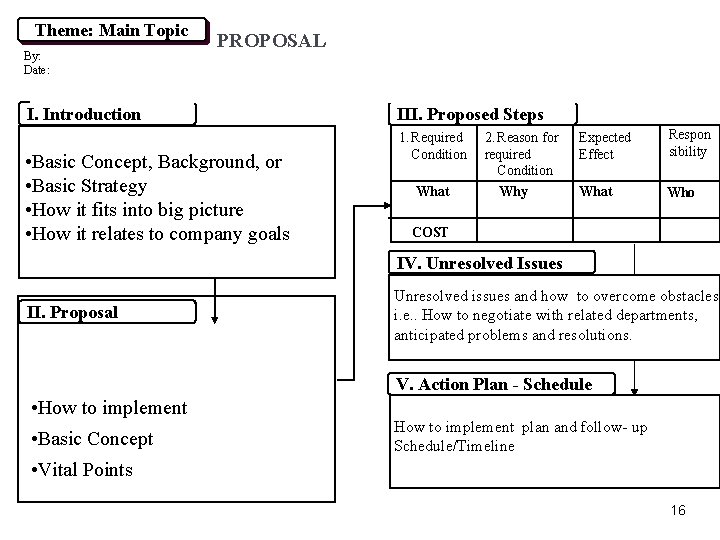
Types of One Pagers 2) Proposal There is no plan or goal but there is a company value not being addressed. A plan or goal existed but changed and a new goal, policy or plan needs to be made. A new direction or policy has been made and a plan must be made to address it. 15
Theme: Main Topic By: Date: PROPOSAL I. Introduction • Basic Concept, Background, or • Basic Strategy • How it fits into big picture • How it relates to company goals III. Proposed Steps 1. Required Condition What 2. Reason for required Condition Why Expected Effect Respon sibility What Who COST IV. Unresolved Issues II. Proposal Unresolved issues and how to overcome obstacles, i. e. . How to negotiate with related departments, anticipated problems and resolutions. V. Action Plan - Schedule • How to implement • Basic Concept How to implement plan and follow- up Schedule/Timeline • Vital Points 16
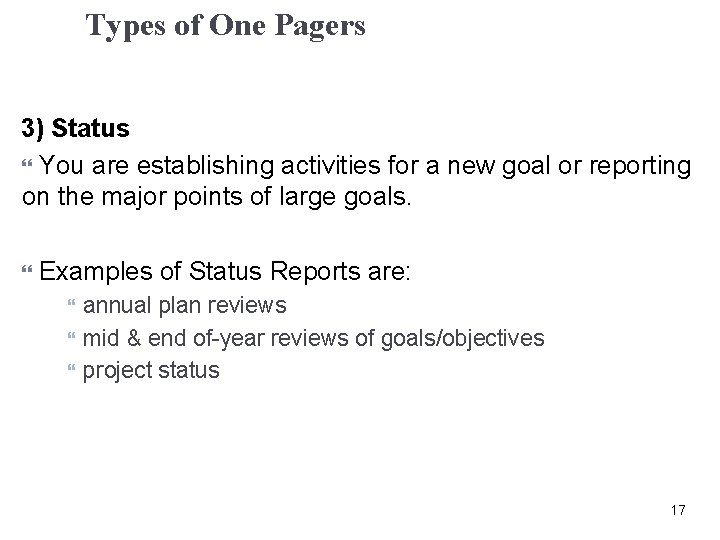
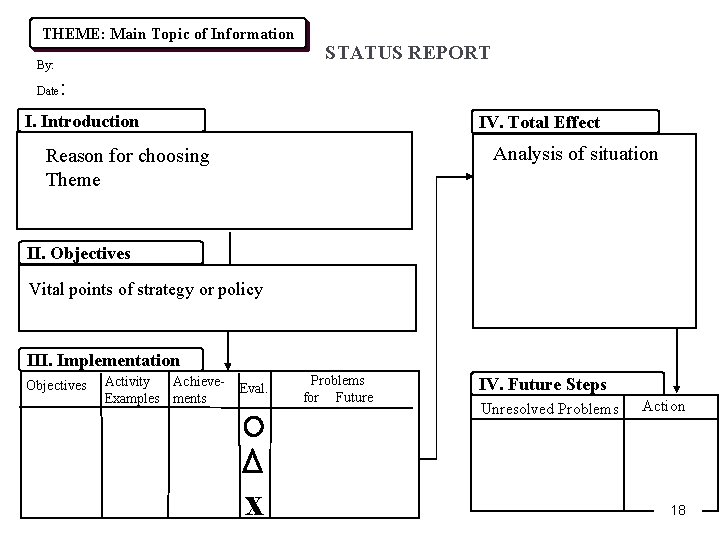
Types of One Pagers 3) Status You are establishing activities for a new goal or reporting on the major points of large goals. Examples of Status Reports are: annual plan reviews mid & end of-year reviews of goals/objectives project status 17
THEME: Main Topic of Information By: Date STATUS REPORT : I. Introduction IV. Total Effect Analysis of situation Reason for choosing Theme II. Objectives Vital points of strategy or policy III. Implementation Objectives Activity Achieve. Examples ments Eval. x Problems for Future IV. Future Steps Unresolved Problems Action 18
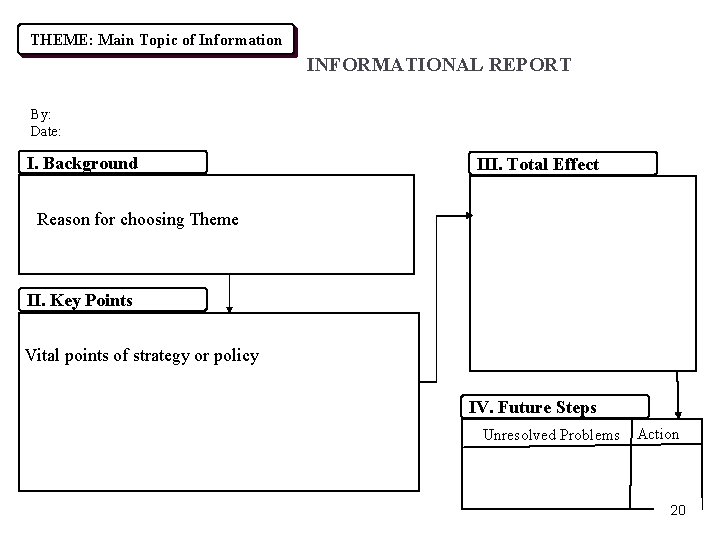
Types of One Pagers 4) Informational You need to convey general information or you need to explain an issue, practice, or policy to any audience, inside or outside the company. 19
THEME: Main Topic of Information INFORMATIONAL REPORT By: Date: I. Background III. Total Effect Reason for choosing Theme II. Key Points Vital points of strategy or policy IV. Future Steps Unresolved Problems Action 20
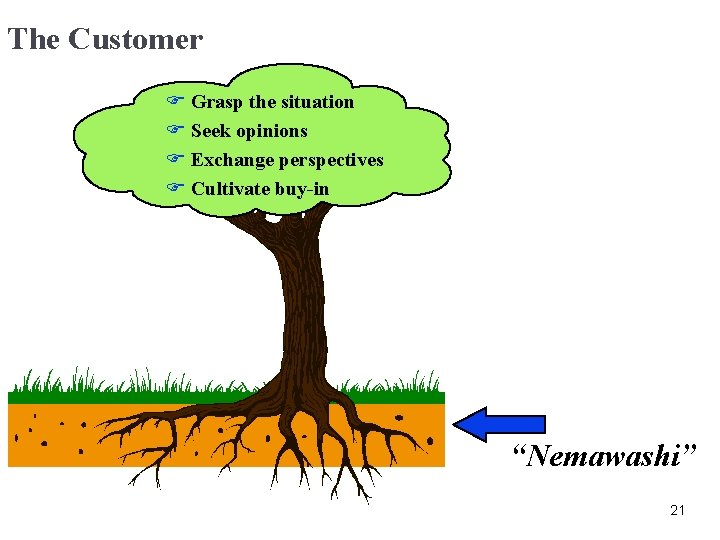
The Customer F Grasp the situation F Seek opinions F Exchange perspectives F Cultivate buy-in “Nemawashi” 21
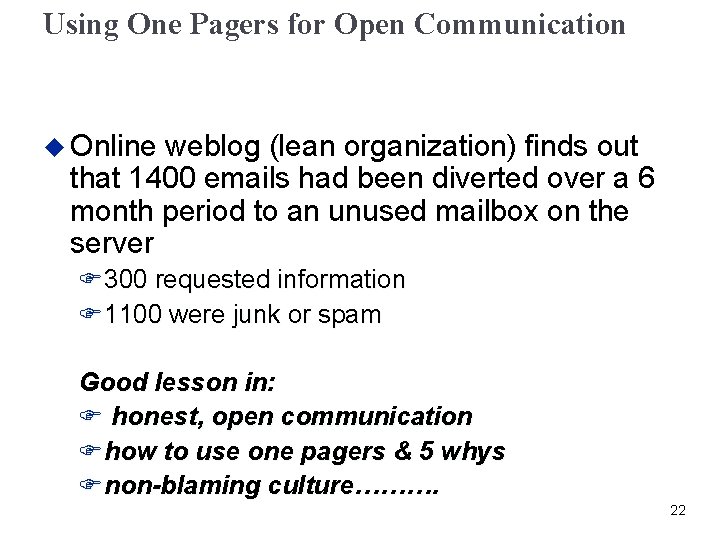
Using One Pagers for Open Communication u Online weblog (lean organization) finds out that 1400 emails had been diverted over a 6 month period to an unused mailbox on the server F 300 requested information F 1100 were junk or spam Good lesson in: F honest, open communication Fhow to use one pagers & 5 whys Fnon-blaming culture………. 22
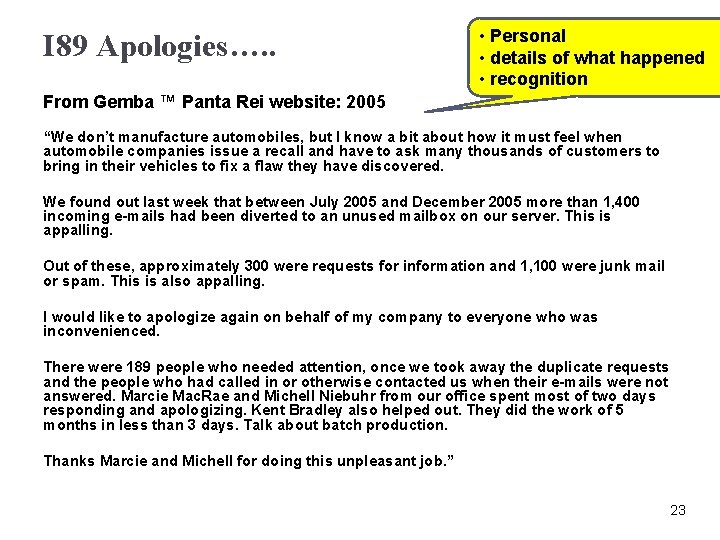
I 89 Apologies…. . • Personal • details of what happened • recognition From Gemba ™ Panta Rei website: 2005 “We don’t manufacture automobiles, but I know a bit about how it must feel when automobile companies issue a recall and have to ask many thousands of customers to bring in their vehicles to fix a flaw they have discovered. We found out last week that between July 2005 and December 2005 more than 1, 400 incoming e-mails had been diverted to an unused mailbox on our server. This is appalling. Out of these, approximately 300 were requests for information and 1, 100 were junk mail or spam. This is also appalling. I would like to apologize again on behalf of my company to everyone who was inconvenienced. There were 189 people who needed attention, once we took away the duplicate requests and the people who had called in or otherwise contacted us when their e-mails were not answered. Marcie Mac. Rae and Michell Niebuhr from our office spent most of two days responding and apologizing. Kent Bradley also helped out. They did the work of 5 months in less than 3 days. Talk about batch production. Thanks Marcie and Michell for doing this unpleasant job. ” 23
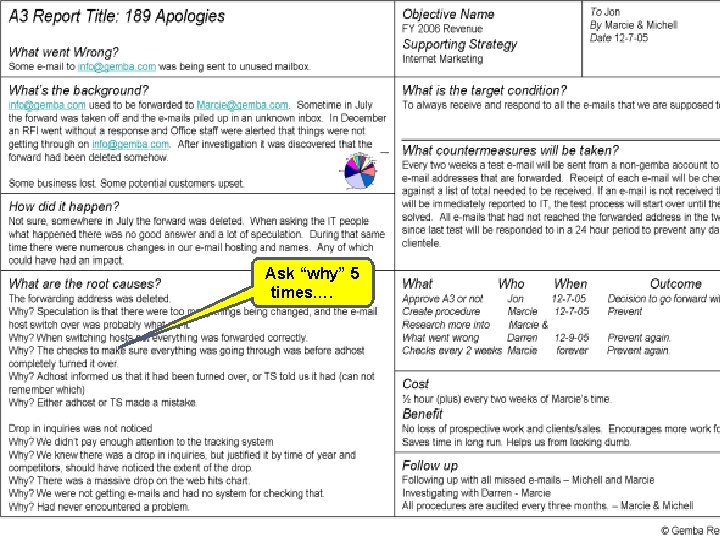
Corrective Action…… u What does a company that believes in kaizen and respect for people do when faced with a problem like this? F What they don’t do is ask “Who is to blame? ” and fire them right away. u u u One of the things Gemba™ did was to create a one page report to understand the root causes so that we could take root cause corrective actions and prevent reoccurrences of similar problems. Here is how their one pager turned out http: //www. gembapantarei. com/2005/12/a 3_report_titl e_189_apologies. html 24
Ask “why” 5 times…. As
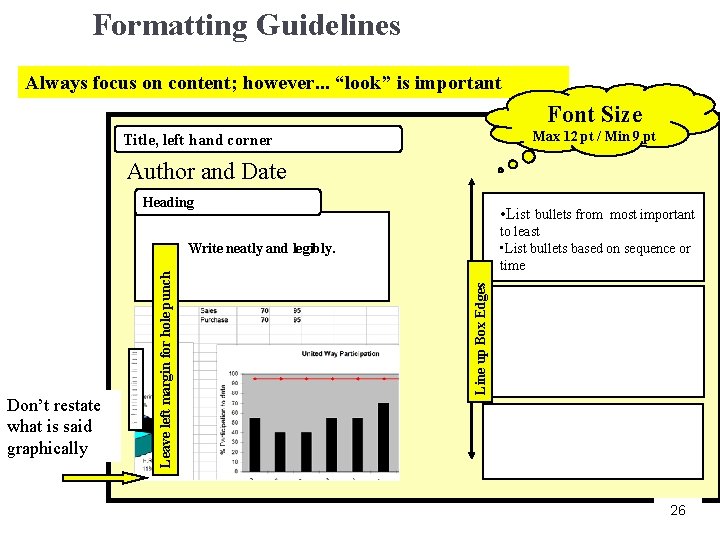
Formatting Guidelines Always focus on content; however. . . “look” is important Font Size Max 12 pt / Min 9 pt Title, left hand corner Author and Date Heading • List bullets from most important to least • List bullets based on sequence or time Don’t restate what is said graphically Line up Box Edges Leave left margin for hole punch Write neatly and legibly. 26
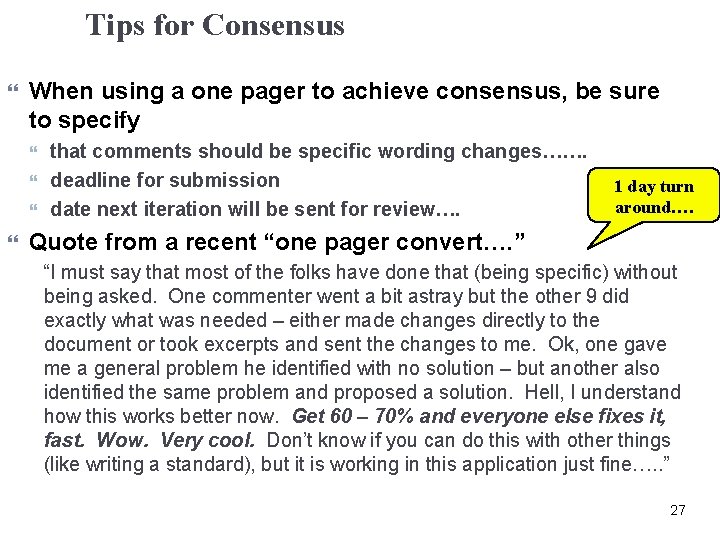
Tips for Consensus When using a one pager to achieve consensus, be sure to specify that comments should be specific wording changes……. deadline for submission date next iteration will be sent for review…. 1 day turn around…. Quote from a recent “one pager convert…. ” “I must say that most of the folks have done that (being specific) without being asked. One commenter went a bit astray but the other 9 did exactly what was needed – either made changes directly to the document or took excerpts and sent the changes to me. Ok, one gave me a general problem he identified with no solution – but another also identified the same problem and proposed a solution. Hell, I understand how this works better now. Get 60 – 70% and everyone else fixes it, fast. Wow. Very cool. Don’t know if you can do this with other things (like writing a standard), but it is working in this application just fine…. . ” 27
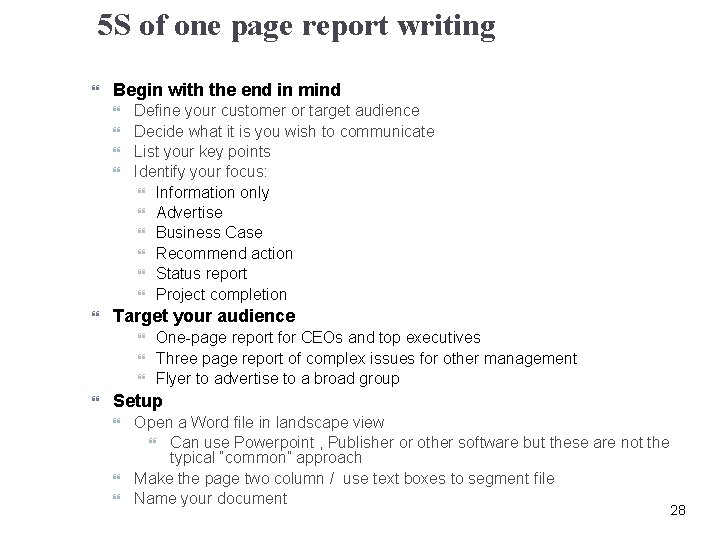
5 S of one page report writing Begin with the end in mind Define your customer or target audience Decide what it is you wish to communicate List your key points Identify your focus: Information only Advertise Business Case Recommend action Status report Project completion Target your audience One-page report for CEOs and top executives Three page report of complex issues for other management Flyer to advertise to a broad group Setup Open a Word file in landscape view Can use Powerpoint , Publisher or other software but these are not the typical “common” approach Make the page two column / use text boxes to segment file Name your document 28
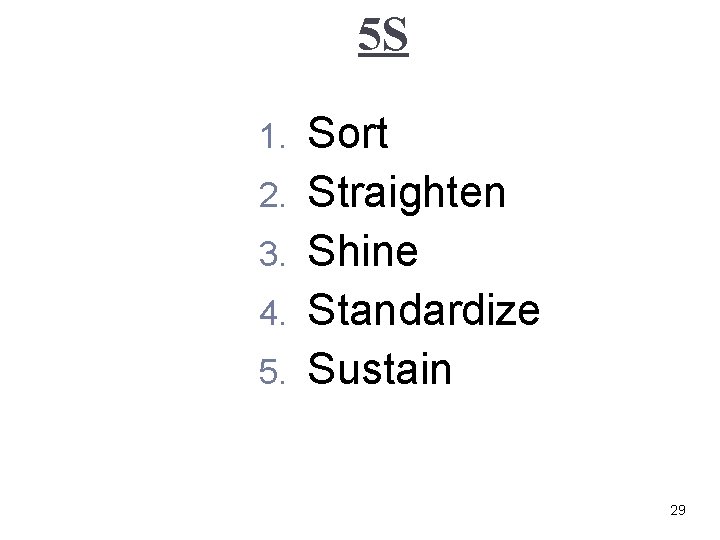
5 S 1. 2. 3. 4. 5. Sort Straighten Shine Standardize Sustain 29
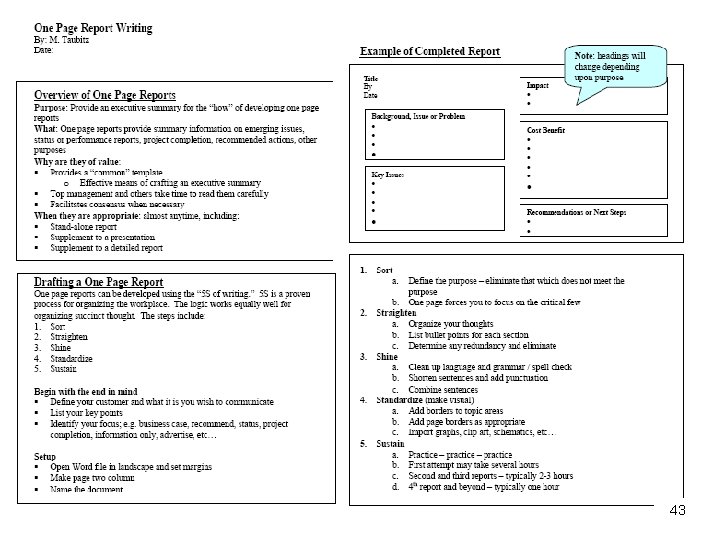
1. Sort Define the purpose Get rid of what you don’t need – limited space will force you to focus on only critical information Decide your main topics typically 4 -6, e. g: Background Key issues Impact Cost benefit Recommendation / Next Steps Group ideas by the topic area 30
2. Straighten Organize your thoughts – like making a junk drawer into a silverware drawer List bullet points for each section Determine any redundancy and eliminate 31
3. Shine Clean-up the language and grammar Spell check Shorten sentences Add punctuation Combine sentences 32
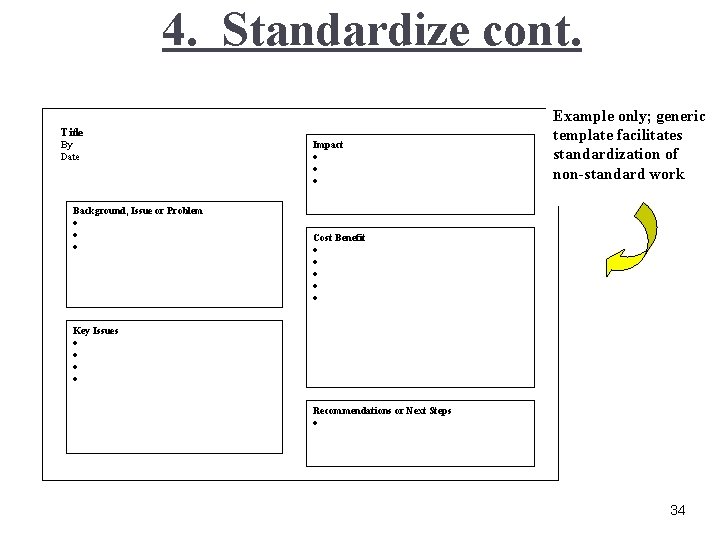
4. Standardize (make visual) Add borders to topic areas Note: do not use the “borders and shading” function under “Format. ” This will not allow you to indent sub bullets as the border will shift for the indented bullet. Drag and drop the from the lower menu bar Go to the “Fill Color” function and click “no fill” Copy and paste the rectangle for the various blocks of information Add page borders where appropriate Import graphs, clip art, schematics, or other visual images 33
4. Standardize cont. Title By Date Impact · · · Example only; generic template facilitates standardization of non-standard work Background, Issue or Problem · · · Cost Benefit · · · Key Issues · · Recommendations or Next Steps · 34
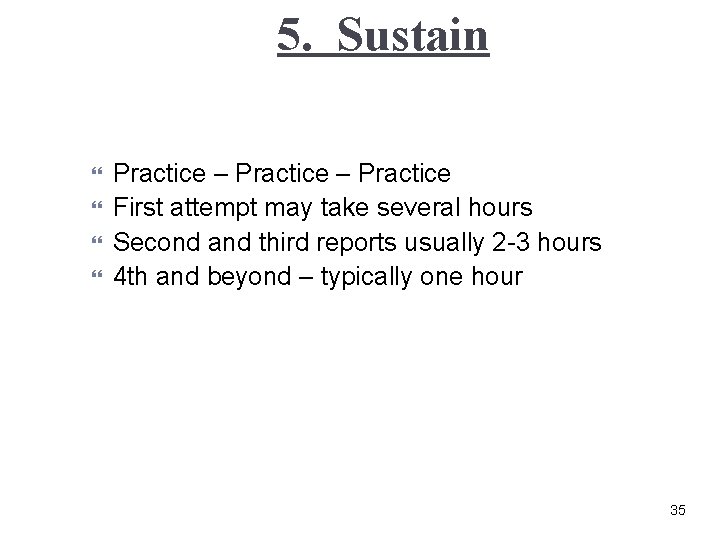
5. Sustain Practice – Practice First attempt may take several hours Second and third reports usually 2 -3 hours 4 th and beyond – typically one hour 35
43
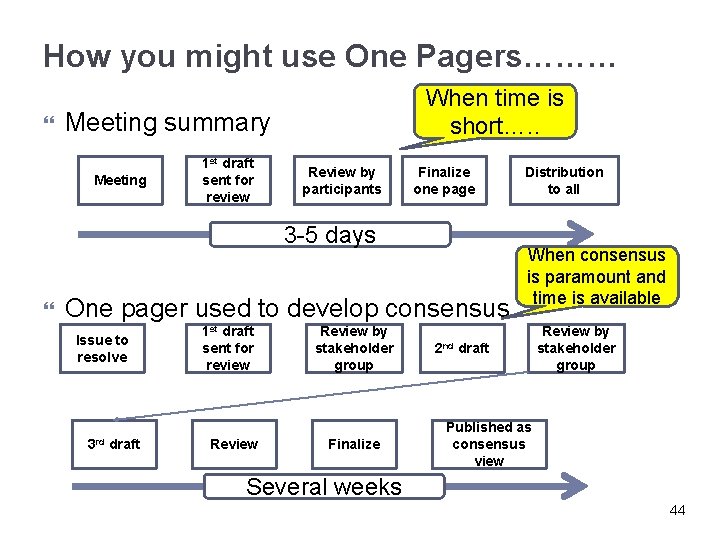
How you might use One Pagers……… When time is short…. . Meeting summary Meeting 1 st draft sent for review Review by participants Finalize one page 3 -5 days One pager used to develop consensus Issue to resolve 3 rd draft 1 st draft sent for review Review by stakeholder group Finalize 2 nd Distribution to all When consensus is paramount and time is available draft Review by stakeholder group Published as consensus view Several weeks 44
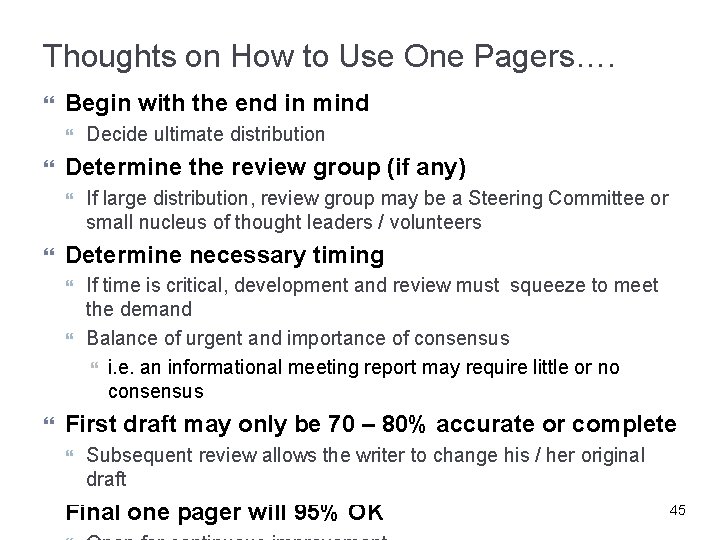
Thoughts on How to Use One Pagers…. Begin with the end in mind Determine the review group (if any) If time is critical, development and review must squeeze to meet the demand Balance of urgent and importance of consensus i. e. an informational meeting report may require little or no consensus First draft may only be 70 – 80% accurate or complete If large distribution, review group may be a Steering Committee or small nucleus of thought leaders / volunteers Determine necessary timing Decide ultimate distribution Subsequent review allows the writer to change his / her original draft Final one pager will 95% OK 45
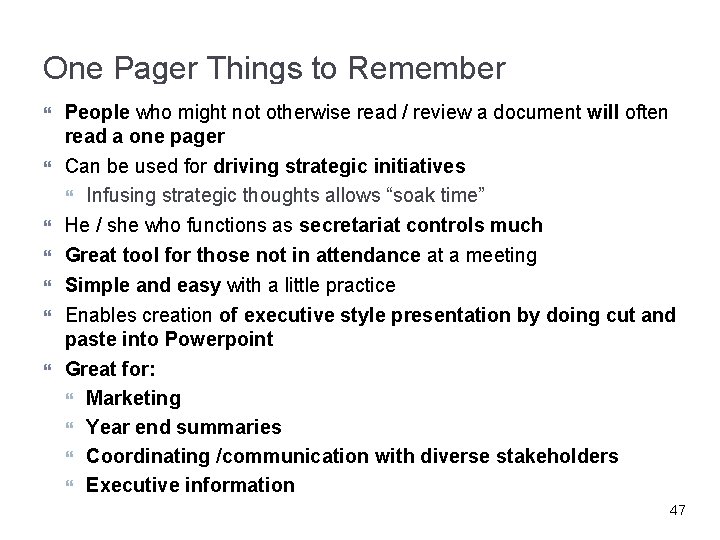
One Pager Things to Remember People who might not otherwise read / review a document will often read a one pager Can be used for driving strategic initiatives Infusing strategic thoughts allows “soak time” He / she who functions as secretariat controls much Great tool for those not in attendance at a meeting Simple and easy with a little practice Enables creation of executive style presentation by doing cut and paste into Powerpoint Great for: Marketing Year end summaries Coordinating /communication with diverse stakeholders Executive information 47
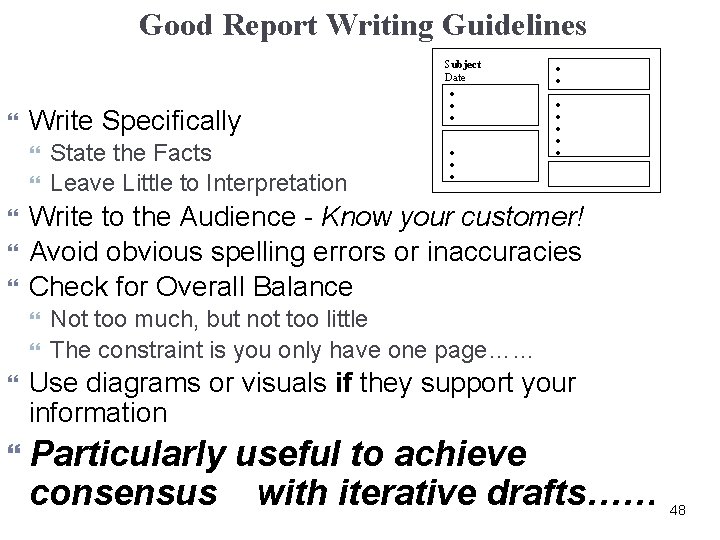
Good Report Writing Guidelines Write Specifically · · · · · Write to the Audience - Know your customer! Avoid obvious spelling errors or inaccuracies Check for Overall Balance State the Facts Leave Little to Interpretation Subject Date · · · Not too much, but not too little The constraint is you only have one page…… Use diagrams or visuals if they support your information Particularly useful to achieve consensus with iterative drafts…… 48
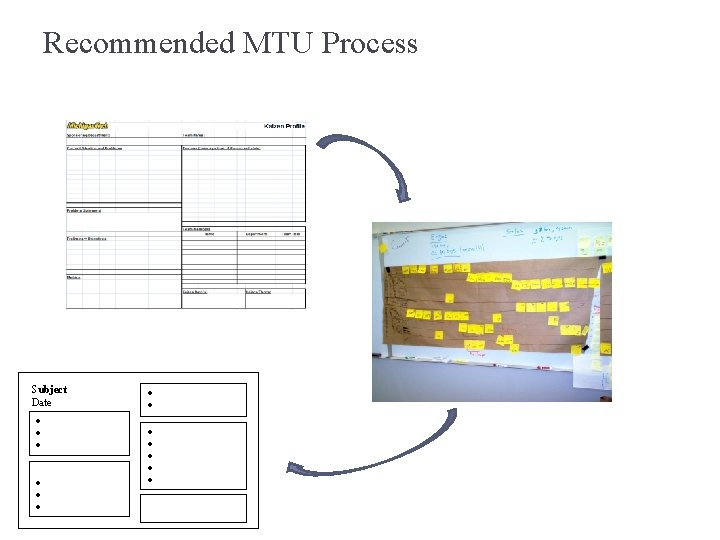
Recommended MTU Process Subject Date · · · ·
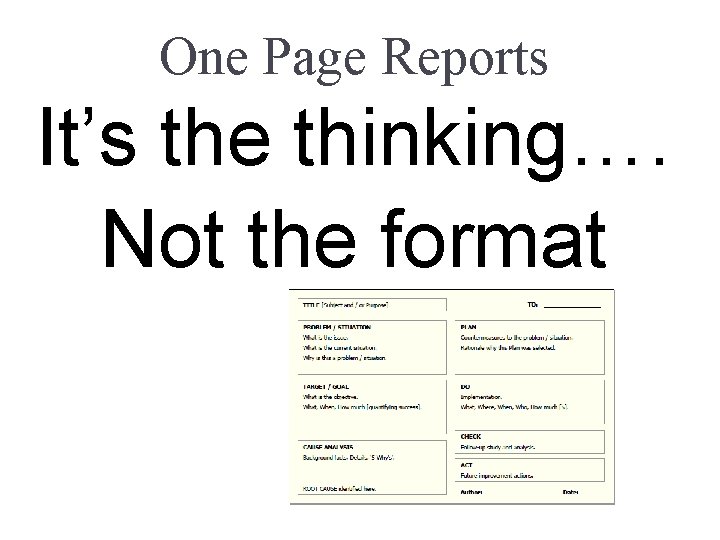
One Page Reports It’s the thinking…. Not the format
One Pager Debrief • What is the purpose of One Pagers? • Philosophy or tool?
Exercise: Managing the One Pager Review Process • How do you introduce a one pager considering the issues below? • Only 10 – 20% respond • Someone writes “War and Peace” response • Promised response not received • How does this apply to PDCA? • How do One Pagers link to other lean tools? 46