
On working with LKMs Using Linux Kernel Modules
- Slides: 26
On working with LKMs Using Linux Kernel Modules to quickly export privileged kernel information to ordinary users
Privileged kernel information • Users ordinarily are prohibited from seeing what goes on inside a running Linux kernel • But we can use kernel modules to override normal restrictions on kernel data access • The handiest mechanism for doing this is to employ the so-called ‘/proc’ file system • Linux actually encourages this by offering quite a few examples, built in by default
The ‘/proc’ directory • In addition to the normal files stored on a hard disk, UNIX systems support several types of ‘special’ files: – Directories and sub-directories (aka ‘folders’) – Symbolic links (i. e. , placeholders for pointers) – Device files (providing access to ‘peripherals’) – ‘Pseudo’ files (for data created ‘on-demand’) • Such ‘pseudo’ files are usually in ‘/proc’
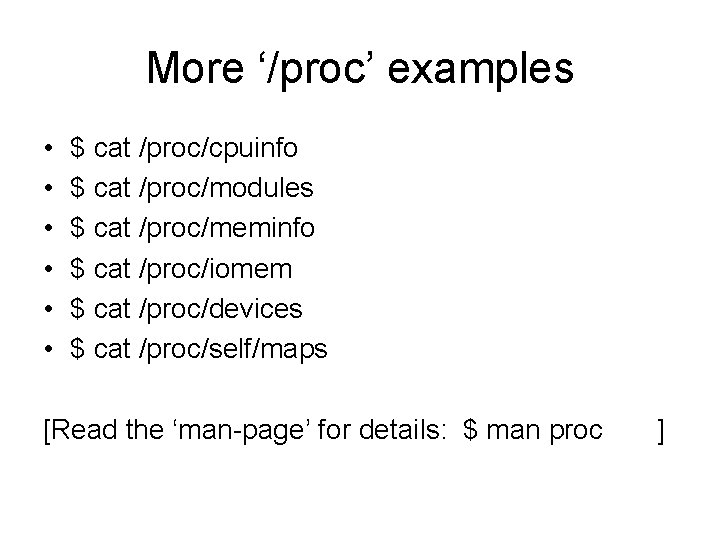
The ‘cat’ command • This standard UNIX command offers users a quick way to view the text in a ‘/proc’ file • It’s not necessary to write an application program that will open, read, and display the transient contents of a ‘pseudo’ file • The file-concatenation operation transfers data from any file(s) to ‘standard output’ • Example: $ cat /proc/version
More ‘/proc’ examples • • • $ cat /proc/cpuinfo $ cat /proc/modules $ cat /proc/meminfo $ cat /proc/iomem $ cat /proc/devices $ cat /proc/self/maps [Read the ‘man-page’ for details: $ man proc ]
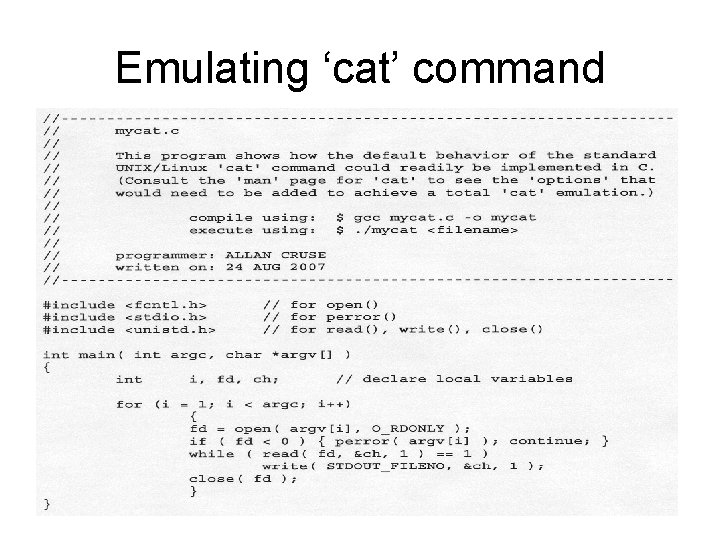
Our own ‘cat’ workalike • A good technique for understanding how a standard command (like ‘cat’) really works is to re-implement your own version of it • As an illustration of this principle, we have created a demo-program (‘mycat. cpp) • You can copy it from our website to your own current working directory: $ cp /home/web/cruse/cs 635/mycat. cpp.
Emulating ‘cat’ command
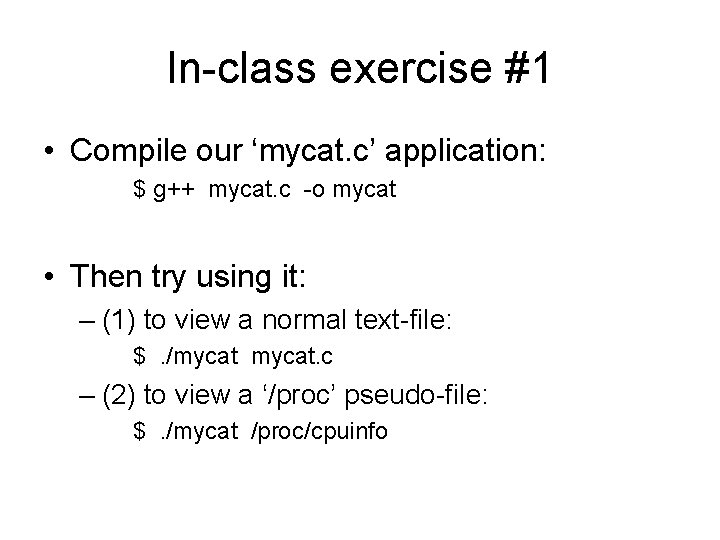
In-class exercise #1 • Compile our ‘mycat. c’ application: $ g++ mycat. c -o mycat • Then try using it: – (1) to view a normal text-file: $. /mycat. c – (2) to view a ‘/proc’ pseudo-file: $. /mycat /proc/cpuinfo
Creating our own ‘/proc’ files • We can write code to implement our own ‘pseudo’ files, located in ‘/proc’ directory • We do this by adding a ‘payload’ function to a Linux Kernel Module, and by including calls to special kernel-functions within our module-init and our module-exit routines • These special kernel-functions serve to ‘register’, and ‘unregister’, our payload
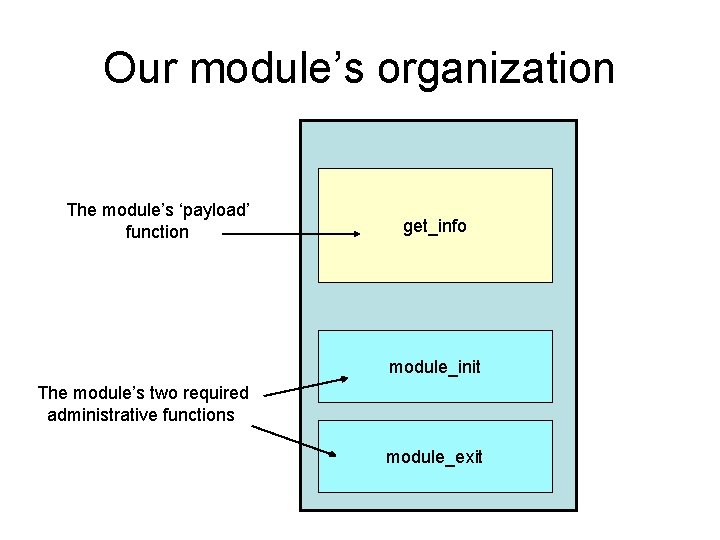
Our module’s organization The module’s ‘payload’ function get_info module_init The module’s two required administrative functions module_exit
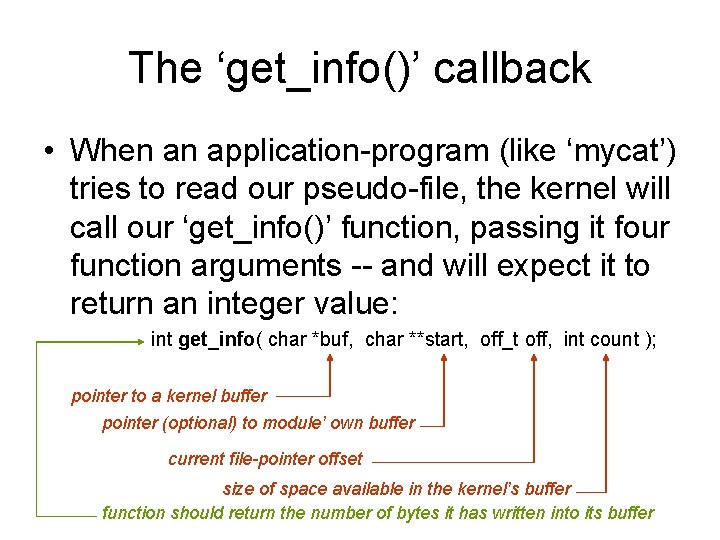
The ‘get_info()’ callback • When an application-program (like ‘mycat’) tries to read our pseudo-file, the kernel will call our ‘get_info()’ function, passing it four function arguments -- and will expect it to return an integer value: int get_info( char *buf, char **start, off_t off, int count ); pointer to a kernel buffer pointer (optional) to module’ own buffer current file-pointer offset size of space available in the kernel’s buffer function should return the number of bytes it has written into its buffer
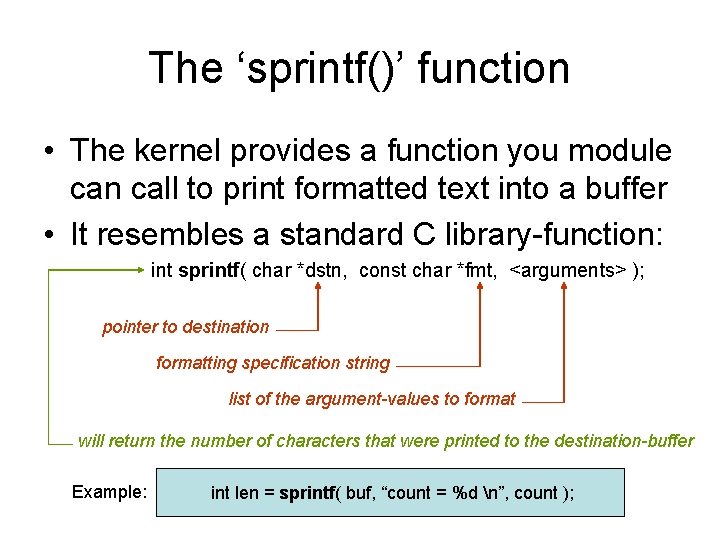
The ‘sprintf()’ function • The kernel provides a function you module can call to print formatted text into a buffer • It resembles a standard C library-function: int sprintf( char *dstn, const char *fmt, <arguments> ); pointer to destination formatting specification string list of the argument-values to format will return the number of characters that were printed to the destination-buffer Example: int len = sprintf( buf, “count = %d n”, count );
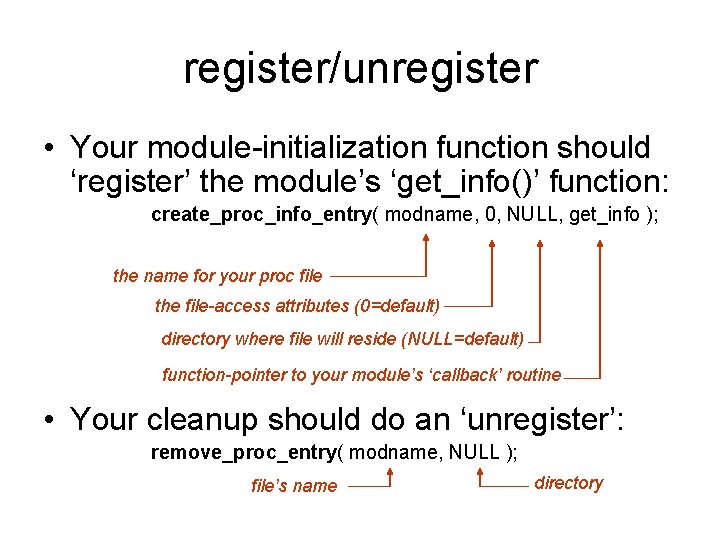
register/unregister • Your module-initialization function should ‘register’ the module’s ‘get_info()’ function: create_proc_info_entry( modname, 0, NULL, get_info ); the name for your proc file the file-access attributes (0=default) directory where file will reside (NULL=default) function-pointer to your module’s ‘callback’ routine • Your cleanup should do an ‘unregister’: remove_proc_entry( modname, NULL ); file’s name directory
Rapid prototyping • We will write lots of LKM’s during the class • For efficiency we’ve created some utilities: – ‘newmod. cpp’ (it creates an LKM ‘skeleton’) – ‘newinfo. cpp’ (it creates a ‘get_info()’ LKM) • Helps to reduce LKM development-time – you just fill in the ‘skeleton’ with your own code for specific desired functionality • These utilities are on our class website
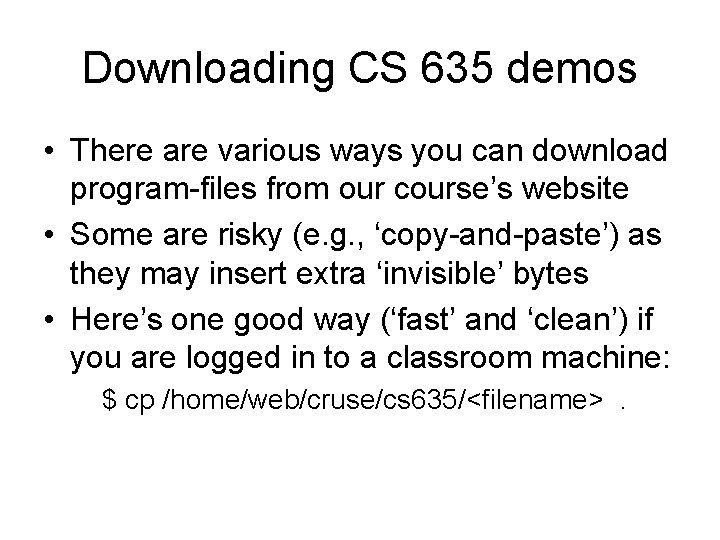
Downloading CS 635 demos • There are various ways you can download program-files from our course’s website • Some are risky (e. g. , ‘copy-and-paste’) as they may insert extra ‘invisible’ bytes • Here’s one good way (‘fast’ and ‘clean’) if you are logged in to a classroom machine: $ cp /home/web/cruse/cs 635/<filename>.
Creating a useful ‘/proc’ file • The ‘get_info()’ function has full privileges! • It executes inside the Linux kernel, where there is no enforced protection against accessing peripheral devices’ hardware • The CPU communicates with devices by using the special ‘in’ and ‘out’ instructions • A kernel header-file defines macros that let you avoid writing assembler language
Non-Volatile Memory • The original IBM-PC had no internal clock • Users had to run a utility program to reset the date and time after any system reboot • That defect was eliminated in the IBM-AT • A special battery-powered peripheral was added to keep track of the time and date • It also provided a small amount of memory which would retain ‘configuration settings’
Motorola’s MC 146818 A • PC-AT’s Real-Time Clock plus RAM was manufactured by Motorola Corporation • Other companies have ‘cloned’ this chip • Its capabilities are described online in an official datasheet by Dallas Semiconductor (see ‘Maxim’ integrated circuit: DS 12887) • You may also get the Motorola datasheet (by writing to its corporate headquarters)
Features of DS 12887 • Can operate over ten years without power • Counts seconds, minutes, hours, day-of-the-week, date, month, and year (with leap-year compensation), valid up until the year 2100 AD, with options for 12/24 -hour clock and Daylight Savings • Can use binary or BCD representation • Provides 114 bytes of nonvolatile storage
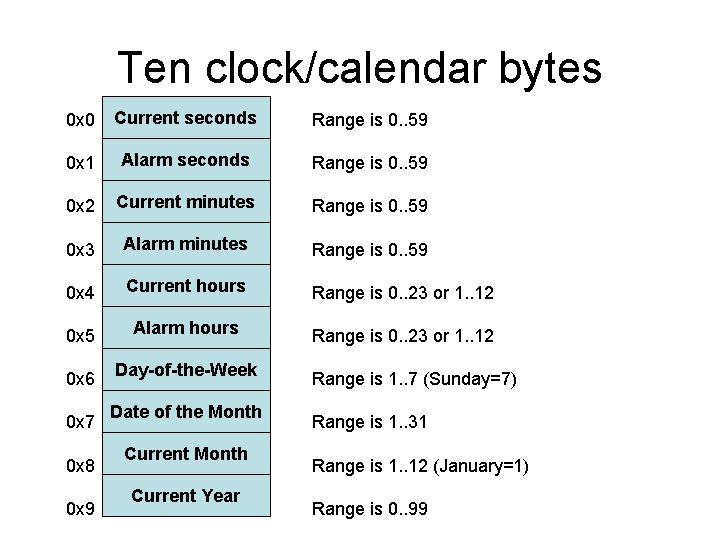
Programming Interface • The RTC interfaces with system software as an array of 128 bytes, accessed via i/o ports 0 x 70 and 0 x 71 using a multiplexing scheme: port 0 x 70: address-port 0 x 71: data-port • Macros make it easy to access such ports: #include <asm/io. h>
Ten clock/calendar bytes 0 x 0 Current seconds Range is 0. . 59 0 x 1 Alarm seconds Range is 0. . 59 0 x 2 Current minutes Range is 0. . 59 0 x 3 Alarm minutes Range is 0. . 59 0 x 4 Current hours Range is 0. . 23 or 1. . 12 0 x 5 Alarm hours Range is 0. . 23 or 1. . 12 0 x 6 0 x 7 0 x 8 0 x 9 Day-of-the-Week Date of the Month Current Year Range is 1. . 7 (Sunday=7) Range is 1. . 31 Range is 1. . 12 (January=1) Range is 0. . 99
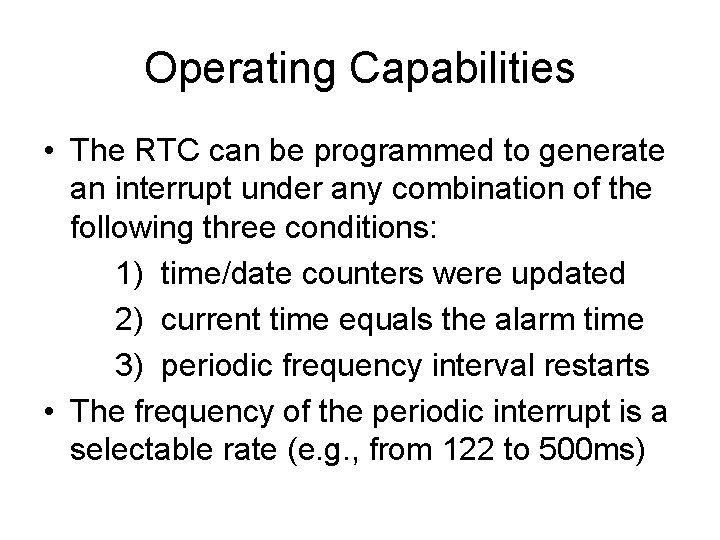
Operating Capabilities • The RTC can be programmed to generate an interrupt under any combination of the following three conditions: 1) time/date counters were updated 2) current time equals the alarm time 3) periodic frequency interval restarts • The frequency of the periodic interrupt is a selectable rate (e. g. , from 122 to 500 ms)
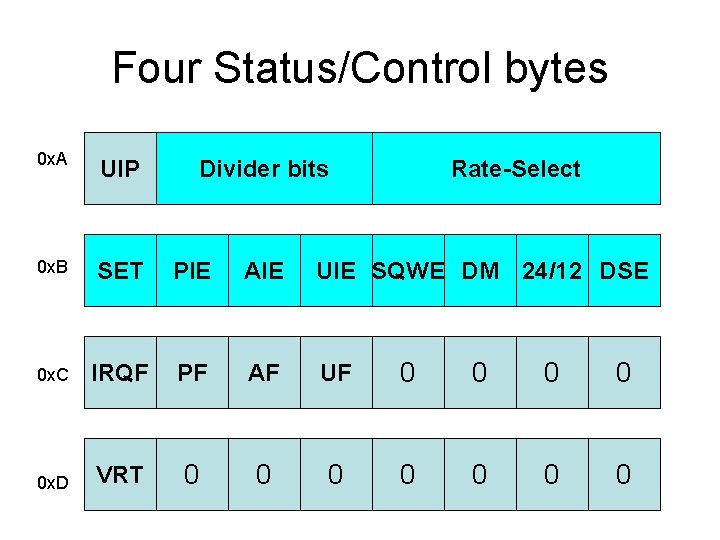
Four Status/Control bytes 0 x. A UIP 0 x. B SET PIE AIE UIE SQWE DM 24/12 DSE 0 x. C IRQF PF AF UF 0 0 0 x. D VRT 0 0 0 0 Divider bits Rate-Select
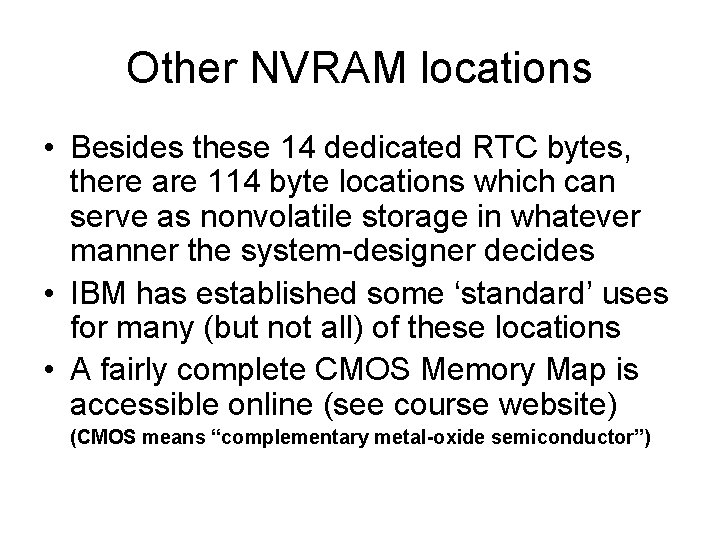
Other NVRAM locations • Besides these 14 dedicated RTC bytes, there are 114 byte locations which can serve as nonvolatile storage in whatever manner the system-designer decides • IBM has established some ‘standard’ uses for many (but not all) of these locations • A fairly complete CMOS Memory Map is accessible online (see course website) (CMOS means “complementary metal-oxide semiconductor”)
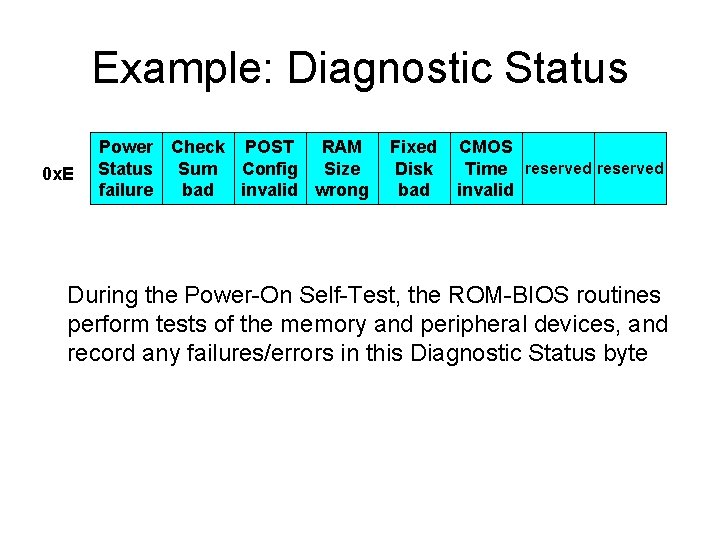
Example: Diagnostic Status 0 x. E Power Check POST RAM Status Sum Config Size failure bad invalid wrong Fixed Disk bad CMOS Time reserved invalid During the Power-On Self-Test, the ROM-BIOS routines perform tests of the memory and peripheral devices, and record any failures/errors in this Diagnostic Status byte
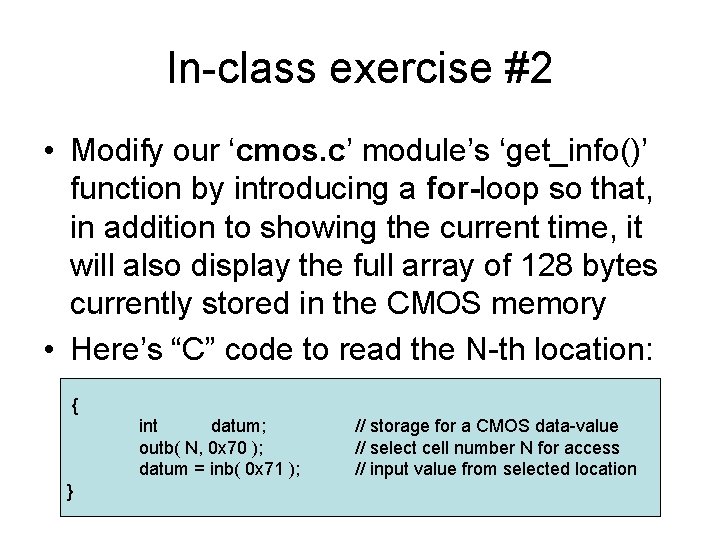
In-class exercise #2 • Modify our ‘cmos. c’ module’s ‘get_info()’ function by introducing a for-loop so that, in addition to showing the current time, it will also display the full array of 128 bytes currently stored in the CMOS memory • Here’s “C” code to read the N-th location: { int datum; outb( N, 0 x 70 ); datum = inb( 0 x 71 ); } // storage for a CMOS data-value // select cell number N for access // input value from selected location