
On Shape Assignment 11 Transform Part 2 By
On. Shape Assignment 11 Transform Part 2 By: Mr. Gravitt

Step 23. 1 – Draw a Vertex Axis Line • Start a New Sketch on the Plane.

Step 23. 2 – Draw a Vertex Axis Line • Name it VERTEX AXIS DRAWING.
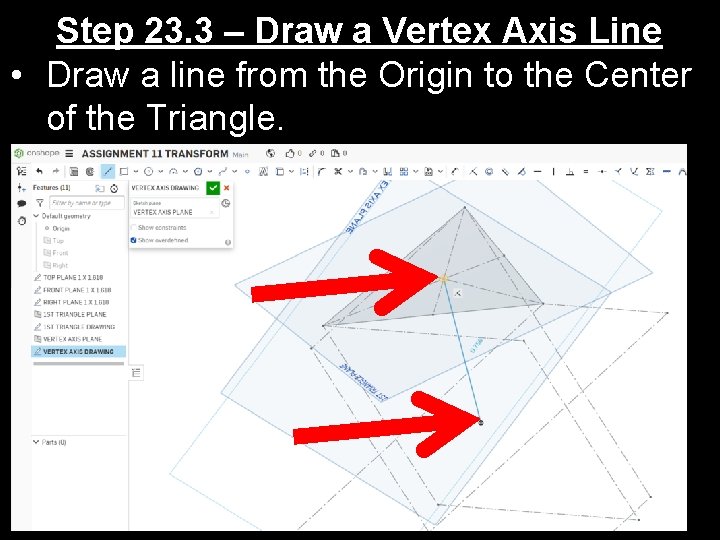
Step 23. 3 – Draw a Vertex Axis Line • Draw a line from the Origin to the Center of the Triangle.

Step 23. 4 – Draw a Vertex Axis Line • Draw a line from the Origin to the Center of the Triangle.

Step 23. 5 – Draw a Vertex Axis Line • Extend the line up a little bit.
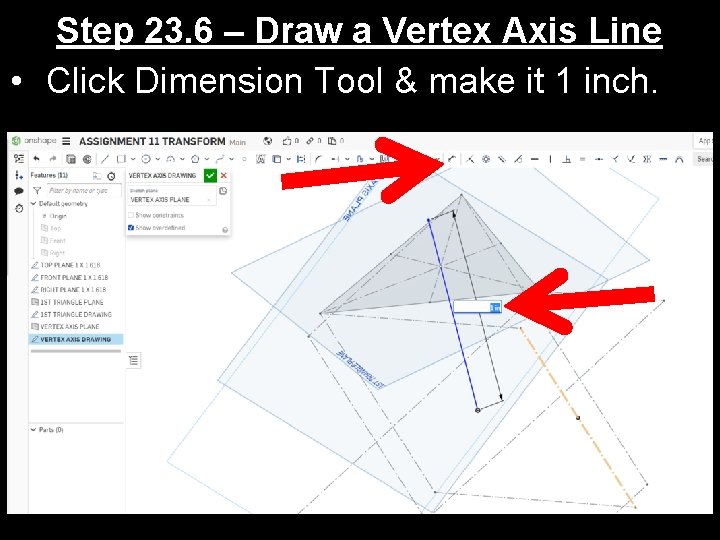
Step 23. 6 – Draw a Vertex Axis Line • Click Dimension Tool & make it 1 inch.

Step 23. 7 – Draw a Vertex Axis Line • Turn it into a Construction Line. • Click Finished (Green Checkmark).
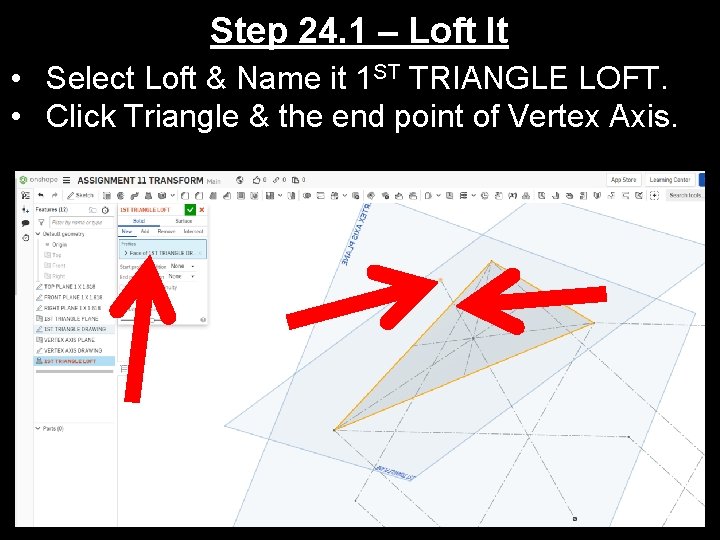
Step 24. 1 – Loft It • Select Loft & Name it 1 ST TRIANGLE LOFT. • Click Triangle & the end point of Vertex Axis.
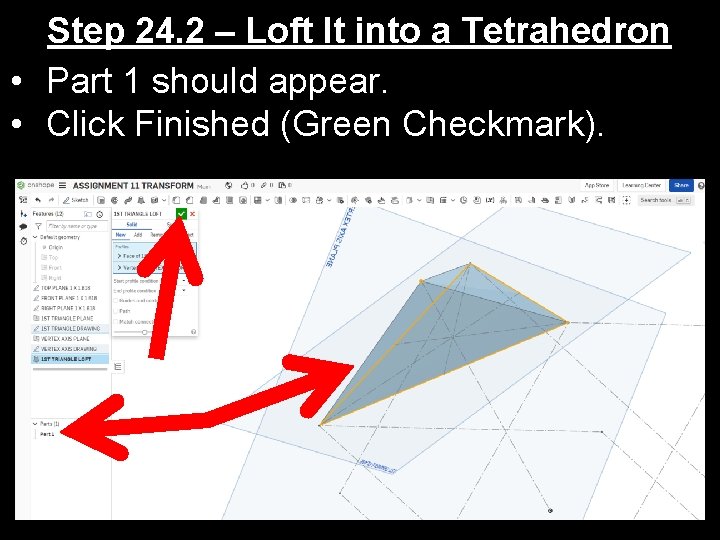
Step 24. 2 – Loft It into a Tetrahedron • Part 1 should appear. • Click Finished (Green Checkmark).
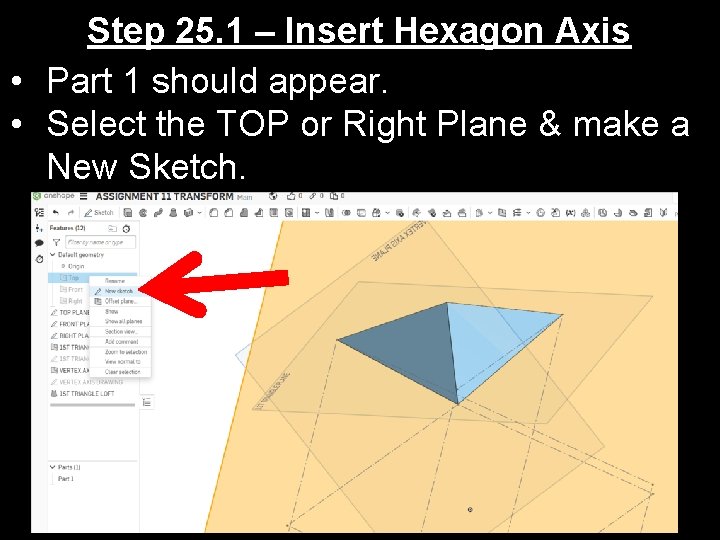
Step 25. 1 – Insert Hexagon Axis • Part 1 should appear. • Select the TOP or Right Plane & make a New Sketch.
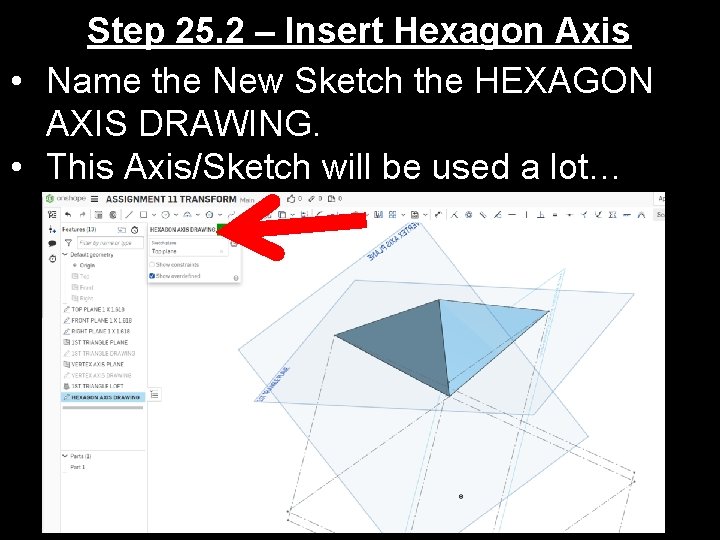
Step 25. 2 – Insert Hexagon Axis • Name the New Sketch the HEXAGON AXIS DRAWING. • This Axis/Sketch will be used a lot…
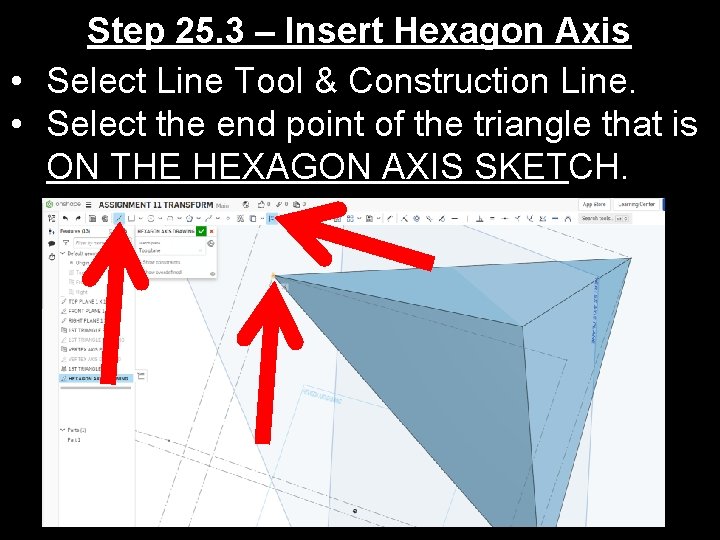
Step 25. 3 – Insert Hexagon Axis • Select Line Tool & Construction Line. • Select the end point of the triangle that is ON THE HEXAGON AXIS SKETCH.
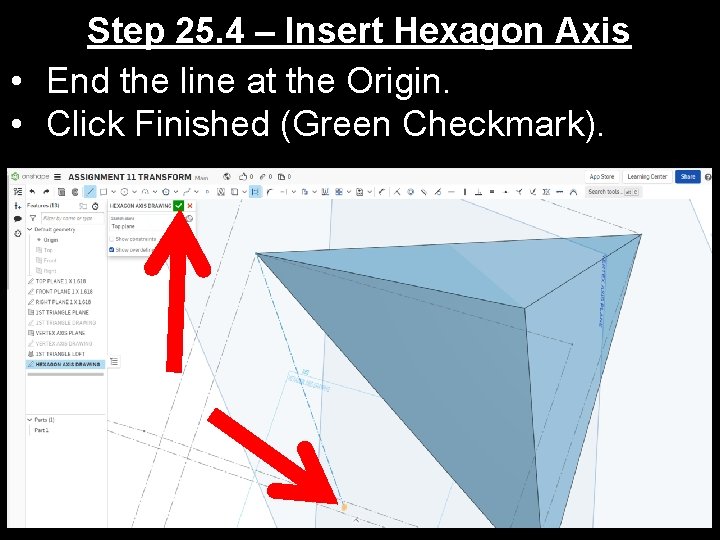
Step 25. 4 – Insert Hexagon Axis • End the line at the Origin. • Click Finished (Green Checkmark).
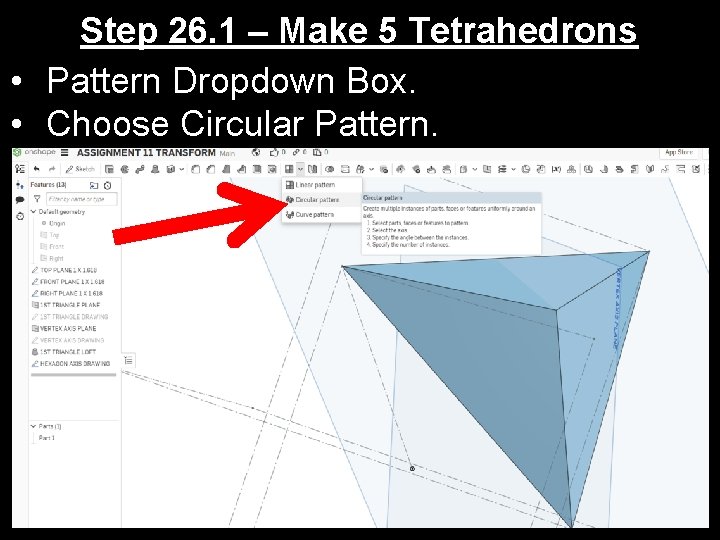
Step 26. 1 – Make 5 Tetrahedrons • Pattern Dropdown Box. • Choose Circular Pattern.
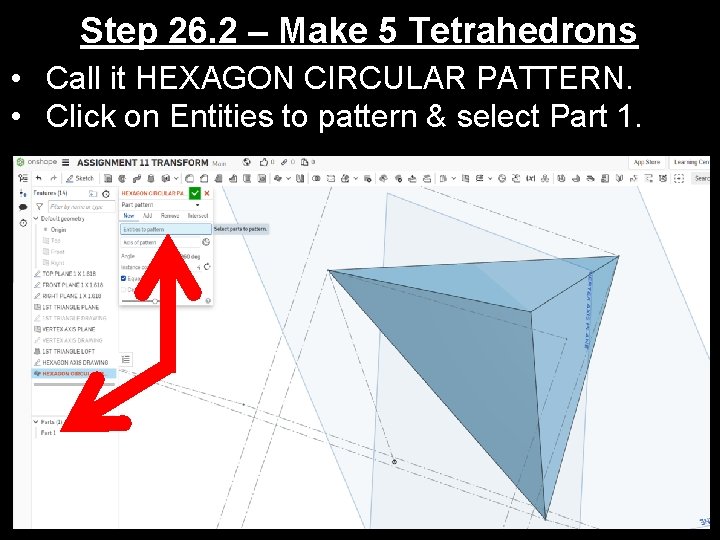
Step 26. 2 – Make 5 Tetrahedrons • Call it HEXAGON CIRCULAR PATTERN. • Click on Entities to pattern & select Part 1.
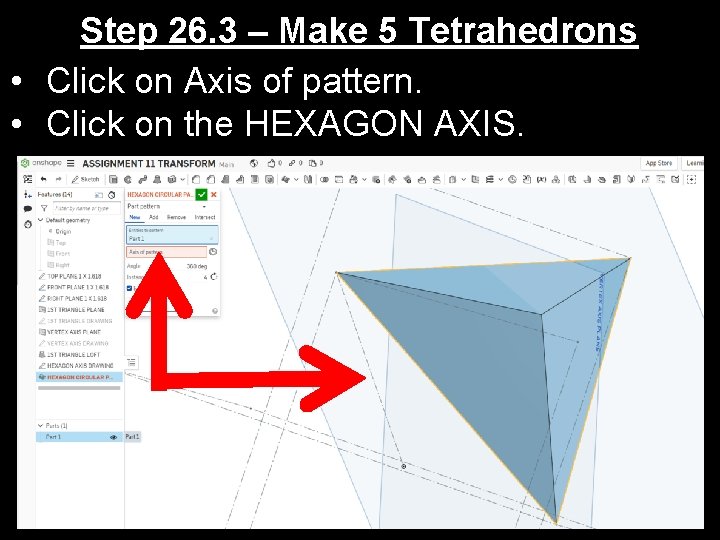
Step 26. 3 – Make 5 Tetrahedrons • Click on Axis of pattern. • Click on the HEXAGON AXIS.
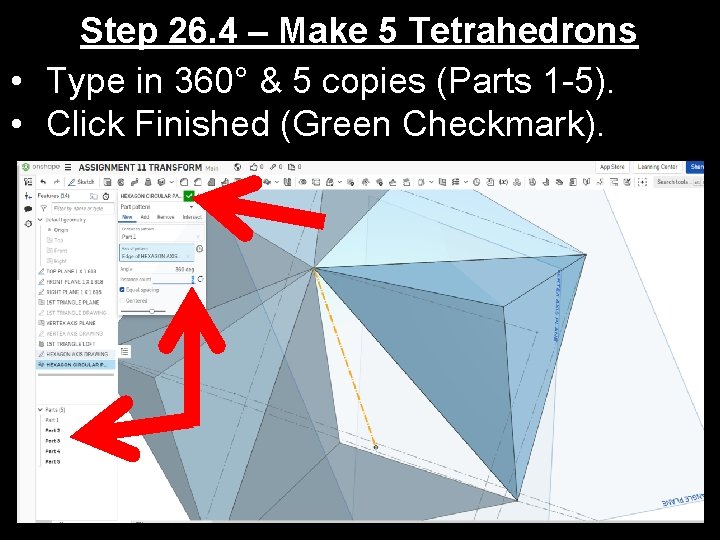
Step 26. 4 – Make 5 Tetrahedrons • Type in 360° & 5 copies (Parts 1 -5). • Click Finished (Green Checkmark).
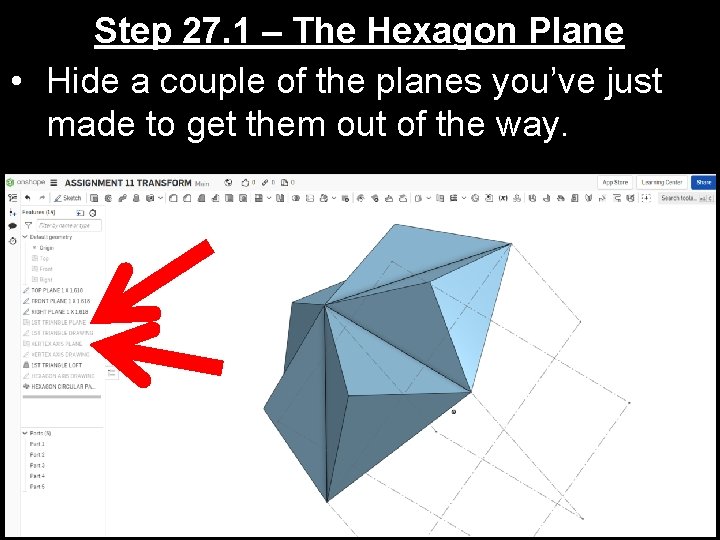
Step 27. 1 – The Hexagon Plane • Hide a couple of the planes you’ve just made to get them out of the way.
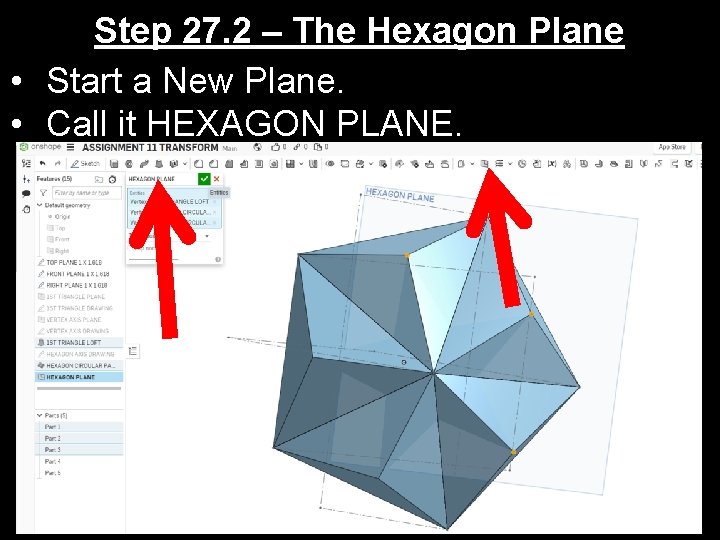
Step 27. 2 – The Hexagon Plane • Start a New Plane. • Call it HEXAGON PLANE.
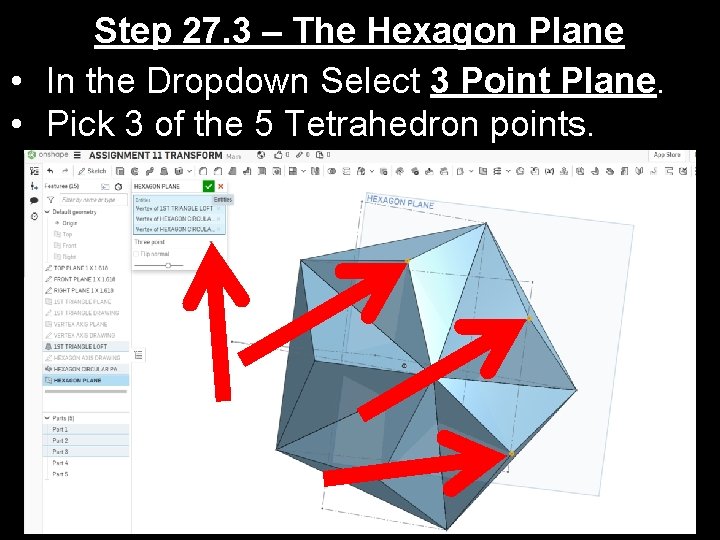
Step 27. 3 – The Hexagon Plane • In the Dropdown Select 3 Point Plane. • Pick 3 of the 5 Tetrahedron points.
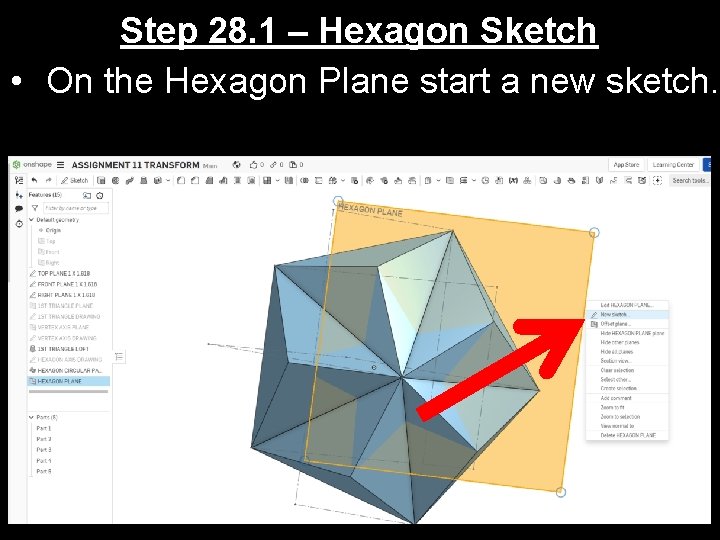
Step 28. 1 – Hexagon Sketch • On the Hexagon Plane start a new sketch.
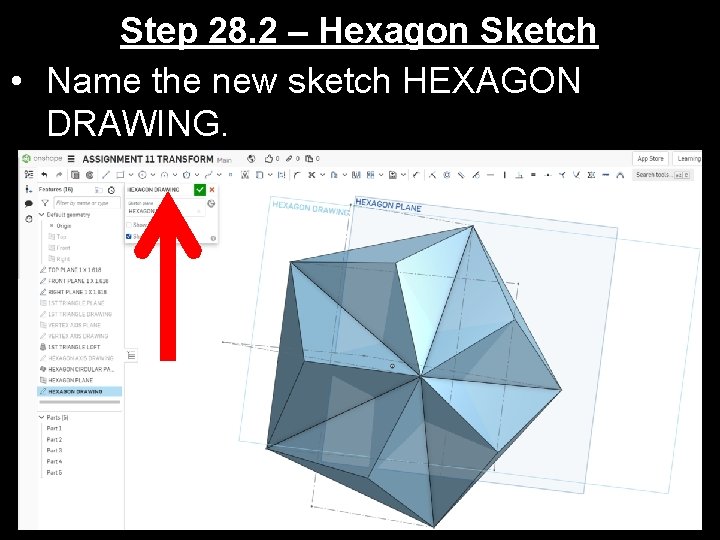
Step 28. 2 – Hexagon Sketch • Name the new sketch HEXAGON DRAWING.
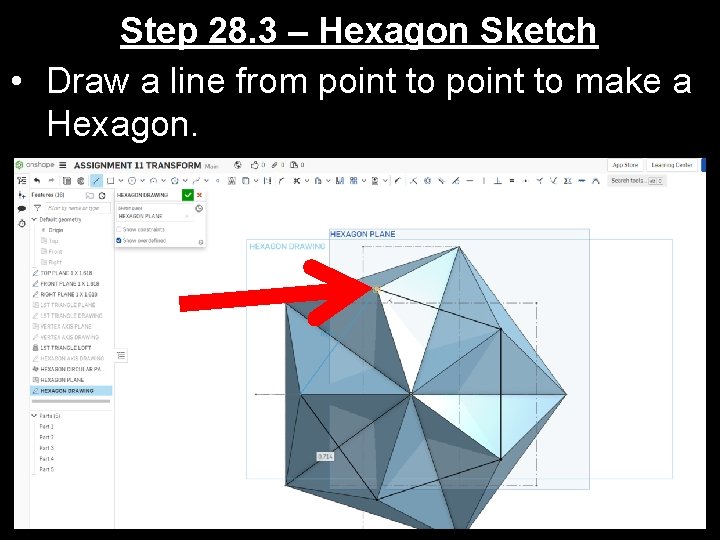
Step 28. 3 – Hexagon Sketch • Draw a line from point to make a Hexagon.
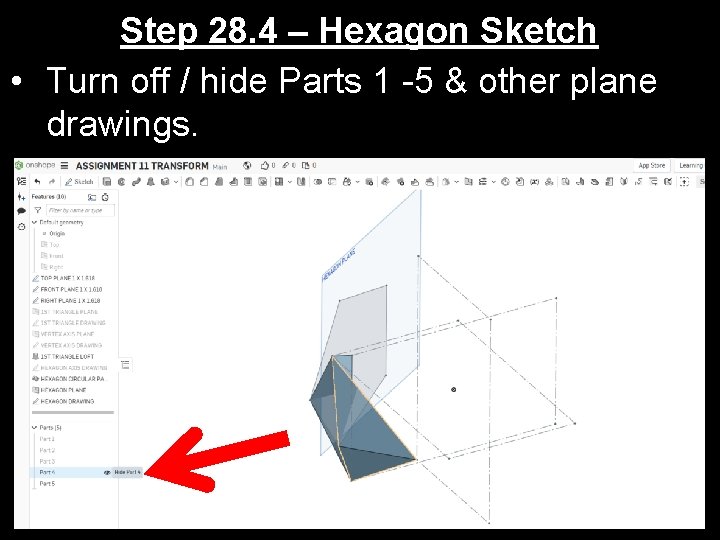
Step 28. 4 – Hexagon Sketch • Turn off / hide Parts 1 -5 & other plane drawings.
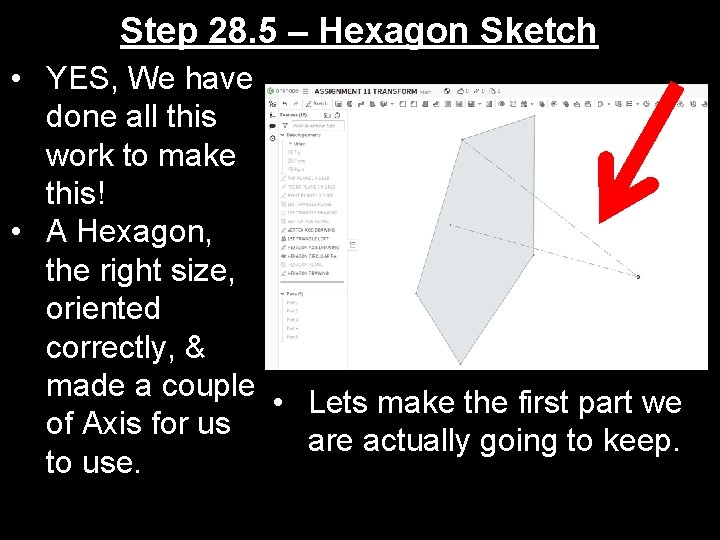
Step 28. 5 – Hexagon Sketch • YES, We have done all this work to make this! • A Hexagon, the right size, oriented correctly, & made a couple • Lets make the first part we of Axis for us are actually going to keep. to use.
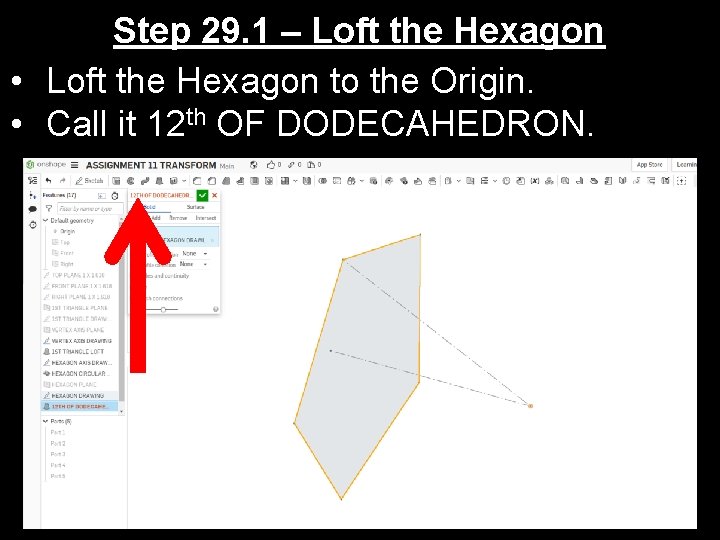
Step 29. 1 – Loft the Hexagon • Loft the Hexagon to the Origin. • Call it 12 th OF DODECAHEDRON.
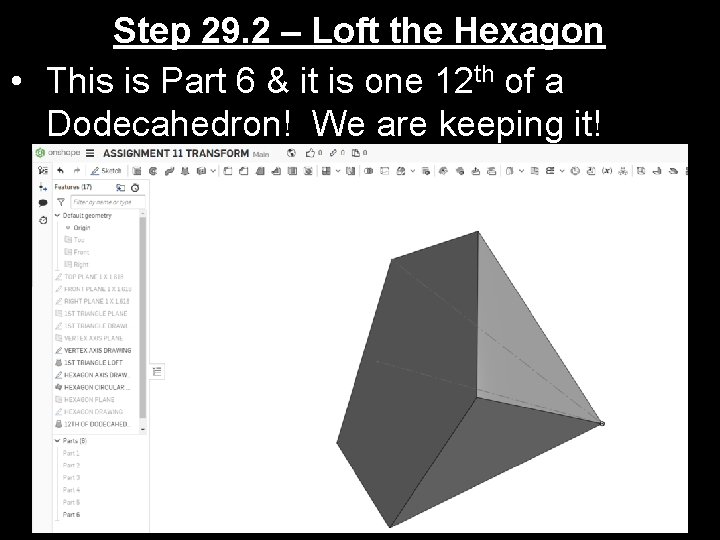
Step 29. 2 – Loft the Hexagon • This is Part 6 & it is one 12 th of a Dodecahedron! We are keeping it!
End of Part 2 Go On to Part 3 & Start on Step 30
- Slides: 29