
OHSU Health Services Referrals and Authorizations deep dive






- Slides: 34
OHSU Health Services Referrals and Authorizations deep dive Presented by Johnathan Ladd
Agenda Authorizations • Prior Auth/Referral Resources • Approvals/Denials • Timely Filing/Turnaround times • Authorization appeal process Referrals • When is a referral necessary? • When isn’t a referral necessary? • Example • Retro Referral process
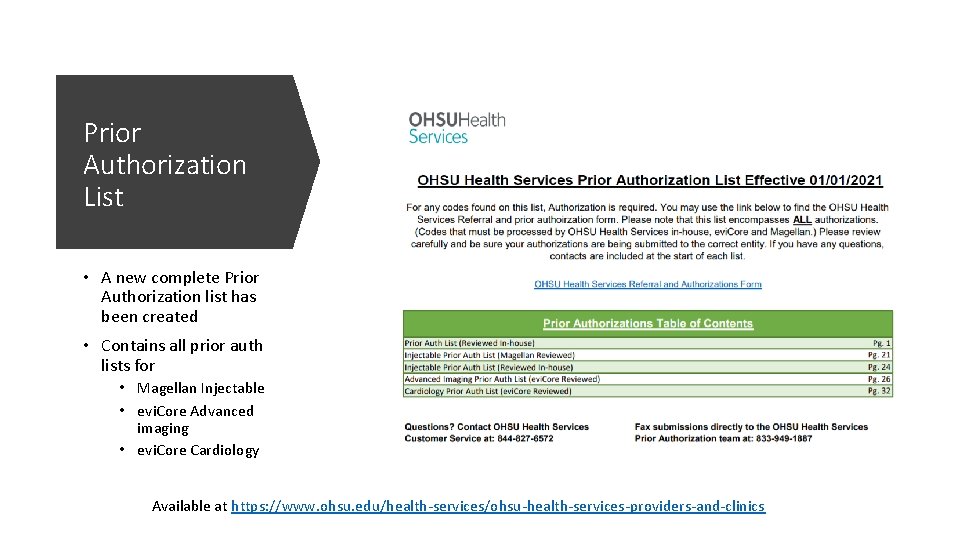
Prior Authorization List • A new complete Prior Authorization list has been created • Contains all prior auth lists for • Magellan Injectable • evi. Core Advanced imaging • evi. Core Cardiology Available at https: //www. ohsu. edu/health-services/ohsu-health-services-providers-and-clinics
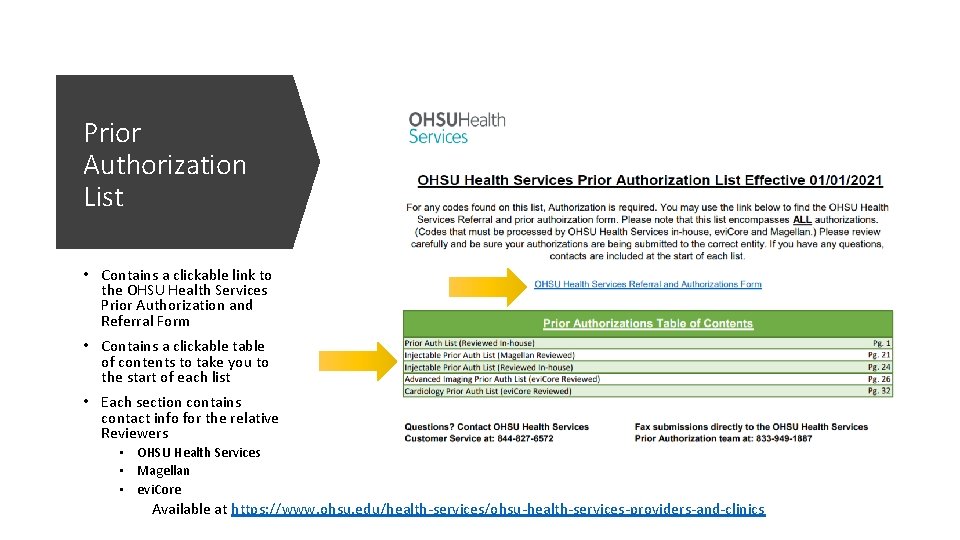
Prior Authorization List • Contains a clickable link to the OHSU Health Services Prior Authorization and Referral Form • Contains a clickable table of contents to take you to the start of each list • Each section contains contact info for the relative Reviewers • OHSU Health Services • Magellan • evi. Core Available at https: //www. ohsu. edu/health-services/ohsu-health-services-providers-and-clinics
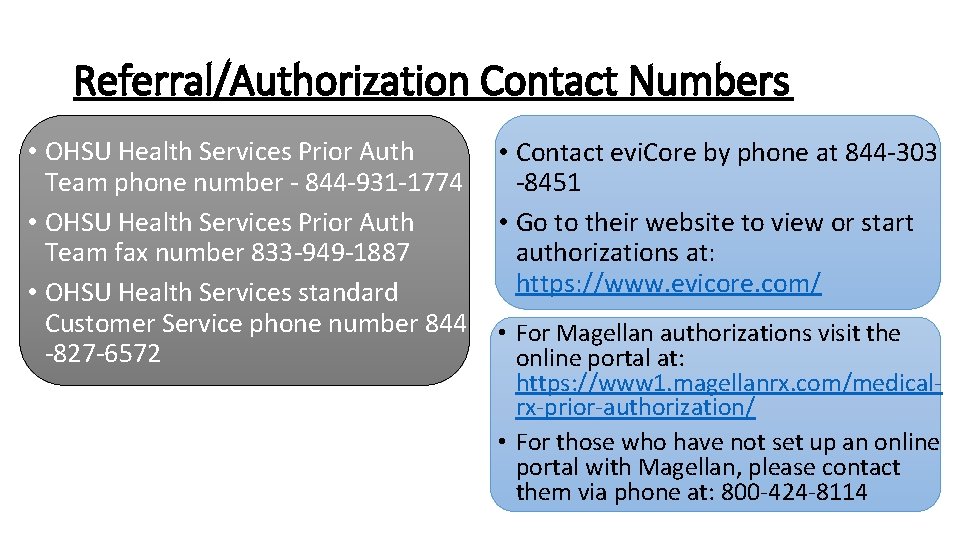
Referral/Authorization Contact Numbers • OHSU Health Services Prior Auth Team phone number - 844 -931 -1774 • OHSU Health Services Prior Auth Team fax number 833 -949 -1887 • OHSU Health Services standard Customer Service phone number 844 -827 -6572 • Contact evi. Core by phone at 844 -303 -8451 • Go to their website to view or start authorizations at: https: //www. evicore. com/ • For Magellan authorizations visit the online portal at: https: //www 1. magellanrx. com/medicalrx-prior-authorization/ • For those who have not set up an online portal with Magellan, please contact them via phone at: 800 -424 -8114
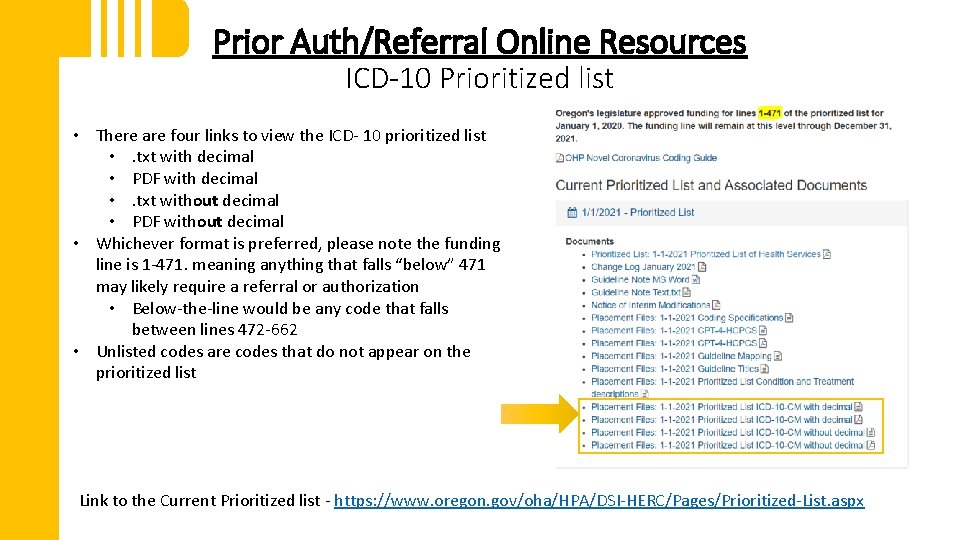
Prior Auth/Referral Online Resources ICD-10 Prioritized list • There are four links to view the ICD- 10 prioritized list • . txt with decimal • PDF with decimal • . txt without decimal • PDF without decimal • Whichever format is preferred, please note the funding line is 1 -471. meaning anything that falls “below” 471 may likely require a referral or authorization • Below-the-line would be any code that falls between lines 472 -662 • Unlisted codes are codes that do not appear on the prioritized list Link to the Current Prioritized list - https: //www. oregon. gov/oha/HPA/DSI-HERC/Pages/Prioritized-List. aspx
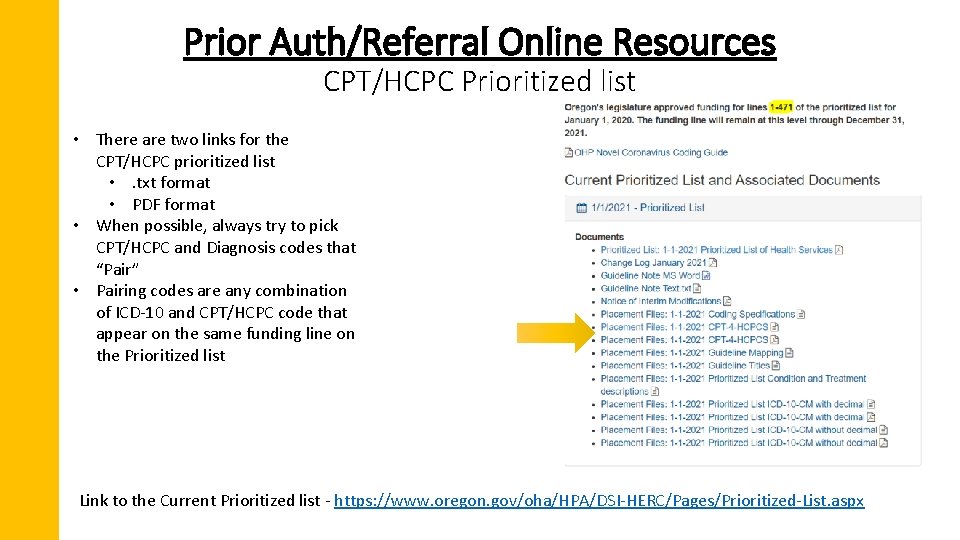
Prior Auth/Referral Online Resources CPT/HCPC Prioritized list • There are two links for the CPT/HCPC prioritized list • . txt format • PDF format • When possible, always try to pick CPT/HCPC and Diagnosis codes that “Pair” • Pairing codes are any combination of ICD-10 and CPT/HCPC code that appear on the same funding line on the Prioritized list Link to the Current Prioritized list - https: //www. oregon. gov/oha/HPA/DSI-HERC/Pages/Prioritized-List. aspx
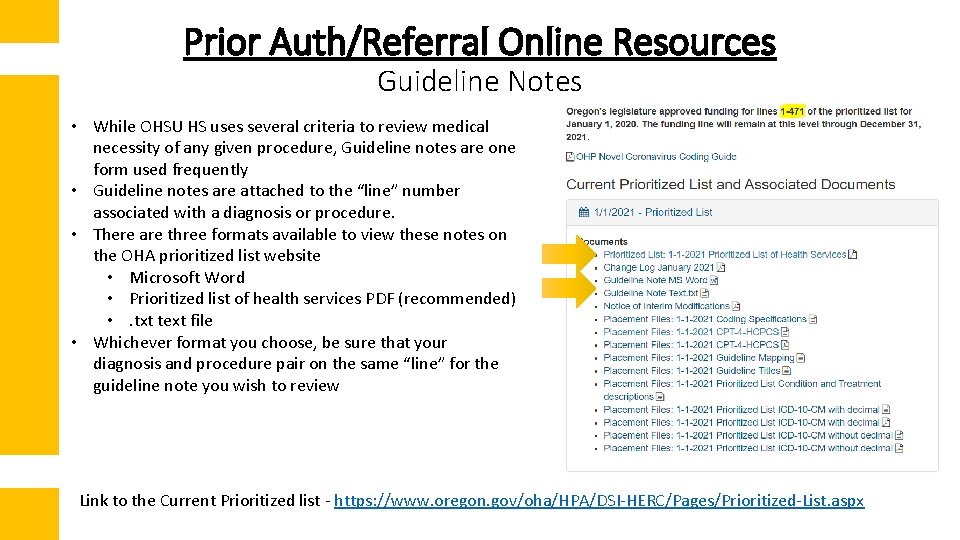
Prior Auth/Referral Online Resources Guideline Notes • While OHSU HS uses several criteria to review medical necessity of any given procedure, Guideline notes are one form used frequently • Guideline notes are attached to the “line” number associated with a diagnosis or procedure. • There are three formats available to view these notes on the OHA prioritized list website • Microsoft Word • Prioritized list of health services PDF (recommended) • . txt text file • Whichever format you choose, be sure that your diagnosis and procedure pair on the same “line” for the guideline note you wish to review Link to the Current Prioritized list - https: //www. oregon. gov/oha/HPA/DSI-HERC/Pages/Prioritized-List. aspx
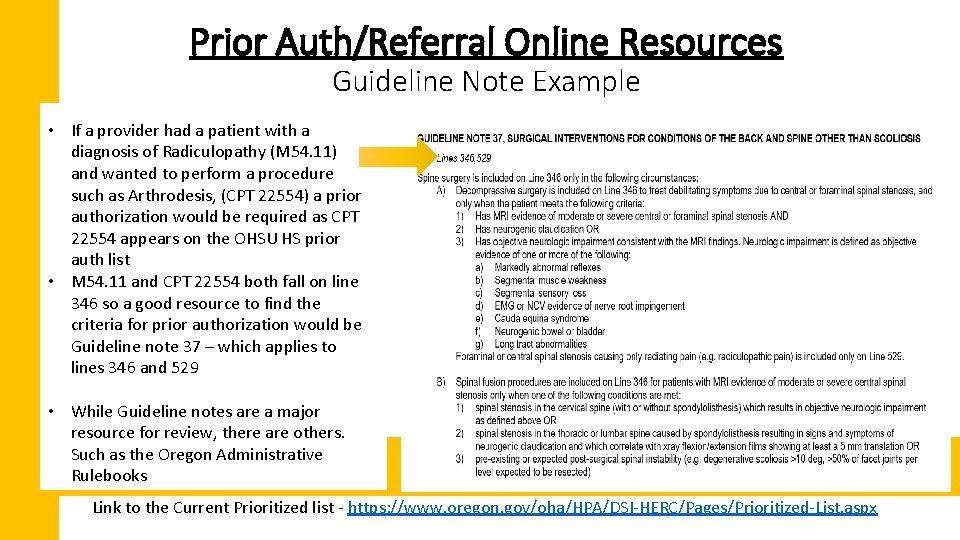
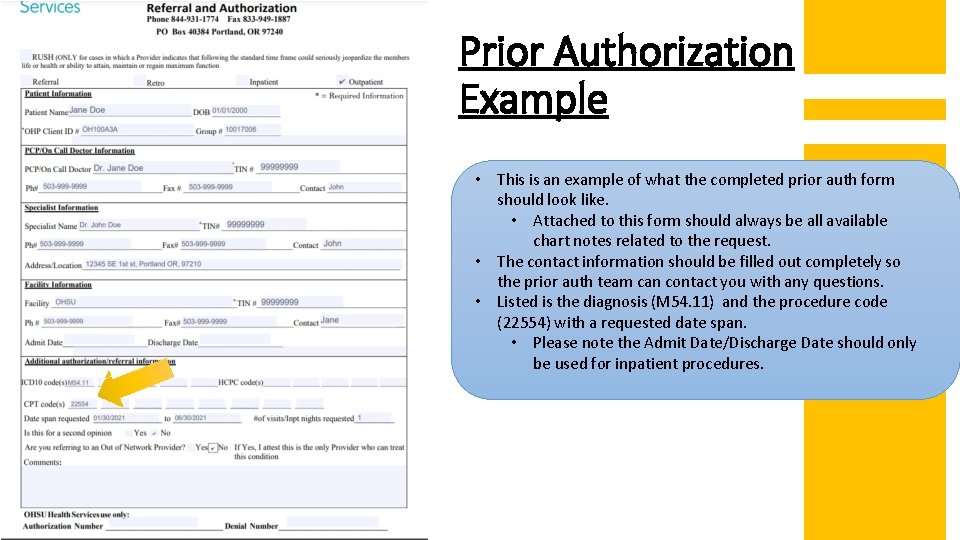
Prior Auth/Referral Online Resources Guideline Note Example • If a provider had a patient with a diagnosis of Radiculopathy (M 54. 11) and wanted to perform a procedure such as Arthrodesis, (CPT 22554) a prior authorization would be required as CPT 22554 appears on the OHSU HS prior auth list • M 54. 11 and CPT 22554 both fall on line 346 so a good resource to find the criteria for prior authorization would be Guideline note 37 – which applies to lines 346 and 529 • While Guideline notes are a major resource for review, there are others. Such as the Oregon Administrative Rulebooks Link to the Current Prioritized list - https: //www. oregon. gov/oha/HPA/DSI-HERC/Pages/Prioritized-List. aspx
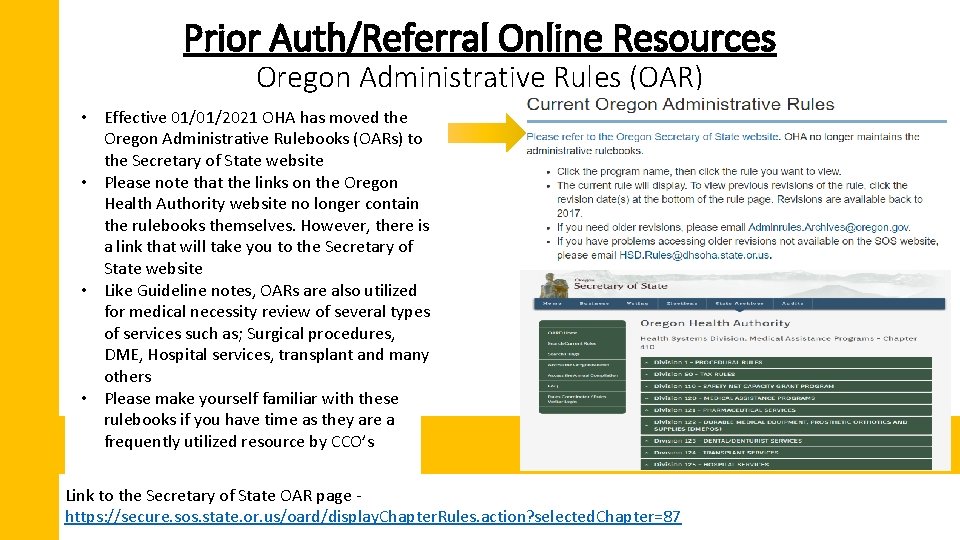
Prior Auth/Referral Online Resources Oregon Administrative Rules (OAR) • Effective 01/01/2021 OHA has moved the Oregon Administrative Rulebooks (OARs) to the Secretary of State website • Please note that the links on the Oregon Health Authority website no longer contain the rulebooks themselves. However, there is a link that will take you to the Secretary of State website • Like Guideline notes, OARs are also utilized for medical necessity review of several types of services such as; Surgical procedures, DME, Hospital services, transplant and many others • Please make yourself familiar with these rulebooks if you have time as they are a frequently utilized resource by CCO’s Link to the Secretary of State OAR page https: //secure. sos. state. or. us/oard/display. Chapter. Rules. action? selected. Chapter=87
Questions?
Prior Authorizations Approvals and denials
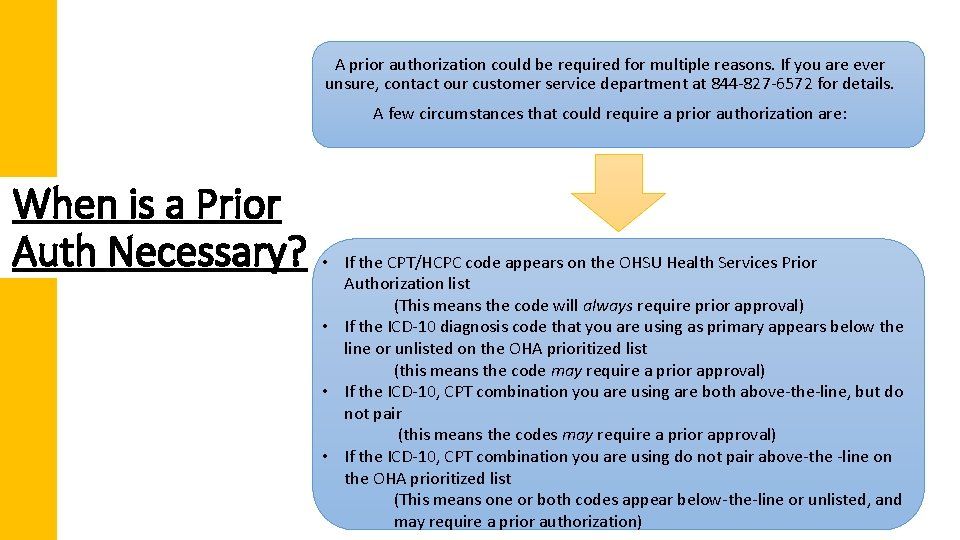
A prior authorization could be required for multiple reasons. If you are ever unsure, contact our customer service department at 844 -827 -6572 for details. A few circumstances that could require a prior authorization are: When is a Prior Auth Necessary? • If the CPT/HCPC code appears on the OHSU Health Services Prior Authorization list (This means the code will always require prior approval) • If the ICD-10 diagnosis code that you are using as primary appears below the line or unlisted on the OHA prioritized list (this means the code may require a prior approval) • If the ICD-10, CPT combination you are using are both above-the-line, but do not pair (this means the codes may require a prior approval) • If the ICD-10, CPT combination you are using do not pair above-the -line on the OHA prioritized list (This means one or both codes appear below-the-line or unlisted, and may require a prior authorization)
Prior Authorization Example Using the diagnosis and procedure code example from our Guideline note slide, I will provide an example of what requesting a prior authorization should look like, and what happens behind the scenes when an authorization is requested.
Prior Authorization Example • This is an example of what the completed prior auth form should look like. • Attached to this form should always be all available chart notes related to the request. • The contact information should be filled out completely so the prior auth team can contact you with any questions. • Listed is the diagnosis (M 54. 11) and the procedure code (22554) with a requested date span. • Please note the Admit Date/Discharge Date should only be used for inpatient procedures.
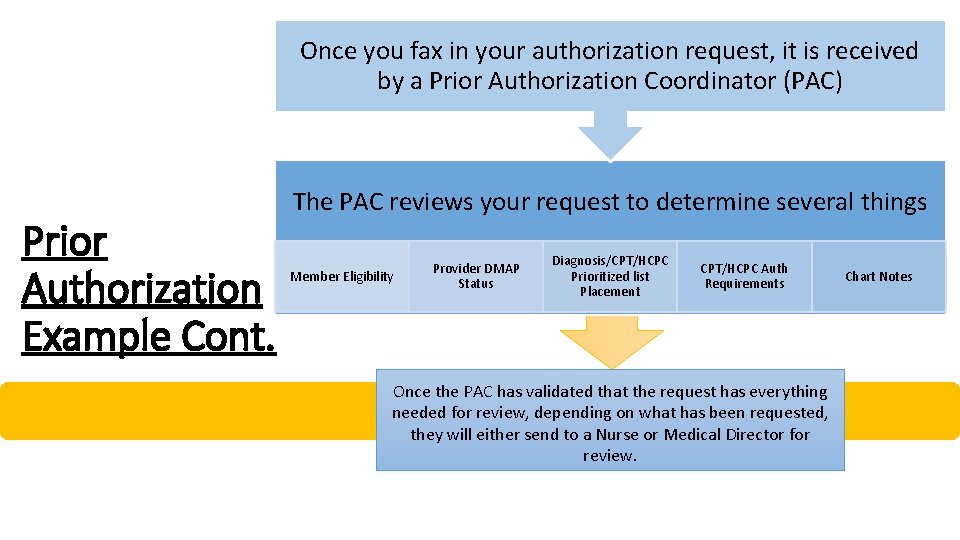
Once you fax in your authorization request, it is received by a Prior Authorization Coordinator (PAC) Prior Authorization Example Cont. The PAC reviews your request to determine several things Member Eligibility Provider DMAP Status Diagnosis/CPT/HCPC Prioritized list Placement CPT/HCPC Auth Requirements Once the PAC has validated that the request has everything needed for review, depending on what has been requested, they will either send to a Nurse or Medical Director for review. Chart Notes
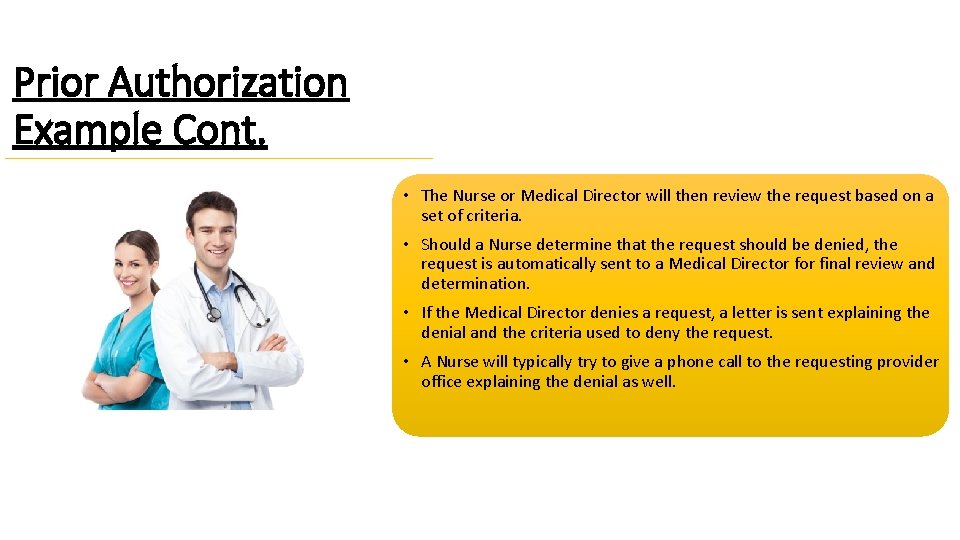
Prior Authorization Example Cont. • The Nurse or Medical Director will then review the request based on a set of criteria. • Should a Nurse determine that the request should be denied, the request is automatically sent to a Medical Director final review and determination. • If the Medical Director denies a request, a letter is sent explaining the denial and the criteria used to deny the request. • A Nurse will typically try to give a phone call to the requesting provider office explaining the denial as well.
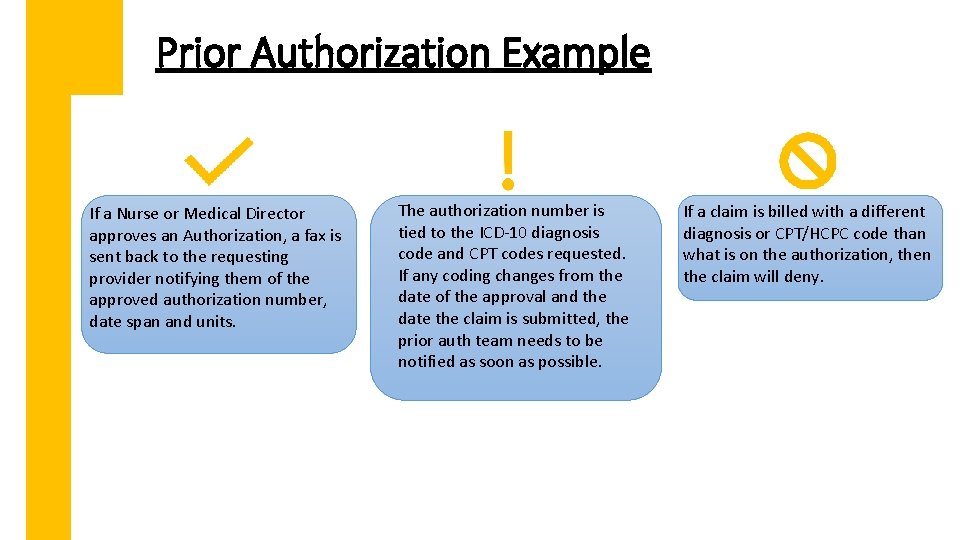
Prior Authorization Example If a Nurse or Medical Director approves an Authorization, a fax is sent back to the requesting provider notifying them of the approved authorization number, date span and units. The authorization number is tied to the ICD-10 diagnosis code and CPT codes requested. If any coding changes from the date of the approval and the date the claim is submitted, the prior auth team needs to be notified as soon as possible. If a claim is billed with a different diagnosis or CPT/HCPC code than what is on the authorization, then the claim will deny.
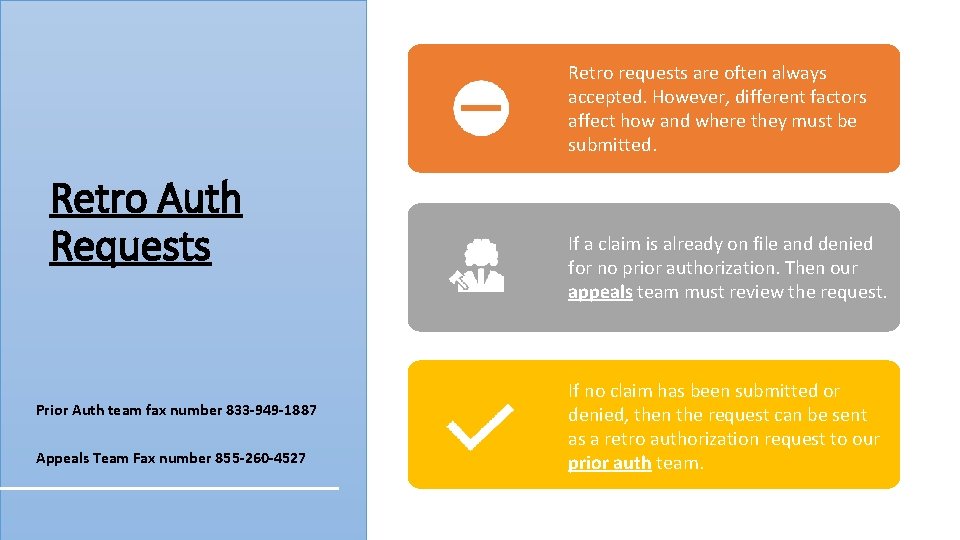
Retro requests are often always accepted. However, different factors affect how and where they must be submitted. Retro Auth Requests Prior Auth team fax number 833 -949 -1887 Appeals Team Fax number 855 -260 -4527 If a claim is already on file and denied for no prior authorization. Then our appeals team must review the request. If no claim has been submitted or denied, then the request can be sent as a retro authorization request to our prior auth team.
Timely Filing/Turnaround Times • Rush – 72 hours from received date and time • Standard – 14 calendar days from the received date • Priority – expedited, but still 14 days from received date • Retro – 30 calendar days from received date Timely filing for Retro Authorizations is 90 days from the date of service
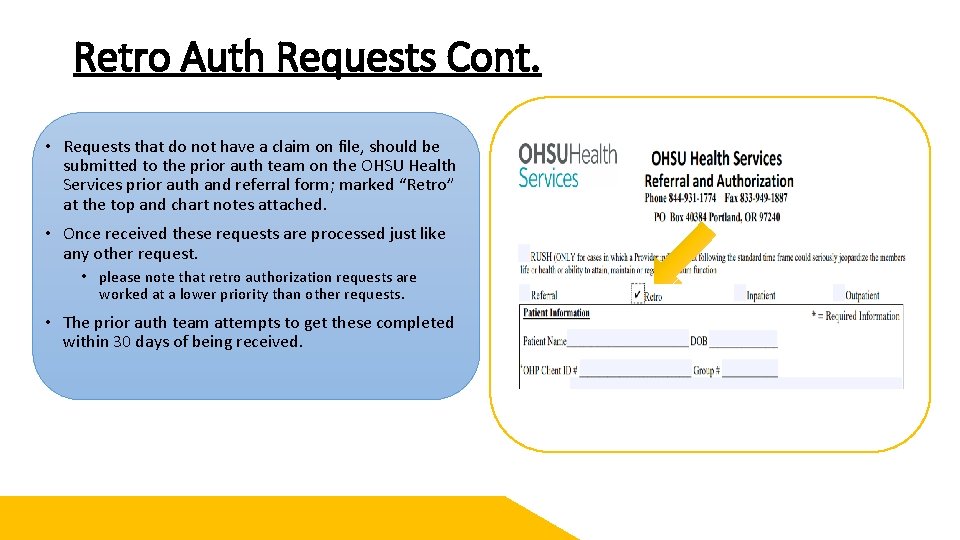
Retro Auth Requests Cont. • Requests that do not have a claim on file, should be submitted to the prior auth team on the OHSU Health Services prior auth and referral form; marked “Retro” at the top and chart notes attached. • Once received these requests are processed just like any other request. • please note that retro authorization requests are worked at a lower priority than other requests. • The prior auth team attempts to get these completed within 30 days of being received.
Appeal Process – Retro Authorizations • For retro authorizations that do have a denied claim on file are processed by the appeals team. • Instead of an authorization form, a letter should be sent asking for the claim to be paid and a retro authorization to be completed. • Attached to the letter should be the member and claim details, along with chart notes for clinical review. • The appeals team reviews the request similarly to the prior auth team with Nurses and Medical Directors. • In the event your appeal and retro authorization is denied, you will receive a formal appeal denial letter with your remaining appeal rights. • If approved, claims will be reprocessed, and your authorization loaded. You will also receive a formal approval letter from our appeals team for your records
Questions?
Referrals When do you need them?
When is a Referral Necessary? Specialist Office Visits that are Below-the-line (BTL) or unlisted on the Prioritized List Requests for Out-of-Network Specialist appointments and Ancillary providers
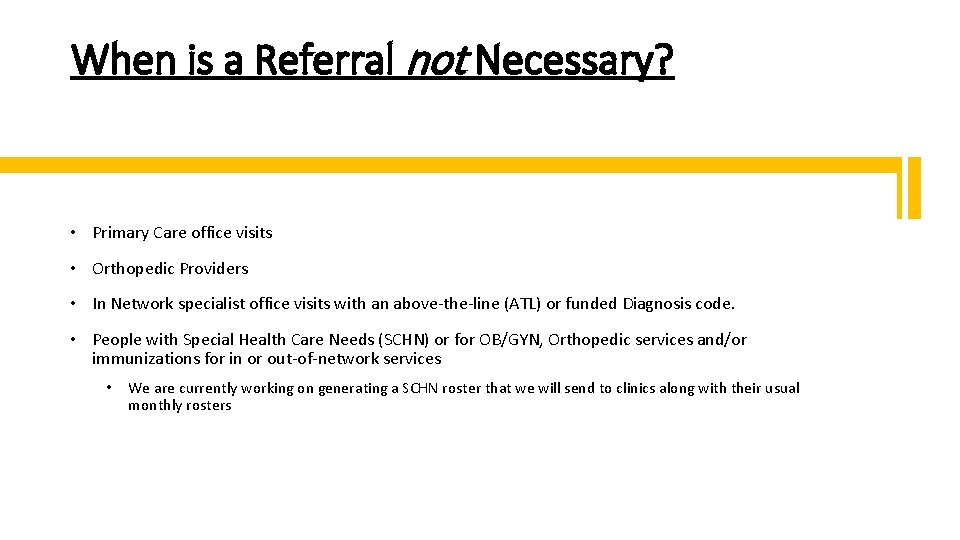
When is a Referral not Necessary? • Primary Care office visits • Orthopedic Providers • In Network specialist office visits with an above-the-line (ATL) or funded Diagnosis code. • People with Special Health Care Needs (SCHN) or for OB/GYN, Orthopedic services and/or immunizations for in or out-of-network services • We are currently working on generating a SCHN roster that we will send to clinics along with their usual monthly rosters
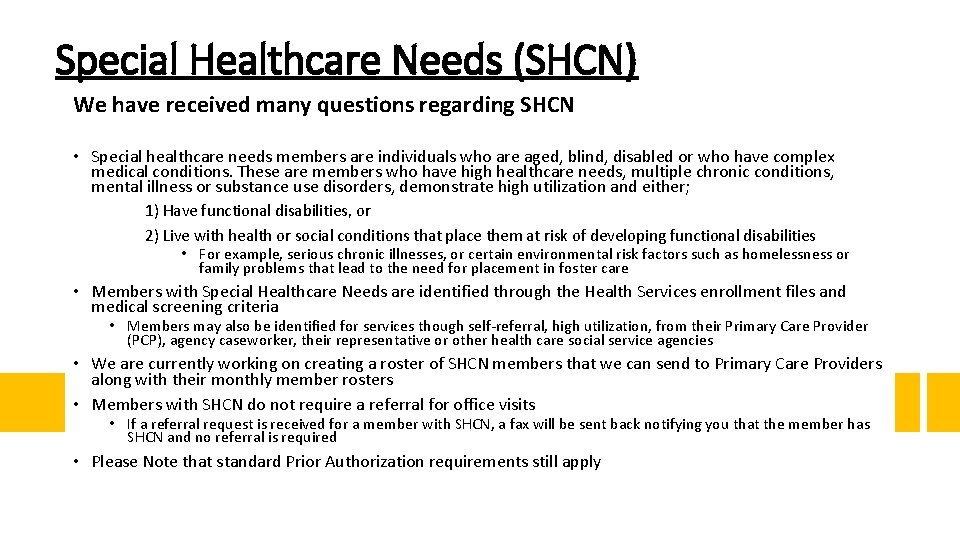
Special Healthcare Needs (SHCN) We have received many questions regarding SHCN • Special healthcare needs members are individuals who are aged, blind, disabled or who have complex medical conditions. These are members who have high healthcare needs, multiple chronic conditions, mental illness or substance use disorders, demonstrate high utilization and either; 1) Have functional disabilities, or 2) Live with health or social conditions that place them at risk of developing functional disabilities • For example, serious chronic illnesses, or certain environmental risk factors such as homelessness or family problems that lead to the need for placement in foster care • Members with Special Healthcare Needs are identified through the Health Services enrollment files and medical screening criteria • Members may also be identified for services though self-referral, high utilization, from their Primary Care Provider (PCP), agency caseworker, their representative or other health care social service agencies • We are currently working on creating a roster of SHCN members that we can send to Primary Care Providers along with their monthly member rosters • Members with SHCN do not require a referral for office visits • If a referral request is received for a member with SHCN, a fax will be sent back notifying you that the member has SHCN and no referral is required • Please Note that standard Prior Authorization requirements still apply
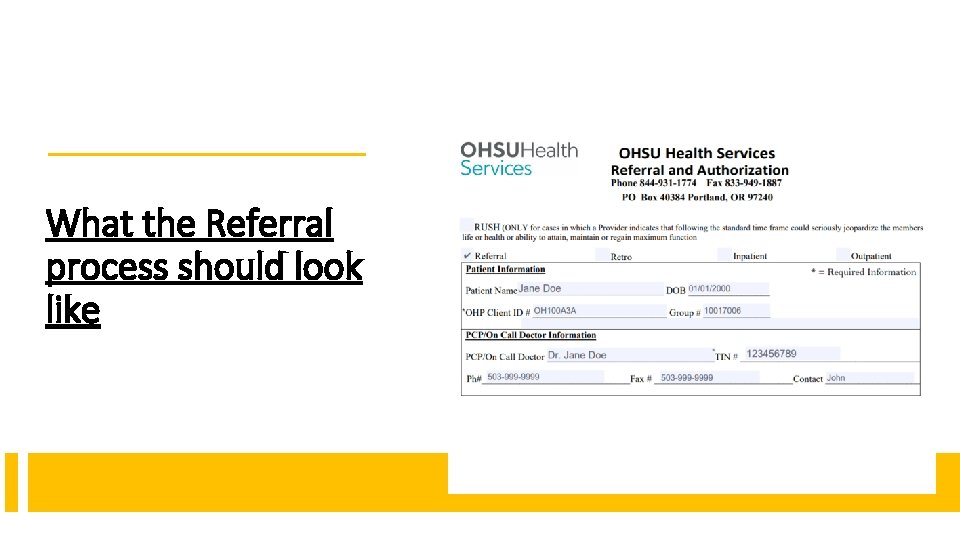
What the Referral process should look like
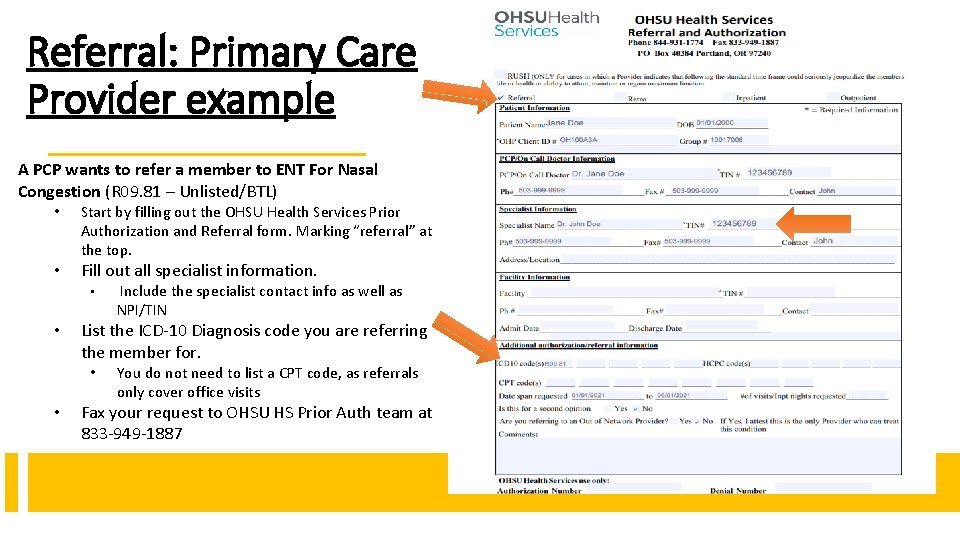
Referral: Primary Care Provider example A PCP wants to refer a member to ENT For Nasal Congestion (R 09. 81 – Unlisted/BTL) • • Start by filling out the OHSU Health Services Prior Authorization and Referral form. Marking “referral” at the top. Fill out all specialist information. • • List the ICD-10 Diagnosis code you are referring the member for. • • Include the specialist contact info as well as NPI/TIN You do not need to list a CPT code, as referrals only cover office visits Fax your request to OHSU HS Prior Auth team at 833 -949 -1887
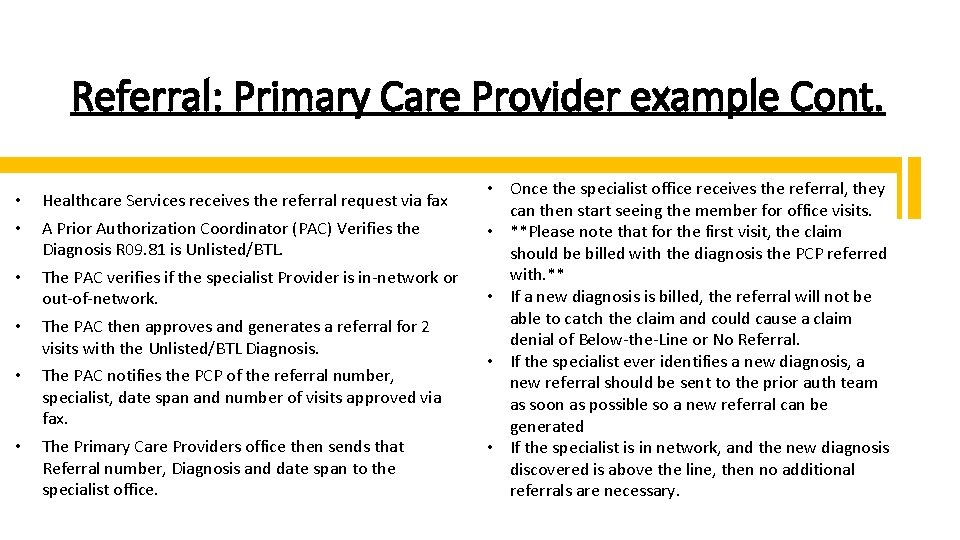
Referral: Primary Care Provider example Cont. • • Healthcare Services receives the referral request via fax • The PAC verifies if the specialist Provider is in-network or out-of-network. • The PAC then approves and generates a referral for 2 visits with the Unlisted/BTL Diagnosis. • The PAC notifies the PCP of the referral number, specialist, date span and number of visits approved via fax. • The Primary Care Providers office then sends that Referral number, Diagnosis and date span to the specialist office. A Prior Authorization Coordinator (PAC) Verifies the Diagnosis R 09. 81 is Unlisted/BTL. • Once the specialist office receives the referral, they can then start seeing the member for office visits. • **Please note that for the first visit, the claim should be billed with the diagnosis the PCP referred with. ** • If a new diagnosis is billed, the referral will not be able to catch the claim and could cause a claim denial of Below-the-Line or No Referral. • If the specialist ever identifies a new diagnosis, a new referral should be sent to the prior auth team as soon as possible so a new referral can be generated • If the specialist is in network, and the new diagnosis discovered is above the line, then no additional referrals are necessary.
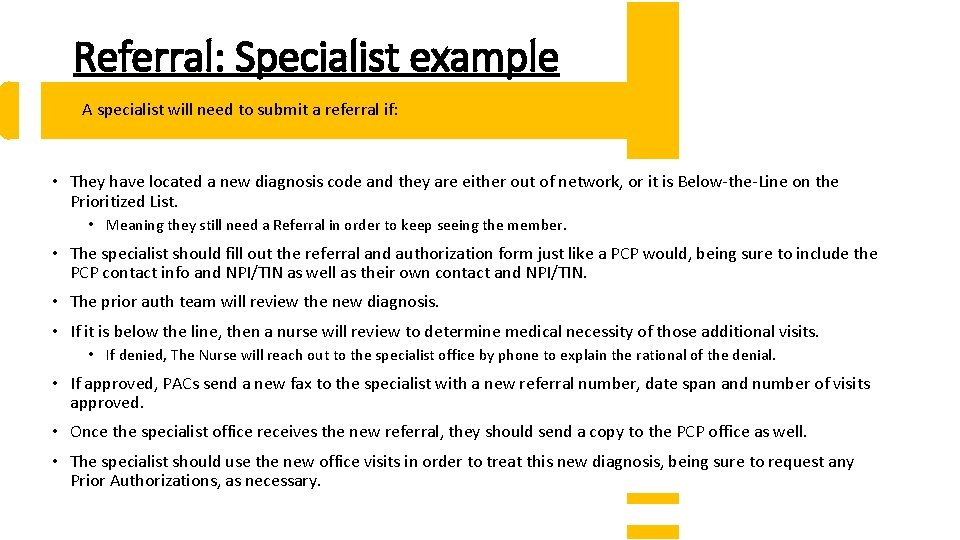
Referral: Specialist example A specialist will need to submit a referral if: • They have located a new diagnosis code and they are either out of network, or it is Below-the-Line on the Prioritized List. • Meaning they still need a Referral in order to keep seeing the member. • The specialist should fill out the referral and authorization form just like a PCP would, being sure to include the PCP contact info and NPI/TIN as well as their own contact and NPI/TIN. • The prior auth team will review the new diagnosis. • If it is below the line, then a nurse will review to determine medical necessity of those additional visits. • If denied, The Nurse will reach out to the specialist office by phone to explain the rational of the denial. • If approved, PACs send a new fax to the specialist with a new referral number, date span and number of visits approved. • Once the specialist office receives the new referral, they should send a copy to the PCP office as well. • The specialist should use the new office visits in order to treat this new diagnosis, being sure to request any Prior Authorizations, as necessary.
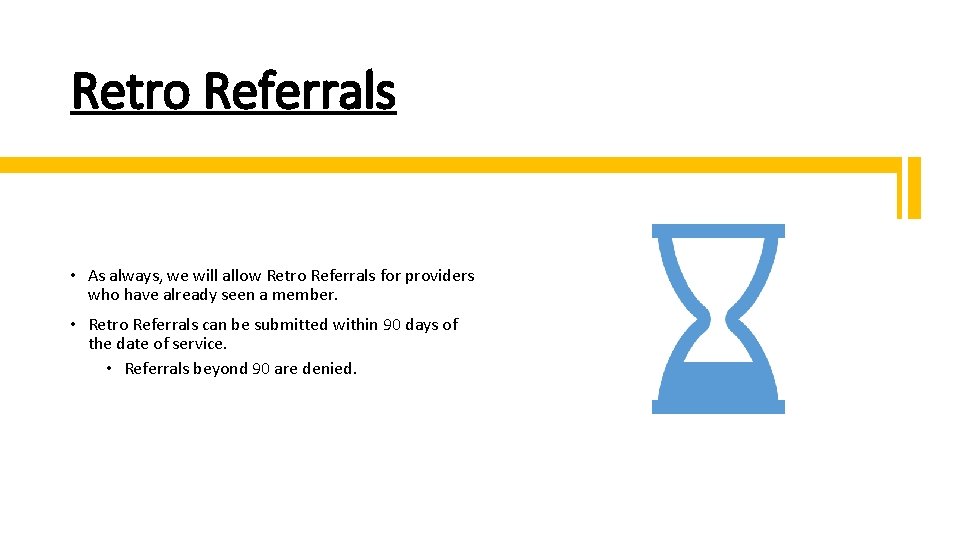
Retro Referrals • As always, we will allow Retro Referrals for providers who have already seen a member. • Retro Referrals can be submitted within 90 days of the date of service. • Referrals beyond 90 are denied.
Services Thank you for all the good work you do for our community!
Services Questions? My contact info: Johnathan. ladd@modahealth. com 503 -265 -5611 - Direct and secure Team email Distro: ohsuidsproviderinquiry@modahealth. com