
Offline Routing and Geocoding using Arc GIS Runtime


- Slides: 16
Offline Routing and Geocoding using Arc. GIS Runtime SDK Na An Joseph Dean Esri UC 2014 | Technical Workshop |
Agenda • Why offline routing and geocoding? • Advantages of Arc. GIS runtime SDK • Demo 1: Prepare data for offline use • Demo 2: Perform offline routing/geocoding on an Android device Esri UC 2014 | Technical Workshop |
Why Offline Routing and Geocoding? • Internet connection is not available or not reliable • Users have their own street network and geocoding index • Local solve provides a better performance - Eliminate the negative impact of Internet latency Esri UC 2014 | Technical Workshop |
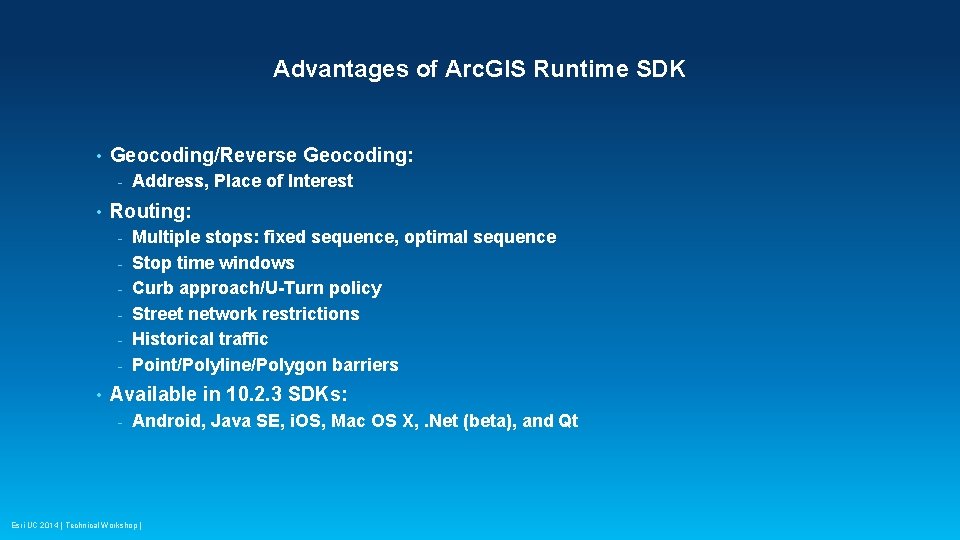
Advantages of Arc. GIS Runtime SDK • Geocoding/Reverse Geocoding: - • Routing: - • Address, Place of Interest Multiple stops: fixed sequence, optimal sequence Stop time windows Curb approach/U-Turn policy Street network restrictions Historical traffic Point/Polyline/Polygon barriers Available in 10. 2. 3 SDKs: - Android, Java SE, i. OS, Mac OS X, . Net (beta), and Qt Esri UC 2014 | Technical Workshop |
Demo • Prepare transportation network and locator for offline use • Deploy data on device • Consume data in mobile application with runtime SDK Esri UC 2014 | Technical Workshop |
Demo 1: Prepare data Na An Esri UC 2014 | Technical Workshop |
Demo 2: Disconnected routing/geocoding on an Android device Joseph Dean Esri UC 2014 | Technical Workshop |
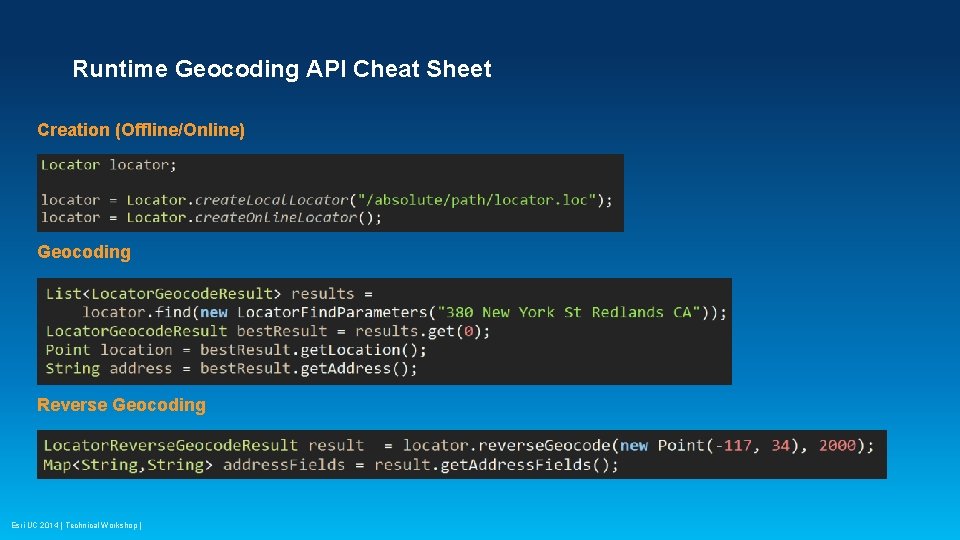
Runtime Geocoding API Cheat Sheet Creation (Offline/Online) Geocoding Reverse Geocoding Esri UC 2014 | Technical Workshop |
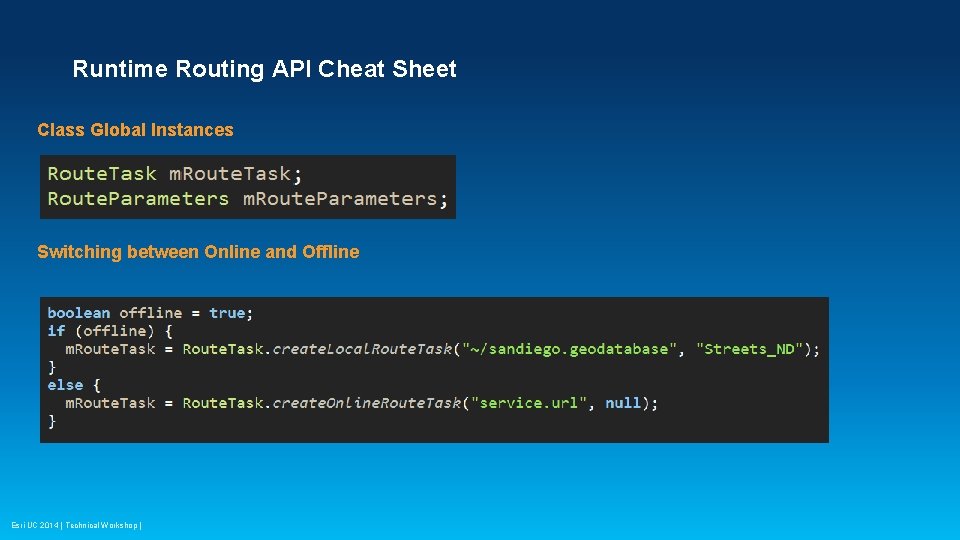
Runtime Routing API Cheat Sheet Class Global Instances Switching between Online and Offline Esri UC 2014 | Technical Workshop |
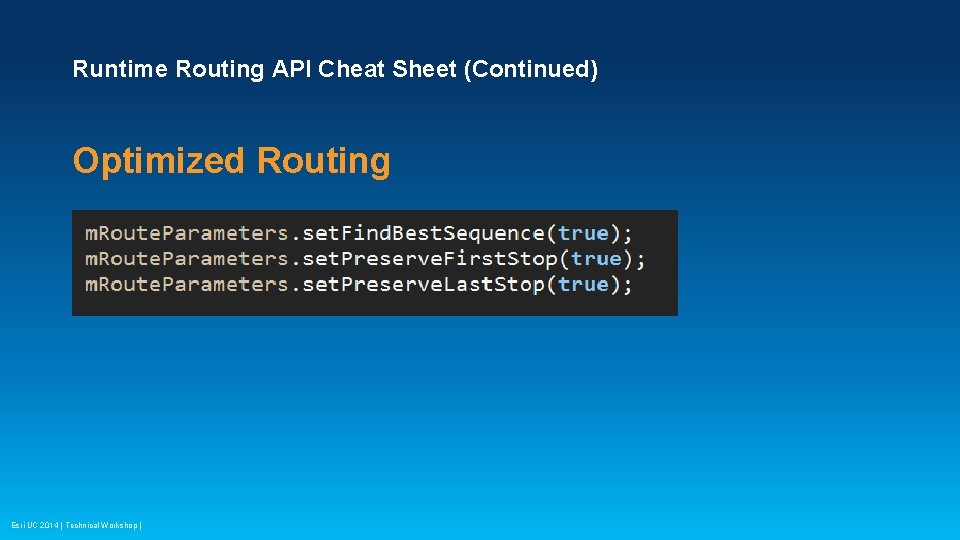
Runtime Routing API Cheat Sheet (Continued) Optimized Routing Esri UC 2014 | Technical Workshop |
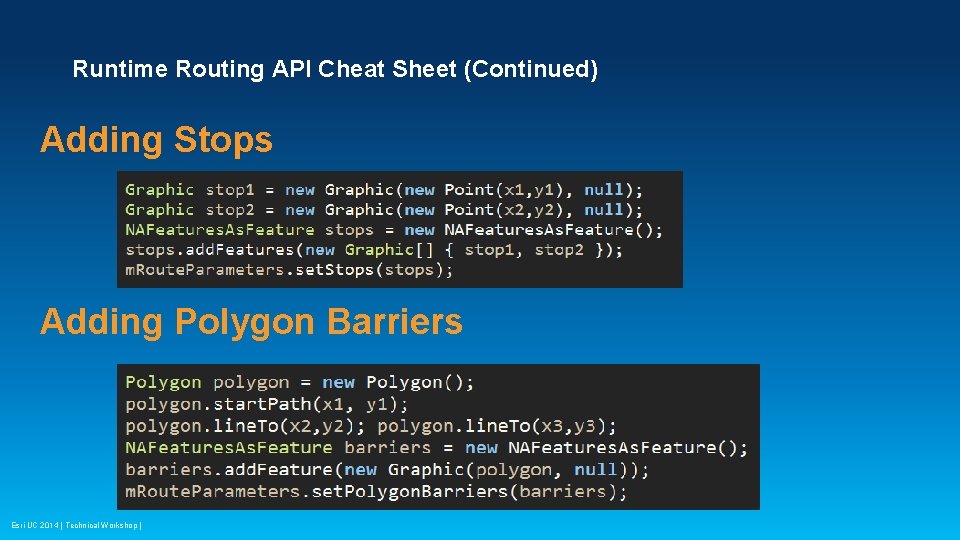
Runtime Routing API Cheat Sheet (Continued) Adding Stops Adding Polygon Barriers Esri UC 2014 | Technical Workshop |
Runtime SDKs Document and Sample • Document: https: //developers. arcgis. com/documentation/ • Samples: https: //developers. arcgis. com/android/sample-code/ • Demo source code: https: //github. com/Esri/arcgis-runtime-demos-android Esri UC 2014 | Technical Workshop |
What’s Next • Navigation application: - Stand alone application - Remote control API - No SDK Session Name Time Arc. GIS Apps: The Road Ahead Thursday 3: 15 pm– 4: 30 pm Esri UC 2014 | Technical Workshop | Location Ballroom 06 D
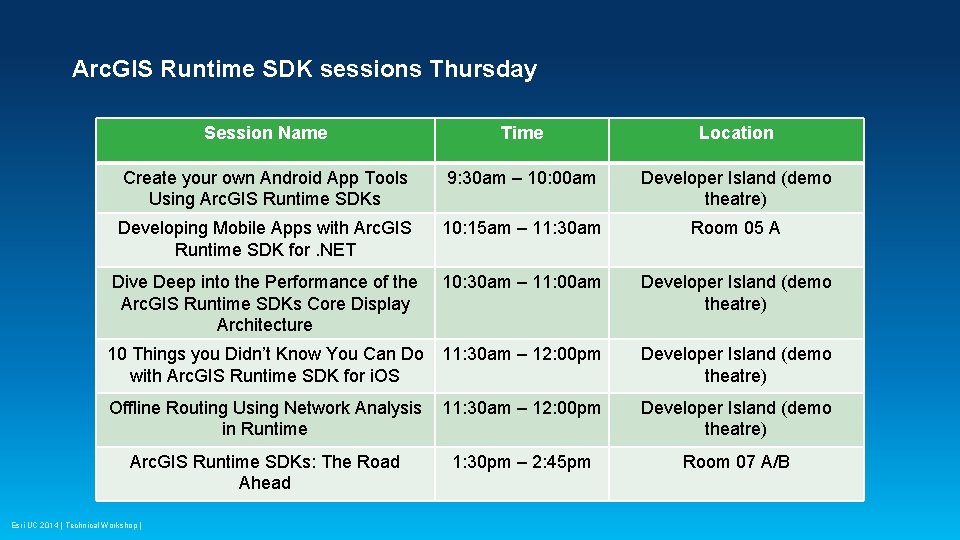
Arc. GIS Runtime SDK sessions Thursday Session Name Time Location Create your own Android App Tools Using Arc. GIS Runtime SDKs 9: 30 am – 10: 00 am Developer Island (demo theatre) Developing Mobile Apps with Arc. GIS Runtime SDK for. NET 10: 15 am – 11: 30 am Room 05 A Dive Deep into the Performance of the Arc. GIS Runtime SDKs Core Display Architecture 10: 30 am – 11: 00 am Developer Island (demo theatre) 10 Things you Didn’t Know You Can Do with Arc. GIS Runtime SDK for i. OS 11: 30 am – 12: 00 pm Developer Island (demo theatre) Offline Routing Using Network Analysis in Runtime 11: 30 am – 12: 00 pm Developer Island (demo theatre) Arc. GIS Runtime SDKs: The Road Ahead 1: 30 pm – 2: 45 pm Room 07 A/B Esri UC 2014 | Technical Workshop |
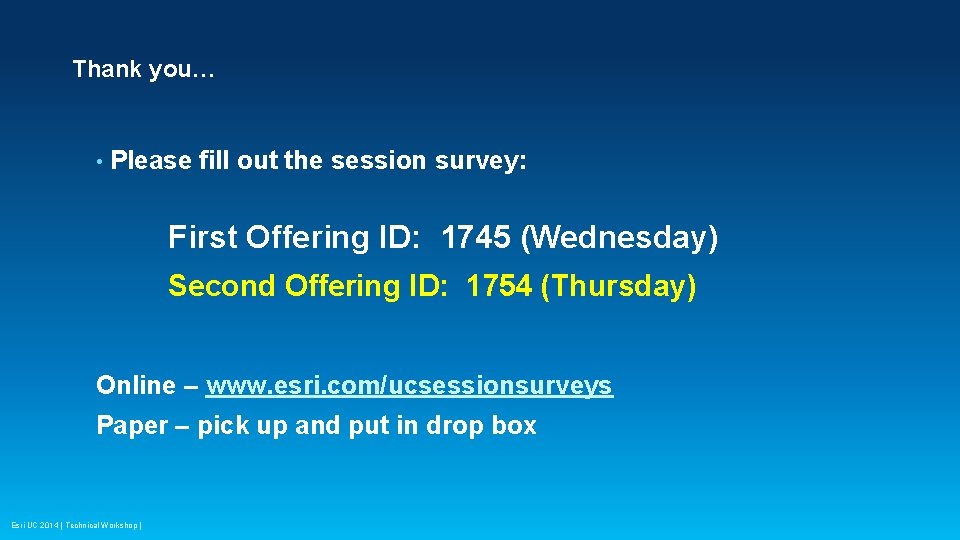
Thank you… • Please fill out the session survey: First Offering ID: 1745 (Wednesday) Second Offering ID: 1754 (Thursday) Online – www. esri. com/ucsessionsurveys Paper – pick up and put in drop box Esri UC 2014 | Technical Workshop |
Esri UC 2014 | Technical Workshop |