
OBJECTS TYPES AND VALUES Adapted from Bjarne Stroustrup
OBJECTS, TYPES, AND VALUES Adapted from Bjarne Stroustrup www. stroustrup. com/Programming X. Zhang Fordham Univ. CISC 1600, Spring 2012
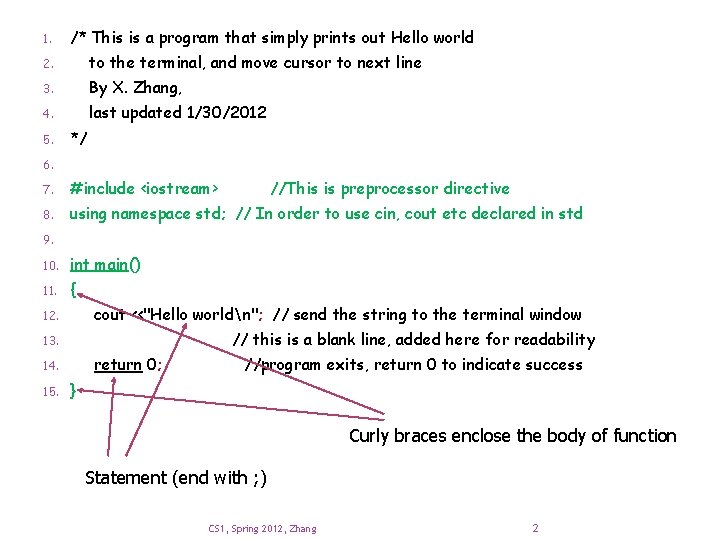
1. /* This is a program that simply prints out Hello world 2. to the terminal, and move cursor to next line 3. By X. Zhang, 4. last updated 1/30/2012 5. */ 6. 7. #include <iostream> //This is preprocessor directive 8. using namespace std; // In order to use cin, cout etc declared in std 9. 10. int main() 11. { cout <<"Hello worldn"; // send the string to the terminal window 12. // this is a blank line, added here for readability 13. return 0; 14. 15. //program exits, return 0 to indicate success } Curly braces enclose the body of function Statement (end with ; ) CS 1, Spring 2012, Zhang 2
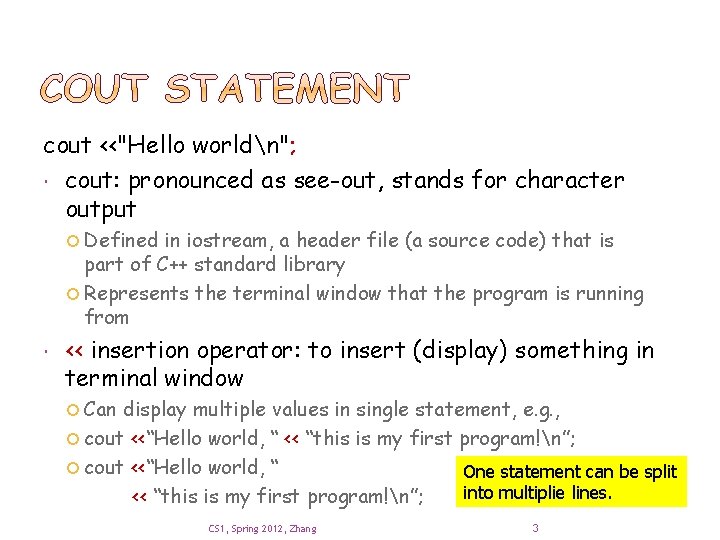
cout <<"Hello worldn"; cout: pronounced as see-out, stands for character output Defined in iostream, a header file (a source code) that is part of C++ standard library Represents the terminal window that the program is running from << insertion operator: to insert (display) something in terminal window Can display multiple values in single statement, e. g. , cout <<“Hello world, “ << “this is my first program!n”; cout <<“Hello world, “ One statement can be split into multiplie lines. << “this is my first program!n”; CS 1, Spring 2012, Zhang 3
Introduction Strings and string I/O Integers and integer I/O Type of a variable decides what operations can be performed on it Types and objects C++ built-in types, user-defined types literals Simple arithmetic More next week Type safety CS 1, Spring 2012, Zhang 5
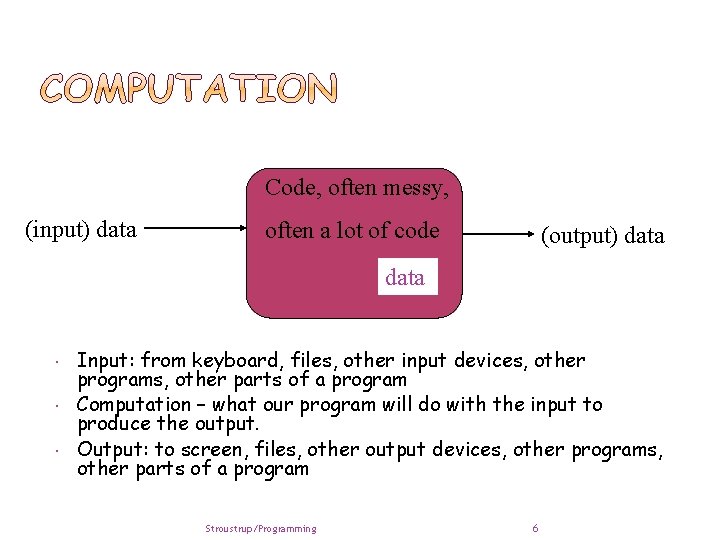
Code, often messy, (input) data often a lot of code (output) data Input: from keyboard, files, other input devices, other programs, other parts of a program Computation – what our program will do with the input to produce the output. Output: to screen, files, other output devices, other programs, other parts of a program Stroustrup/Programming 6
What are inputs, computation, and outputs of following program? Hello world program Editor Windows Media Player Calculator Video game We now extend hello world to take some input … CS 1, Spring 2012, Zhang 7
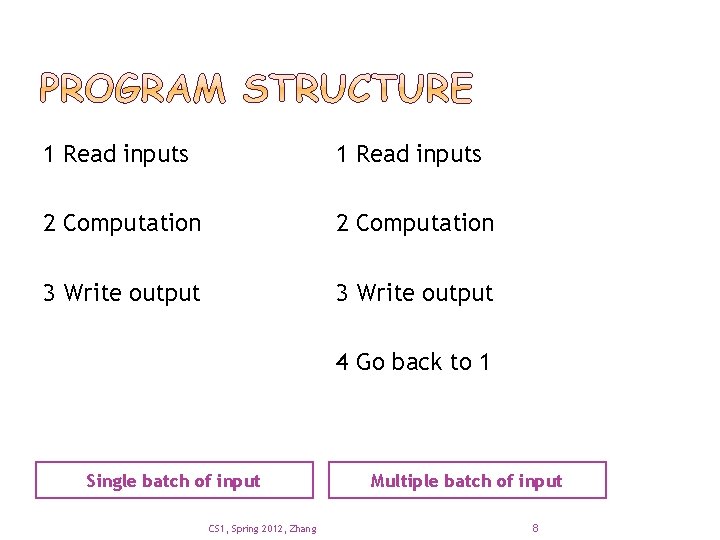
1 Read inputs 2 Computation 3 Write output 4 Go back to 1 Single batch of input CS 1, Spring 2012, Zhang Multiple batch of input 8
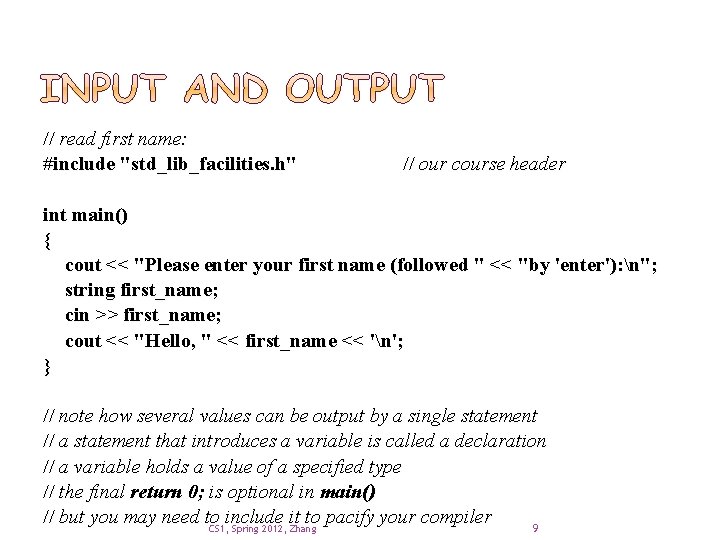
// read first name: #include "std_lib_facilities. h" // our course header int main() { cout << "Please enter your first name (followed " << "by 'enter'): n"; string first_name; cin >> first_name; cout << "Hello, " << first_name << 'n'; } // note how several values can be output by a single statement // a statement that introduces a variable is called a declaration // a variable holds a value of a specified type // the final return 0; is optional in main() // but you may need to include it to pacify your compiler 9 CS 1, Spring 2012, Zhang
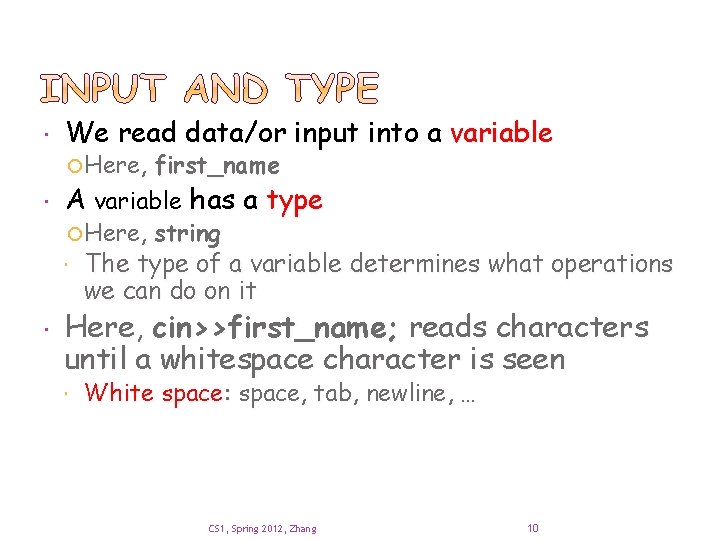
We read data/or input into a variable Here, first_name A variable has a type Here, string The type of a variable determines what operations we can do on it Here, cin>>first_name; reads characters until a whitespace character is seen White space: space, tab, newline, … CS 1, Spring 2012, Zhang 10
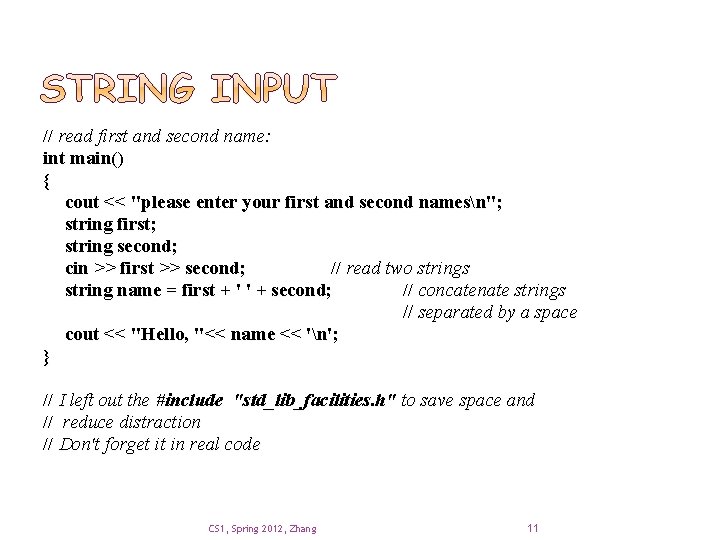
// read first and second name: int main() { cout << "please enter your first and second namesn"; string first; string second; cin >> first >> second; // read two strings string name = first + ' ' + second; // concatenate strings // separated by a space cout << "Hello, "<< name << 'n'; } // I left out the #include "std_lib_facilities. h" to save space and // reduce distraction // Don't forget it in real code CS 1, Spring 2012, Zhang 11
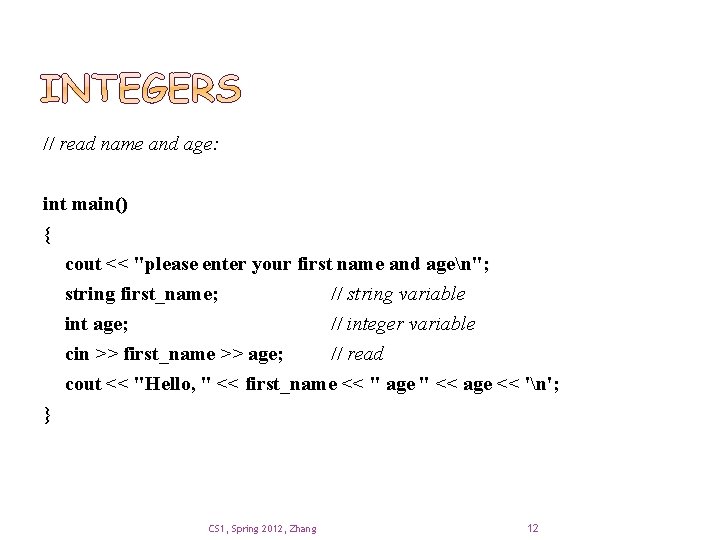
// read name and age: int main() { cout << "please enter your first name and agen"; string first_name; // string variable int age; // integer variable cin >> first_name >> age; // read cout << "Hello, " << first_name << " age " << age << 'n'; } CS 1, Spring 2012, Zhang 12
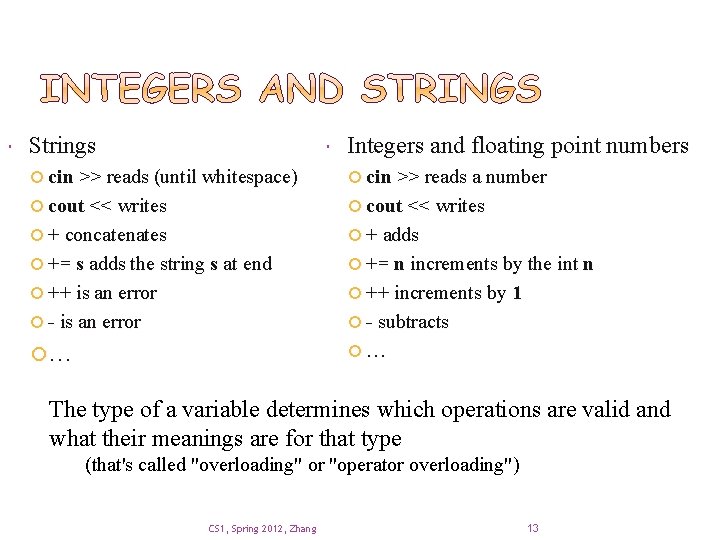
Strings Integers and floating point numbers cin >> reads (until whitespace) cin >> reads a number cout << writes + concatenates + adds += s adds the string s at end += n increments by the int n ++ is an error ++ increments by 1 - is an error - subtracts … … The type of a variable determines which operations are valid and what their meanings are for that type (that's called "overloading" or "operator overloading") CS 1, Spring 2012, Zhang 13
Introduction Strings and string I/O Integers and integer I/O Type of a variable decides what operations can be performed on it Types and objects C++ built-in types, user-defined types Variable declaration, literals Simple arithmetic More next week Type safety CS 1, Spring 2012, Zhang 14
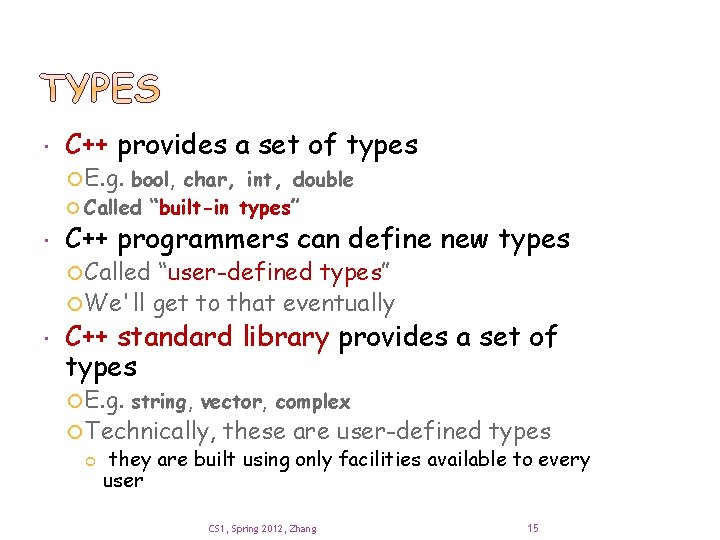
C++ provides a set of types E. g. bool, char, int, double Called “built-in types” C++ programmers can define new types Called “user-defined types” We'll get to that eventually C++ standard library provides a set of types E. g. string, vector, complex Technically, these are user-defined types they are built using only facilities available to every user CS 1, Spring 2012, Zhang 15
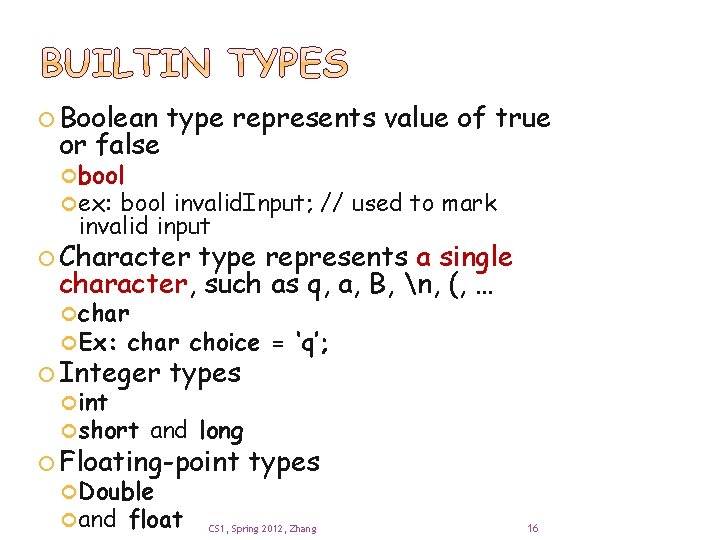
Boolean or false type represents value of true bool ex: bool invalid. Input; // used to mark invalid input Character type represents a single character, such as q, a, B, n, (, … char Ex: char Integer int short choice = ‘q’; types and long Floating-point Double and float types CS 1, Spring 2012, Zhang 16
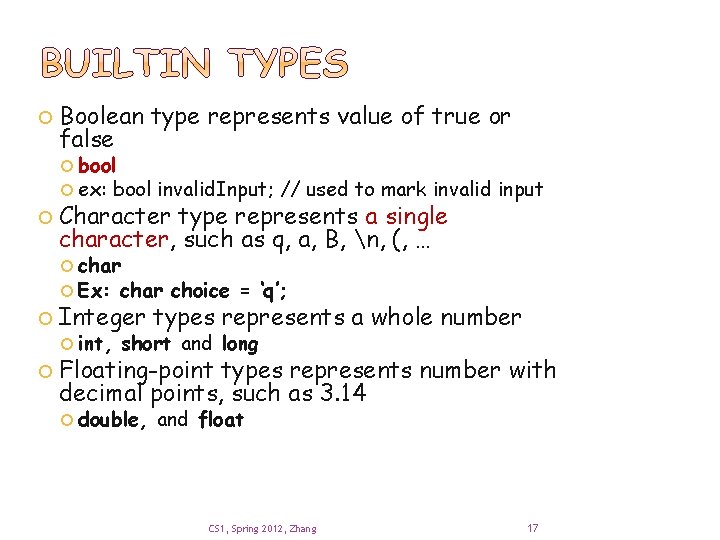
Boolean type represents value of true or false bool ex: bool invalid. Input; // used to mark invalid input Character type represents a single character, such as q, a, B, n, (, … char Ex: char choice = ‘q’; Integer types represents a whole number Floating-point types represents number with decimal points, such as 3. 14 int, short and long double, and float CS 1, Spring 2012, Zhang 17
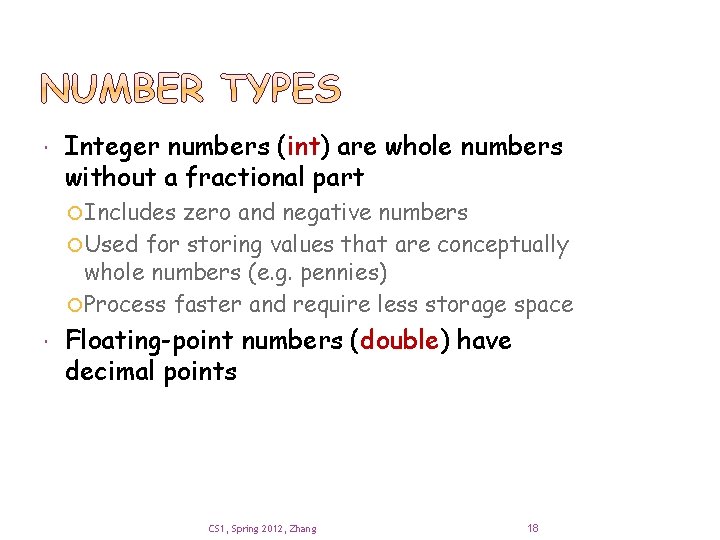
Integer numbers (int) are whole numbers without a fractional part Includes zero and negative numbers Used for storing values that are conceptually whole numbers (e. g. pennies) Process faster and require less storage space Floating-point numbers (double) have decimal points CS 1, Spring 2012, Zhang 18
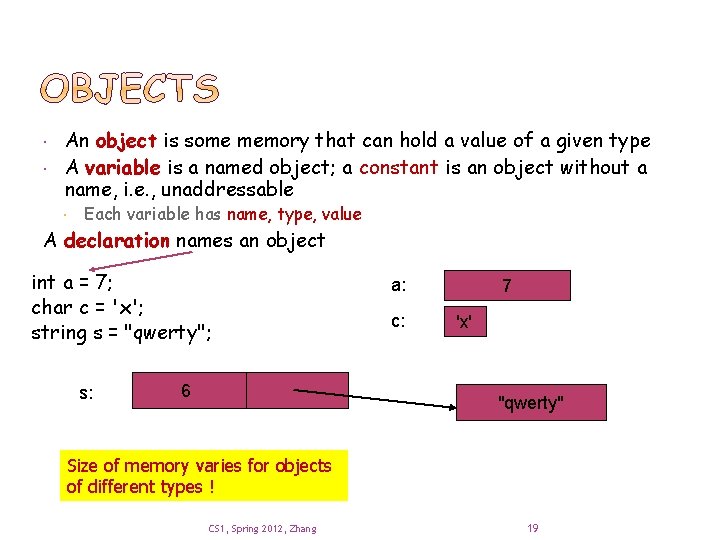
An object is some memory that can hold a value of a given type A variable is a named object; a constant is an object without a name, i. e. , unaddressable Each variable has name, type, value A declaration names an object int a = 7; char c = 'x'; string s = "qwerty"; s: 6 a: c: 7 'x' "qwerty" Size of memory varies for objects of different types ! CS 1, Spring 2012, Zhang 19
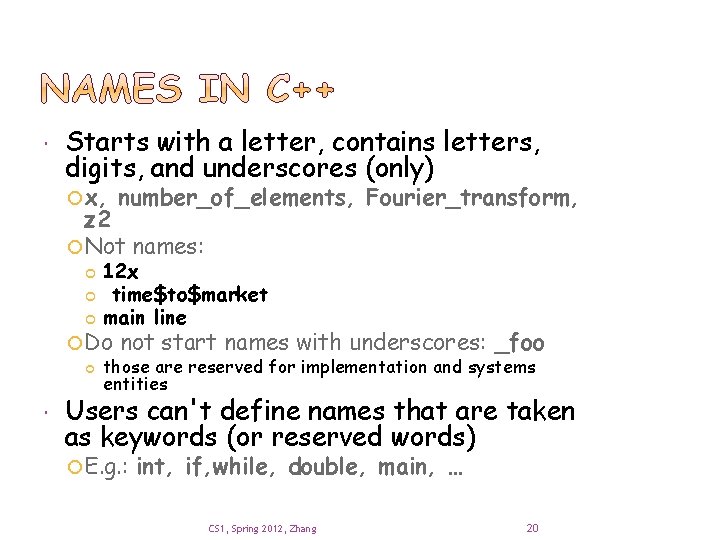
Starts with a letter, contains letters, digits, and underscores (only) x, number_of_elements, Fourier_transform, z 2 Not names: 12 x time$to$market main line Do not start names with underscores: _foo those are reserved for implementation and systems entities Users can't define names that are taken as keywords (or reserved words) E. g. : int, if, while, double, main, … CS 1, Spring 2012, Zhang 20
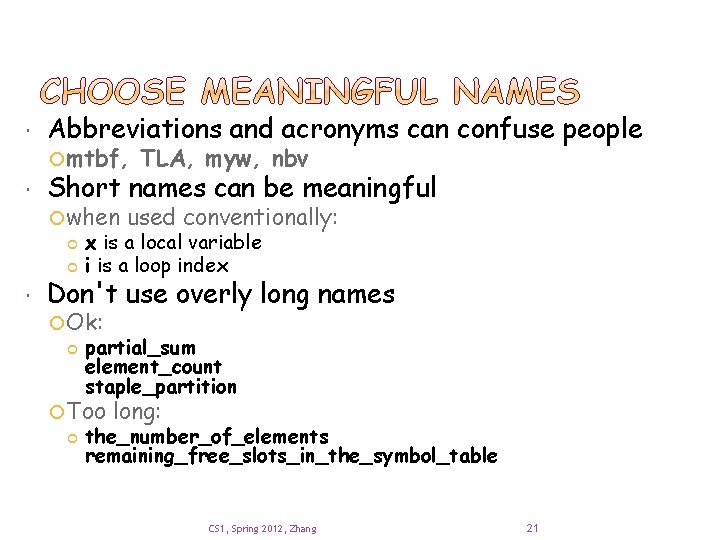
Abbreviations and acronyms can confuse people Short names can be meaningful mtbf, when TLA, myw, nbv used conventionally: x is a local variable i is a loop index Don't use overly long names Ok: partial_sum element_count staple_partition Too long: the_number_of_elements remaining_free_slots_in_the_symbol_table CS 1, Spring 2012, Zhang 21
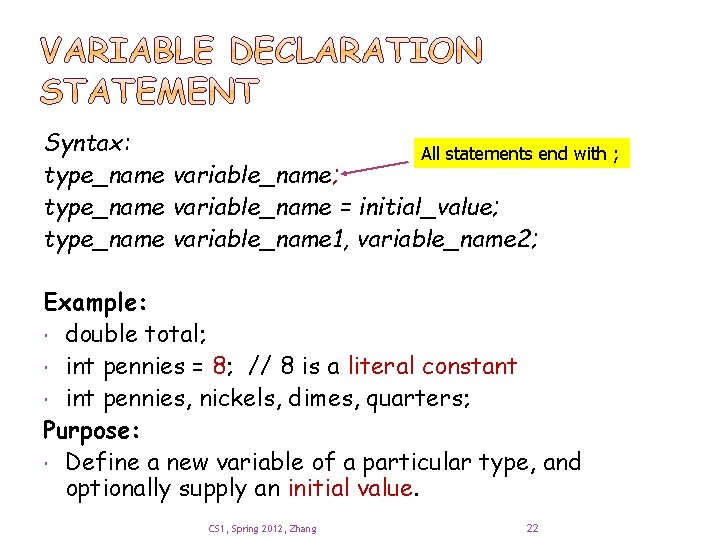
Syntax: All statements end with ; type_name variable_name = initial_value; type_name variable_name 1, variable_name 2; Example: double total; int pennies = 8; // 8 is a literal constant int pennies, nickels, dimes, quarters; Purpose: Define a new variable of a particular type, and optionally supply an initial value. CS 1, Spring 2012, Zhang 22
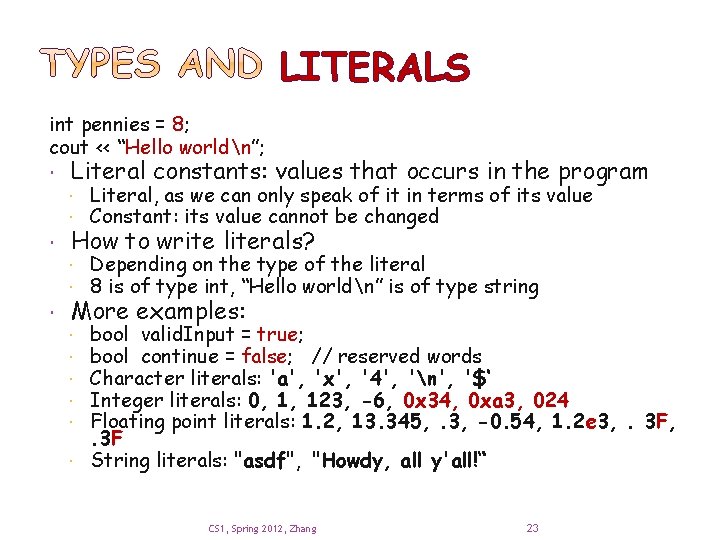
LITERALS int pennies = 8; cout << “Hello worldn”; Literal constants: values that occurs in the program Literal, as we can only speak of it in terms of its value Constant: its value cannot be changed Depending on the type of the literal 8 is of type int, “Hello worldn” is of type string How to write literals? More examples: bool valid. Input = true; bool continue = false; // reserved words Character literals: 'a', 'x', '4', 'n', '$‘ Integer literals: 0, 1, 123, -6, 0 x 34, 0 xa 3, 024 Floating point literals: 1. 2, 13. 345, . 3, -0. 54, 1. 2 e 3, . 3 F String literals: "asdf", "Howdy, all y'all!“ CS 1, Spring 2012, Zhang 23
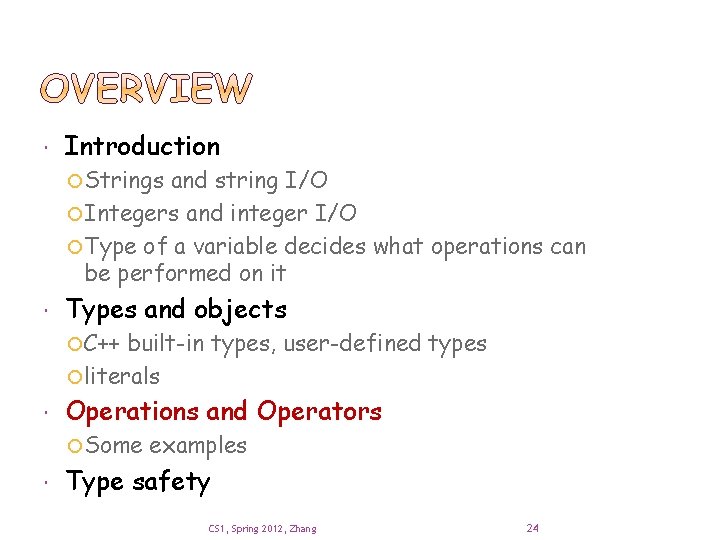
Introduction Strings and string I/O Integers and integer I/O Type of a variable decides what operations can be performed on it Types and objects C++ built-in types, user-defined types literals Operations and Operators Some examples Type safety CS 1, Spring 2012, Zhang 24
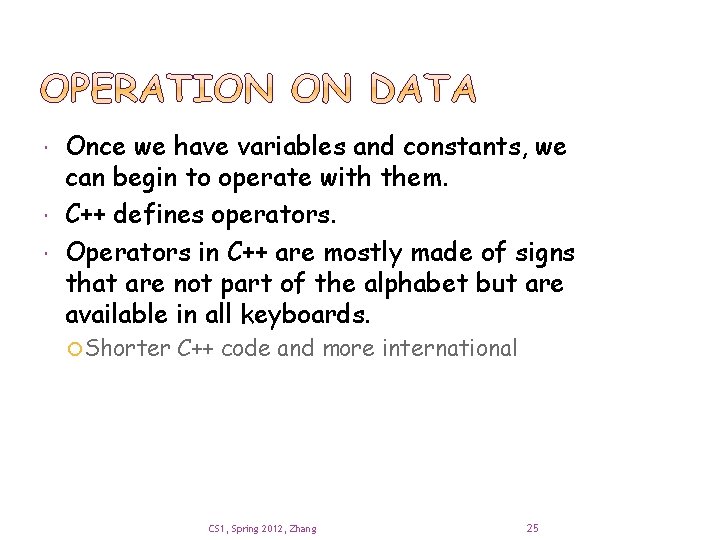
Once we have variables and constants, we can begin to operate with them. C++ defines operators. Operators in C++ are mostly made of signs that are not part of the alphabet but are available in all keyboards. Shorter C++ code and more international CS 1, Spring 2012, Zhang 25
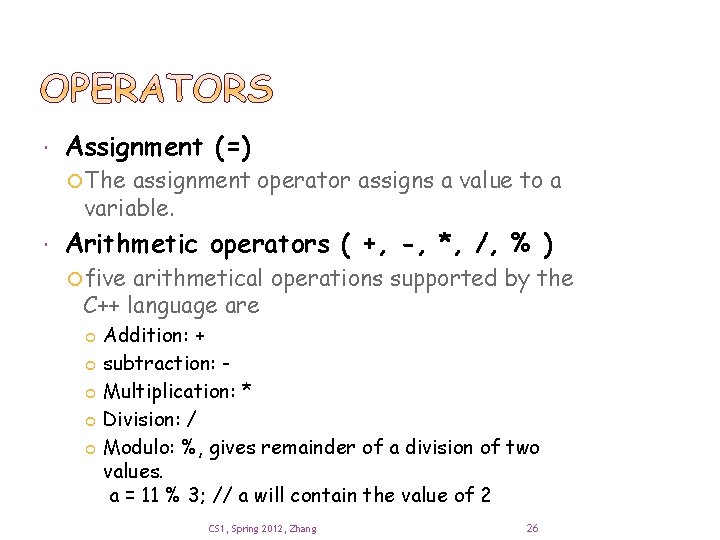
Assignment (=) The assignment operator assigns a value to a variable. Arithmetic operators ( +, -, *, /, % ) five arithmetical operations supported by the C++ language are Addition: + subtraction: Multiplication: * Division: / Modulo: %, gives remainder of a division of two values. a = 11 % 3; // a will contain the value of 2 CS 1, Spring 2012, Zhang 26
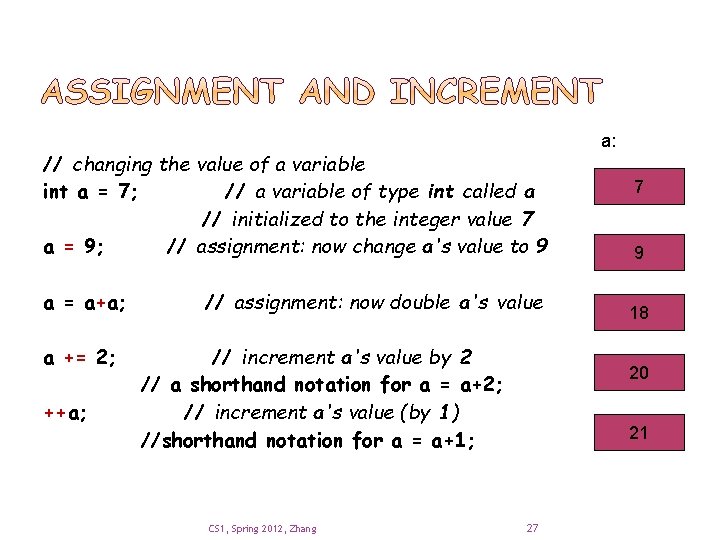
// changing the value of a variable int a = 7; // a variable of type int called a // initialized to the integer value 7 a = 9; // assignment: now change a's value to 9 a = a+a; a += 2; ++a; // assignment: now double a's value // increment a's value by 2 // a shorthand notation for a = a+2; // increment a's value (by 1) //shorthand notation for a = a+1; CS 1, Spring 2012, Zhang a: 7 9 18 20 21 27
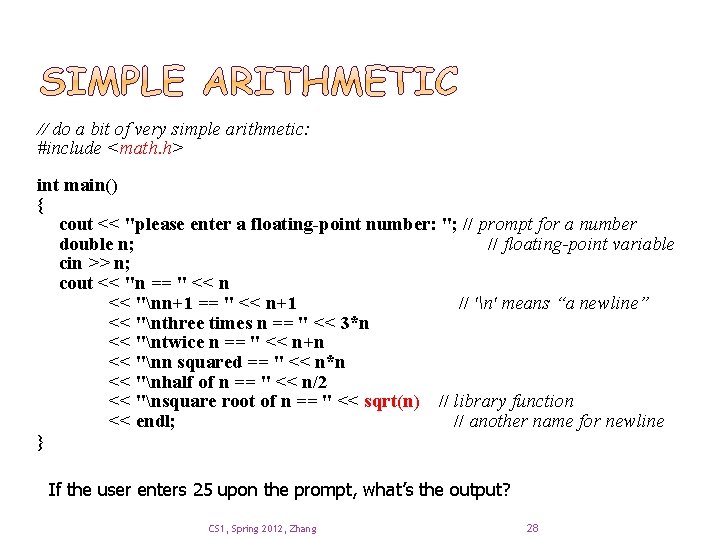
// do a bit of very simple arithmetic: #include <math. h> int main() { cout << "please enter a floating-point number: "; // prompt for a number double n; // floating-point variable cin >> n; cout << "n == " << n << "nn+1 == " << n+1 // 'n' means “a newline” << "nthree times n == " << 3*n << "ntwice n == " << n+n << "nn squared == " << n*n << "nhalf of n == " << n/2 << "nsquare root of n == " << sqrt(n) // library function << endl; // another name for newline } If the user enters 25 upon the prompt, what’s the output? CS 1, Spring 2012, Zhang 28
Introduction Strings and string I/O Integers and integer I/O Type of a variable decides what operations can be performed on it Types and objects C++ built-in types, user-defined types literals Simple arithmetic More next week Type safety CS 1, Spring 2012, Zhang 29
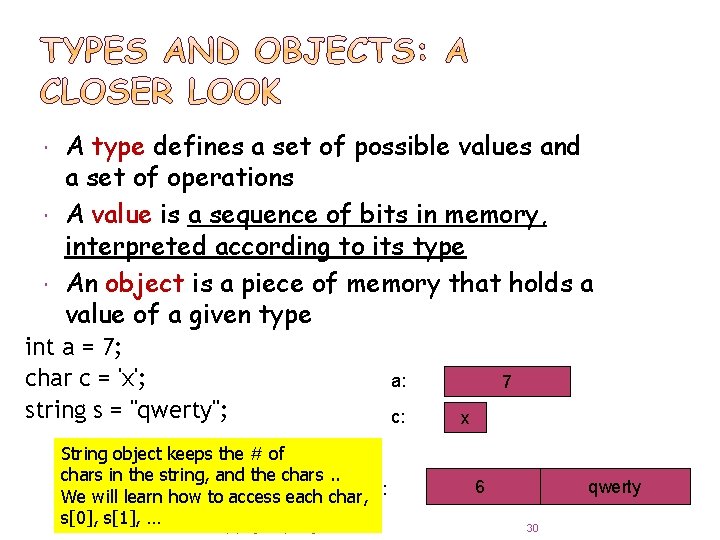
A type defines a set of possible values and a set of operations A value is a sequence of bits in memory, interpreted according to its type An object is a piece of memory that holds a value of a given type int a = 7; char c = 'x'; string s = "qwerty"; String object keeps the # of chars in the string, and the chars. . We will learn how to access each char, s: s[0], s[1], … CS 1, Spring 2012, Zhang a: c: 7 x 6 qwerty 30
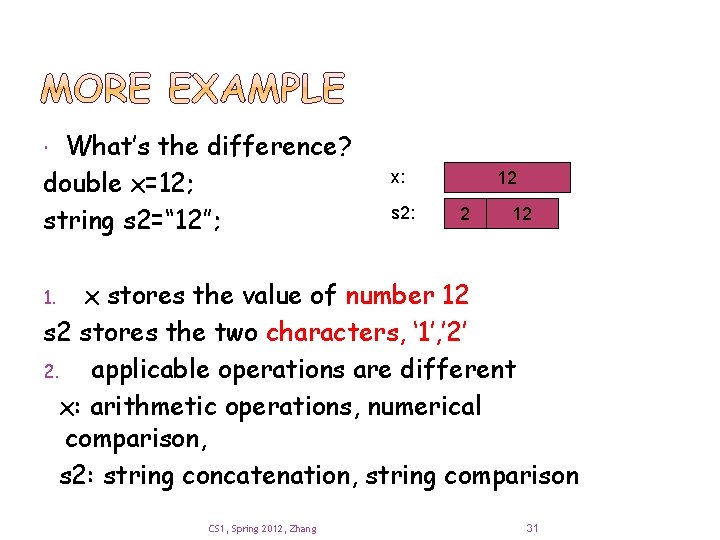
What’s the difference? double x=12; string s 2=“ 12”; x: s 2: 12 2 12 x stores the value of number 12 s 2 stores the two characters, ‘ 1’, ’ 2’ 2. applicable operations are different x: arithmetic operations, numerical comparison, s 2: string concatenation, string comparison 1. CS 1, Spring 2012, Zhang 31
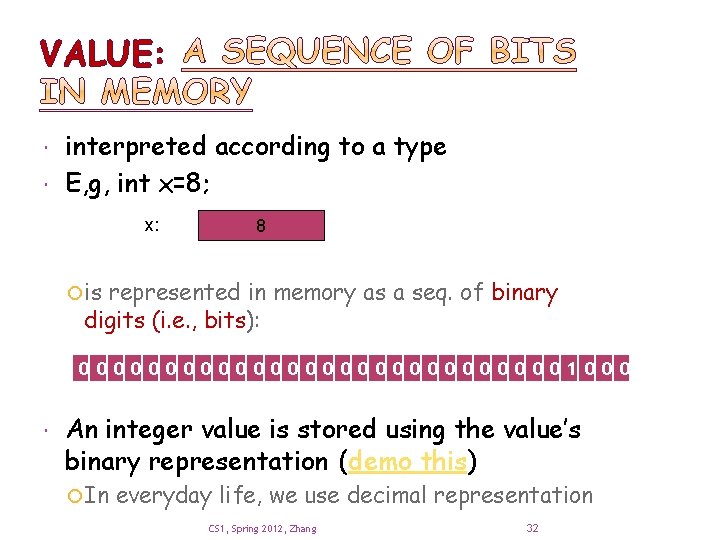
VALUE: interpreted according to a type E, g, int x=8; x: 8 is represented in memory as a seq. of binary digits (i. e. , bits): 000000000000001000 An integer value is stored using the value’s binary representation (demo this) In everyday life, we use decimal representation CS 1, Spring 2012, Zhang 32
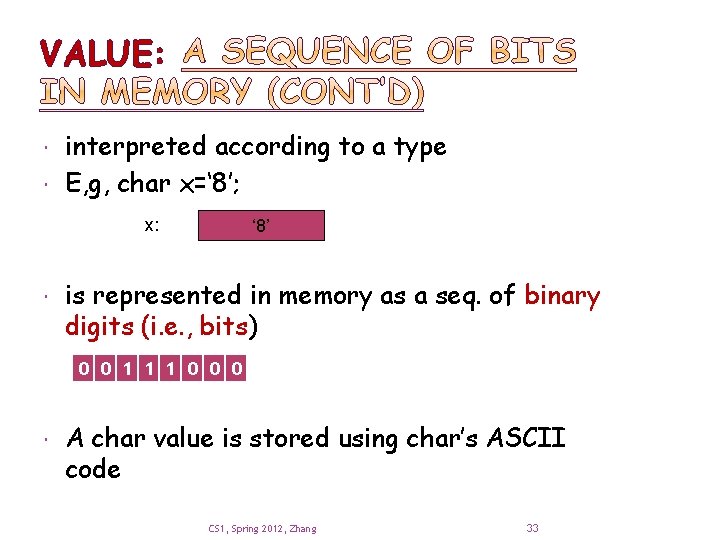
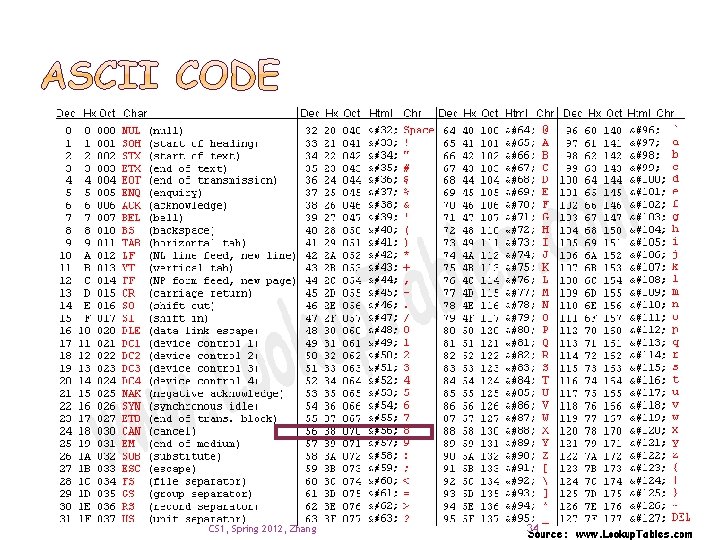
VALUE: interpreted according to a type E, g, char x=‘ 8’; x: ‘ 8’ is represented in memory as a seq. of binary digits (i. e. , bits) 0 0 1 1 1 0 0 0 A char value is stored using char’s ASCII code CS 1, Spring 2012, Zhang 33
CS 1, Spring 2012, Zhang 34
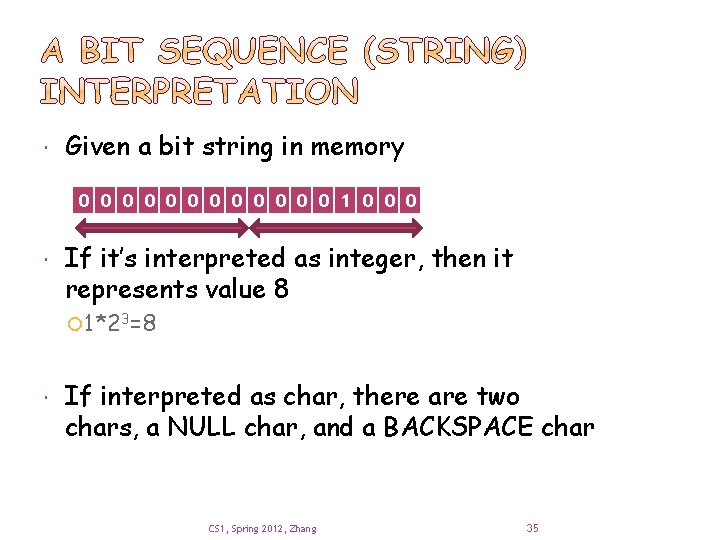
Given a bit string in memory 0 0 0 1 0 0 0 If it’s interpreted as integer, then it represents value 8 1*23=8 If interpreted as char, there are two chars, a NULL char, and a BACKSPACE char CS 1, Spring 2012, Zhang 35
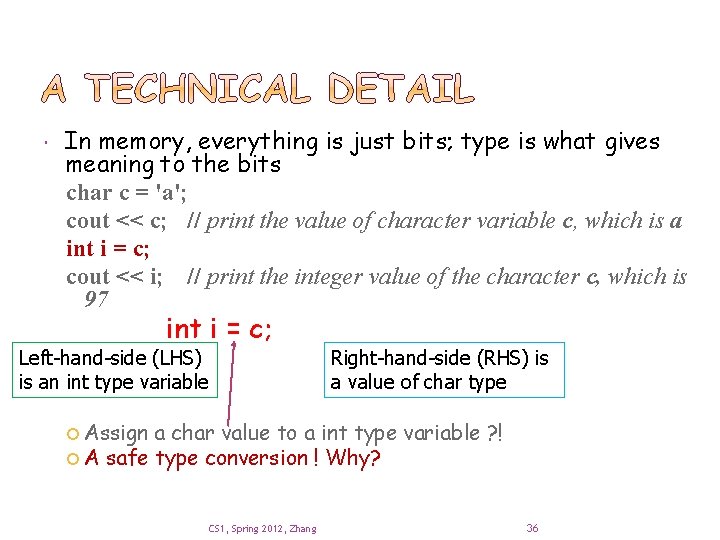
In memory, everything is just bits; type is what gives meaning to the bits char c = 'a'; cout << c; // print the value of character variable c, which is a int i = c; cout << i; // print the integer value of the character c, which is 97 int i = c; Left-hand-side (LHS) is an int type variable Assign A safe Right-hand-side (RHS) is a value of char type a char value to a int type variable ? ! type conversion ! Why? CS 1, Spring 2012, Zhang 36
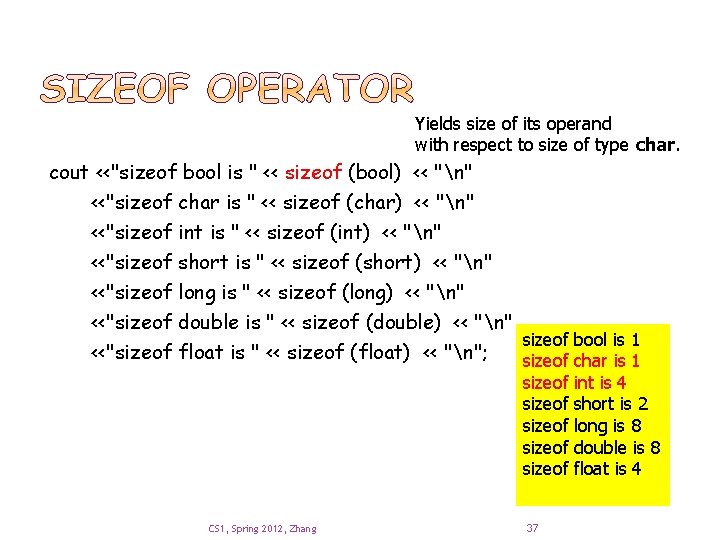
Yields size of its operand with respect to size of type char. cout <<"sizeof bool is " << sizeof (bool) << "n" <<"sizeof char is " << sizeof (char) << "n" <<"sizeof int is " << sizeof (int) << "n" <<"sizeof short is " << sizeof (short) << "n" <<"sizeof long is " << sizeof (long) << "n" <<"sizeof double is " << sizeof (double) << "n" sizeof bool is 1 <<"sizeof float is " << sizeof (float) << "n"; sizeof char is 1 sizeof sizeof CS 1, Spring 2012, Zhang 37 int is 4 short is 2 long is 8 double is 8 float is 4
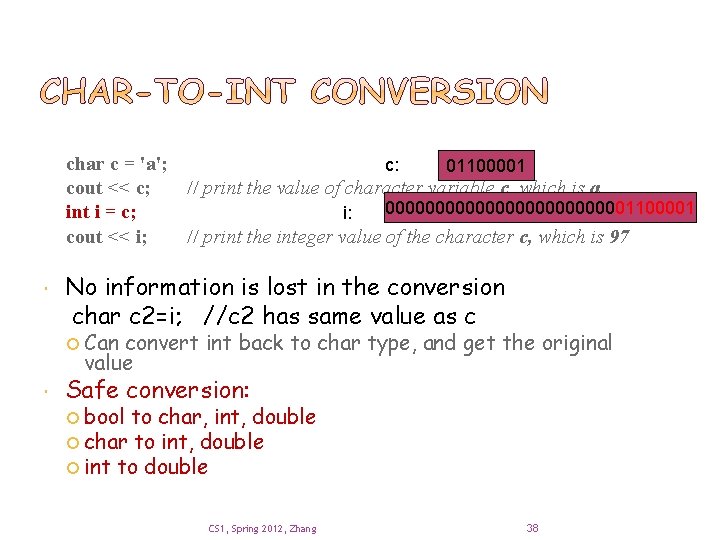
char c = 'a'; c: 01100001 cout << c; // print the value of character variable c, which is a 0000000000001100001 int i = c; i: cout << i; // print the integer value of the character c, which is 97 No information is lost in the conversion char c 2=i; //c 2 has same value as c Can convert int back to char type, and get the original value Safe conversion: bool to char, int, double char to int, double int to double CS 1, Spring 2012, Zhang 38
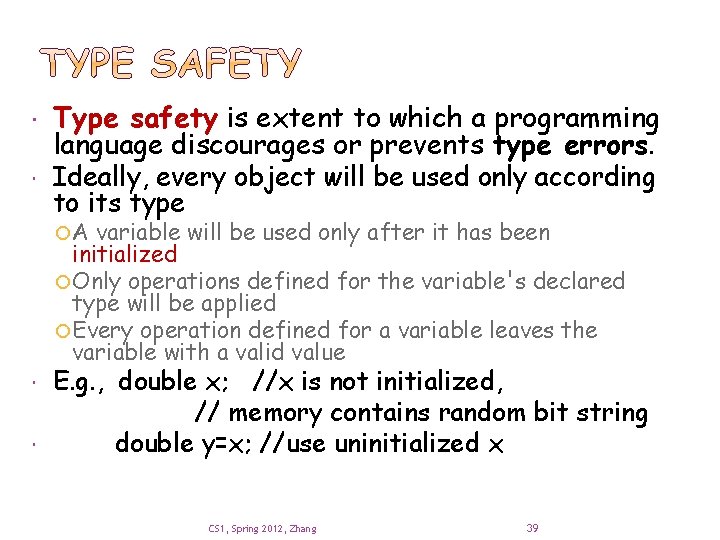
Type safety is extent to which a programming language discourages or prevents type errors. Ideally, every object will be used only according to its type A variable will be used only after it has been initialized Only operations defined for the variable's declared type will be applied Every operation defined for a variable leaves the variable with a valid value E. g. , double x; //x is not initialized, // memory contains random bit string double y=x; //use uninitialized x CS 1, Spring 2012, Zhang 39
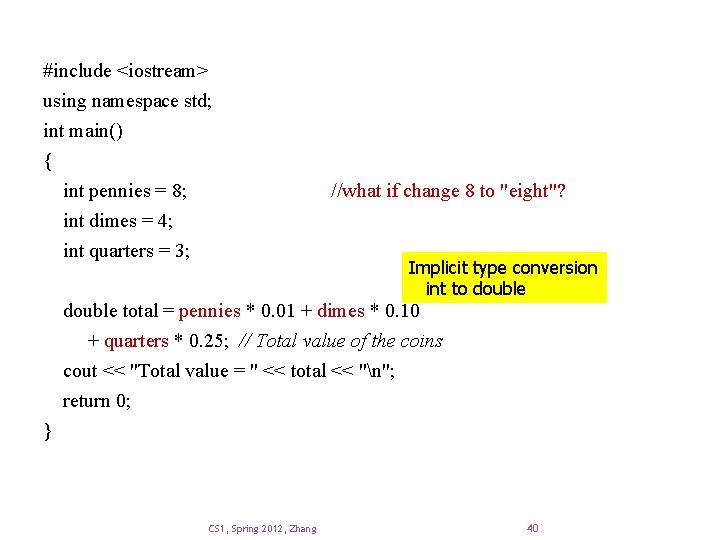
#include <iostream> using namespace std; int main() { int pennies = 8; int dimes = 4; int quarters = 3; //what if change 8 to "eight"? Implicit type conversion int to double total = pennies * 0. 01 + dimes * 0. 10 + quarters * 0. 25; // Total value of the coins cout << "Total value = " << total << "n"; return 0; } CS 1, Spring 2012, Zhang 40
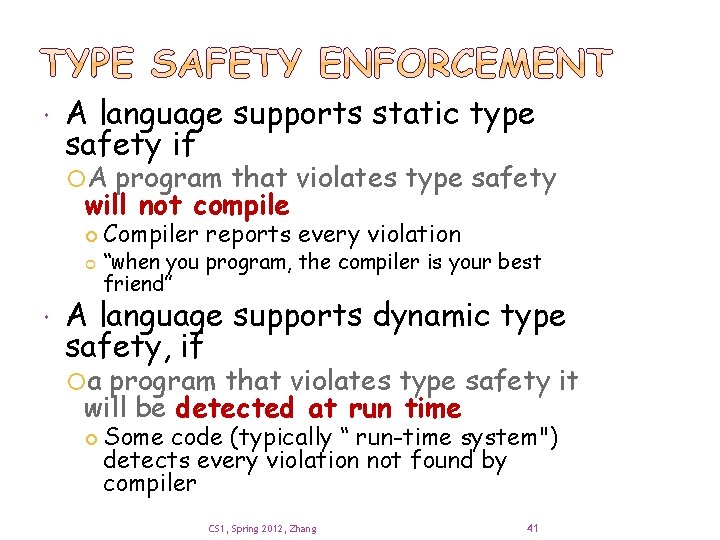
A language supports static type safety if A program that violates type safety will not compile Compiler reports every violation “when you program, the compiler is your best friend” A language supports dynamic type safety, if a program that violates type safety it will be detected at run time Some code (typically “ run-time system") detects every violation not found by compiler CS 1, Spring 2012, Zhang 41
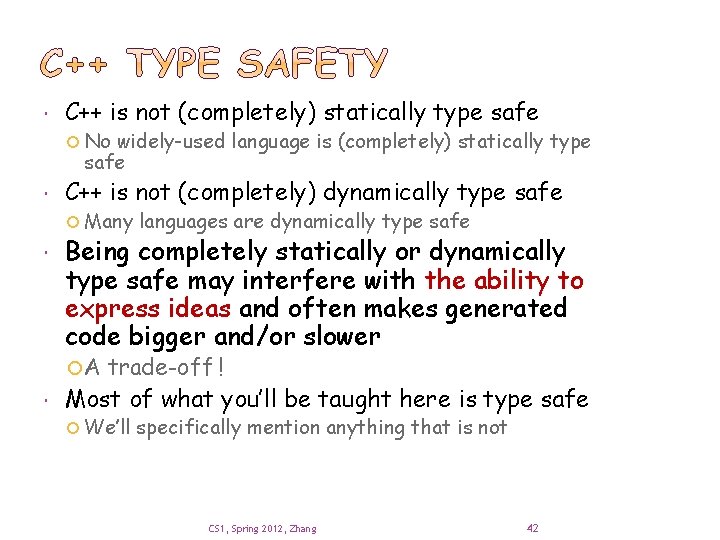
C++ is not (completely) statically type safe No widely-used language is (completely) statically type safe C++ is not (completely) dynamically type safe Many languages are dynamically type safe Being completely statically or dynamically type safe may interfere with the ability to express ideas and often makes generated code bigger and/or slower A trade-off ! Most of what you’ll be taught here is type safe We’ll specifically mention anything that is not CS 1, Spring 2012, Zhang 42
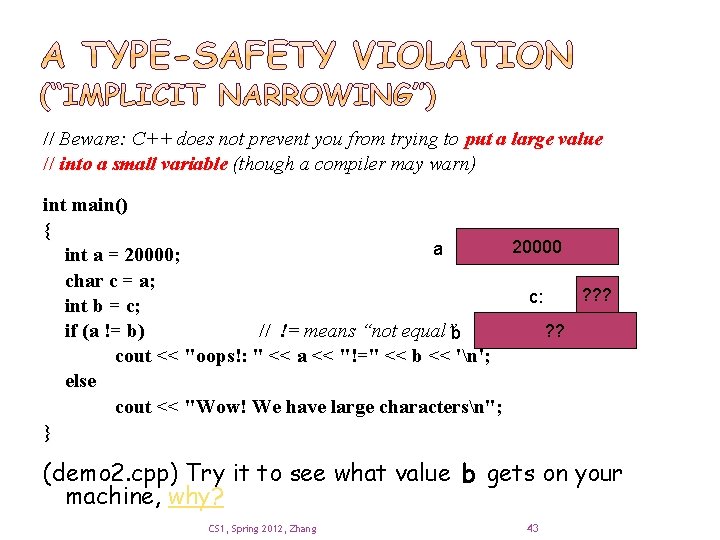
// Beware: C++ does not prevent you from trying to put a large value // into a small variable (though a compiler may warn) int main() { 20000 a int a = 20000; char c = a; ? ? ? c: int b = c; ? ? if (a != b) // != means “not equal”b cout << "oops!: " << a << "!=" << b << 'n'; else cout << "Wow! We have large charactersn"; } (demo 2. cpp) Try it to see what value b gets on your machine, why? CS 1, Spring 2012, Zhang 43
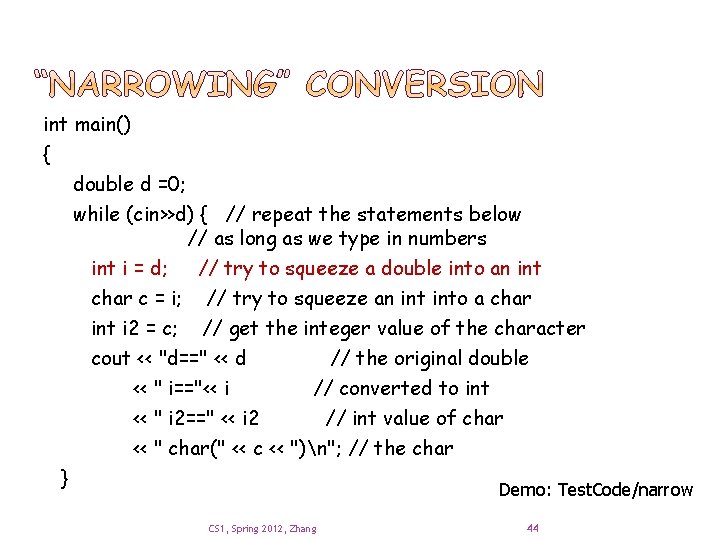
int main() { double d =0; while (cin>>d) { // repeat the statements below // as long as we type in numbers int i = d; // try to squeeze a double into an int char c = i; // try to squeeze an into a char int i 2 = c; // get the integer value of the character cout << "d==" << d // the original double << " i=="<< i // converted to int << " i 2==" << i 2 // int value of char << " char(" << c << ")n"; // the char } Demo: Test. Code/narrow CS 1, Spring 2012, Zhang 44
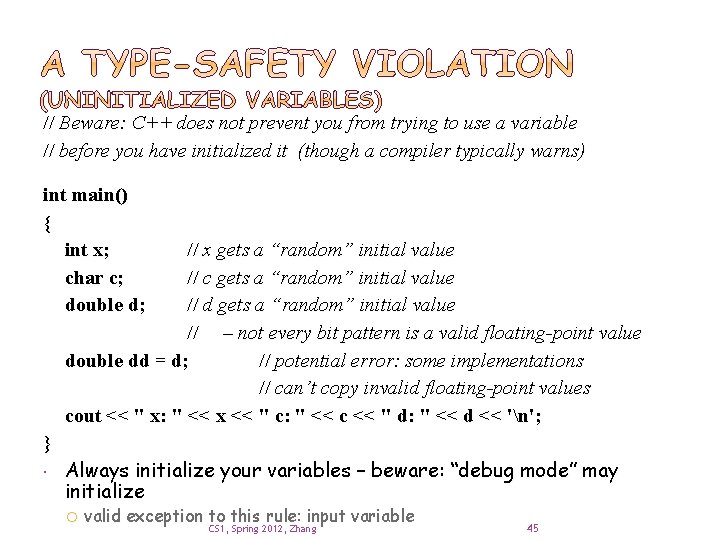
// Beware: C++ does not prevent you from trying to use a variable // before you have initialized it (though a compiler typically warns) int main() { int x; char c; double d; // x gets a “random” initial value // c gets a “random” initial value // d gets a “random” initial value // – not every bit pattern is a valid floating-point value double dd = d; // potential error: some implementations // can’t copy invalid floating-point values cout << " x: " << x << " c: " << c << " d: " << d << 'n'; } Always initialize your variables – beware: “debug mode” may initialize valid exception to this rule: input variable CS 1, Spring 2012, Zhang 45
One of the ways that programming resembles other kinds of engineering is that it involves tradeoffs. You must have ideals, but they often conflict, so you must decide what really matters for a given program. Type safety Run-time performance Ability to run on a given platform Ability to run on multiple platforms with same Compatibility with other code and systems Ease of construction Ease of maintenance results Don't skimp on correctness or testing By default, aim for type safety and portability CS 1, Spring 2012, Zhang 46
Introduction Strings and string I/O Integers and integer I/O Type of a variable decides what operations can be performed on it Types and objects C++ built-in types, user-defined types literals Simple arithmetic More next week Type safety CS 1, Spring 2012, Zhang 47
Copy sample code and try them out yourself Read chapter 4, email me questions Will talk about expressions, statements, debugging, simple error handling, and simple rules for program construction CS 1, Spring 2012, Zhang 48
- Slides: 47