
ObjectOriented Analysis and Design CHAPTER 10 SYSTEM SEQUENCE
Object-Oriented Analysis and Design CHAPTER 10: SYSTEM SEQUENCE DIAGRAMS 1
What will we learn? System Sequence Diagrams – What are they, how to create them 2
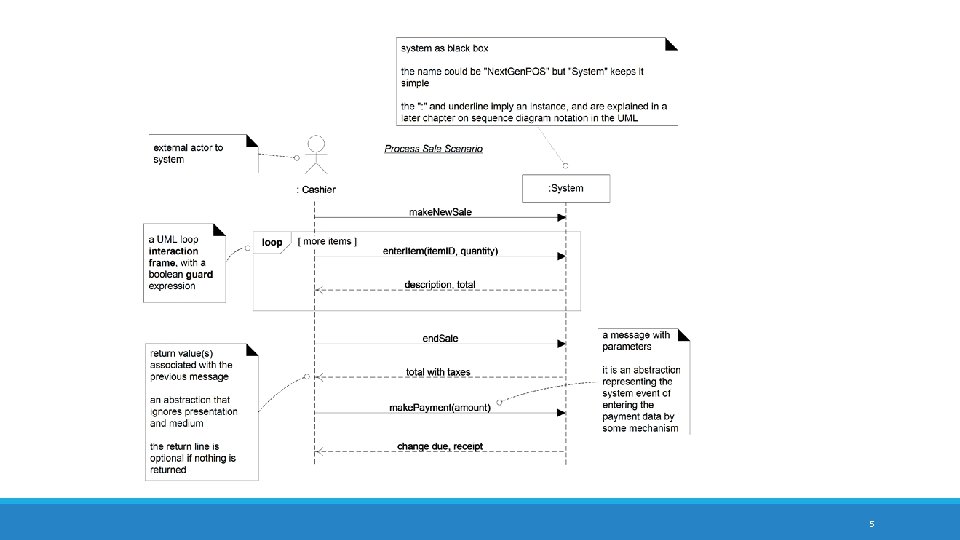
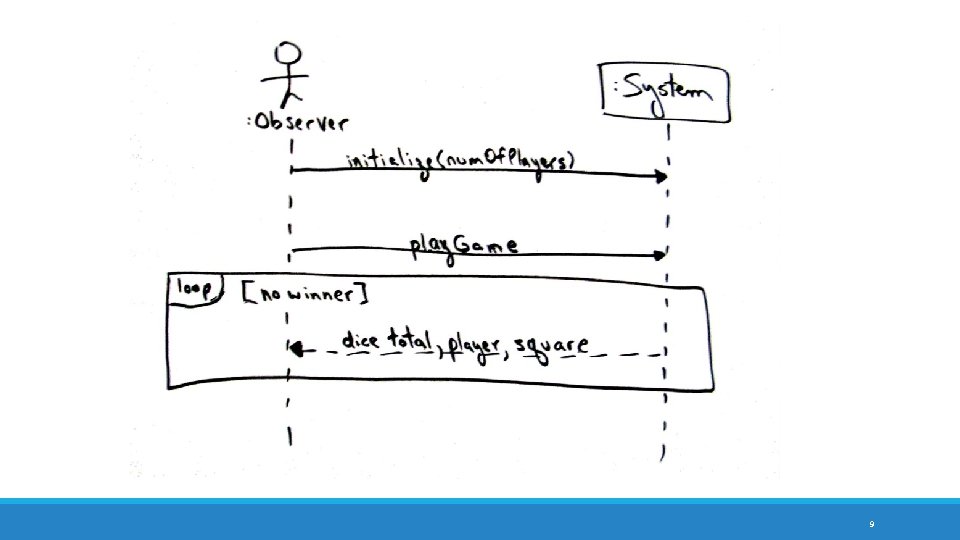
What are System Sequence Diagrams? Part of the UP Use-Case Model artifact, although usually created during Elaboration They are UML Interaction Diagrams They capture the system events, input and output, and interaction with other systems They are eventually used to define operations contracts, which are part of the actual object design As such, they may influence other artifacts, namely the Glossary and Design Model artifacts 3
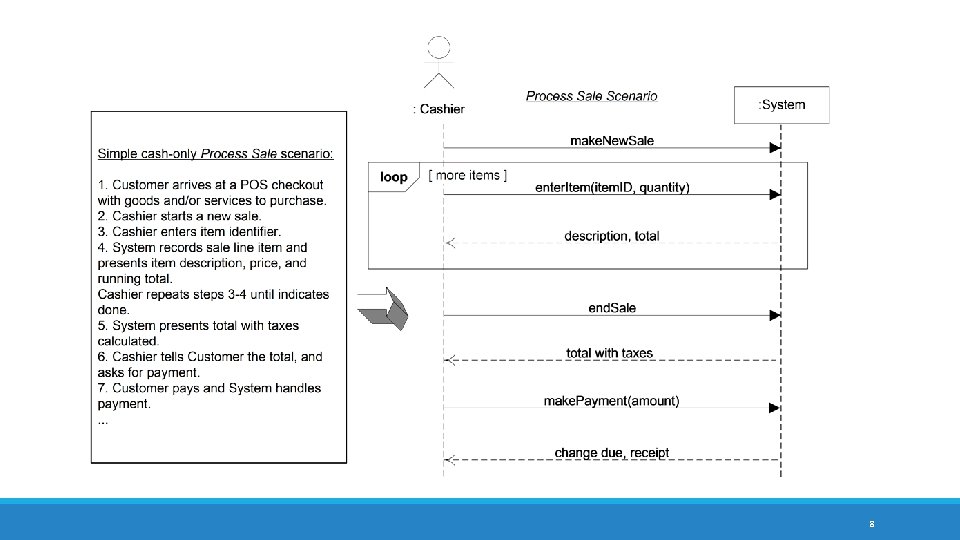
Creating SSDs Identify a particular course of events to demonstrate This is usually found in a use case – each SSD demonstrates a particular use case main success scenario The SSD will show the external actors that interact with the system, the system itself (as a black box), and the system events that the actors generate Note this is a simple UML Interaction Diagram – at this level (Use-Case Model), we do not have much information on the design of the system we are creating We are simply trying to identify the system events; we will later define object operations from here Next slide shows an SSD for the cash-only Process Sale scenario in the Next. Gen POS project. Note the use of the UML interaction diagram notation we discussed last time 4
5
SSDs – Why? The SSDs are useful for capturing overall system behavior What events the system is expected to handle, what response (if any) is given to the user (primary actor) Note that this is still very much an analysis tool - it is explaining what they system is expected to do, not how it is to be done This is why the system is modeled as a black box Later, in the Design Model, we will explore how the system will handle the events it is presented with This will include more detailed inter-action diagrams (like we saw last lecture) showing how the software classes interact to handle the system events Also useful for capturing interactions with other (external) systems, i. e. “supporting actors” 6
Creating SSDs … Key Ideas Create an SSD for one scenario of a use case Try to name the system events at the abstract level of intention, rather than in terms of a system device So “enter. Item” is better than “scan”, as the latter implies some type of scanner Usually best to start the event names with a verb if possible – implies action SSDs sometimes will include interactions with external systems – we will see more later Often, terms and expressions included in the SSD are added to the Glossary while the SSDs are being built These are iterative, just like the Use-Case Model artifact that they belong to Add more scenarios as new SSDS as the project progresses May add details to an existing SSD, or use an existing SSD as a part of a new SSD 7
8
9

10
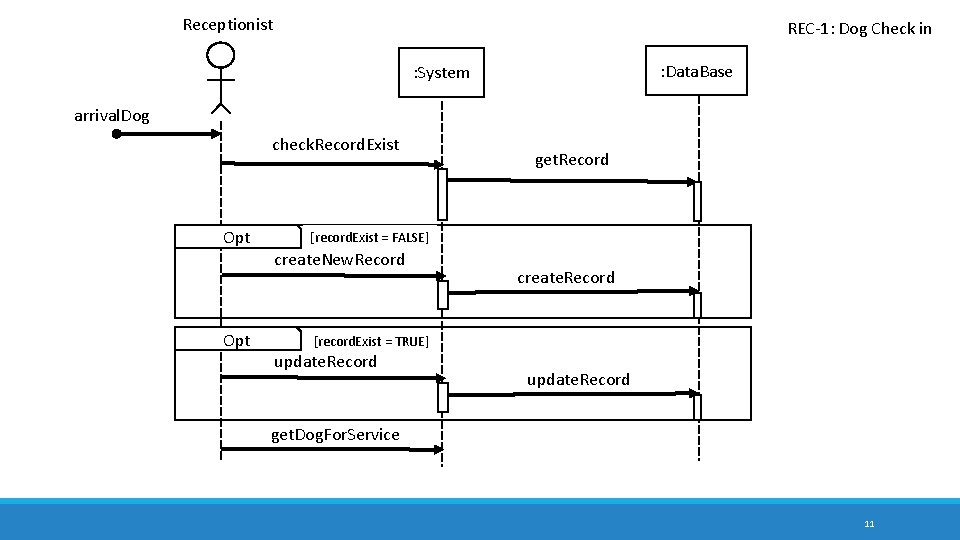
Receptionist REC-1: Dog Check in : Data. Base : System arrival. Dog check. Record. Exist Opt get. Record [record. Exist = FALSE] create. New. Record create. Record [record. Exist = TRUE] update. Record get. Dog. For. Service 11
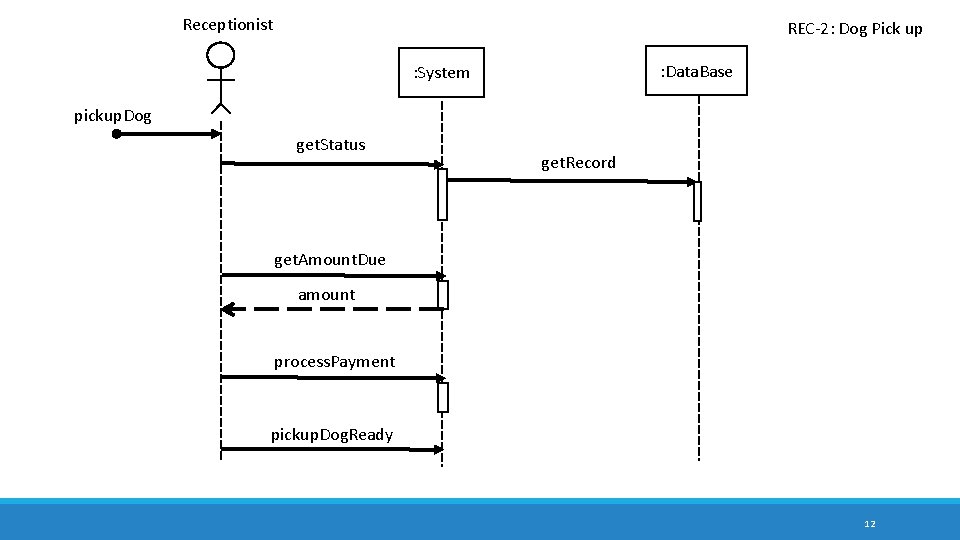
Receptionist REC-2: Dog Pick up : Data. Base : System pickup. Dog get. Status get. Record get. Amount. Due amount process. Payment pickup. Dog. Ready 12
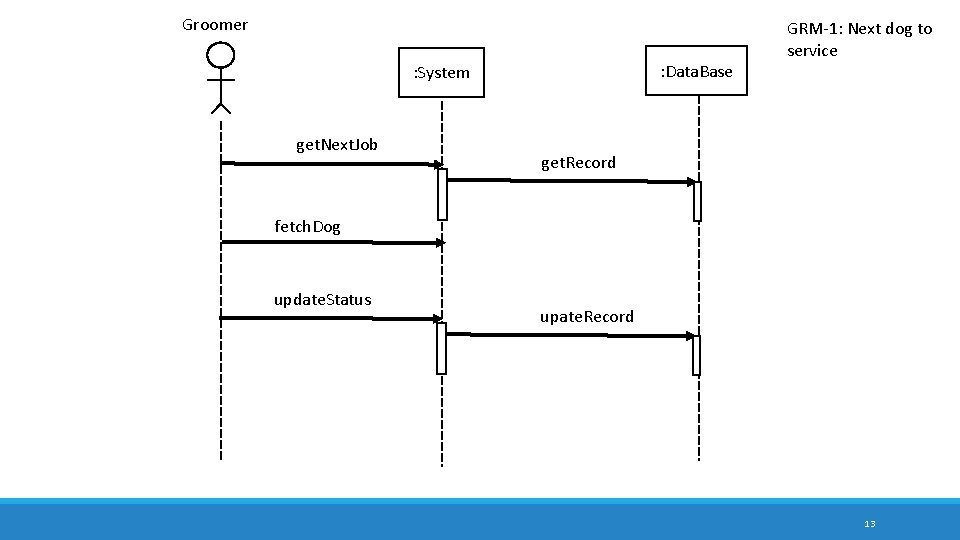
Groomer : Data. Base : System get. Next. Job GRM-1: Next dog to service get. Record fetch. Dog update. Status upate. Record 13
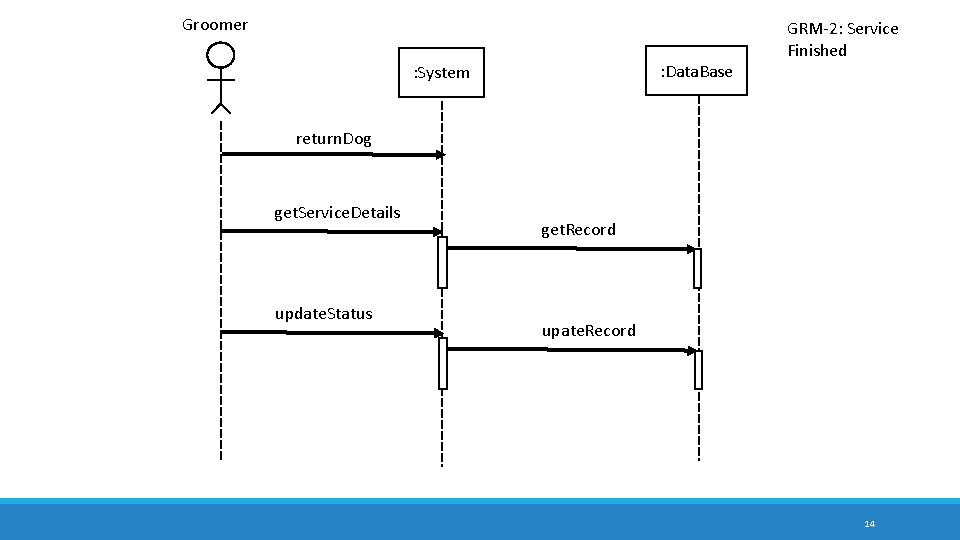
Groomer : Data. Base : System GRM-2: Service Finished return. Dog get. Service. Details update. Status get. Record upate. Record 14
Takeaways from Chapter 10 Understand how to create a system sequence diagram from a use case, and know how to read SSDs to understand a system. 15
Next … Operation Contracts and more on SSDs – Chapter 11, 32 16
- Slides: 16