
ObjectOrder vs Screen Order Rendering April 24 2003
Object-Order vs. Screen. Order Rendering April 24, 2003 CS 6500 Adv. Computer Graphics © Chun-Fa Chang, Spring 2003
Today’s Short Film Red’s Dream by Pixar CS 6500 Adv. Computer Graphics © Chun-Fa Chang, Spring 2003
A quick flashback to the first lecture… CS 6500 Adv. Computer Graphics © Chun-Fa Chang, Spring 2003
Themes • Real-time, interactive 3 D graphics. CS 5502 Photorealistic Image Sythesis. • How to draw a lot of polygons fast? – Culling; Simplification (level-of-detail) • How to make them look good? – Real-time shading CS 6500 Adv. Computer Graphics © Chun-Fa Chang, Spring 2003
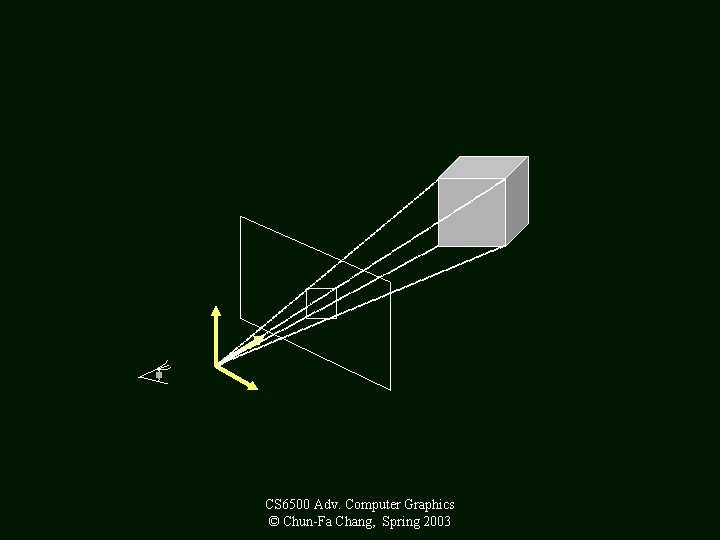
How Do You Draw a Picture (Without a Computer)? • What is your subject? • Viewing Parameters: – Camera, Picture Frames, Resolutions • Many ways to specify it: (1) eye, focus length, image plane (2) eye, direction, FOV, up vector CS 6500 Adv. Computer Graphics © Chun-Fa Chang, Spring 2003
CS 6500 Adv. Computer Graphics © Chun-Fa Chang, Spring 2003
Method A: Object Order Algorithm (Process one polygon at a time. ) CS 6500 Adv. Computer Graphics © Chun-Fa Chang, Spring 2003
3 D to 2 D Projection • OK, so we can map a 3 D point (or vertex) to 2 D image. • But what about a 3 D surface? • Polygons are made from points. • Actually, we only need triangles! CS 6500 Adv. Computer Graphics © Chun-Fa Chang, Spring 2003
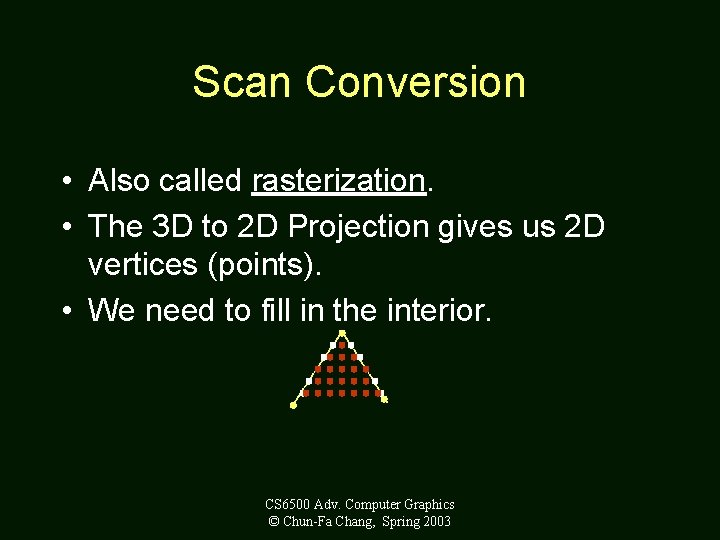
Scan Conversion • Also called rasterization. • The 3 D to 2 D Projection gives us 2 D vertices (points). • We need to fill in the interior. CS 6500 Adv. Computer Graphics © Chun-Fa Chang, Spring 2003
Shading • Interpolation between any two vertices: – Vertex colors (lit or unlit? ) – Normal vectors –Z – w (or 1/w) for perspective correction – Texture coordinates CS 6500 Adv. Computer Graphics © Chun-Fa Chang, Spring 2003
Method B: Screen Order Algorithm (Process one pixel at a time. ) CS 6500 Adv. Computer Graphics © Chun-Fa Chang, Spring 2003
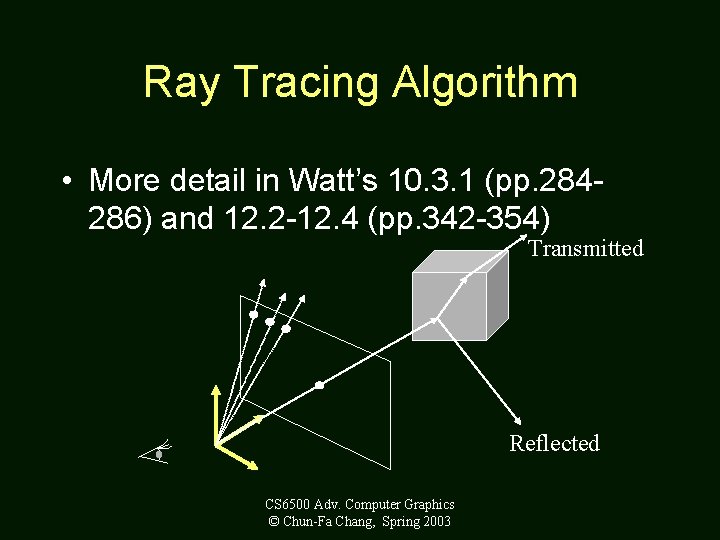
Ray Tracing Algorithm • More detail in Watt’s 10. 3. 1 (pp. 284286) and 12. 2 -12. 4 (pp. 342 -354) Transmitted Reflected CS 6500 Adv. Computer Graphics © Chun-Fa Chang, Spring 2003
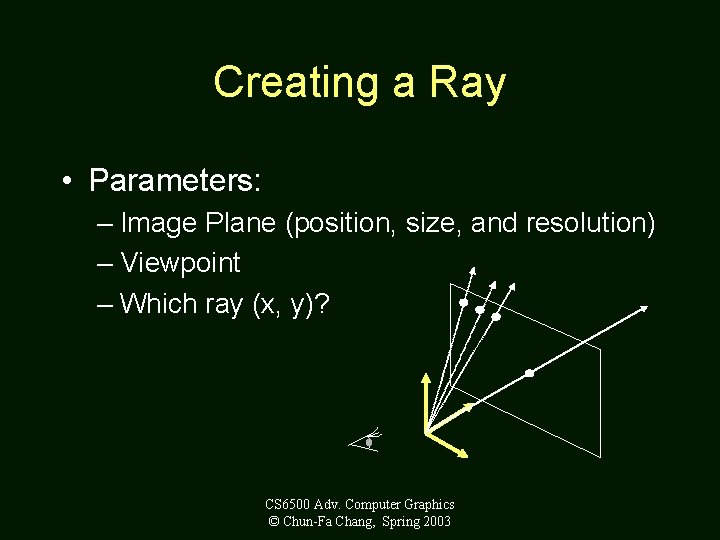
Creating a Ray • Parameters: – Image Plane (position, size, and resolution) – Viewpoint – Which ray (x, y)? CS 6500 Adv. Computer Graphics © Chun-Fa Chang, Spring 2003
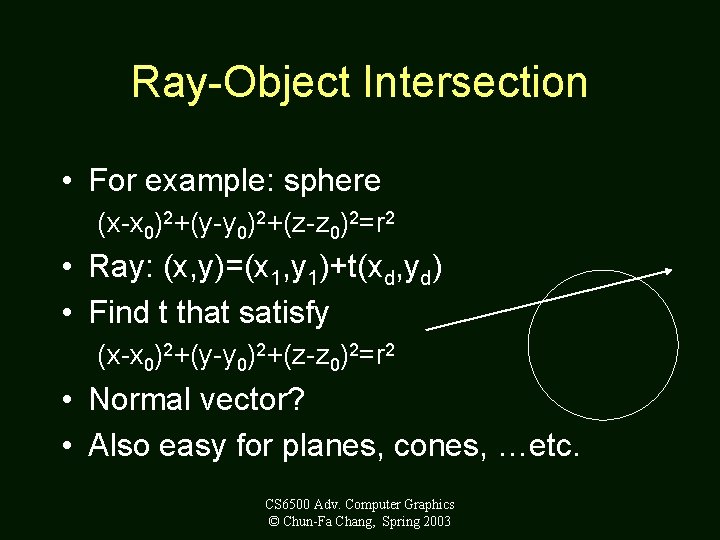
Ray-Object Intersection • For example: sphere (x-x 0)2+(y-y 0)2+(z-z 0)2=r 2 • Ray: (x, y)=(x 1, y 1)+t(xd, yd) • Find t that satisfy (x-x 0)2+(y-y 0)2+(z-z 0)2=r 2 • Normal vector? • Also easy for planes, cones, …etc. CS 6500 Adv. Computer Graphics © Chun-Fa Chang, Spring 2003
Shading Models • Pixel color = ambient + diffuse + specular + reflected + transmitted • The weight of each is determined by the surface properties. CS 6500 Adv. Computer Graphics © Chun-Fa Chang, Spring 2003
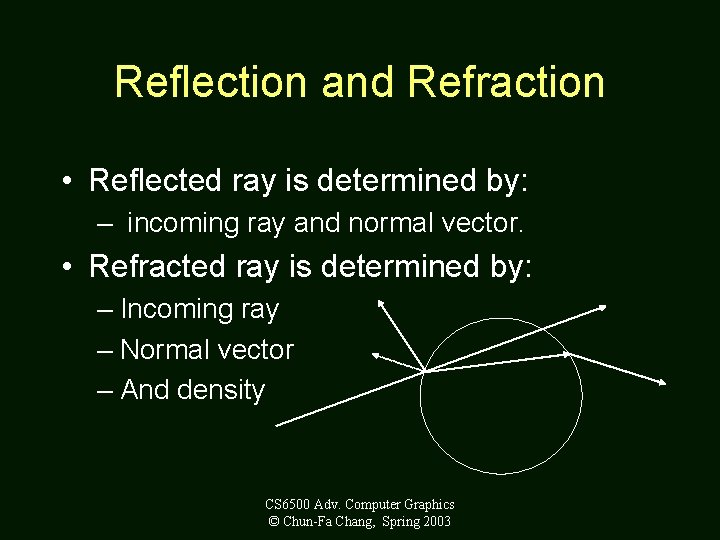
Reflection and Refraction • Reflected ray is determined by: – incoming ray and normal vector. • Refracted ray is determined by: – Incoming ray – Normal vector – And density CS 6500 Adv. Computer Graphics © Chun-Fa Chang, Spring 2003
Recursive Algorithm • The reflected ray and refracted ray are traced recursively. • Termination condition: – Depth of trace – Weight (to the final pixel color) of ray • Pseudo code in Watt’s page 349. CS 6500 Adv. Computer Graphics © Chun-Fa Chang, Spring 2003
Advantage • We get all the following automatically: – Hidden surface removal – Shadow – Reflection – Transparency and refraction CS 6500 Adv. Computer Graphics © Chun-Fa Chang, Spring 2003
Disadvantage • Slow. Many rays are spawned. • Slow. Ray-object intersection for every ray and every object. (Space partition helps a lot!). • The lighting is still not completely right! CS 6500 Adv. Computer Graphics © Chun-Fa Chang, Spring 2003
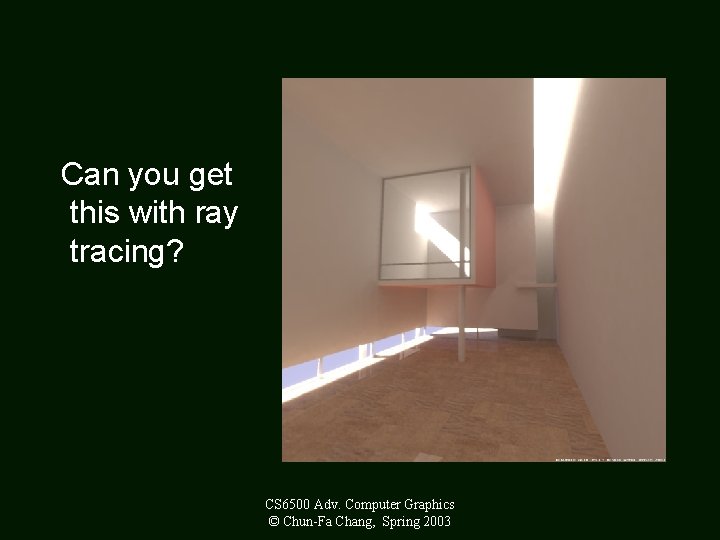
Can you get this with ray tracing? CS 6500 Adv. Computer Graphics © Chun-Fa Chang, Spring 2003
- Slides: 20