
Objectives Understand the properties and limitations of file

Objectives • Understand the properties and limitations of file formats for: • Still images • Audio • Moving images – including video and animation • Be able to identify appropriate file formats for: • Pre-production documents • Final products in line with client requirements • Be able to use suitable naming conventions including version control and organisational requirements
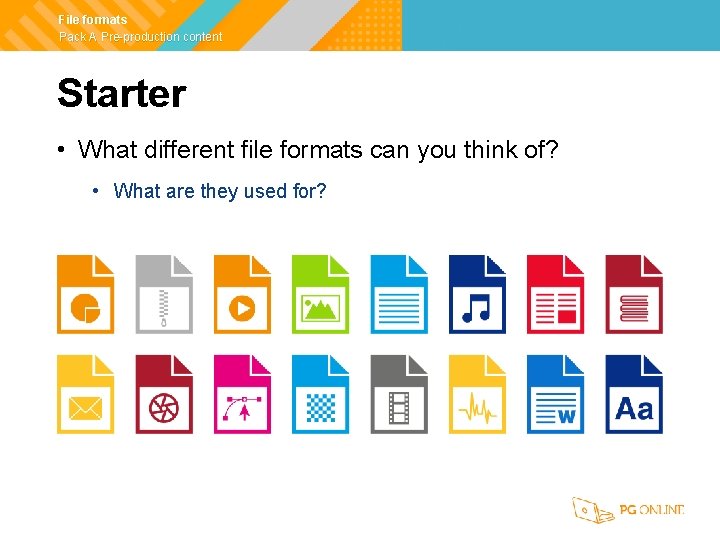
File formats Pack A Pre-production content Starter • What different file formats can you think of? • What are they used for?
File formats Pack A Pre-production content File formats • Some possible file formats: • Office documents: PPT (Power. Point), DOC (Word), XLS (Excel) • Images: JPG, PNG, GIF, EPS, TIFF, RAW • Video: MP 4, MOV, WMV, AVI • Audio: MP 3, WAV, AAC • Sharing documents: PDF
File formats Pack A Pre-production content Pre-production formats • Need for common formats to store documents • What are five pre-production documents? • What file formats are used pre-production documents?
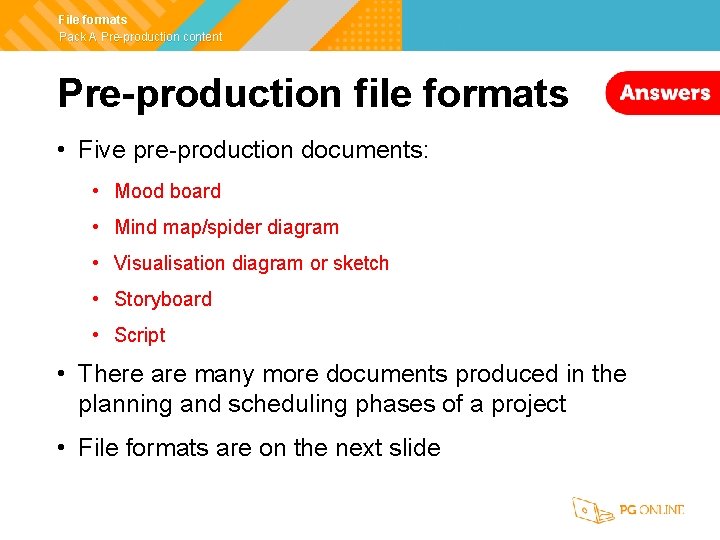
File formats Pack A Pre-production content Pre-production file formats • Five pre-production documents: • Mood board • Mind map/spider diagram • Visualisation diagram or sketch • Storyboard • Script • There are many more documents produced in the planning and scheduling phases of a project • File formats are on the next slide
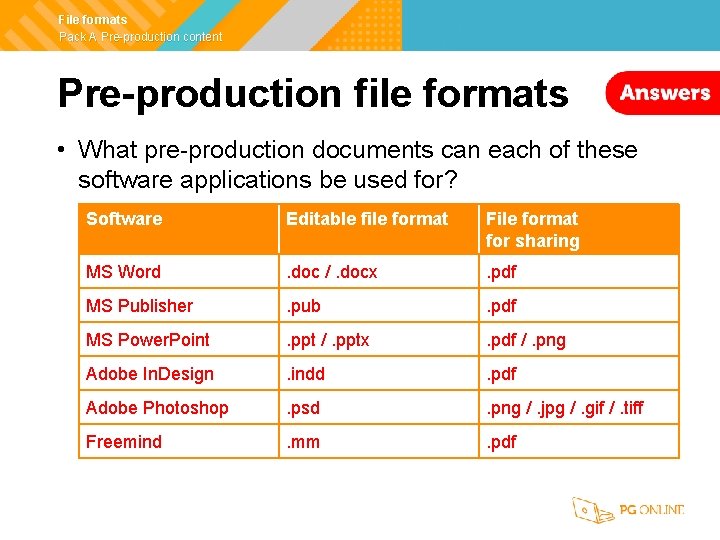
File formats Pack A Pre-production content Pre-production file formats • What pre-production documents can each of these software applications be used for? Software Editable file format File format for sharing MS Word . doc /. docx . pdf MS Publisher . pub . pdf MS Power. Point . ppt /. pptx . pdf /. png Adobe In. Design . indd . pdf Adobe Photoshop . psd . png /. jpg /. gif /. tiff Freemind . mm . pdf
File formats Pack A Pre-production content Worksheet 7 • Complete Task 1 on Worksheet 7
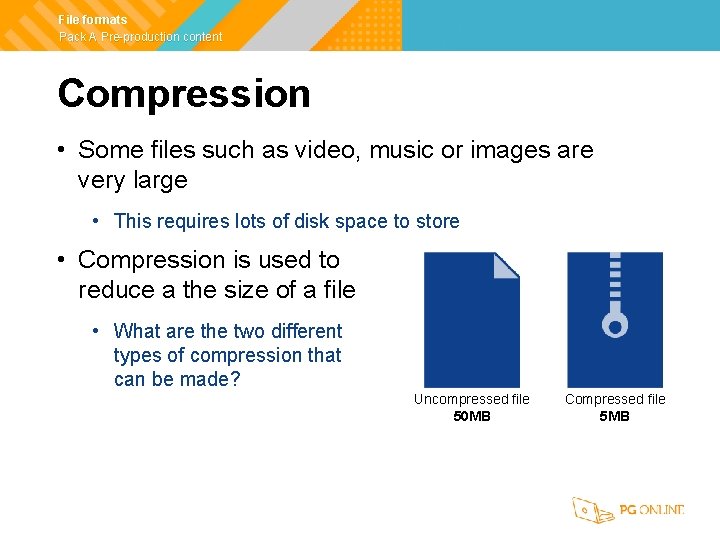
File formats Pack A Pre-production content Compression • Some files such as video, music or images are very large • This requires lots of disk space to store • Compression is used to reduce a the size of a file • What are the two different types of compression that can be made? Uncompressed file 50 MB Compressed file 5 MB
File formats Pack A Pre-production content Lossless compression • Some files such as word processed documents or computer game code need the contents to be exactly the same when compressed • They use a lossless compression • ZIP and SVG files use this method of compression
File formats Pack A Pre-production content Lossy compression • A lossy compression will lose some of the original information • If too much information is lost, it can result in digital artefacts (mistakes which you can see) occurring • What file formats use a lossy compression? Uncompressed Lossy compression File type: BMP File size: 563 kb File type: JPG File size: 31 kb File type: JPG File size: 2 kb
File formats Pack A Pre-production content Lossy compression • Image formats: • JPG/JPEG (Joint Photographic Experts Group) • Music formats: • MP 3 (Motion Picture Electronics Group – Layer 3) • Ogg (Ogg Vorbis) • Video formats: • MPEG-2 and MP 4 (Motion Picture Electronics Group) • H. 264
File formats Pack A Pre-production content Lossy vs lossless • The table below shows some features of lossy and lossless compression Feature Lossy compression Lossless compression File size Significant reduction in file size Small reduction in file size unless compressing text File quality Loses some information. If heavily compressed a lot of information is lost Data is exactly the same after being uncompressed Used for Images, photos, video, music Text files, zip files, very high quality photos, music and video
File formats Pack A Pre-production content Worksheet 7 • Complete Task 2 on Worksheet 7
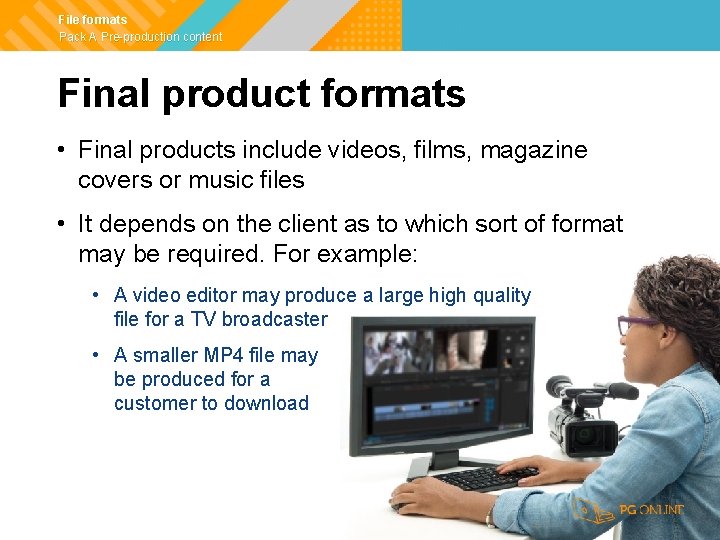
File formats Pack A Pre-production content Final product formats • Final products include videos, films, magazine covers or music files • It depends on the client as to which sort of format may be required. For example: • A video editor may produce a large high quality file for a TV broadcaster • A smaller MP 4 file may be produced for a customer to download
File formats Pack A Pre-production content Audio and sound • Audio files are often compressed using a lossy compression such as. mp 3 • Some of the quality is lost • However, this will be hard to detect if a high bitrate is used • A compressed. mp 3 file may be 10% of the size of the equivalent. wav file • What are three different audio formats?
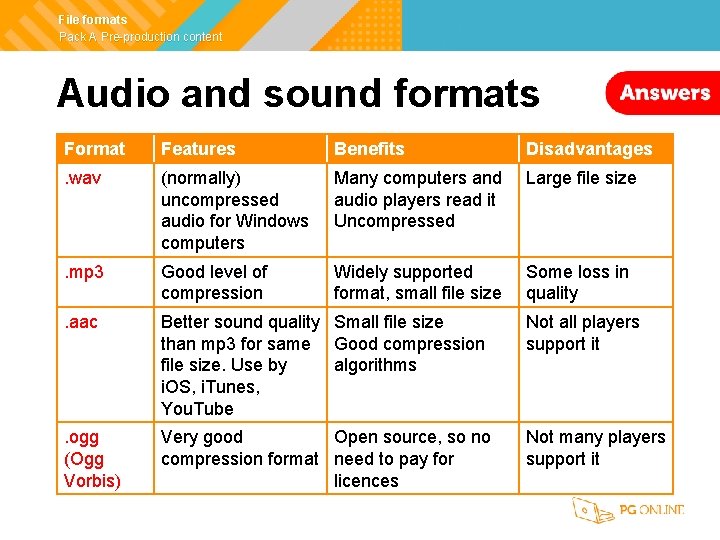
File formats Pack A Pre-production content Audio and sound formats Format Features Benefits Disadvantages . wav (normally) uncompressed audio for Windows computers Many computers and audio players read it Uncompressed Large file size . mp 3 Good level of compression Widely supported format, small file size Some loss in quality . aac Better sound quality Small file size than mp 3 for same Good compression file size. Use by algorithms i. OS, i. Tunes, You. Tube Not all players support it . ogg (Ogg Vorbis) Very good Open source, so no compression format need to pay for licences Not many players support it
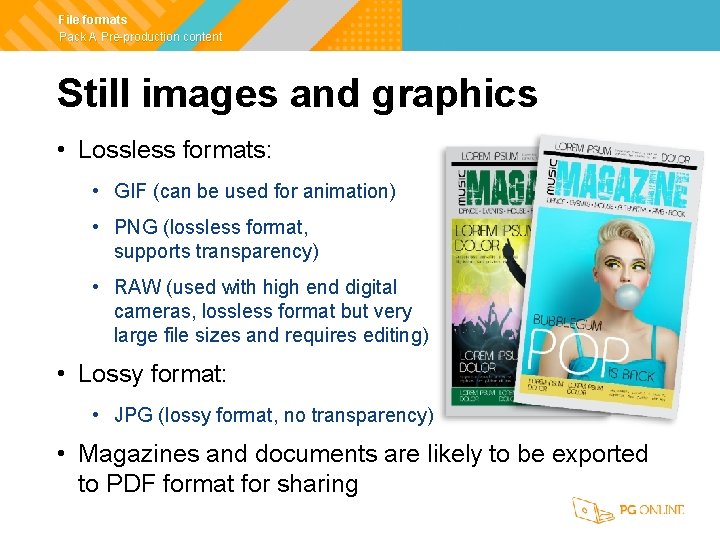
File formats Pack A Pre-production content Still images and graphics • Lossless formats: • GIF (can be used for animation) • PNG (lossless format, supports transparency) • RAW (used with high end digital cameras, lossless format but very large file sizes and requires editing) • Lossy format: • JPG (lossy format, no transparency) • Magazines and documents are likely to be exported to PDF format for sharing
File formats Pack A Pre-production content Moving images – video • There are many video formats. Some key ones are: • MP 4 is a common lossy compression format used in many streaming sites • AVI is (typically) a lossless format which can save video uncompressed • Name another video format
File formats Pack A Pre-production content Other video formats • There are many formats, but some more common ones are • WMV – Windows Media Video – these files used to be very common for Windows computers but are now less common • MOV – These videos have high support with Apple devices, but are becoming less common • FLV – These videos had high compression and were used with the Flash plugin. They are now very uncommon as the Flash plugin has lost support in most browsers
File formats Pack A Pre-production content Moving images - animation • Animation for web pages was first carried out with GIF images • Flash animation then became very popular with the. SWF filetype • As the Flash plugin has lost support, SVG (Scalable Vector Graphics) can now be used for animation • Animation films and TV programs will use normal video file formats such as MP 4 to deliver to ordinary viewers
File formats Pack A Pre-production content Worksheet 7 • Complete Task 3 on Worksheet 7
File formats Pack A Pre-production content File names • File names need to be clear and descriptive • Naming conventions will often give a version number or date with a filename • Folder names and structure also need to be considered • In general, name files as: • Descriptive name + version number. extension • Descriptive name + date. extension • How could you write three filenames for a storyboard for an ice cream advert that has had three versions which were produced on 21/1/19, 3/2/19, 21/3/19?
File formats Pack A Pre-production content File names • Either • Ice_cream_advert_storyboard_Ver_1. pdf • Ice_cream_advert_storyboard_Ver_2. pdf • Ice_cream_advert_storyboard_Ver_3. pdf • Or • Ice_cream_advert_storyboard_21 -1 -19. pdf • Ice_cream_advert_storyboard_3 -2 -19. pdf • Ice_cream_advert_storyboard_21 -3 -19. pdf
File formats Pack A Pre-production content Worksheet 7 • Complete Task 4 on Worksheet 7
File formats Pack A Pre-production content Plenary • Name a different file format for use in each of the following preproduction documents: • Mood board, Mind map, Visualisation diagram, Storyboard, Script • Name two file formats for each of the following final products • A photo for a website • A podcast containing music and interviews • A film download • A simple animation for an advertisement on a website
File formats Pack A Pre-production content Plenary • Some possible answers: • Mood board – JPG, PNG, PDF, Doc, PUB, PPT, PSD • Mind map – mm, PNG, PDF • Visualisation diagram - JPG, PNG, PDF, Doc, PUB, PPT, PSD • Storyboard – PNG, PDF, Doc, PUB, PPT, PSD • Script – Doc, Docx, PDF • Photo – JPG, PNG • Podcast – MP 3, AAC, Ogg Vorbis (but not many users) • Film download – MP 4, AVI, MOV • Animation for a website – GIF, SVG
File formats Pack A Pre-production content Copyright © 2019 PG Online Limited The contents of this unit are protected by copyright. This unit and all the worksheets, Power. Point presentations, teaching guides and other associated files distributed with it are supplied to you by PG Online Limited under licence and may be used and copied by you only in accordance with the terms of the licence. Except as expressly permitted by the licence, no part of the materials distributed with this unit may be used, reproduced, stored in a retrieval system, or transmitted, in any form or by any means, electronic or otherwise, without the prior written permission of PG Online Limited. Licence agreement This is a legal agreement between you, the end user, and PG Online Limited. This unit and all the worksheets, Power. Point presentations, teaching guides and other associated files distributed with it is licensed, not sold, to you by PG Online Limited for use under the terms of the licence. The materials distributed with this unit may be freely copied and used by members of a single institution on a single site only. You are not permitted to share in any way any of the materials or part of the materials with any third party, including users on another site or individuals who are members of a separate institution. You acknowledge that the materials must remain with you, the licencing institution, and no part of the materials may be transferred to another institution. You also agree not to procure, authorise, encourage, facilitate or enable any third party to reproduce these materials in whole or in part without the prior permission of PG Online Limited.
- Slides: 28