
Objectives Distinguish between various input devices based on
Objectives • Distinguish between various input devices based on the working principle and functions. • Classify graphics software into two. • Determine the graphic coordinate representations. • Define output primitives.
Input Devices Physical Devices: Keyboard, Mouse, Tablet, etc. Logical Devices: High level interface with the user program 3 D Input Devices: Space ball, Data glove
Graphics Software Classified into two General Programming packages provides an extensive set of graphics function that can be used in high level programming language such as C. Function of this package is to include those for generating various picture components. (lines, polygons etc) Special Purpose application packages. designed for nonprogrammers eg. ms paint
Coordinate representation • Modelling Coordinates or local coordinates or master coordinates- it is possible to construct the shape of individual objects in a space within separate coordinate reference frames called MC, LC or Master coordinates • World co ordinates –Once individual object shapes have been specified we can place the objects into appropriate position on the scene using a reference frame called world coordinates

Device co ordinates or Screen coordinates- The world coordinate description of the scene is transferred to one or more output device reference frame for display. These display coordinate system are referred to as device coordinate or screen coordinate. Normalized device co ordinates – A graphics system first converts world co ordinate position to normalized device co ordinates in the range from 0 to 1, before final conversion to a specific device co ordinate. This makes the system independent of the various output devices.
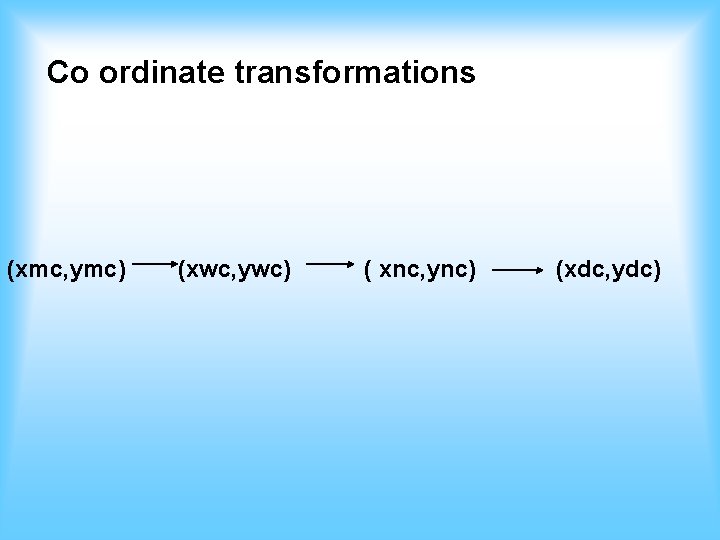
Co ordinate transformations (xmc, ymc) (xwc, ywc) ( xnc, ync) (xdc, ydc)
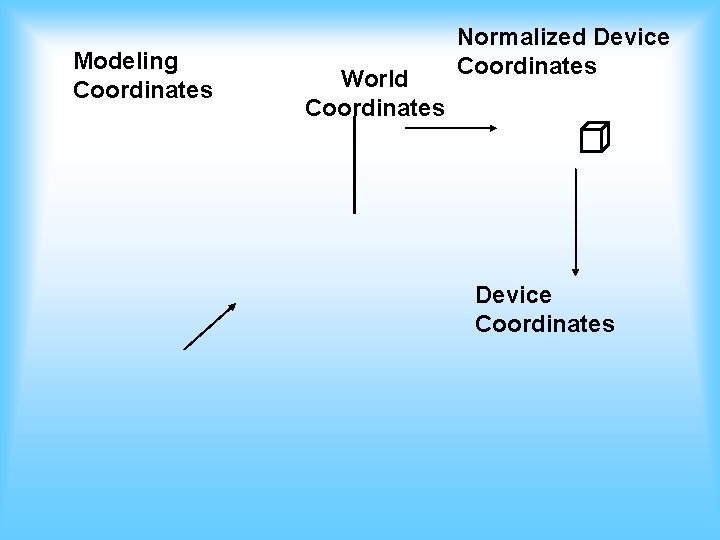
Modeling Coordinates World Coordinates Normalized Device Coordinates

Output Primitives The basic building blocks for pictures are referred to as output primitives. Point, line, circle, polygon etc Attributes- properties of output primitives ie describes how the particular primitive is to be displayed - intensity & color information, line style, text style (fonts) etc.
Geometric transformation- for changing the size position & orientation of an object within a scene. Viewing transformations- are used to specify the view that is to be presented and the portion of the output display area that is to be used.
- Slides: 9