
Objective 205 03 5 Execute advanced production methods
Objective 205. 03 5% Execute advanced production methods to create digital audio.
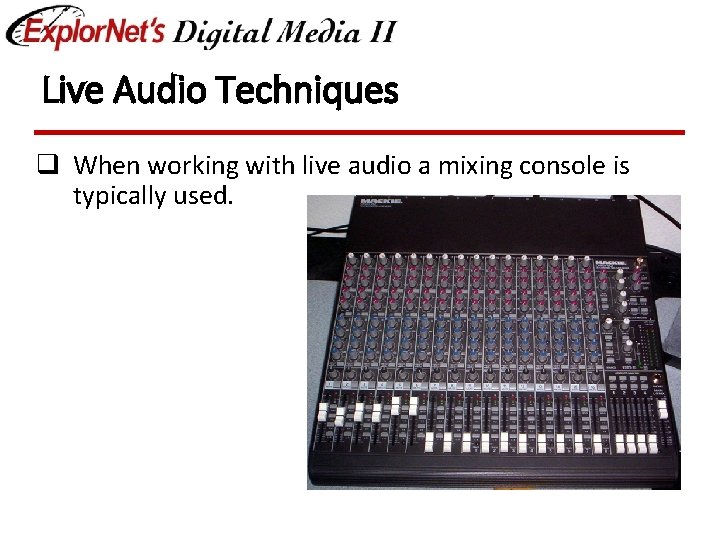
Live Audio Techniques q When working with live audio a mixing console is typically used.

Audio Input q Each microphone or audio input is connected to the mixer to be adjusted in a channel. Guitar Drum Vocal Bass
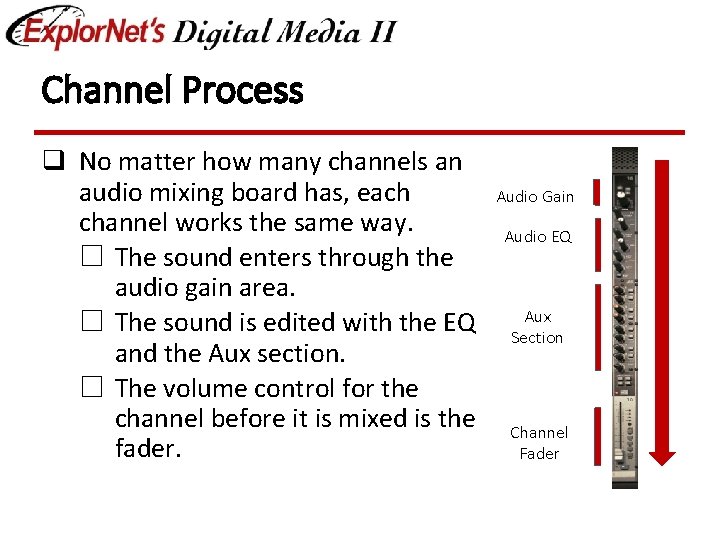
Channel Process q No matter how many channels an audio mixing board has, each channel works the same way. ☐ The sound enters through the audio gain area. ☐ The sound is edited with the EQ and the Aux section. ☐ The volume control for the channel before it is mixed is the fader. Audio Gain Audio EQ Aux Section Channel Fader
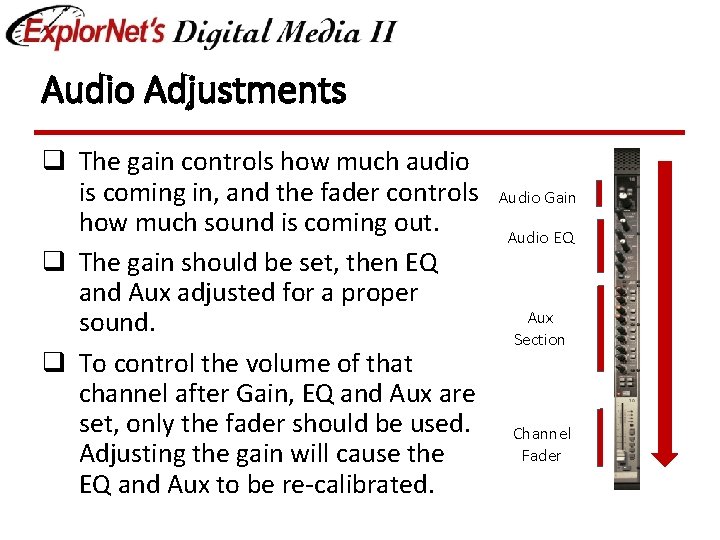
Audio Adjustments q The gain controls how much audio is coming in, and the fader controls how much sound is coming out. q The gain should be set, then EQ and Aux adjusted for a proper sound. q To control the volume of that channel after Gain, EQ and Aux are set, only the fader should be used. Adjusting the gain will cause the EQ and Aux to be re-calibrated. Audio Gain Audio EQ Aux Section Channel Fader
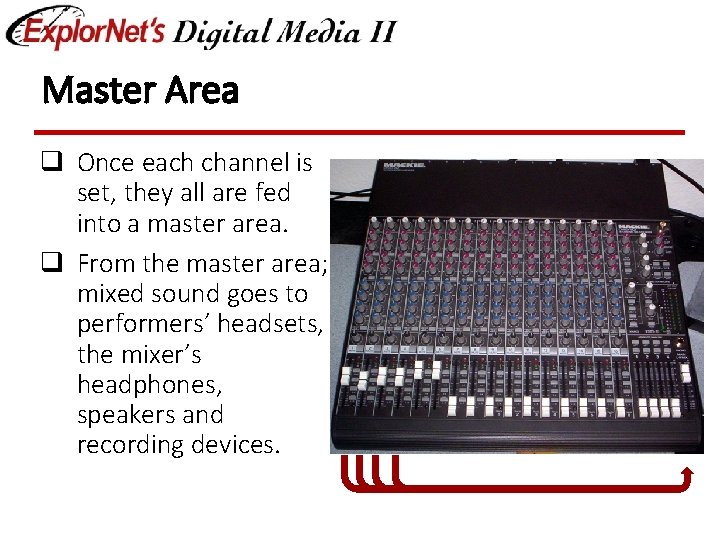
Master Area q Once each channel is set, they all are fed into a master area. q From the master area; mixed sound goes to performers’ headsets, the mixer’s headphones, speakers and recording devices.
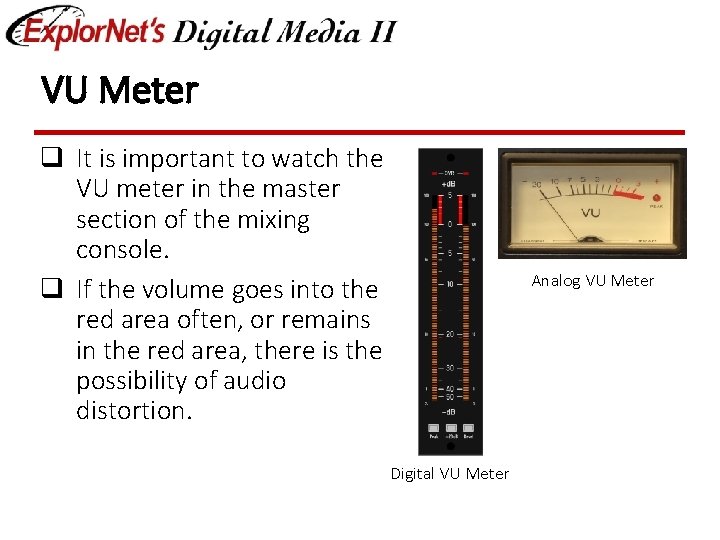
VU Meter q It is important to watch the VU meter in the master section of the mixing console. q If the volume goes into the red area often, or remains in the red area, there is the possibility of audio distortion. Analog VU Meter Digital VU Meter
Adobe Audition q The work area in Adobe Audition can be configured to simulate an analog mixer. q Instead of feeding live microphones in for each channel, Audition displays each recorded element on a channel.
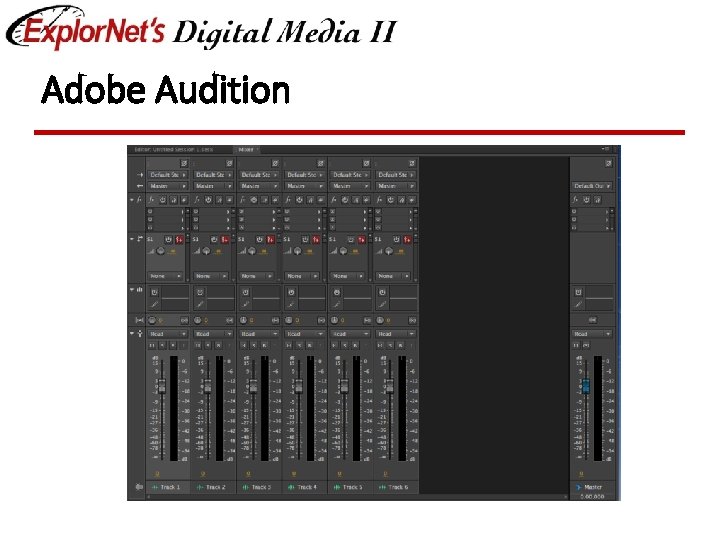
Adobe Audition
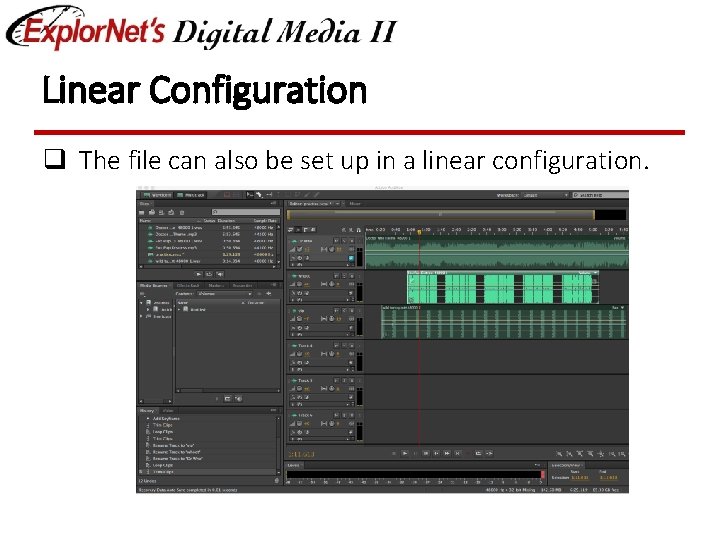
Linear Configuration q The file can also be set up in a linear configuration.
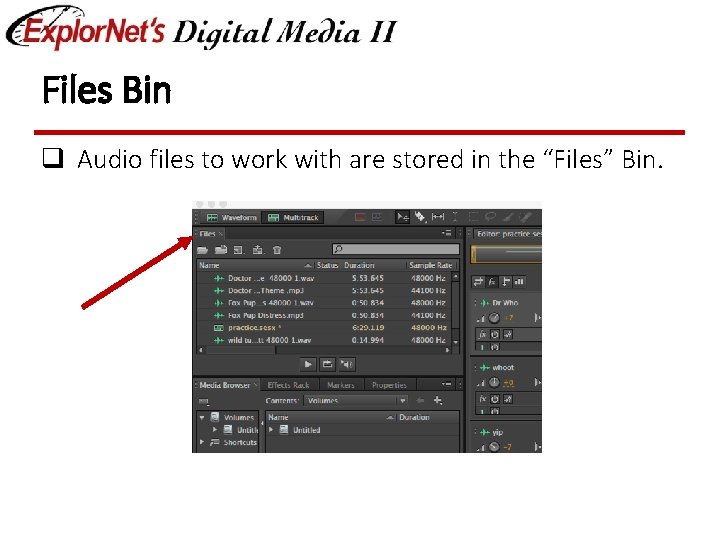
Files Bin q Audio files to work with are stored in the “Files” Bin.
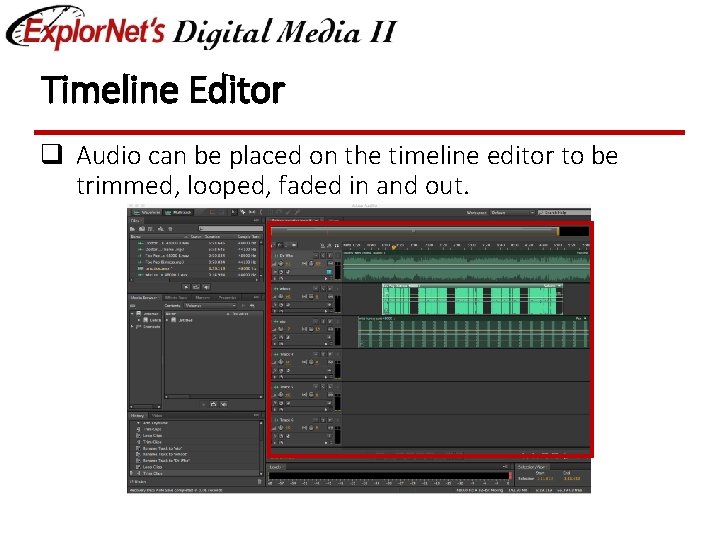
Timeline Editor q Audio can be placed on the timeline editor to be trimmed, looped, faded in and out.
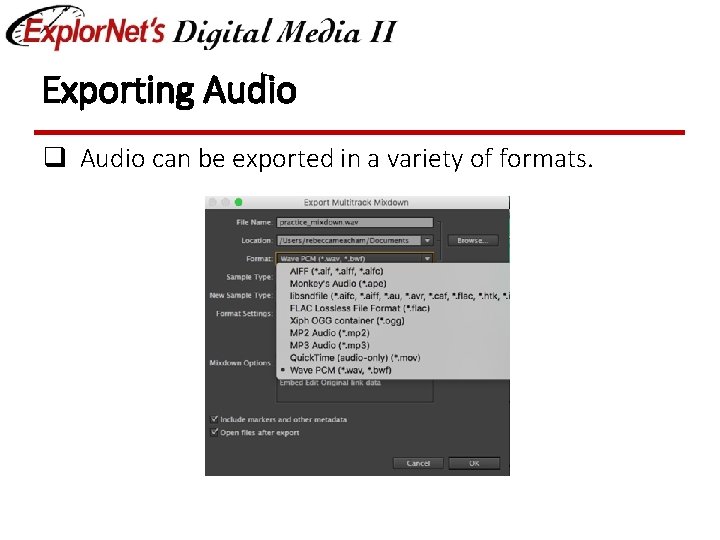
Exporting Audio q Audio can be exported in a variety of formats.
- Slides: 13