
Object Placement for High Bandwidth Memory Augmented with

Object Placement for High Bandwidth Memory Augmented with High Capacity Memory Mohammad Laghari and Didem Unat Koç University, Istanbul, Turkey https: //parcorelab. ku. edu. tr SBAC-PAD 2017 @ Campinas, Brazil 17 -20 October 2017 1
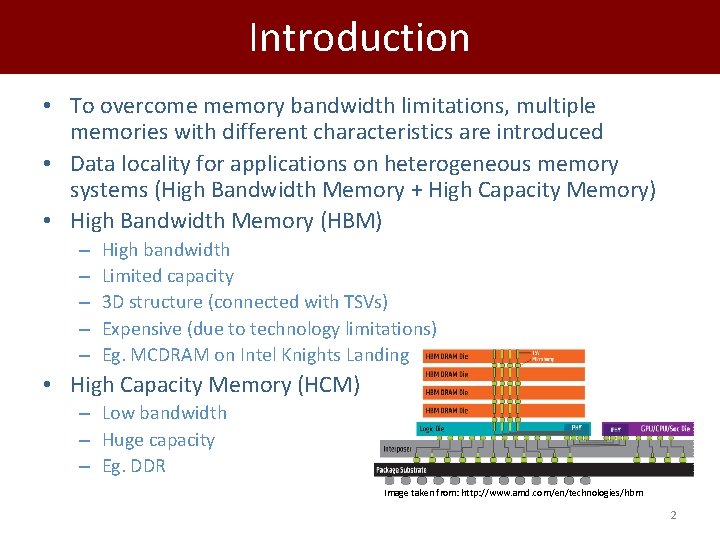
Introduction • To overcome memory bandwidth limitations, multiple memories with different characteristics are introduced • Data locality for applications on heterogeneous memory systems (High Bandwidth Memory + High Capacity Memory) • High Bandwidth Memory (HBM) – – – High bandwidth Limited capacity 3 D structure (connected with TSVs) Expensive (due to technology limitations) Eg. MCDRAM on Intel Knights Landing • High Capacity Memory (HCM) – Low bandwidth – Huge capacity – Eg. DDR Image taken from: http: //www. amd. com/en/technologies/hbm 2
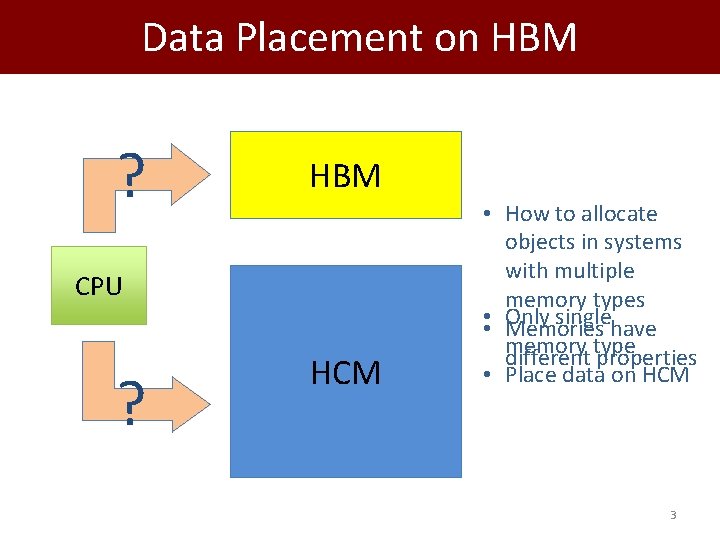
Data Placement on HBM ? HBM CPU ? HCM • How to allocate objects in systems with multiple memory types • • Only singlehave Memories memory different type properties • Place data on HCM 3
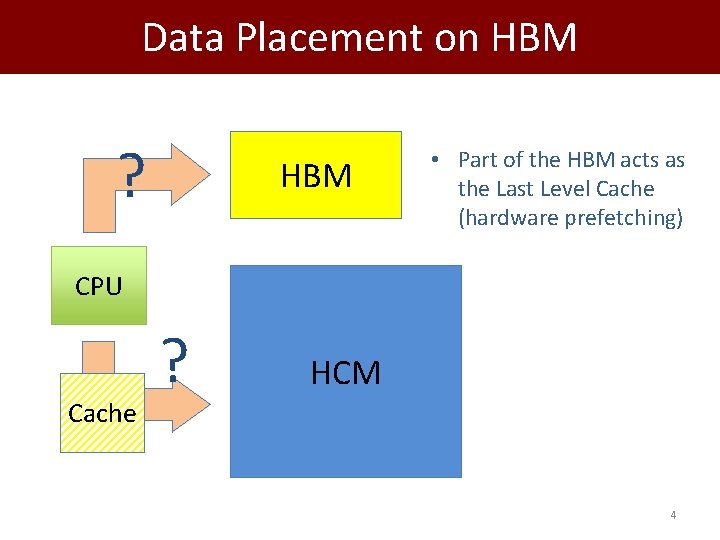
Data Placement on HBM ? HBM • Part of the HBM acts as the Last Level Cache (hardware prefetching) CPU Cache ? HCM 4
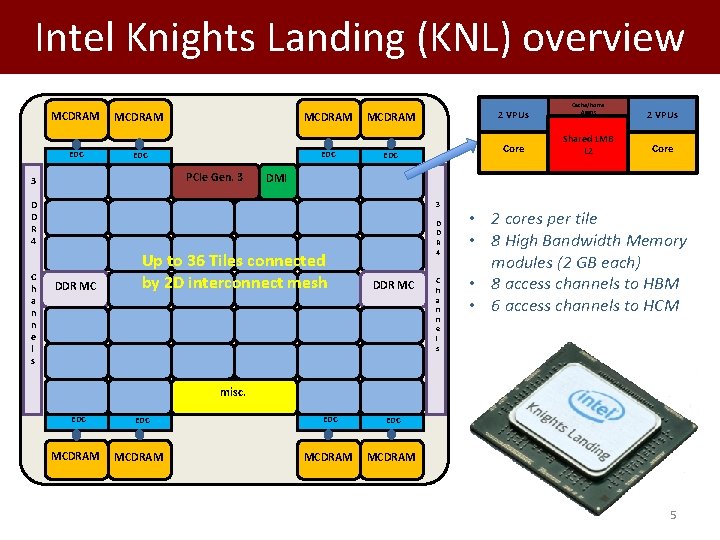
Intel Knights Landing (KNL) overview MCDRAM EDC PCIe Gen. 3 3 MCDRAM Core EDC 3 DDR MC Cache/Home Agent Shared 1 MB L 2 2 VPUs Core DMI D D R 4 C h a n n e l s 2 VPUs Up to 36 Tiles connected by 2 D interconnect mesh D D R 4 DDR MC C h a n n e l s • 2 cores per tile • 8 High Bandwidth Memory modules (2 GB each) • 8 access channels to HBM • 6 access channels to HCM misc. EDC MCDRAM 5
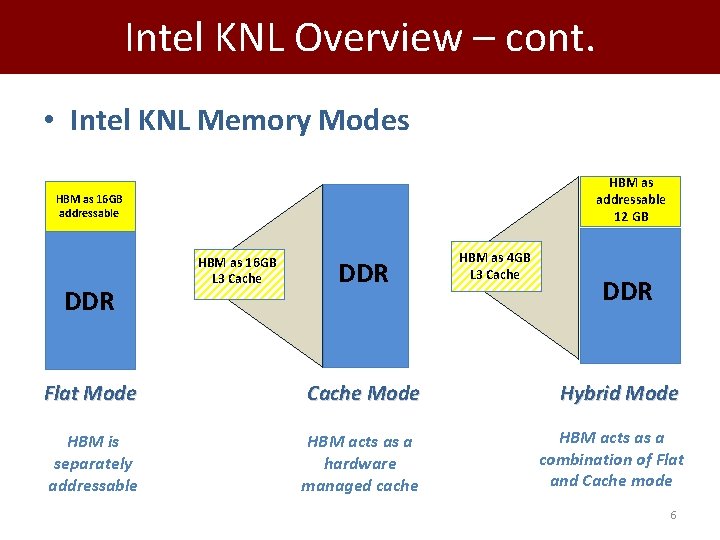
Intel KNL Overview – cont. • Intel KNL Memory Modes HBM as addressable 12 GB HBM as 16 GB addressable DDR HBM as 16 GB L 3 Cache DDR HBM as 4 GB L 3 Cache DDR Flat Mode Cache Mode Hybrid Mode HBM is separately addressable HBM acts as a hardware managed cache HBM acts as a combination of Flat and Cache mode 6

Placement Algorithm • Placement is suggested by our variation 0 -1 Knapsack dynamic algorithm – We don’t break the object (whole object is placed on one of the memory types) F Size: 10 Value: 20 A E • Item Size: Size Object Size • Item Value: Value Object reference Count Size: 50 Value: 10 HBM D Size: 5 Value: 200 Size: 10 Value: 50 B Size: 8 Value: 20 Knapsack Size: Size HBM Size C Size: 50 Value: 40 7
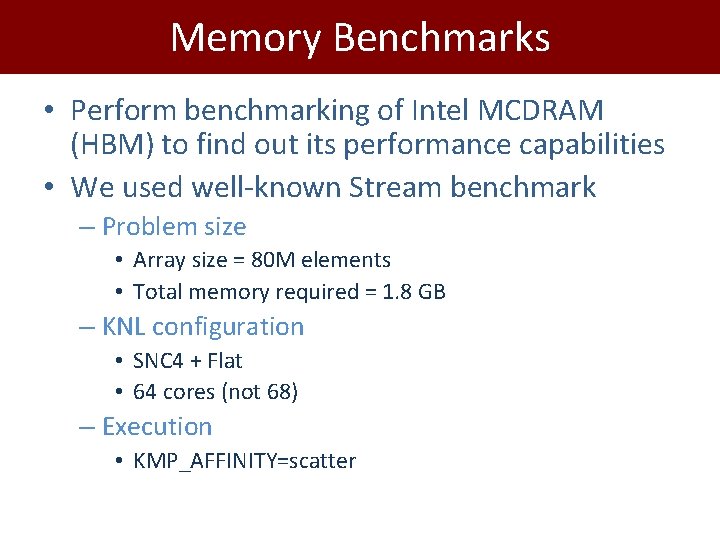
Memory Benchmarks • Perform benchmarking of Intel MCDRAM (HBM) to find out its performance capabilities • We used well-known Stream benchmark – Problem size • Array size = 80 M elements • Total memory required = 1. 8 GB – KNL configuration • SNC 4 + Flat • 64 cores (not 68) – Execution • KMP_AFFINITY=scatter
![Stream Benchmark A[i] = B[i] + α*C[i] 9](http://slidetodoc.com/presentation_image_h2/e9a8280fc586799c204db5a5ac56f58a/image-9.jpg "Stream Benchmark A[i] = B[i] + α*C[i] 9")
Stream Benchmark A[i] = B[i] + α*C[i] 9
![Stream Benchmark A[i] = B[i] + α*C[i] MCDRAM peak tested bandwidth: 450+ GB/s DDR](http://slidetodoc.com/presentation_image_h2/e9a8280fc586799c204db5a5ac56f58a/image-10.jpg "Stream Benchmark A[i] = B[i] + α*C[i] MCDRAM peak tested bandwidth: 450+ GB/s DDR")
Stream Benchmark A[i] = B[i] + α*C[i] MCDRAM peak tested bandwidth: 450+ GB/s DDR peak tested bandwidth: 85+ GB/s 10
![Bandwidth Studies on HBM 500 450 Bandwidth (GB/s) 400 A[i] = B[i] + α*C[i]](http://slidetodoc.com/presentation_image_h2/e9a8280fc586799c204db5a5ac56f58a/image-11.jpg "Bandwidth Studies on HBM 500 450 Bandwidth (GB/s) 400 A[i] = B[i] + α*C[i]")
Bandwidth Studies on HBM 500 450 Bandwidth (GB/s) 400 A[i] = B[i] + α*C[i] All-DDR All-MCDRAM DDR(a, b) , MCDRAM(c) 350 DDR(b, c) , MCDRAM(a) 300 DDR(c) , MCDRAM(a, b) 250 DDR(a) , MCDRAM(b, c) 200 150 100 50 0 8 16 32 64 Number of threads 128 256 Memkind: release version 1. 6. 0 11
![Bandwidth Studies on HBM 500 450 Bandwidth (GB/s) 400 A[i] = B[i] + α*C[i]](http://slidetodoc.com/presentation_image_h2/e9a8280fc586799c204db5a5ac56f58a/image-12.jpg "Bandwidth Studies on HBM 500 450 Bandwidth (GB/s) 400 A[i] = B[i] + α*C[i]")
Bandwidth Studies on HBM 500 450 Bandwidth (GB/s) 400 A[i] = B[i] + α*C[i] All-DDR All-MCDRAM DDR(a, b) , MCDRAM(c) 350 DDR(b, c) , MCDRAM(a) 300 DDR(c) , MCDRAM(a, b) 250 DDR(a) , MCDRAM(b, c) High bandwidth if objects used in an instruction are in the same memory type 200 150 100 50 0 8 16 32 64 Number of threads 128 256 Memkind: release version 1. 6. 0 12
![Bandwidth Studies on HBM 500 450 Bandwidth (GB/s) 400 All-DDR A[i] = B[i] +](http://slidetodoc.com/presentation_image_h2/e9a8280fc586799c204db5a5ac56f58a/image-13.jpg "Bandwidth Studies on HBM 500 450 Bandwidth (GB/s) 400 All-DDR A[i] = B[i] +")
Bandwidth Studies on HBM 500 450 Bandwidth (GB/s) 400 All-DDR A[i] = B[i] + α*C[i] All-MCDRAM DDR(a, b) , MCDRAM(c) 350 DDR(b, c) , MCDRAM(a) 300 DDR(c) , MCDRAM(a, b) 250 DDR(a) , MCDRAM(b, c) 200 150 100 50 0 Mixed memory access 1 Read + 1 Write from MCDRAM 1 Read from DDR 8 16 32 64 Number of threads 128 256 Memkind: release version 1. 6. 0 13
![Bandwidth Studies on HBM 500 450 Bandwidth (GB/s) 400 A[i] = B[i] + α*C[i]](http://slidetodoc.com/presentation_image_h2/e9a8280fc586799c204db5a5ac56f58a/image-14.jpg "Bandwidth Studies on HBM 500 450 Bandwidth (GB/s) 400 A[i] = B[i] + α*C[i]")
Bandwidth Studies on HBM 500 450 Bandwidth (GB/s) 400 A[i] = B[i] + α*C[i] All-DDR All-MCDRAM DDR(a, b) , MCDRAM(c) 350 DDR(b, c) , MCDRAM(a) 300 DDR(c) , MCDRAM(a, b) 250 DDR(a) , MCDRAM(b, c) Significant bandwidth drop observed when placing majority or write-sensitive objects on DDR 200 150 100 50 0 8 16 32 64 Number of threads 128 256 Memkind: release version 1. 6. 0 14
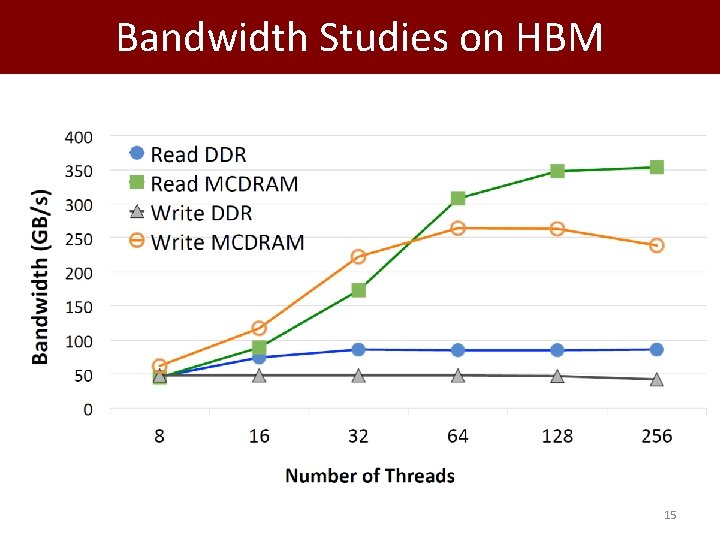
Bandwidth Studies on HBM 15
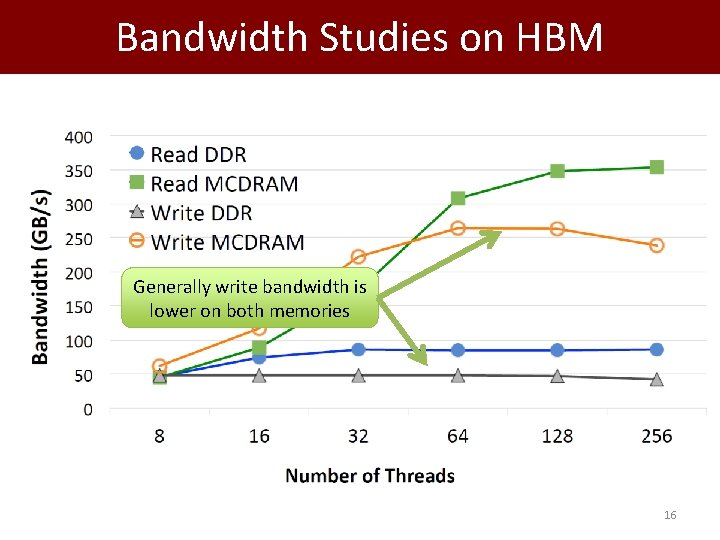
Bandwidth Studies on HBM Generally write bandwidth is lower on both memories 16
Placement Algorithm • MCDRAMWRITE_BW > DDRWRITE_BW , so place writeintensive data on MCDRAM? • Application performance limited to DDRWRITE_BW • Two flavors of the placement algorithm – Write Agnostic: • Does not differentiate between reads and writes – Write Sensitive: • Considers write accesses different from the reads • MCDRAM on Intel KNL has varying Read/Write bandwidths • We prioritize writes with a factor of 1. 5 over reads 17

Placement Algorithm – cont. Typical knapsack algorithm returns the candidate object list for HBM. Added a coefficient α to prioritize writes over read references We used α= 1. 5 for KNL. 18
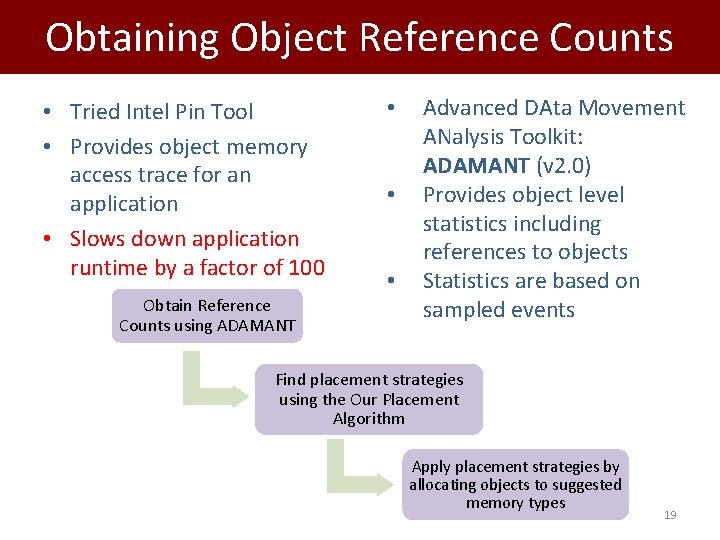
Obtaining Object Reference Counts • Tried Intel Pin Tool • Provides object memory access trace for an application • Slows down application runtime by a factor of 100 Obtain Reference Counts using ADAMANT • • • Advanced DAta Movement ANalysis Toolkit: ADAMANT (v 2. 0) Provides object level statistics including references to objects Statistics are based on sampled events Find placement strategies using the Our Placement Algorithm Apply placement strategies by allocating objects to suggested memory types 19

Evaluation of Placement Algorithm 20
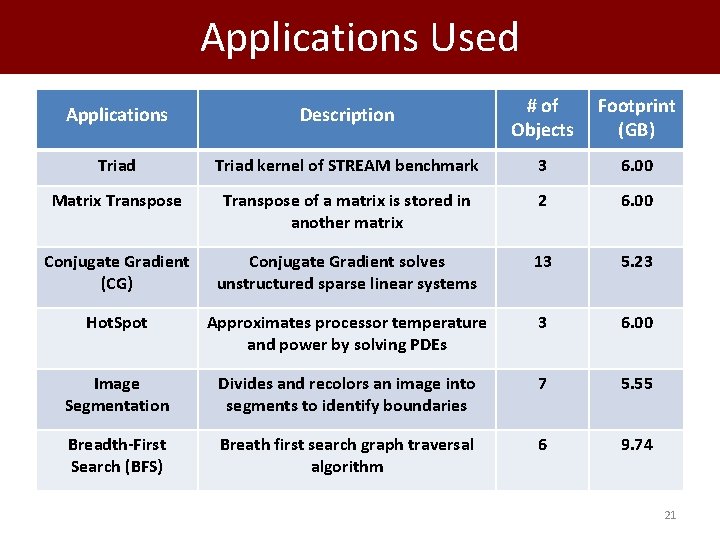
Applications Used Applications Description # of Objects Footprint (GB) Triad kernel of STREAM benchmark 3 6. 00 Matrix Transpose of a matrix is stored in another matrix 2 6. 00 Conjugate Gradient (CG) Conjugate Gradient solves unstructured sparse linear systems 13 5. 23 Hot. Spot Approximates processor temperature and power by solving PDEs 3 6. 00 Image Segmentation Divides and recolors an image into segments to identify boundaries 7 5. 55 Breadth-First Search (BFS) Breath first search graph traversal algorithm 6 9. 74 21
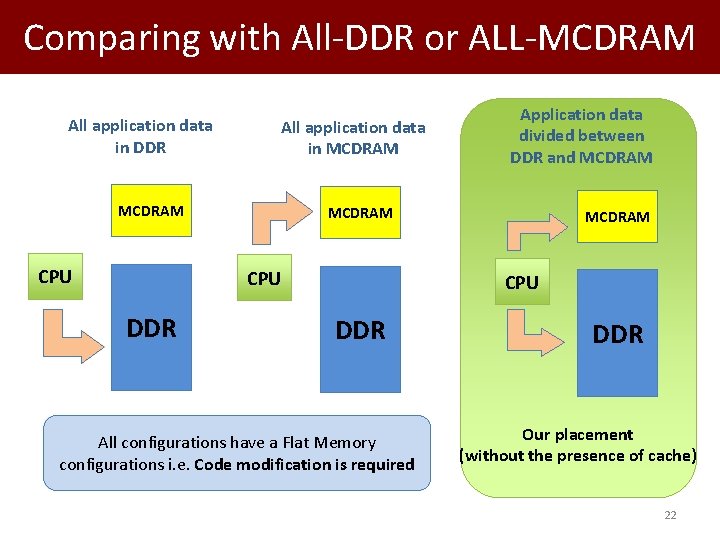
Comparing with All-DDR or ALL-MCDRAM All application data in DDR All application data in MCDRAM CPU DDR Application data divided between DDR and MCDRAM CPU DDR All configurations have a Flat Memory configurations i. e. Code modification is required DDR Our placement (without the presence of cache) 22
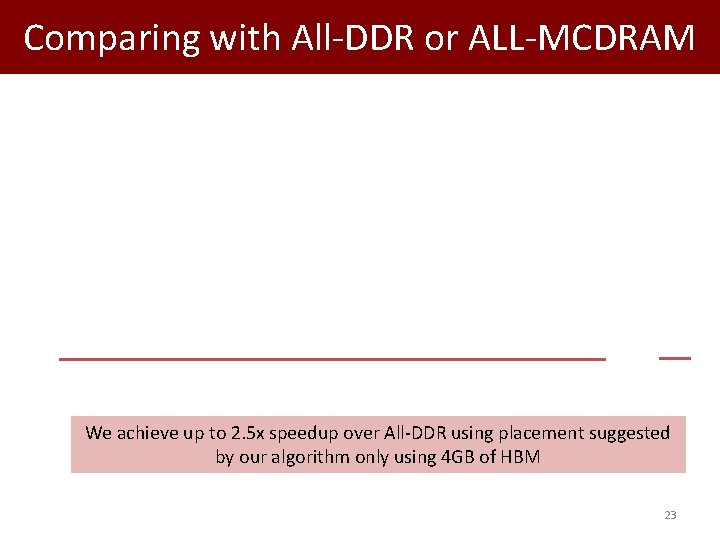
Comparing with All-DDR or ALL-MCDRAM We achieve up to 2. 5 x speedup over All-DDR using placement suggested by our algorithm only using 4 GB of HBM 23
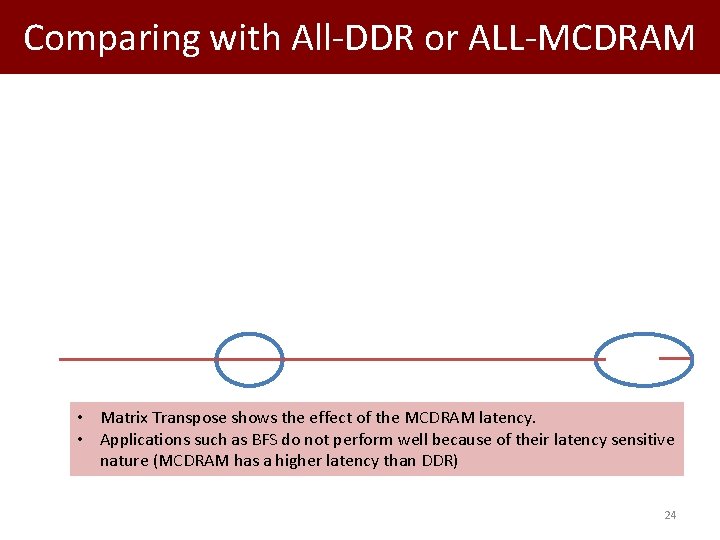
Comparing with All-DDR or ALL-MCDRAM • Matrix Transpose shows the effect of the MCDRAM latency. • Applications such as BFS do not perform well because of their latency sensitive nature (MCDRAM has a higher latency than DDR) 24
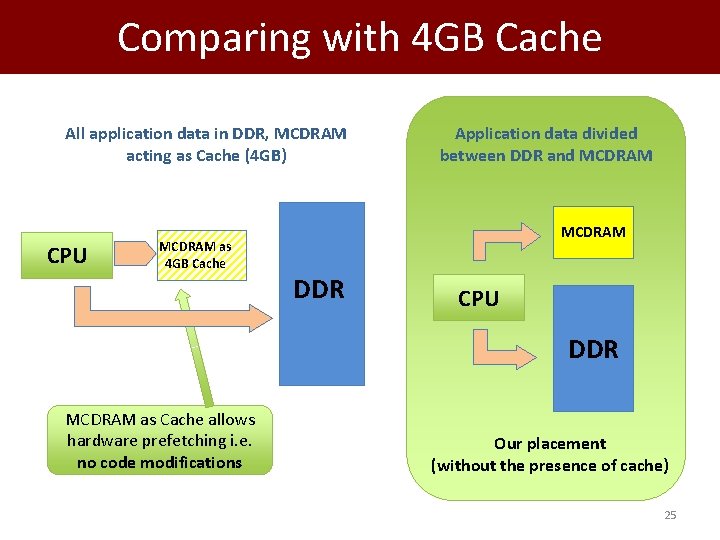
Comparing with 4 GB Cache All application data in DDR, MCDRAM acting as Cache (4 GB) CPU MCDRAM as 4 GB Cache Application data divided between DDR and MCDRAM DDR CPU DDR MCDRAM as Cache allows hardware prefetching i. e. no code modifications Our placement (without the presence of cache) 25
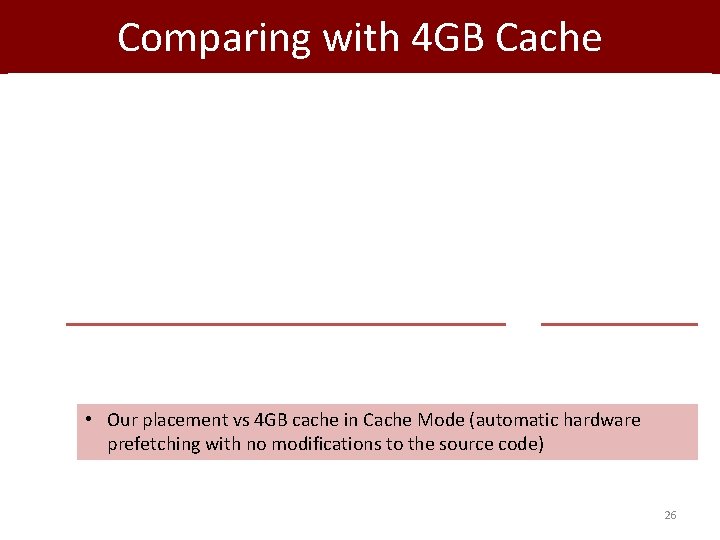
Comparing with 4 GB Cache • Our placement vs 4 GB cache in Cache Mode (automatic hardware prefetching with no modifications to the source code) 26
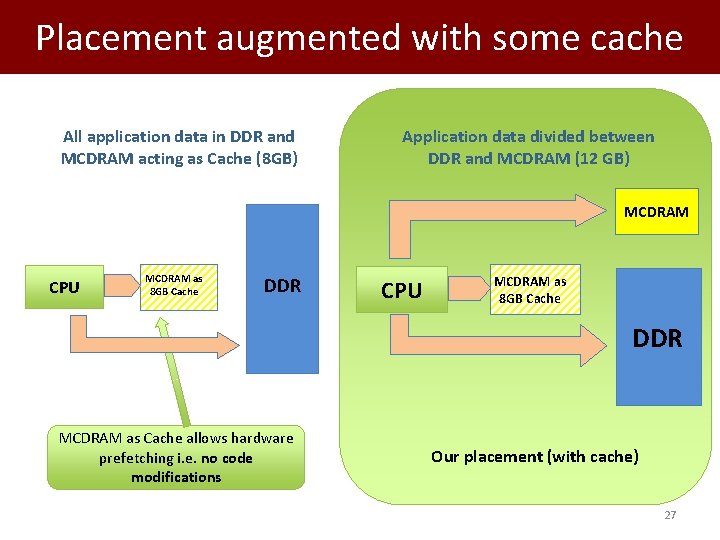
Placement augmented with some cache All application data in DDR and MCDRAM acting as Cache (8 GB) Application data divided between DDR and MCDRAM (12 GB) MCDRAM CPU MCDRAM as 8 GB Cache DDR MCDRAM as Cache allows hardware prefetching i. e. no code modifications Our placement (with cache) 27
Placement augmented with some cache • Our placement (+4 GB Cache) vs 8 GB cache in Cache Mode (automatic hardware prefetching with no modifications to the source code) 28
Summary and Future Work • Our object placement algorithm – Chooses the right objects in the case HBM capacity is not sufficient to hold all objects – Performs better than when HBM is used as a cache • Other observations – Accessing objects placed in different memory types in the same loop does not seem to be a good idea – Write-sensitive placement is better because of the low write bandwidth of DDR – Latency sensitive applications enjoy cache and prefers DDR • Future Work – Conduct experiments on more complex applications with varying number of threads – Automate the placement of objects 29

Thank you Par. Core Lab @ Koç University Istanbul, Turkey https: //parcorelab. ku. edu. tr This project is supported by TUBITAK with project number 116 C 066. Authors from Koç University are supported by TUBITAK Grant No: 215 E 185. Authors would like to thank Dr. Pietro Cicotti from San Diego Supercomputer Center for his input in project 30
Extra Slides 31
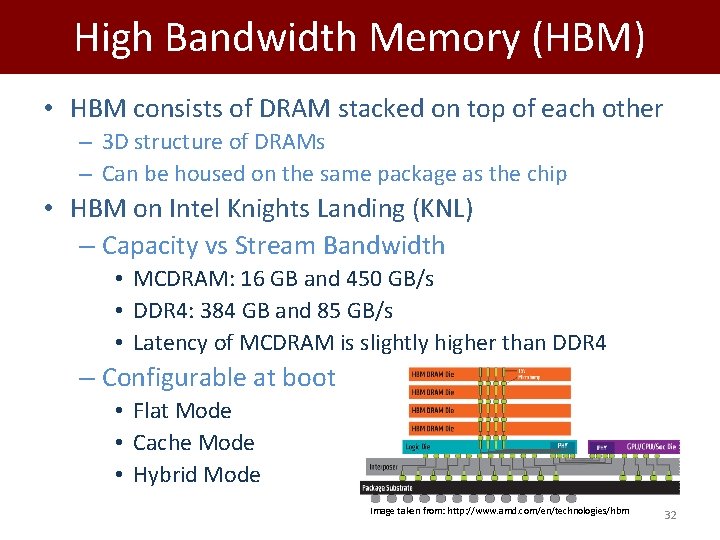
High Bandwidth Memory (HBM) • HBM consists of DRAM stacked on top of each other – 3 D structure of DRAMs – Can be housed on the same package as the chip • HBM on Intel Knights Landing (KNL) – Capacity vs Stream Bandwidth • MCDRAM: 16 GB and 450 GB/s • DDR 4: 384 GB and 85 GB/s • Latency of MCDRAM is slightly higher than DDR 4 – Configurable at boot • Flat Mode • Cache Mode • Hybrid Mode Image taken from: http: //www. amd. com/en/technologies/hbm 32
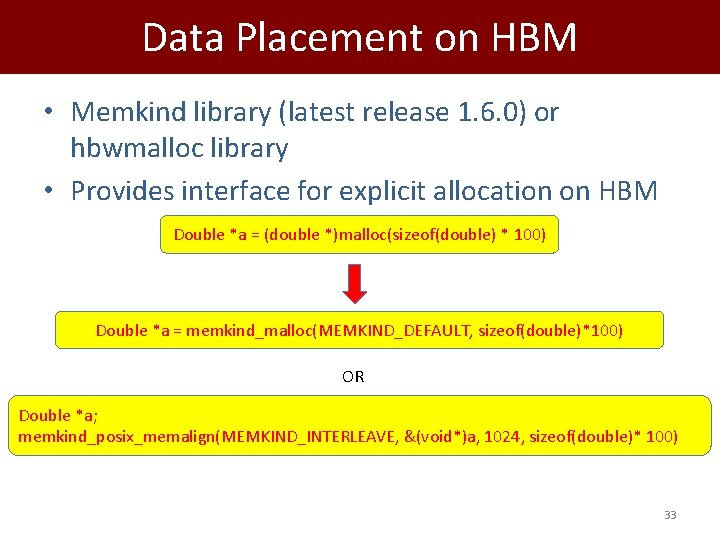
Data Placement on HBM • Memkind library (latest release 1. 6. 0) or hbwmalloc library • Provides interface for explicit allocation on HBM Double *a = (double *)malloc(sizeof(double) * 100) Double *a = memkind_malloc(MEMKIND_DEFAULT, sizeof(double)*100) OR Double *a; memkind_posix_memalign(MEMKIND_INTERLEAVE, &(void*)a, 1024, sizeof(double)* 100) 33
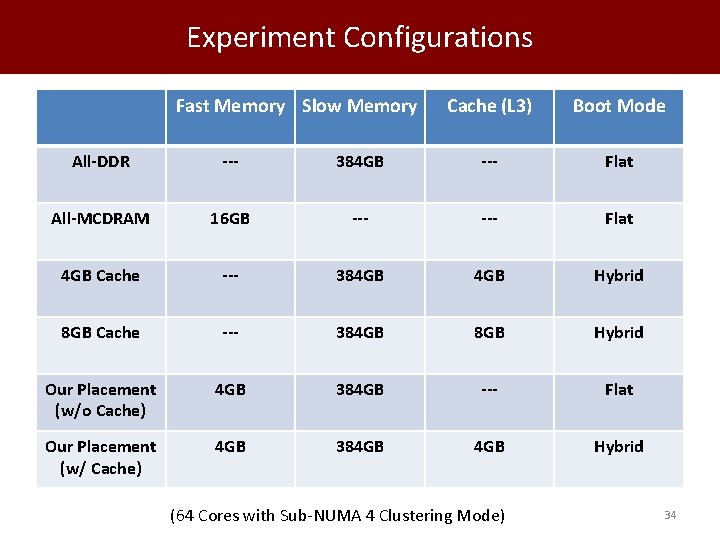
Experiment Configurations Fast Memory Slow Memory Cache (L 3) Boot Mode All-DDR --- 384 GB --- Flat All-MCDRAM 16 GB --- Flat 4 GB Cache --- 384 GB Hybrid 8 GB Cache --- 384 GB 8 GB Hybrid Our Placement (w/o Cache) 4 GB 384 GB --- Flat Our Placement (w/ Cache) 4 GB 384 GB Hybrid (64 Cores with Sub-NUMA 4 Clustering Mode) 34
Memory Copy 35
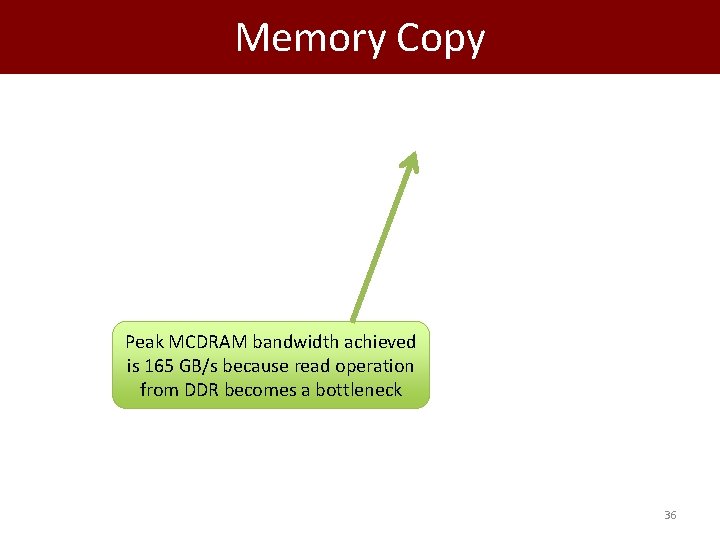
Memory Copy Peak MCDRAM bandwidth achieved is 165 GB/s because read operation from DDR becomes a bottleneck 36
Experimental Setup Intel KNL equipped with 68 cores Sub-NUMA 4 clustering mode Scattered thread affinity 4 GB of MCDRAM used as maximum (unless stated otherwise) • 384 GB of DDR • • 37

Optimization Notes • Streaming stores is set to bypass cache for writes – -qopt-streaming-stores always • Vectorization flag is set – -Xmic-AVX 512 • Aligned memory during allocation – memkind_posix_memalign() • Big pages (2 MB) – Got allocation error with hbw_* • Compilation report is checked if everything is expected – -qopt-report 5 • Experimented with different Open. MP schedule chunksize – Best is not to specify a chunksize
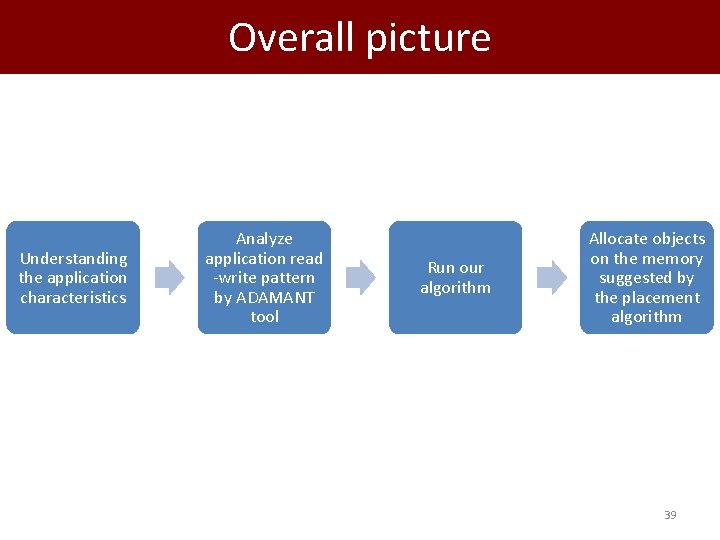
Overall picture Understanding the application characteristics Analyze application read -write pattern by ADAMANT tool Run our algorithm Allocate objects on the memory suggested by the placement algorithm 39
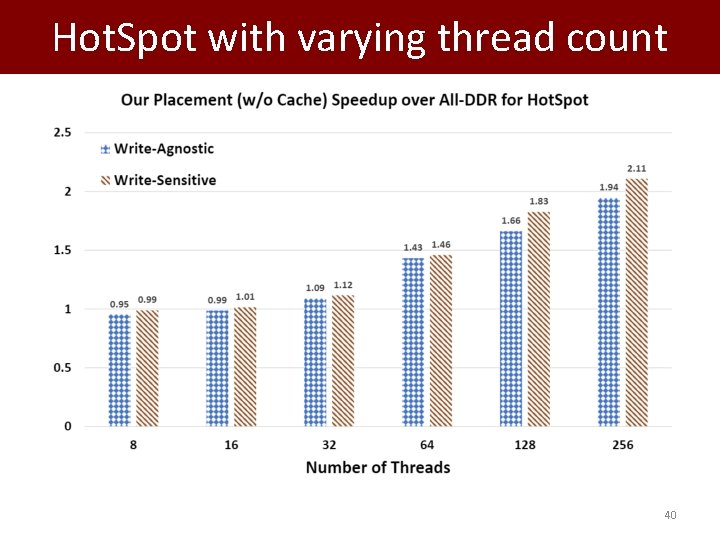
Hot. Spot with varying thread count 40
- Slides: 40