
OBJECT ORIENTING PROGRAMMING C Mickal Sereno mickael serenoinria
OBJECT ORIENTING PROGRAMMING : C++ Mickaël Sereno mickael. sereno@inria. fr 14/01/2022 Mickaël Sereno - mickael. sereno@inria. fr 1
Your use case • Most of the C++ code will be furnished. You only have to use it. • You are free to write in pure « C++ » (object principles) or « C-wise programming » like before. • We won’t grade you on your language proficiency but on the graphical concepts that we will see through this course. 14/01/2022 Mickaël Sereno - mickael. sereno@inria. fr 2
Grading • Project : Realize a « complete » 3 D scene containing animations. See https: //tobias. isenberg. cc/graphics-intro/Gallery/201718 for past-year examples • The source code will be read. COMMENT IT (using for example doxygen syntax : https: //www. stack. nl/~dimitri/doxygen/manual/docblocks. html ) and SENT IT (by email, gît repository, etc. ). A source code not understandable because of lack of clarity or documentation will be sanctioned. • The source code must compile (Visual Studio, Code blocks, CMake, Makefiles, command like, etc. You have the choice, just tell me how to compile, like with a README file). In doubt that I cannot compile, furnished an executable (only work for Windows compilation). 14/01/2022 Mickaël Sereno - mickael. sereno@inria. fr 3
C compatibility The C++ is mostly compatible with the C. The C++ add functionalities on C and modifies a bit some behavior. For example functions returning a « void* » like the malloc function must be EXPLICITLY CASTED. Example : My. Struct* stru = (My. Struct*)malloc(sizeof(My. Struct)); This is the cast 14/01/2022 Mickaël Sereno - mickael. sereno@inria. fr 4
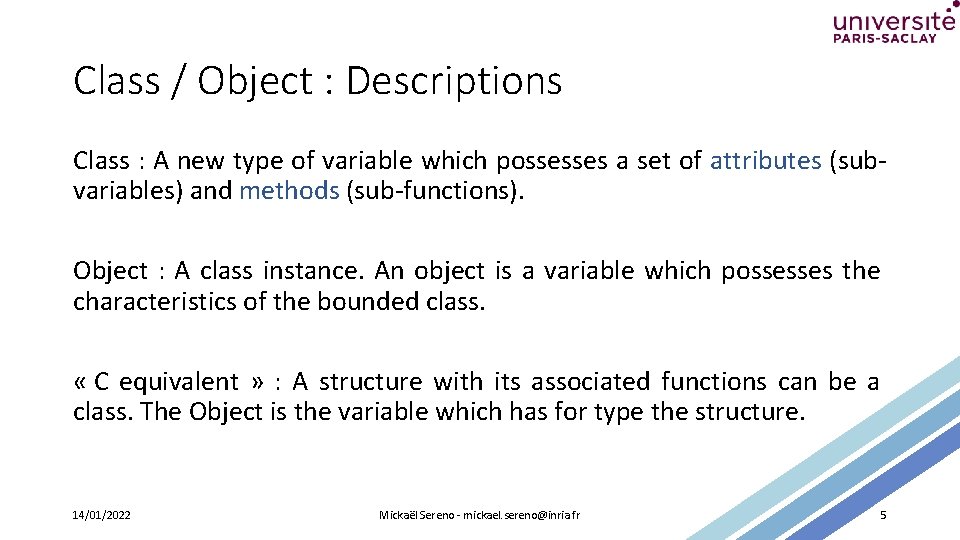
Class / Object : Descriptions Class : A new type of variable which possesses a set of attributes (subvariables) and methods (sub-functions). Object : A class instance. An object is a variable which possesses the characteristics of the bounded class. « C equivalent » : A structure with its associated functions can be a class. The Object is the variable which has for type the structure. 14/01/2022 Mickaël Sereno - mickael. sereno@inria. fr 5
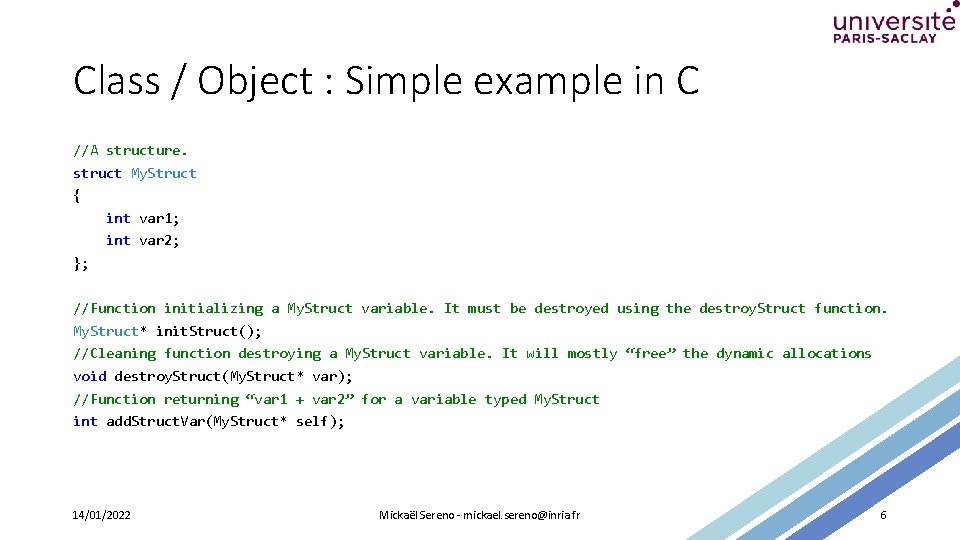
Class / Object : Simple example in C //A structure. struct My. Struct { int var 1; int var 2; }; //Function initializing a My. Struct variable. It must be destroyed using the destroy. Struct function. My. Struct* init. Struct(); //Cleaning function destroying a My. Struct variable. It will mostly “free” the dynamic allocations void destroy. Struct(My. Struct* var); //Function returning “var 1 + var 2” for a variable typed My. Struct int add. Struct. Var(My. Struct* self); 14/01/2022 Mickaël Sereno - mickael. sereno@inria. fr 6
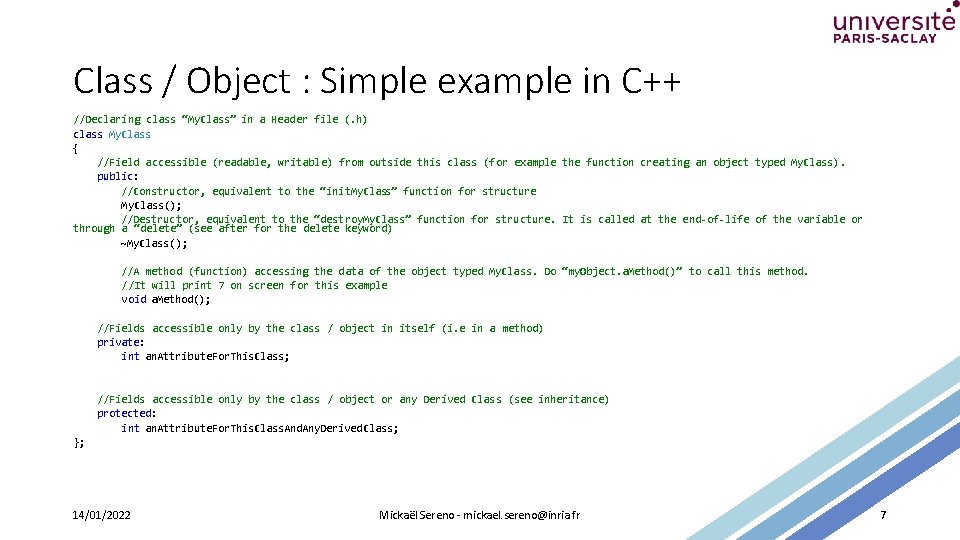
Class / Object : Simple example in C++ //Declaring class “My. Class” in a Header file (. h) class My. Class { //Field accessible (readable, writable) from outside this class (for example the function creating an object typed My. Class). public: //Constructor, equivalent to the “init. My. Class” function for structure My. Class(); //Destructor, equivalent to the “destroy. My. Class” function for structure. It is called at the end-of-life of the variable or through a “delete” (see after for the delete keyword) ~My. Class(); //A method (function) accessing the data of the object typed My. Class. Do “my. Object. a. Method()” to call this method. //It will print 7 on screen for this example void a. Method(); //Fields accessible only by the class / object in itself (i. e in a method) private: int an. Attribute. For. This. Class; //Fields accessible only by the class / object or any Derived Class (see inheritance) protected: int an. Attribute. For. This. Class. And. Any. Derived. Class; }; 14/01/2022 Mickaël Sereno - mickael. sereno@inria. fr 7
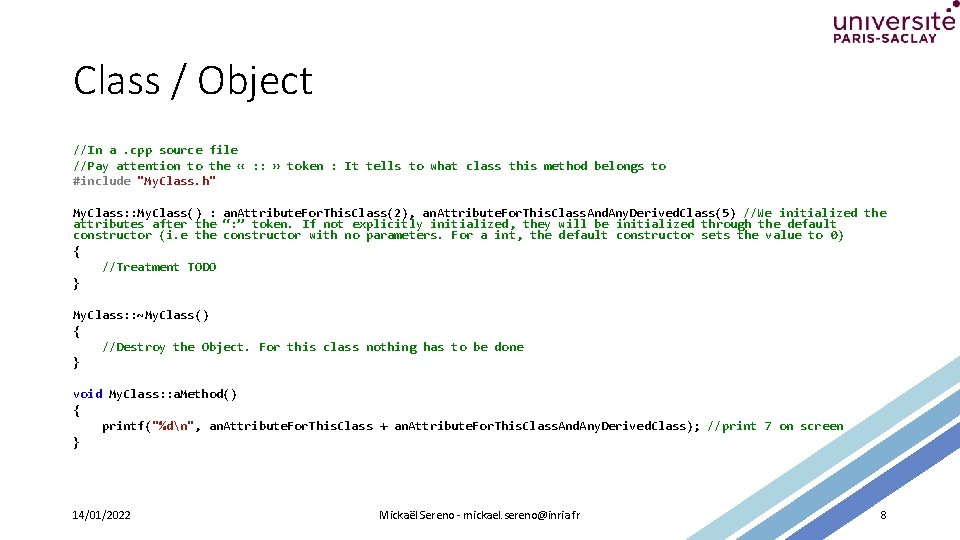
Class / Object //In a. cpp source file //Pay attention to the « : : » token : It tells to what class this method belongs to #include "My. Class. h" My. Class: : My. Class() : an. Attribute. For. This. Class(2), an. Attribute. For. This. Class. And. Any. Derived. Class(5) //We initialized the attributes after the “: ” token. If not explicitly initialized, they will be initialized through the default constructor (i. e the constructor with no parameters. For a int, the default constructor sets the value to 0) { //Treatment TODO } My. Class: : ~My. Class() { //Destroy the Object. For this class nothing has to be done } void My. Class: : a. Method() { printf("%dn", an. Attribute. For. This. Class + an. Attribute. For. This. Class. And. Any. Derived. Class); //print 7 on screen } 14/01/2022 Mickaël Sereno - mickael. sereno@inria. fr 8
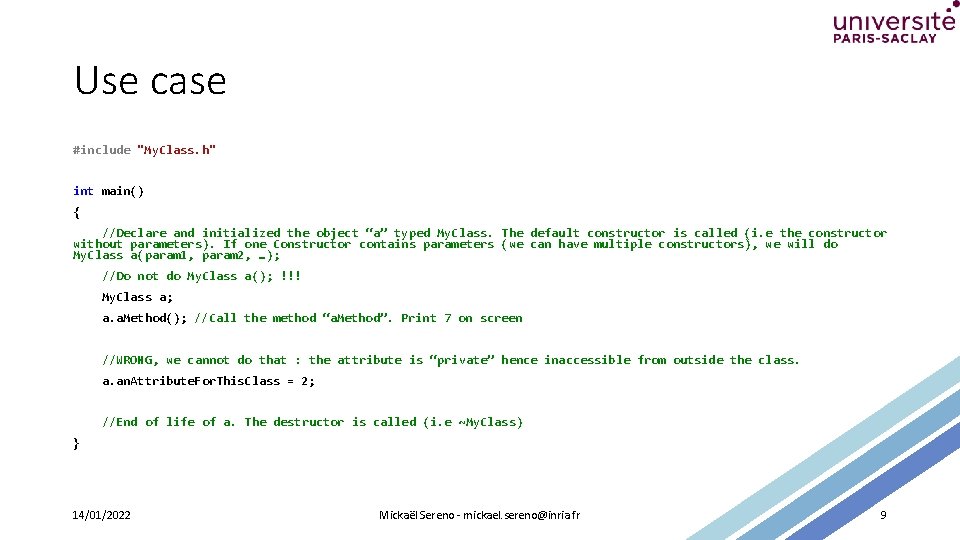
Use case #include "My. Class. h" int main() { //Declare and initialized the object “a” typed My. Class. The default constructor is called (i. e the constructor without parameters). If one Constructor contains parameters (we can have multiple constructors), we will do My. Class a(param 1, param 2, …); //Do not do My. Class a(); !!! My. Class a; a. a. Method(); //Call the method “a. Method”. Print 7 on screen //WRONG, we cannot do that : the attribute is “private” hence inaccessible from outside the class. a. an. Attribute. For. This. Class = 2; //End of life of a. The destructor is called (i. e ~My. Class) } 14/01/2022 Mickaël Sereno - mickael. sereno@inria. fr 9
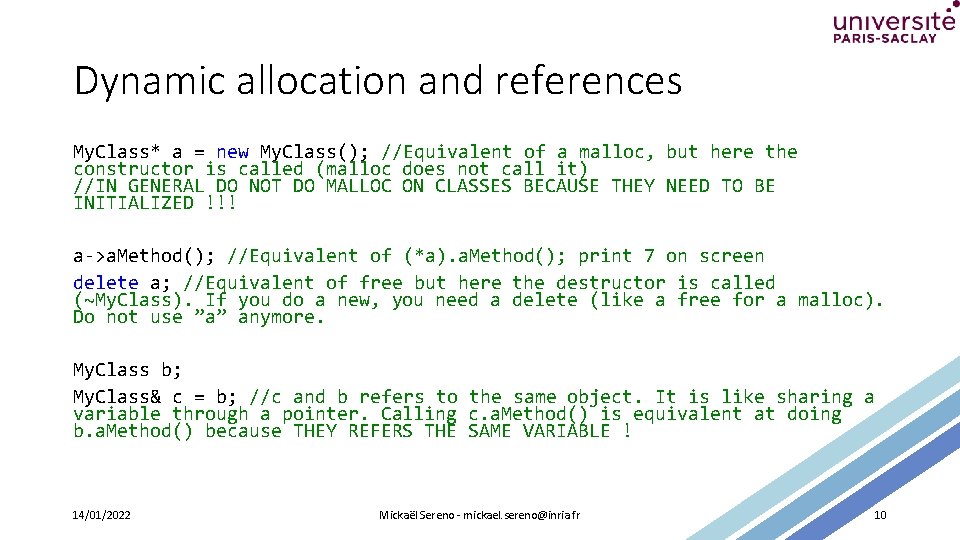
Dynamic allocation and references My. Class* a = new My. Class(); //Equivalent of a malloc, but here the constructor is called (malloc does not call it) //IN GENERAL DO NOT DO MALLOC ON CLASSES BECAUSE THEY NEED TO BE INITIALIZED !!! a->a. Method(); //Equivalent of (*a). a. Method(); print 7 on screen delete a; //Equivalent of free but here the destructor is called (~My. Class). If you do a new, you need a delete (like a free for a malloc). Do not use ”a” anymore. My. Class b; My. Class& c = b; //c and b refers to the same object. It is like sharing a variable through a pointer. Calling c. a. Method() is equivalent at doing b. a. Method() because THEY REFERS THE SAME VARIABLE ! 14/01/2022 Mickaël Sereno - mickael. sereno@inria. fr 10
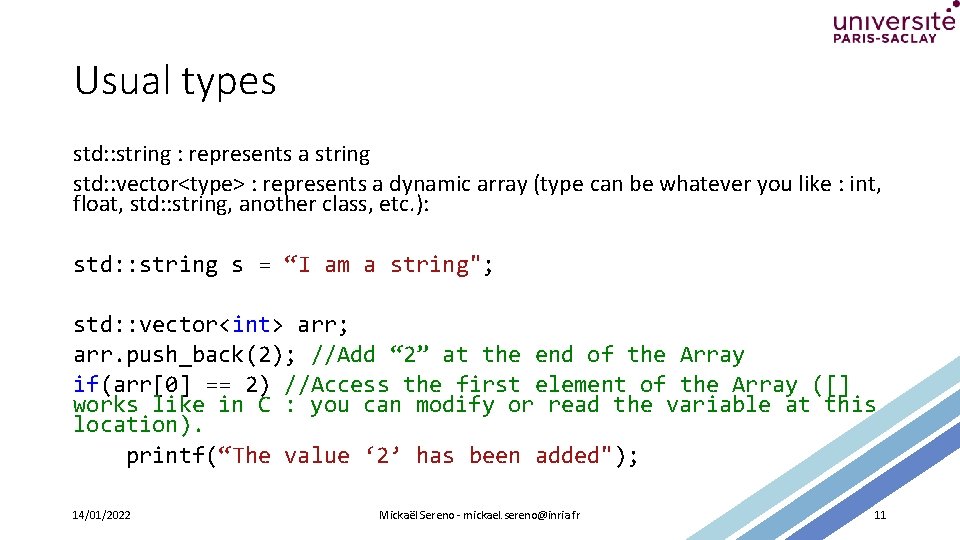
Usual types std: : string : represents a string std: : vector<type> : represents a dynamic array (type can be whatever you like : int, float, std: : string, another class, etc. ): std: : string s = “I am a string"; std: : vector<int> arr; arr. push_back(2); //Add “ 2” at the end of the Array if(arr[0] == 2) //Access the first element of the Array ([] works like in C : you can modify or read the variable at this location). printf(“The value ‘ 2’ has been added"); 14/01/2022 Mickaël Sereno - mickael. sereno@inria. fr 11
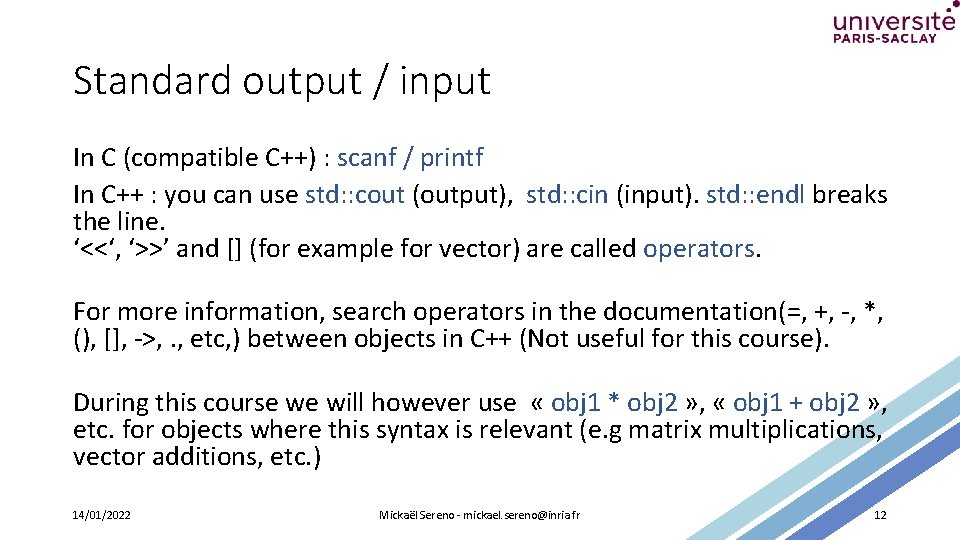
Standard output / input In C (compatible C++) : scanf / printf In C++ : you can use std: : cout (output), std: : cin (input). std: : endl breaks the line. ‘<<‘, ‘>>’ and [] (for example for vector) are called operators. For more information, search operators in the documentation(=, +, -, *, (), [], ->, . , etc, ) between objects in C++ (Not useful for this course). During this course we will however use « obj 1 * obj 2 » , « obj 1 + obj 2 » , etc. for objects where this syntax is relevant (e. g matrix multiplications, vector additions, etc. ) 14/01/2022 Mickaël Sereno - mickael. sereno@inria. fr 12
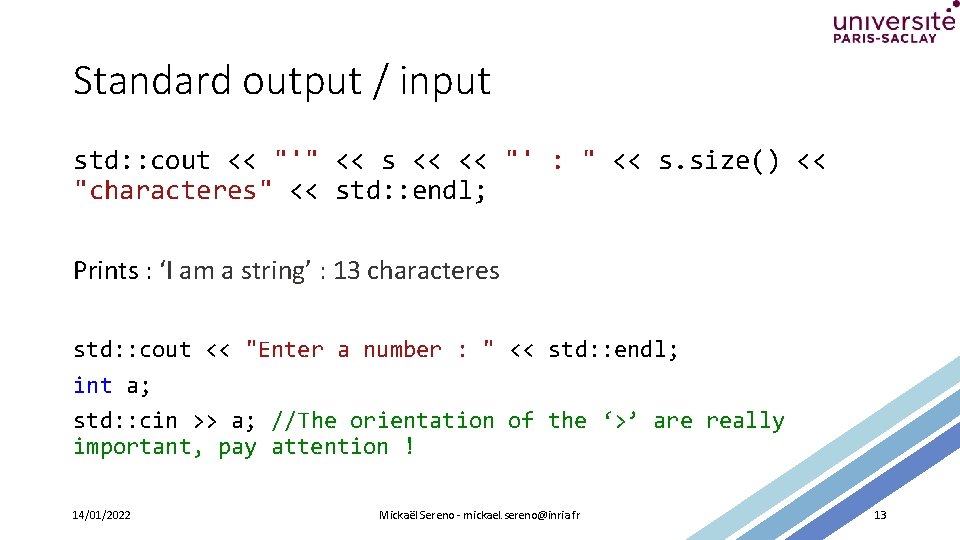
Standard output / input std: : cout << "'" << s << << "' : " << s. size() << "characteres" << std: : endl; Prints : ‘I am a string’ : 13 characteres std: : cout << "Enter a number : " << std: : endl; int a; std: : cin >> a; //The orientation of the ‘>’ are really important, pay attention ! 14/01/2022 Mickaël Sereno - mickael. sereno@inria. fr 13
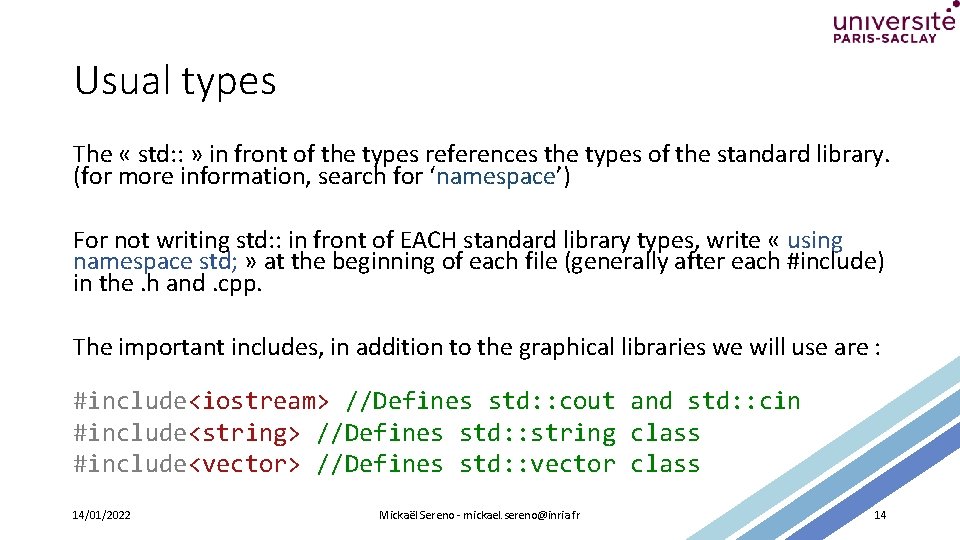
Usual types The « std: : » in front of the types references the types of the standard library. (for more information, search for ‘namespace’) For not writing std: : in front of EACH standard library types, write « using namespace std; » at the beginning of each file (generally after each #include) in the. h and. cpp. The important includes, in addition to the graphical libraries we will use are : #include<iostream> //Defines std: : cout and std: : cin #include<string> //Defines std: : string class #include<vector> //Defines std: : vector class 14/01/2022 Mickaël Sereno - mickael. sereno@inria. fr 14
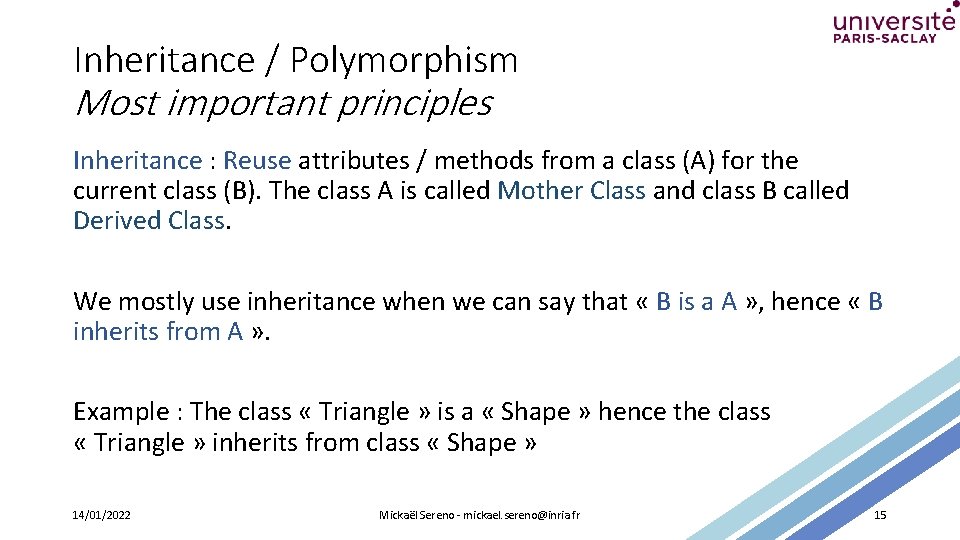
Inheritance / Polymorphism Most important principles Inheritance : Reuse attributes / methods from a class (A) for the current class (B). The class A is called Mother Class and class B called Derived Class. We mostly use inheritance when we can say that « B is a A » , hence « B inherits from A » . Example : The class « Triangle » is a « Shape » hence the class « Triangle » inherits from class « Shape » 14/01/2022 Mickaël Sereno - mickael. sereno@inria. fr 15
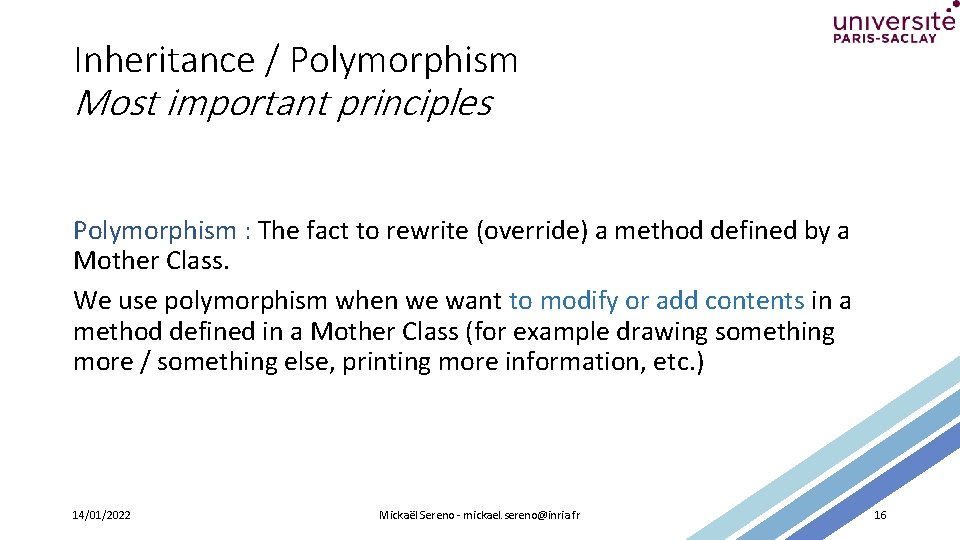
Inheritance / Polymorphism Most important principles Polymorphism : The fact to rewrite (override) a method defined by a Mother Class. We use polymorphism when we want to modify or add contents in a method defined in a Mother Class (for example drawing something more / something else, printing more information, etc. ) 14/01/2022 Mickaël Sereno - mickael. sereno@inria. fr 16
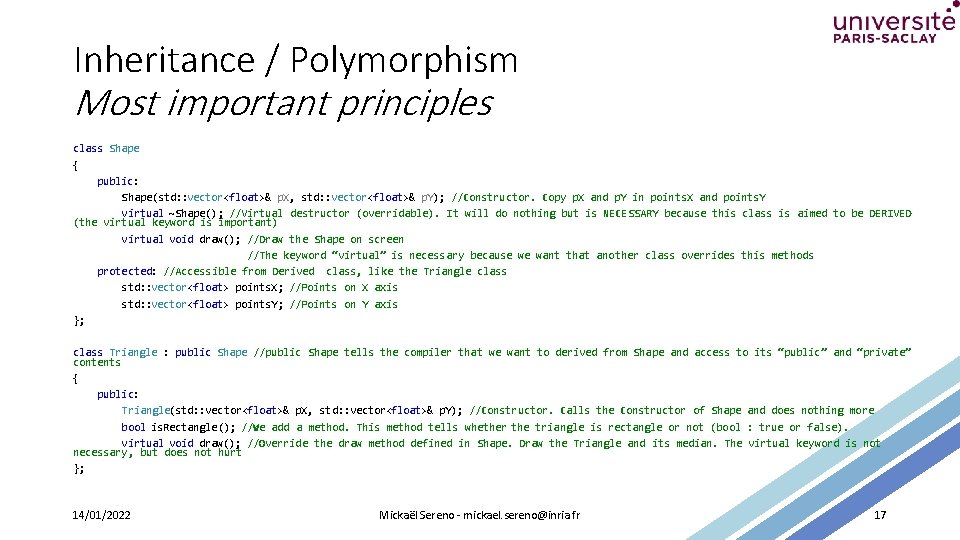
Inheritance / Polymorphism Most important principles class Shape { public: Shape(std: : vector<float>& p. X, std: : vector<float>& p. Y); //Constructor. Copy p. X and p. Y in points. X and points. Y virtual ~Shape(); //Virtual destructor (overridable). It will do nothing but is NECESSARY because this class is aimed to be DERIVED (the virtual keyword is important) virtual void draw(); //Draw the Shape on screen //The keyword “virtual” is necessary because we want that another class overrides this methods protected: //Accessible from Derived class, like the Triangle class std: : vector<float> points. X; //Points on X axis std: : vector<float> points. Y; //Points on Y axis }; class Triangle : public Shape //public Shape tells the compiler that we want to derived from Shape and access to its “public” and “private” contents { public: Triangle(std: : vector<float>& p. X, std: : vector<float>& p. Y); //Constructor. Calls the Constructor of Shape and does nothing more bool is. Rectangle(); //We add a method. This method tells whether the triangle is rectangle or not (bool : true or false). virtual void draw(); //Override the draw method defined in Shape. Draw the Triangle and its median. The virtual keyword is not necessary, but does not hurt }; 14/01/2022 Mickaël Sereno - mickael. sereno@inria. fr 17
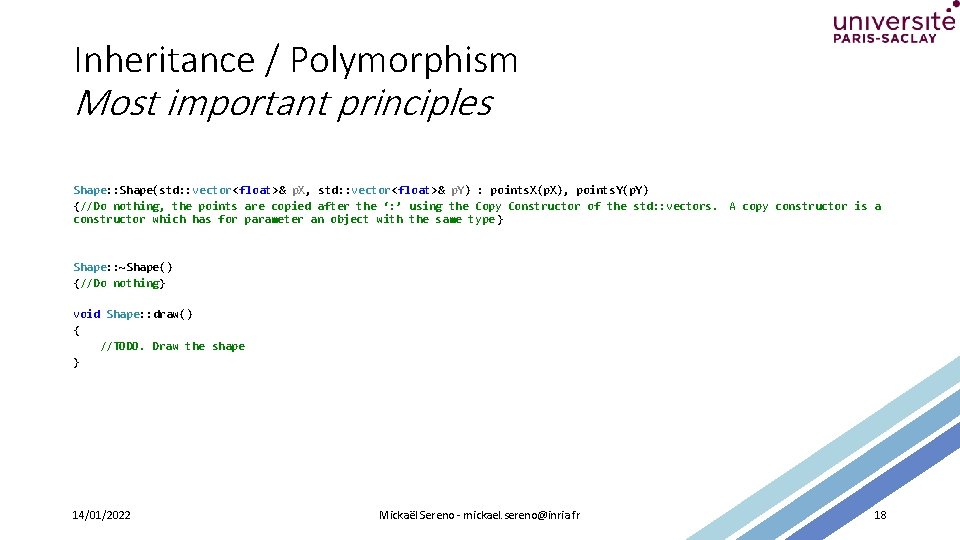
Inheritance / Polymorphism Most important principles Shape: : Shape(std: : vector<float>& p. X, std: : vector<float>& p. Y) : points. X(p. X), points. Y(p. Y) {//Do nothing, the points are copied after the ‘: ’ using the Copy Constructor of the std: : vectors. A copy constructor is a constructor which has for parameter an object with the same type } Shape: : ~Shape() {//Do nothing} void Shape: : draw() { //TODO. Draw the shape } 14/01/2022 Mickaël Sereno - mickael. sereno@inria. fr 18
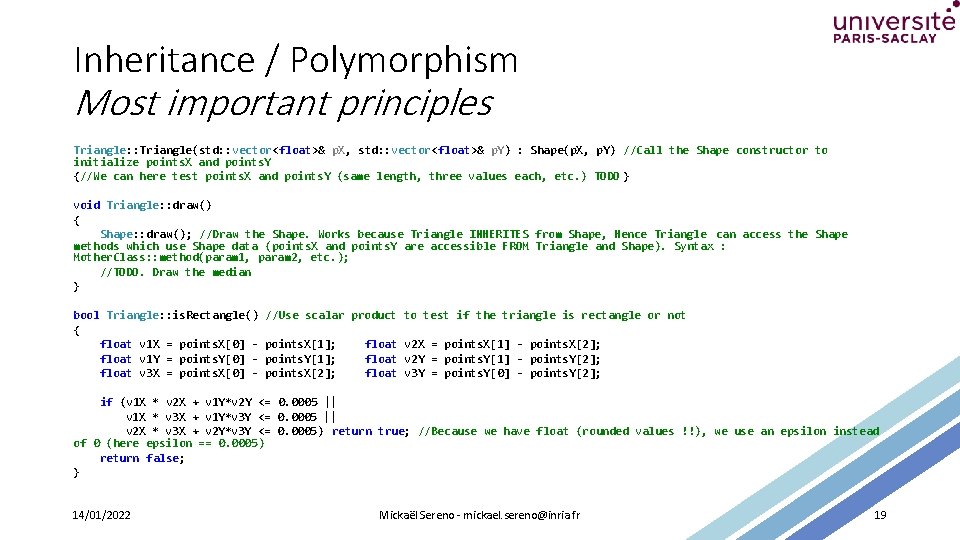
Inheritance / Polymorphism Most important principles Triangle: : Triangle(std: : vector<float>& p. X, std: : vector<float>& p. Y) : Shape(p. X, p. Y) //Call the Shape constructor to initialize points. X and points. Y {//We can here test points. X and points. Y (same length, three values each, etc. ) TODO } void Triangle: : draw() { Shape: : draw(); //Draw the Shape. Works because Triangle INHERITES from Shape, Hence Triangle can access the Shape methods which use Shape data (points. X and points. Y are accessible FROM Triangle and Shape). Syntax : Mother. Class: : method(param 1, param 2, etc. ); //TODO. Draw the median } bool Triangle: : is. Rectangle() { float v 1 X = points. X[0] float v 1 Y = points. Y[0] float v 3 X = points. X[0] - //Use scalar product to test if the triangle is rectangle or not points. X[1]; points. Y[1]; points. X[2]; float v 2 X = points. X[1] - points. X[2]; float v 2 Y = points. Y[1] - points. Y[2]; float v 3 Y = points. Y[0] - points. Y[2]; if (v 1 X * v 2 X + v 1 Y*v 2 Y <= 0. 0005 || v 1 X * v 3 X + v 1 Y*v 3 Y <= 0. 0005 || v 2 X * v 3 X + v 2 Y*v 3 Y <= 0. 0005) return true; //Because we have float (rounded values !!), we use an epsilon instead of 0 (here epsilon == 0. 0005) return false; } 14/01/2022 Mickaël Sereno - mickael. sereno@inria. fr 19
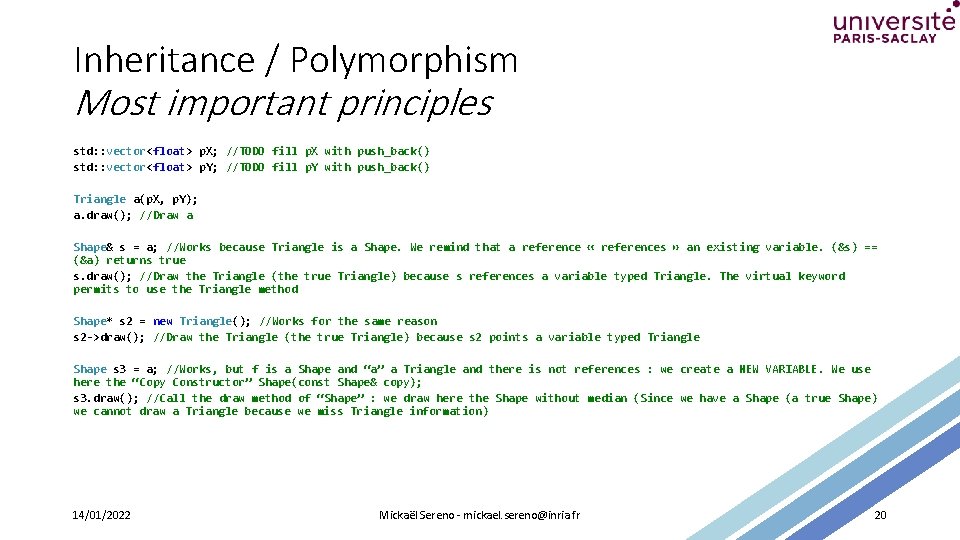
Inheritance / Polymorphism Most important principles std: : vector<float> p. X; //TODO fill p. X with push_back() std: : vector<float> p. Y; //TODO fill p. Y with push_back() Triangle a(p. X, p. Y); a. draw(); //Draw a Shape& s = a; //Works because Triangle is a Shape. We remind that a reference « references » an existing variable. (&s) == (&a) returns true s. draw(); //Draw the Triangle (the true Triangle) because s references a variable typed Triangle. The virtual keyword permits to use the Triangle method Shape* s 2 = new Triangle(); //Works for the same reason s 2 ->draw(); //Draw the Triangle (the true Triangle) because s 2 points a variable typed Triangle Shape s 3 = a; //Works, but f is a Shape and “a” a Triangle and there is not references : we create a NEW VARIABLE. We use here the “Copy Constructor” Shape(const Shape& copy); s 3. draw(); //Call the draw method of “Shape” : we draw here the Shape without median (Since we have a Shape (a true Shape) we cannot draw a Triangle because we miss Triangle information) 14/01/2022 Mickaël Sereno - mickael. sereno@inria. fr 20
Why OOP • Pack functions and variables into one entity which is called class. • Make a more readable source code. • Redefined/Improve/Reuse existing behaviors easily (inheritance / polymorphism). 14/01/2022 Mickaël Sereno - mickael. sereno@inria. fr 21
Useful information Compiler C : GCC Compiler C++: G++ The command parameters from these compilers are compatible. Pay attention to the program called however (gcc or g++). Example : g++ main. cpp shape. cpp triangle. cpp –o test Generates an executable “test” from main. cpp, shape. cpp and triangle. cpp source file Code: : Blocks and Visual Studio handles easily the C++. Makefiles also works if the correct compiler is specified. For practical reasons, I advise you to use Cmake to compile, because compatible through all machines and setups (installations) (Linux, Windows, etc, ). https: //cmake. org/ You can however use whatever suits you. 14/01/2022 Mickaël Sereno - mickael. sereno@inria. fr 22
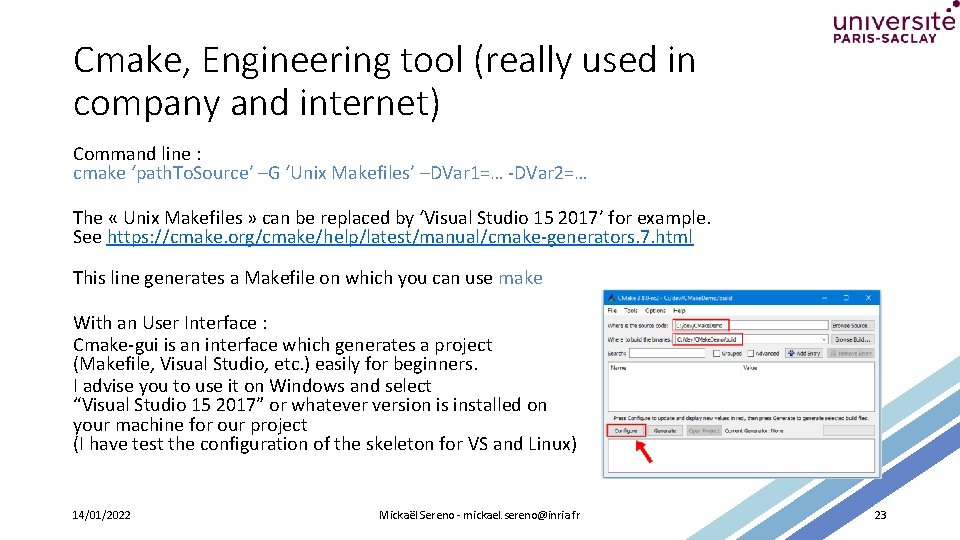
Cmake, Engineering tool (really used in company and internet) Command line : cmake ‘path. To. Source’ –G ‘Unix Makefiles’ –DVar 1=… -DVar 2=… The « Unix Makefiles » can be replaced by ‘Visual Studio 15 2017’ for example. See https: //cmake. org/cmake/help/latest/manual/cmake-generators. 7. html This line generates a Makefile on which you can use make With an User Interface : Cmake-gui is an interface which generates a project (Makefile, Visual Studio, etc. ) easily for beginners. I advise you to use it on Windows and select “Visual Studio 15 2017” or whatever version is installed on your machine for our project (I have test the configuration of the skeleton for VS and Linux) 14/01/2022 Mickaël Sereno - mickael. sereno@inria. fr 23
- Slides: 23