
OBJECT ORIENTED PROGRAMMING USING JAVA 1 Lab 4
OBJECT ORIENTED PROGRAMMING USING JAVA 1 Lab 4
CONTENT Methods Method Types v Overloading v Parameter passing v This keyword v Hands On 2
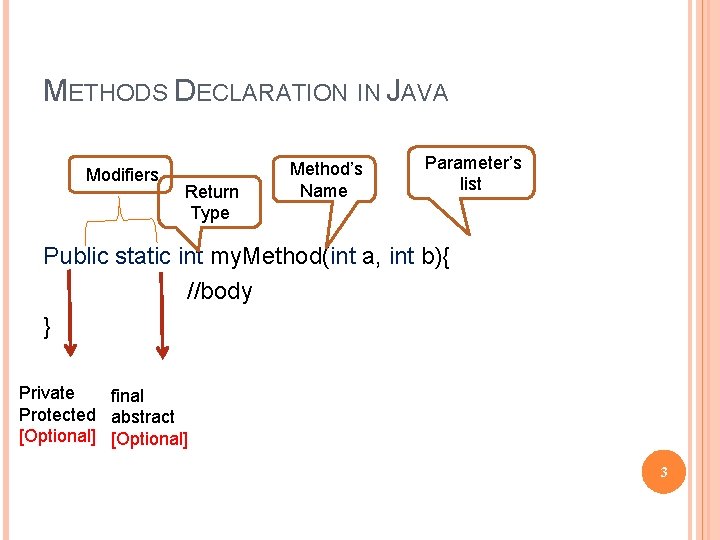
METHODS DECLARATION IN JAVA Modifiers Return Type Method’s Name Parameter’s list Public static int my. Method(int a, int b){ //body } Private final Protected abstract [Optional] 3
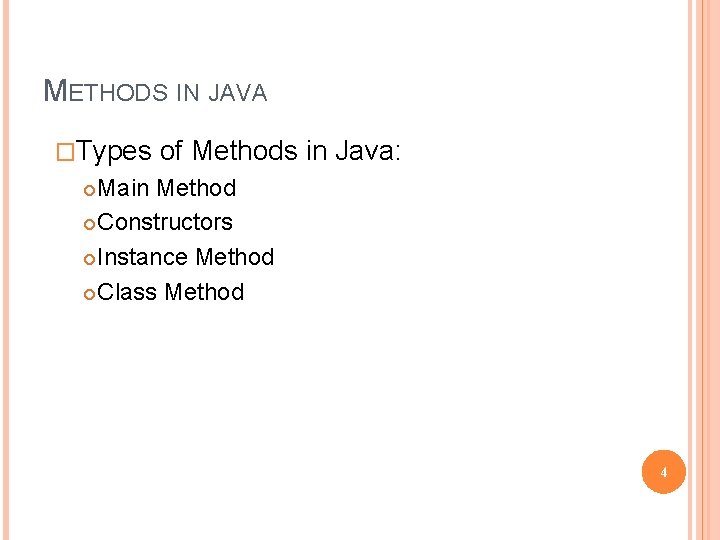
METHODS IN JAVA �Types of Methods in Java: Main Method Constructors Instance Method Class Method 4
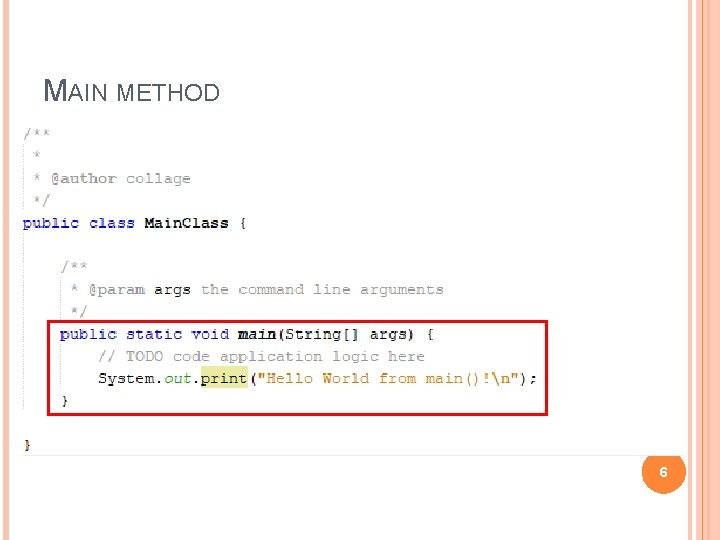
MAIN METHOD A Java application is a public Java class with a single main() method. The main() method is the entry point into the application. The signature of the method is always: public static void main(String[] args) Command-line arguments are passed through the args parameter, which is an array of Strings. 5
MAIN METHOD 6
CONSTRUCTORS In Java, constructors are like methods that are called when an object is created. They have no return type, not even void and are called like the class. They can be public, private, protected. You can also overload them (write several of them with different inputs). 7
INSTANCE METHODS Instance methods are methods which require an object of its class to be created before it can be called. To invoke a instance method, we have to create an Object of the class in within which it defined. Every individual Object created from the class has its own copy of the instance method of that class. 8
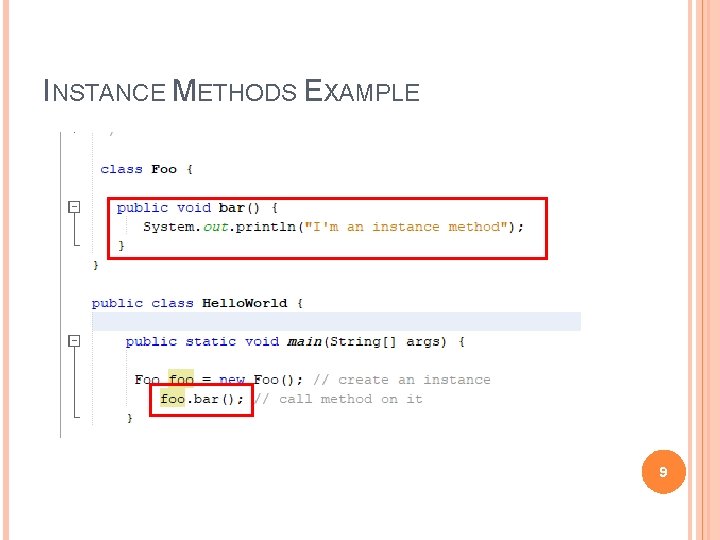
INSTANCE METHODS EXAMPLE 9
CLASS METHODS (STATIC METHODS) It is a method which belongs to the class and not to the object(instance) A static method can access only static data. It can not access non-static data (instance variables) A static method can call only other static methods and can not call a non-static method from it. A static method can be accessed directly by the class name and doesn’t need any object A static method cannot refer to "this" or "super" keywords in anyway The syntax for invoking static method is: Class. Name. method. Name(); 10
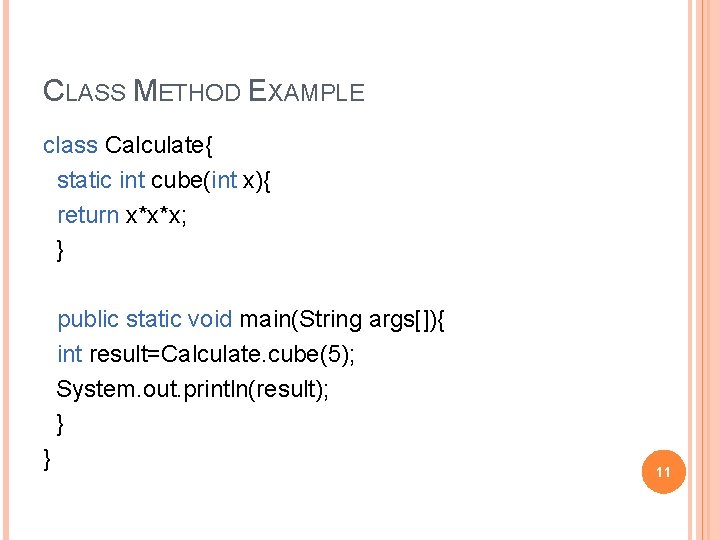
CLASS METHOD EXAMPLE class Calculate{ static int cube(int x){ return x*x*x; } public static void main(String args[]){ int result=Calculate. cube(5); System. out. println(result); } } 11
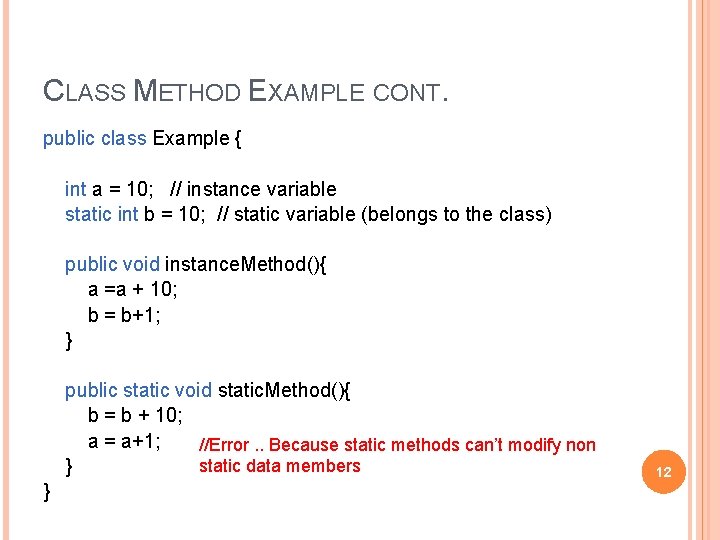
CLASS METHOD EXAMPLE CONT. public class Example { int a = 10; // instance variable static int b = 10; // static variable (belongs to the class) public void instance. Method(){ a =a + 10; b = b+1; } public static void static. Method(){ b = b + 10; a = a+1; //Error. . Because static methods can’t modify non static data members } } 12

CLASS METHOD VS INSTANCE METHOD I Instance method are methods which require an object of its class to be created before it can be called. Static methods are the methods in Java that can be called without creating an object of class. Ø Ø Instance method is not with static keyword. Static method is declared with static keyword. 13
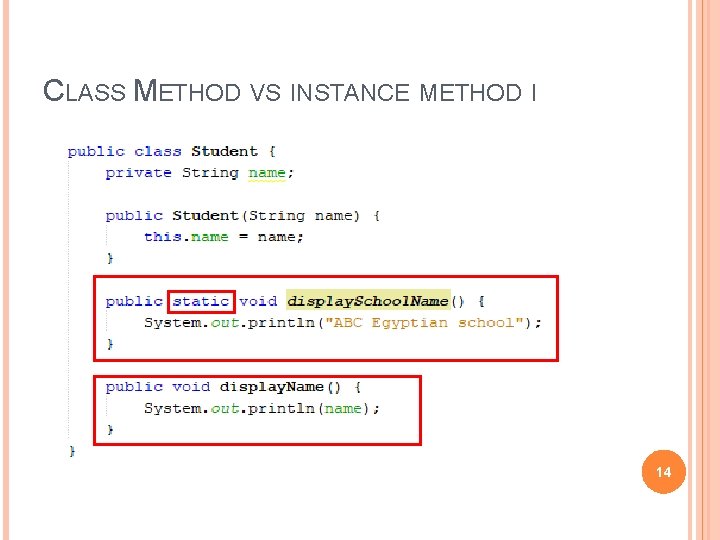
CLASS METHOD VS INSTANCE METHOD I 14
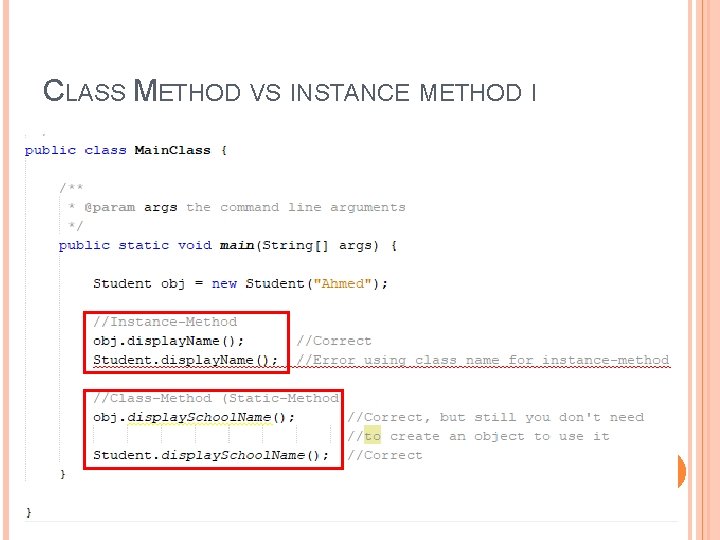
CLASS METHOD VS INSTANCE METHOD I 15
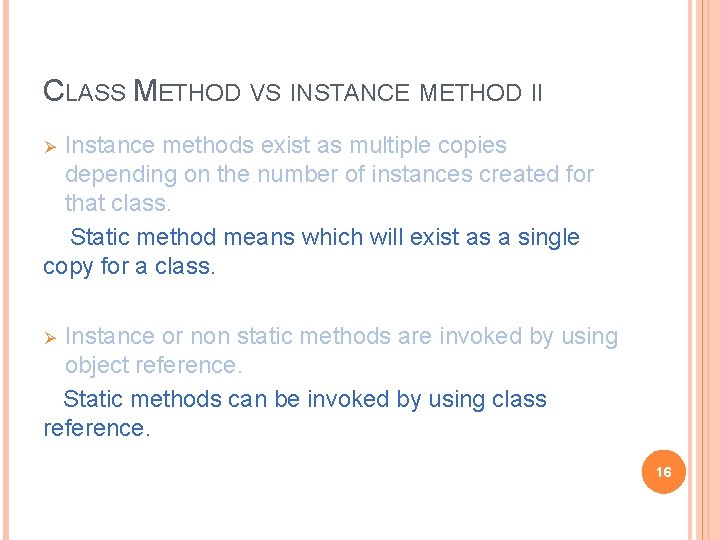
CLASS METHOD VS INSTANCE METHOD II Instance methods exist as multiple copies depending on the number of instances created for that class. Static method means which will exist as a single copy for a class. Ø Instance or non static methods are invoked by using object reference. Static methods can be invoked by using class reference. Ø 16
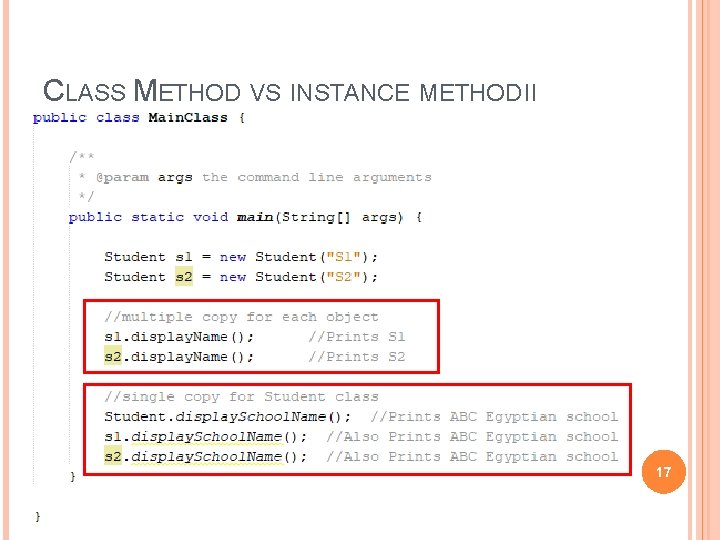
CLASS METHOD VS INSTANCE METHOD II 17
CLASS METHOD VS INSTANCE METHOD III Instance method can access static variables and static methods directly. Static methods can’t access instance methods and instance variables directly. Ø 18
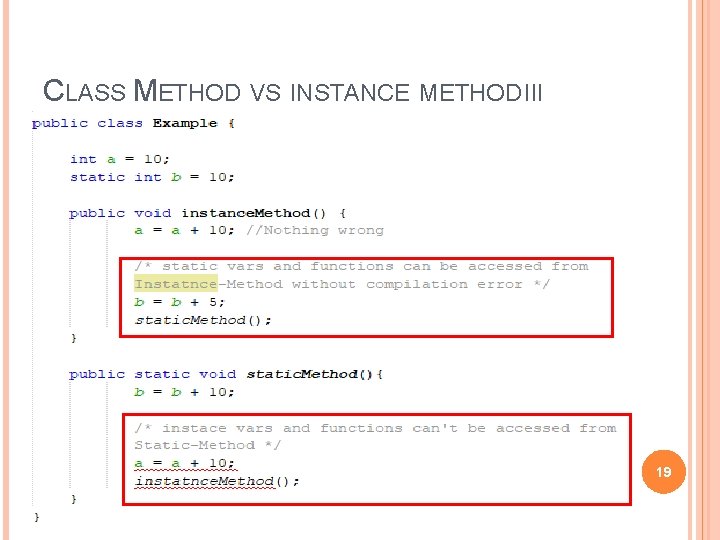
CLASS METHOD VS INSTANCE METHOD III 19
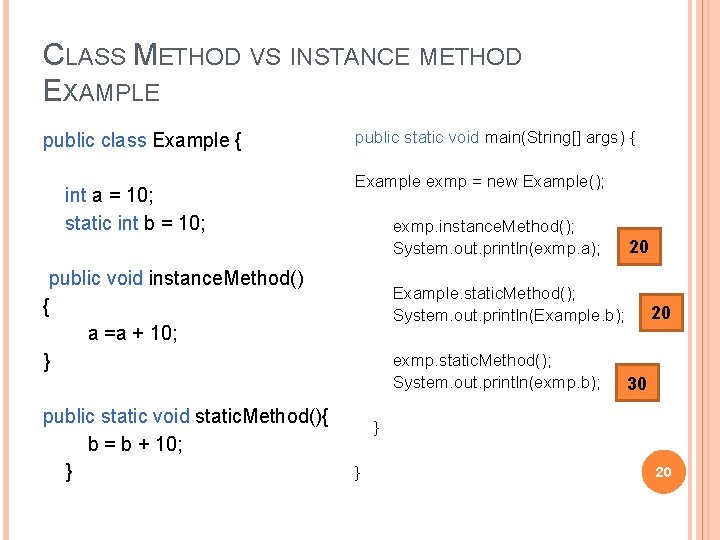
CLASS METHOD VS INSTANCE METHOD EXAMPLE public class Example { int a = 10; static int b = 10; public static void main(String[] args) { Example exmp = new Example(); exmp. instance. Method(); System. out. println(exmp. a); public void instance. Method() { a =a + 10; } public static void static. Method(){ b = b + 10; } 20 Example. static. Method(); System. out. println(Example. b); exmp. static. Method(); System. out. println(exmp. b); 20 30 } } 20
LET US PRACTICE. . HANDS-ON 1 (WITH HELP) Create a java class called Student that has these attributes: rollno � name � static college contains the value “ITS” � Implement two methods in the class: A static method that changes the value of the college to “BBDIT” � A method to display the student’s information. � In main: Create a new object and display its value � Then change the name of the college using the implemented function and display the value of the object again � 20 Minutes 21
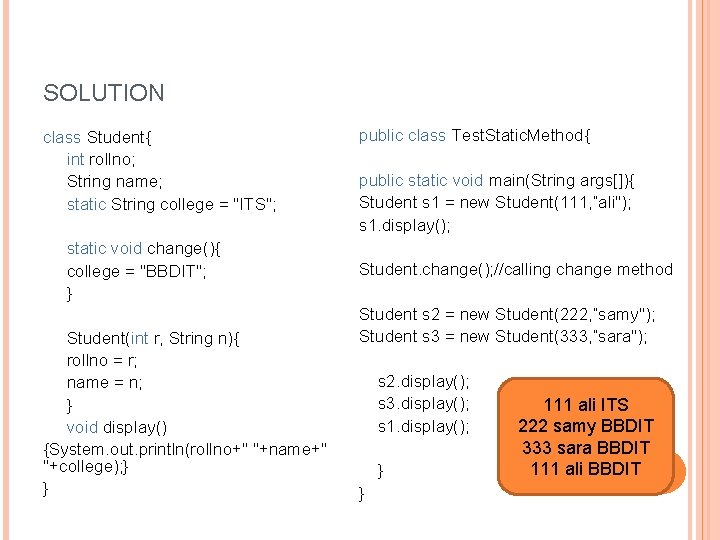
SOLUTION class Student{ int rollno; String name; static String college = "ITS"; static void change(){ college = "BBDIT"; } Student(int r, String n){ rollno = r; name = n; } void display() {System. out. println(rollno+" "+name+" "+college); } } public class Test. Static. Method{ public static void main(String args[]){ Student s 1 = new Student(111, “ali"); s 1. display(); Student. change(); //calling change method Student s 2 = new Student(222, “samy"); Student s 3 = new Student(333, “sara"); s 2. display(); s 3. display(); s 1. display(); } } 111 ali ITS 222 samy BBDIT 333 sara BBDIT 111 ali BBDIT 22
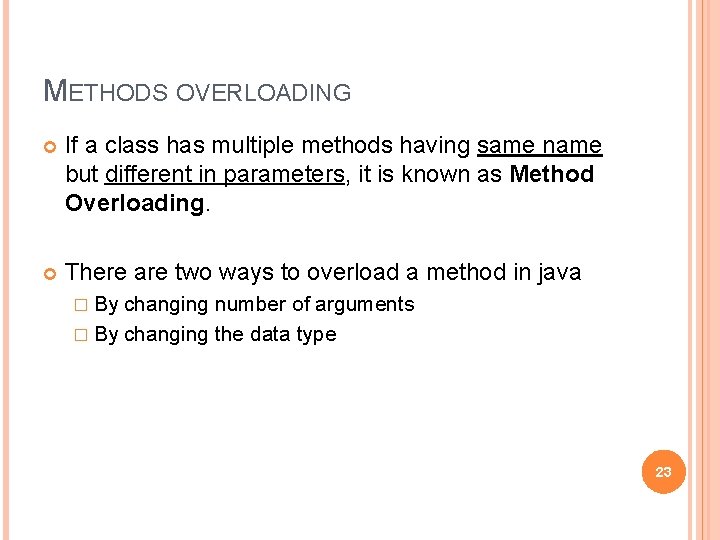
METHODS OVERLOADING If a class has multiple methods having same name but different in parameters, it is known as Method Overloading. There are two ways to overload a method in java � By changing number of arguments � By changing the data type 23
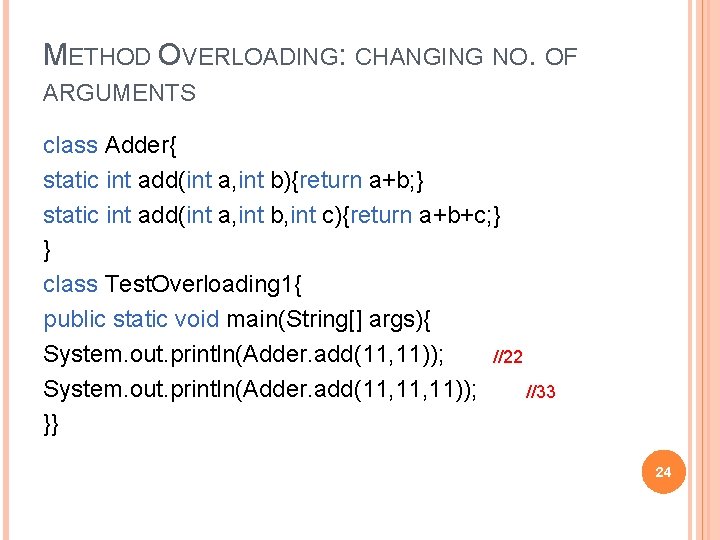
METHOD OVERLOADING: CHANGING NO. OF ARGUMENTS class Adder{ static int add(int a, int b){return a+b; } static int add(int a, int b, int c){return a+b+c; } } class Test. Overloading 1{ public static void main(String[] args){ System. out. println(Adder. add(11, 11)); //22 System. out. println(Adder. add(11, 11)); //33 }} 24
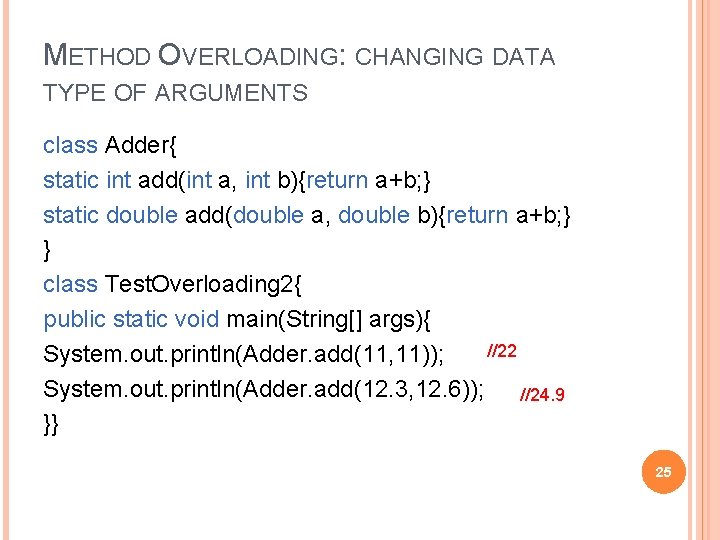
METHOD OVERLOADING: CHANGING DATA TYPE OF ARGUMENTS class Adder{ static int add(int a, int b){return a+b; } static double add(double a, double b){return a+b; } } class Test. Overloading 2{ public static void main(String[] args){ //22 System. out. println(Adder. add(11, 11)); System. out. println(Adder. add(12. 3, 12. 6)); //24. 9 }} 25
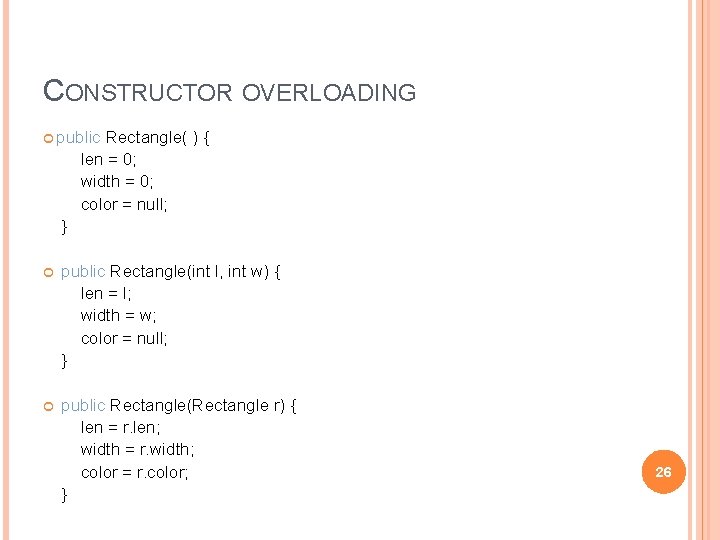
CONSTRUCTOR OVERLOADING public Rectangle( ) { len = 0; width = 0; color = null; } public Rectangle(int l, int w) { len = l; width = w; color = null; } public Rectangle(Rectangle r) { len = r. len; width = r. width; color = r. color; } 26
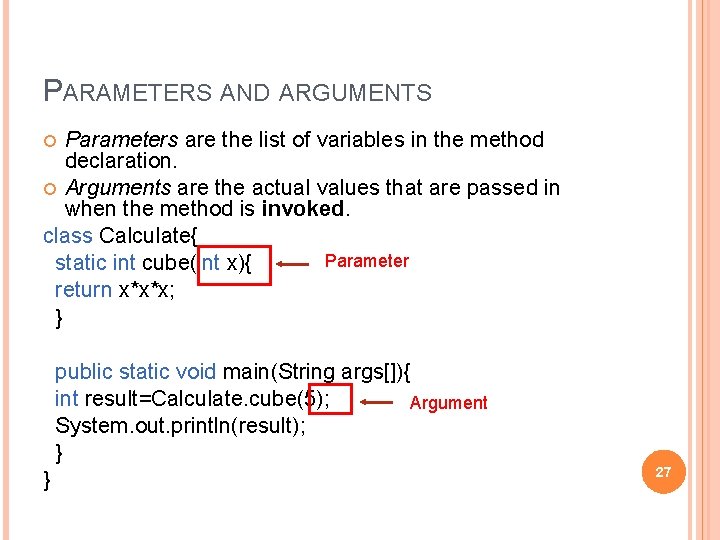
PARAMETERS AND ARGUMENTS Parameters are the list of variables in the method declaration. Arguments are the actual values that are passed in when the method is invoked. class Calculate{ Parameter static int cube(int x){ return x*x*x; } public static void main(String args[]){ int result=Calculate. cube(5); Argument System. out. println(result); } } 27
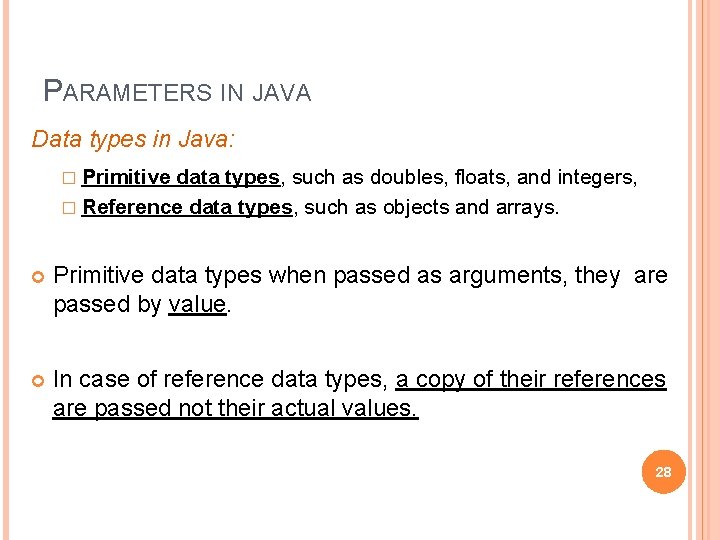
PARAMETERS IN JAVA Data types in Java: � Primitive data types, such as doubles, floats, and integers, � Reference data types, such as objects and arrays. Primitive data types when passed as arguments, they are passed by value. In case of reference data types, a copy of their references are passed not their actual values. 28
![PASSING BY VALUE EXAMPLE public class Main { public static void main(String[] args) {](http://slidetodoc.com/presentation_image_h2/0c0d1eb765af2836eae43f6bad74f09b/image-29.jpg "PASSING BY VALUE EXAMPLE public class Main { public static void main(String[] args) {")
PASSING BY VALUE EXAMPLE public class Main { public static void main(String[] args) { int x = 5; change(x); System. out. println(x); } public static void change(int x) { x = 10; } Output = 5 } 29
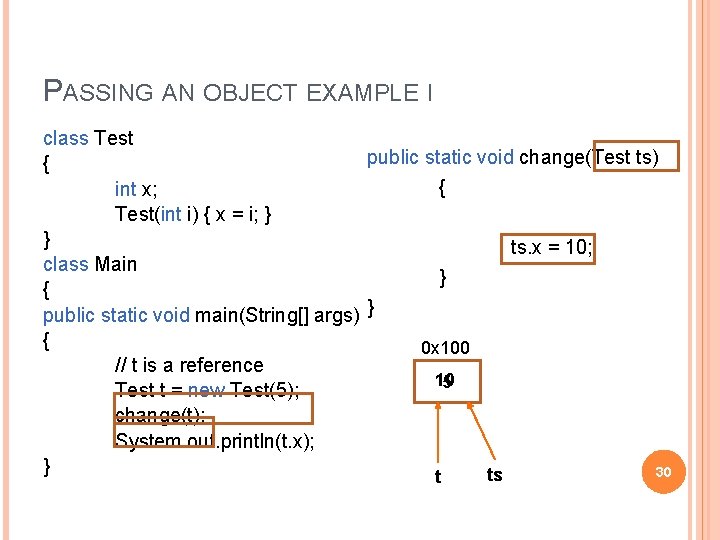
PASSING AN OBJECT EXAMPLE I class Test public static void change(Test ts) { { int x; Test(int i) { x = i; } } ts. x = 10; class Main } { public static void main(String[] args) } { 0 x 100 // t is a reference 10 5 Test t = new Test(5); change(t); System. out. println(t. x); } 30 ts t
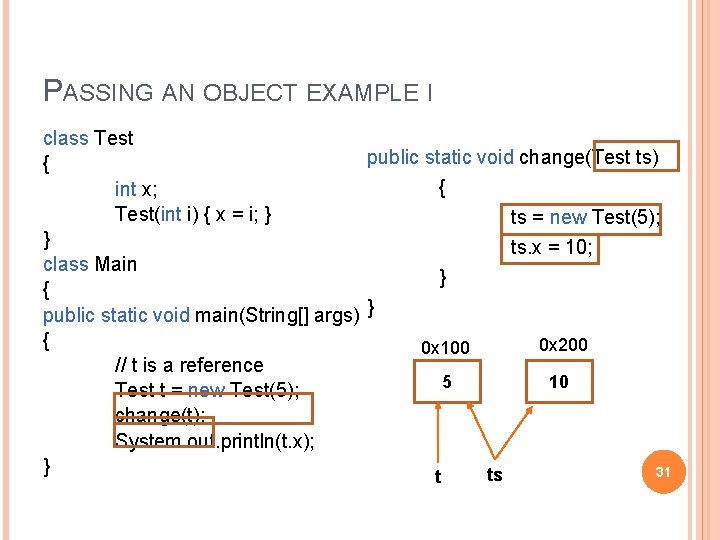
PASSING AN OBJECT EXAMPLE I class Test public static void change(Test ts) { { int x; Test(int i) { x = i; } ts = new Test(5); } ts. x = 10; class Main } { public static void main(String[] args) } { 0 x 200 0 x 100 // t is a reference 5 10 Test t = new Test(5); change(t); System. out. println(t. x); } 31 ts t
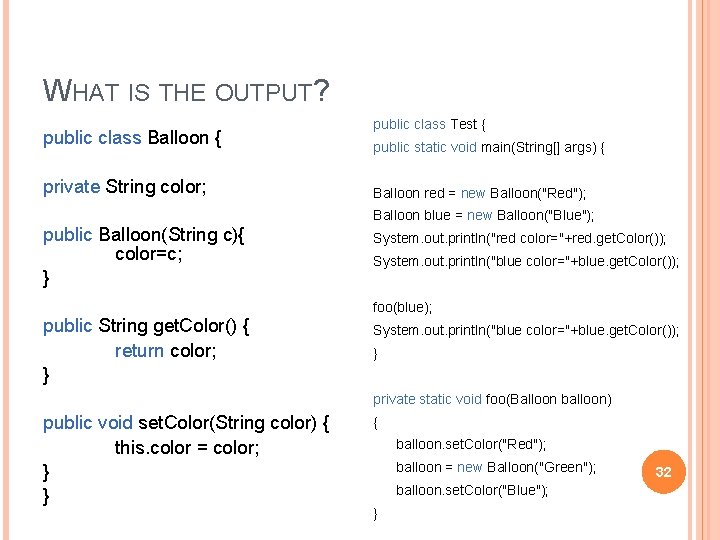
WHAT IS THE OUTPUT? public class Balloon { private String color; public class Test { public static void main(String[] args) { Balloon red = new Balloon("Red"); Balloon blue = new Balloon("Blue"); public Balloon(String c){ color=c; } System. out. println("red color="+red. get. Color()); System. out. println("blue color="+blue. get. Color()); foo(blue); public String get. Color() { return color; } System. out. println("blue color="+blue. get. Color()); } private static void foo(Balloon balloon) public void set. Color(String color) { this. color = color; } } { balloon. set. Color("Red"); balloon = new Balloon("Green"); balloon. set. Color("Blue"); } 32
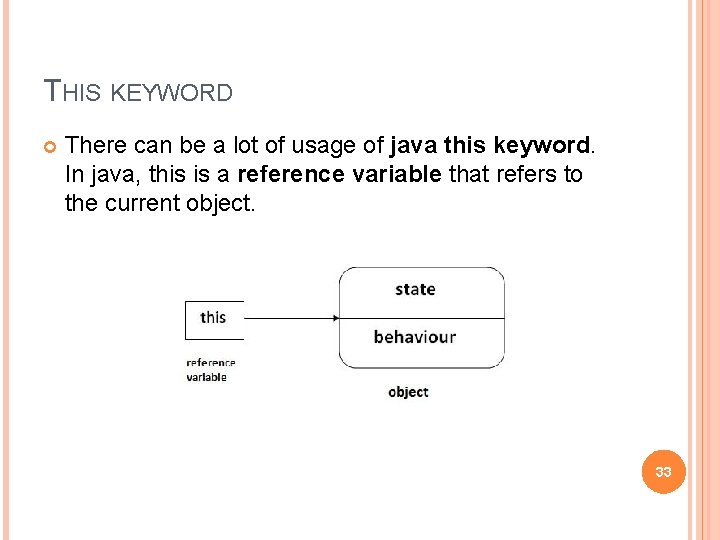
THIS KEYWORD There can be a lot of usage of java this keyword. In java, this is a reference variable that refers to the current object. 33
THIS KEYWORD USAGES Some of the usages of java this keyword: � this can be used to refer current class instance variable. � this can be used to invoke current class method � this() can be used to invoke current class constructor. 34
1) THIS: TO REFER CURRENT CLASS INSTANCE VARIABLE The this keyword can be used to refer current class instance variable. If there is ambiguity between the instance variables and parameters, this keyword resolves the problem of ambiguity. If the name of local variables(formal arguments) and instance variables are different, there is no need to use this keyword 35
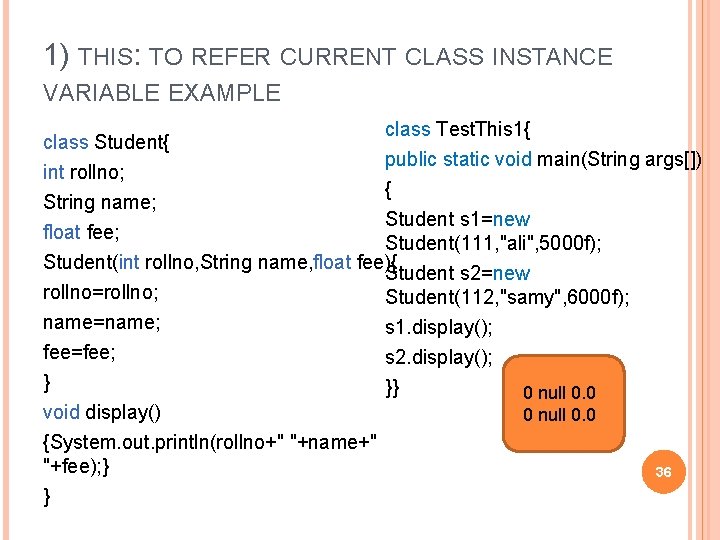
1) THIS: TO REFER CURRENT CLASS INSTANCE VARIABLE EXAMPLE class Student{ int rollno; class Test. This 1{ public static void main(String args[]) { String name; Student s 1=new float fee; Student(111, "ali", 5000 f); Student(int rollno, String name, float fee){ Student s 2=new rollno=rollno; Student(112, "samy", 6000 f); name=name; s 1. display(); fee=fee; s 2. display(); } }} 0 null 0. 0 void display() 0 null 0. 0 {System. out. println(rollno+" "+name+" "+fee); } } 36
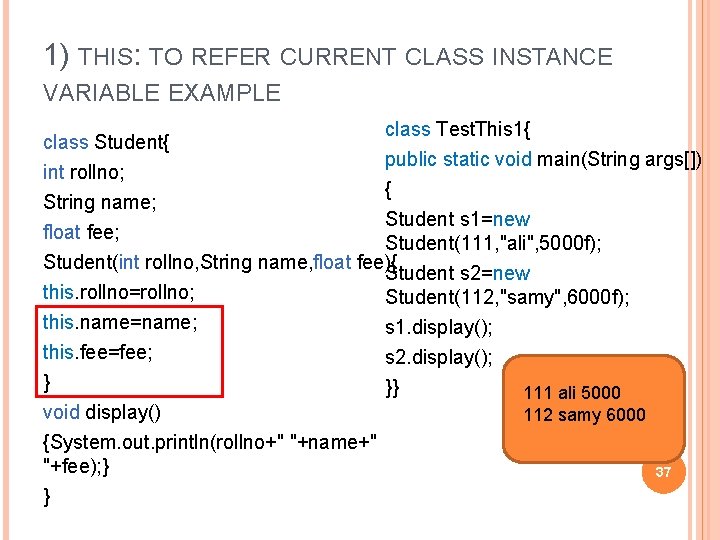
1) THIS: TO REFER CURRENT CLASS INSTANCE VARIABLE EXAMPLE class Student{ int rollno; class Test. This 1{ public static void main(String args[]) { String name; Student s 1=new float fee; Student(111, "ali", 5000 f); Student(int rollno, String name, float fee){ Student s 2=new this. rollno=rollno; Student(112, "samy", 6000 f); this. name=name; s 1. display(); this. fee=fee; s 2. display(); } }} 111 ali 5000 void display() 112 samy 6000 {System. out. println(rollno+" "+name+" "+fee); } } 37
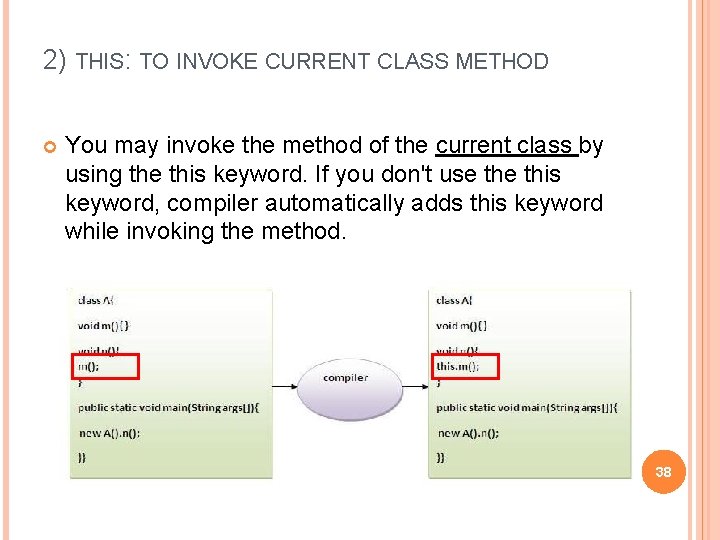
2) THIS: TO INVOKE CURRENT CLASS METHOD You may invoke the method of the current class by using the this keyword. If you don't use this keyword, compiler automatically adds this keyword while invoking the method. 38
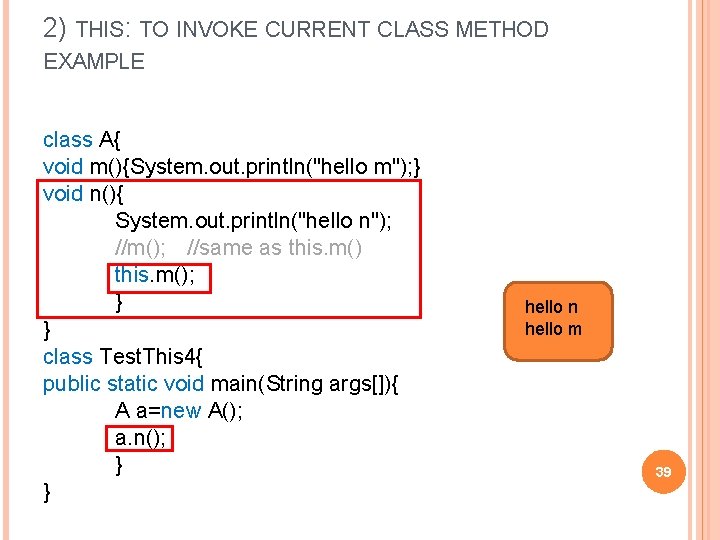
2) THIS: TO INVOKE CURRENT CLASS METHOD EXAMPLE class A{ void m(){System. out. println("hello m"); } void n(){ System. out. println("hello n"); //m(); //same as this. m(); } } class Test. This 4{ public static void main(String args[]){ A a=new A(); a. n(); } } hello n hello m 39
3) THIS() : TO INVOKE CURRENT CLASS CONSTRUCTOR The this() constructor call can be used to invoke the current class constructor. It is used to reuse the constructor. In other words, it is used for constructor chaining. 40
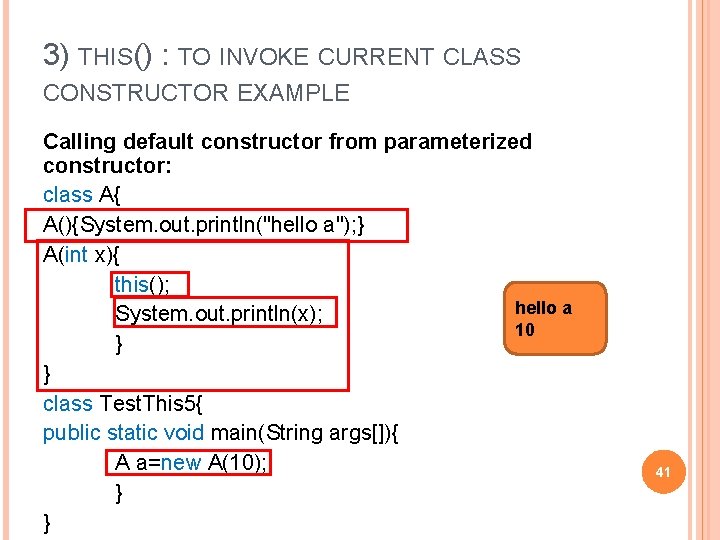
3) THIS() : TO INVOKE CURRENT CLASS CONSTRUCTOR EXAMPLE Calling default constructor from parameterized constructor: class A{ A(){System. out. println("hello a"); } A(int x){ this(); hello a System. out. println(x); 10 } } class Test. This 5{ public static void main(String args[]){ A a=new A(10); } } 41
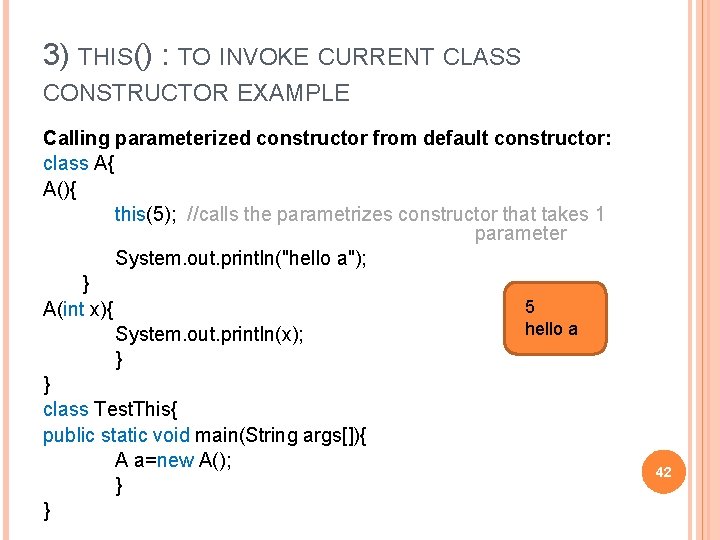
3) THIS() : TO INVOKE CURRENT CLASS CONSTRUCTOR EXAMPLE Calling parameterized constructor from default constructor: class A{ A(){ this(5); //calls the parametrizes constructor that takes 1 parameter System. out. println("hello a"); } 5 A(int x){ hello a System. out. println(x); } } class Test. This{ public static void main(String args[]){ A a=new A(); } } 42
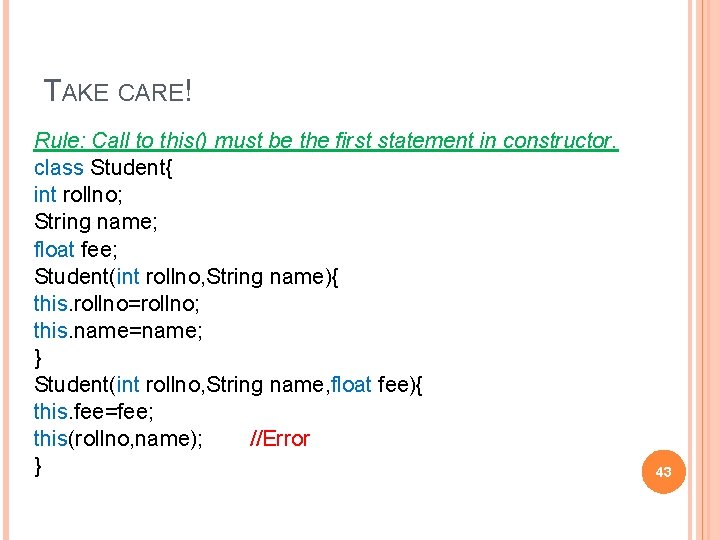
TAKE CARE! Rule: Call to this() must be the first statement in constructor. class Student{ int rollno; String name; float fee; Student(int rollno, String name){ this. rollno=rollno; this. name=name; } Student(int rollno, String name, float fee){ this. fee=fee; this(rollno, name); //Error } 43
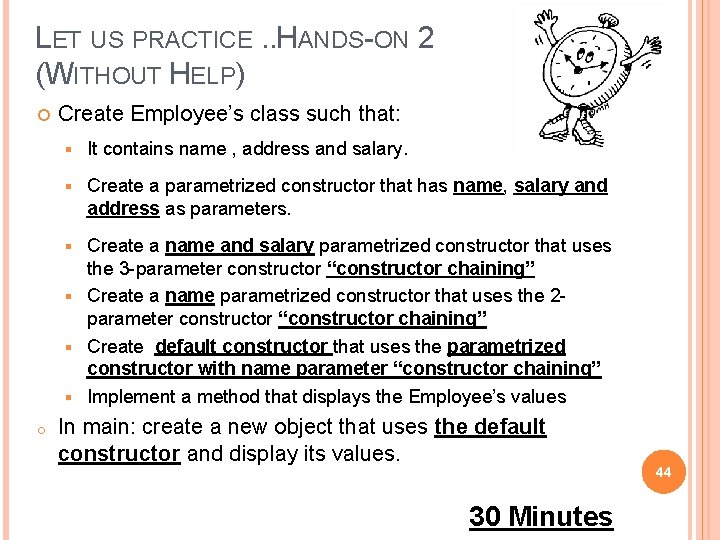
LET US PRACTICE. . HANDS-ON 2 (WITHOUT HELP) Create Employee’s class such that: § It contains name , address and salary. § Create a parametrized constructor that has name, salary and address as parameters. Create a name and salary parametrized constructor that uses the 3 -parameter constructor “constructor chaining” § Create a name parametrized constructor that uses the 2 parameter constructor “constructor chaining” § Create default constructor that uses the parametrized constructor with name parameter “constructor chaining” § Implement a method that displays the Employee’s values § o In main: create a new object that uses the default constructor and display its values. 30 Minutes 44
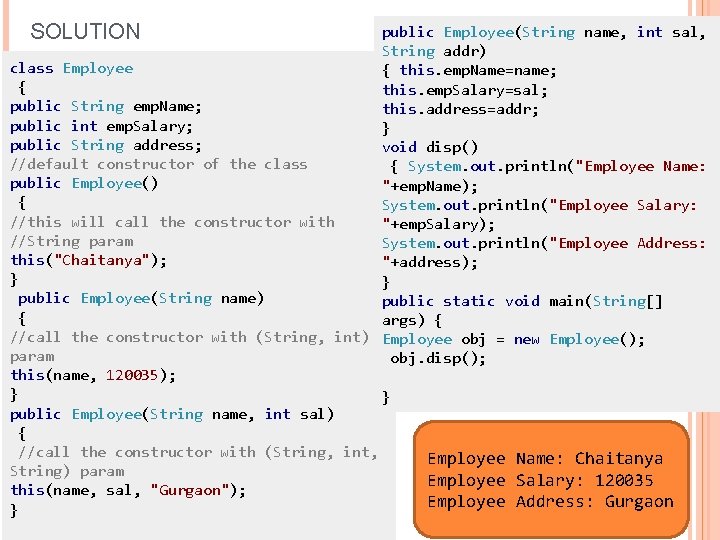
SOLUTION public Employee(String name, int sal, String addr) class Employee { this. emp. Name=name; { this. emp. Salary=sal; public String emp. Name; this. address=addr; public int emp. Salary; } public String address; void disp() //default constructor of the class { System. out. println("Employee Name: public Employee() "+emp. Name); { System. out. println("Employee Salary: //this will call the constructor with "+emp. Salary); //String param System. out. println("Employee Address: this("Chaitanya"); "+address); } } public Employee(String name) public static void main(String[] { args) { //call the constructor with (String, int) Employee obj = new Employee(); param obj. disp(); this(name, 120035); } } public Employee(String name, int sal) { //call the constructor with (String, int, Employee Name: Chaitanya String) param Employee Salary: 120035 45 this(name, sal, "Gurgaon"); Employee Address: Gurgaon }

QUESTIONS 46
- Slides: 46