
Object Oriented Design Concepts of OOD Introduction to
Object Oriented Design Concepts of OOD Introduction to UML Steve Fisher/RAL - 2001 Lectures 19 Software Engineering
Object-oriented • Means to organize the software as a collection of discrete objects that incorporate both data structure and behaviour Software Engineering, COMP 201 Slide 2
Object concepts • We continue to explore the question “what are good systems like? ” by describing the object oriented paradigm. • We shall answer these questions: – – What is an object? How do objects communicate? How is an object’s interface defined? What have objects to do with components? • Finally we consider inheritance, polymorphism and dynamic binding. Software Engineering, COMP 201 Slide 3
OO reminder • Don’t think of what an object holds – but what it will do for you – Consequently no public data members – Think only about the methods • An object may represent something in the real world – But often not Software Engineering, COMP 201 Slide 4
What is an object? • Conceptually, an object is a thing you can interact with: – you can send it various messages and – it will react • How it behaves depends on the current internal state of the object, which may change – For example: as part of the object’s reaction to receiving a message. • It matters which object you interact with, an object has an identity which distinguishes it from all other objects. Software Engineering, COMP 201 Slide 5
Again… What is an object? • An object is a thing which has – behaviour, – state and – identity [Grady Booch, 1991] Software Engineering, COMP 201 Slide 6
State • The state of the object is all the data which it currently encapsulates • An object normally has a number of named attributes (or instance variables or data members) each of which has a value • Some attributes can be mutable – An attribute ADDRESS • other attributes may be constant (immutable) – Date of birth – Identifying number Software Engineering, COMP 201 Slide 7
Behaviour • The way an object acts and reacts, in terms of its state changes as message passing. • An object understands certain messages, • it can receive the message and act on them. • The set of messages that the object understands, like the set of attributes it has, is normally fixed. Software Engineering, COMP 201 Slide 8
Identity - is a little more slippery • The idea is that objects are not defined just by the current values of their attributes • An object has continues existence – For example the values of the object’s attributes could change, perhaps in response to a message, but it would still be the same object. • An object is normally referred to by a name, but the name of the object is not the same thing as the object, because the same object may have several different names Software Engineering, COMP 201 Slide 9
Example • Consider an object which we’ll call my. Clock, which understands the messages: – report. Time – reset. Time. To(07: 43), reset. Time. To(12: 30) or indeed more generally reset. Time. To(new. Time) • How does it implement this functionality? • The outside world doesn’t need to know – the information should be hidden !!! – but perhaps it has an attribute time – Or perhaps it passes these messages on to some other object, which it knows about, and has the other object deal with messages Software Engineering, COMP 201 Slide 10
Messages • A message includes a selector; here we’ve seen the selectors – report. Time and reset. Time. To • A message may, but need not, include one or more arguments • Usually for a given selector there is a single “correct” number of arguments Software Engineering, COMP 201 Slide 11
Interfaces • The object’s public interface defines which messages it will accept regardless of where they come from. • An object can always send to itself any message which it is capable of understanding. – Dynamic binding • So typically an object has two interfaces: – The public interface (any part of the system can use) – The larger private interface (object itself and other privileged parts of the system can use) Software Engineering, COMP 201 Slide 12
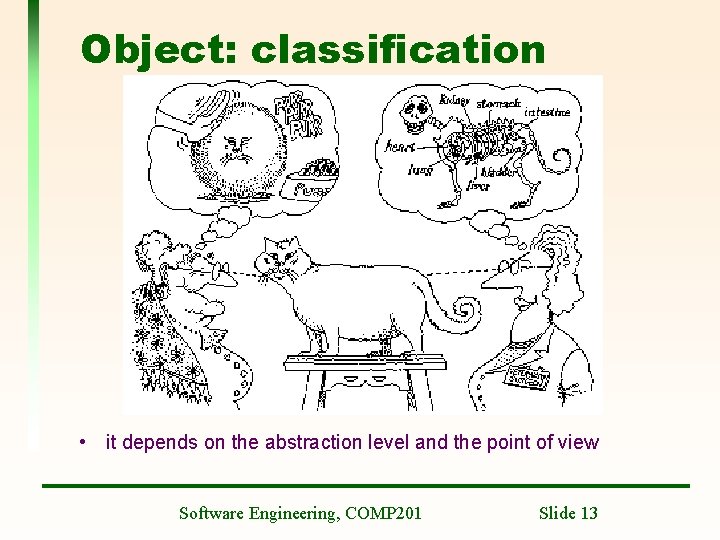
Object: classification • it depends on the abstraction level and the point of view Software Engineering, COMP 201 Slide 13
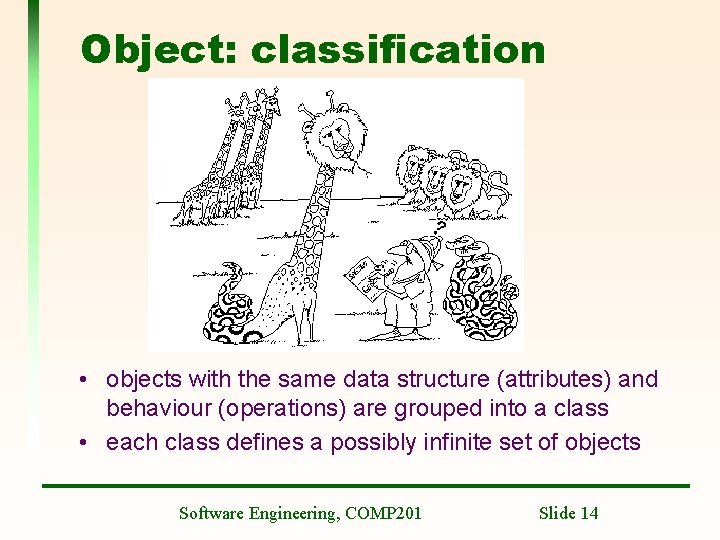
Object: classification • objects with the same data structure (attributes) and behaviour (operations) are grouped into a class • each class defines a possibly infinite set of objects Software Engineering, COMP 201 Slide 14
Object: classification • Each object is an instance of a class • Each object knows its class • Each instance has its own value for each attribute (state) but shares the attribute names and operations with other instances of the class – also “static” i. e. class variables • class encapsulates data and behaviour, hiding implementation details of an object Software Engineering, COMP 201 Slide 15
Digression: why have classes • Why not just have objects, which have state, behaviour and identity as we require? • Classes in object oriented languages serve two purposes: – Convenient way of describing a collection (a class) of objects which have the same properties – In most modern OO languages, classes are used in the same way that types are used in many other languages • To specify what values are acceptable Software Engineering, COMP 201 Slide 16
Classes and types • Often people think of classes and types as being the same thing (indeed it is convenient and not often misleading, to do so). However, it’s wrong! • Remember that a class defines not only what messages an object understand! • It also defines what the object does in response to the messages. Software Engineering, COMP 201 Slide 17
What have objects to do with components? • The hype surrounding object orientation sometimes suggests that any class is automatically a reusable component. • This, of course, is not true! • The first factor is that the reusability of a component is not simply a fact about the component itself, – but depends on the context of development and proposed reuse. • Another important factor is that the class structure often turns out to be too fine grained for effective reuse. – In order to reuse a single class you have • To be writing in the same programming language and • using a compatible architecture Software Engineering, COMP 201 Slide 18
Object: inheritance • the sharing of attributes and operations among classes based upon a hierarchical relationship • class can be defined broadly and then refined into successively finer subclasses • each subclass incorporates or inherit all the properties of its super class and its own unique properties Software Engineering, COMP 201 Slide 19
Subclass Superclass • A subclass is an extended, specialized version of its superclass. • It includes the operations and attributes of the superclass, and possibly some more Software Engineering, COMP 201 Slide 20
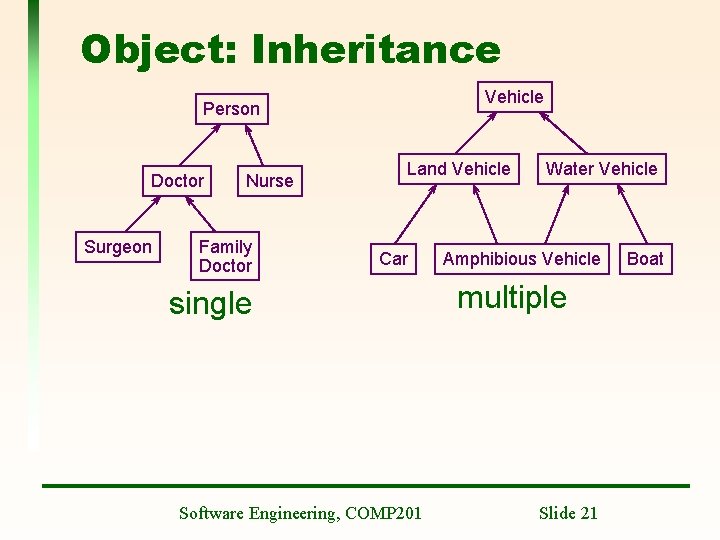
Object: Inheritance Vehicle Person Doctor Surgeon Nurse Family Doctor Land Vehicle Car single Software Engineering, COMP 201 Water Vehicle Amphibious Vehicle multiple Slide 21 Boat
Inheritance - warning • Don’t abuse inheritance – It is not just a way to be able to access some of the methods of the subclass – A subclass must inherit all the superclass • Composition is often “better” than inheritance • (!) An object class is coupled to its super-classes. Changes made to the attributes or operations in a super-class propagate to all sub-classes. Software Engineering, COMP 201 Slide 22
Object: Polymorphism • it means that the same operation may behave differently on objects of different underlying class while being referenced as a superclass • OOPL automatically selects the correct method to implement an operation based on the name of the operation (method signature) and the object’s class being implemented Software Engineering, COMP 201 Slide 23
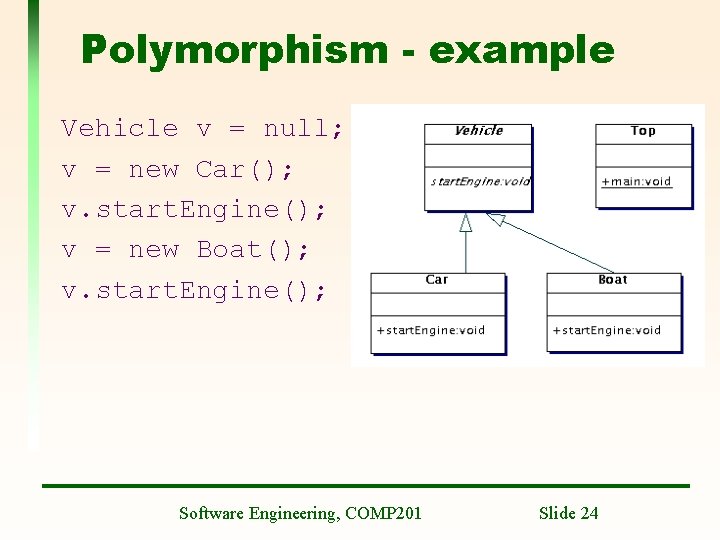
Polymorphism - example Vehicle v = null; v = new Car(); v. start. Engine(); v = new Boat(); v. start. Engine(); Software Engineering, COMP 201 Slide 24
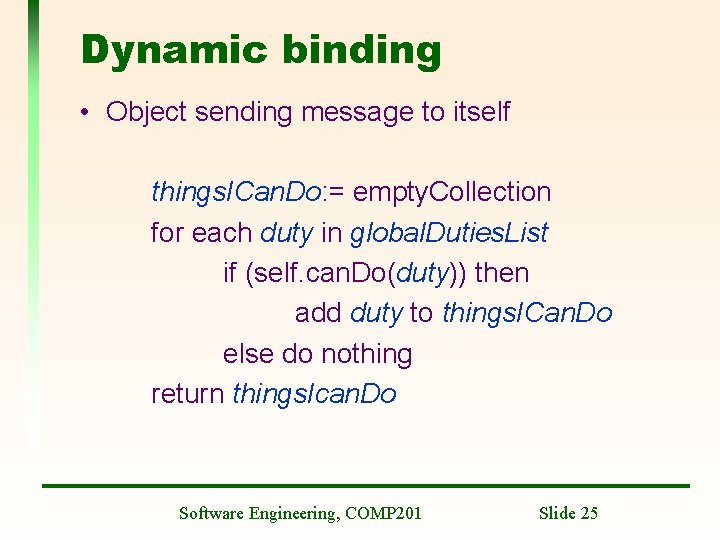
Dynamic binding • Object sending message to itself things. ICan. Do: = empty. Collection for each duty in global. Duties. List if (self. can. Do(duty)) then add duty to things. ICan. Do else do nothing return things. Ican. Do Software Engineering, COMP 201 Slide 25
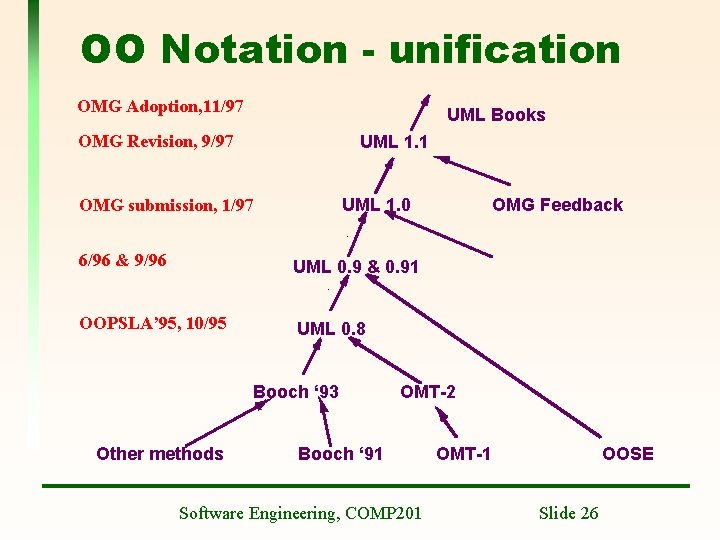
OO Notation - unification OMG Adoption, 11/97 UML Books OMG Revision, 9/97 UML 1. 1 UML 1. 0 OMG submission, 1/97 6/96 & 9/96 UML 0. 9 & 0. 91 OOPSLA’ 95, 10/95 UML 0. 8 Booch ‘ 93 Other methods OMG Feedback OMT-2 Booch ‘ 91 Software Engineering, COMP 201 OMT-1 OOSE Slide 26
UML • Unify notations • UML is a language for: – Specifying – Visualizing and – Documenting the artefacts of a system under development • Authors (Booch, Rumbaugh and Jacobsen) agreed on notation but not able to agree on a single method – This is probably a “good thing” • UML has been adopted by the OMG (Object Management Group) as an OO notation standard Software Engineering, COMP 201 Slide 27
UML – other influences • • Meyer – pre and post conditions Harel - statecharts Wirfs-Brock - responsibilities Coleman - message numbering scheme Embley - singleton classes Gamma - patterns, notes Shlaer, Mellor - object lifecycles Software Engineering, COMP 201 Slide 28
UML – some notation • Object classes are rectangles with the name at the top, attributes in the middle section (“compartment”) and operations in the next compartment. • Relationships between object classes (known as associations) are shown as lines linking objects • Inheritance is referred to as generalisation. – It uses an open triangular arrow head Software Engineering, COMP 201 Slide 29
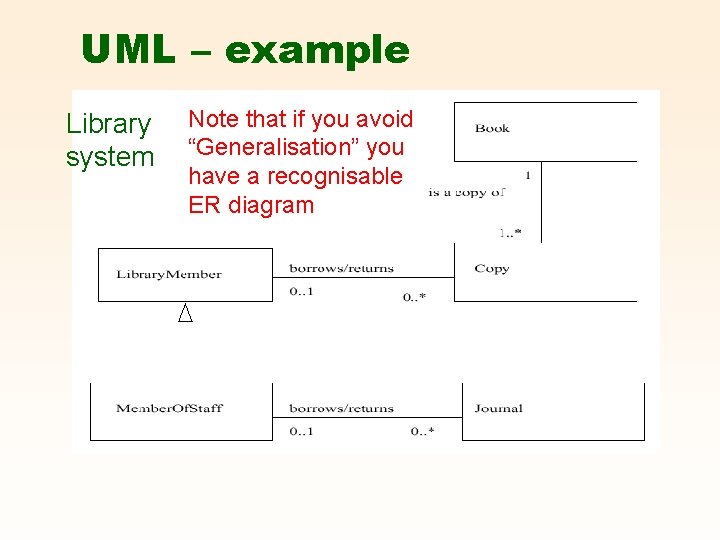
UML – example Library system Note that if you avoid “Generalisation” you have a recognisable ER diagram
CASE Tools/Workbenches • Computer Aided Software Engineering • A coherent set of tools to support an SE Method • These workbenches may support a specific SE method or may provide support for a creating several different types of system model. • There is also at least one meta-CASE tool – A CASE tool to build CASE tools Software Engineering, COMP 201 Slide 31
CASE Tool components • • Diagram editors Model analysis and checking tools Repository and associated query language Data dictionary Report definition and generation tools Forms definition tools Code generation tools Import/export translators Software Engineering, COMP 201 Slide 32
CASE Tools - examples • DOME - see http: //www/ • Rational ROSE – see http: //www. rational. com – A big product – Unix version not so good – Reverse engineering a separate step • Together – see http: //www. togethersoft. com – – Also big – needs a lot of memory >= 256 M Written in Java – so runs “anywhere” Instant reverse engineering On the lab Linux machines • Argo. UML – see http: //www. argouml. org – Free – Written in Java – Some interesting ideas • And many Windows only tools Software Engineering, COMP 201 Slide 33
Next Lecture • Introductory case study Software Engineering, COMP 201 Slide 34
- Slides: 34