
OBJECT ORIENTED ANALYSIS and DESIGN UNIT IV Bharati
OBJECT ORIENTED ANALYSIS and DESIGN UNIT IV © Bharati Vidyapeeth’s Institute of Computer Applications and Management, New Delhi-63, by Mrs. Tanya Pathak Garg, BVICAM U 4. 1
Learning Objectives Modelling with UML • Origin of UML • 4+1 view architecture of UML • Basic building blocks of UML • A Conceptual Model of UML • Basic Structural Modelling • UML diagrams • Case Studies © Bharati Vidyapeeth’s Institute of Computer Applications and Management, New Delhi-63, by Mrs. Tanya Pathak Garg, BVICAM U 4. 2
Modelling with UML © Bharati Vidyapeeth’s Institute of Computer Applications and Management, New Delhi-63, by Mrs. Tanya Pathak Garg, BVICAM U 4. 3
Learning Objectives • • • What is Visual Modeling? History of UML Unified Modeling Language(UML) Overview Architecture & Views Basic Building Blocks of UML § Structural Things § Behavioral Things § Grouping Things § Annotation Things § Relationship § UML Diagrams © Bharati Vidyapeeth’s Institute of Computer Applications and Management, New Delhi-63, by Mrs. Tanya Pathak Garg, BVICAM U 4. 4
Learning Objectives • • Extensibility of UML Using UML Concepts in a nutshell Rules of UML Process of using UML © Bharati Vidyapeeth’s Institute of Computer Applications and Management, New Delhi-63, by Mrs. Tanya Pathak Garg, BVICAM U 4. 5
Visual Modelling • Mapping real-world process of a computer system with a graphical representation is called visual modelling. • Visual Modeling is a way of thinking about problems by using graphical models of realworld ideas. © Bharati Vidyapeeth’s Institute of Computer Applications and Management, New Delhi-63, by Mrs. Tanya Pathak Garg, BVICAM U 4. 6
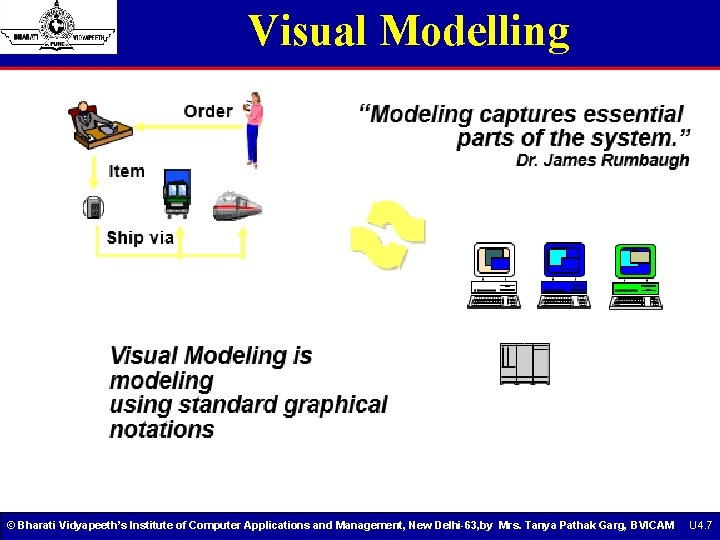
Visual Modelling © Bharati Vidyapeeth’s Institute of Computer Applications and Management, New Delhi-63, by Mrs. Tanya Pathak Garg, BVICAM U 4. 7
Benefits of Visual Modelling • Captures Business Process • Enhance Communication • Manage Complexity • Define Architecture • Enable Reuse © Bharati Vidyapeeth’s Institute of Computer Applications and Management, New Delhi-63, by Mrs. Tanya Pathak Garg, BVICAM U 4. 8
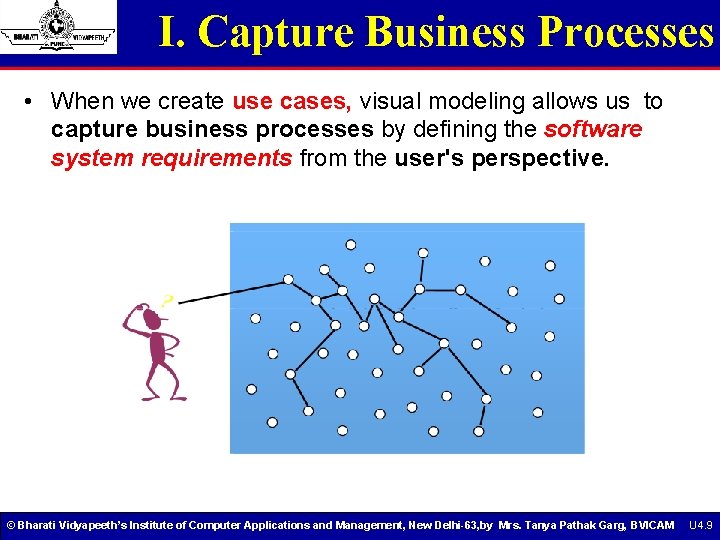
I. Capture Business Processes • When we create use cases, visual modeling allows us to capture business processes by defining the software system requirements from the user's perspective. © Bharati Vidyapeeth’s Institute of Computer Applications and Management, New Delhi-63, by Mrs. Tanya Pathak Garg, BVICAM U 4. 9
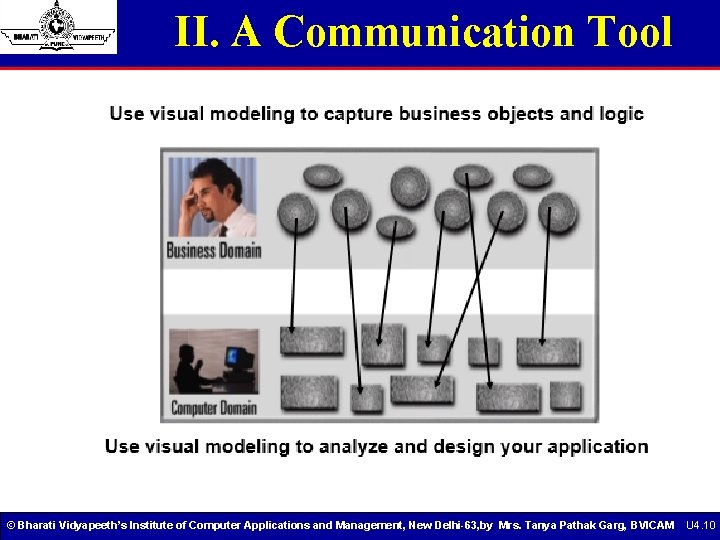
II. A Communication Tool © Bharati Vidyapeeth’s Institute of Computer Applications and Management, New Delhi-63, by Mrs. Tanya Pathak Garg, BVICAM U 4. 10
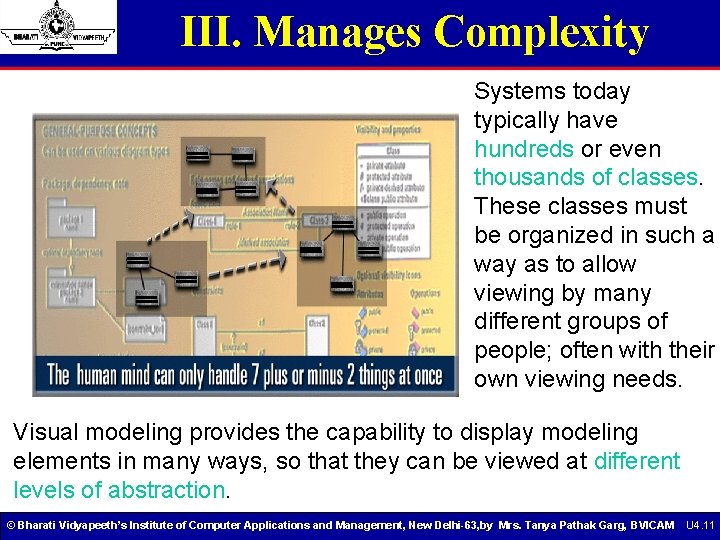
III. Manages Complexity Systems today typically have hundreds or even thousands of classes. These classes must be organized in such a way as to allow viewing by many different groups of people; often with their own viewing needs. Visual modeling provides the capability to display modeling elements in many ways, so that they can be viewed at different levels of abstraction. © Bharati Vidyapeeth’s Institute of Computer Applications and Management, New Delhi-63, by Mrs. Tanya Pathak Garg, BVICAM U 4. 11
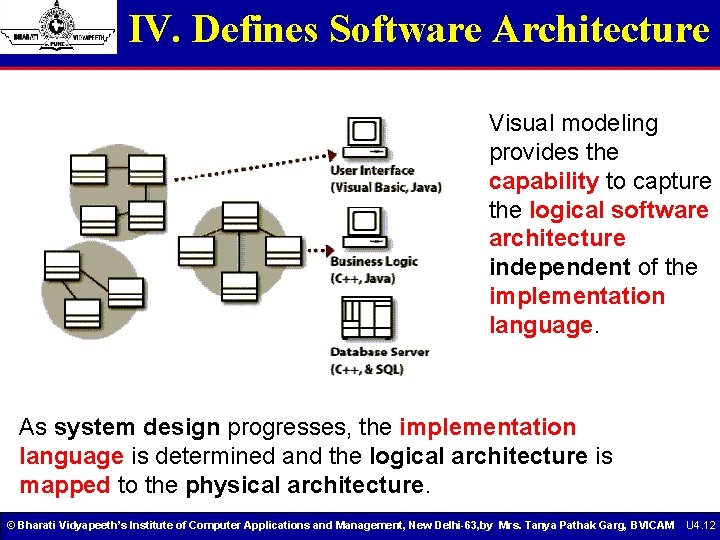
IV. Defines Software Architecture Visual modeling provides the capability to capture the logical software architecture independent of the implementation language. As system design progresses, the implementation language is determined and the logical architecture is mapped to the physical architecture. © Bharati Vidyapeeth’s Institute of Computer Applications and Management, New Delhi-63, by Mrs. Tanya Pathak Garg, BVICAM U 4. 12
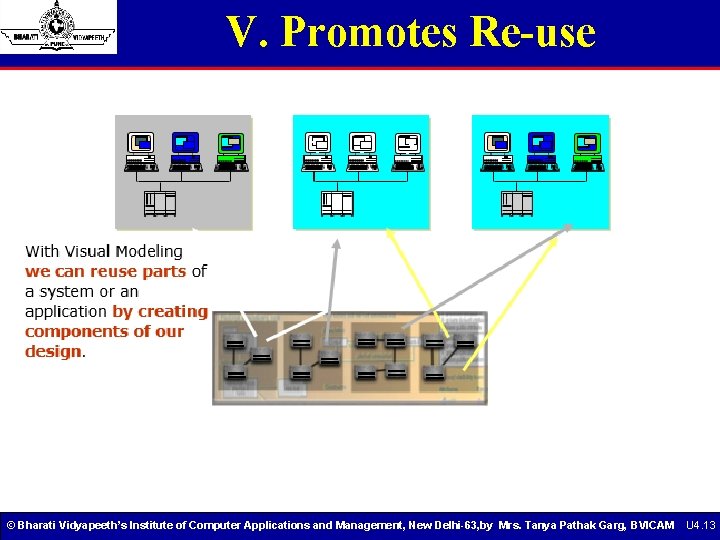
V. Promotes Re-use © Bharati Vidyapeeth’s Institute of Computer Applications and Management, New Delhi-63, by Mrs. Tanya Pathak Garg, BVICAM U 4. 13
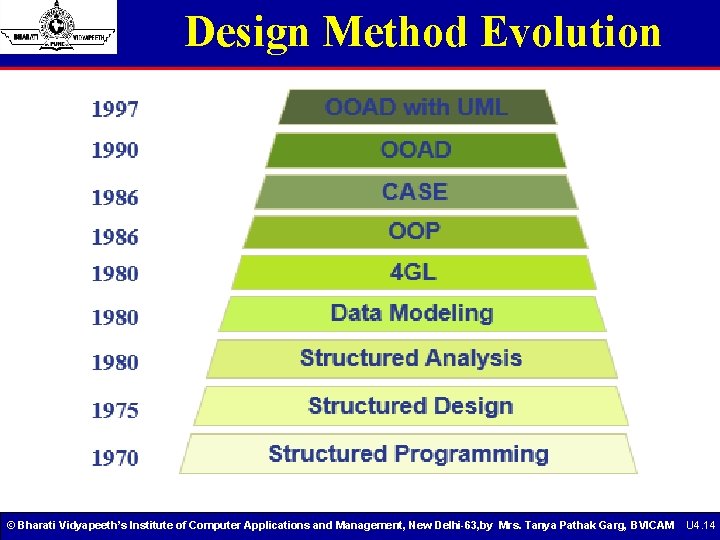
Design Method Evolution © Bharati Vidyapeeth’s Institute of Computer Applications and Management, New Delhi-63, by Mrs. Tanya Pathak Garg, BVICAM U 4. 14
UML Origin A product of the “design wars” of the 1980’s Grady Booch, James Rumbaugh, and others had competing styles. `94: Rumbaugh leaves GE to join Booch at Rational Software “Method wars over. We won. ” Others feared achieving standardization the Microsoft way. ’ 95: Rational releases UML 0. 8; Ivars Jacobson (use cases) joins Rational “The Three Amigos” ’ 96: Object Management Group sets up task force on methods ’ 97: Rational proposed UML 1. 0 to OMG. After arm twisting and merging, UML 1. 1 emerges ’ 99: After several years of revisions and drafts, UML 1. 3 is released Now UML 1. 5…. © Bharati Vidyapeeth’s Institute of Computer Applications and Management, New Delhi-63, by Mrs. Tanya Pathak Garg, BVICAM U 4. 15
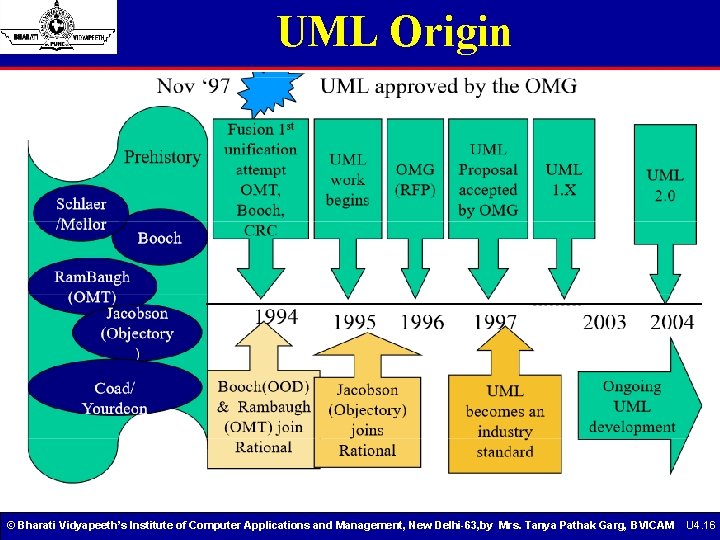
UML Origin © Bharati Vidyapeeth’s Institute of Computer Applications and Management, New Delhi-63, by Mrs. Tanya Pathak Garg, BVICAM U 4. 16
What is UML • “The Unified Modeling Language is a family of graphical notations, that help in describing and designing software systems, particularly software systems built using the object-oriented style. ” • UML first appeared in 1997 • UML is standardized. Its content is controlled by the Object Management Group (OMG), a group of companies. • UML can be applied to diverse application domains (e. g. , banking, finance, internet, aerospace, healthcare, etc. ) It can be used with all major object and component software development methods and for various implementation platforms (e. g. , J 2 EE, . NET). © Bharati Vidyapeeth’s Institute of Computer Applications and Management, New Delhi-63, by Mrs. Tanya Pathak Garg, BVICAM U 4. 17
What is UML • UML stands for Unified Modelling Language • The UML combines the best of the best from § Data Modelling concepts (Entity Relationship Diagrams) § Business Modelling (work flow) § Object Modelling § Component Modelling • The UML is the standard language for visualizing, specifying, constructing, and documenting the artifacts of a software-intensive system • It can be used with all processes, throughout the development life cycle, and across different implementation technologies © Bharati Vidyapeeth’s Institute of Computer Applications and Management, New Delhi-63, by Mrs. Tanya Pathak Garg, BVICAM U 4. 18
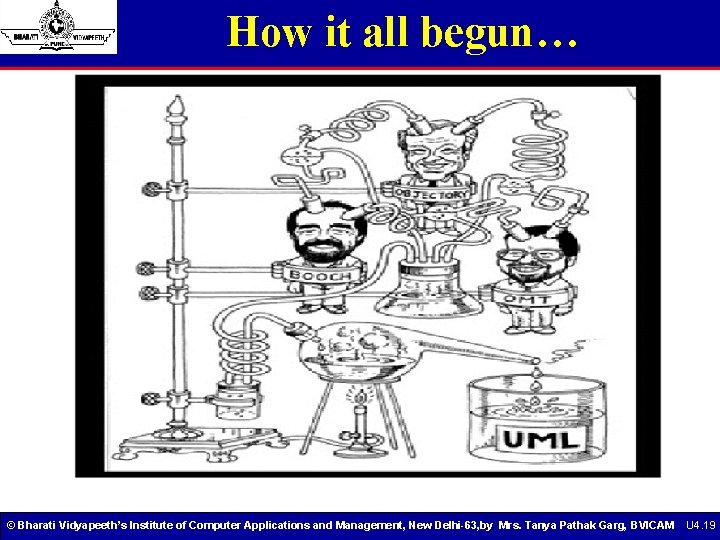
How it all begun… © Bharati Vidyapeeth’s Institute of Computer Applications and Management, New Delhi-63, by Mrs. Tanya Pathak Garg, BVICAM U 4. 19
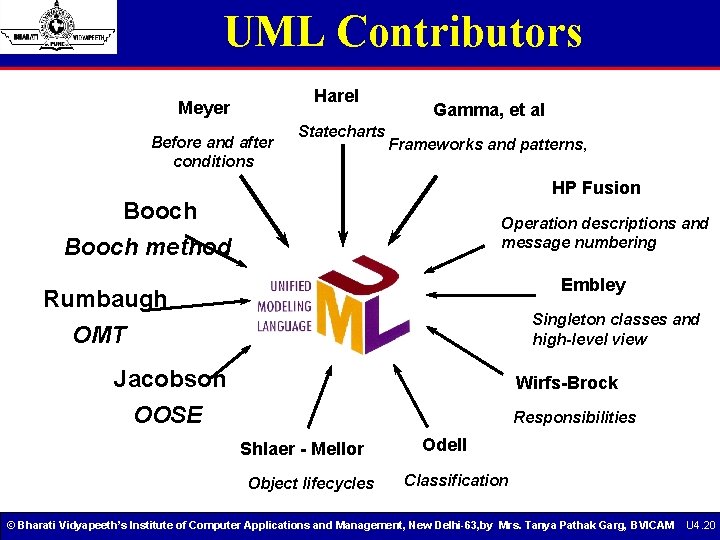
UML Contributors Harel Meyer Before and after conditions Statecharts Gamma, et al Frameworks and patterns, HP Fusion Booch method Operation descriptions and message numbering Embley Rumbaugh OMT Singleton classes and high-level view Jacobson OOSE Wirfs-Brock Responsibilities Shlaer - Mellor Object lifecycles Odell Classification © Bharati Vidyapeeth’s Institute of Computer Applications and Management, New Delhi-63, by Mrs. Tanya Pathak Garg, BVICAM U 4. 20
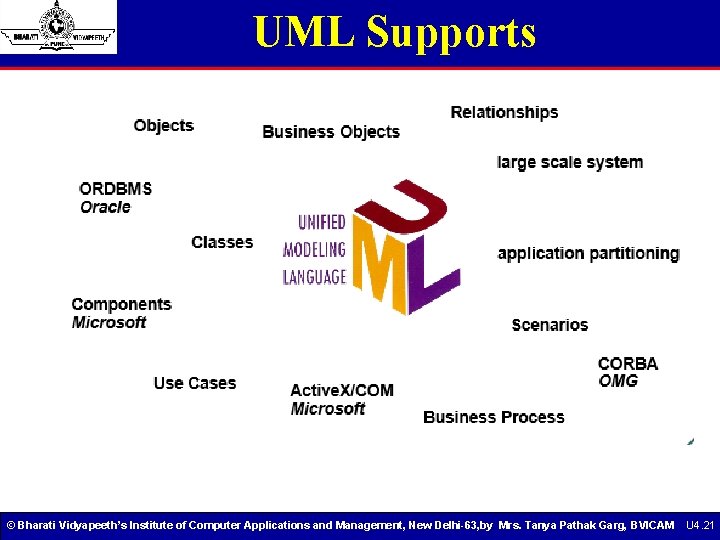
UML Supports © Bharati Vidyapeeth’s Institute of Computer Applications and Management, New Delhi-63, by Mrs. Tanya Pathak Garg, BVICAM U 4. 21
Goals of UML 1) Provide users with a ready-to-use, expressive visual modeling language 2) Provide extensibility and specialization mechanisms to extend the core concepts. 3) Be independent of particular programming languages and development processes. 4) Provide a formal basis for understanding the modeling language. 5) Encourage the growth of the OO tools market. 6) Support higher-level development concepts such as collaborations, frameworks, patterns and components. 7) Integrate best practices. © Bharati Vidyapeeth’s Institute of Computer Applications and Management, New Delhi-63, by Mrs. Tanya Pathak Garg, BVICAM U 4. 22
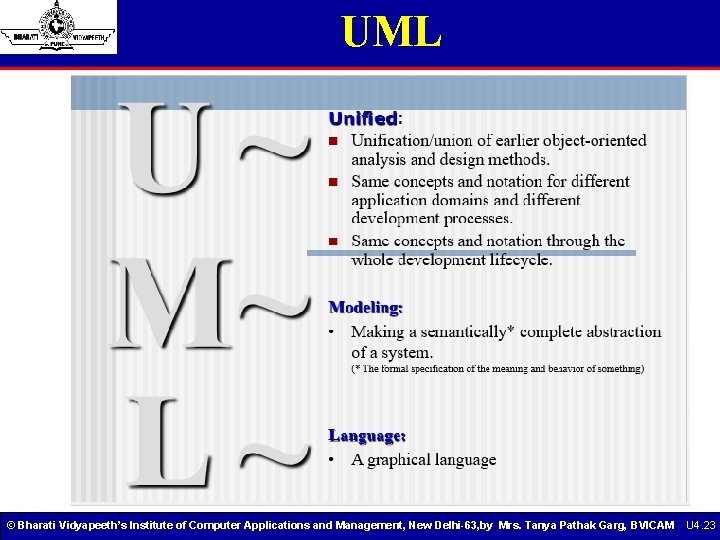
UML © Bharati Vidyapeeth’s Institute of Computer Applications and Management, New Delhi-63, by Mrs. Tanya Pathak Garg, BVICAM U 4. 23
UML- A language for… • The UML is a language for § visualizing § specifying § constructing § documenting a software-intensive system • UML can also be applied outside the domain of software development. © Bharati Vidyapeeth’s Institute of Computer Applications and Management, New Delhi-63, by Mrs. Tanya Pathak Garg, BVICAM U 4. 24
UML- A language for… 1. Visual Modelling ‘A picture is worth a thousand words’ • Use standard graphical notations • Semi-formal • Captures business processes from enterprise information systems to distributed web-based applications and even to hard real time embedded systems. © Bharati Vidyapeeth’s Institute of Computer Applications and Management, New Delhi-63, by Mrs. Tanya Pathak Garg, BVICAM U 4. 25
UML- A language for… 2. Specifying • Building models that are § Precise § Unambiguous § Complete • Symbols are based upon • Well-defined syntax • semantics • Addresses the specification of all important analysis, design and implementation decisions. © Bharati Vidyapeeth’s Institute of Computer Applications and Management, New Delhi-63, by Mrs. Tanya Pathak Garg, BVICAM U 4. 26
UML- A language for… 3. Constructing • Models are related to object oriented programming languages • Round-trip engineering requires tools and human invention to information loss. §Forward engineering- direct mapping of a UML model into code. §Reverse engineering- reconstruction of a UML model from an implementation. §Re-engineering- Understanding existing software and modifying it. © Bharati Vidyapeeth’s Institute of Computer Applications and Management, New Delhi-63, by Mrs. Tanya Pathak Garg, BVICAM U 4. 27
UML- A language for… 4. Documenting • Architecture • Requirements • Tests • Activities ü Project Planning ü Release Management © Bharati Vidyapeeth’s Institute of Computer Applications and Management, New Delhi-63, by Mrs. Tanya Pathak Garg, BVICAM U 4. 28
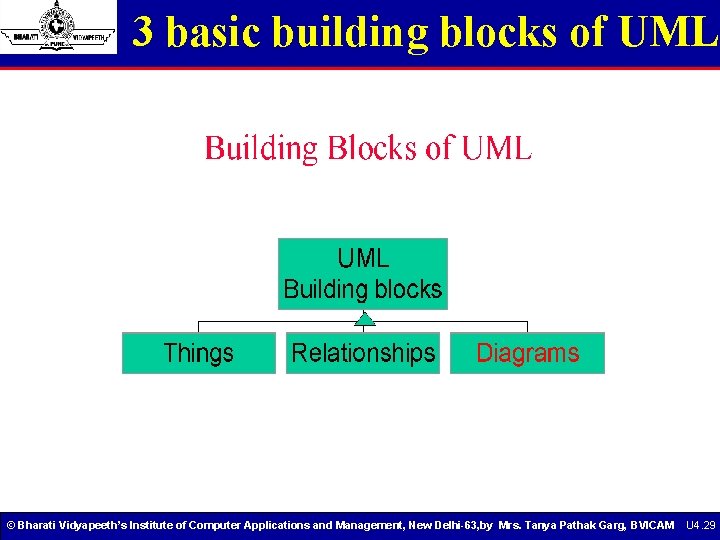
3 basic building blocks of UML © Bharati Vidyapeeth’s Institute of Computer Applications and Management, New Delhi-63, by Mrs. Tanya Pathak Garg, BVICAM U 4. 29
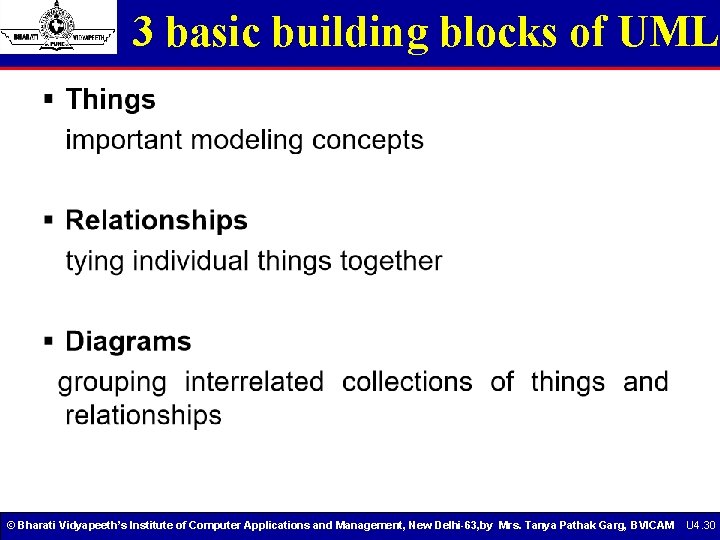
3 basic building blocks of UML © Bharati Vidyapeeth’s Institute of Computer Applications and Management, New Delhi-63, by Mrs. Tanya Pathak Garg, BVICAM U 4. 30
Why model? • Analyse the problem-domain § § simplify reality capture requirements visualize the system in its entirety specify the structure and/or behaviour of the system • Design the solution § document the solution - in terms of its structure, behavior, etc. © Bharati Vidyapeeth’s Institute of Computer Applications and Management, New Delhi-63, by Mrs. Tanya Pathak Garg, BVICAM U 4. 31
Conceptual Model of UML • A conceptual model needs to be formed by an individual to understand UML. • UML contains three types of building blocks: things, relationships, and diagrams. • Things § Structural things üClasses, interfaces, collaborations, use cases, components, and nodes. § Behavioral things üMessages and states. § Grouping things üPackages § Annotational things üNotes • Relationships: dependency, association, generalization , composition , link , aggregation etc. . • Diagrams: class, object, use case, sequence, collaboration, statechart, activity, component and deployment. © Bharati Vidyapeeth’s Institute of Computer Applications and Management, New Delhi-63, by Mrs. Tanya Pathak Garg, BVICAM U 4. 32
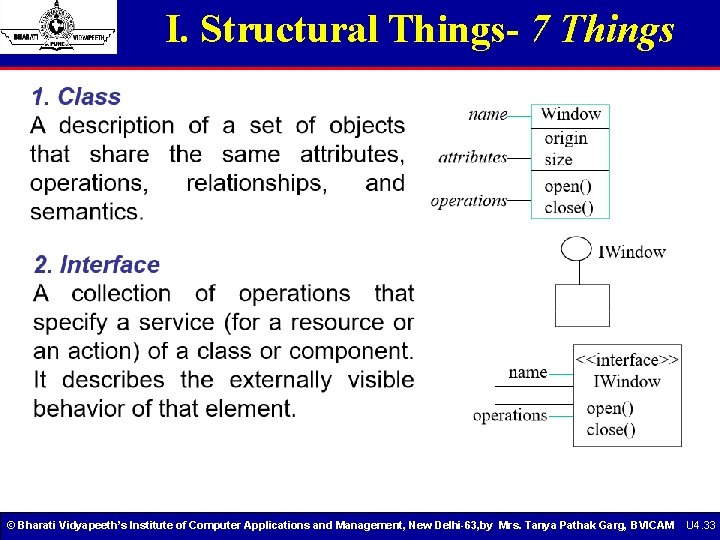
I. Structural Things- 7 Things © Bharati Vidyapeeth’s Institute of Computer Applications and Management, New Delhi-63, by Mrs. Tanya Pathak Garg, BVICAM U 4. 33
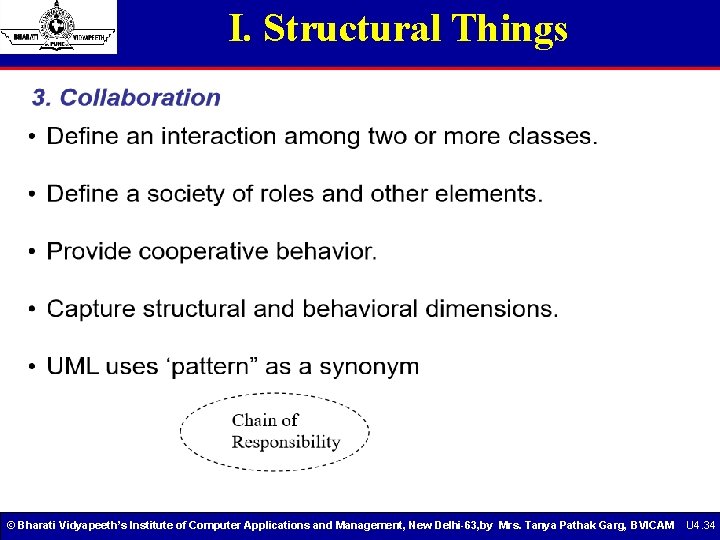
I. Structural Things © Bharati Vidyapeeth’s Institute of Computer Applications and Management, New Delhi-63, by Mrs. Tanya Pathak Garg, BVICAM U 4. 34
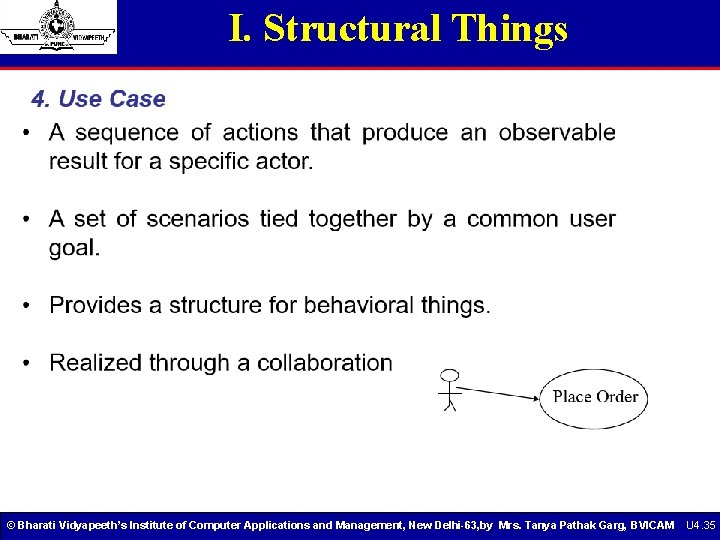
I. Structural Things © Bharati Vidyapeeth’s Institute of Computer Applications and Management, New Delhi-63, by Mrs. Tanya Pathak Garg, BVICAM U 4. 35
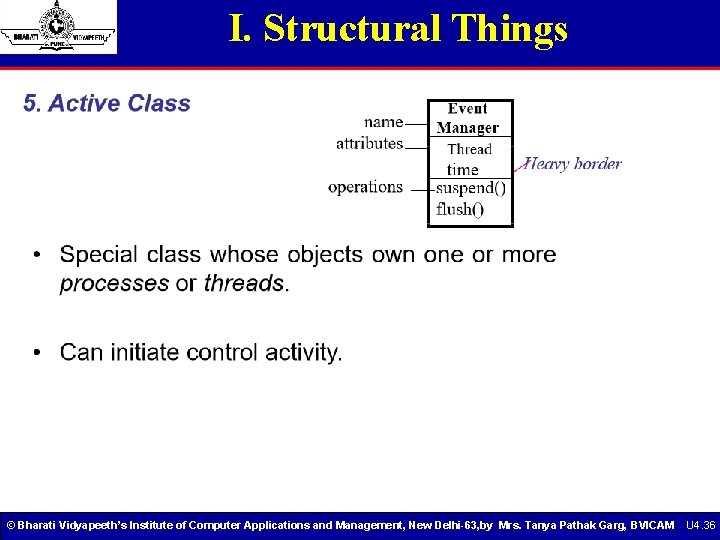
I. Structural Things © Bharati Vidyapeeth’s Institute of Computer Applications and Management, New Delhi-63, by Mrs. Tanya Pathak Garg, BVICAM U 4. 36
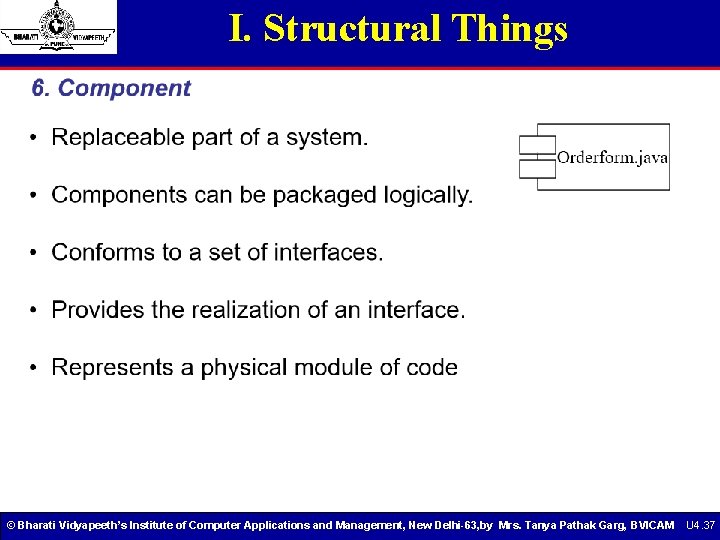
I. Structural Things © Bharati Vidyapeeth’s Institute of Computer Applications and Management, New Delhi-63, by Mrs. Tanya Pathak Garg, BVICAM U 4. 37
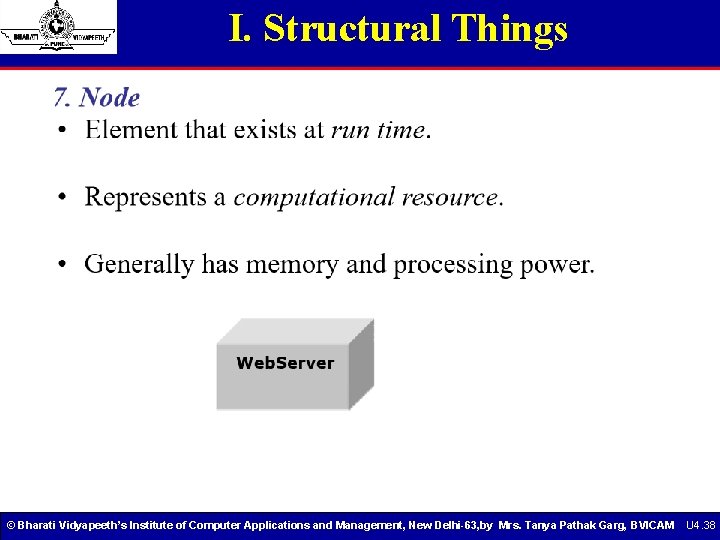
I. Structural Things © Bharati Vidyapeeth’s Institute of Computer Applications and Management, New Delhi-63, by Mrs. Tanya Pathak Garg, BVICAM U 4. 38
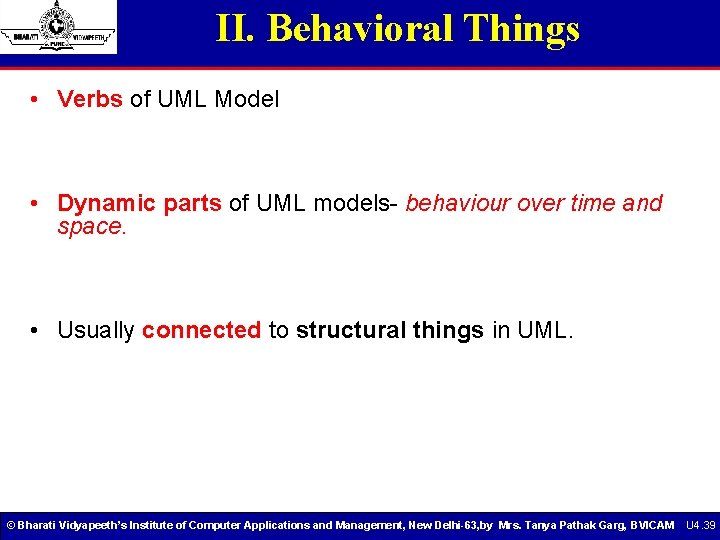
II. Behavioral Things • Verbs of UML Model • Dynamic parts of UML models- behaviour over time and space. • Usually connected to structural things in UML. © Bharati Vidyapeeth’s Institute of Computer Applications and Management, New Delhi-63, by Mrs. Tanya Pathak Garg, BVICAM U 4. 39
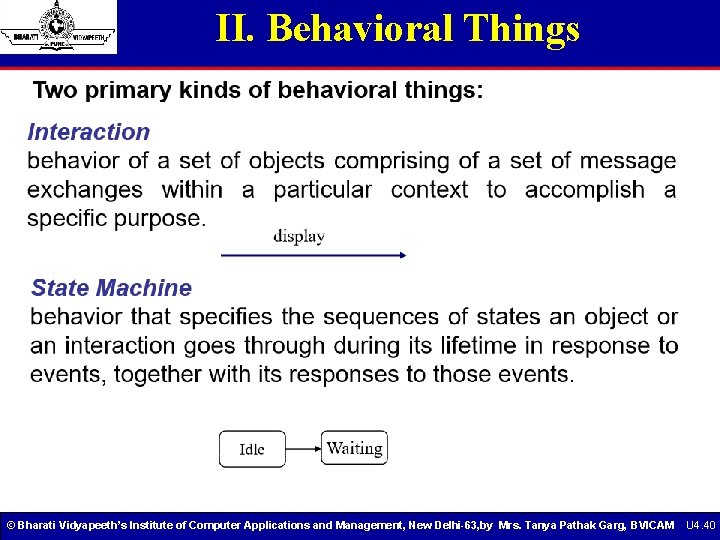
II. Behavioral Things © Bharati Vidyapeeth’s Institute of Computer Applications and Management, New Delhi-63, by Mrs. Tanya Pathak Garg, BVICAM U 4. 40
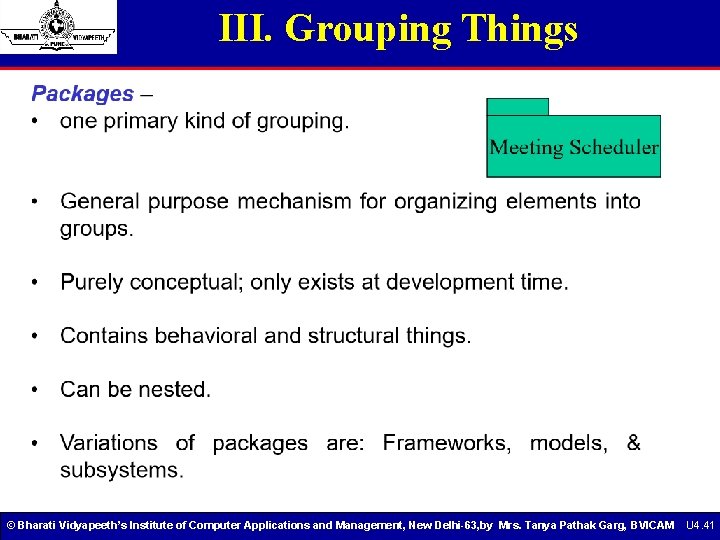
III. Grouping Things © Bharati Vidyapeeth’s Institute of Computer Applications and Management, New Delhi-63, by Mrs. Tanya Pathak Garg, BVICAM U 4. 41
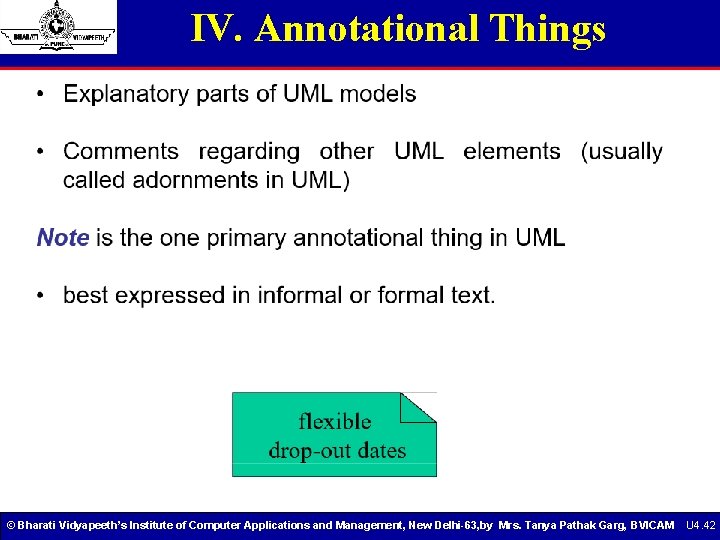
IV. Annotational Things © Bharati Vidyapeeth’s Institute of Computer Applications and Management, New Delhi-63, by Mrs. Tanya Pathak Garg, BVICAM U 4. 42
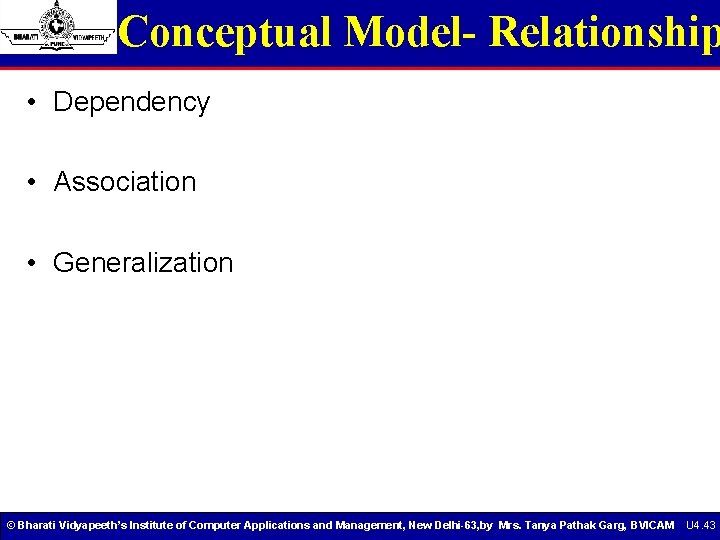
Conceptual Model- Relationship • Dependency • Association • Generalization © Bharati Vidyapeeth’s Institute of Computer Applications and Management, New Delhi-63, by Mrs. Tanya Pathak Garg, BVICAM U 4. 43
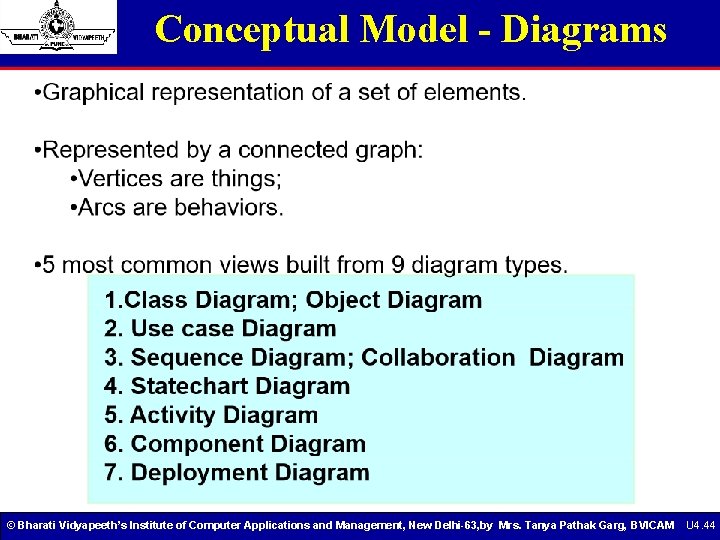
Conceptual Model - Diagrams © Bharati Vidyapeeth’s Institute of Computer Applications and Management, New Delhi-63, by Mrs. Tanya Pathak Garg, BVICAM U 4. 44
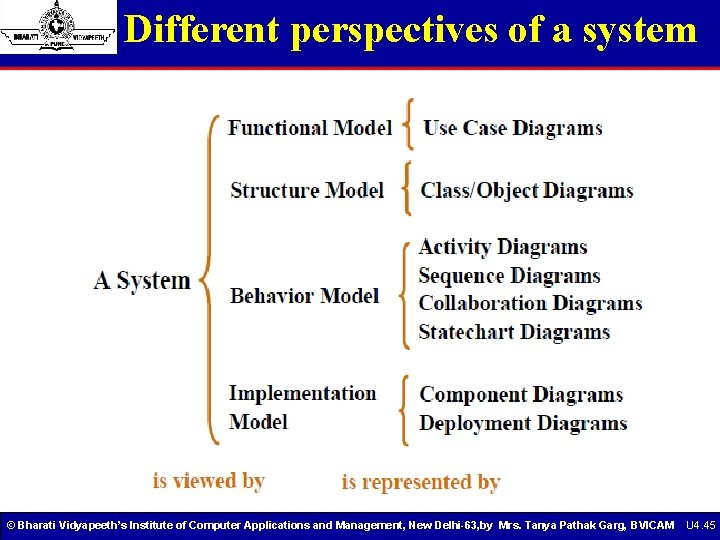
Different perspectives of a system © Bharati Vidyapeeth’s Institute of Computer Applications and Management, New Delhi-63, by Mrs. Tanya Pathak Garg, BVICAM U 4. 45
Architectural Views and Diagrams • User model view § relies on use case diagrams to describe the problem and its solution from the perspective of the customer or end user of a product • Structural model view § describes static aspects of the system through class diagrams and object diagrams • Behavioral model view § specifies dynamic aspects of the system through sequence diagrams, collaboration diagrams, state diagrams, and activity diagrams © Bharati Vidyapeeth’s Institute of Computer Applications and Management, New Delhi-63, by Mrs. Tanya Pathak Garg, BVICAM U 4. 46
Architectural Views and Diagrams • Implementation model view § concentrates on the specific realization of a solution, and depicts the organization of solution components in component diagrams • Environment model view § shows the configuration of elements in the environment, and indicates the mapping of solution components to those elements through deployment diagrams © Bharati Vidyapeeth’s Institute of Computer Applications and Management, New Delhi-63, by Mrs. Tanya Pathak Garg, BVICAM U 4. 47
4+1 Architecture of UML • Architecture refers to the different perspectives from which a complex system can be viewed. • The architecture of a software-intensive system is best described by five interlocking views: § Use case view: system as seen by users, analysts and testers. § Design view: classes, interfaces and collaborations that make up the system. § Process view: active classes (threads). § Implementation view: files that include the system. § Deployment view: nodes on which SW resides. © Bharati Vidyapeeth’s Institute of Computer Applications and Management, New Delhi-63, by Mrs. Tanya Pathak Garg, BVICAM U 4. 48
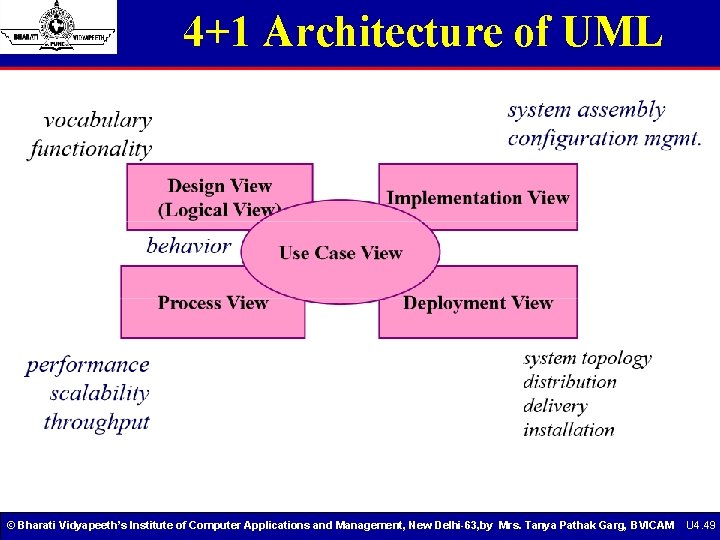
4+1 Architecture of UML © Bharati Vidyapeeth’s Institute of Computer Applications and Management, New Delhi-63, by Mrs. Tanya Pathak Garg, BVICAM U 4. 49
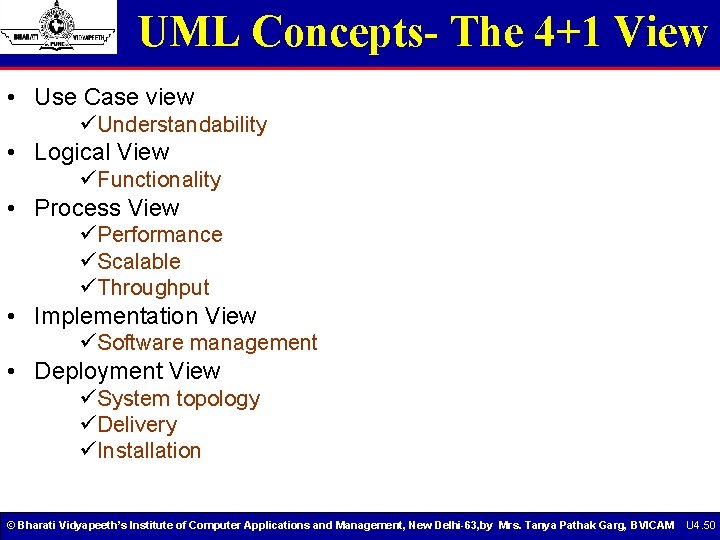
UML Concepts- The 4+1 View • Use Case view üUnderstandability • Logical View üFunctionality • Process View üPerformance üScalable üThroughput • Implementation View üSoftware management • Deployment View üSystem topology üDelivery üInstallation © Bharati Vidyapeeth’s Institute of Computer Applications and Management, New Delhi-63, by Mrs. Tanya Pathak Garg, BVICAM U 4. 50
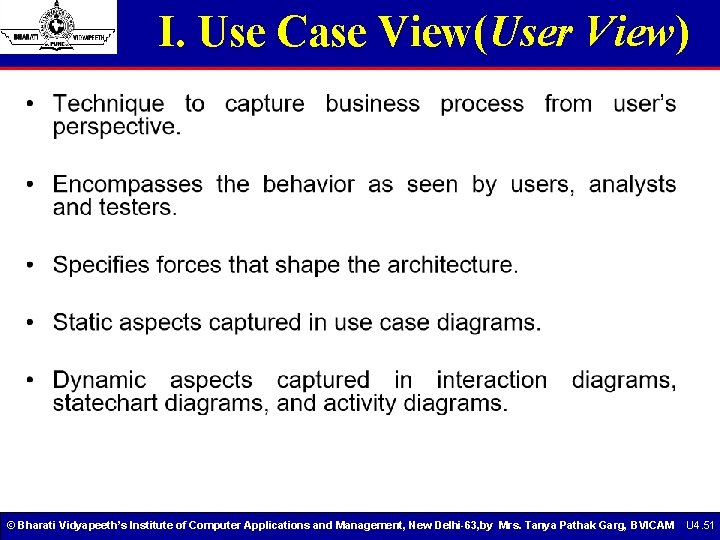
I. Use Case View(User View) © Bharati Vidyapeeth’s Institute of Computer Applications and Management, New Delhi-63, by Mrs. Tanya Pathak Garg, BVICAM U 4. 51
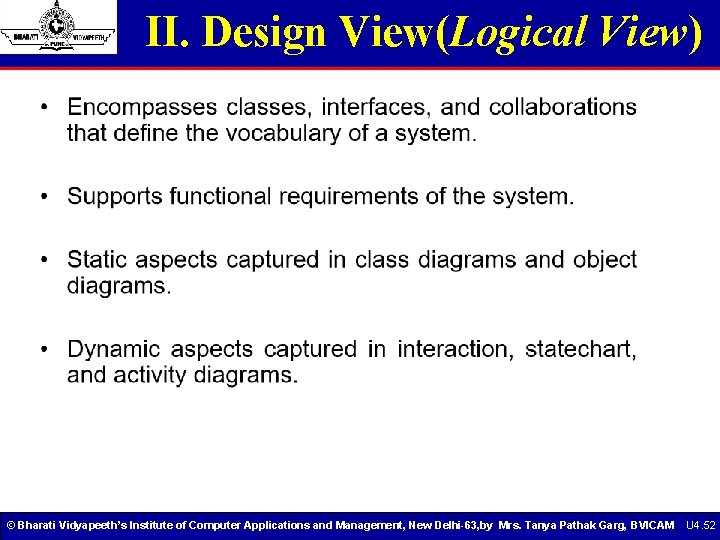
II. Design View(Logical View) © Bharati Vidyapeeth’s Institute of Computer Applications and Management, New Delhi-63, by Mrs. Tanya Pathak Garg, BVICAM U 4. 52
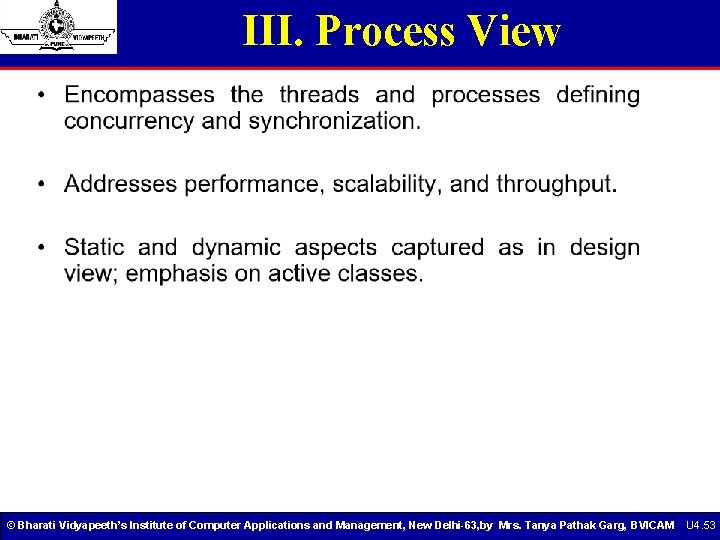
III. Process View © Bharati Vidyapeeth’s Institute of Computer Applications and Management, New Delhi-63, by Mrs. Tanya Pathak Garg, BVICAM U 4. 53
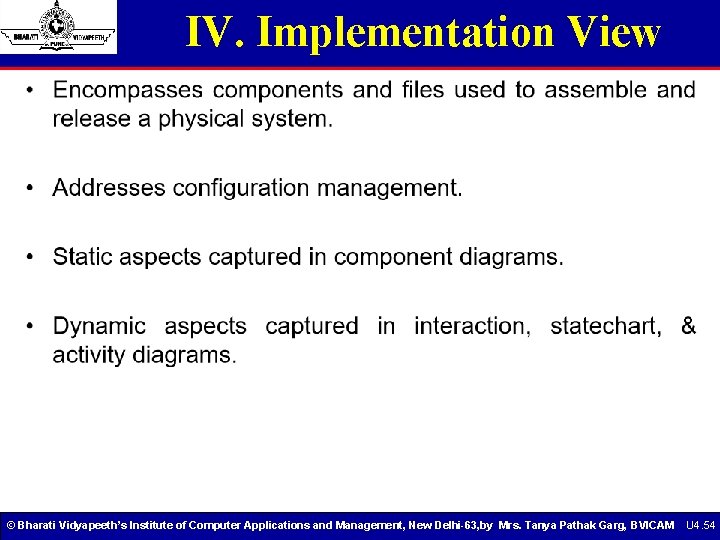
IV. Implementation View © Bharati Vidyapeeth’s Institute of Computer Applications and Management, New Delhi-63, by Mrs. Tanya Pathak Garg, BVICAM U 4. 54
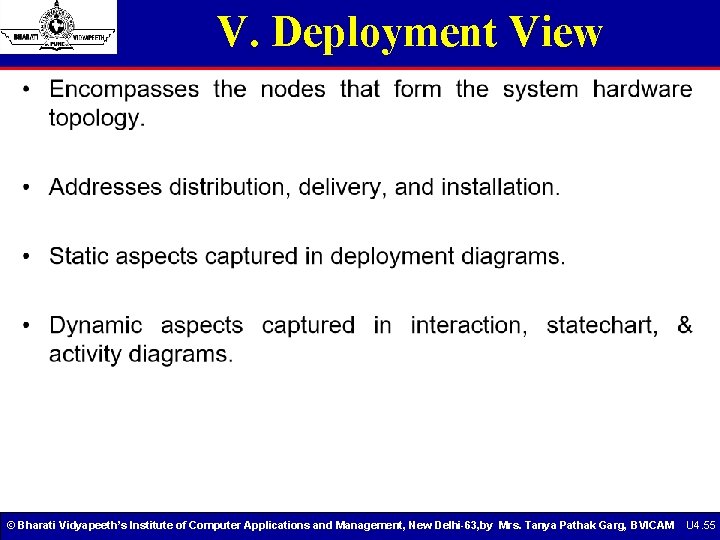
V. Deployment View © Bharati Vidyapeeth’s Institute of Computer Applications and Management, New Delhi-63, by Mrs. Tanya Pathak Garg, BVICAM U 4. 55
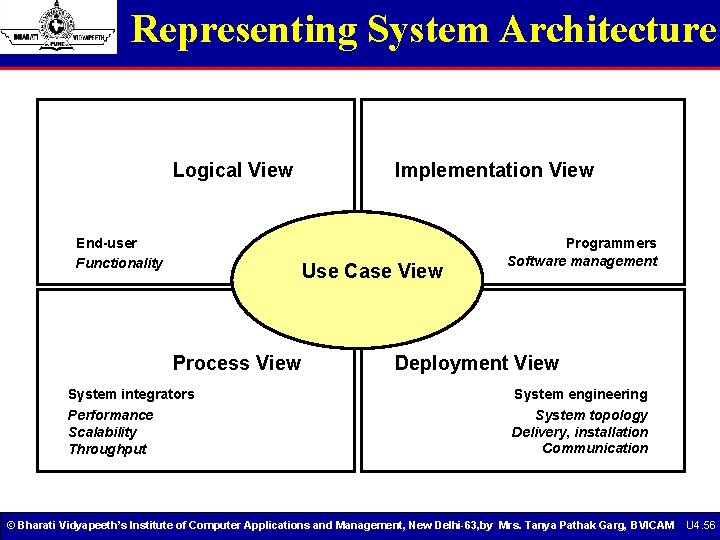
Representing System Architecture Logical View End-user Functionality Implementation View Use Case View Process View System integrators Performance Scalability Throughput Programmers Software management Deployment View System engineering System topology Delivery, installation Communication © Bharati Vidyapeeth’s Institute of Computer Applications and Management, New Delhi-63, by Mrs. Tanya Pathak Garg, BVICAM U 4. 56
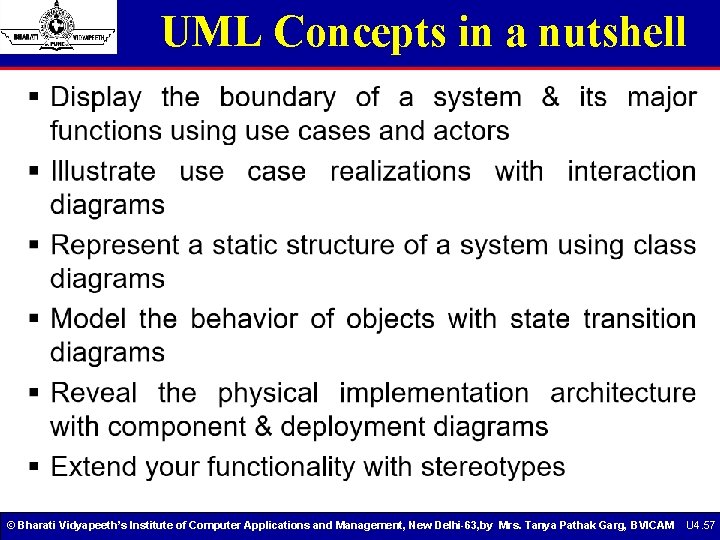
UML Concepts in a nutshell © Bharati Vidyapeeth’s Institute of Computer Applications and Management, New Delhi-63, by Mrs. Tanya Pathak Garg, BVICAM U 4. 57
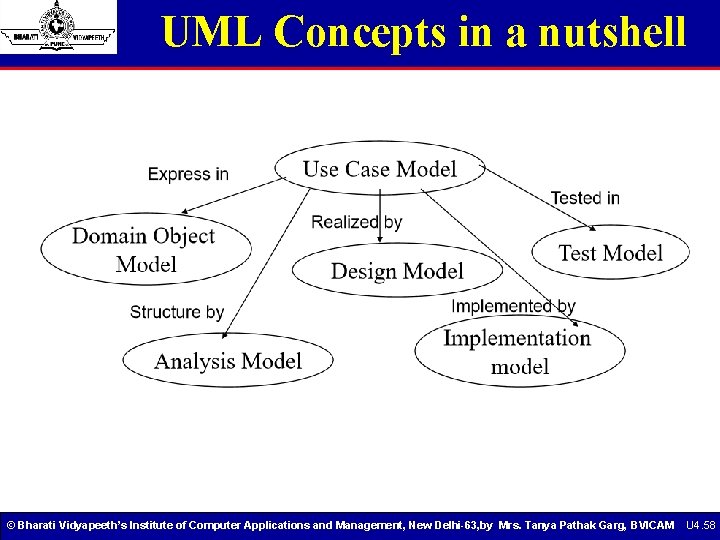
UML Concepts in a nutshell © Bharati Vidyapeeth’s Institute of Computer Applications and Management, New Delhi-63, by Mrs. Tanya Pathak Garg, BVICAM U 4. 58
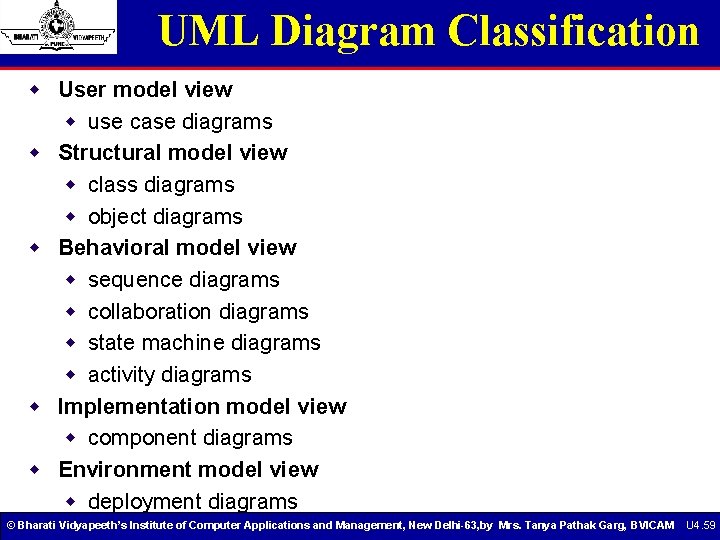
UML Diagram Classification w User model view w use case diagrams w Structural model view w class diagrams w object diagrams w Behavioral model view w sequence diagrams w collaboration diagrams w state machine diagrams w activity diagrams w Implementation model view w component diagrams w Environment model view w deployment diagrams © Bharati Vidyapeeth’s Institute of Computer Applications and Management, New Delhi-63, by Mrs. Tanya Pathak Garg, BVICAM U 4. 59
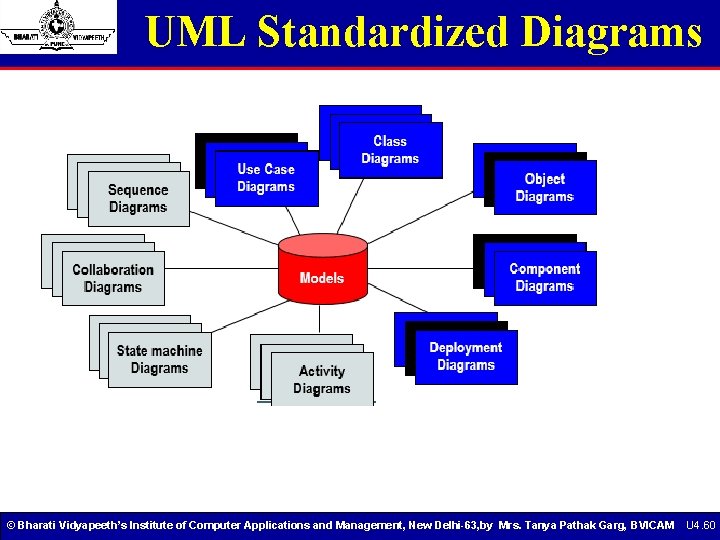
UML Standardized Diagrams © Bharati Vidyapeeth’s Institute of Computer Applications and Management, New Delhi-63, by Mrs. Tanya Pathak Garg, BVICAM U 4. 60
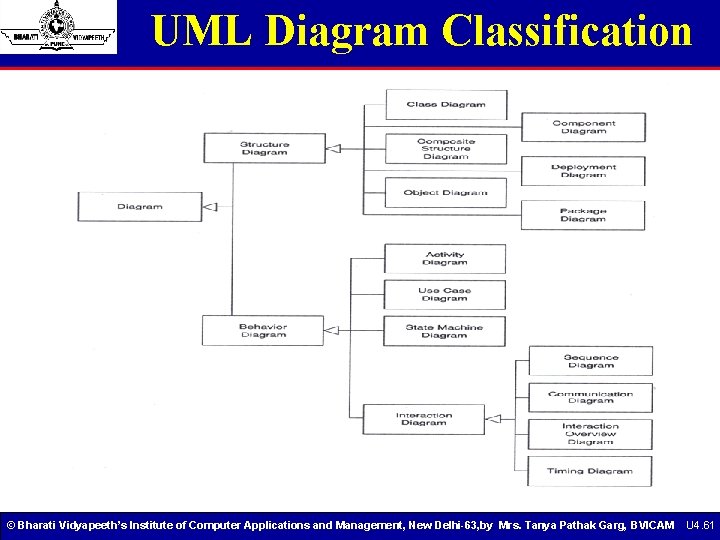
UML Diagram Classification © Bharati Vidyapeeth’s Institute of Computer Applications and Management, New Delhi-63, by Mrs. Tanya Pathak Garg, BVICAM U 4. 61
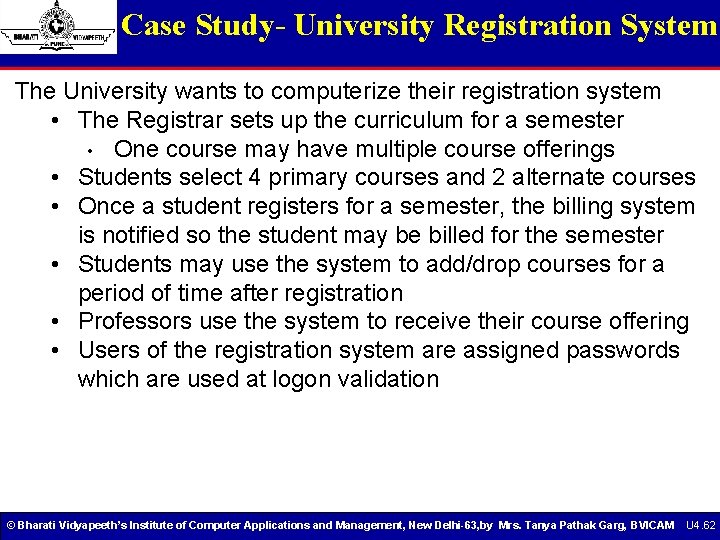
Case Study- University Registration System The University wants to computerize their registration system • The Registrar sets up the curriculum for a semester • One course may have multiple course offerings • Students select 4 primary courses and 2 alternate courses • Once a student registers for a semester, the billing system is notified so the student may be billed for the semester • Students may use the system to add/drop courses for a period of time after registration • Professors use the system to receive their course offering • Users of the registration system are assigned passwords which are used at logon validation © Bharati Vidyapeeth’s Institute of Computer Applications and Management, New Delhi-63, by Mrs. Tanya Pathak Garg, BVICAM U 4. 62
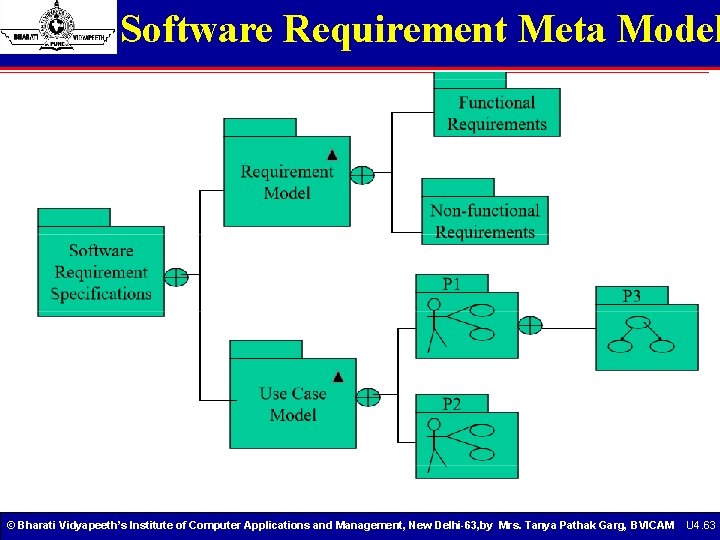
Software Requirement Meta Model © Bharati Vidyapeeth’s Institute of Computer Applications and Management, New Delhi-63, by Mrs. Tanya Pathak Garg, BVICAM U 4. 63
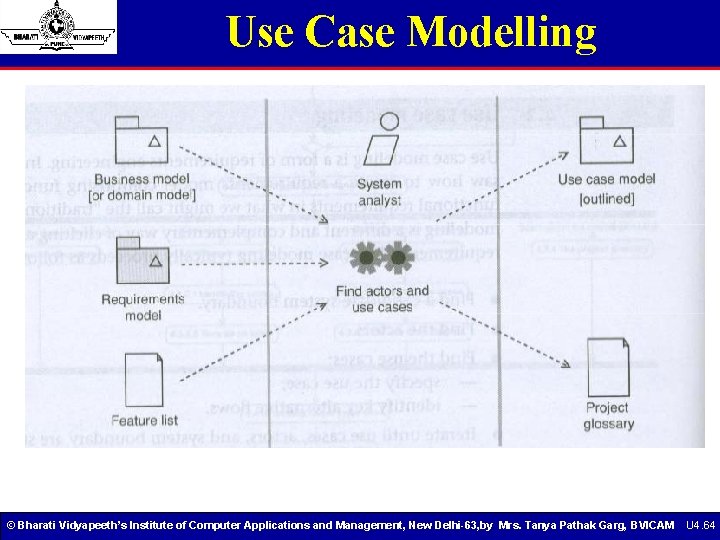
Use Case Modelling © Bharati Vidyapeeth’s Institute of Computer Applications and Management, New Delhi-63, by Mrs. Tanya Pathak Garg, BVICAM U 4. 64
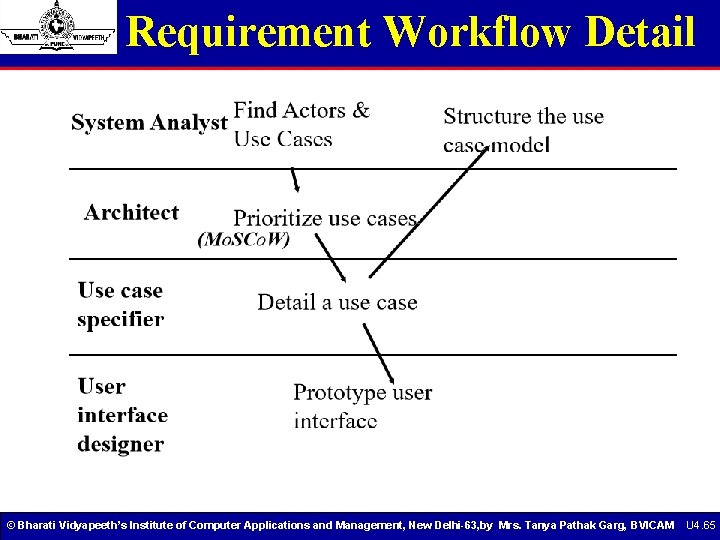
Requirement Workflow Detail © Bharati Vidyapeeth’s Institute of Computer Applications and Management, New Delhi-63, by Mrs. Tanya Pathak Garg, BVICAM U 4. 65
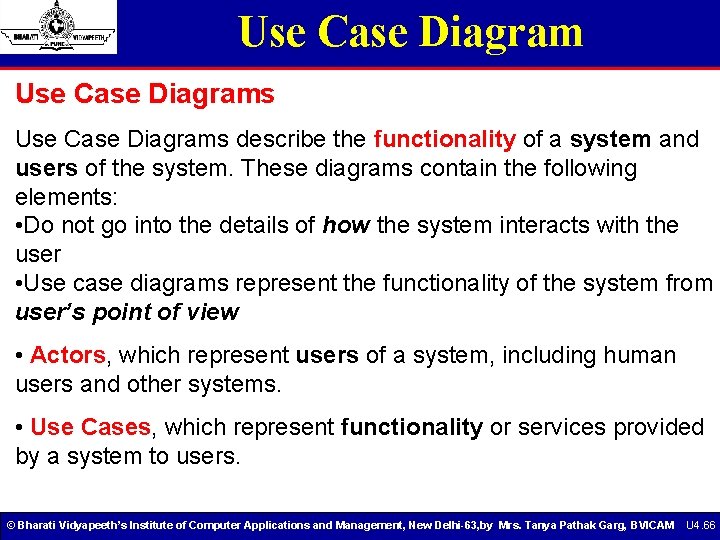
Use Case Diagrams describe the functionality of a system and users of the system. These diagrams contain the following elements: • Do not go into the details of how the system interacts with the user • Use case diagrams represent the functionality of the system from user’s point of view • Actors, which represent users of a system, including human users and other systems. • Use Cases, which represent functionality or services provided by a system to users. © Bharati Vidyapeeth’s Institute of Computer Applications and Management, New Delhi-63, by Mrs. Tanya Pathak Garg, BVICAM U 4. 66
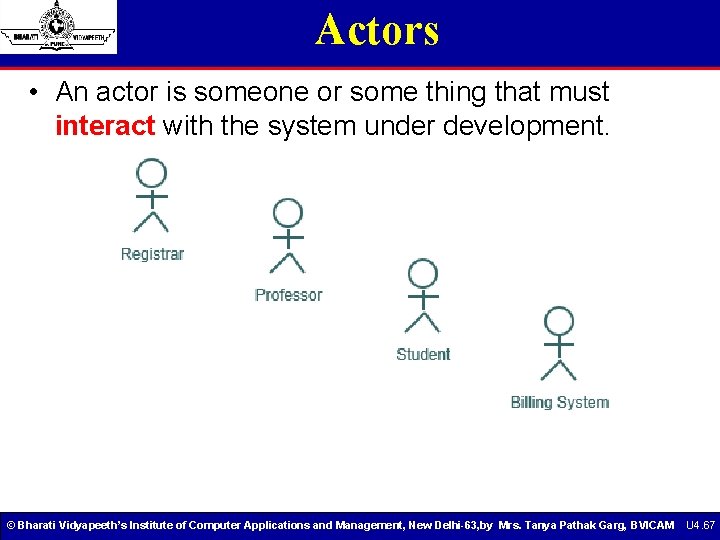
Actors • An actor is someone or some thing that must interact with the system under development. © Bharati Vidyapeeth’s Institute of Computer Applications and Management, New Delhi-63, by Mrs. Tanya Pathak Garg, BVICAM U 4. 67
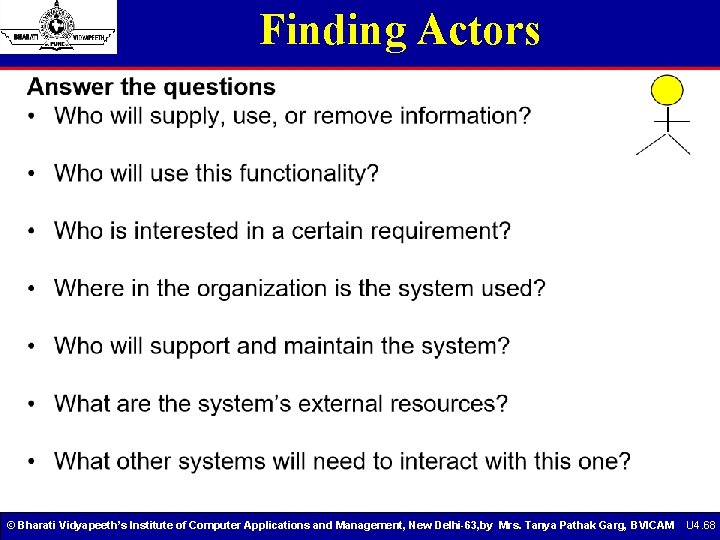
Finding Actors © Bharati Vidyapeeth’s Institute of Computer Applications and Management, New Delhi-63, by Mrs. Tanya Pathak Garg, BVICAM U 4. 68
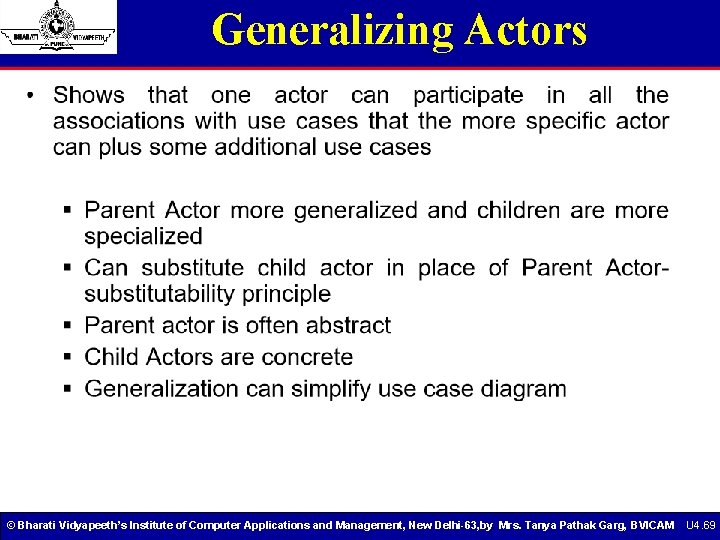
Generalizing Actors © Bharati Vidyapeeth’s Institute of Computer Applications and Management, New Delhi-63, by Mrs. Tanya Pathak Garg, BVICAM U 4. 69
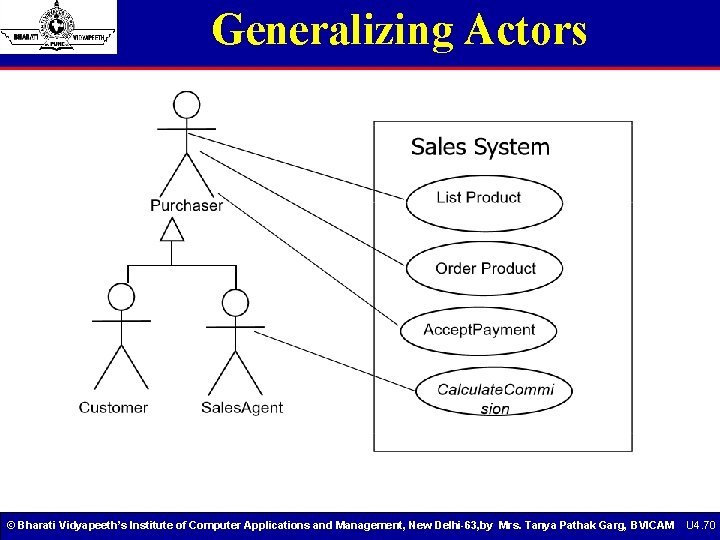
Generalizing Actors © Bharati Vidyapeeth’s Institute of Computer Applications and Management, New Delhi-63, by Mrs. Tanya Pathak Garg, BVICAM U 4. 70
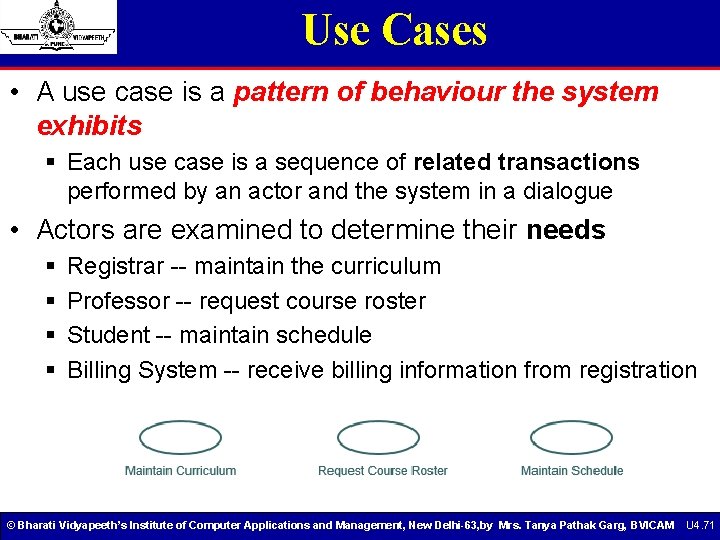
Use Cases • A use case is a pattern of behaviour the system exhibits § Each use case is a sequence of related transactions performed by an actor and the system in a dialogue • Actors are examined to determine their needs § § Registrar -- maintain the curriculum Professor -- request course roster Student -- maintain schedule Billing System -- receive billing information from registration © Bharati Vidyapeeth’s Institute of Computer Applications and Management, New Delhi-63, by Mrs. Tanya Pathak Garg, BVICAM U 4. 71
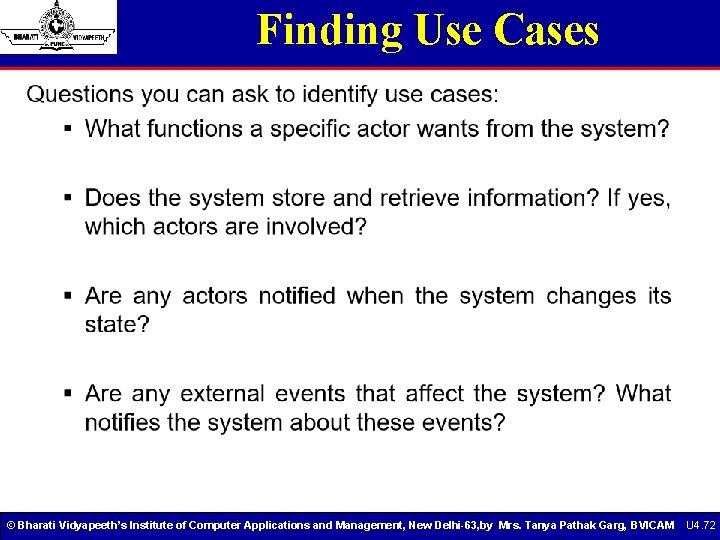
Finding Use Cases © Bharati Vidyapeeth’s Institute of Computer Applications and Management, New Delhi-63, by Mrs. Tanya Pathak Garg, BVICAM U 4. 72
Generalizing Use Cases © Bharati Vidyapeeth’s Institute of Computer Applications and Management, New Delhi-63, by Mrs. Tanya Pathak Garg, BVICAM U 4. 73
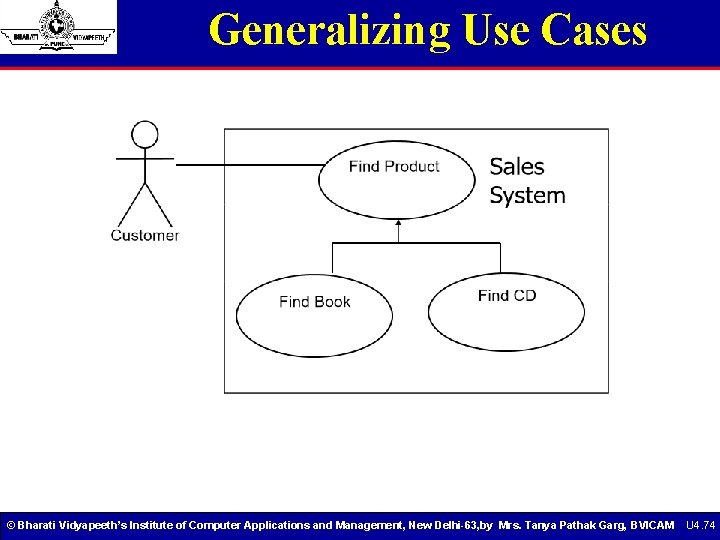
Generalizing Use Cases © Bharati Vidyapeeth’s Institute of Computer Applications and Management, New Delhi-63, by Mrs. Tanya Pathak Garg, BVICAM U 4. 74
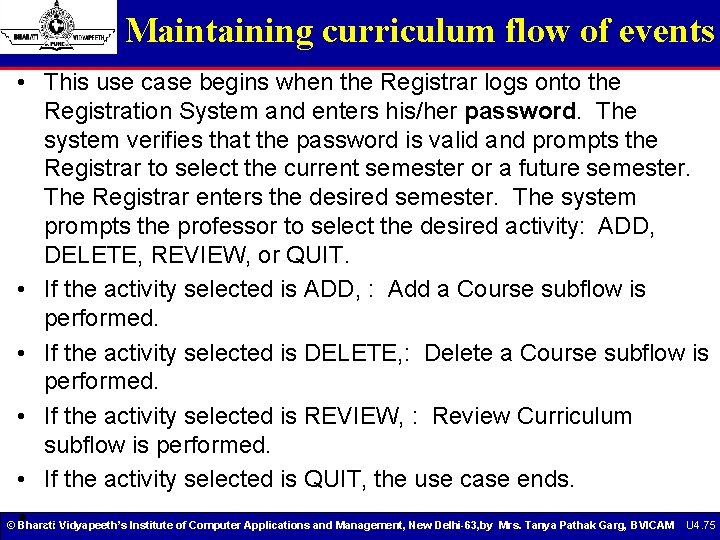
Maintaining curriculum flow of events • This use case begins when the Registrar logs onto the Registration System and enters his/her password. The system verifies that the password is valid and prompts the Registrar to select the current semester or a future semester. The Registrar enters the desired semester. The system prompts the professor to select the desired activity: ADD, DELETE, REVIEW, or QUIT. • If the activity selected is ADD, : Add a Course subflow is performed. • If the activity selected is DELETE, : Delete a Course subflow is performed. • If the activity selected is REVIEW, : Review Curriculum subflow is performed. • If the activity selected is QUIT, the use case ends. • . . . © Bharati Vidyapeeth’s Institute of Computer Applications and Management, New Delhi-63, by Mrs. Tanya Pathak Garg, BVICAM U 4. 75
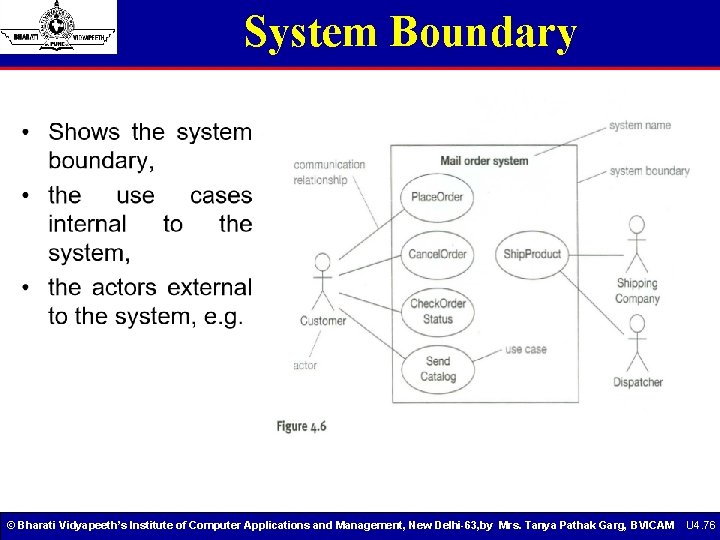
System Boundary © Bharati Vidyapeeth’s Institute of Computer Applications and Management, New Delhi-63, by Mrs. Tanya Pathak Garg, BVICAM U 4. 76
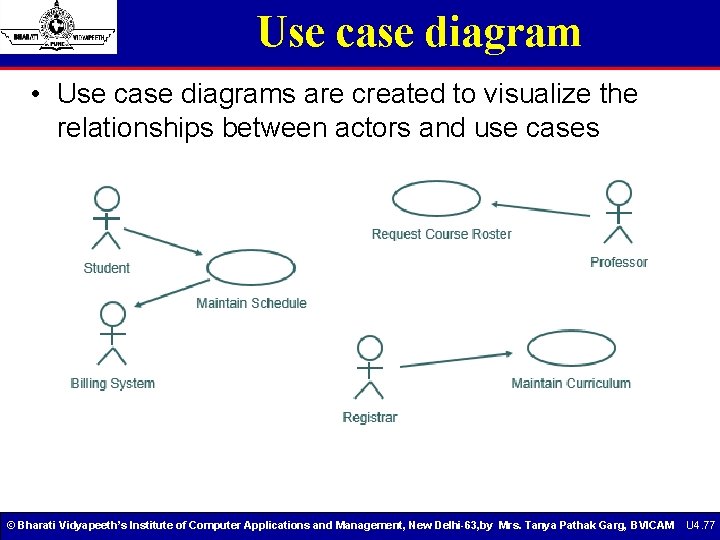
Use case diagram • Use case diagrams are created to visualize the relationships between actors and use cases © Bharati Vidyapeeth’s Institute of Computer Applications and Management, New Delhi-63, by Mrs. Tanya Pathak Garg, BVICAM U 4. 77
Use case dependencies © Bharati Vidyapeeth’s Institute of Computer Applications and Management, New Delhi-63, by Mrs. Tanya Pathak Garg, BVICAM U 4. 78
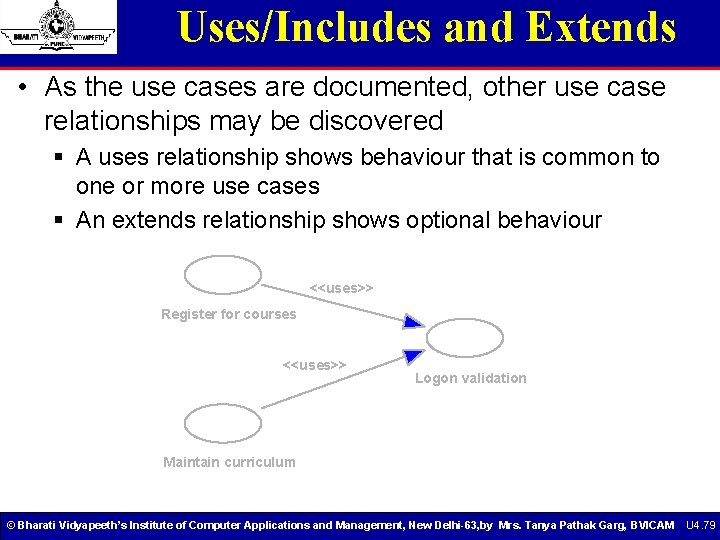
Uses/Includes and Extends • As the use cases are documented, other use case relationships may be discovered § A uses relationship shows behaviour that is common to one or more use cases § An extends relationship shows optional behaviour <<uses>> Register for courses <<uses>> Logon validation Maintain curriculum © Bharati Vidyapeeth’s Institute of Computer Applications and Management, New Delhi-63, by Mrs. Tanya Pathak Garg, BVICAM U 4. 79
Include © Bharati Vidyapeeth’s Institute of Computer Applications and Management, New Delhi-63, by Mrs. Tanya Pathak Garg, BVICAM U 4. 80
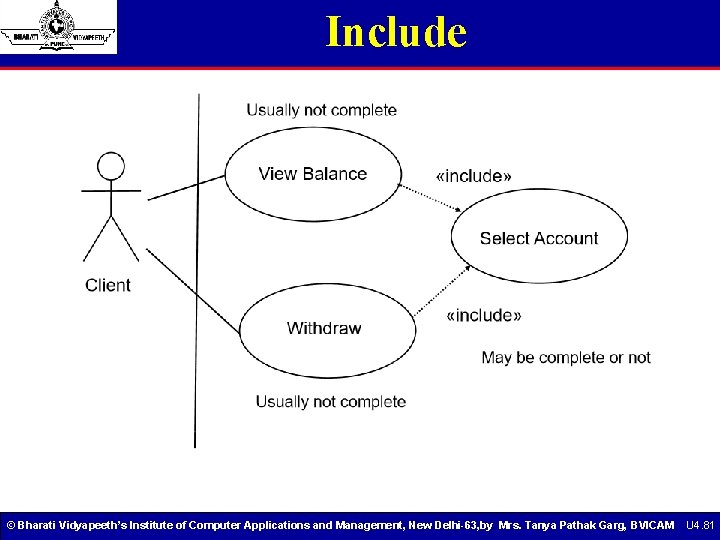
Include © Bharati Vidyapeeth’s Institute of Computer Applications and Management, New Delhi-63, by Mrs. Tanya Pathak Garg, BVICAM U 4. 81
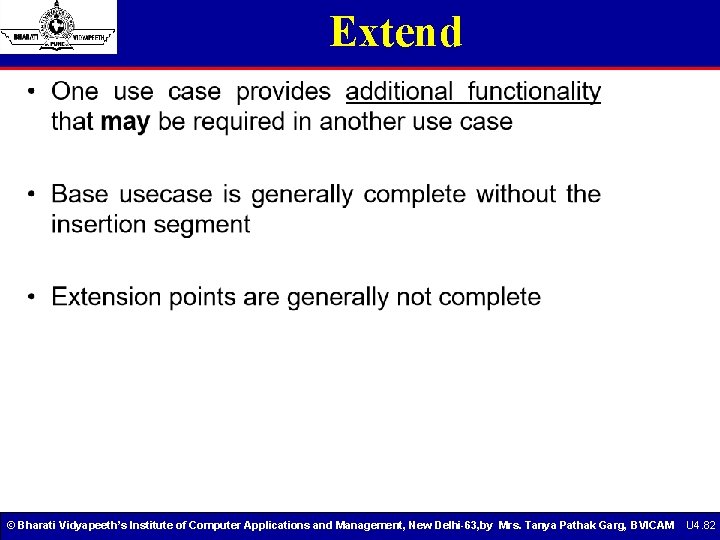
Extend © Bharati Vidyapeeth’s Institute of Computer Applications and Management, New Delhi-63, by Mrs. Tanya Pathak Garg, BVICAM U 4. 82
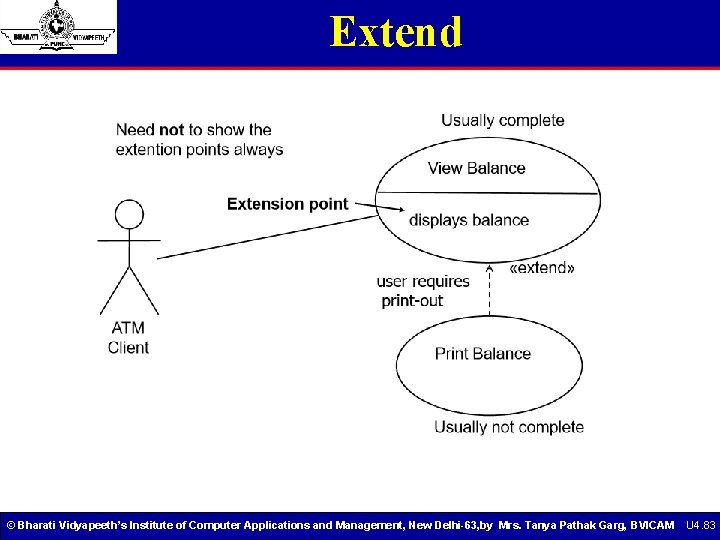
Extend © Bharati Vidyapeeth’s Institute of Computer Applications and Management, New Delhi-63, by Mrs. Tanya Pathak Garg, BVICAM U 4. 83
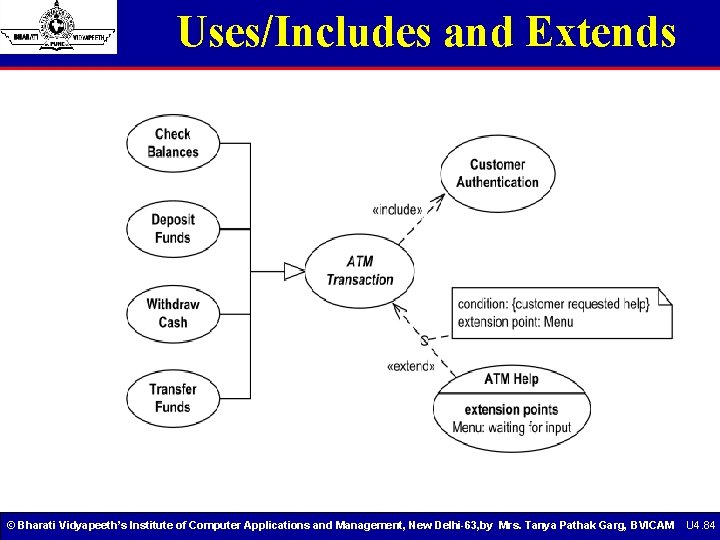
Uses/Includes and Extends © Bharati Vidyapeeth’s Institute of Computer Applications and Management, New Delhi-63, by Mrs. Tanya Pathak Garg, BVICAM U 4. 84
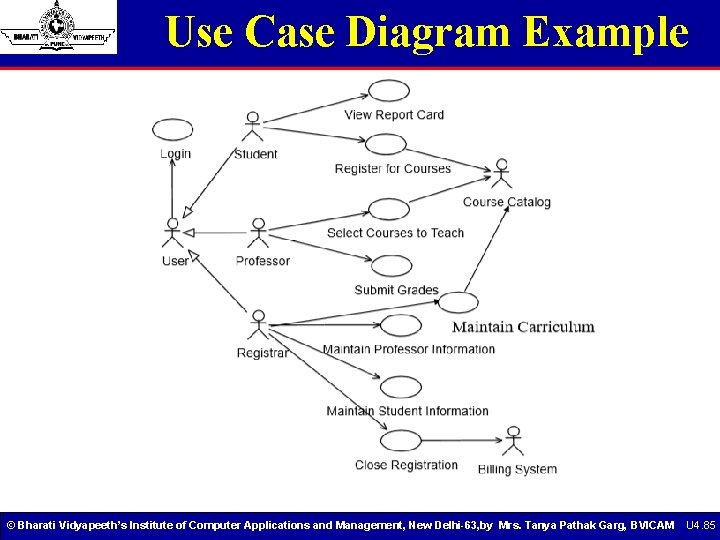
Use Case Diagram Example © Bharati Vidyapeeth’s Institute of Computer Applications and Management, New Delhi-63, by Mrs. Tanya Pathak Garg, BVICAM U 4. 85
Documenting a Use Case • A flow of events document is created for each use cases § Written from an actor point of view • Details what the system must provide to the actor when the use cases is executed • Typical contents § § How the use case starts and ends Normal flow of events Alternate flow of events Exceptional flow of events © Bharati Vidyapeeth’s Institute of Computer Applications and Management, New Delhi-63, by Mrs. Tanya Pathak Garg, BVICAM U 4. 86
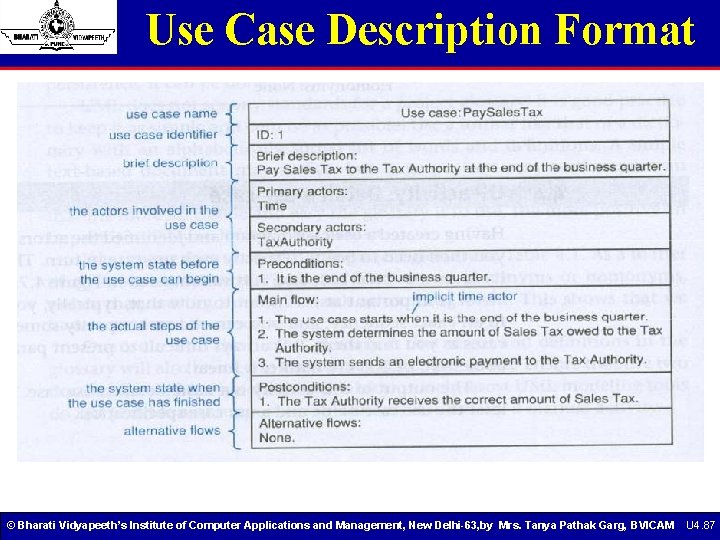
Use Case Description Format © Bharati Vidyapeeth’s Institute of Computer Applications and Management, New Delhi-63, by Mrs. Tanya Pathak Garg, BVICAM U 4. 87
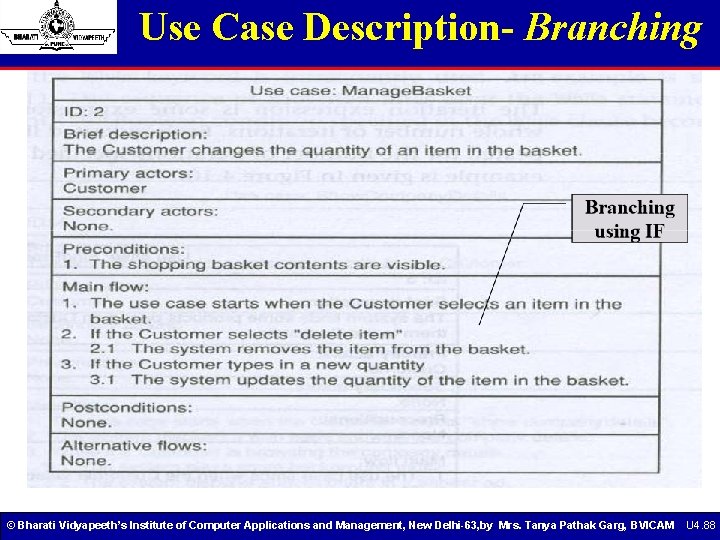
Use Case Description- Branching © Bharati Vidyapeeth’s Institute of Computer Applications and Management, New Delhi-63, by Mrs. Tanya Pathak Garg, BVICAM U 4. 88
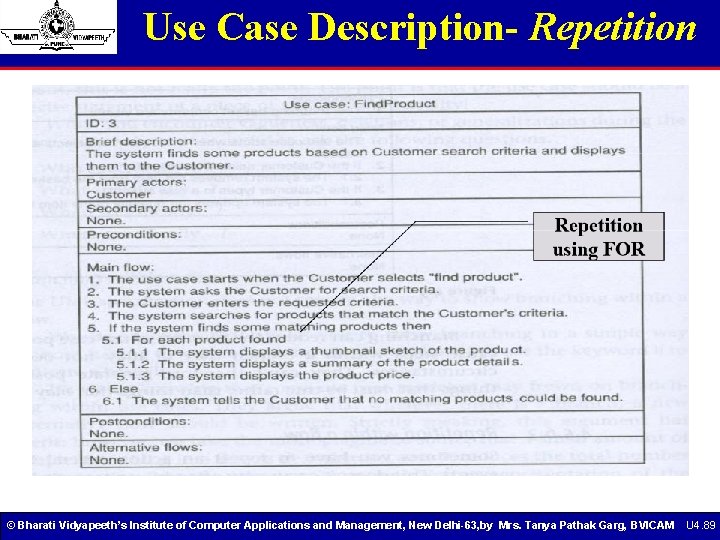
Use Case Description- Repetition © Bharati Vidyapeeth’s Institute of Computer Applications and Management, New Delhi-63, by Mrs. Tanya Pathak Garg, BVICAM U 4. 89
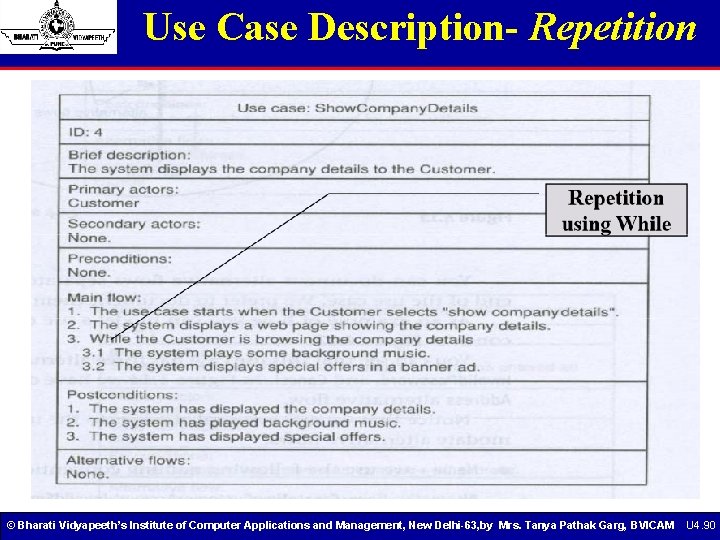
Use Case Description- Repetition © Bharati Vidyapeeth’s Institute of Computer Applications and Management, New Delhi-63, by Mrs. Tanya Pathak Garg, BVICAM U 4. 90
Use Case Model- Max. Applicability © Bharati Vidyapeeth’s Institute of Computer Applications and Management, New Delhi-63, by Mrs. Tanya Pathak Garg, BVICAM U 4. 91
Use Case Model- Min. Applicability © Bharati Vidyapeeth’s Institute of Computer Applications and Management, New Delhi-63, by Mrs. Tanya Pathak Garg, BVICAM U 4. 92
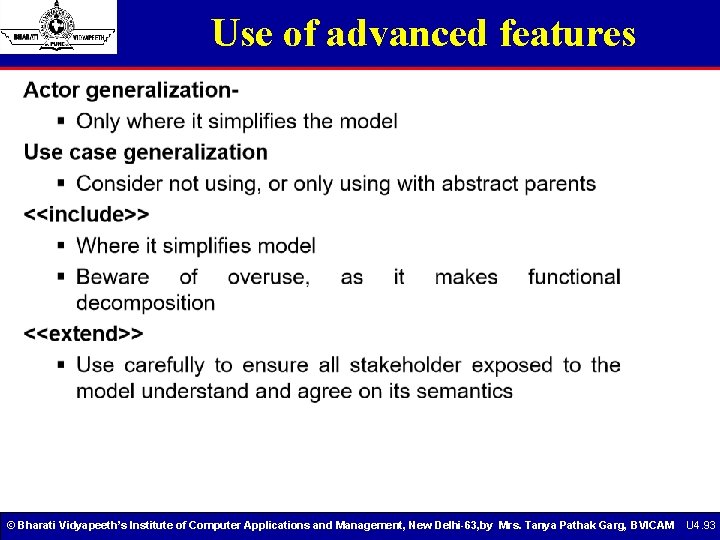
Use of advanced features © Bharati Vidyapeeth’s Institute of Computer Applications and Management, New Delhi-63, by Mrs. Tanya Pathak Garg, BVICAM U 4. 93
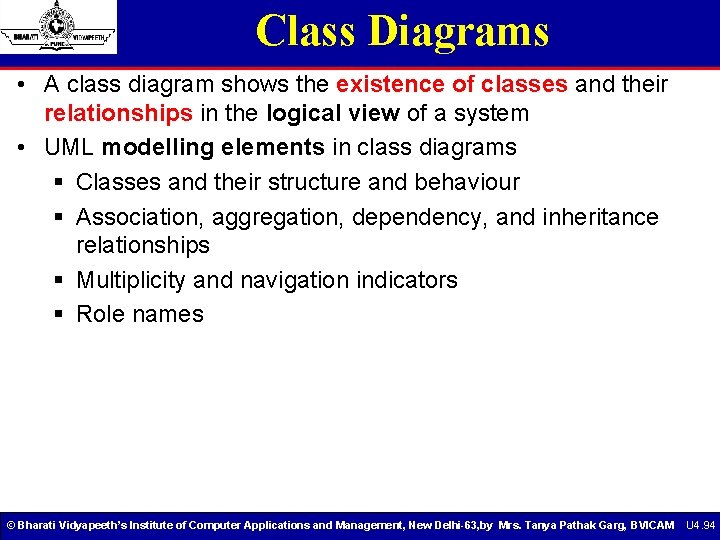
Class Diagrams • A class diagram shows the existence of classes and their relationships in the logical view of a system • UML modelling elements in class diagrams § Classes and their structure and behaviour § Association, aggregation, dependency, and inheritance relationships § Multiplicity and navigation indicators § Role names © Bharati Vidyapeeth’s Institute of Computer Applications and Management, New Delhi-63, by Mrs. Tanya Pathak Garg, BVICAM U 4. 94
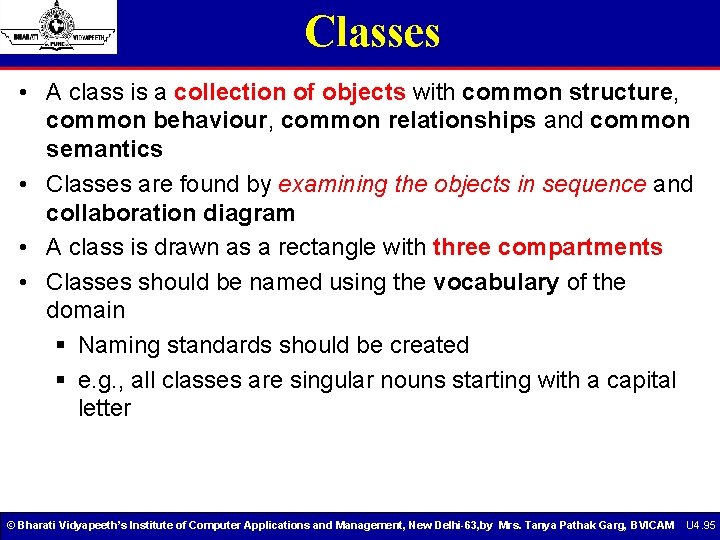
Classes • A class is a collection of objects with common structure, common behaviour, common relationships and common semantics • Classes are found by examining the objects in sequence and collaboration diagram • A class is drawn as a rectangle with three compartments • Classes should be named using the vocabulary of the domain § Naming standards should be created § e. g. , all classes are singular nouns starting with a capital letter © Bharati Vidyapeeth’s Institute of Computer Applications and Management, New Delhi-63, by Mrs. Tanya Pathak Garg, BVICAM U 4. 95
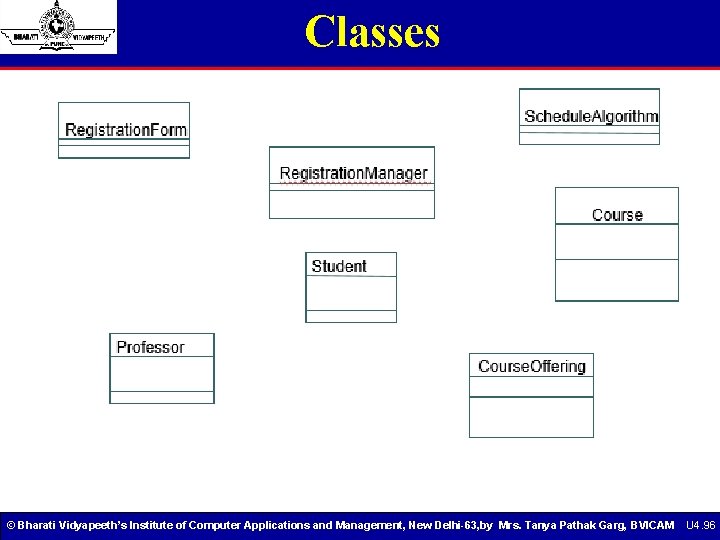
Classes © Bharati Vidyapeeth’s Institute of Computer Applications and Management, New Delhi-63, by Mrs. Tanya Pathak Garg, BVICAM U 4. 96
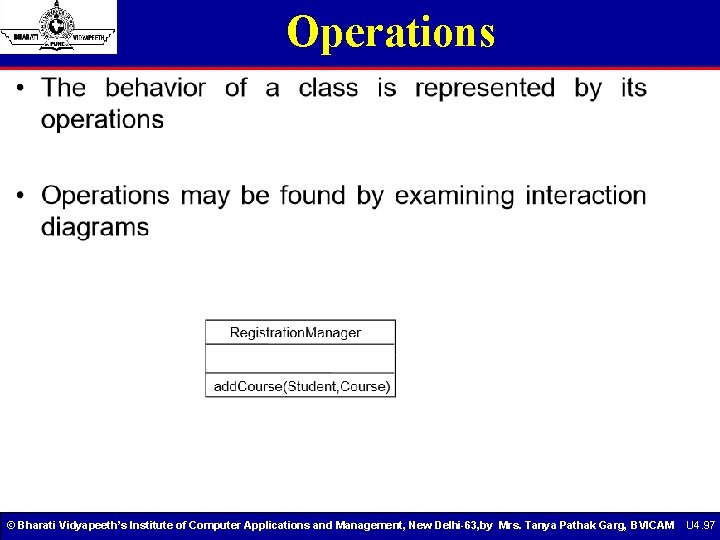
Operations © Bharati Vidyapeeth’s Institute of Computer Applications and Management, New Delhi-63, by Mrs. Tanya Pathak Garg, BVICAM U 4. 97
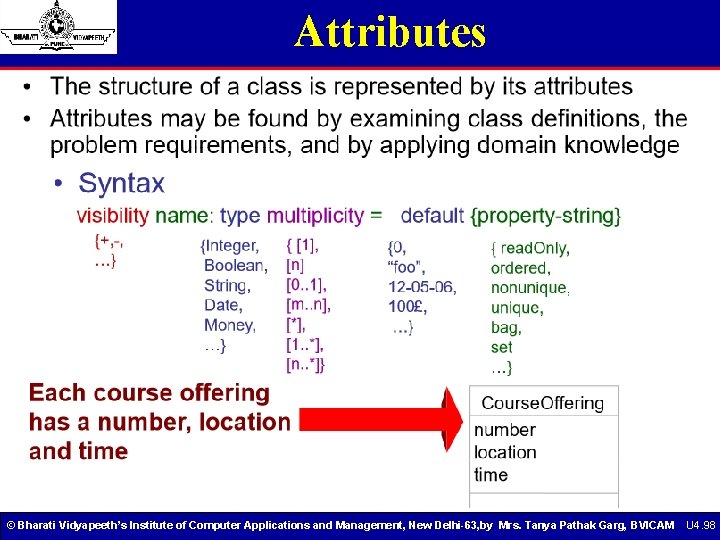
Attributes © Bharati Vidyapeeth’s Institute of Computer Applications and Management, New Delhi-63, by Mrs. Tanya Pathak Garg, BVICAM U 4. 98
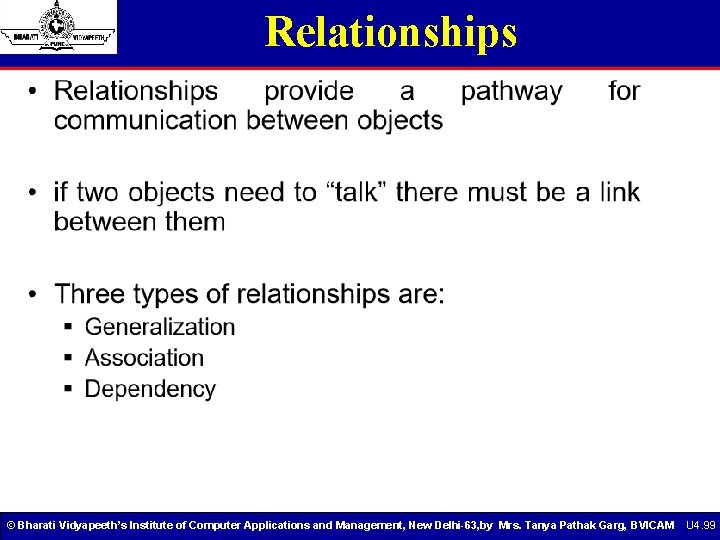
Relationships © Bharati Vidyapeeth’s Institute of Computer Applications and Management, New Delhi-63, by Mrs. Tanya Pathak Garg, BVICAM U 4. 99
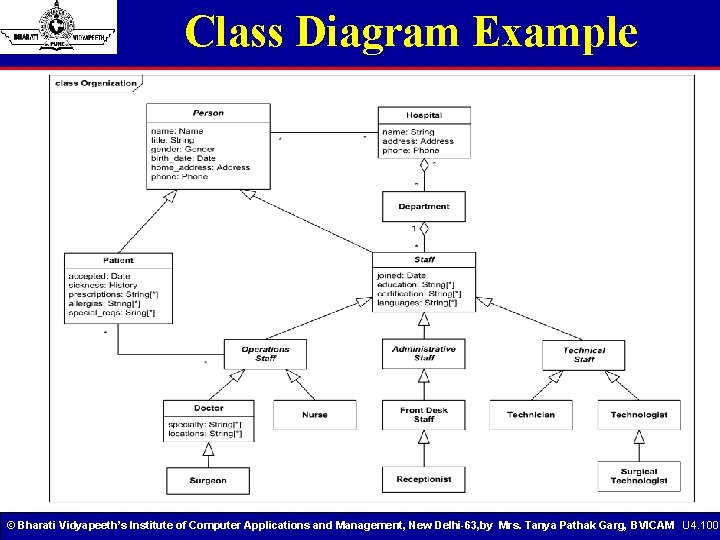
Class Diagram Example © Bharati Vidyapeeth’s Institute of Computer Applications and Management, New Delhi-63, by Mrs. Tanya Pathak Garg, BVICAM U 4. 100
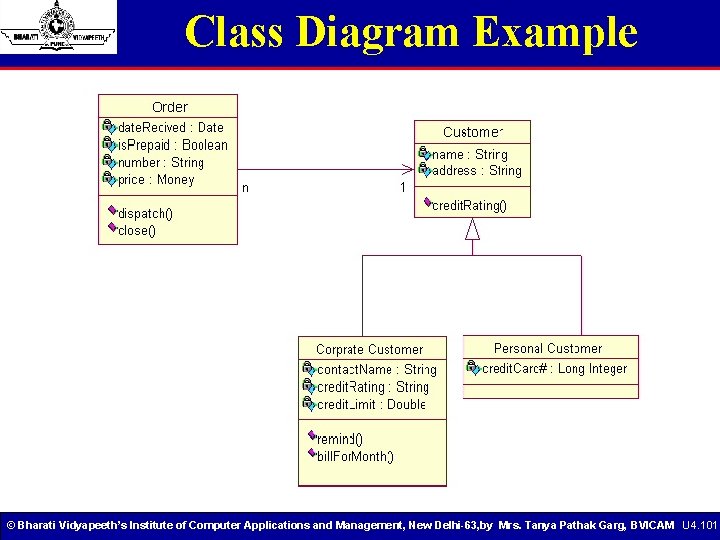
Class Diagram Example © Bharati Vidyapeeth’s Institute of Computer Applications and Management, New Delhi-63, by Mrs. Tanya Pathak Garg, BVICAM U 4. 101
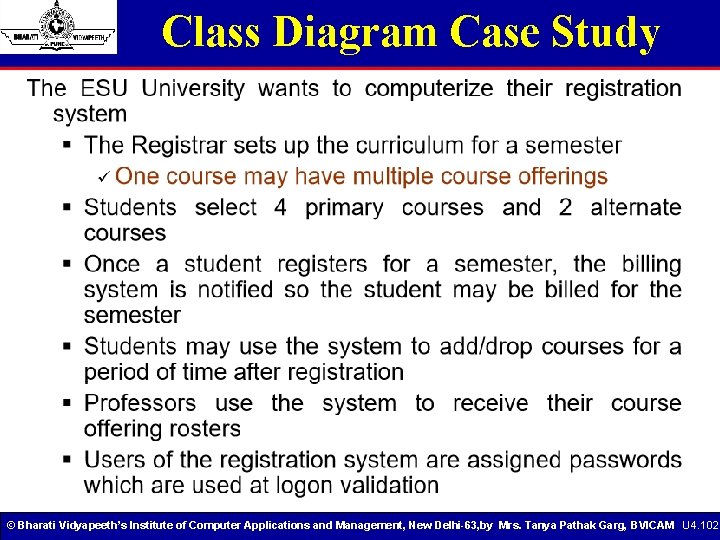
Class Diagram Case Study © Bharati Vidyapeeth’s Institute of Computer Applications and Management, New Delhi-63, by Mrs. Tanya Pathak Garg, BVICAM U 4. 102
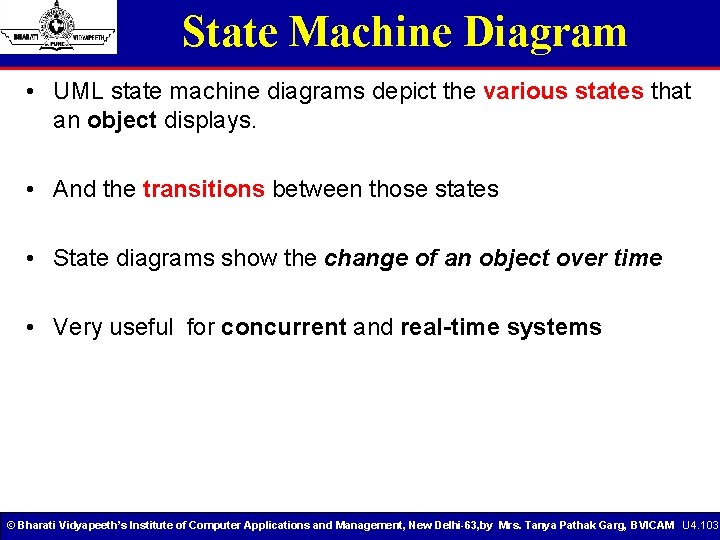
State Machine Diagram • UML state machine diagrams depict the various states that an object displays. • And the transitions between those states • State diagrams show the change of an object over time • Very useful for concurrent and real-time systems © Bharati Vidyapeeth’s Institute of Computer Applications and Management, New Delhi-63, by Mrs. Tanya Pathak Garg, BVICAM U 4. 103
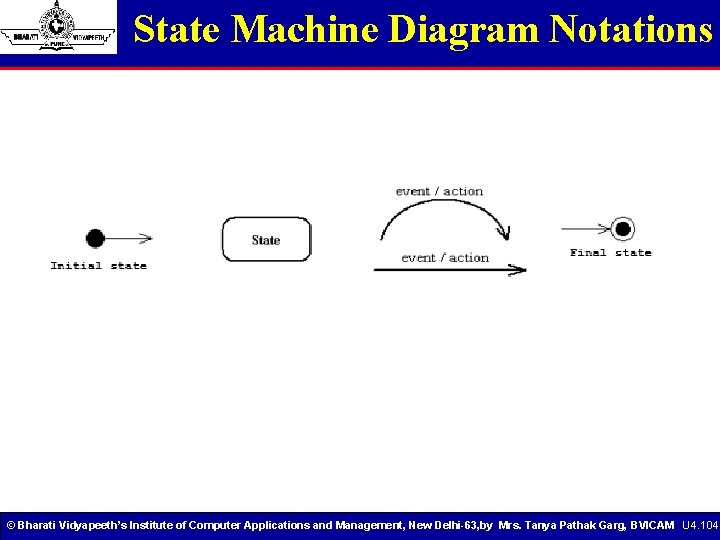
State Machine Diagram Notations © Bharati Vidyapeeth’s Institute of Computer Applications and Management, New Delhi-63, by Mrs. Tanya Pathak Garg, BVICAM U 4. 104
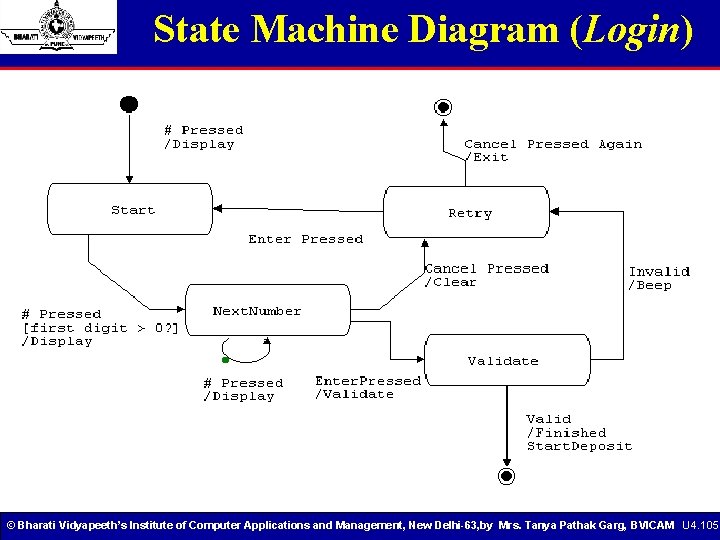
State Machine Diagram (Login) © Bharati Vidyapeeth’s Institute of Computer Applications and Management, New Delhi-63, by Mrs. Tanya Pathak Garg, BVICAM U 4. 105
State Machine • “The state machine view describes the dynamic behavior of objects over time by modeling the lifecycles of objects of each class. • Each object is treated as an isolated entity that communicates with the rest of the world by detecting events and responding to them. • Events represent the kinds of changes that objects can detect. . . Anything that can affect an object can be characterized as an event. ” - The UML Reference Manual, [Rumbaugh, 99] © Bharati Vidyapeeth’s Institute of Computer Applications and Management, New Delhi-63, by Mrs. Tanya Pathak Garg, BVICAM U 4. 106
State Chart Diagram • It shows a machine consisting of states, transitions, events and activities. • It addresses the dynamic view of the system. • It is depicted as follows in rational rose. © Bharati Vidyapeeth’s Institute of Computer Applications and Management, New Delhi-63, by Mrs. Tanya Pathak Garg, BVICAM U 4. 107
State Diagram Features • Event – something that happens at a specific point § Alarm goes off • Condition – something that has a duration § Alarm is on § Fuel level is low • State – an abstraction of the attributes and relationships of an object (or system) § The fuel tank is in a too low level when the fuel level is below level x for n seconds © Bharati Vidyapeeth’s Institute of Computer Applications and Management, New Delhi-63, by Mrs. Tanya Pathak Garg, BVICAM U 4. 108
State Diagram Features • State. A condition during the life of an object in which it satisfies some condition, performs some action, or waits for some event. • Event. An occurrence that may trigger a state transition. Event types include an explicit signal from outside the system, an invocation from inside the system, the passage of a designated period of time, or a designated condition becoming true. • Guard. A boolean expression which, if true, enables an event to cause a transition. • Transition. A transition represents the change from one state to another: • Action. One or more actions taken by an object in response to a state change. © Bharati Vidyapeeth’s Institute of Computer Applications and Management, New Delhi-63, by Mrs. Tanya Pathak Garg, BVICAM U 4. 109
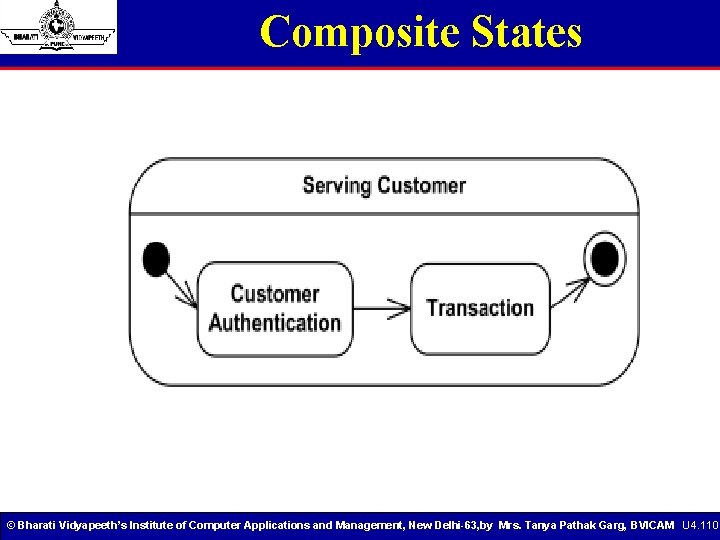
Composite States © Bharati Vidyapeeth’s Institute of Computer Applications and Management, New Delhi-63, by Mrs. Tanya Pathak Garg, BVICAM U 4. 110
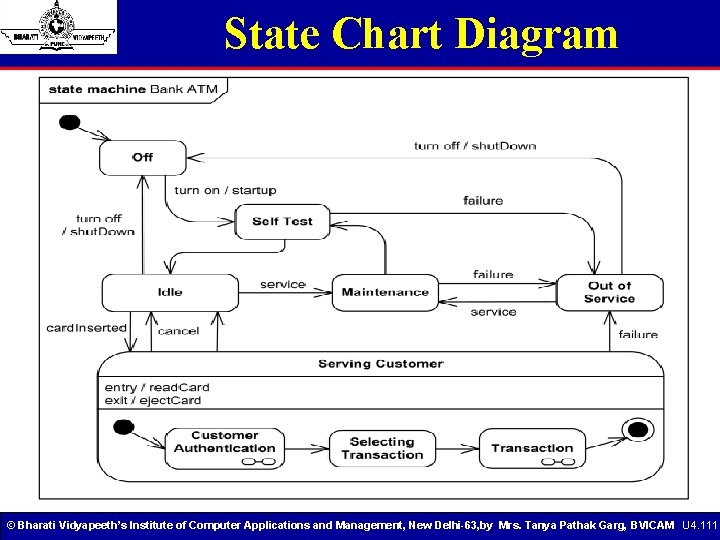
State Chart Diagram © Bharati Vidyapeeth’s Institute of Computer Applications and Management, New Delhi-63, by Mrs. Tanya Pathak Garg, BVICAM U 4. 111
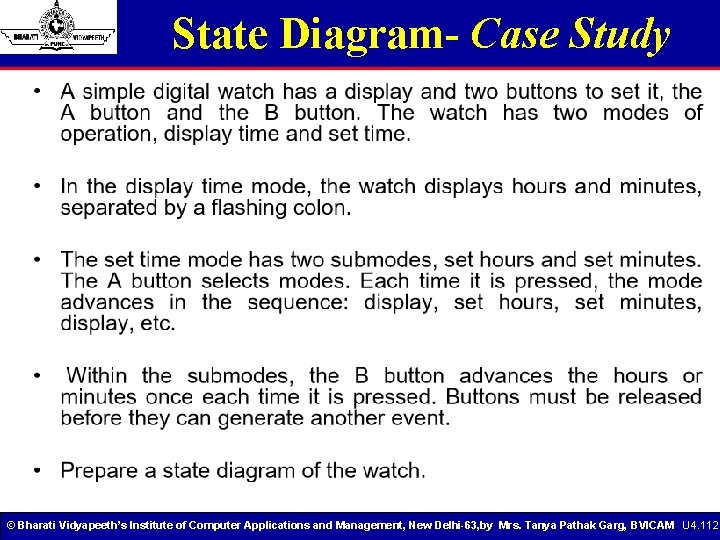
State Diagram- Case Study © Bharati Vidyapeeth’s Institute of Computer Applications and Management, New Delhi-63, by Mrs. Tanya Pathak Garg, BVICAM U 4. 112
Object Diagram • Object diagram is a pictorial representation of the relationships between the instantiated classes at any point in time. • It’s depicted as follows in Rational Rose- © Bharati Vidyapeeth’s Institute of Computer Applications and Management, New Delhi-63, by Mrs. Tanya Pathak Garg, BVICAM U 4. 113
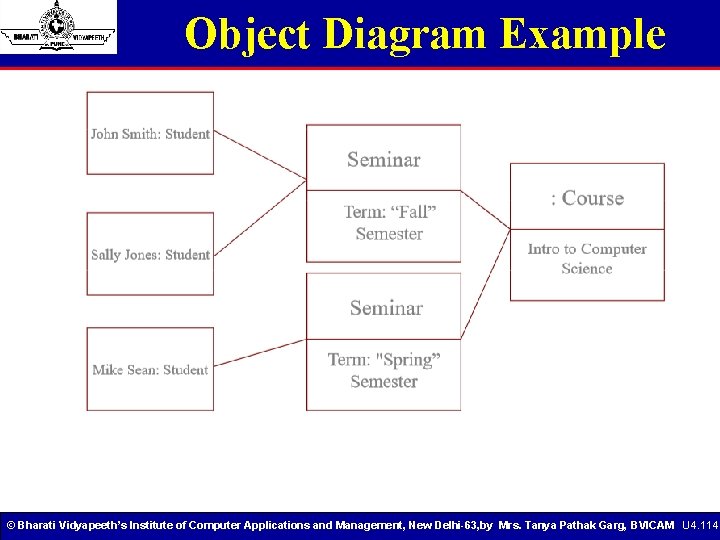
Object Diagram Example © Bharati Vidyapeeth’s Institute of Computer Applications and Management, New Delhi-63, by Mrs. Tanya Pathak Garg, BVICAM U 4. 114
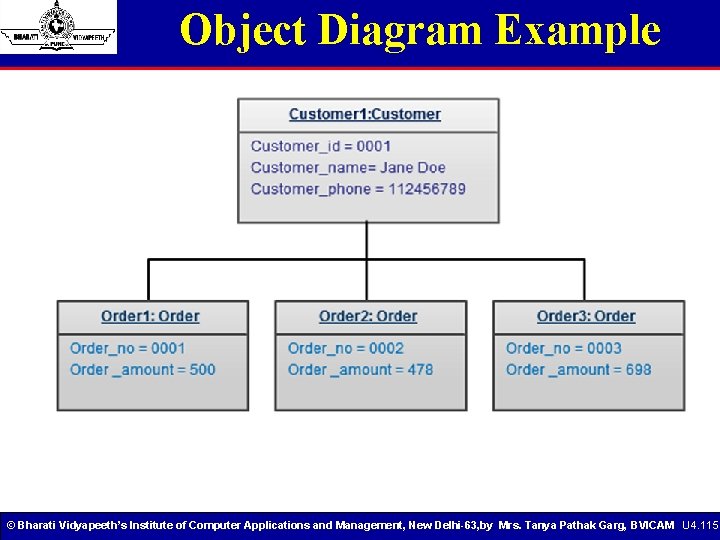
Object Diagram Example © Bharati Vidyapeeth’s Institute of Computer Applications and Management, New Delhi-63, by Mrs. Tanya Pathak Garg, BVICAM U 4. 115
Activity Diagram • Activity diagrams are typically used for business process modeling • For modeling the detailed logic of a business rule • Model the internal logic of a complex operation • An activity diagram is a special case of a state chart diagram in which states are activities (“functions”) • Activity diagrams are the object-oriented equivalent of flow charts and data flow diagrams (DFDs) © Bharati Vidyapeeth’s Institute of Computer Applications and Management, New Delhi-63, by Mrs. Tanya Pathak Garg, BVICAM U 4. 116
Activity Diagram Structuring These diagrams are similar to state chart diagrams and use similar conventions, but activity diagrams describe the behavior of a class in response to internal processing. Swimlanes, which represent responsibilities of one or more objects for actions within an overall activity; that is, they divide the activity states into groups and assign these groups to objects that must perform the activities. • Action States, which represent atomic, or non-interruptible, actions of entities or steps in the execution of an algorithm. • Action flows, which represent relationships between the different action states of an entity. • Object flows, which represent the utilization of objects by action states and the influence of action states on objects. © Bharati Vidyapeeth’s Institute of Computer Applications and Management, New Delhi-63, by Mrs. Tanya Pathak Garg, BVICAM U 4. 117
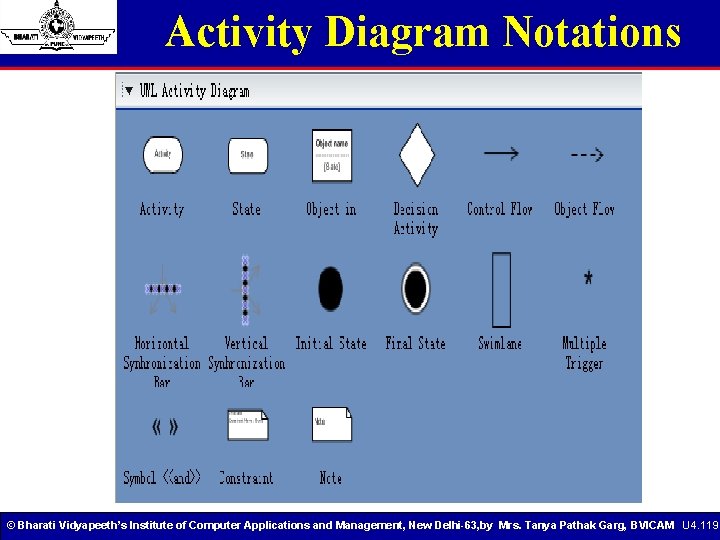
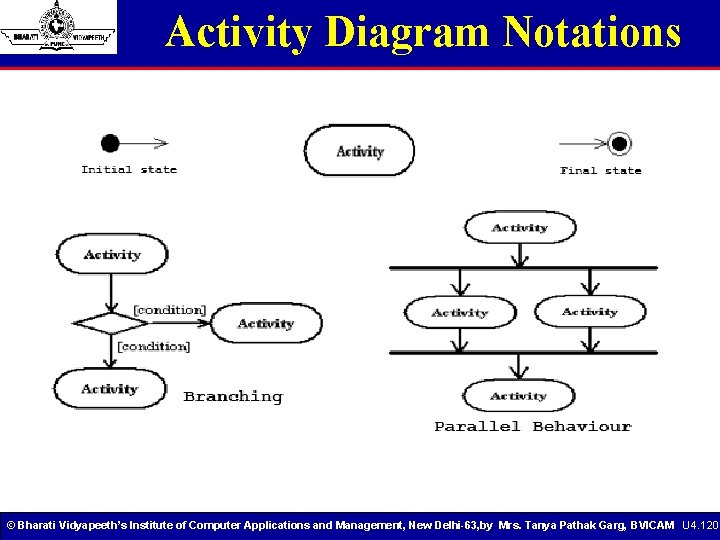
Activity Diagram Notations • Rounded rectangles represent activities; • Diamonds represent decisions; • Bars represent the start (split) or end (join) of concurrent activities; • A black circle represents the start (initial state) of the workflow; • An encircled black circle represents the end (final state). © Bharati Vidyapeeth’s Institute of Computer Applications and Management, New Delhi-63, by Mrs. Tanya Pathak Garg, BVICAM U 4. 118
Activity Diagram Notations © Bharati Vidyapeeth’s Institute of Computer Applications and Management, New Delhi-63, by Mrs. Tanya Pathak Garg, BVICAM U 4. 119
Activity Diagram Notations © Bharati Vidyapeeth’s Institute of Computer Applications and Management, New Delhi-63, by Mrs. Tanya Pathak Garg, BVICAM U 4. 120
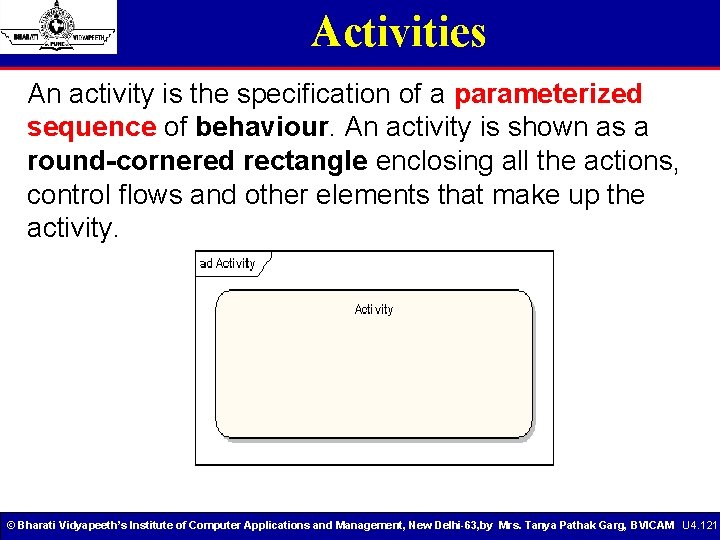
Activities An activity is the specification of a parameterized sequence of behaviour. An activity is shown as a round-cornered rectangle enclosing all the actions, control flows and other elements that make up the activity. © Bharati Vidyapeeth’s Institute of Computer Applications and Management, New Delhi-63, by Mrs. Tanya Pathak Garg, BVICAM U 4. 121
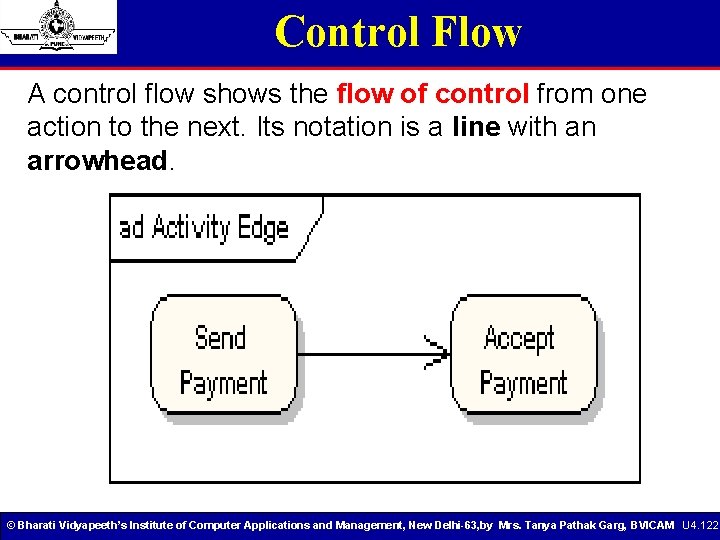
Control Flow A control flow shows the flow of control from one action to the next. Its notation is a line with an arrowhead. © Bharati Vidyapeeth’s Institute of Computer Applications and Management, New Delhi-63, by Mrs. Tanya Pathak Garg, BVICAM U 4. 122
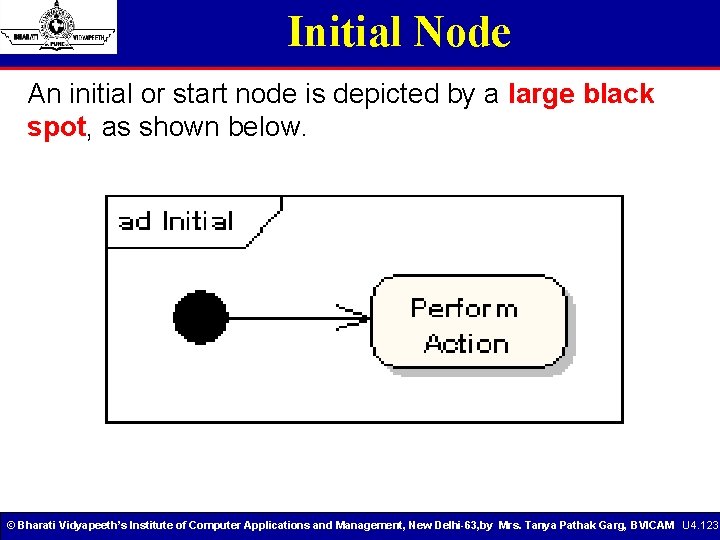
Initial Node An initial or start node is depicted by a large black spot, as shown below. © Bharati Vidyapeeth’s Institute of Computer Applications and Management, New Delhi-63, by Mrs. Tanya Pathak Garg, BVICAM U 4. 123
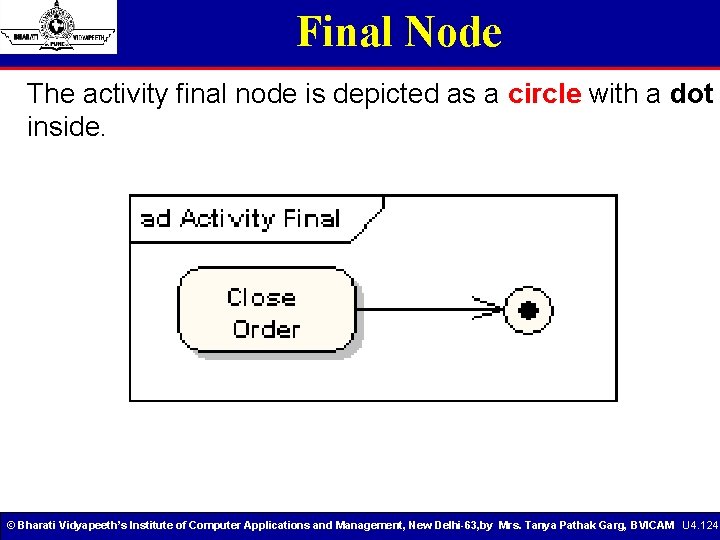
Final Node The activity final node is depicted as a circle with a dot inside. © Bharati Vidyapeeth’s Institute of Computer Applications and Management, New Delhi-63, by Mrs. Tanya Pathak Garg, BVICAM U 4. 124
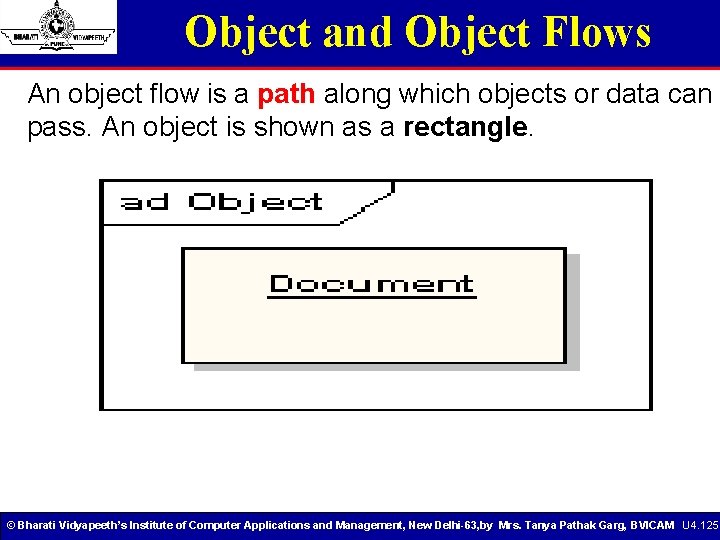
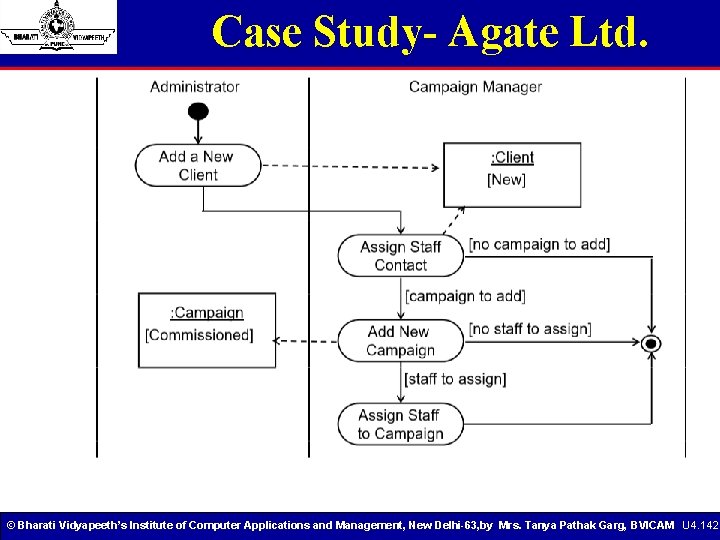
Object and Object Flows An object flow is a path along which objects or data can pass. An object is shown as a rectangle. © Bharati Vidyapeeth’s Institute of Computer Applications and Management, New Delhi-63, by Mrs. Tanya Pathak Garg, BVICAM U 4. 125
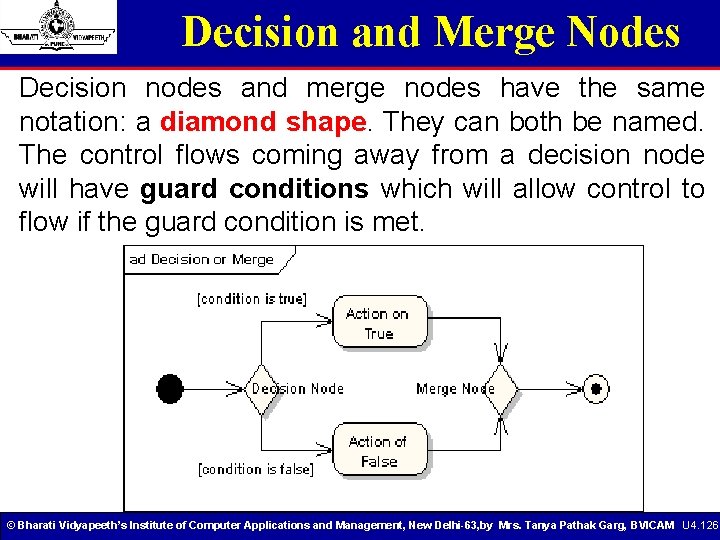
Decision and Merge Nodes Decision nodes and merge nodes have the same notation: a diamond shape. They can both be named. The control flows coming away from a decision node will have guard conditions which will allow control to flow if the guard condition is met. © Bharati Vidyapeeth’s Institute of Computer Applications and Management, New Delhi-63, by Mrs. Tanya Pathak Garg, BVICAM U 4. 126
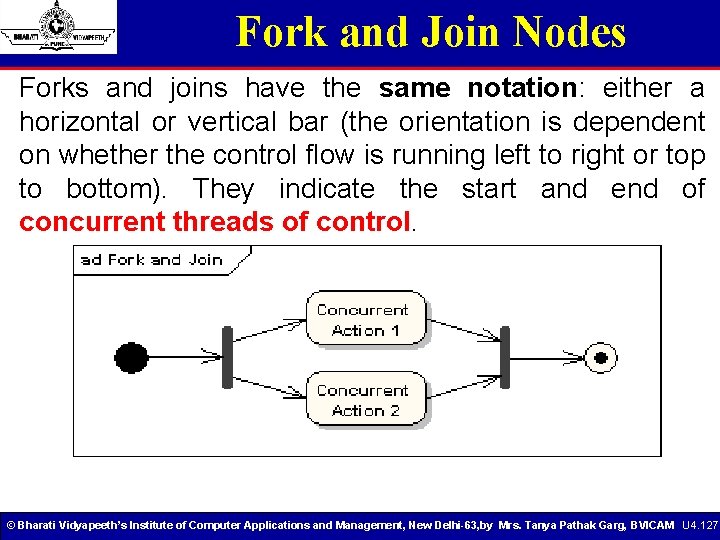
Fork and Join Nodes Forks and joins have the same notation: either a horizontal or vertical bar (the orientation is dependent on whether the control flow is running left to right or top to bottom). They indicate the start and end of concurrent threads of control. © Bharati Vidyapeeth’s Institute of Computer Applications and Management, New Delhi-63, by Mrs. Tanya Pathak Garg, BVICAM U 4. 127
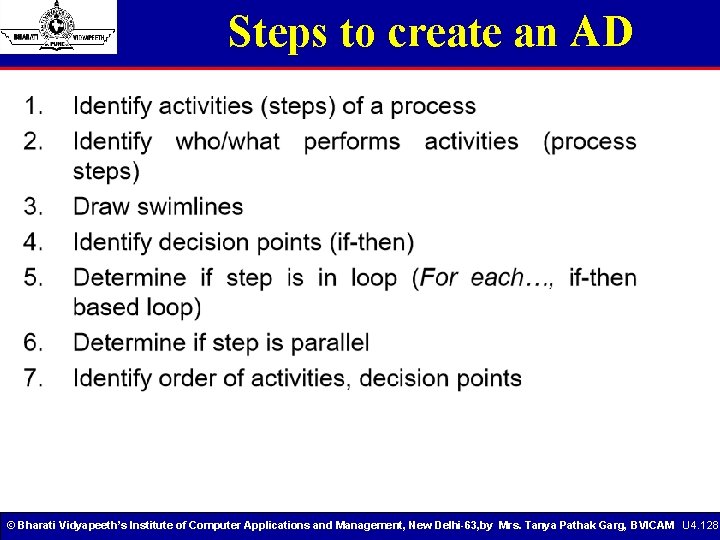
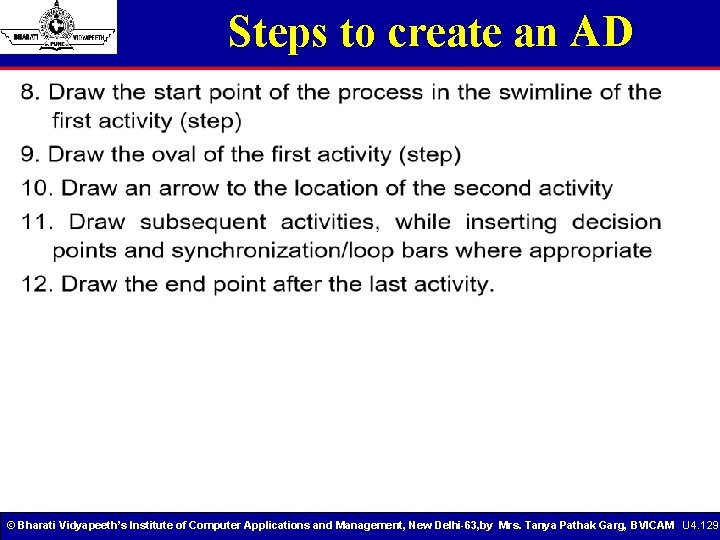
Steps to create an AD © Bharati Vidyapeeth’s Institute of Computer Applications and Management, New Delhi-63, by Mrs. Tanya Pathak Garg, BVICAM U 4. 128
Steps to create an AD © Bharati Vidyapeeth’s Institute of Computer Applications and Management, New Delhi-63, by Mrs. Tanya Pathak Garg, BVICAM U 4. 129
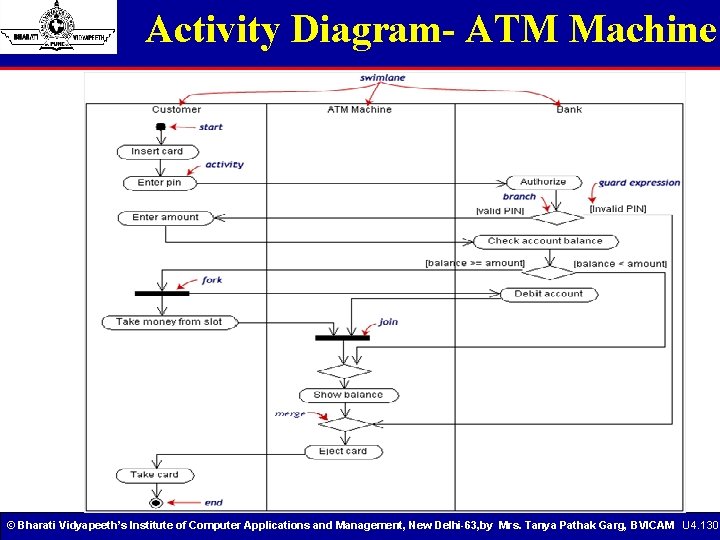
Activity Diagram- ATM Machine © Bharati Vidyapeeth’s Institute of Computer Applications and Management, New Delhi-63, by Mrs. Tanya Pathak Garg, BVICAM U 4. 130
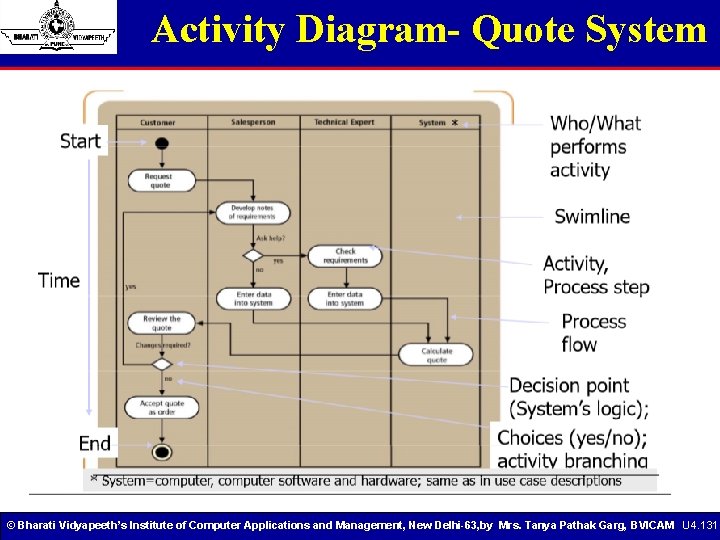
Activity Diagram- Quote System © Bharati Vidyapeeth’s Institute of Computer Applications and Management, New Delhi-63, by Mrs. Tanya Pathak Garg, BVICAM U 4. 131
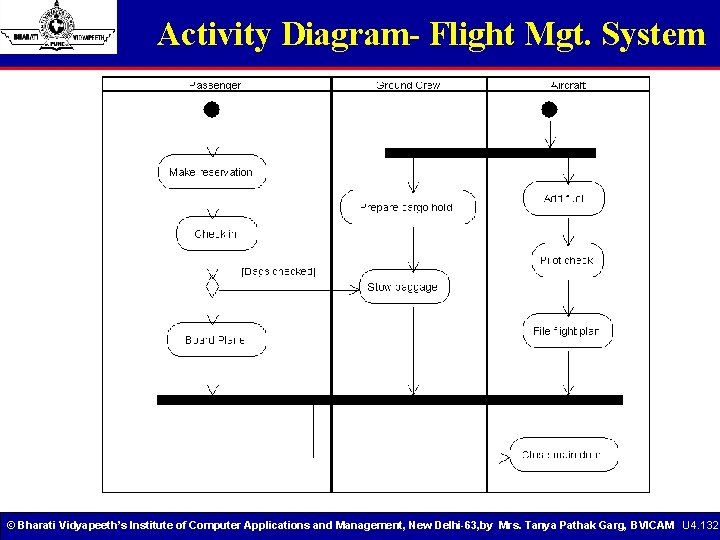
Activity Diagram- Flight Mgt. System © Bharati Vidyapeeth’s Institute of Computer Applications and Management, New Delhi-63, by Mrs. Tanya Pathak Garg, BVICAM U 4. 132
Case Study- Agate Ltd. © Bharati Vidyapeeth’s Institute of Computer Applications and Management, New Delhi-63, by Mrs. Tanya Pathak Garg, BVICAM U 4. 133
Case Study- Agate Ltd. © Bharati Vidyapeeth’s Institute of Computer Applications and Management, New Delhi-63, by Mrs. Tanya Pathak Garg, BVICAM U 4. 134
Case Study- Agate Ltd. © Bharati Vidyapeeth’s Institute of Computer Applications and Management, New Delhi-63, by Mrs. Tanya Pathak Garg, BVICAM U 4. 135
Case Study- Agate Ltd. © Bharati Vidyapeeth’s Institute of Computer Applications and Management, New Delhi-63, by Mrs. Tanya Pathak Garg, BVICAM U 4. 136
Case Study- Agate Ltd. © Bharati Vidyapeeth’s Institute of Computer Applications and Management, New Delhi-63, by Mrs. Tanya Pathak Garg, BVICAM U 4. 137
Case Study- Agate Ltd. © Bharati Vidyapeeth’s Institute of Computer Applications and Management, New Delhi-63, by Mrs. Tanya Pathak Garg, BVICAM U 4. 138
Case Study- Agate Ltd. © Bharati Vidyapeeth’s Institute of Computer Applications and Management, New Delhi-63, by Mrs. Tanya Pathak Garg, BVICAM U 4. 139
Case Study- Agate Ltd. © Bharati Vidyapeeth’s Institute of Computer Applications and Management, New Delhi-63, by Mrs. Tanya Pathak Garg, BVICAM U 4. 140
Case Study- Agate Ltd. © Bharati Vidyapeeth’s Institute of Computer Applications and Management, New Delhi-63, by Mrs. Tanya Pathak Garg, BVICAM U 4. 141
Case Study- Agate Ltd. © Bharati Vidyapeeth’s Institute of Computer Applications and Management, New Delhi-63, by Mrs. Tanya Pathak Garg, BVICAM U 4. 142
Case Study- Self Study! © Bharati Vidyapeeth’s Institute of Computer Applications and Management, New Delhi-63, by Mrs. Tanya Pathak Garg, BVICAM U 4. 143
Dynamic Diagram Types © Bharati Vidyapeeth’s Institute of Computer Applications and Management, New Delhi-63, by Mrs. Tanya Pathak Garg, BVICAM U 4. 144
Interaction Diagram © Bharati Vidyapeeth’s Institute of Computer Applications and Management, New Delhi-63, by Mrs. Tanya Pathak Garg, BVICAM U 4. 145
Interaction Diagram Details • Using interaction diagrams, we can clarify the sequence of operation calls among objects used to complete a single use case • Collaborations have the added advantage of interfaces and freedom of layout, but can be difficult to follow, understand create. • Interaction diagrams are used to diagram a single use case. • When you want to examine the behaviour of a single instance over time use a state diagram, and if you want to look at the behaviour of the system over time use an activity diagram. © Bharati Vidyapeeth’s Institute of Computer Applications and Management, New Delhi-63, by Mrs. Tanya Pathak Garg, BVICAM U 4. 146
Sequence Diagram • The sequence diagram describes the flow of messages being passed from object to object. The purposes of interaction diagram can be describes as: • To capture dynamic behavior of a system. • To describe the message flow in the system. • To describe structural organization of the objects. • To describe interaction among objects. © Bharati Vidyapeeth’s Institute of Computer Applications and Management, New Delhi-63, by Mrs. Tanya Pathak Garg, BVICAM U 4. 147
Sequence Diagram Elements • Class roles, which represent roles that objects may play within the interaction. • Lifelines, which represent the existence of an object over a period of time. • Activations, which represent the time during which an object is performing an operation. • The white rectangles on a lifeline are called activations and indicate that an object is responding to a message. It starts when the message is received and ends when the object is done handling the message. • Messages, which represent communication between objects. © Bharati Vidyapeeth’s Institute of Computer Applications and Management, New Delhi-63, by Mrs. Tanya Pathak Garg, BVICAM U 4. 148
Messages • An interaction between two objects is performed as a message sent from one object to another (simple operation call, Signaling, RPC) • If object obj 1 sends a message to another object obj 2 some link must exist between those two objects. • A message is represented by an arrow between the life lines of two objects. § Self calls are also allowed § The time required by the receiver object to process the message is denoted by an activation-box. • A message is labeled at minimum with the message name. § Arguments and control information (conditions, iteration) may be included. © Bharati Vidyapeeth’s Institute of Computer Applications and Management, New Delhi-63, by Mrs. Tanya Pathak Garg, BVICAM U 4. 149
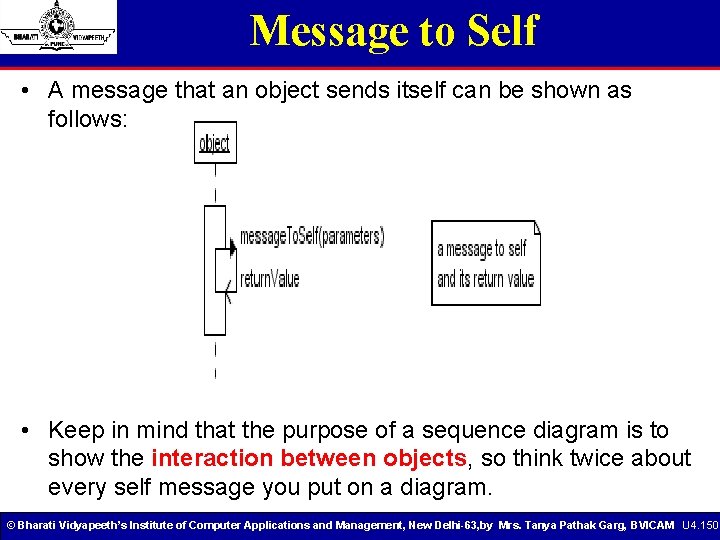
Message to Self • A message that an object sends itself can be shown as follows: • Keep in mind that the purpose of a sequence diagram is to show the interaction between objects, so think twice about every self message you put on a diagram. © Bharati Vidyapeeth’s Institute of Computer Applications and Management, New Delhi-63, by Mrs. Tanya Pathak Garg, BVICAM U 4. 150
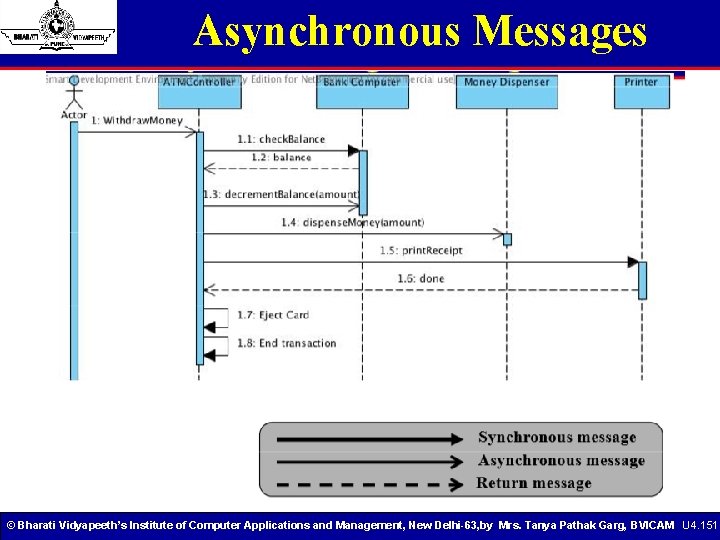
Asynchronous Messages © Bharati Vidyapeeth’s Institute of Computer Applications and Management, New Delhi-63, by Mrs. Tanya Pathak Garg, BVICAM U 4. 151
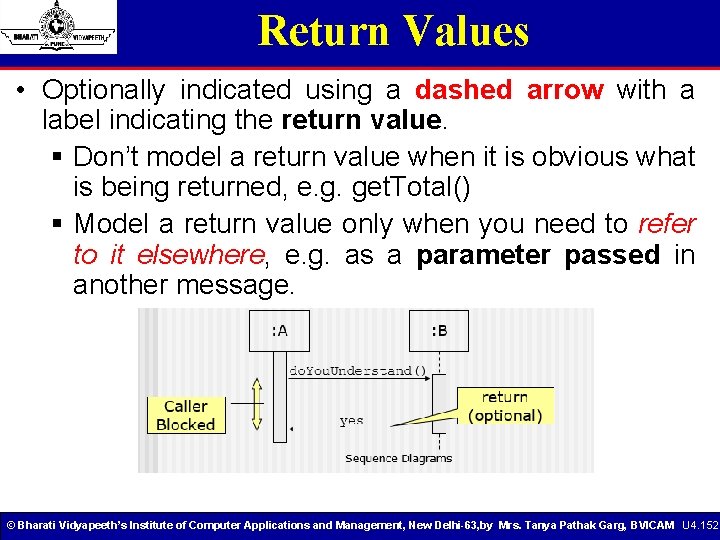
Return Values • Optionally indicated using a dashed arrow with a label indicating the return value. § Don’t model a return value when it is obvious what is being returned, e. g. get. Total() § Model a return value only when you need to refer to it elsewhere, e. g. as a parameter passed in another message. © Bharati Vidyapeeth’s Institute of Computer Applications and Management, New Delhi-63, by Mrs. Tanya Pathak Garg, BVICAM U 4. 152
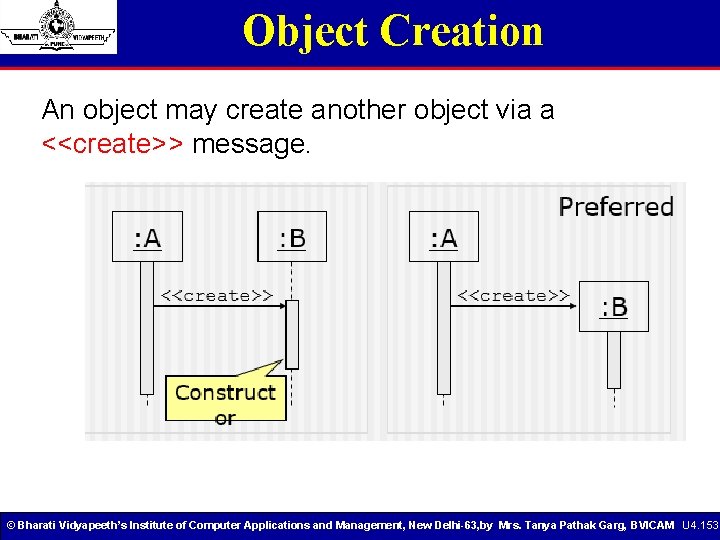
Object Creation An object may create another object via a <<create>> message. © Bharati Vidyapeeth’s Institute of Computer Applications and Management, New Delhi-63, by Mrs. Tanya Pathak Garg, BVICAM U 4. 153
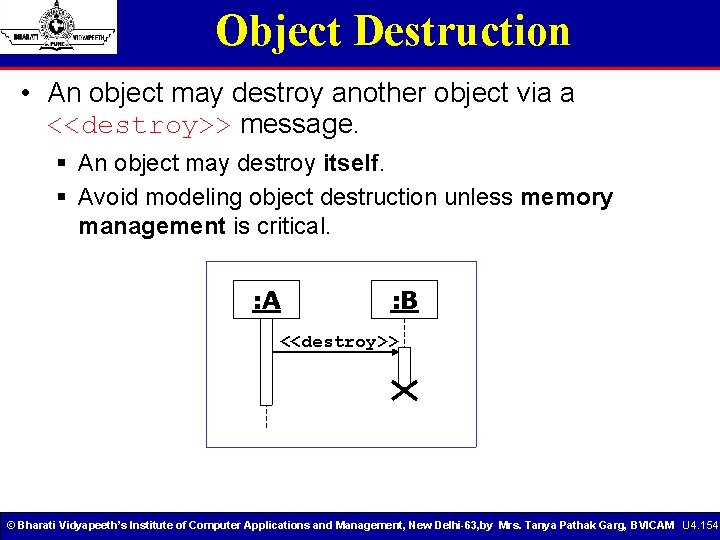
Object Destruction • An object may destroy another object via a <<destroy>> message. § An object may destroy itself. § Avoid modeling object destruction unless memory management is critical. : A : B <<destroy>> © Bharati Vidyapeeth’s Institute of Computer Applications and Management, New Delhi-63, by Mrs. Tanya Pathak Garg, BVICAM U 4. 154
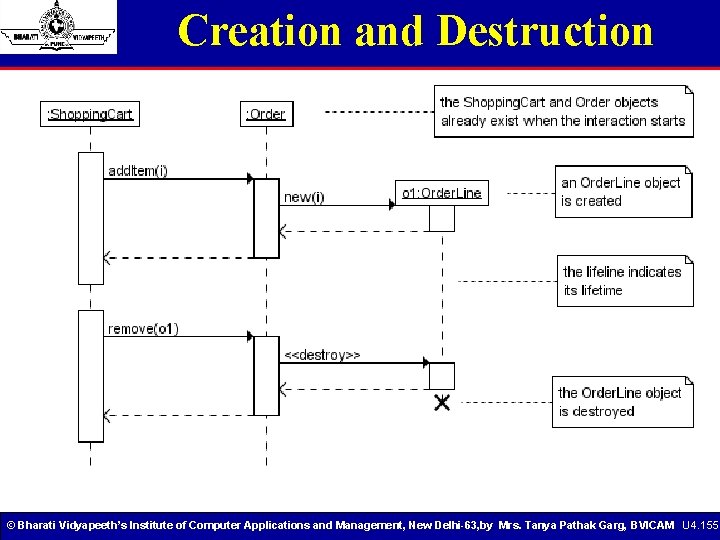
Creation and Destruction © Bharati Vidyapeeth’s Institute of Computer Applications and Management, New Delhi-63, by Mrs. Tanya Pathak Garg, BVICAM U 4. 155
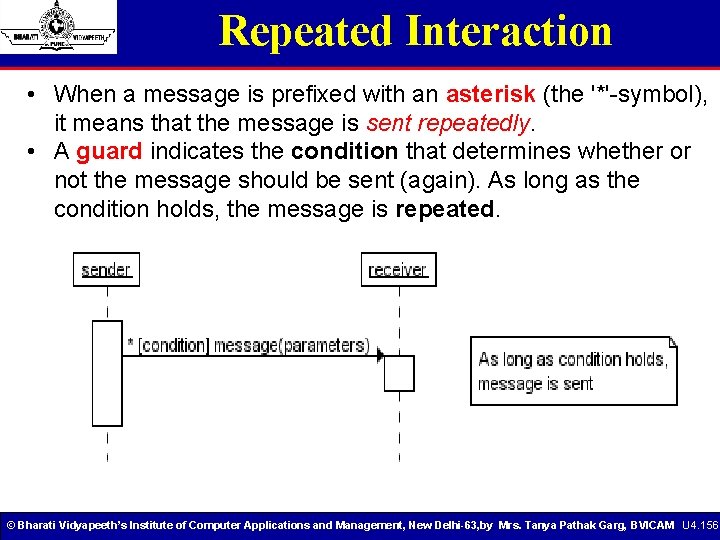
Repeated Interaction • When a message is prefixed with an asterisk (the '*'-symbol), it means that the message is sent repeatedly. • A guard indicates the condition that determines whether or not the message should be sent (again). As long as the condition holds, the message is repeated. © Bharati Vidyapeeth’s Institute of Computer Applications and Management, New Delhi-63, by Mrs. Tanya Pathak Garg, BVICAM U 4. 156
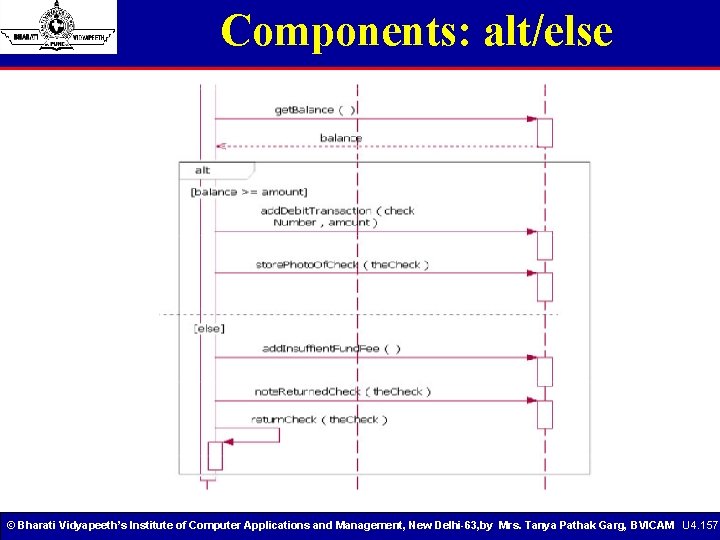
Components: alt/else © Bharati Vidyapeeth’s Institute of Computer Applications and Management, New Delhi-63, by Mrs. Tanya Pathak Garg, BVICAM U 4. 157
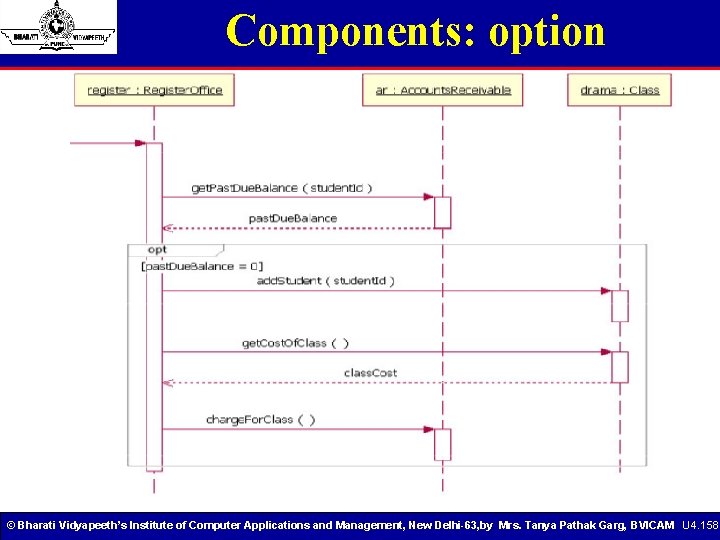
Components: option © Bharati Vidyapeeth’s Institute of Computer Applications and Management, New Delhi-63, by Mrs. Tanya Pathak Garg, BVICAM U 4. 158
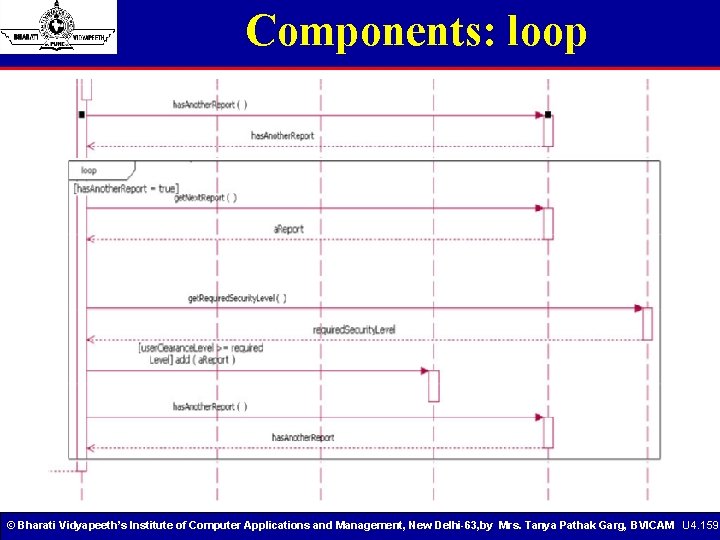
Components: loop © Bharati Vidyapeeth’s Institute of Computer Applications and Management, New Delhi-63, by Mrs. Tanya Pathak Garg, BVICAM U 4. 159
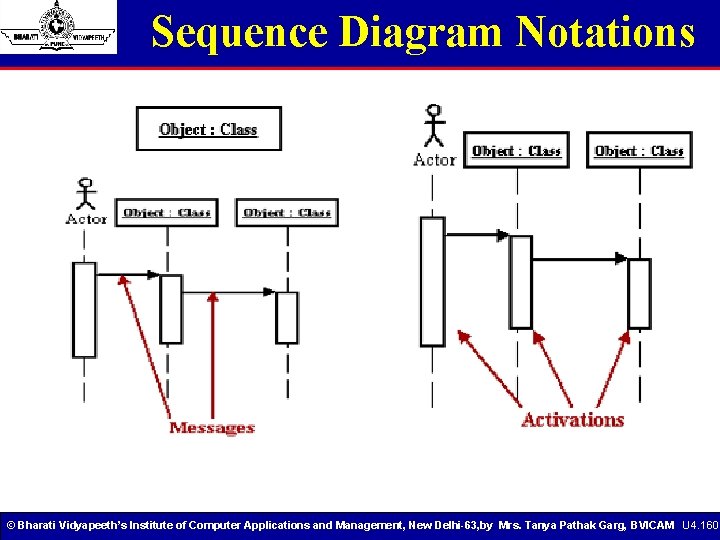
Sequence Diagram Notations © Bharati Vidyapeeth’s Institute of Computer Applications and Management, New Delhi-63, by Mrs. Tanya Pathak Garg, BVICAM U 4. 160
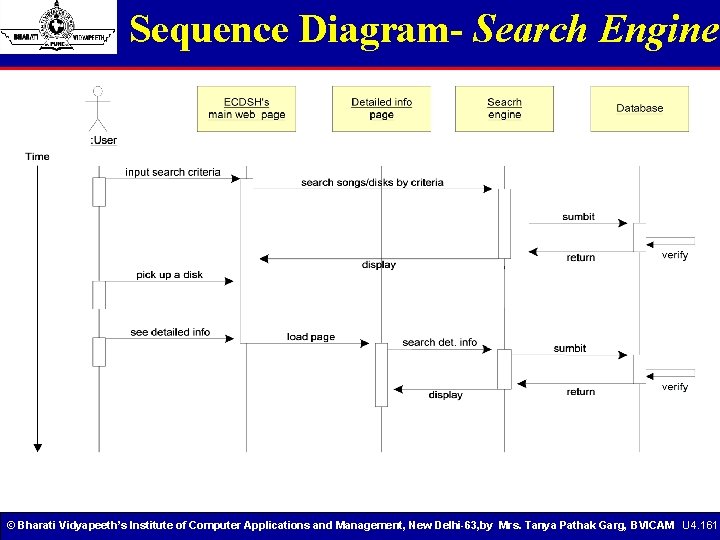
Sequence Diagram- Search Engine © Bharati Vidyapeeth’s Institute of Computer Applications and Management, New Delhi-63, by Mrs. Tanya Pathak Garg, BVICAM U 4. 161
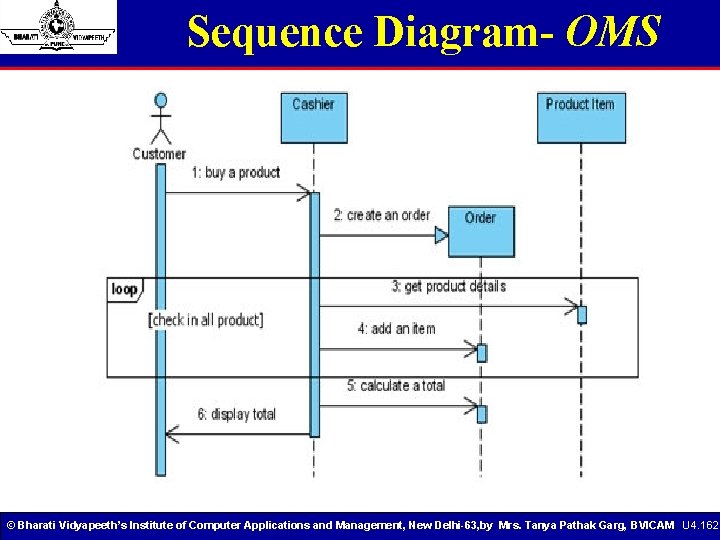
Sequence Diagram- OMS © Bharati Vidyapeeth’s Institute of Computer Applications and Management, New Delhi-63, by Mrs. Tanya Pathak Garg, BVICAM U 4. 162
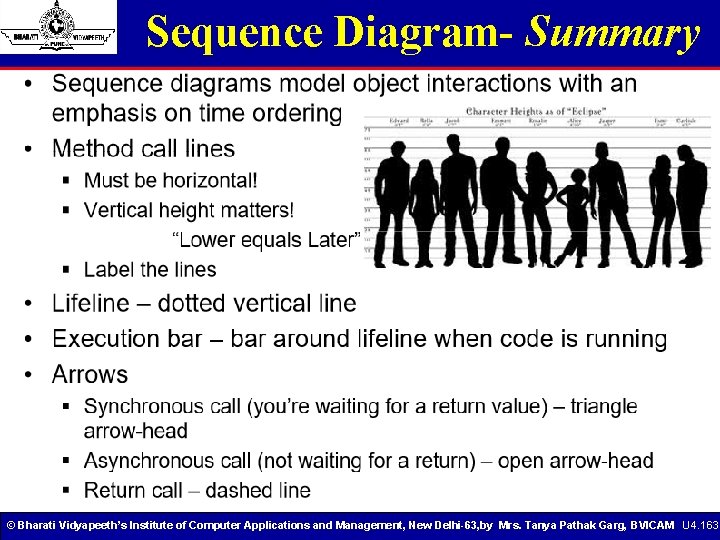
Sequence Diagram- Summary © Bharati Vidyapeeth’s Institute of Computer Applications and Management, New Delhi-63, by Mrs. Tanya Pathak Garg, BVICAM U 4. 163
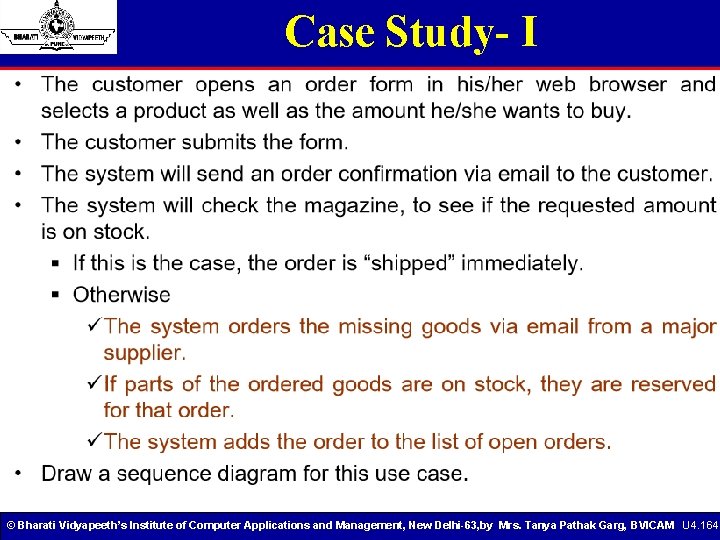
Case Study- I © Bharati Vidyapeeth’s Institute of Computer Applications and Management, New Delhi-63, by Mrs. Tanya Pathak Garg, BVICAM U 4. 164
Case Study- II © Bharati Vidyapeeth’s Institute of Computer Applications and Management, New Delhi-63, by Mrs. Tanya Pathak Garg, BVICAM U 4. 165
Collaboration Diagram § Collaboration diagrams model the interactions between objects. § This type of diagram is a cross between an object diagram and a sequence diagram. § Unlike the Sequence diagram, which models the interaction in a column and row type format, the Collaboration diagram uses the free-form arrangement of objects as found in an Object diagram. § This makes it easier to see all interations involving a particular object. § Here in collaboration diagram the method call sequence is indicated by some numbering technique as shown below. § The number indicates how the methods are called one after another. © Bharati Vidyapeeth’s Institute of Computer Applications and Management, New Delhi-63, by Mrs. Tanya Pathak Garg, BVICAM U 4. 166
Collaboration Diagram • The method calls are similar to that of a sequence diagram. But the difference is that the sequence diagram does not describe the object organization where as the collaboration diagram shows the object organization. • If the time sequence is important then sequence diagram is used and if organization is required then collaboration diagram is used. © Bharati Vidyapeeth’s Institute of Computer Applications and Management, New Delhi-63, by Mrs. Tanya Pathak Garg, BVICAM U 4. 167
Collaboration Diagram Elements • Collaboration Diagrams describe interactions among classes and associations. These interactions are modeled as exchanges of messages between classes through their associations. Collaboration diagrams are a type of interaction diagram. Collaboration diagrams contain the following elements. • Class roles, which represent roles that objects may play within the interaction. • Association roles, which represent roles that links may play within the interaction. • Message flows, which represent messages sent between objects via links. Links transport or implement the delivery of the message. © Bharati Vidyapeeth’s Institute of Computer Applications and Management, New Delhi-63, by Mrs. Tanya Pathak Garg, BVICAM U 4. 168
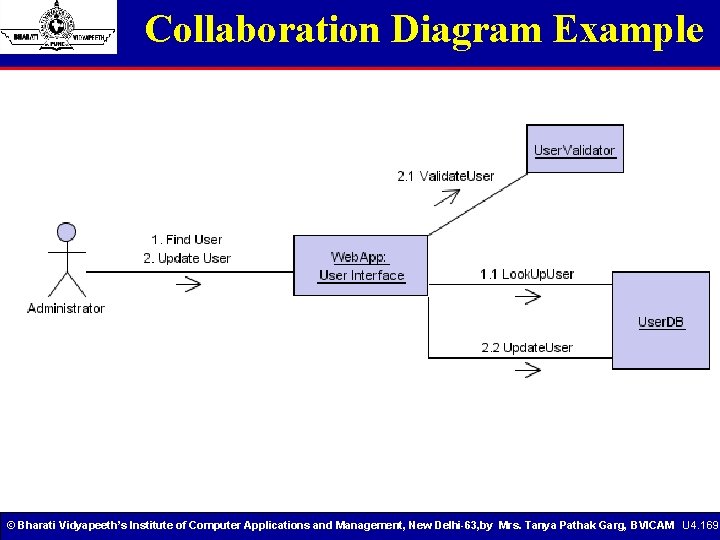
Collaboration Diagram Example © Bharati Vidyapeeth’s Institute of Computer Applications and Management, New Delhi-63, by Mrs. Tanya Pathak Garg, BVICAM U 4. 169
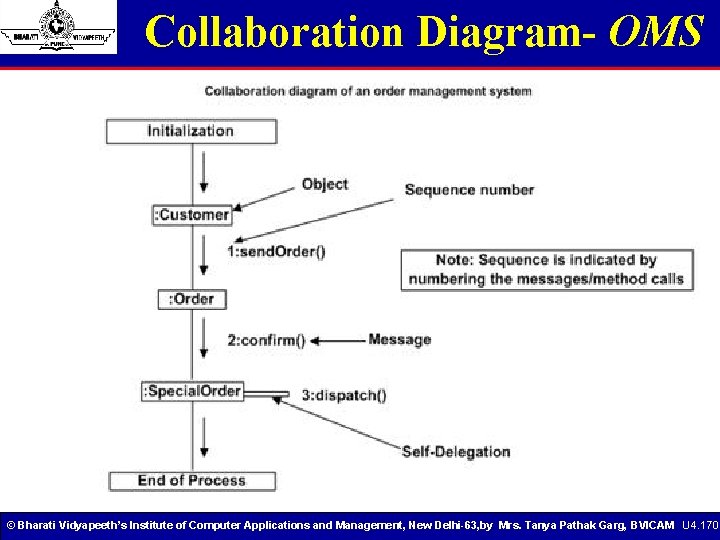
Collaboration Diagram- OMS © Bharati Vidyapeeth’s Institute of Computer Applications and Management, New Delhi-63, by Mrs. Tanya Pathak Garg, BVICAM U 4. 170
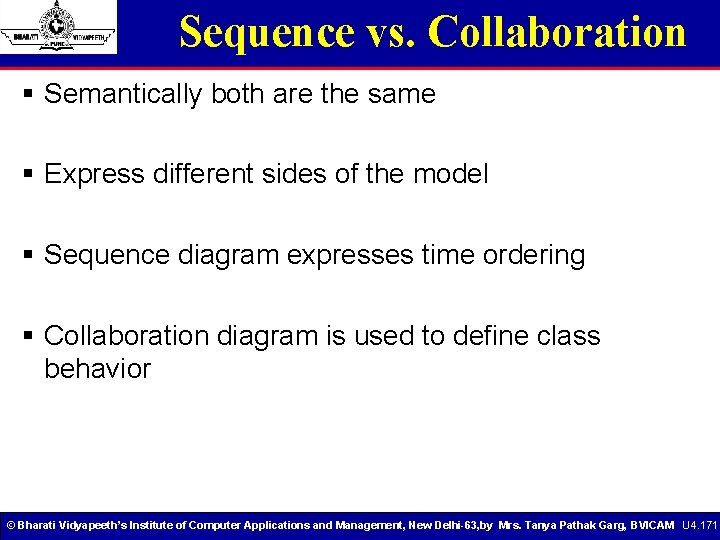
Sequence vs. Collaboration § Semantically both are the same § Express different sides of the model § Sequence diagram expresses time ordering § Collaboration diagram is used to define class behavior © Bharati Vidyapeeth’s Institute of Computer Applications and Management, New Delhi-63, by Mrs. Tanya Pathak Garg, BVICAM U 4. 171
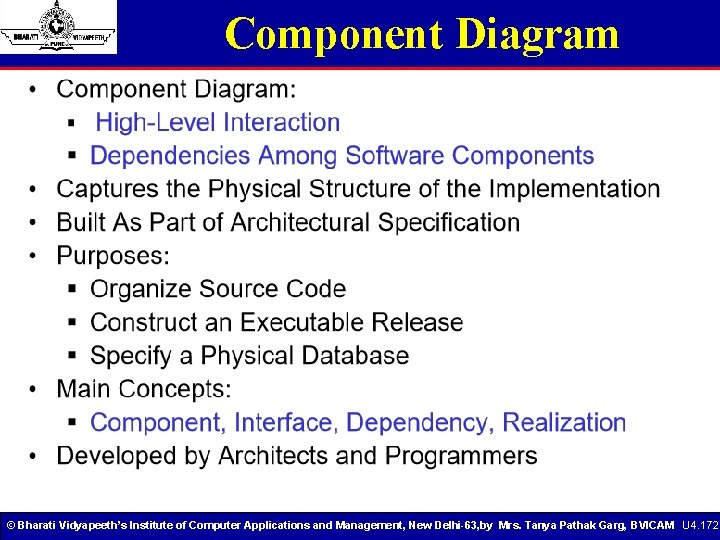
Component Diagram © Bharati Vidyapeeth’s Institute of Computer Applications and Management, New Delhi-63, by Mrs. Tanya Pathak Garg, BVICAM U 4. 172
Component Diagram • Component diagrams illustrate the organizations and dependencies among software components • A component may be § A source code component § A run time components or § An executable component © Bharati Vidyapeeth’s Institute of Computer Applications and Management, New Delhi-63, by Mrs. Tanya Pathak Garg, BVICAM U 4. 173
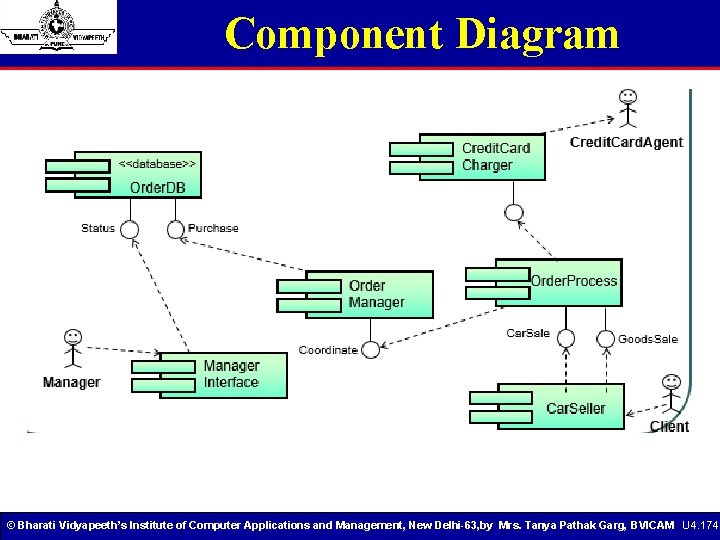
Component Diagram © Bharati Vidyapeeth’s Institute of Computer Applications and Management, New Delhi-63, by Mrs. Tanya Pathak Garg, BVICAM U 4. 174
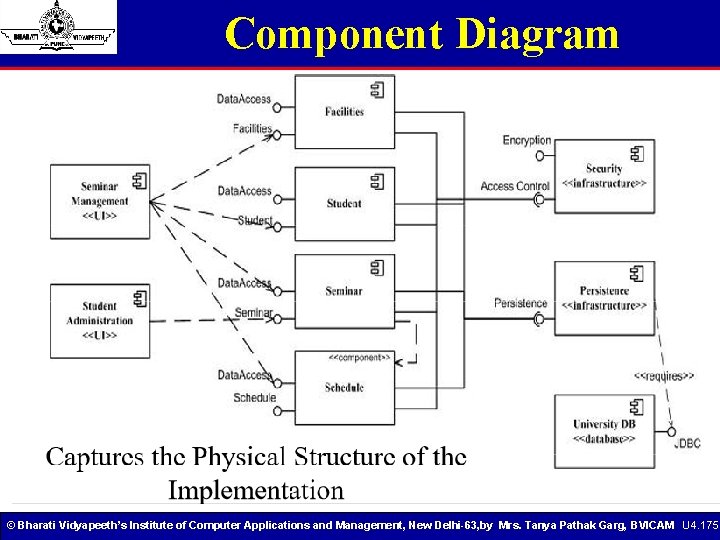
Component Diagram © Bharati Vidyapeeth’s Institute of Computer Applications and Management, New Delhi-63, by Mrs. Tanya Pathak Garg, BVICAM U 4. 175
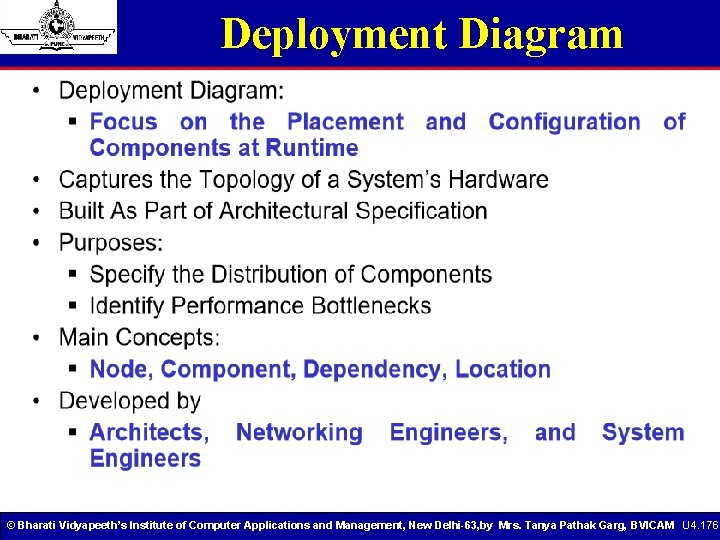
Deployment Diagram © Bharati Vidyapeeth’s Institute of Computer Applications and Management, New Delhi-63, by Mrs. Tanya Pathak Garg, BVICAM U 4. 176
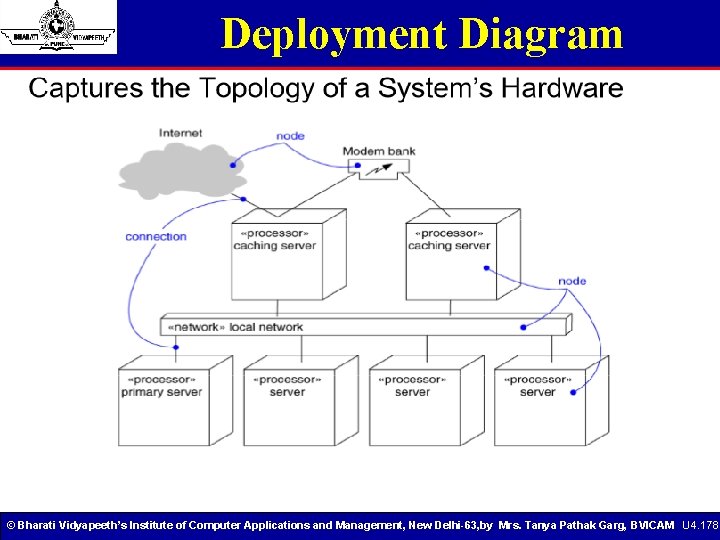
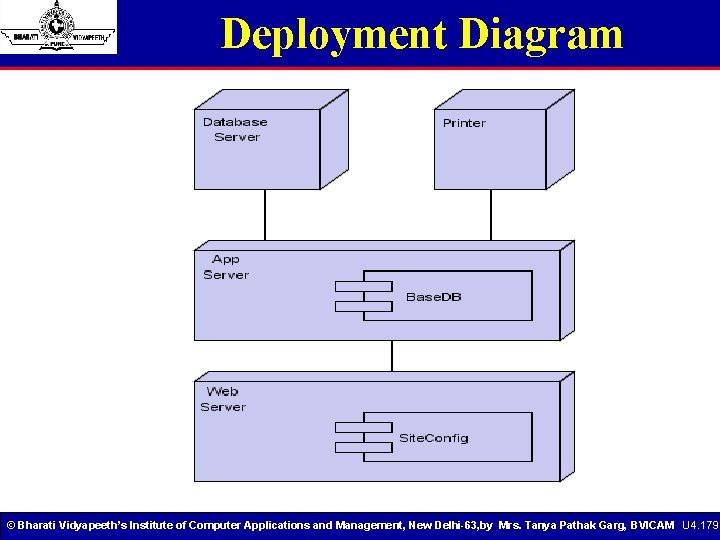
Deployment Diagram • The Deployment diagram models the hardware used in implementing a system and the association between those hardware components • The deployment diagram visualizes the distribution of components across the enterprise © Bharati Vidyapeeth’s Institute of Computer Applications and Management, New Delhi-63, by Mrs. Tanya Pathak Garg, BVICAM U 4. 177
Deployment Diagram © Bharati Vidyapeeth’s Institute of Computer Applications and Management, New Delhi-63, by Mrs. Tanya Pathak Garg, BVICAM U 4. 178
Deployment Diagram © Bharati Vidyapeeth’s Institute of Computer Applications and Management, New Delhi-63, by Mrs. Tanya Pathak Garg, BVICAM U 4. 179
UNIT IV’s Learning © Bharati Vidyapeeth’s Institute of Computer Applications and Management, New Delhi-63, by Mrs. Tanya Pathak Garg, BVICAM U 4. 180
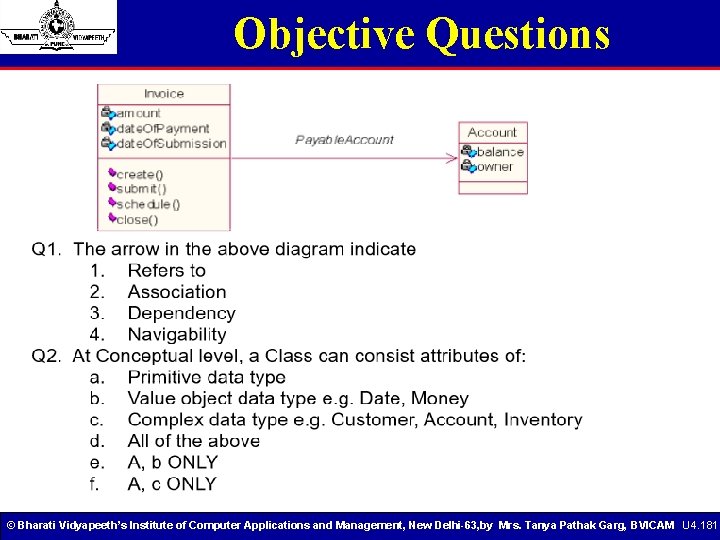
Objective Questions © Bharati Vidyapeeth’s Institute of Computer Applications and Management, New Delhi-63, by Mrs. Tanya Pathak Garg, BVICAM U 4. 181
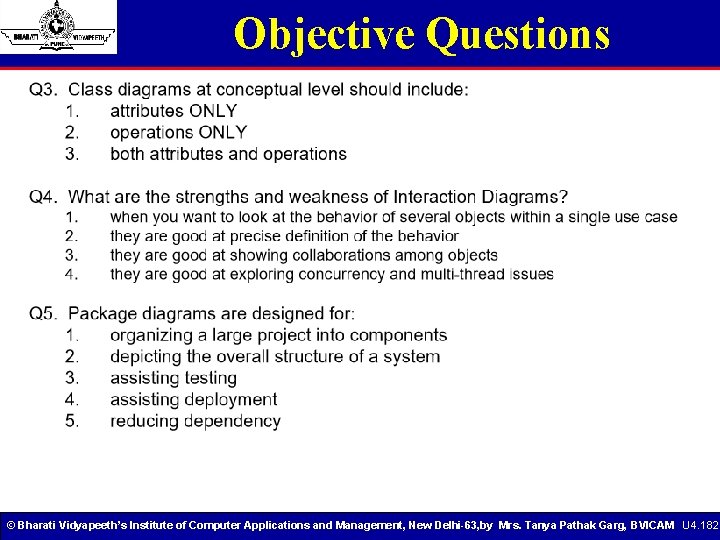
Objective Questions © Bharati Vidyapeeth’s Institute of Computer Applications and Management, New Delhi-63, by Mrs. Tanya Pathak Garg, BVICAM U 4. 182
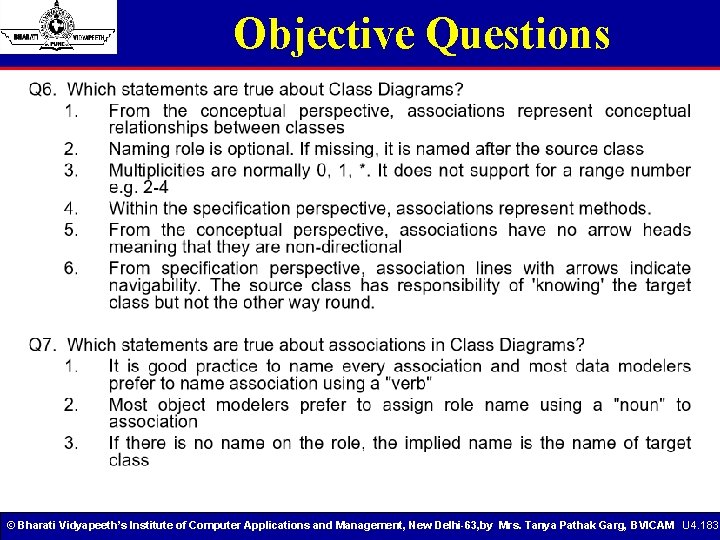
Objective Questions © Bharati Vidyapeeth’s Institute of Computer Applications and Management, New Delhi-63, by Mrs. Tanya Pathak Garg, BVICAM U 4. 183
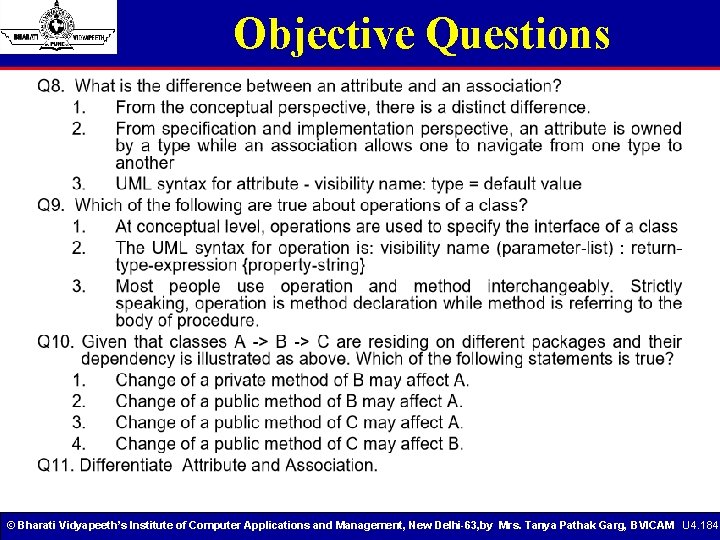
Objective Questions © Bharati Vidyapeeth’s Institute of Computer Applications and Management, New Delhi-63, by Mrs. Tanya Pathak Garg, BVICAM U 4. 184
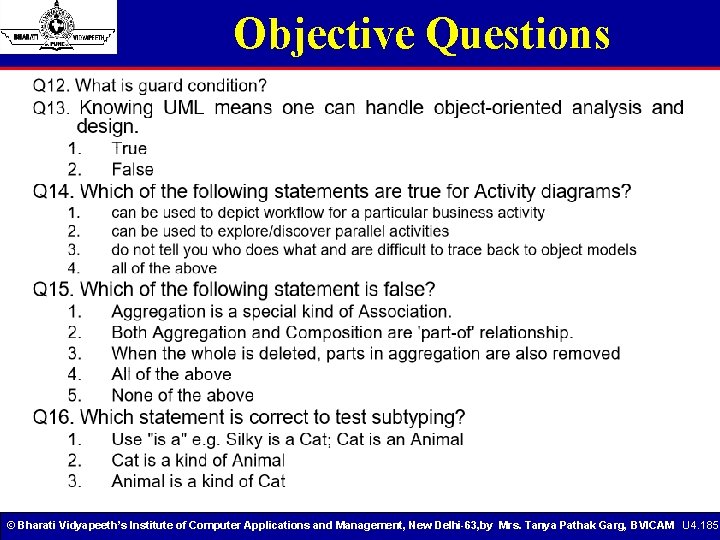
Objective Questions © Bharati Vidyapeeth’s Institute of Computer Applications and Management, New Delhi-63, by Mrs. Tanya Pathak Garg, BVICAM U 4. 185
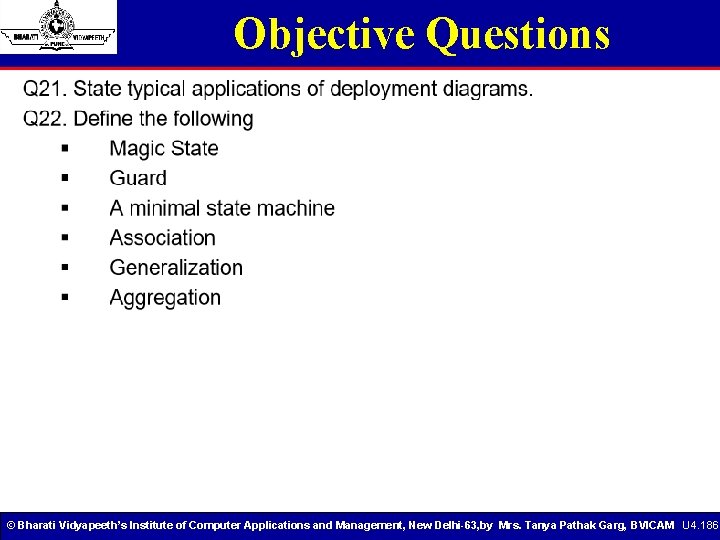
Objective Questions © Bharati Vidyapeeth’s Institute of Computer Applications and Management, New Delhi-63, by Mrs. Tanya Pathak Garg, BVICAM U 4. 186
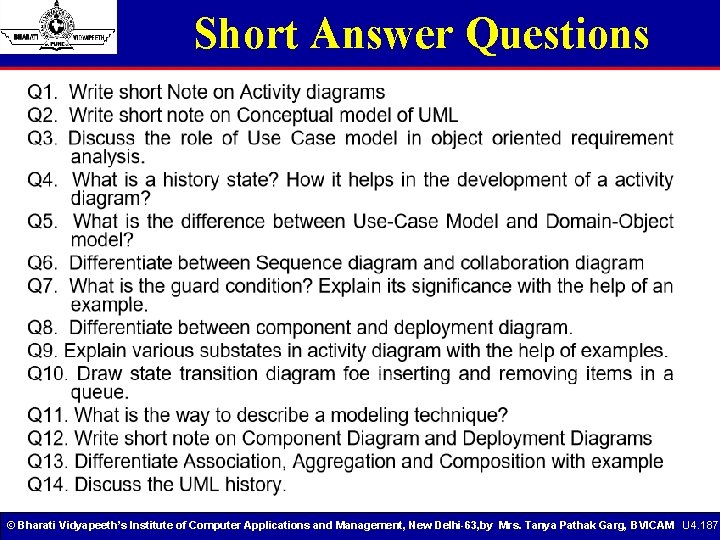
Short Answer Questions © Bharati Vidyapeeth’s Institute of Computer Applications and Management, New Delhi-63, by Mrs. Tanya Pathak Garg, BVICAM U 4. 187
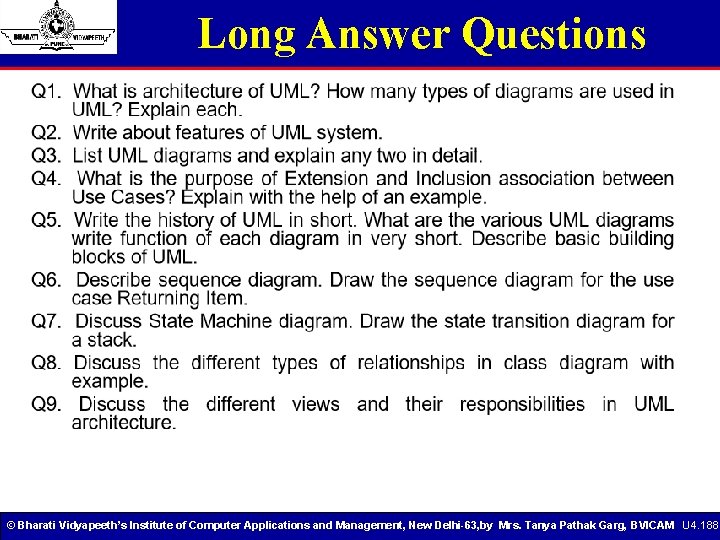
Long Answer Questions © Bharati Vidyapeeth’s Institute of Computer Applications and Management, New Delhi-63, by Mrs. Tanya Pathak Garg, BVICAM U 4. 188
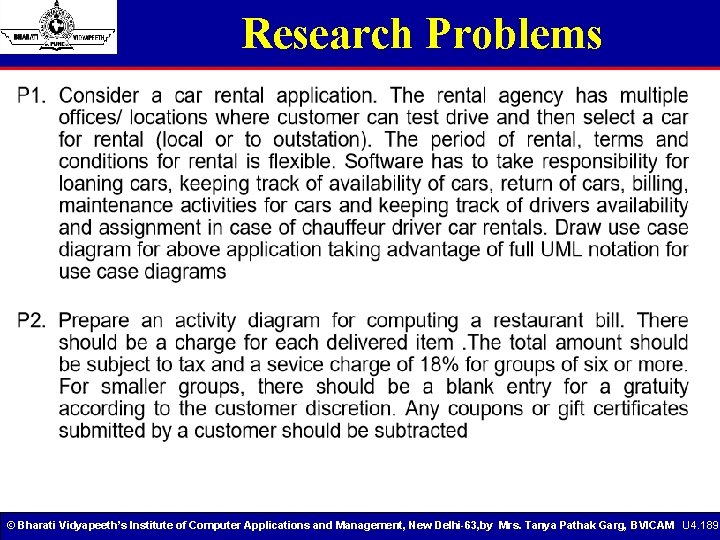
Research Problems © Bharati Vidyapeeth’s Institute of Computer Applications and Management, New Delhi-63, by Mrs. Tanya Pathak Garg, BVICAM U 4. 189
References © Bharati Vidyapeeth’s Institute of Computer Applications and Management, New Delhi-63, by Mrs. Tanya Pathak Garg, BVICAM U 4. 190
- Slides: 190