
Object Oriented Analysis and Design 12222021 1 Analysis
Object Oriented Analysis and Design 12/22/2021 1
Analysis I Tuesday 9/7/1999 12/22/2021 2
The Unified Process 12/22/2021 3
The Unified Process 4 Why a Process? – Software projects are large, complex, sophisticated – time to market is key – many facets involved in getting to the end 4 Common process should – integrate the many facets – provide guidance to the order of activities – specify what artifacts need to be developed – offer criteria for monitoring 12/22/2021 and measuring a project 4
The Unified Process 4 Component based - meaning the software system is built as 4 4 a set of software components interconnected via interfaces Uses the Unified Modeling Language (UML) Use case driven This is what makes Architecture-centric the Unified process Unique Iterative and incremental Component: A physical and replaceable part of a system that conforms to and provides realization of a set of interfaces. Interface: A collection of operations that are used to specify a service of a class or a component 12/22/2021 5
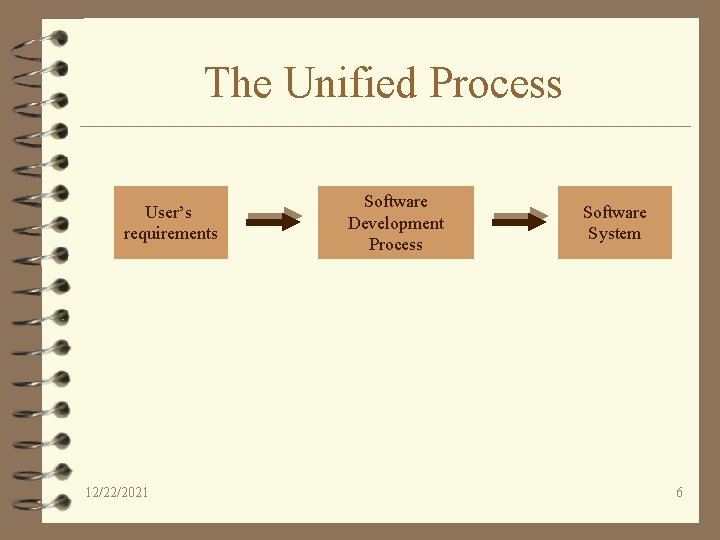
The Unified Process User’s requirements 12/22/2021 Software Development Process Software System 6
The Unified Process 4 Use Case driven – A use case is a piece of functionality in the system that gives a user a result of value 4 Use cases capture functional requirements 4 Use case answers the question: What is the system supposed to do for the user? 12/22/2021 7
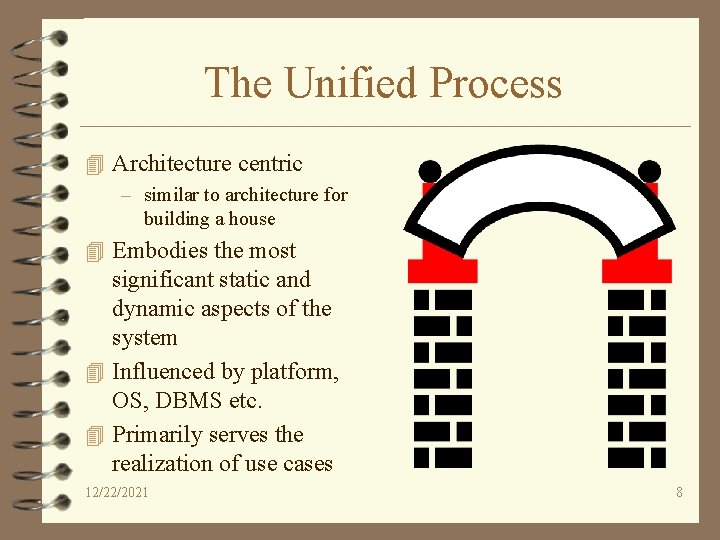
The Unified Process 4 Architecture centric – similar to architecture for building a house 4 Embodies the most significant static and dynamic aspects of the system 4 Influenced by platform, OS, DBMS etc. 4 Primarily serves the realization of use cases 12/22/2021 8
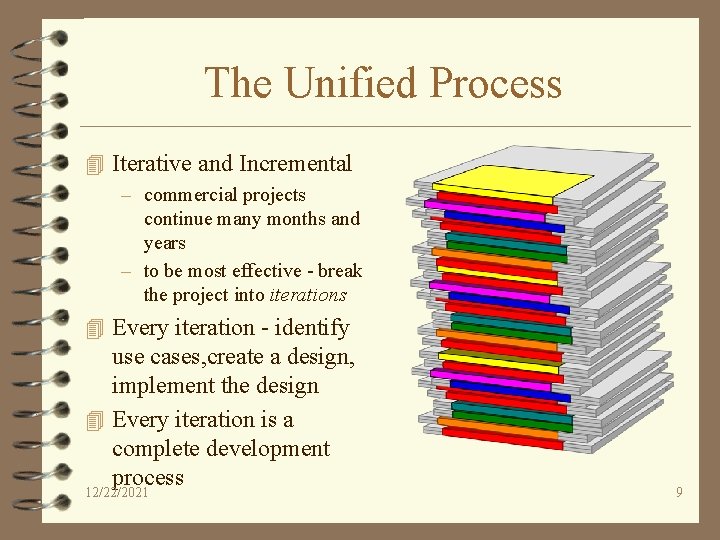
The Unified Process 4 Iterative and Incremental – commercial projects continue many months and years – to be most effective - break the project into iterations 4 Every iteration - identify use cases, create a design, implement the design 4 Every iteration is a complete development process 12/22/2021 9
The Unified Process 4 Look at the whole process – – – Life cycle Artifacts Workflows Phases Iterations 12/22/2021 10
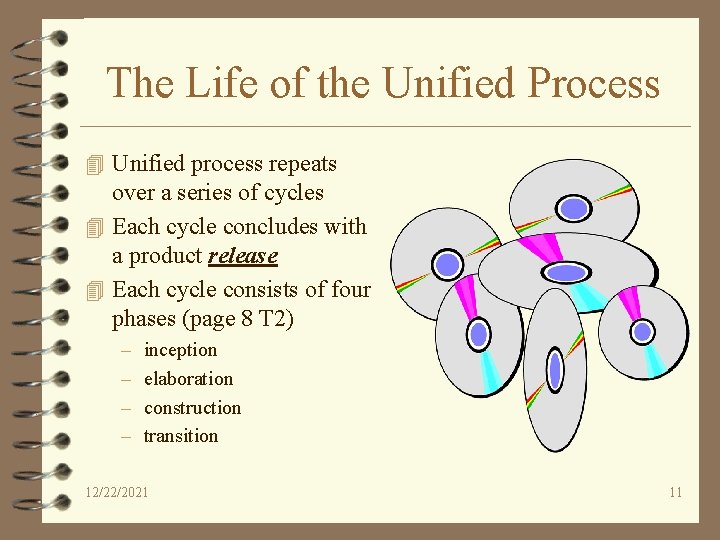
The Life of the Unified Process 4 Unified process repeats over a series of cycles 4 Each cycle concludes with a product release 4 Each cycle consists of four phases (page 8 T 2) – – inception elaboration construction transition 12/22/2021 11
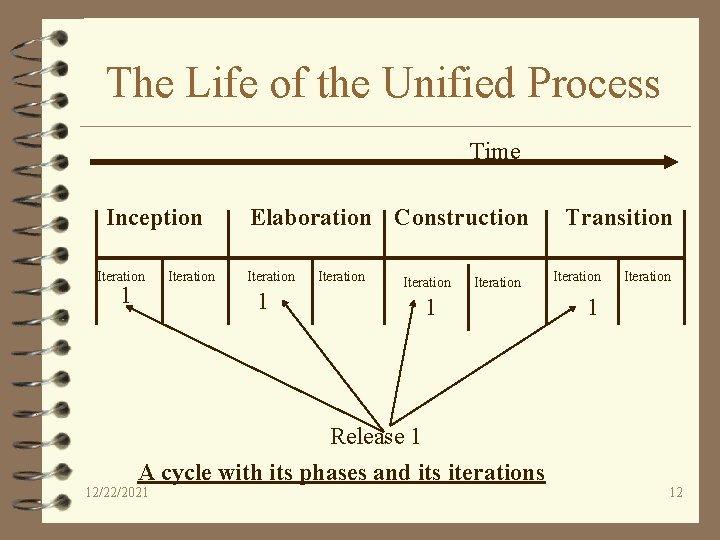
The Life of the Unified Process Time Inception Iteration 1 Iteration Elaboration Construction Iteration 1 Iteration 1 Release 1 A cycle with its phases and its iterations 12/22/2021 Transition Iteration 1 12
Intentionally left blank 12/22/2021 13
Analysis I 12/22/2021 14
Introduction to object-oriented analysis and design (all slides from UML, ch. 1, 3, 4) 12/22/2021 15
Objectives 4 Compare and Contrast analysis and design 4 Defined object-oriented analysis and design 4 Relate by analogy object-oriented analysis and design to organizing a business 12/22/2021 16
What is Analysis and Design? 4 Analysis - investigation of the problem (what) 4 Design - logical solution to fulfill the requirements (how) 12/22/2021 17
What is OO analysis and design? 4 Essence of OO analysis - consider a problem domain from the perspective of objects (real world things, concepts) 4 Essence of OO design - define the solution as a collection of software objects (allocating responsibilities to objects) 12/22/2021 18
Examples 4 OO Analysis - in the case of the library information systems, one would find concepts like book, library, patron 4 OO Design - emphasis on defining the software objects; ultimately these objects implemented in some programming language; Book may have a method print 12/22/2021 19
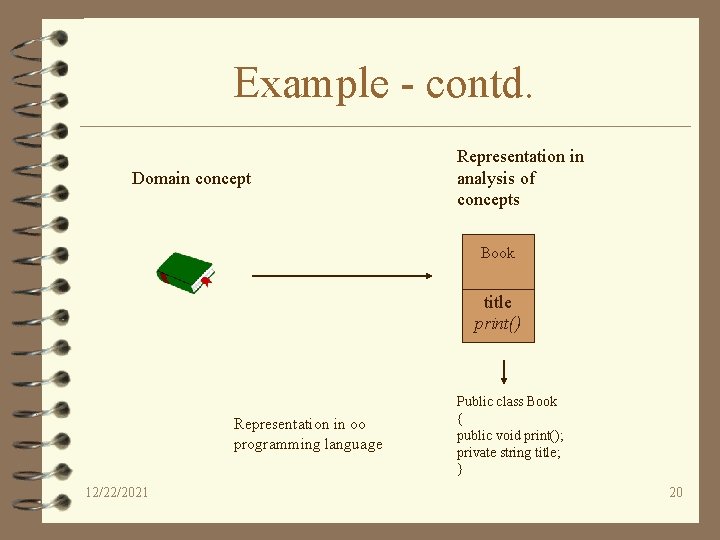
Example - contd. Domain concept Representation in analysis of concepts Book ______ title print() Representation in oo programming language 12/22/2021 Public class Book { public void print(); private string title; } 20
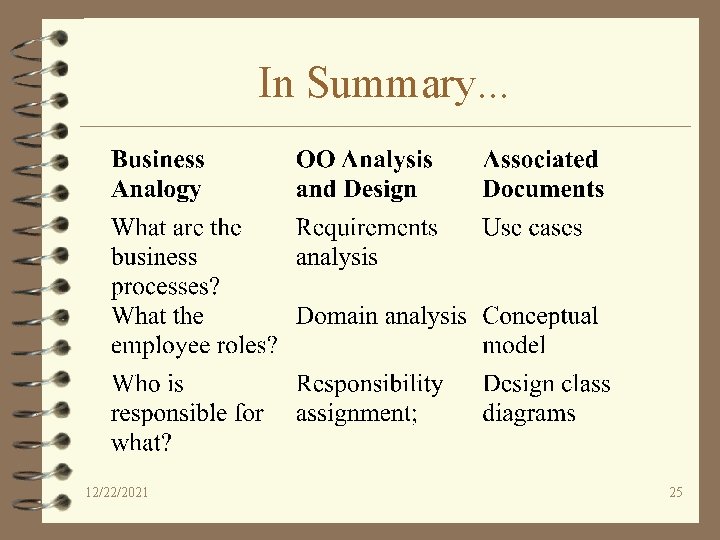
What are the business processes? 4 First step - consider what the business must do; in the case of a library - lending books, keeping track of due dates, buying new books 4 in oo terms - requirements analysis; represent the business processes in textual narration (Use Cases) 12/22/2021 21
Business processes - contd. 4 Identifying and recording the business processes as use cases is not actually an object oriented activity; however it is a widely accepted first step (a necessary first step) 12/22/2021 22
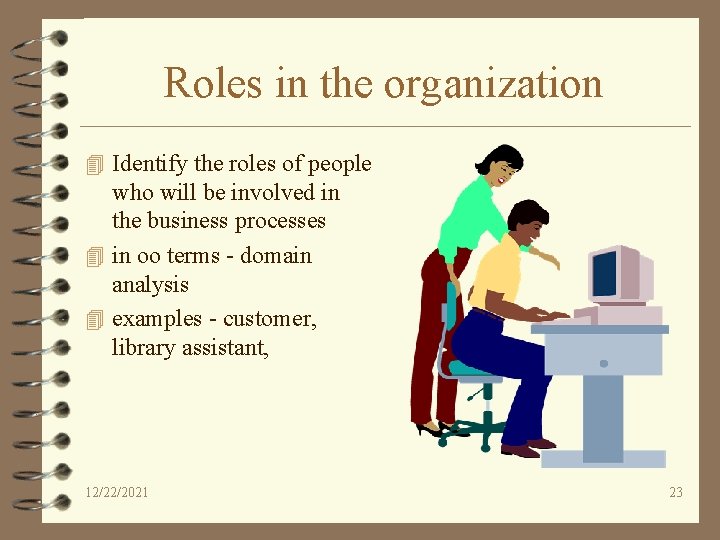
Roles in the organization 4 Identify the roles of people who will be involved in the business processes 4 in oo terms - domain analysis 4 examples - customer, library assistant, 12/22/2021 23
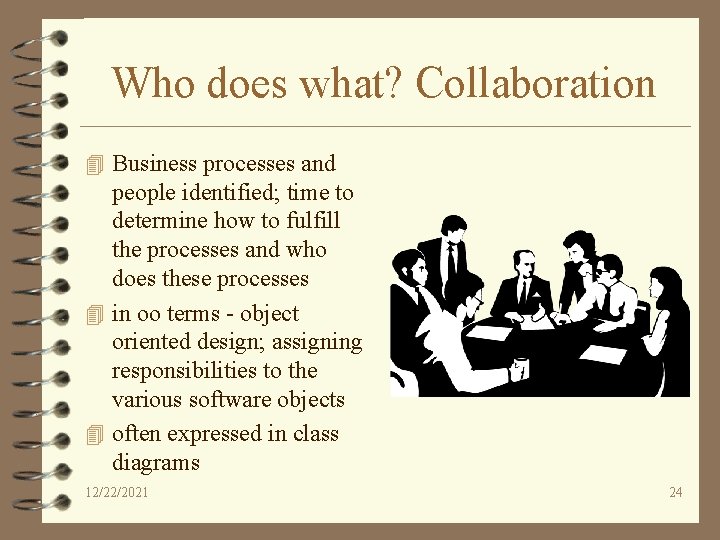
Who does what? Collaboration 4 Business processes and people identified; time to determine how to fulfill the processes and who does these processes 4 in oo terms - object oriented design; assigning responsibilities to the various software objects 4 often expressed in class diagrams 12/22/2021 24
In Summary. . . 12/22/2021 25
Simple example to see big picture 4 Define use cases 4 Define conceptual model 4 Define collaboration diagrams 4 Define design class diagrams Example: Dice game a player rolls two die. If the total is 7 they win; otherwise they lose 12/22/2021 26
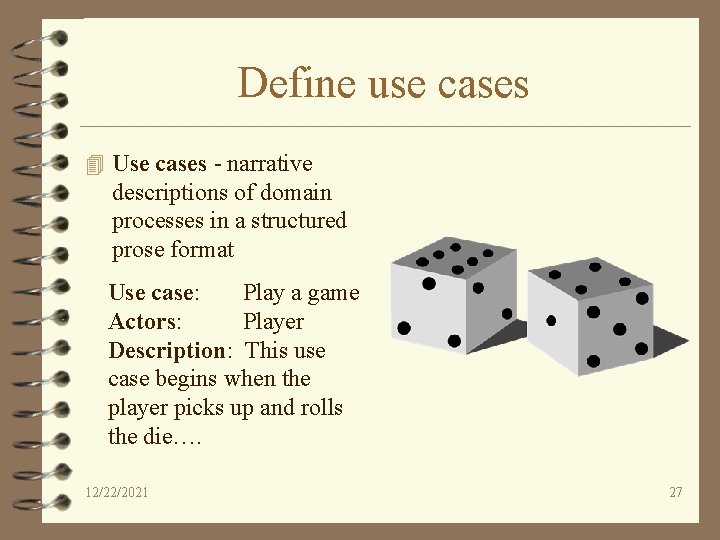
Define use cases 4 Use cases - narrative descriptions of domain processes in a structured prose format Use case: Play a game Actors: Player Description: This use case begins when the player picks up and rolls the die…. 12/22/2021 27
Define conceptual model 4 OO Analysis concerns – specification of the problem domain – identification of concepts (objects) 4 Decomposition of the problem domain includes – identification of objects, attributes, associations 4 results can be expressed in conceptual model 12/22/2021 28
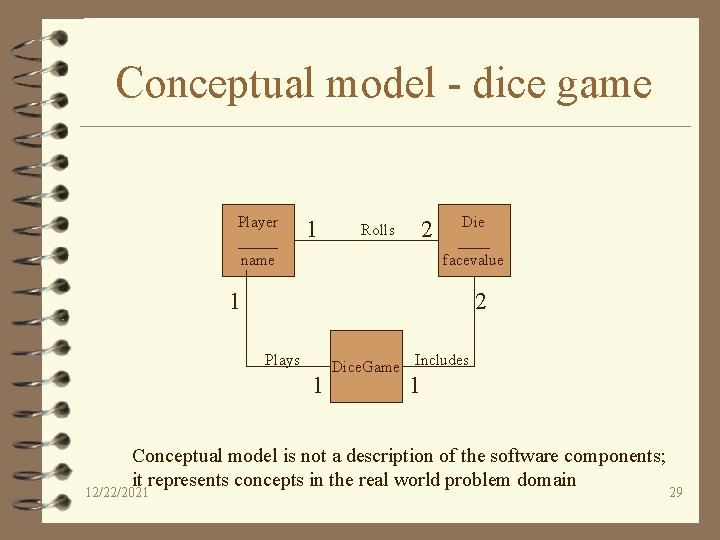
Conceptual model - dice game Player _____ name 1 2 Rolls Die ____ facevalue 1 2 Plays 1 Dice. Game Includes 1 Conceptual model is not a description of the software components; it represents concepts in the real world problem domain 12/22/2021 29
Defining collaboration diagram 4 OO Design is concerned – defining logical software specification that fulfills the requirements 4 Essential step - allocating responsibility to objects and illustrating how they interact with other objects 4 Expressed as Collaboration diagrams show the flow of messages between objects 12/22/2021 30
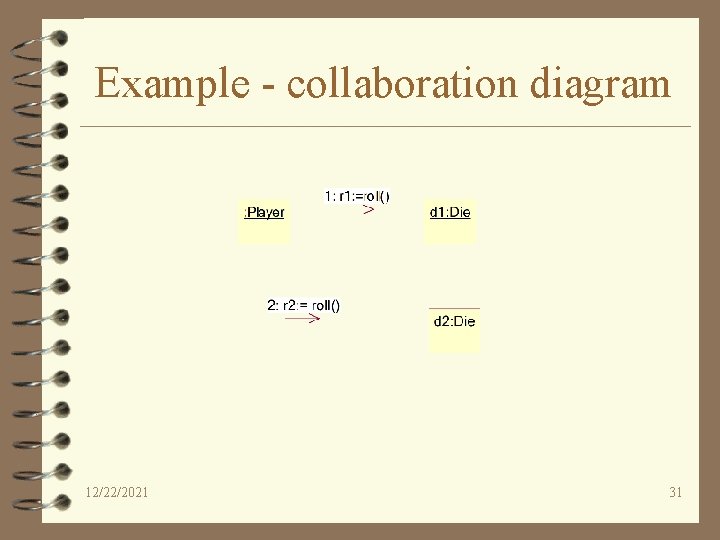
Example - collaboration diagram 12/22/2021 31
Defining class diagrams 4 Key questions to ask – How do objects connect to other objects? – What are the behaviors (methods) of these objects? 4 Collaboration diagrams suggests connections; to support these connections methods are needed 4 Expressed as class diagrams 12/22/2021 32
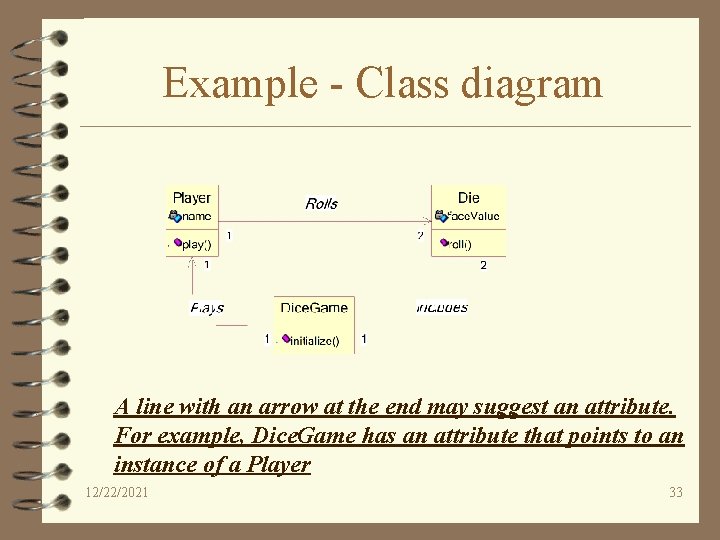
Example - Class diagram A line with an arrow at the end may suggest an attribute. For example, Dice. Game has an attribute that points to an instance of a Player 12/22/2021 33
Intentionally left blank 12/22/2021 34
Defining Models and Artifacts 4 Objectives – analysis and design models – familiarize UML notations and diagrams 4 real world software systems are inherently complex 4 Models provide a mechanism for decomposition and expressing specifications 12/22/2021 35
Analysis and Design models 4 Analysis model - models related to an investigation of the domain and problem space (Use case model qualifies as an example) 4 Design model - models related to the solution (class diagrams qualifies as an example) 12/22/2021 36
Introduction to UML 4 UML is NOT a methodology 4 UML is NOT a process 4 UML is NOT proprietary (Now under the OMG) 4 UML is strictly Notations 12/22/2021 37
Introduction to UML 4 Goals of UML notation – Simple : requires only a few concepts and symbols – Expressive : applicable to a wide spectrum of systems and life cycle methods – Useful : focuses only upon those necessary elements to software engineering – Consistent : the same concept and symbol should be applied in the same fashion throughout 12/22/2021 38
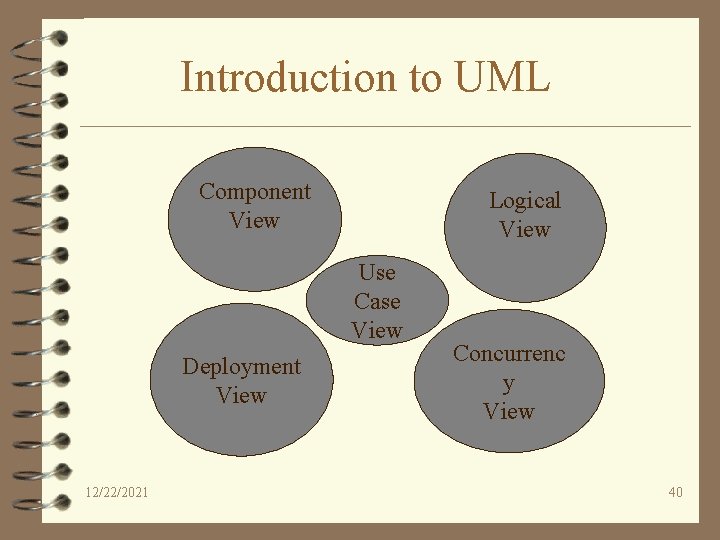
Introduction to UML 4 Goals of UML notation: – Printable – Extensible : users and tool builders should have some freedom to extend the notation 4 UML has different parts – Views - shows different aspects of the system that are modeled, links the modeling language to the method/process chosen for development – Diagrams - graphs that describe the contents in a view – Model elements - concepts used in a diagram 12/22/2021 39
Introduction to UML Component View Logical View Use Case View Deployment View 12/22/2021 Concurrenc y View 40
Introduction to UML 4 Use-case view : A view showing the functionality of the system as perceived by the external actors 4 Logical view: A view showing how the functionality is designed inside the system, in terms of the static structure and dynamic behavior 4 Component view: A view showing the organization of the code components 12/22/2021 41
Introduction to UML 4 Concurrency view: A view showing the concurrency of the system 4 Deployment view: A view showing the deployment of the system in terms of the physical architecture 12/22/2021 42
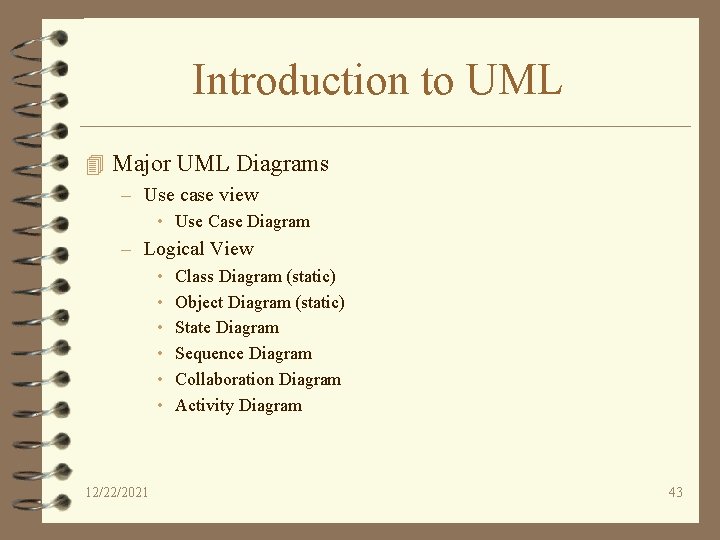
Introduction to UML 4 Major UML Diagrams – Use case view • Use Case Diagram – Logical View • • • 12/22/2021 Class Diagram (static) Object Diagram (static) State Diagram Sequence Diagram Collaboration Diagram Activity Diagram 43
Introduction to UML 4 Major UML diagrams – Component view • Component diagram – Deployment view • Deployment diagram 12/22/2021 44
Introduction to UML 4 Model elements – – – – Class Object State Use case Interface Association Link – Package 12/22/2021 …. 45
Introduction to UML 4 Use Case diagram: External interaction with actors 4 Class/Object Diagram : captures static structural aspects, objects and relationships 4 State Diagram: Dynamic state behavior 4 Sequence diagram: models object interaction over time 4 Collaboration diagram: models component interaction and structural dependencies 12/22/2021 46
Introduction to UML 4 Activity diagram : models object activities 4 Deployment diagram : models physical architecture 4 Component diagram : models software architecture 12/22/2021 47
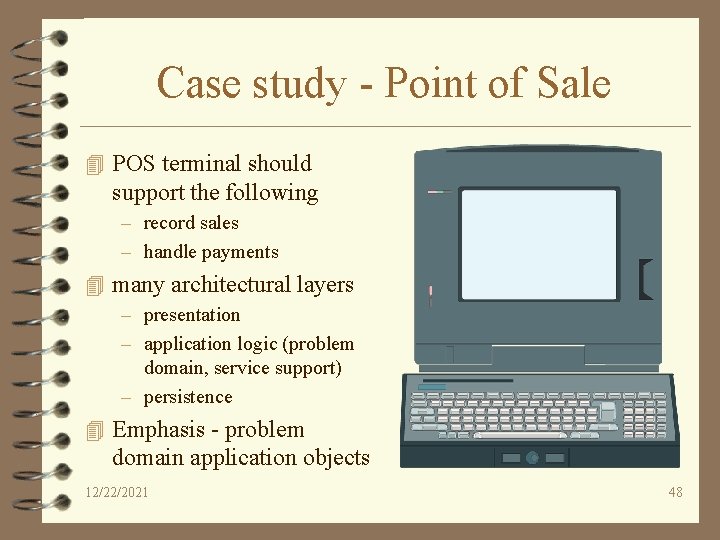
Case study - Point of Sale 4 POS terminal should support the following – record sales – handle payments 4 many architectural layers – presentation – application logic (problem domain, service support) – persistence 4 Emphasis - problem domain application objects 12/22/2021 48
Case study - Strategy 4 Iterative, more than one development cycle 4 Use Object oriented analysis and design 4 No emphasis on implementation 12/22/2021 49
Understanding requirements 4 Objectives – create requirements phase artifacts, namely function specifications – identify and categorize system functions 12/22/2021 50
Understanding requirements 4 Requirements are a description of needs or desires for a product 4 Recommended artifacts – – overview statement customers (stakeholders) goals system functions 12/22/2021 51
Understanding requirements Overview Statement: The purpose of this project is to create a point of sale terminal system to be used in retail sales Customers: Object. Store, Inc, a multinational retailer Goals: • Quick checkout for customers • fast and accurate sales analysis • automatic inventory control 12/22/2021 52
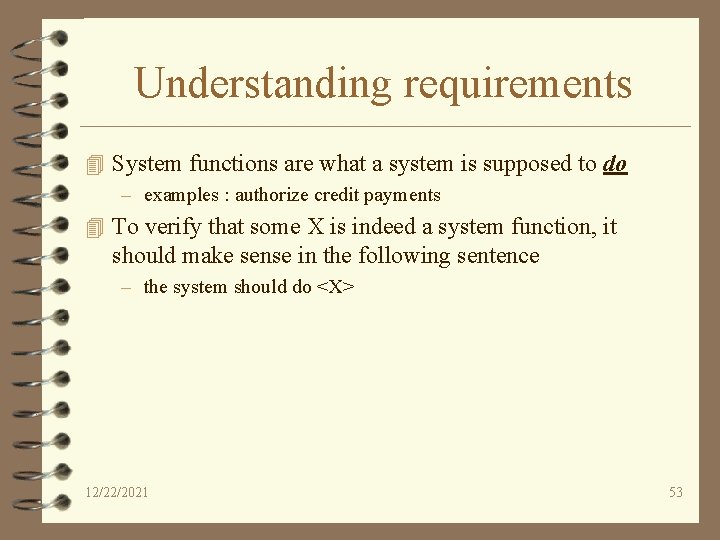
Understanding requirements 4 System functions are what a system is supposed to do – examples : authorize credit payments 4 To verify that some X is indeed a system function, it should make sense in the following sentence – the system should do <X> 12/22/2021 53
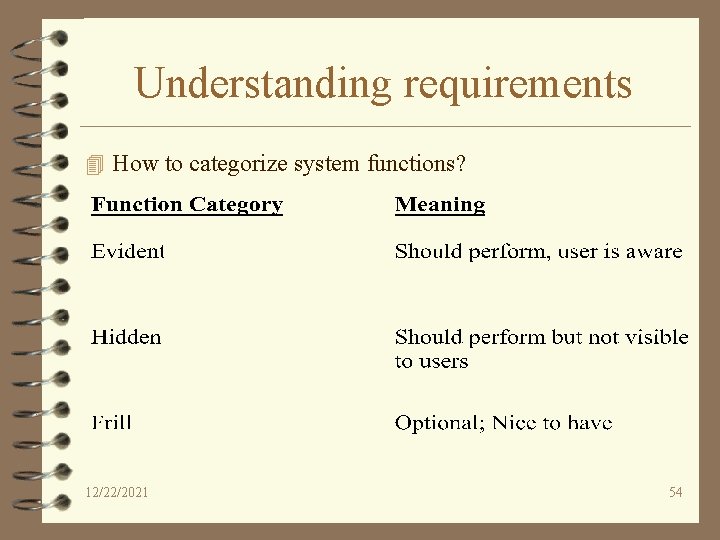
Understanding requirements 4 How to categorize system functions? 12/22/2021 54
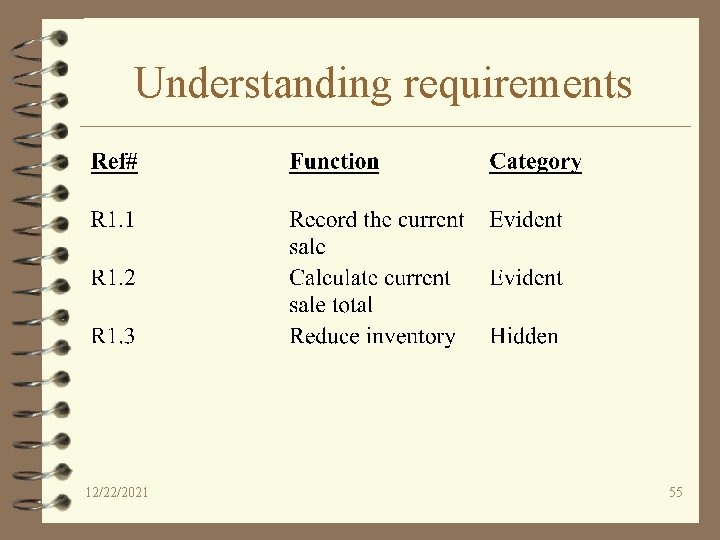
Understanding requirements 12/22/2021 55
Intentionally left blank 12/22/2021 56
Analysis 4 Objectives – – Identification of Use cases Draw use case diagrams Ranking Use cases Contrast essential and real use cases 12/22/2021 57
OO Analysis SRS - chapter 11 12/22/2021 58
More Object Oriented Analysis 4 Two ways of looking at software product – just the data perspective – just the actions performed on the data 4 The above method is Structured systems analysis - inherently not realistic! 4 Object oriented analysis - look at data and actions at the same time 12/22/2021 59
OO Analysis - Contd. 4 Formal specification technique 4 Consists of three steps – Use case modeling (action oriented) – Class modeling (data oriented) – Dynamic modeling (action oriented) 12/22/2021 60
Use case modeling 4 Describes the functionality of the product to be considered 4 represented in a use case diagram 12/22/2021 61
Use cases - Introduction 4 Excellent technique for improving the understanding of requirements 4 narrative in nature 4 Use cases are dependent on having some understanding of the requirements (expressed in functional specifications document) 12/22/2021 62
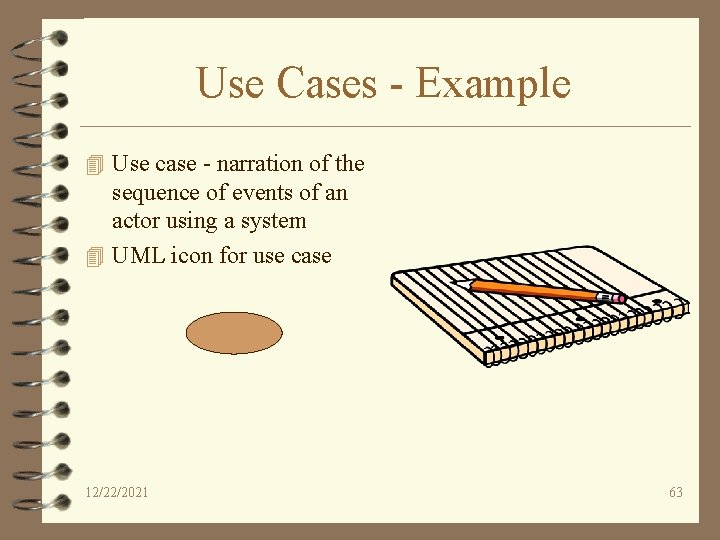
Use Cases - Example 4 Use case - narration of the sequence of events of an actor using a system 4 UML icon for use case 12/22/2021 63
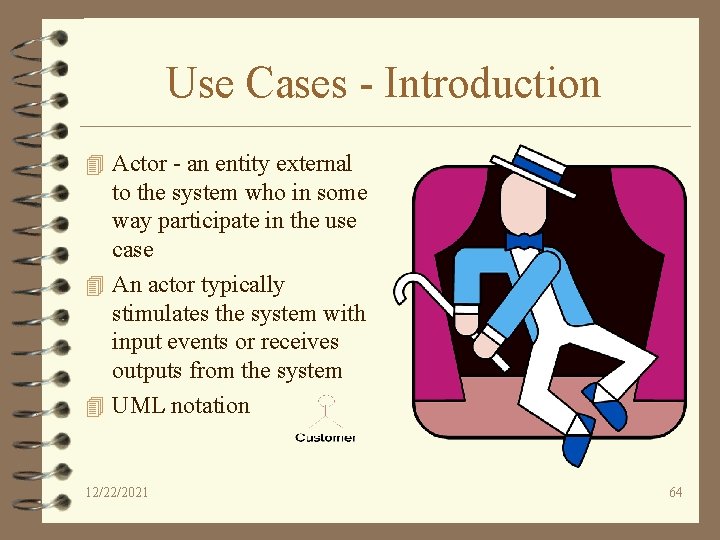
Use Cases - Introduction 4 Actor - an entity external to the system who in some way participate in the use case 4 An actor typically stimulates the system with input events or receives outputs from the system 4 UML notation 12/22/2021 64
Identification of Use Cases 4 Method 1 - Actor based – Identify the actors related to the system – Identify the processes these actors initiate or participate in 4 Method II - Event based – Identify the external events that a system must respond to – Relate the events to actors and use cases 12/22/2021 65
Point of Sale - Actors 4 Actors – Cashier – Customer – Supervisor 12/22/2021 66
Point of Sale - Use Cases 4 Cashier – Log In – Cash out 4 Customer – Buy items – Return items 12/22/2021 67
Common mistake 4 Common error - representing individual steps as use cases – Example: printing a receipt (Why? ) 12/22/2021 68
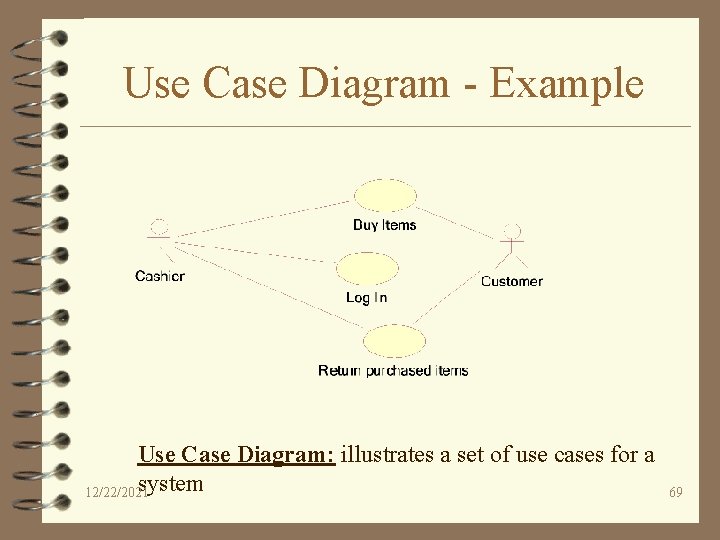
Use Case Diagram - Example Use Case Diagram: illustrates a set of use cases for a system 12/22/2021 69
More on Use Cases 4 Try to describe use cases independent of implementation 4 Be as narrative as possible 4 State success scenarios (how do you measure the success of an use case) 4 A use can have many scenarios (threads of execution) 4 Agree on a “format style” for use case description 4 Name a use case starting with a verb in order to emphasize that it is a process (Buy Items, Enter an order, Reduce inventory) 12/22/2021 70
More on Use Cases 4 Document exception handling or branching – when an “Buy Item” fails, what is expected of the system – when a “credit card” approval fails, what is expected of the system 12/22/2021 71
A sample of a Use Case Use case: Actors: Type: Description: 12/22/2021 Buy Items Customer, Cashier Primary, Essential A customer arrives at a checkout with items to purchase. The cashier records the purchase items and collects payment. 72
Ranking Use Cases 12/22/2021 73
Ranking Use Cases 4 Overarching strategy – pick the use cases that significantly influence the core architecture – pick the use cases that are critical to the success of the business – a useful rule of thumb - pick the use cases that are the highest risk!!! 12/22/2021 74
Ranking Use Cases 4 Use some ordering that is customary to your environment – Example: High, Medium, Low – Example: Must have, Essential, Nice to have 4 Point of sale Examples – Buy Items - High – Refund Items - Medium (Why? ) – Shut Down POS terminal - Low 12/22/2021 75
Questions? 12/22/2021 76
- Slides: 76