
Object ARX 2010 Autodesk Developer Technical Services Autodesk

Object. ARX 2010 Autodesk Developer Technical Services
Autodesk Developer Network (ADN) § Access to almost all Autodesk software and SDK’s § Including early access to Beta software Members-only website with 1000 s of technical articles § Unlimited technical support § Product direction through conferences § Marketing benefits § Exposure on autodesk. com § Promotional opportunities § § 1 to 3 free API training classes § Based on user level www. autodesk. com/joinadn © 2009 Autodesk

Developer Technical Services Worldwide Workgroup § Over 25 Specialists World Wide § Virtually 24 hour support, 5 days a week Americas Team § CA, WA, São Paulo European Team § Switzerland, United Kingdom, France, Czech Republic, Russia APac Team § © 2009 Autodesk China, Japan, India
Getting Support http: //www. autodesk. com/adn-devhelp § Provides access to On-line knowledgebase § Request submission § Newsgroups § § Requests are logged automatically 1 -3 day turnaround § Callbacks as needed § § © 2009 Autodesk Answers to frequently asked questions are posted in our online knowledge base
Course Objective It is to understand: § The fundamentals of Object. ARX § How to teach yourself Auto. CAD APIs § Where to get help with afterwards What it is not: § Teach you C++, C#, VB, . NET § Give you complete of coverage of all API functions © 2009 Autodesk
Class Agenda Lectures with Labs § Slides give an abstract overview § Labs and my comments give the practical experience Lectures: § Overview of APIs § Auto. CAD: Hello. arx – Step 1 + 2 § Object. DBX: Structure – Step 3 + 4 § Object. DBX: Extend it! – Step 5 + 6 § Auto. CAD: Multi-Document Environment § Notification System – Step 7 © 2009 Autodesk
Class Schedule Time 10: 00 - 5: 00 § Lunch 12: 00 - 1: 00 Day 1 § Overview of APIs § Auto. CAD: Hello. arx Day 2 § Object. DBX: Structure § Object. DBX: Extend it! Day 3 § Auto. CAD: MDE Environment § Notification System © 2009 Autodesk
Training Material § Object. ARX. pptx § objectarx_2010_win_64_and_32 bit. exe - Object. ARX installation file § Inspector. zip © 2009 Autodesk - this presentation - Object. ARX snoop tool
Agenda Overview of APIs Auto. CAD: Hello. arx Object. DBX: Structure Object. DBX: Extend it! Auto. CAD: Multi-Document Environment Notification System © 2009 Autodesk
API Overview A general look at APIs Types of API § Client/Server interaction § Client code § Auto. CAD’s APIs and IDEs Implementation § Comparison § © 2009 Autodesk
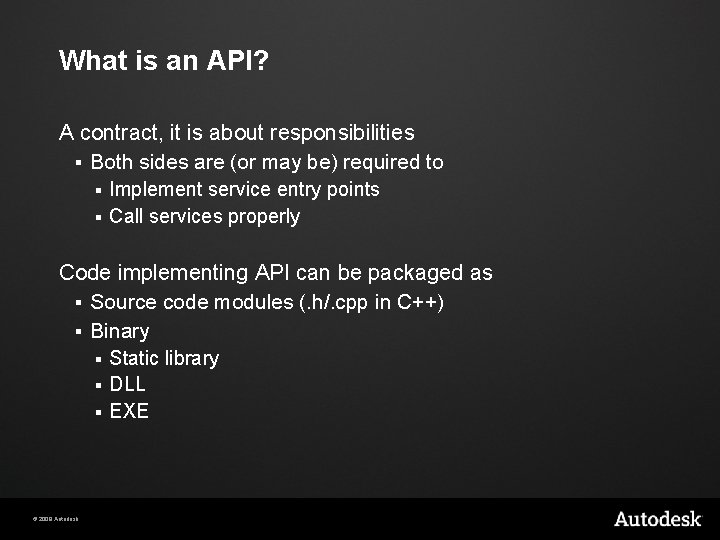
What is an API? A contract, it is about responsibilities § Both sides are (or may be) required to Implement service entry points § Call services properly § Code implementing API can be packaged as § Source code modules (. h/. cpp in C++) § Binary Static library § DLL § EXE § © 2009 Autodesk
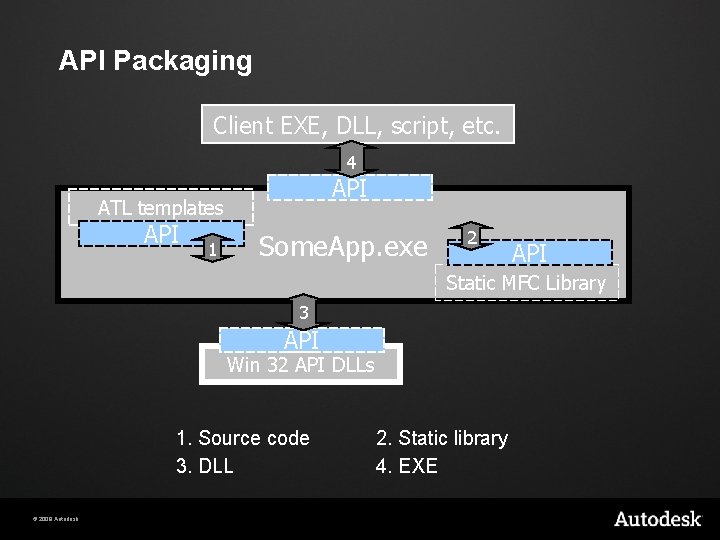
API Packaging Client EXE, DLL, script, etc. 4 API ATL templates API 1 Some. App. exe 2 API Static MFC Library 3 API Win 32 API DLLs 1. Source code 3. DLL © 2009 Autodesk 2. Static library 4. EXE
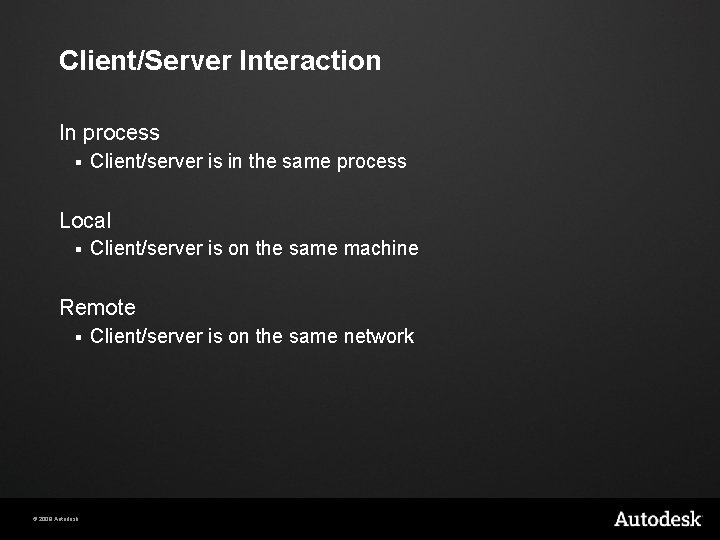
Client/Server Interaction In process § Client/server is in the same process Local § Client/server is on the same machine Remote § © 2009 Autodesk Client/server is on the same network
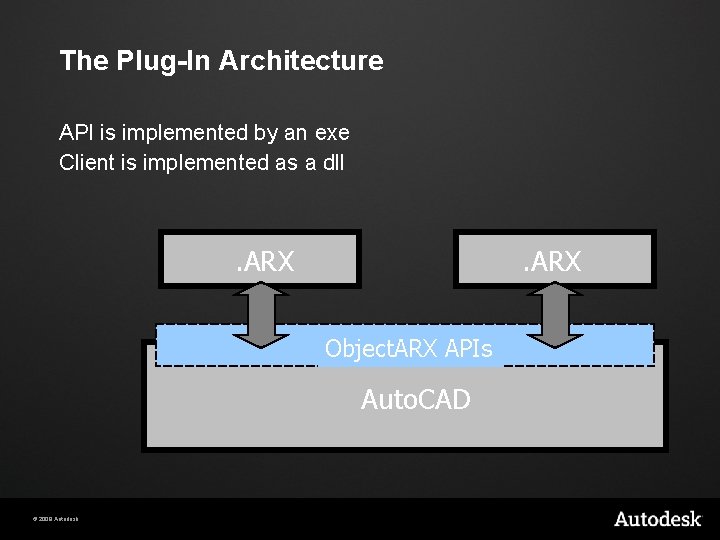
The Plug-In Architecture API is implemented by an exe Client is implemented as a dll . DLL. ARX APIs Object. ARX . EXE Auto. CAD © 2009 Autodesk
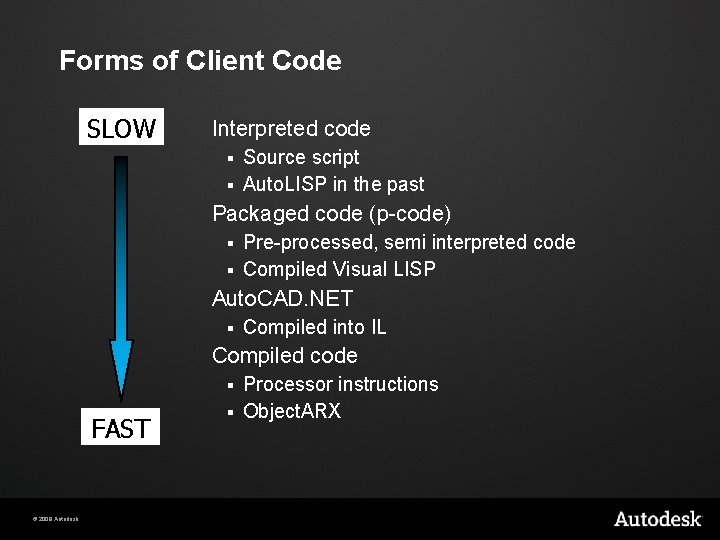
Forms of Client Code SLOW Interpreted code Source script § Auto. LISP in the past § Packaged code (p-code) Pre-processed, semi interpreted code § Compiled Visual LISP § Auto. CAD. NET § Compiled into IL Compiled code Processor instructions § Object. ARX § FAST © 2009 Autodesk
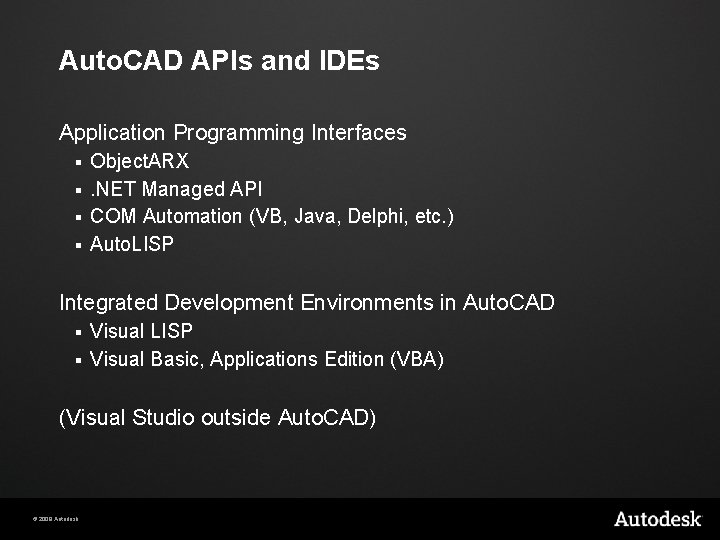
Auto. CAD APIs and IDEs Application Programming Interfaces Object. ARX §. NET Managed API § COM Automation (VB, Java, Delphi, etc. ) § Auto. LISP § Integrated Development Environments in Auto. CAD Visual LISP § Visual Basic, Applications Edition (VBA) § (Visual Studio outside Auto. CAD) © 2009 Autodesk
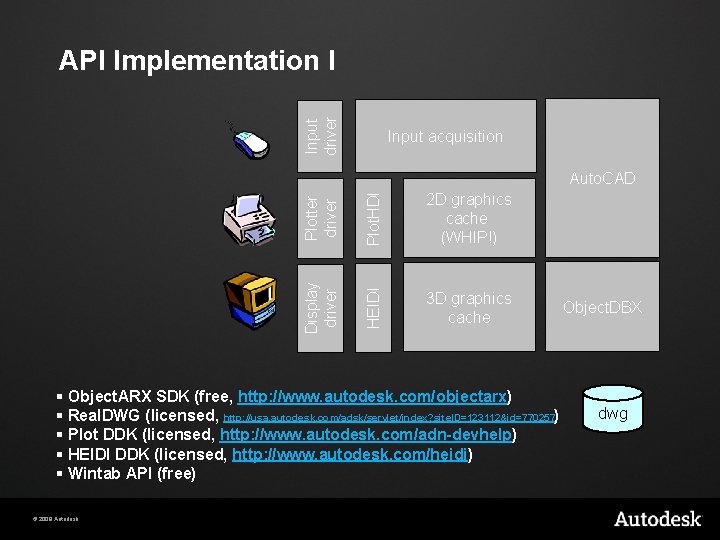
Input driver API Implementation I Input acquisition Plotter driver Plot. HDI 2 D graphics cache (WHIP!) Display driver HEIDI Auto. CAD 3 D graphics cache § Object. ARX SDK (free, http: //www. autodesk. com/objectarx) § Real. DWG (licensed, http: //usa. autodesk. com/adsk/servlet/index? site. ID=123112&id=770257) § Plot DDK (licensed, http: //www. autodesk. com/adn-devhelp) § HEIDI DDK (licensed, http: //www. autodesk. com/heidi) § Wintab API (free) © 2009 Autodesk Object. DBX dwg
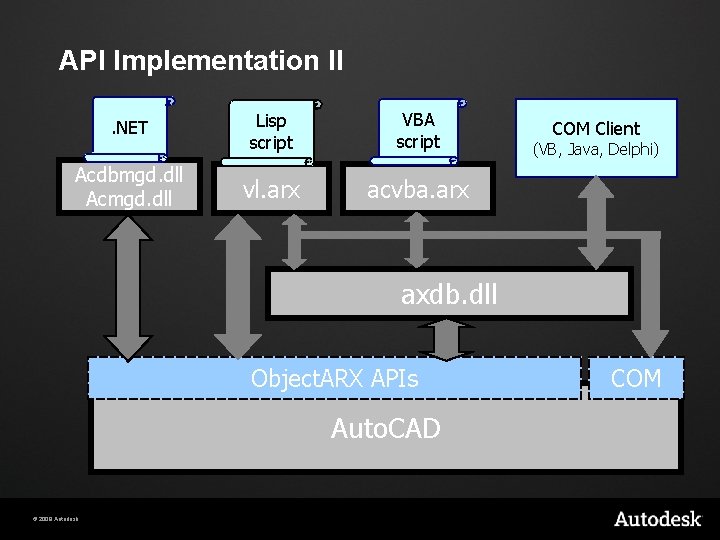
API Implementation II. NET Acdbmgd. dll Acmgd. dll Lisp script VBA script vl. arx acvba. arx COM Client (VB, Java, Delphi) axdb. dll Object. ARX APIs Auto. CAD © 2009 Autodesk COM
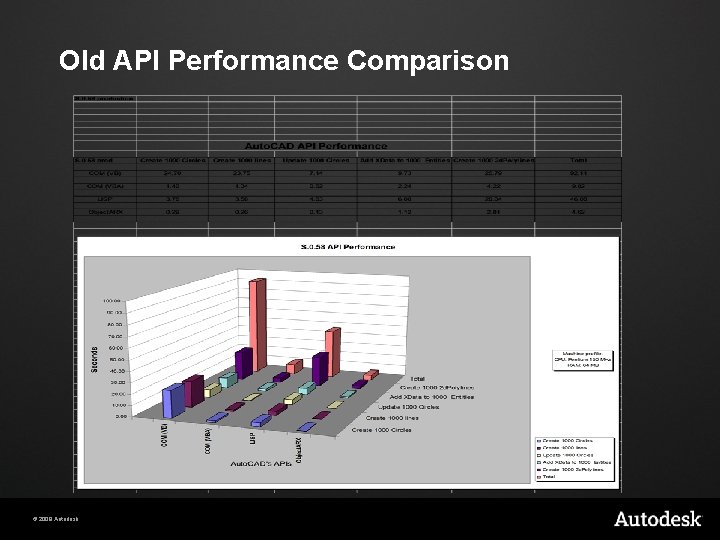
Old API Performance Comparison © 2009 Autodesk
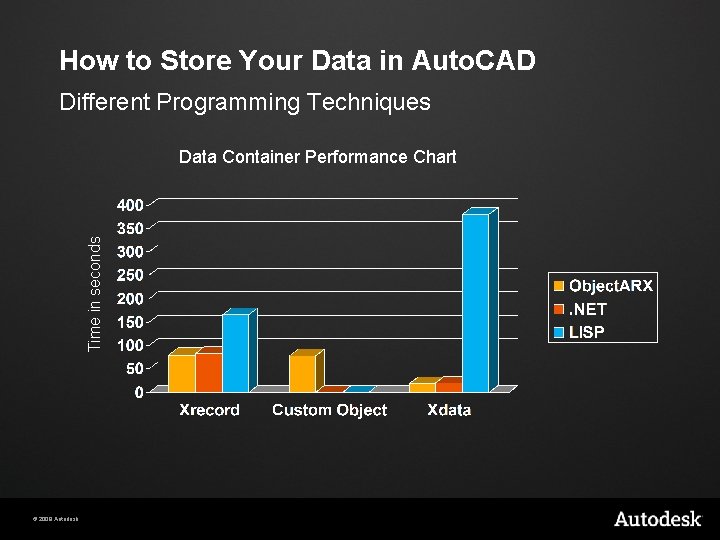
How to Store Your Data in Auto. CAD Different Programming Techniques Time in seconds Data Container Performance Chart © 2009 Autodesk
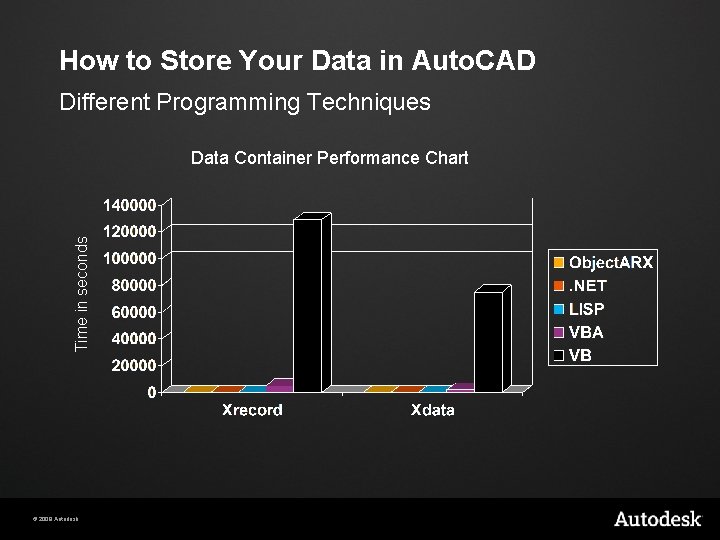
How to Store Your Data in Auto. CAD Different Programming Techniques Time in seconds Data Container Performance Chart © 2009 Autodesk
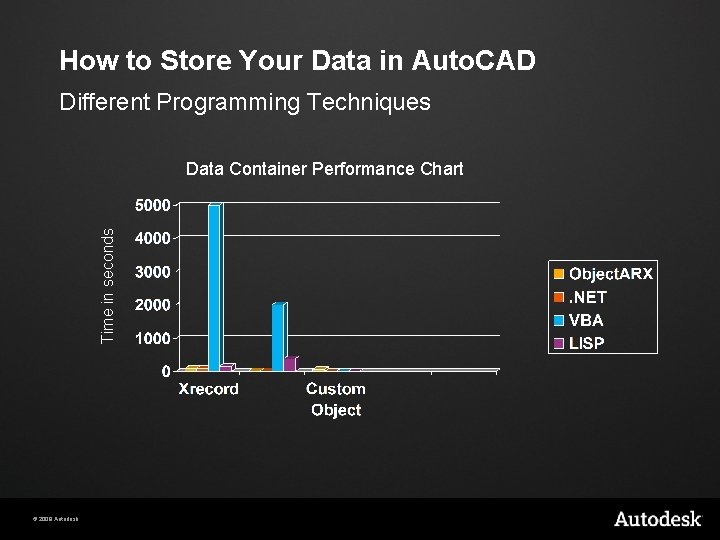
How to Store Your Data in Auto. CAD Different Programming Techniques Time in seconds Data Container Performance Chart © 2009 Autodesk
API Comparison Summary Speed § Object. ARX, . NET is close second, VBA also though obsolete Coverage § Object. ARX, . NET everything except custom objects Ease of use §. NET, VBA Learning curve §. NET, VBA © 2009 Autodesk
Agenda Overview of APIs Auto. CAD: Hello. arx Object. DBX: Structure Object. DBX: Extend it! Auto. CAD: Multi-Document Environment Notification System © 2009 Autodesk
Auto. CAD: Hello. arx Object. ARX § What it is § Where to get it Object. ARX applications § Structure § Loading § Memory management Creating commands § Command mechanism § Prompting for user input Object. ARX Wizards © 2009 Autodesk
What is Object. ARX? Auto. CAD Runtime e. Xtension A DLL plug-in model § A set of Object Oriented C++ libraries § A framework? More than just a toolkit § Specialized objects can be plugged back into the system § § © 2009 Autodesk Custom entities Reactors. . .
What can I do with Object. ARX? Modify and extend the drawing database Create/modify/erase objects § Create new types of objects § Modify Auto. CAD’s user interface § § § Commands Toolbars/dialogs Properties Window Design Center Display system Monitor/Modify Auto. CAD’s standard behavior Event notifications § Input point acquisition § © 2009 Autodesk
Getting the Object. ARX SDK Download - Free On Autodesk public web site Developer Center - Object. ARX (http: //usa. autodesk. com/adsk/servlet/index? id=773204&site. ID= 123112) Or Search for Object. ARX on http: //www. autodesk. com/ © 2009 Autodesk
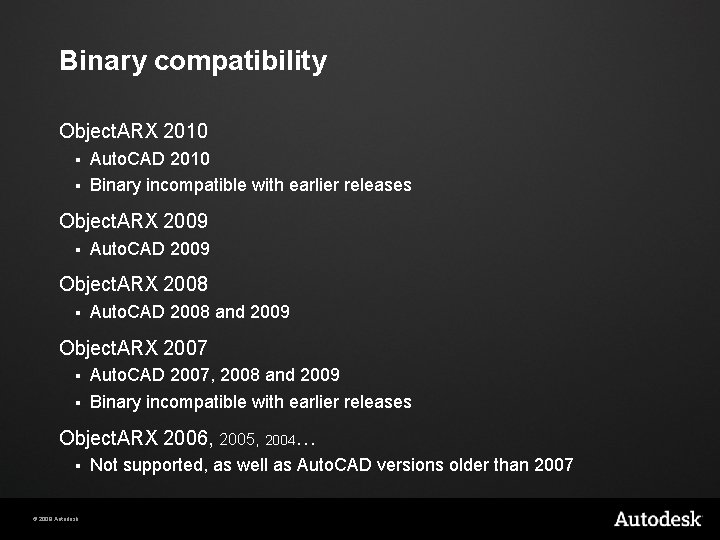
Binary compatibility Object. ARX 2010 Auto. CAD 2010 § Binary incompatible with earlier releases § Object. ARX 2009 § Auto. CAD 2009 Object. ARX 2008 § Auto. CAD 2008 and 2009 Object. ARX 2007 Auto. CAD 2007, 2008 and 2009 § Binary incompatible with earlier releases § Object. ARX 2006, 2005, 2004… § © 2009 Autodesk Not supported, as well as Auto. CAD versions older than 2007
Development Environment For Object. ARX development § Microsoft Visual Studio 2008 SP 1 Object. ARX 2010 SDK Microsoft Windows 2000 SP 2 or better © 2009 Autodesk
Object. ARX SDK Contents What comes with the SDK § Libraries and Header Files § Documentation § Samples § Utilities © 2009 Autodesk
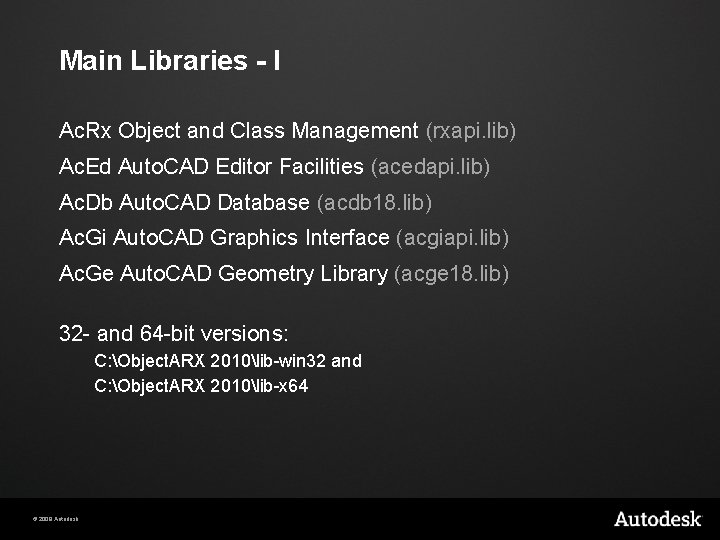
Main Libraries - I Ac. Rx Object and Class Management (rxapi. lib) Ac. Ed Auto. CAD Editor Facilities (acedapi. lib) Ac. Db Auto. CAD Database (acdb 18. lib) Ac. Gi Auto. CAD Graphics Interface (acgiapi. lib) Ac. Ge Auto. CAD Geometry Library (acge 18. lib) 32 - and 64 -bit versions: C: Object. ARX 2010lib-win 32 and C: Object. ARX 2010lib-x 64 © 2009 Autodesk
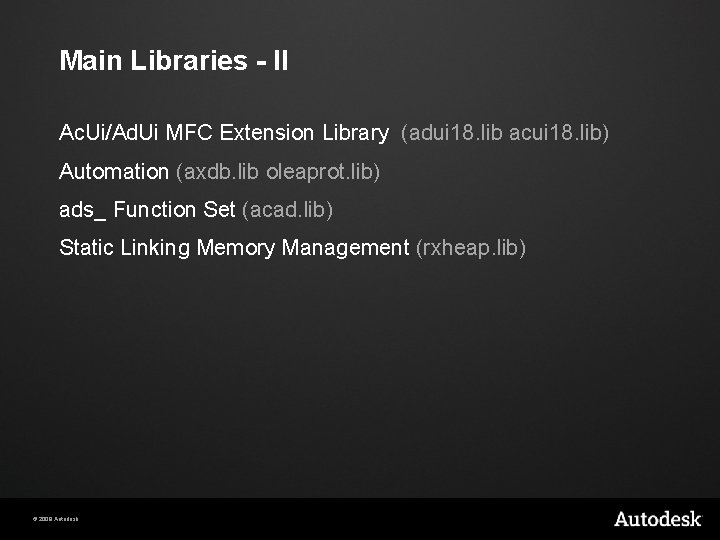
Main Libraries - II Ac. Ui/Ad. Ui MFC Extension Library (adui 18. lib acui 18. lib) Automation (axdb. lib oleaprot. lib) ads_ Function Set (acad. lib) Static Linking Memory Management (rxheap. lib) © 2009 Autodesk
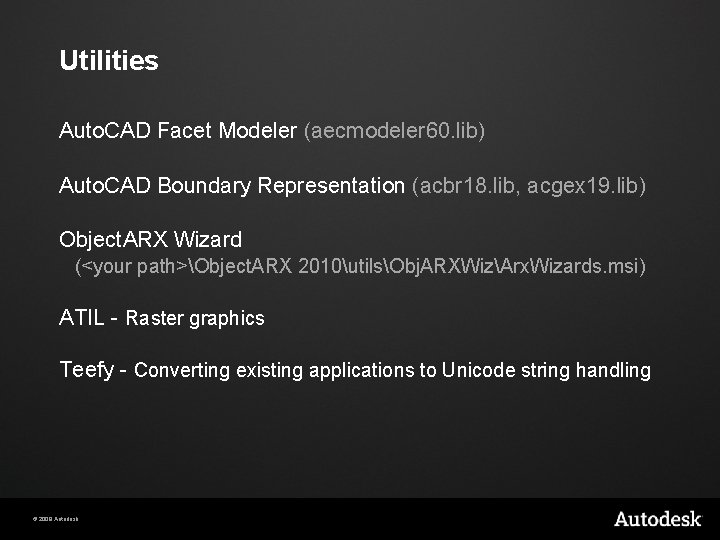
Utilities Auto. CAD Facet Modeler (aecmodeler 60. lib) Auto. CAD Boundary Representation (acbr 18. lib, acgex 19. lib) Object. ARX Wizard (<your path>Object. ARX 2010utilsObj. ARXWizArx. Wizards. msi) ATIL - Raster graphics Teefy - Converting existing applications to Unicode string handling © 2009 Autodesk
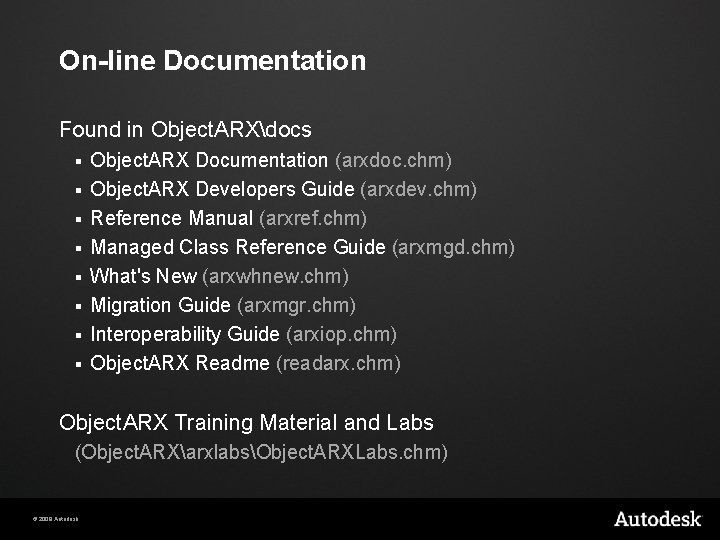
On-line Documentation Found in Object. ARXdocs § § § § Object. ARX Documentation (arxdoc. chm) Object. ARX Developers Guide (arxdev. chm) Reference Manual (arxref. chm) Managed Class Reference Guide (arxmgd. chm) What's New (arxwhnew. chm) Migration Guide (arxmgr. chm) Interoperability Guide (arxiop. chm) Object. ARX Readme (readarx. chm) Object. ARX Training Material and Labs (Object. ARXarxlabsObject. ARXLabs. chm) © 2009 Autodesk
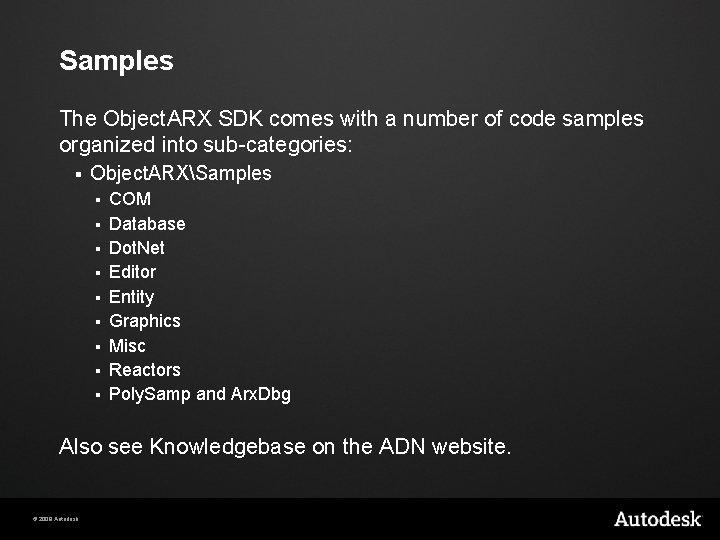
Samples The Object. ARX SDK comes with a number of code samples organized into sub-categories: § Object. ARXSamples § § § § § COM Database Dot. Net Editor Entity Graphics Misc Reactors Poly. Samp and Arx. Dbg Also see Knowledgebase on the ADN website. © 2009 Autodesk
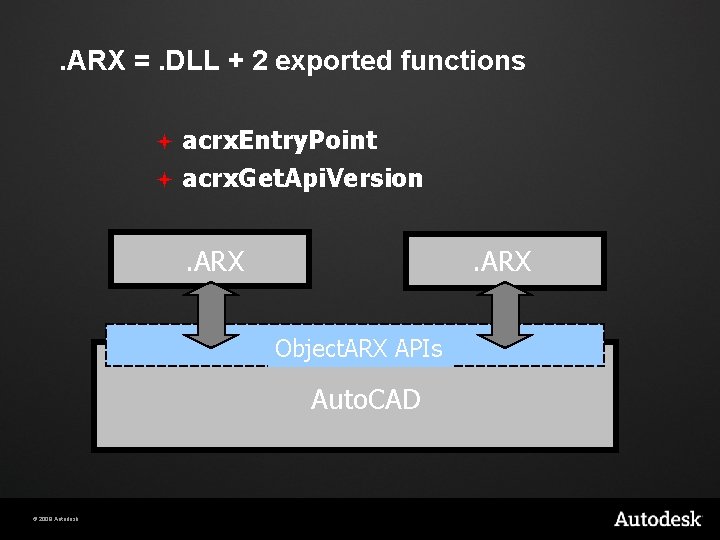
. ARX =. DLL + 2 exported functions acrx. Entry. Point ª acrx. Get. Api. Version ª . DLL. ARX. DLL APIs Object. ARX . EXE Auto. CAD © 2009 Autodesk
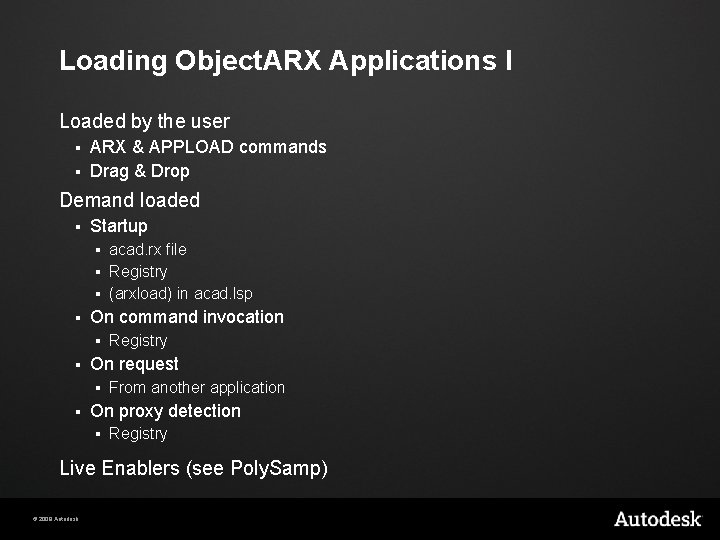
Loading Object. ARX Applications I Loaded by the user ARX & APPLOAD commands § Drag & Drop § Demand loaded § Startup acad. rx file § Registry § (arxload) in acad. lsp § § On command invocation § § On request § § Registry From another application On proxy detection § Registry Live Enablers (see Poly. Samp) © 2009 Autodesk
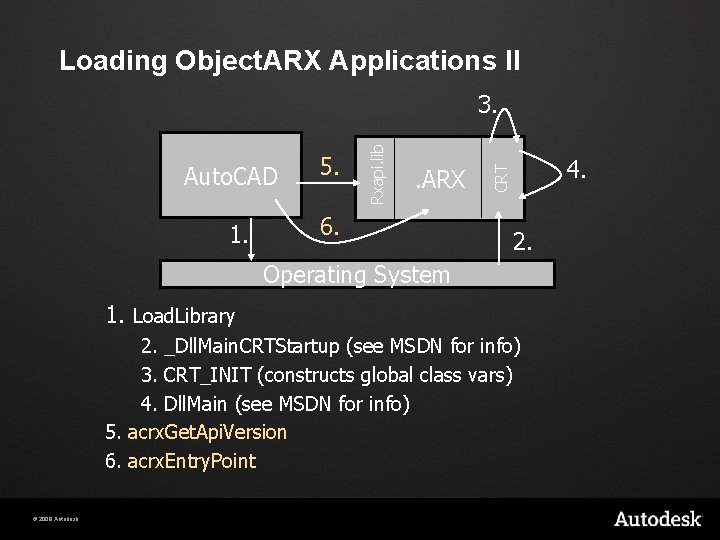
Loading Object. ARX Applications II 1. 5. . ARX 6. 4. CRT Auto. CAD Rxapi. lib 3. 2. Operating System 1. Load. Library 2. _Dll. Main. CRTStartup (see MSDN for info) 3. CRT_INIT (constructs global class vars) 4. Dll. Main (see MSDN for info) 5. acrx. Get. Api. Version 6. acrx. Entry. Point © 2009 Autodesk
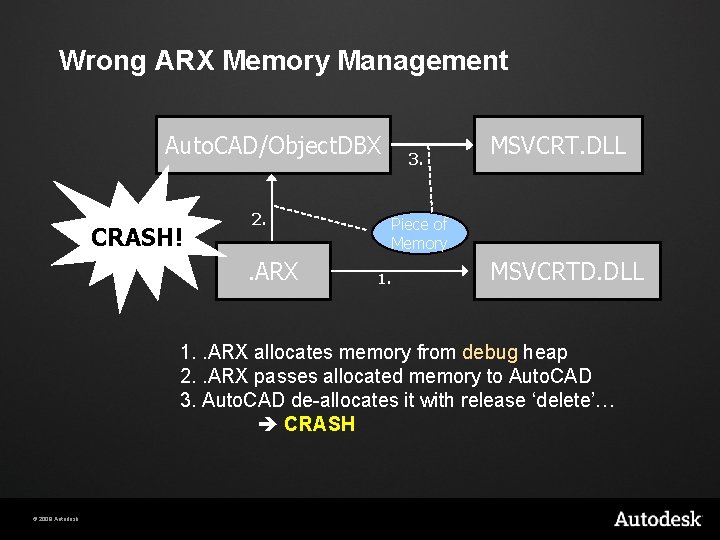
Wrong ARX Memory Management Auto. CAD/Object. DBX CRASH! 2. . ARX 3. MSVCRT. DLL Piece of Memory 1. MSVCRTD. DLL 1. . ARX allocates memory from debug heap 2. . ARX passes allocated memory to Auto. CAD 3. Auto. CAD de-allocates it with release ‘delete’… CRASH © 2009 Autodesk
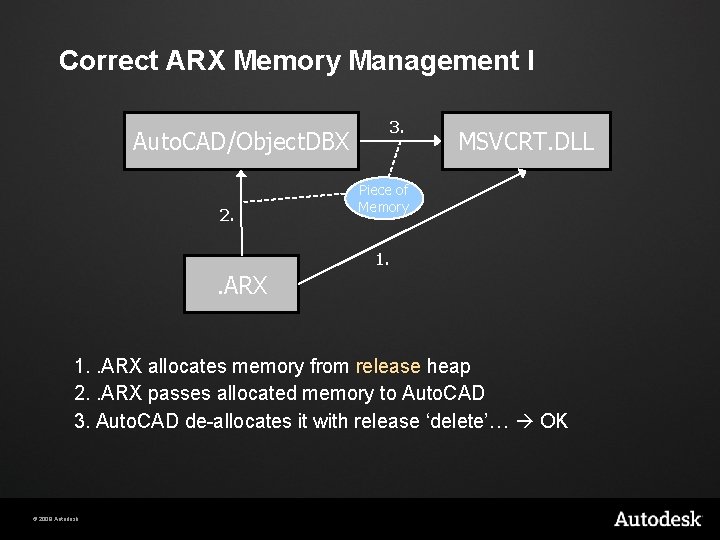
Correct ARX Memory Management I 3. Auto. CAD/Object. DBX 2. MSVCRT. DLL Piece of Memory 1. . ARX allocates memory from release heap 2. . ARX passes allocated memory to Auto. CAD 3. Auto. CAD de-allocates it with release ‘delete’… OK © 2009 Autodesk
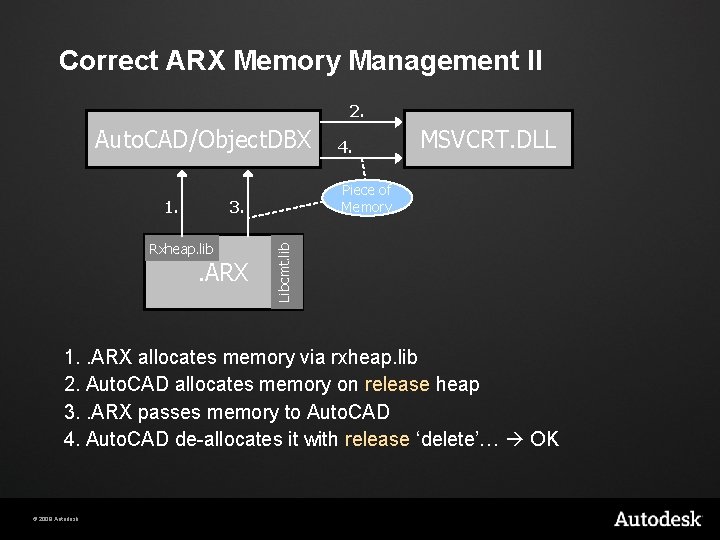
Correct ARX Memory Management II 2. Auto. CAD/Object. DBX Piece of Memory 3. Rxheap. lib . ARX MSVCRT. DLL Libcmt. lib 1. 4. 1. . ARX allocates memory via rxheap. lib 2. Auto. CAD allocates memory on release heap 3. . ARX passes memory to Auto. CAD 4. Auto. CAD de-allocates it with release ‘delete’… OK © 2009 Autodesk
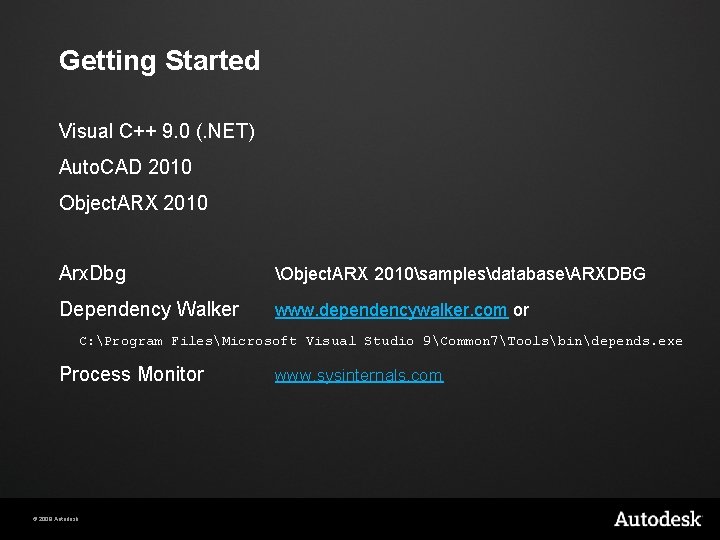
Getting Started Visual C++ 9. 0 (. NET) Auto. CAD 2010 Object. ARX 2010 Arx. Dbg Object. ARX 2010samplesdatabaseARXDBG Dependency Walker www. dependencywalker. com or C: Program FilesMicrosoft Visual Studio 9Common 7Toolsbindepends. exe Process Monitor © 2009 Autodesk www. sysinternals. com
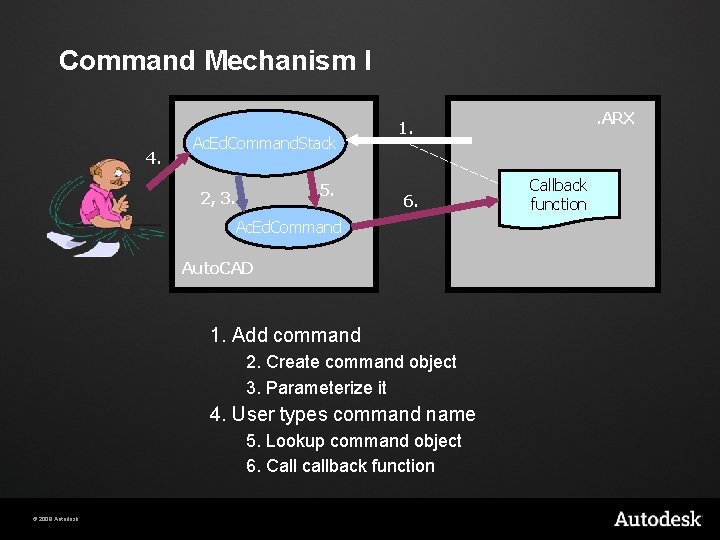
Command Mechanism I 4. Ac. Ed. Command. Stack 5. 2, 3. 6. Ac. Ed. Command Auto. CAD 1. Add command 2. Create command object 3. Parameterize it 4. User types command name 5. Lookup command object 6. Call callback function © 2009 Autodesk . ARX 1. Callback function
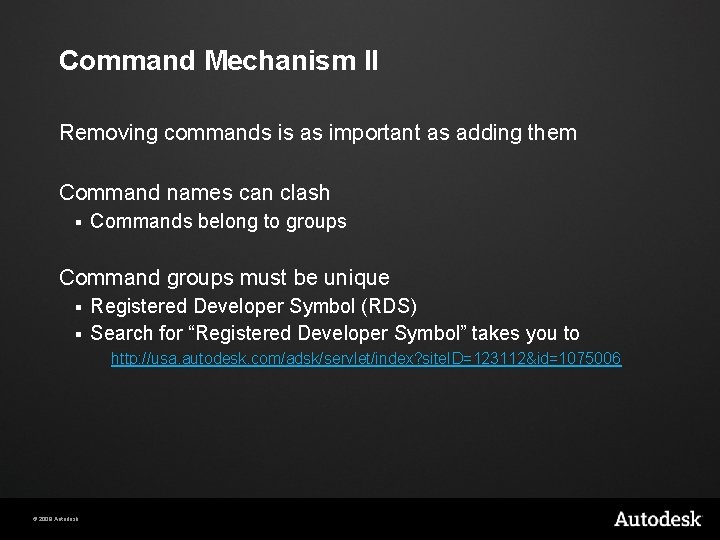
Command Mechanism II Removing commands is as important as adding them Command names can clash § Commands belong to groups Command groups must be unique Registered Developer Symbol (RDS) § Search for “Registered Developer Symbol” takes you to § http: //usa. autodesk. com/adsk/servlet/index? site. ID=123112&id=1075006 © 2009 Autodesk
Lab - Step 1 Setup your first. ARX © 2009 Autodesk
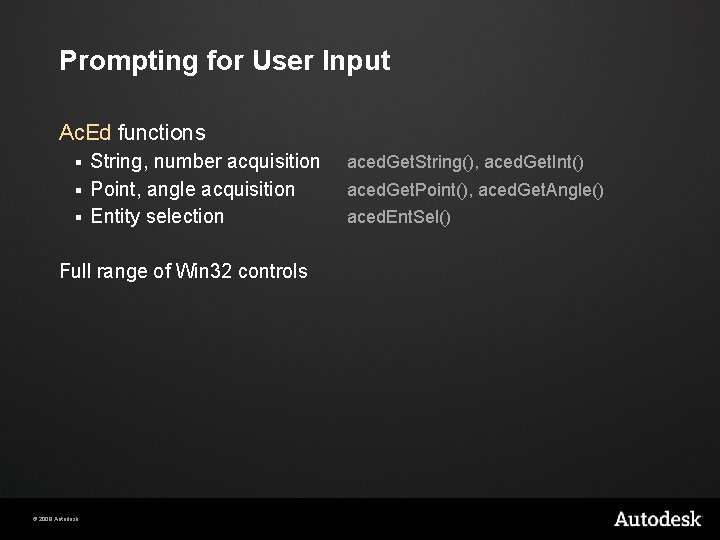
Prompting for User Input Ac. Ed functions String, number acquisition § Point, angle acquisition § Entity selection § Full range of Win 32 controls © 2009 Autodesk aced. Get. String(), aced. Get. Int() aced. Get. Point(), aced. Get. Angle() aced. Ent. Sel()
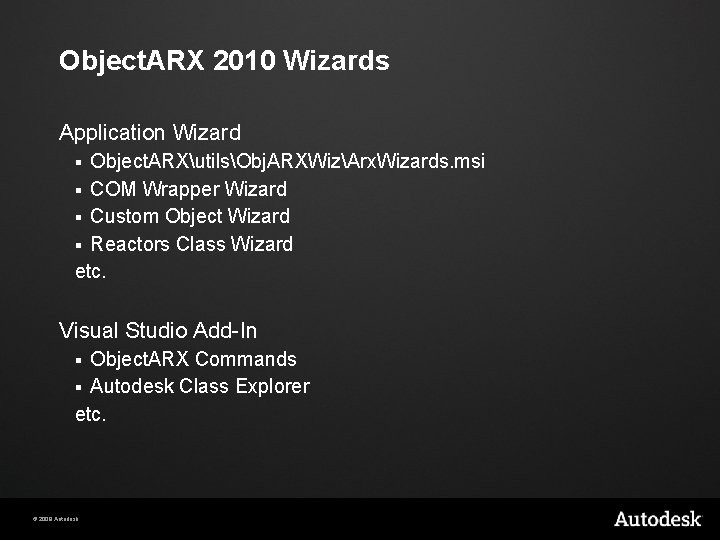
Object. ARX 2010 Wizards Application Wizard Object. ARXutilsObj. ARXWizArx. Wizards. msi § COM Wrapper Wizard § Custom Object Wizard § Reactors Class Wizard etc. § Visual Studio Add-In Object. ARX Commands § Autodesk Class Explorer etc. § © 2009 Autodesk
Lab - Step 2 Play around with user input functions © 2009 Autodesk
Agenda Overview of APIs Auto. CAD: Hello. arx Object. DBX: Structure Object. DBX: Extend it! Auto. CAD: Multi-Document Environment Notification System © 2009 Autodesk
Terminology Auto. CAD Session Document § Current Document § § Object. ARX works with this in background Active Document § User sees this in UI Drawing Database § Working Database § Current Drawing acdb. Host. Application. Services()->working. Database() © 2009 Autodesk
Object. DBX: Introduction What is Object. DBX and Real. DWG? Auto. CAD drawing database § § § © 2009 Autodesk Object identity Transactions Inter-object references Important classes Important objects Storing data
What is Object. DBX and Real. DWG? Object. DBX is an Auto. CAD-independent subset of Object. ARX Real. DWG is the license to use Object. DBX in an own application outside of Auto. CAD. Real. DWG allows to read/write DWG files from your own application Set of DLLs Custom object data services Extensible application development framework © 2009 Autodesk
DWG Viewers No viewing available in Real. DWG! Auto. CAD OEM DWF § www. dwfit. com Autodesk Design Review DWG True. View – conversion of dwgs from old formats © 2009 Autodesk
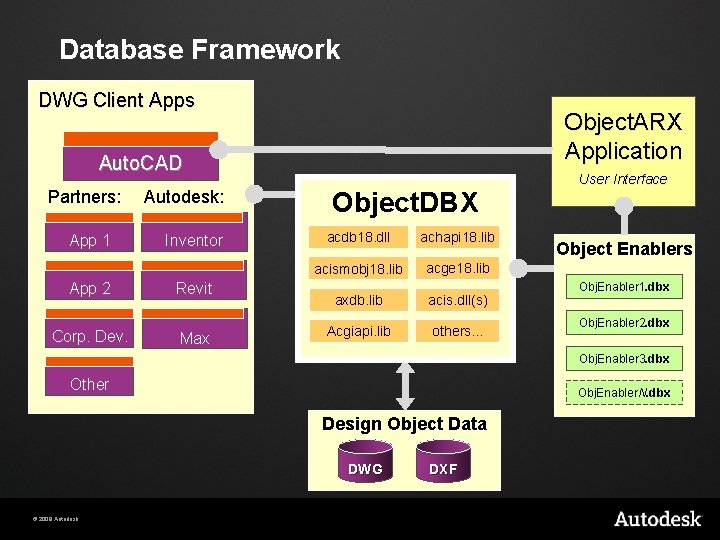
Database Framework DWG Client Apps Object. ARX Application Auto. CAD Partners: App 1 App 2 Corp. Dev. Autodesk: Inventor Revit Max Object. DBX acdb 18. dll achapi 18. lib acismobj 18. lib acge 18. lib axdb. lib acis. dll(s) Acgiapi. lib others. . . User Interface Object Enablers Obj. Enabler 1. dbx Obj. Enabler 2. dbx Obj. Enabler 3. dbx Other Obj. Enabler. N. dbx Design Object Data DWG © 2009 Autodesk DXF
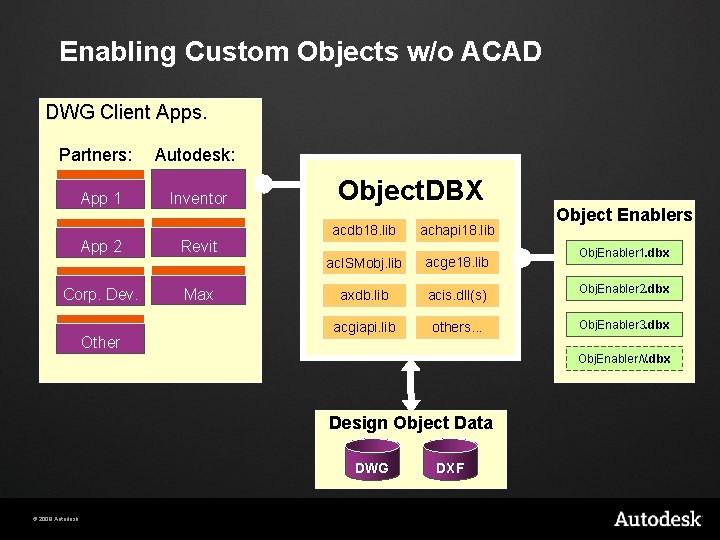
Enabling Custom Objects w/o ACAD DWG Client Apps. Partners: App 1 Autodesk: Inventor App 2 Revit Corp. Dev. Max Other Object. DBX Object Enablers acdb 18. lib achapi 18. lib ac. ISMobj. lib acge 18. lib axdb. lib acis. dll(s) Obj. Enabler 2. dbx acgiapi. lib others. . . Obj. Enabler 3. dbx Obj. Enabler 1. dbx Obj. Enabler. N. dbx Design Object Data DWG © 2009 Autodesk DXF
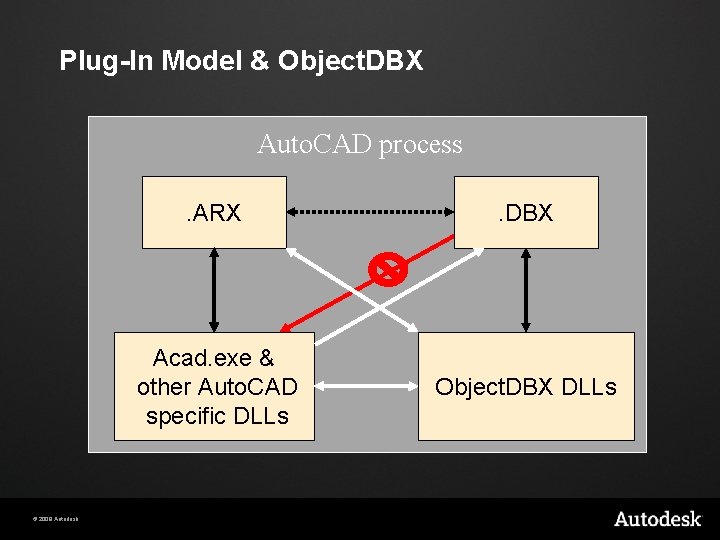
Plug-In Model & Object. DBX Auto. CAD process © 2009 Autodesk . ARX . DBX Acad. exe & other Auto. CAD specific DLLs Object. DBX DLLs
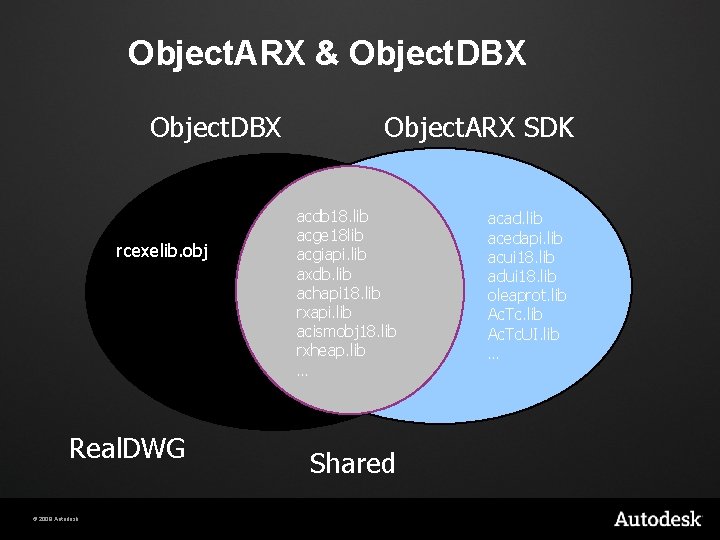
Object. ARX & Object. DBX rcexelib. obj Real. DWG © 2009 Autodesk Object. ARX SDK acdb 18. lib acge 18 lib acgiapi. lib axdb. lib achapi 18. lib rxapi. lib acismobj 18. lib rxheap. lib … Shared acad. lib acedapi. lib acui 18. lib adui 18. lib oleaprot. lib Ac. Tc. UI. lib …
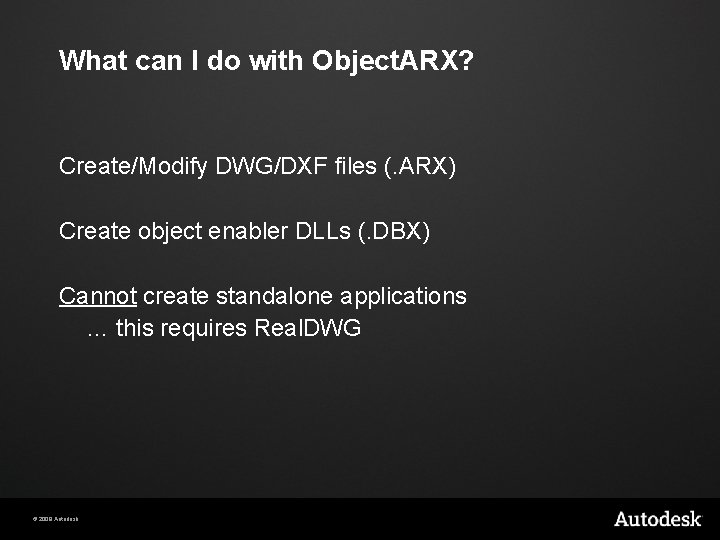
What can I do with Object. ARX? Create/Modify DWG/DXF files (. ARX) Create object enabler DLLs (. DBX) Cannot create standalone applications … this requires Real. DWG © 2009 Autodesk
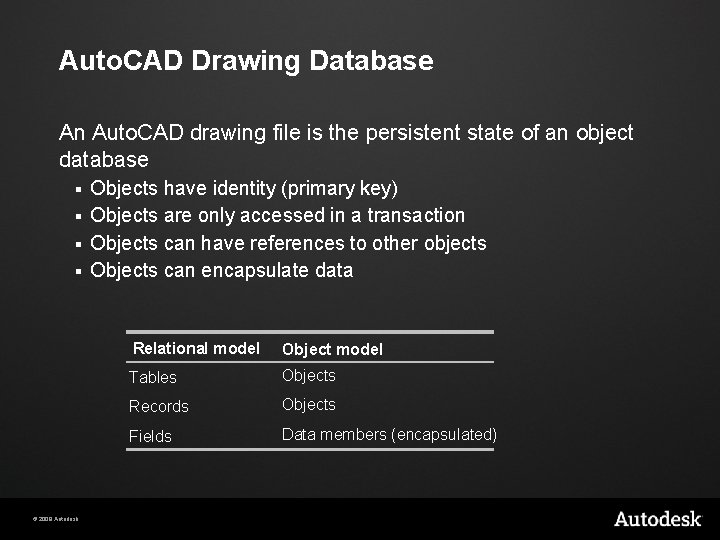
Auto. CAD Drawing Database An Auto. CAD drawing file is the persistent state of an object database Objects have identity (primary key) § Objects are only accessed in a transaction § Objects can have references to other objects § Objects can encapsulate data § © 2009 Autodesk Relational model Object model Tables Objects Records Objects Fields Data members (encapsulated)
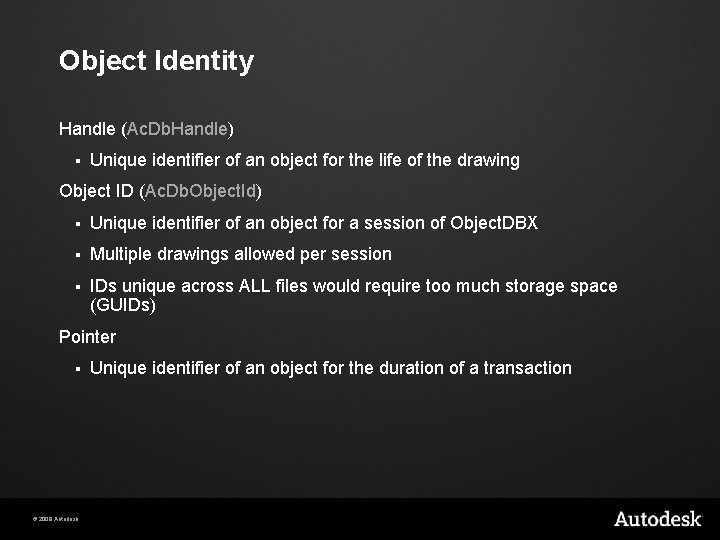
Object Identity Handle (Ac. Db. Handle) § Unique identifier of an object for the life of the drawing Object ID (Ac. Db. Object. Id) § Unique identifier of an object for a session of Object. DBX § Multiple drawings allowed per session § IDs unique across ALL files would require too much storage space (GUIDs) Pointer § © 2009 Autodesk Unique identifier of an object for the duration of a transaction
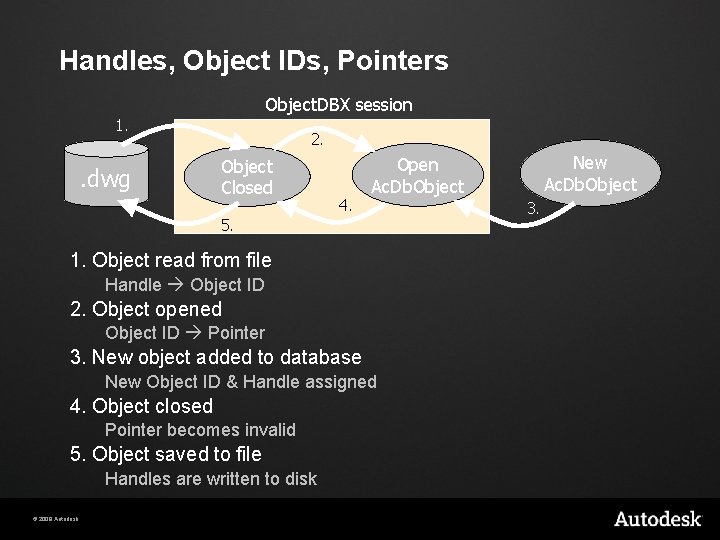
Handles, Object IDs, Pointers Object. DBX session 1. . dwg 2. Object Closed 4. 5. 1. Object read from file Handle Object ID 2. Object opened Object ID Pointer 3. New object added to database New Object ID & Handle assigned 4. Object closed Pointer becomes invalid 5. Object saved to file Handles are written to disk © 2009 Autodesk New Ac. Db. Object Open Ac. Db. Object 3.
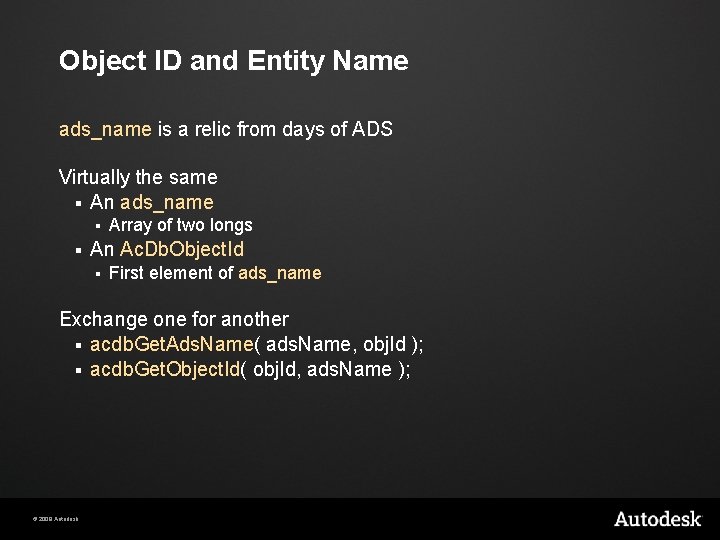
Object ID and Entity Name ads_name is a relic from days of ADS Virtually the same § An ads_name § § Array of two longs An Ac. Db. Object. Id § First element of ads_name Exchange one for another § acdb. Get. Ads. Name( ads. Name, obj. Id ); § acdb. Get. Object. Id( obj. Id, ads. Name ); © 2009 Autodesk
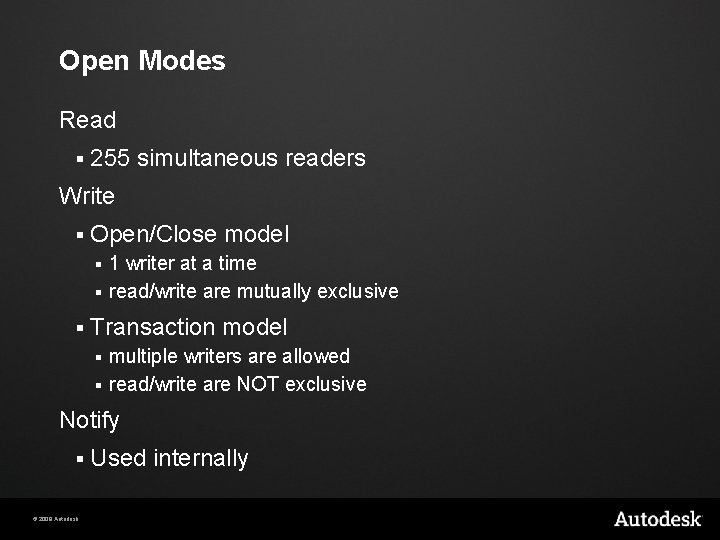
Open Modes Read § 255 simultaneous readers Write § Open/Close model 1 writer at a time § read/write are mutually exclusive § § Transaction model multiple writers are allowed § read/write are NOT exclusive § Notify § © 2009 Autodesk Used internally
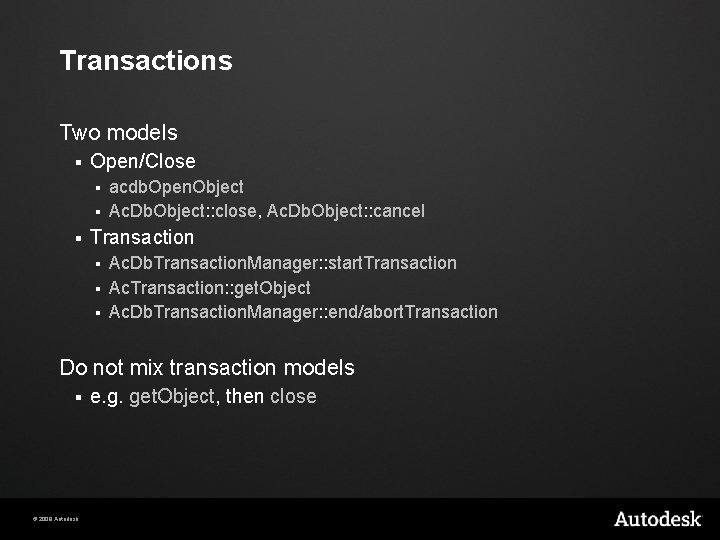
Transactions Two models § Open/Close acdb. Open. Object § Ac. Db. Object: : close, Ac. Db. Object: : cancel § § Transaction Ac. Db. Transaction. Manager: : start. Transaction § Ac. Transaction: : get. Object § Ac. Db. Transaction. Manager: : end/abort. Transaction § Do not mix transaction models § © 2009 Autodesk e. g. get. Object, then close
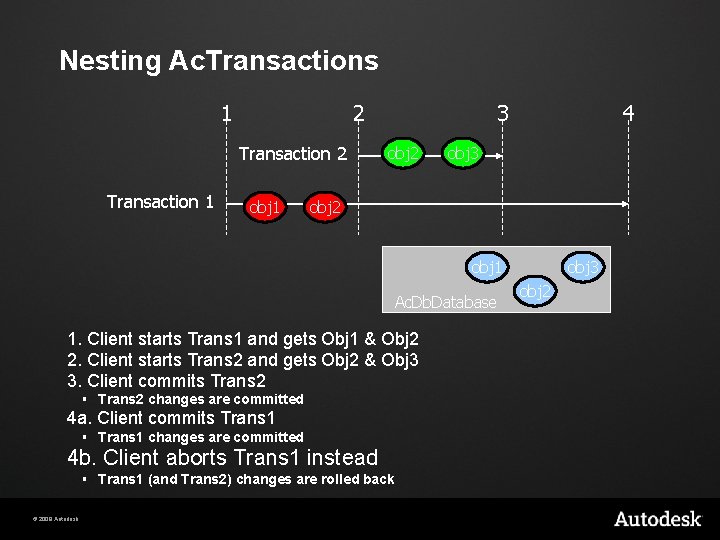
Nesting Ac. Transactions 1 2 Transaction 1 obj 1 3 obj 2 4 obj 3 obj 2 obj 1 Ac. Db. Database 1. Client starts Trans 1 and gets Obj 1 & Obj 2 2. Client starts Trans 2 and gets Obj 2 & Obj 3 3. Client commits Trans 2 § Trans 2 changes are committed 4 a. Client commits Trans 1 § Trans 1 changes are committed 4 b. Client aborts Trans 1 instead § Trans 1 (and Trans 2) changes are rolled back © 2009 Autodesk obj 3 obj 2
Getting an Ac. Db. Database Object Construct one § In memory Get the one currently active in Auto. CAD acdb. Host. Application. Services()->working. Database(); § More on this in the Auto. CAD: MDE section Access some other open document Open a new dwg file © 2009 Autodesk
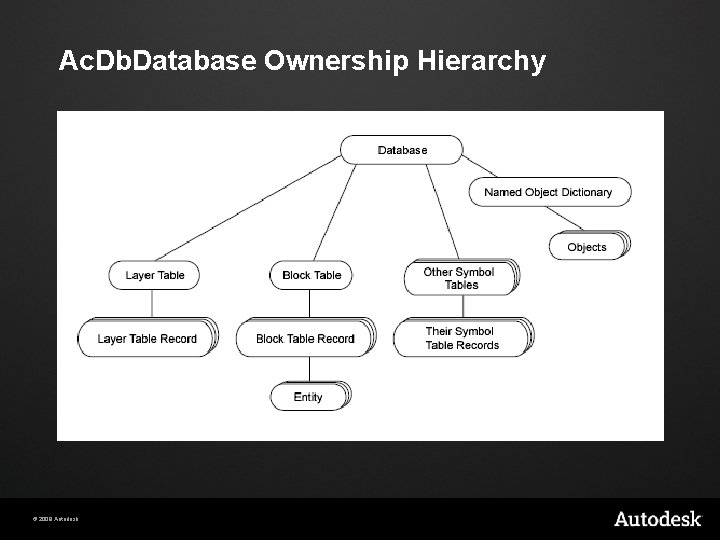
Ac. Db. Database Ownership Hierarchy © 2009 Autodesk
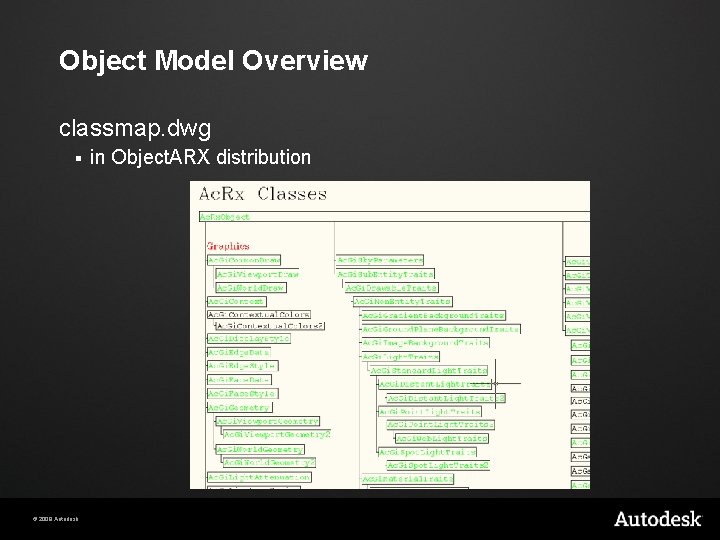
Object Model Overview classmap. dwg § © 2009 Autodesk in Object. ARX distribution
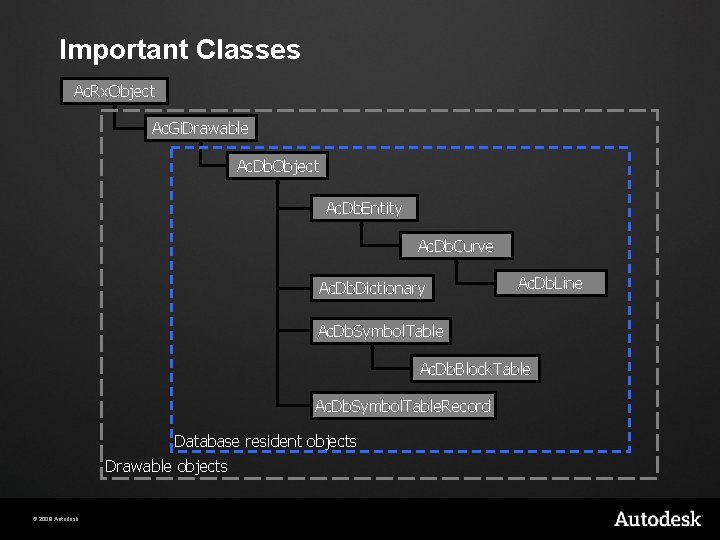
Important Classes Ac. Rx. Object Ac. Gi. Drawable Ac. Db. Object Ac. Db. Entity Ac. Db. Curve Ac. Db. Dictionary Ac. Db. Line Ac. Db. Symbol. Table Ac. Db. Block. Table Ac. Db. Symbol. Table. Record Database resident objects Drawable objects © 2009 Autodesk
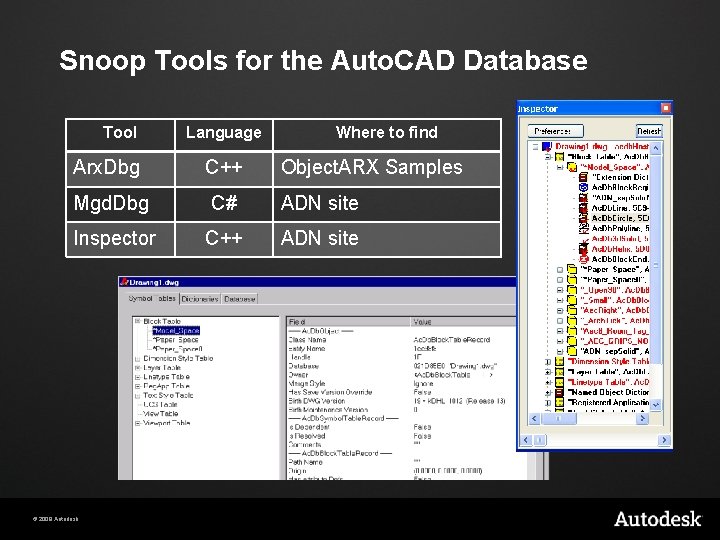
Snoop Tools for the Auto. CAD Database Tool Language Where to find Arx. Dbg C++ Mgd. Dbg C# ADN site Inspector C++ ADN site © 2009 Autodesk Object. ARX Samples
Important Objects Block Table § Three default records *MODEL_SPACE § *PAPER_SPACE, *PAPER_SPACE 0 § Only entities added to one of these is visible in Auto. CAD editor § Block table records only own entities § Named Objects Dictionary § Auto. CAD’s “symbol tables” § Dictionaries own any objects (but not entities) © 2009 Autodesk
Iterating Through Containers Objects that use iterators § Symbol Tables § Block Table Records § Dictionaries § Polylines § Poly. Face. Mesh & Polygon. Mesh § ACIS Solids § § Block. References (Inserts) § © 2009 Autodesk Called traversers Only useful when attributes are present
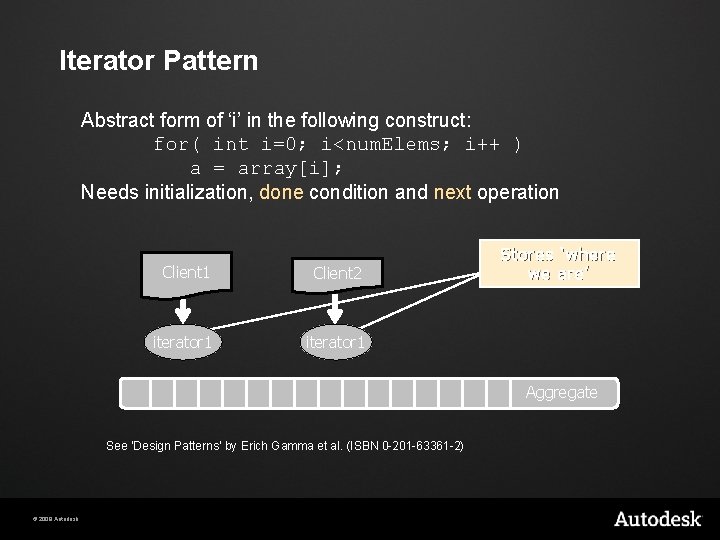
Iterator Pattern Abstract form of ‘i’ in the following construct: for( int i=0; i<num. Elems; i++ ) a = array[i]; Needs initialization, done condition and next operation Client 1 Client 2 iterator 1 Stores ‘where we are’ Aggregate See ‘Design Patterns’ by Erich Gamma et al. (ISBN 0 -201 -63361 -2) © 2009 Autodesk
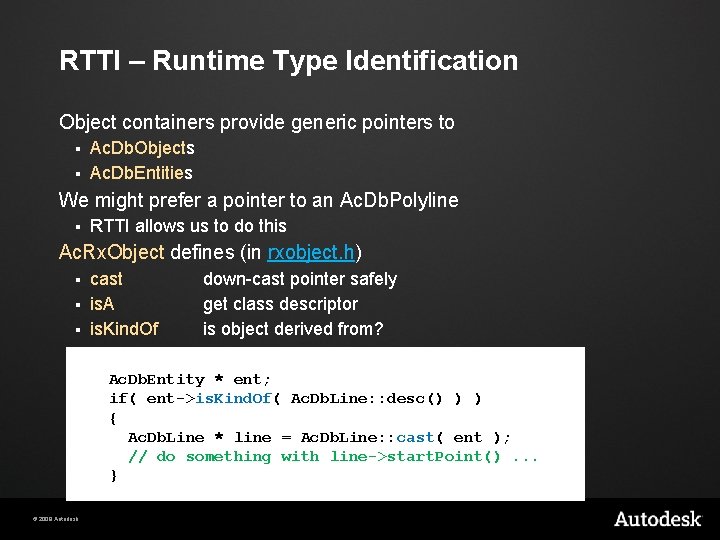
RTTI – Runtime Type Identification Object containers provide generic pointers to Ac. Db. Objects § Ac. Db. Entities § We might prefer a pointer to an Ac. Db. Polyline § RTTI allows us to do this Ac. Rx. Object defines (in rxobject. h) cast § is. A § is. Kind. Of § down-cast pointer safely get class descriptor is object derived from? Ac. Db. Entity * ent; if( ent->is. Kind. Of( Ac. Db. Line: : desc() ) ) { Ac. Db. Line * line = Ac. Db. Line: : cast( ent ); // do something with line->start. Point(). . . } © 2009 Autodesk
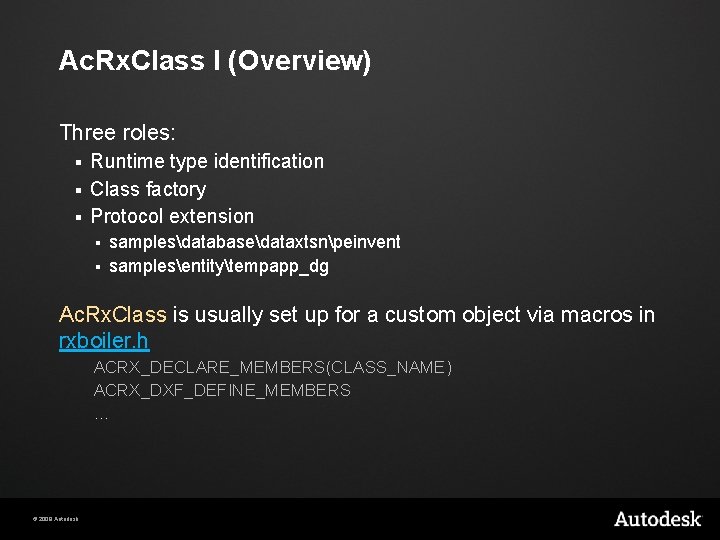
Ac. Rx. Class I (Overview) Three roles: Runtime type identification § Class factory § Protocol extension § samplesdatabasedataxtsnpeinvent § samplesentitytempapp_dg § Ac. Rx. Class is usually set up for a custom object via macros in rxboiler. h ACRX_DECLARE_MEMBERS(CLASS_NAME) ACRX_DXF_DEFINE_MEMBERS … © 2009 Autodesk
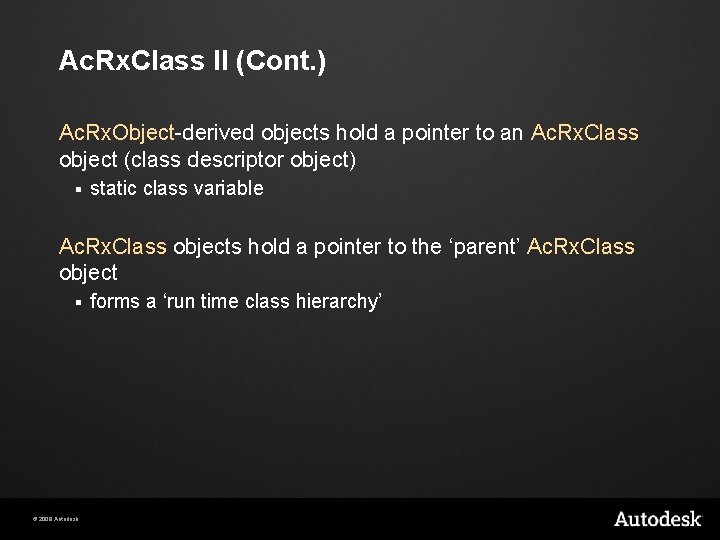
Ac. Rx. Class II (Cont. ) Ac. Rx. Object-derived objects hold a pointer to an Ac. Rx. Class object (class descriptor object) § static class variable Ac. Rx. Class objects hold a pointer to the ‘parent’ Ac. Rx. Class object § © 2009 Autodesk forms a ‘run time class hierarchy’
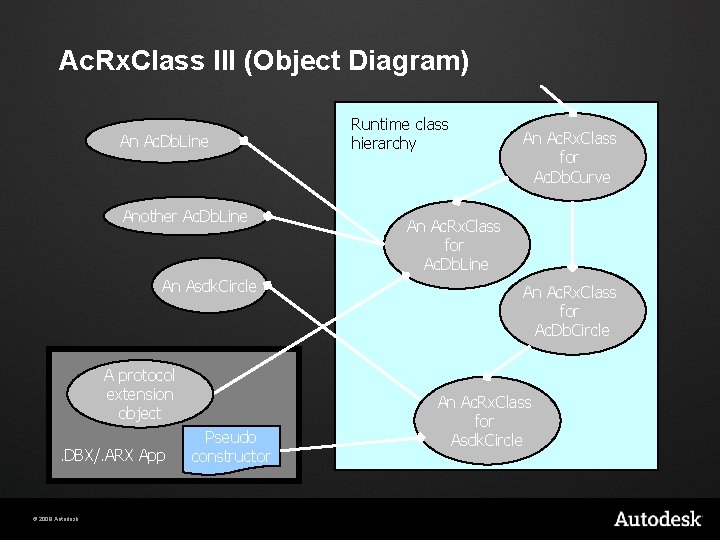
Ac. Rx. Class III (Object Diagram) An Ac. Db. Line Another Ac. Db. Line An Asdk. Circle A protocol extension object. DBX/. ARX App © 2009 Autodesk Pseudo constructor Runtime class hierarchy An Ac. Rx. Class for Ac. Db. Curve An Ac. Rx. Class for Ac. Db. Line An Ac. Rx. Class for Ac. Db. Circle An Ac. Rx. Class for Asdk. Circle
Ac. Rx. Class IV (Roles) Class Factory During filing we look up the class identifier in the runtime class hierarchy § Ac. Rx. Class provides a ‘constructor’ function § Run time type identification § Each Ac. Rx. Object provides a virtual member to look up the static member pointing to its Ac. Rx. Class object Protocol Extension § © 2009 Autodesk Ac. Rx. Classes hold a list of ‘extension objects’
Storing Data in the Database Create custom objects (more on this later) Without using custom objects Extended entity data (Xdata) § Xrecords § Extension dictionaries on individual objects § Dictionaries e. g. under the Named Objects § Data stored with these methods can be also accessed by LISP and COM © 2009 Autodesk
Lab - Step 3 Accessing object containers § © 2009 Autodesk Symbol tables
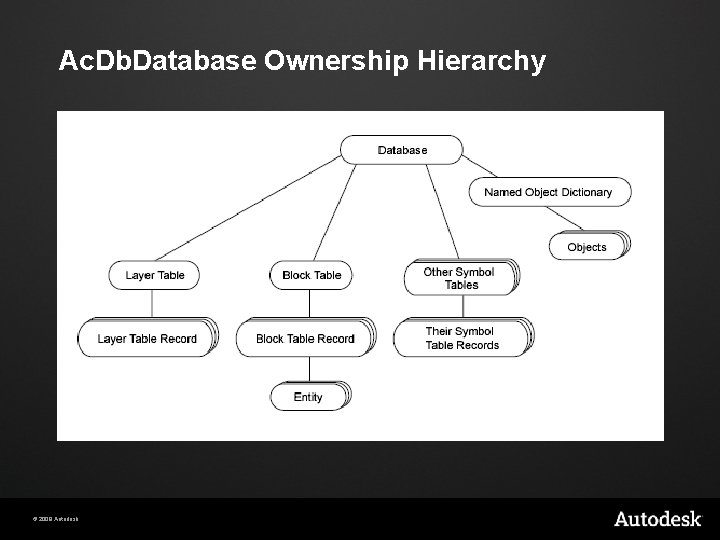
Ac. Db. Database Ownership Hierarchy © 2009 Autodesk
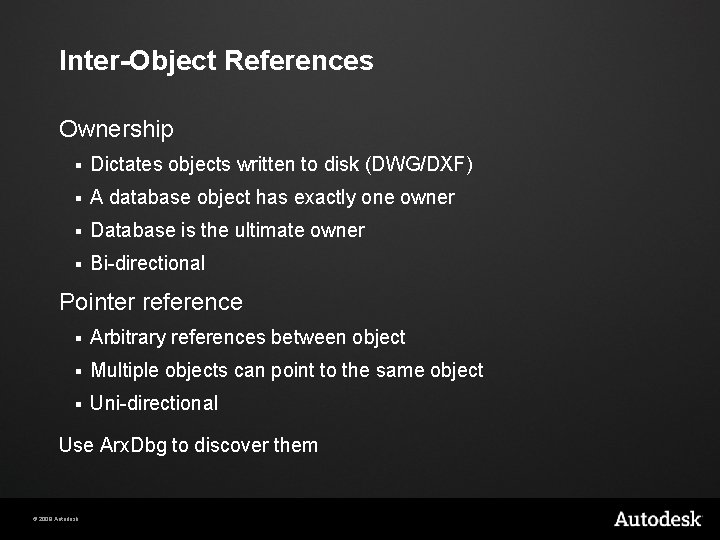
Inter-Object References Ownership § Dictates objects written to disk (DWG/DXF) § A database object has exactly one owner § Database is the ultimate owner § Bi-directional Pointer reference § Arbitrary references between object § Multiple objects can point to the same object § Uni-directional Use Arx. Dbg to discover them © 2009 Autodesk
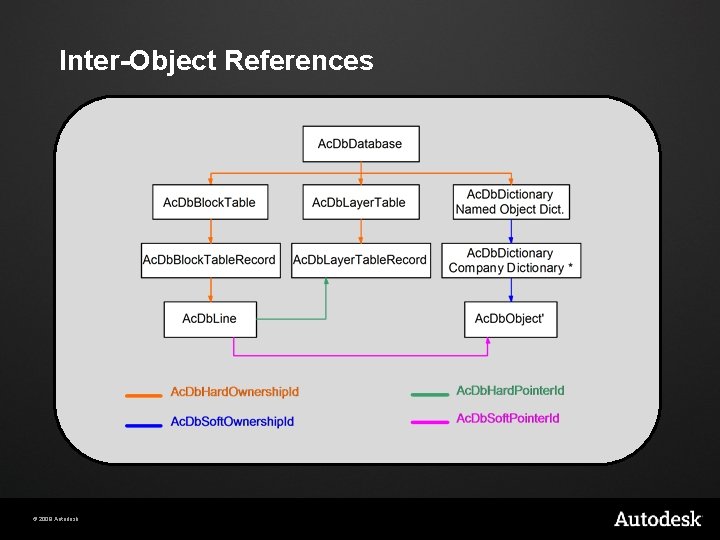
Inter-Object References © 2009 Autodesk
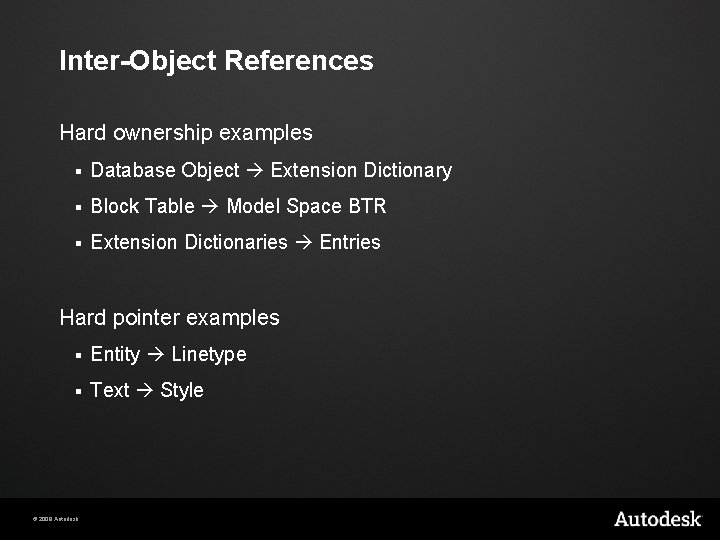
Inter-Object References Hard ownership examples § Database Object Extension Dictionary § Block Table Model Space BTR § Extension Dictionaries Entries Hard pointer examples § Entity Linetype § Text Style © 2009 Autodesk
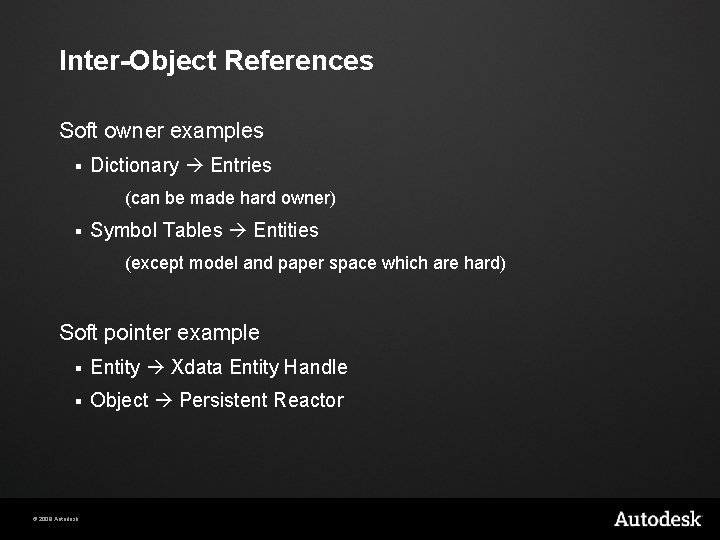
Inter-Object References Soft owner examples § Dictionary Entries (can be made hard owner) § Symbol Tables Entities (except model and paper space which are hard) Soft pointer example § Entity Xdata Entity Handle § Object Persistent Reactor © 2009 Autodesk
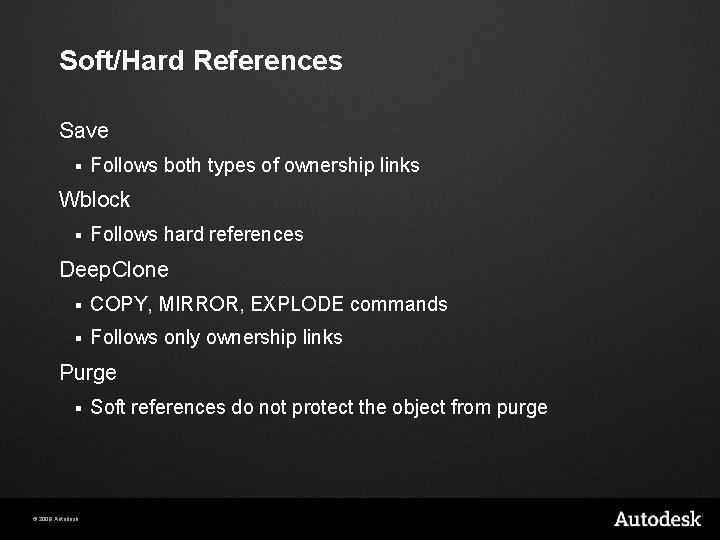
Soft/Hard References Save § Follows both types of ownership links Wblock § Follows hard references Deep. Clone § COPY, MIRROR, EXPLODE commands § Follows only ownership links Purge § © 2009 Autodesk Soft references do not protect the object from purge
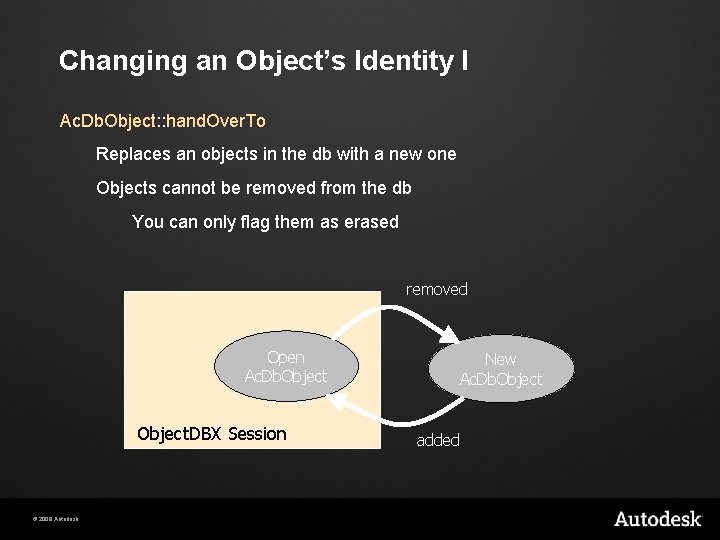
Changing an Object’s Identity I Ac. Db. Object: : hand. Over. To Replaces an objects in the db with a new one Objects cannot be removed from the db You can only flag them as erased removed Open Ac. Db. Object. DBX Session © 2009 Autodesk New Ac. Db. Object added
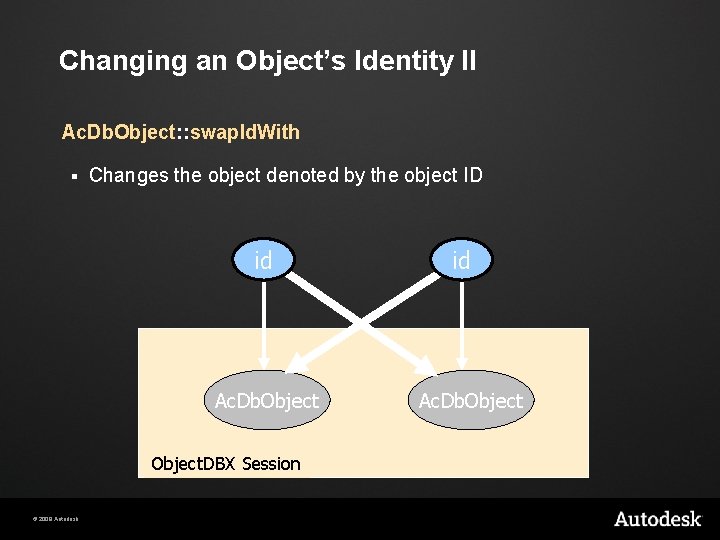
Changing an Object’s Identity II Ac. Db. Object: : swap. Id. With § Changes the object denoted by the object ID id Ac. Db. Object. DBX Session © 2009 Autodesk id Ac. Db. Object
Lab - Step 4 Accessing object containers § © 2009 Autodesk Dictionaries
Agenda Overview of APIs Auto. CAD: Hello. arx Object. DBX: Structure Object. DBX: Extend it! Auto. CAD: Multi-Document Environment Notification System © 2009 Autodesk
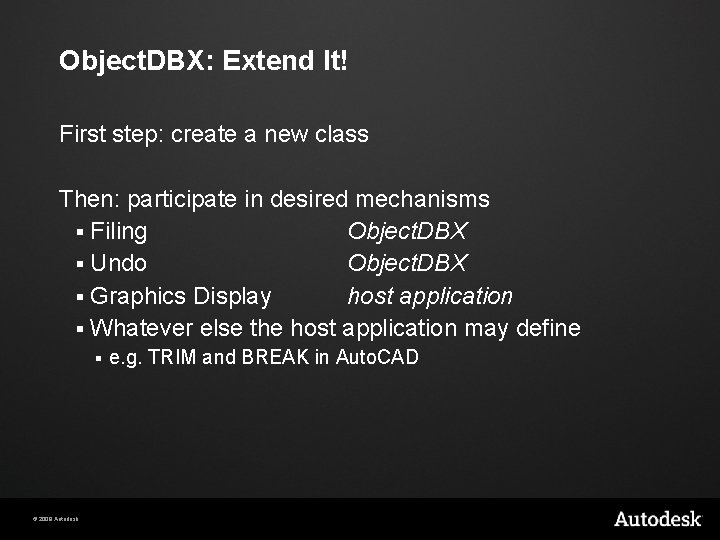
Object. DBX: Extend It! First step: create a new class Then: participate in desired mechanisms § Filing Object. DBX § Undo Object. DBX § Graphics Display host application § Whatever else the host application may define § © 2009 Autodesk e. g. TRIM and BREAK in Auto. CAD
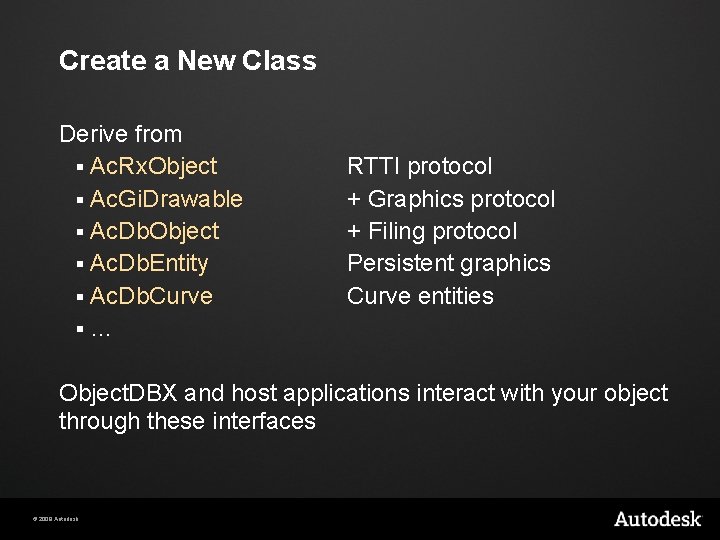
Create a New Class Derive from § Ac. Rx. Object § Ac. Gi. Drawable § Ac. Db. Object § Ac. Db. Entity § Ac. Db. Curve §… RTTI protocol + Graphics protocol + Filing protocol Persistent graphics Curve entities Object. DBX and host applications interact with your object through these interfaces © 2009 Autodesk
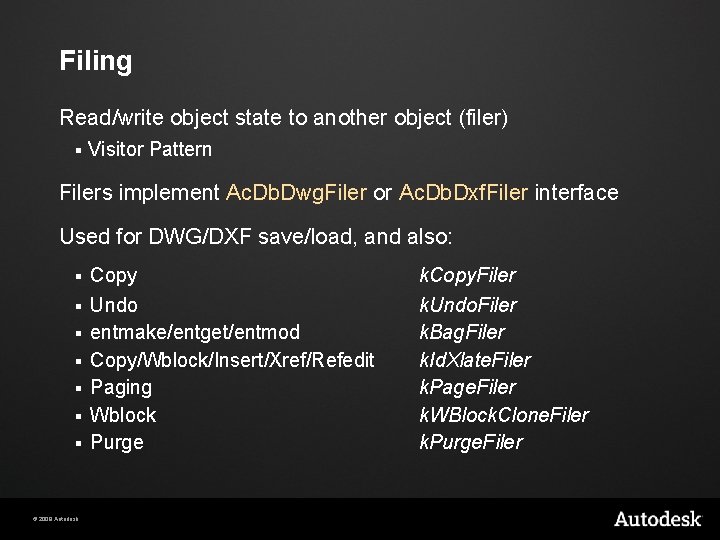
Filing Read/write object state to another object (filer) § Visitor Pattern Filers implement Ac. Db. Dwg. Filer or Ac. Db. Dxf. Filer interface Used for DWG/DXF save/load, and also: § § § § © 2009 Autodesk Copy Undo entmake/entget/entmod Copy/Wblock/Insert/Xref/Refedit Paging Wblock Purge k. Copy. Filer k. Undo. Filer k. Bag. Filer k. Id. Xlate. Filer k. Page. Filer k. WBlock. Clone. Filer k. Purge. Filer
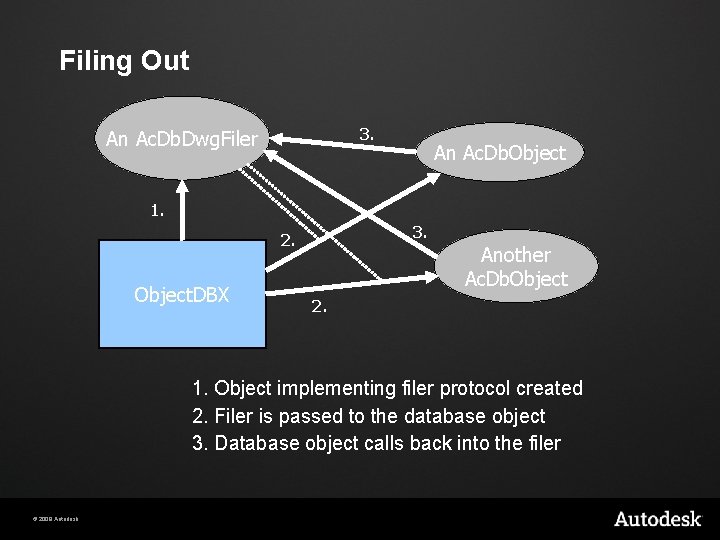
Filing Out 3. An Ac. Db. Dwg. Filer An Ac. Db. Object 1. 3. 2. Object. DBX Another Ac. Db. Object 2. 1. Object implementing filer protocol created 2. Filer is passed to the database object 3. Database object calls back into the filer © 2009 Autodesk
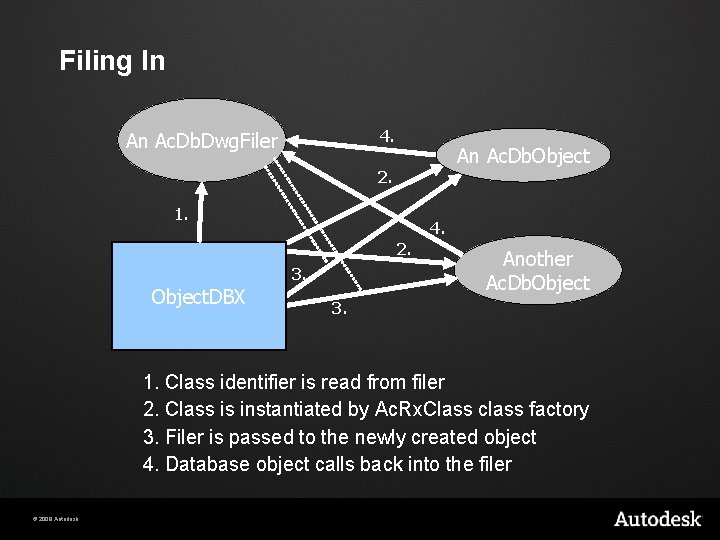
Filing In 4. An Ac. Db. Dwg. Filer An Ac. Db. Object 2. 1. 4. 2. 3. Object. DBX Another Ac. Db. Object 3. 1. Class identifier is read from filer 2. Class is instantiated by Ac. Rx. Class class factory 3. Filer is passed to the newly created object 4. Database object calls back into the filer © 2009 Autodesk
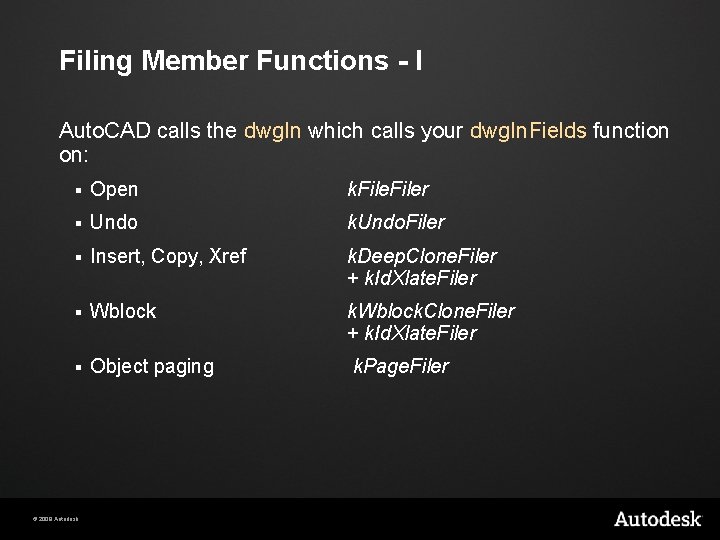
Filing Member Functions - I Auto. CAD calls the dwg. In which calls your dwg. In. Fields function on: § Open k. Filer § Undo k. Undo. Filer § Insert, Copy, Xref k. Deep. Clone. Filer + k. Id. Xlate. Filer § Wblock k. Wblock. Clone. Filer + k. Id. Xlate. Filer § Object paging k. Page. Filer © 2009 Autodesk
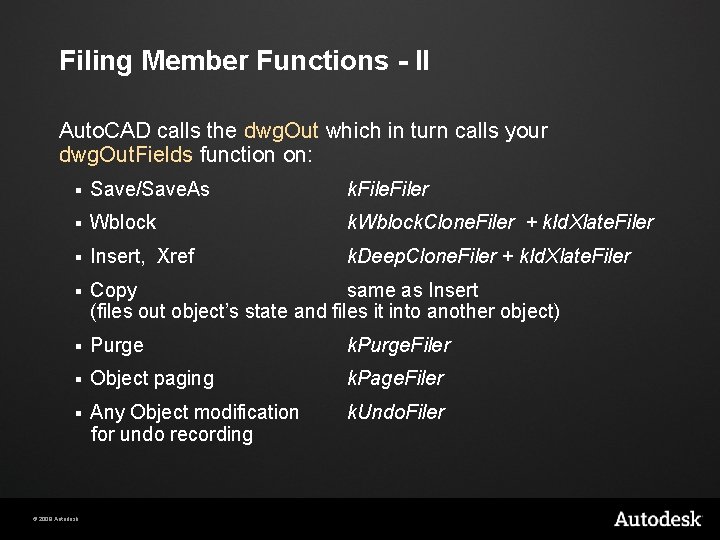
Filing Member Functions - II Auto. CAD calls the dwg. Out which in turn calls your dwg. Out. Fields function on: § Save/Save. As k. Filer § Wblock k. Wblock. Clone. Filer + k. Id. Xlate. Filer § Insert, Xref k. Deep. Clone. Filer + k. Id. Xlate. Filer § Copy same as Insert (files out object’s state and files it into another object) § Purge k. Purge. Filer § Object paging k. Page. Filer § Any Object modification for undo recording k. Undo. Filer © 2009 Autodesk
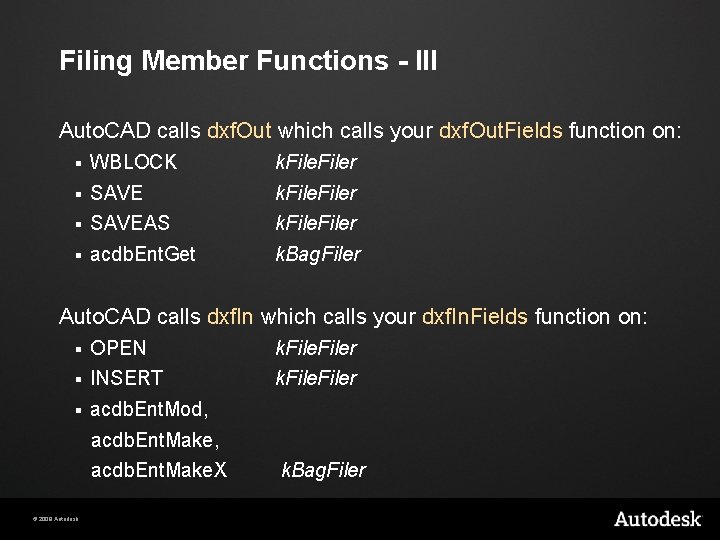
Filing Member Functions - III Auto. CAD calls dxf. Out which calls your dxf. Out. Fields function on: § WBLOCK k. Filer § SAVEAS k. Filer § acdb. Ent. Get k. Bag. Filer Auto. CAD calls dxf. In which calls your dxf. In. Fields function on: § OPEN k. Filer § INSERT k. Filer § acdb. Ent. Mod, acdb. Ent. Make. X © 2009 Autodesk k. Bag. Filer
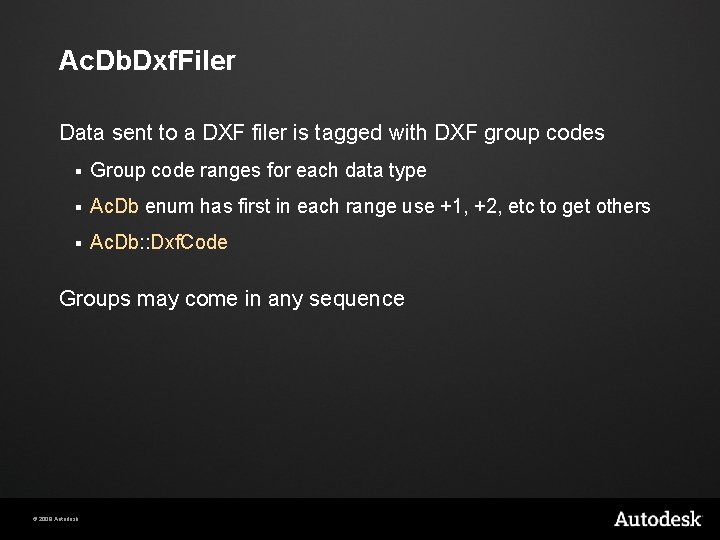
Ac. Db. Dxf. Filer Data sent to a DXF filer is tagged with DXF group codes § Group code ranges for each data type § Ac. Db enum has first in each range use +1, +2, etc to get others § Ac. Db: : Dxf. Code Groups may come in any sequence © 2009 Autodesk
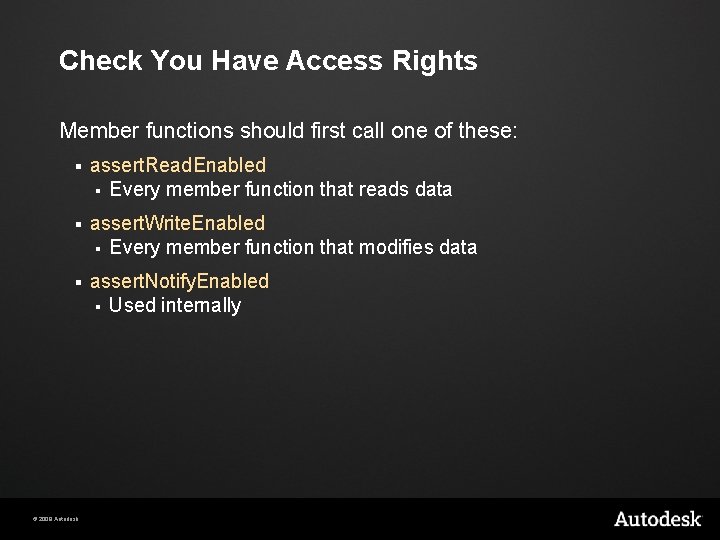
Check You Have Access Rights Member functions should first call one of these: § assert. Read. Enabled § Every member function that reads data § assert. Write. Enabled § Every member function that modifies data § assert. Notify. Enabled § Used internally © 2009 Autodesk
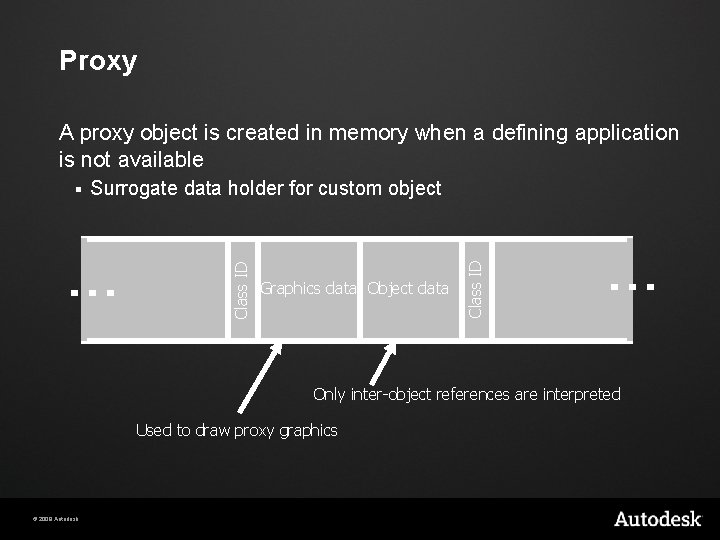
Proxy A proxy object is created in memory when a defining application is not available Graphics data Object data Class ID Surrogate data holder for custom object Class ID § Only inter-object references are interpreted Used to draw proxy graphics © 2009 Autodesk
Lab - Step 5 Creating a Custom Object © 2009 Autodesk
Graphics Display Object. DBX does not display any graphics Object. DBX defines a callback API that host applications may implement § Ac. Gi: interface between database objects and a display system Host applications must implement Ac. Gi to display graphics Ac. Gi Library defines the interface between database objects and a display system © 2009 Autodesk
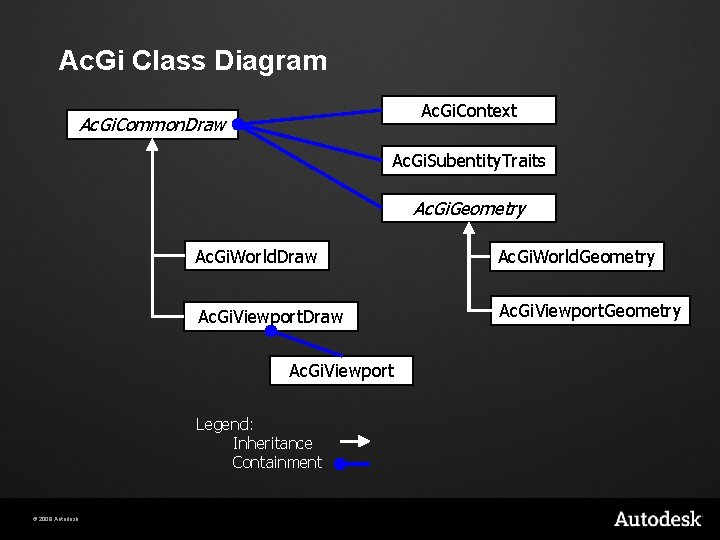
Ac. Gi Class Diagram Ac. Gi. Context Ac. Gi. Common. Draw Ac. Gi. Subentity. Traits Ac. Gi. Geometry Ac. Gi. World. Draw Ac. Gi. World. Geometry Ac. Gi. Viewport. Draw Ac. Gi. Viewport. Geometry Ac. Gi. Viewport Legend: Inheritance Containment © 2009 Autodesk
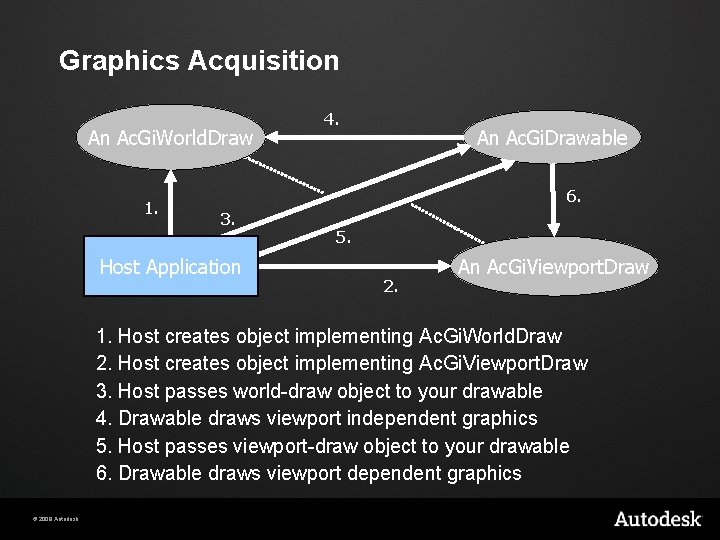
Graphics Acquisition An Ac. Gi. World. Draw 1. 4. An Ac. Gi. Drawable 6. 3. Host Application 5. 2. An Ac. Gi. Viewport. Draw 1. Host creates object implementing Ac. Gi. World. Draw 2. Host creates object implementing Ac. Gi. Viewport. Draw 3. Host passes world-draw object to your drawable 4. Drawable draws viewport independent graphics 5. Host passes viewport-draw object to your drawable 6. Drawable draws viewport dependent graphics © 2009 Autodesk
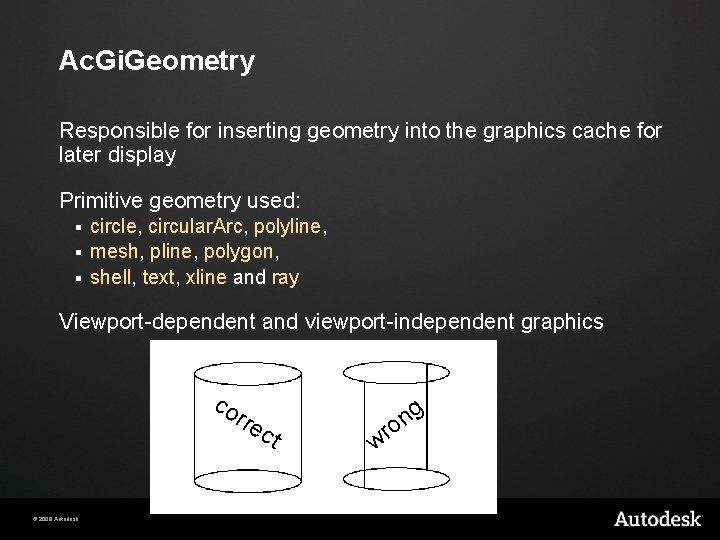
Ac. Gi. Geometry Responsible for inserting geometry into the graphics cache for later display Primitive geometry used: circle, circular. Arc, polyline, § mesh, pline, polygon, § shell, text, xline and ray § Viewport-dependent and viewport-independent graphics co rre © 2009 Autodesk ct wr g n o
Ac. Gi. Sub. Entity. Traits control current attributes for primitives: color, layer, linetype, filltype § graphics system (GS) marker § § § Allows identification of sub-entities Once set, a trait stays active until changed or out of scope Default attribute values: color, layer, linetype - Current for editor § filltype - k. Ac. Gi. Fill. Never if standard mode k. Ac. Gi. Fill. Always if hide, shade, render § gsmarker - invalid, must be set by app § © 2009 Autodesk
Special Uses of Ac. Gi Can derive from Ac. Gi. World. Geometry, implementing own versions of geometry functions Ac. Gi samples § Object. ARXsamplesacgisamp § © 2009 Autodesk Uses Ac. Gi to trap an object’s graphics
Host-Defined Mechanisms Object. DBX defines protocols for § § § Grips Osnaps Intersection Transformations etc. Host applications use as appropriate § © 2009 Autodesk e. g. Volo View does not use grips
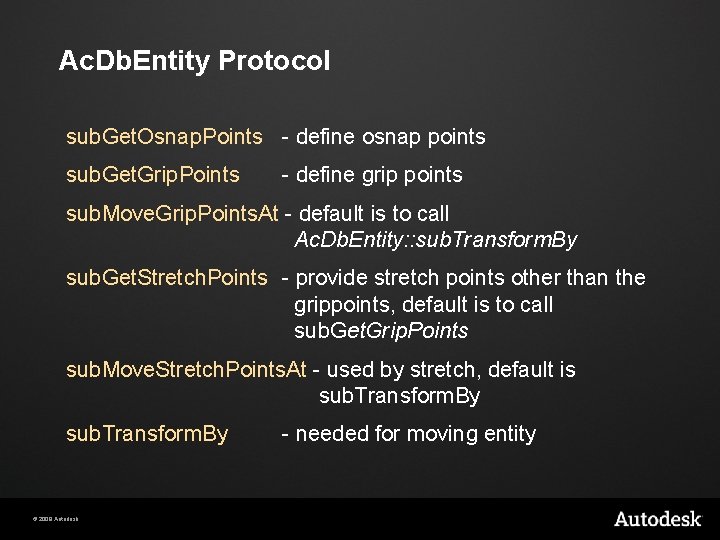
Ac. Db. Entity Protocol sub. Get. Osnap. Points - define osnap points sub. Get. Grip. Points - define grip points sub. Move. Grip. Points. At - default is to call Ac. Db. Entity: : sub. Transform. By sub. Get. Stretch. Points - provide stretch points other than the grippoints, default is to call sub. Get. Grip. Points sub. Move. Stretch. Points. At - used by stretch, default is sub. Transform. By © 2009 Autodesk - needed for moving entity
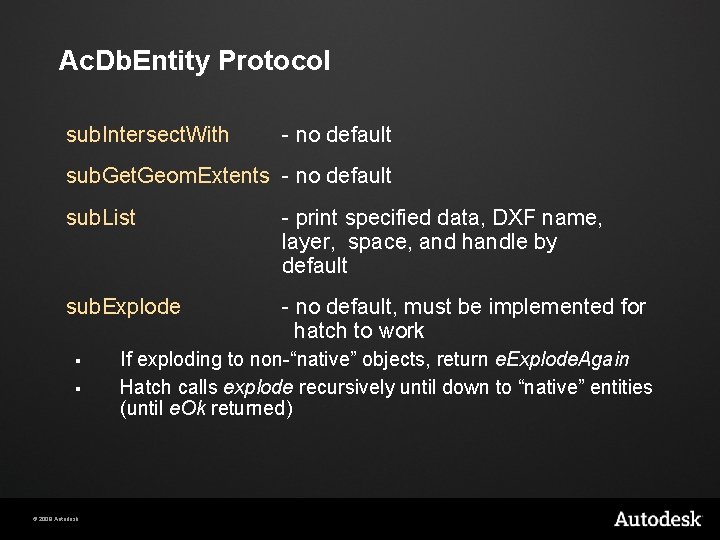
Ac. Db. Entity Protocol sub. Intersect. With - no default sub. Get. Geom. Extents - no default sub. List - print specified data, DXF name, layer, space, and handle by default sub. Explode - no default, must be implemented for hatch to work § § © 2009 Autodesk If exploding to non-“native” objects, return e. Explode. Again Hatch calls explode recursively until down to “native” entities (until e. Ok returned)
Lab - Step 6 Creating a Custom Entity © 2009 Autodesk
Agenda Overview of APIs Auto. CAD: Hello. arx Object. DBX: Structure Object. DBX: Extend it! Auto. CAD: Multi-Document Environment Notification System © 2009 Autodesk
Auto. CAD: Multi-Document Environment (MDE) Documents, per-document data Execution context Document locking © 2009 Autodesk
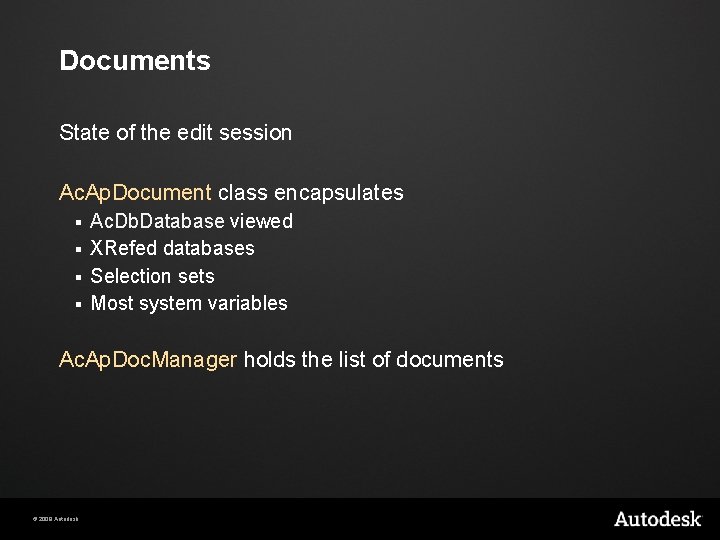
Documents State of the edit session Ac. Ap. Document class encapsulates Ac. Db. Database viewed § XRefed databases § Selection sets § Most system variables § Ac. Ap. Doc. Manager holds the list of documents © 2009 Autodesk
Per-Document Data Applications may have per-doc data § this is their concept of a document Data must be kept in sync with the active document (fiber) § © 2009 Autodesk this is their concept of a document manager
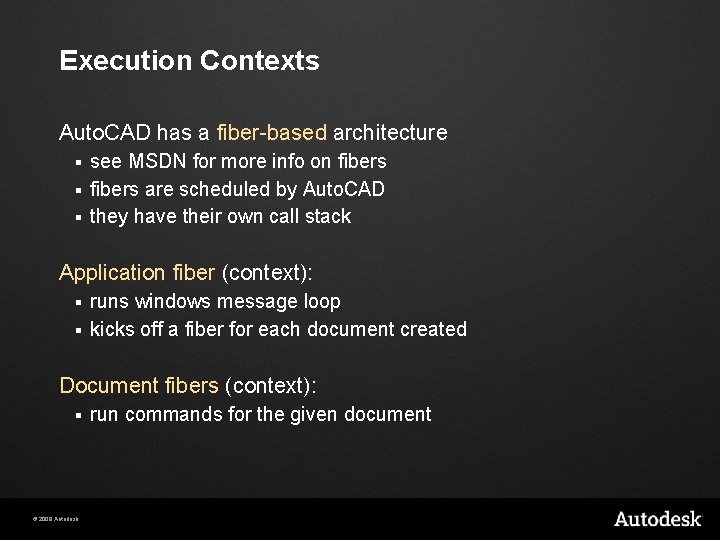
Execution Contexts Auto. CAD has a fiber-based architecture see MSDN for more info on fibers § fibers are scheduled by Auto. CAD § they have their own call stack § Application fiber (context): runs windows message loop § kicks off a fiber for each document created § Document fibers (context): § © 2009 Autodesk run commands for the given document
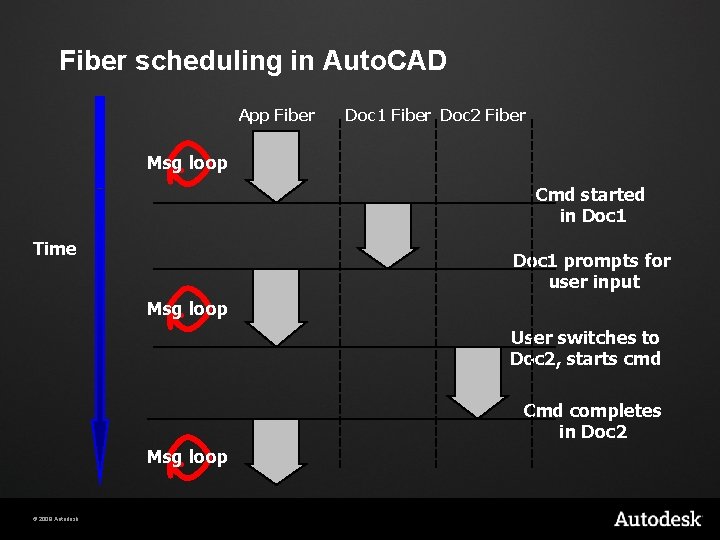
Fiber scheduling in Auto. CAD App Fiber Doc 1 Fiber Doc 2 Fiber Msg loop Cmd started in Doc 1 Time Doc 1 prompts for user input Msg loop User switches to Doc 2, starts cmd Cmd completes in Doc 2 Msg loop © 2009 Autodesk
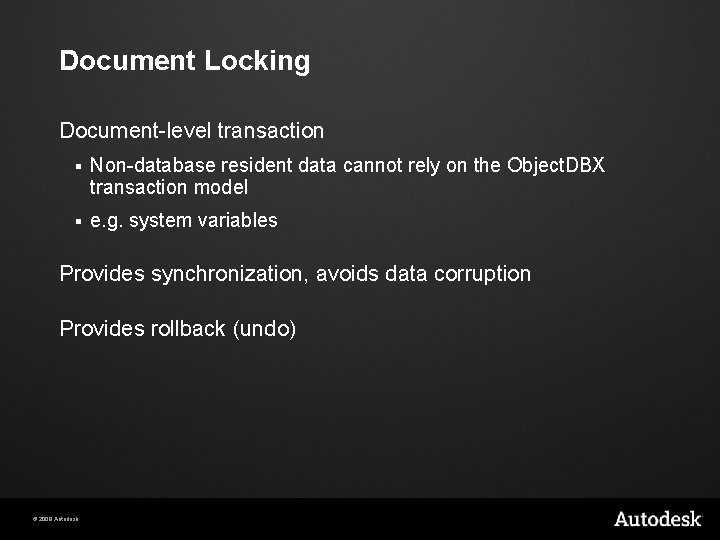
Document Locking Document-level transaction § Non-database resident data cannot rely on the Object. DBX transaction model § e. g. system variables Provides synchronization, avoids data corruption Provides rollback (undo) © 2009 Autodesk
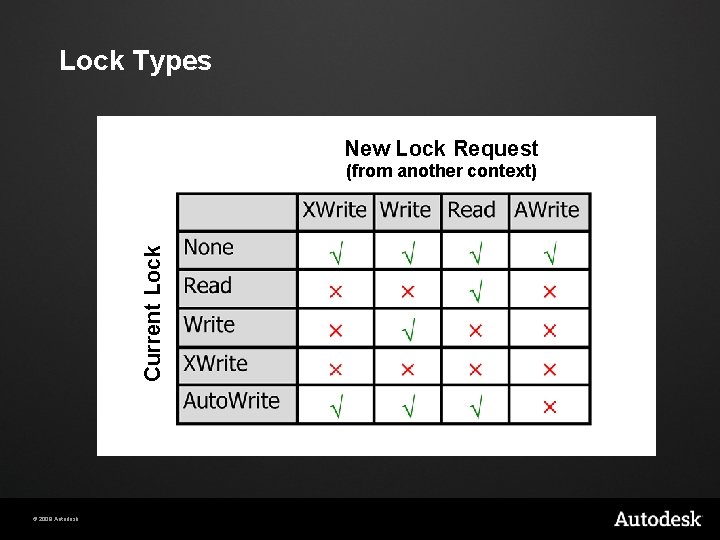
Lock Types New Lock Request Current Lock (from another context) © 2009 Autodesk
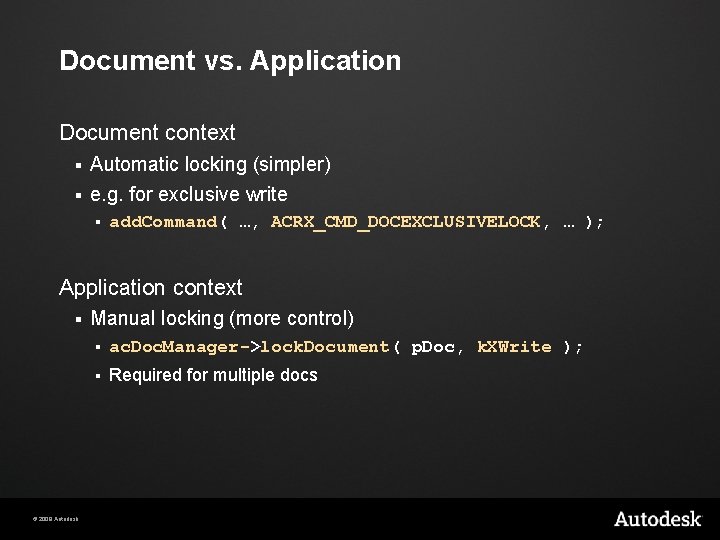
Document vs. Application Document context § Automatic locking (simpler) § e. g. for exclusive write § add. Command( …, ACRX_CMD_DOCEXCLUSIVELOCK, … ); Application context § © 2009 Autodesk Manual locking (more control) § ac. Doc. Manager->lock. Document( p. Doc, k. XWrite ); § Required for multiple docs
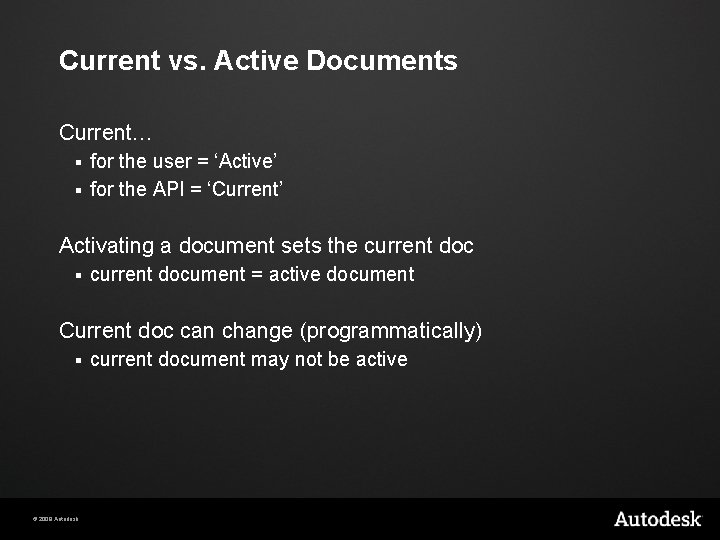
Current vs. Active Documents Current… for the user = ‘Active’ § for the API = ‘Current’ § Activating a document sets the current doc § current document = active document Current doc can change (programmatically) § © 2009 Autodesk current document may not be active
Agenda Overview of APIs Auto. CAD: Hello. arx Object. DBX: Structure Object. DBX: Extend it! Auto. CAD: Multi-Document Environment Notification System © 2009 Autodesk
Notification System Observer Pattern Implementation Subjects & Observers § Object. DBX § Auto. CAD Acting as an Observer Acting as a Subject © 2009 Autodesk
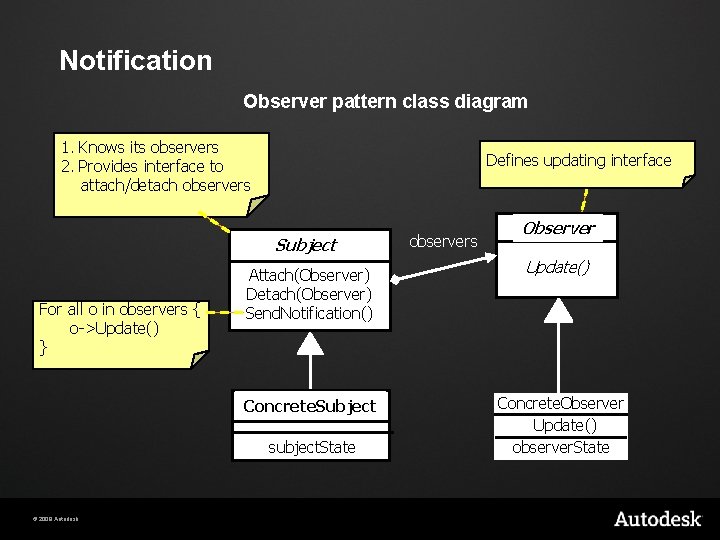
Notification Observer pattern class diagram 1. Knows its observers 2. Provides interface to attach/detach observers Defines updating interface Subject For all o in observers { o->Update() } Attach(Observer) Detach(Observer) Send. Notification() Concrete. Subject subject. State © 2009 Autodesk observers Observer Update() Concrete. Observer Update() observer. State
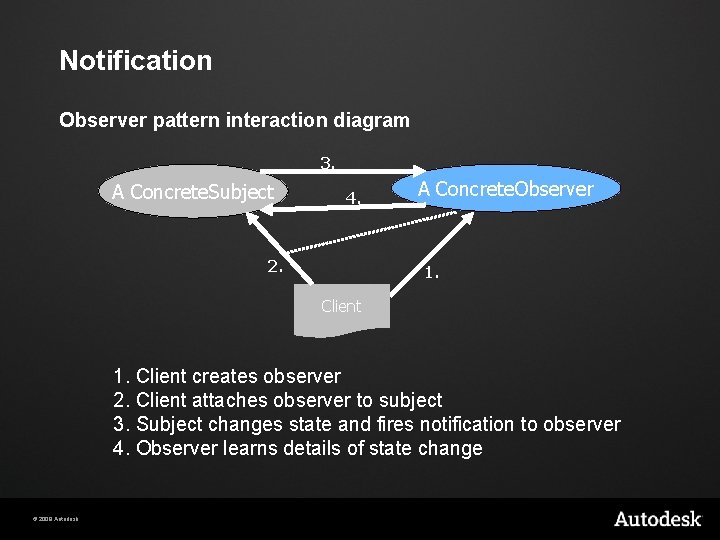
Notification Observer pattern interaction diagram 3. A Concrete. Subject 4. 2. A Concrete. Observer 1. Client creates observer 2. Client attaches observer to subject 3. Subject changes state and fires notification to observer 4. Observer learns details of state change © 2009 Autodesk
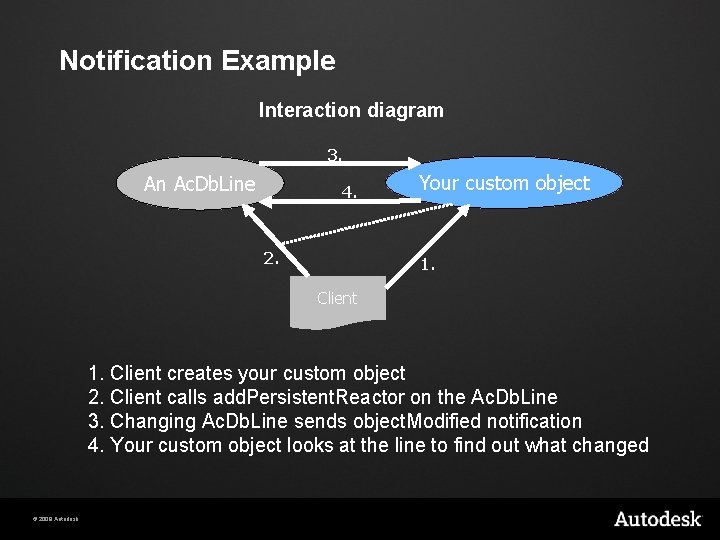
Notification Example Interaction diagram 3. An Ac. Db. Line 4. 2. Your custom object 1. Client creates your custom object 2. Client calls add. Persistent. Reactor on the Ac. Db. Line 3. Changing Ac. Db. Line sends object. Modified notification 4. Your custom object looks at the line to find out what changed © 2009 Autodesk
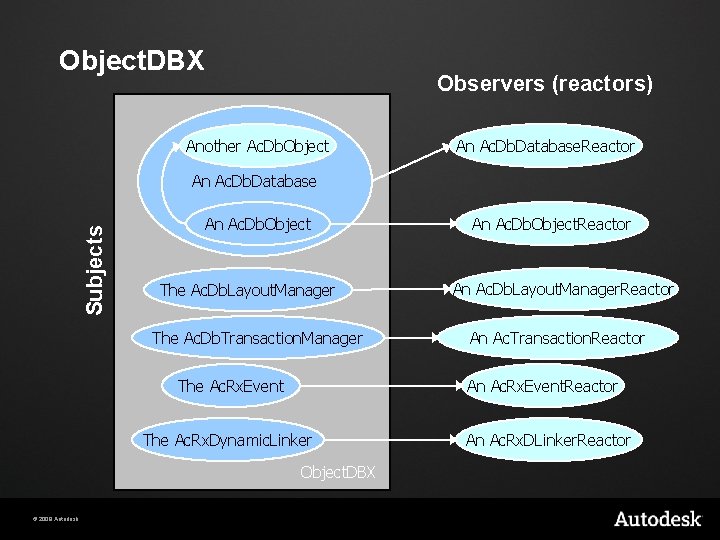
Object. DBX Observers (reactors) Another Ac. Db. Object An Ac. Db. Database. Reactor Subjects An Ac. Db. Database An Ac. Db. Object The Ac. Db. Layout. Manager The Ac. Db. Transaction. Manager The Ac. Rx. Event An Ac. Db. Layout. Manager. Reactor An Ac. Transaction. Reactor An Ac. Rx. Event. Reactor The Ac. Rx. Dynamic. Linker Object. DBX © 2009 Autodesk An Ac. Db. Object. Reactor An Ac. Rx. DLinker. Reactor
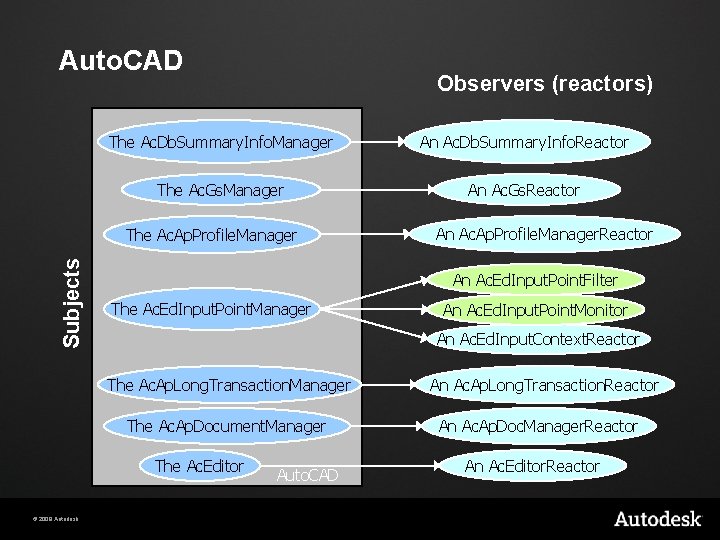
Auto. CAD Observers (reactors) The Ac. Db. Summary. Info. Manager An Ac. Db. Summary. Info. Reactor The Ac. Gs. Manager An Ac. Gs. Reactor Subjects The Ac. Ap. Profile. Manager An Ac. Ed. Input. Point. Filter The Ac. Ed. Input. Point. Manager An Ac. Ed. Input. Point. Monitor An Ac. Ed. Input. Context. Reactor The Ac. Ap. Long. Transaction. Manager The Ac. Ap. Document. Manager The Ac. Editor © 2009 Autodesk An Ac. Ap. Profile. Manager. Reactor Auto. CAD An Ac. Ap. Long. Transaction. Reactor An Ac. Ap. Doc. Manager. Reactor An Ac. Editor. Reactor
Acting as an Observer Derive a concrete observer class § Override notification functions Instantiate it Attach it to subject Remove it when done § © 2009 Autodesk At least when application is unloaded
Acting as a Subject Define your own observer (notification) interface Provide methods to attach/detach observers Send notifications when state changes § © 2009 Autodesk If your observer (reactor) is database resident then open it for k. For. Notify
Lab - Step 7 Observing various subjects © 2009 Autodesk
Auto. CAD. NET Resources § Auto. CAD Developer Center - download training labs § § Auto. CAD. NET Training (classroom) § § http: //www. autodesk. com/apitraining Through the Interface blog - Site focuses on. NET § § http: //www. autodesk. com/developautocad http: //blogs. autodesk. com/through-the-interface Whitepapers and Training Videos – ADN members § © 2009 Autodesk http: //adn. autodesk. com/adn/servlet/index? site. ID=4814862&id=54 75217&link. ID=4900509

Thank you! © 2009 Autodesk
- Slides: 135