
NX Nastran Multistep Nonlinear Solutions Chip Fricke Siemens
- Slides: 41
NX Nastran Multistep Nonlinear Solutions Chip Fricke, Siemens PLM Software
Agenda Overview of NX Nastran Multistep Nonlinear Solutions SOL 401 SOL 402 Comparison of SOL 401 vs SOL 402 Q&A Unrestricted © Siemens AG 2018 Page 2 2018 -05 -08 Siemens PLM Software
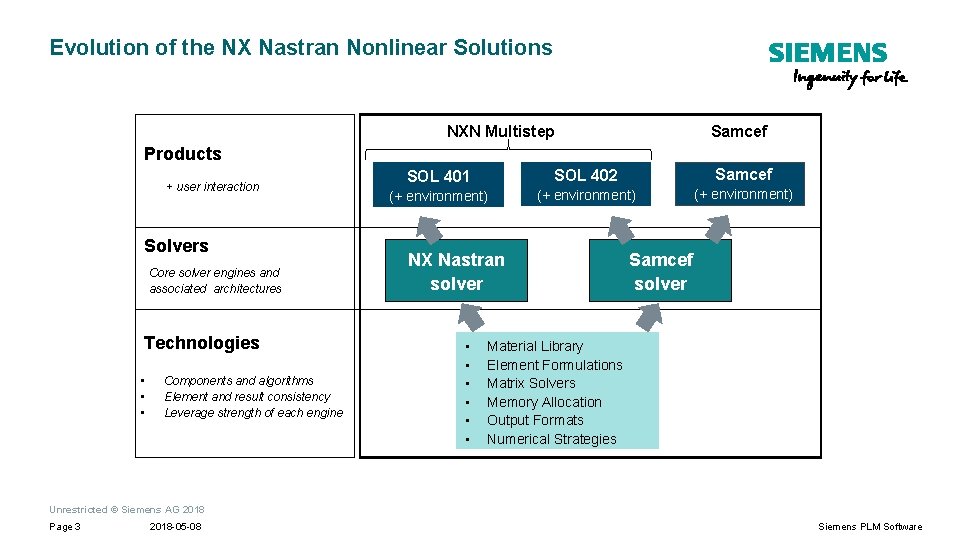
Evolution of the NX Nastran Nonlinear Solutions NXN Multistep Samcef Products + user interaction Solvers Core solver engines and associated architectures Technologies • • • Components and algorithms Element and result consistency Leverage strength of each engine SOL 401 SOL 402 Samcef (+ environment) NX Nastran solver • • • Samcef solver Material Library Element Formulations Matrix Solvers Memory Allocation Output Formats Numerical Strategies Unrestricted © Siemens AG 2018 Page 3 2018 -05 -08 Siemens PLM Software
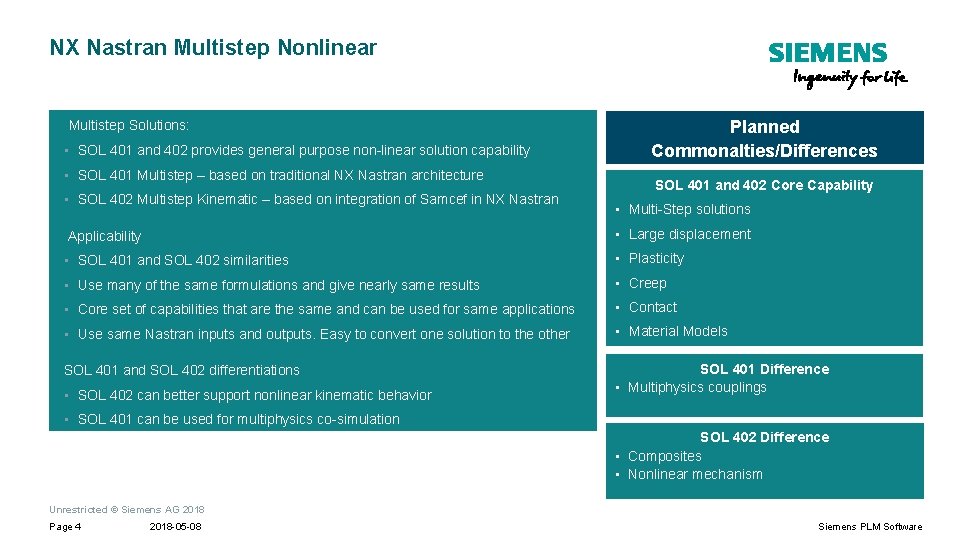
NX Nastran Multistep Nonlinear Multistep Solutions: • SOL 401 and 402 provides general purpose non-linear solution capability • SOL 401 Multistep – based on traditional NX Nastran architecture • SOL 402 Multistep Kinematic – based on integration of Samcef in NX Nastran Planned Commonalties/Differences SOL 401 and 402 Core Capability • Multi-Step solutions Applicability • Large displacement • SOL 401 and SOL 402 similarities • Plasticity • Use many of the same formulations and give nearly same results • Creep • Core set of capabilities that are the same and can be used for same applications • Contact • Use same Nastran inputs and outputs. Easy to convert one solution to the other • Material Models SOL 401 and SOL 402 differentiations SOL 401 Difference • Multiphysics couplings • SOL 402 can better support nonlinear kinematic behavior • SOL 401 can be used for multiphysics co-simulation SOL 402 Difference • Composites • Nonlinear mechanism Unrestricted © Siemens AG 2018 Page 4 2018 -05 -08 Siemens PLM Software
SOL 401
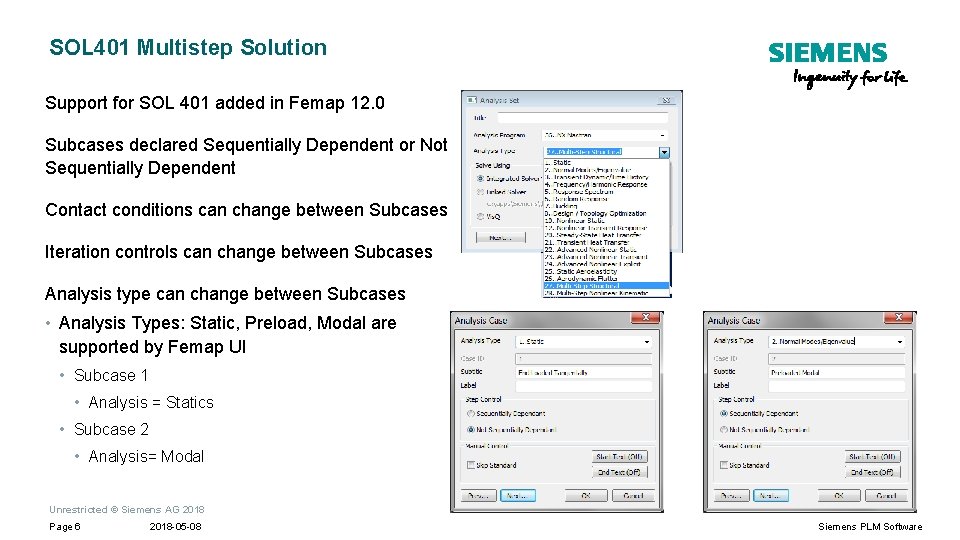
SOL 401 Multistep Solution Support for SOL 401 added in Femap 12. 0 Subcases declared Sequentially Dependent or Not Sequentially Dependent Contact conditions can change between Subcases Iteration controls can change between Subcases Analysis type can change between Subcases • Analysis Types: Static, Preload, Modal are supported by Femap UI • Subcase 1 • Analysis = Statics • Subcase 2 • Analysis= Modal Unrestricted © Siemens AG 2018 Page 6 2018 -05 -08 Siemens PLM Software
SOL 401 Element Support 1 D and 0 D Elements Bar and Beam Elements • Large displacement with offsets supported • Isotropic material and Statics only 0 D Elements • Spring/Damper (not large displacement) • RBE 2, RBE 3 Support Large Displacement Unrestricted © Siemens AG 2018 Page 7 2018 -05 -08 Siemens PLM Software
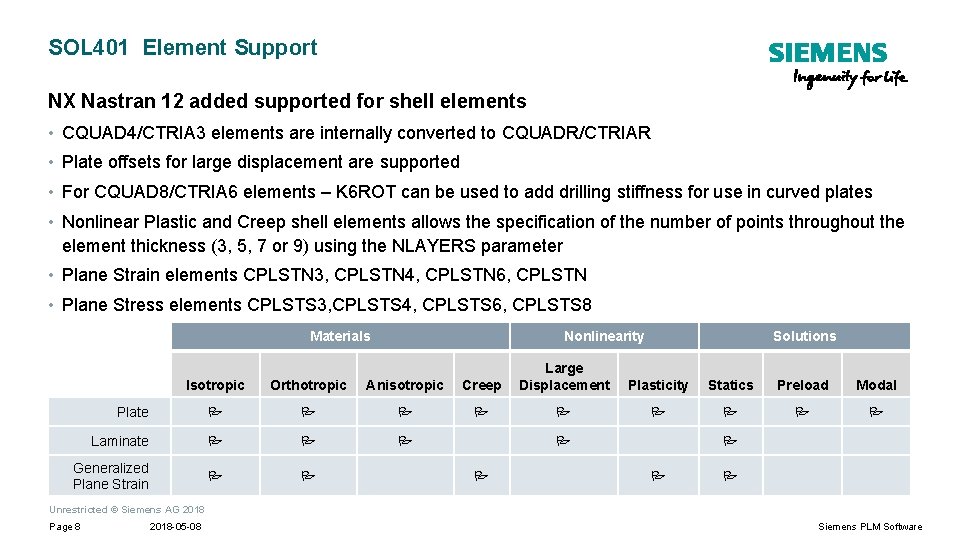
SOL 401 Element Support NX Nastran 12 added supported for shell elements • CQUAD 4/CTRIA 3 elements are internally converted to CQUADR/CTRIAR • Plate offsets for large displacement are supported • For CQUAD 8/CTRIA 6 elements – K 6 ROT can be used to add drilling stiffness for use in curved plates • Nonlinear Plastic and Creep shell elements allows the specification of the number of points throughout the element thickness (3, 5, 7 or 9) using the NLAYERS parameter • Plane Strain elements CPLSTN 3, CPLSTN 4, CPLSTN 6, CPLSTN • Plane Stress elements CPLSTS 3, CPLSTS 4, CPLSTS 6, CPLSTS 8 Materials Nonlinearity Isotropic Orthotropic Anisotropic Creep Large Displacement Plate Laminate Generalized Plane Strain Solutions Plasticity Statics Preload Modal Unrestricted © Siemens AG 2018 Page 8 2018 -05 -08 Siemens PLM Software
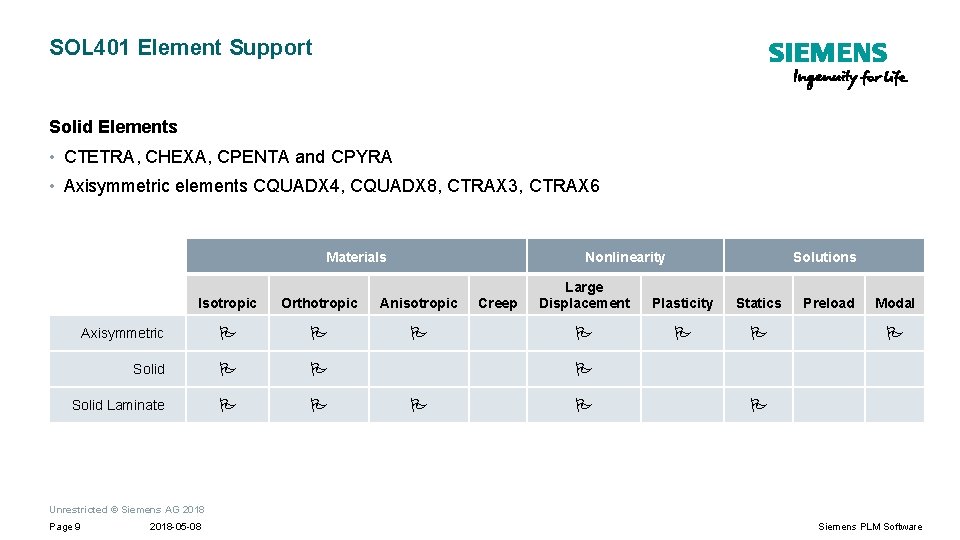
SOL 401 Element Support Solid Elements • CTETRA, CHEXA, CPENTA and CPYRA • Axisymmetric elements CQUADX 4, CQUADX 8, CTRAX 3, CTRAX 6 Materials Nonlinearity Isotropic Orthotropic Anisotropic Axisymmetric Solid Laminate Creep Solutions Large Displacement Plasticity Statics Preload Modal Unrestricted © Siemens AG 2018 Page 9 2018 -05 -08 Siemens PLM Software
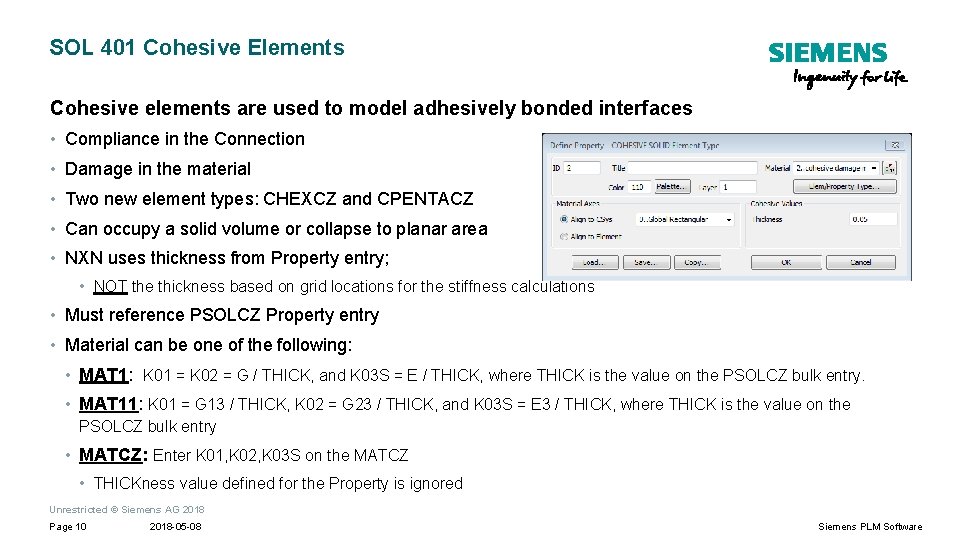
SOL 401 Cohesive Elements Cohesive elements are used to model adhesively bonded interfaces • Compliance in the Connection • Damage in the material • Two new element types: CHEXCZ and CPENTACZ • Can occupy a solid volume or collapse to planar area • NXN uses thickness from Property entry; • NOT the thickness based on grid locations for the stiffness calculations • Must reference PSOLCZ Property entry • Material can be one of the following: • MAT 1: K 01 = K 02 = G / THICK, and K 03 S = E / THICK, where THICK is the value on the PSOLCZ bulk entry. • MAT 11: K 01 = G 13 / THICK, K 02 = G 23 / THICK, and K 03 S = E 3 / THICK, where THICK is the value on the PSOLCZ bulk entry • MATCZ: Enter K 01, K 02, K 03 S on the MATCZ • THICKness value defined for the Property is ignored Unrestricted © Siemens AG 2018 Page 10 2018 -05 -08 Siemens PLM Software
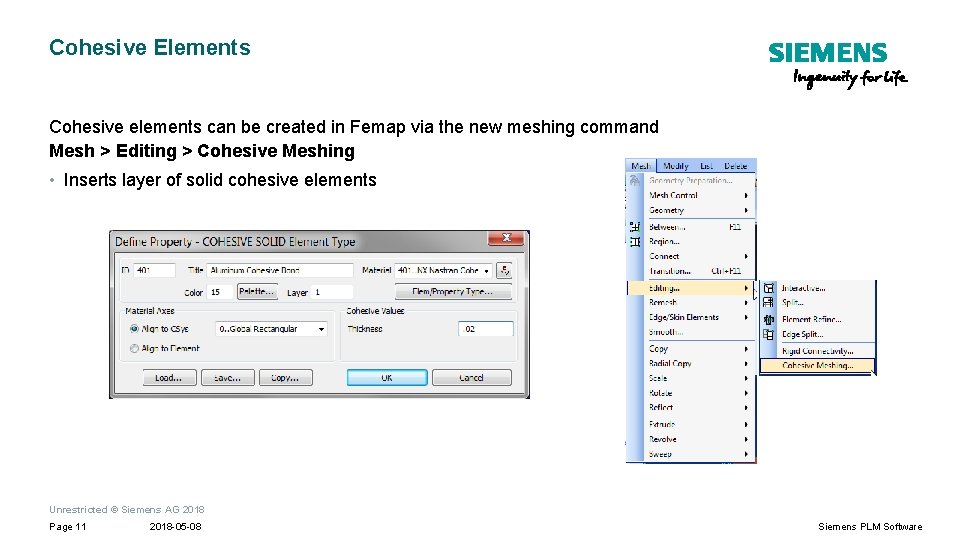
Cohesive Elements Cohesive elements can be created in Femap via the new meshing command Mesh > Editing > Cohesive Meshing • Inserts layer of solid cohesive elements Unrestricted © Siemens AG 2018 Page 11 2018 -05 -08 Siemens PLM Software
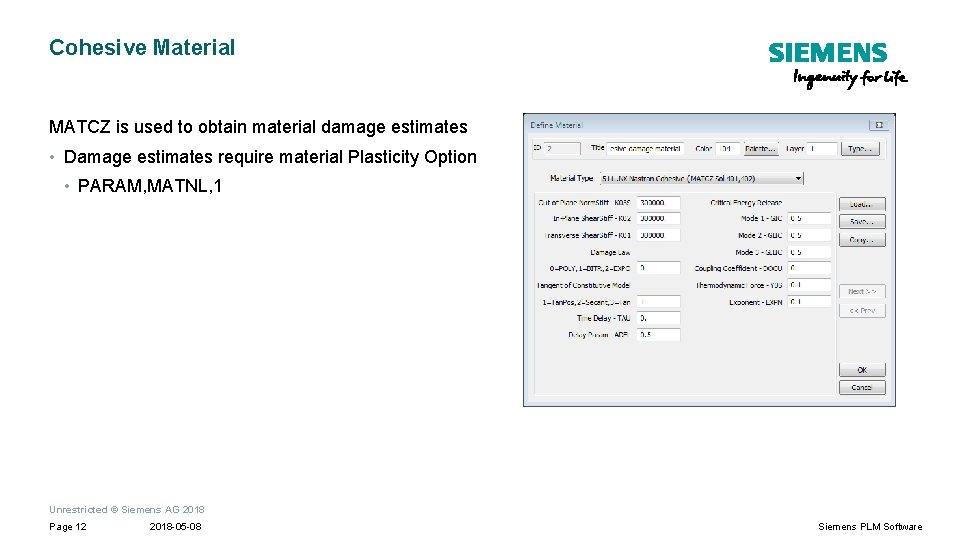
Cohesive Material MATCZ is used to obtain material damage estimates • Damage estimates require material Plasticity Option • PARAM, MATNL, 1 Unrestricted © Siemens AG 2018 Page 12 2018 -05 -08 Siemens PLM Software
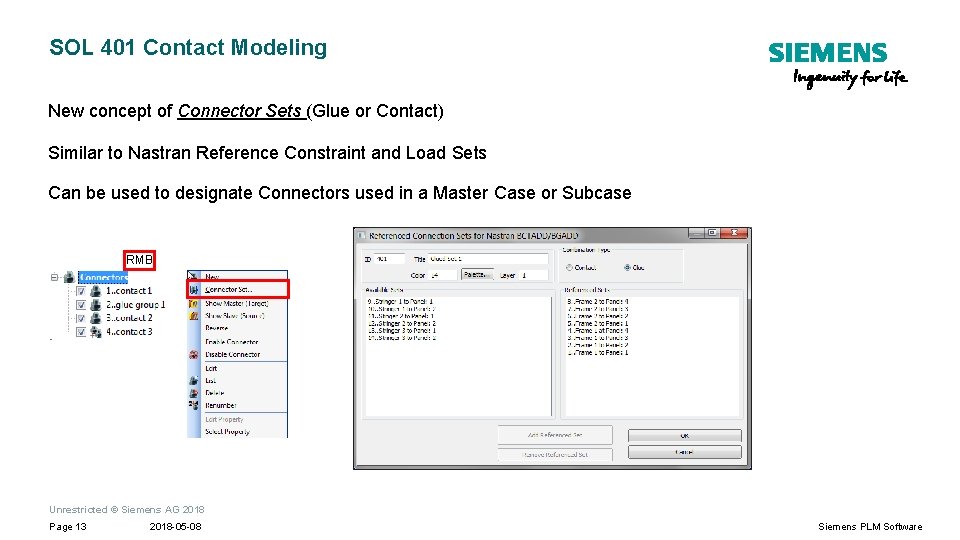
SOL 401 Contact Modeling New concept of Connector Sets (Glue or Contact) Similar to Nastran Reference Constraint and Load Sets Can be used to designate Connectors used in a Master Case or Subcase RMB Unrestricted © Siemens AG 2018 Page 13 2018 -05 -08 Siemens PLM Software
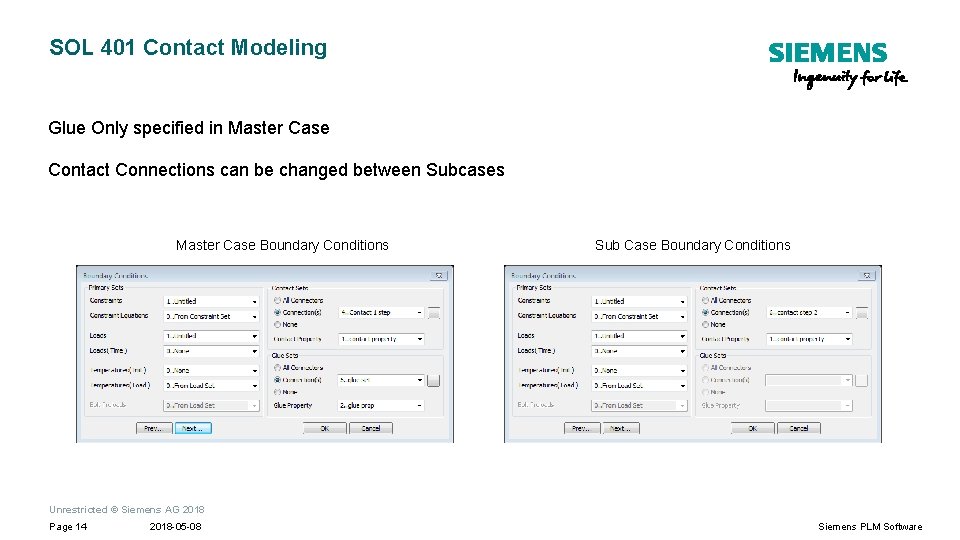
SOL 401 Contact Modeling Glue Only specified in Master Case Contact Connections can be changed between Subcases Master Case Boundary Conditions Sub Case Boundary Conditions Unrestricted © Siemens AG 2018 Page 14 2018 -05 -08 Siemens PLM Software
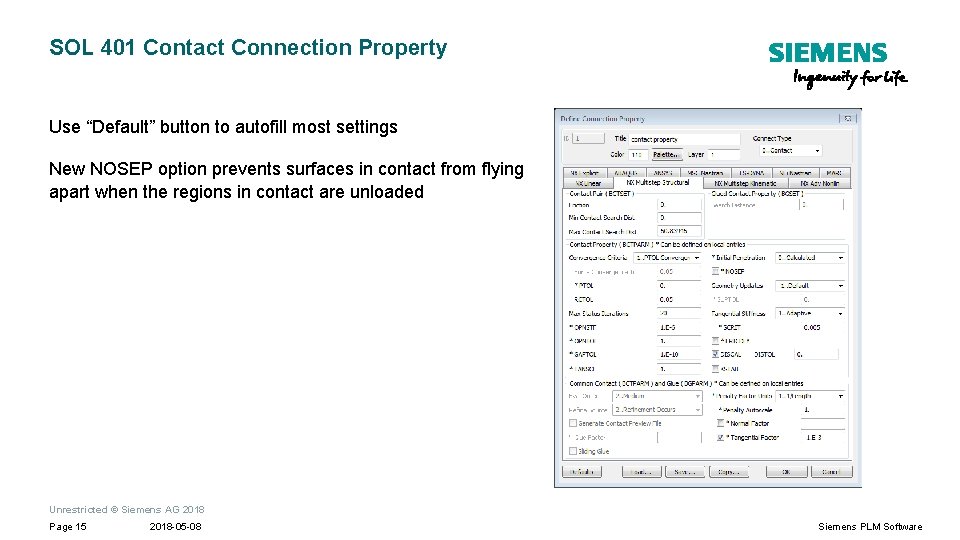
SOL 401 Contact Connection Property Use “Default” button to autofill most settings New NOSEP option prevents surfaces in contact from flying apart when the regions in contact are unloaded Unrestricted © Siemens AG 2018 Page 15 2018 -05 -08 Siemens PLM Software
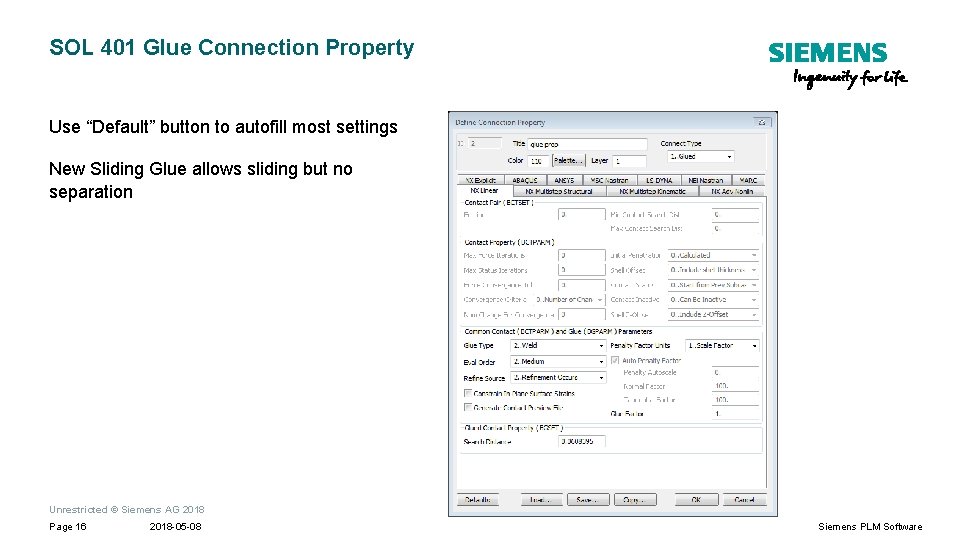
SOL 401 Glue Connection Property Use “Default” button to autofill most settings New Sliding Glue allows sliding but no separation Unrestricted © Siemens AG 2018 Page 16 2018 -05 -08 Siemens PLM Software
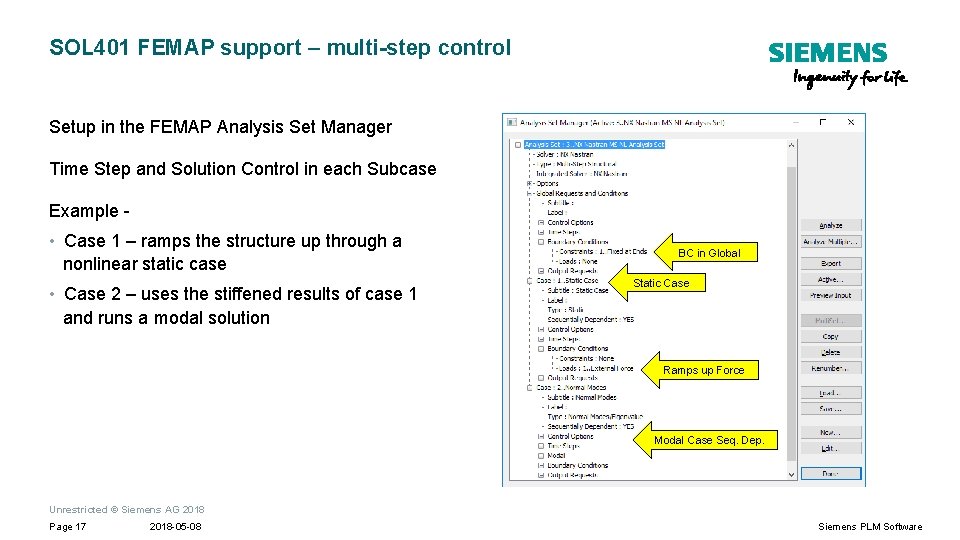
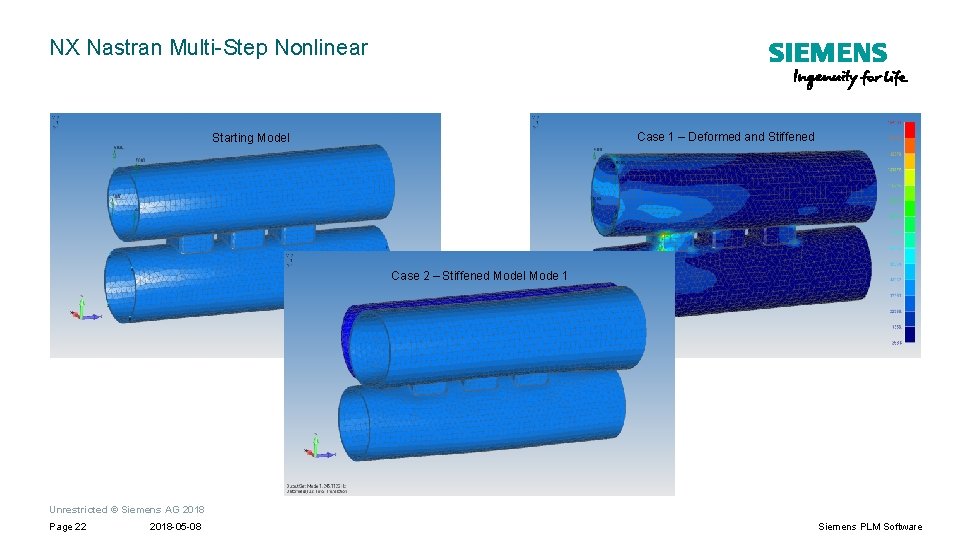
SOL 401 FEMAP support – multi-step control Setup in the FEMAP Analysis Set Manager Time Step and Solution Control in each Subcase Example - • Case 1 – ramps the structure up through a nonlinear static case • Case 2 – uses the stiffened results of case 1 and runs a modal solution BC in Global Static Case Ramps up Force Modal Case Seq. Dep. Unrestricted © Siemens AG 2018 Page 17 2018 -05 -08 Siemens PLM Software
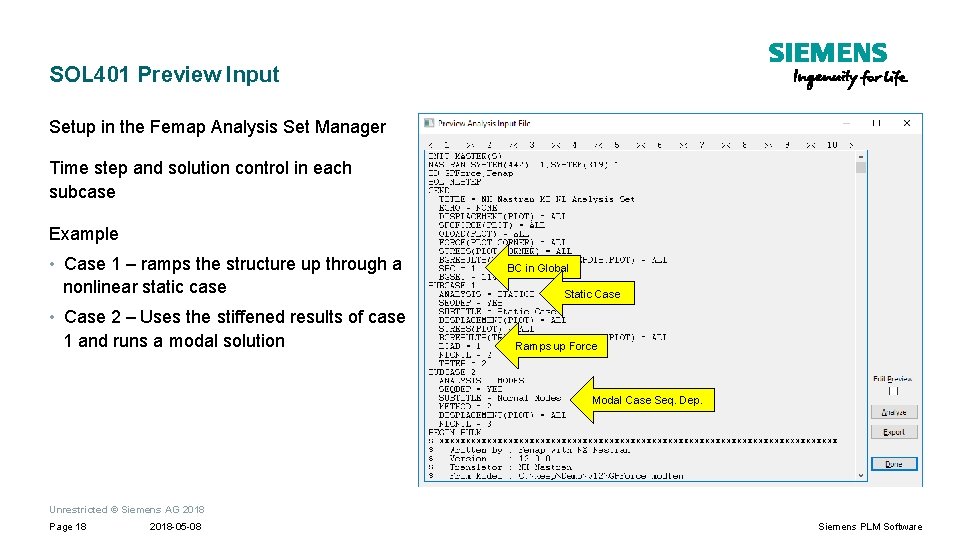
SOL 401 Preview Input Setup in the Femap Analysis Set Manager Time step and solution control in each subcase Example • Case 1 – ramps the structure up through a nonlinear static case • Case 2 – Uses the stiffened results of case 1 and runs a modal solution BC in Global Static Case Ramps up Force Modal Case Seq. Dep. Unrestricted © Siemens AG 2018 Page 18 2018 -05 -08 Siemens PLM Software
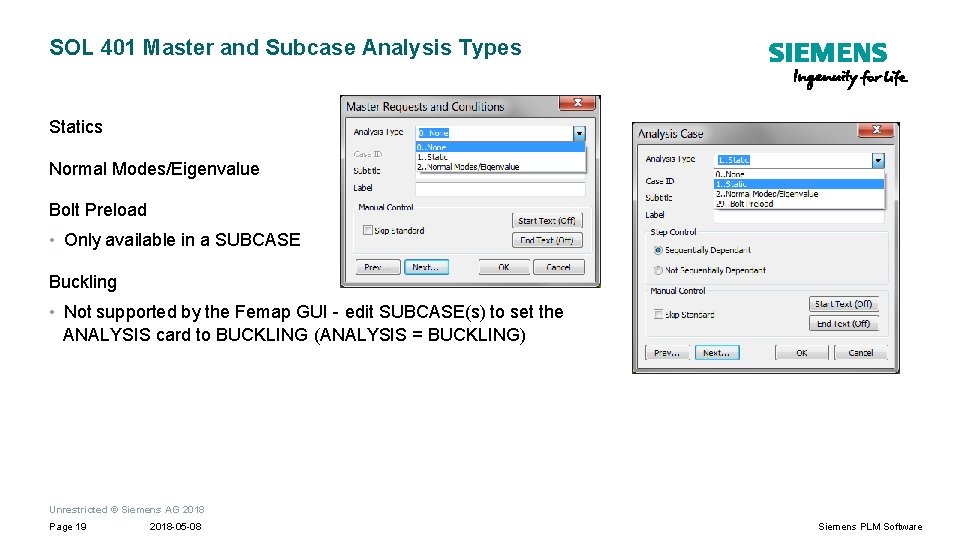
SOL 401 Master and Subcase Analysis Types Statics Normal Modes/Eigenvalue Bolt Preload • Only available in a SUBCASE Buckling • Not supported by the Femap GUI - edit SUBCASE(s) to set the ANALYSIS card to BUCKLING (ANALYSIS = BUCKLING) Unrestricted © Siemens AG 2018 Page 19 2018 -05 -08 Siemens PLM Software
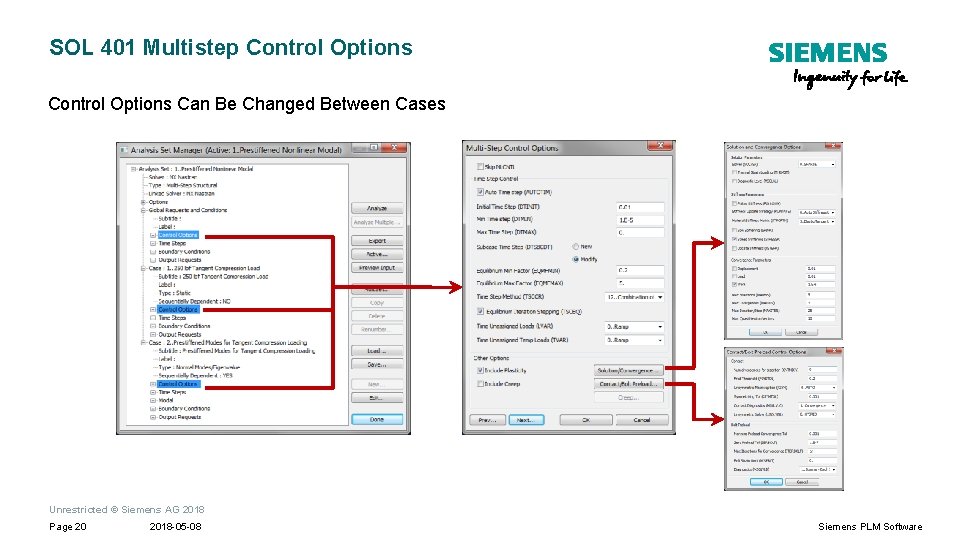
SOL 401 Multistep Control Options Can Be Changed Between Cases Unrestricted © Siemens AG 2018 Page 20 2018 -05 -08 Siemens PLM Software
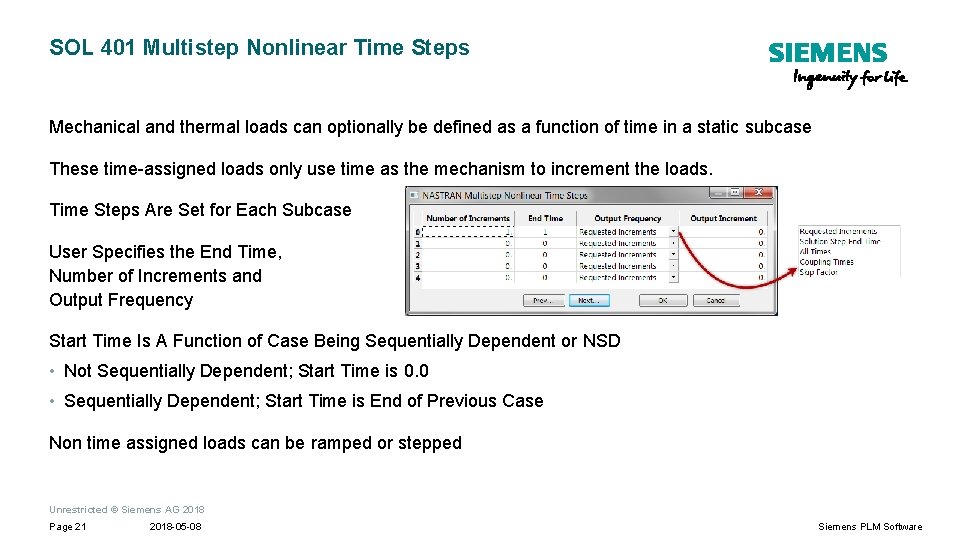
SOL 401 Multistep Nonlinear Time Steps Mechanical and thermal loads can optionally be defined as a function of time in a static subcase These time-assigned loads only use time as the mechanism to increment the loads. Time Steps Are Set for Each Subcase User Specifies the End Time, Number of Increments and Output Frequency Start Time Is A Function of Case Being Sequentially Dependent or NSD • Not Sequentially Dependent; Start Time is 0. 0 • Sequentially Dependent; Start Time is End of Previous Case Non time assigned loads can be ramped or stepped Unrestricted © Siemens AG 2018 Page 21 2018 -05 -08 Siemens PLM Software
NX Nastran Multi-Step Nonlinear Case 1 – Deformed and Stiffened Starting Model Case 2 – Stiffened Model Mode 1 Unrestricted © Siemens AG 2018 Page 22 2018 -05 -08 Siemens PLM Software
SOL 402
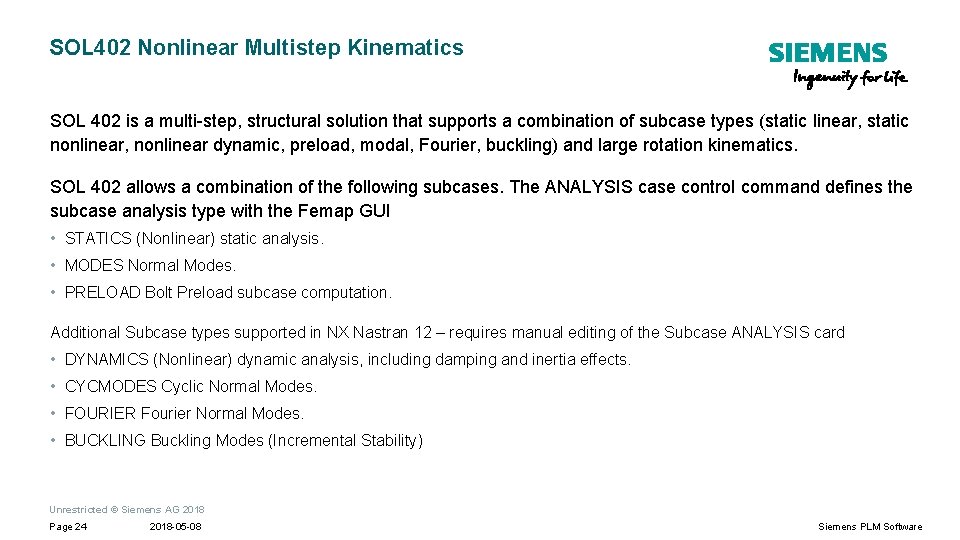
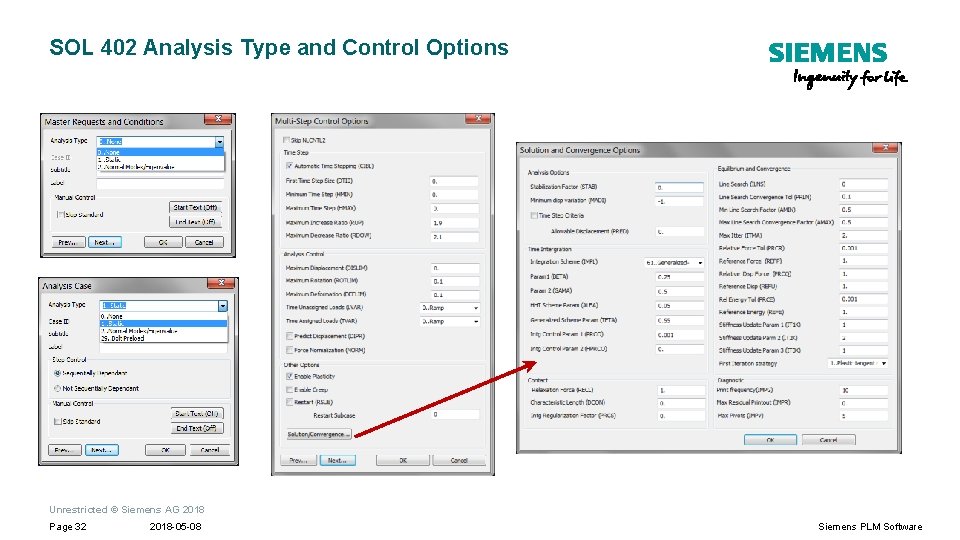
SOL 402 Nonlinear Multistep Kinematics SOL 402 is a multi-step, structural solution that supports a combination of subcase types (static linear, static nonlinear, nonlinear dynamic, preload, modal, Fourier, buckling) and large rotation kinematics. SOL 402 allows a combination of the following subcases. The ANALYSIS case control command defines the subcase analysis type with the Femap GUI • STATICS (Nonlinear) static analysis. • MODES Normal Modes. • PRELOAD Bolt Preload subcase computation. Additional Subcase types supported in NX Nastran 12 – requires manual editing of the Subcase ANALYSIS card • DYNAMICS (Nonlinear) dynamic analysis, including damping and inertia effects. • CYCMODES Cyclic Normal Modes. • FOURIER Fourier Normal Modes. • BUCKLING Buckling Modes (Incremental Stability) Unrestricted © Siemens AG 2018 Page 24 2018 -05 -08 Siemens PLM Software
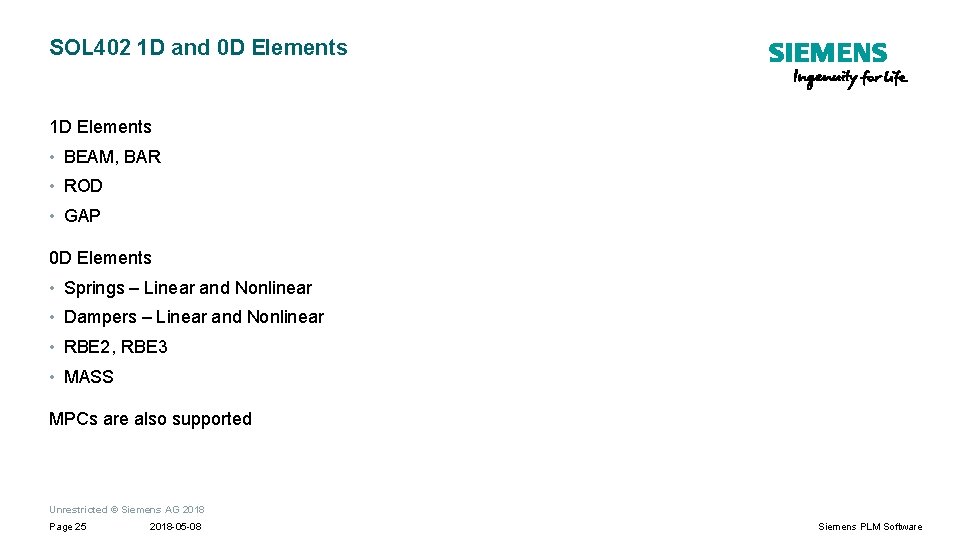
SOL 402 1 D and 0 D Elements 1 D Elements • BEAM, BAR • ROD • GAP 0 D Elements • Springs – Linear and Nonlinear • Dampers – Linear and Nonlinear • RBE 2, RBE 3 • MASS MPCs are also supported Unrestricted © Siemens AG 2018 Page 25 2018 -05 -08 Siemens PLM Software
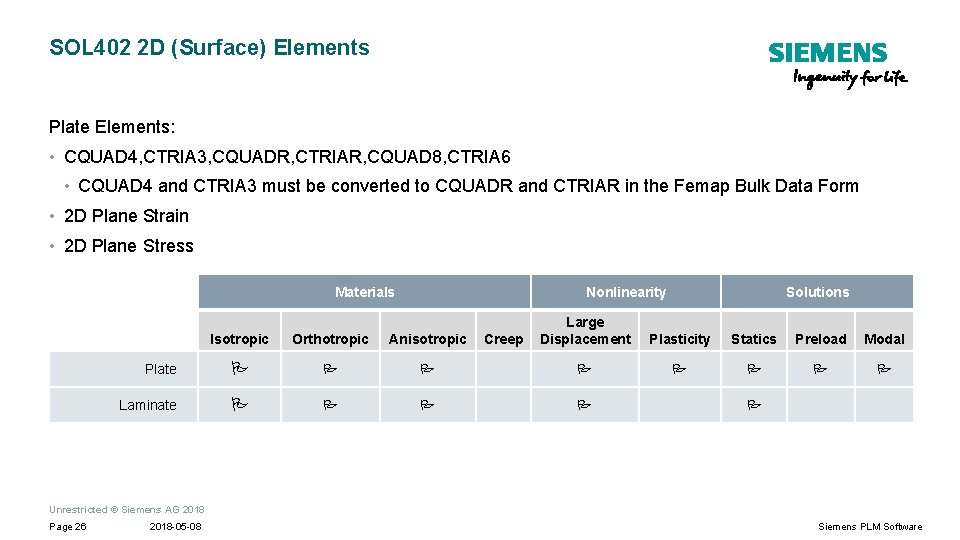
SOL 402 2 D (Surface) Elements Plate Elements: • CQUAD 4, CTRIA 3, CQUADR, CTRIAR, CQUAD 8, CTRIA 6 • CQUAD 4 and CTRIA 3 must be converted to CQUADR and CTRIAR in the Femap Bulk Data Form • 2 D Plane Strain • 2 D Plane Stress Materials Nonlinearity Creep Solutions Large Displacement Plasticity Statics Preload Modal Isotropic Orthotropic Anisotropic Plate Laminate Unrestricted © Siemens AG 2018 Page 26 2018 -05 -08 Siemens PLM Software
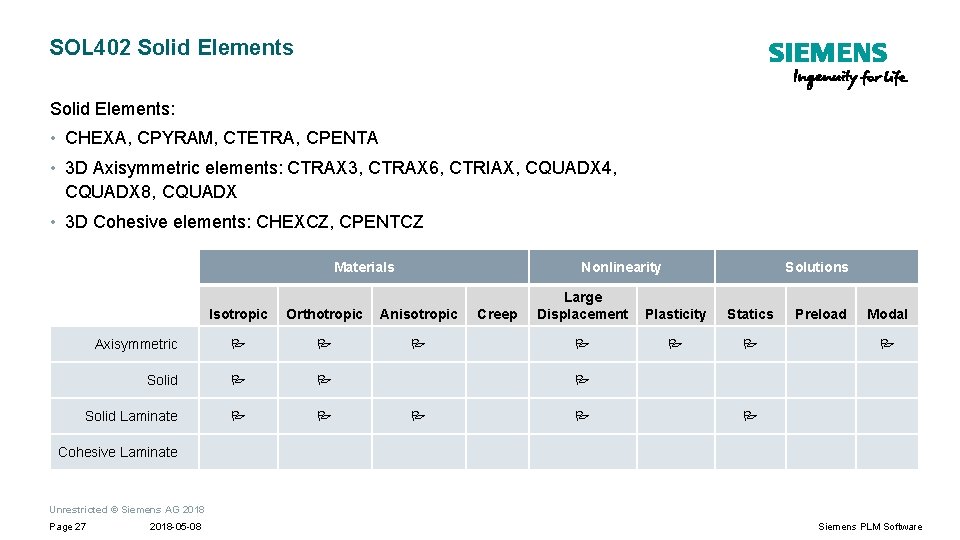
SOL 402 Solid Elements: • CHEXA, CPYRAM, CTETRA, CPENTA • 3 D Axisymmetric elements: CTRAX 3, CTRAX 6, CTRIAX, CQUADX 4, CQUADX 8, CQUADX • 3 D Cohesive elements: CHEXCZ, CPENTCZ Materials Nonlinearity Isotropic Orthotropic Anisotropic Axisymmetric Solid Laminate Creep Solutions Large Displacement Plasticity Statics Preload Modal Cohesive Laminate Unrestricted © Siemens AG 2018 Page 27 2018 -05 -08 Siemens PLM Software
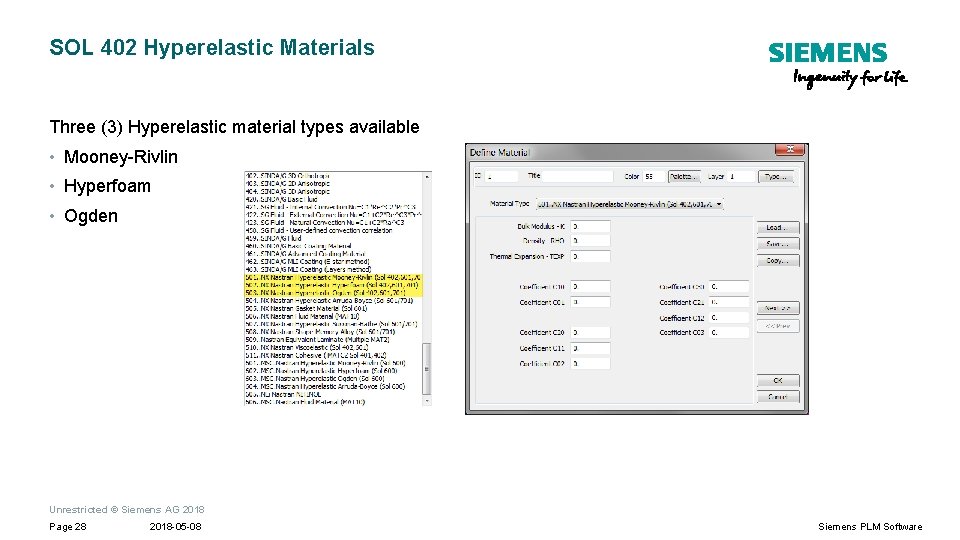
SOL 402 Hyperelastic Materials Three (3) Hyperelastic material types available • Mooney-Rivlin • Hyperfoam • Ogden Unrestricted © Siemens AG 2018 Page 28 2018 -05 -08 Siemens PLM Software
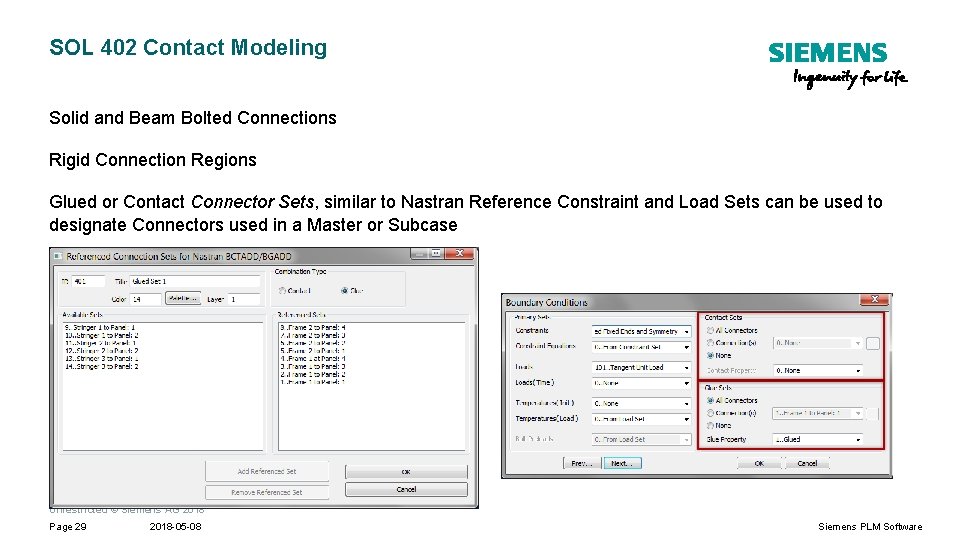
SOL 402 Contact Modeling Solid and Beam Bolted Connections Rigid Connection Regions Glued or Contact Connector Sets, similar to Nastran Reference Constraint and Load Sets can be used to designate Connectors used in a Master or Subcase Unrestricted © Siemens AG 2018 Page 29 2018 -05 -08 Siemens PLM Software
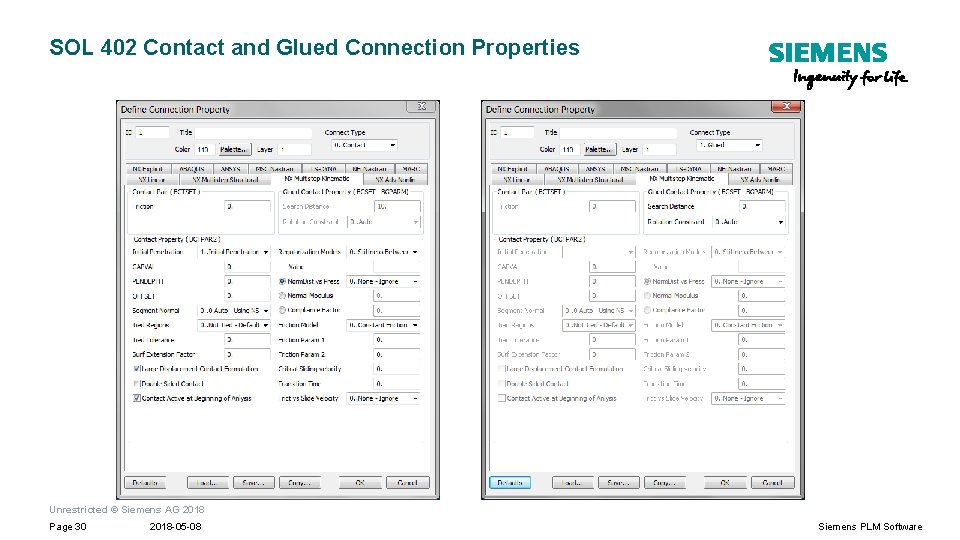
SOL 402 Contact and Glued Connection Properties Unrestricted © Siemens AG 2018 Page 30 2018 -05 -08 Siemens PLM Software
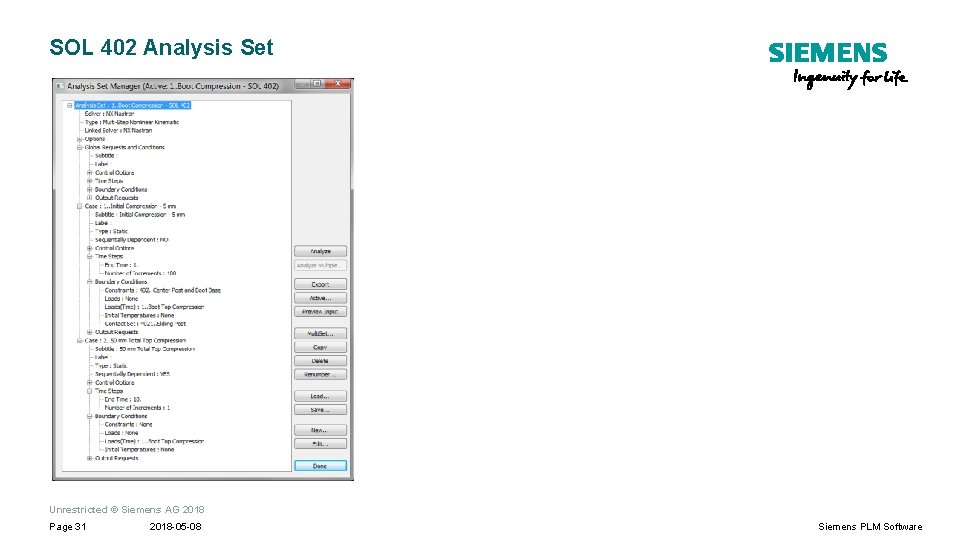
SOL 402 Analysis Set Unrestricted © Siemens AG 2018 Page 31 2018 -05 -08 Siemens PLM Software
SOL 402 Analysis Type and Control Options Unrestricted © Siemens AG 2018 Page 32 2018 -05 -08 Siemens PLM Software
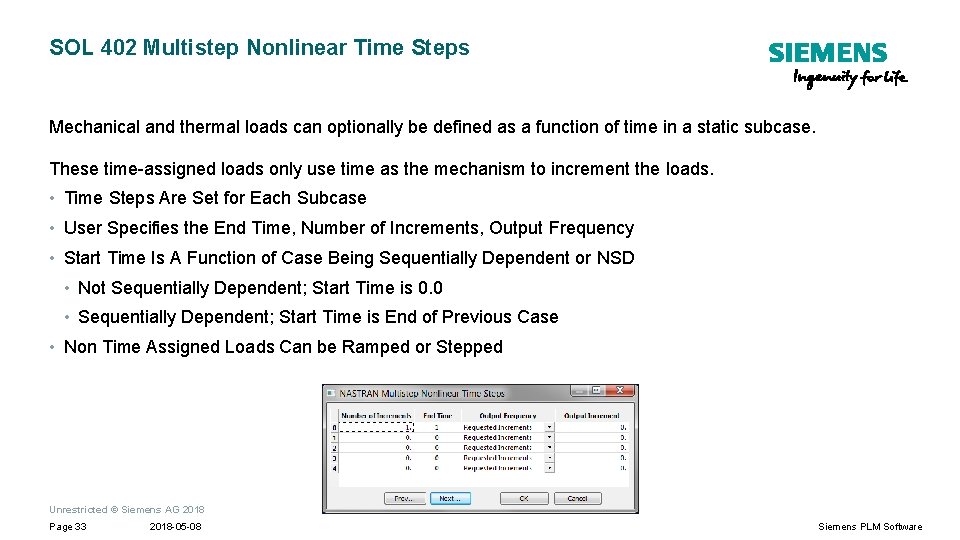
SOL 402 Multistep Nonlinear Time Steps Mechanical and thermal loads can optionally be defined as a function of time in a static subcase. These time-assigned loads only use time as the mechanism to increment the loads. • Time Steps Are Set for Each Subcase • User Specifies the End Time, Number of Increments, Output Frequency • Start Time Is A Function of Case Being Sequentially Dependent or NSD • Not Sequentially Dependent; Start Time is 0. 0 • Sequentially Dependent; Start Time is End of Previous Case • Non Time Assigned Loads Can be Ramped or Stepped Unrestricted © Siemens AG 2018 Page 33 2018 -05 -08 Siemens PLM Software
SOL 401 vs 402 Comparison
SOL 402 vs SOL 401 Comparison General • SOL 401 can be used for multiphysics co-simulation • SOL 402 should be used to simulate nonlinear kinematic behavior Contact • In SOL 401, the OFFSET distance can be defined per contact region (BCRPARA bulk entry) • In SOL 402, the OFFSET distance is defined at the contact level (BCTPAR 2 entry). • In SOL 401, a contact with shells automatically take the half thicknesses of the shells into account. • In SOL 402, must manually take the half thicknesses of the shells into account with the OFFSET parameter for the Connection Property used for that Connection Unrestricted © Siemens AG 2018 Page 35 2018 -05 -08 Siemens PLM Software
SOL 402 vs SOL 401 Bolt Comparison SOL 401 • Bolts can only modeled with solid elements • You also cannot use CPYRAM and/or composite solids for a BOLT of the ETYPE=3 type. • Bolt loading sequence (BOLTSEQ) is allowed in SOL 401 • Initial strain bolt preload force is allowed in SOL 40 I SOL 402 • Bolts can be modeled using beams and solid elements • Bolts are activated for the whole subcase time interval. Unrestricted © Siemens AG 2018 Page 36 2018 -05 -08 Siemens PLM Software
SOL 402 vs SOL 401 SUBCASE Comparison In SOL 401, a NSD subcase (SEQDEP = NO) has a start time of zero. In addition, a non-sequentially dependent static or modal subcase does not use the displacement/stress/strain state from the previous static subcase. In SOL 402, a NSD subcase uses the final time from the previous subcase for its start time. But the computation state (stresses, state variables, and so on) can be reloaded from the end of any of the previous subcases through the RSUB parameter of the NLCNTL 2 bulk entry. Unrestricted © Siemens AG 2018 Page 37 2018 -05 -08 Siemens PLM Software
Multistep Nonlinear Documents SOL 401 - Multi-Step Nonlinear User’s Guide: multi_step_nonlinear. pdf SOL 402 – NX Nastran 12 Release Guide, Chapter 6: release_guide. pdf Unrestricted © Siemens AG 2018 Page 38 2018 -05 -08 Siemens PLM Software
Q&A Unrestricted © Siemens AG 2018 Page 39 2018 -05 -08 Siemens PLM Software
Backup
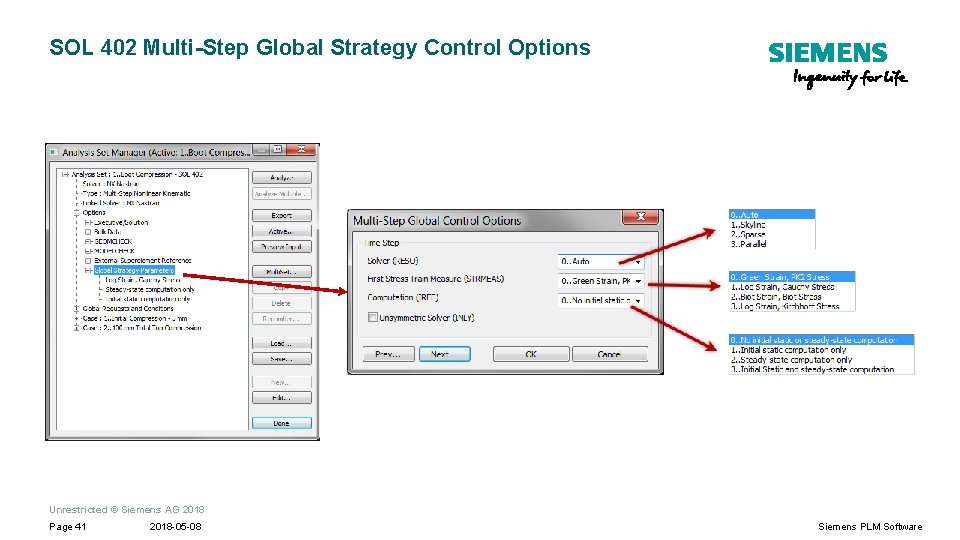
SOL 402 Multi-Step Global Strategy Control Options Unrestricted © Siemens AG 2018 Page 41 2018 -05 -08 Siemens PLM Software