
NX 6 Design Freedom with Synchronous Technology Benefits
NX 6 Design Freedom with Synchronous Technology
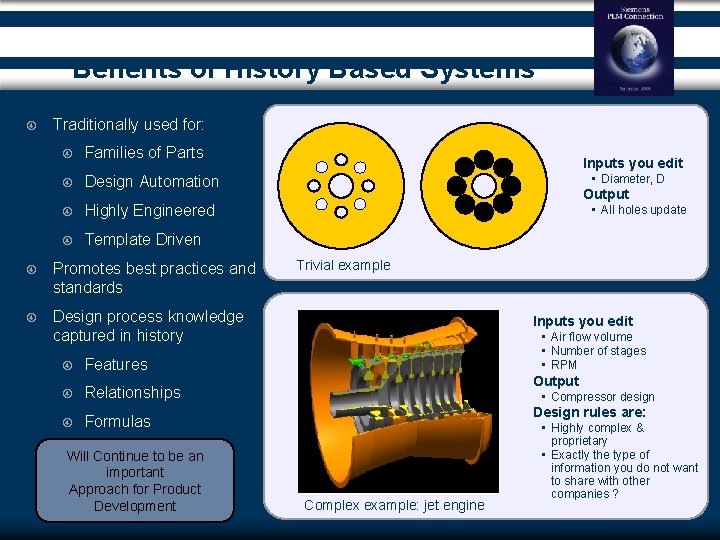
Benefits of History Based Systems Traditionally used for: Families of Parts Design Automation Highly Engineered Template Driven Promotes best practices and standards Design process knowledge captured in history Features Relationships Formulas Will Continue to be an important Approach for Product Development Inputs you edit • Diameter, D Output • All holes update Trivial example Inputs you edit • Air flow volume • Number of stages • RPM Output • Compressor design Design rules are: Complex example: jet engine • Highly complex & proprietary • Exactly the type of information you do not want to share with other companies ?
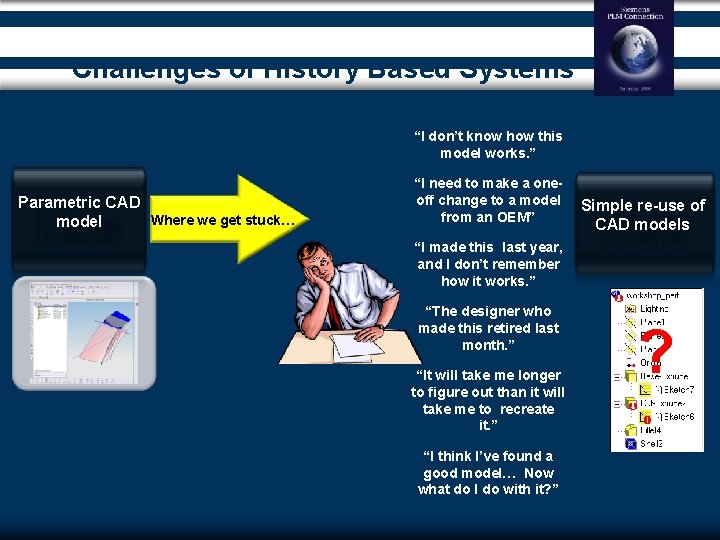
Challenges of History Based Systems “I don’t know how this model works. ” Parametric CAD Where we get stuck… model “I need to make a oneoff change to a model from an OEM” Simple re-use of CAD models “I made this last year, and I don’t remember how it works. ” “The designer who made this retired last month. ” “It will take me longer to figure out than it will take me to recreate it. ” “I think I’ve found a good model… Now what do I do with it? ” ?
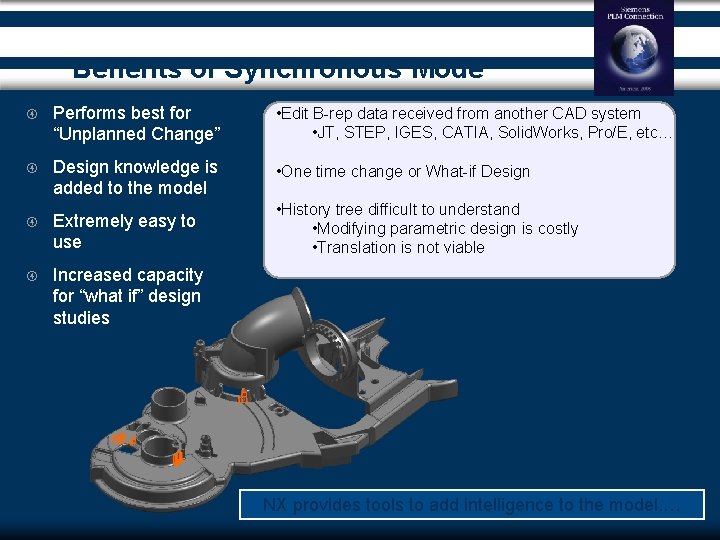
Benefits of Synchronous Mode Performs best for “Unplanned Change” • Edit B-rep data received from another CAD system • JT, STEP, IGES, CATIA, Solid. Works, Pro/E, etc… Design knowledge is added to the model • One time change or What-if Design Extremely easy to use • History tree difficult to understand • Modifying parametric design is costly • Translation is not viable Increased capacity for “what if” design studies NX provides tools to add intelligence to the model. …
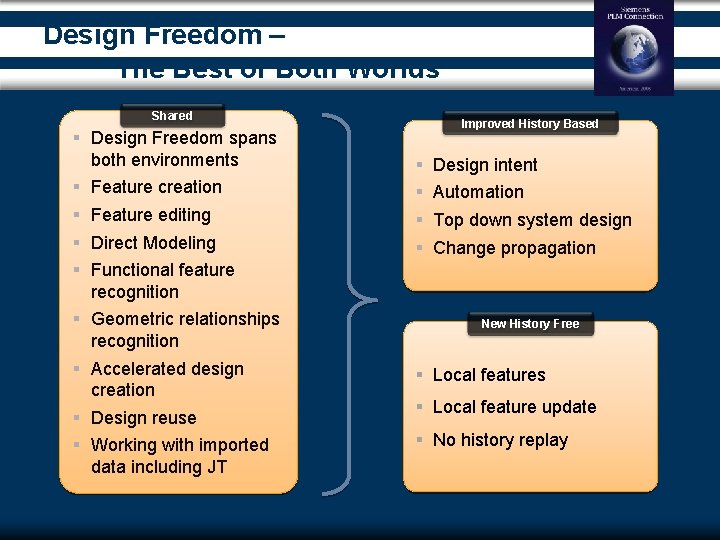
Design Freedom – The Best of Both Worlds Shared § Design Freedom spans both environments § Feature creation § Feature editing § Direct Modeling § Functional feature recognition § Geometric relationships recognition § Accelerated design creation § Design reuse § Working with imported data including JT Improved History Based § § Design intent Automation Top down system design Change propagation New History Free § Local features § Local feature update § No history replay
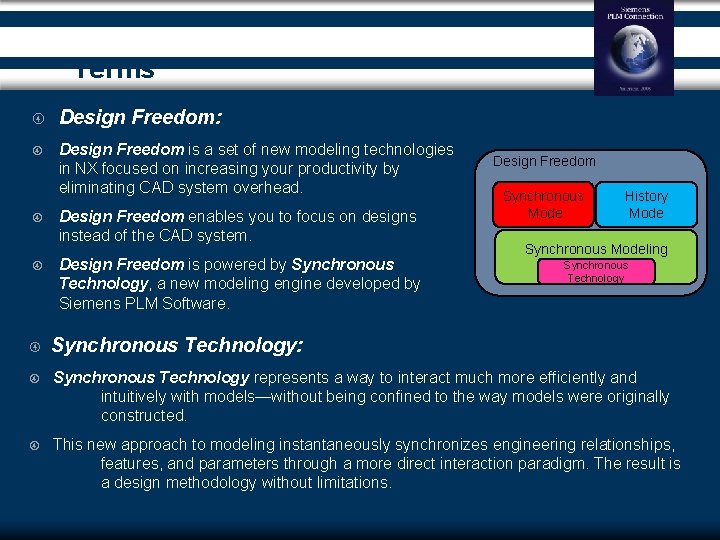
Terms Design Freedom: Design Freedom is a set of new modeling technologies in NX focused on increasing your productivity by eliminating CAD system overhead. Design Freedom enables you to focus on designs instead of the CAD system. Design Freedom is powered by Synchronous Technology, a new modeling engine developed by Siemens PLM Software. Design Freedom Synchronous Mode History Mode Synchronous Modeling Synchronous Technology: Synchronous Technology represents a way to interact much more efficiently and intuitively with models—without being confined to the way models were originally constructed. This new approach to modeling instantaneously synchronizes engineering relationships, features, and parameters through a more direct interaction paradigm. The result is a design methodology without limitations.

Terms Synchronous Modeling: (aka DMX, ADM, or Direct Modeling) History Mode: (aka Parametric Modeling) Synchronous modeling is an approach for design change with emphasis on modifying the current state of a model without regard for how the model was constructed, its origins, associativity, or feature history. The model could be imported, non-associative, with no features, or a native NX model complete with feature history. History Mode is a design mode that builds and replays a global feature tree. This design mode is optimal for designing highly engineered parts that undergo complex changes that can be planned for during design creation. In history mode synchronous modeling operations are recorded as features in the history tree and are replayed along with the tree. Synchronous Mode: (aka History-Free mode) Synchronous Mode is a design mode that builds local features and dimensions, but does not replay a global feature tree. This design mode is optimal for parts that undergo rapid changes that cannot be planned for during design creation. In historyfree mode synchronous modeling operations are created as local features, persistent dimensions, and constraints.
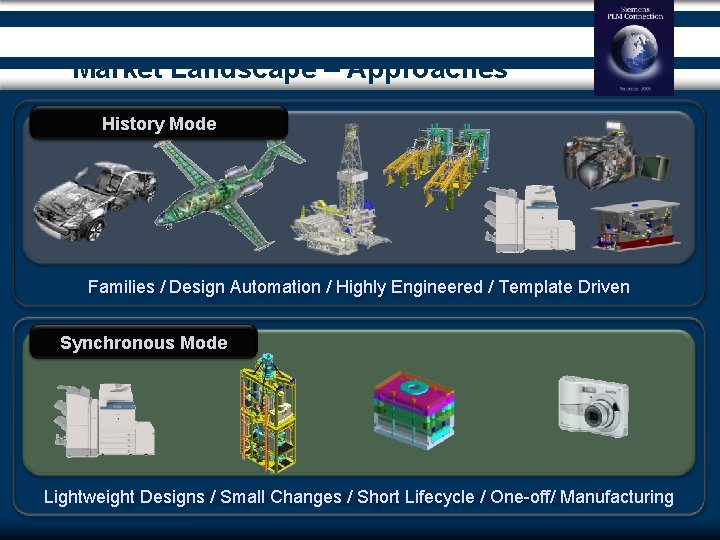
Market Landscape – Approaches History Mode Families / Design Automation / Highly Engineered / Template Driven Synchronous Mode Lightweight Designs / Small Changes / Short Lifecycle / One-off/ Manufacturing
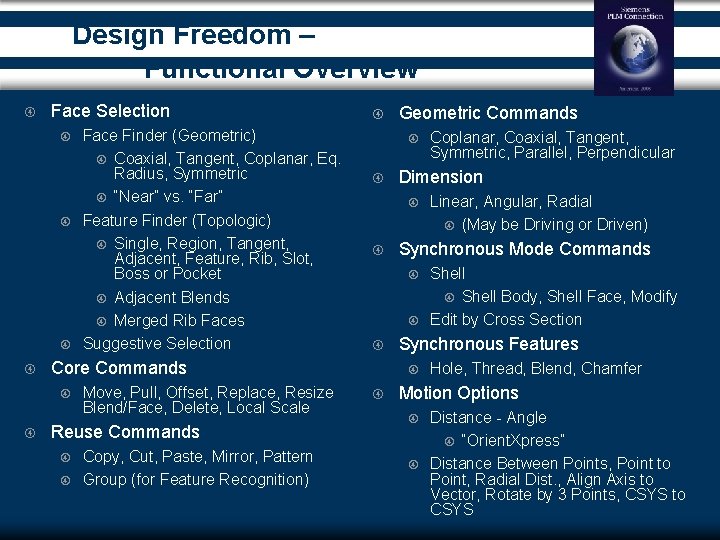
Design Freedom – Functional Overview Face Selection Move, Pull, Offset, Replace, Resize Blend/Face, Delete, Local Scale Reuse Commands Copy, Cut, Paste, Mirror, Pattern Group (for Feature Recognition) Geometric Commands Shell Body, Shell Face, Modify Edit by Cross Section Synchronous Features Linear, Angular, Radial (May be Driving or Driven) Synchronous Mode Commands Coplanar, Coaxial, Tangent, Symmetric, Parallel, Perpendicular Dimension Core Commands Face Finder (Geometric) Coaxial, Tangent, Coplanar, Eq. Radius, Symmetric “Near” vs. “Far” Feature Finder (Topologic) Single, Region, Tangent, Adjacent, Feature, Rib, Slot, Boss or Pocket Adjacent Blends Merged Rib Faces Suggestive Selection Hole, Thread, Blend, Chamfer Motion Options Distance - Angle “Orient. Xpress” Distance Between Points, Point to Point, Radial Dist. , Align Axis to Vector, Rotate by 3 Points, CSYS to CSYS
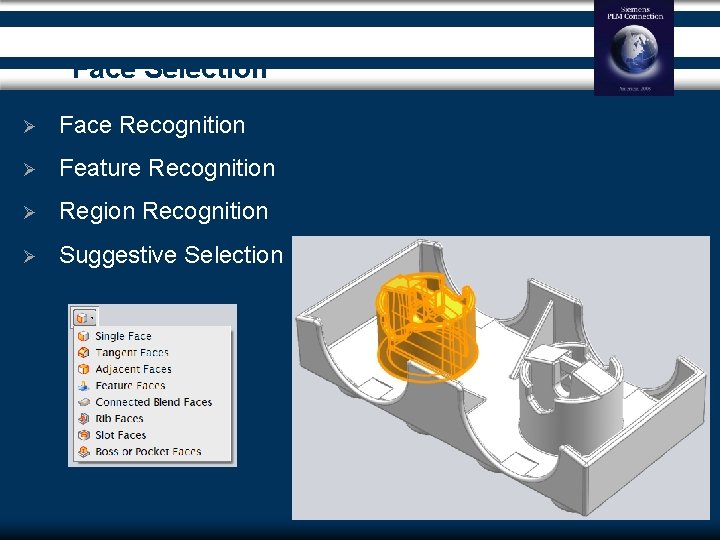
Face Selection Ø Face Recognition Ø Feature Recognition Ø Region Recognition Ø Suggestive Selection
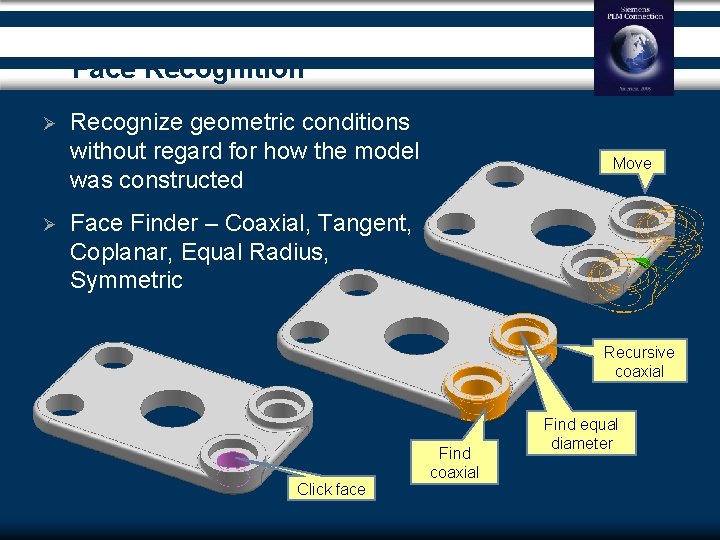
Face Recognition Ø Ø Recognize geometric conditions without regard for how the model was constructed Move Face Finder – Coaxial, Tangent, Coplanar, Equal Radius, Symmetric Recursive coaxial Click face Find coaxial Find equal diameter
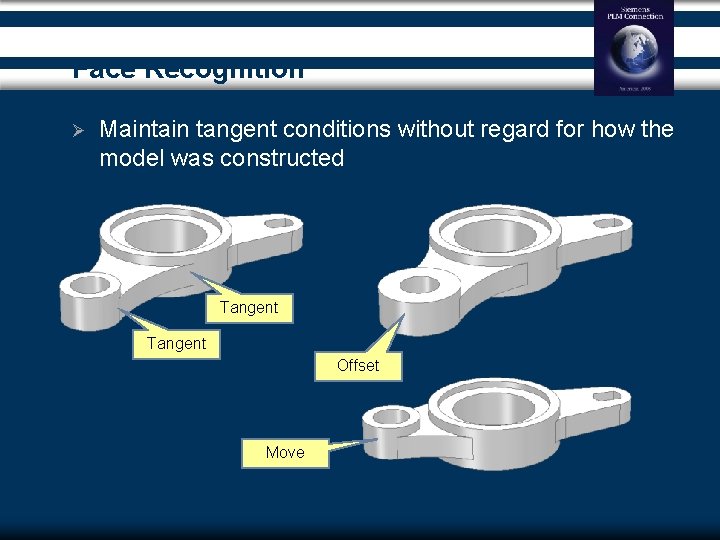
Face Recognition Ø Maintain tangent conditions without regard for how the model was constructed Tangent Offset Move
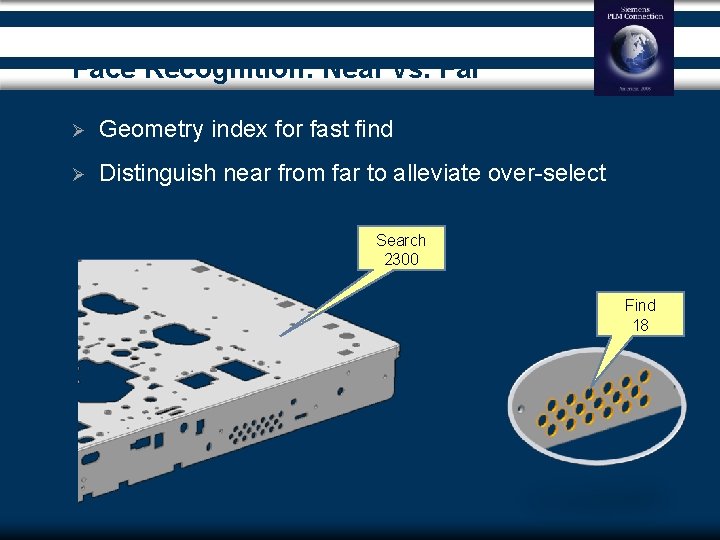
Face Recognition: Near vs. Far Ø Geometry index for fast find Ø Distinguish near from far to alleviate over-select Search 2300 Find 18
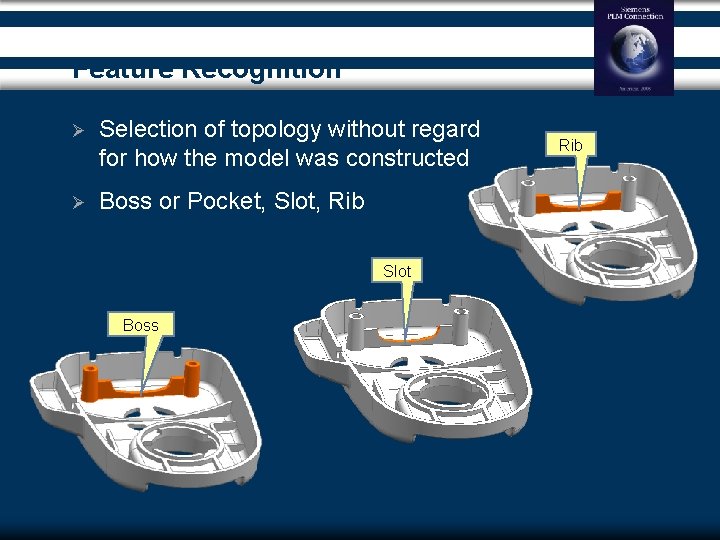
Feature Recognition Ø Selection of topology without regard for how the model was constructed Ø Boss or Pocket, Slot, Rib Slot Boss Rib
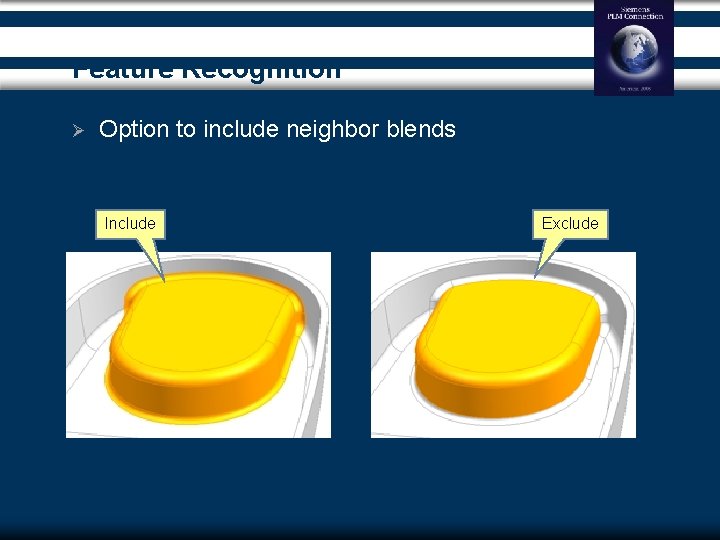
Feature Recognition Ø Option to include neighbor blends Include Exclude
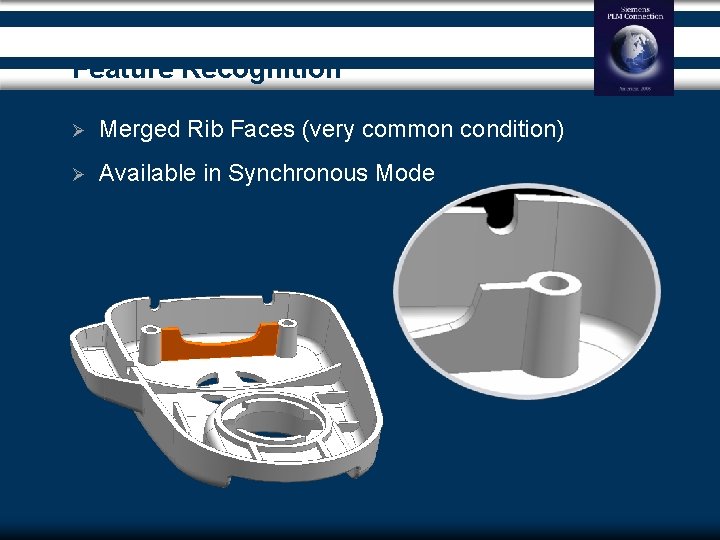
Feature Recognition Ø Merged Rib Faces (very common condition) Ø Available in Synchronous Mode
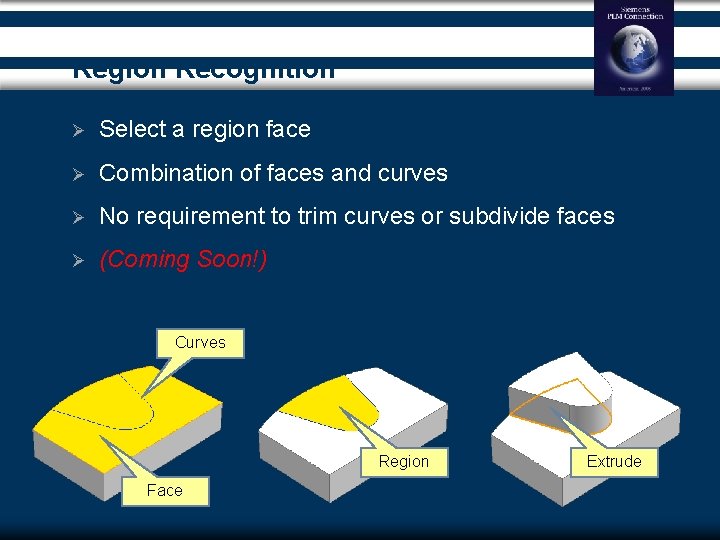
Region Recognition Ø Select a region face Ø Combination of faces and curves Ø No requirement to trim curves or subdivide faces Ø (Coming Soon!) Curves Region Face Extrude
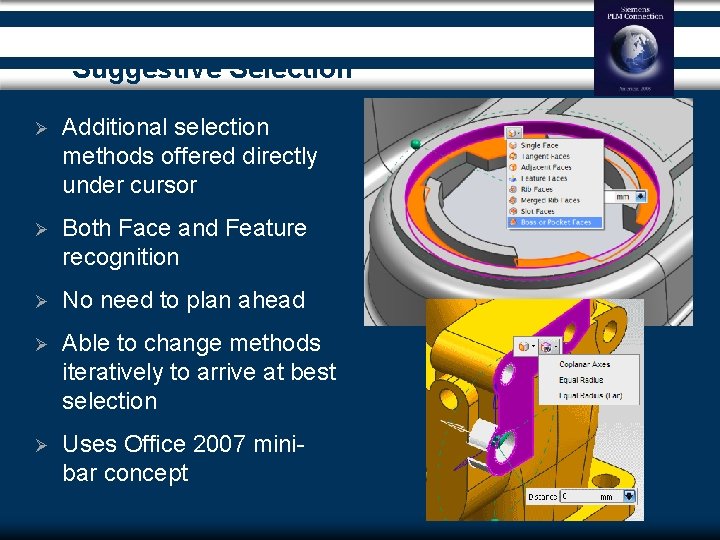
Suggestive Selection Ø Additional selection methods offered directly under cursor Ø Both Face and Feature recognition Ø No need to plan ahead Ø Able to change methods iteratively to arrive at best selection Ø Uses Office 2007 minibar concept
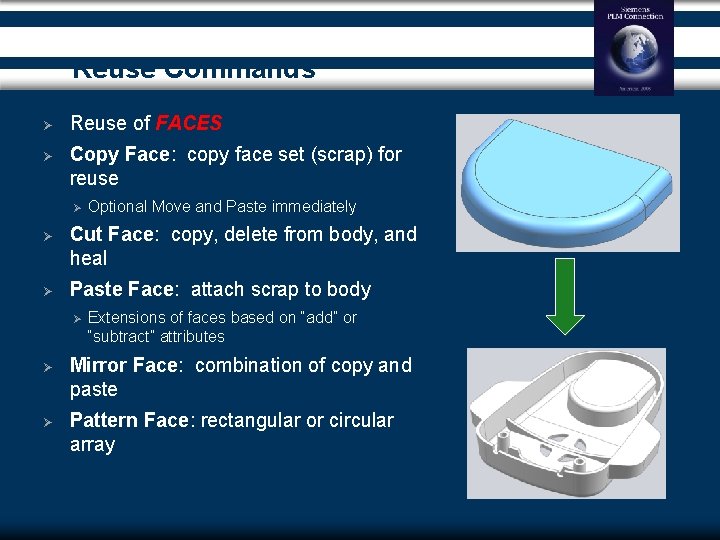
Reuse Commands Ø Reuse of FACES Ø Copy Face: copy face set (scrap) for reuse Ø Optional Move and Paste immediately Ø Cut Face: copy, delete from body, and heal Ø Paste Face: attach scrap to body Ø Extensions of faces based on “add” or “subtract” attributes Ø Mirror Face: combination of copy and paste Ø Pattern Face: rectangular or circular array
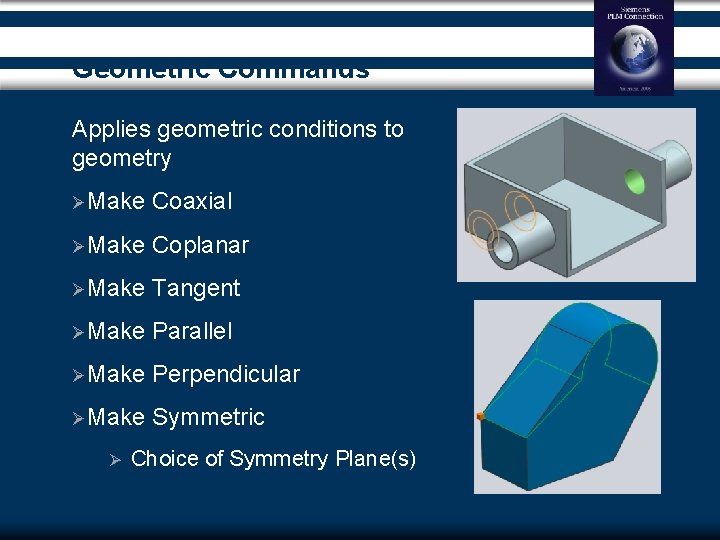
Geometric Commands Applies geometric conditions to geometry ØMake Coaxial ØMake Coplanar ØMake Tangent ØMake Parallel ØMake Perpendicular ØMake Symmetric Ø Choice of Symmetry Plane(s)
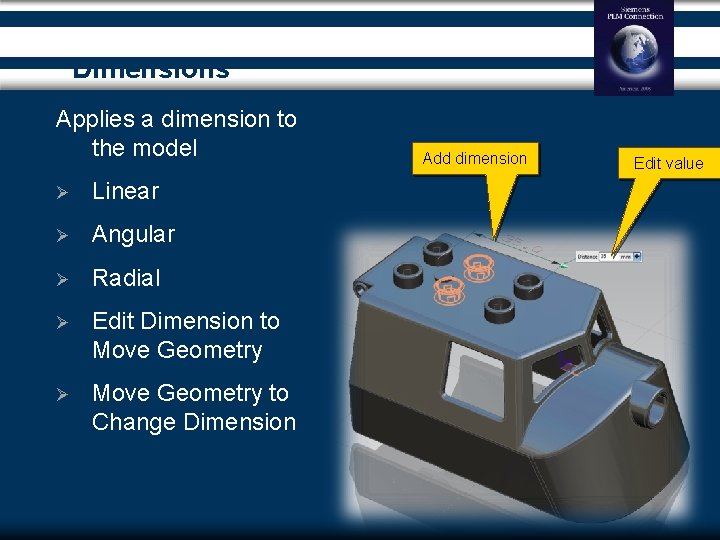
Dimensions Applies a dimension to the model Ø Linear Ø Angular Ø Radial Ø Edit Dimension to Move Geometry Ø Move Geometry to Change Dimension Add dimension Edit value
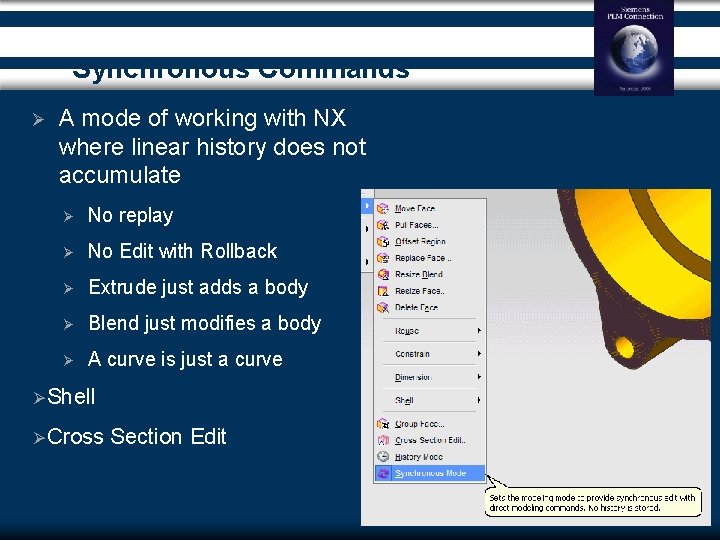
Synchronous Commands Ø A mode of working with NX where linear history does not accumulate Ø No replay Ø No Edit with Rollback Ø Extrude just adds a body Ø Blend just modifies a body Ø A curve is just a curve Ø Shell Ø Cross Section Edit
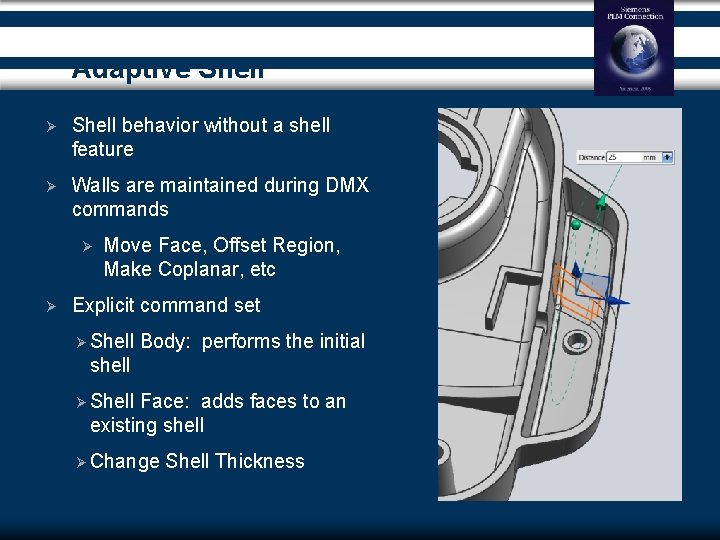
Adaptive Shell Ø Shell behavior without a shell feature Ø Walls are maintained during DMX commands Ø Ø Move Face, Offset Region, Make Coplanar, etc Explicit command set Ø Shell Body: performs the initial shell Ø Shell Face: adds faces to an existing shell Ø Change Shell Thickness
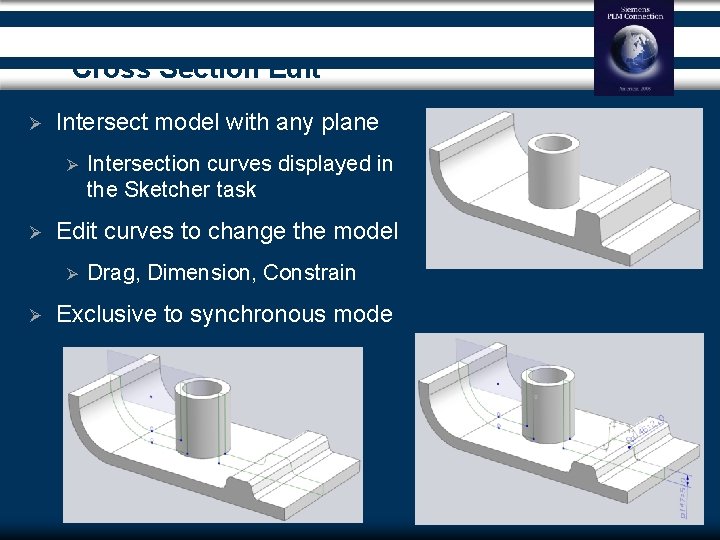
Cross Section Edit Ø Intersect model with any plane Ø Ø Edit curves to change the model Ø Ø Intersection curves displayed in the Sketcher task Drag, Dimension, Constrain Exclusive to synchronous mode
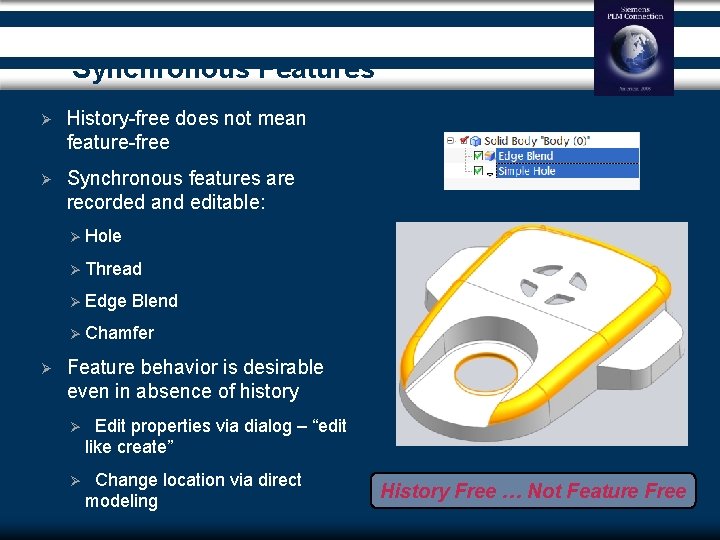
Synchronous Features Ø History-free does not mean feature-free Ø Synchronous features are recorded and editable: Ø Hole Ø Thread Ø Edge Blend Ø Chamfer Ø Feature behavior is desirable even in absence of history Ø Edit properties via dialog – “edit like create” Ø Change location via direct modeling History Free … Not Feature Free
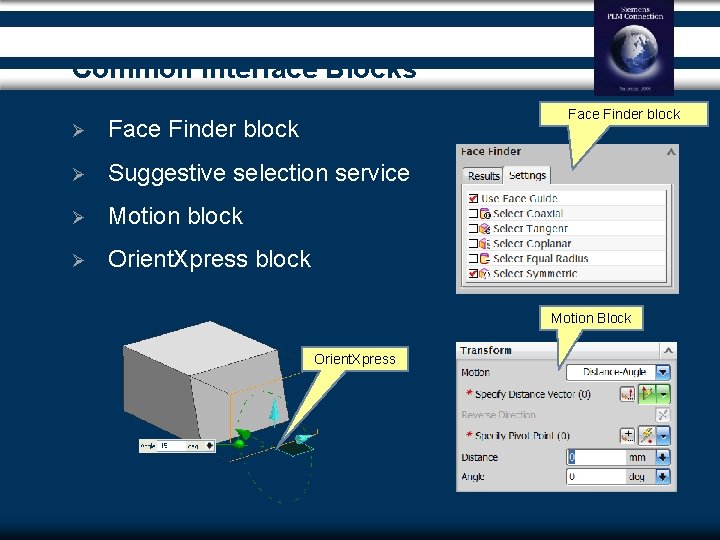
Common Interface Blocks Face Finder block Ø Suggestive selection service Ø Motion block Ø Orient. Xpress block Motion Block Orient. Xpress
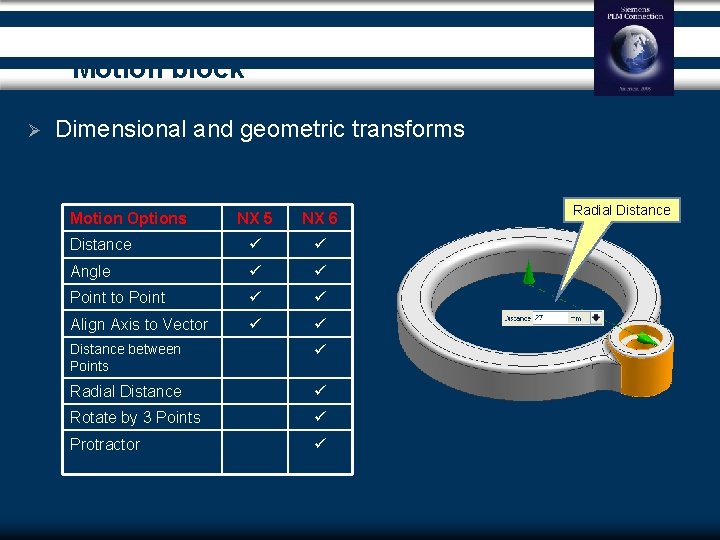
Motion block Ø Dimensional and geometric transforms Motion Options NX 5 NX 6 Distance Angle Point to Point Align Axis to Vector Distance between Points Radial Distance Rotate by 3 Points Protractor Radial Distance
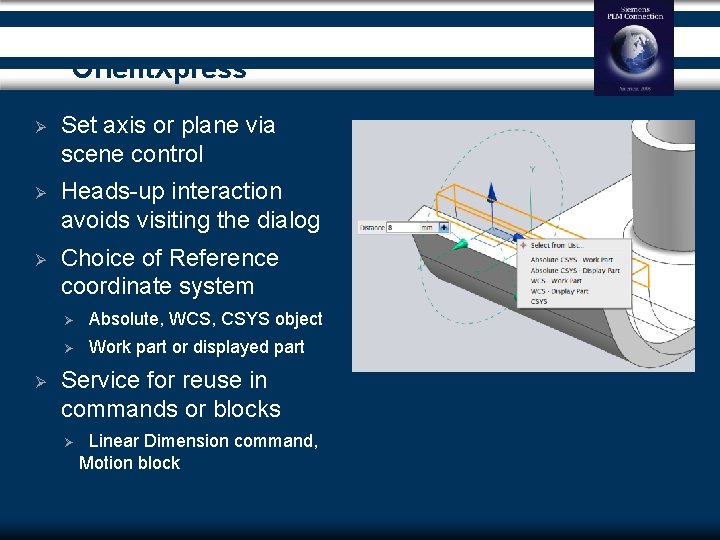
Orient. Xpress Ø Set axis or plane via scene control Ø Heads-up interaction avoids visiting the dialog Ø Choice of Reference coordinate system Ø Ø Absolute, WCS, CSYS object Ø Work part or displayed part Service for reuse in commands or blocks Ø Linear Dimension command, Motion block
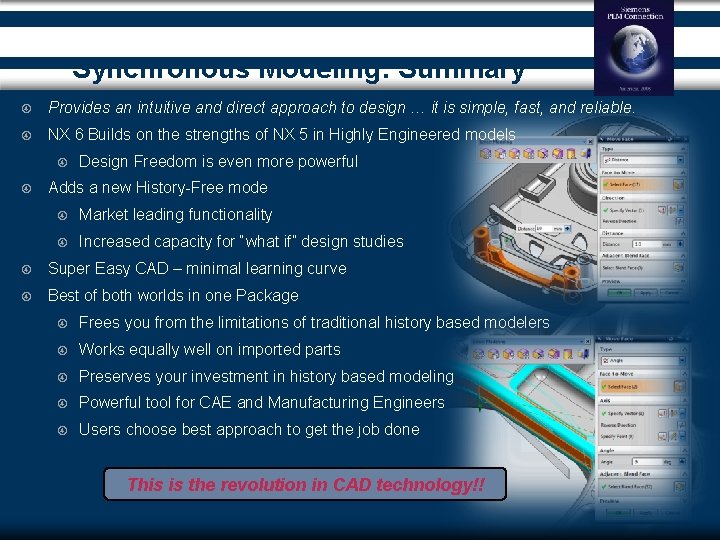
Synchronous Modeling: Summary Provides an intuitive and direct approach to design … it is simple, fast, and reliable. NX 6 Builds on the strengths of NX 5 in Highly Engineered models Design Freedom is even more powerful Adds a new History-Free mode Market leading functionality Increased capacity for “what if” design studies Super Easy CAD – minimal learning curve Best of both worlds in one Package Frees you from the limitations of traditional history based modelers Works equally well on imported parts Preserves your investment in history based modeling Powerful tool for CAE and Manufacturing Engineers Users choose best approach to get the job done This is the revolution in CAD technology!!
Frequently asked Questions Is this an additional module? No, this is a core part of NX Modeling There is no additional license for this functionality Can this be used with applications such as Mold. Wizard? Yes, we see the direct tools working very well as part preparation tools for manufacturing Does this work with Product Template Studio? If a customer is developing a template part they will have more control if they use parametric history However, if a customer imports data and adds dimensional edits the expressions created can be accessed by PTS making the imported part a template Are we forcing our customers to learn a new approach? No, with NX we are continuing to develop the best of both worlds we see customers where parametric modeling is a key part of their process, we also see customers who do not worry about history, NX delivers best of both approaches
Frequently asked Questions Can this work with JT data? It relies on a solid model, if the JT data contains XT B-Rep this will be edited. Is this a separate file type? No Do my customers have to translate their data? If your customer has models that they are already using there is no need to make them history free unless they really want to. If they want to get the power of the editing offered by Design Freedom they can and that is using the power of synchronous technology
Thank you Thank You Morse. michael@Siemens. com
- Slides: 32