
NWEN 243 Networked Applications Lecture 8 putting networks
- Slides: 43
NWEN 243 Networked Applications Lecture 8: putting networks together NWEN 243 © 2011 -15, Kris Bubendorfer
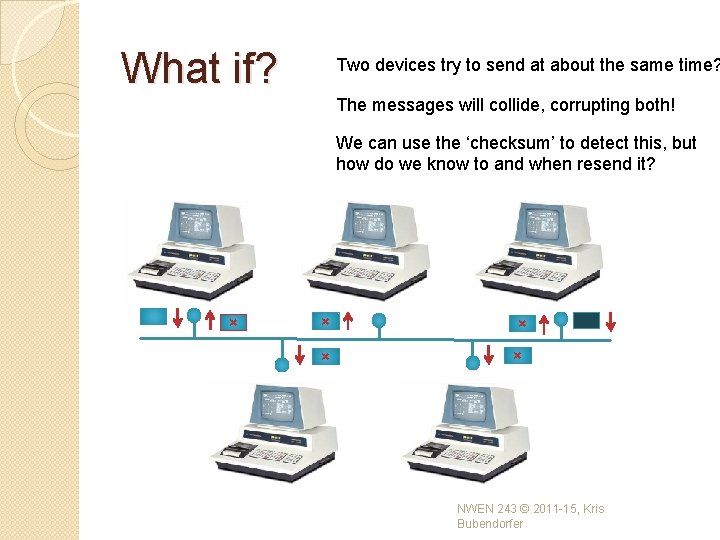
What if? Two devices try to send at about the same time? The messages will collide, corrupting both! We can use the ‘checksum’ to detect this, but how do we know to and when resend it? × × × NWEN 243 © 2011 -15, Kris Bubendorfer
Protocols for shared media �Imagine a party bore, who simply talks, regardless if someone else is already talking or not. �Think about the rules for polite conversation that your parents taught you! • Before you start talking, make sure no one else is. Let them finish. • If someone else starts talking at the same time, stop talking. �We use these same rules in networking. NWEN 243 © 2011 -15, Kris Bubendorfer
Dealing with Collisions � Each device decides independently when to begin transmission (we have no coordination - vip). � We need some simple rules to resolve these collisions: ◦ Check there is no signal before you start transmitting, this is Carrier Sensing. ◦ Listen while you transmit, and if your signal is corrupted, then there is a collision, this is Collision Detection. � This gives the algorithms: ◦ CSMA and CSMA/CD NWEN 243 © 2011 -15, Kris Bubendorfer
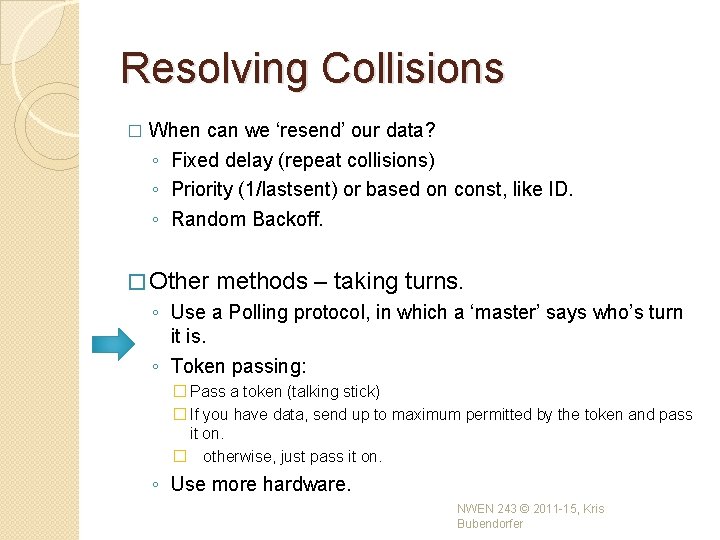
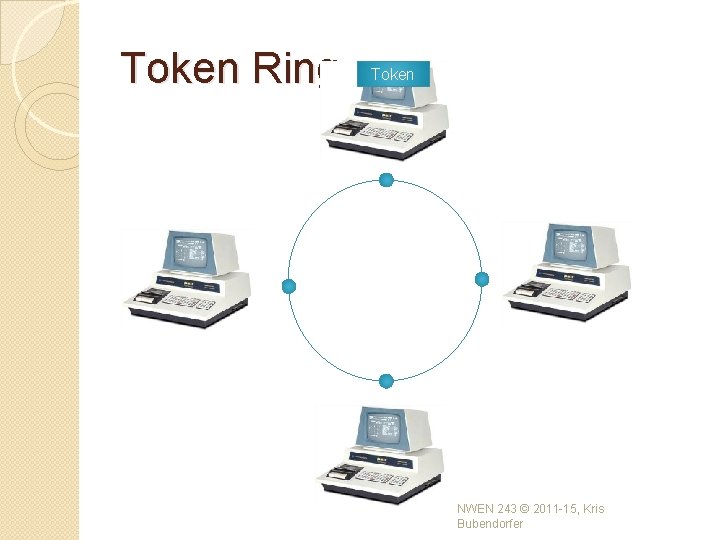
Resolving Collisions � When can we ‘resend’ our data? ◦ Fixed delay (repeat collisions) ◦ Priority (1/lastsent) or based on const, like ID. ◦ Random Backoff. � Other methods – taking turns. ◦ Use a Polling protocol, in which a ‘master’ says who’s turn it is. ◦ Token passing: � Pass a token (talking stick) � If you have data, send up to maximum permitted by the token and pass it on. � otherwise, just pass it on. ◦ Use more hardware. NWEN 243 © 2011 -15, Kris Bubendorfer
Token Ring Token NWEN 243 © 2011 -15, Kris Bubendorfer
Error Detection �A error in transmitted data can be a: ◦ single-bit, or ◦ a burst �How to detect errors? ◦ If we only transmit data, we cannot detect any errors. ◦ However, we can: �Send meta data with the data that satisfies some special relationship �Add redundant data NWEN 243 © 2011 -15, Kris Bubendorfer
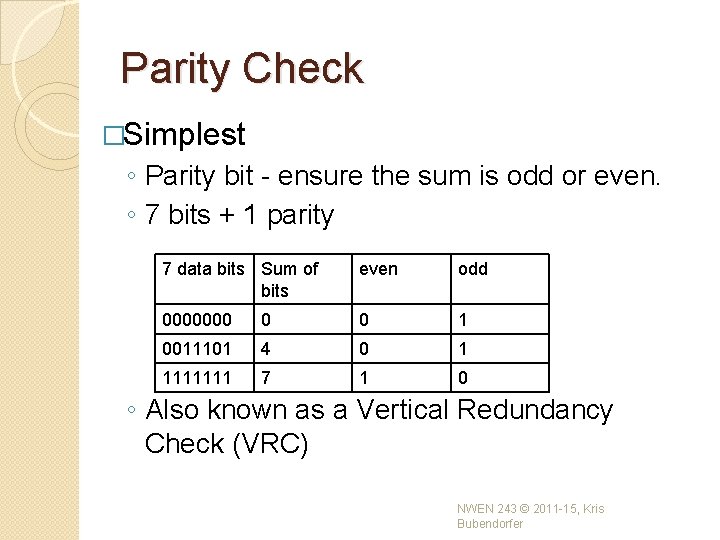
Parity Check �Simplest ◦ Parity bit - ensure the sum is odd or even. ◦ 7 bits + 1 parity 7 data bits Sum of bits even odd 0000000 0 0 1 0011101 4 0 1 1111111 7 1 0 ◦ Also known as a Vertical Redundancy Check (VRC) NWEN 243 © 2011 -15, Kris Bubendorfer
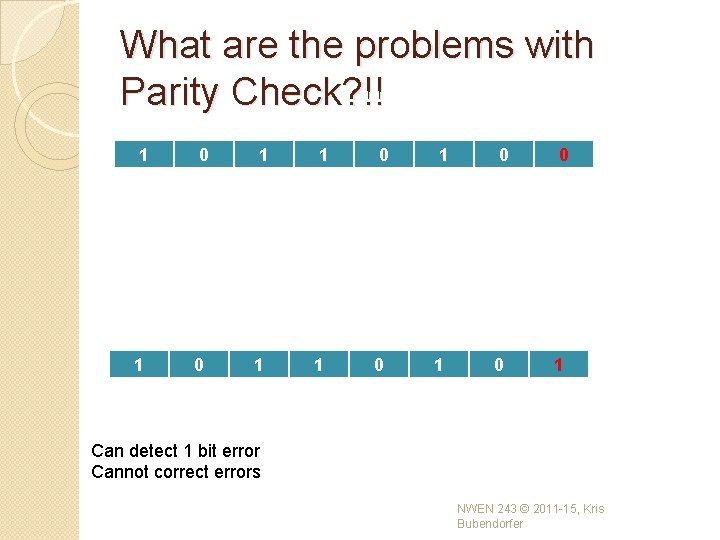
What are the problems with Parity Check? !! 1 0 1 0 0 1 1 0 1 Can detect 1 bit error Cannot correct errors NWEN 243 © 2011 -15, Kris Bubendorfer
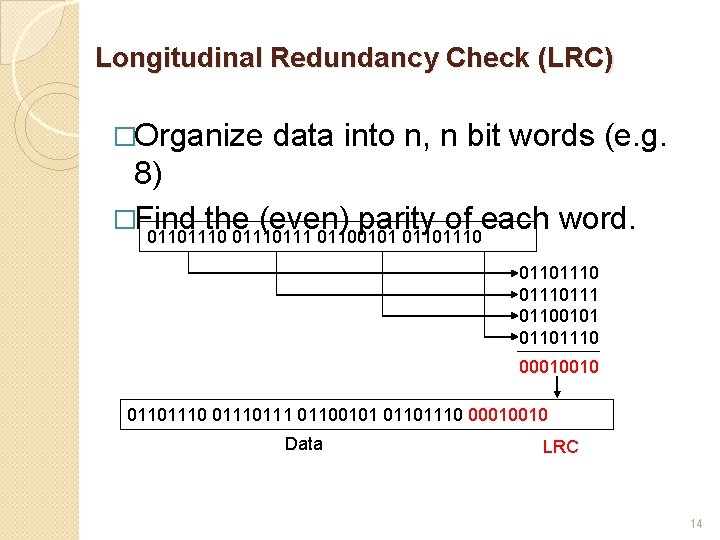
Longitudinal Redundancy Check (LRC) �Organize data into n, n bit words (e. g. 8) �Find the (even) parity of each word. 01101110111 01100101 01101110 00010010 01101110 0111 01100101 01101110 00010010 Data LRC 14
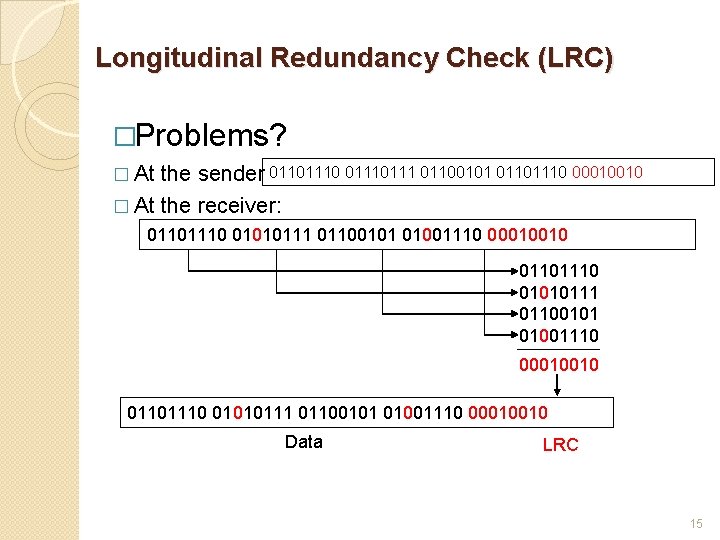
Longitudinal Redundancy Check (LRC) �Problems? � At the sender 01101110 0111 01100101 01101110 00010010 � At the receiver: 01101110 01010111 01100101 01001110 00010010 Data LRC 15
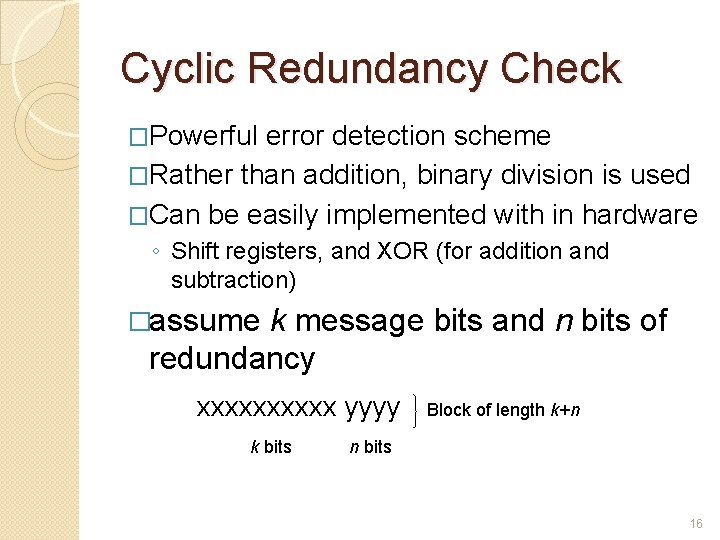
Cyclic Redundancy Check �Powerful error detection scheme �Rather than addition, binary division is used �Can be easily implemented with in hardware ◦ Shift registers, and XOR (for addition and subtraction) �assume k message bits and n bits of redundancy xxxxx yyyy k bits Block of length k+n n bits 16
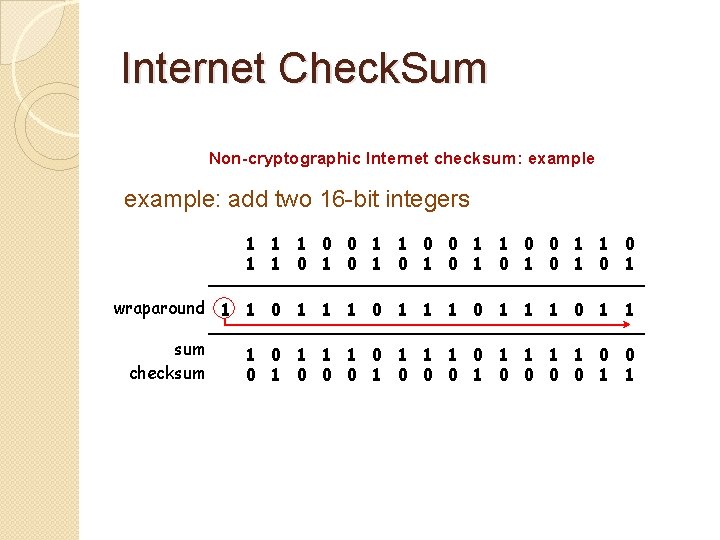
Internet Check. Sum Non-cryptographic Internet checksum: example: add two 16 -bit integers 1 1 0 0 1 1 1 0 1 0 1 wraparound 1 1 0 1 1 sum 1 1 0 1 1 0 0 checksum 1 0 0 0 0 1 1
Error Correction: Simple method �Is there any way we can correct the errors using those techniques discussed so far? NWEN 243 © 2011 -15, Kris Bubendorfer
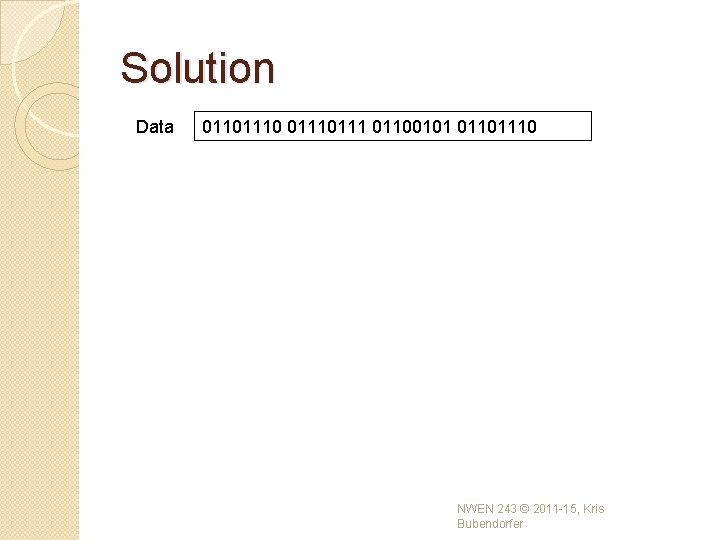
Solution Data 01101110 0111 01100101 01101110 NWEN 243 © 2011 -15, Kris Bubendorfer
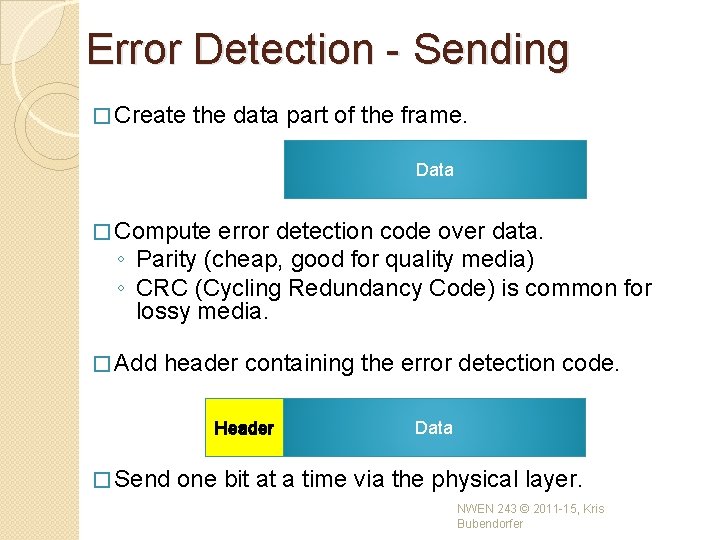
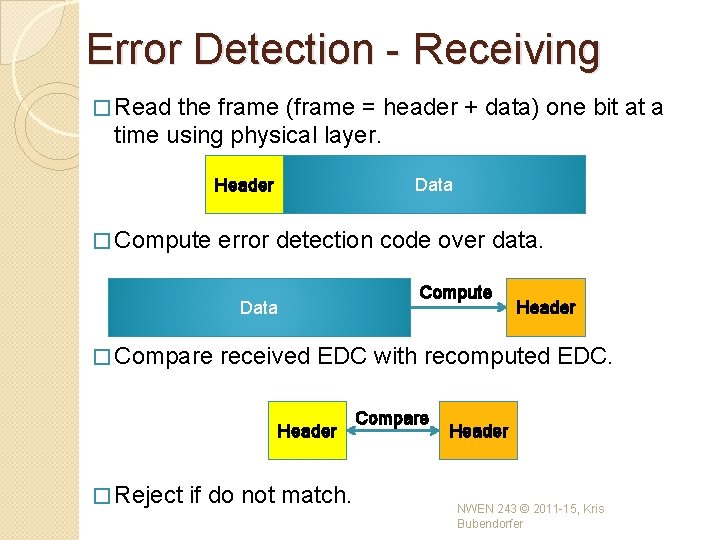
Error Detection - Sending � Create the data part of the frame. Data � Compute error detection code over data. ◦ Parity (cheap, good for quality media) ◦ CRC (Cycling Redundancy Code) is common for lossy media. � Add header containing the error detection code. Header � Send Data one bit at a time via the physical layer. NWEN 243 © 2011 -15, Kris Bubendorfer
Error Detection - Receiving � Read the frame (frame = header + data) one bit at a time using physical layer. Header � Compute Data error detection code over data. Data � Compare Header received EDC with recomputed EDC. Header � Reject Compute if do not match. Compare Header NWEN 243 © 2011 -15, Kris Bubendorfer
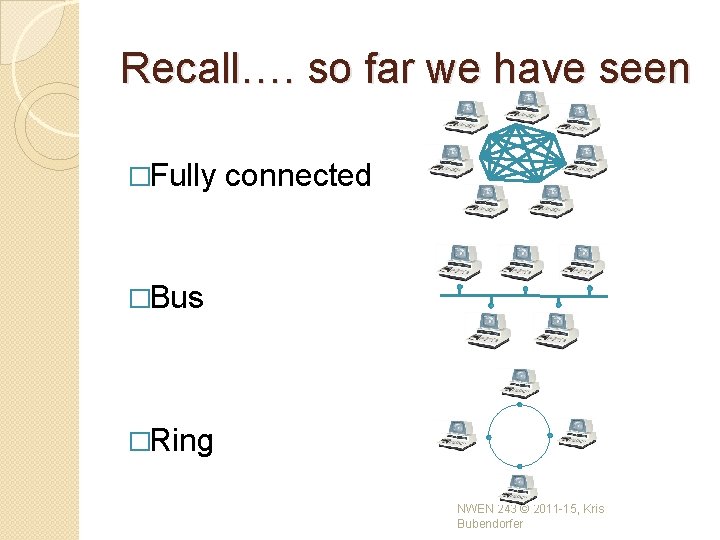
Recall…. so far we have seen �Fully connected �Bus �Ring NWEN 243 © 2011 -15, Kris Bubendorfer
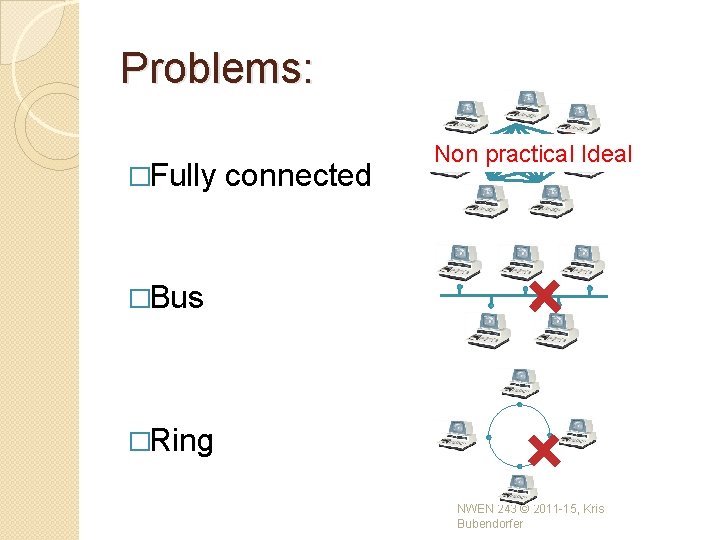
Problems: �Fully connected Non practical Ideal �Bus �Ring NWEN 243 © 2011 -15, Kris Bubendorfer
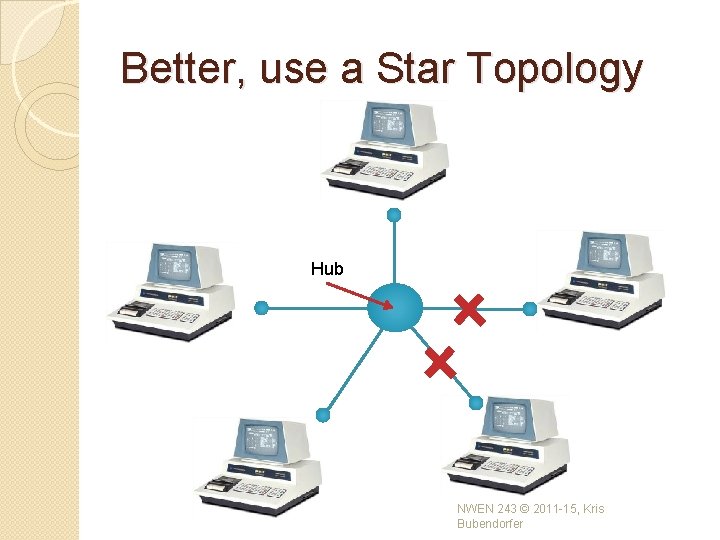
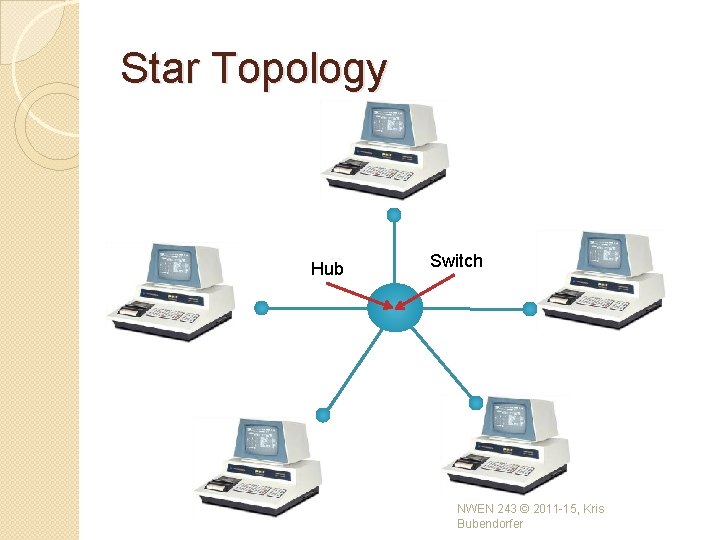
Better, use a Star Topology Hub NWEN 243 © 2011 -15, Kris Bubendorfer
Hubs �Hubs are transparent to the nodes. ◦ A hub simply rebroadcasts, so a Star network with a hub is exactly equivalent to a bus. ◦ Collisions must be resolved in the same way. ◦ Operates at Physical Layer (layer 1) ◦ A hub does not care who is connected, on what link. ◦ Arriving frames are simply relayed on all other links. ◦ No Management. NWEN 243 © 2011 -15, Kris Bubendorfer
Recall …. resolving Collisions � When can we ‘resend’ our data? ◦ Fixed delay (repeat collisions) ◦ Priority (1/lastsent) or based on const, like ID. ◦ Random Backoff. � Other methods – taking turns. ◦ Use a Polling protocol, in which a ‘master’ says who’s turn it is. ◦ Token passing: � Pass a token (talking stick) � If you have data, send up to maximum permitted by the token and pass it on. � otherwise, just pass it on. ◦ Use more hardware. NWEN 243 © 2011 -15, Kris Bubendorfer
Star Topology Hub Switch NWEN 243 © 2011 -15, Kris Bubendorfer
Switches �Switches are also transparent to the nodes. ◦ A switch is more complex & expensive. ◦ Incoming frames are sent only on the link(s) to which they are addressed. ◦ If a link is busy, the frame is stored in the switch until it can be sent. ◦ Switches need to know what is connected to each link, so it can send out frames on the appropriate link (store and forward). ◦ This means we need to configure it = Management! NWEN 243 © 2011 -15, Kris Bubendorfer
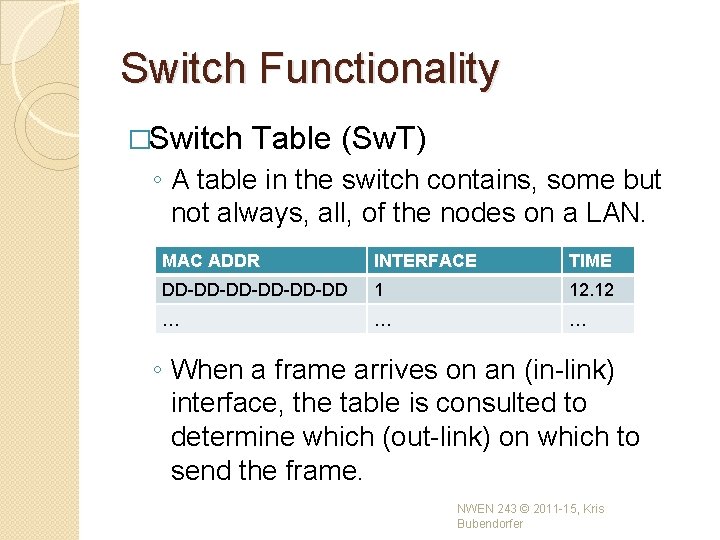
Switch Functionality �Switch Table (Sw. T) ◦ A table in the switch contains, some but not always, all, of the nodes on a LAN. MAC ADDR INTERFACE TIME DD-DD-DD-DD 1 12. 12 … … … ◦ When a frame arrives on an (in-link) interface, the table is consulted to determine which (out-link) on which to send the frame. NWEN 243 © 2011 -15, Kris Bubendorfer
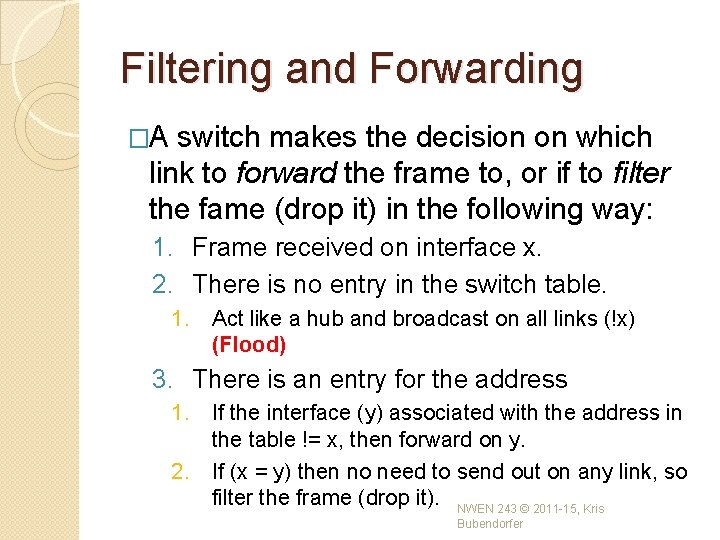
Filtering and Forwarding �A switch makes the decision on which link to forward the frame to, or if to filter the fame (drop it) in the following way: 1. Frame received on interface x. 2. There is no entry in the switch table. 1. Act like a hub and broadcast on all links (!x) (Flood) 3. There is an entry for the address 1. If the interface (y) associated with the address in the table != x, then forward on y. 2. If (x = y) then no need to send out on any link, so filter the frame (drop it). NWEN 243 © 2011 -15, Kris Bubendorfer
Advantages of DLL switching �Plug and play �Elimination of Collisions ◦ If a LAN is built from switches (not hubs) �Heterogeneous link speeds!!!!! ◦ Due to the buffering, switches can handle links operating at different speeds, e. g. 10, 100 Mbps 1 Gbps. ◦ Switch can mix new and legacy equipment. NWEN 243 © 2011 -15, Kris Bubendorfer
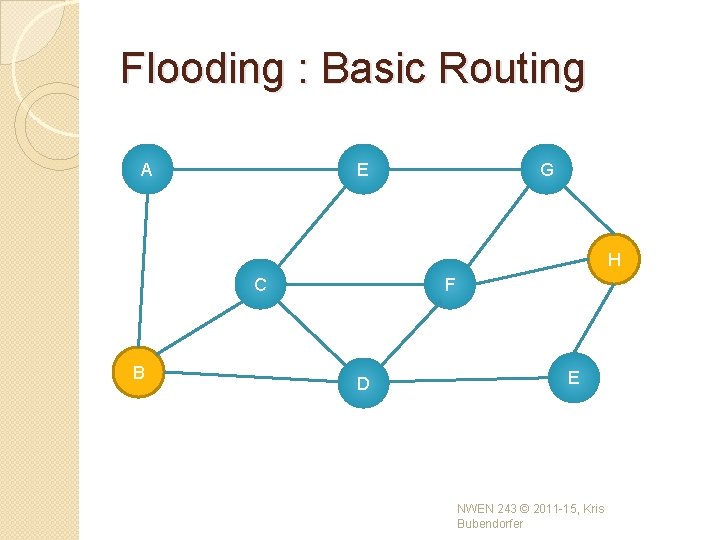
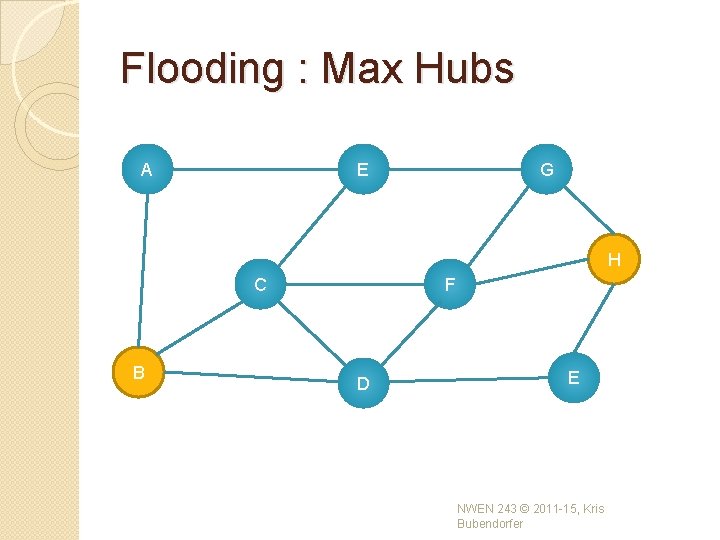
Flooding : Basic Routing A E G H C B F D E NWEN 243 © 2011 -15, Kris Bubendorfer
Flooding : Max Hubs A E G H C B F D E NWEN 243 © 2011 -15, Kris Bubendorfer
Building an Internet with layer 2? Layer 2 is: Sufficient for a local area network but what if we want to go bigger? We need to wrap layers 1 and 2 in another higher level layer. Why? NWEN 243 © 2011 -15, Kris Bubendorfer
Layer 2 doesn’t scale. � MAC addresses provide a flat addressing range, based on individual nodes. � Once networks get bigger, Sw. T grow large, and incomplete. � Certainly many nodes would be purged from the tables, resulting in frequent broadcasts. � This grows very inefficient as the network grows in size. � Switches are OK for networks of a few hundred machines, but not larger. � We need another layer… NWEN 243 © 2011 -15, Kris Bubendorfer
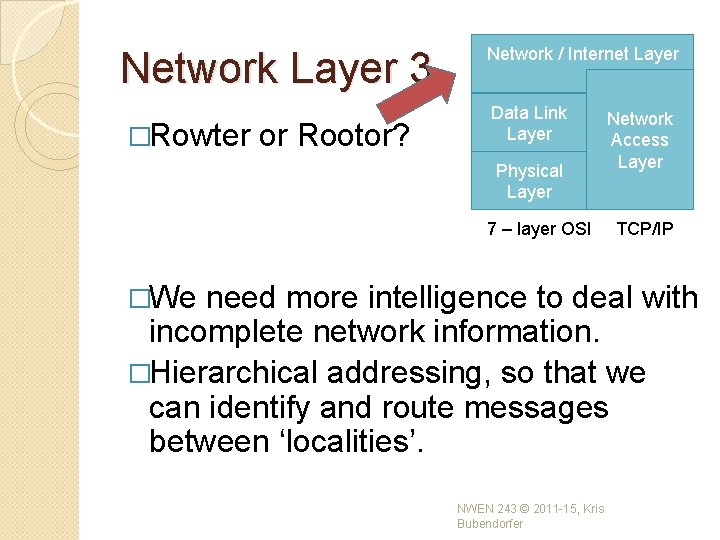
Network Layer 3. �Rowter or Rootor? Network / Internet Layer Data Link Layer Physical Layer 7 – layer OSI �We Network Access Layer TCP/IP need more intelligence to deal with incomplete network information. �Hierarchical addressing, so that we can identify and route messages between ‘localities’. NWEN 243 © 2011 -15, Kris Bubendorfer
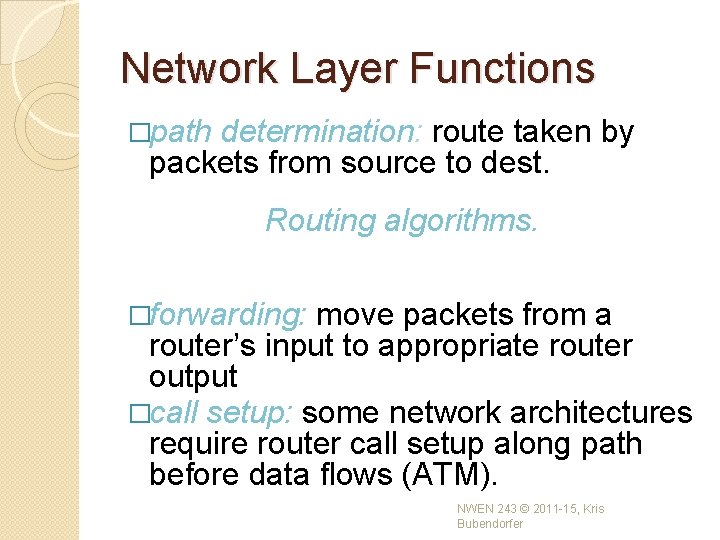
Network Layer Functions �path determination: route taken by packets from source to dest. Routing algorithms. �forwarding: move packets from a router’s input to appropriate router output �call setup: some network architectures require router call setup along path before data flows (ATM). NWEN 243 © 2011 -15, Kris Bubendorfer
CNet Tutorial �Data-link layer, �Network layer �Transport layer NWEN 243 © 2011 -15, Kris Bubendorfer
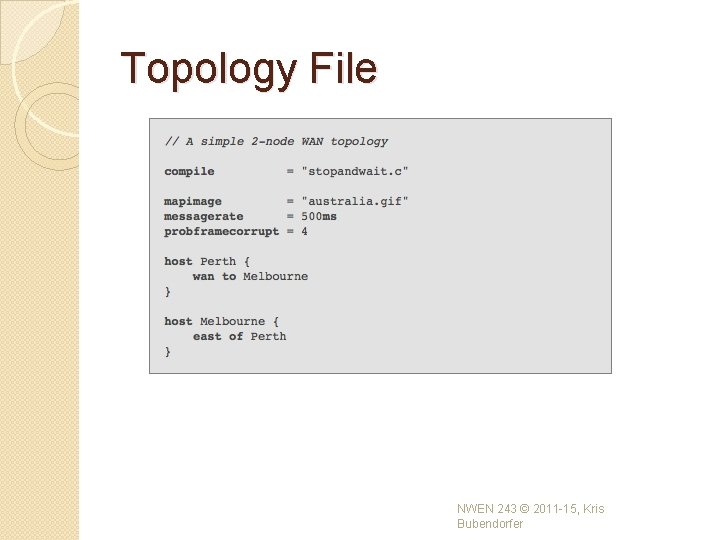
Topology File NWEN 243 © 2011 -15, Kris Bubendorfer
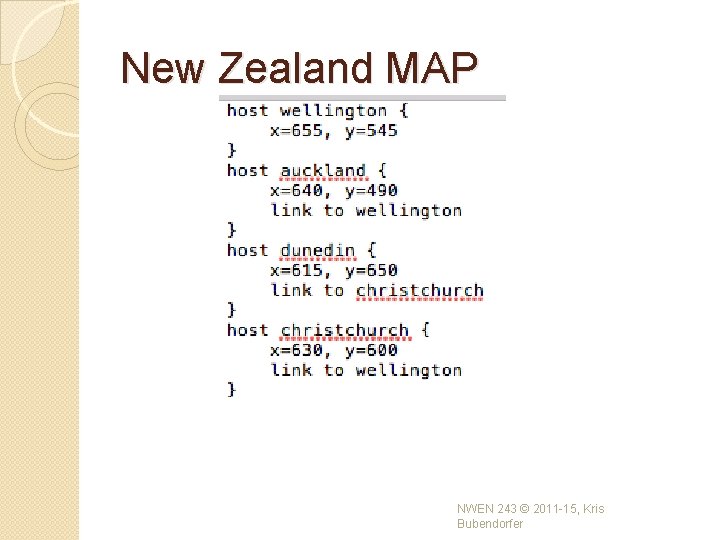
New Zealand MAP NWEN 243 © 2011 -15, Kris Bubendorfer
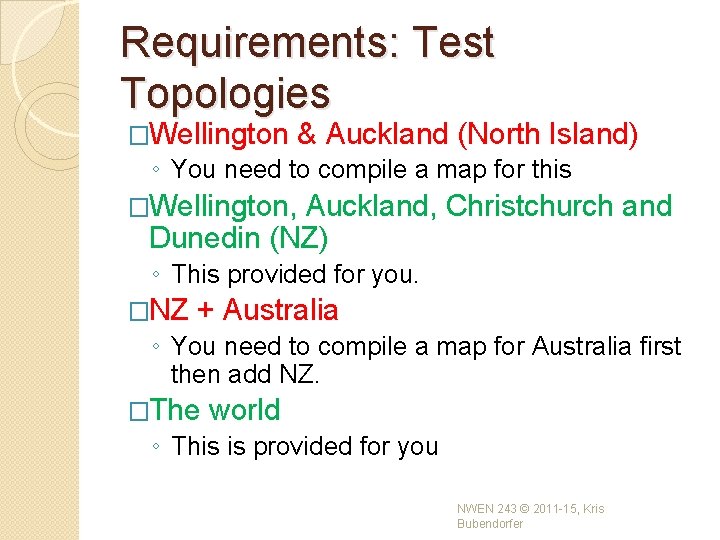
Requirements: Test Topologies �Wellington & Auckland (North Island) ◦ You need to compile a map for this �Wellington, Auckland, Christchurch and Dunedin (NZ) ◦ This provided for you. �NZ + Australia ◦ You need to compile a map for Australia first then add NZ. �The world ◦ This is provided for you NWEN 243 © 2011 -15, Kris Bubendorfer
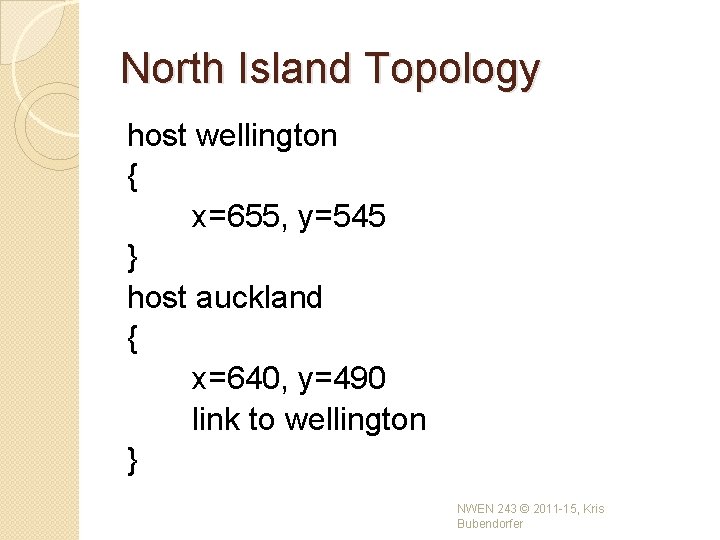
North Island Topology host wellington { x=655, y=545 } host auckland { x=640, y=490 link to wellington } NWEN 243 © 2011 -15, Kris Bubendorfer
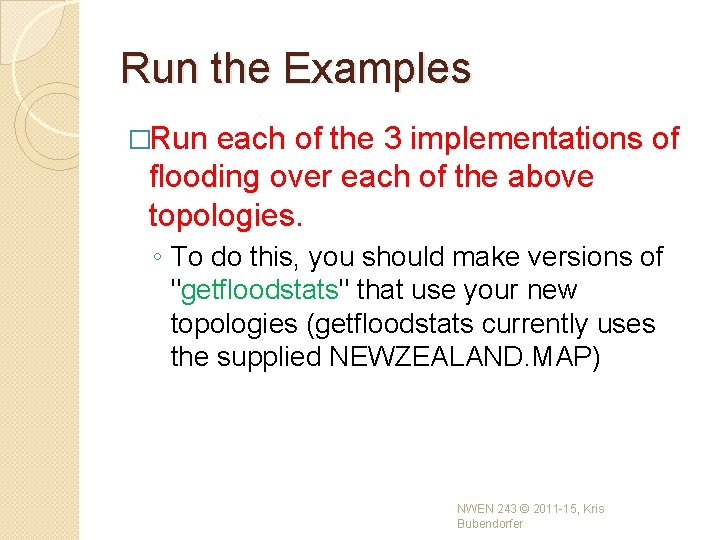
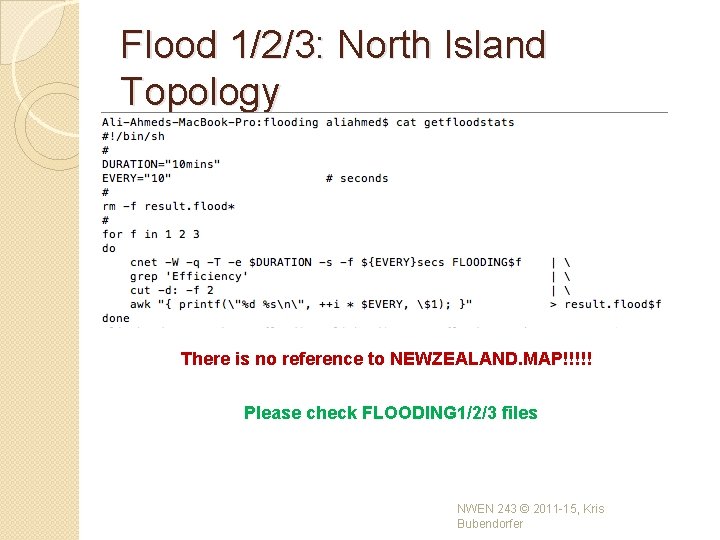
Run the Examples �Run each of the 3 implementations of flooding over each of the above topologies. ◦ To do this, you should make versions of "getfloodstats" that use your new topologies (getfloodstats currently uses the supplied NEWZEALAND. MAP) NWEN 243 © 2011 -15, Kris Bubendorfer
Flood 1/2/3: North Island Topology There is no reference to NEWZEALAND. MAP!!!!! Please check FLOODING 1/2/3 files NWEN 243 © 2011 -15, Kris Bubendorfer
Running the script �. /getfloodstats �. /plotfloodstats. gp ◦ You might need to change the permissions here (chmod +777 plotfloodstats. gp) NWEN 243 © 2011 -15, Kris Bubendorfer
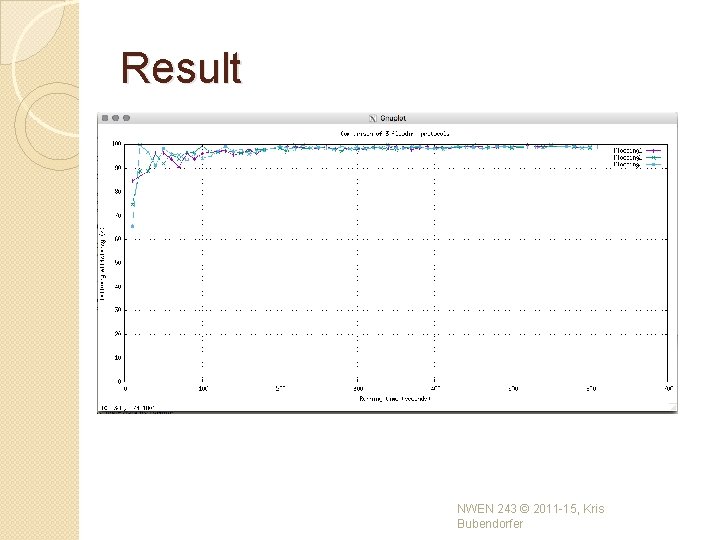
Graph the Results �Graph the results - 4 graphs (plot each of the 3 flooding implementations per topology). ◦ Run plotfloodstats. gp script ◦ For Mac users: �please install Home. Brew: copy this into your terminal /usr/bin/ruby -e "$(curl -fs. SL https: //raw. githubusercontent. com/Homebrew/i nstall/master/install)” �Install gnuplot: copy this into your terminal brew install gnuplot --with-x 11 NWEN 243 © 2011 -15, Kris Bubendorfer
Result NWEN 243 © 2011 -15, Kris Bubendorfer