
Nutrition Science Databases How the database is build
Nutrition Science Databases How the database is build How to use it for data filing and data analysis
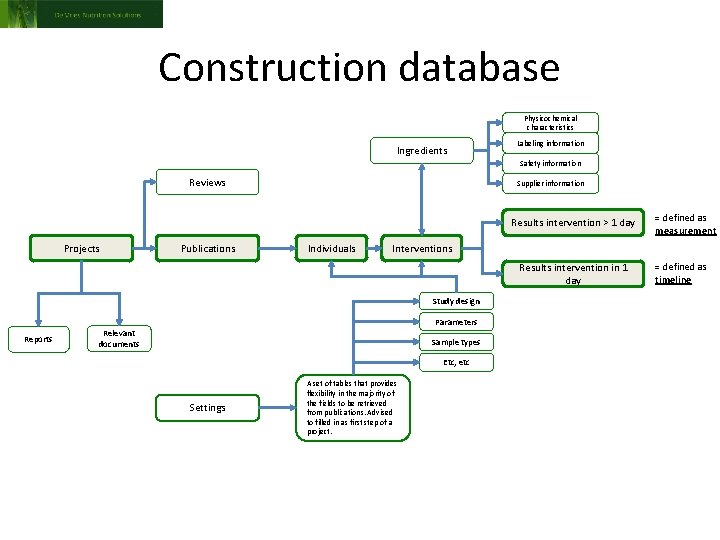
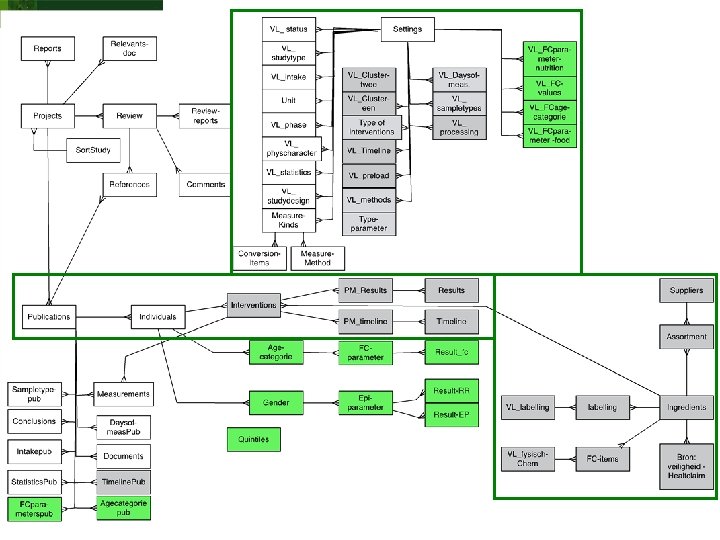
Construction database Physicochemical characteristics Ingredients Labeling information Safety information Reviews Supplier information Results intervention > 1 day Projects Publications Individuals Interventions Results intervention in 1 day Study design Parameters Reports Relevant documents Sample types Etc, etc Settings = defined as measurement A set of tables that provides flexibility in the majority of the fields to be retrieved from publications. Advised to filled in as first step of a project. = defined as timeline
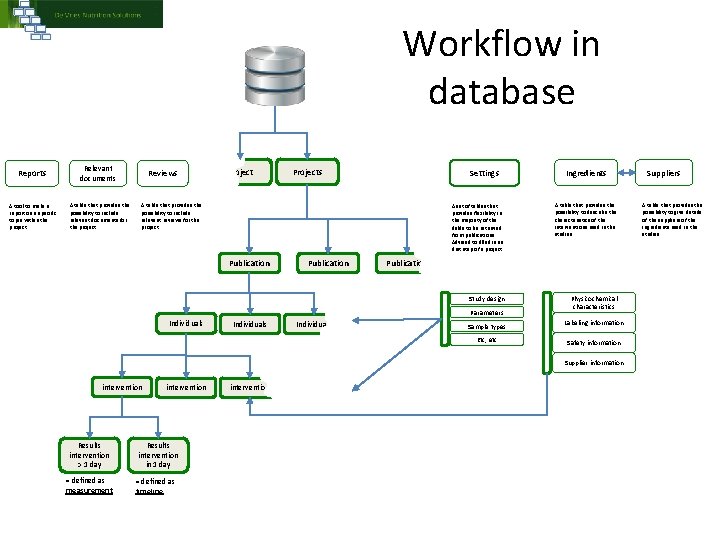
Workflow in database Reports Relevant documents A tool to make a report on a specific topin within the project A table that provides the possibility to include relevant documents for the project Reviews Projects Settings A table that provides the possibility to include relevant reviews for the project Publication A set of tables that provides flexibility in the majority of the fields to be retrieved from publications. Advised to filled in as first step of a project. A table that provides the possibility to describe the characteristics of the interventions used in the studies Study design Physicochemical characteristics Publication Parameters Individuals Ingredients Sample types Etc, etc Labeling information Safety information Supplier information intervention Results intervention > 1 day = defined as measurement intervention Results intervention in 1 day = defined as timeline intervention Suppliers A table that provides the possibility to give details of the suppliers of the ingredients used in the studies
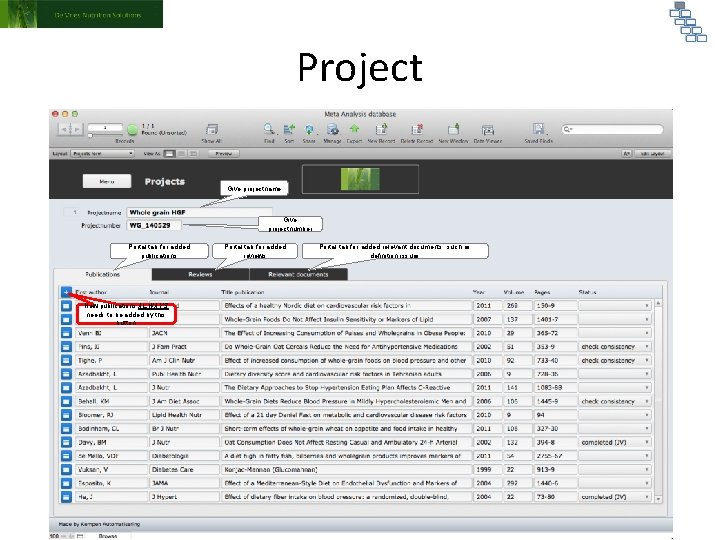
Project Give projectname Give projectnumber Portal tab for added publications New publications ALWAYS needs to be added by this button Portal tab for added reviews Portal tab for added relevant documents, such as definition issues
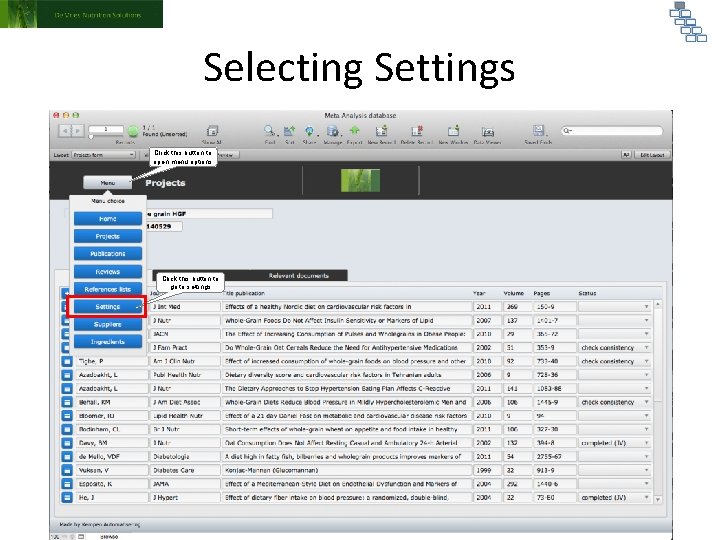
Selecting Settings Click this button to open menu options Click this button to go to settings
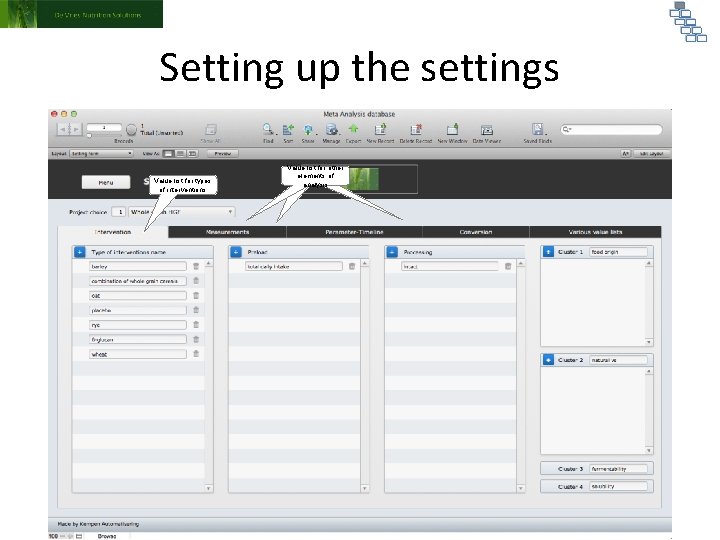
Setting up the settings Value list for types of interventions Value list for other Value Different list for tabs types for elements of different of interventions value lists analysis
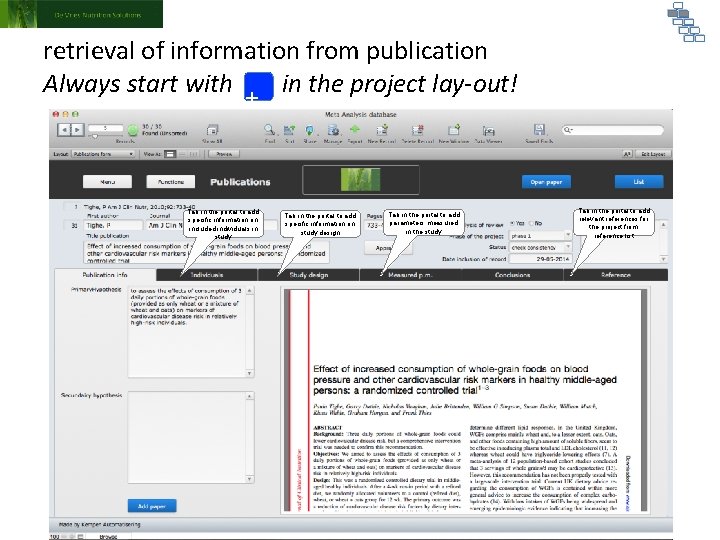
retrieval of information from publication Always start with in the project lay-out! + New publications ALWAYS needs to be added by this button Tab in the portal to add specific information on included individuals in study Tab in the portal to add specific information on study design Tab in the portal to add parameters measured in the study Tab in the portal to add relevant references for the project from reference list
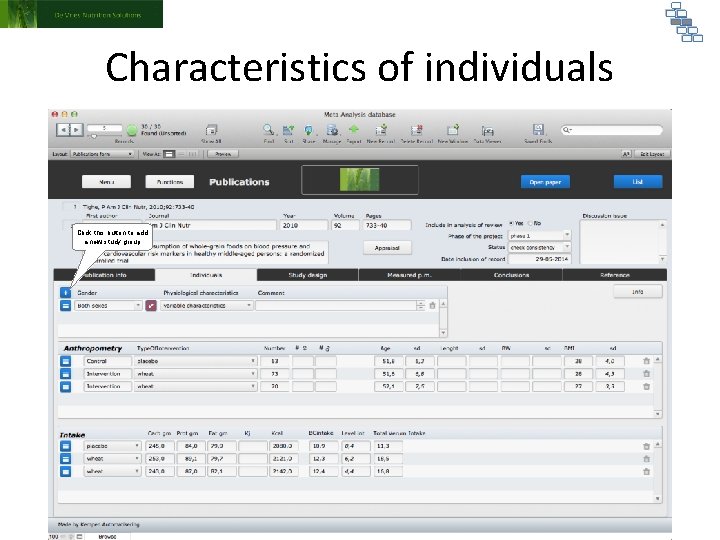
Characteristics of individuals Click this button to add a new study group
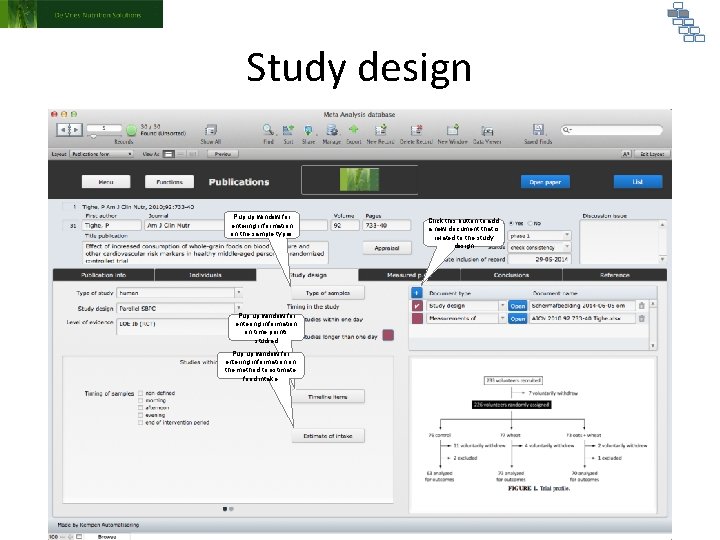
Study design Pup up window for entering information on the sample types Pup up window for entering information on time points studied Pup up window for entering information on the method to estimate food intake Click this button to add a new document that is related to the study design
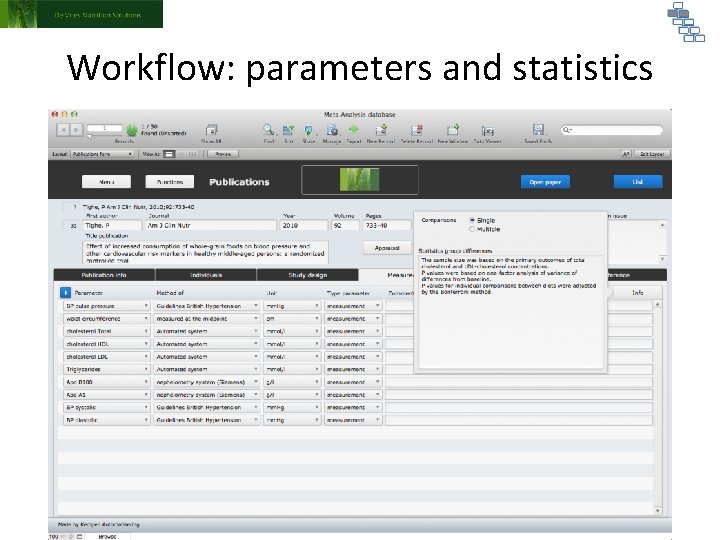
Workflow: parameters and statistics
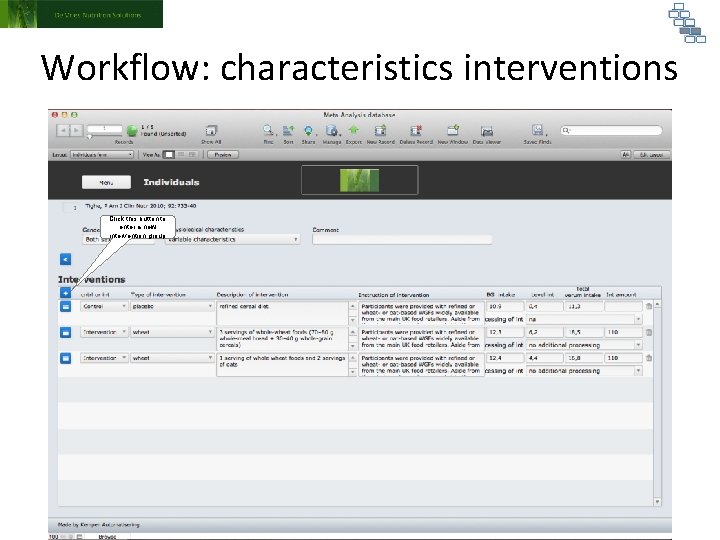
Workflow: characteristics interventions Click this button to enter a new intervention group
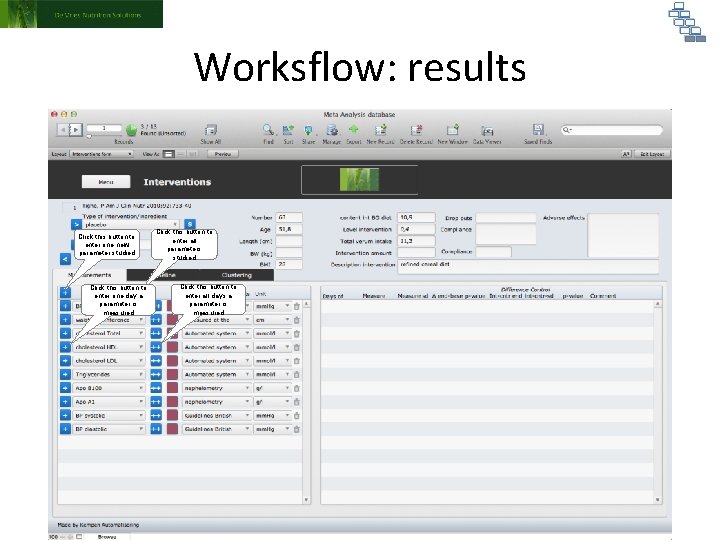
Worksflow: results Click this button to enter one new parameter studied Click this button to enter one day a parameter is measured Click this button to enter all parameters studied Click this button to enter all days a parameter is measured
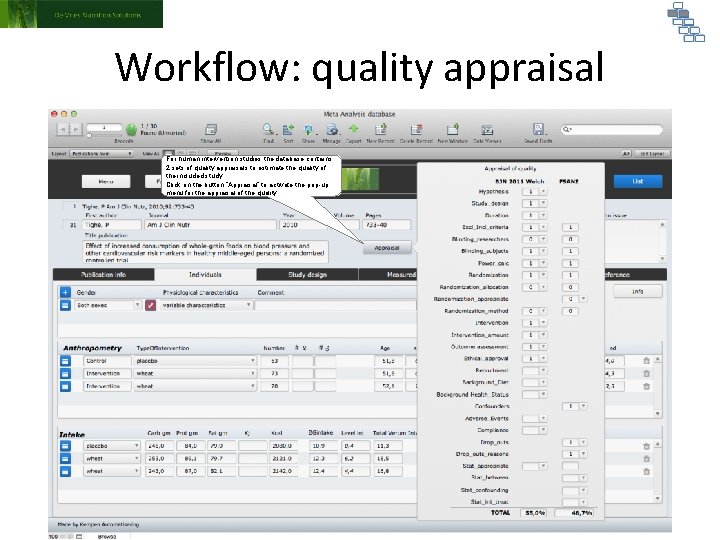
Workflow: quality appraisal For human intervention studies the database contains 2 sets of quality appraisals to estimate the quality of the included study. Click on the button “Appraisal” to activate the pop-up menu for the appraisal of the quality.
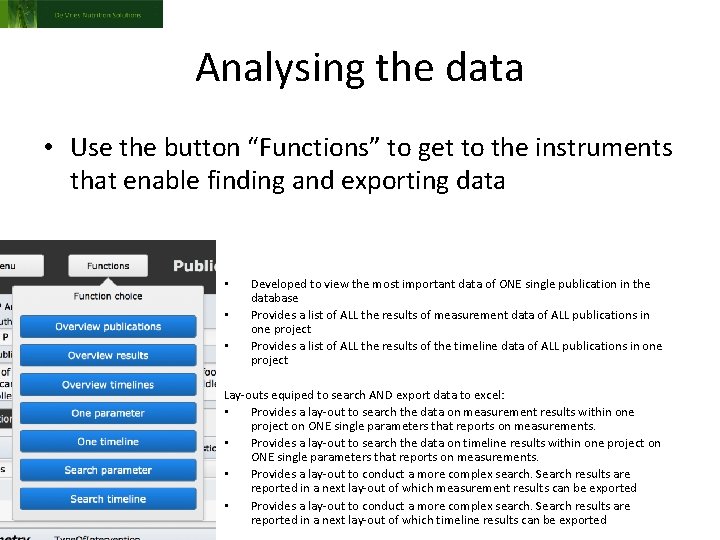
Analysing the data • Use the button “Functions” to get to the instruments that enable finding and exporting data • • • Developed to view the most important data of ONE single publication in the database Provides a list of ALL the results of measurement data of ALL publications in one project Provides a list of ALL the results of the timeline data of ALL publications in one project Lay-outs equiped to search AND export data to excel: • Provides a lay-out to search the data on measurement results within one project on ONE single parameters that reports on measurements. • Provides a lay-out to search the data on timeline results within one project on ONE single parameters that reports on measurements. • Provides a lay-out to conduct a more complex search. Search results are reported in a next lay-out of which measurement results can be exported • Provides a lay-out to conduct a more complex search. Search results are reported in a next lay-out of which timeline results can be exported
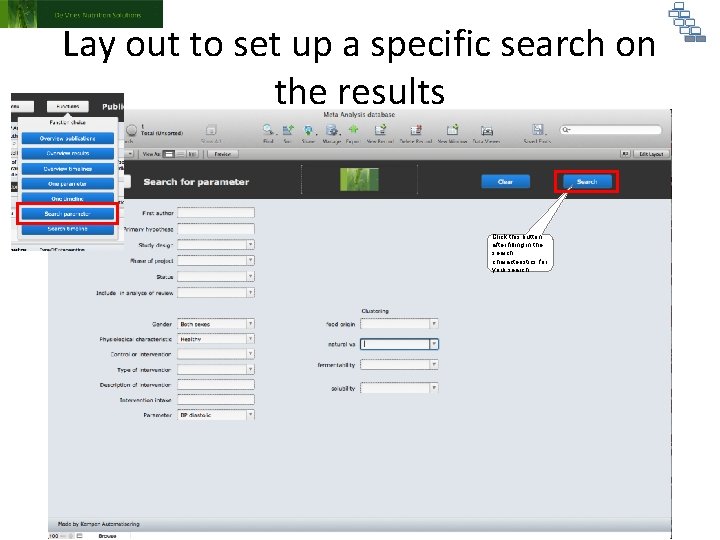
Lay out to set up a specific search on the results Click this button after filling in the search characteristics for your search
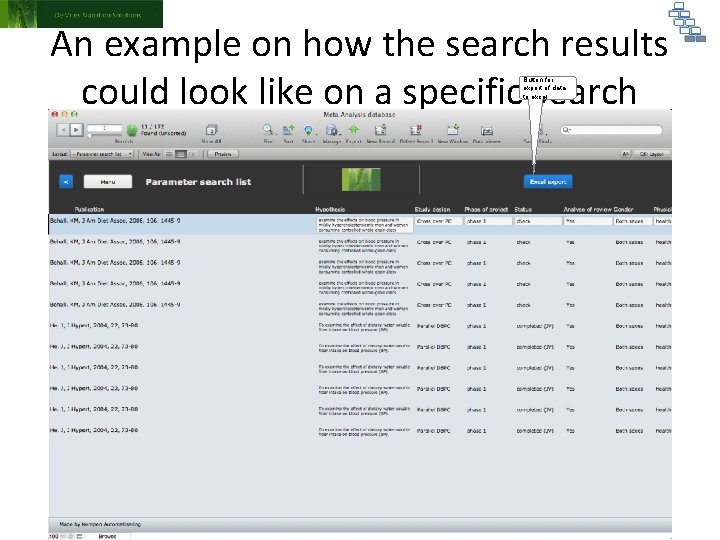
An example on how the search results could look like on a specific search Button for export of data to excel
- Slides: 18