
Nurse Managed Heparin Protocol View History Feature Reviewed

- Slides: 14
Nurse Managed Heparin Protocol View History Feature Reviewed by LM 4/15/14
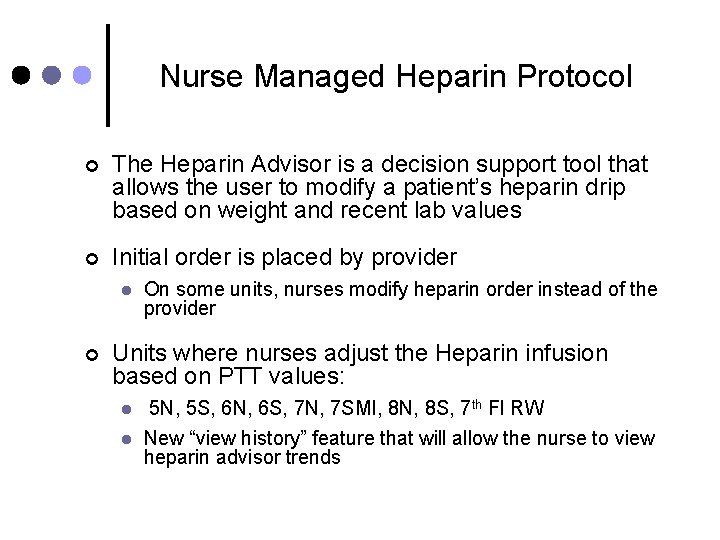
Nurse Managed Heparin Protocol ¢ The Heparin Advisor is a decision support tool that allows the user to modify a patient’s heparin drip based on weight and recent lab values ¢ Initial order is placed by provider l ¢ On some units, nurses modify heparin order instead of the provider Units where nurses adjust the Heparin infusion based on PTT values: l l 5 N, 5 S, 6 N, 6 S, 7 N, 7 SMI, 8 N, 8 S, 7 th Fl RW New “view history” feature that will allow the nurse to view heparin advisor trends
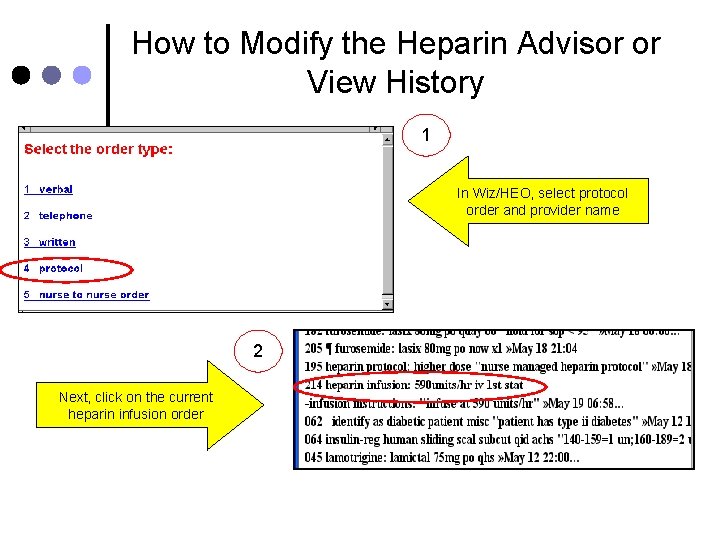
How to Modify the Heparin Advisor or View History 1 In Wiz/HEO, select protocol order and provider name 2 Next, click on the current heparin infusion order
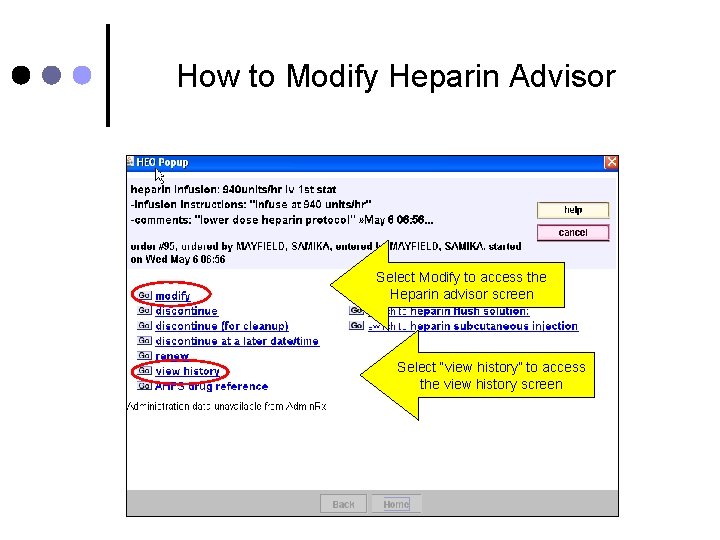
How to Modify Heparin Advisor Select Modify to access the Heparin advisor screen Select “view history” to access the view history screen
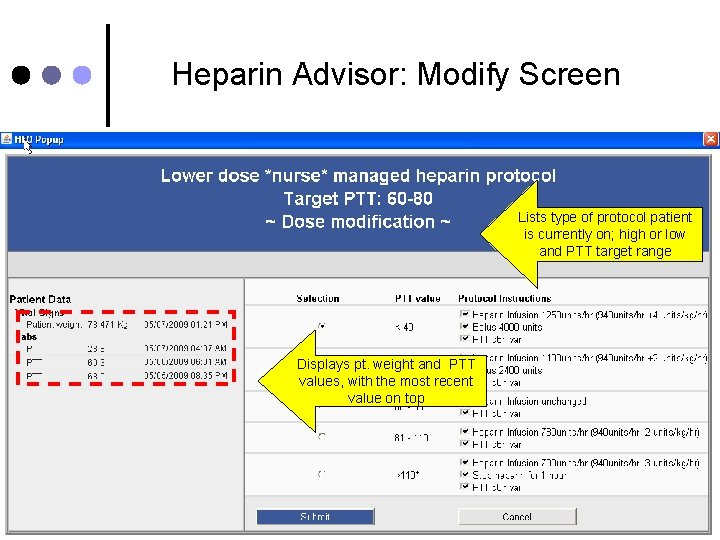
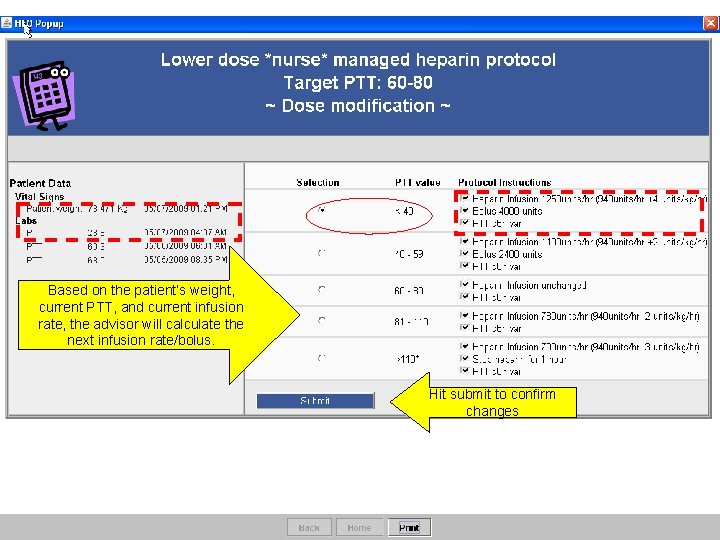
Heparin Advisor: Modify Screen Lists type of protocol patient is currently on; high or low and PTT target range Displays pt. weight and PTT values, with the most recent value on top
Based on the patient’s weight, current PTT, and current infusion rate, the advisor will calculate the next infusion rate/bolus. Hit submit to confirm changes
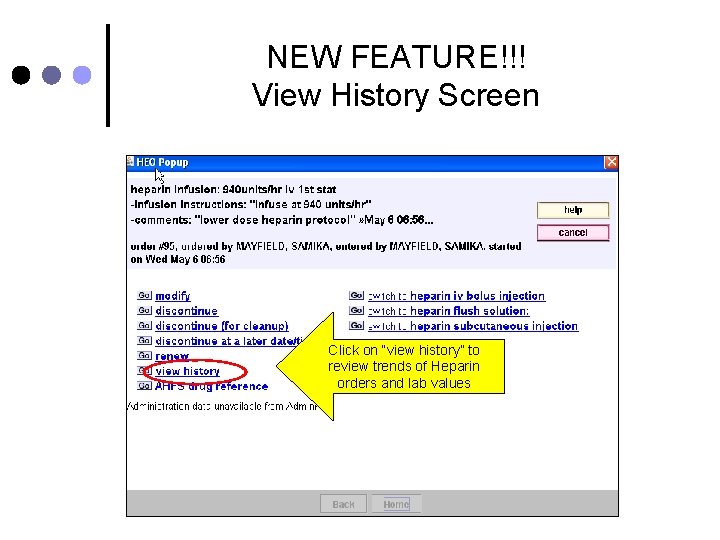
NEW FEATURE!!! View History Screen Click on “view history” to review trends of Heparin orders and lab values
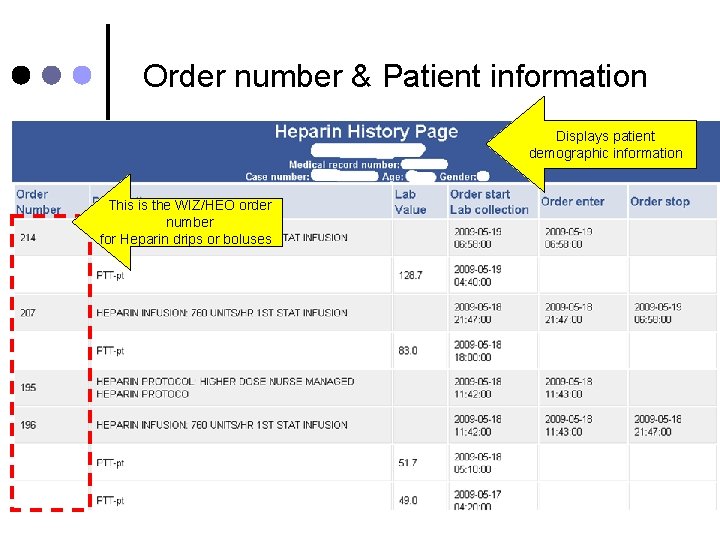
Order number & Patient information Displays patient demographic information This is the WIZ/HEO order number for Heparin drips or boluses
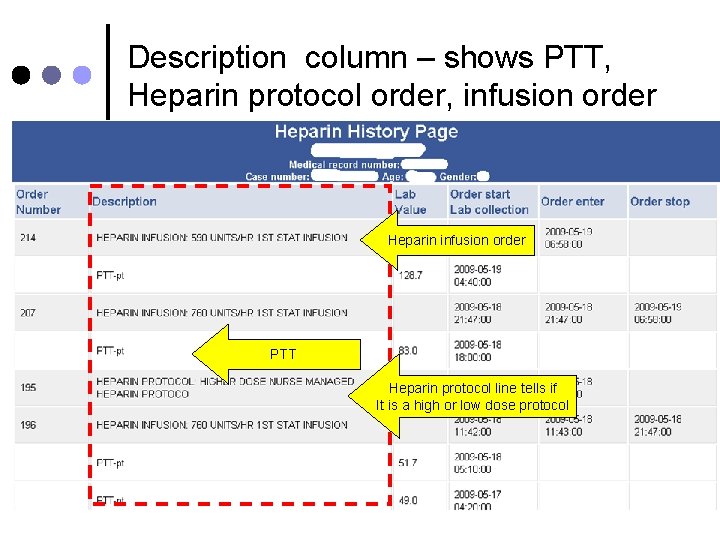
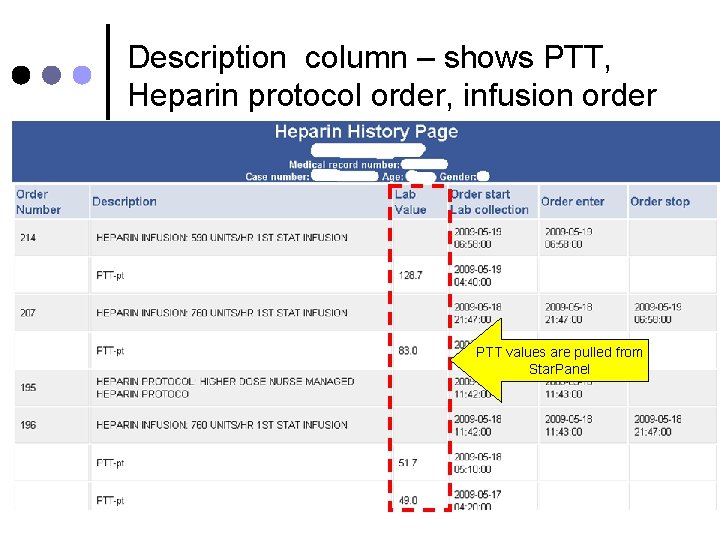
Description column – shows PTT, Heparin protocol order, infusion order Heparin infusion order PTT Heparin protocol line tells if It is a high or low dose protocol
Description column – shows PTT, Heparin protocol order, infusion order PTT values are pulled from Star. Panel
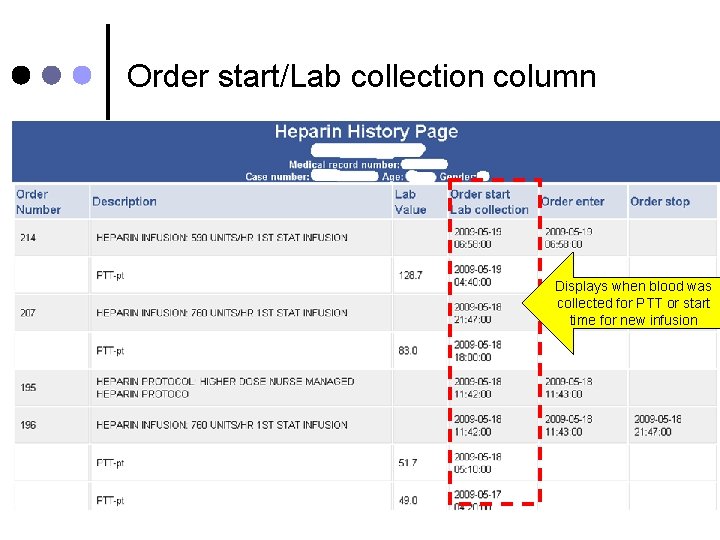
Order start/Lab collection column Displays when blood was collected for PTT or start time for new infusion
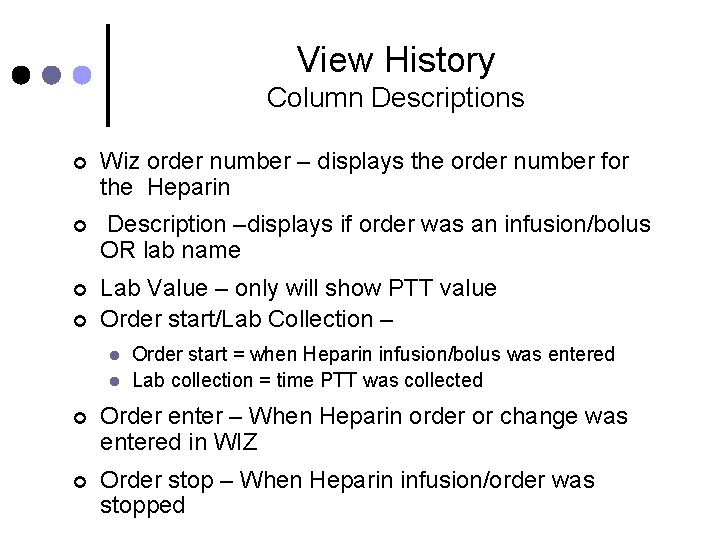
View History Column Descriptions ¢ Wiz order number – displays the order number for the Heparin ¢ Description –displays if order was an infusion/bolus OR lab name ¢ Lab Value – only will show PTT value Order start/Lab Collection – ¢ l l Order start = when Heparin infusion/bolus was entered Lab collection = time PTT was collected ¢ Order enter – When Heparin order or change was entered in WIZ ¢ Order stop – When Heparin infusion/order was stopped
In Summary ¢ Providers initially order Heparin protocol l ¢ PTT is drawn 6 hours after last Heparin order l ¢ On some units, nurses modify the protocol instead of providers Heparin Advisor will calculate new rate New “view history” feature: view trends of recent PTT values and heparin infusions/boluses.
If you need further assistance: Please call the HELP DESK at 3 -4357