
NumericInstruction Representation Lecture Objectives 1 2 3 4
Numeric/Instruction Representation Lecture Objectives: 1) 2) 3) 4) 5) 6) 7) 8) 9) Define the terms least significant bit and most significant bit. Explain how unsigned integer numbers are represented in memory Understand the limitations of using sign and magnitude to represent signed integer numbers Explain how signed integer numbers are represented in memory using twos complement notation. Convert twos complement numbers into decimal. Convert decimal numbers into twos complement format. Explain the concept of sign extension Convert a binary number into hexadecimal Explain how instructions are represented in memory as machine code

Numeric values can be represented in any base. People commonly use base 10 (decimal). Given a decimal (base 10) number, convert it to binary: • 51 ten= ? two • -7 ten= ? two CS 2710 Computer Organization 2
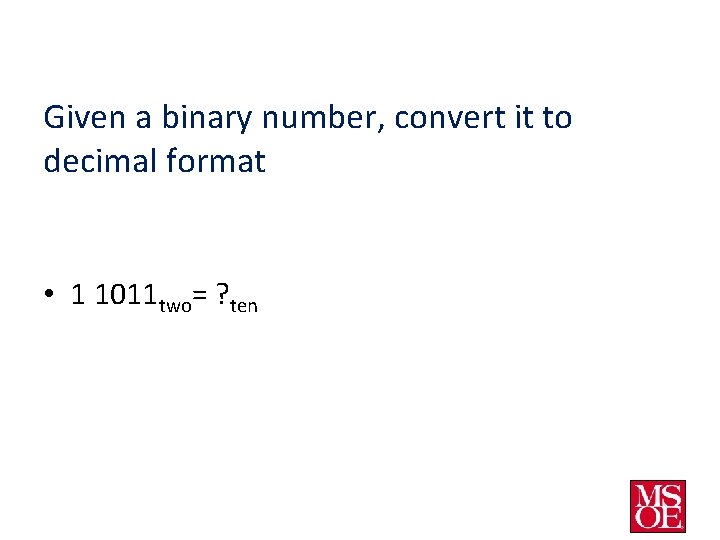
Given a binary number, convert it to decimal format • 1 1011 two= ? ten
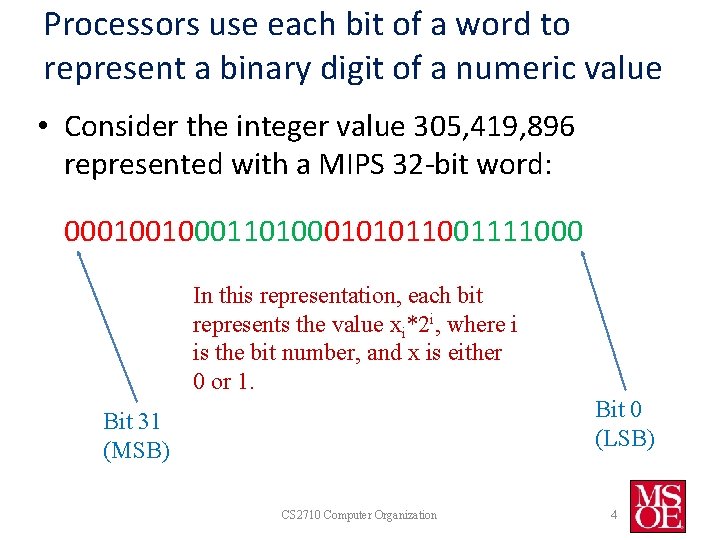
Processors use each bit of a word to represent a binary digit of a numeric value • Consider the integer value 305, 419, 896 represented with a MIPS 32 -bit word: 00010010001101000101011001111000 In this representation, each bit represents the value xi*2 i, where i is the bit number, and x is either 0 or 1. Bit 0 (LSB) Bit 31 (MSB) CS 2710 Computer Organization 4
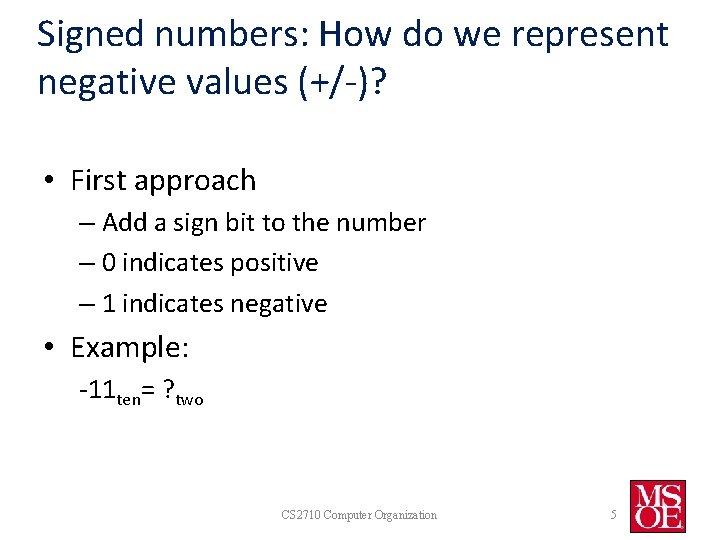
Signed numbers: How do we represent negative values (+/-)? • First approach – Add a sign bit to the number – 0 indicates positive – 1 indicates negative • Example: -11 ten= ? two CS 2710 Computer Organization 5
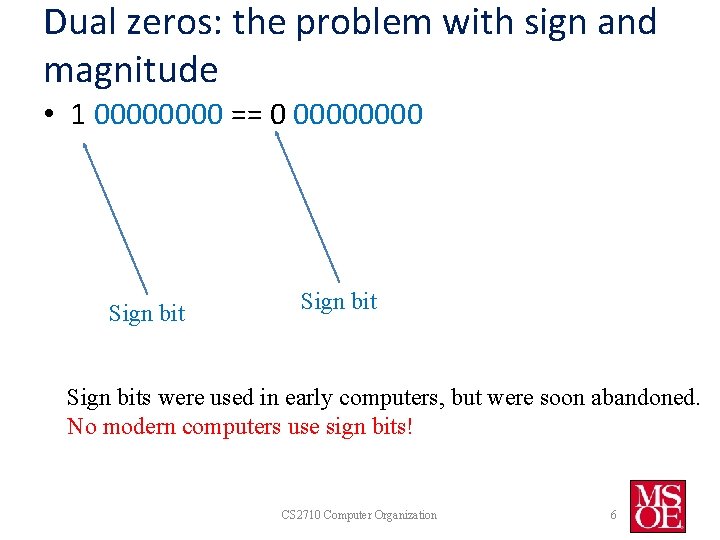
Dual zeros: the problem with sign and magnitude • 1 0000 == 0 0000 Sign bits were used in early computers, but were soon abandoned. No modern computers use sign bits! CS 2710 Computer Organization 6

Solution: 2’s complement numbers n n Leading 0’s mean positive, leading 1’s mean negative Example for 32 bits: 1111 1111 11002 = – 1× 231 + 1× 230 + … + 1× 22 +0× 21 +0× 20 = – 2, 147, 483, 648 + 2, 147, 483, 644 = – 410 n 32 bits can represent the values – 2, 147, 483, 648 to +2, 147, 483, 647 Range: – 2 n – 1 to +2 n – 1 CS 2710 Computer Organization 7
Shortcut: Converting a number into 2’s complement 1. Convert the absolute value of the number into a binary number 2. Complement the bits (1 -> 0, 0 ->1) 3. Add 1 to the value Example: Convert -51 (decimal) to binary using 2’s complement. CS 2710 Computer Organization 8
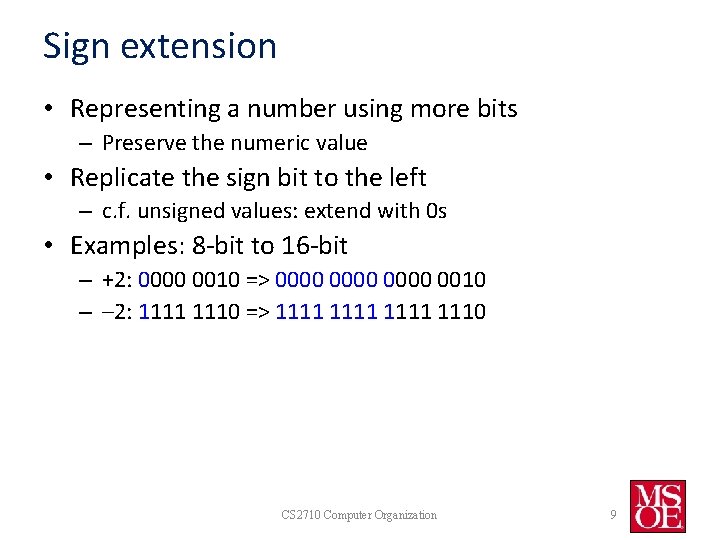
Sign extension • Representing a number using more bits – Preserve the numeric value • Replicate the sign bit to the left – c. f. unsigned values: extend with 0 s • Examples: 8 -bit to 16 -bit – +2: 0000 0010 => 0000 0010 – – 2: 1111 1110 => 1111 1110 CS 2710 Computer Organization 9
Example • Convert -51 to a 16 bit signed binary (base 2) representation based on the 2’s complement value from before CS 2710 Computer Organization 10
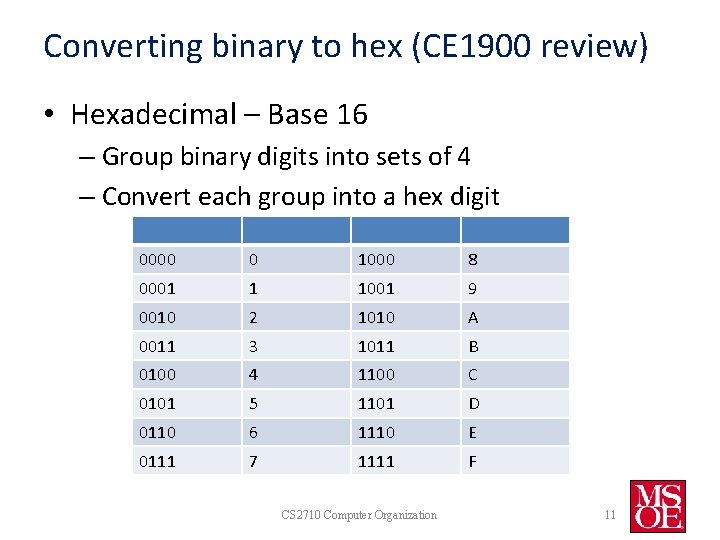
Converting binary to hex (CE 1900 review) • Hexadecimal – Base 16 – Group binary digits into sets of 4 – Convert each group into a hex digit 0000 0 1000 8 0001 1 1001 9 0010 2 1010 A 0011 3 1011 B 0100 4 1100 C 0101 5 1101 D 0110 6 1110 E 0111 7 1111 F CS 2710 Computer Organization 11
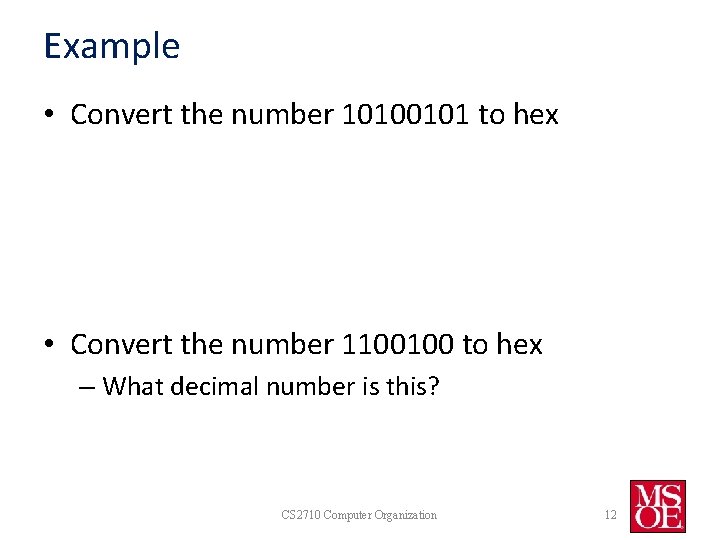
Example • Convert the number 10100101 to hex • Convert the number 1100100 to hex – What decimal number is this? CS 2710 Computer Organization 12
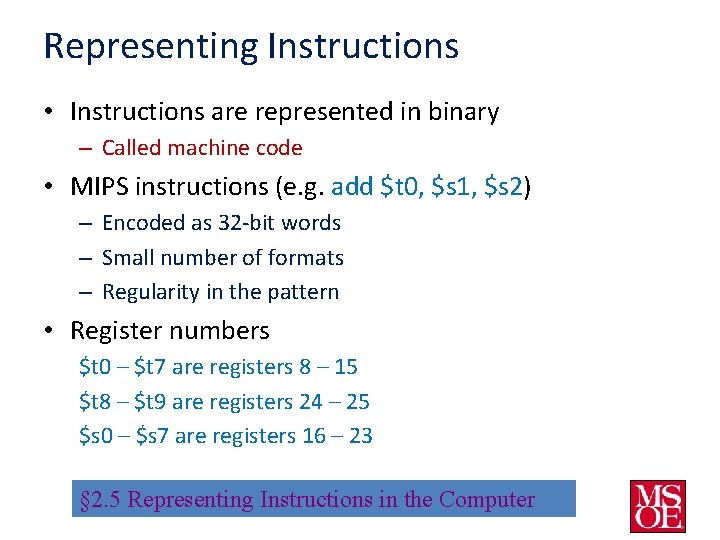
Representing Instructions • Instructions are represented in binary – Called machine code • MIPS instructions (e. g. add $t 0, $s 1, $s 2) – Encoded as 32 -bit words – Small number of formats – Regularity in the pattern • Register numbers $t 0 – $t 7 are registers 8 – 15 $t 8 – $t 9 are registers 24 – 25 $s 0 – $s 7 are registers 16 – 23 § 2. 5 Representing Instructions in the Computer
![MIPS R[egister]-format Instructions op rs rt rd shamt funct 6 bits 5 bits 6](http://slidetodoc.com/presentation_image/57c9cfd5c948a02bbade28e1c903add5/image-14.jpg "MIPS R[egister]-format Instructions op rs rt rd shamt funct 6 bits 5 bits 6")
MIPS R[egister]-format Instructions op rs rt rd shamt funct 6 bits 5 bits 6 bits • Instruction fields – – – op: operation code (opcode) rs: first source register number rt: second source register number rd: destination register number shamt: shift amount (00000 for now) funct: function code (extends opcode) • For add, $t 0, $s 1, $s 2 (see the green card in the textbook) – – – op = 0 rs = $s 1, register 17 rt = $s 2, register 18 rd = $t 0, register 8 shamt = 0 funct = 32
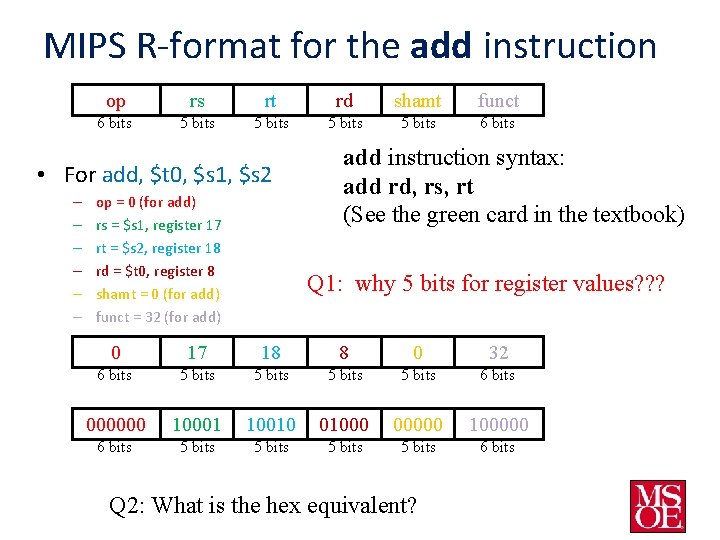
MIPS R-format for the add instruction op rs rt rd shamt funct 6 bits 5 bits 6 bits • For add, $t 0, $s 1, $s 2 – – – op = 0 (for add) rs = $s 1, register 17 rt = $s 2, register 18 rd = $t 0, register 8 shamt = 0 (for add) funct = 32 (for add) add instruction syntax: add rd, rs, rt (See the green card in the textbook) Q 1: why 5 bits for register values? ? ? 0 17 18 8 0 32 6 bits 5 bits 6 bits 000000 10001 10010 01000 00000 100000 6 bits 5 bits 6 bits Q 2: What is the hex equivalent?
![MIPS I[mmediate]-format Instructions op rs rt Constant or address 6 bits 5 bits 16](http://slidetodoc.com/presentation_image/57c9cfd5c948a02bbade28e1c903add5/image-16.jpg "MIPS I[mmediate]-format Instructions op rs rt Constant or address 6 bits 5 bits 16")
MIPS I[mmediate]-format Instructions op rs rt Constant or address 6 bits 5 bits 16 bits • Instruction fields – – op: operation code (opcode) rs: first source register number rt: second source register number Last field: constant value or 16 -bit base address offset • For addi, $t 0, $s 1, 100 – – op = 8 rt = $t 0, register 8 rs = $s 1, register 17 Constant =100 0010 00 6 bits # t 0 = s 1 + 100 addi instruction syntax: addi rt, rs, value (sign-extended) (See the green card in the textbook) 10 001 0 1000 5 bits 0000 0110 0100 16 bits
![MIPS I[mmediate]-format Instructions op rs rt Constant or address 6 bits 5 bits 16](http://slidetodoc.com/presentation_image/57c9cfd5c948a02bbade28e1c903add5/image-17.jpg "MIPS I[mmediate]-format Instructions op rs rt Constant or address 6 bits 5 bits 16")
MIPS I[mmediate]-format Instructions op rs rt Constant or address 6 bits 5 bits 16 bits • Instruction fields – – op: operation code (opcode) rs: first source register number rt: second source register number Last field: constant value or 16 -bit base address offset • For lw $t 0, 1200($t 1) #load value from memory ref’d by t 2 into t 1 – op = 35 lw instruction syntax: – rt = $t 0, register 8 lw rt, (offset)rs, – rs = $t 1, register 9 (See the green card in the textbook) – Address offset=1200 (bytes) 1000 11 6 bits 01 0 1000 5 bits 0000 0100 1011 0000 16 bits
- Slides: 17