
Numeric Keypad Keyboarding Week 6 Posture and Technique
Numeric Keypad Keyboarding Week 6

Posture and Technique Review n n n n Sit up straight Feet flat on the floor Body centered in front of the computer Elbows naturally by side Fingers curved Wrists low, but not touching the keyboard Quick, snappy strokes
Posture and Technique Review--continued n n n Quick down and in motion of the thumb Right pinky used for the enter key; other fingers remain on the home row Examine the number keys carefully to form a mental picture of the layout. Keep your eyes on the copy (what you are typing from, not the keyboard and your fingers) Place your fingers on the center of each key with the fingers slightly curved Strike keys firmly and release them quickly
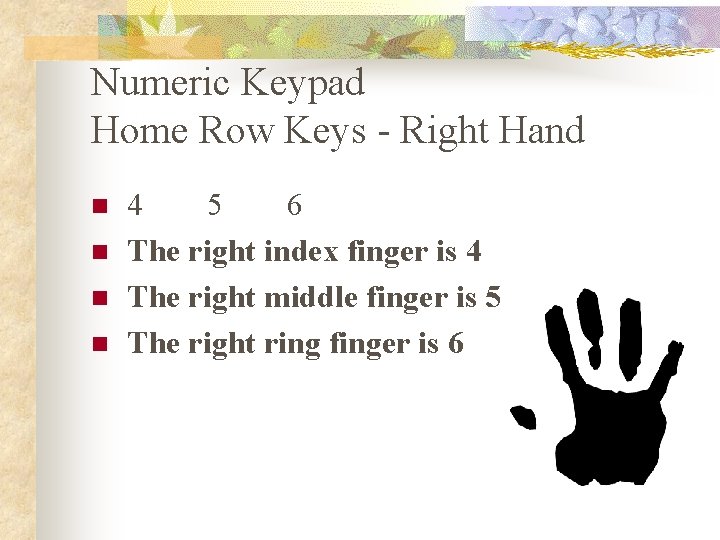
Numeric Keypad Home Row Keys - Right Hand n n 4 5 6 The right index finger is 4 The right middle finger is 5 The right ring finger is 6
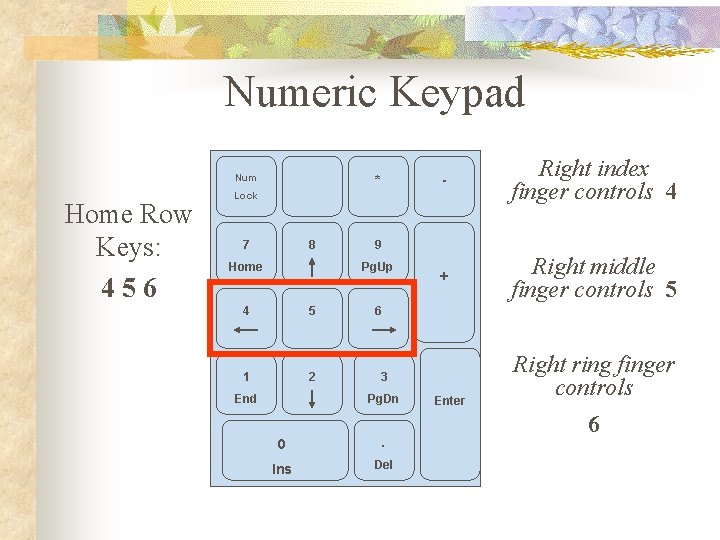
Numeric Keypad / Num Home Row Keys: 456 * Lock 7 8 Home 5 1 2 End Right index finger controls 4 + Right middle finger controls 5 9 Pg. Up 4 - 6 3 Pg. Dn 0 . Ins Del Enter Right ring finger controls 6
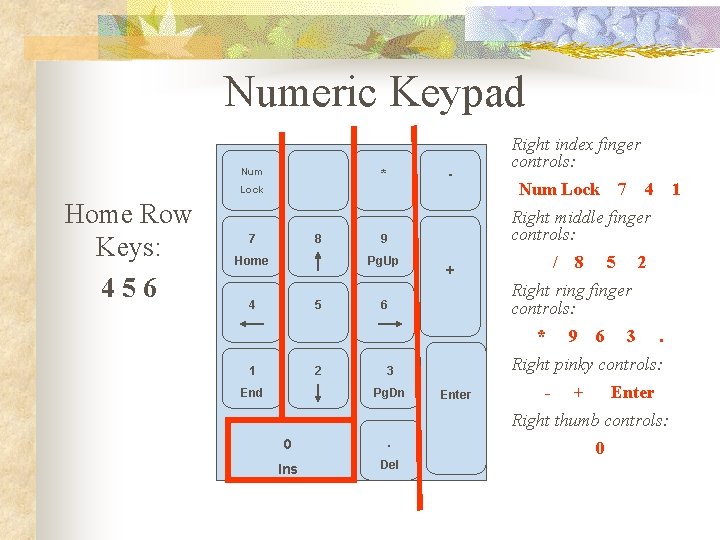
Numeric Keypad / Num Lock Home Row Keys: 456 7 8 Home - * 5 Num Lock 7 9 / + 2 8 5 2 9 6 3 . Right pinky controls: 3 Pg. Dn End 1 Right ring finger controls: 6 * 1 4 Right middle finger controls: Pg. Up 4 Right index finger controls: Enter - + Enter Right thumb controls: 0 . Ins Del 0
Fun Fact n n The only monument to the keyboard in the world is in Yekaterinburg, Russia. It is of a QWERTY keyboard. People make wishes by jumping from letter to letter. Want to reset your life? Jump to “Ctrl”, “Alt”, “Del”! However, it might not be that easy…
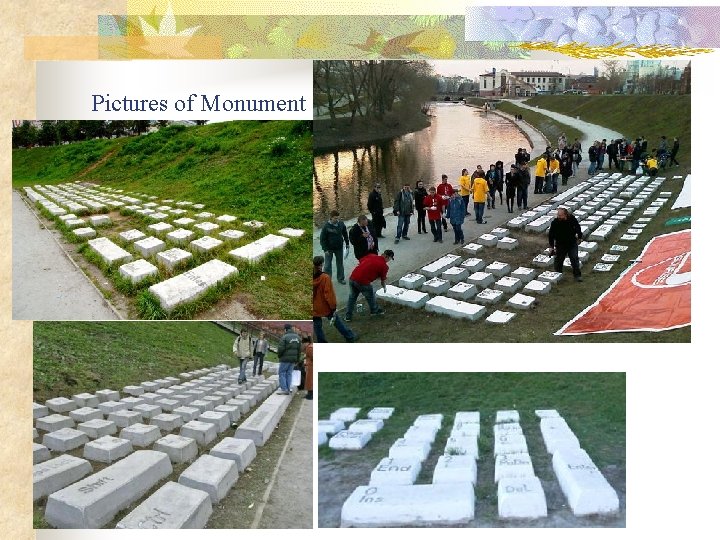
Pictures of Monument
Today’s Assignments n n https: //www. typing. com/student/lesson/380/nume ric-keypad finish entire lesson https: //www. typing. com/student/lesson/351/nume ric-keypad-10 -key finish entire lesson If you have time you can play this to practice! n https: //www. typinggames. zone/numpad
- Slides: 9