
NUEPSK Digital Modem A digital modem for PSK
- Slides: 34
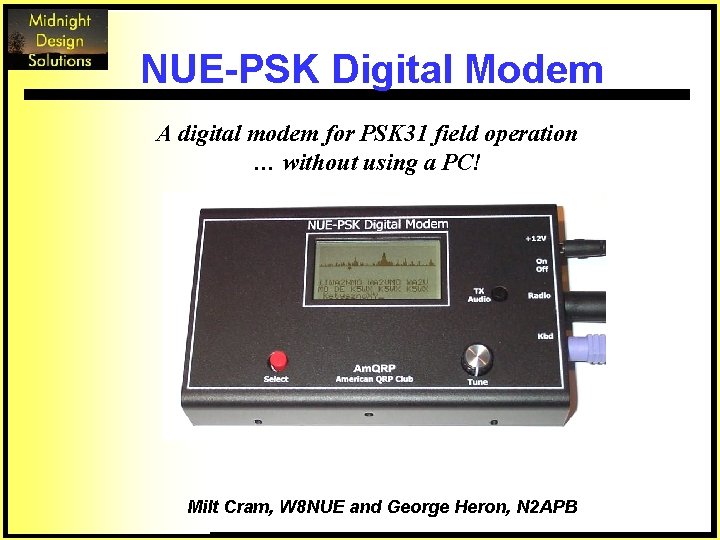
NUE-PSK Digital Modem A digital modem for PSK 31 field operation … without using a PC! Milt Cram, W 8 NUE and George Heron, N 2 APB
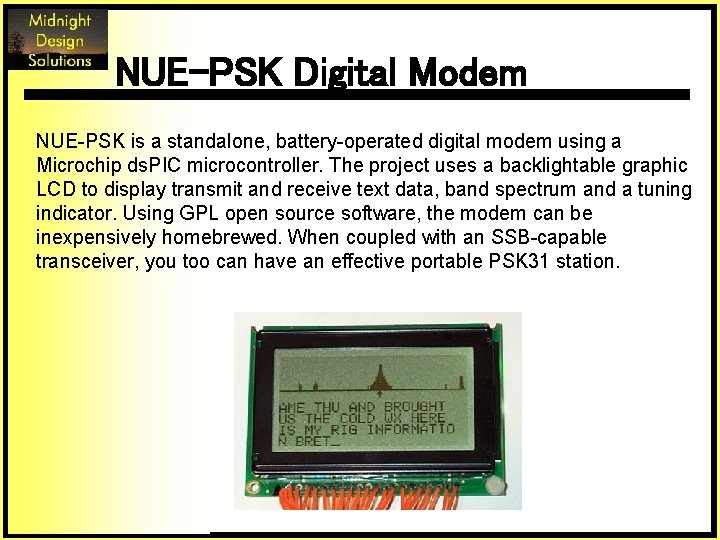
NUE-PSK Digital Modem NUE-PSK is a standalone, battery-operated digital modem using a Microchip ds. PIC microcontroller. The project uses a backlightable graphic LCD to display transmit and receive text data, band spectrum and a tuning indicator. Using GPL open source software, the modem can be inexpensively homebrewed. When coupled with an SSB-capable transceiver, you too can have an effective portable PSK 31 station.
Agenda q PSK 31 Basics q Design Approach q Hardware Design q Software Design q Demonstration Video q Kit Availability
PSK 31 Basics q q q q Designed by Peter G 3 PLX, Better than SLOWBPSK, an idea and implementation of SP 9 VRC, Based on the RTTY mode of operation, Useful for live keyboard to keyboard QSO, Works at 31. 25 baud, Uses varicode character coding that gives 50 wpm, Easy to use and monitor, Gives very good copy under low Eb/No numbers and is thus suitable for QRP, q Instead of using FSK or on/off keying uses BPSK or QPSK with a Viterbi decoder, q Available free for many platforms, including Windows with Sound. Blaster type Soundcard, q Uses advanced DSP and narrow band (31 Hz!!) techniques.
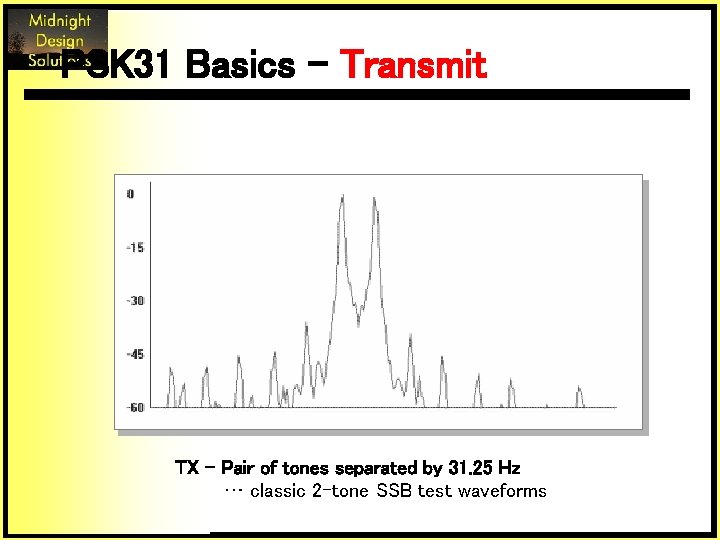
PSK 31 Basics - Transmit TX – Pair of tones separated by 31. 25 Hz … classic 2 -tone SSB test waveforms
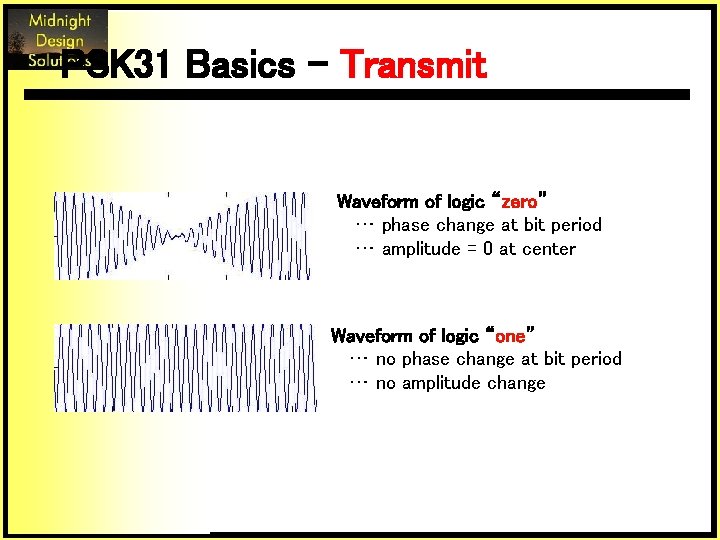
PSK 31 Basics - Transmit Waveform of logic “zero” … phase change at bit period … amplitude = 0 at center Waveform of logic “one” … no phase change at bit period … no amplitude change
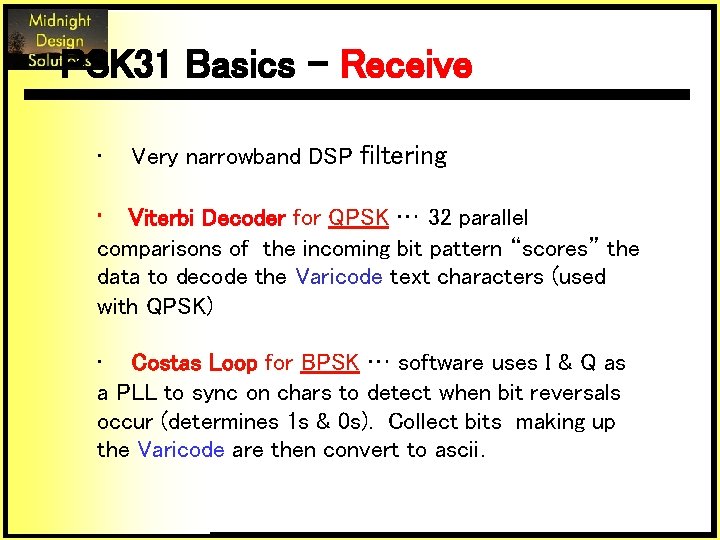
PSK 31 Basics - Receive • Very narrowband DSP filtering • Viterbi Decoder for QPSK … 32 parallel comparisons of the incoming bit pattern “scores” the data to decode the Varicode text characters (used with QPSK) • Costas Loop for BPSK … software uses I & Q as a PLL to sync on chars to detect when bit reversals occur (determines 1 s & 0 s). Collect bits making up the Varicode are then convert to ascii.
Design Approach q Eliminate the PC portable operation q Single Interface intuitive operation q Low Power enables field use q New Technology § q ds. PIC = u. Controller + DSP Cheap Tools § As in “free” (or nearly so) § PIC is low-end computing … but easy development
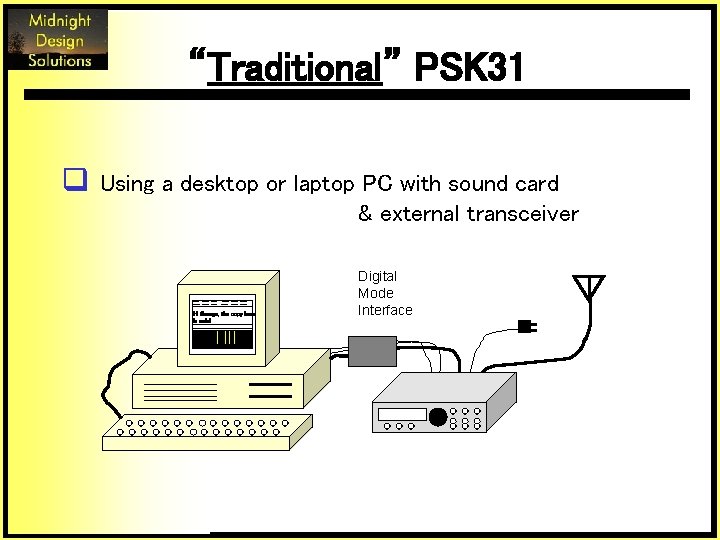
“Traditional” PSK 31 q Using a desktop or laptop PC with sound card & external transceiver Hi George, the copy here is solid Digital Mode Interface
“Traditional” PSK 31 q But … out in the field? … at a QRP convention? ? … at an emergency site? ? ?
Time for a new design … Three Main Challenges: 1. Stable, trail-friendly SSB transceiver 2. Computing horsepower (without a PC) 3. “Human Interface”
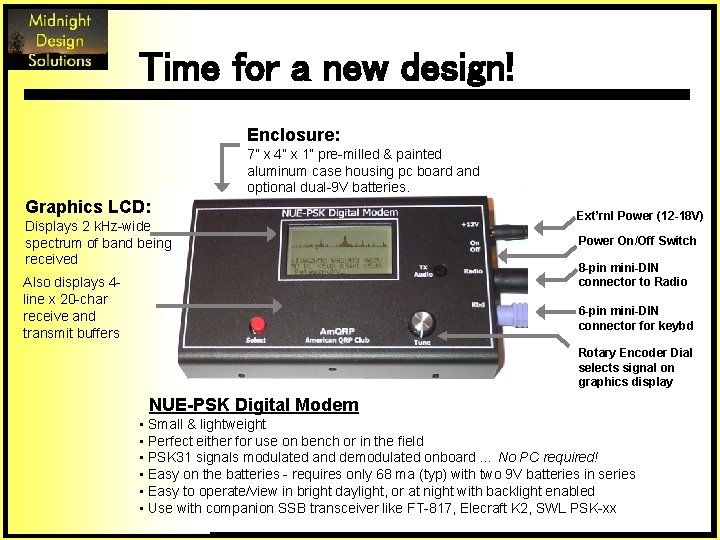
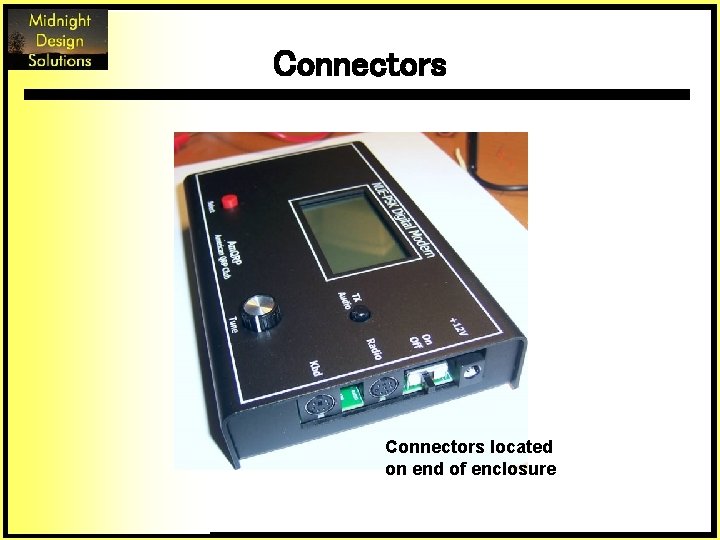
Time for a new design! Enclosure: 7” x 4” x 1” pre-milled & painted aluminum case housing pc board and optional dual-9 V batteries. Graphics LCD: Displays 2 k. Hz-wide spectrum of band being received Also displays 4 line x 20 -char receive and transmit buffers Ext’rnl Power (12 -18 V) Power On/Off Switch 8 -pin mini-DIN connector to Radio 6 -pin mini-DIN connector for keybd Rotary Encoder Dial selects signal on graphics display NUE-PSK Digital Modem • Small & lightweight • Perfect either for use on bench or in the field • PSK 31 signals modulated and demodulated onboard … No PC required! • Easy on the batteries - requires only 68 ma (typ) with two 9 V batteries in series • Easy to operate/view in bright daylight, or at night with backlight enabled • Use with companion SSB transceiver like FT-817, Elecraft K 2, SWL PSK-xx
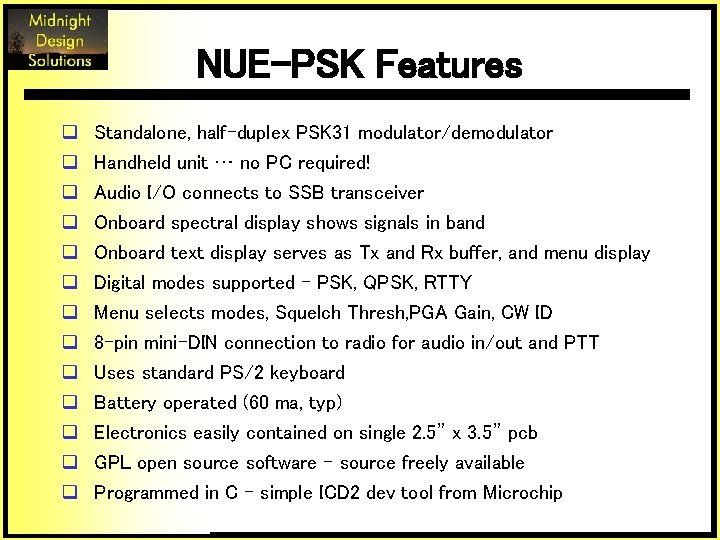
NUE-PSK Features q q q q Standalone, half-duplex PSK 31 modulator/demodulator Handheld unit … no PC required! Audio I/O connects to SSB transceiver Onboard spectral display shows signals in band Onboard text display serves as Tx and Rx buffer, and menu display Digital modes supported - PSK, QPSK, RTTY Menu selects modes, Squelch Thresh, PGA Gain, CW ID 8 -pin mini-DIN connection to radio for audio in/out and PTT Uses standard PS/2 keyboard Battery operated (60 ma, typ) Electronics easily contained on single 2. 5” x 3. 5” pcb GPL open source software - source freely available Programmed in C - simple ICD 2 dev tool from Microchip
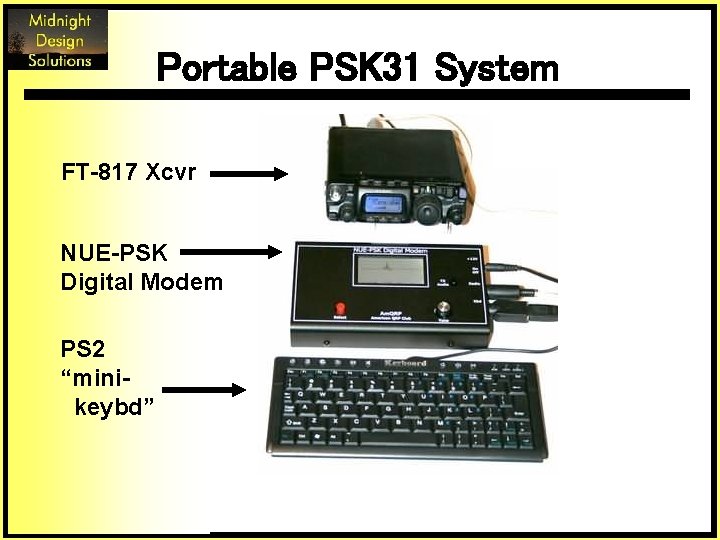
Portable PSK 31 System FT-817 Xcvr NUE-PSK Digital Modem PS 2 “minikeybd”
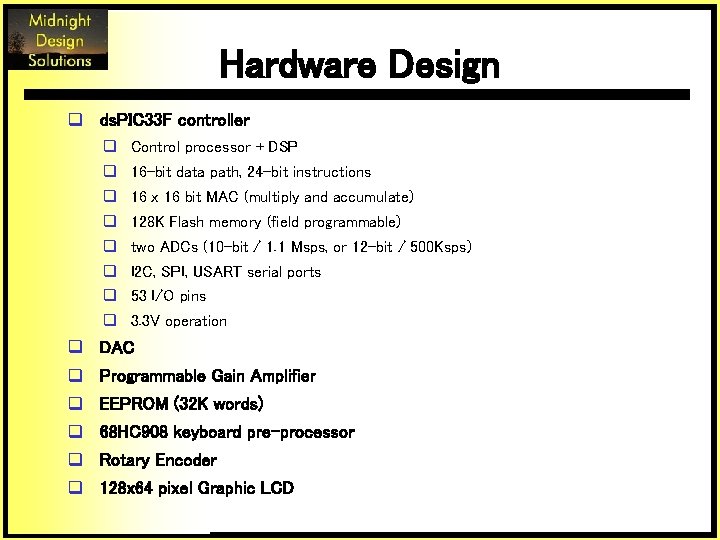
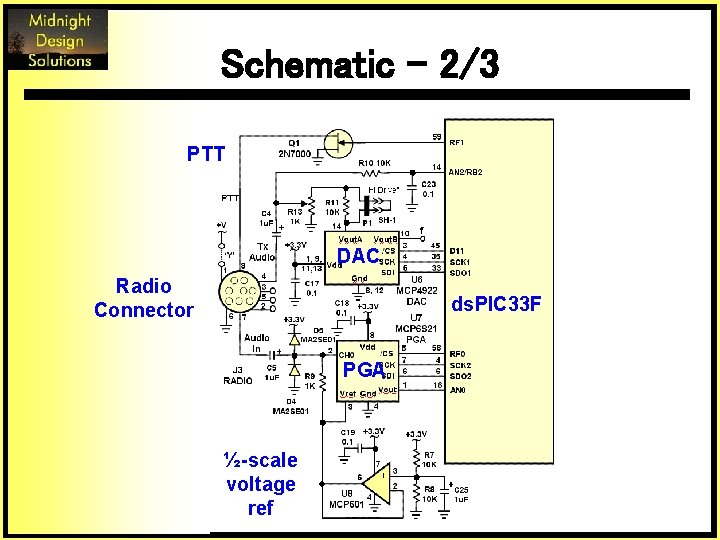
Hardware Design q ds. PIC 33 F controller q Control processor + DSP q 16 -bit data path, 24 -bit instructions q 16 x 16 bit MAC (multiply and accumulate) q 128 K Flash memory (field programmable) q two ADCs (10 -bit / 1. 1 Msps, or 12 -bit / 500 Ksps) q I 2 C, SPI, USART serial ports q 53 I/O pins q 3. 3 V operation q DAC q Programmable Gain Amplifier q EEPROM (32 K words) q 68 HC 908 keyboard pre-processor q Rotary Encoder q 128 x 64 pixel Graphic LCD
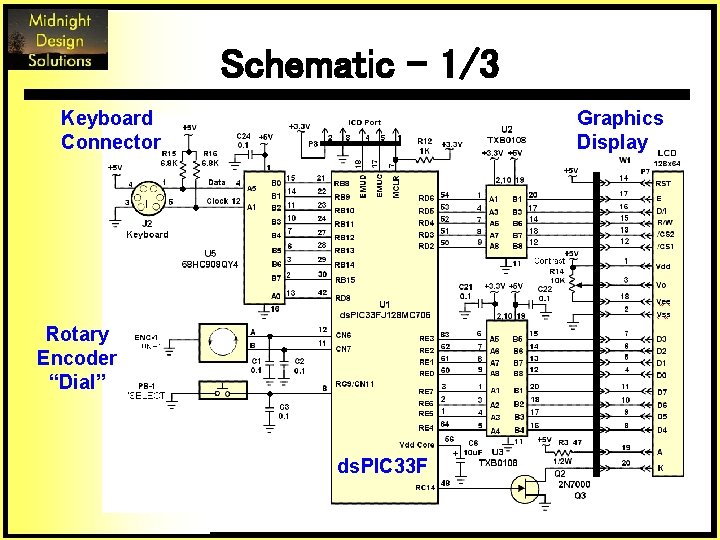
Schematic – 1/3 Keyboard Connector Graphics Display Rotary Encoder “Dial” ds. PIC 33 F
Schematic - 2/3 PTT DAC Radio Connector ds. PIC 33 F PGA ½-scale voltage ref
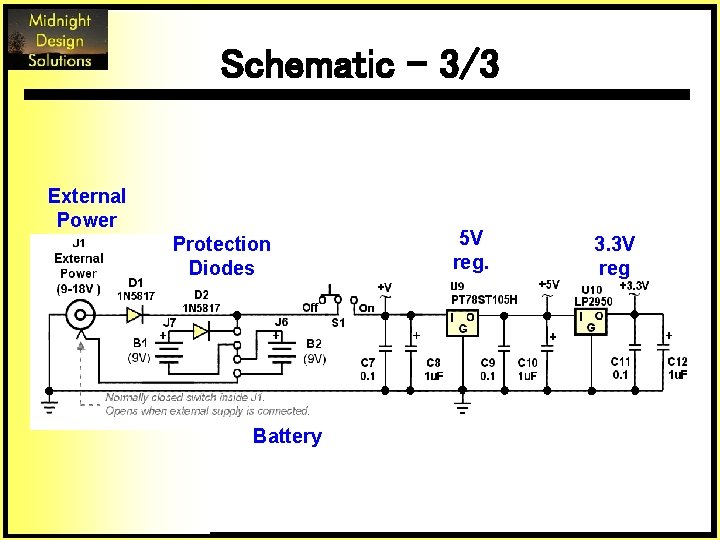
Schematic – 3/3 External Power Protection Diodes Battery 5 V reg. 3. 3 V reg
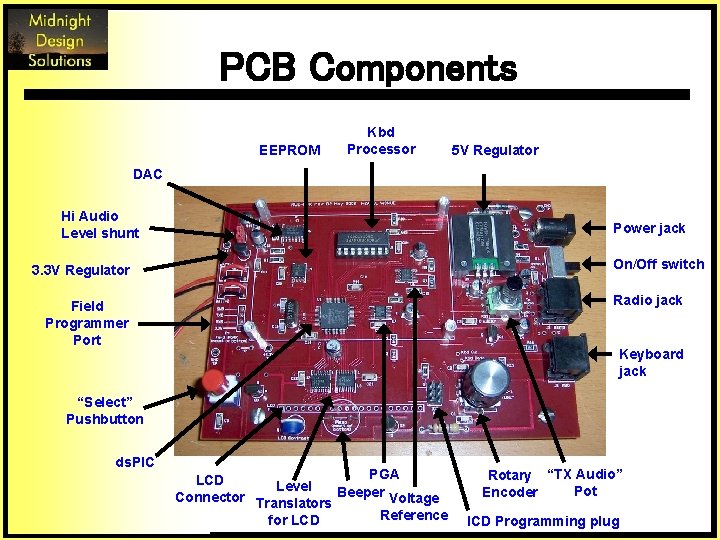
PCB Components EEPROM Kbd Processor 5 V Regulator DAC Hi Audio Level shunt Power jack On/Off switch 3. 3 V Regulator Radio jack Field Programmer Port Keyboard jack “Select” Pushbutton ds. PIC PGA LCD Level Connector Translators Beeper Voltage Reference for LCD Rotary “TX Audio” Pot Encoder ICD Programming plug
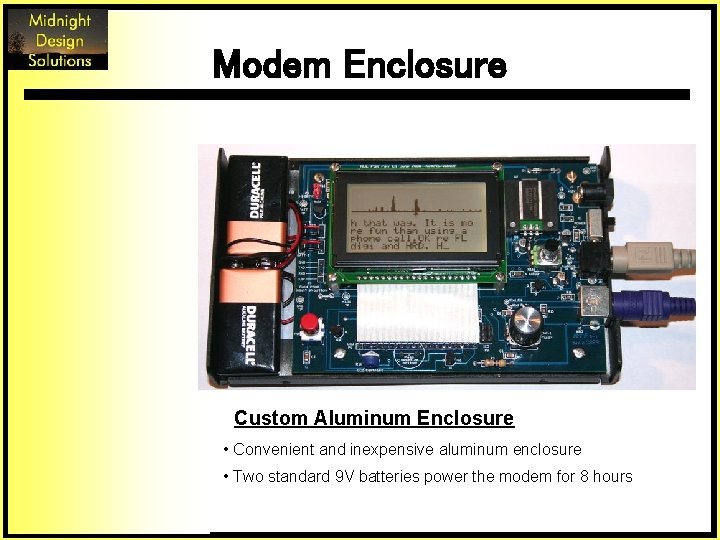
Modem Enclosure Custom Aluminum Enclosure • Convenient and inexpensive aluminum enclosure • Two standard 9 V batteries power the modem for 8 hours
Connectors located on end of enclosure
Software Design q Started with “PSKCore” by Moe Wheatley AE 4 JY q Used DSP functions from Microchip Library q Used modules from Austin QRP project § SPI (PGA/DAC), I 2 C(EEPROM) § Keyboard, basic LCD q Developed Graphics Driver § Spectrum Display § Cursor Positioning q Added Scrolling to basic LCD driver
Software Design q Use timer for 125 us interrupts (8 ksps) q Offload Keyboard scancode acquisition q Use “flags” to trigger various “events” § State Changes (e. g. , RX, Tune) § Processing (e. g. , FFT, RX) q Test flags within “infinite loop”
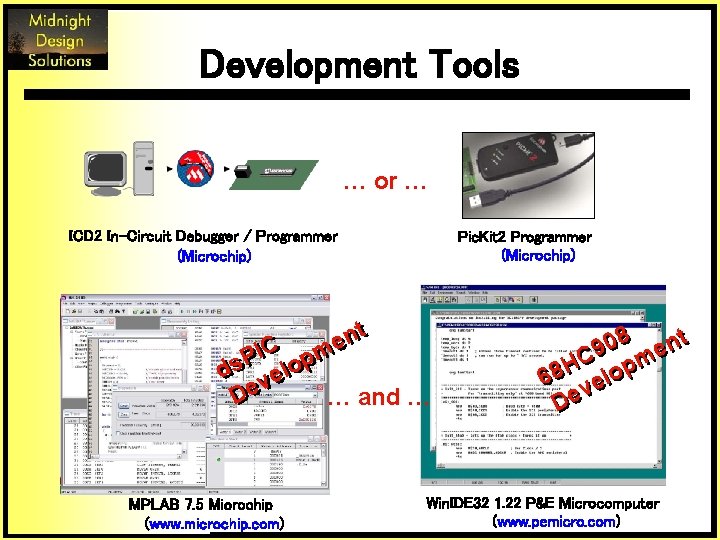
Development Tools … or … ICD 2 In-Circuit Debugger / Programmer (Microchip) Pic. Kit 2 Programmer (Microchip) tt n n e e C pm IIC m P P ddss veelloop v … and … D Dee MPLAB 7. 5 Microchip (www. microchip. com) 08 ent 9 HC lopm 8 6 ve De Win. IDE 32 1. 22 P&E Microcomputer (www. pemicro. com)
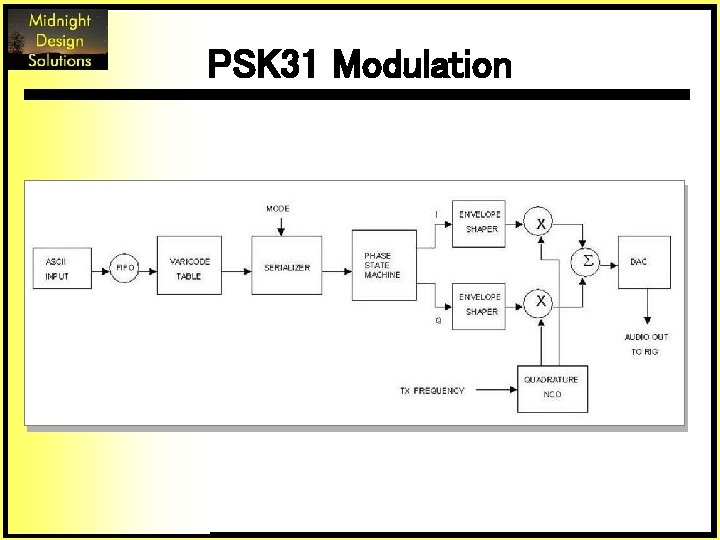
PSK 31 Modulation
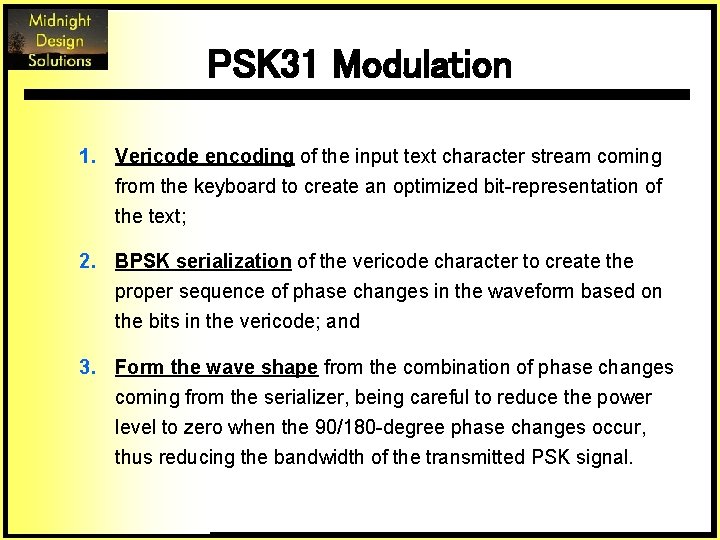
PSK 31 Modulation 1. Vericode encoding of the input text character stream coming from the keyboard to create an optimized bit-representation of the text; 2. BPSK serialization of the vericode character to create the proper sequence of phase changes in the waveform based on the bits in the vericode; and 3. Form the wave shape from the combination of phase changes coming from the serializer, being careful to reduce the power level to zero when the 90/180 -degree phase changes occur, thus reducing the bandwidth of the transmitted PSK signal.
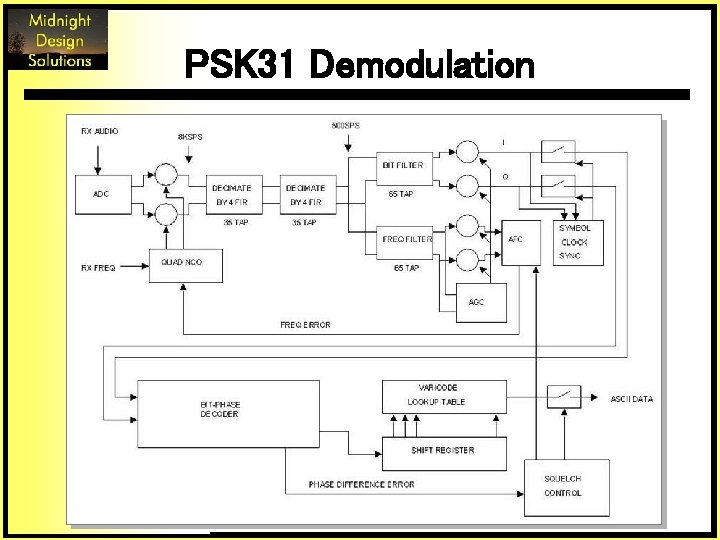
PSK 31 Demodulation
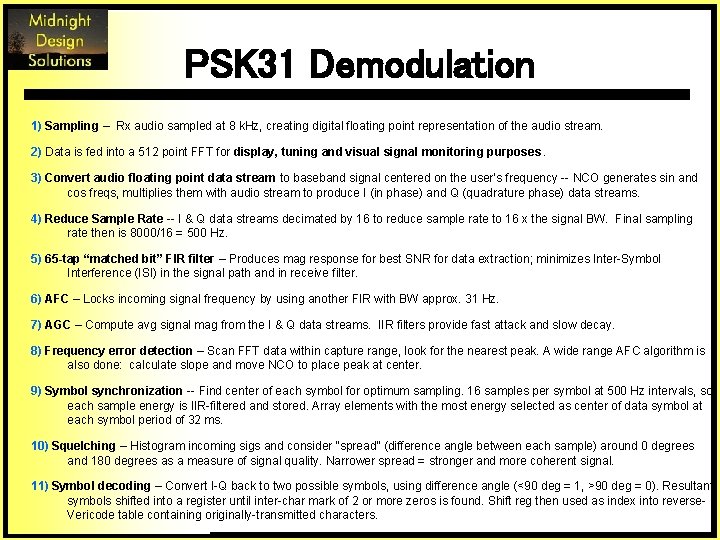
PSK 31 Demodulation 1) Sampling – Rx audio sampled at 8 k. Hz, creating digital floating point representation of the audio stream. 2) Data is fed into a 512 point FFT for display, tuning and visual signal monitoring purposes. 3) Convert audio floating point data stream to baseband signal centered on the user’s frequency -- NCO generates sin and cos freqs, multiplies them with audio stream to produce I (in phase) and Q (quadrature phase) data streams. 4) Reduce Sample Rate -- I & Q data streams decimated by 16 to reduce sample rate to 16 x the signal BW. Final sampling rate then is 8000/16 = 500 Hz. 5) 65 -tap “matched bit” FIR filter – Produces mag response for best SNR for data extraction; minimizes Inter-Symbol Interference (ISI) in the signal path and in receive filter. 6) AFC – Locks incoming signal frequency by using another FIR with BW approx. 31 Hz. 7) AGC – Compute avg signal mag from the I & Q data streams. IIR filters provide fast attack and slow decay. 8) Frequency error detection – Scan FFT data within capture range, look for the nearest peak. A wide range AFC algorithm is also done: calculate slope and move NCO to place peak at center. 9) Symbol synchronization -- Find center of each symbol for optimum sampling. 16 samples per symbol at 500 Hz intervals, so each sample energy is IIR-filtered and stored. Array elements with the most energy selected as center of data symbol at each symbol period of 32 ms. 10) Squelching – Histogram incoming sigs and consider “spread” (difference angle between each sample) around 0 degrees and 180 degrees as a measure of signal quality. Narrower spread = stronger and more coherent signal. 11) Symbol decoding – Convert I-Q back to two possible symbols, using difference angle (<90 deg = 1, >90 deg = 0). Resultant symbols shifted into a register until inter-char mark of 2 or more zeros is found. Shift reg then used as index into reverse. Vericode table containing originally-transmitted characters.
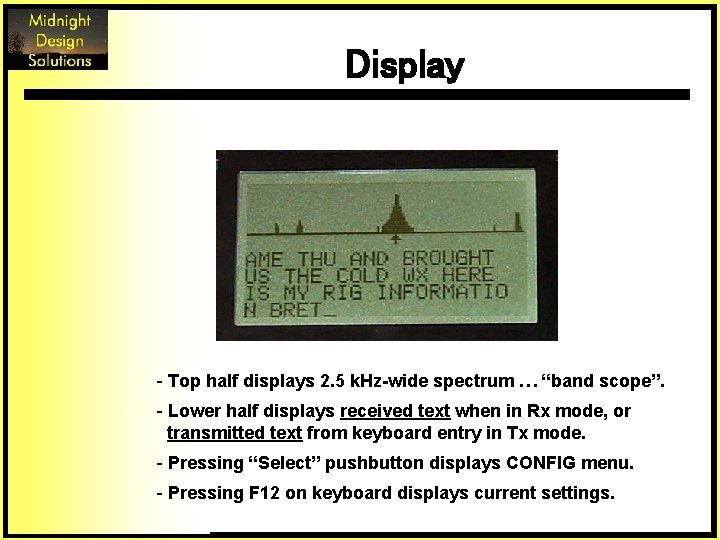
Display - Top half displays 2. 5 k. Hz-wide spectrum … “band scope”. - Lower half displays received text when in Rx mode, or transmitted text from keyboard entry in Tx mode. - Pressing “Select” pushbutton displays CONFIG menu. - Pressing F 12 on keyboard displays current settings.
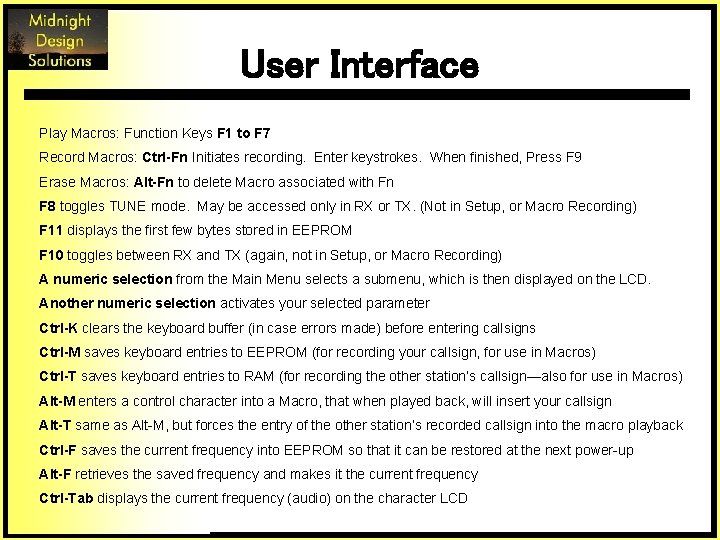
User Interface Play Macros: Function Keys F 1 to F 7 Record Macros: Ctrl-Fn Initiates recording. Enter keystrokes. When finished, Press F 9 Erase Macros: Alt-Fn to delete Macro associated with Fn F 8 toggles TUNE mode. May be accessed only in RX or TX. (Not in Setup, or Macro Recording) F 11 displays the first few bytes stored in EEPROM F 10 toggles between RX and TX (again, not in Setup, or Macro Recording) A numeric selection from the Main Menu selects a submenu, which is then displayed on the LCD. Another numeric selection activates your selected parameter Ctrl-K clears the keyboard buffer (in case errors made) before entering callsigns Ctrl-M saves keyboard entries to EEPROM (for recording your callsign, for use in Macros) Ctrl-T saves keyboard entries to RAM (for recording the other station’s callsign—also for use in Macros) Alt-M enters a control character into a Macro, that when played back, will insert your callsign Alt-T same as Alt-M, but forces the entry of the other station’s recorded callsign into the macro playback Ctrl-F saves the current frequency into EEPROM so that it can be restored at the next power-up Alt-F retrieves the saved frequency and makes it the current frequency Ctrl-Tab displays the current frequency (audio) on the character LCD
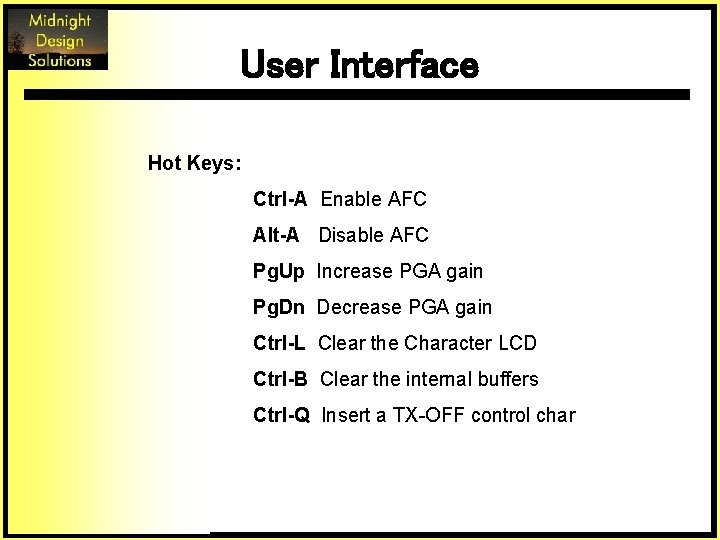
User Interface Hot Keys: Ctrl-A Enable AFC Alt-A Disable AFC Pg. Up Increase PGA gain Pg. Dn Decrease PGA gain Ctrl-L Clear the Character LCD Ctrl-B Clear the internal buffers Ctrl-Q Insert a TX-OFF control char
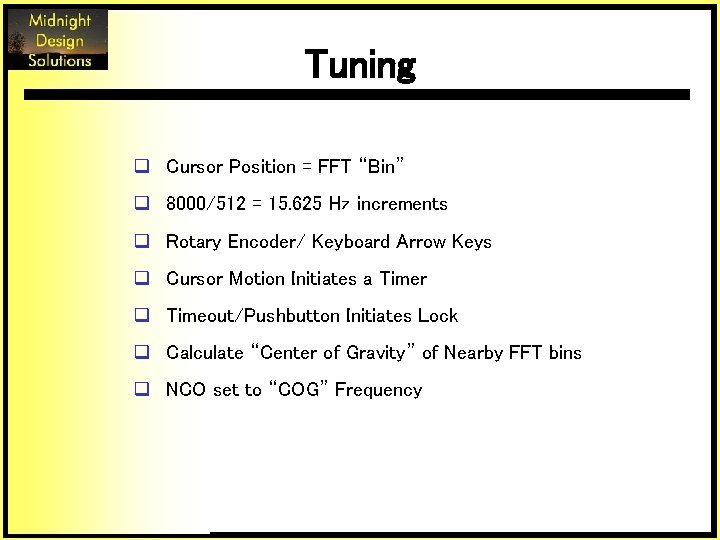
Tuning q Cursor Position = FFT “Bin” q 8000/512 = 15. 625 Hz increments q Rotary Encoder/ Keyboard Arrow Keys q Cursor Motion Initiates a Timer q Timeout/Pushbutton Initiates Lock q Calculate “Center of Gravity” of Nearby FFT bins q NCO set to “COG” Frequency
Credits q Peter Martinez, G 3 PLX … the father of PSK 31 q Moe Wheatley, AE 4 JY … the enabler with his PSKCore driver q John Fisher, K 5 JHF … fellow QRP homebrewer who started the project q Am. QRP Club … picking up the NUE-PSK project and making a kit easily available for all q Midnight Design Solutions … keeping the modem in production and available to all http: //www. nue-psk. com
The Designers Milt Cram, W 8 NUE, was first licensed in 1953 and has held several callsigns. He currently holds an Amateur Extra class license. He is a long-time homebrewer and enjoys operating low power and the digital modes on HF. Milt holds BEE, MS and Ph. D degrees in electrical engineering from Georgia Tech and comes from a family of hams – dad Ernie, W 8 JXK (SK), great uncle Oz, W 1 JUJ (SK), and son Marc KC 5 RWZ. You can reach Milt at 9807 Vista View Dr, Austin, TX 78750 or at w 8 nue@arrl. net. George Heron, N 2 APB, has been a technology developer located in the northeastern US for more than three decades, working in later years in the field of information security. He is a cyber security professional helping to develop new security products and technologies to protect home and corporate users from viruses, worms, trojans and other forms of malware. First licensed in 1968, George currently holds an Amateur Extra class license and is an avid homebrewer in RF and digital circuits, with a special interest in DSP and microcontroller applications to QRP, and has co-developed the Micro 908 Antenna Analyzer. He leads the New Jersey QRP and the American QRP clubs, and has previously edited/published QRP Homebrewer magazine and Homebrewer Magazine. George can be reached at 2419 Feather Mae Ct, Forest Hill, MD 21050, or at n 2 apb@verizon. net