
ns3 Training Emulation 1 Outline Main emulation devices
- Slides: 33
ns-3 Training Emulation 1
Outline • Main emulation devices – Tap Bridge – Fd. Net. Device – Netmap. Net. Device (coming soon) ns-3 training, June 2018 2
Emulation support • Support moving between simulation and testbeds or live systems • A real-time scheduler, and support for two modes of emulation • Linux is only operating system supported • Must run simulator in real time – Global. Value: : Bind (“Simulator. Implementation. Type”, String. Value (“ns 3: : Real. Time. Simulator. Impl”)); • Must enable checksum calculations across models – Global. Value: : Bind (“Checksum. Enabled”, Boolean. Value (true)); • Must run as root ns-3 training, June 2018 3
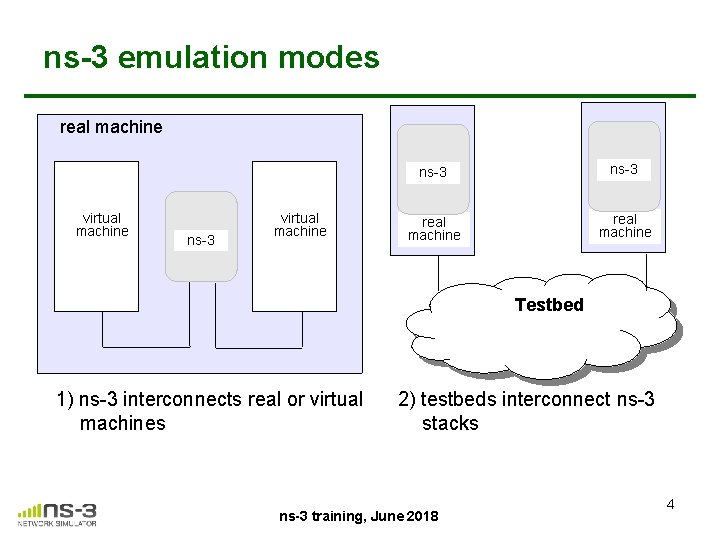
ns-3 emulation modes real machine virtual machine ns-3 real machine Testbed 1) ns-3 interconnects real or virtual machines 2) testbeds interconnect ns-3 stacks ns-3 training, June 2018 4
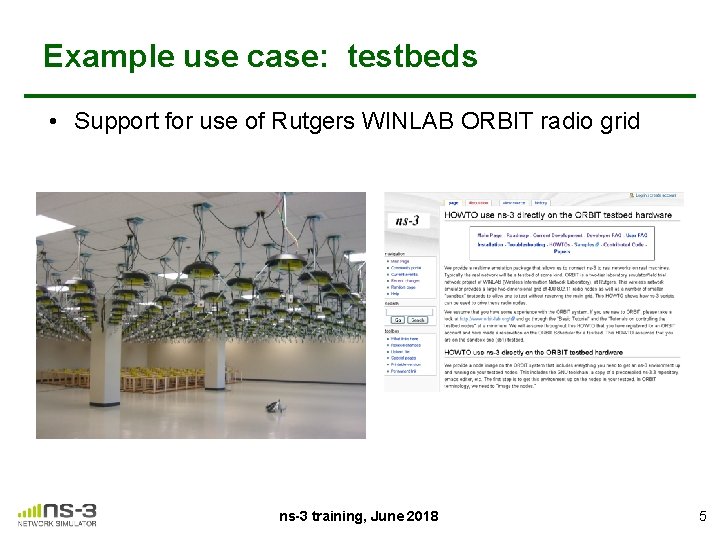
Example use case: testbeds • Support for use of Rutgers WINLAB ORBIT radio grid ns-3 training, June 2018 5
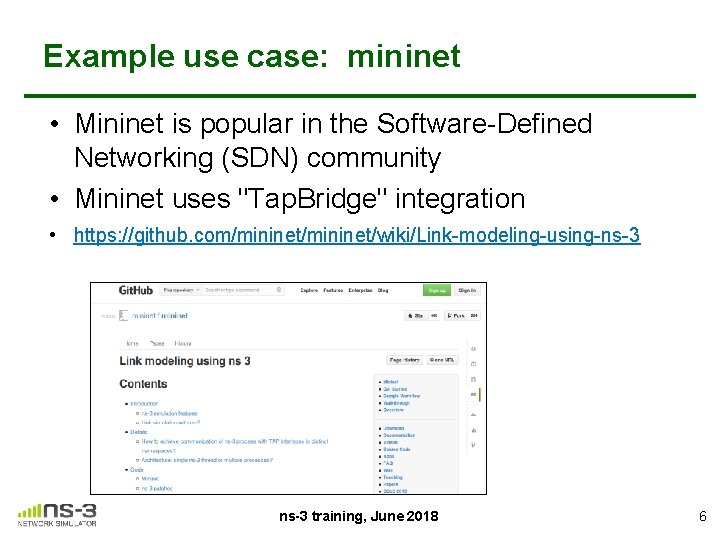
Example use case: mininet • Mininet is popular in the Software-Defined Networking (SDN) community • Mininet uses "Tap. Bridge" integration • https: //github. com/mininet/wiki/Link-modeling-using-ns-3 training, June 2018 6
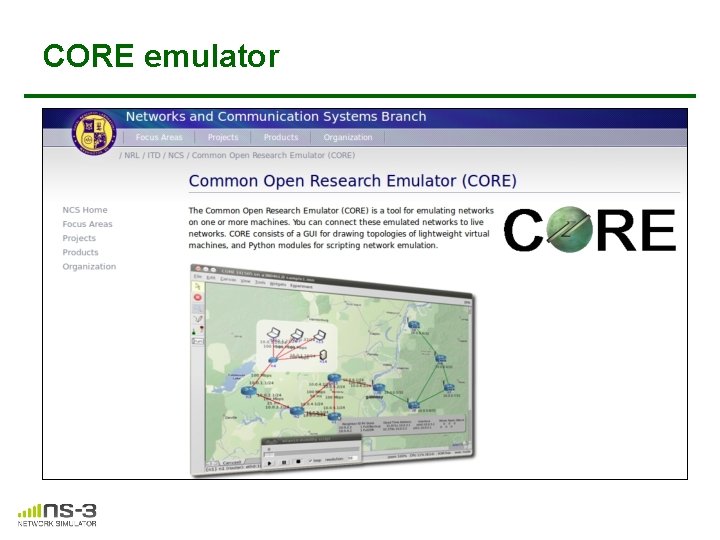
CORE emulator
Emulation Devices ns-3 training, June 2018 8
Device models • File Descriptor Net Device (Fd. Net. Device) – read and write traffic using a file descriptor provided by the user – this file descriptor can be associated to a TAP device, to a raw socket, to a user space process generating/consuming traffic, etc. • Tap Bridge – Integrate Tun/Tap devices with ns-3 devices ns-3 training, June 2018 9
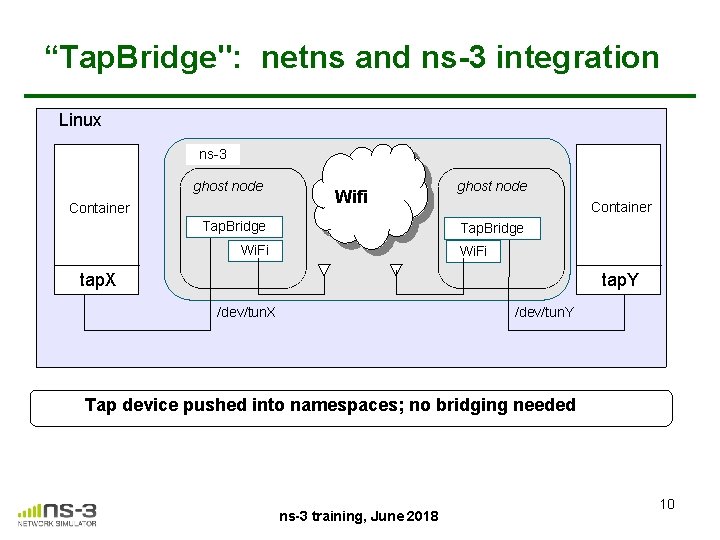
“Tap. Bridge": netns and ns-3 integration Linux ns-3 ghost node Container Wifi Tap. Bridge ghost node Container Tap. Bridge Wi. Fi tap. X tap. Y /dev/tun. X /dev/tun. Y Tap device pushed into namespaces; no bridging needed ns-3 training, June 2018 10
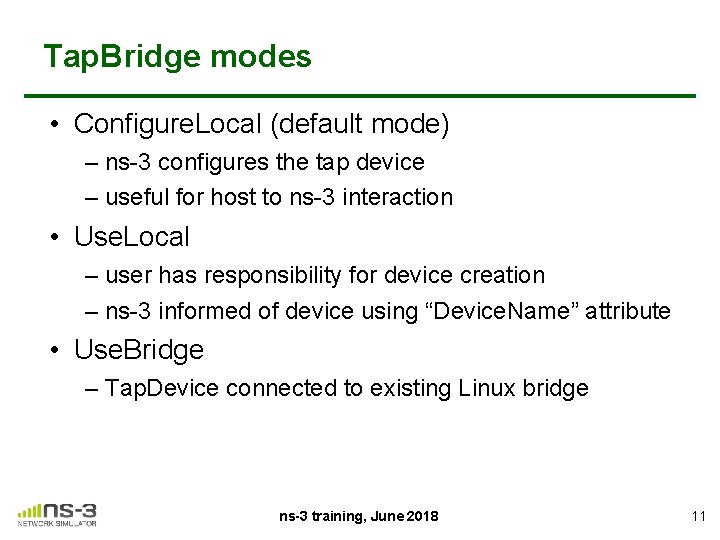
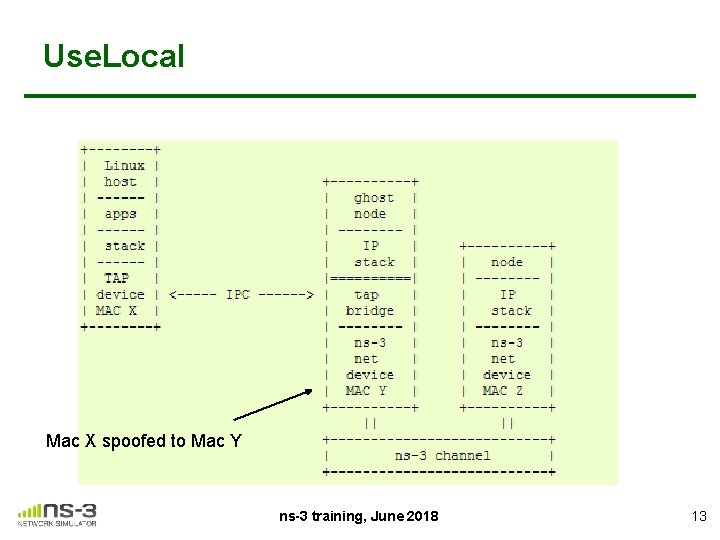
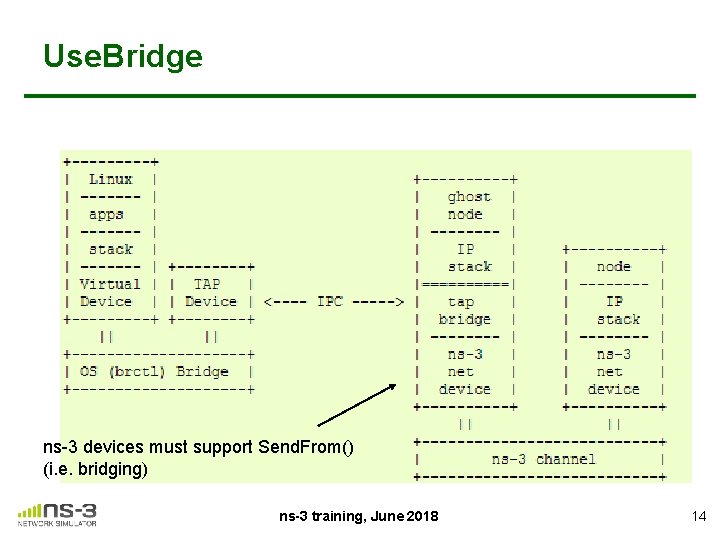
Tap. Bridge modes • Configure. Local (default mode) – ns-3 configures the tap device – useful for host to ns-3 interaction • Use. Local – user has responsibility for device creation – ns-3 informed of device using “Device. Name” attribute • Use. Bridge – Tap. Device connected to existing Linux bridge ns-3 training, June 2018 11
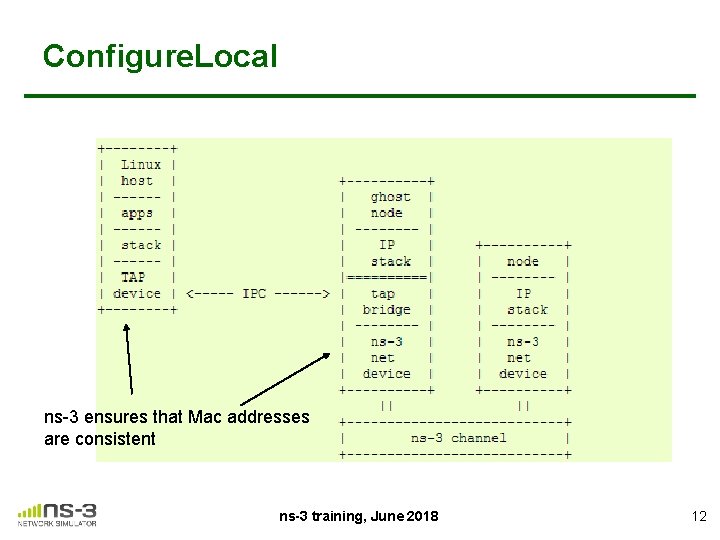
Configure. Local ns-3 ensures that Mac addresses are consistent ns-3 training, June 2018 12
Use. Local Mac X spoofed to Mac Y ns-3 training, June 2018 13
Use. Bridge ns-3 devices must support Send. From() (i. e. bridging) ns-3 training, June 2018 14
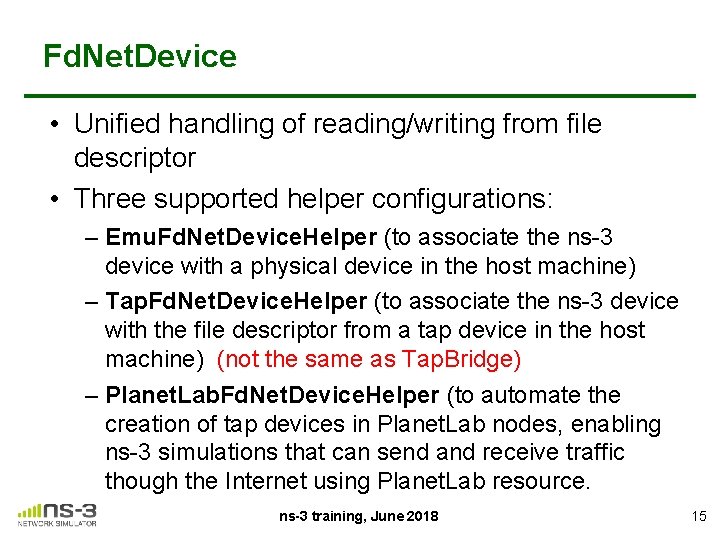
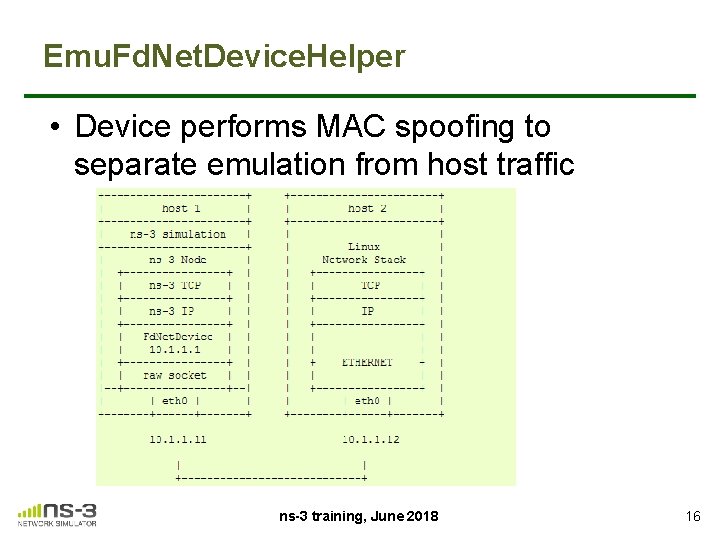
Fd. Net. Device • Unified handling of reading/writing from file descriptor • Three supported helper configurations: – Emu. Fd. Net. Device. Helper (to associate the ns-3 device with a physical device in the host machine) – Tap. Fd. Net. Device. Helper (to associate the ns-3 device with the file descriptor from a tap device in the host machine) (not the same as Tap. Bridge) – Planet. Lab. Fd. Net. Device. Helper (to automate the creation of tap devices in Planet. Lab nodes, enabling ns-3 simulations that can send and receive traffic though the Internet using Planet. Lab resource. ns-3 training, June 2018 15
Emu. Fd. Net. Device. Helper • Device performs MAC spoofing to separate emulation from host traffic ns-3 training, June 2018 16
ns-3 over host sockets • Two publications about how to run ns-3 applications over real hosts and sockets – "Simulator-agnostic ns-3 Applications", Abraham and Riley, WNS 3 2012 – Gustavo Carneiro, Helder Fontes, Manuel Ricardo, "Fast prototyping of network protocols through ns-3 simulation model reuse", Simulation Modelling Practice and Theory (SIMPAT), vol. 19, pp. 2063– 2075, 2011. ns-3 training, June 2018 17
Generic Emulation Issues • Ease of use – Configuration management and coherence – Information coordination (two sets of state) • e. g. IP/MAC address coordination – Output data exists in two domains – Debugging can be more challenging • Error-free operation (avoidance of misuse) – Synchronization, information sharing, exception handling • Checkpoints for execution bring-up • Inoperative commands within an execution domain • Deal with run-time errors – Soft performance degradation (CPU) and time discontinuities ns-3 training, June 2018 18
Netmap Net. Device coming soon • 2017 ESA Summer of Code project by Pasquale Imputato • Netmap allows ns-3 to gain direct access to the network device, bypassing the host networking stack mapingthe device memory in user space area. • Support for flow control and BQL (see discussion in traffic control presentation) • Pasquale reports that the pps achievable with the Netmap. Net. Device at lowest layer (i. e. , the write method) is up to 1. 38 Mpps on the e 1000 e adapter on the i 7 cpu at full frequency of 3. 8 GHZ. • Latency is also reduced due to better flow control ns-3 training, June 2018 19
ns-3 Training Distributed simulation (some slides/images credit due to Peter Barnes) 20
Distributed simulation • By default, ns-3 runs a single threaded event loop on a single CPU core – Multi-core machines or multiple machines not used • Performance is limited (CPU cycles and memory) • ~104 packet receives/wall clock second/core * – heavyweight applications may consume memory (DCE, routing tables in very large topologies) * Peter Barnes, WNS 3 training 2016 ns-3 training, June 2017 21
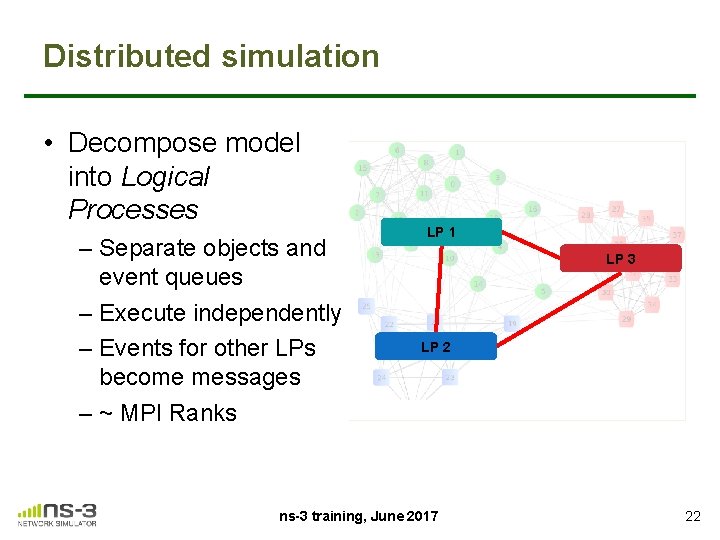
Distributed simulation • Decompose model into Logical Processes – Separate objects and event queues – Execute independently – Events for other LPs become messages – ~ MPI Ranks LP 1 LP 3 LP 2 http: //www. enggprojects. in/2011/07/adaptive-de-clustering-of-data. html ns-3 training, June 2017 22
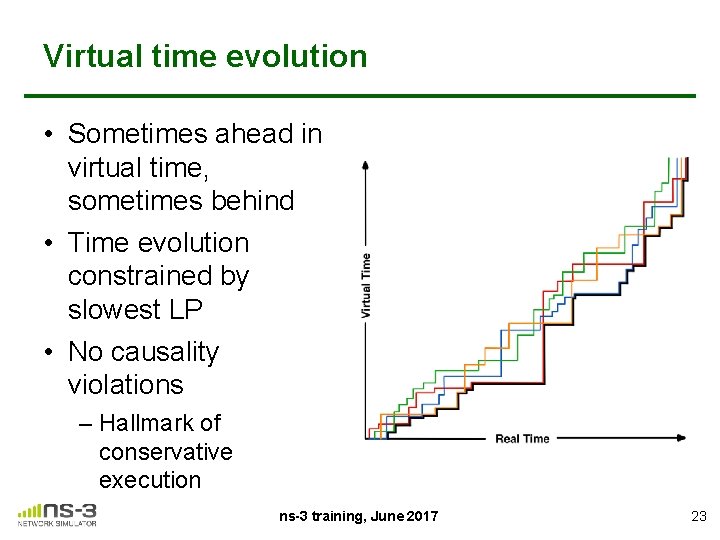
Virtual time evolution • Sometimes ahead in virtual time, sometimes behind • Time evolution constrained by slowest LP • No causality violations – Hallmark of conservative execution ns-3 training, June 2017 23
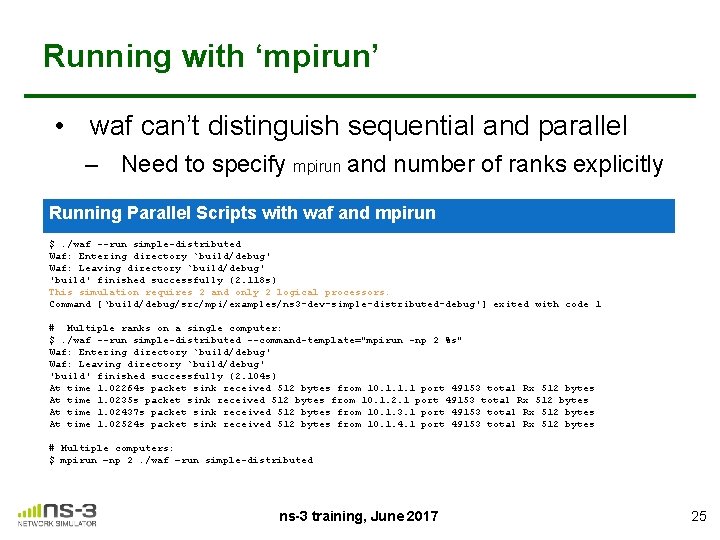
Using MPI in ns-3 • Need to install MPI on the host system (Open. MPI or MPICH libraries) • Need to pass ‘--enable-mpi’ to ‘. /waf configure’ – Followed by usual build • Only point-to-point links may be used to separate LPs – needs some level of propagation delay to support lookahead in each LP – splitting of wireless channels not presently supported • The ns-3 scenario has to be constructed by assigning nodes to LPs manually ns-3 training, June 2017 24
Running with ‘mpirun’ • waf can’t distinguish sequential and parallel – Need to specify mpirun and number of ranks explicitly Running Parallel Scripts with waf and mpirun $. /waf --run simple-distributed Waf: Entering directory `build/debug' Waf: Leaving directory `build/debug' 'build' finished successfully (2. 118 s) This simulation requires 2 and only 2 logical processors. Command [‘build/debug/src/mpi/examples/ns 3 -dev-simple-distributed-debug'] exited with code 1 # Multiple ranks on a single computer: $. /waf --run simple-distributed --command-template="mpirun -np 2 %s" Waf: Entering directory `build/debug' Waf: Leaving directory `build/debug' 'build' finished successfully (2. 104 s) At time 1. 02264 s packet sink received 512 bytes from 10. 1. 1. 1 port 49153 total Rx 512 bytes At time 1. 0235 s packet sink received 512 bytes from 10. 1. 2. 1 port 49153 total Rx 512 bytes At time 1. 02437 s packet sink received 512 bytes from 10. 1. 3. 1 port 49153 total Rx 512 bytes At time 1. 02524 s packet sink received 512 bytes from 10. 1. 4. 1 port 49153 total Rx 512 bytes # Multiple computers: $ mpirun –np 2. /waf –run simple-distributed ns-3 training, June 2017 25
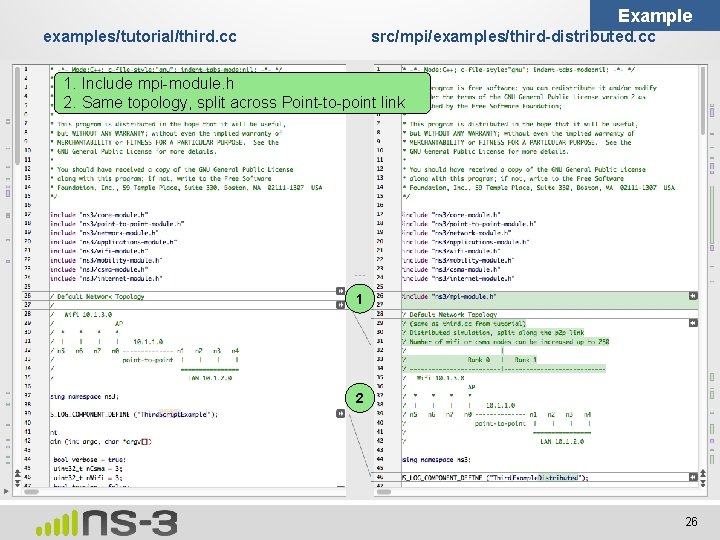
Example examples/tutorial/third. cc src/mpi/examples/third-distributed. cc 1. Include mpi-module. h 2. Same topology, split across Point-to-point link 1 2 26
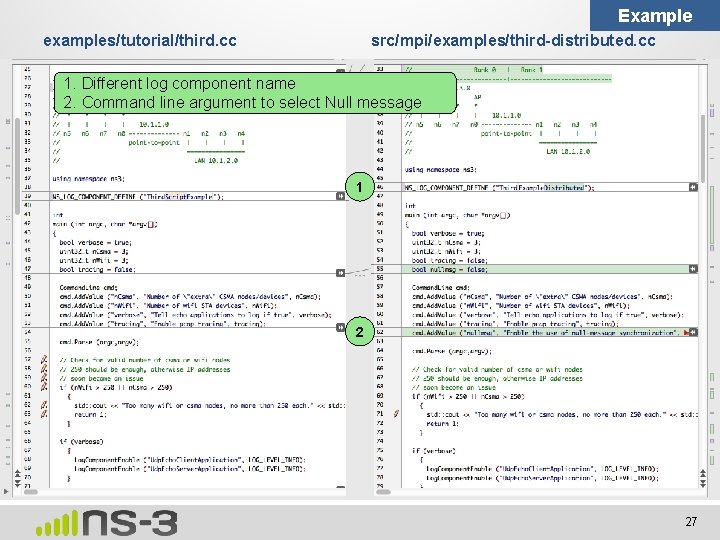
Example examples/tutorial/third. cc src/mpi/examples/third-distributed. cc 1. Different log component name 2. Command line argument to select Null message 1 2 27
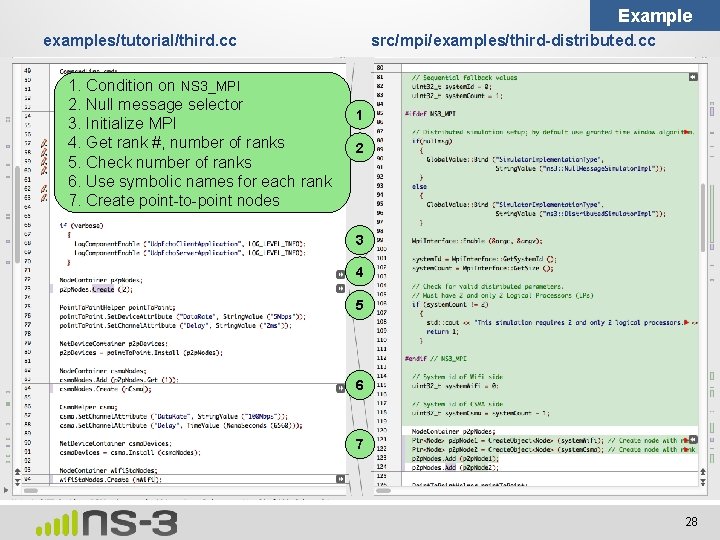
Example examples/tutorial/third. cc 1. Condition on NS 3_MPI 2. Null message selector 3. Initialize MPI 4. Get rank #, number of ranks 5. Check number of ranks 6. Use symbolic names for each rank 7. Create point-to-point nodes src/mpi/examples/third-distributed. cc 1 2 3 4 5 6 7 28
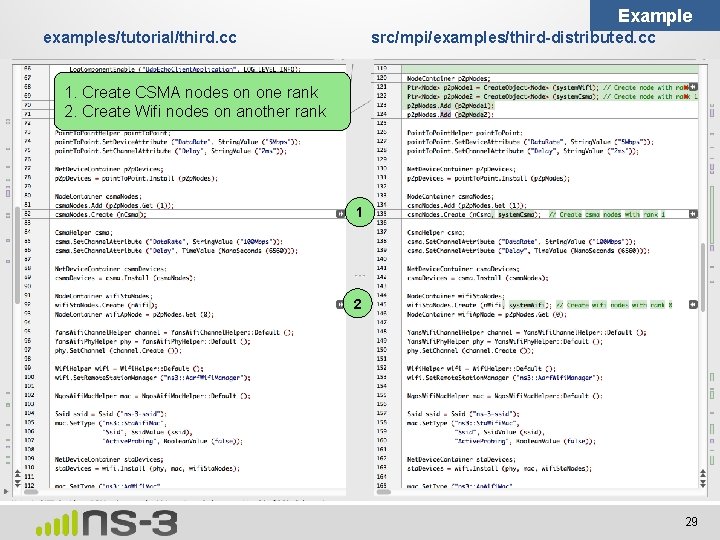
Example examples/tutorial/third. cc src/mpi/examples/third-distributed. cc 1. Create CSMA nodes on one rank 2. Create Wifi nodes on another rank 1 2 29
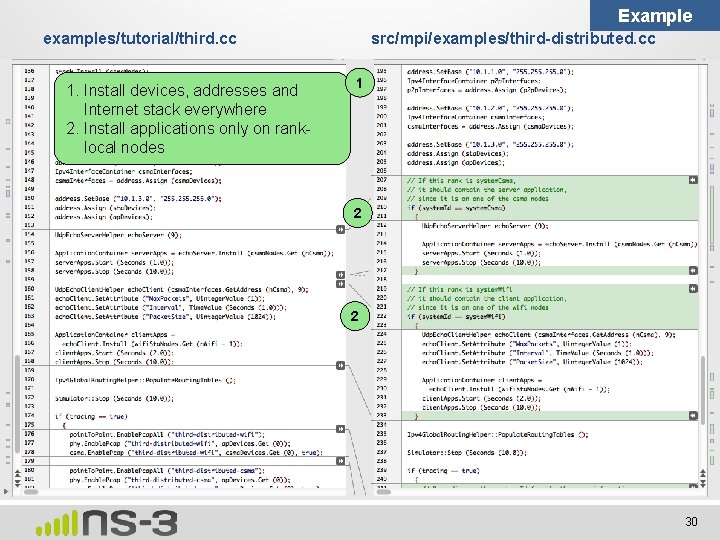
Example examples/tutorial/third. cc 1. Install devices, addresses and Internet stack everywhere 2. Install applications only on ranklocal nodes src/mpi/examples/third-distributed. cc 1 2 2 30
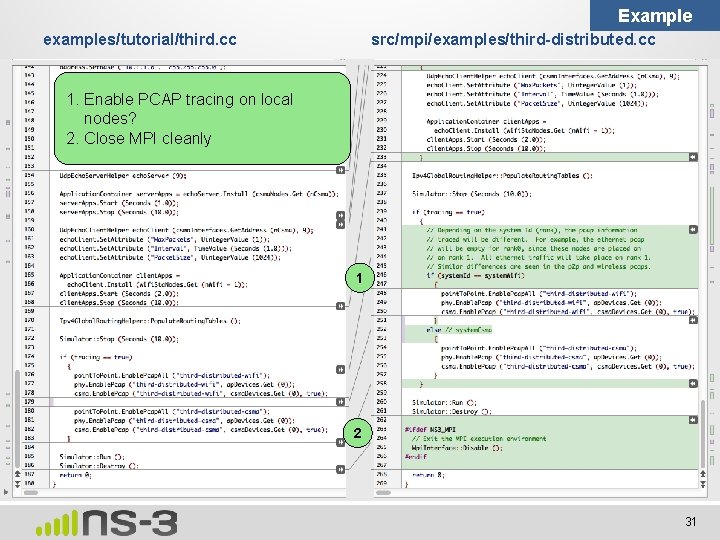
Example examples/tutorial/third. cc src/mpi/examples/third-distributed. cc 1. Enable PCAP tracing on local nodes? 2. Close MPI cleanly 1 2 31
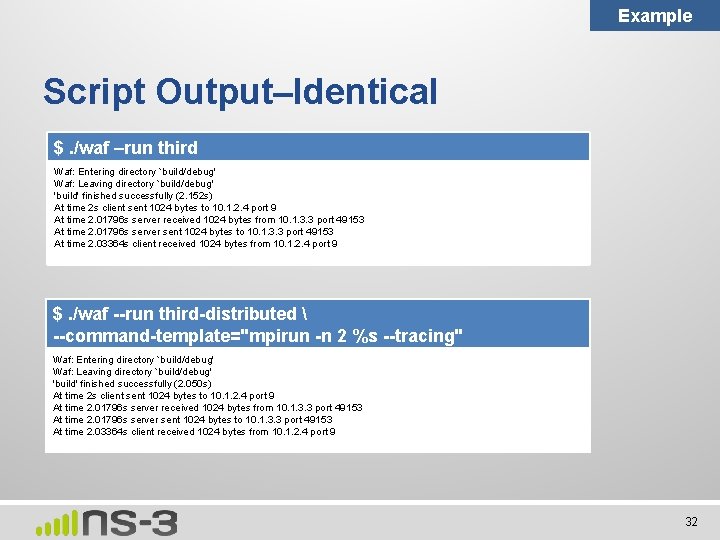
Example Script Output–Identical $. /waf –run third Waf: Entering directory `build/debug' Waf: Leaving directory `build/debug' 'build' finished successfully (2. 152 s) At time 2 s client sent 1024 bytes to 10. 1. 2. 4 port 9 At time 2. 01796 s server received 1024 bytes from 10. 1. 3. 3 port 49153 At time 2. 01796 s server sent 1024 bytes to 10. 1. 3. 3 port 49153 At time 2. 03364 s client received 1024 bytes from 10. 1. 2. 4 port 9 $. /waf --run third-distributed --command-template="mpirun -n 2 %s --tracing" Waf: Entering directory `build/debug' Waf: Leaving directory `build/debug' 'build' finished successfully (2. 050 s) At time 2 s client sent 1024 bytes to 10. 1. 2. 4 port 9 At time 2. 01796 s server received 1024 bytes from 10. 1. 3. 3 port 49153 At time 2. 01796 s server sent 1024 bytes to 10. 1. 3. 3 port 49153 At time 2. 03364 s client received 1024 bytes from 10. 1. 2. 4 port 9 32
ns-3 training, June 2017 33