
Now Playing Blue Monk from Nights of Ballads
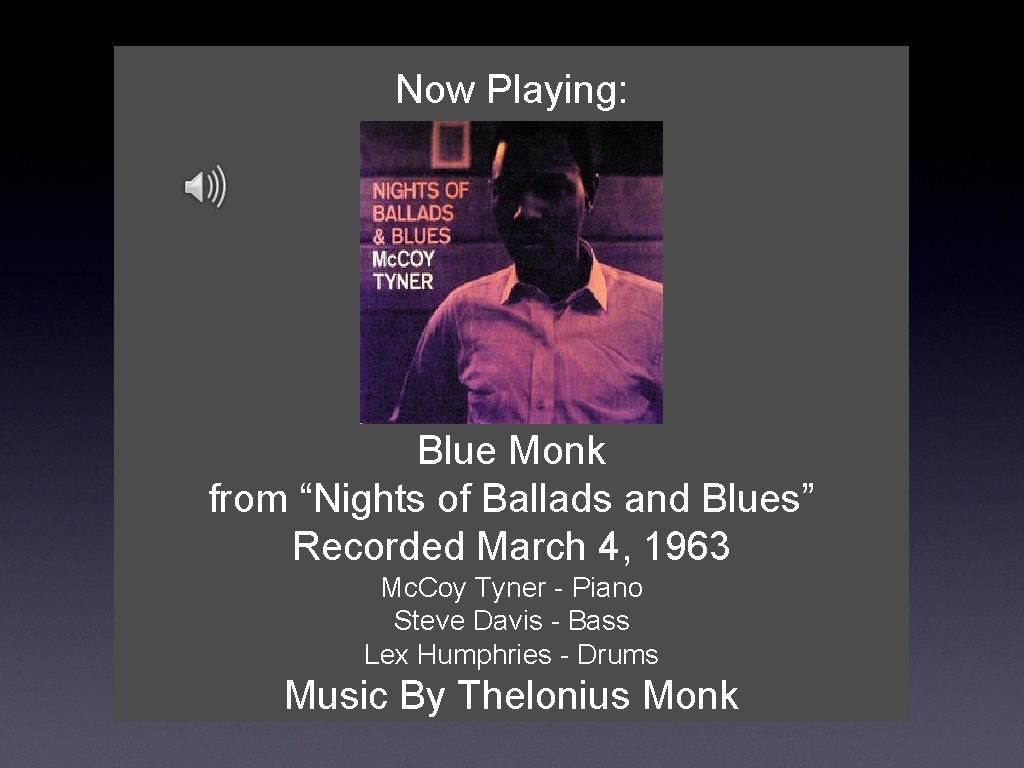
Now Playing: Blue Monk from “Nights of Ballads and Blues” Recorded March 4, 1963 Mc. Coy Tyner - Piano Steve Davis - Bass Lex Humphries - Drums Music By Thelonius Monk
3 D Transforms & Computer Animation Rick Skarbez, Instructor COMP 575 September 6, 2007

Announcements • Homework 1 is out today • Due at the end of class next Thursday • Tabitha Peck (tpeck@cs. unc. edu) is here to ask you to participate in her user study
• • Last Time Introduced the concept of vector spaces Learned the basic 2 D transforms • • Translation Scaling Rotation Shearing Talked about why we use homogeneous coordinates and transform matrices Talked about how to compose transforms
Today • Discuss robot arm example from last class • Extend transforms to 3 D • Aside: Talk about some principles of computer animation
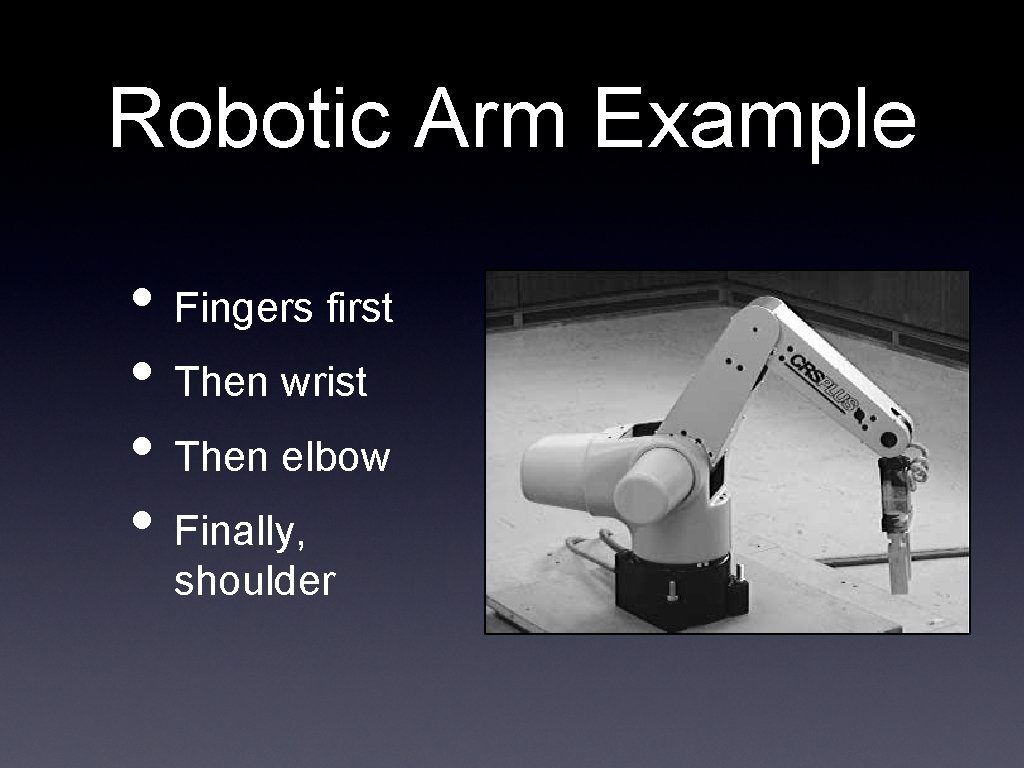
Robotic Arm Example • Fingers first • Then wrist • Then elbow • Finally, shoulder
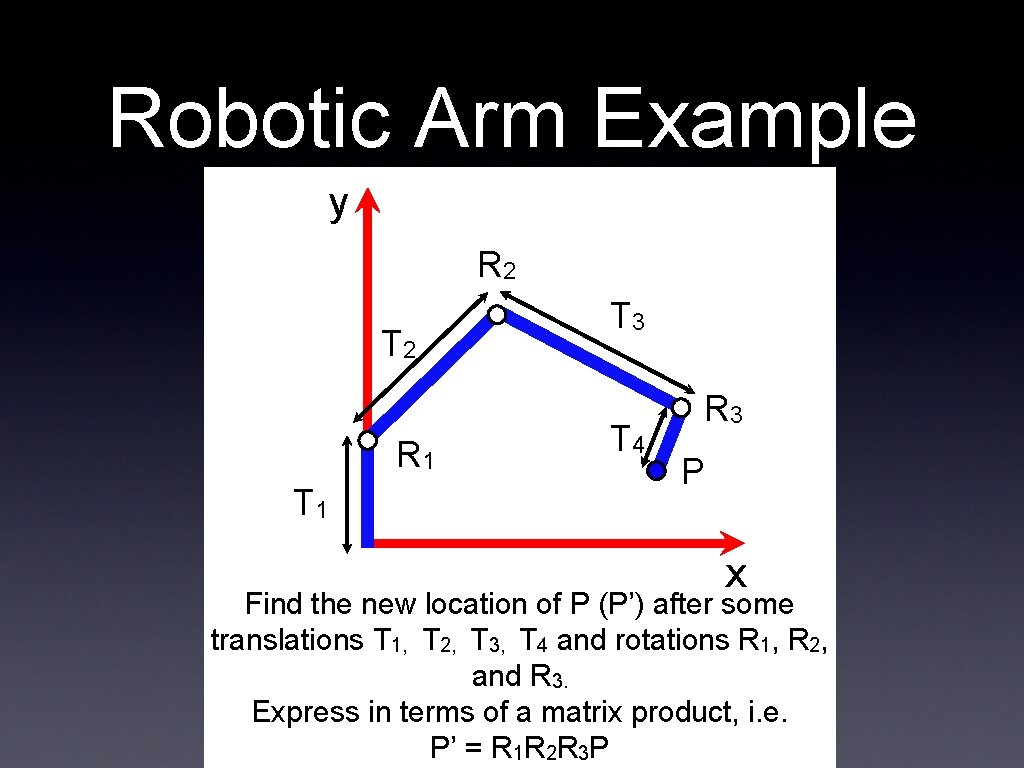
Robotic Arm Example y R 2 T 2 R 1 T 3 T 4 R 3 P x Find the new location of P (P’) after some translations T 1, T 2, T 3, T 4 and rotations R 1, R 2, and R 3. Express in terms of a matrix product, i. e. P’ = R 1 R 2 R 3 P
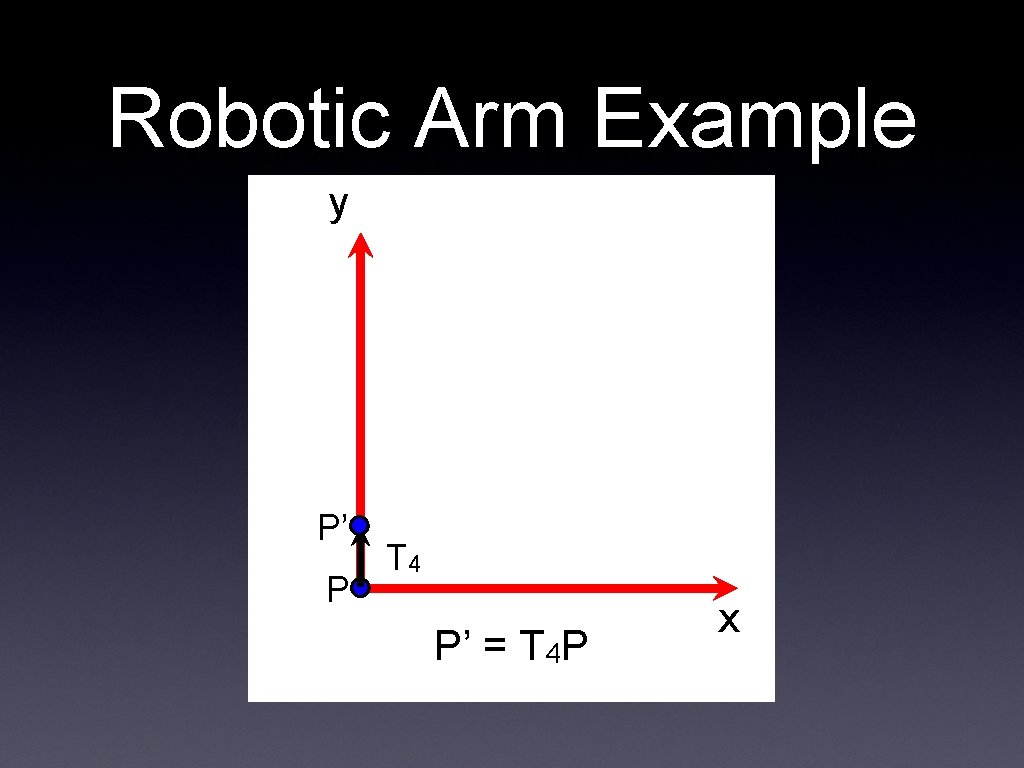
Robotic Arm Example y P’ P T 4 P’ = T 4 P x
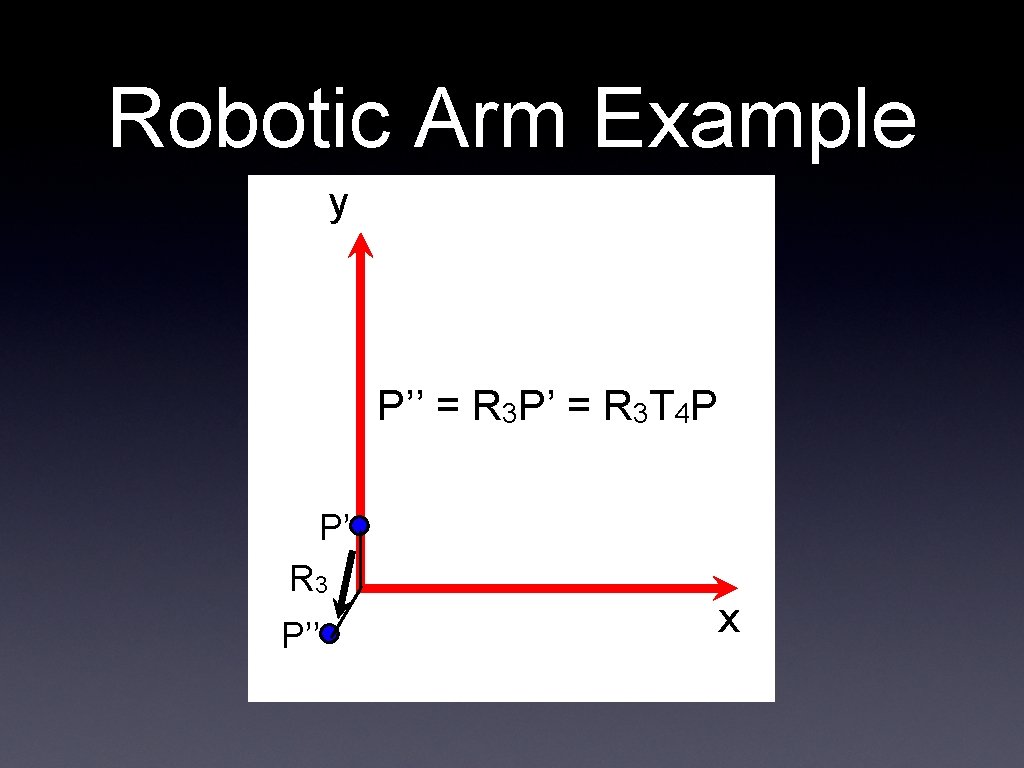
Robotic Arm Example y P’’ = R 3 P’ = R 3 T 4 P P’ R 3 P’’ x
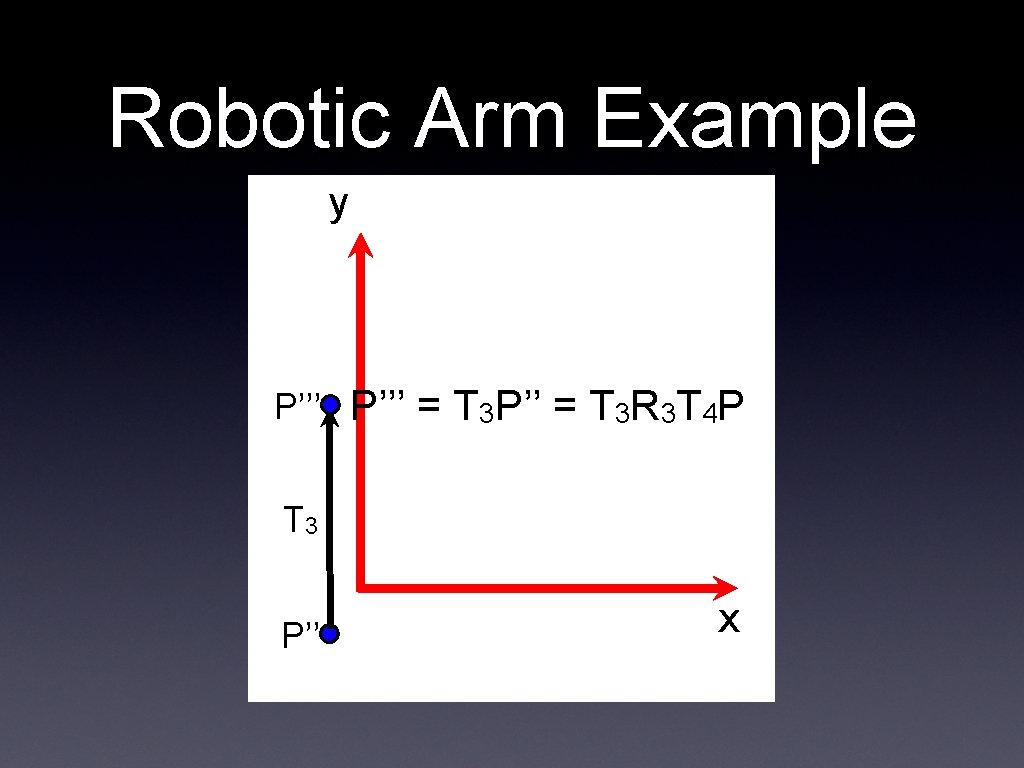
Robotic Arm Example y P’’’ = T 3 P’’ = T 3 R 3 T 4 P T 3 P’’ x
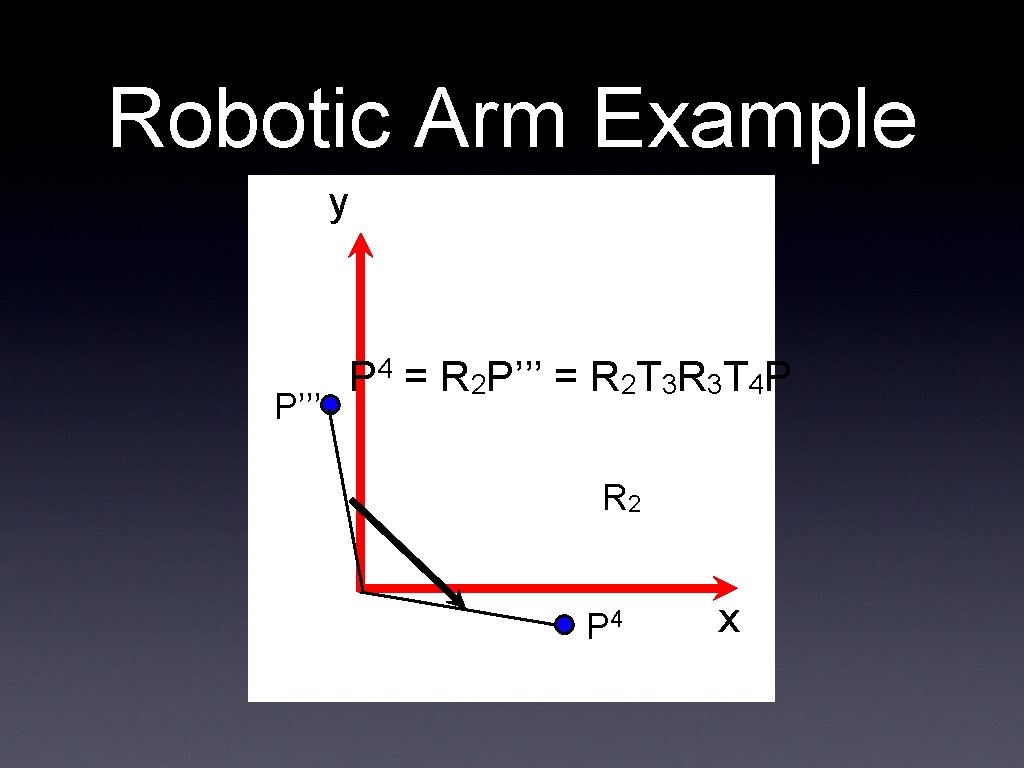
Robotic Arm Example y P’’’ P 4 = R 2 P’’’ = R 2 T 3 R 3 T 4 P R 2 P 4 x
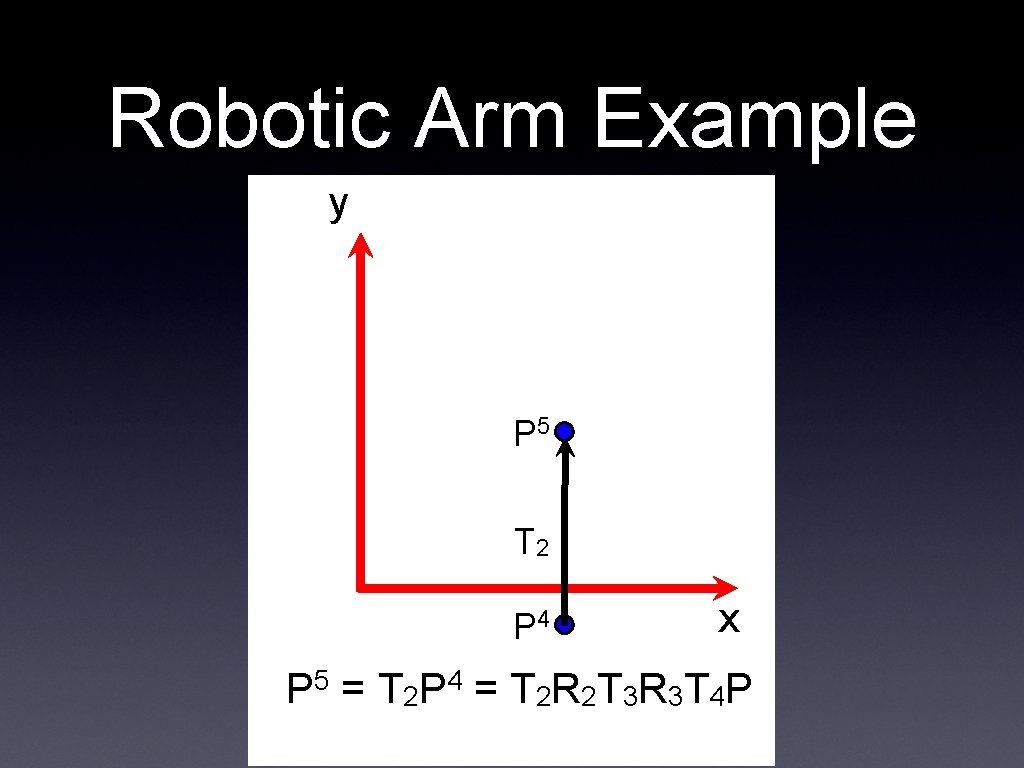
Robotic Arm Example y P 5 T 2 P 4 x P 5 = T 2 P 4 = T 2 R 2 T 3 R 3 T 4 P
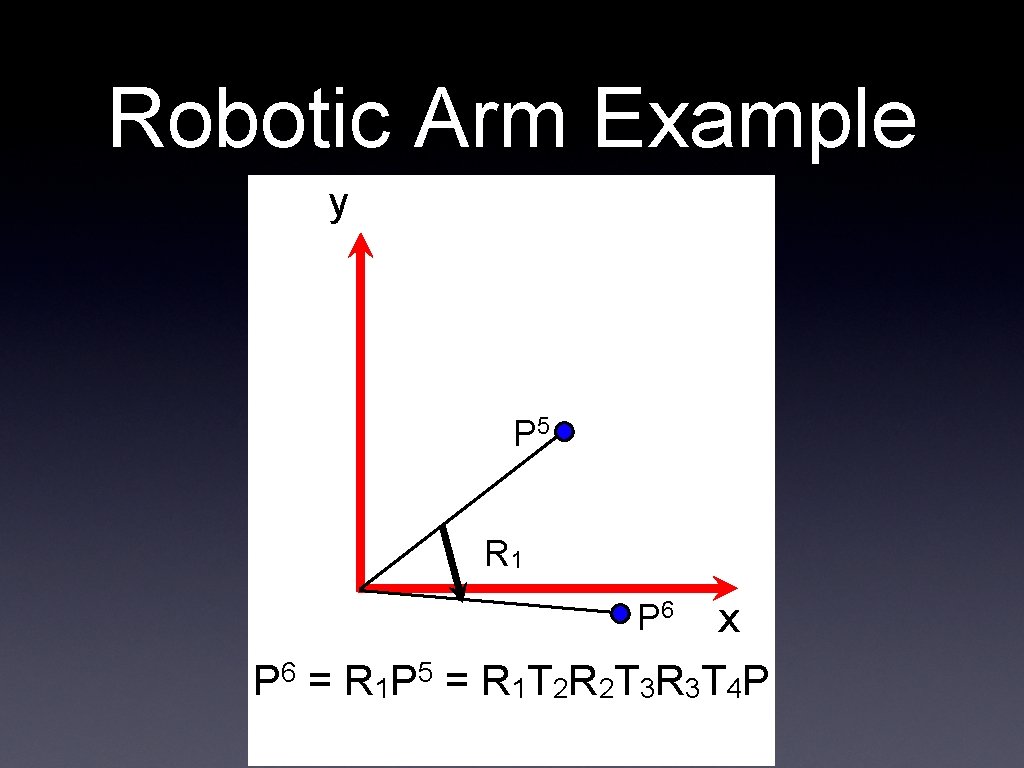
Robotic Arm Example y P 5 R 1 P 6 x P 6 = R 1 P 5 = R 1 T 2 R 2 T 3 R 3 T 4 P
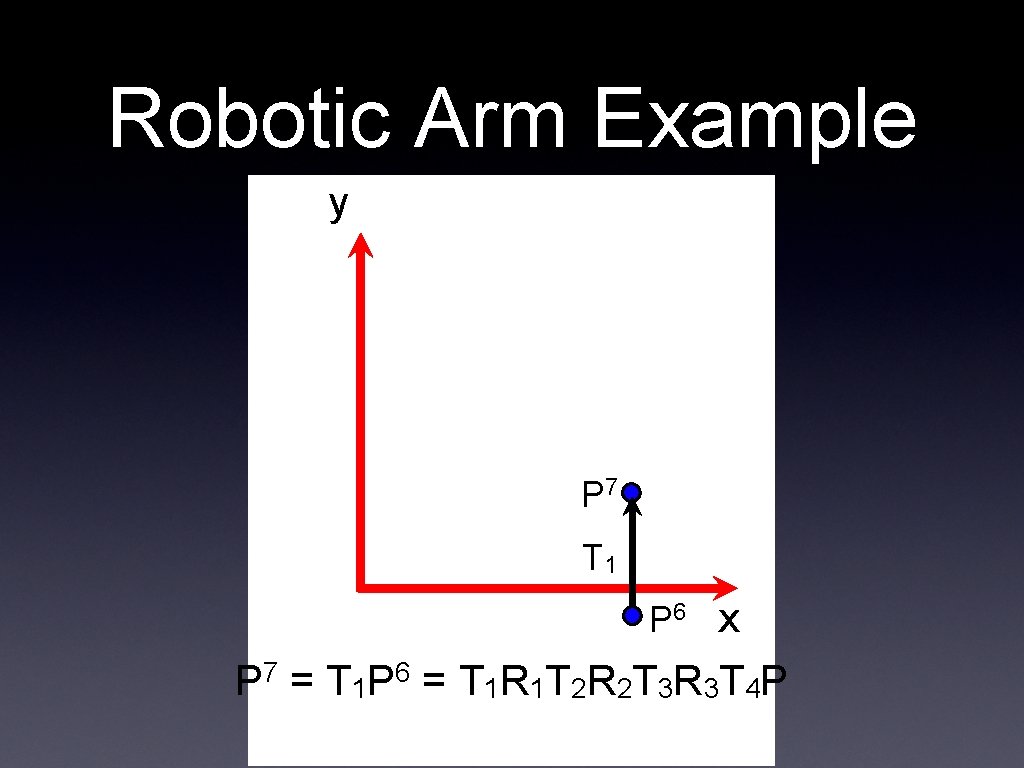
Robotic Arm Example y P 7 T 1 P 6 x P 7 = T 1 P 6 = T 1 R 1 T 2 R 2 T 3 R 3 T 4 P
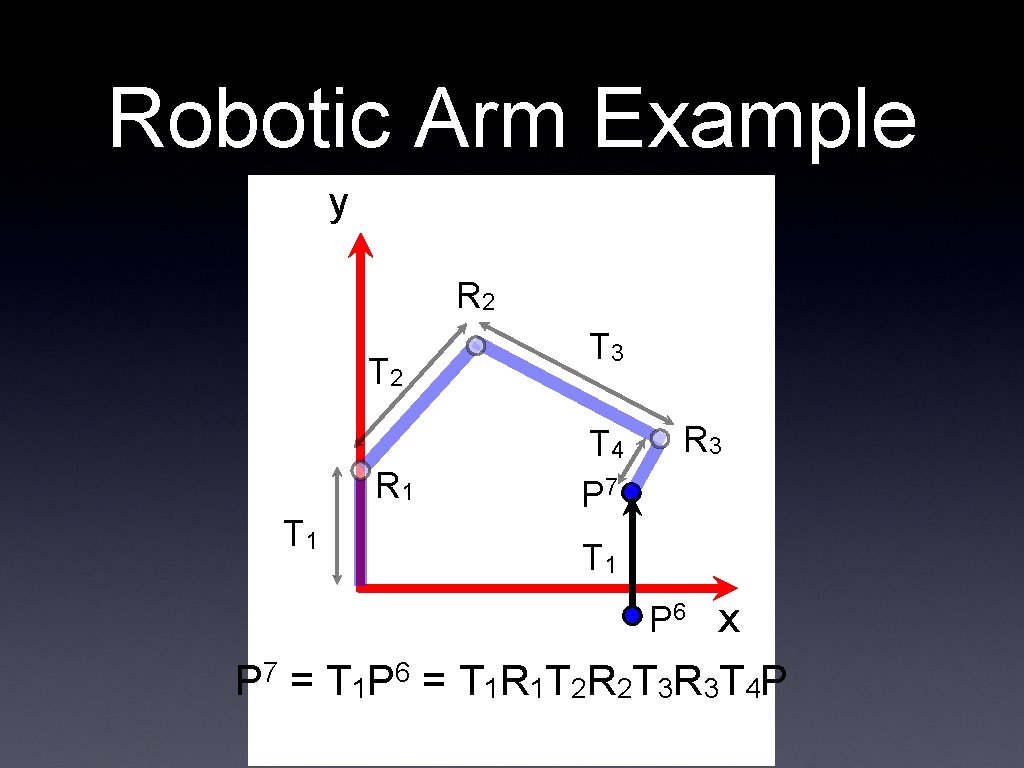
Robotic Arm Example y R 2 T 2 R 1 T 3 T 4 P 7 R 3 T 1 P 6 x P 7 = T 1 P 6 = T 1 R 1 T 2 R 2 T 3 R 3 T 4 P
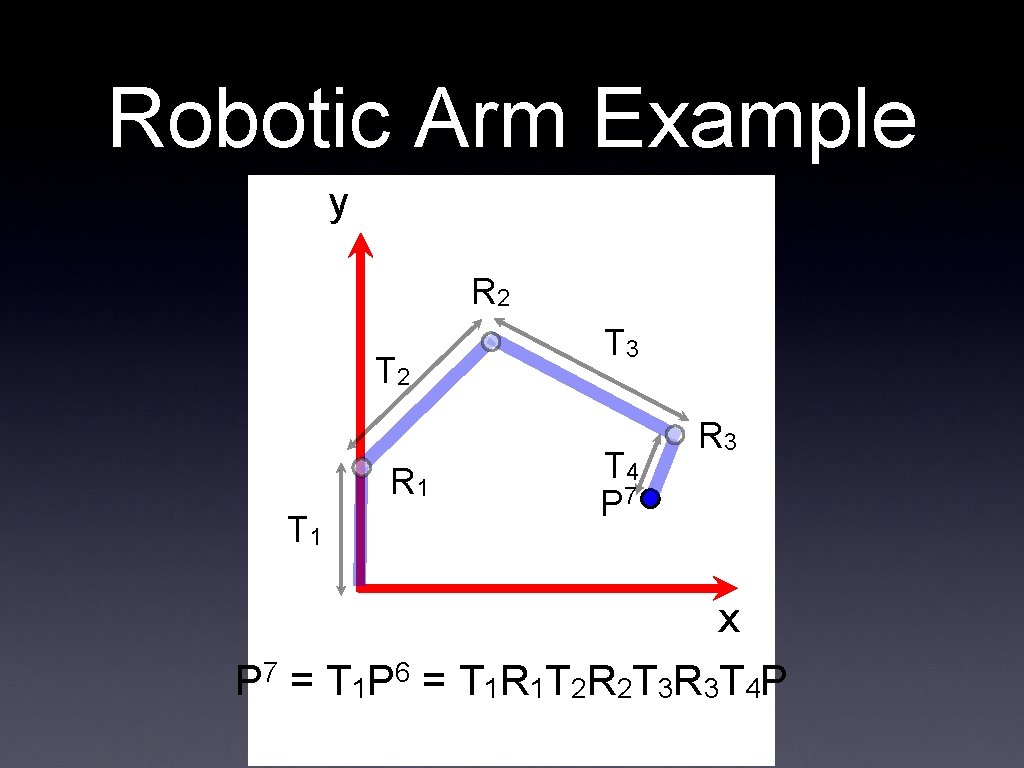
Robotic Arm Example y R 2 T 2 R 1 T 3 T 4 P 7 R 3 x P 7 = T 1 P 6 = T 1 R 1 T 2 R 2 T 3 R 3 T 4 P
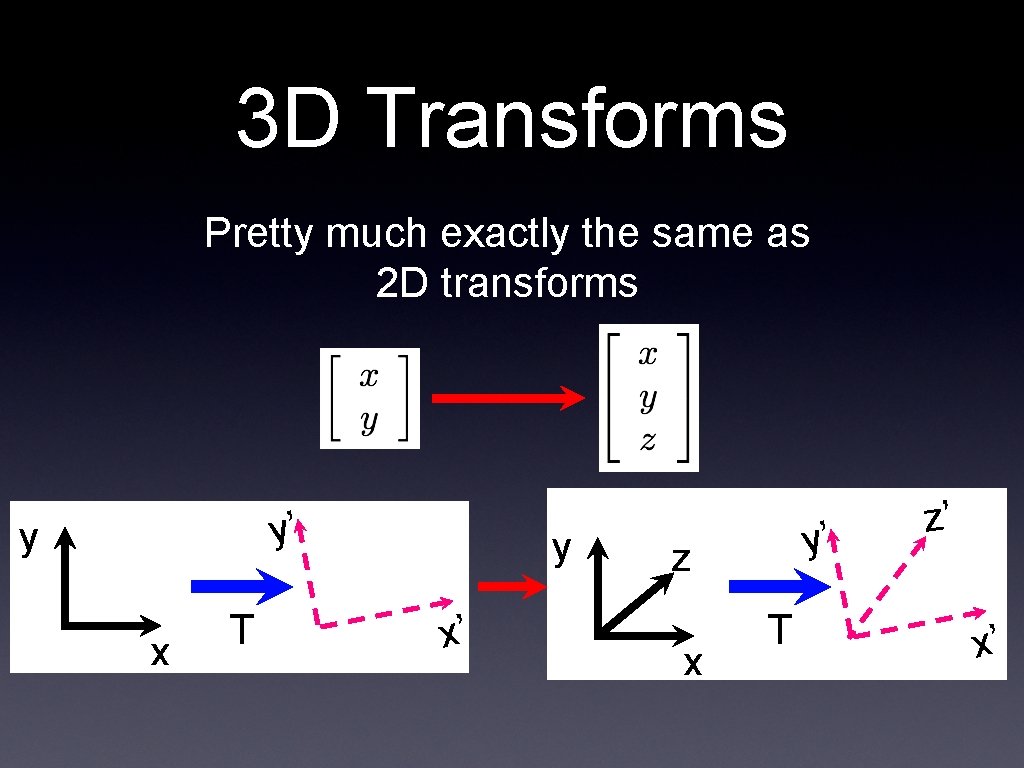
3 D Transforms Pretty much exactly the same as 2 D transforms y’ y x T y x’ y’ z x T z’ x’
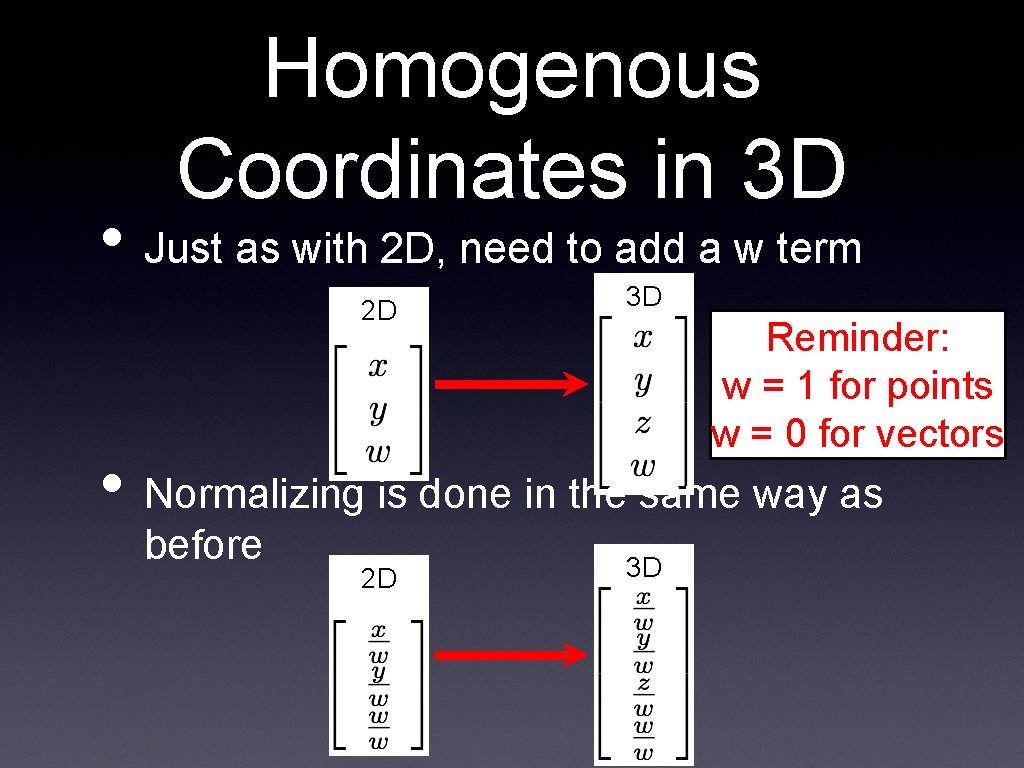
Homogenous Coordinates in 3 D • Just as with 2 D, need to add a w term 2 D 3 D Reminder: w = 1 for points w = 0 for vectors • Normalizing is done in the same way as before 2 D 3 D
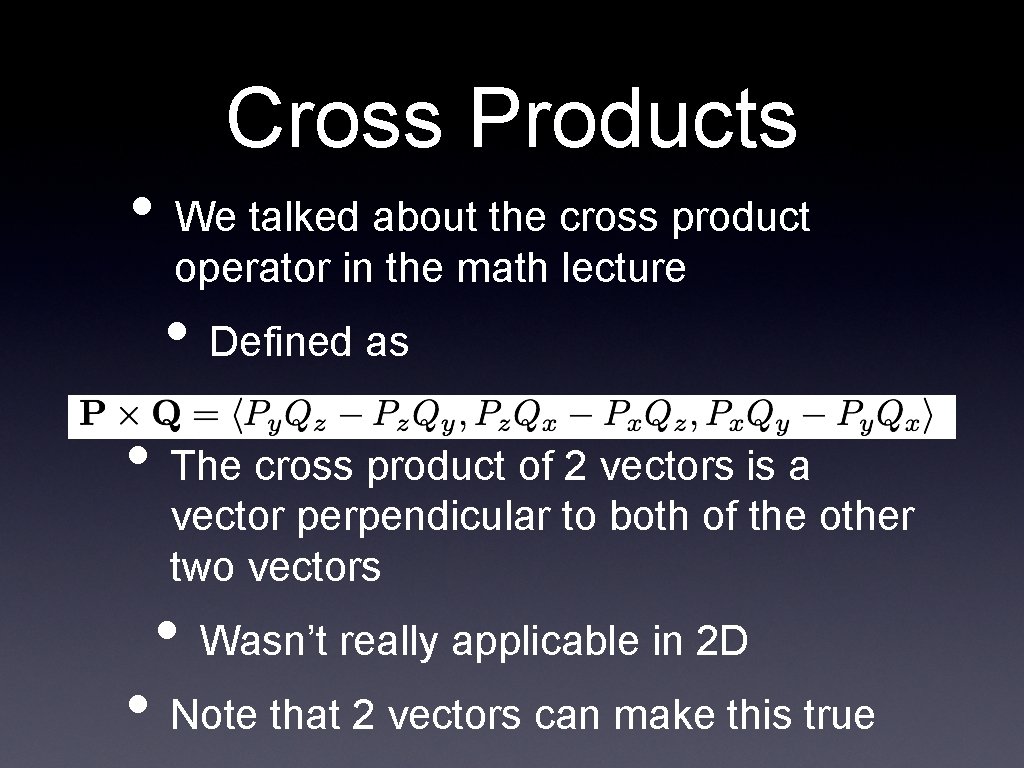
Cross Products • We talked about the cross product operator in the math lecture • Defined as • The cross product of 2 vectors is a vector perpendicular to both of the other two vectors • Wasn’t really applicable in 2 D • Note that 2 vectors can make this true
Cross Product Direction • The direction of the resulting vector from a cross product can be determined by the “right hand rule” • With your right hand, for P x Q • Point your thumb in the direction of P • Point your index finger in the direction of Q • Rotate your middle finger to be perpendicular to the thumb and index • This is the direction of P x Q
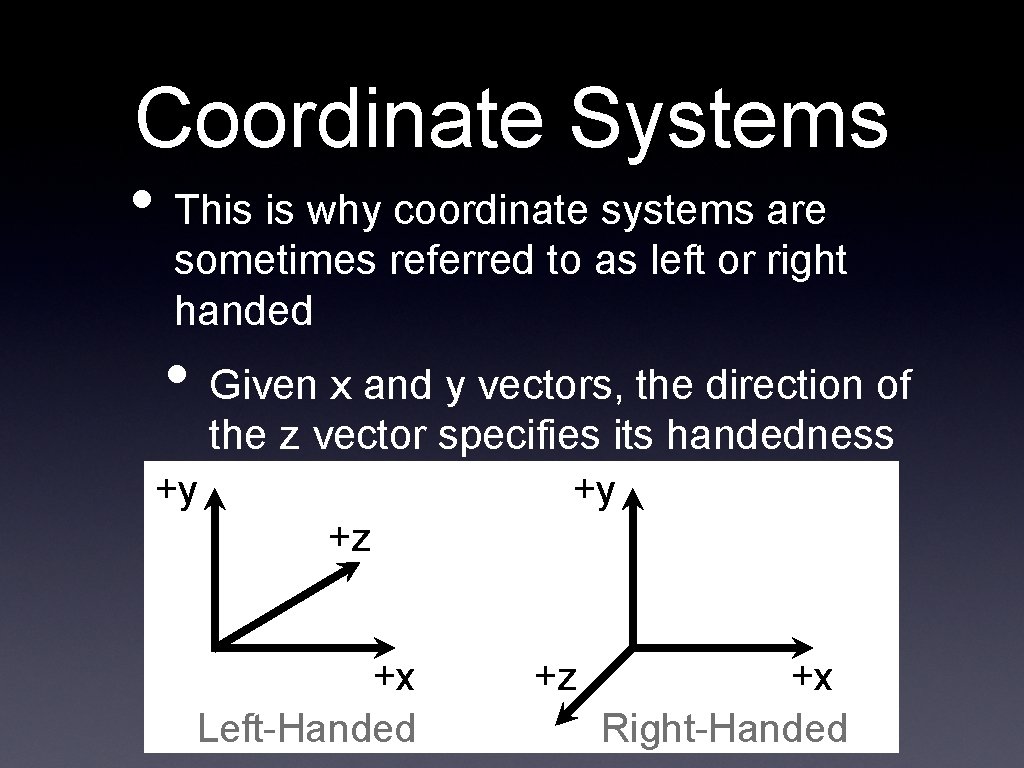
Coordinate Systems • This is why coordinate systems are sometimes referred to as left or right handed • Given x and y vectors, the direction of the z vector specifies its handedness +y +y +z +x Left-Handed +z +x Right-Handed
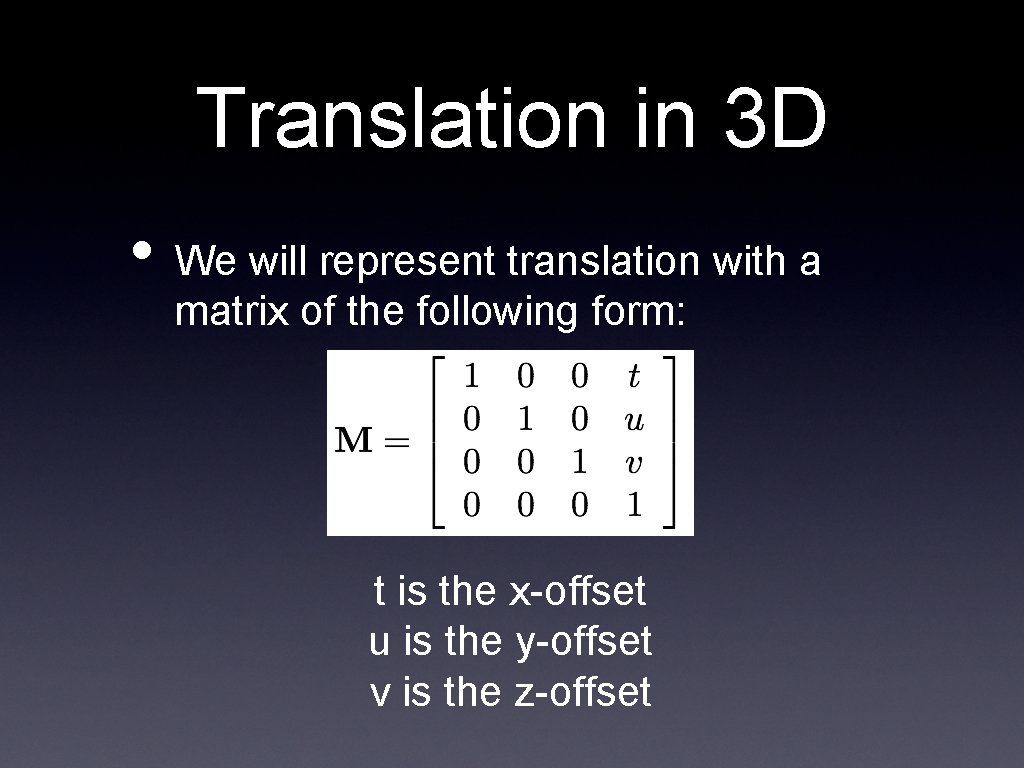
Translation in 3 D • We will represent translation with a matrix of the following form: t is the x-offset u is the y-offset v is the z-offset
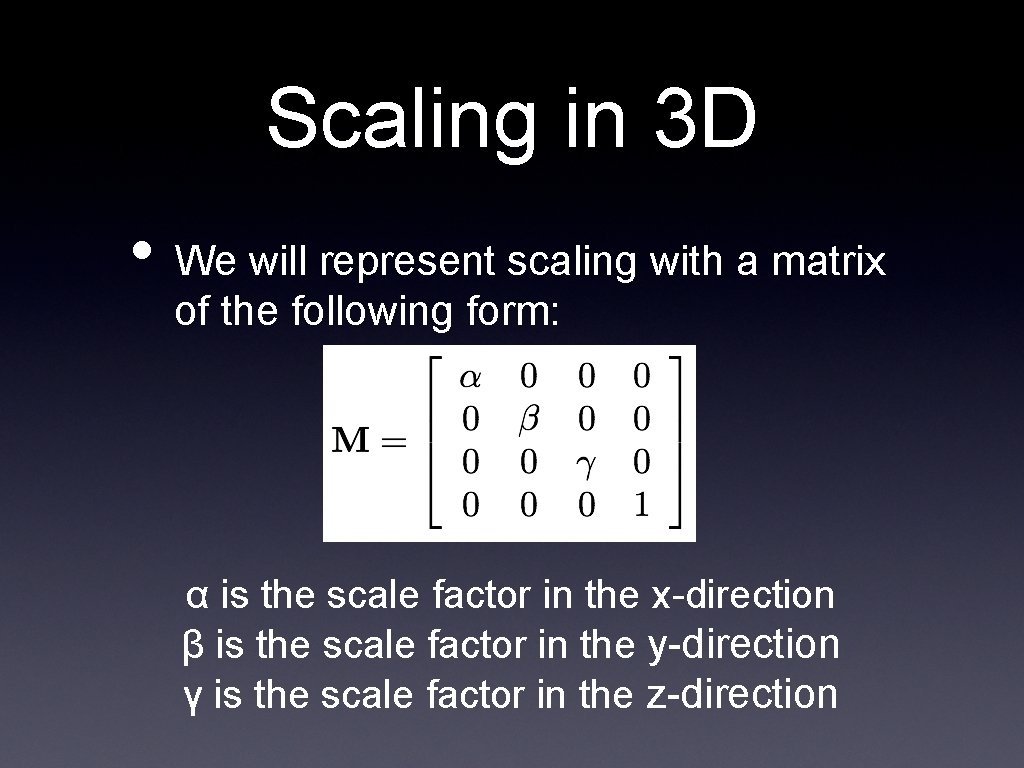
Scaling in 3 D • We will represent scaling with a matrix of the following form: α is the scale factor in the x-direction β is the scale factor in the y-direction γ is the scale factor in the z-direction
Rotation in 3 D • Extending rotation to 3 D is somewhat more complicated than either translation or scaling • In 2 D, you could only rotate around 1 point • In 3 D, you can rotate around any of the 3 axes • Each axis produces a slightly different rotation matrix
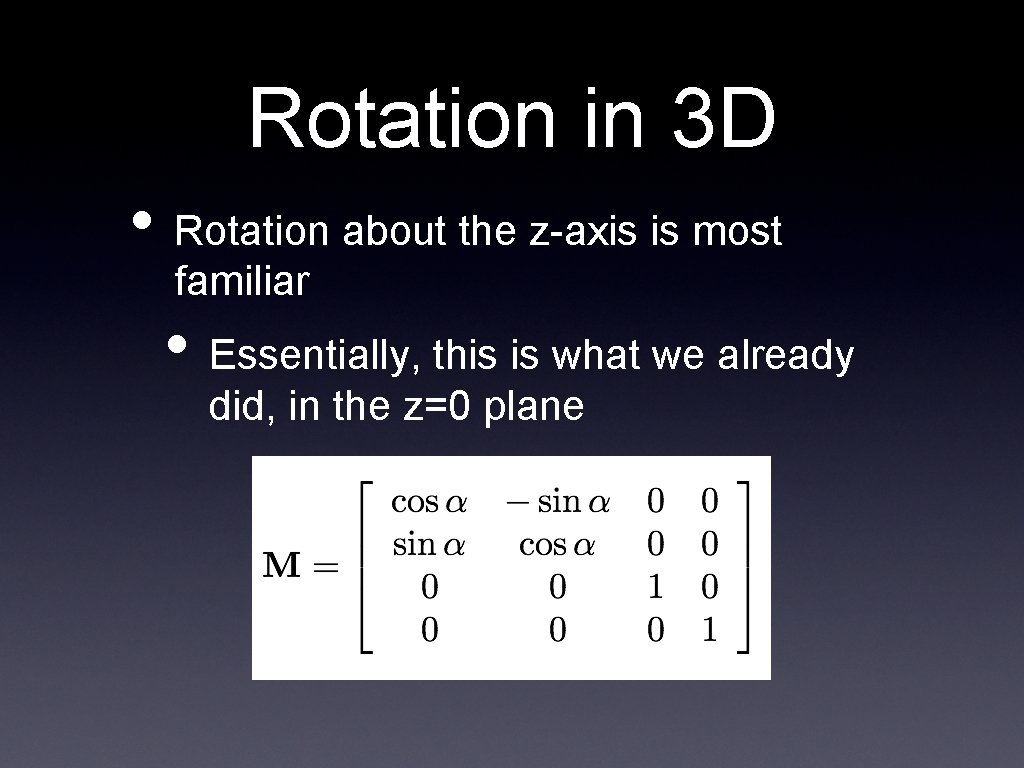
Rotation in 3 D • Rotation about the z-axis is most familiar • Essentially, this is what we already did, in the z=0 plane
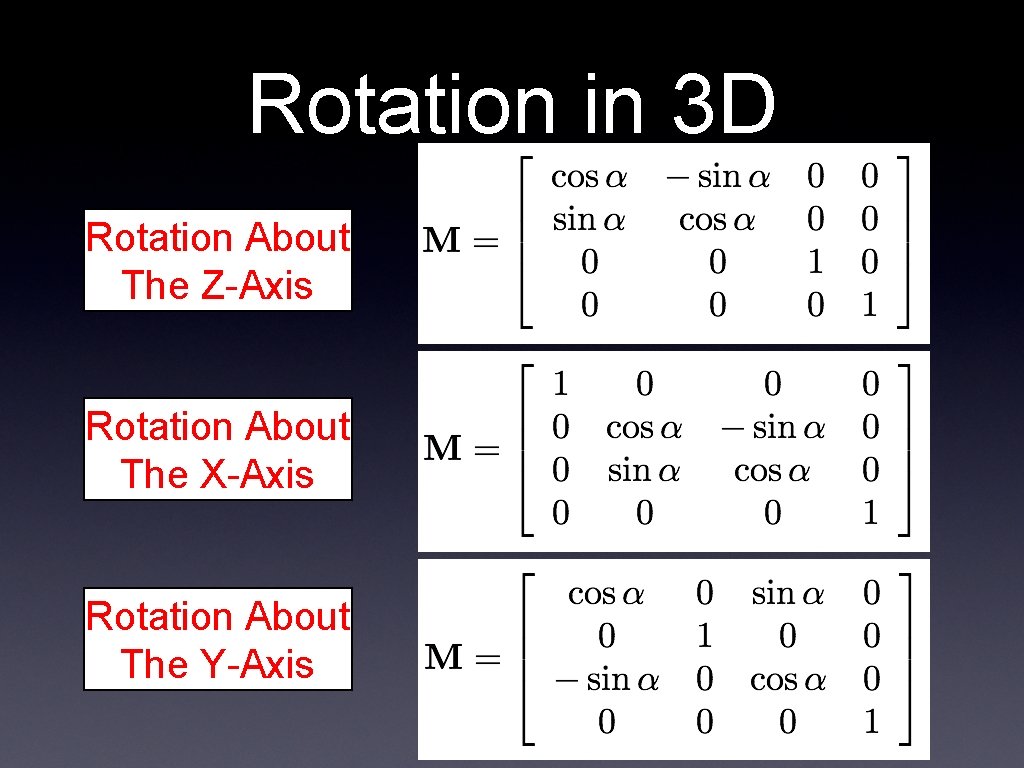
Rotation in 3 D Rotation About The Z-Axis Rotation About The X-Axis Rotation About The Y-Axis
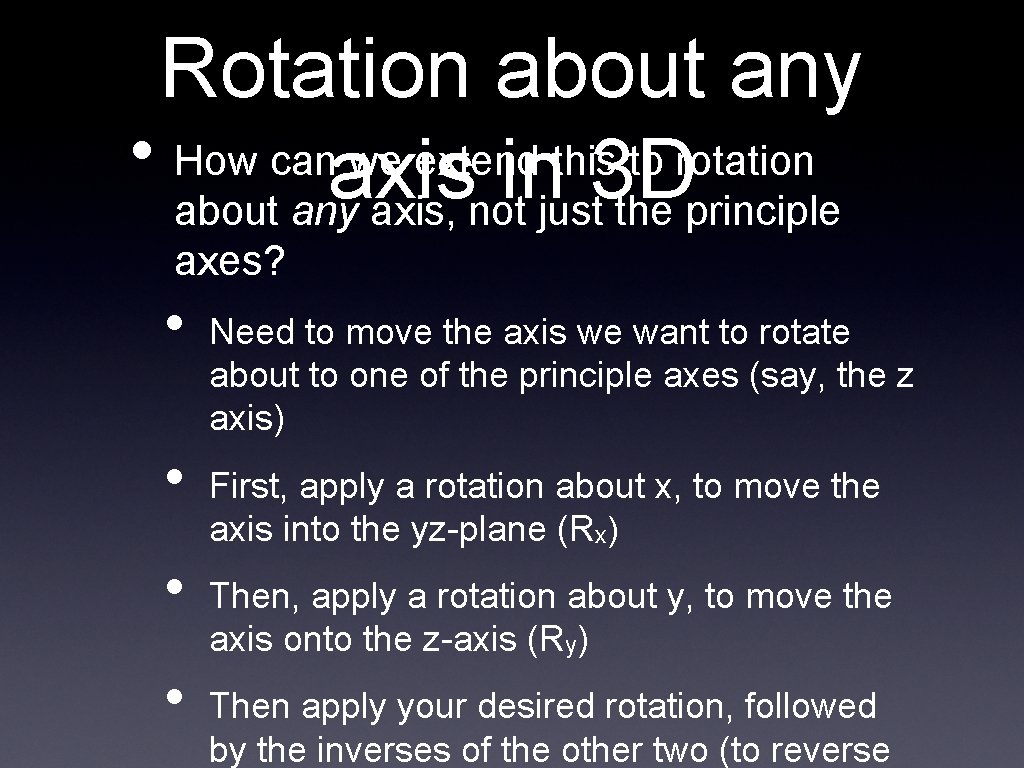
Rotation about any • How canaxis we extend this to rotation in 3 D about any axis, not just the principle axes? • • Need to move the axis we want to rotate about to one of the principle axes (say, the z axis) First, apply a rotation about x, to move the axis into the yz-plane (Rx) Then, apply a rotation about y, to move the axis onto the z-axis (Ry) Then apply your desired rotation, followed by the inverses of the other two (to reverse
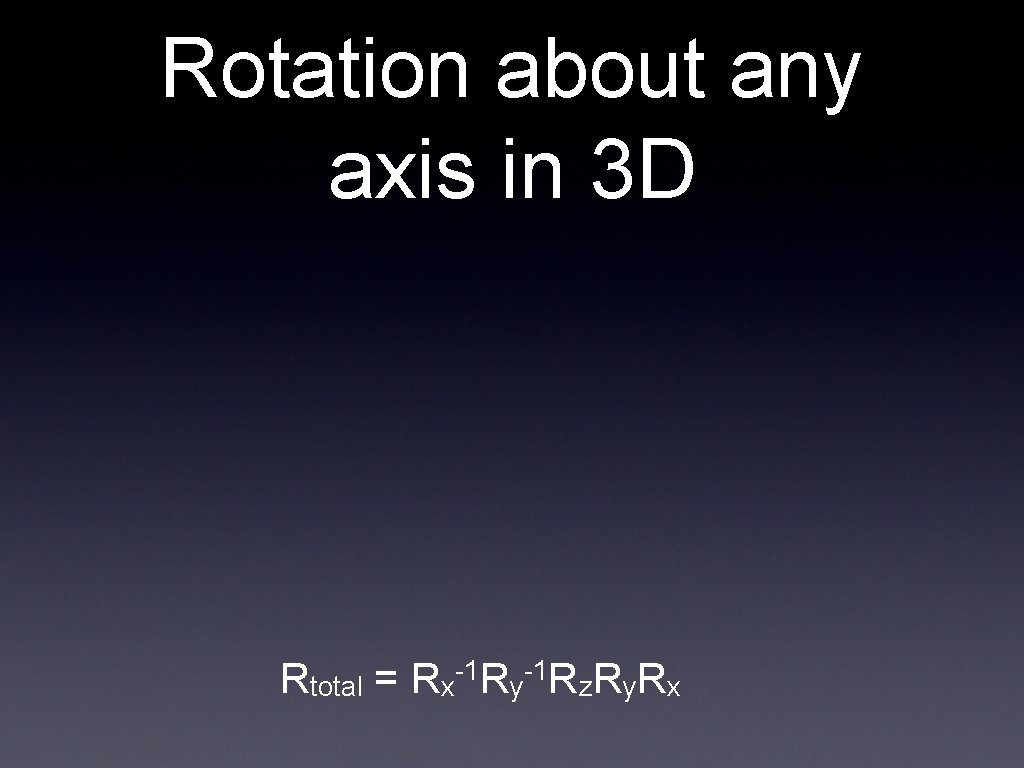
Rotation about any axis in 3 D Rtotal = -1 -1 Rx Ry Rz. Ry. Rx
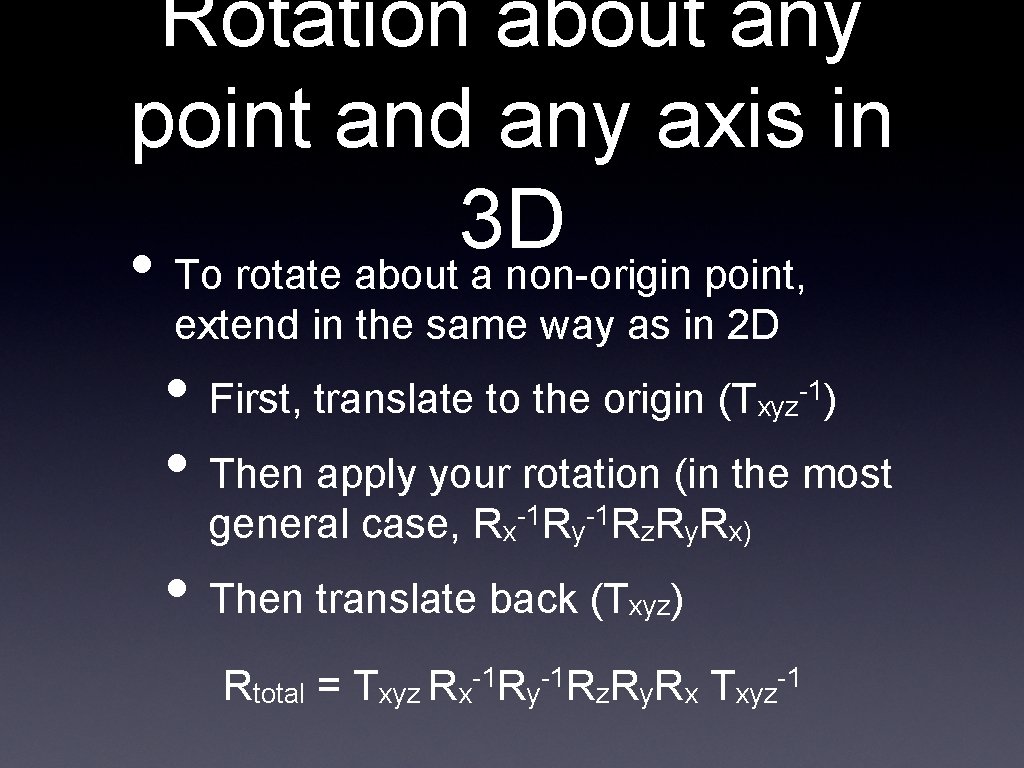
Rotation about any point and any axis in 3 D • To rotate about a non-origin point, extend in the same way as in 2 D • First, translate to the origin (T • Then apply your rotation (in the most xyz -1) general case, Rx-1 Ry-1 Rz. Ry. Rx) • Then translate back (T Rtotal = xyz) -1 -1 Txyz Rx Ry Rz. Ry. Rx Txyz -1
Transforms Recap • Robot Arm example • 3 D transforms • Very similar to 2 D transforms • Rotation is a bit more complex • Can rotate about any axis • Cross products • Coordinate systems • Left vs. right handed
Computer Animation • Can think of animation as objects being transformed over time • We have a “timeline” that says what transforms are applied at what times • Each rendered image is one frame • The duration of each frame (say, 1/60 of a second for 60 fps) is a single time step
“Principles of Traditional Animation Applied to 3 D Computer Graphics” John Lasseter (Pixar), SIGGRAPH 1987 • Lasseter noticed a trend • Computers were making animation easier than ever before • But animation was not getting better • Actually, it was often worse • Why?
The Problem with Good Tools • Why was there so much bad animation? • New tools were allowing users with no experience to animate
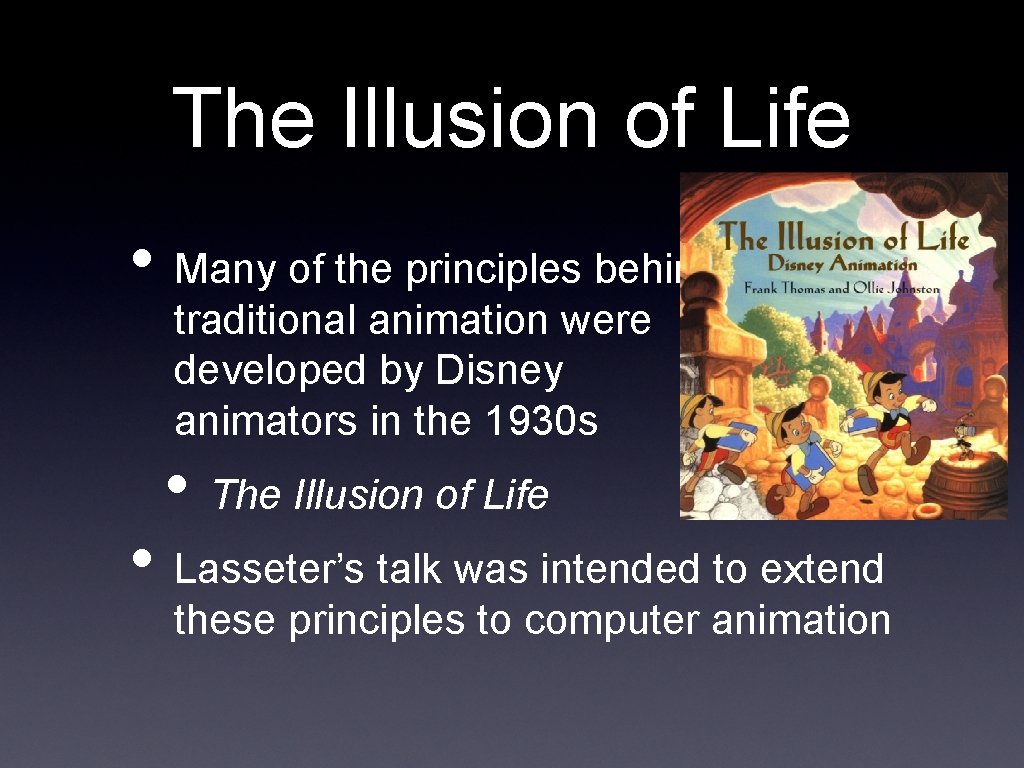
The Illusion of Life • Many of the principles behind traditional animation were developed by Disney animators in the 1930 s • The Illusion of Life • Lasseter’s talk was intended to extend these principles to computer animation
The Principles 2. Timing and Motion 1. Squash and Stretch 3. Anticipation 4. Staging 5. Follow-through and Overlapping Action 6. Straight-ahead and Pose-to-pose Action 7. Slow In and Out 8. Arcs 9. Exaggeration 10. Secondary Action
Squash and Stretch • In the real world, only totally rigid objects (i. e. chairs, rocks) remain rigid when moving • Living things deform • So, if you want something to look “alive”, you can’t just rigidly slide it around • Squash and stretch to emphasize motion
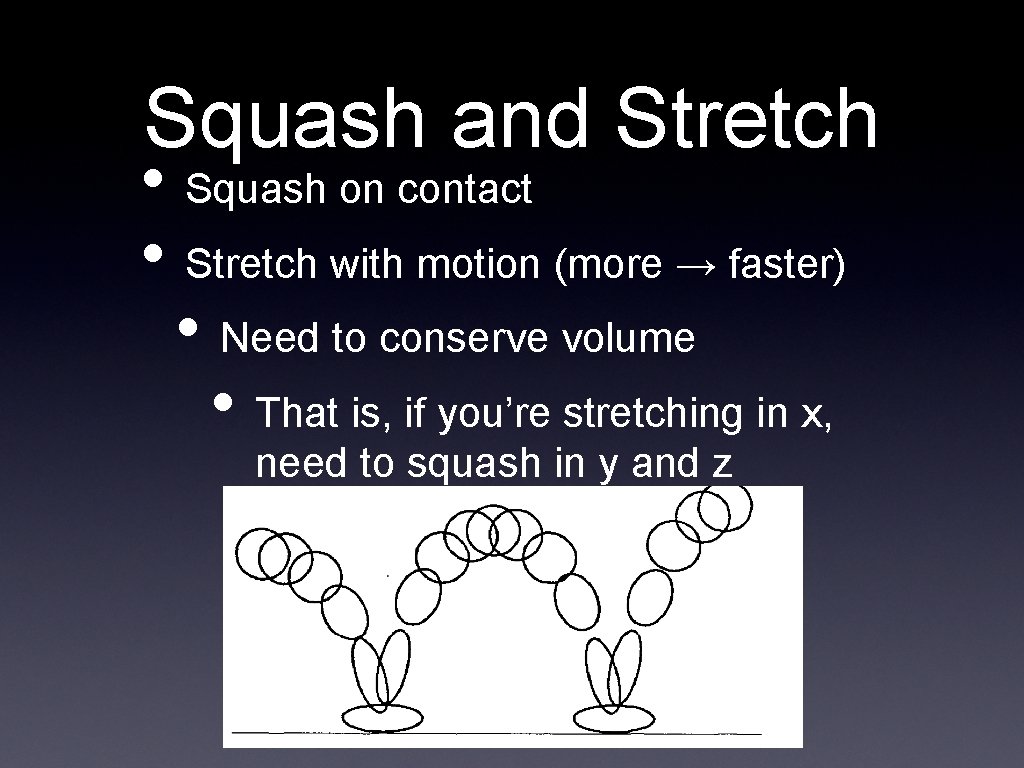
Squash and Stretch • Squash on contact • Stretch with motion (more → faster) • Need to conserve volume • That is, if you’re stretching in x, need to squash in y and z
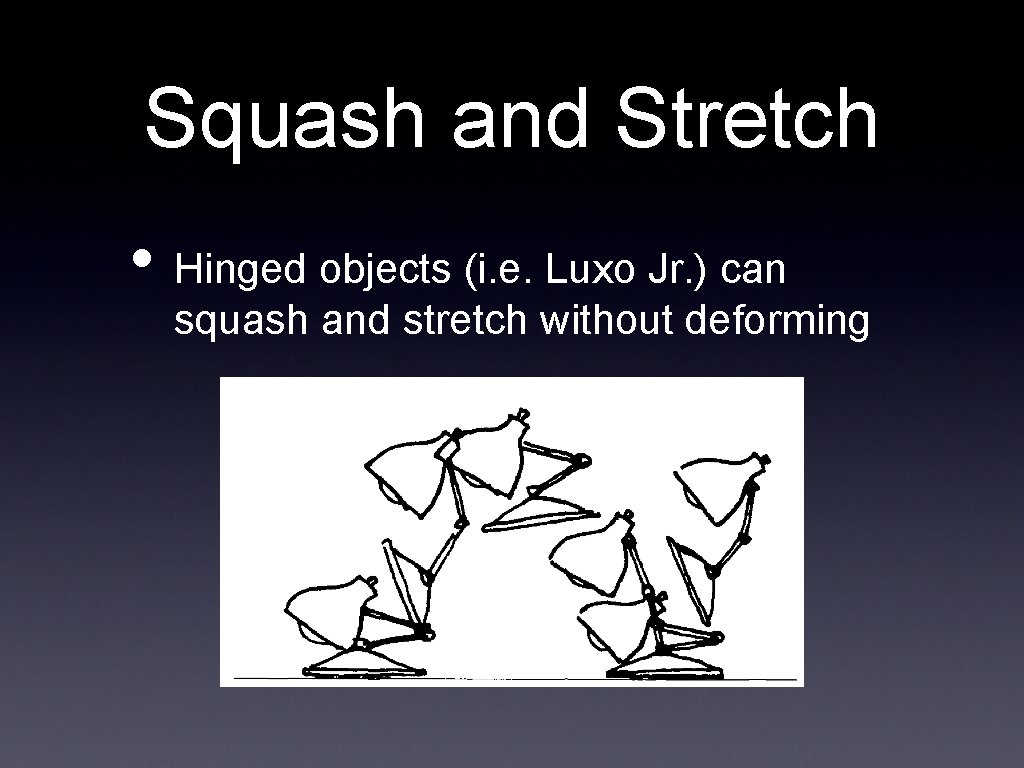
Squash and Stretch • Hinged objects (i. e. Luxo Jr. ) can squash and stretch without deforming
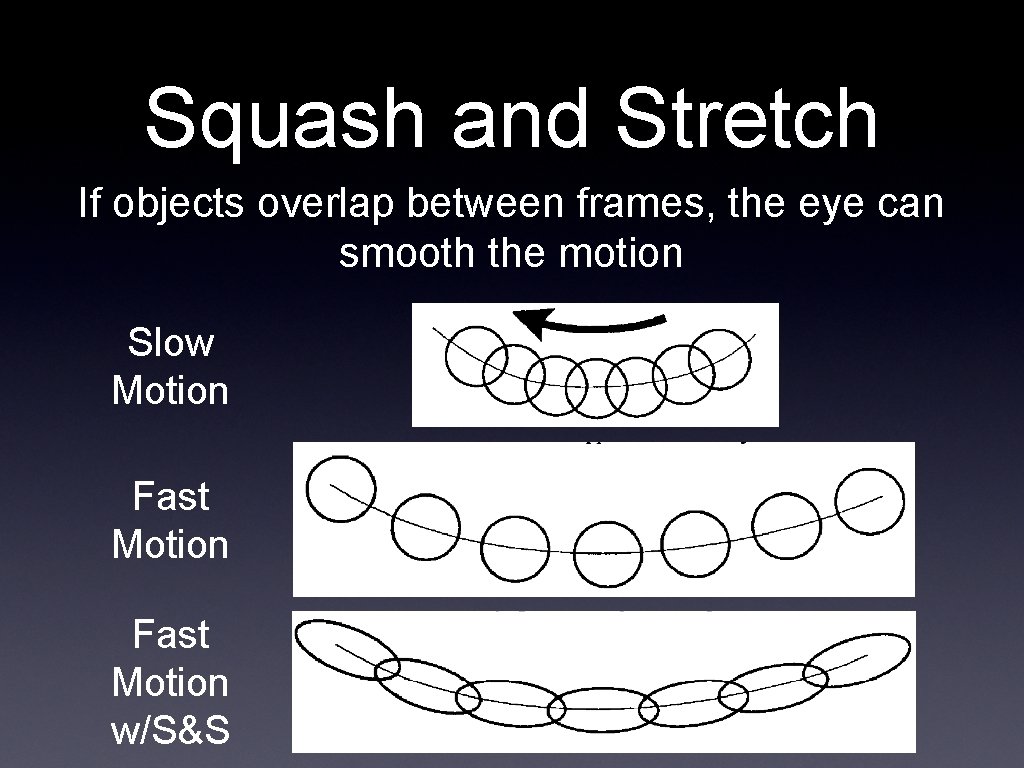
Squash and Stretch If objects overlap between frames, the eye can smooth the motion Slow Motion Fast Motion w/S&S
Timing • The speed of motion gives us cues about • Weight • Size • Meaning • Motion must be “readable” • Must take long enough for the viewer to see and understand • Must be quick enough to hold
Timing • Small and light objects should be fast and nimble • Large and heavy objects should be slow and lumbering
Keyframes and In. Betweening • Keyframes are frames in a sequence of animation that mark the beginning and end of a smooth transition • In-Betweens are the frames between a beginning and end keyframe • The in-betweens make the animation sequence appear smooth
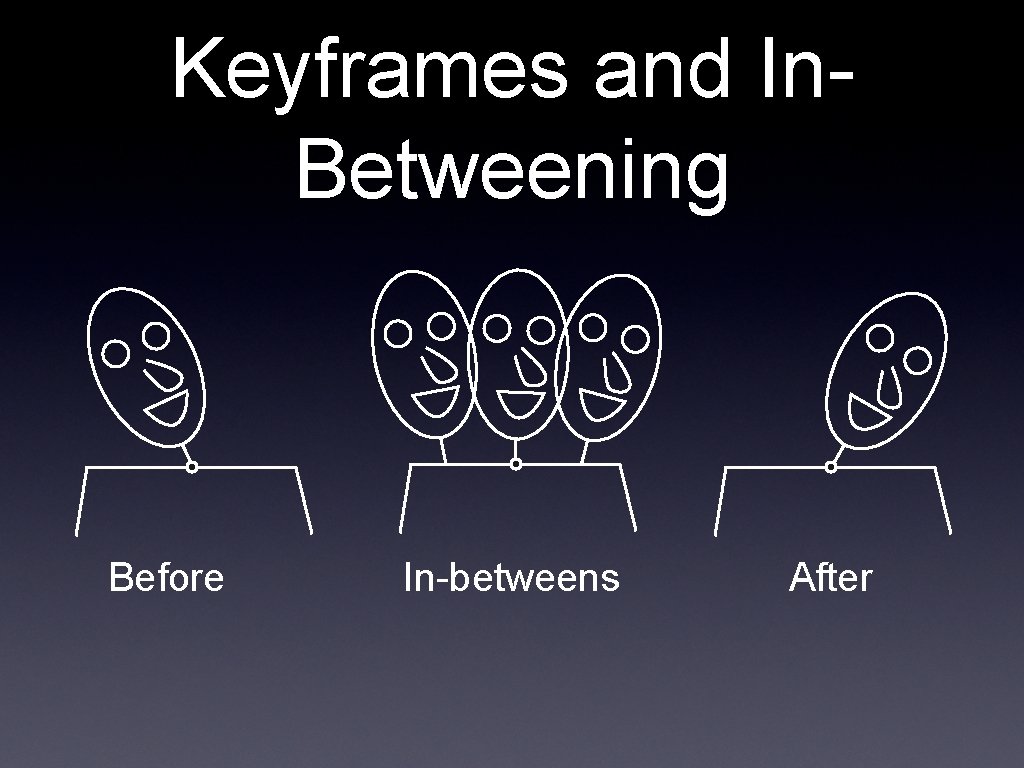
Keyframes and In. Betweening Before In-betweens After
Timing • Imagine an animation where a person is looking over his left shoulder, then his right • • • No in-betweens: Hit by a strong force, head nearly snapped off 1 in-between: Hit by a frying pan 3 in-betweens: Dodging a flying object 5 in-betweens: Giving an order (“Come over here”) 7 in-betweens: Looking around for something 10 in-betweens: Stretching a sore neck • All from the same 2 keyframes!
Anticipation • There are 3 parts to any action 1. The preparation for the action (anticipation) 2. The action 3. The termination of the action (followthrough) • Can be anatomical preparation • Pulling back your foot before kicking • Or just to draw the viewers’ attention • A character looking at something offscreen
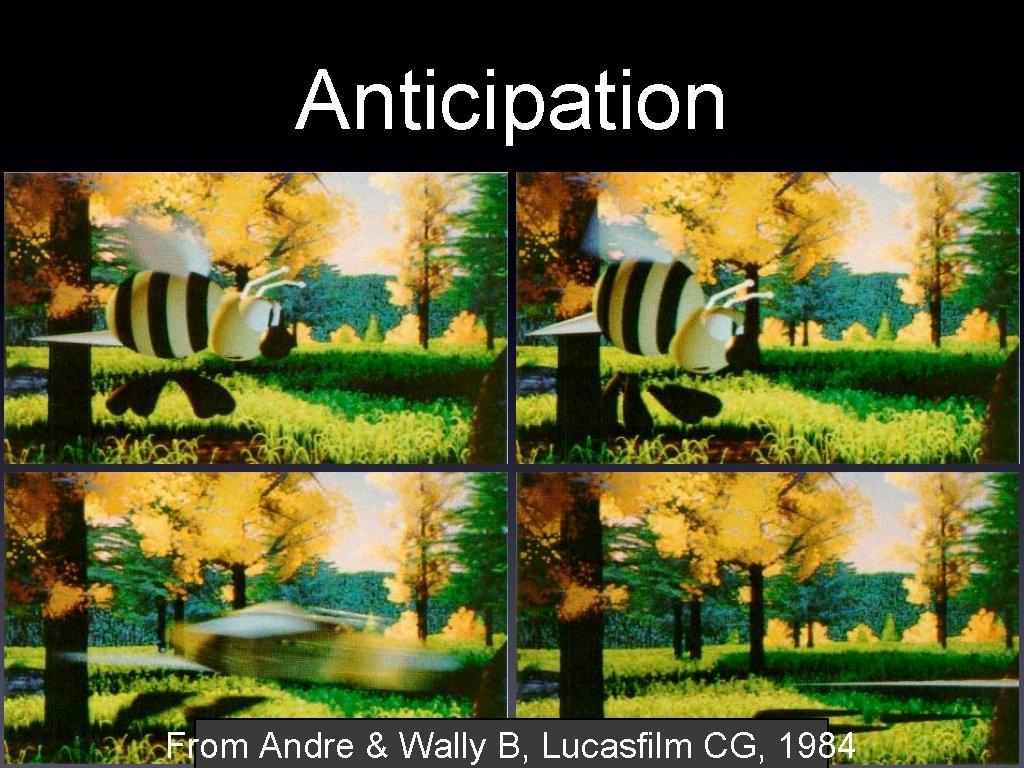
Anticipation From Andre & Wally B, Lucasfilm CG, 1984
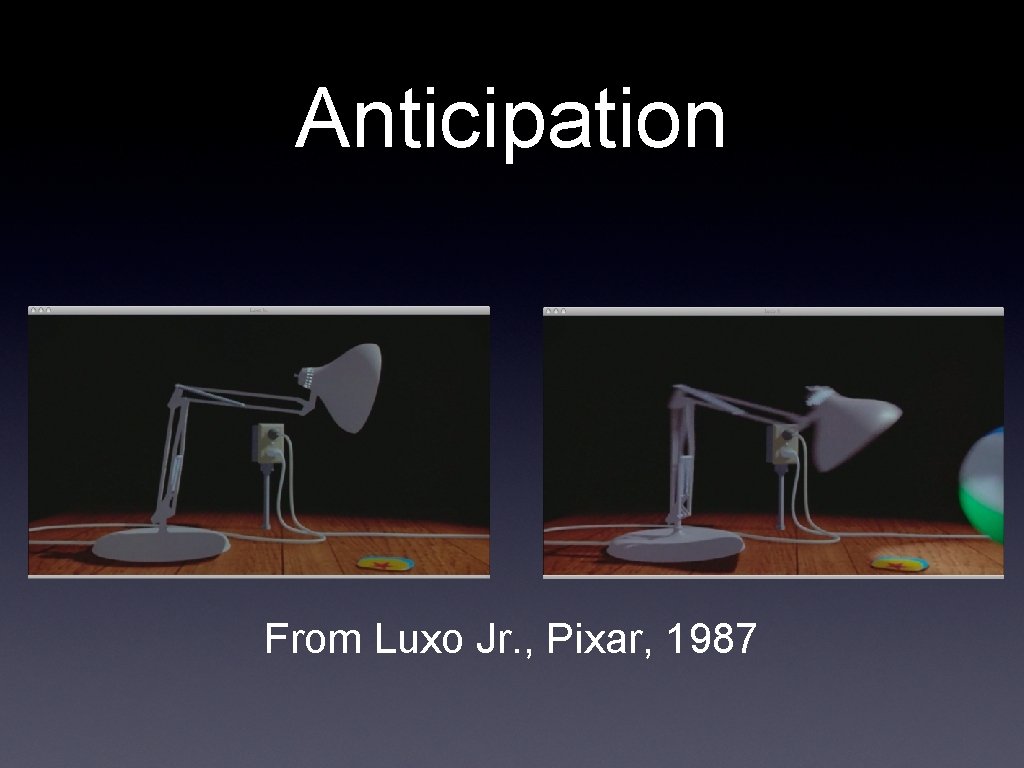
Anticipation From Luxo Jr. , Pixar, 1987
Staging • When an action occurs • Make sure it is clear • Make sure it is visible • Only stage 1 important action at a time • In Luxo Jr, it is always clear which character is the center of attention • Action is more clearly visible in silhouette
Follow-through and Action • Overlapping When throwing a ball, your hand doesn’t just stop after the ball is released • When a multi-part object moves, usually one part will lead and the others will follow • i. e. In walking, motion starts at the hip, then the leg moves, then finally the foot • Therefore, sub-objects will begin and end their motions at different times
Follow-through and Overlapping Action • Overlapping means that you start a second motion before the first has completely finished • Blend the follow-through of one action into the anticipation of the next • “When a character knows what he is going to do he doesn’t have to stop before each individual action and think to do it. He has planned in advance in his mind. ” - Walt Disney
Straight-Ahead and Action • Pose-to-Pose Straight-ahead action is when an animator hand-composes all the frames in a scene • Sort of like a scene of all keyframes • Action looks wild and out-of-control • Pose-to-pose action is when an animator carefully composes individual important poses, and then tweens them • Used when timing and smoothness matter
Pose-to-Pose Action • To achieve smooth motions, you would normally work hierarchically • • • First, draw the keyframes Then draw some inbetweens Finally, draw all the remaining inbetweens
Pose-to-Pose Action • Computer animation is naturally hierarchical, but slightly different • Consider a jump • • Create translation keyframes for the entire model Add rotation/translation keyframes for arms Add rotation/translation keyframes for legs etc.
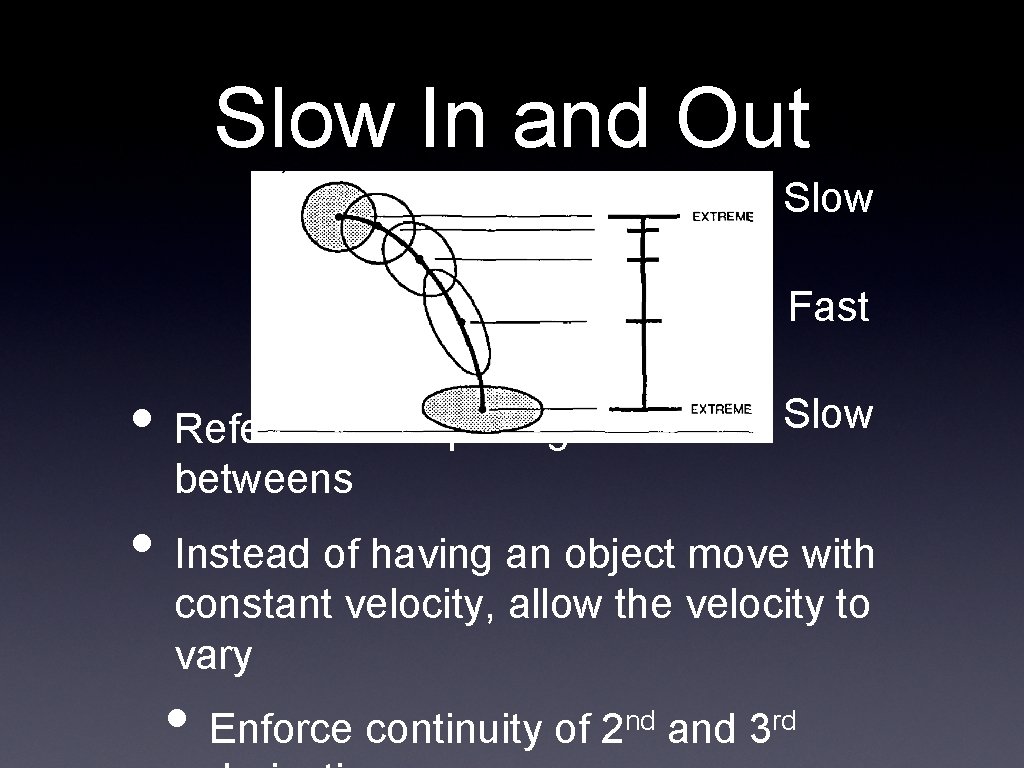
Slow In and Out Slow Fast • Refers to the spacing of the in- Slow betweens • Instead of having an object move with constant velocity, allow the velocity to vary • Enforce continuity of 2 nd and 3 rd
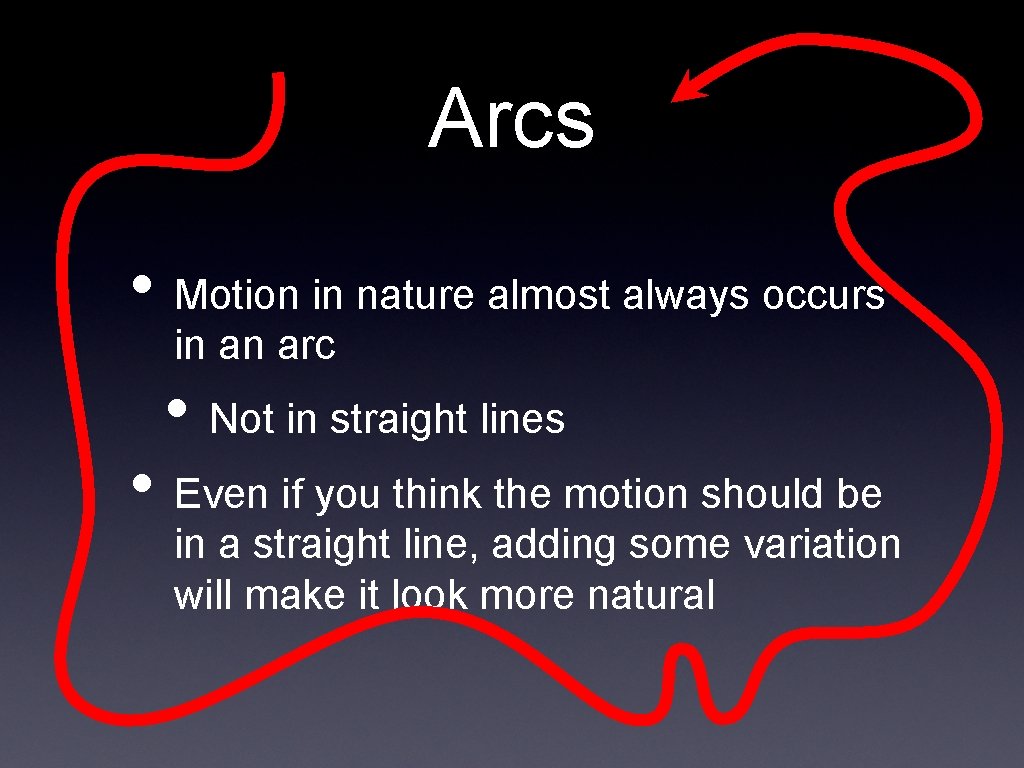
Arcs • Motion in nature almost always occurs in an arc • Not in straight lines • Even if you think the motion should be in a straight line, adding some variation will make it look more natural
Exaggeration • Can exaggerate • • Shape of objects Motion of objects Sound Character emotions • Exaggeration is “accentuating the essence of an idea” • Not just amplification, but removal of distraction
Exaggeration • Exaggeration should be used carefully • Use it too little, and the exaggerated things will stand out too much • Use it too much, and the scene will become unrealistic
Secondary Action • Include the actions that happen as a result of the primary action • One example would be the facial expression, while the body expresses the primary action • Another would be Luxo Jr. ’s cord, which moves because it is attached to a moving body
Personality • The sum total of all the principles discussed before • The goal of animation is to produce something that a viewer wants to watch • The animator should have a consistent personality in mind when decided how to apply the principles • Need to know what you want before you start
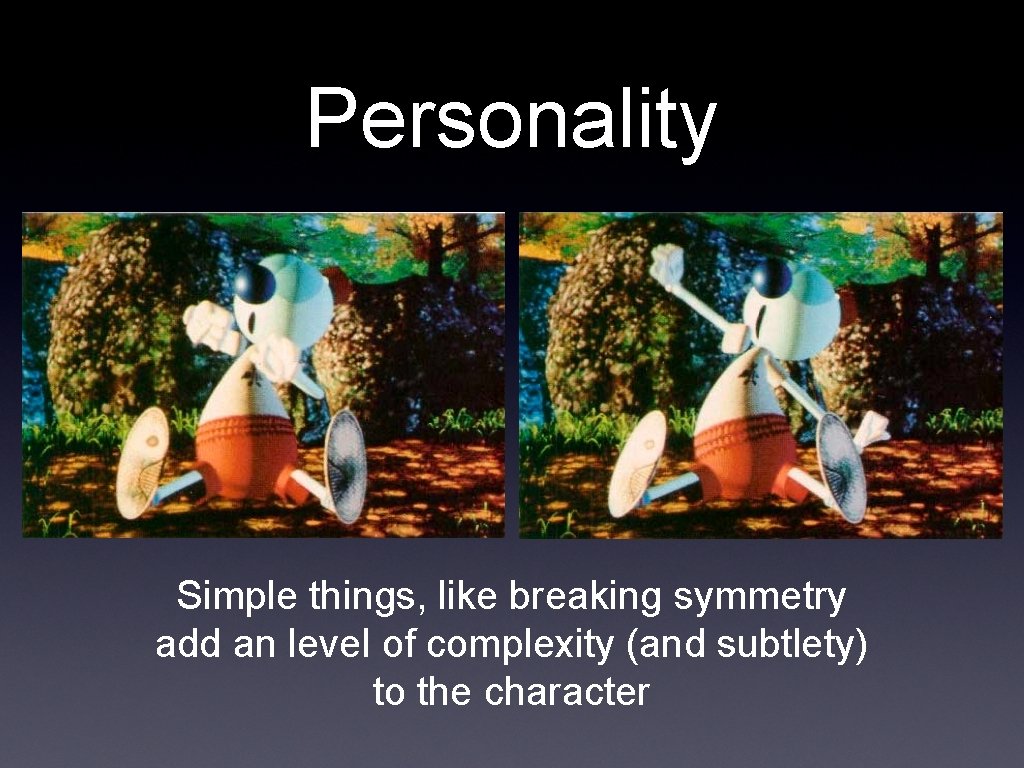
Personality Simple things, like breaking symmetry add an level of complexity (and subtlety) to the character

Next Time • Introduction to Open. GL programming
- Slides: 61