
Normalisation Ensuring data integrity in database design 1
Normalisation Ensuring data integrity in database design 1
Introduction �What is normalisation? �Why use normalisation? �How do we normalise? �How far should we normalise data? 1 st, 2 nd and 3 rd Normal Form 2
What is Normalisation? The process of reducing data to a set of relationships (ERDs) Normalisation has three stages: � 1 st Normal Form (1 NF) � 2 nd Normal Form (2 NF) � 3 rd Normal Form (3 NF) Each stage removes further redundancy from the data 3
Why use normalisation? �To ensure data integrity and avoid duplication of data �To keep attributes atomic Data integrity – all data is consistent throughout the database. Data duplication – is when data is found in more than one location, or data can be calculated (Unit Price, VAT rate, price + VAT). Atomic Attributes – data represents single values, not groups (e. g. do not use ‘subjects’ in student table if they are studying more than one topic). 4
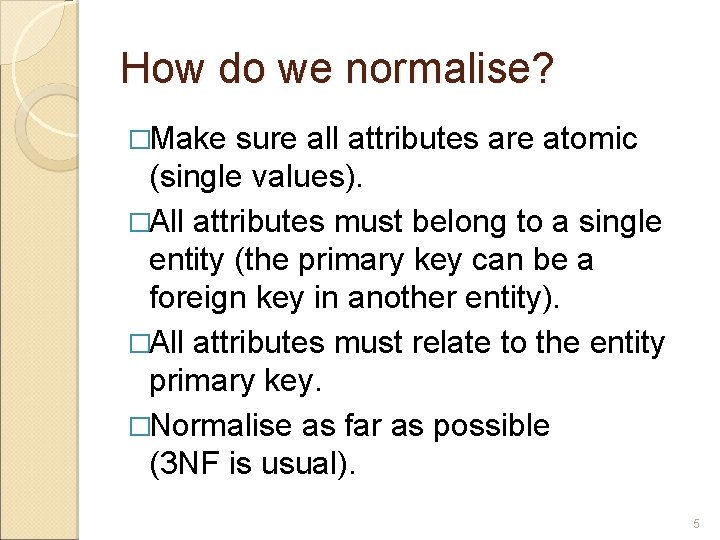
How do we normalise? �Make sure all attributes are atomic (single values). �All attributes must belong to a single entity (the primary key can be a foreign key in another entity). �All attributes must relate to the entity primary key. �Normalise as far as possible (3 NF is usual). 5
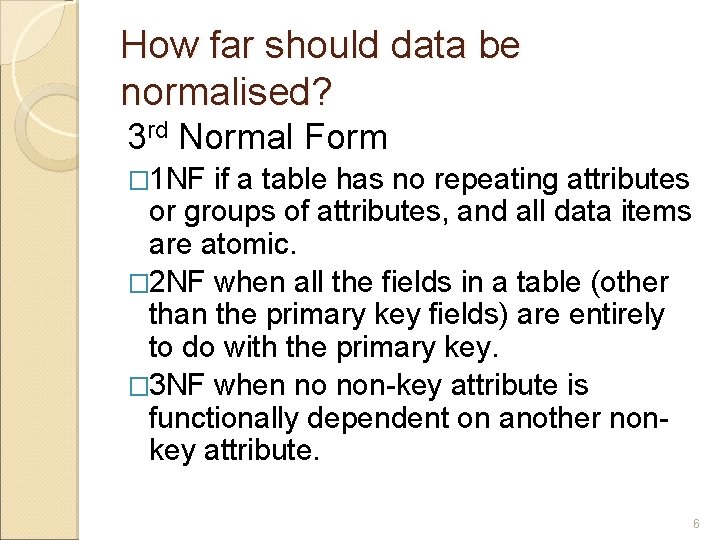
How far should data be normalised? 3 rd Normal Form � 1 NF if a table has no repeating attributes or groups of attributes, and all data items are atomic. � 2 NF when all the fields in a table (other than the primary key fields) are entirely to do with the primary key. � 3 NF when no non-key attribute is functionally dependent on another nonkey attribute. 6
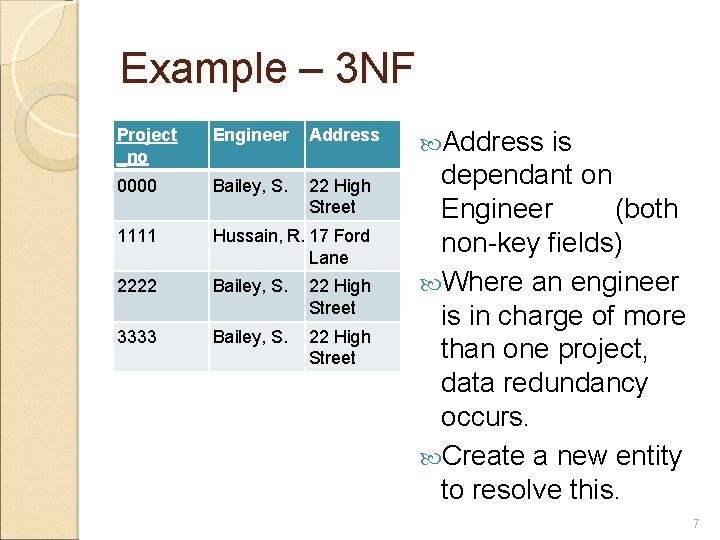
Example – 3 NF Project _no Engineer Address 0000 Bailey, S. 22 High Street 1111 Hussain, R. 17 Ford Lane 2222 Bailey, S. 22 High Street 3333 Bailey, S. 22 High Street Address is dependant on Engineer (both non-key fields) Where an engineer is in charge of more than one project, data redundancy occurs. Create a new entity to resolve this. 7
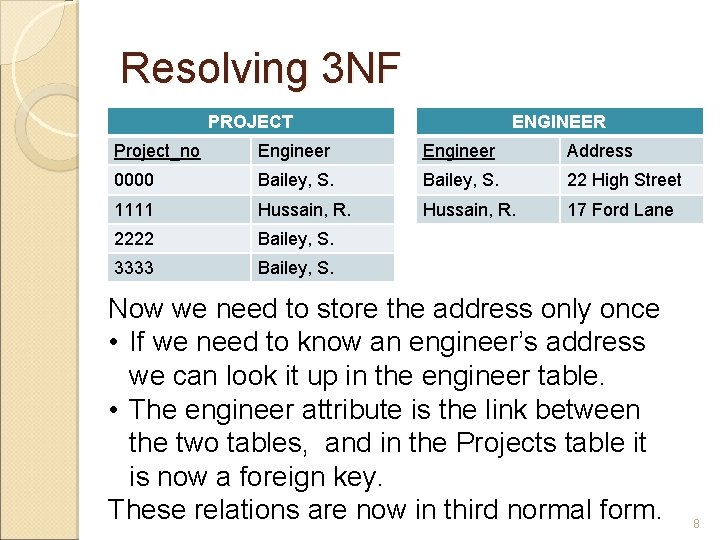
Resolving 3 NF PROJECT ENGINEER Project_no Engineer Address 0000 Bailey, S. 22 High Street 1111 Hussain, R. 17 Ford Lane 2222 Bailey, S. 3333 Bailey, S. Now we need to store the address only once • If we need to know an engineer’s address we can look it up in the engineer table. • The engineer attribute is the link between the two tables, and in the Projects table it is now a foreign key. These relations are now in third normal form. 8
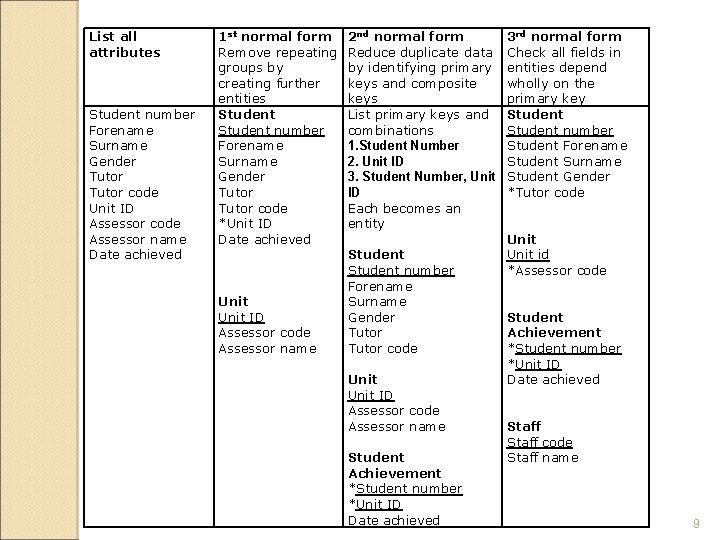
List all attributes Student number Forename Surname Gender Tutor code Unit ID Assessor code Assessor name Date achieved 1 st normal form Remove repeating groups by creating further entities Student number Forename Surname Gender Tutor code *Unit ID Date achieved Unit ID Assessor code Assessor name 2 nd normal form Reduce duplicate data by identifying primary keys and composite keys List primary keys and combinations 1. Student Number 2. Unit ID 3. Student Number, Unit ID Each becomes an entity Student number Forename Surname Gender Tutor code Unit ID Assessor code Assessor name Student Achievement *Student number *Unit ID Date achieved 3 rd normal form Check all fields in entities depend wholly on the primary key Student number Student Forename Student Surname Student Gender *Tutor code Unit id *Assessor code Student Achievement *Student number *Unit ID Date achieved Staff code Staff name 9
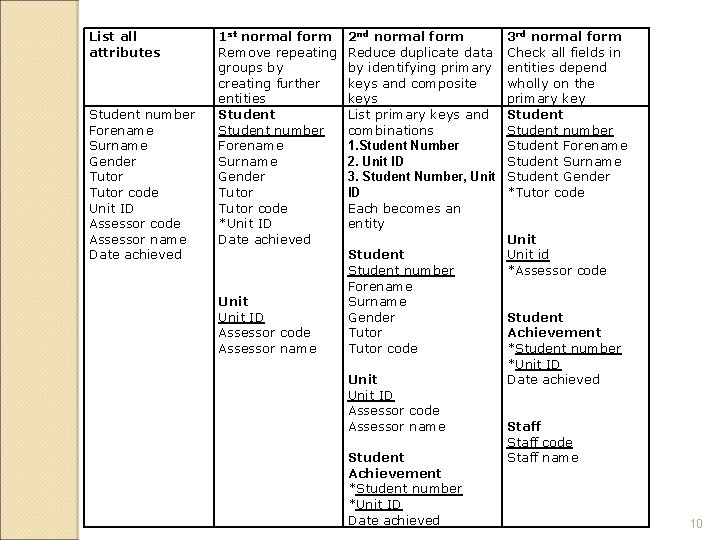
List all attributes Student number Forename Surname Gender Tutor code Unit ID Assessor code Assessor name Date achieved 1 st normal form Remove repeating groups by creating further entities Student number Forename Surname Gender Tutor code *Unit ID Date achieved Unit ID Assessor code Assessor name 2 nd normal form Reduce duplicate data by identifying primary keys and composite keys List primary keys and combinations 1. Student Number 2. Unit ID 3. Student Number, Unit ID Each becomes an entity Student number Forename Surname Gender Tutor code Unit ID Assessor code Assessor name Student Achievement *Student number *Unit ID Date achieved 3 rd normal form Check all fields in entities depend wholly on the primary key Student number Student Forename Student Surname Student Gender *Tutor code Unit id *Assessor code Student Achievement *Student number *Unit ID Date achieved Staff code Staff name 10
Summary �Make sure all attributes are atomic. �Normalise data by removing repeating groups. �Relate all fields in a table to the primary key. �Create further entities/tables where necessary. 11
- Slides: 11