
Nonlinear Perspective Widgets for Creating MultipleView Images Nisha



- Slides: 22
Non-linear Perspective Widgets for Creating Multiple-View Images Nisha Sudarsanam (Mindjet Corp) Cindy Grimm (Washington Univ. in St. Louis) Karan Singh (University of Toronto) NPar 2008 1
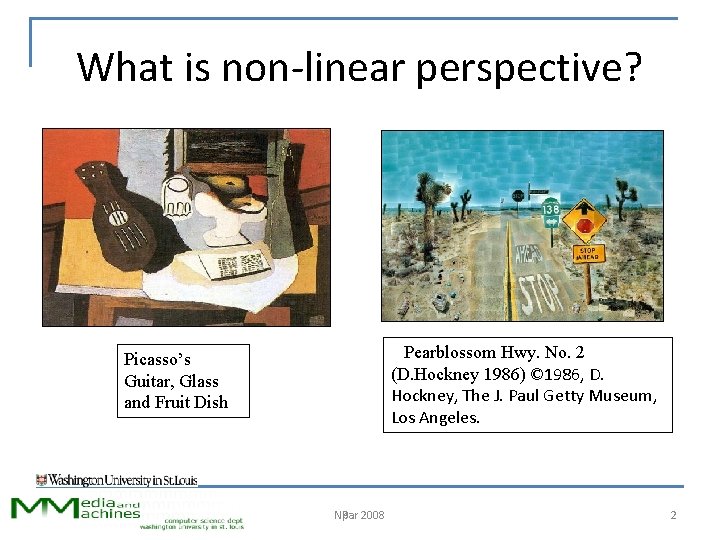
What is non-linear perspective? Pearblossom Hwy. No. 2 (D. Hockney 1986) © 1986, D. Hockney, The J. Paul Getty Museum, Los Angeles. Picasso’s Guitar, Glass and Fruit Dish NPar 2008 Npar 2
Composition of linear perspective views Final Scene Initial Scene View 1 View 2 NPar 2008 Npar View 3 3
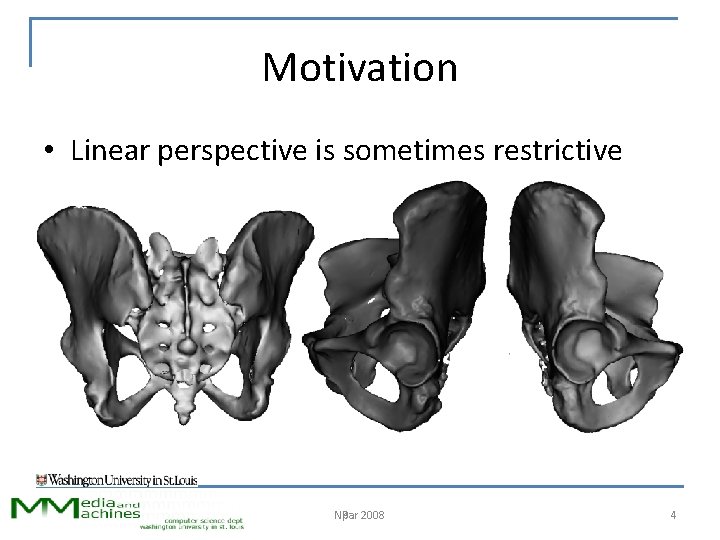
Motivation • Linear perspective is sometimes restrictive NPar 2008 Npar 4
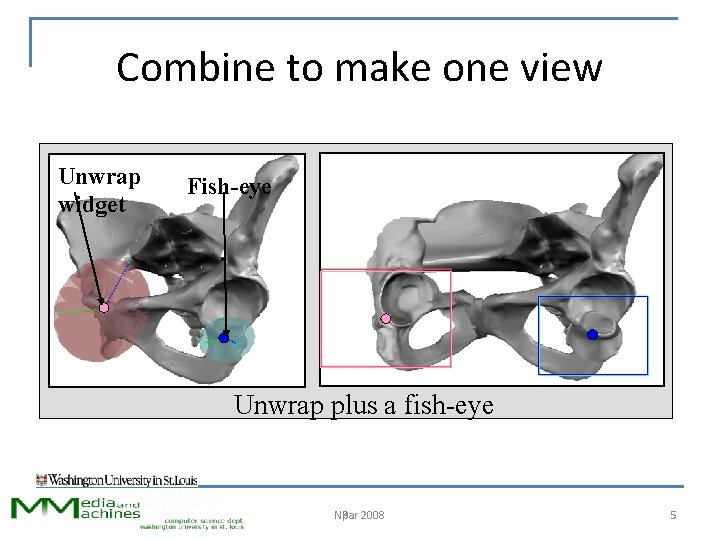
Combine to make one view Unwrap widget Fish-eye Unwrap plus a fish-eye NPar 2008 Npar 5
User interface problem • What do you want to see where? NPar 2008 Npar 6
Our contribution • Task breakdown for user – 3 D selection of model subset – Desired viewing attributes – 2 D placement in image • Underlying framework for widget creation – Specify region of interest and fall-off – Support specific viewing effects – Automatic 2 D placement algorithms NPar 2008 Npar 7
Previous work • View transform as space deformation – “Bend” view rays in space • J. Brosz, F. Samavati, S. Carpendale, M. Sousa, “Single camera flexible projection”, Npar 2007 • V. Popescu, C. Mei, J. Dauble, E. Sacks, “An efficient error-bounded general camera model”, DPVT 2006 – Modify perspective view to curve space NPar 2008 Npar 8
Previous work • Manual placement of cameras – Blend to get camera for each point in space • Karan Singh, “A fresh perspective”, GI 2002 • P. Coleman, K. Singh, L. Barrett, N. Sudarsanam, C. Grimm, “ 3 D screen-space widgets for non-linear projection”, Graphite 2005 – Our rendering approach – Very flexible, user-intensive NPar 2008 Npar 9
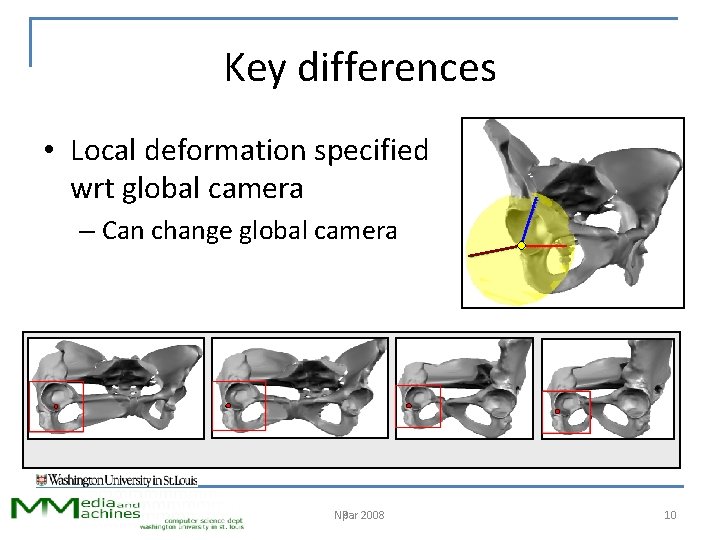
Key differences • Local deformation specified wrt global camera – Can change global camera NPar 2008 Npar 10
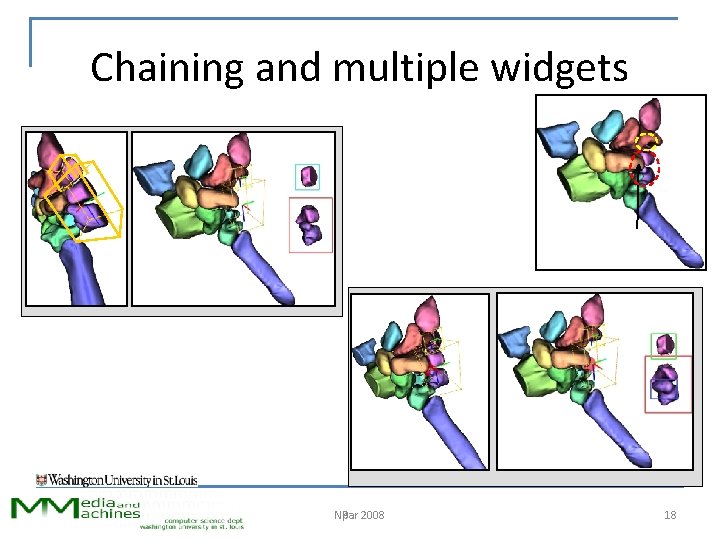
Key differences • Use interactive widgets – Specifies a specific view transformation – Encapsulates input parameters – Can string widgets together NPar 2008 Npar 11
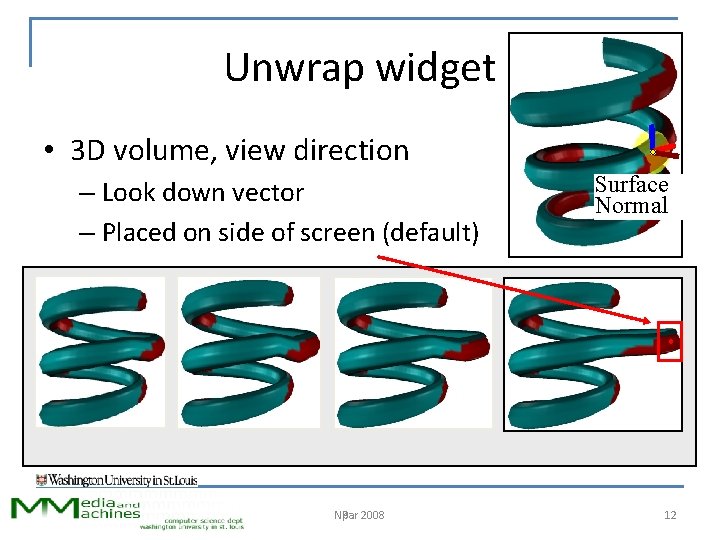
Unwrap widget • 3 D volume, view direction – Look down vector – Placed on side of screen (default) NPar 2008 Npar Surface Normal 12
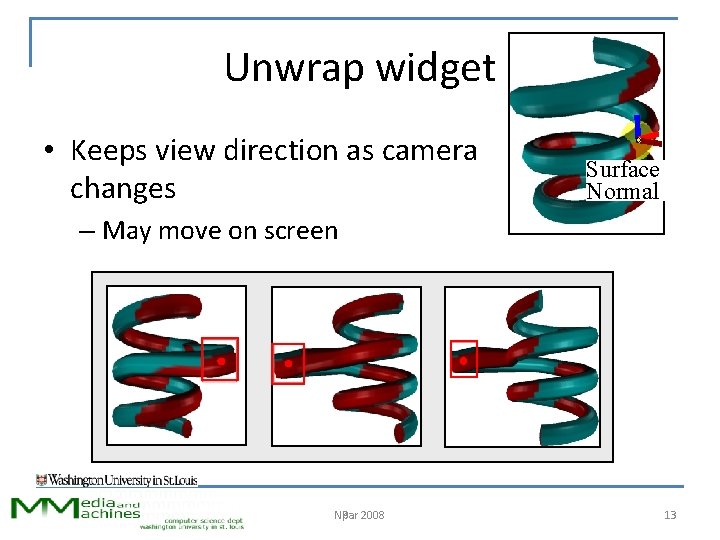
Unwrap widget • Keeps view direction as camera changes Surface Normal – May move on screen NPar 2008 Npar 13
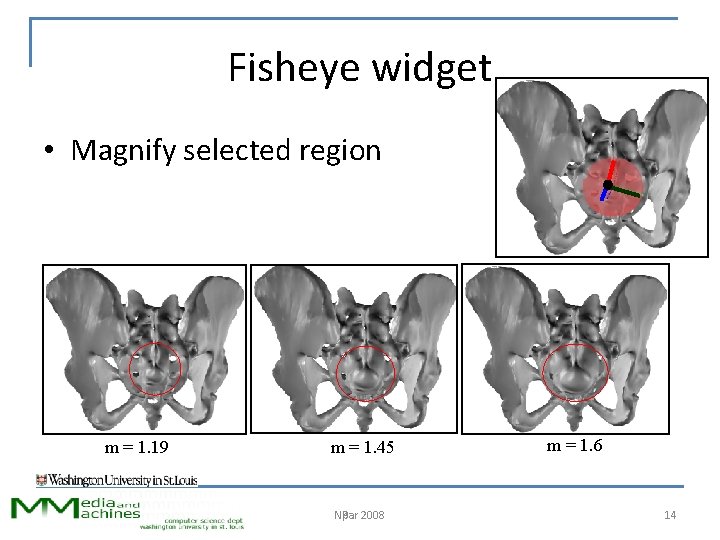
Fisheye widget • Magnify selected region m = 1. 19 m = 1. 45 NPar 2008 Npar m = 1. 6 14
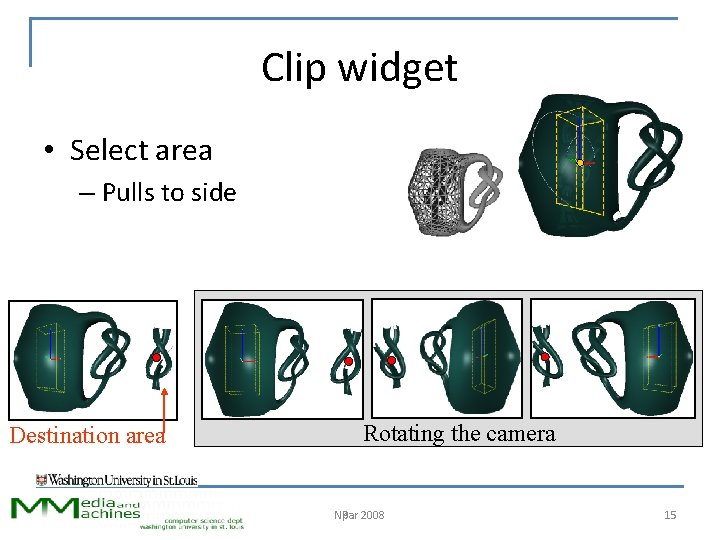
Clip widget • Select area – Pulls to side Destination area Rotating the camera NPar 2008 Npar 15
Clip widget NPar 2008 Npar 16
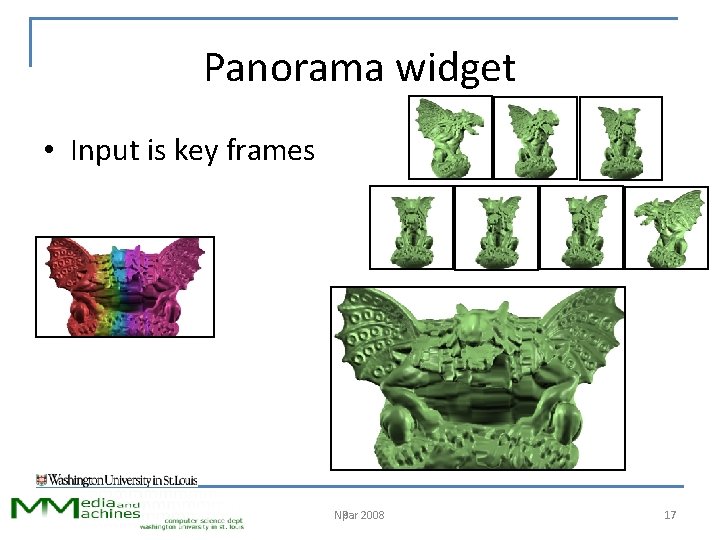
Panorama widget • Input is key frames NPar 2008 Npar 17
Chaining and multiple widgets NPar 2008 Npar 18
Framework • 3 D region of influence • E. g. , box (clip) – Fall-off • Changes to the camera • Destination area – Relative to bbox – COP • Destination size • E. g. , Zoom (fisheye) • E. g. , To side (unwrap) • Same or smaller (most) – Bbox of region NPar 2008 Npar 19
System help • Automatic routines for determining best destination location, size – Implemented as a Center of Projection change – Based on projection of bounding boxes • Automatic weight fall offs – Multiple widgets: average effect based on weights NPar 2008 Npar 20
Rendering • GPU implementation • Calculate camera for each vertex – Based on 3 D influences, local camera changes – Average projection from each camera • Use original camera for lighting NPar 2008 Npar 21
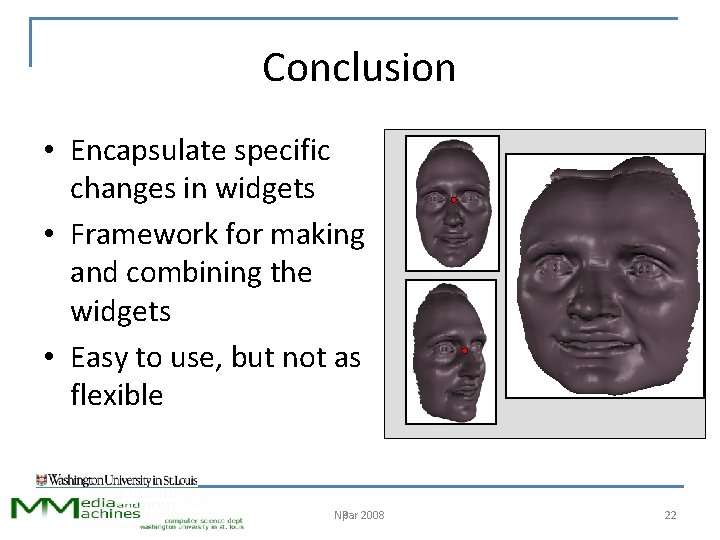
Conclusion • Encapsulate specific changes in widgets • Framework for making and combining the widgets • Easy to use, but not as flexible NPar 2008 Npar 22