
No SQL Based on slides by Mike Franklin
No. SQL Based on slides by Mike Franklin and Jimmy Lin 1
Big Data (some old numbers) • Facebook: § 130 TB/day: user logs § 200 -400 TB/day: 83 million pictures • Google: > 25 PB/day processed data • Gene sequencing: 100 M kilobases per day per machine § Sequence 1 human cell costs Illumina $1 k § Sequence 1 cell for every infant by 2015? § 10 trillion cells / human body • Total data created in 2010: 1. Zetta. Byte (1, 000 PB)/year § ~60% increase every year 2
Big data is not only databases • Big data is more about data analytics and online querying Many components: • Storage systems • Database systems • Data mining and statistical algorithms • Visualization 3
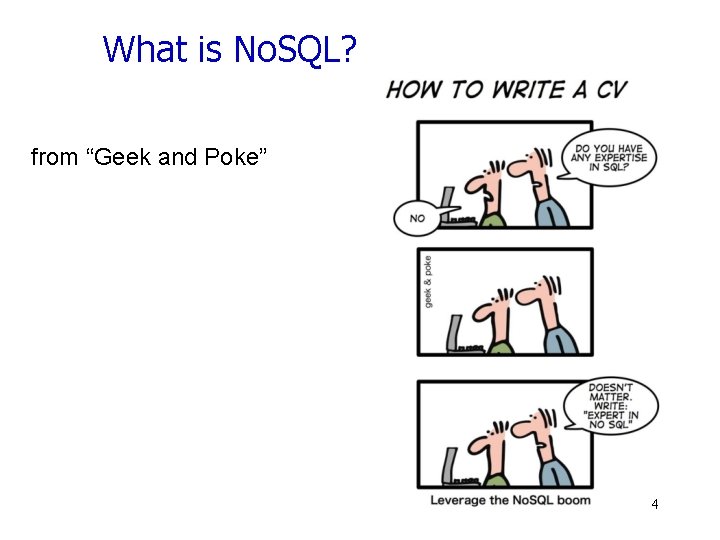
What is No. SQL? from “Geek and Poke” 4
What is No. SQL? • An emerging “movement” around nonrelational software for Big Data • Roots are in the Google and Amazon homegrown software stacks Wikipedia: “A No. SQL database provides a mechanism for storage and retrieval of data that use looser consistency models than traditional relational databases in order to achieve horizontal scaling and higher availability. Some authors refer to them as "Not only SQL" to emphasize that some No. SQL systems do allow SQL-like query language to be used. ”
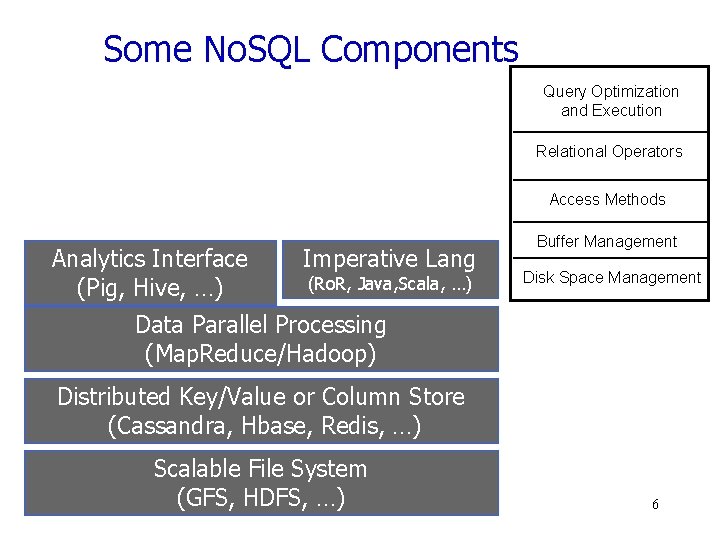
Some No. SQL Components Query Optimization and Execution Relational Operators Access Methods Analytics Interface (Pig, Hive, …) Imperative Lang (Ro. R, Java, Scala, …) Buffer Management Disk Space Management Data Parallel Processing (Map. Reduce/Hadoop) Distributed Key/Value or Column Store (Cassandra, Hbase, Redis, …) Scalable File System (GFS, HDFS, …) 6
No. SQL features • Scalability is crucial! § load increased rapidly for many applications • Large servers are expensive • Solution: use clusters of small commodity machines § need to partition the data and use replication (sharding) § cheap (usually open source!) § cloud-based storage 7
No. SQL features • Sometimes not a well defined schema • Allow for semi-structured data § still need to provide ways to query efficiently (use of index methods) § need to express specific types of queries easily 8
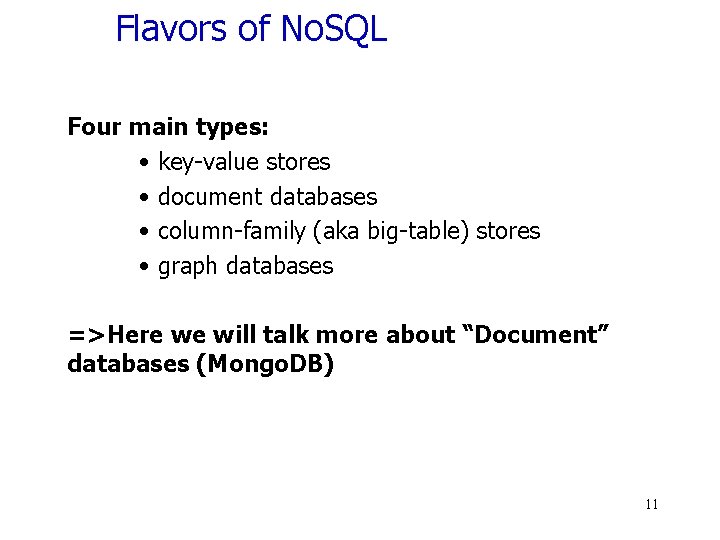
Flavors of No. SQL Four main types: • key-value stores • document databases • column-family (aka big-table) stores • graph databases =>Here we will talk more about “Document” databases (Mongo. DB) 11
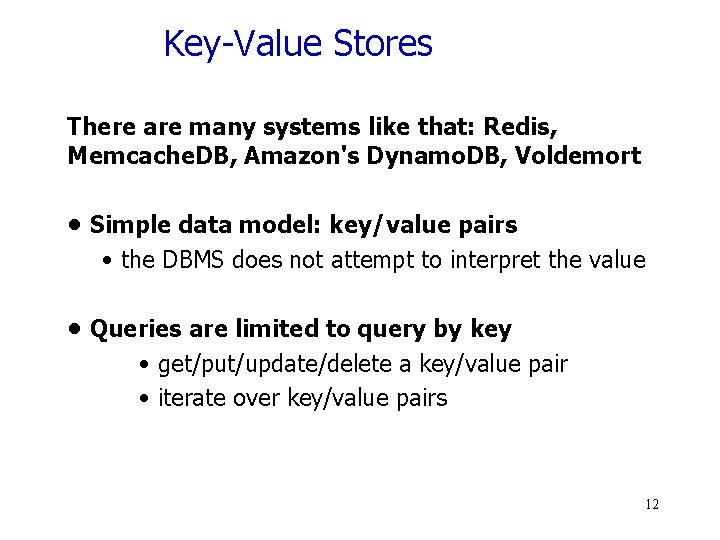
Key-Value Stores There are many systems like that: Redis, Memcache. DB, Amazon's Dynamo. DB, Voldemort • Simple data model: key/value pairs • the DBMS does not attempt to interpret the value • Queries are limited to query by key • get/put/update/delete a key/value pair • iterate over key/value pairs 12
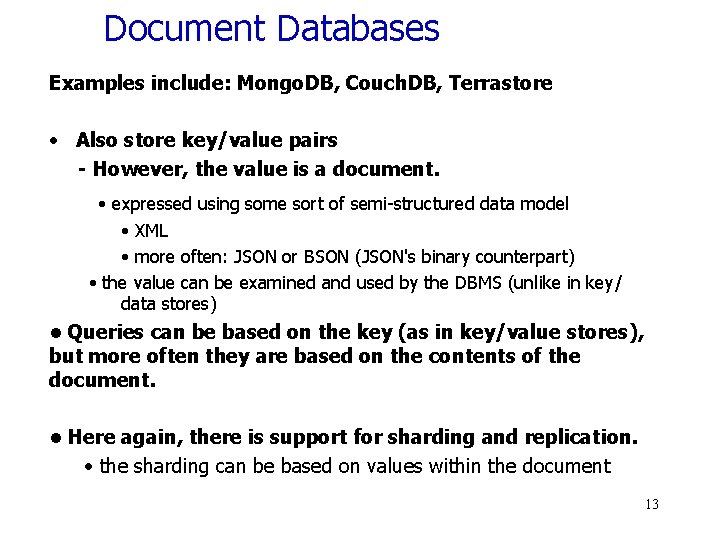
Document Databases Examples include: Mongo. DB, Couch. DB, Terrastore • Also store key/value pairs - However, the value is a document. • expressed using some sort of semi-structured data model • XML • more often: JSON or BSON (JSON's binary counterpart) • the value can be examined and used by the DBMS (unlike in key/ data stores) • Queries can be based on the key (as in key/value stores), but more often they are based on the contents of the document. • Here again, there is support for sharding and replication. • the sharding can be based on values within the document 13
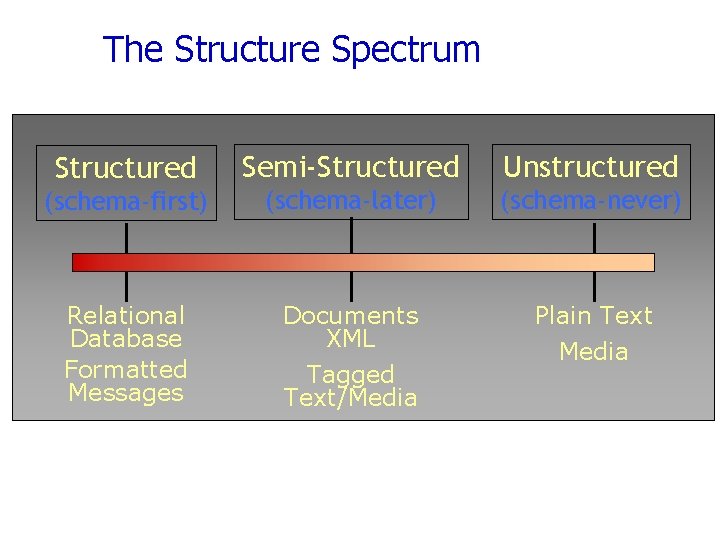
The Structure Spectrum Structured Semi-Structured Unstructured (schema-first) (schema-later) (schema-never) Relational Database Formatted Messages Documents XML Plain Text Tagged Text/Media
Mongo. DB (An example of a Document Database) -Data are organized in collections. A collection stores a set of documents. - Collection like table and document like record - but: each document can have a different set of attributes even in the same collection - Semi-structured schema! - Only requirement: every document should have an “_id” field - humongous => Mongo 15
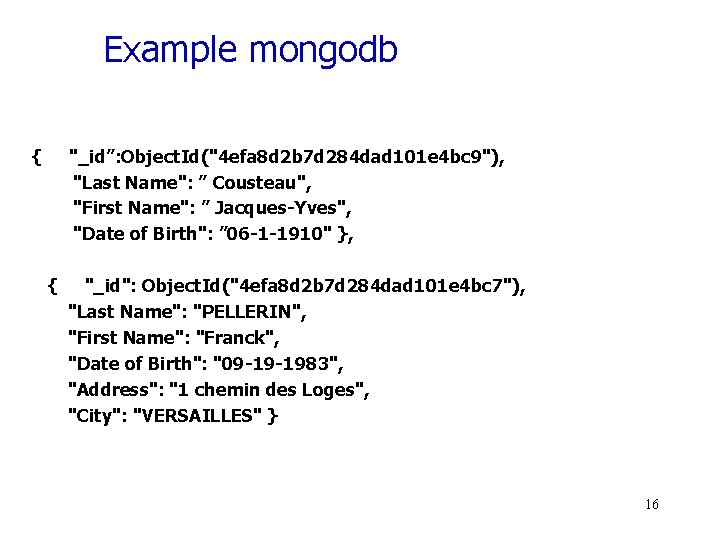
Example mongodb { "_id”: Object. Id("4 efa 8 d 2 b 7 d 284 dad 101 e 4 bc 9"), "Last Name": ” Cousteau", "First Name": ” Jacques-Yves", "Date of Birth": ” 06 -1 -1910" }, { "_id": Object. Id("4 efa 8 d 2 b 7 d 284 dad 101 e 4 bc 7"), "Last Name": "PELLERIN", "First Name": "Franck", "Date of Birth": "09 -19 -1983", "Address": "1 chemin des Loges", "City": "VERSAILLES" } 16
Example Document Database: Mongo. DB Key features include: • JSON-style documents • actually uses BSON (JSON's binary format) • replication for high availability • auto-sharding for scalability • document-based queries • can create an index on any attribute • for faster reads 17
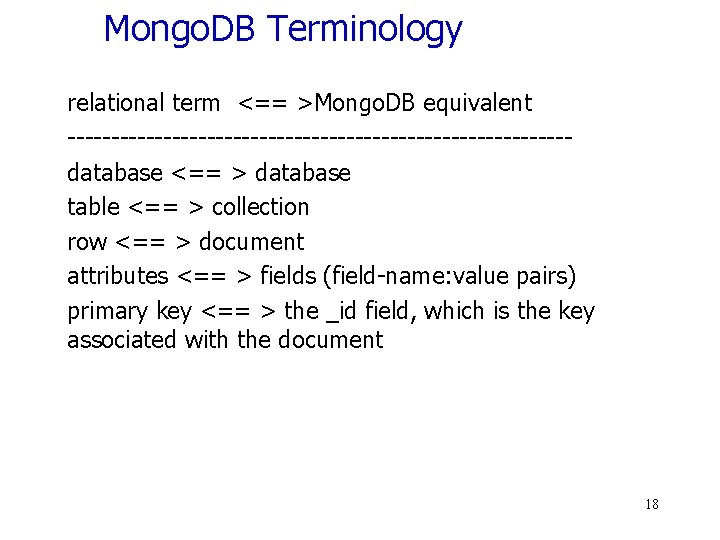
Mongo. DB Terminology relational term <== >Mongo. DB equivalent -----------------------------database <== > database table <== > collection row <== > document attributes <== > fields (field-name: value pairs) primary key <== > the _id field, which is the key associated with the document 18
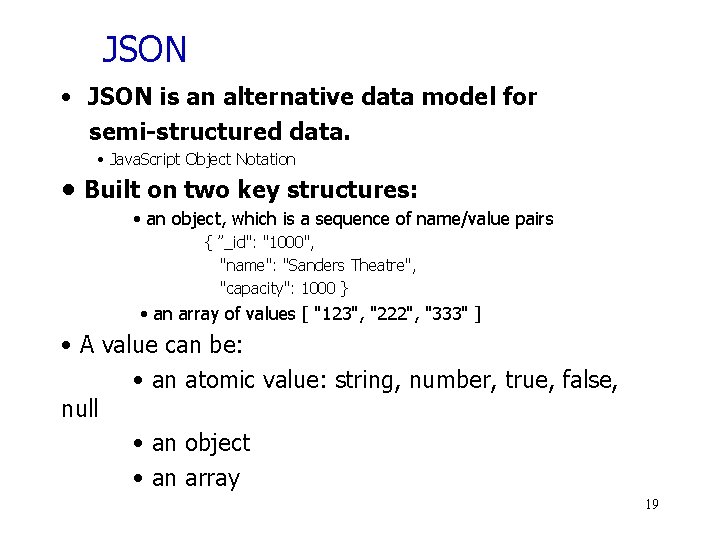
JSON • JSON is an alternative data model for semi-structured data. • Java. Script Object Notation • Built on two key structures: • an object, which is a sequence of name/value pairs { ”_id": "1000", "name": "Sanders Theatre", "capacity": 1000 } • an array of values [ "123", "222", "333" ] • A value can be: • an atomic value: string, number, true, false, null • an object • an array 19
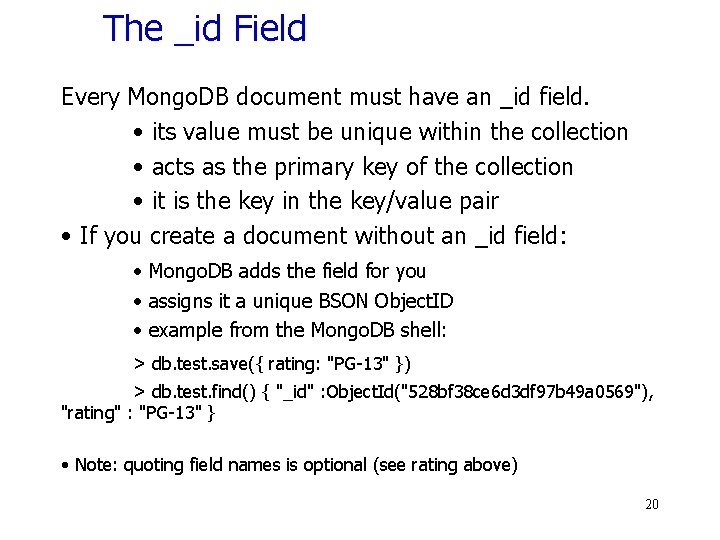
The _id Field Every Mongo. DB document must have an _id field. • its value must be unique within the collection • acts as the primary key of the collection • it is the key in the key/value pair • If you create a document without an _id field: • Mongo. DB adds the field for you • assigns it a unique BSON Object. ID • example from the Mongo. DB shell: > db. test. save({ rating: "PG-13" }) > db. test. find() { "_id" : Object. Id("528 bf 38 ce 6 d 3 df 97 b 49 a 0569"), "rating" : "PG-13" } • Note: quoting field names is optional (see rating above) 20
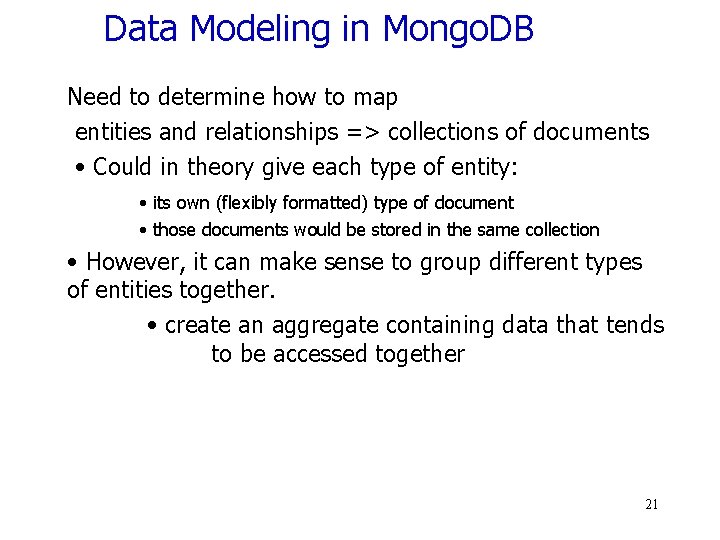
Data Modeling in Mongo. DB Need to determine how to map entities and relationships => collections of documents • Could in theory give each type of entity: • its own (flexibly formatted) type of document • those documents would be stored in the same collection • However, it can make sense to group different types of entities together. • create an aggregate containing data that tends to be accessed together 21
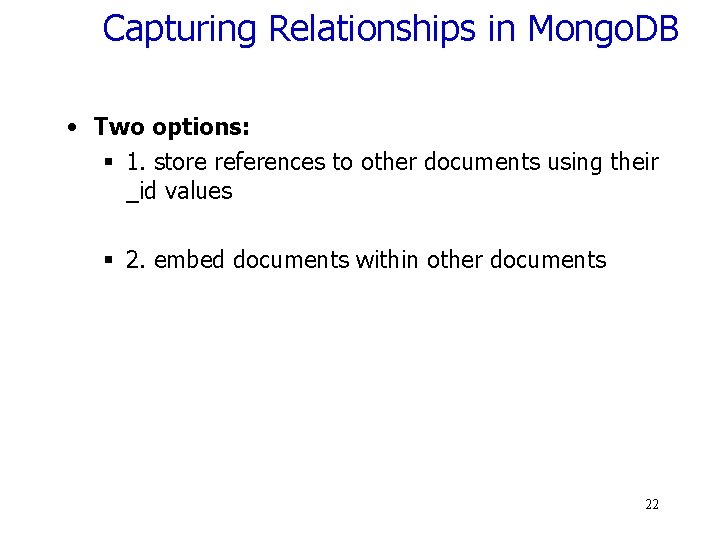
Capturing Relationships in Mongo. DB • Two options: § 1. store references to other documents using their _id values § 2. embed documents within other documents 22
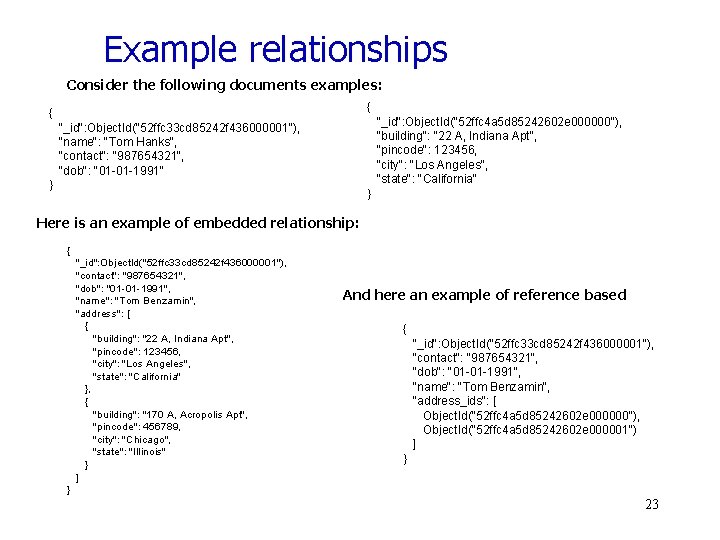
Example relationships Consider the following documents examples: { { "_id": Object. Id("52 ffc 4 a 5 d 85242602 e 000000"), "building": "22 A, Indiana Apt", "pincode": 123456, "city": "Los Angeles", "state": "California" "_id": Object. Id("52 ffc 33 cd 85242 f 436000001"), "name": "Tom Hanks", "contact": "987654321", "dob": "01 -01 -1991" } } Here is an example of embedded relationship: { "_id": Object. Id("52 ffc 33 cd 85242 f 436000001"), "contact": "987654321", "dob": "01 -01 -1991", "name": "Tom Benzamin", "address": [ { "building": "22 A, Indiana Apt", "pincode": 123456, "city": "Los Angeles", "state": "California" }, { "building": "170 A, Acropolis Apt", "pincode": 456789, "city": "Chicago", "state": "Illinois" } ] And here an example of reference based { "_id": Object. Id("52 ffc 33 cd 85242 f 436000001"), "contact": "987654321", "dob": "01 -01 -1991", "name": "Tom Benzamin", "address_ids": [ Object. Id("52 ffc 4 a 5 d 85242602 e 000000"), Object. Id("52 ffc 4 a 5 d 85242602 e 000001") ] } } 23
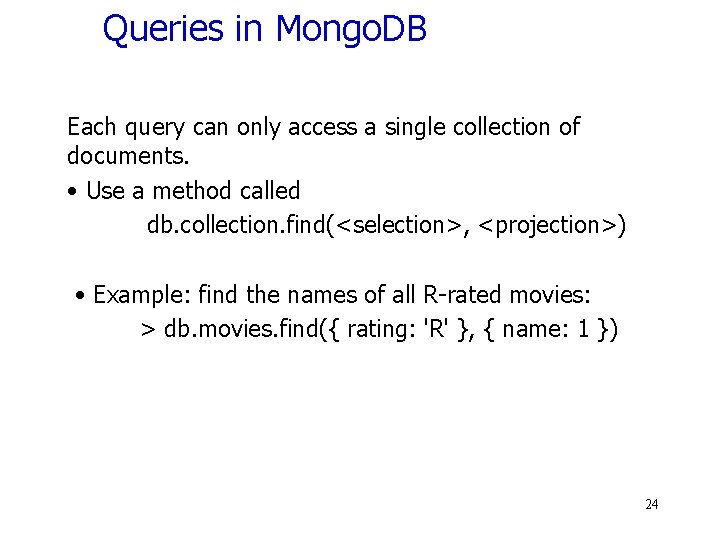
Queries in Mongo. DB Each query can only access a single collection of documents. • Use a method called db. collection. find(<selection>, <projection>) • Example: find the names of all R-rated movies: > db. movies. find({ rating: 'R' }, { name: 1 }) 24
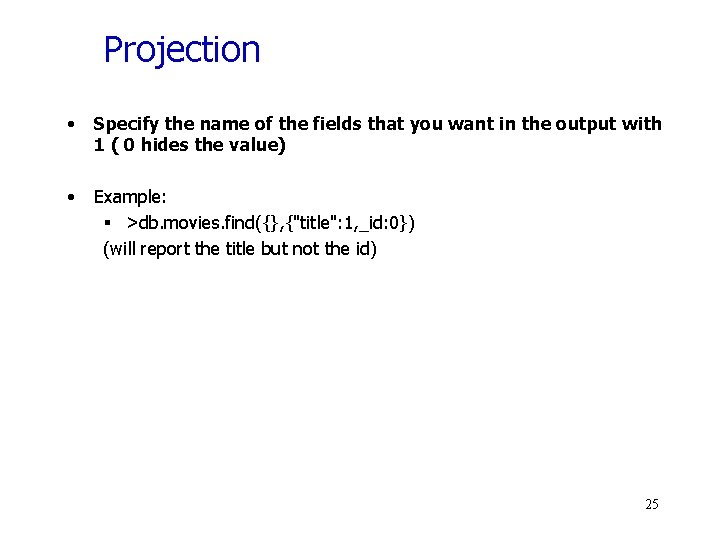
Projection • Specify the name of the fields that you want in the output with 1 ( 0 hides the value) • Example: § >db. movies. find({}, {"title": 1, _id: 0}) (will report the title but not the id) 25
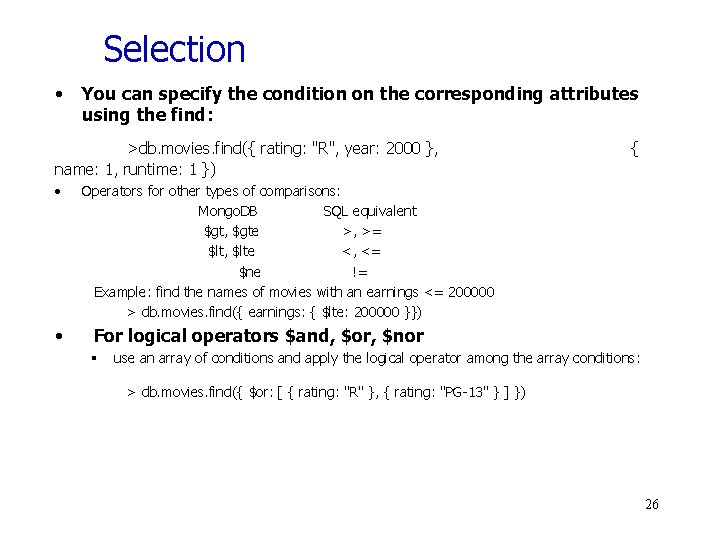
Selection • You can specify the condition on the corresponding attributes using the find: >db. movies. find({ rating: "R", year: 2000 }, name: 1, runtime: 1 }) • • { Operators for other types of comparisons: Mongo. DB SQL equivalent $gt, $gte >, >= $lt, $lte <, <= $ne != Example: find the names of movies with an earnings <= 200000 > db. movies. find({ earnings: { $lte: 200000 }}) For logical operators $and, $or, $nor § use an array of conditions and apply the logical operator among the array conditions: > db. movies. find({ $or: [ { rating: "R" }, { rating: "PG-13" } ] }) 26
Aggregation • Recall the aggregate operators in SQL: AVG(), SUM(), etc. More generally, aggregation involves computing a result from a collection of data. • Mongo. DB supports several approaches to aggregation: - single-purpose aggregation methods - an aggregation pipeline - map-reduce Aggregation pipelines are more flexible and useful (see next): https: //docs. mongodb. com/manual/core/aggregation-pipeline/ 27
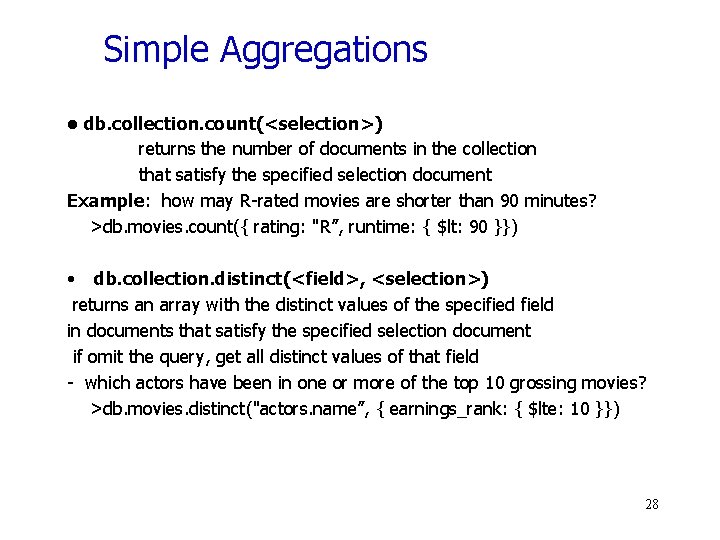
Simple Aggregations • db. collection. count(<selection>) returns the number of documents in the collection that satisfy the specified selection document Example: how may R-rated movies are shorter than 90 minutes? >db. movies. count({ rating: "R”, runtime: { $lt: 90 }}) • db. collection. distinct(<field>, <selection>) returns an array with the distinct values of the specified field in documents that satisfy the specified selection document if omit the query, get all distinct values of that field - which actors have been in one or more of the top 10 grossing movies? >db. movies. distinct("actors. name”, { earnings_rank: { $lte: 10 }}) 28
Aggregation Pipeline • A very powerful approach to write queries in Mongo. DB is to use pipelines. • We execute the query in stages. Every stage gets as input some documents, applies filters/aggregations/projections and outputs some new documents. These documents are the input to the next stage (next operator) and so on 29
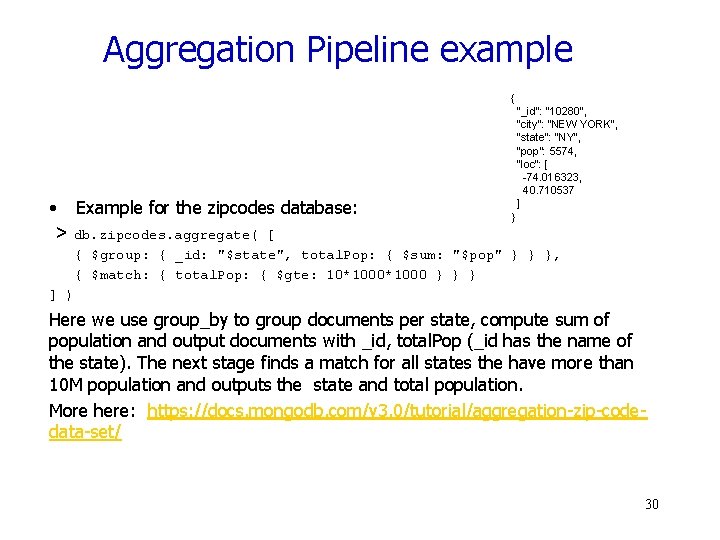
Aggregation Pipeline example { • Example for the zipcodes database: > db. zipcodes. aggregate( [ "_id": "10280", "city": "NEW YORK", "state": "NY", "pop": 5574, "loc": [ -74. 016323, 40. 710537 ] } { $group: { _id: "$state", total. Pop: { $sum: "$pop" } } }, { $match: { total. Pop: { $gte: 10*1000 } } } ] ) Here we use group_by to group documents per state, compute sum of population and output documents with _id, total. Pop (_id has the name of the state). The next stage finds a match for all states the have more than 10 M population and outputs the state and total population. More here: https: //docs. mongodb. com/v 3. 0/tutorial/aggregation-zip-codedata-set/ 30
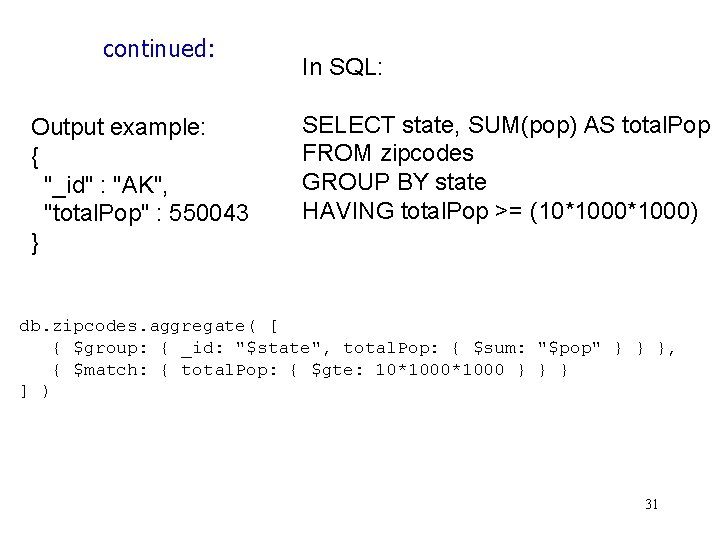
continued: Output example: { "_id" : "AK", "total. Pop" : 550043 } In SQL: SELECT state, SUM(pop) AS total. Pop FROM zipcodes GROUP BY state HAVING total. Pop >= (10*1000) db. zipcodes. aggregate( [ { $group: { _id: "$state", total. Pop: { $sum: "$pop" } } }, { $match: { total. Pop: { $gte: 10*1000 } } } ] ) 31
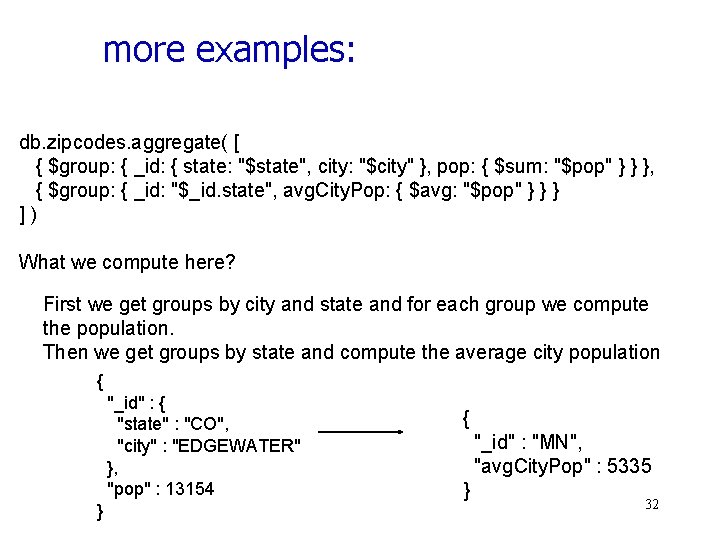
more examples: db. zipcodes. aggregate( [ { $group: { _id: { state: "$state", city: "$city" }, pop: { $sum: "$pop" } } }, { $group: { _id: "$_id. state", avg. City. Pop: { $avg: "$pop" } } } ]) What we compute here? First we get groups by city and state and for each group we compute the population. Then we get groups by state and compute the average city population { "_id" : { "state" : "CO", "city" : "EDGEWATER" }, "pop" : 13154 } { "_id" : "MN", "avg. City. Pop" : 5335 } 32
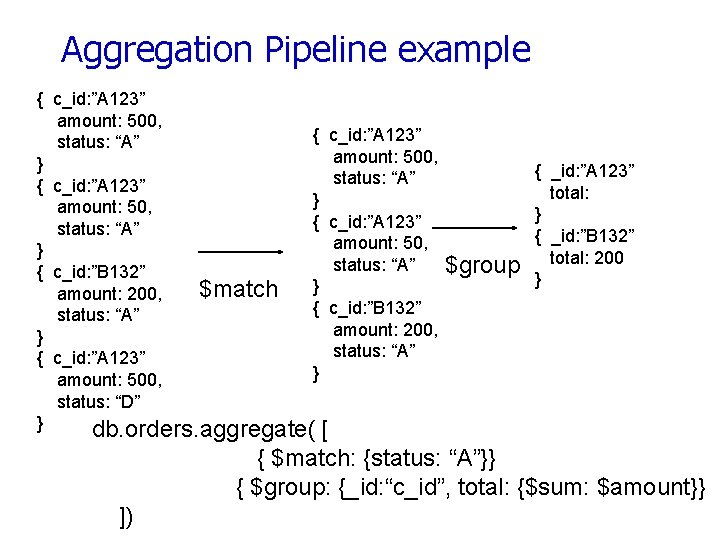
Aggregation Pipeline example { c_id: ”A 123” amount: 500, { c_id: ”A 123” status: “A” amount: 500, } status: “A” { c_id: ”A 123” } amount: 50, { c_id: ”A 123” status: “A” amount: 50, } status: “A” { c_id: ”B 132” $match } amount: 200, { c_id: ”B 132” status: “A” amount: 200, } status: “A” { c_id: ”A 123” } amount: 500, status: “D” } db. orders. aggregate( [ $group { _id: ”A 123” total: } { _id: ”B 132” total: 200 } { $match: {status: “A”}} { $group: {_id: “c_id”, total: {$sum: $amount}} ])
Other Structure Issues • No. SQL: a) Tables are unnatural, b) “joins” are evil, c) need to be able to “grep” my data • DB: a) Tables are a natural/neutral structure, b) data independence lets you precompute joins under the covers, c) this is a price of all the DBMS goodness you get This is an Old Debate – Object-oriented databases, XML DBs, Hierarchical, … 34
Fault Tolerance • DBs: coarse-grained FT – if trouble, restart transaction § Fewer, Better nodes, so failures are rare § Transactions allow you to kill a job and easily restart it • No. SQL: Massive amounts of cheap HW, failures are the norm and massive data means long running jobs § So must be able to do mini-recoveries § This causes some overhead (file writes) 35
36
Cloud Computing Computation Models • Finding the right level of abstraction § von Neumann architecture vs cloud environment • Hide system-level details from the developers § No more race conditions, lock contention, etc. • Separating the what from how § Developer specifies the computation that needs to be performed § Execution framework (“runtime”) handles actual execution Similar to SQL!!
Typical Large-Data Problem Map • • • Iterate over a large number of records Extract something of interest from each Shuffle and sort intermediate results Aggregate intermediate results e c u d e R Generate final output Key idea: provide a functional abstraction for these two operations – Map. Reduce (Dean and Ghemawat, OSDI 2004)
Map. Reduce • Programmers specify two functions: map (k, v) → <k’, v’>* reduce (k’, v’) → <k’, v’’>* § All values with the same key are sent to the same reducer • The execution framework handles everything else…
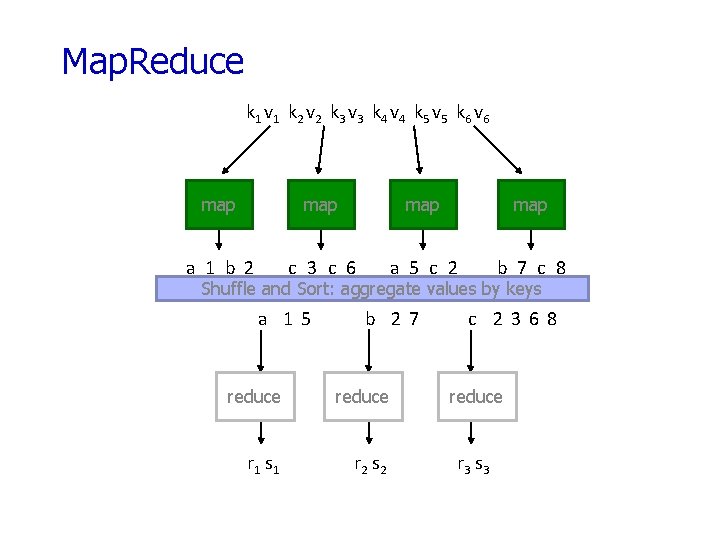
Map. Reduce k 1 v 1 k 2 v 2 k 3 v 3 k 4 v 4 k 5 v 5 k 6 v 6 map map a 1 b 2 c 3 c 6 a 5 c 2 b 7 c 8 Shuffle and Sort: aggregate values by keys a 15 b 27 reduce r 1 s 1 r 2 s 2 c 2368 reduce r 3 s 3
Map. Reduce • Programmers specify two functions: map (k, v) → <k’, v’>* reduce (k’, v’) → <k’, v’>* § All values with the same key are sent to the same reducer • The execution framework handles everything else… What’s “everything else”?
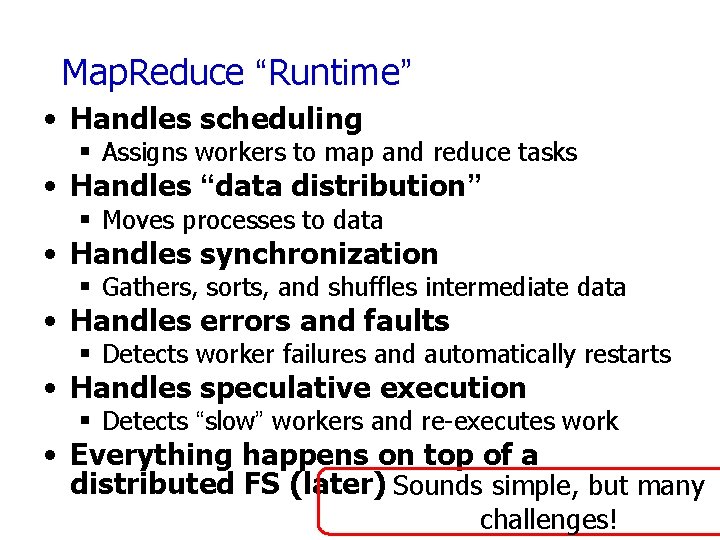
Map. Reduce “Runtime” • Handles scheduling § Assigns workers to map and reduce tasks • Handles “data distribution” § Moves processes to data • Handles synchronization § Gathers, sorts, and shuffles intermediate data • Handles errors and faults § Detects worker failures and automatically restarts • Handles speculative execution § Detects “slow” workers and re-executes work • Everything happens on top of a distributed FS (later) Sounds simple, but many challenges!
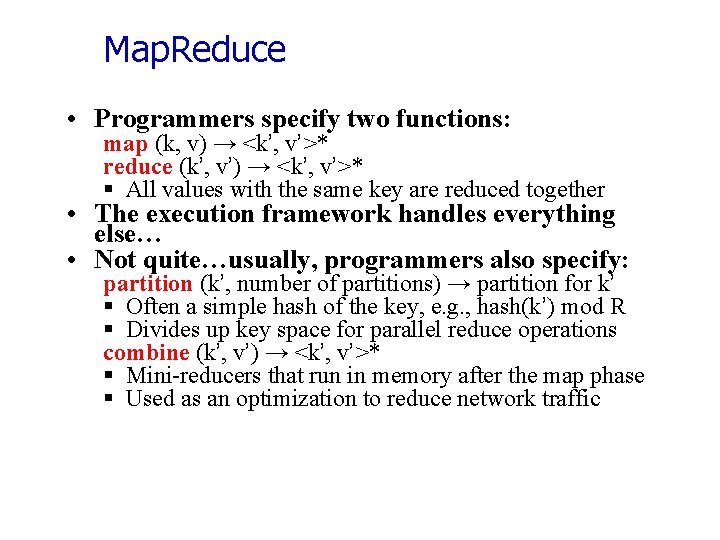
Map. Reduce • Programmers specify two functions: map (k, v) → <k’, v’>* reduce (k’, v’) → <k’, v’>* § All values with the same key are reduced together • The execution framework handles everything else… • Not quite…usually, programmers also specify: partition (k’, number of partitions) → partition for k’ § Often a simple hash of the key, e. g. , hash(k’) mod R § Divides up key space for parallel reduce operations combine (k’, v’) → <k’, v’>* § Mini-reducers that run in memory after the map phase § Used as an optimization to reduce network traffic
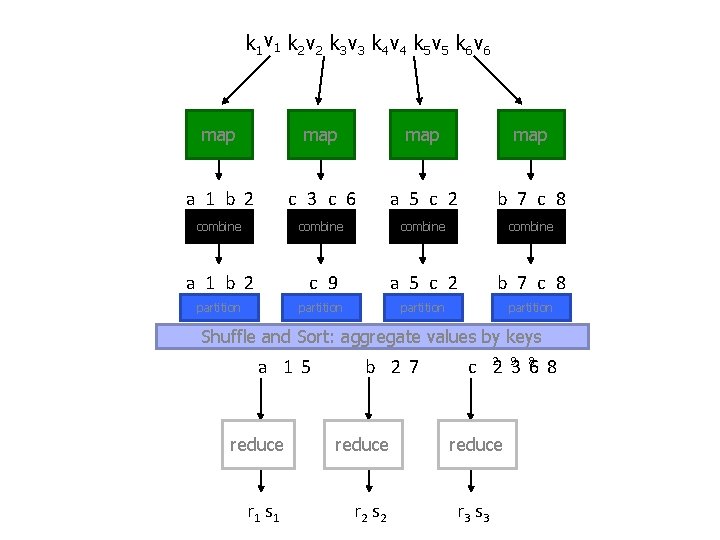
k 1 v 1 k 2 v 2 k 3 v 3 k 4 v 4 k 5 v 5 k 6 v 6 map map a 1 b 2 c 3 c 6 a 5 c 2 b 7 c 8 combine a 1 b 2 c 9 a 5 c 2 b 7 c 8 partition Shuffle and Sort: aggregate values by keys a 15 b 27 reduce r 1 s 1 r 2 s 2 2 9 8 cc 2 368 reduce r 3 s 3
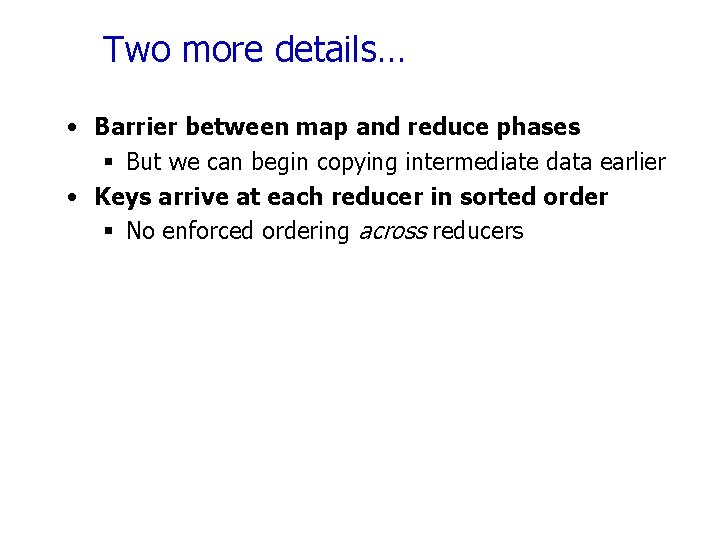
Two more details… • Barrier between map and reduce phases § But we can begin copying intermediate data earlier • Keys arrive at each reducer in sorted order § No enforced ordering across reducers
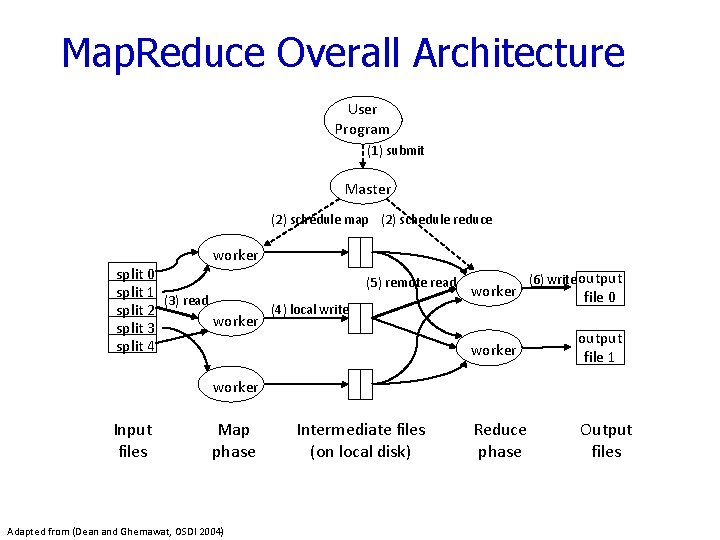
Map. Reduce Overall Architecture User Program (1) submit Master (2) schedule map (2) schedule reduce worker split 0 split 1 (3) read (4) local write split 2 worker split 3 split 4 (5) remote read worker (6) write output file 0 worker output file 1 Reduce phase Output files worker Input files Map phase Adapted from (Dean and Ghemawat, OSDI 2004) Intermediate files (on local disk)
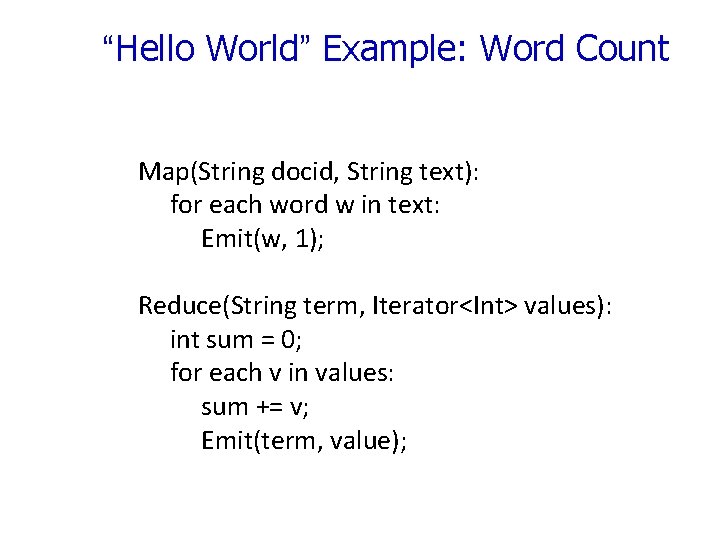
“Hello World” Example: Word Count Map(String docid, String text): for each word w in text: Emit(w, 1); Reduce(String term, Iterator<Int> values): int sum = 0; for each v in values: sum += v; Emit(term, value);
Map. Reduce can refer to… • The programming model • The execution framework (aka “runtime”) • The specific implementation Usage is usually clear from context!
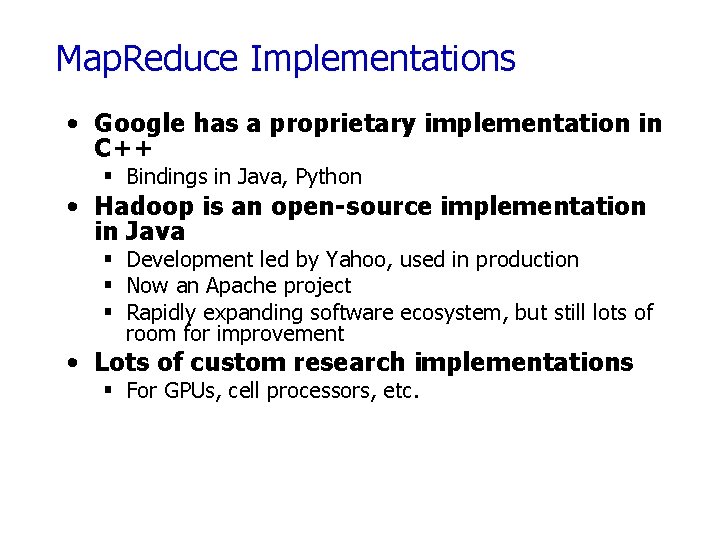
Map. Reduce Implementations • Google has a proprietary implementation in C++ § Bindings in Java, Python • Hadoop is an open-source implementation in Java § Development led by Yahoo, used in production § Now an Apache project § Rapidly expanding software ecosystem, but still lots of room for improvement • Lots of custom research implementations § For GPUs, cell processors, etc.
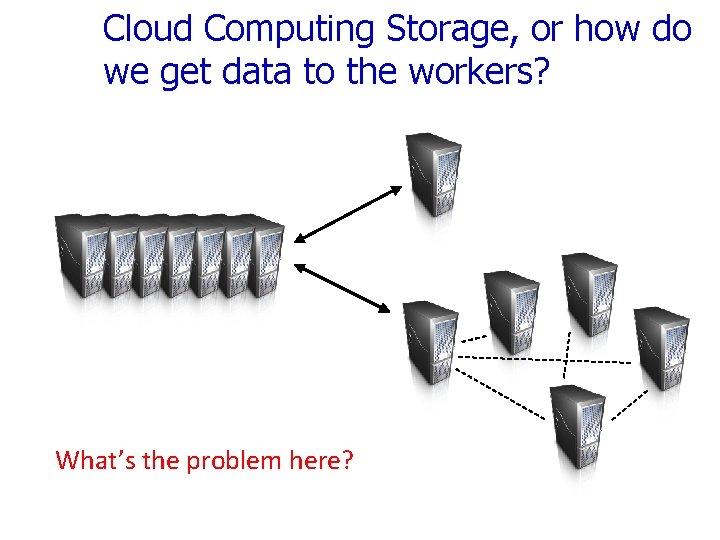
Cloud Computing Storage, or how do we get data to the workers? NAS SAN Compute Nodes What’s the problem here?
Distributed File System • Don’t move data to workers… move workers to the data! § Store data on the local disks of nodes in the cluster § Start up the workers on the node that has the data local • Why? § Network bisection bandwidth is limited § Not enough RAM to hold all the data in memory § Disk access is slow, but disk throughput is reasonable • A distributed file system is the answer § GFS (Google File System) for Google’s Map. Reduce § HDFS (Hadoop Distributed File System) for Hadoop
GFS: Assumptions • Choose commodity hardware over “exotic” hardware § Scale “out”, not “up” • High component failure rates § Inexpensive commodity components fail all the time • “Modest” number of huge files § Multi-gigabyte files are common, if not encouraged • Files are write-once, mostly appended to § Perhaps concurrently • Large streaming reads over random access § High sustained throughput over low latency GFS slides adapted from material by (Ghemawat et al. , SOSP 2003)
GFS: Design Decisions • Files stored as chunks § Fixed size (64 MB) • Reliability through replication § Each chunk replicated across 3+ chunkservers • Single master to coordinate access, keep metadata § Simple centralized management • No data caching § Little benefit due to large datasets, streaming reads • Simplify the API § Push some of the issues onto the client (e. g. , data layout) HDFS = GFS clone (same basic ideas implemented in Java)
From GFS to HDFS • Terminology differences: § GFS master = Hadoop namenode § GFS chunkservers = Hadoop datanodes • Functional differences: § No file appends in HDFS (was planned) § HDFS performance is (likely) slower
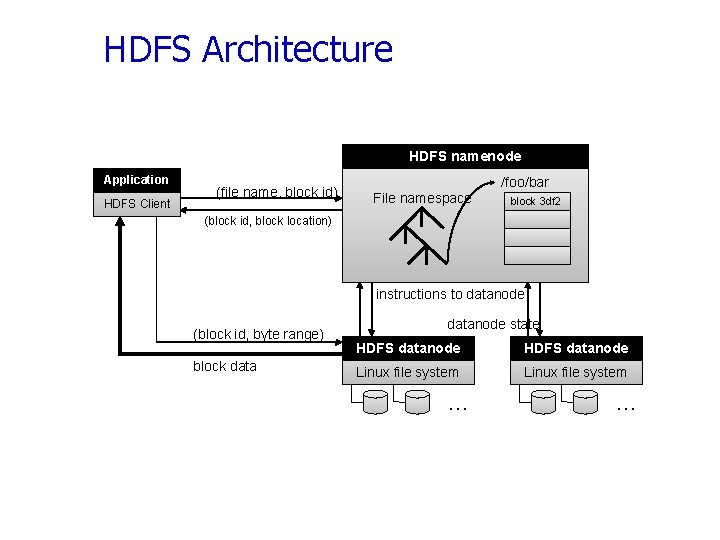
HDFS Architecture HDFS namenode Application HDFS Client (file name, block id) File namespace /foo/bar block 3 df 2 (block id, block location) instructions to datanode (block id, byte range) block datanode state HDFS datanode Linux file system … Adapted from (Ghemawat et al. , SOSP 2003) …
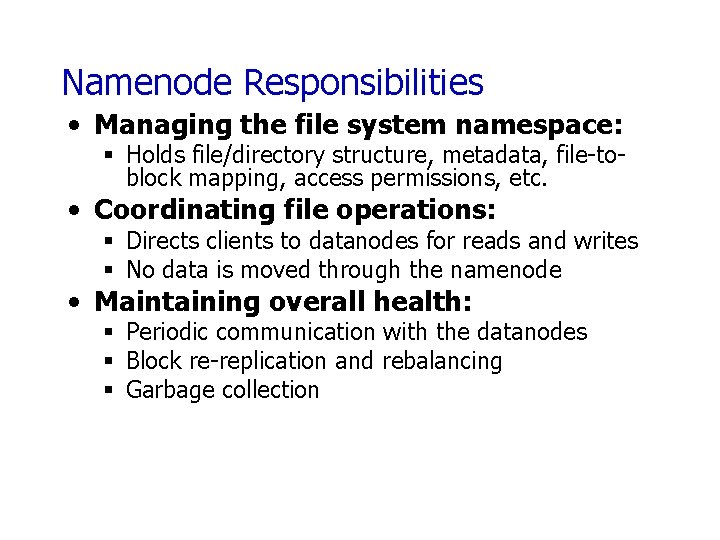
Namenode Responsibilities • Managing the file system namespace: § Holds file/directory structure, metadata, file-toblock mapping, access permissions, etc. • Coordinating file operations: § Directs clients to datanodes for reads and writes § No data is moved through the namenode • Maintaining overall health: § Periodic communication with the datanodes § Block re-replication and rebalancing § Garbage collection
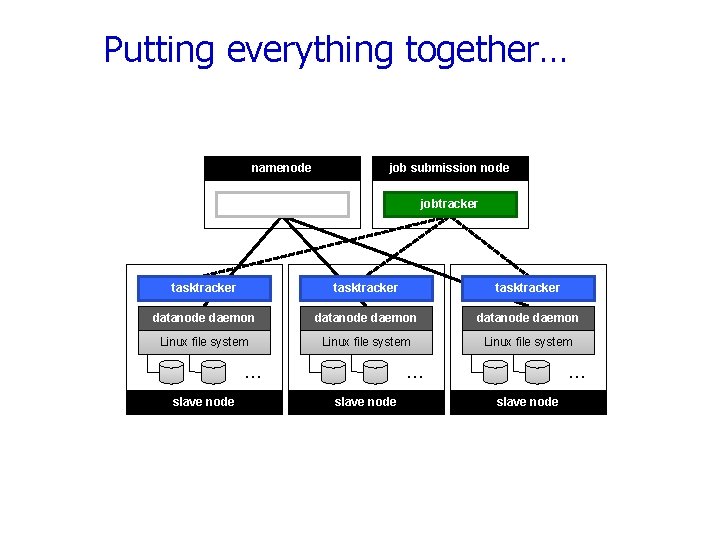
Putting everything together… namenode job submission node namenode daemon jobtracker tasktracker datanode daemon Linux file system … slave node
Map. Reduce/GFS Summary • Simple, but powerful programming model • Scales to handle petabyte+ workloads § Google: six hours and two minutes to sort 1 PB (10 trillion 100 -byte records) on 4, 000 computers § Yahoo!: 16. 25 hours to sort 1 PB on 3, 800 computers • Incremental performance improvement with more nodes • Seamlessly handles failures, but possibly with performance penalties
- Slides: 56