
Nmap Experiment Outline Introduction NMAP NMAP advantages NMAP

![Scanning Host Port • Instruction : namp –p [1 -1024] Target host 12](https://slidetodoc.com/presentation_image_h/e4570f34cba9619b0279452b22362253/image-12.jpg "Scanning Host Port • Instruction : namp –p [1 -1024] Target host 12")

- Slides: 14
Nmap Experiment
Outline • Introduction • NMAP - NMAP advantages - NMAP capability of support • NMAP Install - Install of under Windows - Install of under Linux • NMAP Experiment - Use NMAP - Parameter:-s. T - Parameter:-s. S • Conclusions 2
Introduction • A Port Scanner software on unix • By NMAP scan - Quickly know remote host executive services - Guess remote host’s Operation System & Version - Subnet scanning =>To detect the subnet on which hosts and each of detection of its services 3
Nmap pros & function • Nmap advantages - Support scanning of variety protocols - Support most of existing system - Operate interface simply - Simple instructions , powerful functions - Free software • Nmap function - TCP SYN scanning - TCP ftp proxy scanning - ICMP scanning - TCP ping scanning 4
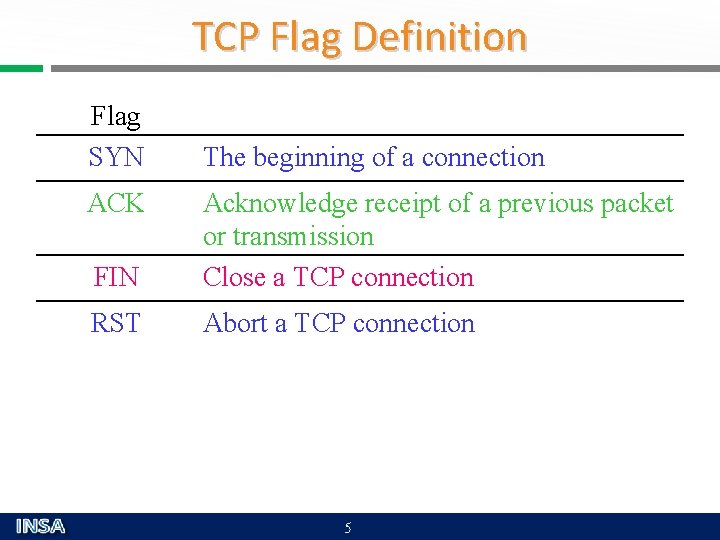
TCP Flag Definition Flag SYN ACK The beginning of a connection FIN Acknowledge receipt of a previous packet or transmission Close a TCP connection RST Abort a TCP connection 5
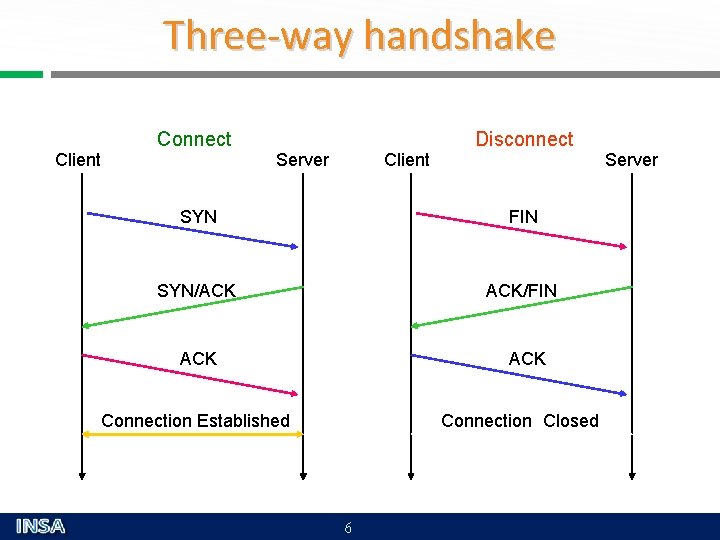
Three-way handshake Connect Client Disconnect Server Client Server SYN FIN SYN/ACK ACK/FIN ACK Connection Established Connection Closed 6
Nmap Install
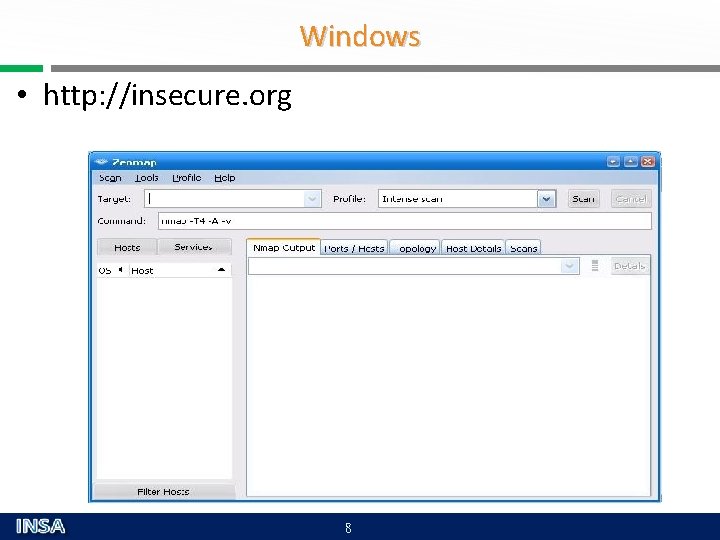
Windows • http: //insecure. org 8
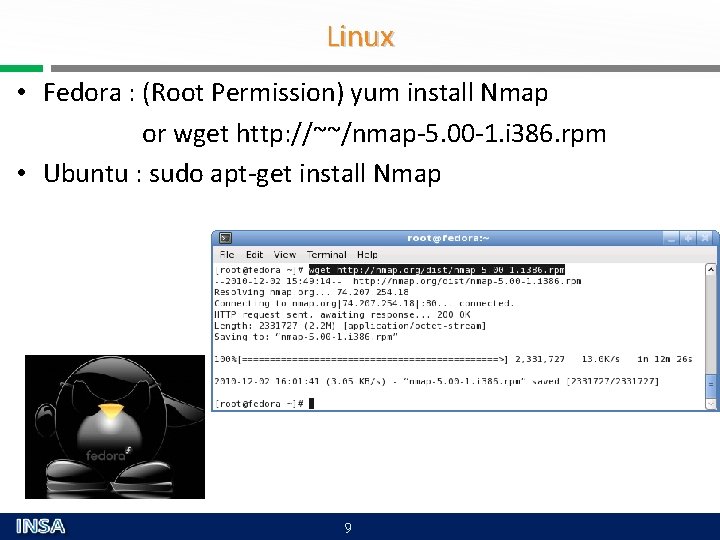
Linux • Fedora : (Root Permission) yum install Nmap or wget http: //~~/nmap-5. 00 -1. i 386. rpm • Ubuntu : sudo apt-get install Nmap 9
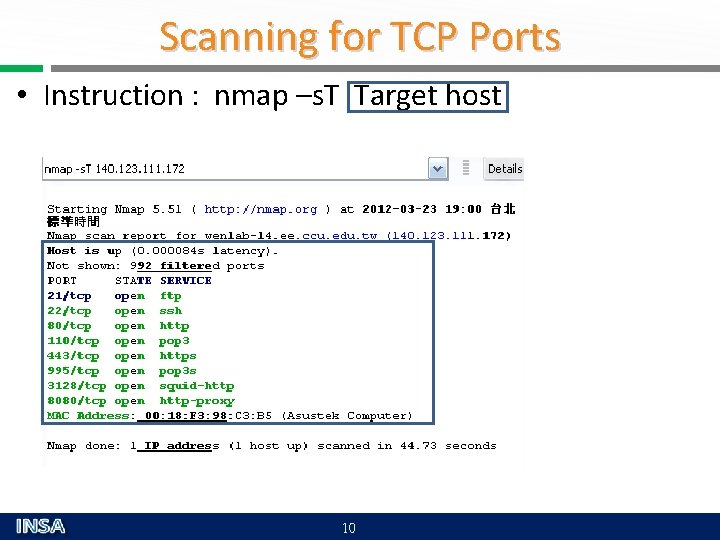
Scanning for TCP Ports • Instruction : nmap –s. T Target host 10
SYN Scan Instruction : nmap –s. S Target host Nmap sends to Host Nmap receives from Port Host Port Nmap Assumes SYN/ACK Port is open Host is up SYN RST Port is closed Host is up SYN Nothing Port is blocked by firewall Or Host is down 11
Scanning Host Port • Instruction : namp –p [1 -1024] Target host 12
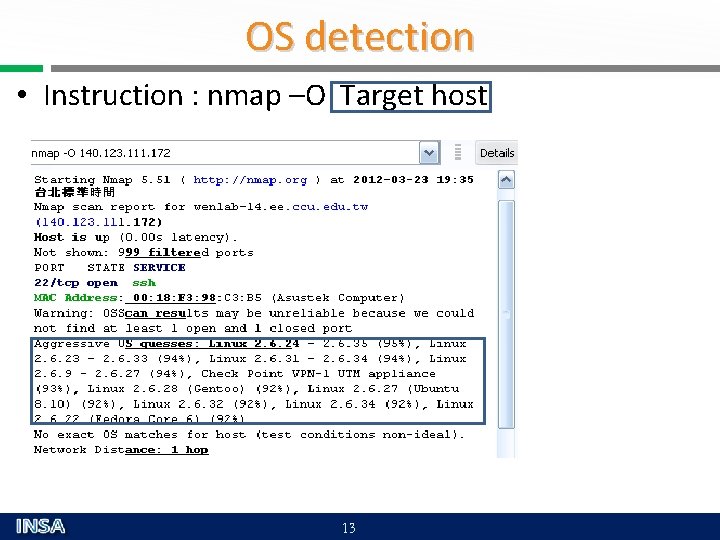
OS detection • Instruction : nmap –O Target host 13
Conclusions • Nmap is a useful and free security detective tool • Through Nmap provide detailed information that can understand host deeply and also avoid unexpected security vulnerabilities • Other scanning tools - Netscantools - Superscan - IPEYE - WUPS 14