
NLSY Kinship Links Creating Biometrical Design Structures from
NLSY Kinship Links: Creating Biometrical Design Structures from Cross-Generational Data William Howard Beasley, David Bard, Kelly Meredith, Mike Hunter, Joe Rodgers BGA 2013
Topics • • • Timeline of NLSY cohorts Linking subjects within a cohort Linking subjects across cohorts Construction of links Nlsy. Links: Online utilities and kinship information for Behavior Genetics and Developmental research using the NLSY
NLSY Cohorts • Nlsy 79: 1 st generation – Surveyed since 1979; N≈12, 000 – Nationally representative sample • Nlsy 79: 2 nd generation – Biological children of the Nlsy 79 1 st generation females – Surveyed since 1986; N≈12, 000 – Frequently called “Nlsy 79 -C” or “CNLSY 79” • Nlsy 97 – Surveyed since 1979; N≈9, 000 – Nationally representative sample – No genetic relationship to Nlsy 79 cohorts
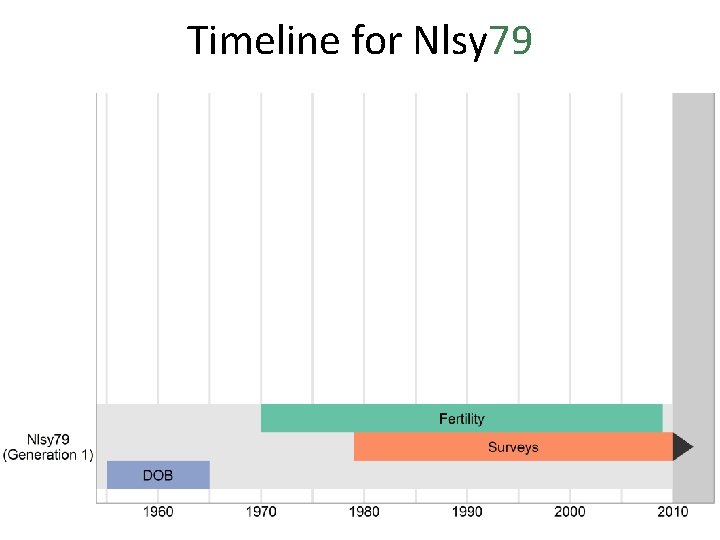
Timeline for Nlsy 79
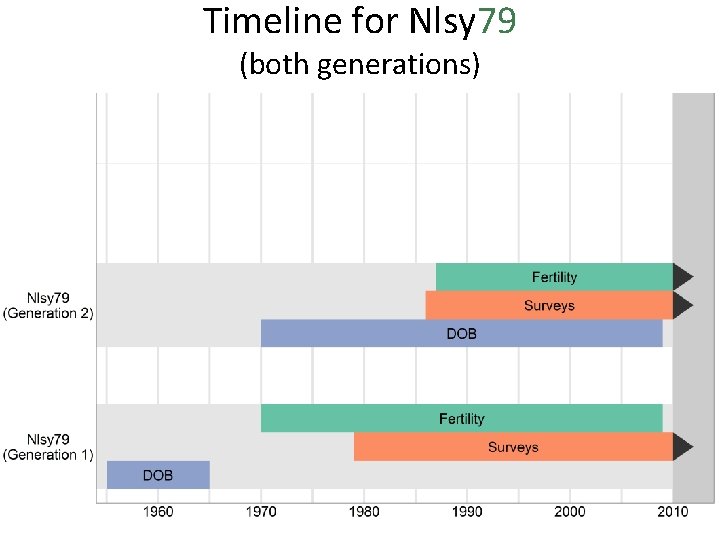
Timeline for Nlsy 79 (both generations)
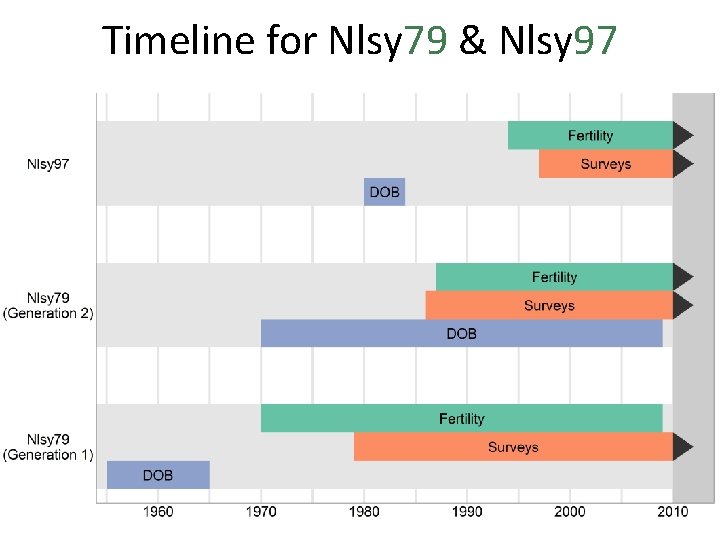
Timeline for Nlsy 79 & Nlsy 97
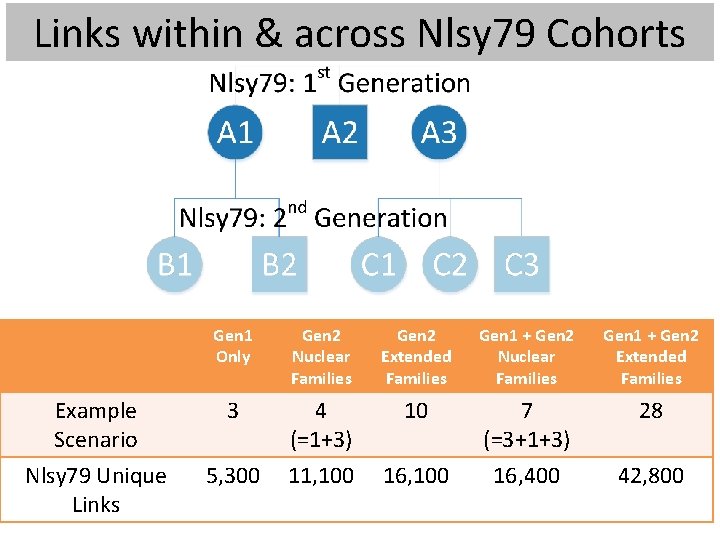
Links within & across Nlsy 79 Cohorts Gen 1 Only Gen 2 Nuclear Families Gen 2 Extended Families Gen 1 + Gen 2 Nuclear Families Gen 1 + Gen 2 Extended Families Example Scenario 3 4 (=1+3) 10 7 (=3+1+3) 28 Nlsy 79 Unique Links 5, 300 11, 100 16, 400 42, 800
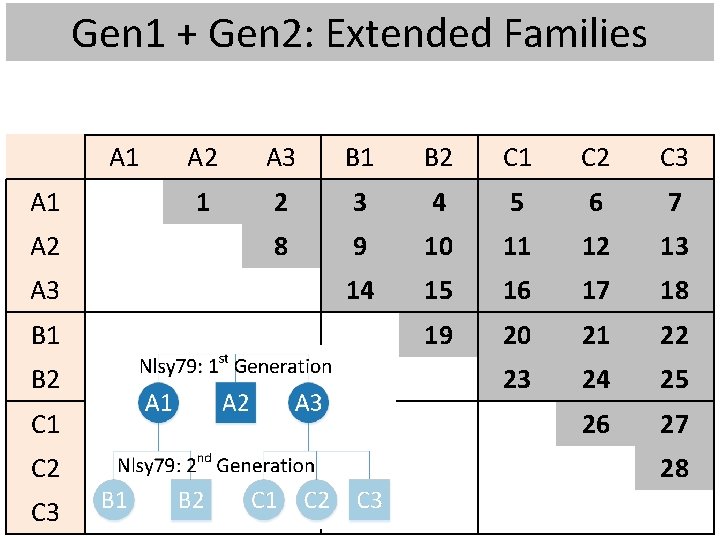
Gen 1 + Gen 2: Extended Families A 1 A 2 A 3 B 1 B 2 C 1 C 2 C 3 1 2 3 4 5 6 7 8 9 10 11 12 13 14 15 16 17 18 19 20 21 22 23 24 25 26 27 28
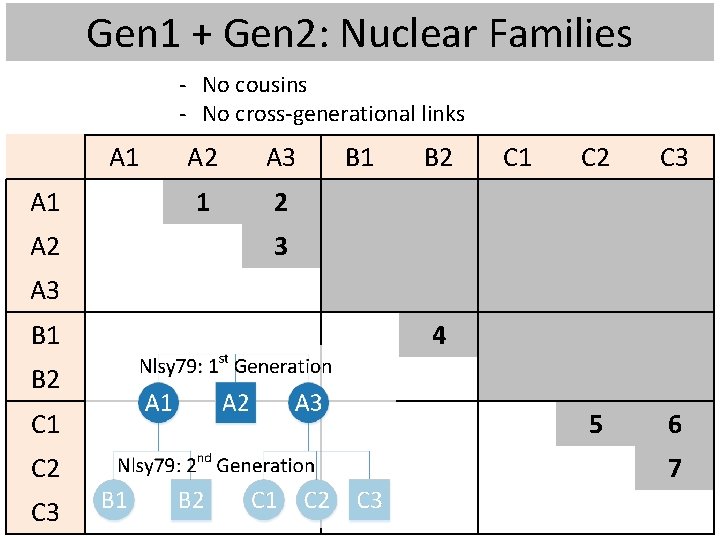
Gen 1 + Gen 2: Nuclear Families - No cousins - No cross-generational links A 1 A 2 A 3 1 2 B 1 B 2 C 1 C 2 C 3 5 6 3 A 3 B 1 4 B 2 C 1 C 2 C 3 7
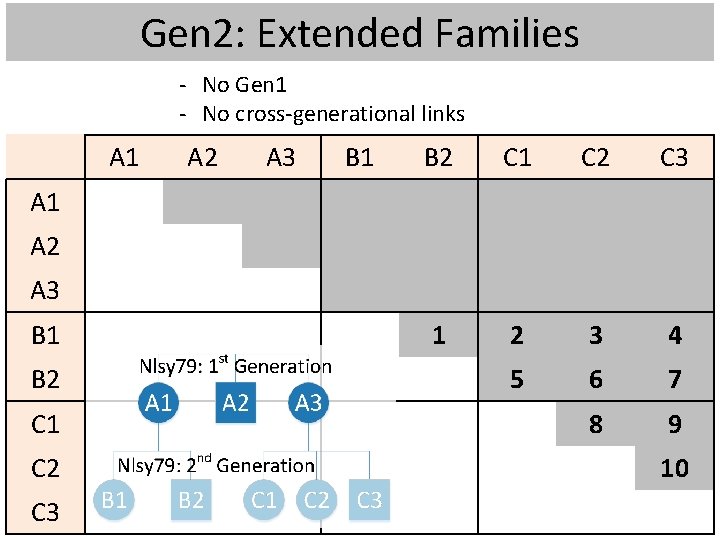
Gen 2: Extended Families - No Gen 1 - No cross-generational links A 1 A 2 A 3 B 1 B 2 C 1 C 2 C 3 1 2 3 4 5 6 7 8 9 A 1 A 2 A 3 B 1 B 2 C 1 C 2 C 3 10
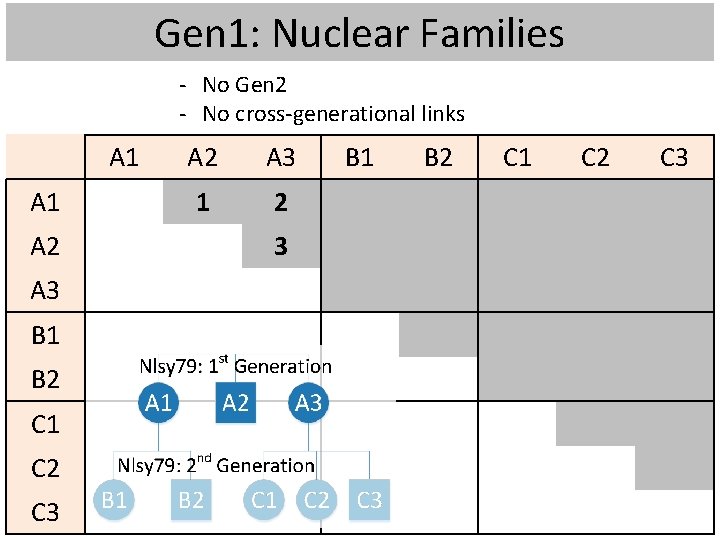
Gen 1: Nuclear Families - No Gen 2 - No cross-generational links A 1 A 2 A 3 B 1 B 2 C 1 C 2 C 3 A 2 A 3 1 2 3 B 1 B 2 C 1 C 2 C 3
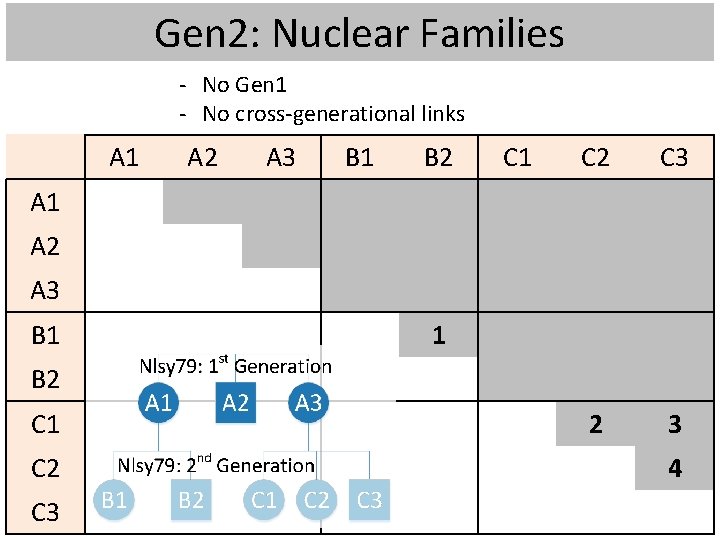
Gen 2: Nuclear Families - No Gen 1 - No cross-generational links A 1 A 2 A 3 B 1 B 2 C 1 C 2 C 3 2 3 A 1 A 2 A 3 B 1 1 B 2 C 1 C 2 C 3 4
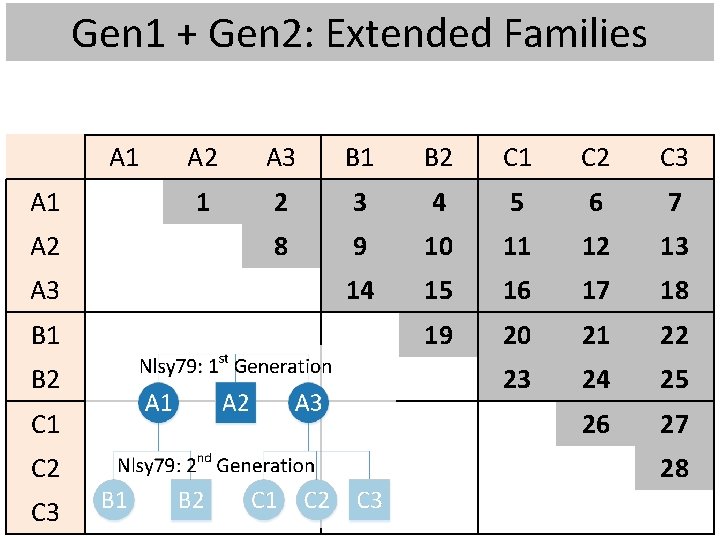
Gen 1 + Gen 2: Extended Families A 1 A 2 A 3 B 1 B 2 C 1 C 2 C 3 1 2 3 4 5 6 7 8 9 10 11 12 13 14 15 16 17 18 19 20 21 22 23 24 25 26 27 28
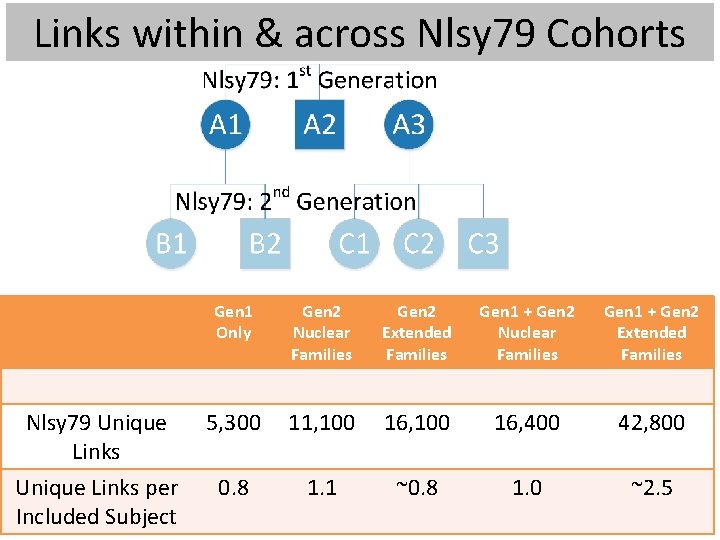
Links within & across Nlsy 79 Cohorts Gen 1 Only Gen 2 Nuclear Families Gen 2 Extended Families Gen 1 + Gen 2 Nuclear Families Gen 1 + Gen 2 Extended Families Nlsy 79 Unique Links 5, 300 11, 100 16, 400 42, 800 Unique Links per Included Subject 0. 8 1. 1 ~0. 8 1. 0 ~2. 5
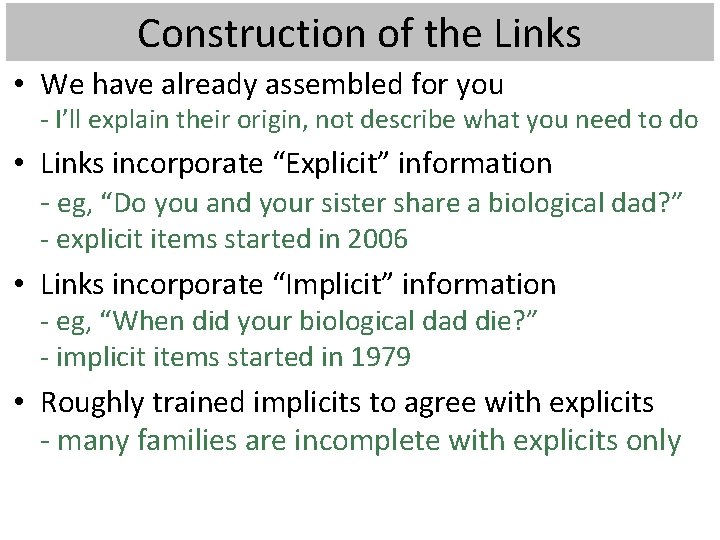
Construction of the Links • We have already assembled for you - I’ll explain their origin, not describe what you need to do • Links incorporate “Explicit” information - eg, “Do you and your sister share a biological dad? ” - explicit items started in 2006 • Links incorporate “Implicit” information - eg, “When did your biological dad die? ” - implicit items started in 1979 • Roughly trained implicits to agree with explicits - many families are incomplete with explicits only
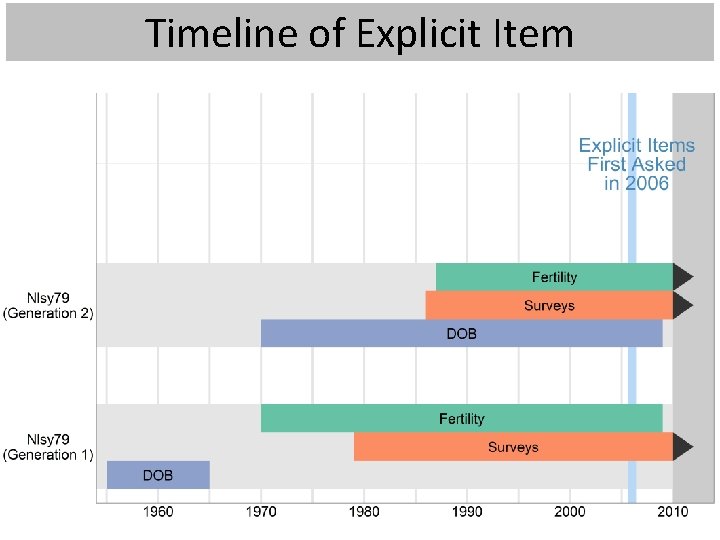
Timeline of Explicit Item
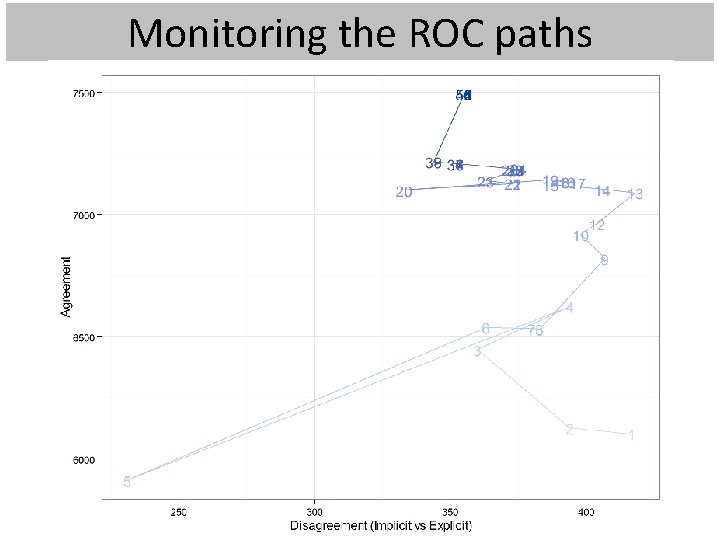
Monitoring the ROC paths
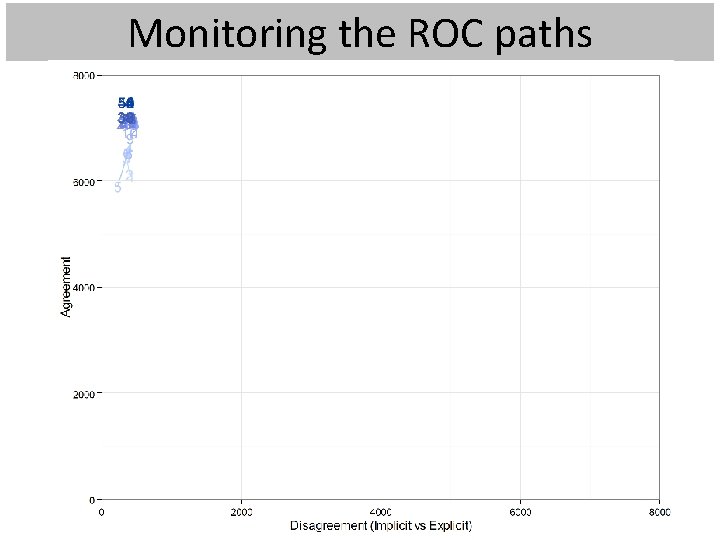
Monitoring the ROC paths
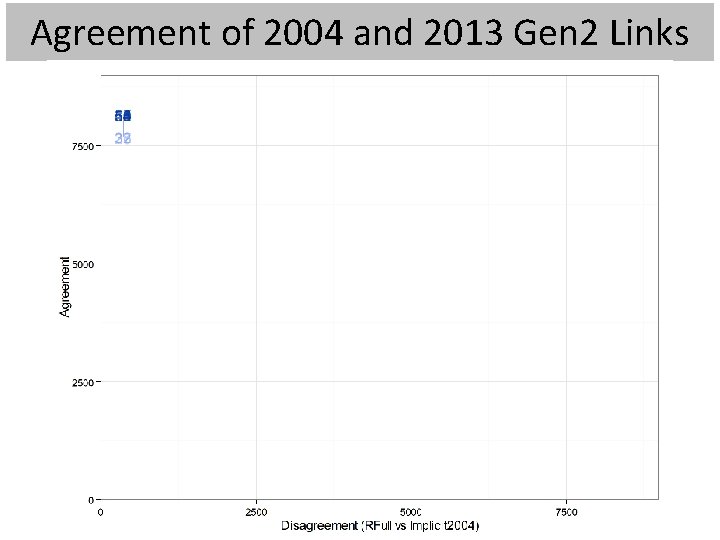
Agreement of 2004 and 2013 Gen 2 Links
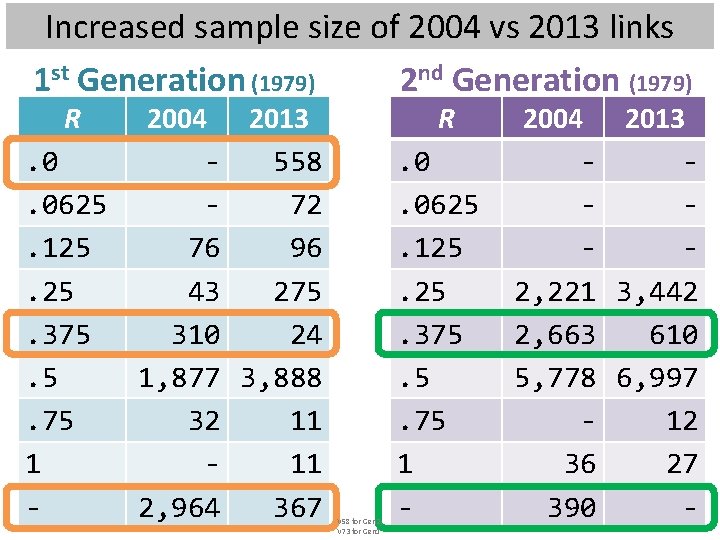
Increased sample size of 2004 vs 2013 links 1 st Generation (1979) 2 nd Generation (1979) R . 0. 0625. 125. 375. 5. 75 1 - 2004 2013 558 72 76 96 43 275 310 24 1, 877 3, 888 32 11 11 2, 964 367 R V 58 for Gen 2; V 73 for Gen 1 . 0. 0625. 125. 375. 5. 75 1 - 2004 2013 2, 221 3, 442 2, 663 610 5, 778 6, 997 12 36 27 390 -
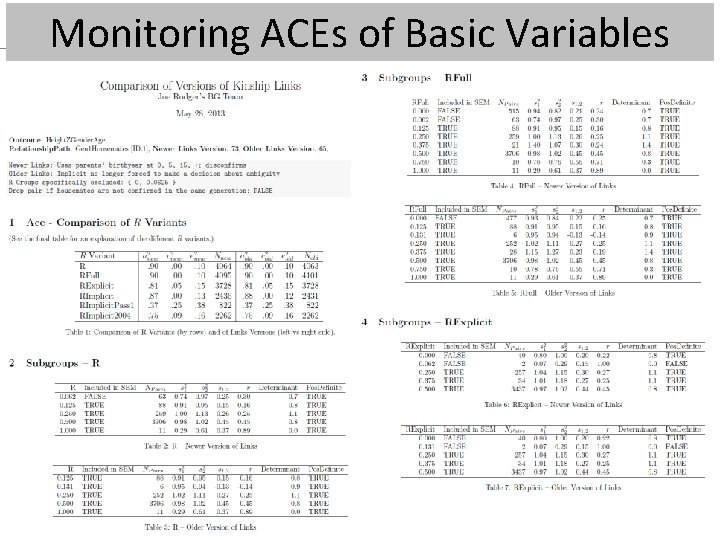
Monitoring ACEs of Basic Variables
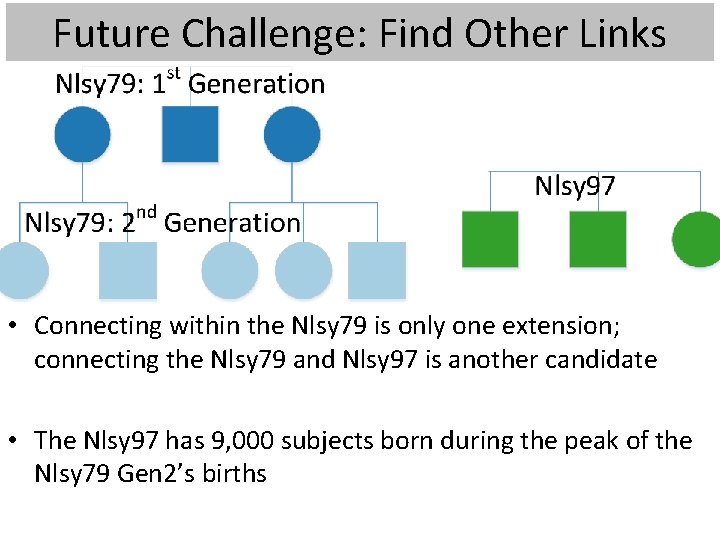
Future Challenge: Find Other Links • Connecting within the Nlsy 79 is only one extension; connecting the Nlsy 79 and Nlsy 97 is another candidate • The Nlsy 97 has 9, 000 subjects born during the peak of the Nlsy 79 Gen 2’s births
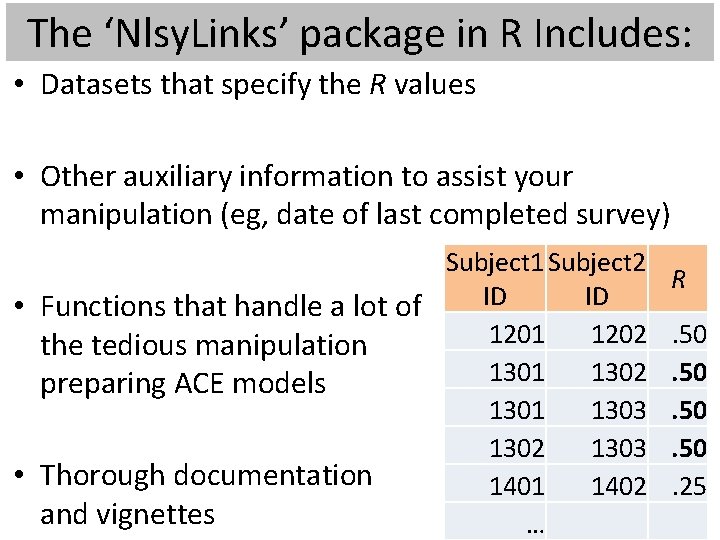
The ‘Nlsy. Links’ package in R Includes: • Datasets that specify the R values • Other auxiliary information to assist your manipulation (eg, date of last completed survey) Subject 1 Subject 2 ID ID • Functions that handle a lot of 1201 1202 the tedious manipulation 1301 1302 preparing ACE models 1301 1303 1302 1303 • Thorough documentation 1401 1402 and vignettes … R. 50. 50. 25
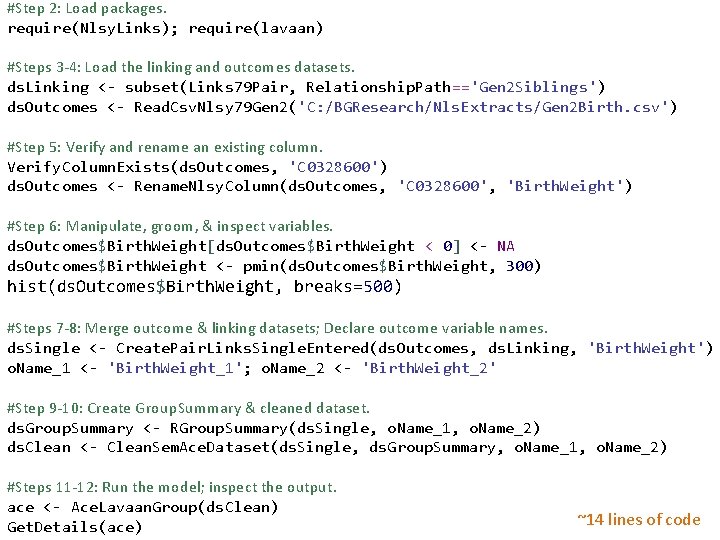
#Step 2: Load packages. require(Nlsy. Links); require(lavaan) #Steps 3 -4: Load the linking and outcomes datasets. ds. Linking <- subset(Links 79 Pair, Relationship. Path=='Gen 2 Siblings') ds. Outcomes <- Read. Csv. Nlsy 79 Gen 2('C: /BGResearch/Nls. Extracts/Gen 2 Birth. csv') #Step 5: Verify and rename an existing column. Verify. Column. Exists(ds. Outcomes, 'C 0328600') ds. Outcomes <- Rename. Nlsy. Column(ds. Outcomes, 'C 0328600', 'Birth. Weight') #Step 6: Manipulate, groom, & inspect variables. ds. Outcomes$Birth. Weight[ds. Outcomes$Birth. Weight < 0] <- NA ds. Outcomes$Birth. Weight <- pmin(ds. Outcomes$Birth. Weight, 300) hist(ds. Outcomes$Birth. Weight, breaks=500) #Steps 7 -8: Merge outcome & linking datasets; Declare outcome variable names. ds. Single <- Create. Pair. Links. Single. Entered(ds. Outcomes, ds. Linking, 'Birth. Weight') o. Name_1 <- 'Birth. Weight_1'; o. Name_2 <- 'Birth. Weight_2' #Step 9 -10: Create Group. Summary & cleaned dataset. ds. Group. Summary <- RGroup. Summary(ds. Single, o. Name_1, o. Name_2) ds. Clean <- Clean. Sem. Ace. Dataset(ds. Single, ds. Group. Summary, o. Name_1, o. Name_2) #Steps 11 -12: Run the model; inspect the output. ace <- Ace. Lavaan. Group(ds. Clean) Get. Details(ace) ~14 lines of code
Applicability The kinship links can be used – anywhere in R; it’s not just with Nlsy. Links – with any statistical software that reads CSVs The Nlsy. Links package can be used beyond – Traditional BG research – NLSY All relevant code is public & open source – Code for the package is on R-Forge – Code for determining the links is on Git. Hub
Support Staff User forums on R-Forge – r-forge. r-project. org/forum/? group_id=1330 – Specific Nlsy. Links issues – General BG issues – Open. Mx, lavaan, SAS, Mplus CRAN cran. r-project. org/web/packages/Nlsy. Links Help over email Joe Rodgers (jrodgers@ou. edu) Will Beasley (whb 4@ou. edu) Mike Hunter (mhunter@ou. edu)
- Slides: 26