
Nicole Crmel Elias Alvarez John Hefferman SNOW developers
- Slides: 25
Nicole Crémel, Elias Alvarez, John Hefferman (SNOW developers) IT / Service Management Preview of new SSB, C 5 Reporting and Alert facility in SNOW 16/07/2013 Nicole Crémel IT-DI-SM 1
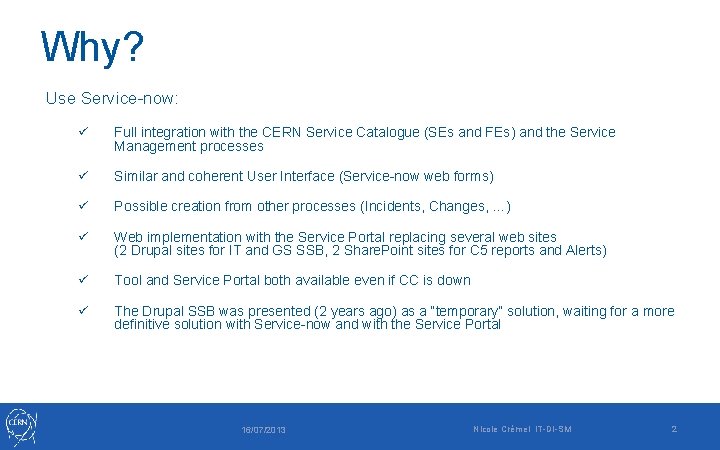
Why? Use Service-now: ü Full integration with the CERN Service Catalogue (SEs and FEs) and the Service Management processes ü Similar and coherent User Interface (Service-now web forms) ü Possible creation from other processes (Incidents, Changes, …) ü Web implementation with the Service Portal replacing several web sites (2 Drupal sites for IT and GS SSB, 2 Share. Point sites for C 5 reports and Alerts) ü Tool and Service Portal both available even if CC is down ü The Drupal SSB was presented (2 years ago) as a “temporary” solution, waiting for a more definitive solution with Service-now and with the Service Portal 16/07/2013 Nicole Crémel IT-DI-SM 2
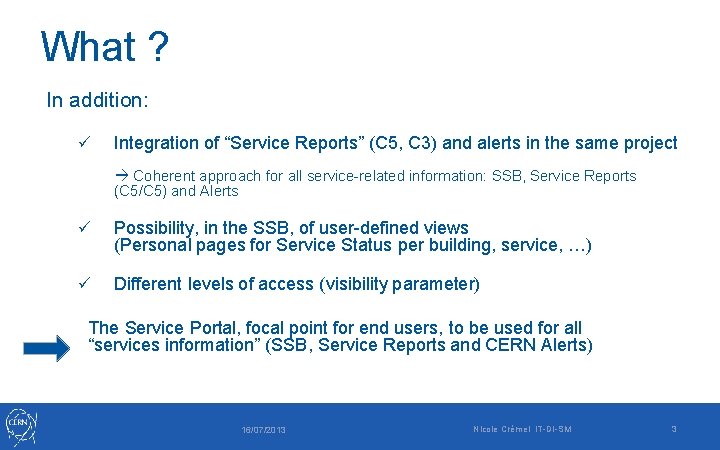
What ? In addition: ü Integration of “Service Reports” (C 5, C 3) and alerts in the same project Coherent approach for all service-related information: SSB, Service Reports (C 5/C 5) and Alerts ü Possibility, in the SSB, of user-defined views (Personal pages for Service Status per building, service, …) ü Different levels of access (visibility parameter) The Service Portal, focal point for end users, to be used for all “services information” (SSB, Service Reports and CERN Alerts) 16/07/2013 Nicole Crémel IT-DI-SM 3
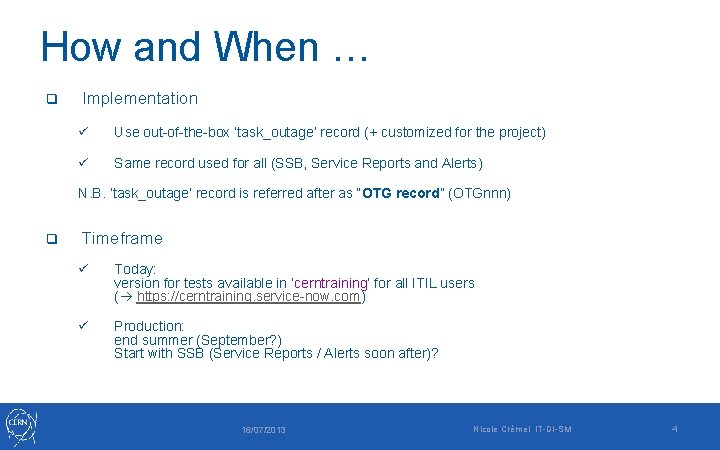
How and When … q Implementation ü Use out-of-the-box ‘task_outage’ record (+ customized for the project) ü Same record used for all (SSB, Service Reports and Alerts) N. B. ‘task_outage’ record is referred after as “OTG record” (OTGnnn) q Timeframe ü Today: version for tests available in ‘cerntraining’ for all ITIL users ( https: //cerntraining. service-now. com) ü Production: end summer (September? ) Start with SSB (Service Reports / Alerts soon after)? 16/07/2013 Nicole Crémel IT-DI-SM 4
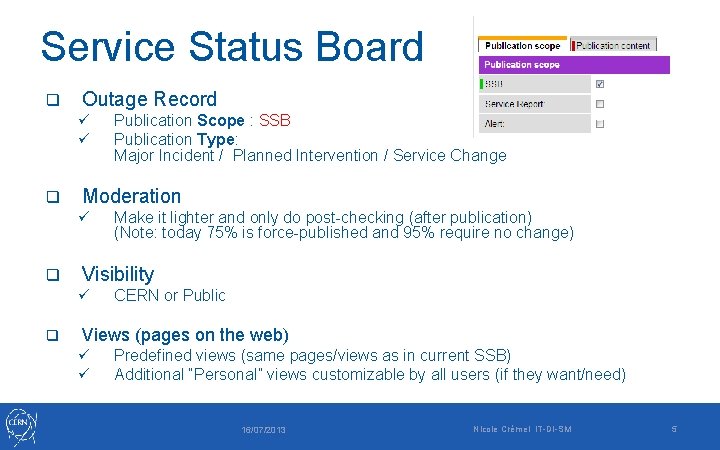
Service Status Board q Outage Record ü ü q Moderation ü q Make it lighter and only do post-checking (after publication) (Note: today 75% is force-published and 95% require no change) Visibility ü q Publication Scope : SSB Publication Type: Major Incident / Planned Intervention / Service Change CERN or Public Views (pages on the web) ü ü Predefined views (same pages/views as in current SSB) Additional “Personal” views customizable by all users (if they want/need) 16/07/2013 Nicole Crémel IT-DI-SM 5
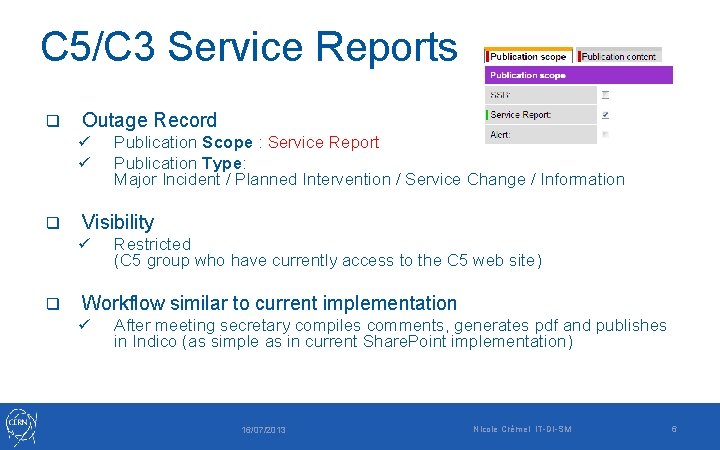
C 5/C 3 Service Reports q Outage Record ü ü q Visibility ü q Publication Scope : Service Report Publication Type: Major Incident / Planned Intervention / Service Change / Information Restricted (C 5 group who have currently access to the C 5 web site) Workflow similar to current implementation ü After meeting secretary compiles comments, generates pdf and publishes in Indico (as simple as in current Share. Point implementation) 16/07/2013 Nicole Crémel IT-DI-SM 6
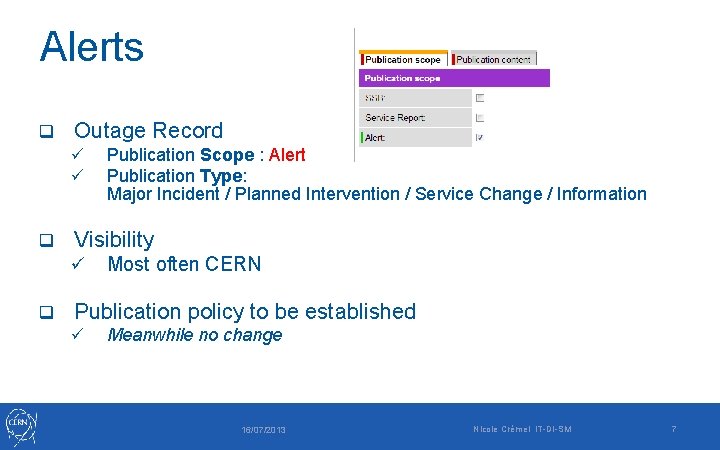
Alerts q Outage Record ü ü q Visibility ü q Publication Scope : Alert Publication Type: Major Incident / Planned Intervention / Service Change / Information Most often CERN Publication policy to be established ü Meanwhile no change 16/07/2013 Nicole Crémel IT-DI-SM 7
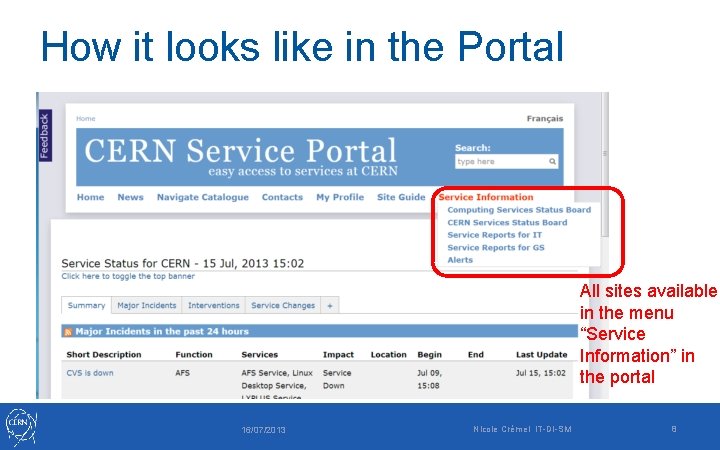
How it looks like in the Portal All sites available in the menu “Service Information” in the portal 16/07/2013 Nicole Crémel IT-DI-SM 8
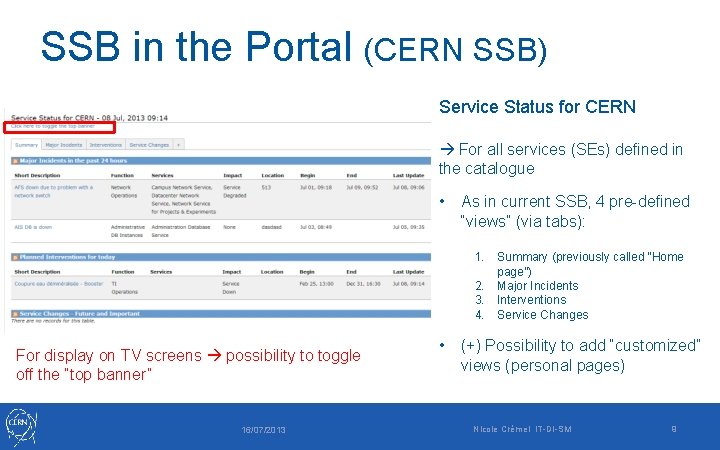
SSB in the Portal (CERN SSB) Service Status for CERN For all services (SEs) defined in the catalogue • As in current SSB, 4 pre-defined “views” (via tabs): 1. Summary (previously called “Home page”) 2. Major Incidents 3. Interventions 4. Service Changes For display on TV screens possibility to toggle off the “top banner” 16/07/2013 • (+) Possibility to add “customized” views (personal pages) Nicole Crémel IT-DI-SM 9
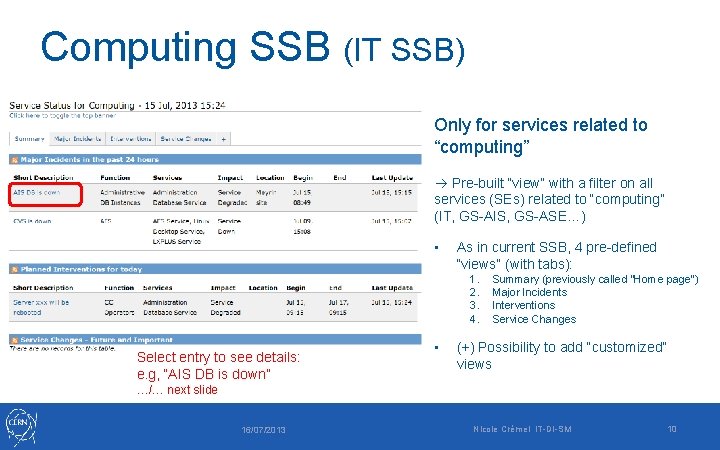
Computing SSB (IT SSB) Only for services related to “computing” Pre-built “view” with a filter on all services (SEs) related to “computing” (IT, GS-AIS, GS-ASE…) • As in current SSB, 4 pre-defined “views” (with tabs): 1. 2. 3. 4. Select entry to see details: e. g, “AIS DB is down” • Summary (previously called “Home page”) Major Incidents Interventions Service Changes (+) Possibility to add “customized” views …/… next slide 16/07/2013 Nicole Crémel IT-DI-SM 10
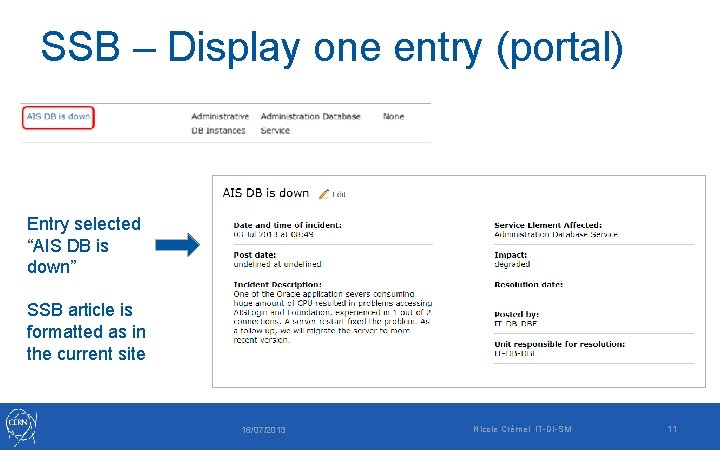
SSB – Display one entry (portal) Entry selected “AIS DB is down” SSB article is formatted as in the current site 16/07/2013 Nicole Crémel IT-DI-SM 11
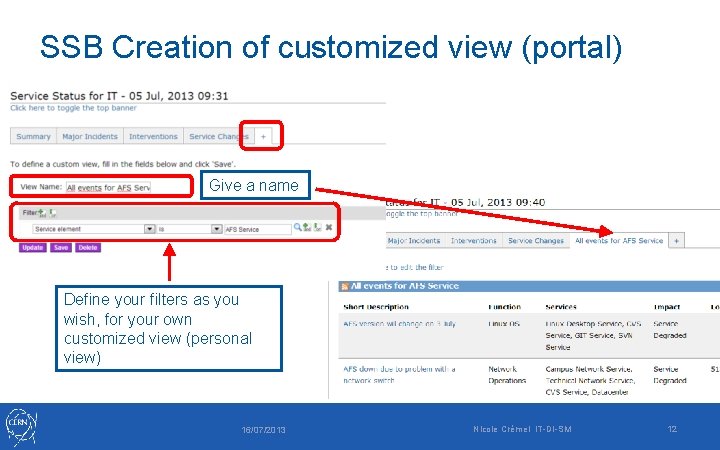
SSB Creation of customized view (portal) Give a name Define your filters as you wish, for your own customized view (personal view) 16/07/2013 Nicole Crémel IT-DI-SM 12
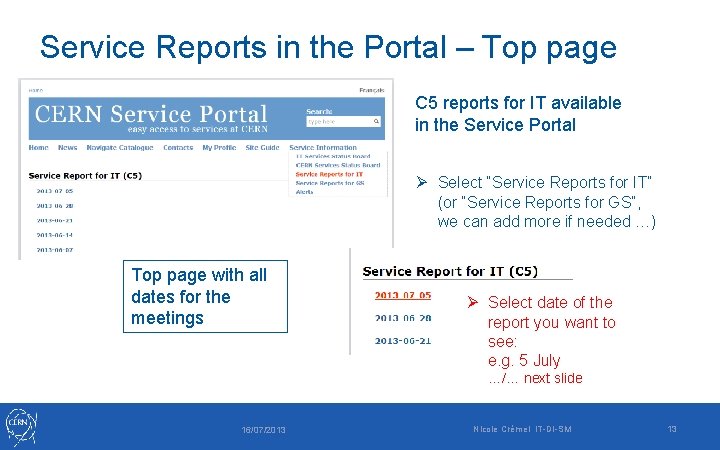
Service Reports in the Portal – Top page C 5 reports for IT available in the Service Portal Ø Select “Service Reports for IT” (or “Service Reports for GS”, we can add more if needed …) Top page with all dates for the meetings Ø Select date of the report you want to see: e. g. 5 July …/… next slide 16/07/2013 Nicole Crémel IT-DI-SM 13
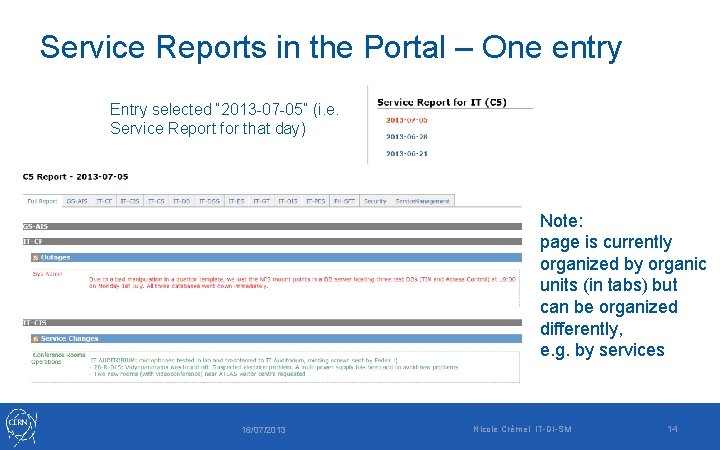
Service Reports in the Portal – One entry Entry selected “ 2013 -07 -05” (i. e. Service Report for that day) Note: page is currently organized by organic units (in tabs) but can be organized differently, e. g. by services 16/07/2013 Nicole Crémel IT-DI-SM 14
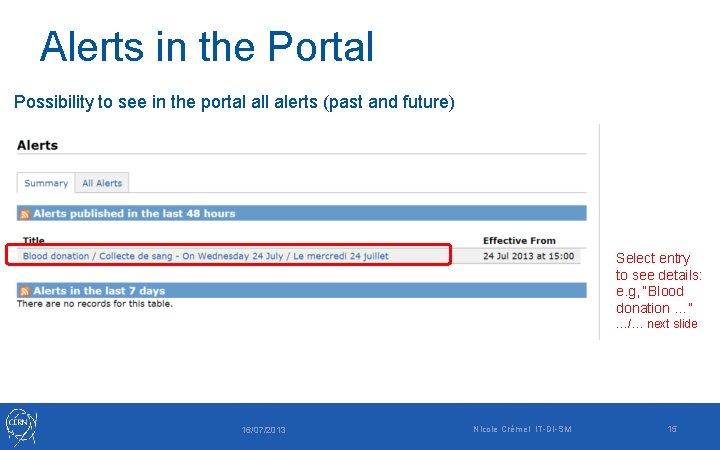
Alerts in the Portal Possibility to see in the portal alerts (past and future) Select entry to see details: e. g, “Blood donation …” …/… next slide 16/07/2013 Nicole Crémel IT-DI-SM 15
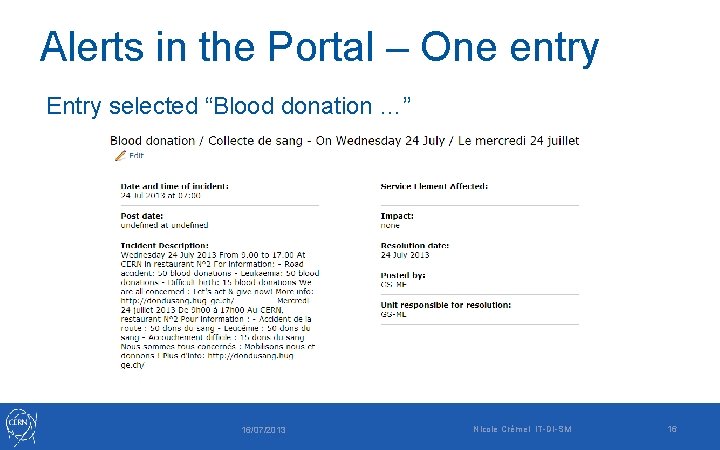
Alerts in the Portal – One entry Entry selected “Blood donation …” 16/07/2013 Nicole Crémel IT-DI-SM 16
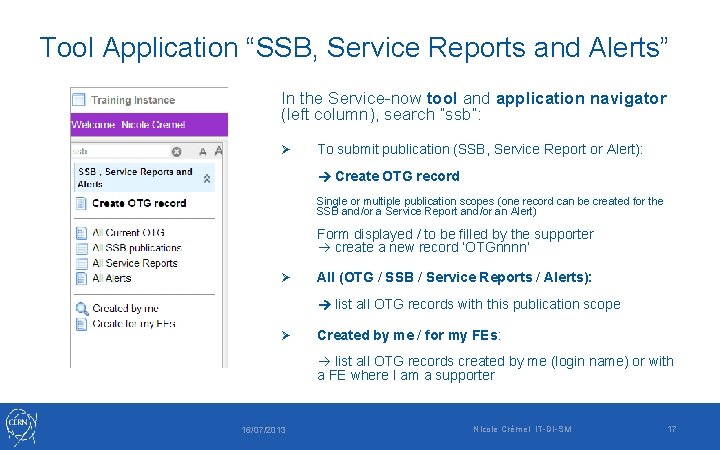
Tool Application “SSB, Service Reports and Alerts” In the Service-now tool and application navigator (left column), search “ssb”: Ø To submit publication (SSB, Service Report or Alert): Create OTG record Single or multiple publication scopes (one record can be created for the SSB and/or a Service Report and/or an Alert) Form displayed / to be filled by the supporter create a new record ‘OTGnnnn’ Ø All (OTG / SSB / Service Reports / Alerts): list all OTG records with this publication scope Ø Created by me / for my FEs: list all OTG records created by me (login name) or with a FE where I am a supporter 16/07/2013 Nicole Crémel IT-DI-SM 17
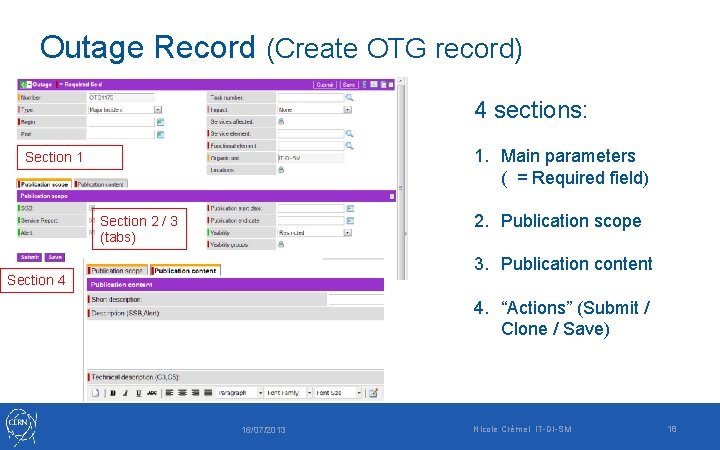
Outage Record (Create OTG record) 4 sections: 1. Main parameters ( = Required field) Section 1 2. Publication scope Section 2 / 3 (tabs) 3. Publication content Section 4 4. “Actions” (Submit / Clone / Save) 16/07/2013 Nicole Crémel IT-DI-SM 18
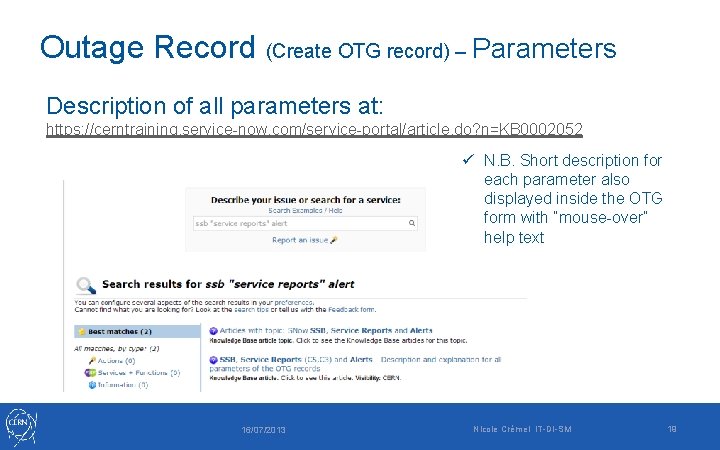
Outage Record (Create OTG record) – Parameters Description of all parameters at: https: //cerntraining. service-now. com/service-portal/article. do? n=KB 0002052 ü N. B. Short description for each parameter also displayed inside the OTG form with “mouse-over” help text 16/07/2013 Nicole Crémel IT-DI-SM 19
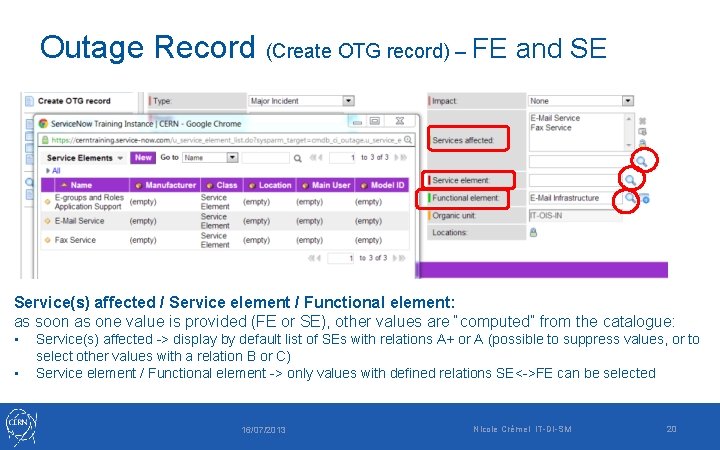
Outage Record (Create OTG record) – FE and SE Service(s) affected / Service element / Functional element: as soon as one value is provided (FE or SE), other values are “computed” from the catalogue: • • Service(s) affected -> display by default list of SEs with relations A+ or A (possible to suppress values, or to select other values with a relation B or C) Service element / Functional element -> only values with defined relations SE<->FE can be selected 16/07/2013 Nicole Crémel IT-DI-SM 20
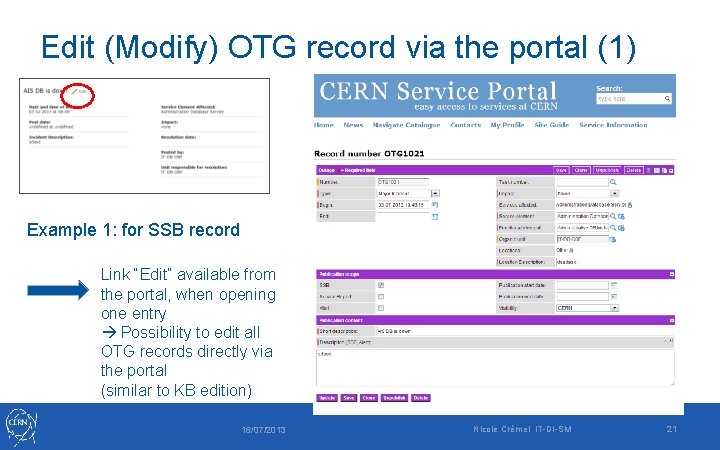
Edit (Modify) OTG record via the portal (1) Example 1: for SSB record Link “Edit” available from the portal, when opening one entry Possibility to edit all OTG records directly via the portal (similar to KB edition) 16/07/2013 Nicole Crémel IT-DI-SM 21
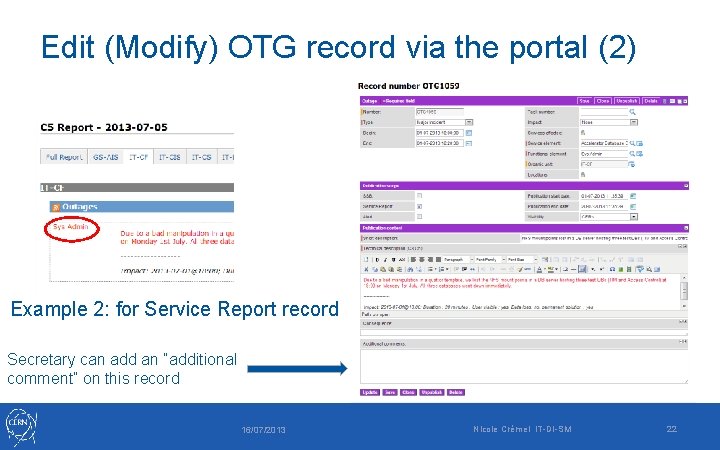
Edit (Modify) OTG record via the portal (2) Example 2: for Service Report record Secretary can add an “additional comment” on this record 16/07/2013 Nicole Crémel IT-DI-SM 22
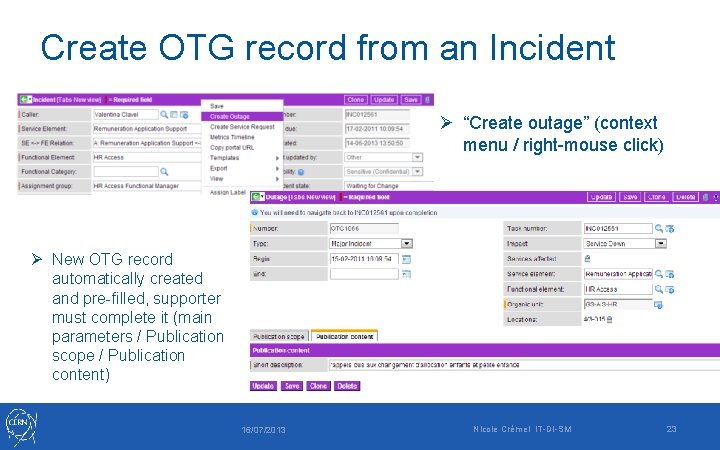
Create OTG record from an Incident Ø “Create outage” (context menu / right-mouse click) Ø New OTG record automatically created and pre-filled, supporter must complete it (main parameters / Publication scope / Publication content) 16/07/2013 Nicole Crémel IT-DI-SM 23
Demos ü Create OTG records for the 3 types of publication (one record with multiple scopes): SSB, Service Report and Alert ü Show the 3 publications on the (relevant) web pages ü Show to build a customized view for the SSB in the portal ü Create a SSB publication from an INC or from a CHG, edit and save the OTG record and show it in the portal ü Create a SSB publication via the “clone” button and show it in the portal 16/07/2013 Nicole Crémel IT-DI-SM 24
Questions and/or comments? ü More demos? ü Plan for production • Please make tests on cerntraining: feedback to service-desk (FE “IT Service Information”) • Training sessions end August • Production September? (SSB first) Thanks for coming and for your attention! 16/07/2013 Nicole Crémel IT-DI-SM 25