
NFON academy Technical training Day 1 Technical Training


![NFON Admin Portal – Initial View [ELEMENTS -> DEVICES] You can configure and add](https://slidetodoc.com/presentation_image_h/9c7cd823a0e73234bfb38b2e4c019fee/image-36.jpg "NFON Admin Portal – Initial View [ELEMENTS -> DEVICES] You can configure and add")



- Slides: 94
NFON academy Technical training Day 1 Technical Training
Day 1 Agenda 1. Our platform – redundancy 2. Hardware – Direct to mynfon. com – hardware downloads 3. Admin Portal Phone extension (TPS) Group Services Time Control Conference Bridge e. Fax Devices DID Administration Vertical applications – Manager Secretary; project codes, cost centres 2
Day 1 Agenda continued 4. Ncontrol 5. Nrecording Premium 6. NCTI 7. Queue. Metrics 8. Seamless Migration 9. Support 10. Service Cockpit 11. Close 3
OUR PLATFORM AND REDUNDANCY
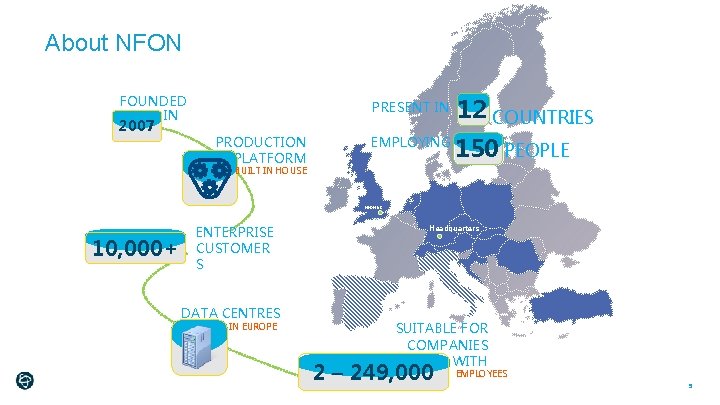
About NFON FOUNDED IN 2007 PRODUCTION PLATFORM PRESENT IN 12 COUNTRIES EMPLOYING 150 PEOPLE BUILT IN HOUSE NFON UK 10, 000+ ENTERPRISE CUSTOMER S DATA CENTRES IN EUROPE Headquarters SUITABLE FOR COMPANIES WITH 2 – 249, 000 EMPLOYEES 5
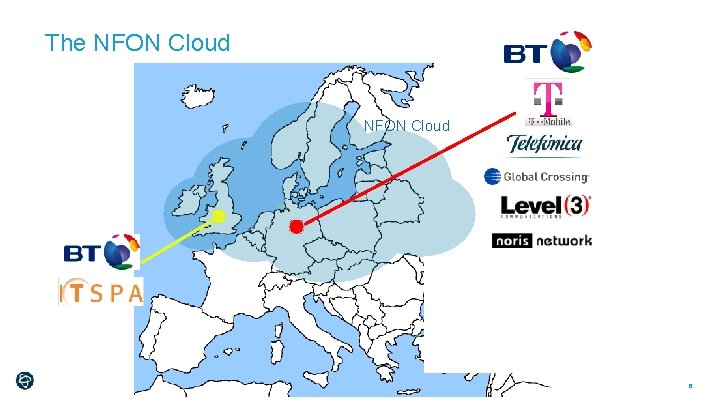
The NFON Cloud 6
Certified Secure High Performance Data Centres NFON platform has Quadruple Internet redundancy. This includes IP uplink carriers. Main uplink providers are: T-Mobile(10 GBit) connection Global Crossing (1 GBit) Level 3 (1 GBit) Noris Networks (1 GBit) Multiple Voice-breakout Redundancy BT T-Mobile Telefonica NFON platform achieved 99. 999% Uptime since November 2009 Multi redundant utility- and security equipment (electricity, AC, access, fire safety) TÜV certified Information security per ISO/IEC 27001 certification 7
Failover & Business Continuity Six Nines Performance Network Infrastructure Geo-Redundant Data Centres Multiple Gbps Connections for resilience and Back-up Tier 1 Interconnects BT IP Exchange (in UK and Germany) Other international carriers (T-Mobile, O 2) Application Infrastructure Robust Cloud IP Telephony Platform Highly scalable - designed for large organizations 8
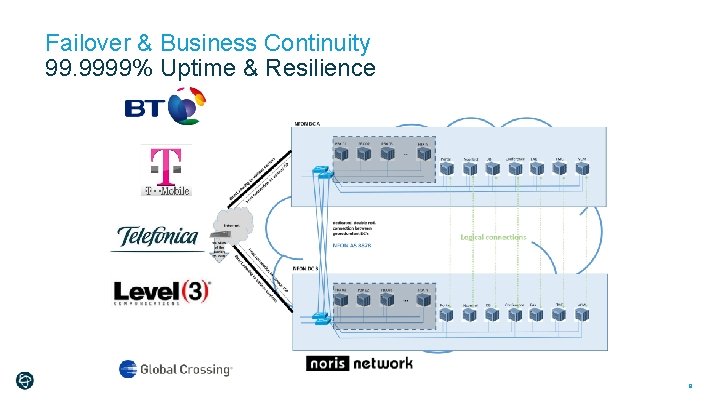
Failover & Business Continuity 99. 9999% Uptime & Resilience 9
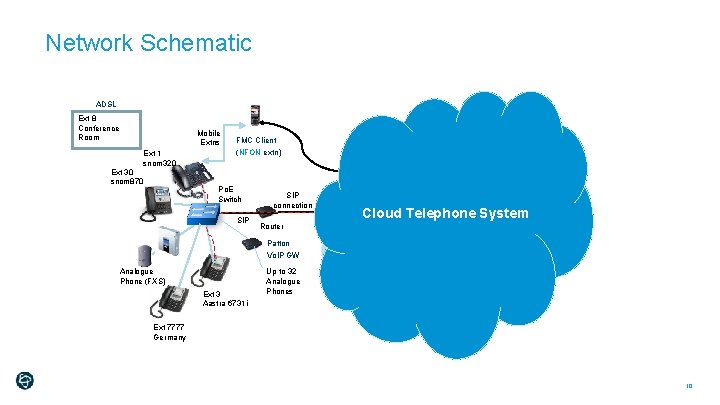
Network Schematic ADSL Ext 8 Conference Room Ext 30 snom 870 Mobile Extns Ext 1 snom 320 FMC Client (NFON extn) Mobile Access AZ Carriers Mobile Network Po. E Switch SIP Router Patton Vo. IP GW Analogue Phone (FXS) Ext 3 Aastra 6731 i NFON data center 1 SIP connection Up to 32 Analogue Phones BT ISP BT IP EXCH Gateway Cloud Telephone System NFON 1 Gbps LINK Secure Datacent re NFON data center 2 Gateway Int PSTN Ext 7777 Germany 10
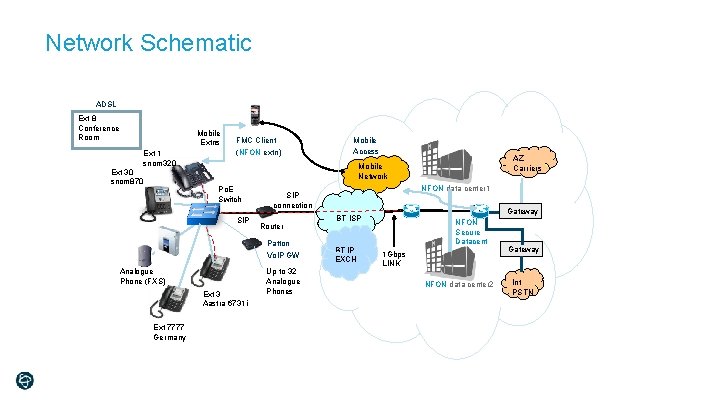
Network Schematic ADSL Ext 8 Conference Room Ext 30 snom 870 Mobile Extns Ext 1 snom 320 FMC Client (NFON extn) AZ Carriers Mobile Network Po. E Switch SIP Analogue Phone (FXS) Ext 3 Aastra 6731 i NFON data center 1 SIP connection Router Patton Vo. IP GW Ext 7777 Germany Mobile Access Up to 32 Analogue Phones Gateway BT ISP BT IP EXCH 1 Gbps LINK NFON Secure Datacent re NFON data center 2 Gateway Int PSTN
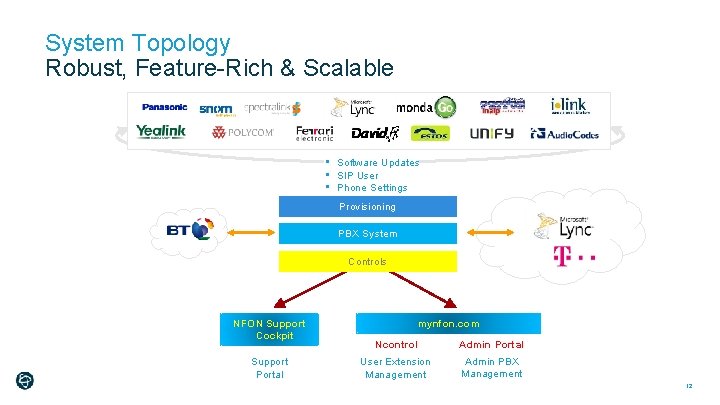
System Topology Robust, Feature-Rich & Scalable • Software Updates • SIP User • Phone Settings Provisioning PBX System Controls NFON Support Cockpit Support Portal mynfon. com Ncontrol Admin Portal User Extension Management Admin PBX Management 12
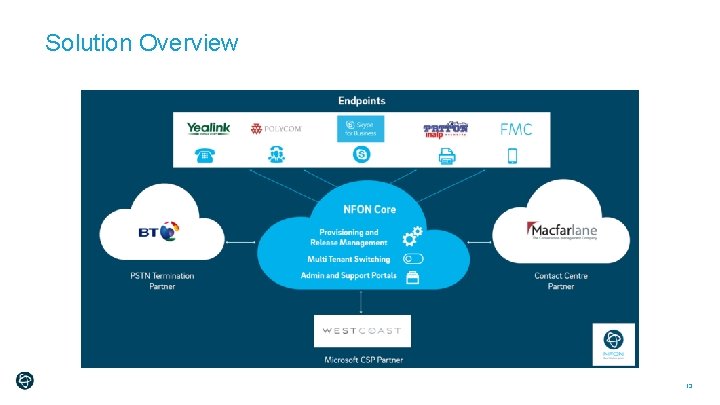
Solution Overview 13
Network Readiness Plug and Play ports are all opened (especially outbound) SIP ALG is disabled NAT settings adhered to DHCP 14
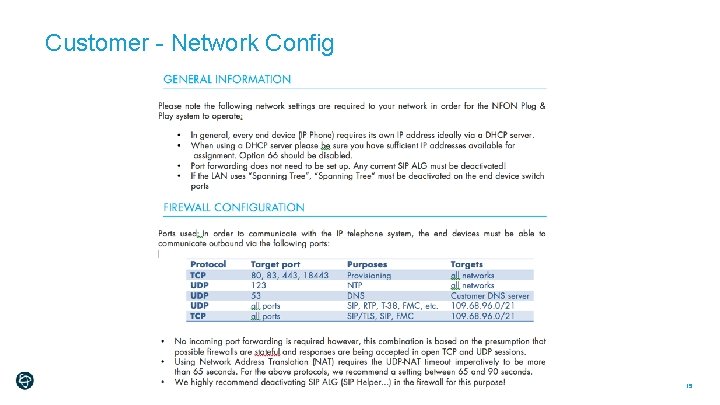
Customer - Network Config 15
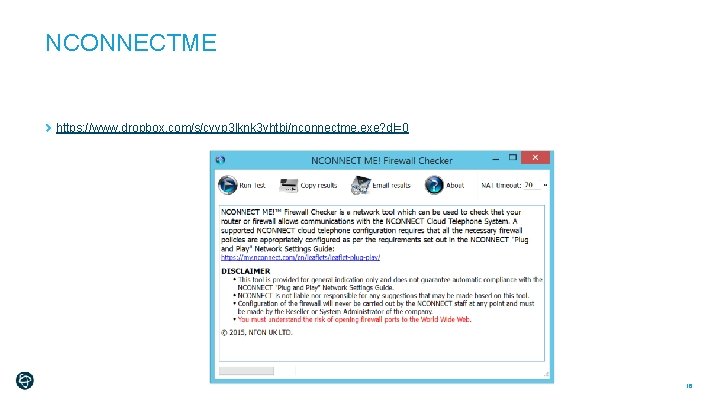
NCONNECTME https: //www. dropbox. com/s/cvyp 3 lknk 3 vhtbj/nconnectme. exe? dl=0 16
Quality of service (Qo. S) Considerations Wi-Fi vs Wired Qo. S parameters for real-time applications: packet loss, jitter, and delay Sufficient bandwidth
Bandwidth Calculation Step 1 – How many concurrent calls Step 2 – G 711/G 722 = 100 Kbit/s (NFON always set to this) Step 3 – Calculate required bandwidth Types of IP connectivity that is supported Broadband (ADSL Max, Max Premium, ADSL 1, ADSL 2+) Fibre Broadband (Fibre To The Cabinet- FTTC) Ethernet Copper (Ethernet in the First Mile – EFM) Ethernet Fibre 18
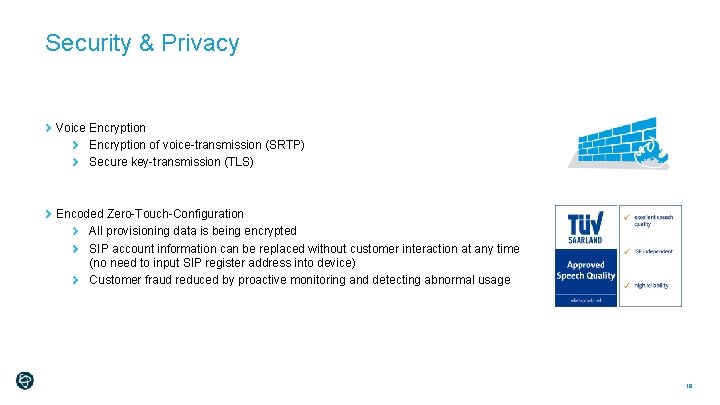
Security & Privacy Voice Encryption of voice-transmission (SRTP) Secure key-transmission (TLS) Encoded Zero-Touch-Configuration All provisioning data is being encrypted SIP account information can be replaced without customer interaction at any time (no need to input SIP register address into device) Customer fraud reduced by proactive monitoring and detecting abnormal usage 19
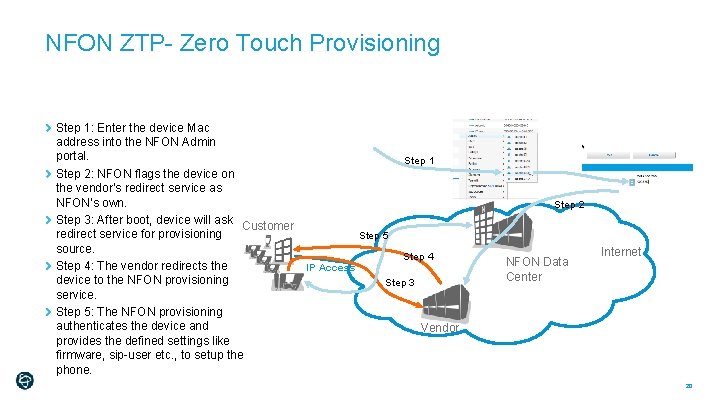
NFON ZTP- Zero Touch Provisioning Step 1: Enter the device Mac address into the NFON Admin portal. Step 1 Step 2: NFON flags the device on the vendor‘s redirect service as NFON’s own. Step 3: After boot, device will ask Customer redirect service for provisioning Step 5 source. Step 4: The vendor redirects the IP Access device to the NFON provisioning Step 3 service. Step 5: The NFON provisioning authenticates the device and Vendor provides the defined settings like firmware, sip-user etc. , to setup the phone. Step 2 NFON Data Center Internet 20
Hardware
Hardware overview http: //www. mynfon. com/en/documentation/
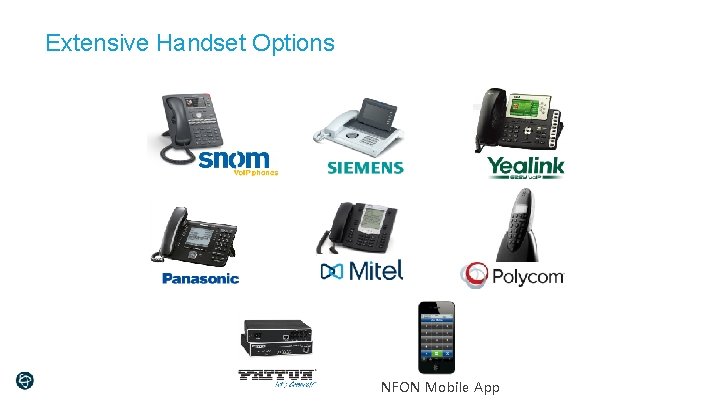
Extensive Handset Options NFON Mobile App
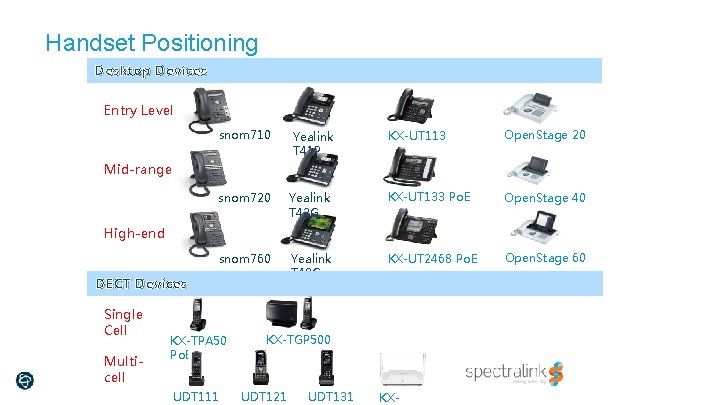
Handset Positioning Desktop Devices Entry Level snom 710 Yealink T 41 P KX-UT 113 Po. E Open. Stage 20 snom 720 Yealink T 42 G KX-UT 133 Po. E Open. Stage 40 snom 760 Yealink T 48 G KX-UT 2468 Po. E Open. Stage 60 Mid-range High-end DECT Devices Single Cell Multicell KX-TPA 50 Po. E UDT 111 KX-TGP 500 UDT 121 UDT 131 KX-
Admin Portal 25
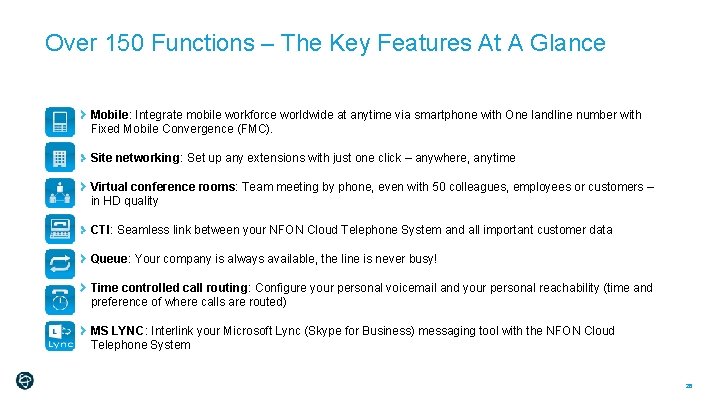
Over 150 Functions – The Key Features At A Glance Mobile: Integrate mobile workforce worldwide at anytime via smartphone with One landline number with Fixed Mobile Convergence (FMC). Site networking: Set up any extensions with just one click – anywhere, anytime Virtual conference rooms: Team meeting by phone, even with 50 colleagues, employees or customers – in HD quality CTI: Seamless link between your NFON Cloud Telephone System and all important customer data Queue: Your company is always available, the line is never busy! Time controlled call routing: Configure your personal voicemail and your personal reachability (time and preference of where calls are routed) MS LYNC: Interlink your Microsoft Lync (Skype for Business) messaging tool with the NFON Cloud Telephone System 26
Services Overview
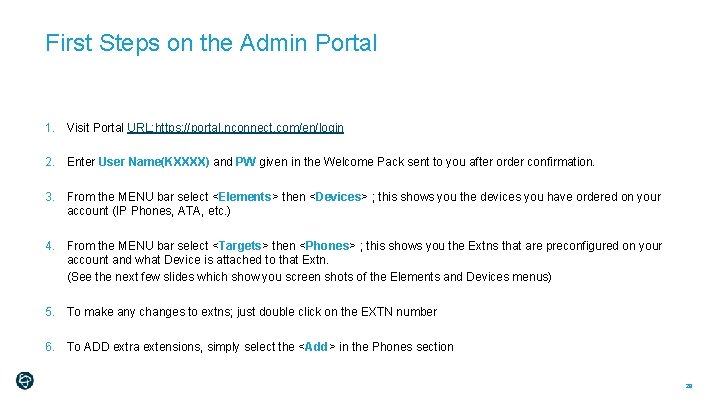
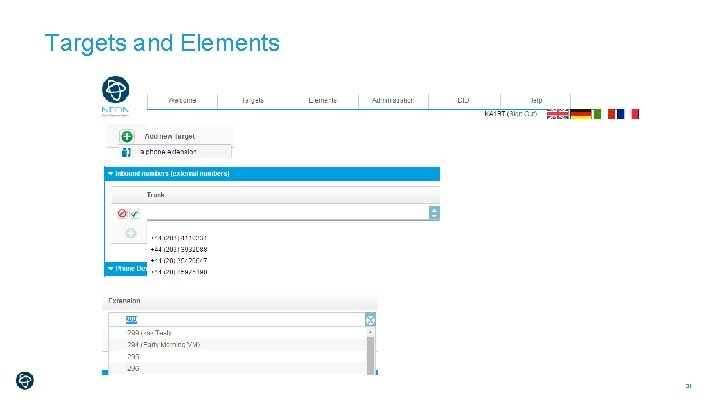
First Steps on the Admin Portal 1. Visit Portal URL: https: //portal. nconnect. com/en/login 2. Enter User Name(KXXXX) and PW given in the Welcome Pack sent to you after order confirmation. 3. From the MENU bar select <Elements> then <Devices> ; this shows you the devices you have ordered on your account (IP Phones, ATA, etc. ) 4. From the MENU bar select <Targets> then <Phones> ; this shows you the Extns that are preconfigured on your account and what Device is attached to that Extn. (See the next few slides which show you screen shots of the Elements and Devices menus) 5. To make any changes to extns; just double click on the EXTN number 6. To ADD extra extensions, simply select the <Add> in the Phones section 28
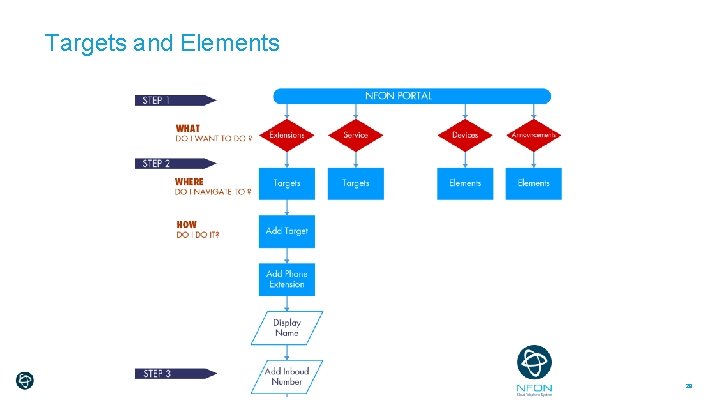
Targets and Elements 29
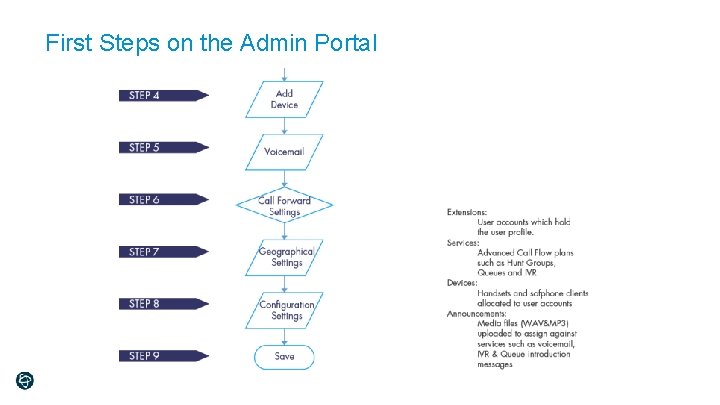
First Steps on the Admin Portal
Targets and Elements 31
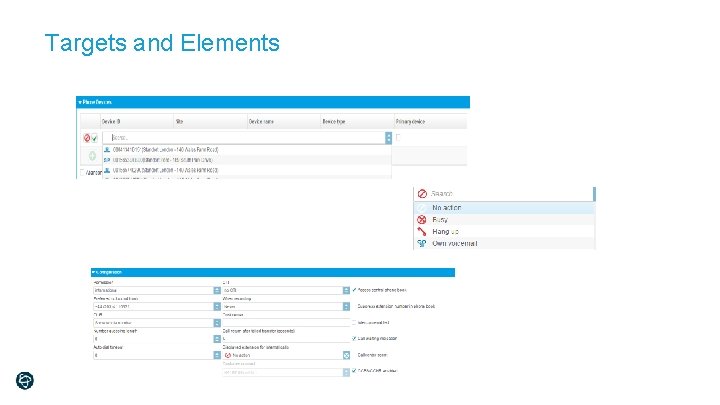
Targets and Elements
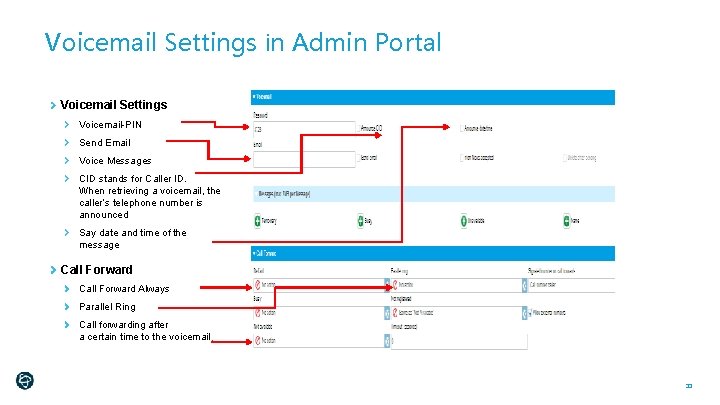
Voicemail Settings in Admin Portal Voicemail Settings Voicemail-PIN Send Email Voice Messages CID stands for Caller ID. When retrieving a voicemail, the caller’s telephone number is announced Say date and time of the message Call Forward Always Parallel Ring Call forwarding after a certain time to the voicemail 33
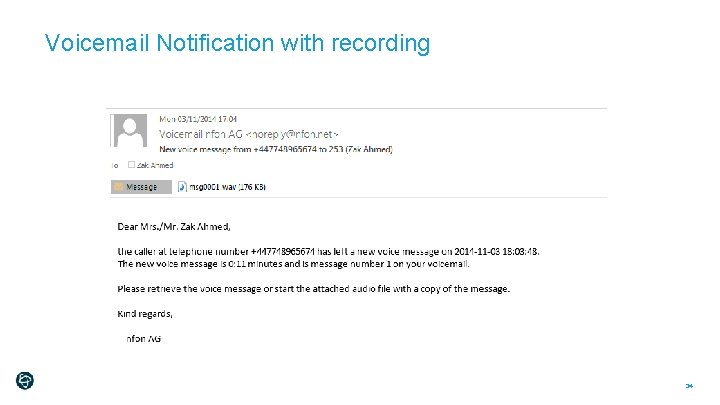
Voicemail Notification with recording 34
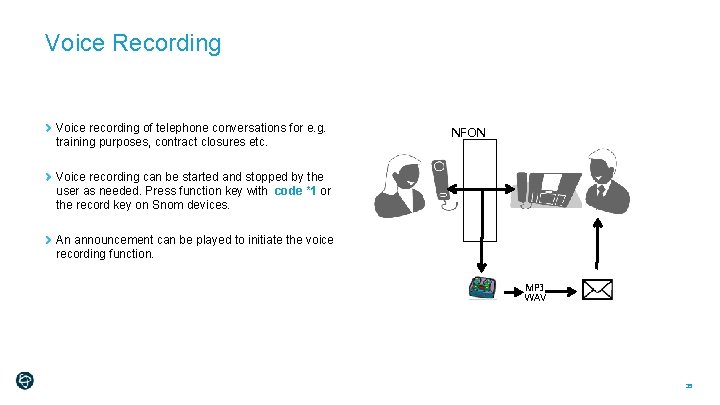
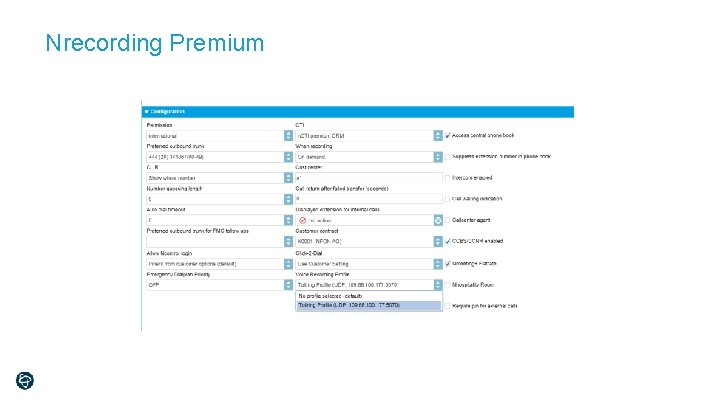
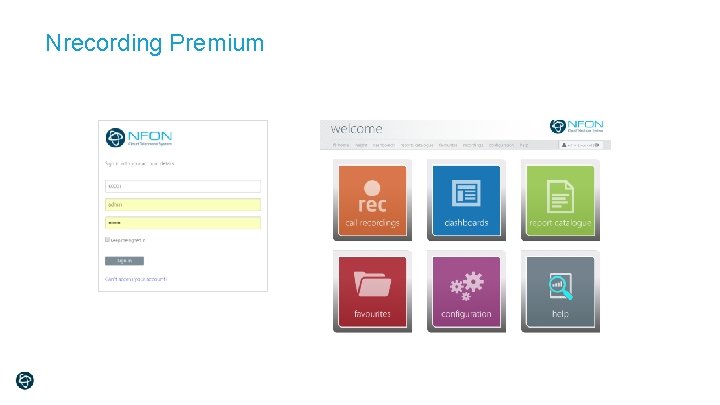
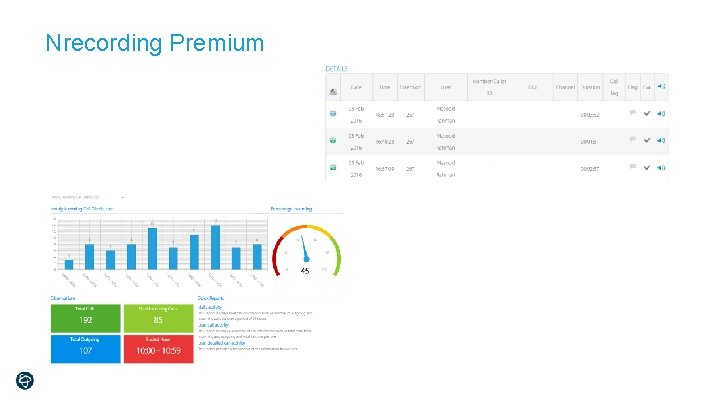
Voice Recording Voice recording of telephone conversations for e. g. training purposes, contract closures etc. NFON Voice recording can be started and stopped by the user as needed. Press function key with code *1 or the record key on Snom devices. An announcement can be played to initiate the voice recording function. MP 3 WAV 35
NFON Admin Portal – Initial View [ELEMENTS -> DEVICES] You can configure and add new Devices manually via ELEMENTS. 36
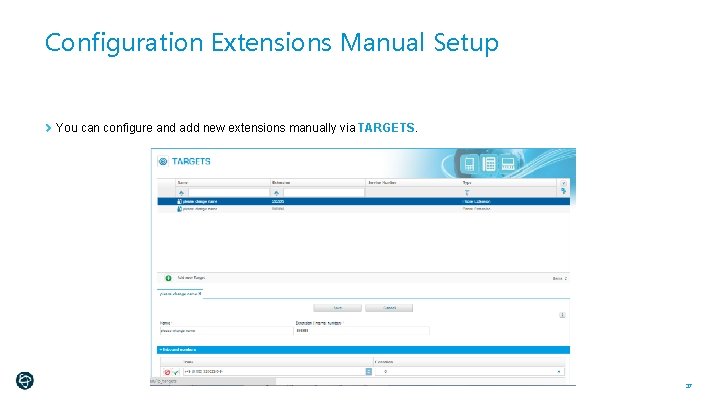
Configuration Extensions Manual Setup You can configure and add new extensions manually via TARGETS. 37
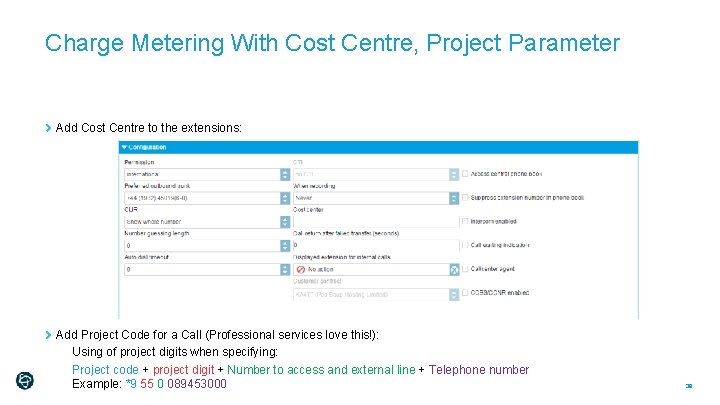
Charge Metering With Cost Centre, Project Parameter Add Cost Centre to the extensions: Add Project Code for a Call (Professional services love this!): Using of project digits when specifying: Project code + project digit + Number to access and external line + Telephone number Example: *9 55 0 089453000 38
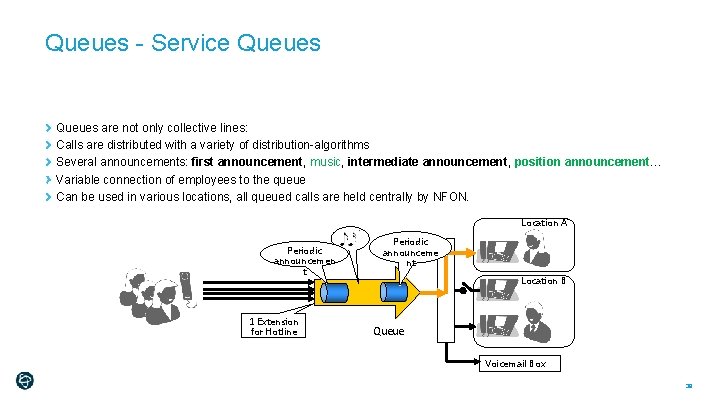
Queues - Service Queues are not only collective lines: Calls are distributed with a variety of distribution-algorithms Several announcements: first announcement, music, intermediate announcement, position announcement… Variable connection of employees to the queue Can be used in various locations, all queued calls are held centrally by NFON. Location A Periodic announcemen t 1 Extension for Hotline Periodic announceme nt Location B Queue Voicemail Box 39
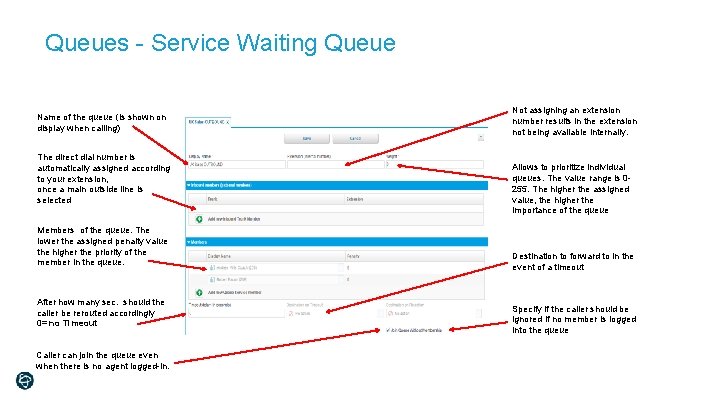
Queues - Service Waiting Queue Name of the queue (is shown on display when calling) The direct dial number is automatically assigned according to your extension, once a main outside line is selected Members of the queue. The lower the assigned penalty value the higher the priority of the member in the queue. After how many sec. should the caller be rerouted accordingly 0= no Timeout Caller can join the queue even when there is no agent logged-in. Not assigning an extension number results in the extension not being available internally. Allows to prioritize individual queues. The value range is 0255. The higher the assigned value, the higher the importance of the queue Destination to forward to in the event of a timeout Specify if the caller should be ignored if no member is logged into the queue
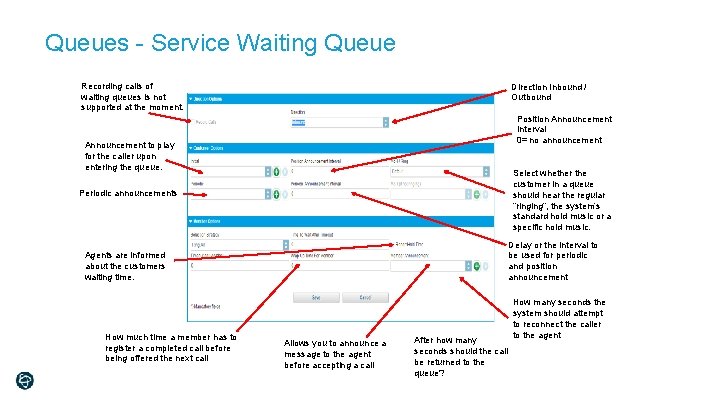
Queues - Service Waiting Queue Recording calls of waiting queues is not supported at the moment. Direction Inbound / Outbound Position Announcement Interval 0= no announcement Announcement to play for the caller upon entering the queue. Select whether the customer in a queue should hear the regular “ringing”, the system’s standard hold music or a specific hold music. Periodic announcements Delay or the interval to be used for periodic and position announcement Agents are informed about the customers waiting time. How much time a member has to register a completed call before being offered the next call Allows you to announce a message to the agent before accepting a call After how many seconds should the call be returned to the queue? How many seconds the system should attempt to reconnect the caller to the agent
Call Center - Queue. Metrics Monitoring Queue monitoring helps to operate a professional hotline Detailed reporting for participants and queues Inbound-Routing as a standard function (equivalent to professional call centre systems) Callers of specific hotlines can be favoured due to prioritizing of queues (PINs) Welcome announcement Periodical announcement Sales Standard Welcome announcement Periodical announcement Sales VIP Queues Voicemail Box 42
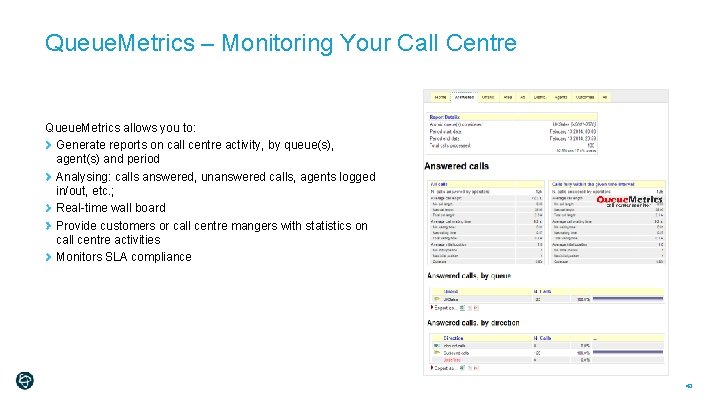
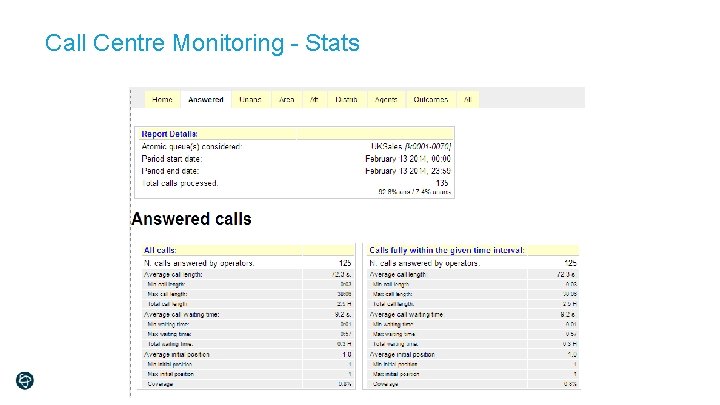
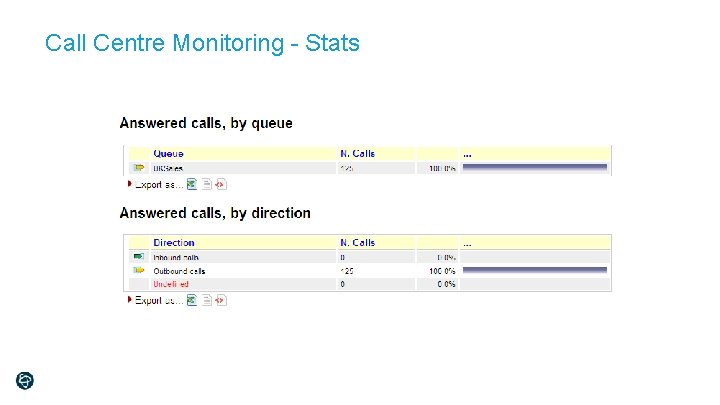
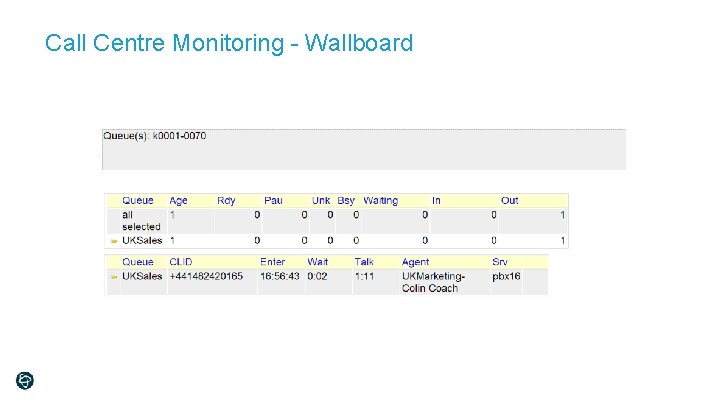
Queue. Metrics – Monitoring Your Call Centre Queue. Metrics allows you to: Generate reports on call centre activity, by queue(s), agent(s) and period Analysing: calls answered, unanswered calls, agents logged in/out, etc. ; Real-time wall board Provide customers or call centre mangers with statistics on call centre activities Monitors SLA compliance 43
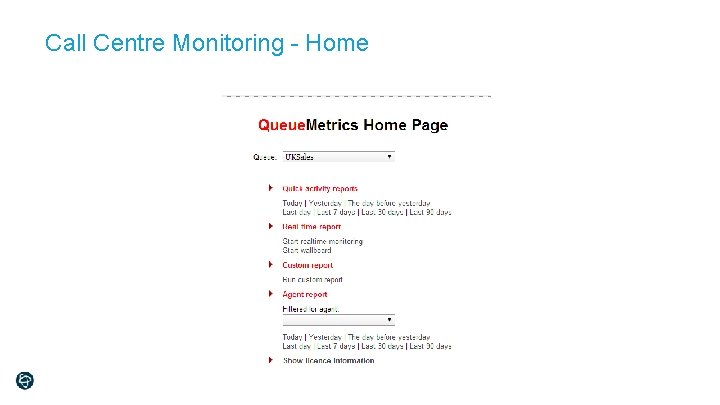
Call Centre Monitoring - Home
Call Centre Monitoring - Stats
Call Centre Monitoring - Stats
Call Centre Monitoring - Wallboard
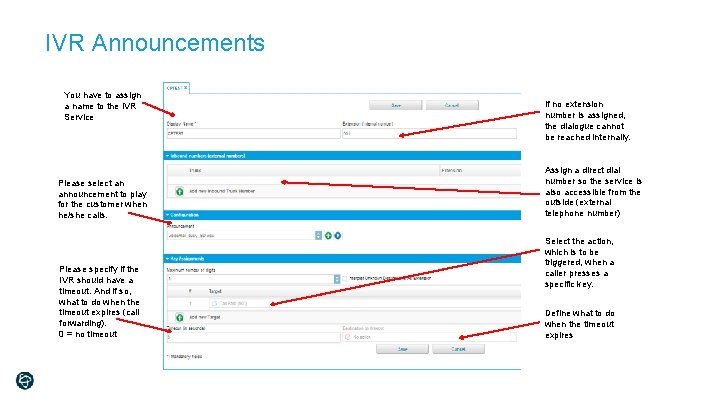
IVR Announcements You have to assign a name to the IVR Service Please select an announcement to play for the customer when he/she calls. Please specify if the IVR should have a timeout. And if so, what to do when the timeout expires (call forwarding). 0 = no timeout If no extension number is assigned, the dialogue cannot be reached internally. Assign a direct dial number so the service is also accessible from the outside (external telephone number) Select the action, which is to be triggered, when a caller presses a specific key. Define what to do when the timeout expires
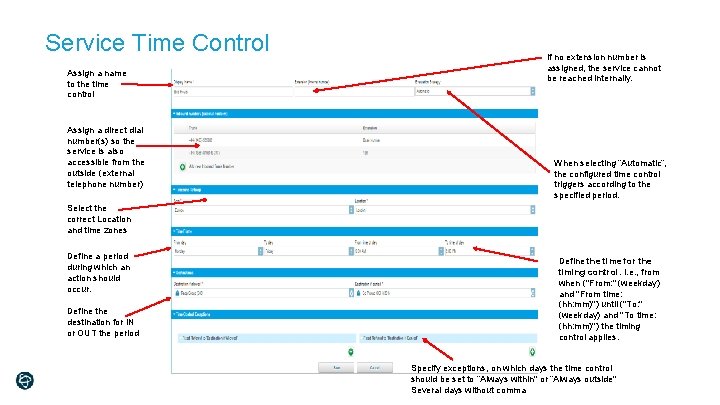
Service Time Control Assign a name to the time control Assign a direct dial number(s) so the service is also accessible from the outside (external telephone number) If no extension number is assigned, the service cannot be reached internally. When selecting “Automatic”, the configured time control triggers according to the specified period. Select the correct Location and time zones Define a period during which an action should occur. Define the destination for IN or OUT the period Define the time for the timing control. I. e. , from when ("From: " (weekday) and "From time: (hh: mm)") until ("To: " (weekday) and "To time: (hh: mm)") the timing control applies. Specify exceptions, on which days the time control should be set to “Always within" or “Always outside" Several days without comma
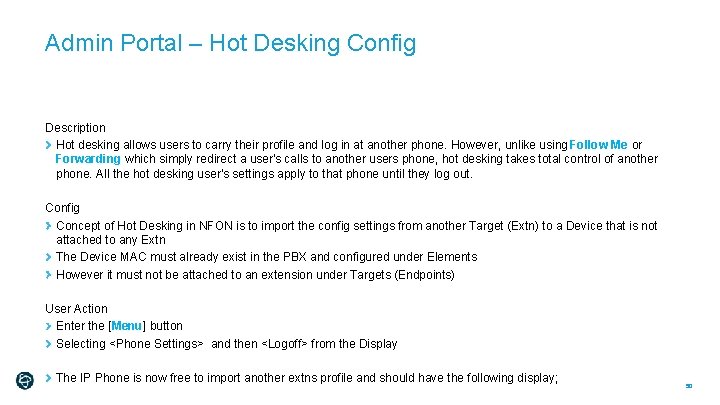
Admin Portal – Hot Desking Config Description Hot desking allows users to carry their profile and log in at another phone. However, unlike using Follow Me or Forwarding which simply redirect a user's calls to another users phone, hot desking takes total control of another phone. All the hot desking user's settings apply to that phone until they log out. Config Concept of Hot Desking in NFON is to import the config settings from another Target (Extn) to a Device that is not attached to any Extn The Device MAC must already exist in the PBX and configured under Elements However it must not be attached to an extension under Targets (Endpoints) User Action Enter the [Menu] button Selecting <Phone Settings> and then <Logoff> from the Display The IP Phone is now free to import another extns profile and should have the following display; 50
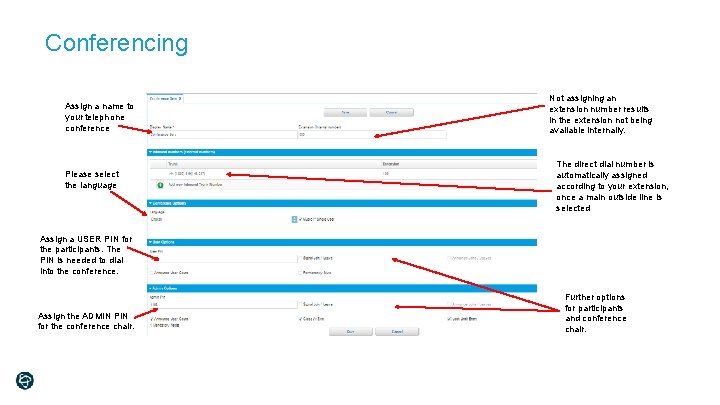
Conferencing Assign a name to your telephone conference Please select the language Not assigning an extension number results in the extension not being available internally. The direct dial number is automatically assigned according to your extension, once a main outside line is selected Assign a USER PIN for the participants. The PIN is needed to dial into the conference. Assign the ADMIN PIN for the conference chair. Further options for participants and conference chair.
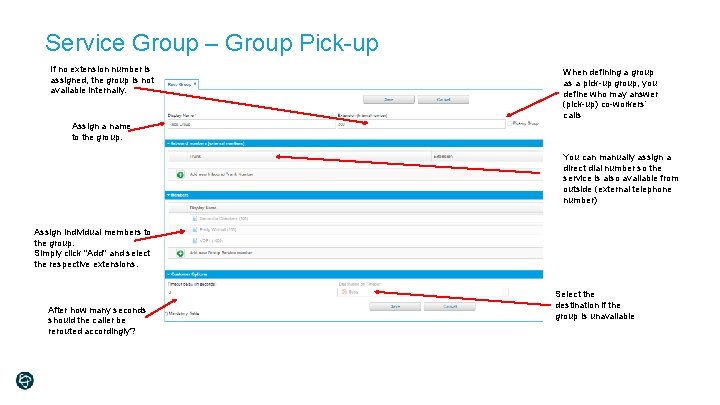
Service Group – Group Pick-up If no extension number is assigned, the group is not available internally. When defining a group as a pick-up group, you define who may answer (pick-up) co-workers’ calls Assign a name to the group. You can manually assign a direct dial number so the service is also available from outside (external telephone number) Assign individual members to the group. Simply click "Add" and select the respective extensions. After how many seconds should the caller be rerouted accordingly? Select the destination if the group is unavailable
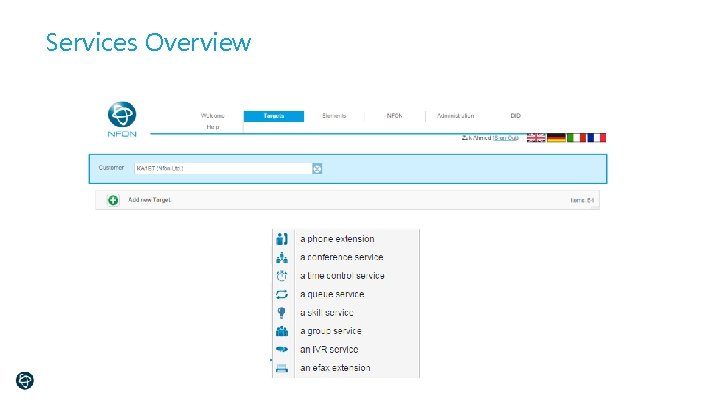
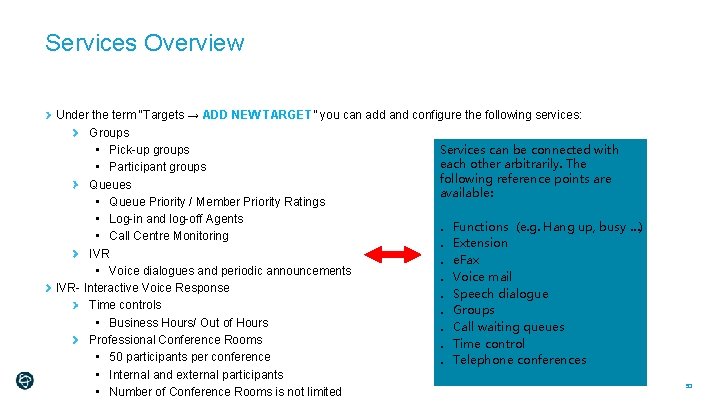
Services Overview Under the term “Targets → ADD NEW TARGET” you can add and configure the following services: Groups • Pick-up groups Services can be connected with each other arbitrarily. The • Participant groups following reference points are Queues available: • Queue Priority / Member Priority Ratings • Log-in and log-off Agents o Functions (e. g. Hang up, busy …) • Call Centre Monitoring o Extension IVR o e. Fax • Voice dialogues and periodic announcements o Voice mail IVR- Interactive Voice Response o Speech dialogue Time controls o Groups • Business Hours/ Out of Hours o Call waiting queues Professional Conference Rooms o Time control • 50 participants per conference o Telephone conferences • Internal and external participants • Number of Conference Rooms is not limited 53
Ncontrol
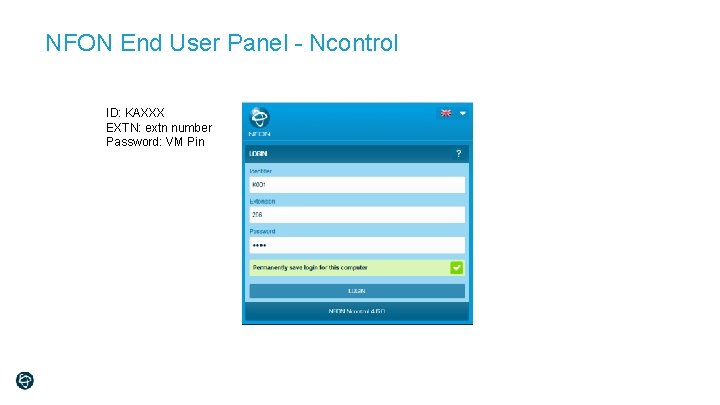
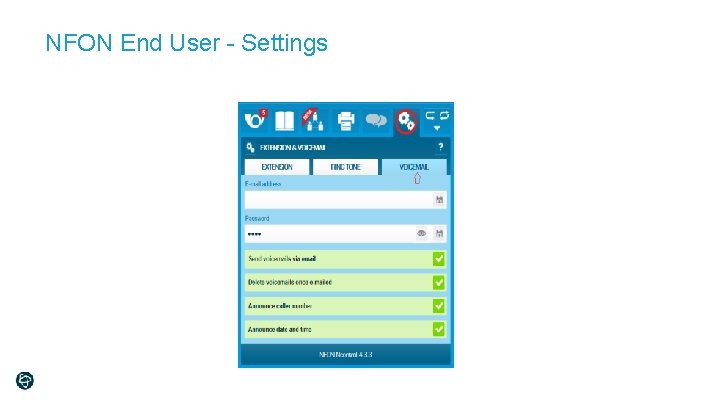
NFON End User Panel - Ncontrol ID: KAXXX EXTN: extn number Password: VM Pin
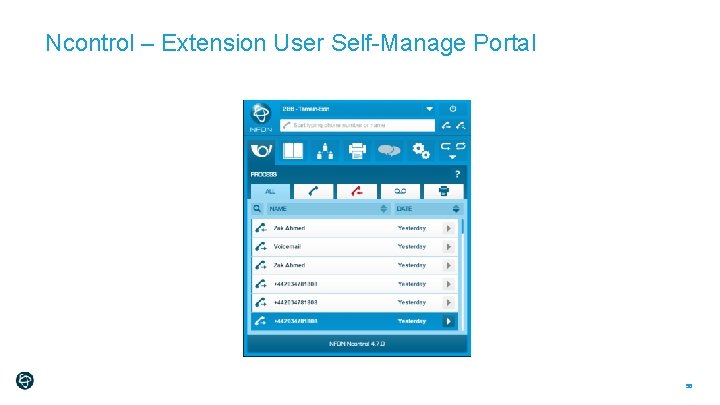
Ncontrol – Extension User Self-Manage Portal 56
NFON End User - Settings
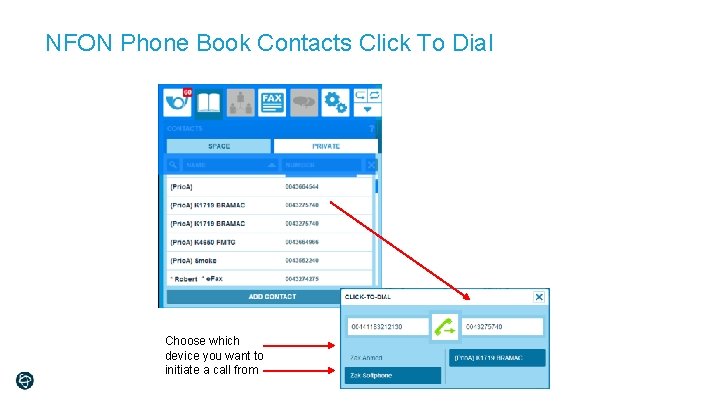
NFON Phone Book Contacts Click To Dial Choose which device you want to initiate a call from
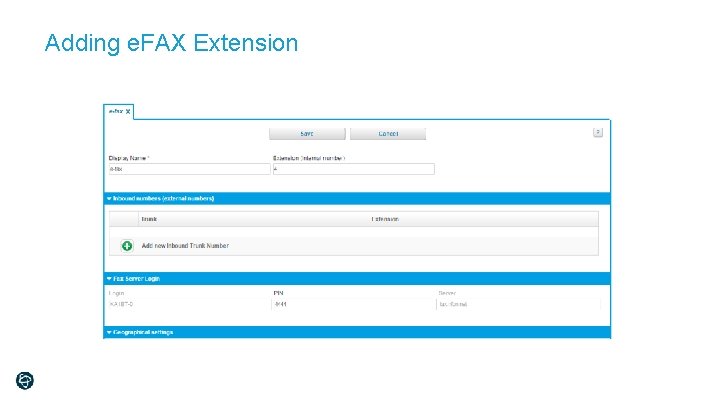
Adding e. FAX Extension
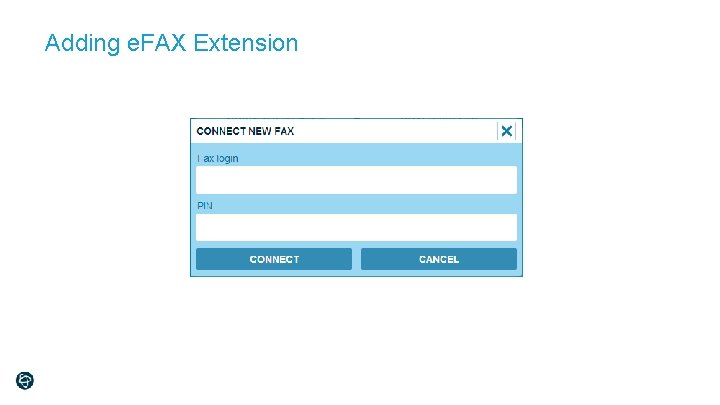
Adding e. FAX Extension
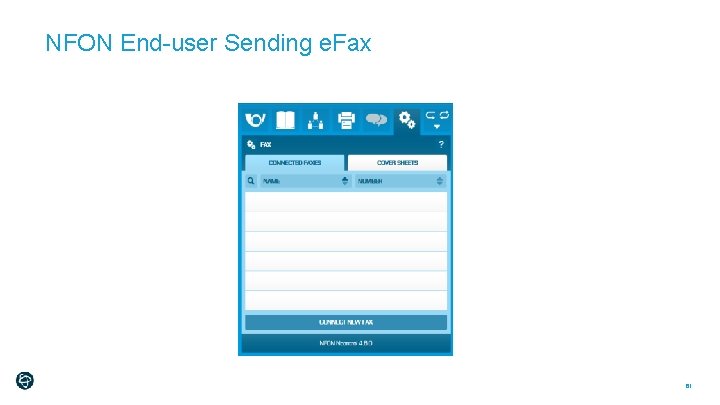
NFON End-user Sending e. Fax 61
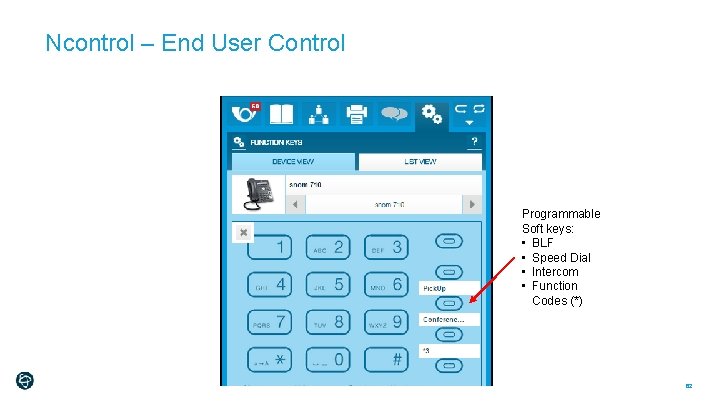
Ncontrol – End User Control Programmable Soft keys: • BLF • Speed Dial • Intercom • Function Codes (*) 62
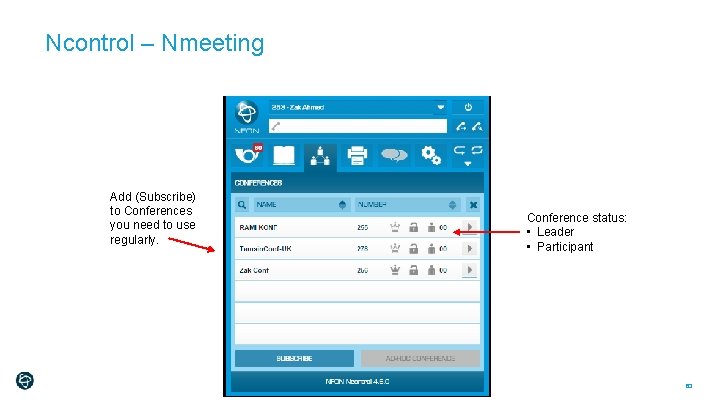
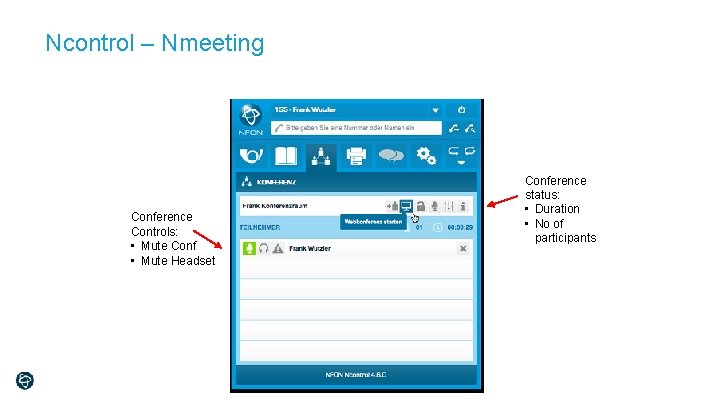
Ncontrol – Nmeeting Add (Subscribe) to Conferences you need to use regularly. Conference status: • Leader • Participant 63
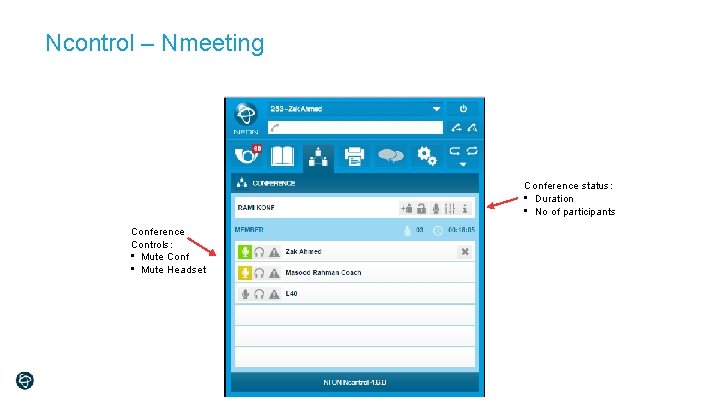
Ncontrol – Nmeeting Conference status: • Duration • No of participants Conference Controls: • Mute Conf • Mute Headset
Ncontrol – Nmeeting Conference Controls: • Mute Conf • Mute Headset Conference status: • Duration • No of participants
Nrecording Premium
Nrecording Premium
Nrecording Premium
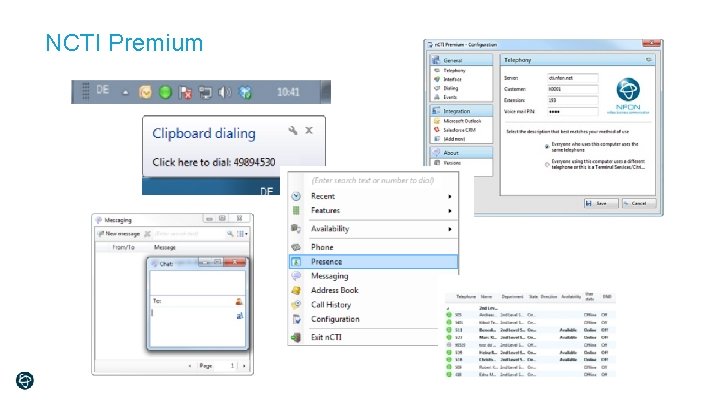
NCTI Premium
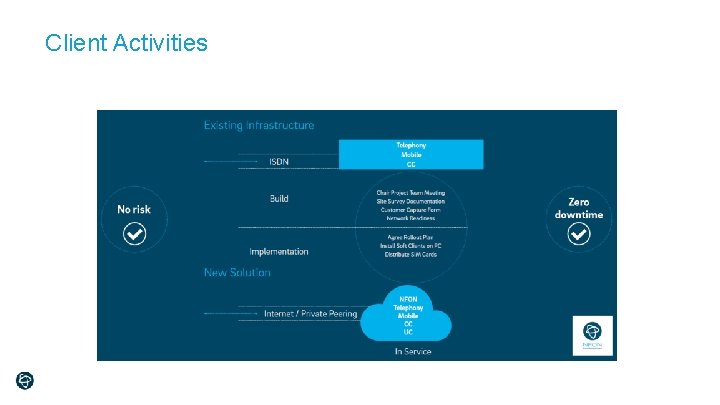
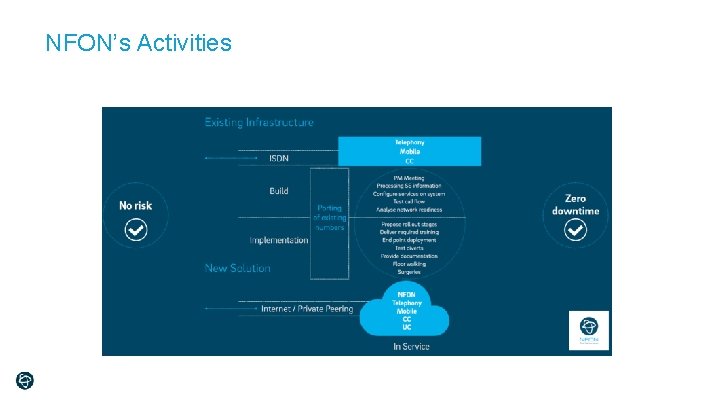
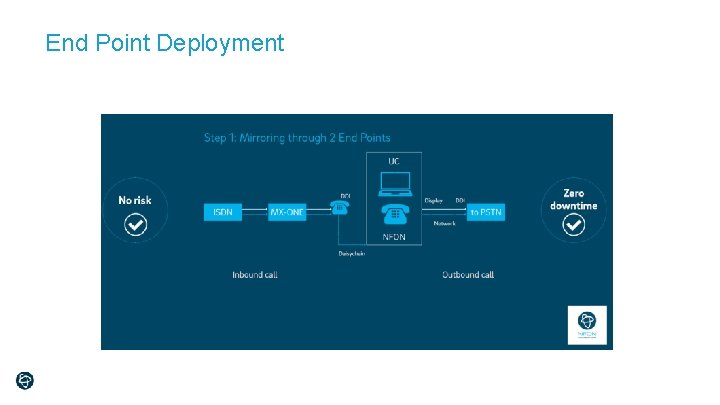
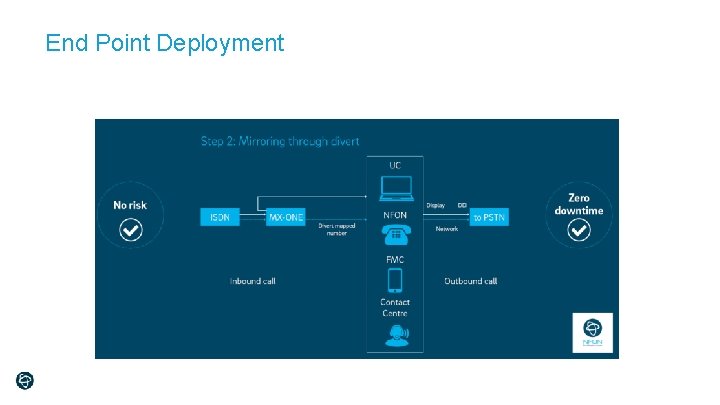
Seamless Migration from On-Premise to Cloud
Numbers: Any Number Can be Supported! Provision of new numbers (geographic or non-geographic) 01, 02, 03, 056, 0800, 0845, 0870, 0844 and 0871, international Number Porting Retain customers’ existing numbers through Number Portability Single Line Portability caters for single PSTN lines to be ported Multi-Line Porting – PBX groups, single lines terminating on equipment or 11 or more single lines at single site 71
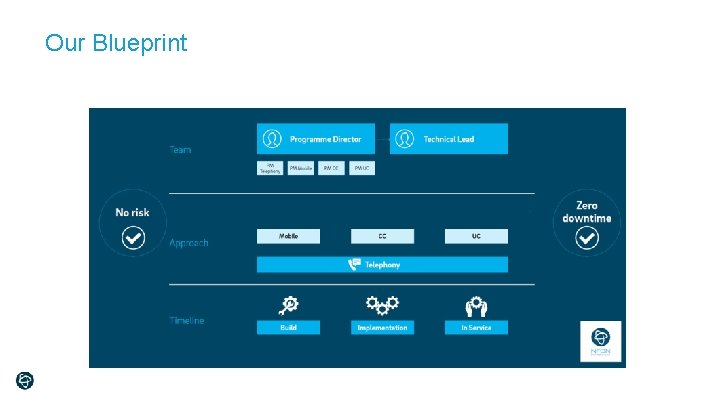
Our Blueprint
Client Activities
NFON’s Activities
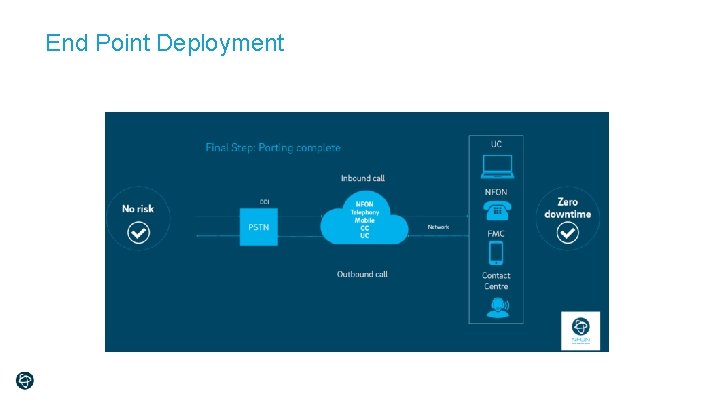
End Point Deployment
End Point Deployment
End Point Deployment
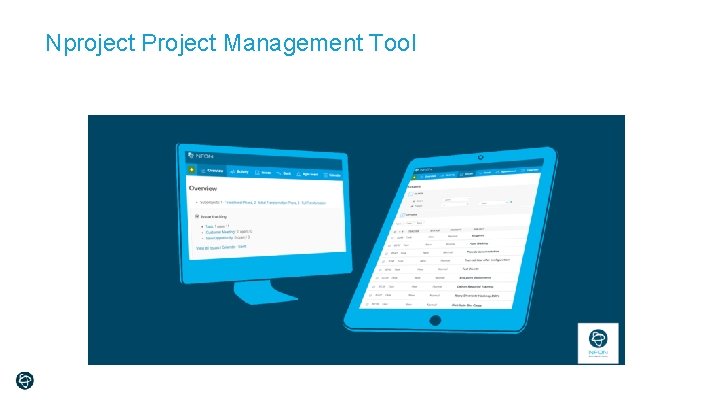
Nproject Project Management Tool
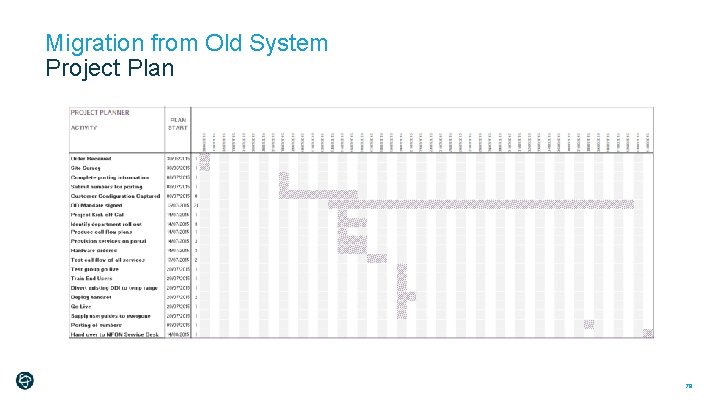
Migration from Old System Project Plan 79
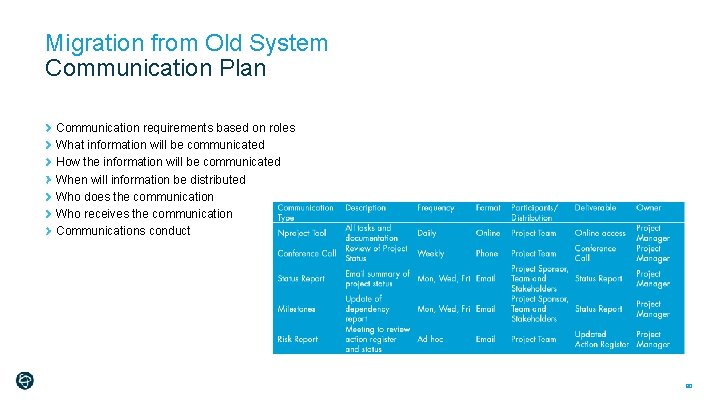
Migration from Old System Communication Plan Communication requirements based on roles What information will be communicated How the information will be communicated When will information be distributed Who does the communication Who receives the communication Communications conduct 80
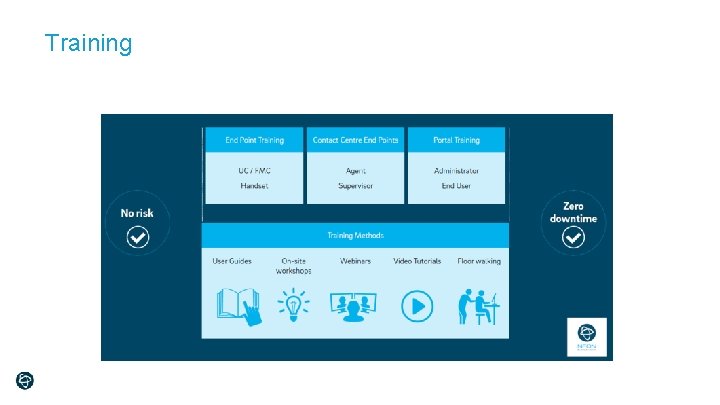
Training
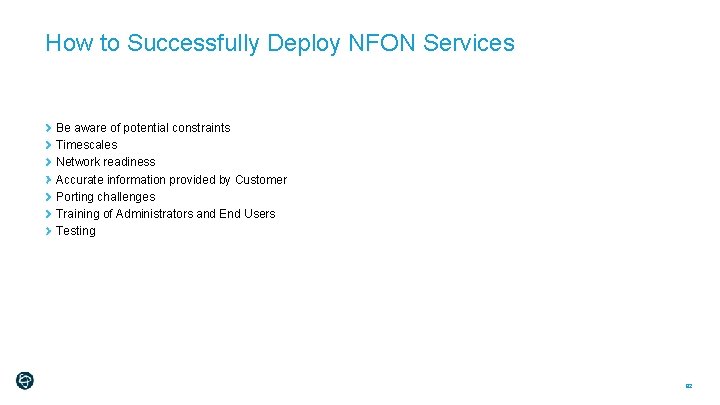
How to Successfully Deploy NFON Services Be aware of potential constraints Timescales Network readiness Accurate information provided by Customer Porting challenges Training of Administrators and End Users Testing 82
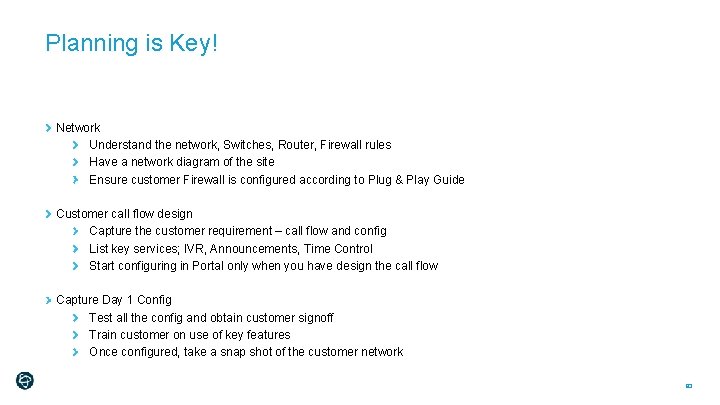
Planning is Key! Network Understand the network, Switches, Router, Firewall rules Have a network diagram of the site Ensure customer Firewall is configured according to Plug & Play Guide Customer call flow design Capture the customer requirement – call flow and config List key services; IVR, Announcements, Time Control Start configuring in Portal only when you have design the call flow Capture Day 1 Config Test all the config and obtain customer signoff Train customer on use of key features Once configured, take a snap shot of the customer network 83
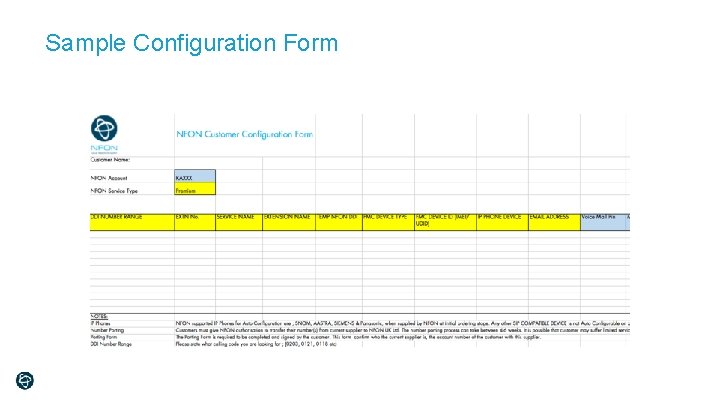
Sample Configuration Form
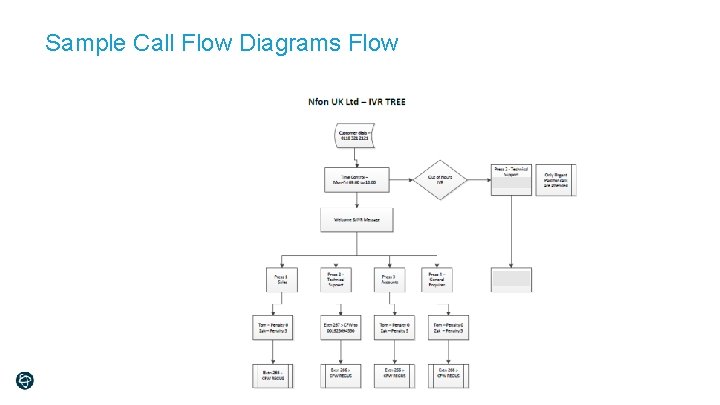
Sample Call Flow Diagrams Flow
Support Cockpit & NFON Service Desk
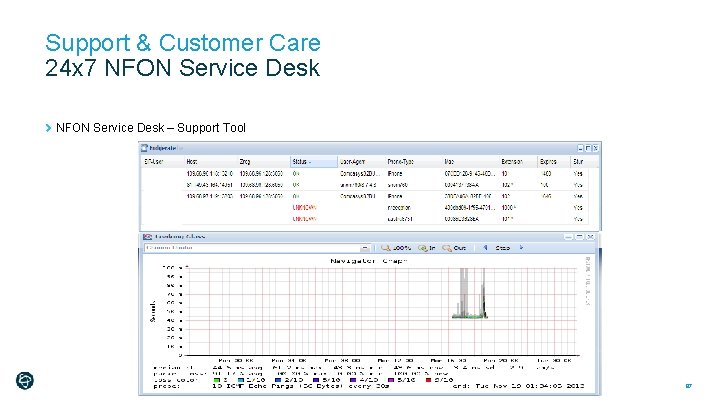
Support & Customer Care 24 x 7 NFON Service Desk – Support Tool 87
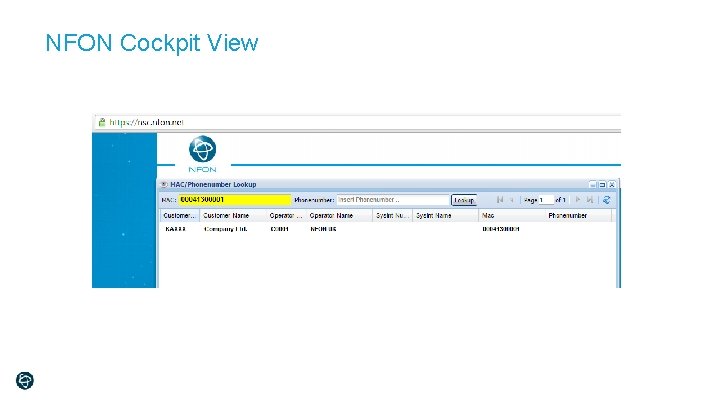
NFON Cockpit View
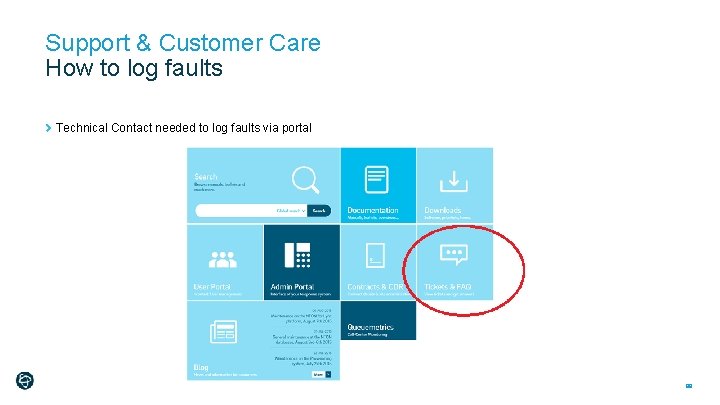
Support & Customer Care How to log faults Technical Contact needed to log faults via portal 89
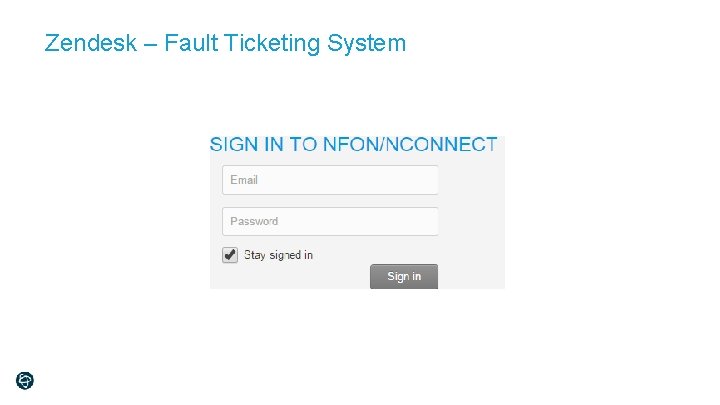
Zendesk – Fault Ticketing System
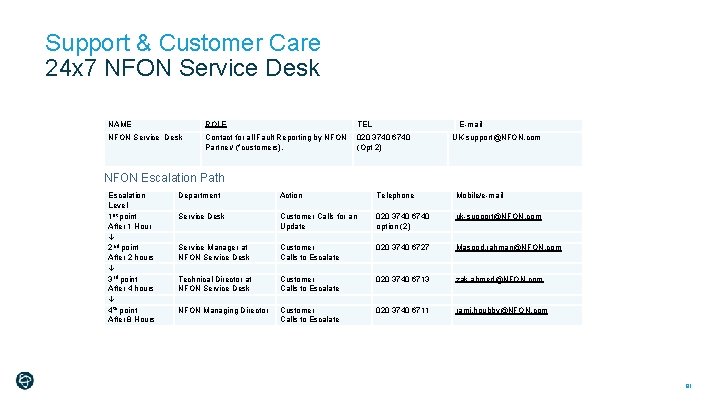
Support & Customer Care 24 x 7 NFON Service Desk NAME ROLE TEL E-mail NFON Service Desk Contact for all Fault Reporting by NFON Partner/ (*customers). 020 3740 6740 (Opt 2) UK-support@NFON. com NFON Escalation Path Escalation Level 1 st point After 1 Hour 2 nd point After 2 hours 3 rd point After 4 hours 4 th point After 8 Hours Department Action Telephone Mobile/e-mail Service Desk Customer Calls for an Update Customer Calls to Escalate 020 3740 6740 option (2) 020 3740 6727 uk-support@NFON. com 020 3740 6713 zak. ahmed@NFON. com rami. houbby@NFON. com Service Manager at NFON Service Desk Technical Director at NFON Service Desk NFON Managing Director 020 3740 6711 Masood. rahman@NFON. com 91
Why are we different & unique 92
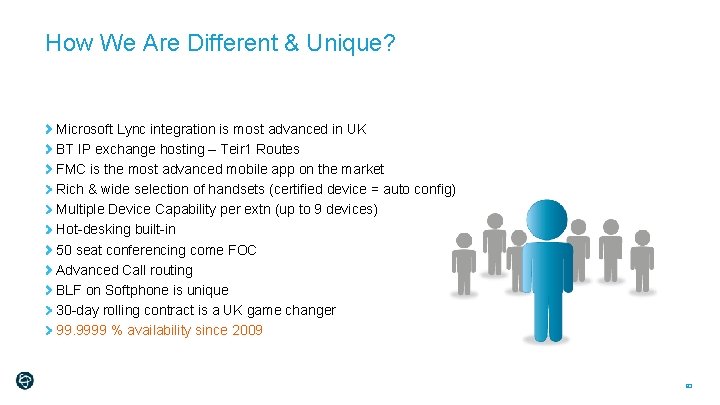
How We Are Different & Unique? Microsoft Lync integration is most advanced in UK BT IP exchange hosting – Teir 1 Routes FMC is the most advanced mobile app on the market Rich & wide selection of handsets (certified device = auto config) Multiple Device Capability per extn (up to 9 devices) Hot-desking built-in 50 seat conferencing come FOC Advanced Call routing BLF on Softphone is unique 30 -day rolling contract is a UK game changer 99. 9999 % availability since 2009 93
Thank You 94