
Nexus A GPU Cluster Engine for Accelerating DNNBased
Nexus: A GPU Cluster Engine for Accelerating DNN-Based Video Analysis Haichen Shen, Lequn Chen, Yuchen Jin, Liangyu Zhao, Bingyu Kong, Matthai Philipose, Arvind Krishnamurthy, Ravi Sundaram
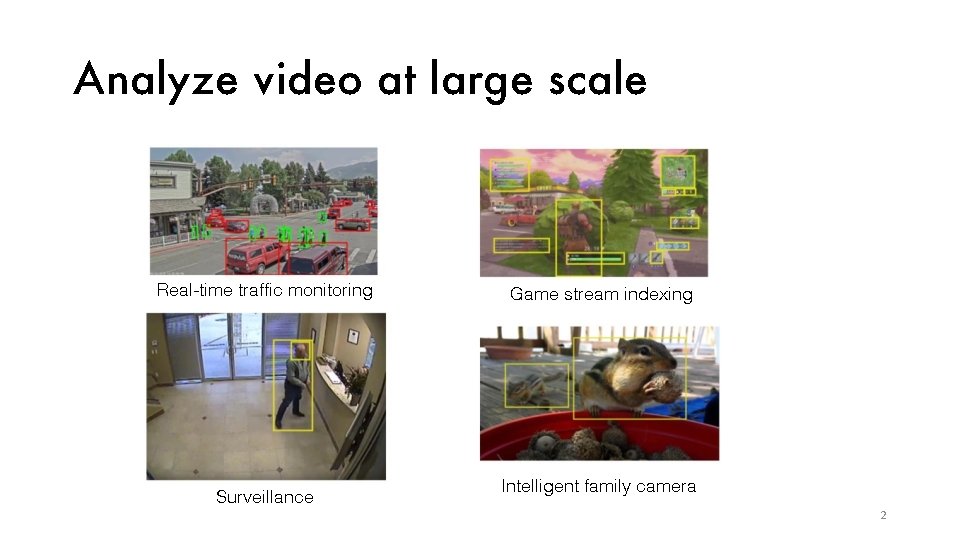
Analyze video at large scale Real-time traffic monitoring Surveillance Game stream indexing Intelligent family camera 2
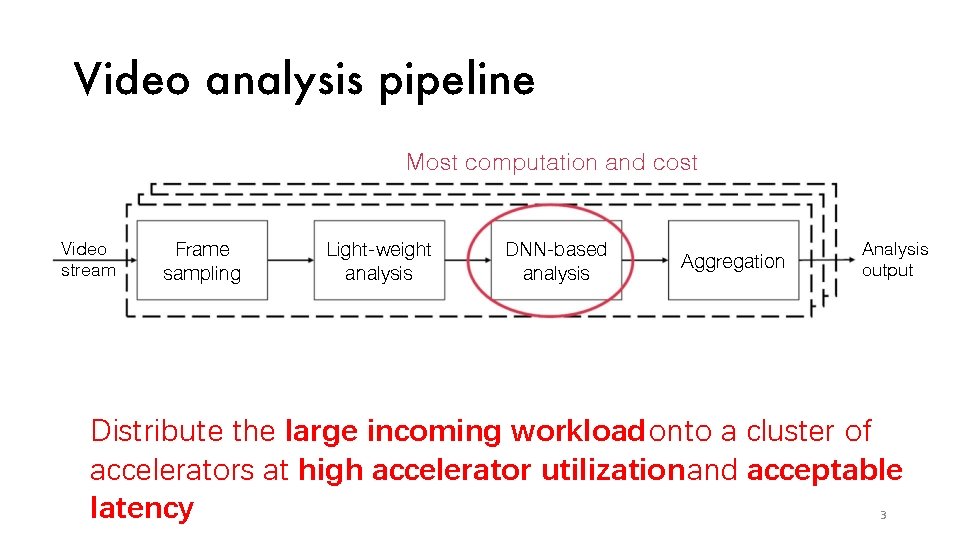
Video analysis pipeline Most computation and cost Video stream Frame sampling Light-weight analysis DNN-based analysis Aggregation Analysis output Distribute the large incoming workload onto a cluster of accelerators at high accelerator utilization and acceptable latency 3
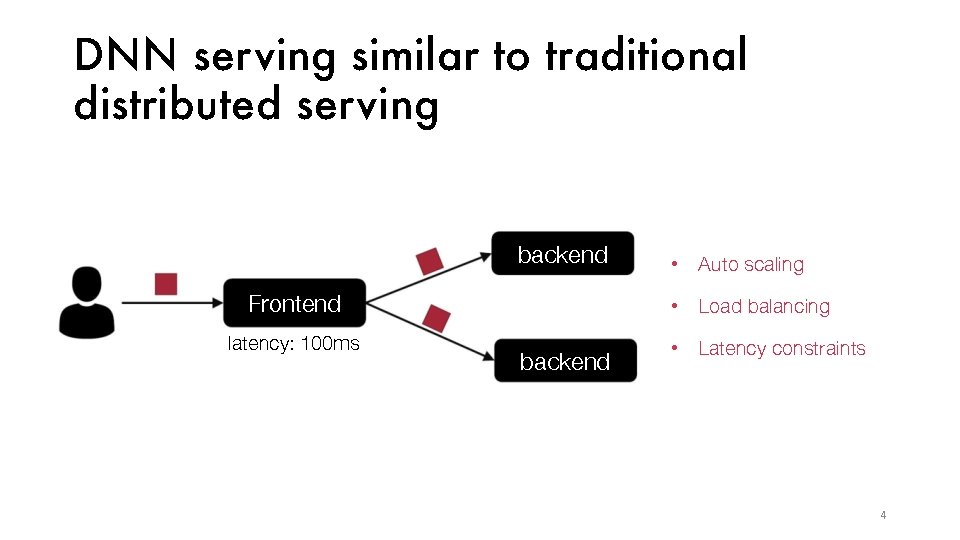
DNN ser ving similar to traditional distributed ser ving backend • Auto scaling Frontend • Load balancing latency: 100 ms • Latency constraints backend 4
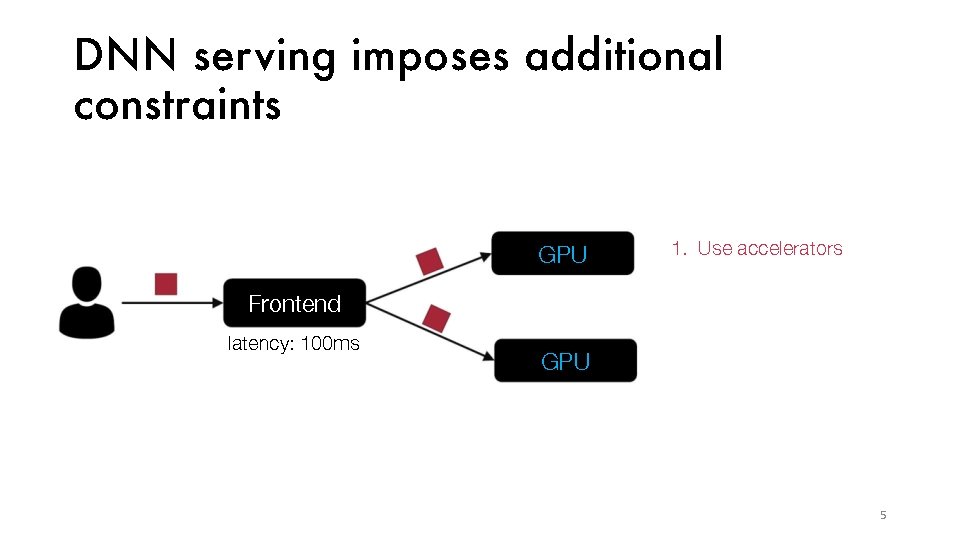
DNN ser ving imposes additional constraints GPU 1. Use accelerators Frontend latency: 100 ms GPU 5
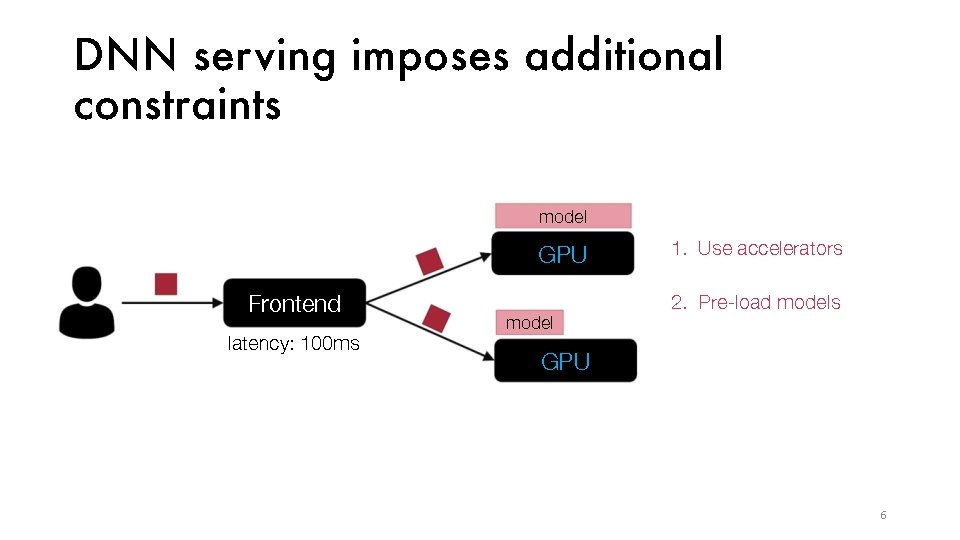
DNN ser ving imposes additional constraints model GPU Frontend latency: 100 ms model 1. Use accelerators 2. Pre-load models GPU 6
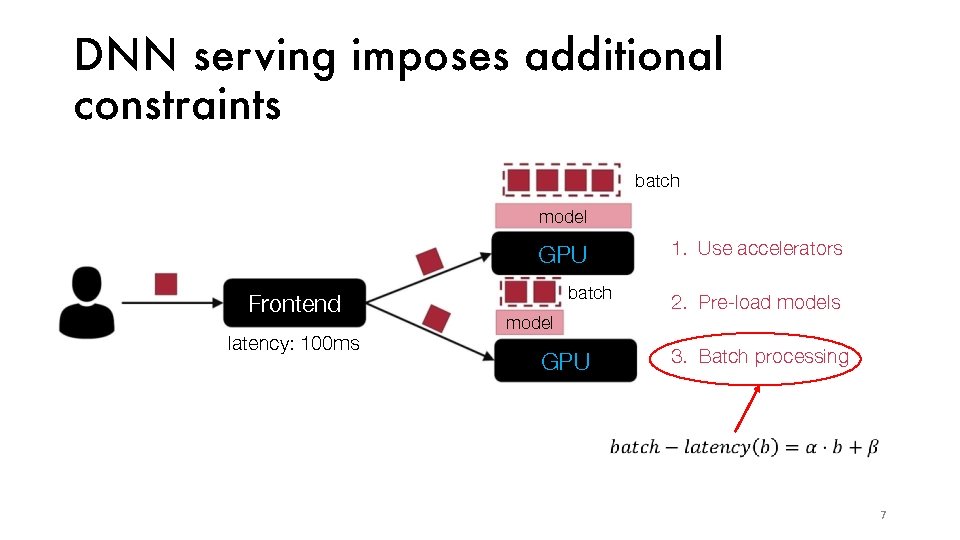
DNN ser ving imposes additional constraints batch model GPU Frontend latency: 100 ms batch model GPU 1. Use accelerators 2. Pre-load models 3. Batch processing 7
Existing DNN ser ving systems are singleapp solutions E. g. , Tensorflow Serving, Clipper (NSDI’ 17) • Do not coordinate resource allocations across DNN applications • Rely on external schedulers that cannot perform cross-app optimizations • Model approximation and caching (Clipper Only)
Existing DNN ser ving systems are singleapp solutions E. g. , Tensorflow Serving, Clipper (NSDI’ 17) • Do not coordinate resource allocations across DNN applications • Rely on external schedulers that cannot perform cross-app optimizations • Model approximation and caching (Clipper Only) How to build a ser ving system that coordinates the ser ving of multiple DNN applications?
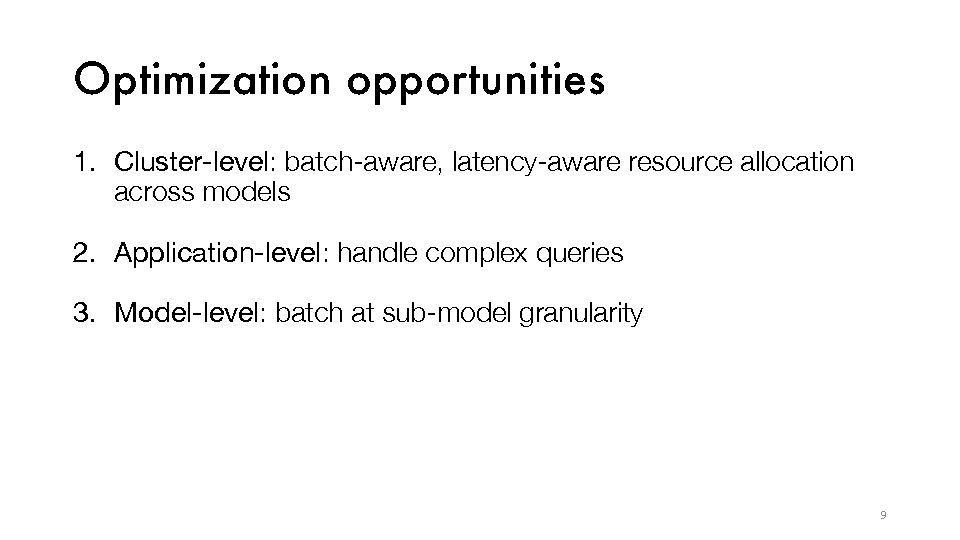
Optimization opportunities 1. Cluster-level: batch-aware, latency-aware resource allocation across models 2. Application-level: handle complex queries 3. Model-level: batch at sub-model granularity 9
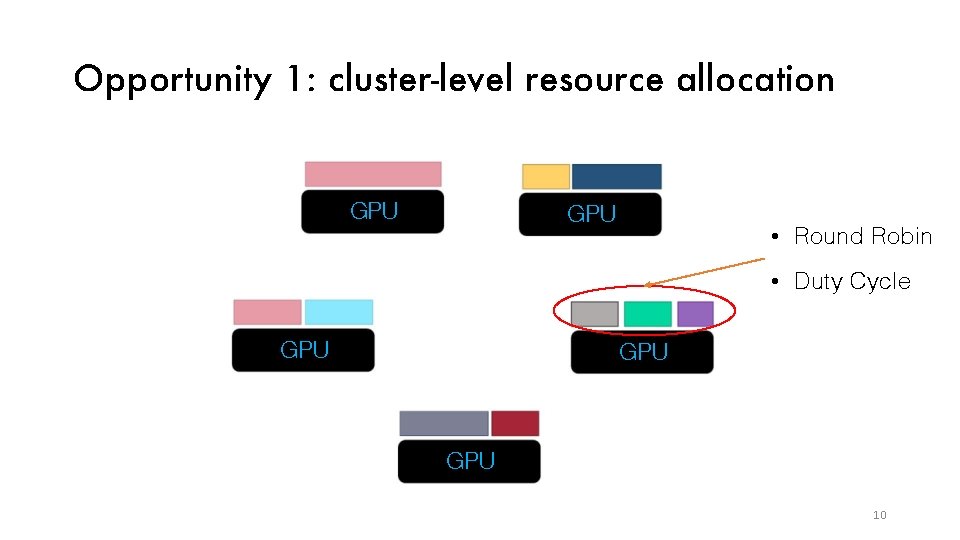
Opportunity 1: cluster-level resource allocation GPU • Round Robin • Duty Cycle GPU GPU 10
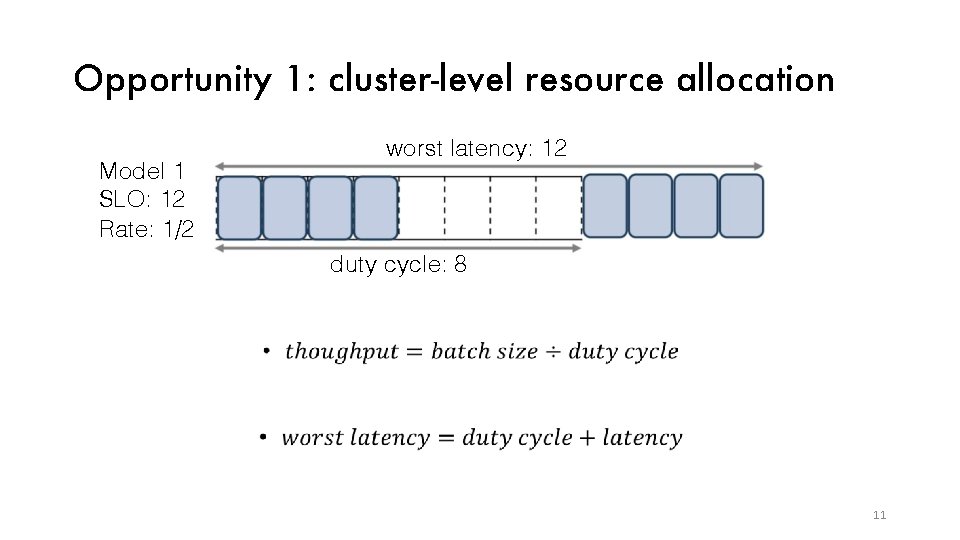
Opportunity 1: cluster-level resource allocation Model 1 SLO: 12 Rate: 1/2 worst latency: 12 duty cycle: 8 11
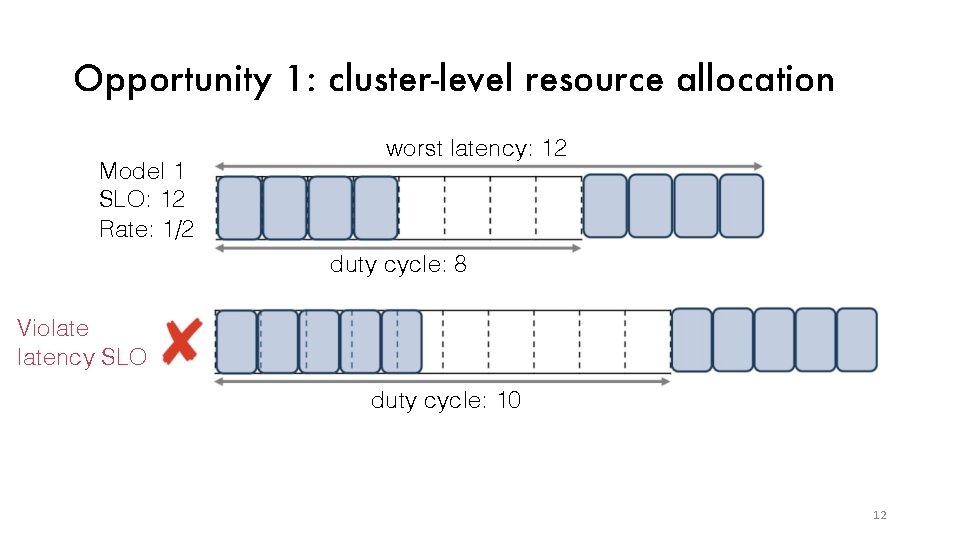
Opportunity 1: cluster-level resource allocation Model 1 SLO: 12 Rate: 1/2 worst latency: 12 duty cycle: 8 Violatency SLO duty cycle: 10 Latency SLO limits the batching optimization 12
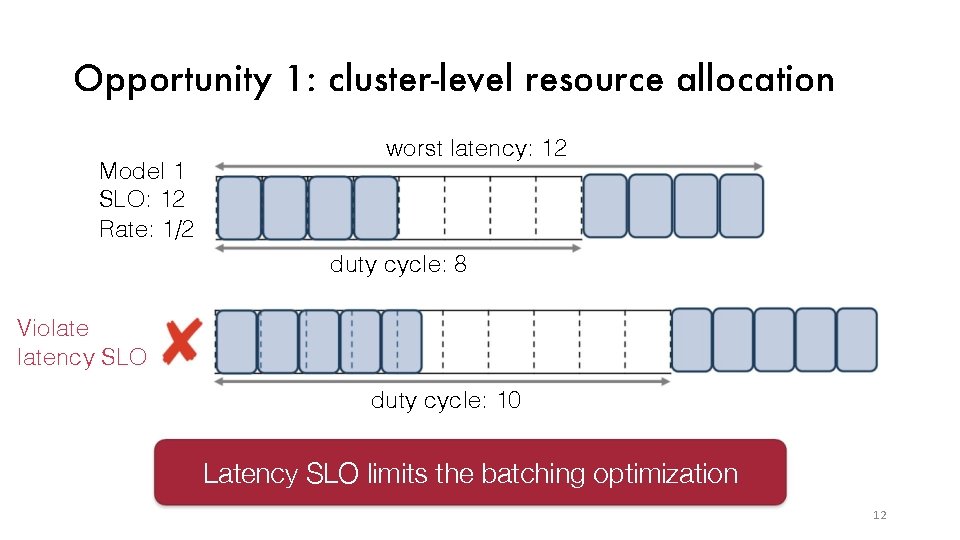
Opportunity 1: cluster-level resource allocation Model 1 SLO: 12 Rate: 1/2 worst latency: 12 duty cycle: 8 Violatency SLO duty cycle: 10 Latency SLO limits the batching optimization 12
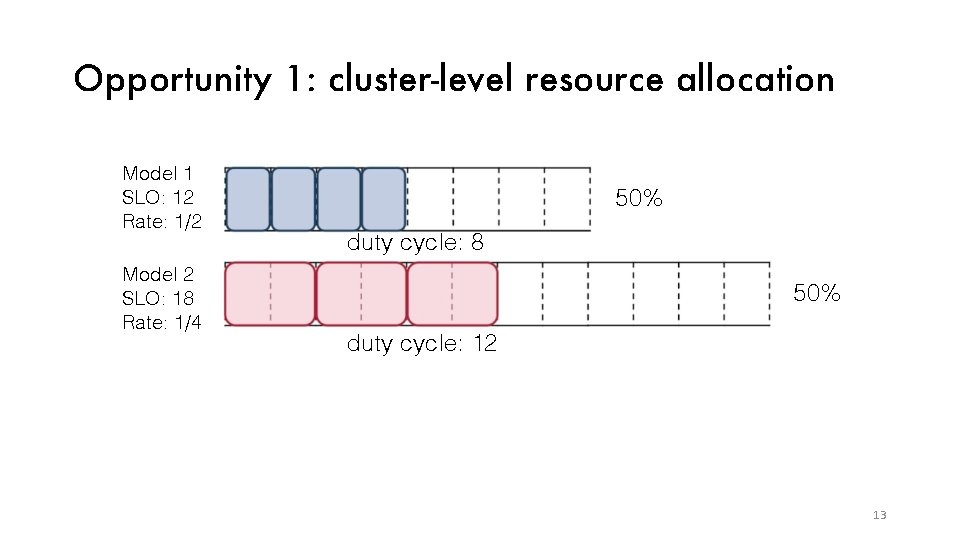
Opportunity 1: cluster-level resource allocation Model 1 SLO: 12 Rate: 1/2 Model 2 SLO: 18 Rate: 1/4 50% duty cycle: 8 50% duty cycle: 12 13
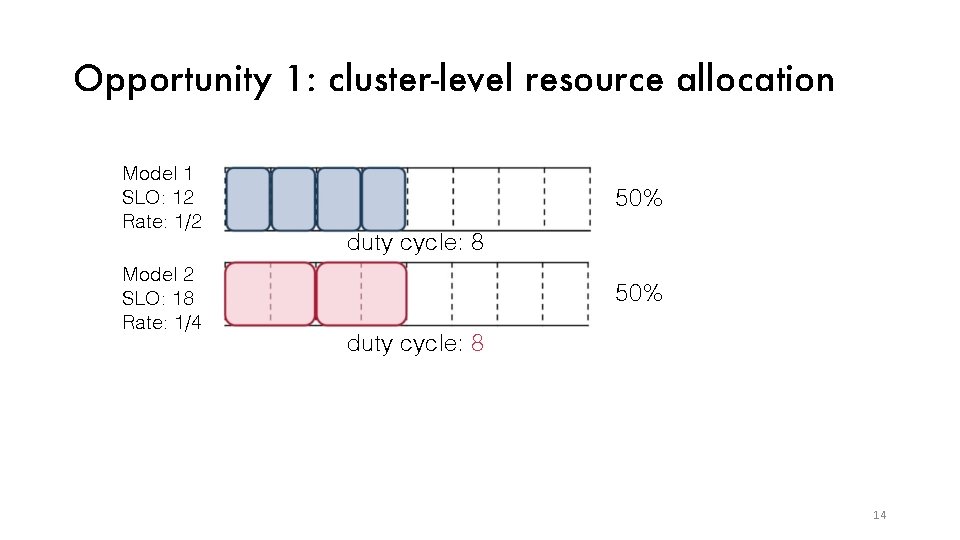
Opportunity 1: cluster-level resource allocation Model 1 SLO: 12 Rate: 1/2 Model 2 SLO: 18 Rate: 1/4 50% duty cycle: 8 14
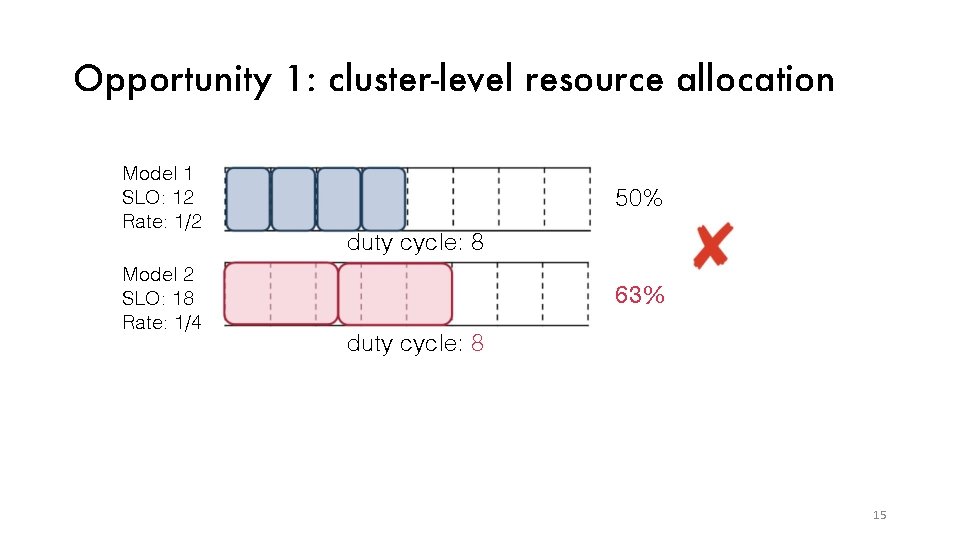
Opportunity 1: cluster-level resource allocation Model 1 SLO: 12 Rate: 1/2 Model 2 SLO: 18 Rate: 1/4 50% duty cycle: 8 63% duty cycle: 8 Challenge: GPU sharing has to account for SLO and “squishy” load demands across models 15
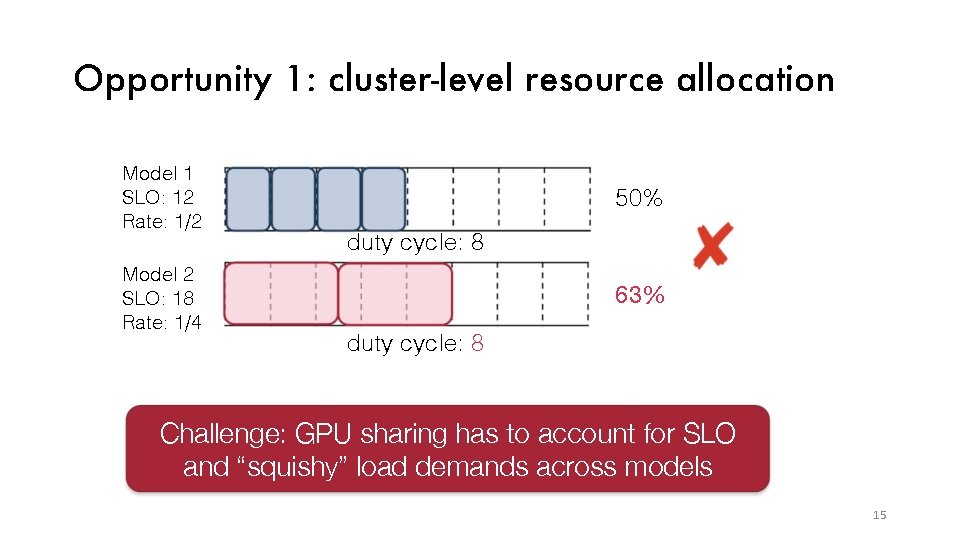
Opportunity 1: cluster-level resource allocation Model 1 SLO: 12 Rate: 1/2 Model 2 SLO: 18 Rate: 1/4 50% duty cycle: 8 63% duty cycle: 8 Challenge: GPU sharing has to account for SLO and “squishy” load demands across models 15
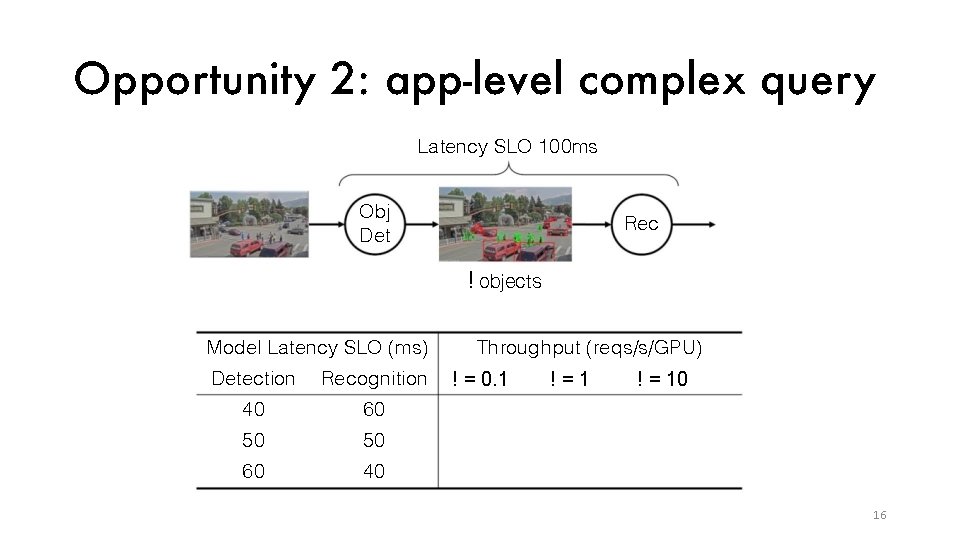
Opportunity 2: app-level complex quer y Latency SLO 100 ms Obj Det Rec ! objects Model Latency SLO (ms) Detection Recognition 40 60 50 50 60 40 Throughput (reqs/s/GPU) ! = 0. 1 !=1 ! = 10 16
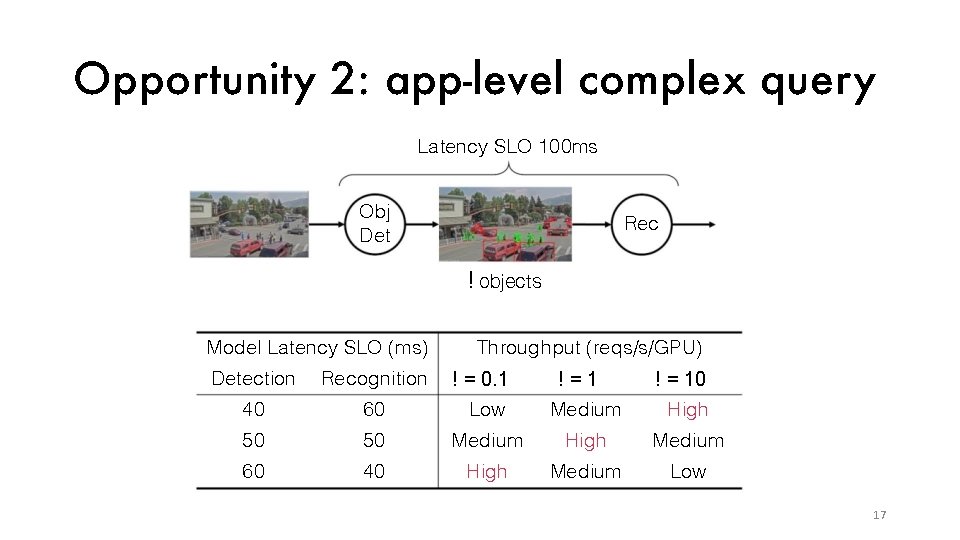
Opportunity 2: app-level complex quer y Latency SLO 100 ms Obj Det Rec ! objects Model Latency SLO (ms) Throughput (reqs/s/GPU) ! = 0. 1 !=1 ! = 10 High Detection Recognition 40 60 Low Medium 50 50 Medium High Medium 60 40 High Medium Low 17
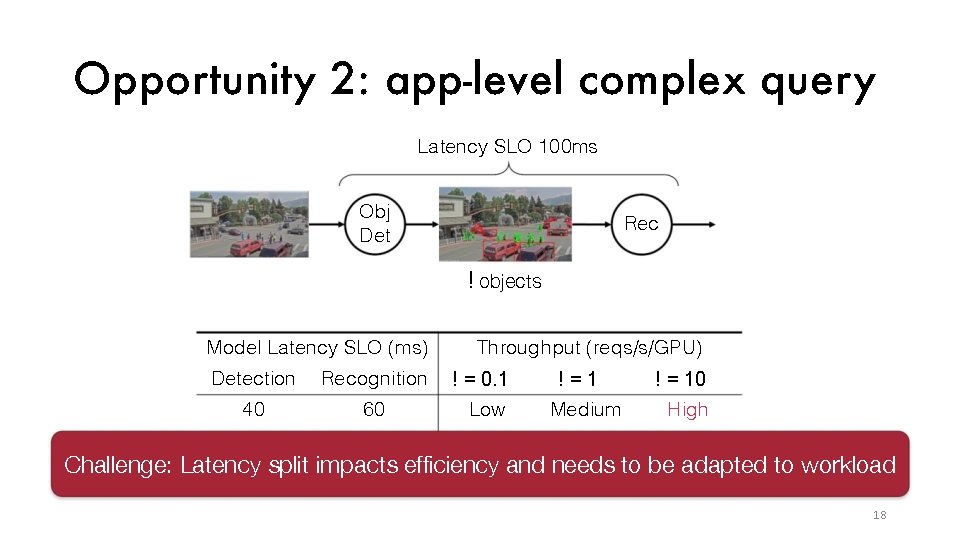
Opportunity 2: app-level complex quer y Latency SLO 100 ms Obj Det Rec ! objects Model Latency SLO (ms) Detection Recognition 40 60 Throughput (reqs/s/GPU) ! = 0. 1 Low !=1 Medium ! = 10 High Challenge: Latency split impacts efficiency and needs to be adapted to workload 18
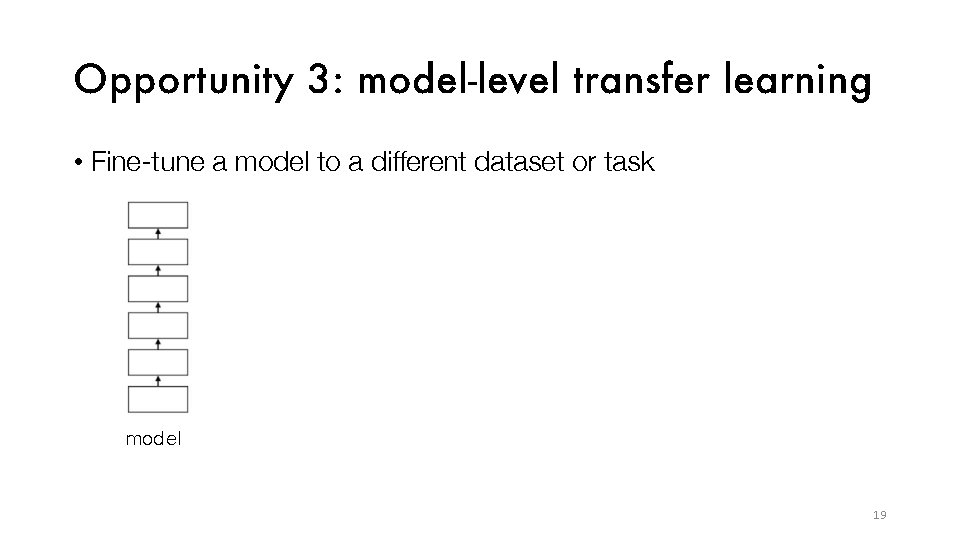
Opportunity 3: model-level transfer learning • Fine-tune a model to a different dataset or task model 19
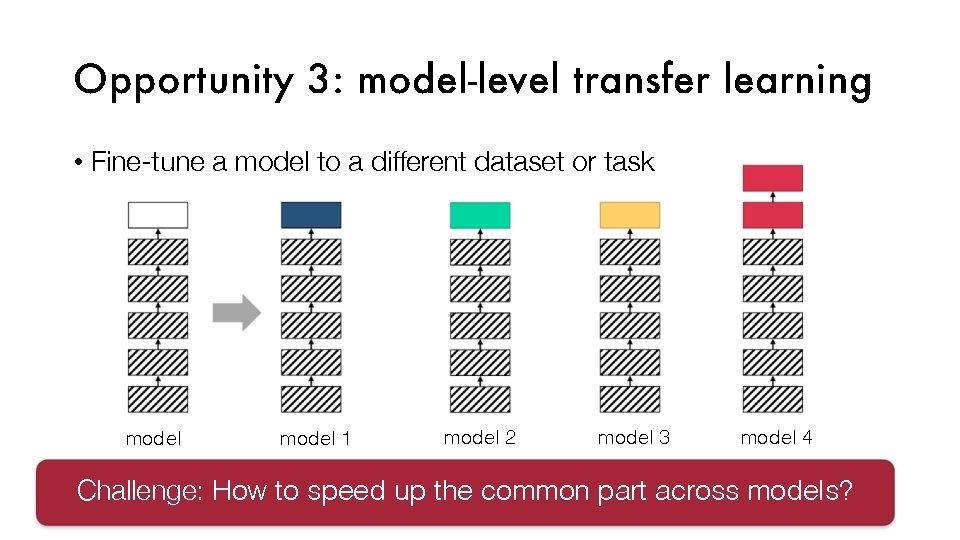
Opportunity 3: model-level transfer learning • Fine-tune a model to a different dataset or task model 1 model 2 model 3 model 4 Challenge: How to speed up the common part across models?
Nexus: ef ficient and scalable DNN execution system on GPU cluster 1. Profiling-based batch-aware resource allocator 2. Query analyzer determines latency split given latency SLO 3. Batch common prefix across models 21
Nexus: ef ficient and scalable DNN execution system on GPU cluster 1. Profiling-based batch-aware resource allocator 2. Query analyzer determines latency split given latency SLO 3. Batch common prefix across models 22
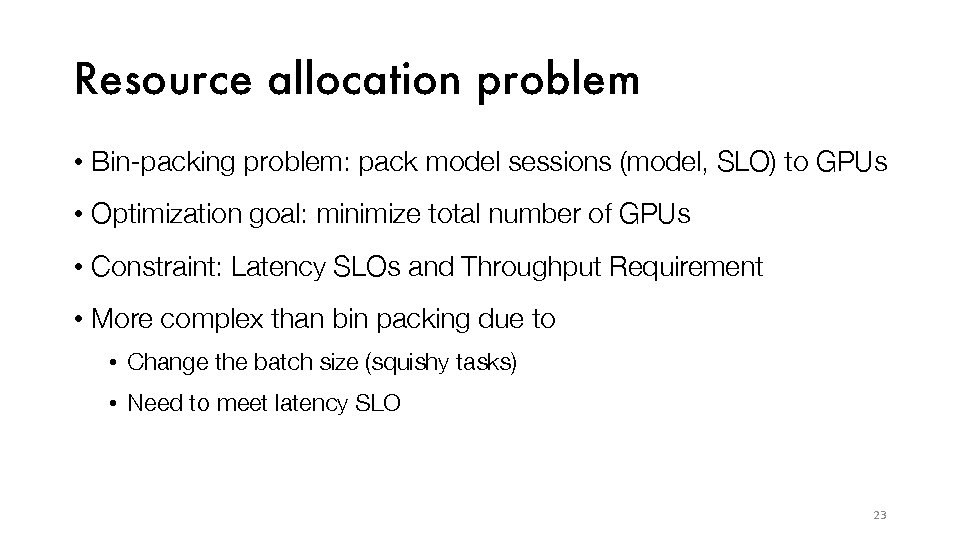
Resource allocation problem • Bin-packing problem: pack model sessions (model, SLO) to GPUs • Optimization goal: minimize total number of GPUs • Constraint: Latency SLOs and Throughput Requirement • More complex than bin packing due to • Change the batch size (squishy tasks) • Need to meet latency SLO 23
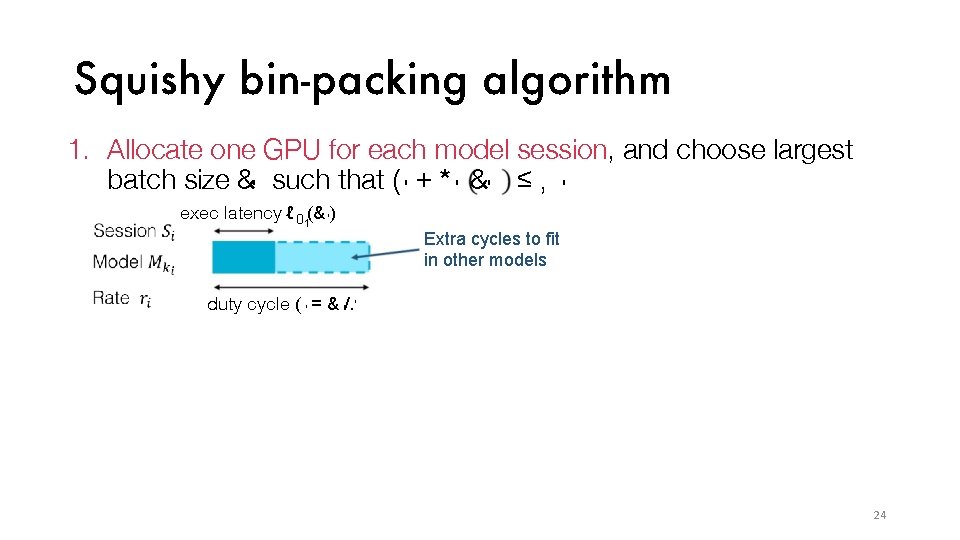
Squishy bin-packing algorithm 1. Allocate one GPU for each model session, and choose largest batch size &' such that ( ' + * ' &' ≤ , ' exec latency ℓ 0 1(& ' ) Extra cycles to fit in other models duty cycle ( ' = & '/. ' 24
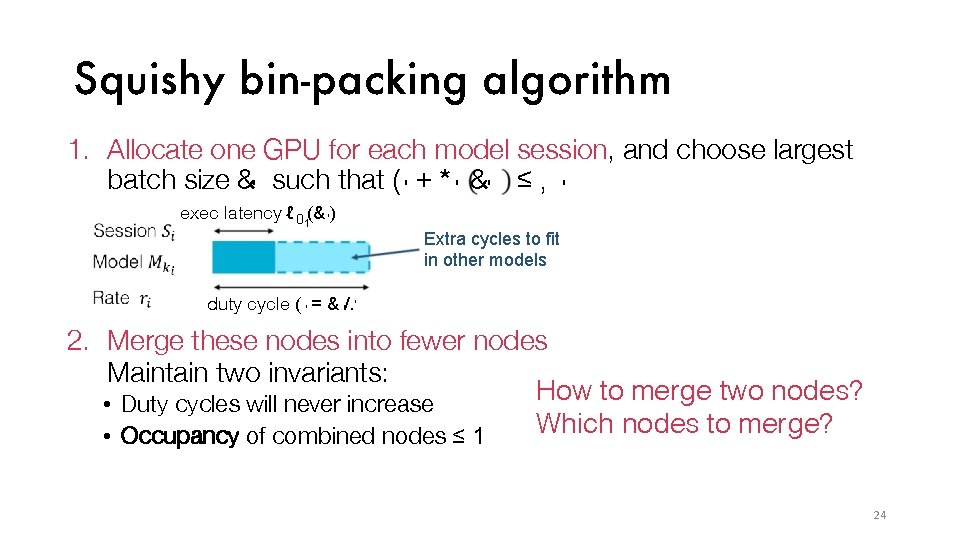
Squishy bin-packing algorithm 1. Allocate one GPU for each model session, and choose largest batch size &' such that ( ' + * ' &' ≤ , ' exec latency ℓ 0 1(& ' ) Extra cycles to fit in other models duty cycle ( ' = & '/. ' 2. Merge these nodes into fewer nodes Maintain two invariants: How to merge two nodes? • Duty cycles will never increase Which nodes to merge? • Occupancy of combined nodes ≤ 1 24
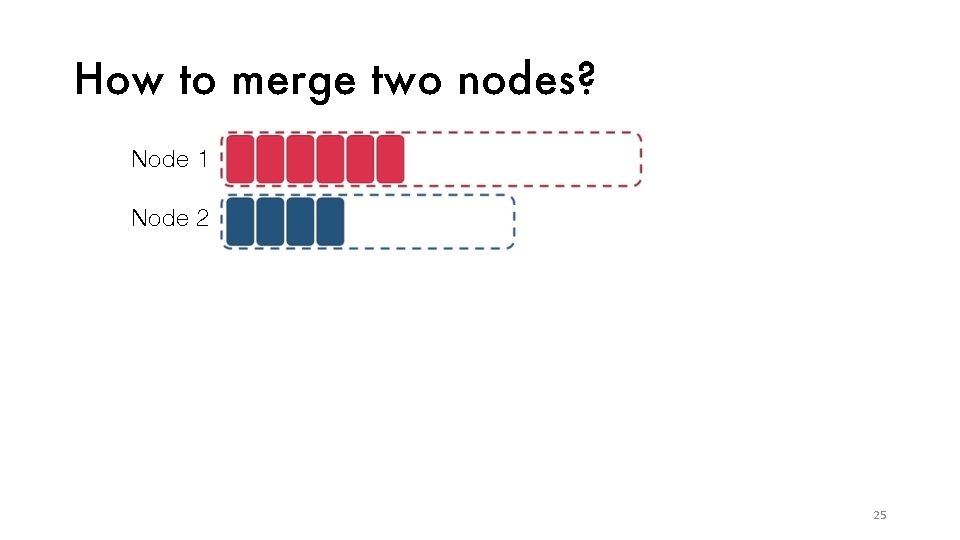
How to merge two nodes? Node 1 Node 2 25
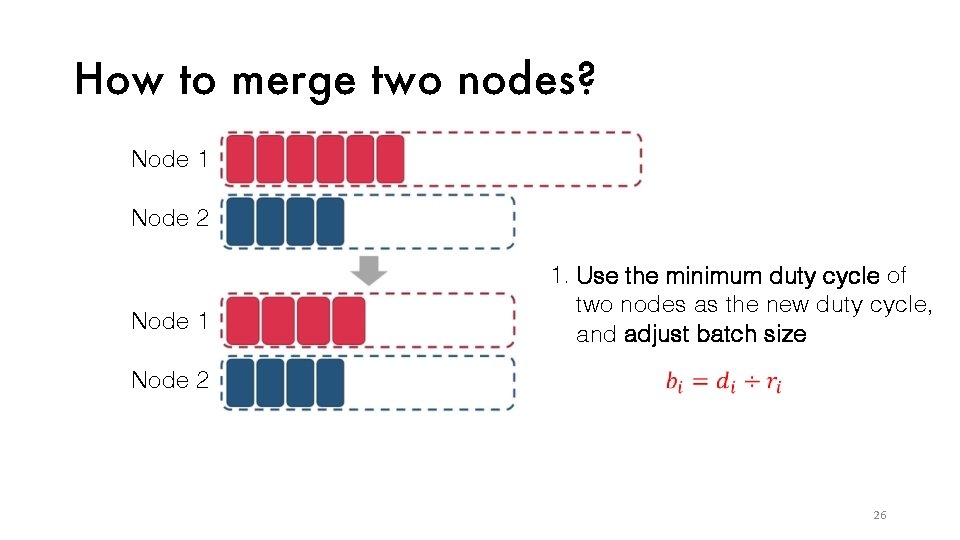
How to merge two nodes? Node 1 Node 2 Node 1 1. Use the minimum duty cycle of two nodes as the new duty cycle, and adjust batch size Node 2 26
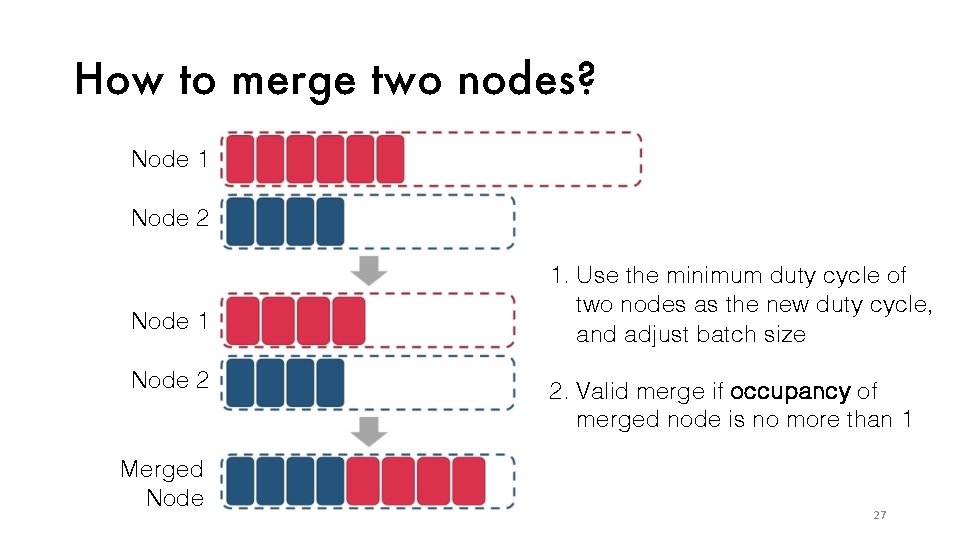
How to merge two nodes? Node 1 Node 2 Merged Node 1. Use the minimum duty cycle of two nodes as the new duty cycle, and adjust batch size 2. Valid merge if occupancy of merged node is no more than 1 27
Which nodes to merge? • Sort all nodes by its occupancy in decreasing order • For each node, try to merge w/ every scheduled nodes • Find a merging that yields highest occupancy • Otherwise, add this node in the scheduled nodes 28
Nexus: ef ficient and scalable DNN execution system on GPU cluster 1. Profiling-based batch-aware resource allocator 2. Query analyzer determines latency split given latency SLO 3. Batch common prefix across models 29
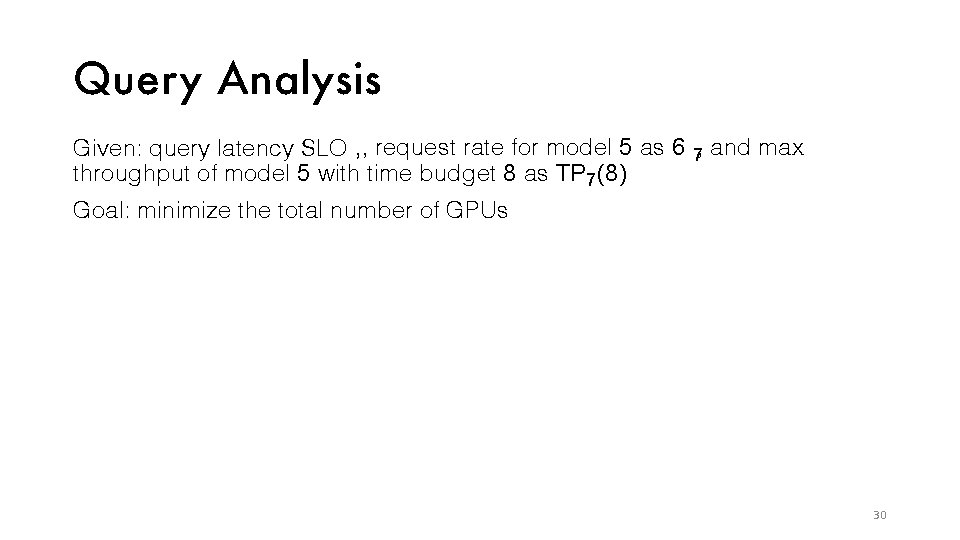
Quer y Analysis Given: query latency SLO , , request rate for model 5 as 6 7, and max throughput of model 5 with time budget 8 as TP 7 (8) Goal: minimize the total number of GPUs 30
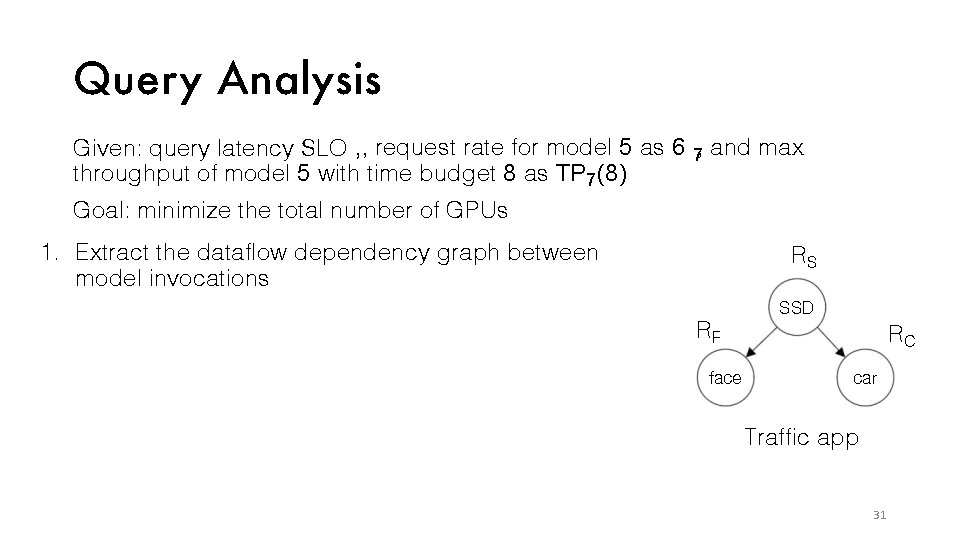
Quer y Analysis Given: query latency SLO , , request rate for model 5 as 6 7, and max throughput of model 5 with time budget 8 as TP 7 (8) Goal: minimize the total number of GPUs 1. Extract the dataflow dependency graph between model invocations RS SSD RF face RC car Traffic app 31
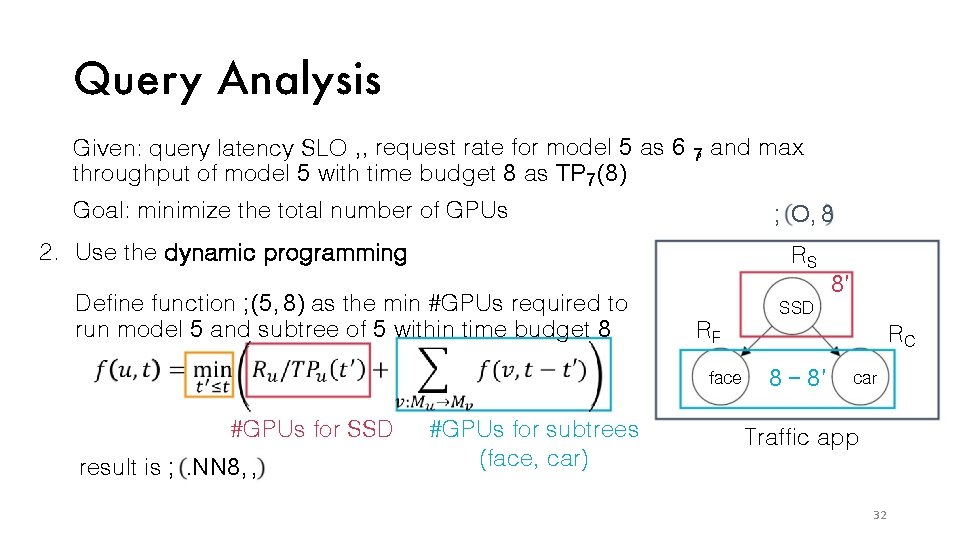
Quer y Analysis Given: query latency SLO , , request rate for model 5 as 6 7, and max throughput of model 5 with time budget 8 as TP 7 (8) Goal: minimize the total number of GPUs ; O, 8 2. Use the dynamic programming RS Define function ; (5, 8) as the min #GPUs required to run model 5 and subtree of 5 within time budget 8 SSD RF face #GPUs for SSD result is ; . NN 8, , #GPUs for subtrees (face, car) 8′ RC 8 − 8′ car Traffic app 32
Nexus: ef ficient and scalable DNN execution system on GPU cluster 1. Profiling-based batch-aware resource allocator 2. Query analyzer determines latency split given latency SLO 3. Batch common prefix across models 33
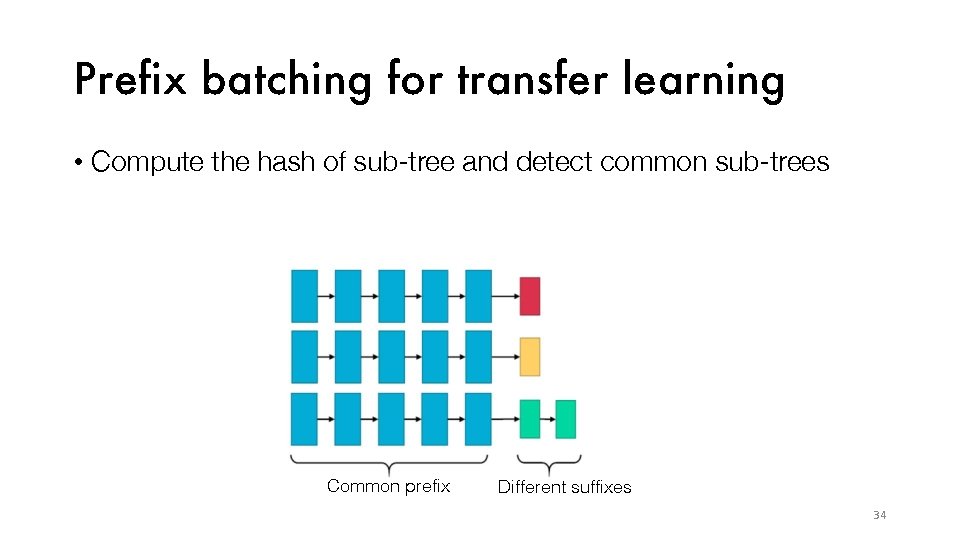
Prefix batching for transfer learning • Compute the hash of sub-tree and detect common sub-trees Common prefix Different suffixes 34
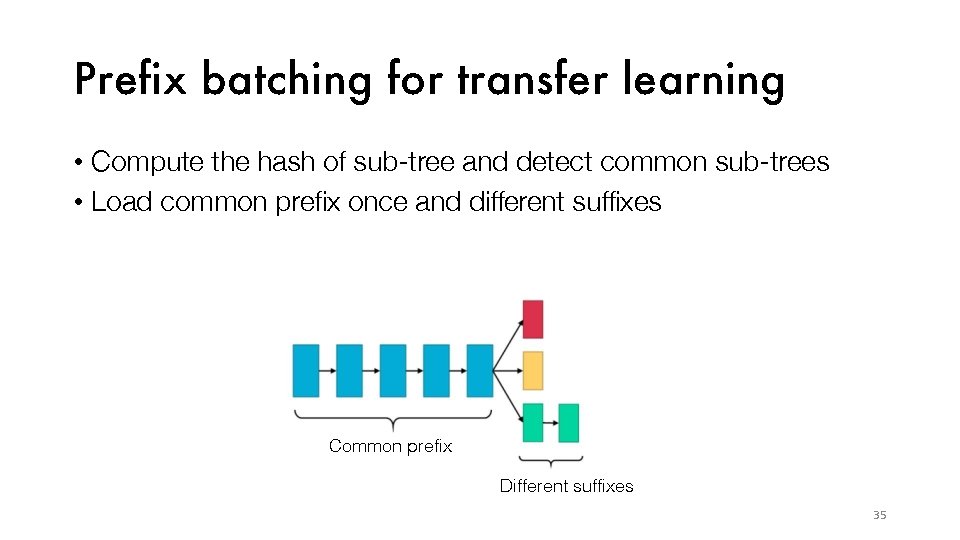
Prefix batching for transfer learning • Compute the hash of sub-tree and detect common sub-trees • Load common prefix once and different suffixes Common prefix Different suffixes 35
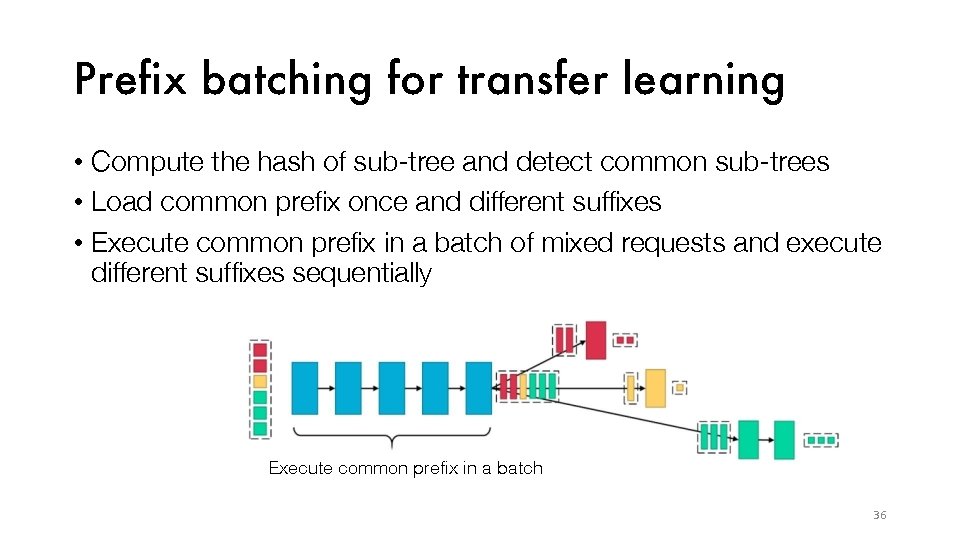
Prefix batching for transfer learning • Compute the hash of sub-tree and detect common sub-trees • Load common prefix once and different suffixes • Execute common prefix in a batch of mixed requests and execute different suffixes sequentially Execute common prefix in a batch 36
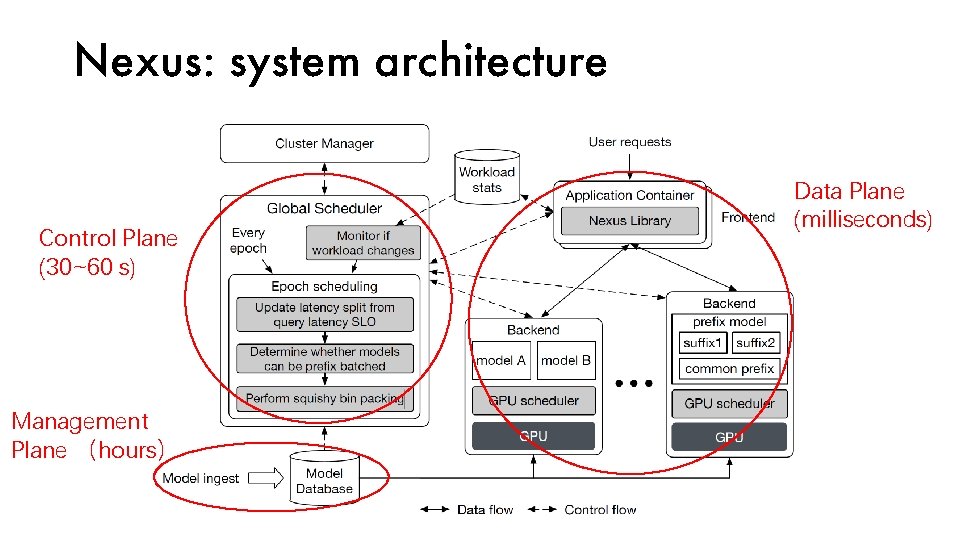
Nexus: system architecture Control Plane (30~60 s) Management Plane (hours) Data Plane (milliseconds)
Evaluation • Baseline: Clipper and Tensorflow Serving • Both lack support for cluster and complex queries • Batch-oblivious scheduler allocates # GPUs ∝ request rate / max throughput under latency SLO on a single GPU • Naive query analysis splits query latency SLO evenly to each stage • Throughput: maximum query rate where 99% can be served within latency SLO
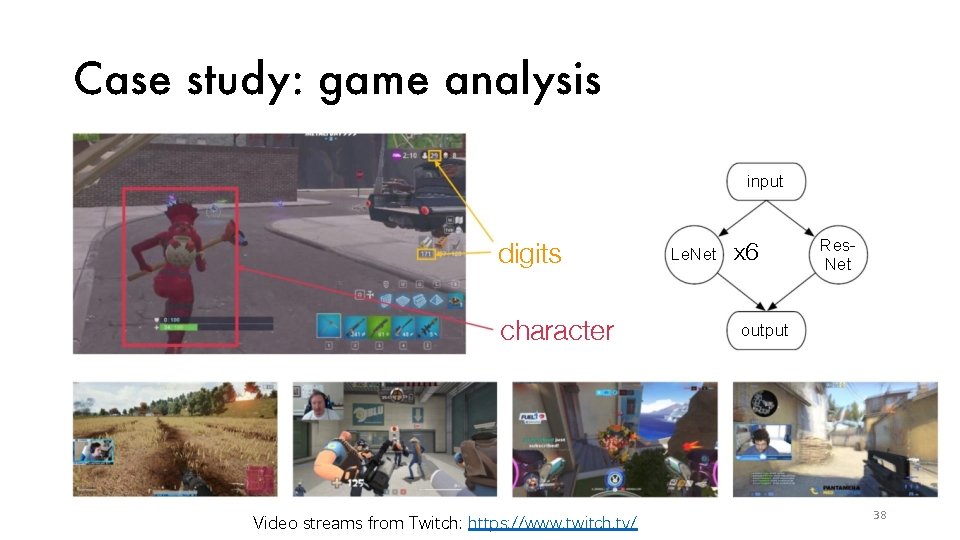
Case study: game analysis input digits character Video streams from Twitch: https: //www. twitch. tv/ Le. Net x 6 Res. Net output 38
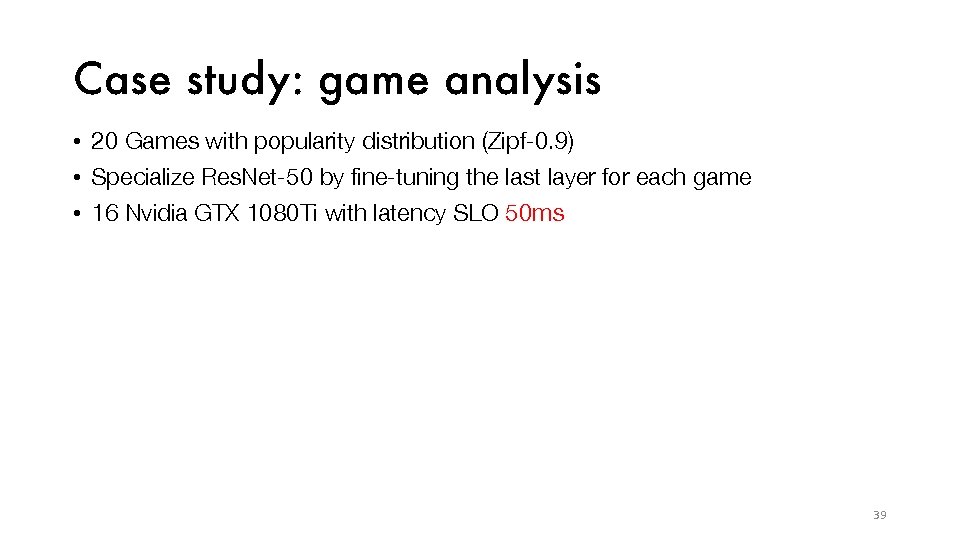
Case study: game analysis • 20 Games with popularity distribution (Zipf-0. 9) • Specialize Res. Net-50 by fine-tuning the last layer for each game • 16 Nvidia GTX 1080 Ti with latency SLO 50 ms 4000 3000 9. 4 x 2000 1000 0 TF Serving Clipper Nexus 39
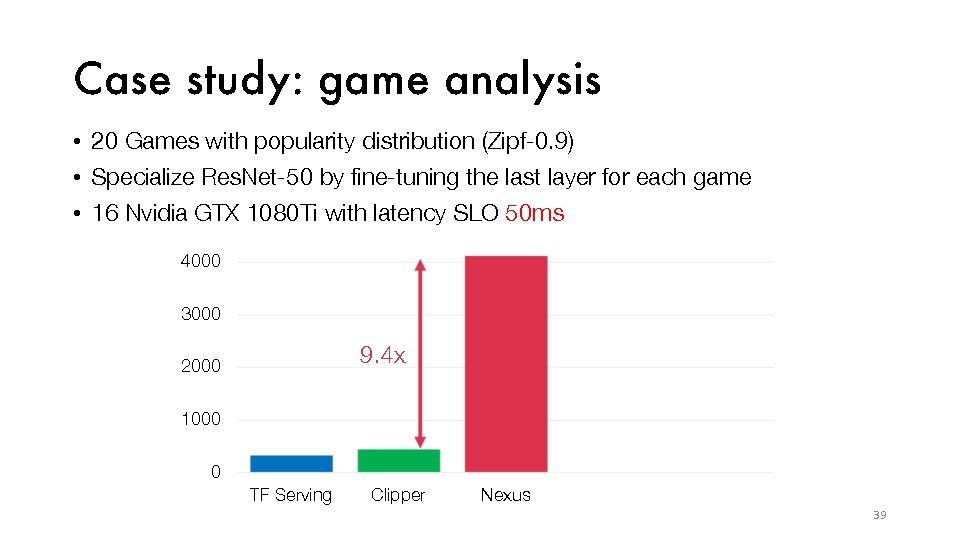
Case study: game analysis • 20 Games with popularity distribution (Zipf-0. 9) • Specialize Res. Net-50 by fine-tuning the last layer for each game • 16 Nvidia GTX 1080 Ti with latency SLO 50 ms 4000 3000 9. 4 x 2000 1000 0 TF Serving Clipper Nexus 39
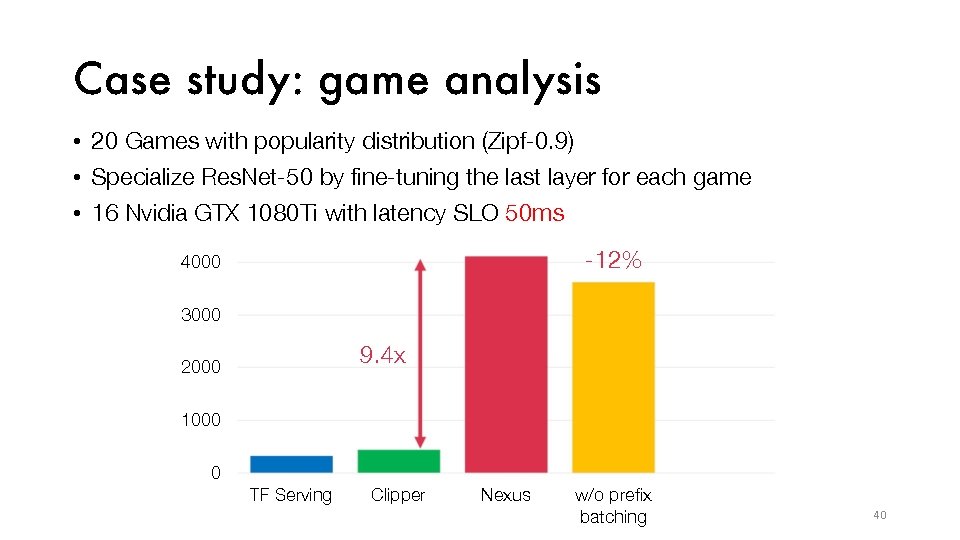
Case study: game analysis • 20 Games with popularity distribution (Zipf-0. 9) • Specialize Res. Net-50 by fine-tuning the last layer for each game • 16 Nvidia GTX 1080 Ti with latency SLO 50 ms -12% 4000 3000 9. 4 x 2000 1000 0 TF Serving Clipper Nexus w/o prefix batching 40
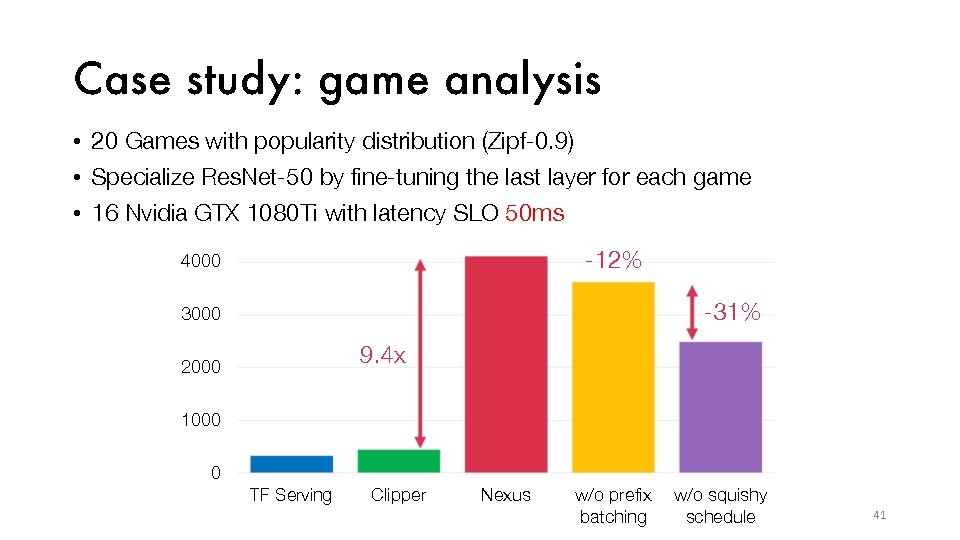
Case study: game analysis • 20 Games with popularity distribution (Zipf-0. 9) • Specialize Res. Net-50 by fine-tuning the last layer for each game • 16 Nvidia GTX 1080 Ti with latency SLO 50 ms -12% 4000 -31% 3000 9. 4 x 2000 1000 0 TF Serving Clipper Nexus w/o prefix batching w/o squishy schedule 41
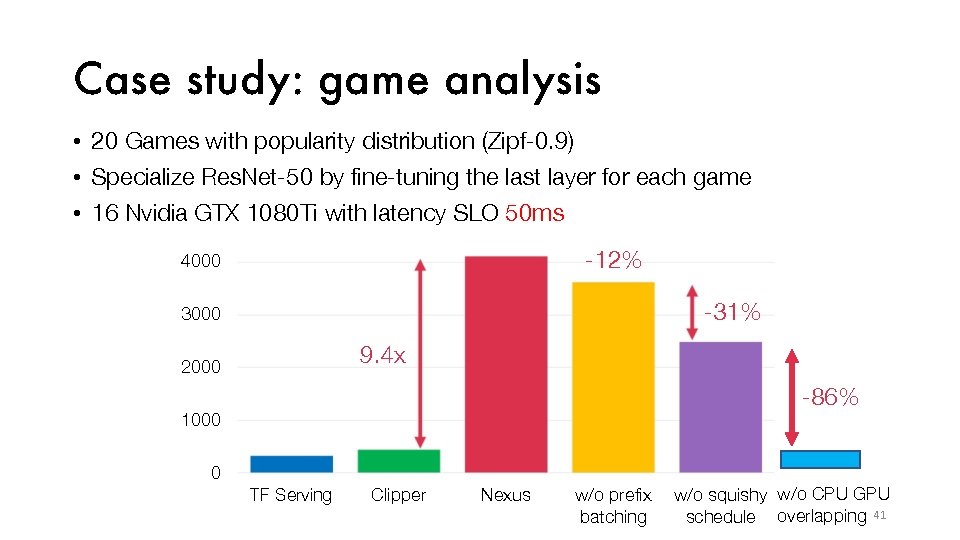
Case study: game analysis • 20 Games with popularity distribution (Zipf-0. 9) • Specialize Res. Net-50 by fine-tuning the last layer for each game • 16 Nvidia GTX 1080 Ti with latency SLO 50 ms -12% 4000 -31% 3000 9. 4 x 2000 -86% 1000 0 TF Serving Clipper Nexus w/o prefix batching w/o squishy w/o CPU GPU schedule overlapping 41
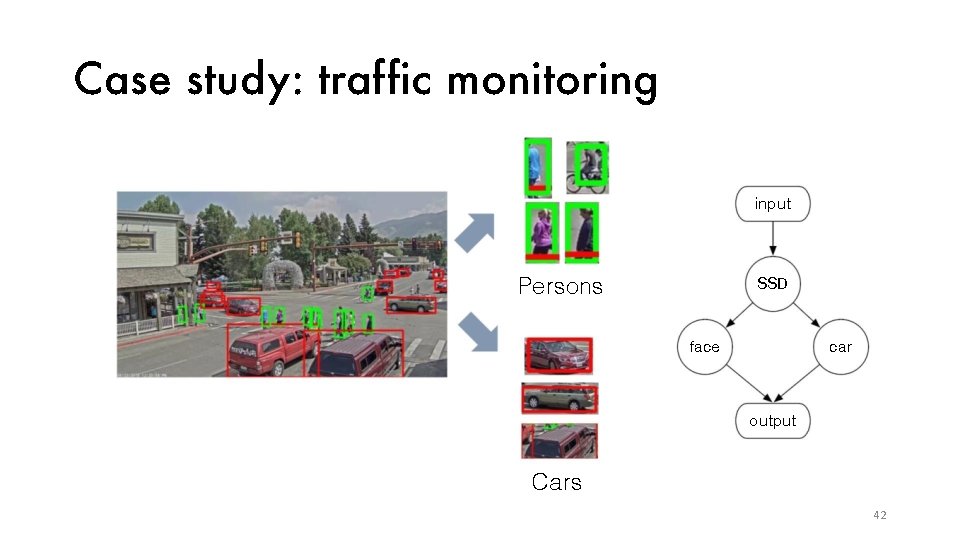
Case study: traf fic monitoring input SSD Persons face car output Cars 42
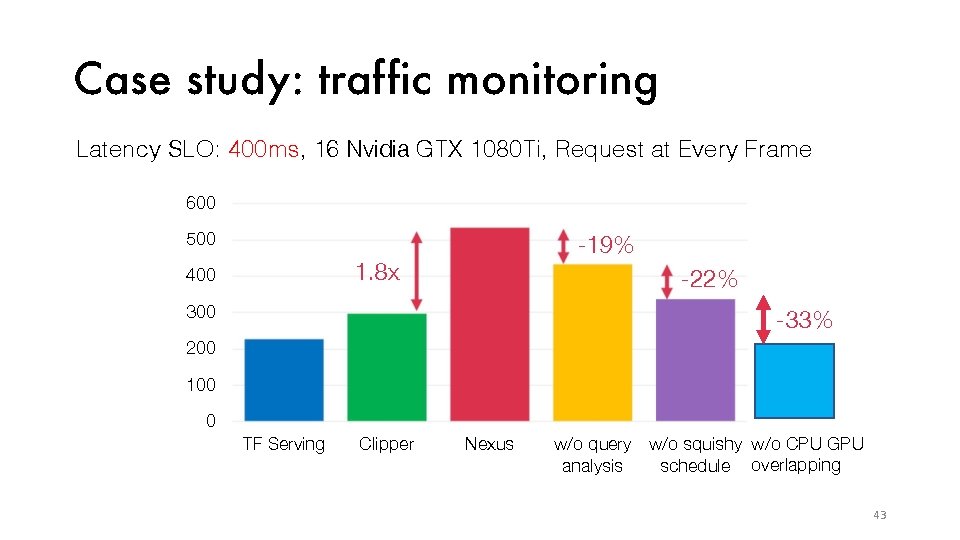
Case study: traf fic monitoring Latency SLO: 400 ms, 16 Nvidia GTX 1080 Ti, Request at Every Frame 600 500 -19% 1. 8 x 400 -22% 300 -33% 200 100 0 TF Serving Clipper Nexus w/o q uery w/o squishy w/o CPU GPU analysis schedule overlapping 43
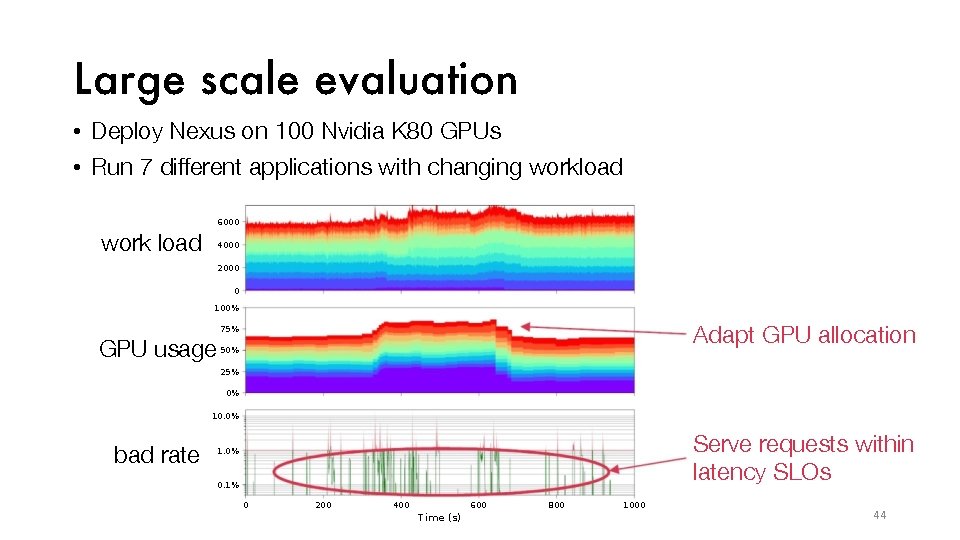
Large scale evaluation • Deploy Nexus on 100 Nvidia K 80 GPUs • Run 7 different applications with changing workload 6000 work load 4000 2000 0 100% Adapt GPU allocation 75% GPU usage 50% 25% 0% 10. 0% bad rate Serve requests within latency SLOs 1. 0% 0. 1% 0 200 400 600 7 i. Pe (s) 800 1000 44
Conclusion Nexus serves multiple applications at high utilization on a GPU cluster while satisfying latency SLOs • Uses squishy bin-packing to schedule DNN workloads • Analyzes complex queries • Enables prefix batching across models Code available at https: //github. com/uwsampl/nexus 45
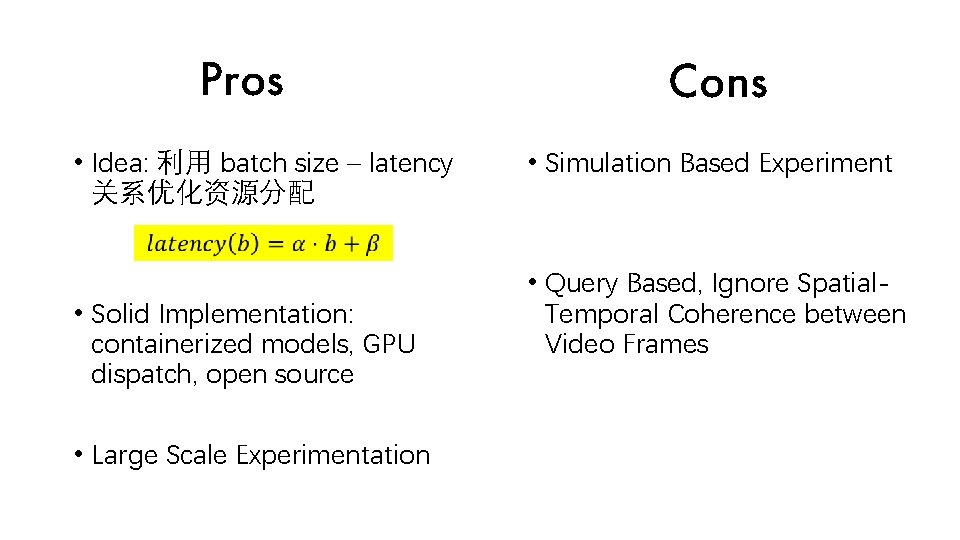
Pros • Idea: 利用 batch size – latency 关系优化资源分配 • Solid Implementation: containerized models, GPU dispatch, open source • Large Scale Experimentation Cons • Simulation Based Experiment • Query Based, Ignore Spatial. Temporal Coherence between Video Frames
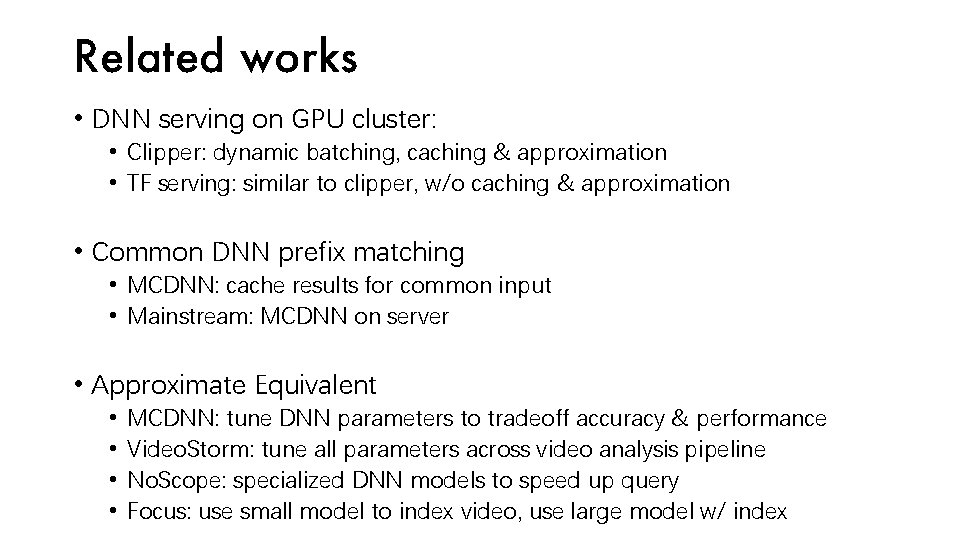
Related works • DNN serving on GPU cluster: • Clipper: dynamic batching, caching & approximation • TF serving: similar to clipper, w/o caching & approximation • Common DNN prefix matching • MCDNN: cache results for common input • Mainstream: MCDNN on server • Approximate Equivalent • • MCDNN: tune DNN parameters to tradeoff accuracy & performance Video. Storm: tune all parameters across video analysis pipeline No. Scope: specialized DNN models to speed up query Focus: use small model to index video, use large model w/ index
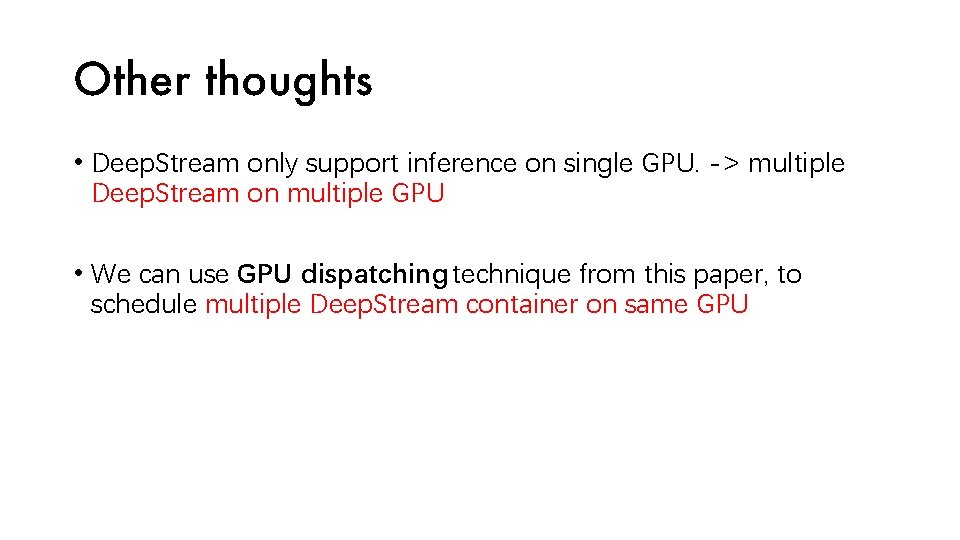
Other thoughts • Deep. Stream only support inference on single GPU. -> multiple Deep. Stream on multiple GPU • We can use GPU dispatching technique from this paper, to schedule multiple Deep. Stream container on same GPU

Thank You
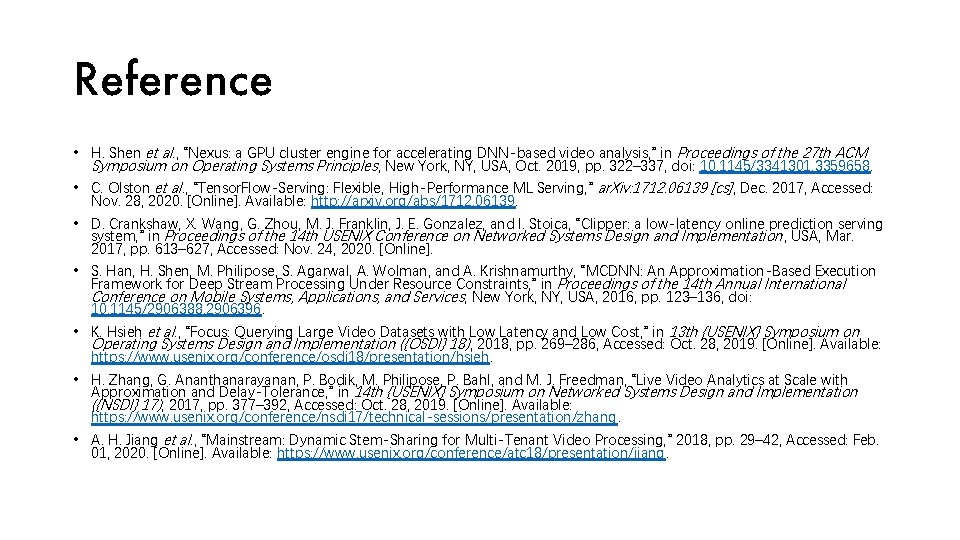
Reference • H. Shen et al. , “Nexus: a GPU cluster engine for accelerating DNN-based video analysis, ” in Proceedings of the 27 th ACM Symposium on Operating Systems Principles, New York, NY, USA, Oct. 2019, pp. 322– 337, doi: 10. 1145/3341301. 3359658. • C. Olston et al. , “Tensor. Flow-Serving: Flexible, High-Performance ML Serving, ” ar. Xiv: 1712. 06139 [cs], Dec. 2017, Accessed: Nov. 28, 2020. [Online]. Available: http: //arxiv. org/abs/1712. 06139. • D. Crankshaw, X. Wang, G. Zhou, M. J. Franklin, J. E. Gonzalez, and I. Stoica, “Clipper: a low-latency online prediction serving system, ” in Proceedings of the 14 th USENIX Conference on Networked Systems Design and Implementation , USA, Mar. 2017, pp. 613– 627, Accessed: Nov. 24, 2020. [Online]. • S. Han, H. Shen, M. Philipose, S. Agarwal, A. Wolman, and A. Krishnamurthy, “MCDNN: An Approximation-Based Execution Framework for Deep Stream Processing Under Resource Constraints, ” in Proceedings of the 14 th Annual International Conference on Mobile Systems, Applications, and Services, New York, NY, USA, 2016, pp. 123– 136, doi: 10. 1145/2906388. 2906396. • K. Hsieh et al. , “Focus: Querying Large Video Datasets with Low Latency and Low Cost, ” in 13 th {USENIX} Symposium on Operating Systems Design and Implementation ({OSDI} 18) , 2018, pp. 269– 286, Accessed: Oct. 28, 2019. [Online]. Available: https: //www. usenix. org/conference/osdi 18/presentation/hsieh. • H. Zhang, G. Ananthanarayanan, P. Bodik, M. Philipose, P. Bahl, and M. J. Freedman, “Live Video Analytics at Scale with Approximation and Delay-Tolerance, ” in 14 th {USENIX} Symposium on Networked Systems Design and Implementation ({NSDI} 17), 2017, pp. 377– 392, Accessed: Oct. 28, 2019. [Online]. Available: https: //www. usenix. org/conference/nsdi 17/technical-sessions/presentation/zhang. • A. H. Jiang et al. , “Mainstream: Dynamic Stem-Sharing for Multi-Tenant Video Processing, ” 2018, pp. 29– 42, Accessed: Feb. 01, 2020. [Online]. Available: https: //www. usenix. org/conference/atc 18/presentation/jiang.
- Slides: 57